

10 migliori alternative a Mural per la collaborazione nel 2026

Selezione delle migliori alternative a Mural


Mural è uno strumento prezioso per i team che necessitano di un software più collaborativo per i progetti visivi. Tuttavia, potrebbe non essere la soluzione giusta per ogni team. Se desideri migliorare la collaborazione in tempo reale, ottimizzare i workshop di design thinking o semplicemente vuoi uno strumento che si adatti meglio al flusso di lavoro specifico del tuo team, vale la pena prendere in considerazione numerose alternative.
Per aiutarti a trovare le migliori alternative a Mural, ho analizzato e recensito diversi software, tenendo conto di aspetti come prezzi, vantaggi e svantaggi ed efficacia complessiva. Grazie alle mie recensioni approfondite, potrai trovare lo strumento ideale per promuovere la creatività e l'efficienza nel tuo team e avere successo sul lavoro.
Cos'è Mural?
Mural è uno spazio di lavoro digitale per la collaborazione visiva, progettato per migliorare la creatività e la produttività del team attraverso l'uso di lavagne virtuali. Consente agli utenti di creare, condividere e collaborare in tempo reale su contenuti visivi come diagrammi, diagrammi di flusso e note adesive, indipendentemente dalla loro posizione fisica.
Perché usare un'alternativa a Mural
Sebbene Mural sia uno strumento prezioso per la collaborazione da remoto e il design, potrebbe non adattarsi perfettamente alle esigenze del tuo team. Potresti cercare un'alternativa a Mural se hai dubbi riguardo a:
- Costo: la struttura dei prezzi di Mural potrebbe superare i vincoli di budget del tuo team o della tua organizzazione, rendendolo potenzialmente un'opzione meno praticabile per le aziende attente ai costi.
- Funzionalità: se Mural non include alcune funzionalità fondamentali essenziali per i tuoi flussi di lavoro, come analisi avanzate dei dati o modelli personalizzabili, potrebbe non soddisfare pienamente le esigenze del tuo progetto.
- Interfaccia utente: potresti ritenere che l'interfaccia utente di Mural sia meno intuitiva o visivamente accattivante rispetto ad altri strumenti collaborativi presenti sul mercato.
- Integrazione: Mural potrebbe non integrarsi in modo altrettanto fluido con gli altri strumenti che utilizzi quotidianamente, come i software di gestione dei progetti o i sistemi CRM, causando inefficienze nel tuo flusso di lavoro.
- Prestazioni: se riscontri problemi di prestazioni con Mural, come tempi di caricamento lunghi o anomalie durante le interazioni ad alto volume, ciò può compromettere significativamente gli sforzi di collaborazione del tuo team.
Le alternative a Mural possono offrire funzionalità uniche, una migliore integrazione e prestazioni superiori in linea con le tue esigenze e preferenze specifiche. Possono inoltre proporre opzioni più convenienti e interfacce utente diverse, che potrebbero adattarsi meglio al tuo flusso di lavoro.
Perché fidarsi dei nostri consigli sui software
Il nostro team testa e recensisce software dal 2012. In quanto project manager noi stessi, sappiamo quanto sia difficile — e importante — scegliere il software giusto.
Per questa guida, abbiamo valutato gli strumenti attraverso test pratici e ricerche indipendenti, assegnando un punteggio agli strumenti in base ai nostri criteri di selezione. Ci basiamo inoltre sulle competenze di leader di pensiero del settore e di professionisti attivi nella gestione dei progetti.
Le nostre recensioni riflettono il nostro giudizio editoriale umano, non un discorso di vendita.
Revisori esperti:
Tabella comparativa delle alternative a Mural
| Tool | Best For | Trial Info | Price | ||
|---|---|---|---|---|---|
| 1 | Ideale per il design collaborativo di interfacce | Piano gratuito disponibile | Da $16/utente/mese (fatturazione annuale) | Website | |
| 2 | Ideale per uno spazio di lavoro collaborativo tutto-in-uno con assistente AI | Prova gratuita + piano gratuito + demo gratuita disponibili | Da $10/creatore di documenti/mese (fatturato annualmente) | Website | |
| 3 | Ideale per la comunicazione unificata | Prova gratuita di 14 giorni + demo gratuita disponibile | A partire da $45/mese (fatturato annualmente) | Website | |
| 4 | Ideale per organizzare progetti creativi in modo visivo | Piano gratuito disponibile | Da $9.99/utente/mese (fatturato annualmente) | Website | |
| 5 | Ideale come workspace per team remoti | Prova gratuita di 7 giorni + piano gratuito disponibile | Da $5.42/utente/mese | Website | |
| 6 | Ideale per lavagne digitali con integrazione Microsoft | Piano gratuito + prova gratuita di 30 giorni disponibile | Da $9.99/mese | Website | |
| 7 | Ideale per collaborazione fluida e produttività | Prova gratuita di 14 giorni | A partire da $8/utente/mese (fatturazione annuale) | Website | |
| 8 | Ideale per spazi di lavoro visivi orientati all'innovazione | Piano gratuito disponibile | Da $8/membro/mese (fatturazione annuale) | Website | |
| 9 | Ideale per la gestione del lavoro e l'automazione in ambito enterprise | Prova gratuita + demo gratuita disponibili | A partire da $9/membro/mese (fatturazione annuale) | Website | |
| 10 | Ideale per brainstorming e collaborazione in tempo reale | Piano gratuito disponibile | Da $9/utente/mese (fatturato annualmente) | Website |


Recensioni delle migliori alternative a Mural
Di seguito fornirò un’analisi e una panoramica approfondite di ciascuna alternativa a Mural. Illustrerò i vantaggi e gli svantaggi di ogni strumento, le sue funzionalità e i casi d’uso migliori.
Figma
Ideale per il design collaborativo di interfacce
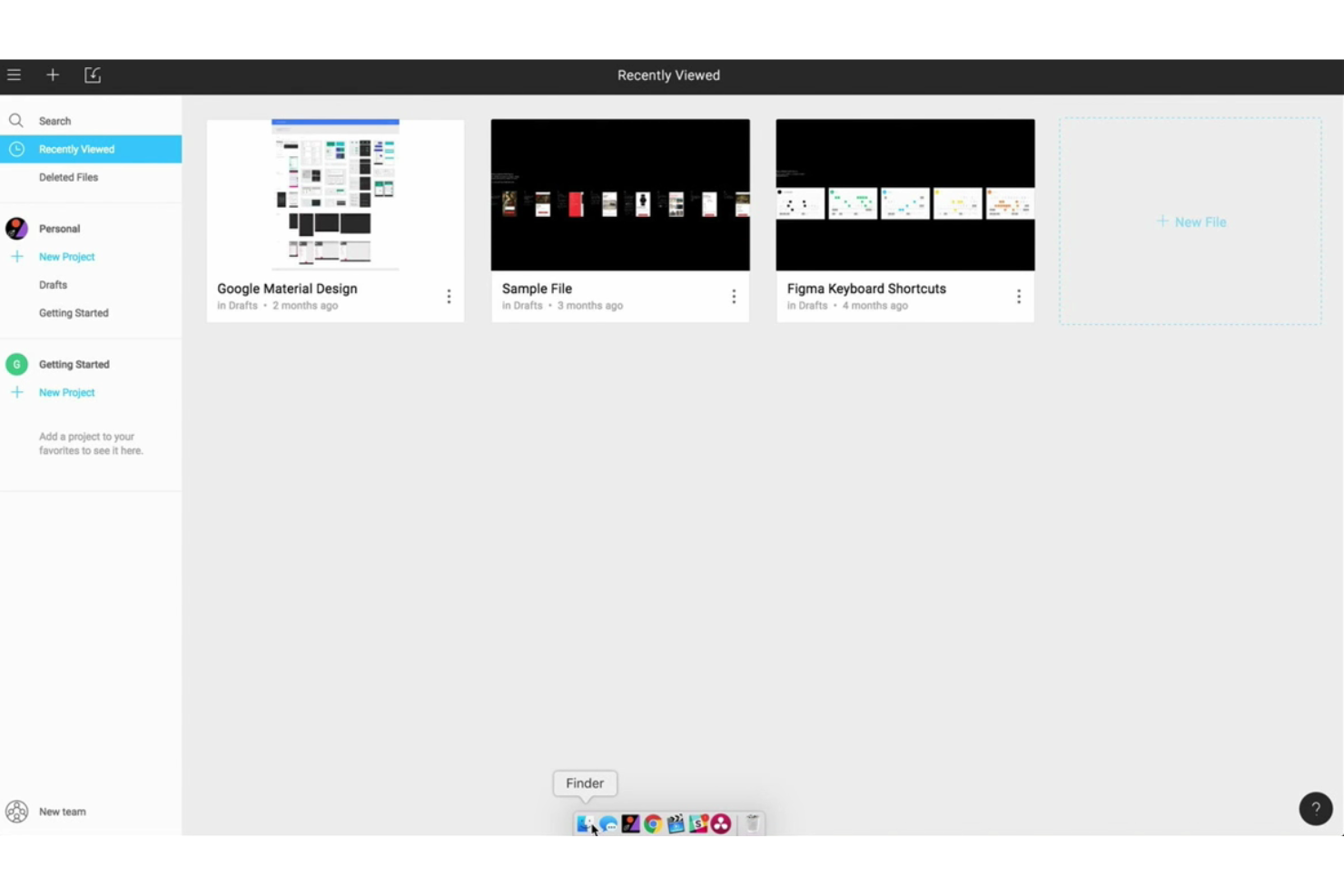
Figma è uno strumento collaborativo per il design di interfacce che consente ai team di progettare, prototipare e collaborare in tempo reale. È la scelta migliore per il design collaborativo di interfacce grazie alle sue solide funzionalità di collaborazione in tempo reale e agli avanzati strumenti di progettazione.
Perché è una buona alternativa a Mural:
Figma è una valida alternativa a Mural per i team di design che necessitano di strumenti di progettazione precisi insieme a funzionalità collaborative. Offre un'ampia gamma di capacità per il design di interfacce, dalla creazione di wireframe alla prototipazione. Questo rende Figma particolarmente efficace per i team impegnati in progetti di UX/UI dove è fondamentale un lavoro di design dettagliato, ma è altrettanto importante la collaborazione in tempo reale.
Funzionalità e integrazioni principali:
Le funzionalità includono editing di grafica vettoriale, collaborazione in tempo reale, prototipazione, libreria di componenti, design responsivo, auto-layout, controllo delle versioni, plugin, interfaccia drag-and-drop e archiviazione nel cloud.
Le integrazioni includono Slack, Jira, Dropbox, Zeplin, Trello, Asana, Microsoft Teams, Notion, GitHub e Google Drive.
Pros and Cons
Pros:
- Collaborazione in tempo reale
- Strumenti completi per design e prototipazione
- Ampio supporto a plugin e integrazioni
Cons:
- Curva di apprendimento più ripida per i nuovi utenti
- Funzionalità offline limitate
Coda
Ideale per uno spazio di lavoro collaborativo tutto-in-uno con assistente AI
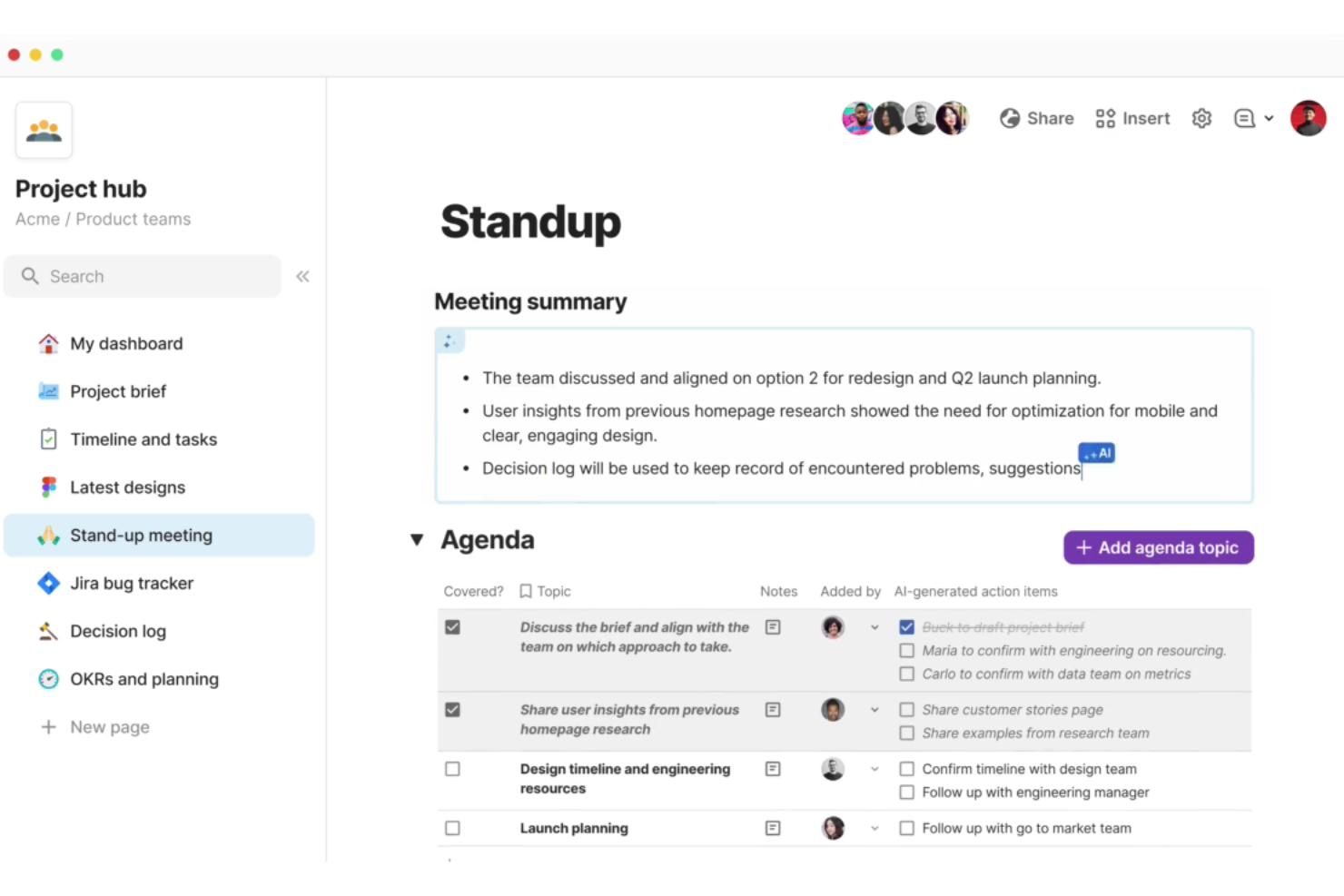
Coda è uno spazio di lavoro collaborativo che combina documenti, fogli di calcolo e app in un'unica piattaforma. È l'ideale per chi cerca uno spazio di lavoro collaborativo tutto-in-uno con un assistente AI, offrendo strumenti per ottimizzare i processi di lavoro e migliorare la collaborazione del team.
Perché è una buona alternativa a Mural:
Coda è utile per trasformare documenti narrativi in strumenti attivi e interattivi, permettendo tutto, dalla gestione dei progetti alla creazione di documenti dinamici basati sui dati. Il suo assistente AI e le ampie capacità di integrazione lo rendono perfetto per i team che desiderano unificare il proprio flusso di lavoro su un'unica piattaforma.
Funzionalità principali & integrazioni:
Funzionalità includono documenti interattivi che supportano dati in tempo reale, formule e automazione, modelli personalizzabili e un assistente AI.
Integrazioni includono Google Calendar, Slack, Figma, Jira, Zoom, Trello, GitHub, Salesforce, Dropbox e Asana.
Pros and Cons
Pros:
- Modelli versatili e personalizzabili
- Assistente AI per maggiore produttività
- Ampie capacità di integrazione
Cons:
- Costo più elevato per i team numerosi
- Richiede curva di apprendimento per i nuovi utenti

ProofHub
Ideale per la comunicazione unificata
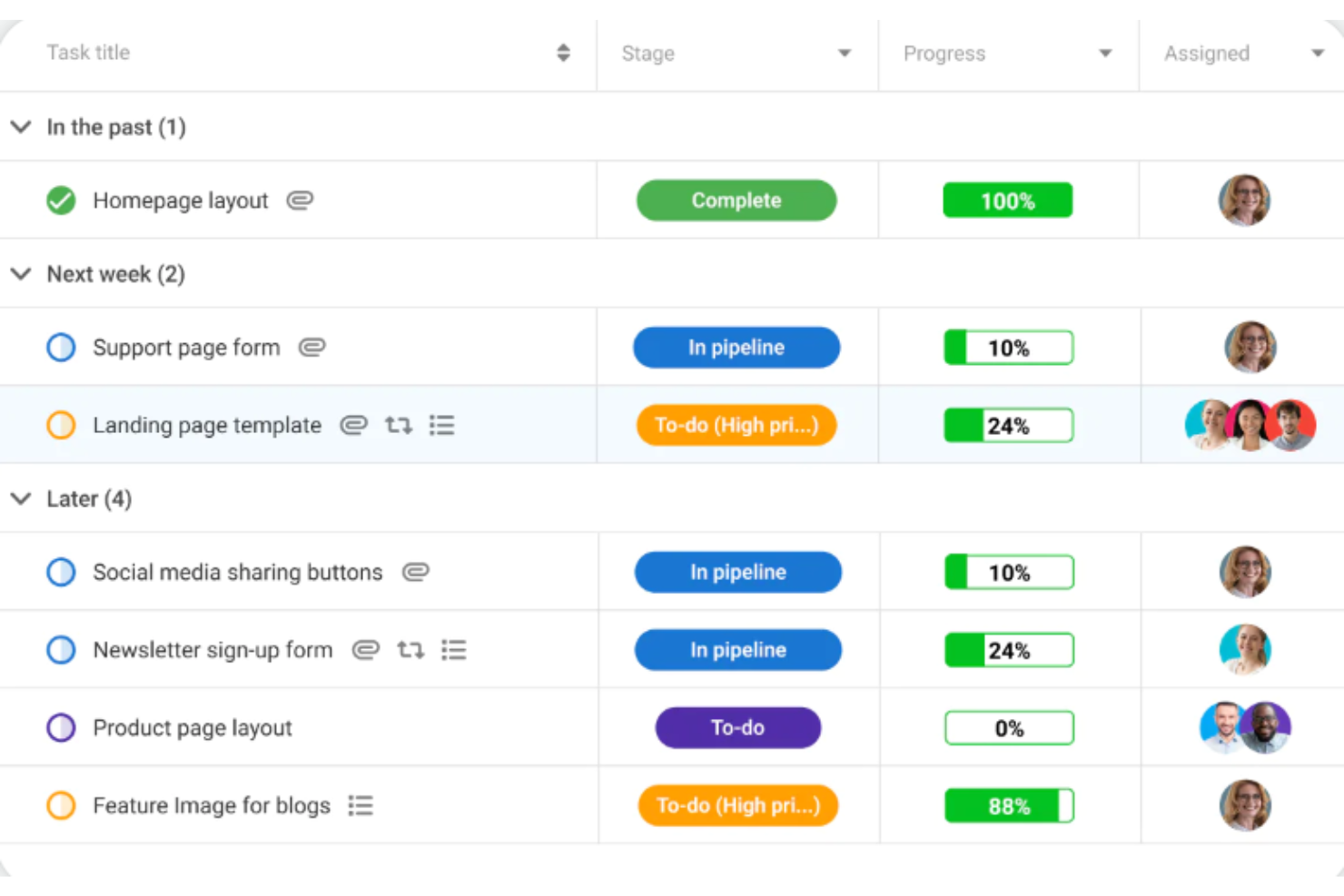
ProofHub è uno strumento avanzato di gestione dei progetti e collaborazione di team progettato per ottimizzare i flussi di lavoro e aumentare la produttività. È ideale per la comunicazione unificata perché integra assegnazione dei compiti, condivisione di file, discussioni e chat in tempo reale, assicurando che tutti i membri del team rimangano allineati e informati.
Perché è una valida alternativa a Mural:
ProofHub offre una suite completa di strumenti di gestione dei progetti. Il suo approccio integrato combina gestione delle attività, pianificazione, condivisione di file e comunicazione in un'unica piattaforma. Questa coesione consente ai team di gestire efficacemente interi progetti dall'avvio al completamento, compresa una pianificazione e un monitoraggio dettagliati, elementi importanti per i team che necessitano di un controllo preciso e di una coordinazione efficace tra i vari componenti del progetto.
Funzionalità principali e integrazioni:
Le funzionalità includono gestione delle attività, monitoraggio del tempo, flussi di lavoro personalizzati, bacheche Kanban, diagrammi di Gantt, strumenti di collaborazione, condivisione di file, revisione online, modelli di progetto, report e analisi, discussioni, note, calendario, traguardi, panoramica del responsabile di progetto, notifiche in tempo reale e supporto per app mobili.
ProofHub si integra con Google Drive, Dropbox, OneDrive, Box, FreshBooks, QuickBooks, Google Calendar, iCal, Outlook e Slack.
Pros and Cons
Pros:
- Prezzo fisso senza costo per utente
- Funzionalità complete per la gestione dei progetti
- Reportistica e analisi approfondite
Cons:
- Nessun piano gratuito disponibile
- Costo più elevato per la fatturazione mensile rispetto a quella annuale
Milanote
Ideale per organizzare progetti creativi in modo visivo
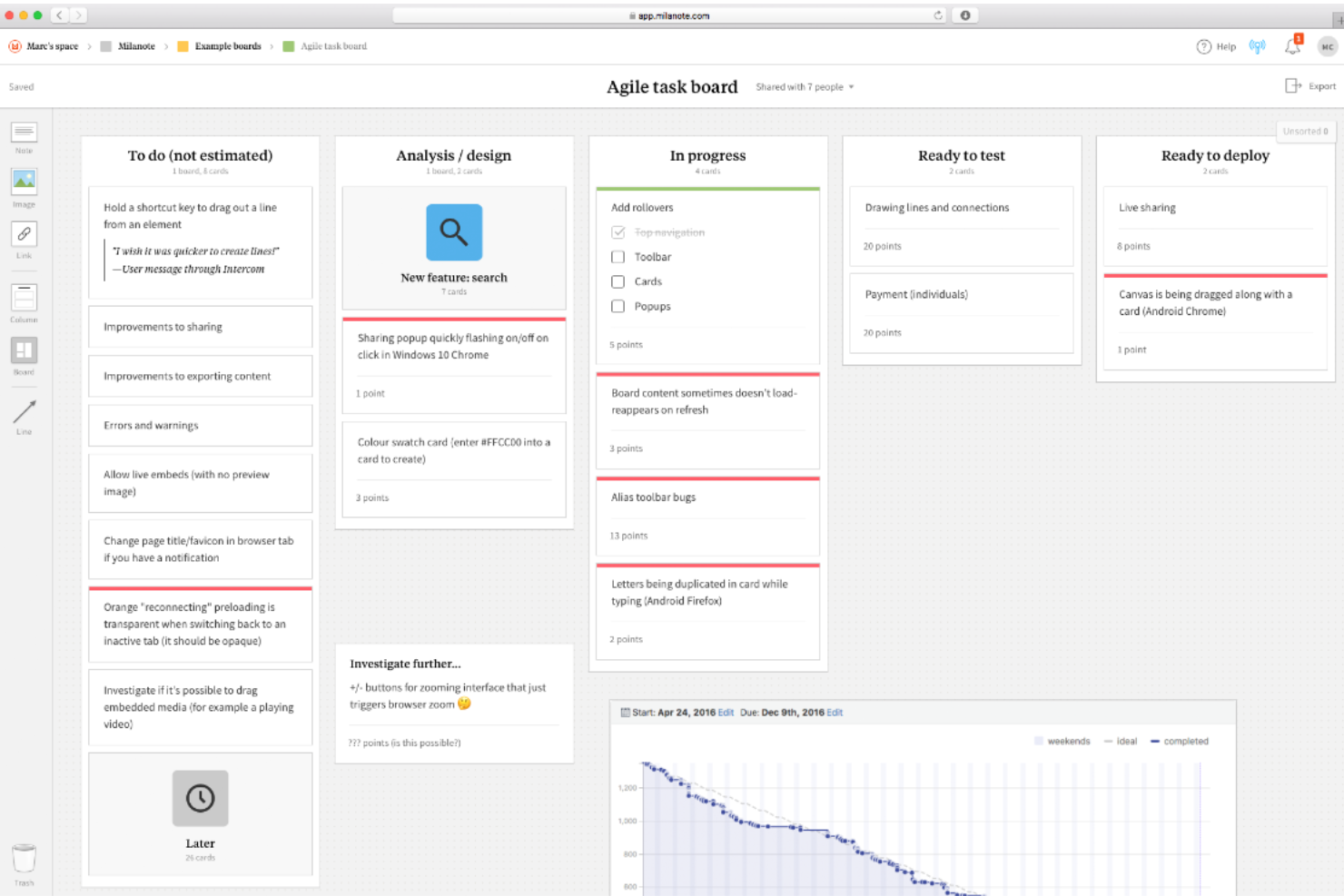
Milanote è una lavagna collaborativa progettata per aiutare gli utenti ad organizzare e visualizzare i loro progetti creativi. È l'ideale per organizzare progetti creativi in modo visivo grazie alla sua interfaccia flessibile drag-and-drop che permette agli utenti di disporre note, immagini e link nel modo più adatto ai loro progetti.
Perché è una valida alternativa a Mural:
Milanote è una valida alternativa a Mural, soprattutto per chi cerca una piattaforma intuitiva e orientata al visual per organizzare progetti e flussi di lavoro creativi. Offre un’interfaccia flessibile e user-friendly che consente il facile trascinamento di immagini, link, note e file, rendendolo ideale per designer, scrittori e marketer che hanno bisogno di visualizzare le proprie idee e progetti in modo completo.
Funzionalità principali & integrazioni:
Funzionalità includono un’interfaccia drag-and-drop, supporto a vari tipi di file, tag e categorizzazione, liste di cose da fare, note e commenti, app mobile disponibile e archiviazione cloud sicura.
Integrazioni includono Slack, Google Drive, Dropbox, Unsplash, Adobe Creative Cloud, Trello, Asana, Evernote, Microsoft OneDrive e Box.
Pros and Cons
Pros:
- Interfaccia drag-and-drop intuitiva
- Supporta vari tipi di file
- Ottime funzionalità di collaborazione
Cons:
- Ottime funzionalità di collaborazione
- Interamente basato su cloud senza accesso offline

Ideale come workspace per team remoti
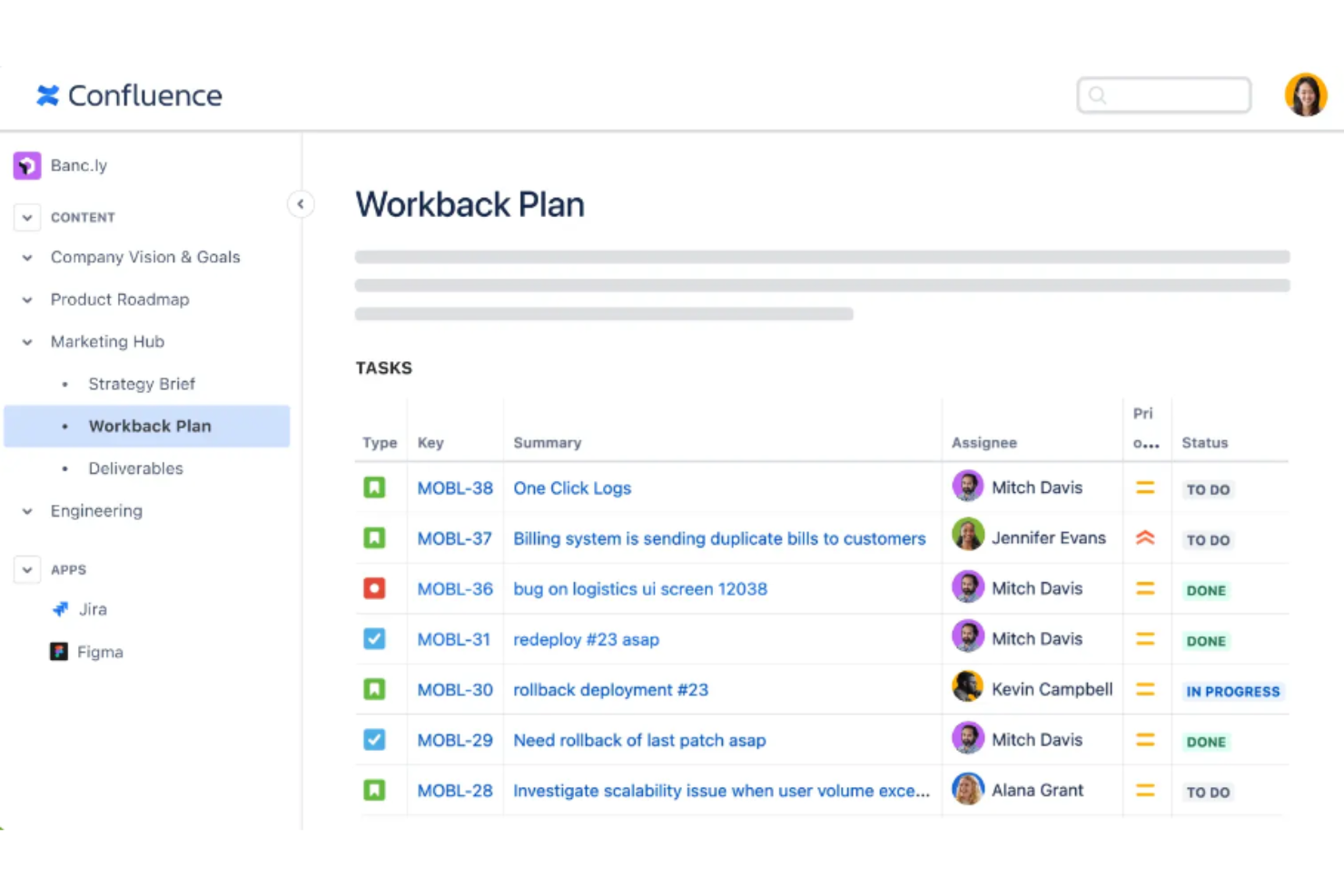
Confluence è uno strumento di collaborazione di squadra e gestione dei contenuti progettato per aiutare i team a lavorare insieme in modo efficace. È ideale come spazio di lavoro per team remoti grazie alle sue potenti funzionalità, che supportano i gruppi distribuiti nella creazione, condivisione e collaborazione sui contenuti senza difficoltà.
Perché è una buona alternativa a Mural:
Confluence offre una gestione strutturata dei contenuti e ampie funzionalità collaborative, essenziali per una documentazione avanzata dei progetti e per la collaborazione in team. Fornisce un ambiente dettagliato basato su testo, perfetto per creare artefatti di progetto approfonditi come piani, note di riunione e report. Questo lo rende la scelta migliore per i team che fanno grande affidamento su documentazione dettagliata e sull'accesso costante alla cronologia dei progetti.
Caratteristiche distintive e integrazioni:
Le funzionalità includono creazione avanzata di contenuti, modifica in tempo reale, modelli e blueprint, ricerca avanzata, permessi per pagine e spazi, controllo delle versioni, ricerca a testo completo, commenti in linea e una vasta gamma di componenti aggiuntivi tramite il marketplace Atlassian.
Le integrazioni includono Jira, Trello, Slack, Microsoft Teams, Google Drive, Dropbox, Zoom, Salesforce, GitHub e Bitbucket.
Pros and Cons
Pros:
- Ampia libreria di modelli
- Funzionalità avanzate di permessi e sicurezza
- Robusta integrazione con altri prodotti Atlassian
Cons:
- Può risultare complesso da configurare e gestire
- Problemi di prestazioni con pagine di grandi dimensioni

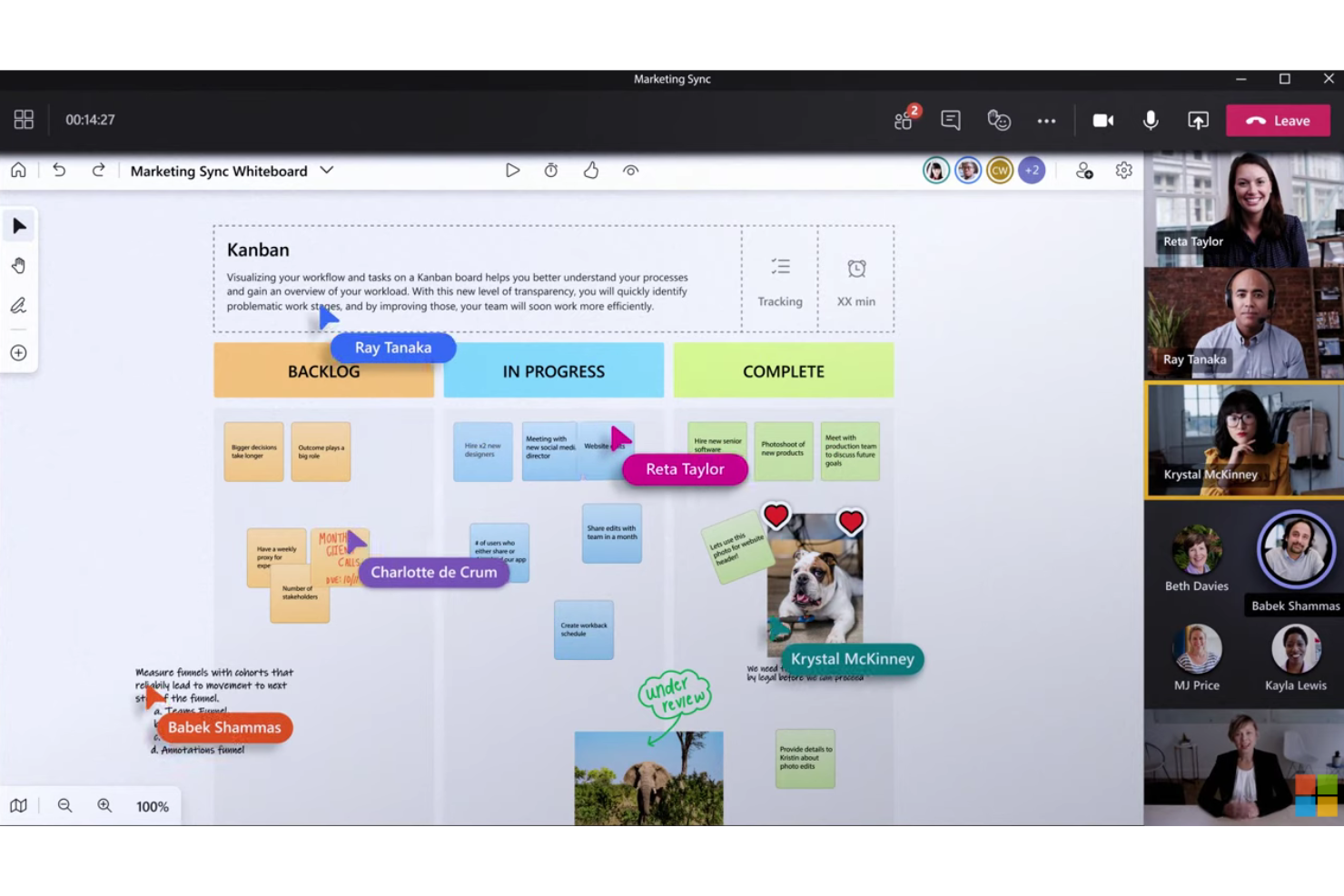
Microsoft Whiteboard è un'applicazione di lavagna digitale progettata per il lavoro e l'apprendimento flessibili. Si integra perfettamente con Microsoft 365, rendendola ideale per gli utenti già all'interno dell'ecosistema Microsoft.
Perché è una valida alternativa a Mural:
Microsoft Whiteboard rappresenta un'alternativa efficace a Mural, soprattutto per chi è già integrato nell'ecosistema Microsoft, offrendo una collaborazione fluida tra dispositivi e piattaforme. La sua integrazione con altri strumenti di Microsoft Office, come Teams e OneNote, fornisce uno spazio di lavoro digitale coeso e flessibile per progetti collaborativi.
Funzionalità e integrazioni distintive:
Le funzionalità includono modelli personalizzabili, inchiostrazione, post-it, e componenti Loop che si sincronizzano tra chat, riunioni, email e documenti. Supporta inoltre la collaborazione all'interno di Microsoft Teams, rendendo facile visualizzare idee e lavorare in modo creativo con il team.
Le integrazioni includono Microsoft Teams, OneDrive, Outlook, OneNote, SharePoint, Surface Hub, Windows 11, iOS, Android e Azure.
Pros and Cons
Pros:
- Integrazione perfetta con Microsoft 365
- Supporta la collaborazione in tempo reale in Microsoft Teams
- Ampia scelta di modelli e opzioni di inchiostro
Cons:
- Funzionalità limitate rispetto ad alcune soluzioni di lavagna digitale indipendenti
- Richiede un abbonamento Microsoft 365 per tutte le funzionalità

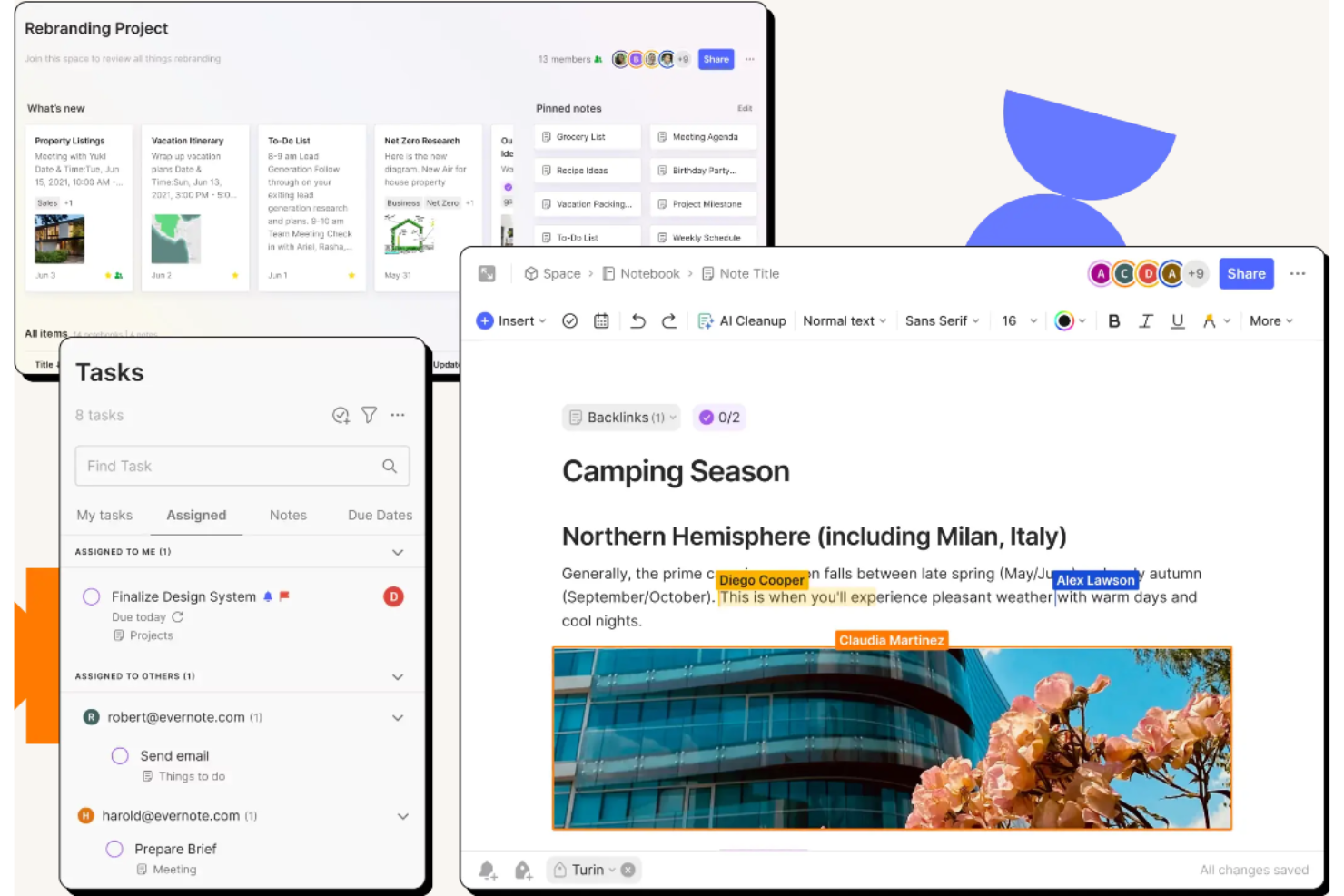
Evernote Teams è uno strumento di produttività progettato per aiutare i team a collaborare e gestire le attività in modo efficiente. È ideale per una collaborazione fluida e una maggiore produttività grazie alle sue funzioni approfondite che permettono ai membri del team di gestire note, attività e calendari in un unico luogo centralizzato.
Perché è una buona alternativa a Mural:
Evernote Teams offre una suite avanzata di strumenti di collaborazione che possono competere con le funzionalità di Mural. La sua capacità di integrarsi con diverse app di produttività e offrire collaborazione in tempo reale lo rende un concorrente forte. Inoltre, la sua attenzione alla gestione delle note e delle attività aggiunge un livello di funzionalità essenziale per la produttività del team.
Funzionalità e integrazioni principali:
Le funzionalità includono taccuini condivisi, sincronizzazione delle note in tempo reale, scansione di documenti, formattazione avanzata delle note in testo ricco, gestione dei compiti, capacità di ricerca avanzata, modelli preimpostati, collegamento tra note, accesso offline e impostazioni di autorizzazione personalizzate per i membri del team.
Le integrazioni includono Google Drive, Slack, Microsoft Outlook, Microsoft Teams, Salesforce, Zapier, Trello, Asana, Dropbox e Gmail.
Pros and Cons
Pros:
- Capacità di ricerca avanzata
- Funzionalità di sicurezza avanzate
- Collaborazione in tempo reale
Cons:
- Richiede la fatturazione annuale per il prezzo più basso
- La configurazione iniziale può essere complessa

Miro
Ideale per spazi di lavoro visivi orientati all'innovazione

Miro è uno strumento di workspace visivo progettato per favorire l'innovazione e la collaborazione tra team durante le sessioni di brainstorming. È il migliore come spazio di lavoro visivo per l'innovazione grazie alla sua ampia suite di funzionalità che supportano la creazione di diagrammi, la visualizzazione dei dati in tempo reale e la facilitazione di workshop.
Perché è una valida alternativa a Mural:
Miro offre un ambiente prezioso progettato per diagrammi complessi, mappature e brainstorming, essenziale per i team sia in presenza che da remoto che si dedicano all’innovazione e alla creazione. Miro si distingue per il suo spazio di lavoro scalabile e le ampie capacità di integrazione, aiutandoti a visualizzare e sviluppare idee in modo più efficace rispetto alle lavagne digitali tradizionali.
Funzionalità distintive e integrazioni:
Funzionalità includono una canvas infinita, modelli predefiniti, collaborazione in tempo reale, post-it digitali, strumenti di disegno, modalità presentazione, votazione, timer, chat, videoconferenza, bacheche Kanban, mappe mentali e strumenti di tracciamento dei progetti.
Integrazioni includono Jira, Azure DevOps, Asana, Zoom, Teams, Slack, Smartsheet, monday.com e ClickUp.
Pros and Cons
Pros:
- Suite completa di funzionalità per l'innovazione
- Si integra con oltre 130 strumenti
- Supporta la collaborazione sia in tempo reale che asincrona
Cons:
- Può risultare complesso per i nuovi utenti
- Curva di apprendimento elevata per le funzionalità avanzate
New Product Updates from Miro
Miro Adds Japan Data Residency for Enterprise Customers
Miro has introduced Japan data residency for enterprise customers, offering in-region storage for production data, backups, and metadata, plus in-region compute infrastructure. For more information, visit Miro's official site.

Ideale per la gestione del lavoro e l'automazione in ambito enterprise
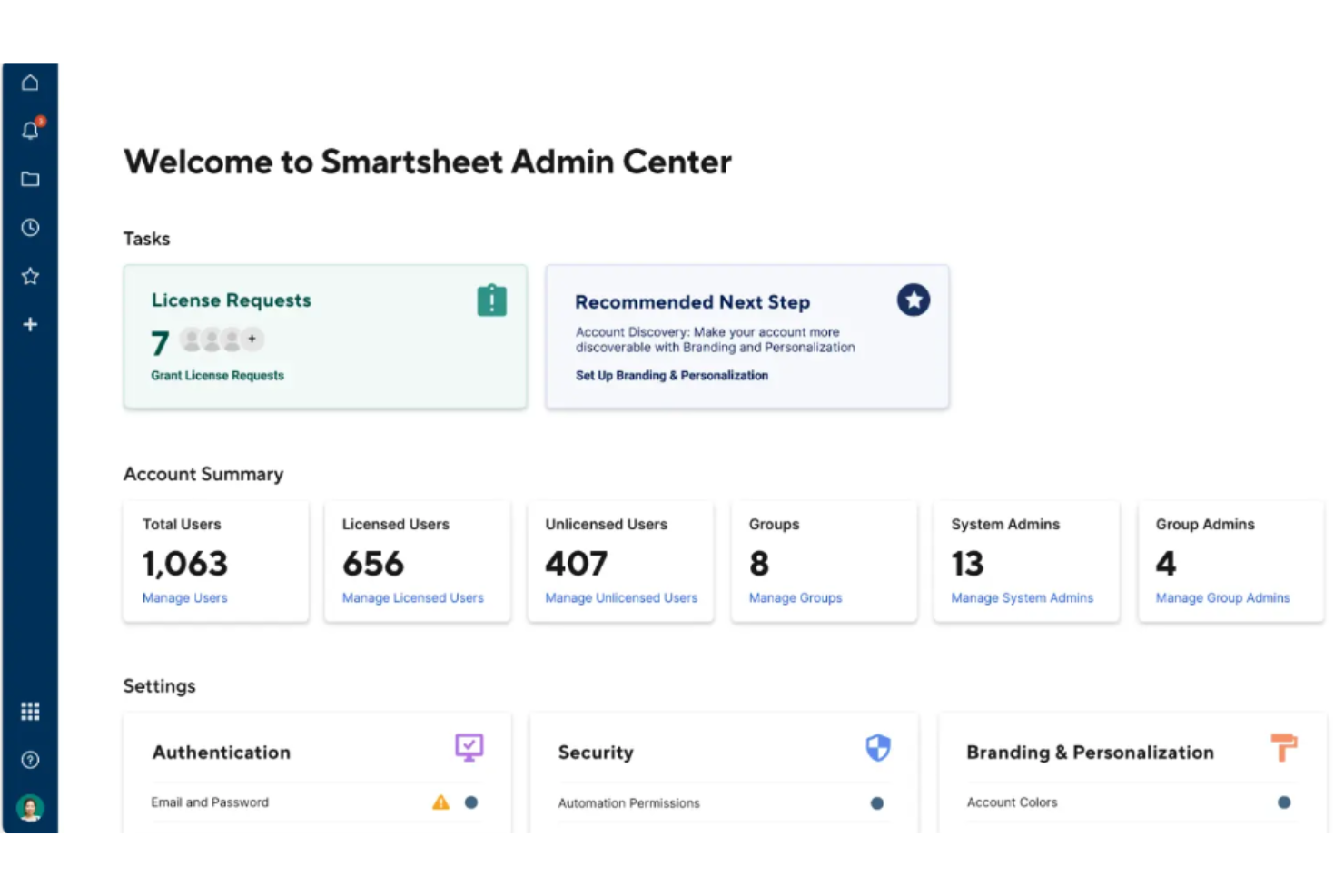
Smartsheet è una preziosa piattaforma di gestione del lavoro progettata per gestire progetti, automatizzare flussi di lavoro e creare soluzioni su larga scala. È ideale per la gestione e l'automazione del lavoro nelle aziende grazie alle sue funzionalità avanzate che supportano la gestione di progetti su larga scala, la collaborazione tra team e l'automazione dei processi.
Perché è una valida alternativa a Mural:
Smartsheet offre strumenti strutturati per la gestione dei progetti e capacità di automazione essenziali per la gestione di iniziative complesse a livello aziendale. Fornisce un monitoraggio dettagliato dei progetti, flussi di lavoro automatizzati e funzionalità avanzate di reportistica, necessarie per una supervisione e un'esecuzione completa dei progetti.
Funzionalità e integrazioni distintive:
Le funzionalità includono gestione dei progetti, collaborazione tra team, dashboard, reportistica e automazione. Offre anche capacità avanzate per la gestione sicura delle richieste, integrazioni dei dati e flussi di lavoro intelligenti.
Le integrazioni comprendono Microsoft Office 365, Google Workspace, Slack, Adobe Creative Cloud, Power BI, Tableau, DocuSign, Salesforce, Jira e ServiceNow.
Pros and Cons
Pros:
- Funzionalità robuste di project management
- Estese integrazioni con altri strumenti
- Scalabile per uso aziendale
Cons:
- Può risultare complesso per i nuovi utenti
- Opzioni di visualizzazione limitate
New Product Updates from Smartsheet
Smartsheet Adds Column Duplication Without Data
Smartsheet now lets you duplicate columns in table view without copying cell data, while retaining column properties like type, formatting, validation, and dropdown/contact options. For more information, visit Smartsheet's official site.

Lucidspark
Ideale per brainstorming e collaborazione in tempo reale
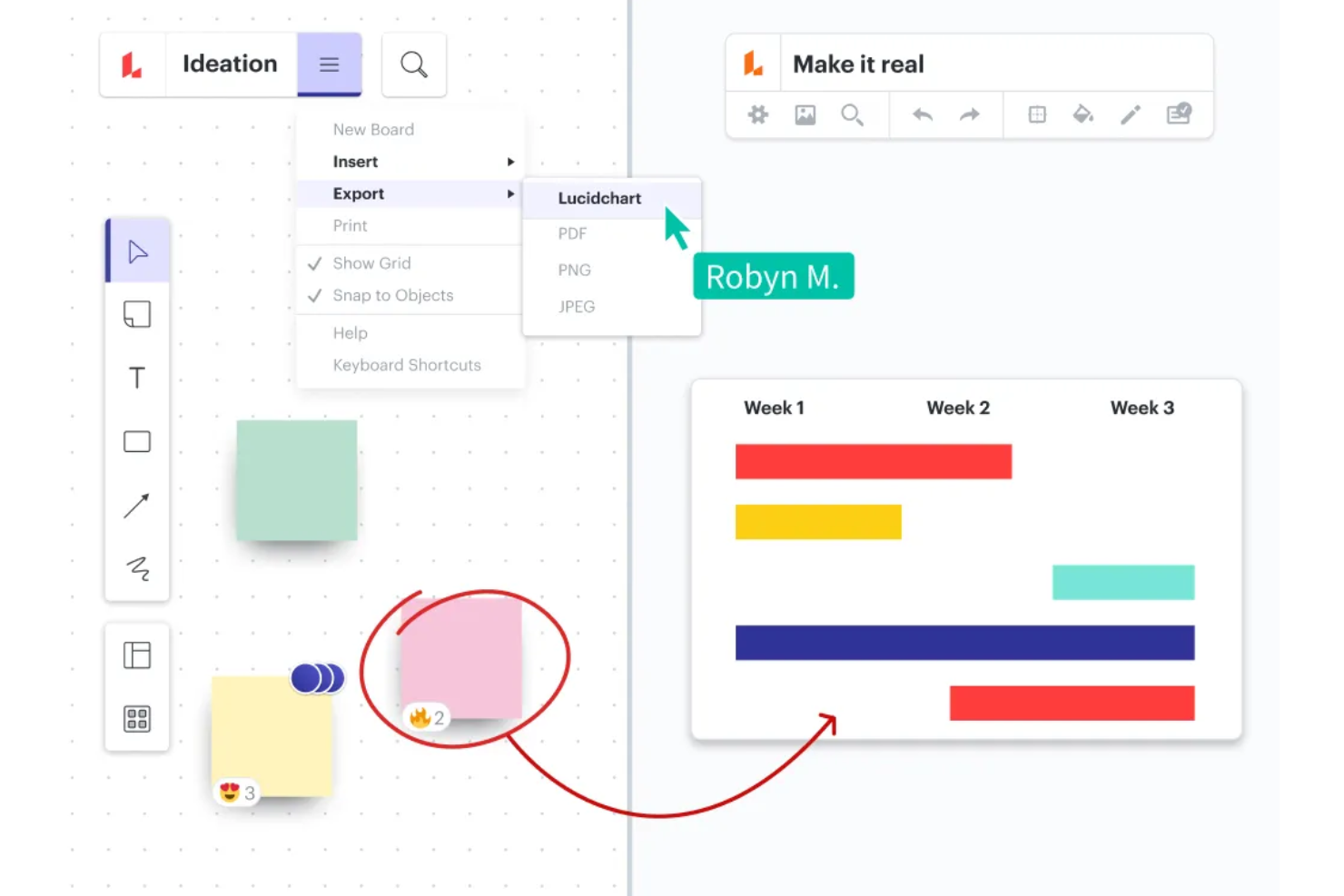
Lucidspark è uno strumento di lavagna virtuale progettato per la collaborazione e il brainstorming in tempo reale. Si distingue per offrire una piattaforma intuitiva che permette ai team di ideare e condividere feedback in modo dinamico.
Perché è una valida alternativa a Mural:
Lucidspark potenzia l'interazione e la collaborazione in tempo reale, offrendo un'esperienza fluida ai team che desiderano fare brainstorming e sviluppare idee insieme. I suoi strumenti specializzati per la facilitazione, come il voto e i timer, lo rendono una scelta eccellente per sessioni di brainstorming strutturate e una valida alternativa a Mural.
Funzionalità e integrazioni principali:
Le funzionalità includono una tela infinita per il brainstorming, mappe mentali dinamiche e un'IA collaborativa che identifica i temi chiave e riassume le sessioni. Offre inoltre modelli per vari casi d'uso come pianificazione di progetti e ricerca sugli utenti.
Le integrazioni includono Slack, Microsoft Teams, Google Drive, Jira, Confluence, Zoom, Dropbox, Asana, Trello e GitHub.
Pros and Cons
Pros:
- Intuitivo e facile da usare
- Solida integrazione con altri strumenti
- IA collaborativa per riassumere le sessioni
Cons:
- Può essere costoso per i piccoli team
- Alcuni utenti trovano la funzione di esportazione macchinosa
Altre alternative a Mural
Di seguito è riportato un elenco di ulteriori alternative a Mural che ho selezionato. Sebbene non siano rientrate nella top 10, sono comunque valide e meritano ulteriori approfondimenti.


Recensioni correlate sui software di gestione dei progetti
Se non hai ancora trovato ciò che cerchi, dai un'occhiata a questi altri strumenti correlati che abbiamo testato e valutato:
- Software di gestione dei progetti
- Software di gestione delle risorse
- Software di automazione dei flussi di lavoro
- Software per il monitoraggio del tempo
- Software di gestione delle attività
- Strumenti di collaborazione
- Creatore di diagrammi di Gantt
- Strumenti per la produttività
- Software per il monitoraggio dei progetti
- Software per la pianificazione dei progetti
Come valuto le alternative a Mural
Divido la mia valutazione in criteri di base, come la collaborazione in tempo reale e gli strumenti di facilitazione, e fattori distintivi che separano una buona lavagna da quella giusta per il tuo gruppo.
Funzionalità fondamentali (criteri essenziali per questo elenco)
Quando seleziono gli strumenti per il mio elenco, assegno a ciascuno un punteggio su una scala da 0 (non offre la funzionalità) a 5 (eccelle in quest'area) per ogni funzionalità fondamentale elencata di seguito. Poi calcolo il punteggio totale dello strumento in percentuale. Ogni strumento deve raggiungere un punteggio totale minimo del 65% per essere preso in considerazione.
- Lavagna digitale infinita: Cerco una tela senza limiti che rimanga reattiva quando ingrandisci e riduci la visualizzazione su una bacheca di pianificazione dello sprint ricoperta da centinaia di note adesive e linee di collegamento.
- Collaborazione multiutente in tempo reale: I cursori dal vivo, gli indicatori di presenza e la modifica simultanea sono importanti, soprattutto quando un gruppo distribuito di oltre 15 persone mappa insieme le dipendenze durante un laboratorio.
- Note adesive e modelli: Una solida libreria di modelli per retrospettive, bacheche Kanban e mappe delle storie fa risparmiare ore di configurazione. Verifico se i gruppi possono creare e condividere modelli personalizzati tra gli spazi di lavoro.
- Strumenti di facilitazione e laboratori: Funzionalità come timer, votazioni e modalità privata trasformano una tela vuota in una sessione strutturata. Valuto quanto bene ogni strumento supporti un facilitatore che conduce una retrospettiva dal vivo o un esercizio di definizione delle priorità.
- Integrazioni per la gestione dei progetti: Collegare i risultati della lavagna a strumenti come Jira, Asana o Monday è il punto in cui emerge il reale valore. Cerco integrazioni native e sincronizzazione bidirezionale, non semplici incorporamenti unidirezionali.
- Diagrammi e framework visivi: Diagrammi di flusso, mappe mentali e mappe delle storie utente dovrebbero essere facili da creare grazie a librerie di forme e connettori intelligenti, non assemblati alla meglio partendo da semplici rettangoli.
Una volta ottenuto un elenco di strumenti che soddisfano questi criteri, considero ciò che distingue ciascuna piattaforma.
Fattori distintivi (ciò che differenzia i fornitori)
Ecco come confronto i diversi fornitori:
Funzionalità di spicco
I raggruppamenti di note adesive e i riepiloghi delle bacheche generati dall'IA possono ridurre di ore il lavoro di sintesi dopo un laboratorio: verifico se uno strumento offre questa funzionalità nativamente o tramite componenti aggiuntivi di terze parti. La collaborazione asincrona è un altro fattore distintivo che valuto attentamente. Quando il tuo gruppo si estende su più fusi orari, le note vocali e i commenti video organizzati in discussioni mantengono attiva una retrospettiva senza dover programmare un'altra chiamata. Esamino anche le funzionalità di voto e definizione delle priorità, come il voto con puntini e le matrici impatto/sforzo, che trasformano i risultati della generazione di idee in arretrati operativi ordinati per priorità.
Oltre le funzionalità
La struttura dei prezzi è importante in questo caso. Alcuni strumenti fanno pagare ogni editor, mentre altri fanno pagare ogni postazione indipendentemente dal ruolo: questo modifica significativamente i costi quando hai 50 facilitatori ma 200 parti interessate con sola visualizzazione. Valuto anche certificazioni di sicurezza come SOC 2 e ISO 27001, soprattutto per i gruppi che gestiscono piani di prodotto o dati dei clienti sensibili. Anche le prestazioni della bacheca sono un fattore che osservo attentamente. Una tela che rallenta quando 30 persone partecipano a una sessione di pianificazione PI vanifica lo scopo della collaborazione in tempo reale.
Caratteristiche principali da cercare nelle alternative a Mural
Ecco alcune caratteristiche chiave di Mural che il tuo software alternativo dovrebbe essere in grado di replicare o migliorare per risultare adatto:
- Note adesive & testo: le note adesive e le caselle di testo sono essenziali per aggiungere idee e attività durante le sessioni di brainstorming, e possono essere personalizzate nel colore e nelle dimensioni per adattarsi a temi o priorità diversi. Questa flessibilità consente ai partecipanti di esprimere e organizzare efficacemente i propri pensieri all'interno di un ambiente collaborativo.
- Area di lavoro infinita e ridimensionabile: un'area di lavoro infinita e ridimensionabile è fondamentale perché offre lo spazio necessario per sviluppare le idee senza vincoli, adattandosi a tutto, dai piccoli gruppi alle collaborazioni su larga scala. Questa adattabilità garantisce che tutte le informazioni e le idee pertinenti possano essere raccolte ed esplorate in un unico spazio di lavoro esteso.
- Autorizzazioni flessibili: implementare autorizzazioni flessibili in uno strumento collaborativo è importante per gestire chi può visualizzare o modificare i contenuti, assicurando che le informazioni sensibili rimangano sotto controllo e promuovendo al contempo la collaborazione. Impostazioni come sola visualizzazione, modifica e ruolo di facilitatore aiutano a gestire i contributi e a mantenere l'integrità del processo collaborativo.
- Mappatura & creazione di diagrammi: gli strumenti per la mappatura e la creazione di diagrammi sono fondamentali per rappresentare visivamente flussi di lavoro, processi o strutture organizzative, rendendo più semplici da comprendere e condividere le informazioni complesse. Queste funzionalità consentono ai gruppi di creare visualizzazioni chiare e utilizzabili che migliorano la comunicazione e la pianificazione.
- Icone, GIF & immagini: le integrazioni con risorse come Noun Project, GIPHY e Unsplash arricchiscono l'impatto visivo delle collaborazioni, consentendo agli utenti di esprimere le idee in modo più dinamico e coinvolgente. Questi elementi visivi aiutano a catturare l'attenzione e a trasmettere i messaggi in modo più efficace all'interno di uno spazio di lavoro digitale.
- Modelli personalizzati: i modelli personalizzati fanno risparmiare tempo e garantiscono coerenza tra i progetti, consentendo alle organizzazioni di standardizzare processi e flussi di lavoro. Questa funzionalità aiuta a configurare rapidamente nuovi progetti o riunioni, assicurando che tutti i membri del gruppo siano allineati alle metodologie dell'organizzazione.
- Strumenti di facilitazione: gli strumenti di facilitazione come cronometri, convocazione dei partecipanti e modalità privata sono essenziali per condurre riunioni efficaci ed efficienti. Questi strumenti aiutano a gestire il tempo, coinvolgere i partecipanti e mantenere la concentrazione durante le sessioni collaborative, garantendo il raggiungimento fluido degli obiettivi.
- Commenti & chat testuale: le funzionalità di commento e chat testuale consentono una comunicazione continua all'interno di una piattaforma collaborativa, permettendo ai membri del gruppo di lasciare riscontri, chiarire punti e discutere idee in modo asincrono. Questa interazione continua migliora il processo di collaborazione, mantenendo tutti coinvolti e informati.
- Integrazioni: la possibilità di integrarsi con gli strumenti di produttività esistenti è fondamentale per migliorare i flussi di lavoro, garantendo transizioni fluide tra piattaforme diverse e riducendo al minimo le interruzioni. Questa connettività supporta un processo di lavoro più lineare ed efficiente, sfruttando strumenti familiari all'interno dell'ambiente collaborativo. Per i gruppi che cercano alternative alle piattaforme di documentazione come Confluence, l'integrazione con strumenti come Notion, Slite o Coda consente agli utenti di incorporare bacheche collaborative nei propri ecosistemi più ampi di gestione della conoscenza.
- Sicurezza: Garantire solide misure di sicurezza è fondamentale per proteggere i dati sensibili e mantenere la fiducia degli utenti. Protocolli di sicurezza robusti salvaguardano le informazioni da accessi non autorizzati e minacce digitali, aspetti importanti per preservare la privacy e rispettare gli standard di conformità in qualsiasi strumento collaborativo.