


Lucidspark Review: Pros, Cons, Features and Pricing Overview



Great ideas surface the same way dreams do; unbidden, half-formed, dredged up from somewhere beneath the meeting's surface before scattering again into the noise. A good mindmapping tool is what lets that latent material coalesce into something tangible.
Lucidspark is a virtual whiteboard and mind mapping software designed to help your team capture, organize, and act on ideas visually. If you’re tired of sticky notes or scattered whiteboards, Lucidspark brings clarity with interactive boards, real-time collaboration, and drag-and-drop mapping tools. For project managers juggling shifting requirements, cross-team feedback, and tight deadlines, Lucidspark stands out with flexible frameworks and robust integration options.
In this review, I’ll break down Lucidspark’s features, use cases, pros and cons, and pricing—so you can see how it stacks up to other mind mapping software on the market.
Lucidspark Evaluation Summary
- From $9/month (billed annually)
- Free plan + 7-day free trial + free demo available
Why Trust Our Software Recommendations
Our team has been testing and reviewing software since 2012. As project managers ourselves, we know how difficult—and important—it is to choose the right software.
For this guide, we evaluated tools using hands-on testing and independent research, scoring tools using our selection criteria. We also draw on insights from industry thought leaders and practicing project management experts.
Our reviews reflect our human editorial judgment, not a sales pitch.
Expert reviewers:
Lucidspark Overview
When judging Lucidspark as a mind mapping software, I think its intuitive interface, strong integrations, and collaborative features make it a top pick, especially for remote teams and tech-centric projects. Pricing feels reasonable for the collaborative value delivered, and onboarding is straightforward. While the deepest data and documentation features live elsewhere in the Lucid Suite, I’d choose Lucidspark if you prioritize easy setup, real-time editing, and a clean drag-and-drop canvas. It’s best for fast-moving teams needing flexible brainstorming that ties directly into project workflows.
pros
-
Real-time collaboration allows multiple users to edit together
-
Sticky notes and freehand drawing support flexible brainstorming
-
Templates help quickly visualize complex ideas and workflows
cons
-
Offline access is limited to select features
-
Polished diagrams and process maps mean hopping over to Lucidchart
-
Mobile app suits reviewing and commenting, not heavy board-building
-

Smartsheet
Visit WebsiteThis rating combines scores from multiple user review sites to reflect overall customer sentiment about the product.4.4 -
Celoxis
Visit WebsiteThis rating combines scores from multiple user review sites to reflect overall customer sentiment about the product.4.5 -
Accelo
Visit WebsiteThis rating combines scores from multiple user review sites to reflect overall customer sentiment about the product.4.4





Our Review Methodology
How We Test & Score Tools
We’ve spent years building, refining, and improving our software testing and scoring system. The rubric is designed to capture the nuances of software selection and what makes a tool effective, focusing on critical aspects of the decision-making process.
Below, you can see exactly how our testing and scoring works across seven criteria. It allows us to provide an unbiased evaluation of the software based on core functionality, standout features, ease of use, onboarding, customer support, integrations, customer reviews, and value for money.
Core Functionality (25% of final scoring)
The starting point of our evaluation is always the core functionality of the tool. Does it have the basic features and functions that a user would expect to see? Are any of those core features locked to higher-tiered pricing plans? At its core, we expect a tool to stand up against the baseline capabilities of its competitors.
Standout Features (25% of final scoring)
Next, we evaluate uncommon standout features that go above and beyond the core functionality typically found in tools of its kind. A high score reflects specialized or unique features that make the product faster, more efficient, or offer additional value to the user.
We also evaluate how easy it is to integrate with other tools typically found in the tech stack to expand the functionality and utility of the software. Tools offering plentiful native integrations, 3rd party connections, and API access to build custom integrations score best.
Ease of Use (10% of final scoring)
We consider how quick and easy it is to execute the tasks defined in the core functionality using the tool. High scoring software is well designed, intuitive to use, offers mobile apps, provides templates, and makes relatively complex tasks seem simple.
Onboarding (10% of final scoring)
We know how important rapid team adoption is for a new platform, so we evaluate how easy it is to learn and use a tool with minimal training. We evaluate how quickly a team member can get set up and start using the tool with no experience. High scoring solutions indicate little or no support is required.
Customer Support (10% of final scoring)
We review how quick and easy it is to get unstuck and find help by phone, live chat, or knowledge base. Tools and companies that provide real-time support score best, while chatbots score worst.
Customer Reviews (10% of final scoring)
Beyond our own testing and evaluation, we consider the net promoter score from current and past customers. We review their likelihood, given the option, to choose the tool again for the core functionality. A high scoring software reflects a high net promoter score from current or past customers.
Value for Money (10% of final scoring)
Lastly, in consideration of all the other criteria, we review the average price of entry level plans against the core features and consider the value of the other evaluation criteria. Software that delivers more, for less, will score higher.
Core Features
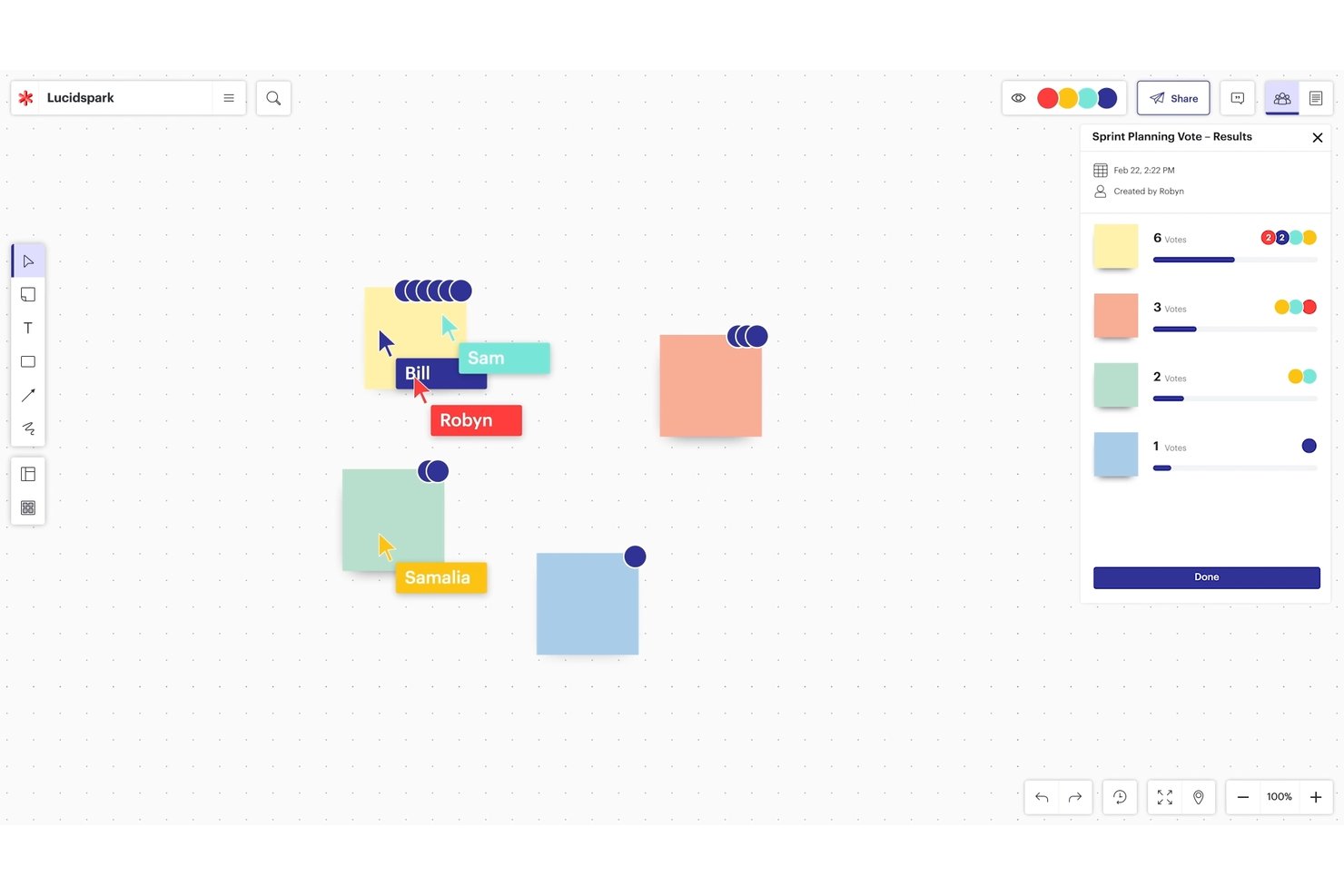
Real-Time Collaborative Editing
Multiple users can edit a mind map at once, seeing changes live. This removes confusion and keeps everyone aligned during brainstorming sessions.
Freehand Drawing and Diagramming
Sketch freeform shapes, arrows, and annotations directly on the canvas. This lets you capture ideas the way you’d use a physical whiteboard.
Sticky Notes and Commenting
Add color-coded sticky notes and leave comments anywhere on your board. This feature makes it simple to capture and organize feedback from your team.
Templates for Brainstorming and Mapping
Start with pre-built templates for mind maps, sprint planning, or project frameworks. Templates save time and provide structure for your sessions.
Voting and Reaction Tools
You can upvote ideas or add emoji reactions to content in real time. This helps teams make decisions quickly and visually.
Infinite Canvas
Maps, diagrams, and notes can expand without space constraints. Teams can keep adding items as discussions evolve, without running out of room.
Ease of Use
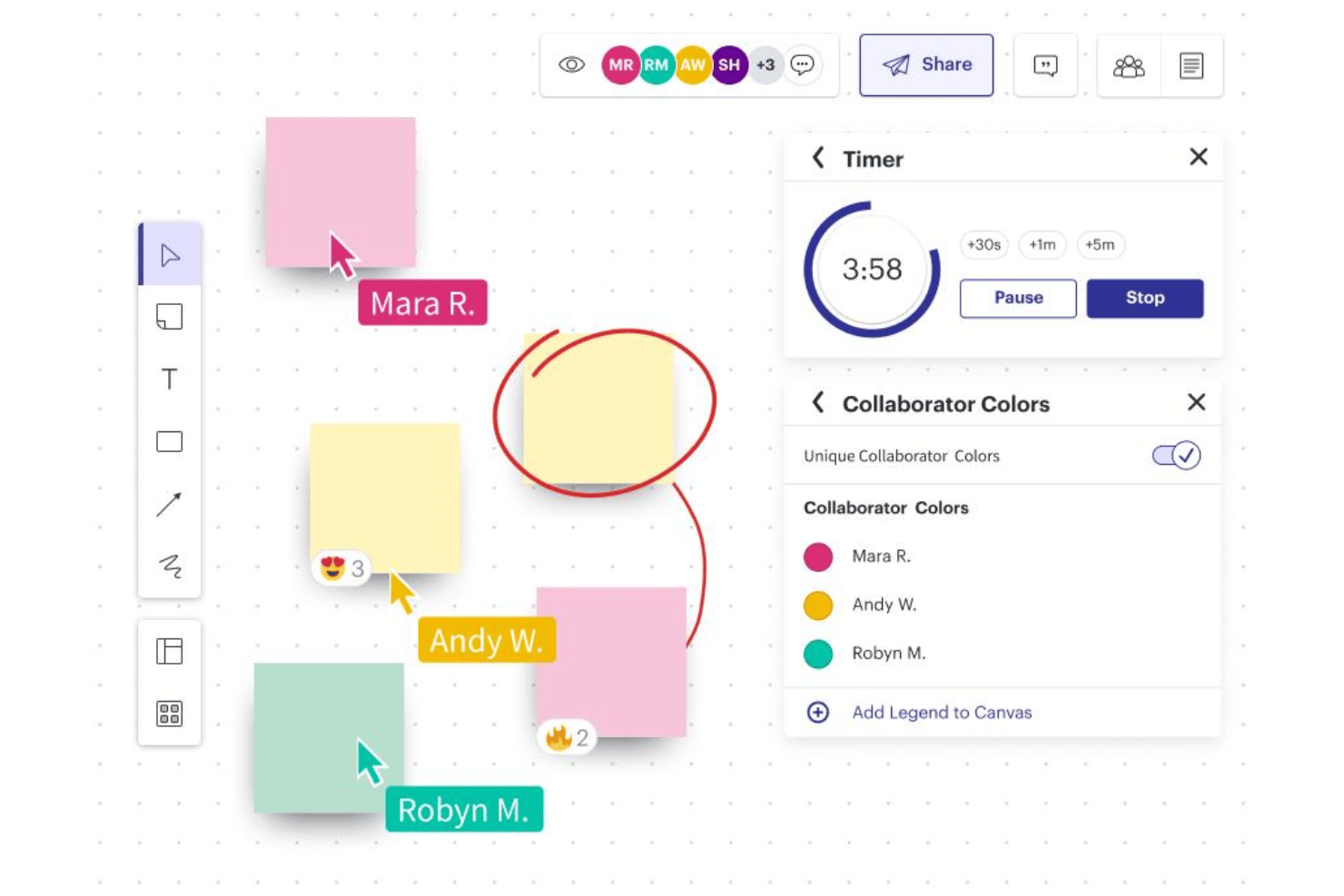
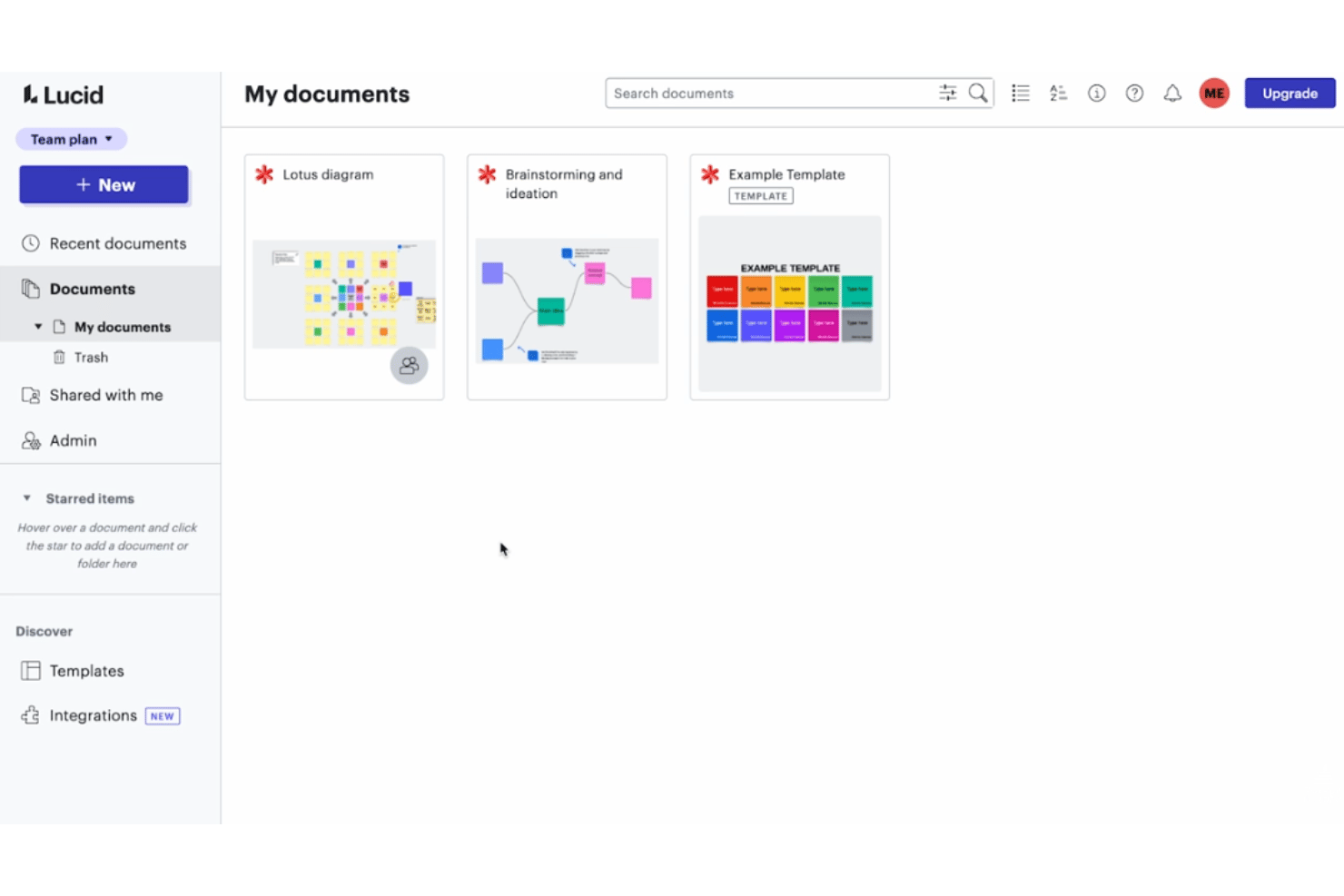
Lucidspark feels user-friendly from the start, thanks to its drag-and-drop canvas, clear menus, and pre-made templates. I think users appreciate how easy it is to invite collaborators, add sticky notes, and organize complex maps without clutter. Workshop tools like voting, facilitator controls, and breakout boards make remote sessions flow naturally, reducing friction even for first-time users.
Integrations
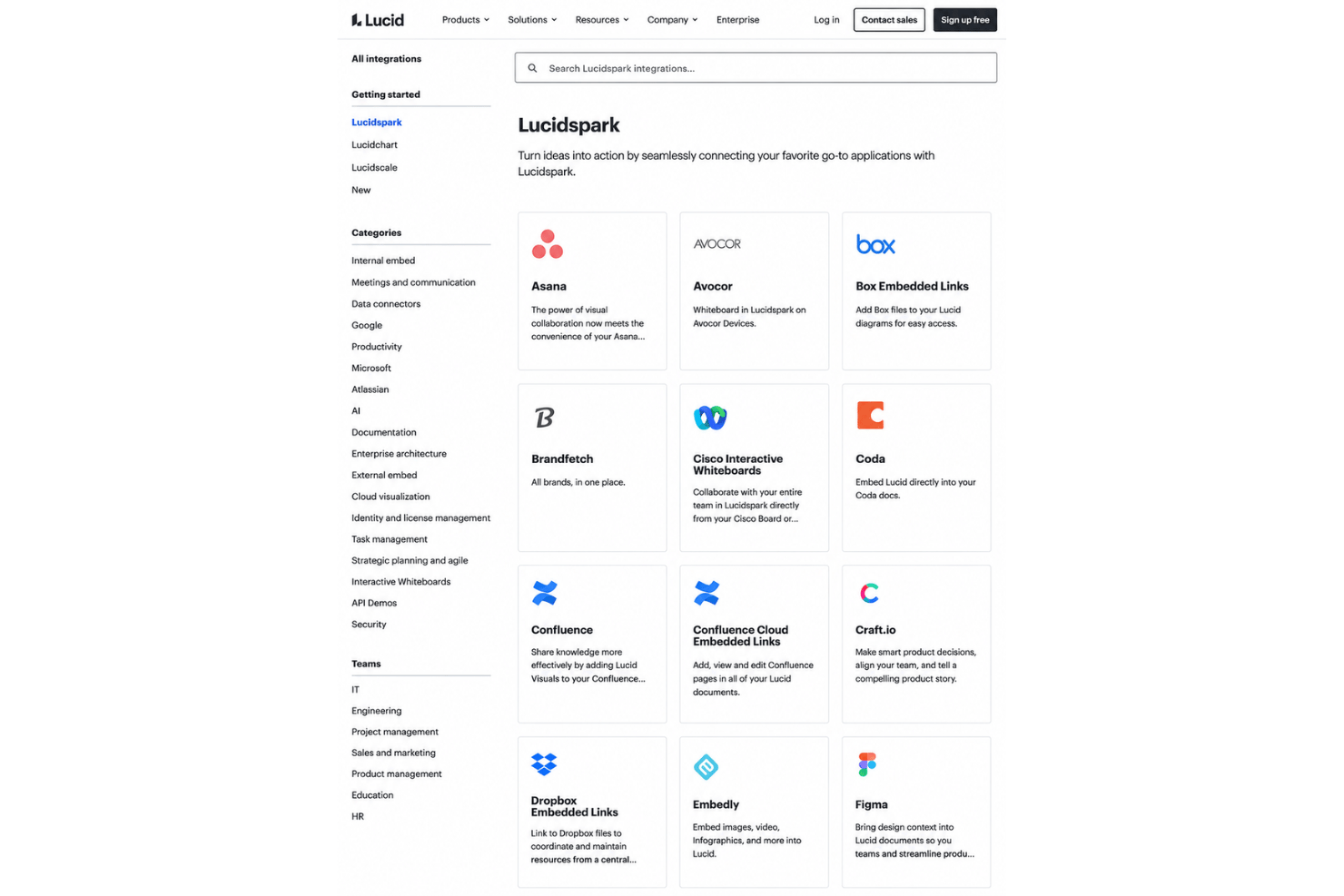
Lucidspark integrates with Lucidchart, Slack, Microsoft Teams, Google Drive, Google Calendar, Google Meet, Zoom, Webex, Jira, Confluence, and Asana, among the 100+ options in Lucid’s integrations marketplace.
It also offers an API, and the Lucid MCP server connects boards to AI tools like ChatGPT, Claude, and Microsoft Copilot.
Lucidspark Specs
- API
- Campaign Management
- Collaboration Support
- Custom Reports
- Data Export
- Data Import
- Document Management
- Email Integration
- External Integrations
- Feedback Management
- Multi-User
- Notifications
- Project Management
- Review Moderation
- Workflow Management


