

2026’da 10 İş Akışı Otomasyon Yazılımını Test Ettim: En İyi Seçimlerim

10 En İyi İş Akışı Otomasyonu Yazılımları Kısa Listesi


En iyi iş akışı otomasyonu yazılımları, koşullu mantık ve gerçek zamanlı durum değişikliklerine göre birden fazla platformda eylemleri otomatik olarak tetikleyen uçtan uca süreçleri düzenlemenize yardımcı olur. Bu yazılımlar genellikle dahili sistemlerde hesapların oluşturulması, onay iş akışları, farklı işlevlerdeki ekipler için başlangıç görevlerinin atanması ve CRM kayıtlarının güncellenmesi amacıyla kullanılır. Bunlar olmadan ekipler düşük değerli işlerde saatler harcar, iletişim eksiklikleri yaşar ve projelerin tesliminde gecikmelerle karşılaşır.
Proje yöneticisi olarak iş akışı otomasyonu platformlarını kullanarak ve test ederek edindiğim 20 yılı aşkın uygulamalı deneyim sayesinde, doğru aracın ne kadar etkili olabileceğini gördüm. En iyi yazılımlar, manuel görevleri azaltmaktan rutin onayları hızlandırmaya kadar, idari angarya yerine stratejik çalışmaya ve müşteri iletişimine odaklanmanıza yardımcı olabilir.
İşte gerçek dünya testlerine dayanan en iyi seçimlerim. Her aracın güçlü yönlerini öne çıkardım; böylece iş akışlarınıza ve hedeflerinize en uygun olanı hızlıca bulabilirsiniz.
Why Trust Our Software Recommendations
Our team has been testing and reviewing software since 2012. As project managers ourselves, we know how difficult—and important—it is to choose the right software.
For this guide, we evaluated tools using hands-on testing and independent research, scoring tools using our selection criteria. We also draw on insights from industry thought leaders and practicing project management experts.
Our reviews reflect our human editorial judgment, not a sales pitch.
Expert reviewers:
İş Akışı Otomasyonu Yazılımları Karşılaştırma Tablosu
Bu karşılaştırma tablosu, en iyi iş akışı otomasyonu yazılımı seçimlerimin her biri hakkındaki temel ayrıntıları özetlemektedir:
| Tool | Starting Price | Website | |
|---|---|---|---|
| Best for AI-driven project planning | 4.6 out of 5 | $9/user/month Free plan + 14-day trial available | Book Demo |
| Best for secure client collaboration | 4.4 out of 5 | $5,000/year Free trial + free demo available | Book Demo |
| Best for workflow automation flexibility | 4.6 out of 5 | $12/user/month Free plan + free demo available | Book Demo |
| Best for no-code AI-powered workflow automation | 4.6 out of 5 | Pricing upon request Not available | Book Demo |
| Best for agency-focused operational insights | 4.6 out of 5 | $10/user/month 14-day free trial | Book Demo |
| Best for enterprise workflow customization | 4.7 out of 5 | $40/user/month Free demo available | Book Demo |
| Best for robust API management capabilities | — | Pricing upon request 30-day free trial available | Website |
| Best with Salesforce document automation | 4.5 out of 5 | $399/month Free demo available | Website |
| Best for scaling organizations | 4.3 out of 5 | $10/user/month Free plan + 14-day trial + demo available | Book Demo |
| Best for cross-functional processes | 4.5 out of 5 | $19/user/month 15-day free trial | Website |
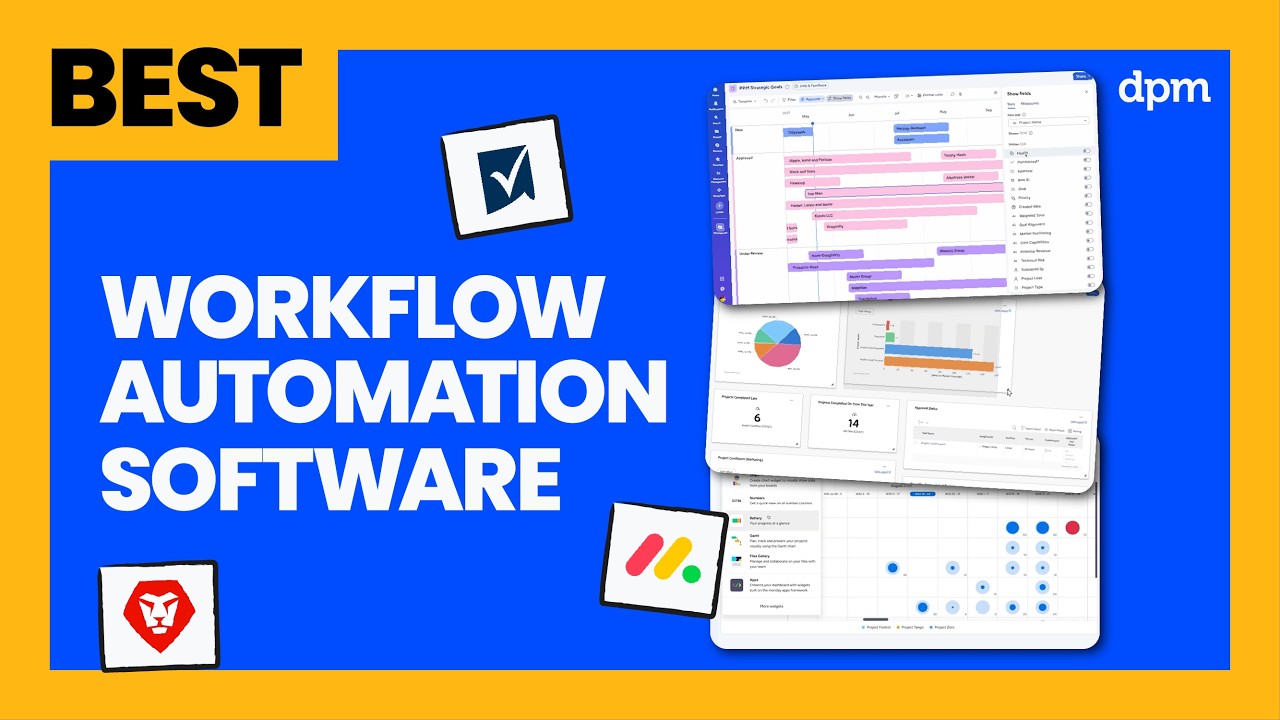
En İyi İş Akışı Otomasyonu Yazılımları İncelemeleri
Her aracın en iyi kullanım alanını ve dikkate değer özelliklerini göstermek için her iş akışı otomasyonu çözümünün kısa bir açıklamasını burada bulabilirsiniz.

Best for AI-driven project planning
monday AI Workspace is an AI-powered work management platform that combines no-code workflow automation, project planning, task routing, and cross-tool integrations to help teams manage and automate work across projects and departments.
Who Is monday AI Workspace Best For?
It's a strong fit for PMO directors and program managers at mid-to-large organizations coordinating workflows across multiple teams and business functions.
Why I Picked monday AI Workspace
monday AI Workspace earns its spot on my shortlist because its AI planning layer goes well beyond simple task assignments. I particularly like the AI agents that actively surface project risks, update statuses, and route items without waiting for a human to intervene. The AI Workflow Builder (Pro tier and above) lets me orchestrate multi-step automations that connect those agents across boards, so a flagged dependency in one project can trigger a reassignment in another automatically.
monday AI Workspace Key Features
- Visual workflow builder: Design multi-step automations with a drag-and-drop interface and customizable steps.
- Template gallery: Access hundreds of workflow templates categorized by project type and industry.
- Native integration center: Connect boards to over 70 business and collaboration tools with pre-built integrations.
- Custom form builder: Create dynamic intake forms that trigger automated tasks and approvals directly in your workflows.
monday AI Workspace Integrations
monday AI Workspace offers 70+ native integrations, including Slack, Salesforce, HubSpot, Google Workspace, Microsoft Teams, Jira, GitHub, Zoom, Trello, and Zendesk. It also supports Zapier and provides an API for custom integrations.
Pros and Cons
Pros:
- Automations span across boards and portfolios
- No-code workflow builder needs no developer support
- AI agents surface risks without manual input
Cons:
- Advanced AI tools locked behind higher tiers
- Automation runs are capped on lower plans
New Product Updates from monday AI Workspace
monday AI Workspace Adds Human Approval Routing
monday AI Workspace adds a human-in-the-loop approval block to AI Workflows, sending approval requests and routing workflow paths based on responses. For more information, visit monday AI Workspace's official site.
 .

Moxo
Best for secure client collaboration
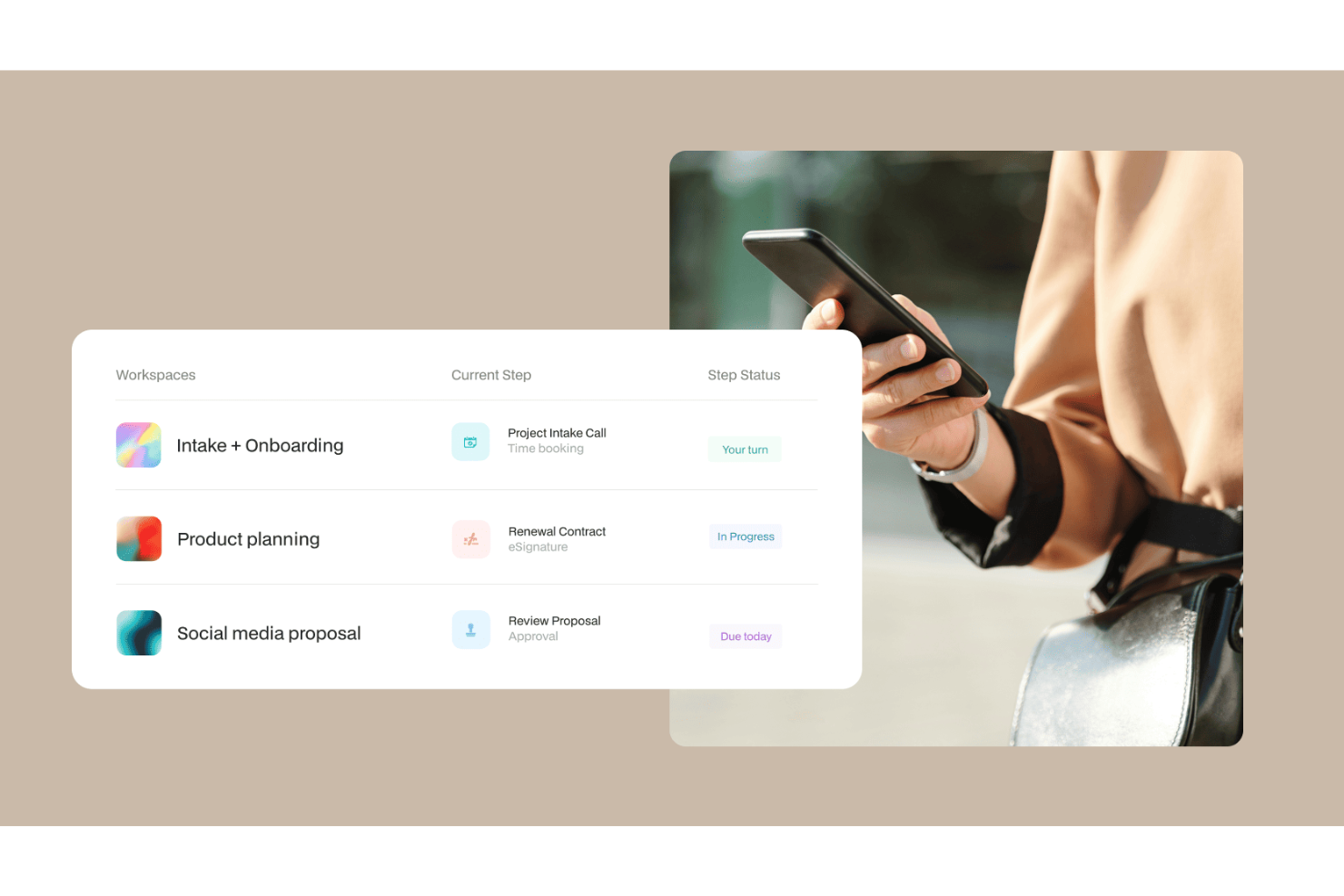
With a workflow automation engine spanning AI agents, multi-step approvals, eSignatures, forms, and conditional branching, Moxo is designed specifically for structured client-facing operations.
Who Is Moxo Best For?
Moxo is a strong fit for professional services teams in finance, legal, and consulting that run structured, high-touch workflows with external clients.
Why I Picked Moxo
I've included Moxo in my top picks because it builds security directly into the collaboration layer, not just the infrastructure. Every client interaction happens inside an encrypted, access-controlled workspace, so sensitive documents, approvals, and messages never float through untracked email threads. I particularly like the audit trail feature, which logs every action across a workflow with timestamped records and up to seven-plus years of retention, which matters a lot in regulated industries like finance and legal.
Moxo Key Features
- AI workflow agents: Deploy AI agents within flows to review documents, prepare summaries, and advise on next steps without manual intervention.
- Conditional branching: Build logic-based decision paths inside workflows so different client responses trigger different follow-up steps automatically.
- eSignature collection: Request legally binding signatures directly inside a workflow step, keeping the signing process part of the structured flow.
- Flow templates: Use pre-built workflow templates from Moxo's template gallery to launch repeatable client processes without building from scratch each time.
Moxo Integrations
Moxo offers data sync connectors with Salesforce, HubSpot, Microsoft Dynamics, Zoho, Wealthbox, Redtail, Filevine, Global Relay, Smarsh, Xero, and Follow Up Boss. It also supports file uploads from Google Drive, Dropbox, Box, and OneDrive, and native calendar integrations with Google Calendar and Outlook. Moxo connects with Zapier and provides a REST API and webhooks for custom integrations.
Pros and Cons
Pros:
- Reusable workflow templates with conditional logic
- SOC 2 Type II and GDPR compliant
- Built-in eSignatures and forms within workflows
Cons:
- Mobile app lags behind desktop experience
- No built-in task time tracking

ClickUp
Best for workflow automation flexibility

ClickUp is a cloud-based project management and team collaboration platform that will help you bring all of your tools into one place and create automated workflows that save you time.
As Jeff Cypher, Head of Growth at ZenPilot, told us, "If you want to be able to track things like time, manage tasks, and have a single source of truth, that’s when ClickUp really shines."
Why I Picked ClickUp
I chose ClickUp for this list for its flexible approach to creating automations. I love how the automations module lets you create combinations of triggers and actions that replace manual procedures. You can create custom automations in a drag-and-drop interface. Additionally, you can chain multiple actions together and set conditions to determine when your automations should run. The software can send notifications when specified events occur.
However, I should note that you need the owner or admin of the software to enable automations from the ClickApps menu before you do anything else. Otherwise, you won't see the automations view in your instance of the software.
ClickUp Key Features
In addition to its flexibility, ClickUp offers a variety of automation features to help increase your team's productivity.
- Pre-Built Templates: You can quickly set up routine tasks such as assigning responsibilities and updating task statuses with a library of ready-made templates.
- Email Automation: This lets you automatically send email notifications for specific task actions to keep your team and stakeholders informed without manual intervention.
- Audit Logs: You can keep track of all automation activities within a centralized log, which makes it easy to monitor changes and maintain accountability.
- AI-Powered Updates: This lets you use AI to generate task summaries and project updates, which helps keep your team informed with minimal effort.
ClickUp Integrations
Integrations include Slack, GitHub, Zapier, Miro, Wrike, Airtable, Jira, monday.com, Salesforce, Box, and Zendesk.
Pros and Cons
Pros:
- Extensive library of pre-built automation templates
- Dynamic assignees keep tasks assigned to the right people
- Highly customizable automations with triggers, conditions, and actions
Cons:
- Automation features limited on the free plan
- Some users report occasional delays in automation execution
New Product Updates from ClickUp
ClickUp Adds List Automations, Time Off Scheduling, and Org Charts
ClickUp adds template-based List automations, personal time off scheduling, a unified picker, automatic task date syncing, and Org Charts. These updates help teams automate project setup, manage availability, and organize work. For more information, visit ClickUp’s official site.
 .

Best for no-code AI-powered workflow automation

Screendragon is a no-code workflow automation platform designed for marketing and creative operations. It combines project management, resource planning, and approval workflows into one platform, helping teams reduce inefficiencies and focus on high-value work.
Why I Picked Screendragon
I picked Screendragon because it enables teams to build automated workflows tailored to their needs without writing code. Other features include dynamic custom forms and digital approval management, which can help streamline complex processes. I appreciate how it integrates AI and governance rules to make sure your team can focus on high-impact tasks without being bogged down by administrative hurdles.
With advanced permission controls and real-time insights, Screendragon provides the tools necessary for effective management and collaboration, which makes it a standout choice for global brands and agencies.
Screendragon Key Features
Screendragon offers a variety of other features that enhance workflow automation for marketing and creative teams.
- Advanced Reporting: This provides detailed insights into project visibility so you can track progress and performance across various campaigns.
- Integrated Feedback and Approval Tools: These facilitate collaboration by letting team members give and receive feedback directly within the platform and streamlining the approval process.
- Task Management: You can manage tasks, allocate resources, and track time, which helps you make sure all project elements are coordinated efficiently.
- Customizable Dashboards: You can tailor views and data presentation to suit your specific needs. This gives you control over how information is displayed and accessed by your team.
Screendragon Integrations
Integrations include Microsoft Teams, Slack, SharePoint, Power BI, Google Workspace, Workday, Jira, SAP, and thousands of others via API or Zapier.
Pros and Cons
Pros:
- AI agents integrated directly into project workflows
- Built-in resource and budget planning tools
- Highly customizable workflows for complex teams
Cons:
- Complex and not suited for small teams or simple projects
- Time-intensive onboarding may delay initial setup

Best for agency-focused operational insights
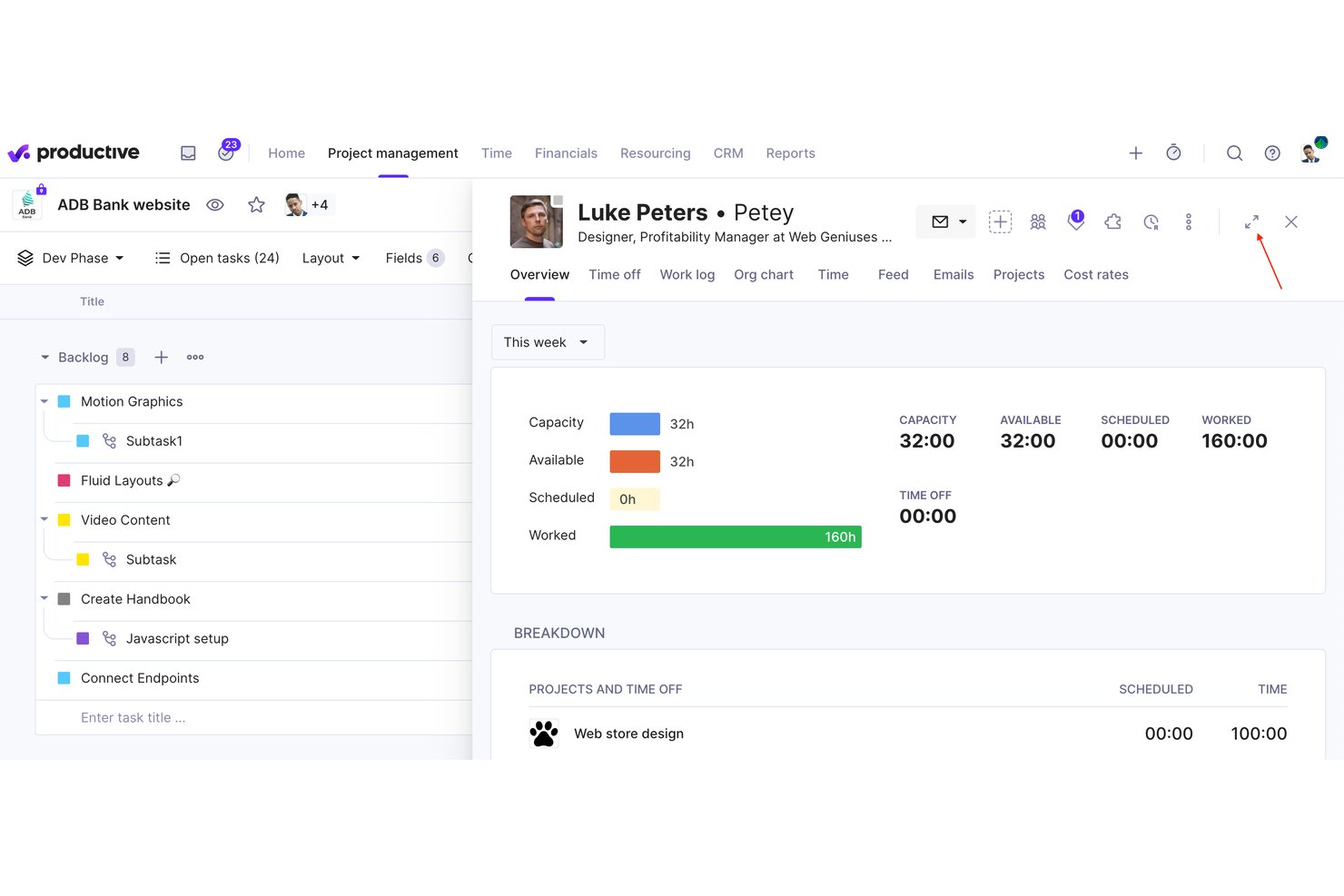
Productive is an agency management platform that combines project management, resource planning, budgeting, invoicing, and no-code workflow automation in a single tool.
Who Is Productive Best For?
Productive is built for digital agencies and consultancies that need to manage projects, resources, and finances without switching between tools.
Why I Picked Productive
Productive earns its spot on my shortlist because it gives agencies real-time profitability data at the project and client level, not just task completion rates. I like how the Scenario Builder lets you model different resourcing or budget situations before committing to them. The no-code Automations module handles recurring workflows like retainer invoicing and budget alerts, so nothing falls through the cracks mid-project.
Productive Key Features
- Resource planning: Build staff schedules and allocate resources across projects using drag-and-drop tools for precise workload management.
- Time tracking: Capture time directly from tasks using web, desktop, or mobile, with timesheet approvals built in.
- Budgeting and invoicing: Create and manage multiple budgets per project, generate invoices, and issue credit notes within the platform.
- Open API and integrations: Connect Productive to 1000+ apps or automate with Zapier, Xero, Slack, BambooHR, and more.
Productive Integrations
Productive offers native integrations with Xero, QuickBooks Online, Exact, BambooHR, Personio, Rippling, Slack, Jira, HubSpot, Google Calendar, and connects with Zapier. An open API is available for custom integrations.
Pros and Cons
Pros:
- Advanced automation for complex agency workflows
- Built-in project, budget, and resource management
- Agency operations insights updated in real time
Cons:
- Less suitable for non-agency businesses
- Advanced features only in higher tiers
New Product Updates from Productive
Productive Adds Email and Calendar Integrations for Agents
Productive adds Gmail, Outlook, Google Calendar, and Outlook Calendar connectors for its AI agents. These integrations let agents manage emails and create calendar events directly within Productive. For more information, visit Productive’s official site.
 .

Best for enterprise workflow customization
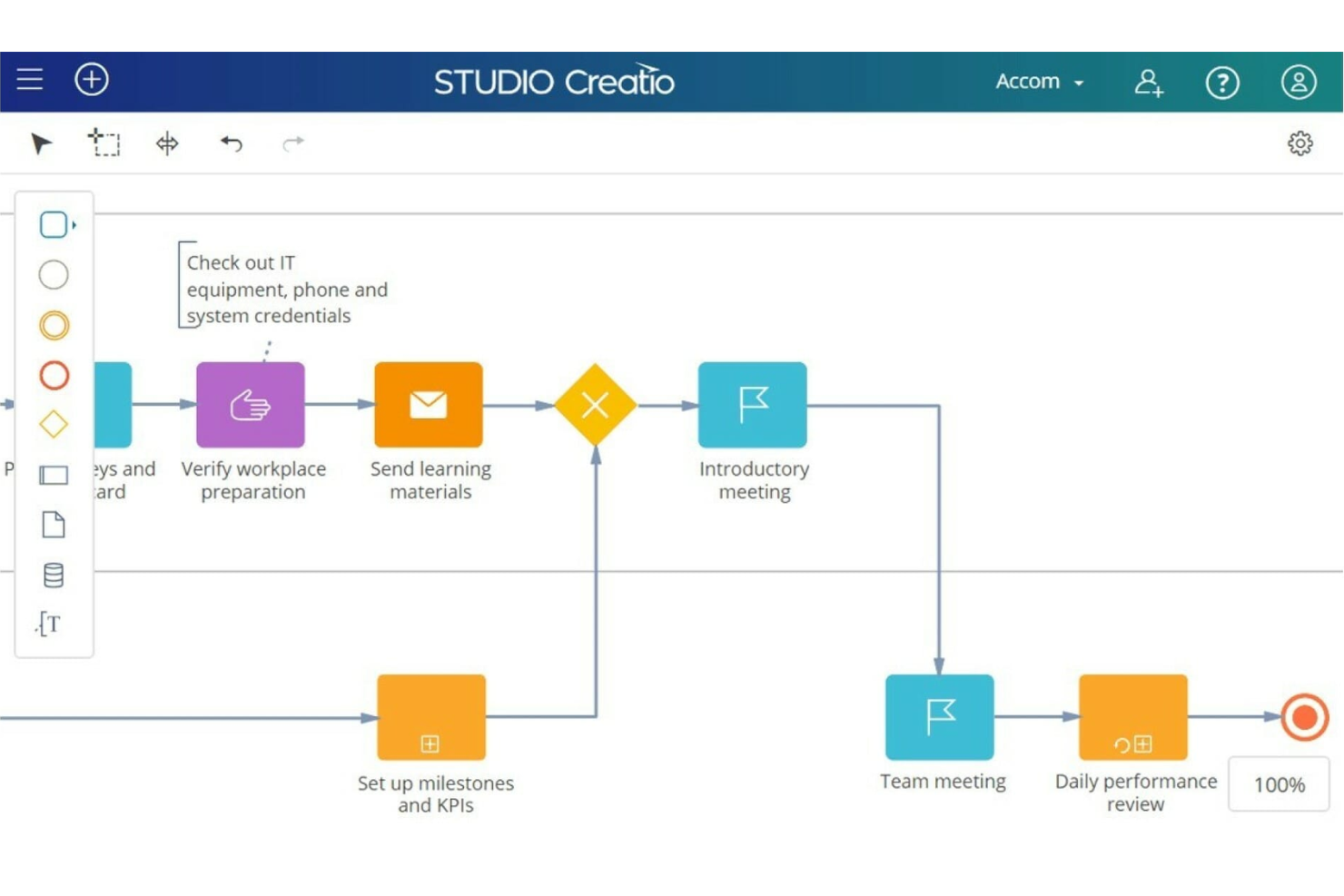
Studio Creatio is a no-code platform that enables businesses to automate workflows and build applications without the need for extensive coding knowledge.
Why I Picked Studio Creatio
The platform is highly customizable, featuring a no-code designer, which includes tools for creating and modifying pages, views, data models, workflows, and integrations within a single workspace. The platform also offers industry-specific solutions for sectors such as banking, credit unions, and insurance.
Studio Creatio's workflow automation software is part of this no-code platform. Users can design, automate, and optimize workflows with an intuitive visual interface that requires no prior programming knowledge. This feature makes the technology accessible to a broad range of professionals to help contribute to the digital transformation of their business.
Studio Creatio Key Features
In addition to customization capabilities, Studio Creatio offers several other features that cater to workflow automation needs.
- AI Tools: You can improve your automation processes with built-in AI technologies that support intelligent algorithms and integration with OpenAI, which keeps your decision-making informed.
- Creatio Marketplace: You can access a wide array of ready-to-use applications and components that can be easily integrated and customized to meet specific business needs.
- Scalability: This offers enterprise-grade scalability that can support a large number of users while maintaining high performance and reliability across workflows.
- BPMN 2.0 Process Designer: This feature lets you automate complex business processes and workflows to streamline operations across various departments.
Studio Creatio Integrations
Integrations include Chat Master, PandaDoc, SharePoint, Jira, Calendly, Zoom, Shopify, Asterisk, Microsoft Teams, Zapier, Quickbooks, and SAP BusinessOne.
Pros and Cons
Pros:
- Support for AI process recommendations
- No-code designer makes it easier to adopt for non-technical users
- Fully customizable platform, adaptable to various use cases
Cons:
- Not ideal for teams looking for a quick-start solution
- May take significant effort planning and designing workflows
New Product Updates from Creatio AI Studio
Creatio Studio Expands AI App-Building Capabilities
Creatio Studio adds expanded AI coding agents, AI-generated pivot tables, and built-in analytics for generated apps. These updates let users build more UI, logic, and reporting components from natural-language prompts. For more information, visit Creatio Studio’s official site.
 .
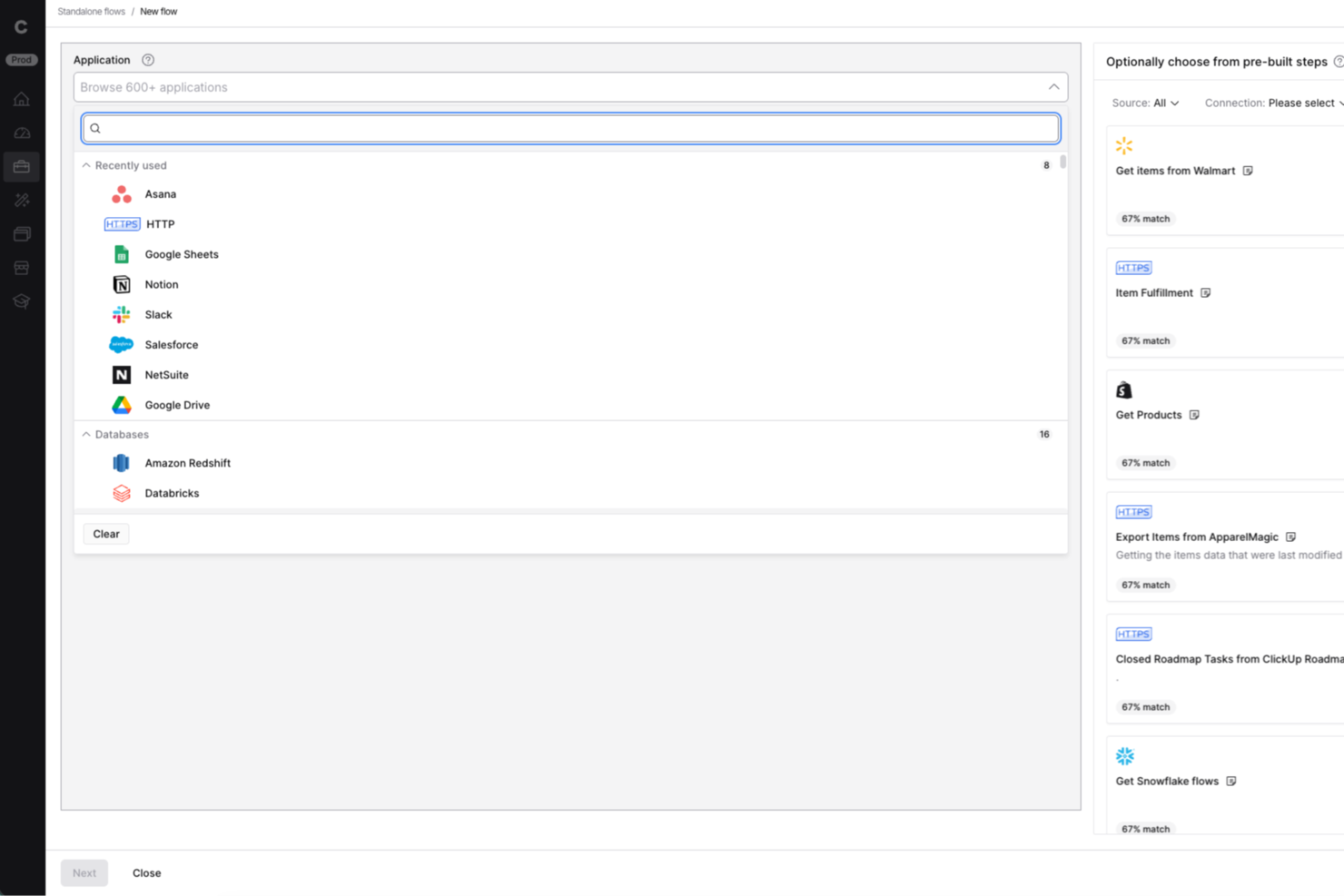
Celigo is an integration and automation platform built for IT teams and business operations leaders who need to connect cloud apps, automate workflows, and manage complex data flows across their organization.
Who Is Celigo Best For?
IT teams and operations leaders at mid-sized to large businesses who need to automate and orchestrate workflows across multiple cloud and on-premises systems.
Why I Picked Celigo
I picked Celigo as one of the best because its API management capabilities let my team build, monitor, and scale integrations with confidence. I use the platform’s API lifecycle tools to create, publish, and secure custom APIs for connecting internal and external systems. The built-in monitoring and analytics help us troubleshoot issues quickly and keep workflows running smoothly.
Celigo Key Features
- Visual flow builder: Design and automate workflows using a drag-and-drop interface.
- Prebuilt integration templates: Deploy ready-made connectors for popular SaaS and on-premises apps.
- Advanced error management: Track, resolve, and retry failed workflow steps from a centralized dashboard.
- Data transformation tools: Map, filter, and transform data between systems without custom code.
Celigo Integrations
Integrations include Salesforce, Microsoft Dynamics 365 Business Central, Oracle NetSuite, Walmart, SAP, Snowflake, Acumatica, Adobe, ADP, and 3PL Central.
Pros and Cons
Pros:
- Includes automated error handling and alerts
- Provides visual workflow builder for integrations
- Enables granular role-based access controls
Cons:
- Limited offline or on-premises deployment options
- Some connectors require additional configuration effort
New Product Updates from Celigo
Celigo Expands Storage, Data Imports, and Connection Management
Celigo adds a standalone storage connector, optimized Azure Synapse imports, NetSuite OAuth 2.0, flexible file templates, and expanded MCP access controls. These updates help teams manage files, process data, and secure integrations. For more information, visit Celigo’s official site.
 .
altaFlow
Best with Salesforce document automation
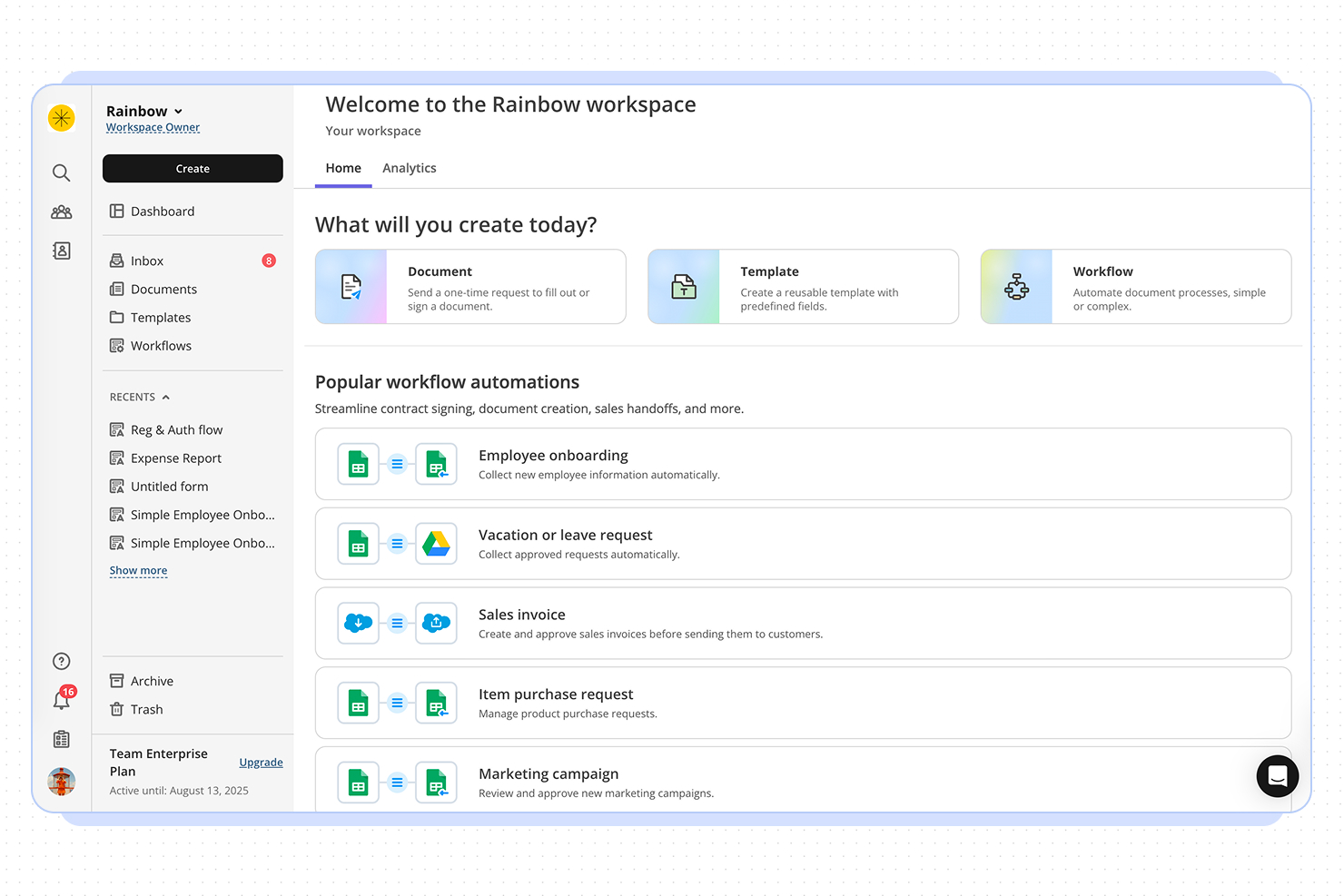
altaFlow offers workflow automation designed for organizations that need advanced document management and CRM integration. It’s a strong fit for teams in regulated industries or those handling complex approval processes. If your business relies on automating document workflows and syncing data across platforms, altaFlow addresses these needs with a focus on compliance and integration.
Who Is altaFlow Best For?
altaFlow is a good fit for mid-sized to large enterprises in regulated industries that need to automate document workflows and integrate tightly with CRM systems.
Why I Picked altaFlow
For teams that need advanced Salesforce document automation, altaFlow stands out in the workflow automation space. I picked it because it offers native document generation and automated workflow triggers directly within Salesforce, which reduces manual steps and keeps processes consistent. The platform also supports dynamic template management, letting users create, update, and distribute documents based on real-time CRM data. This focus on seamless document automation inside Salesforce makes altaFlow a strong choice for organizations that rely on accurate, timely document workflows.
altaFlow Key Features
Some other altaFlow features that support workflow automation include:
- Approval routing: Route documents and tasks to the right stakeholders for review and sign-off based on custom rules.
- Audit trails: Track every action and change within workflows to support compliance and transparency.
- Conditional workflow branching: Set up workflows that adapt dynamically based on data or user input.
- Role-based access controls: Define permissions and access levels for users to ensure sensitive information is only available to authorized team members.
altaFlow Integrations
Integrations include Salesforce, NetSuite, SharePoint, and HubSpot.
Pros and Cons
Pros:
- Custom workflow builder supports complex processes
- Automated document generation from Salesforce records
- Detailed audit trails for compliance tracking
Cons:
- Documentation and support resources are minimal
- No free-forever or trial plan available

Wrike
Best for scaling organizations

Wrike is a proven work management platform that includes advanced workflow improvement features. The automation engine puts everyday business processes on autopilot, cutting out time-wasting busywork.
Why I Picked Wrike
Wrike is a great fit for scaling organizations because its automation engine makes it easier to manage growing workloads without adding manual effort. As your team expands, repetitive tasks like assigning work, changing task statuses, or sending notifications can become a time sink. Wrike’s rule-based automation lets you build “if-this-then-that” logic into your workflows to help you keep tasks moving even as volume increases.
I also like its AI-powered automation suggestions. As team activity increases, it gets harder to notice where processes are lagging or breaking down. Wrike monitors those patterns and recommends automation rules to improve speed and consistency—something especially valuable when you’re onboarding new team members or launching new projects frequently.
Wrike Key Features
In addition to its scalability, Wrike offers several other features for workflow automation.
- Customizable Workflows: You can tailor workflows to fit your specific processes and make sure automations align perfectly with your team's unique needs.
- Cross-Tagging and Status Updates: You can automate tasks such as cross-tagging and status updates, which minimizes the risk of missing important steps and helps speed up your projects.
- Time Tracking: This lets you keep tabs on how much time is spent on tasks and projects so you can manage resources effectively.
- Calendar Integration: You can sync your tasks and deadlines with popular calendar apps to keep your schedule organized and up-to-date.
Wrike Integrations
Integrations include over 400 cloud and on-premises apps, including CRM, email, chat, file storage, and business intelligence. If you can't find the tool you're looking for, you can build a custom integration using Wrike's API.
Pros and Cons
Pros:
- Automates approval processes
- Highly customizable workflows
- Comprehensive feature set for various project needs
Cons:
- Potential for notification overload if not configured correctly
- The platform takes time to learn
New Product Updates from Wrike

Wrike Redesigns Workspace Search With New Filters
Wrike introduces a redesigned Workspace Search interface with recent search shortcuts, item type and location filters, and parent-task context. These updates help users find relevant work items and navigate search results efficiently. For more information, visit Wrike’s official site.
 .

Qntrl
Best for cross-functional processes
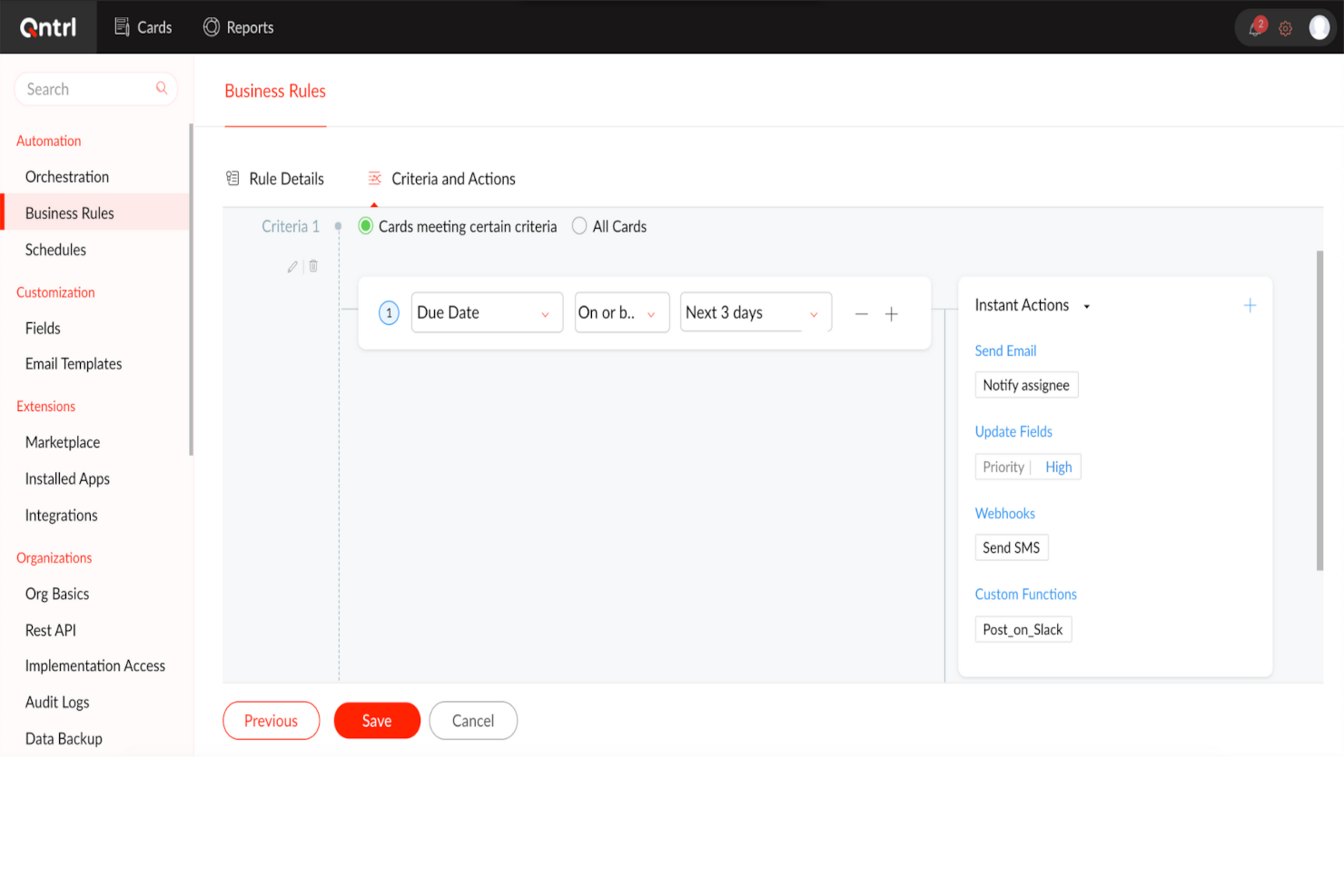
Qntrl is an advanced workflow orchestration software that improves productivity and efficiency in the workplace. At its core, it automates processes across different applications to reduce manual data entry and speed up workflows.
Why I Picked Qntrl
I chose Qntrl for its strength in managing cross-functional processes through features like Blueprint-based process modeling, form-based data capture, and role-based access controls that make sure the right people are involved at the right steps.
Its drag-and-drop workflow builder lets non-technical users quickly configure and launch end-to-end processes, while parallel transitions and stage-wise approvals allow multiple teams to collaborate simultaneously without bottlenecks. With built-in audit trails and customizable notifications, Qntrl keeps cross-departmental stakeholders informed and accountable throughout the workflow lifecycle.
Qntrl Key Features
Qntrl also offers a suite of other workflow automation features.
- Automatic Request Assignment: You can assign requests based on predefined hierarchies or dynamically through APIs to make sure tasks reach the right individuals without manual intervention.
- Post-Stage Automation: This lets you automatically trigger actions after certain stages, such as sending notifications or updating fields, to streamline follow-up tasks.
- Business Rules: You can set specific rules that dictate process behavior to maintain compliance and consistency across workflows.
- Document Generation: You can quickly create and share essential documents like purchase orders or invoices to reduce the time spent on paperwork.
Qntrl Integrations
Integrations include Salesforce, Dropbox, MS Teams, Harvest, Google Sheets, and Slack. You can also create as many custom integrations as you want using Webhooks and its API.
Pros and Cons
Pros:
- Employs robust security protocols
- Advanced automation, like conditional routing
- Extensive integration capabilities, with over 500 connections
Cons:
- More features than necessary for small teams
- Learning curve for more advanced features
Diğer İş Akışı Otomasyonu Yazılımları
İlk sıralarda yer alamayan ancak değerlendirmenize değer birkaç araç şunlardır.
- TrailHQ
For custom LLMs
- Integrately
For an AI automation builder
- Jira
For agile project management
- Adobe Workfront
For comprehensive project oversight
- Camunda Platform
For high-volume automation
- Bonsai Agency Software
For agency and consultancy workflows
- Kissflow Workflow
For non-technical users
- Next Matter
For complex workflows
- Pneumatic Workflow
For templated workflows
- Boomi Flow
For low-code workflow automation
- Miro
For drag-and-drop workflows
- Jotform Workflows
For no-code workflow building
- Smartsheet
For dynamic workflows
- SysAid
For IT service management
- Hive
For beginners
- Kantata
For professional services
- StreamWork
For creative workflows
- Parabola.io
For automating data-heavy workflows
- DocuWare
For document management
- Make
For visual-first automation


How I Evaluate Workflow Automation Software
I split my evaluation into two layers: the core trigger, routing, and builder capabilities a tool must have, and the differentiators—like AI automation and cross-project logic—that separate the best.
Core Functionality (Table Stakes For This List)
When I'm selecting tools for my list, I rank each one on a scale from 0 (does not offer the functionality) to 5 (excels in this area) for each core functionality listed below. Then, I calculate the tool's total score into a percentage. Each tool needs to achieve a minimum total score of 65% to be considered for inclusion.
- Visual Workflow Builder: I look for a drag-and-drop canvas where you can map out multi-step processes visually, like building a sprint kickoff sequence from intake to task assignment.
- Trigger-Based Automation: Each tool should let you set event-driven triggers—status changes, form submissions, due dates—that kick off actions without manual intervention.
- Conditional Logic & Branching: I evaluate whether a tool supports if/then rules and multi-path branching, like routing a change request to different reviewers based on project tier.
- Task & Approval Routing: The platform should auto-assign tasks and route approvals based on rules you define, including escalation paths when approvers miss their deadlines.
- Third-Party Integrations: I check for native connectors to tools like Jira, Slack, Salesforce, and HubSpot, plus API access and webhook support for custom connections.
- Workflow Templates & Reusability: A solid template library and the ability to clone and adapt workflows across projects matter, especially for PMOs managing recurring delivery processes.
Once I have a list of tools that meet the criteria, I consider what sets each platform apart.
Differentiating Factors (What Sets Vendors Apart)
Here's how I compare and contrast different vendors:
Standout Features
AI-powered automation is a big differentiator. I look for tools that suggest rules based on past behaviour or let you describe a workflow in plain language and generate it automatically. Cross-project dependency handling also matters—program managers need automations that span multiple projects, like triggering a downstream team's tasks when an upstream milestone is marked complete. I also evaluate real-time analytics dashboards that surface cycle times and bottleneck patterns across workflows, giving PMOs the data they need to iterate on their processes.
Beyond Features
Total cost of ownership is something I evaluate closely—automation run limits and per-user fees can quietly inflate costs as your team scales from a single scrum team to an enterprise PMO. Security and compliance also weigh heavily. I check for SOC 2 Type II certification, SSO/SAML support, and role-based access controls, especially for teams in regulated industries handling sensitive project data. Scalability rounds it out—I look at how well a platform performs when you're running hundreds of concurrent automations across a full project portfolio.
İş Akışı Otomasyonu Yazılımı Nasıl Seçilir?
Uzun özellik listeleri ve karmaşık fiyatlandırma yapılarına kendinizi kaptırmanız kolaydır. Kendinize özgü yazılım seçim süreciniz üzerinde çalışırken odağınızı korumanıza yardımcı olmak için aklınızda bulundurmanız gereken faktörlerin bir kontrol listesini burada bulabilirsiniz:
| Faktör | Dikkate Alınması Gerekenler |
|---|---|
| Ölçeklenebilirlik | İşletmeniz büyüdükçe yazılımın artan iş akışlarını, kullanıcıları ve karmaşıklığı kaldırabildiğinden emin olun. Sistemin yetersiz kalmasını önlemek için kademeli fiyatlandırma, kurumsal düzeyde özellikler ve performans karşılaştırmaları sunan çözümleri tercih edin. |
| Entegrasyonlar | Otomasyon aracınız; CRM, ERP ve Slack veya Microsoft Teams gibi iletişim araçları da dahil olmak üzere mevcut yazılım yığınınıza sorunsuz şekilde bağlanabilmelidir. Yerel entegrasyonlar ve API desteği kritik öneme sahiptir. |
| Özelleştirilebilirlik | İş akışlarınıza özel süreçlerinize göre uyarlamanıza olanak tanıyan bir çözüm seçin. Sürükle ve bırak oluşturucular, koşullu mantık ve komut dosyası tabanlı otomasyon seçenekleri, otomasyonu ekibinizin ihtiyaçlarına göre hassas biçimde ayarlamanıza yardımcı olabilir. |
| Kullanım Kolaylığı | Düşük kodlu veya kodsuz seçenekler sunan kullanıcı dostu bir arayüz, ekibinizin BT müdahalesi olmadan iş akışları oluşturup değiştirmesini sağlar. Basit bir kontrol paneli ve sezgisel kurulum özelliklerini arayın. |
| Bütçe | Peşin maliyetlerin yanı sıra abonelik ücretleri, eklentiler ve destek ücretleri gibi uzun vadeli giderleri de değerlendirin. Bazı platformlar kullanıcı başına ücret alırken, diğerleri otomasyon hacmine göre ölçeklenir. |
| Güvenlik Önlemleri | Yazılımınız rol tabanlı erişim, veri şifreleme ve GDPR veya SOC 2 gibi standartlara uyumluluk sunmalıdır. Hassas iş akışı verilerini korumak için denetim günlüklerini ve yedekleme politikalarını kontrol edin. |
| Yapay Zekâ ve Otomasyon Özellikleri | Verimliliği artıran yapay zekâ destekli otomasyon, tahmine dayalı analizler ve akıllı tetikleyiciler sunan çözümleri arayın. Otomatik veri çıkarma ve akıllı karar verme gibi özellikler manuel çalışmayı azaltabilir. |
| Destek ve Güvenilirlik | Müşteri destek seçeneklerini, çalışma süresi garantilerini ve topluluk forumlarını değerlendirin. Güçlü bir destek sistemi, sorular ortaya çıktığında sorunsuz uygulama ve minimum kesinti sağlar |
2025 İçin İş Akışı Otomasyonu Yazılımı Trendleri
Araştırmam sırasında farklı iş akışı otomasyonu yazılımı sağlayıcılarının sayısız ürün güncellemesini, basın bültenini ve sürüm kaydını inceledim. Takip ettiğim yeni ortaya çıkan trendlerden bazıları şunlar:
- Yapay Zekâ Destekli Süreç Optimizasyonu: Yapay zekâ artık iş akışı verilerini analiz etmek, verimsizlikleri belirlemek ve iyileştirmeler önermek için kullanılıyor. Bazı araçlar, iş yükü modellerine göre görev atamalarını otomatik olarak ayarlayabiliyor veya gecikmeleri gerçekleşmeden önce tahmin edebiliyor.
- Kodsuz İş Akışı Oluşturucular: Daha fazla akıllı süreç otomasyonu yazılımı, sürükle ve bırak oluşturucular ve iş akışı şablonlarıyla teknik olmayan kullanıcılar için otomasyonu kolaylaştırıyor. Bu sayede ekipler, kodlama veya BT desteği olmadan karmaşık otomasyonlar oluşturabiliyor.
- Hiperotomasyon Stratejileri: Şirketler, iş süreçlerindeki manuel çalışmayı azaltmak için iş akışı otomasyonunu, robotik süreç otomasyonunu (RPA), yapay zekâyı ve olay odaklı tetikleyicileri bir arada kullanıyor. Bu, faturalandırma ve işe alıştırma gibi tekrarlayan görevlerde insan girdisini azaltıyor.
- Yönetişim ve Uyumluluk Kontrolleri: Otomasyon sektörler genelinde yaygınlaştıkça veri güvenliği, denetim ve uyumluluk için daha sıkı kontroller ekleniyor. Kuruluşlar artık rol tabanlı izinleri uygulayabiliyor, ayrıntılı etkinlik günlükleri tutabiliyor ve uyumluluk raporlamasını otomatikleştirebiliyor.
- Gerçek Zamanlı İş Akışı İzleme: İşletmeler, canlı kontrol panelleri, uyarılar ve tahmine dayalı analizlerle otomatikleştirilmiş süreçler hakkında daha iyi görünürlük talep ediyor. Gerçek zamanlı izleme, ekiplerin iş akışı hatalarını yakalamasına, süreç verimliliğini takip etmesine ve darboğazları önlemek için hızlı ayarlamalar yapmasına yardımcı oluyor.
İş Akışı Otomasyonu Yazılımı Nedir?
İş akışı otomasyonu yazılımı, uygulamalar, ekipler ve departmanlar arasındaki tekrarlayan görevleri ve çok adımlı süreçleri otomatikleştiren bir araçtır.
Bu platformlar; onayları, bildirimleri, atamaları ve araçlar arasındaki veri aktarımını otomatikleştirerek proje yöneticilerinin manuel iş yükünü azaltmasına yardımcı olur. Operasyon, pazarlama, BT, İK ve diğer alanlardaki ekipler tarafından günlük iş akışlarını kolaylaştırmak, gecikmeleri azaltmak ve süreç doğruluğunu artırmak için kullanılırlar. İstekleri yönlendiriyor, görevleri planlıyor veya platformlar arasında veri senkronizasyonu yapıyor olun, iş akışı otomasyonu yazılımı işlevler arası çalışmalardaki engelleri ortadan kaldırır.
İş Akışı Otomasyonu Türleri
İş akışı otomasyonu, kolaylaştırılmış süreçlerden ve daha yüksek verimlilikten yararlanan her sektörde faydalıdır. Başlıca iş akışı otomasyonu türleri şunlardır:
- Pazarlama İş Akışı Otomasyonu: İçerik iş akışı yazılımı; e-posta kampanyaları, sosyal medya paylaşımı ve potansiyel müşteri geliştirme gibi görevleri otomatikleştirir.
- Satış İş Akışı Otomasyonu: İş süreci otomasyonu yazılımı; potansiyel müşteri yönetimini, sözleşme onaylarını ve satış hattı takibini otomatikleştirmeye yardımcı olur.
- Müşteri Hizmetleri İş Akışı Otomasyonu: Süreç otomasyonu yazılımı; destek taleplerinin atanmasını, müşteri sorularını ve geri bildirim toplamayı otomatikleştirir.
- İK İş Akışı Otomasyonu: Görev otomasyonu araçları; çalışanların işe alıştırılması, performans değerlendirmeleri ve uyumluluk görevlerini yönetir.
- Finans İş Akışı Otomasyonu: İş süreci otomasyonu araçlarıyla masraf onaylarını, faturalandırmayı ve bordroyu otomatikleştirir.
- BT İş Akışı Otomasyonu: BT süreç otomasyonu araçları aracılığıyla sistem güncellemelerini, yedekleme süreçlerini ve hizmet taleplerini kolaylaştırır.
- Tedarik Zinciri İş Akışı Otomasyonu: Envanter yönetimini, sipariş işlemeyi ve tedarikçi iletişimlerini otomatikleştirmeye yardımcı olur.
- Üretim İş Akışı Otomasyonu: Süreç otomasyonu platformu; üretim planlamasını, kalite kontrollerini ve bakım takibini kolaylaştırır.
İş Akışı Otomasyonu Yazılımının Özellikleri
İş akışı otomasyonu yazılımı seçerken şu temel özelliklere dikkat edin:
- Sürükle ve bırak iş akışı oluşturucu: Öğeleri bir tuval üzerine sürükleyerek süreçleri kodlama yapmadan görsel olarak tasarlayabilir ve düzenleyebilirsiniz. Bu, iş akışlarını oluşturmayı, değiştirmeyi ve anlamayı hızlı ve sezgisel hâle getirir.
- Entegrasyon özellikleri: Hâlihazırda kullandığınız uygulamaları ve hizmetleri (ör. CRM'ler, e-postalar, veritabanları ve bulut depolama) sisteme bağlayabilirsiniz. Bu, araçlar arasında kopyalama ve yapıştırma işlemlerini ve manuel bilgi aktarımını azaltır.
- Koşullu mantık: Yazılımın, tanımladığınız verilere, duruma veya ölçütlere göre görevleri otomatik olarak yönlendirmesi ya da eylemleri tetiklemesi için kurallar belirleyebilirsiniz. Bu, tekrarlayan manuel kararlar vermekten kaçınmanıza yardımcı olur ve süreçlerin sorunsuz ilerlemesini sağlar.
- Görev atama ve bildirimler: Bu özellik, görevleri doğru ekip üyelerine atamanıza ve otomatik hatırlatıcılar ile bildirimler ayarlamanıza olanak tanır; böylece herkes iş akışları ilerledikçe süreci takip eder ve gelişmelerden haberdar olur.
- Denetim izleri ve raporlama: İş akışlarınız içindeki her eylemi ve değişikliği takip edebilirsiniz. Bu özellik, sorunları gidermeniz, üretkenliği değerlendirmeniz veya uyumluluğu göstermeniz gerektiğinde kullanışlıdır.
- Özelleştirilebilir şablonlar: Bu özellik, ihtiyaçlarınıza uyarlayabileceğiniz önceden hazırlanmış iş akışı şablonlarıyla başlamanıza olanak tanır ve çalışmaya daha hızlı başlamanıza yardımcı olur.
- Kullanıcı izinleri ve erişim denetimi: Yalnızca doğru kişilerin belirli iş akışlarını veya verileri görüntüleyebilmesi ya da düzenleyebilmesi için farklı erişim düzeyleri belirleyebilirsiniz.
- Mobil erişim: Bu özellik, hareket hâlindeyken iş akışlarını yönetmenize ve izlemenize olanak tanır; böylece istekleri onaylayabilir, görevleri yeniden atayabilir veya istediğiniz zaman ve yerden güncellemeleri alabilirsiniz.
Yaygın İş Akışı Otomasyonu Yazılımı Yapay Zekâ Özellikleri
Yukarıda listelenen standart iş akışı otomasyonu yazılımı özelliklerinin yanı sıra, yapay zekâ iş akışı otomasyonu yazılımı şu özellikleri ekleyebilir:
- Öngörücü görev atama: Bu yapay zekâ aracı; ekip alışkanlıklarına, iş yüklerine ve son teslim tarihlerine göre görevleri otomatik olarak önerebilir veya atayabilir ve böylece tahminde bulunma ihtiyacını ortadan kaldırır.
- Otomatik veri çıkarma: Bu yapay zekâ özelliği e-postaları, belgeleri veya görselleri tarayabilir, önemli bilgileri ayıklayabilir ve manuel veri girişini ve hataları azaltmak için bunları doğru yere gönderebilir.
- Süreç optimizasyonu önerileri: Bu yapay zekâ özelliği, geçmiş etkinliklerden elde edilen verileri kullanarak darboğazları, verimsizlikleri veya tekrarlanan hataları belirleyebilir ve işleri hızlandırmanız için hedefe yönelik öneriler sunabilir.
- Doğal dil işleme: Yapay zekâ özellikleriyle günlük dili kullanarak iletişim kurabilirsiniz; bu da otomasyonu tüm ekip üyeleri için erişilebilir hâle getirir.
- Anomali tespiti: Yapay zekâ, iş akışı etkinliklerini sürekli olarak izleyebilir, kaçırılan son teslim tarihlerini veya düzensiz örüntüleri işaretleyebilir ve sorunların üretkenliği etkilemeden önce fark edilmesine yardımcı olabilir.
Bazı araçlar çok daha esnektir ve özellikle otomasyon ve formüllerle daha kapsamlı özelleştirmeye olanak tanır. Ancak diğerlerinin kullanımı daha kolaydır ve daha sezgisel bir arayüze sahiptir.

İş Akışı Otomasyon Yazılımının Faydaları
İş akışı otomasyon yazılımını uygulamak ekibiniz ve işletmeniz için çeşitli faydalar sağlayabilir. Yararlanabileceğiniz birkaç faydayı aşağıda bulabilirsiniz:
- Görevlerin daha hızlı tamamlanması: Otomatik iş akışları görevleri her adımdan gecikme olmadan geçirerek darboğazları ve bekleme sürelerini azaltır.
- Daha az hata: Otomasyon, manuel veri girişini ve devir işlemlerini ortadan kaldırarak hata ve tutarsızlık riskini azaltır.
- Süreçlerin daha iyi görünürlüğü: İş akışı diyagramları ve izleme araçları, görevlerin hangi aşamada olduğunu görmenizi sağlayarak verimsizlikleri tespit etmeyi kolaylaştırır.
- Geliştirilmiş hesap verebilirlik: Denetim günlükleri ve role dayalı erişim, görevlerin doğru kişiler tarafından ele alınmasını ve işlemlerin eksiksiz kaydedilmesini sağlar.
- Daha tutarlı sonuçlar: Standartlaştırılmış iş akışları kuralları ve en iyi uygulamaları zorunlu kılarak süreçlerin her seferinde aynı şekilde yürütülmesini sağlar.
- Onaylara daha az zaman harcanması: Otomatik onay akışları istekleri anında doğru kişilere gönderir ve onaylandıktan sonra sonraki adımları tetikler.
- Daha kolay ölçeklenebilirlik: Otomatikleştirilmiş süreçler ekibiniz büyüdükçe uyum sağlar ve daha fazla manuel çaba gerektirmeden daha çok işi ele alır. Ancak çözümünüzü bir proje içindeki süreçleri otomatikleştirmekten birden fazla sistemdeki birbirine bağlı iş akışlarına ölçeklendirmek istiyorsanız farklı bir seçeneğe ihtiyacınız olduğunu unutmayın. İş akışı orkestrasyon araçları, sistemler ve ekipler arasındaki daha karmaşık otomasyonlarla başa çıkmanıza yardımcı olabilir.
İş Akışı Otomasyon Yazılımının Maliyetleri ve Fiyatlandırması
İş akışı otomasyon yazılımı seçerken mevcut çeşitli fiyatlandırma modellerini ve planları anlamak gerekir. Maliyetler özelliklere, ekip büyüklüğüne, eklentilere ve daha fazlasına göre değişir. Aşağıdaki tabloda iş akışı otomasyon yazılımı çözümlerinde yaygın olarak sunulan planlar, ortalama fiyatları ve tipik özellikler özetlenmiştir:
İş Akışı Otomasyon Yazılımı İçin Plan Karşılaştırma Tablosu
| Plan Adı | Fiyat (kullanıcı/ay başına) | Özellikler |
|---|---|---|
| Ücretsiz | $0 | Temel otomasyon, sınırlı sayıda kullanıcı ve iş akışı, temel entegrasyonlar |
| Temel | $10 - $20 | Görev otomasyonu, basit iş akışı özelleştirme, temel raporlama, sınırlı sayıda kullanıcı ve iş akışı |
| Standart | $20 - $50 | Gelişmiş otomasyon, iş akışı özelleştirme, raporlama ve analiz, entegrasyonlar, birden fazla kullanıcı |
| Premium | $50 - $100 | Gelişmiş iş akışı otomasyonu özellikleri, özelleştirilebilir iş akışları, gelişmiş raporlama, sınırsız kullanıcı |
İş Akışı Otomasyonu Yazılımı Hakkında Sıkça Sorulan Sorular
Bu konu hakkında sık sorulan soruların yanıtlarını bulun.
İş akışlarımı nasıl otomatikleştirebilirim?
Proje iş akışlarını otomatikleştirmek için öncelikle, görevin başlatılmasından tamamlanmasına kadar her adımı açıkça gösteren bir iş akışı şeması oluşturun. Görev atamaları, durum güncellemeleri veya belge paylaşımı gibi otomasyondan yararlanabilecek tekrarlayan işlemleri belirleyin.
Ardından, otomasyon özelliklerini destekleyen bir platform seçin. “Bir görev tamamlandı olarak işaretlenirse sonraki ekip üyesine bildirim gönder” veya “Bir form gönderilirse onay iş akışını tetikle” gibi kurallar oluşturun. Bir onay iş akışını otomatikleştirmek, gecikmeleri azaltmak ve işlerin ilerlemesini sağlamak açısından özellikle yararlıdır. Küçük adımlarla başlayın, kapsamlı testler yapın ve gerektiğinde düzenlemeler gerçekleştirin.
İş akışı otomasyonu yazılımı mevcut CRM sistemleriyle nasıl entegre olabilir?
İş akışı otomasyonu araçları, süreçleri kolaylaştırmak ve platformlar arasındaki veri akışını iyileştirmek için genellikle CRM sistemleri ile güçlü entegrasyon olanakları sunar. Bu entegrasyonlar genellikle veri girişi, potansiyel müşteri takibi ve müşteri iletişimi gibi görevlerin otomatikleştirilmesine olanak tanıyarak bilgilerin sistemler arasında güncel kalmasını sağlar.
İş akışı otomasyonu yazılımı benzersiz iş süreçleri için özelleştirilebilir mi?
Evet, birçok iş akışı otomasyonu aracı, farklı iş süreçlerinin özel ihtiyaçlarına uyum sağlamak amacıyla özelleştirme göz önünde bulundurularak tasarlanır. Bu esneklik, kuruluşların özel iş akışları ve formlardan belirli otomasyon kurallarına kadar yazılım işlevlerini operasyonel gereksinimlerine uyacak şekilde uyarlamasına olanak tanır.
Bir işletme büyüdükçe bu çözümler ne ölçüde ölçeklenebilir?
İş akışı otomasyonu çözümleri genellikle ölçeklenebilirlik göz önünde bulundurularak geliştirilir ve işletmelerin yazılımı yetersiz bulmadan uyum sağlamasına ve büyümesine olanak tanır. Bu platformlar, bir şirket büyüdükçe artan iş yüklerini ve daha karmaşık süreçleri yönetebilecek şekilde tasarlanır. Kullanıcı ekleyebilme, daha fazla sistemle entegre olabilme ve daha geniş kapsamlı görevleri otomatikleştirebilme özellikleri, bu araçların işletmenizle birlikte büyümesini sağlar ve yatırımınızın uzun vadede değerini korumasına yardımcı olur.
İş akışı otomasyonu araçları proje teslim tarihlerini ve kaynak tahsisini nasıl etkiler?
İş akışı otomasyonu araçları genellikle tekrarlayan görevleri hızlandırır, darboğazları azaltır ve işin ekibiniz arasında daha dengeli dağıtılmasına yardımcı olur. Onayları, devir süreçlerini ve bildirimleri kolaylaştırarak teslim tarihlerini kaçırma olasılığınızı azaltırsınız. Kaynak planlama özellikleri de iş yüklerini izlemenize ve kaynakların gereğinden fazla veya yetersiz kullanılmasını önlemenize yardımcı olabilir.
Ekibimin yeni iş akışı otomasyonu araçlarını benimsemesini nasıl sağlayabilirim?
Avantajları açıkça anlatarak başlayın ve uygulamalı eğitim sağlayın. Ekip üyelerinin sürece daha fazla dahil olmalarını sağlamak için yazılımın seçimine ve test edilmesine kilit ekip üyelerini dahil edin. Adım adım işe alıştırma süreci uygulayın ve sürekli destek sunun. Hızlı kazanımları öne çıkarın ve otomasyonun sıkıcı işleri nasıl azalttığını, böylece görevlerini nasıl kolaylaştırdığını gösterin.