
14 Best Zoho Creator Alternatives for 2026

Zoho Creator Alternatives Shortlist
Here’s my shortlist of Zoho Creator alternatives:


A strong Zoho Creator alternative gives your team flexible low-code app building, reliable integrations, and control over workflows without vendor lock-in. If you’re searching for the best alternatives, you likely need an all-in-one, cloud-based automation software that can streamline processes, support data management, and optimize your app development lifecycle. Many platforms focus on ease of use with a user-friendly interface, while still supporting teams with varying levels of technical expertise, from small businesses to larger organizations.
What Is Zoho Creator?
Zoho Creator is a low-code application development platform that lets users build custom business apps with minimal coding. It offers tools for designing workflows, automating processes, and integrating with other software. Project managers, IT teams, and business users use Zoho Creator to create web and mobile apps tailored to their organization’s needs. Its drag-and-drop interface and prebuilt templates help teams launch solutions quickly without deep programming expertise.
Best Zoho Creator Alternatives Summary
This comparison chart summarizes pricing details for my top Zoho Creator alternative selections to help you find the best one for your budget and business needs.
| Tool | Best For | Trial Info | Price | ||
|---|---|---|---|---|---|
| 1 | Best for open-source customization | 15-day free trial + free plan + free demo available | From $15/user/month | Website | |
| 2 | Best with drag-and-drop UI design | Free demo available | Pricing upon request | Website | |
| 3 | Best for rapid enterprise app deployment | Free plan + free demo available | From $998/month (billed annually) | Website | |
| 4 | Best for visual web app creation | Free trial + free plan available | From $59month (billed annually) | Website | |
| 5 | Best for mobile app prototyping | Free plan available | From $36/month (billed annually) | Website | |
| 6 | Best with Microsoft 365 integration | Free trial + free plan available | From $12/user/month (billed annually) | Website | |
| 7 | Best for scalable cloud solutions | Free plan + free demo available | From $36,300 (billed annually) | Website | |
| 8 | Best for cross-platform app development | Free plan available | From $19/month (billed annually) | Website | |
| 9 | Best for building client-facing portals | Free plan available | From $20/month (billed annually) | Website | |
| 10 | Best for CRM-driven app building | 30-day free trial + free demo available | From $25/user/month (billed annually) | Website |
Why You Can Trust Us
We’ve been testing and reviewing project management software since 2012. As project managers ourselves, we know how critical and difficult it is to make the right decision when selecting software.
We invest in deep research to help our audience make better software purchasing decisions. We’ve tested more than 2,000 tools for different project management use cases and written over 1,000 comprehensive software reviews. Learn how we stay transparent & our software review methodology.
-

Accelo
Visit WebsiteThis is an aggregated rating for this tool including ratings from Crozdesk users and ratings from other sites.4.4 -
Wrike
Visit WebsiteThis is an aggregated rating for this tool including ratings from Crozdesk users and ratings from other sites.4.2 -
Forecast
Visit WebsiteThis is an aggregated rating for this tool including ratings from Crozdesk users and ratings from other sites.4.6




Zoho Creator Alternatives Reviews
Below are my detailed summaries of the best Zoho Creator alternatives that made it onto my shortlist. My reviews offer a detailed look at the features, integrations, and best use cases of each platform to help you find the best one for you.

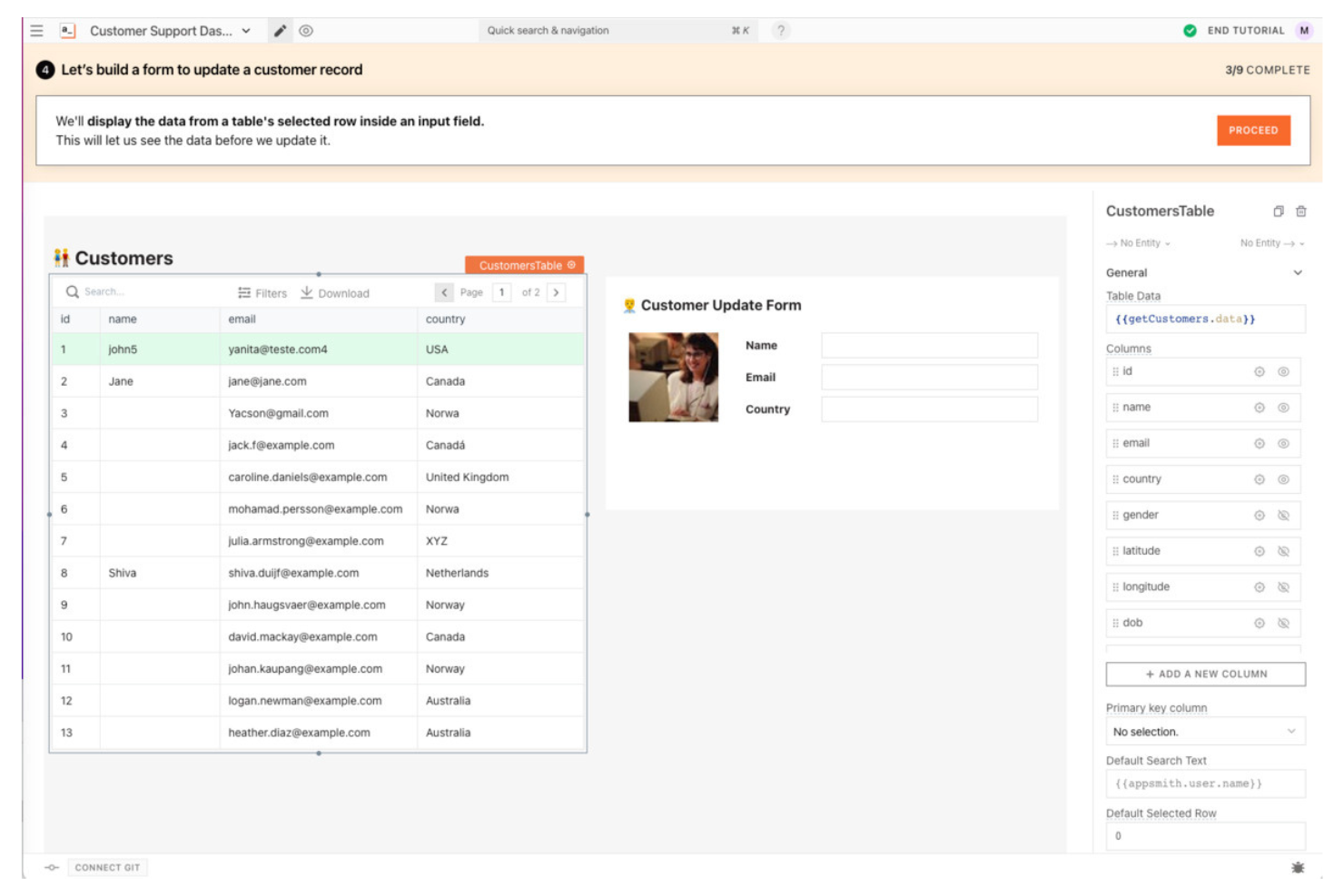
Developers and technical teams looking for a highly customizable, open-source alternative to Zoho Creator often choose Appsmith. The platform is built for those who want full control over app logic, UI components, and integrations without vendor lock-in. Appsmith stands out by letting you self-host, extend with custom code, and connect to nearly any data source.
Why Appsmith Is a Good Zoho Creator Alternative
If you want full control over your app’s code and deployment, Appsmith is a strong Zoho Creator alternative. I picked Appsmith because it’s open-source, so you can self-host and customize every aspect of your applications. The platform lets you write custom JavaScript for business logic and extend UI components to fit unique requirements. For teams that need flexibility beyond what proprietary low-code tools offer, Appsmith’s open-source customization stands out.
Appsmith Key Features
Some other Appsmith features worth highlighting include:
- Drag-and-Drop UI Builder: Arrange and configure interface components visually without writing code.
- Pre-Built Widgets Library: Access a collection of ready-made widgets for forms, tables, charts, and more.
- Version Control Integration: Connect to Git repositories for collaborative development and deployment.
- Role-Based Access Controls: Assign permissions and manage user access for different app environments.
Appsmith Integrations
Integrations include Airtable, Asana, AWS Lambda, Dropbox, Freshdesk, GitHub, Google Drive, HubSpot, Jira, and more.
Pros and Cons
Pros:
- Supports custom JavaScript for business logic
- Open-source codebase allows deep customization
- Self-hosting option for full data control
Cons:
- Advanced features may require developer expertise
- No built-in workflow automation designer

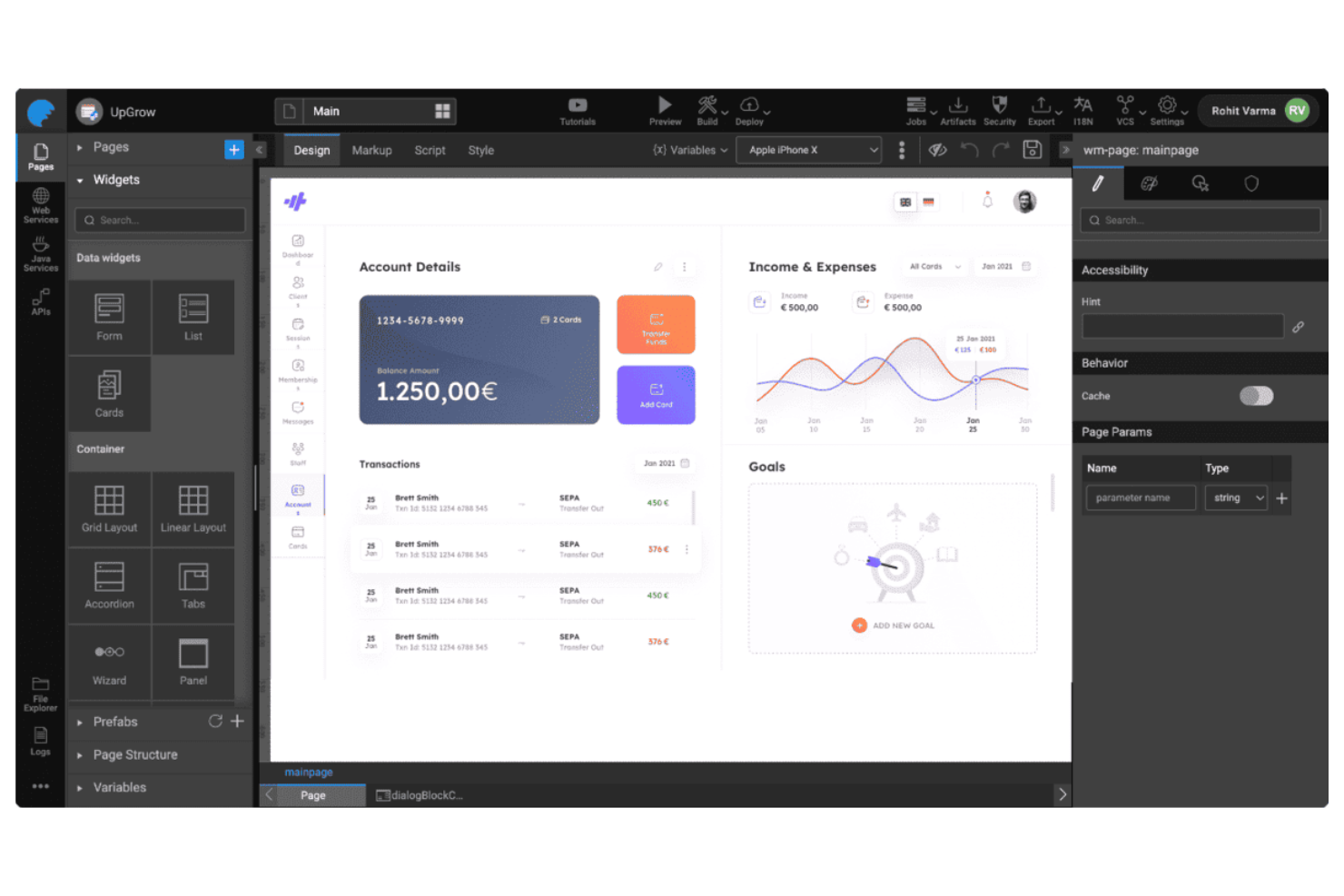
If you’re looking for a Zoho Creator alternative with a strong visual approach, WaveMaker puts drag-and-drop UI design at the center of its platform. It’s especially useful for product teams and IT departments that want to build modern web and mobile apps without heavy coding. WaveMaker stands out with its pixel-perfect UI controls and the ability to customize layouts visually, making it easier to deliver polished, user-friendly applications.
Why WaveMaker Is a Good Zoho Creator Alternative
Unlike many low-code platforms, WaveMaker puts a heavy emphasis on drag-and-drop UI design, which is why I picked it as a Zoho Creator alternative. The platform offers a wide range of prebuilt widgets and pixel-level control over layouts, so you can create highly customized interfaces without writing code. I also appreciate that WaveMaker supports responsive design out of the box, letting you build apps that look polished on any device. For teams that want to prioritize visual design and user experience, WaveMaker delivers flexibility that goes beyond what Zoho Creator offers.
WaveMaker Key Features
Some other WaveMaker features worth highlighting include:
- API Integration Studio: Connect to REST, SOAP, and third-party APIs directly from the platform.
- Role-Based Access Management: Assign permissions and manage user roles for secure app access.
- Automated App Deployment: Deploy applications to cloud or on-premises environments with one click.
- Version Control Integration: Integrate with Git repositories to manage app versions and collaborate on code.
WaveMaker Integrations
Native integrations are not currently listed.
Pros and Cons
Pros:
- Supports deployment to multiple cloud platforms
- Built-in version control with Git integration
- Drag-and-drop UI builder supports pixel precision
Cons:
- Documentation can be inconsistent across features
- Limited prebuilt templates for rapid prototyping
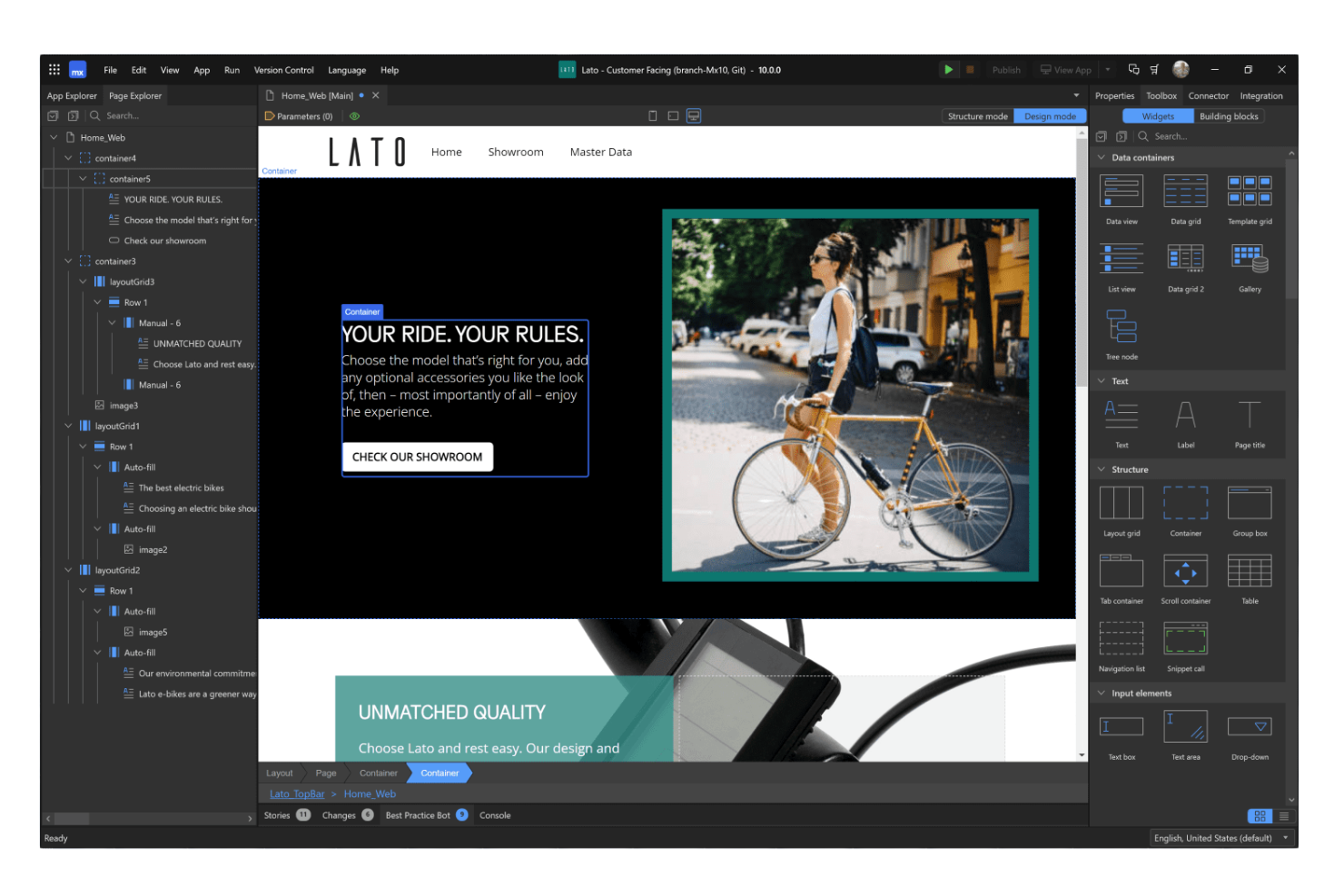
Mendix is a low-code platform designed for teams that need to deploy enterprise-grade apps quickly and at scale. It’s a strong fit for IT departments and large organizations looking to modernize complex workflows or digitize legacy processes. Mendix stands out with its advanced collaboration tools, multi-cloud deployment options, and support for building both web and mobile applications.
Why Mendix Is a Good Zoho Creator Alternative
For teams focused on rapid enterprise app deployment, Mendix offers capabilities that go beyond what Zoho Creator provides. I picked Mendix because its visual development environment supports both no-code and advanced pro-code customization, making it suitable for complex enterprise needs. The platform’s built-in collaboration tools help cross-functional teams work together on large-scale projects without friction. Mendix also enables multi-cloud and on-premises deployment, which is essential for organizations with strict infrastructure requirements.
Mendix Key Features
Some other Mendix features worth noting include:
- AI-Assisted Development: Mendix Assist provides AI-powered suggestions to speed up app design and logic building.
- Reusable Components Marketplace: Access a library of prebuilt widgets, connectors, and templates to accelerate development.
- Automated Testing Tools: Built-in testing features let you validate app functionality before deployment.
- Role-Based Access Controls: Set granular permissions for users and teams to manage data security and compliance.
Mendix Integrations
Integrations include AWS, Microsoft Azure, Salesforce, SAP, Snowflake, Oracle, Okta, HubSpot, Slack, Dropbox, and more.
Pros and Cons
Pros:
- Includes a marketplace for reusable components
- Offers AI-assisted development suggestions
- Supports multi-cloud and on-premises deployment
Cons:
- Vendor lock-in makes migration difficult
- Customization is limited vs full-code development

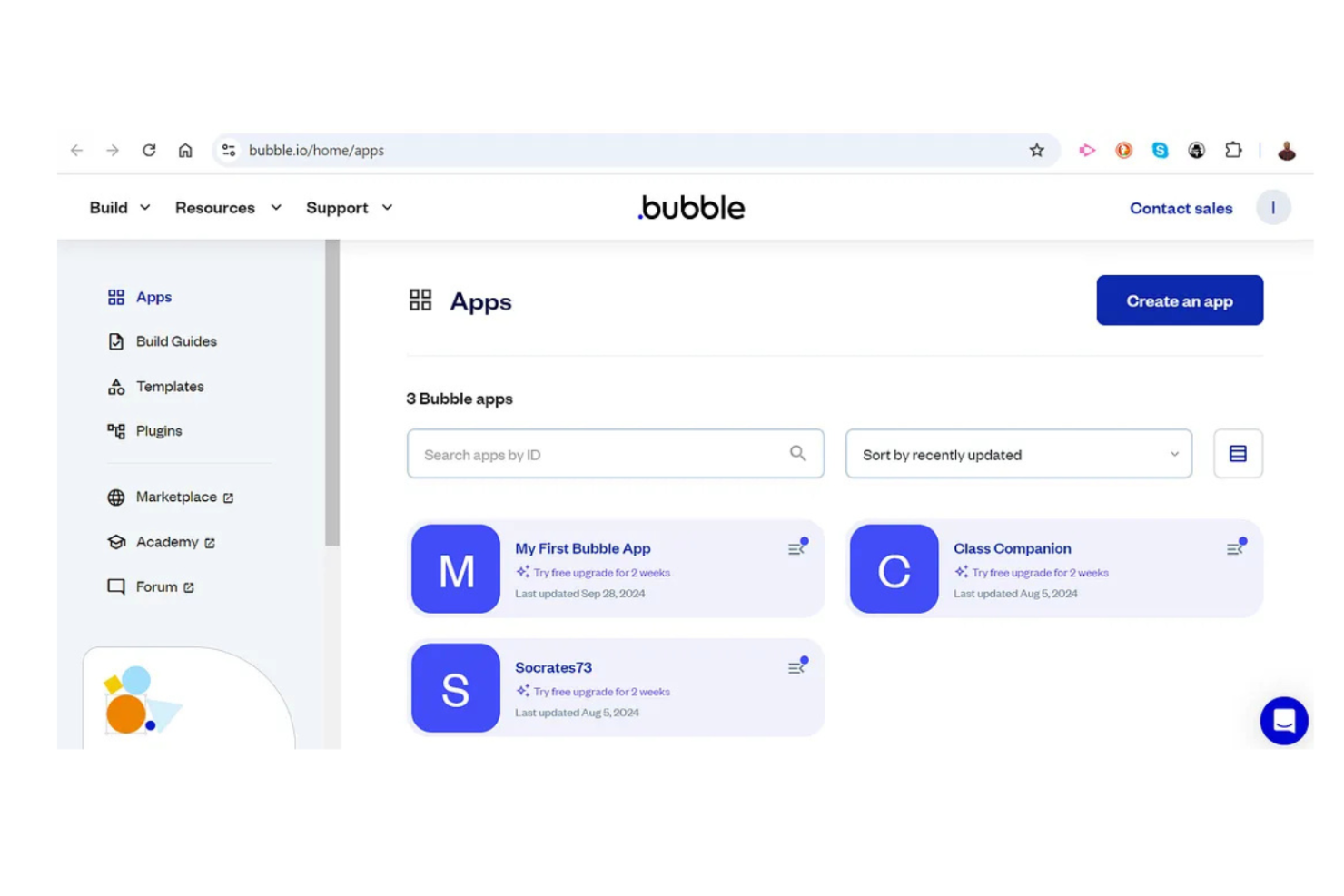
If you want to build custom web apps without writing code, Bubble offers a visual approach that’s hard to match. It’s especially useful for startups, product managers, and digital teams who need to prototype or launch interactive web applications quickly. Unlike Zoho Creator, Bubble gives you pixel-level control over your app’s design and logic, making it a strong choice for teams with unique UI or workflow requirements.
Why Bubble Is a Good Zoho Creator Alternative
For teams that want full visual control over web app creation, Bubble offers a level of design flexibility that Zoho Creator doesn’t match. I picked Bubble because its drag-and-drop editor lets you customize every element on the page, supporting pixel-perfect layouts and interactive workflows. You can also define complex logic and dynamic data interactions directly within the visual interface. This makes Bubble a strong fit for anyone who needs to build highly customized, interactive web applications without relying on traditional coding.
Bubble Key Features
Some other Bubble features worth noting include:
- Reusable Components: Create and manage custom elements that can be reused across multiple pages or apps.
- API Connector: Connect to external services and APIs directly from your Bubble app.
- Version Control: Manage app changes and roll back to previous versions as needed.
- Built-In User Authentication: Add user sign-up, login, and permissions without extra plugins.
Bubble Integrations
Native integrations are not currently listed.
Pros and Cons
Pros:
- Visual workflow editor for complex logic
- Built-in database for dynamic data storage
- Pixel-level control over web app design
Cons:
- Exporting code is not supported
- No native mobile app deployment option
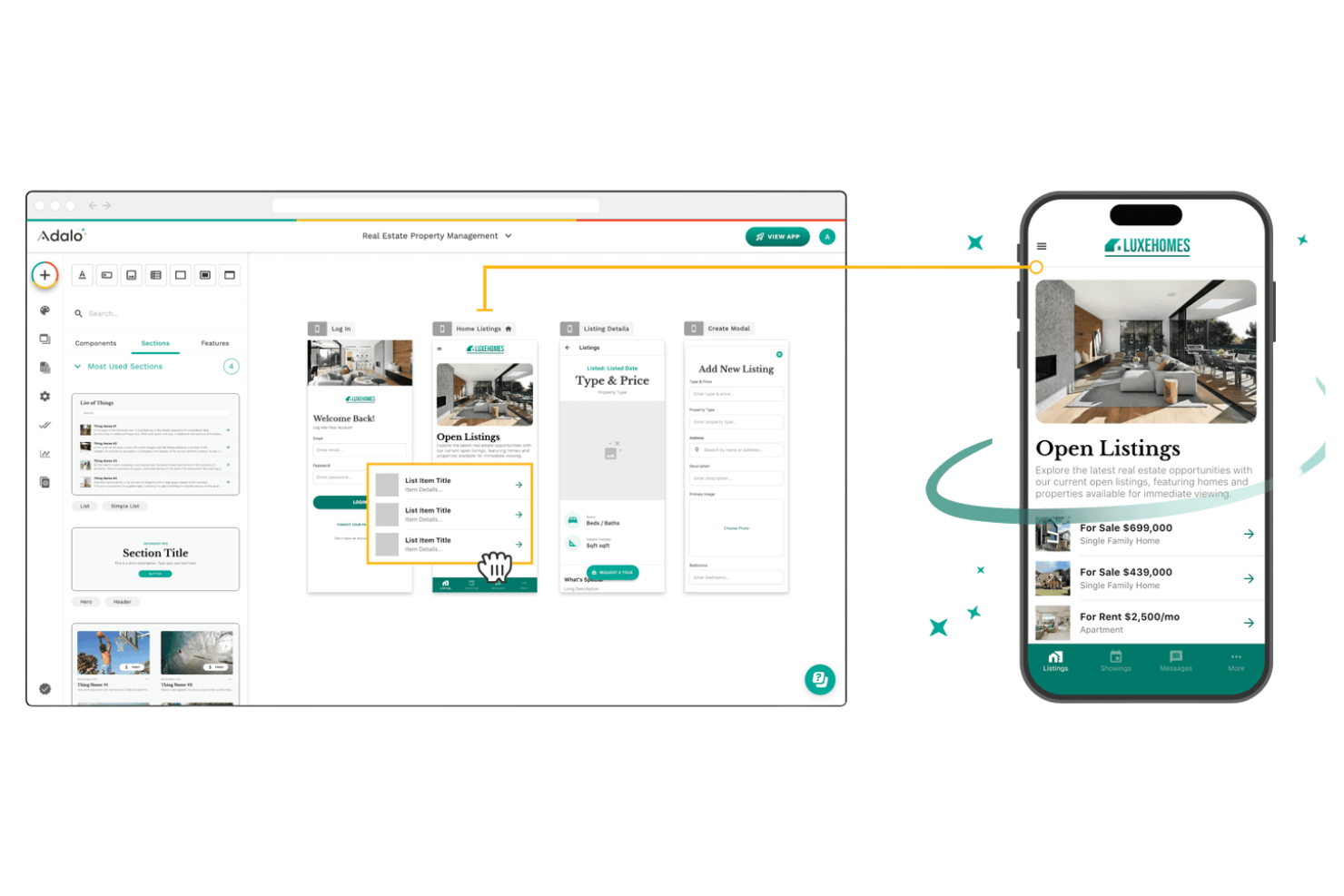
Building mobile apps visually is at the core of what Adalo offers. It’s a strong fit for product managers, agencies, and founders who need to quickly prototype and launch native mobile apps for iOS and Android. Unlike Zoho Creator, Adalo focuses on mobile-first design and direct publishing to app stores, making it ideal for teams prioritizing mobile experiences.
Why Adalo Is a Good Zoho Creator Alternative
If your team’s priority is rapid mobile app prototyping, Adalo stands out as a strong Zoho Creator alternative. I picked Adalo because it lets you visually design native mobile apps and instantly preview them on real devices. You can use its drag-and-drop interface to build interactive screens, connect data, and add logic without writing code. Adalo also supports direct publishing to both the Apple App Store and Google Play, which is something Zoho Creator doesn’t offer natively.
Adalo Key Features
Some other Adalo features worth highlighting include:
- Component Marketplace: Access a library of pre-built components to extend app functionality.
- Custom Actions: Set up custom logic and integrations with external services using API calls.
- User Authentication: Add sign-up, login, and password reset flows directly into your app.
- Push Notifications: Send real-time updates and alerts to users on their devices.
Adalo Integrations
Integrations include Xano, Stripe, IAPHUB, Google Sheets, Airtable, QuickBooks, HubSpot, Mailchimp, Zoom, Google Maps, and more.
Pros and Cons
Pros:
- Built-in push notification support
- Drag-and-drop builder for native mobile layouts
- Publishes directly to iOS and Android stores
Cons:
- Limited support for complex data relationships
- No built-in reporting or analytics tools


For organizations already invested in Microsoft 365, Microsoft Power Apps offers a natural extension for building custom business applications. The platform is especially useful for IT teams and business analysts who want to automate processes and connect data across Microsoft services. Its deep integration with tools like SharePoint, Teams, and Excel sets it apart from Zoho Creator and other alternatives.
Why Microsoft Power Apps Is a Good Zoho Creator Alternative
When your business relies on Microsoft 365, Power Apps becomes a strong Zoho Creator alternative because of its native connections to the Microsoft ecosystem. I picked Power Apps for its ability to build apps that work directly with SharePoint lists, Teams channels, and Excel files without extra setup. The platform also supports automation through Power Automate, letting you trigger workflows across Microsoft services. For teams already using Microsoft tools, this level of integration is hard to match with other low-code platforms.
Microsoft Power Apps Key Features
Some other Microsoft Power Apps features worth noting include:
- AI Builder: Add AI-driven features like form processing and prediction models to your apps.
- Responsive Design Tools: Create applications that automatically adjust layouts for mobile, tablet, and desktop devices.
- Dataverse Integration: Store and manage business data securely with Microsoft Dataverse as a backend.
- Role-Based Security: Set granular permissions for users and groups within your applications.
Microsoft Power Apps Integrations
Integrations include Microsoft 365, SharePoint, Teams, Excel, Dynamics 365, OneDrive, Outlook, Azure, SQL Server, and more.
Pros and Cons
Pros:
- Built-in AI features for app improvement
- Direct integration with Microsoft 365 services
Cons:
- Limited customization for non-Microsoft integrations
- Custom connectors require premium licensing
- Extensive automation with Power Automate workflows

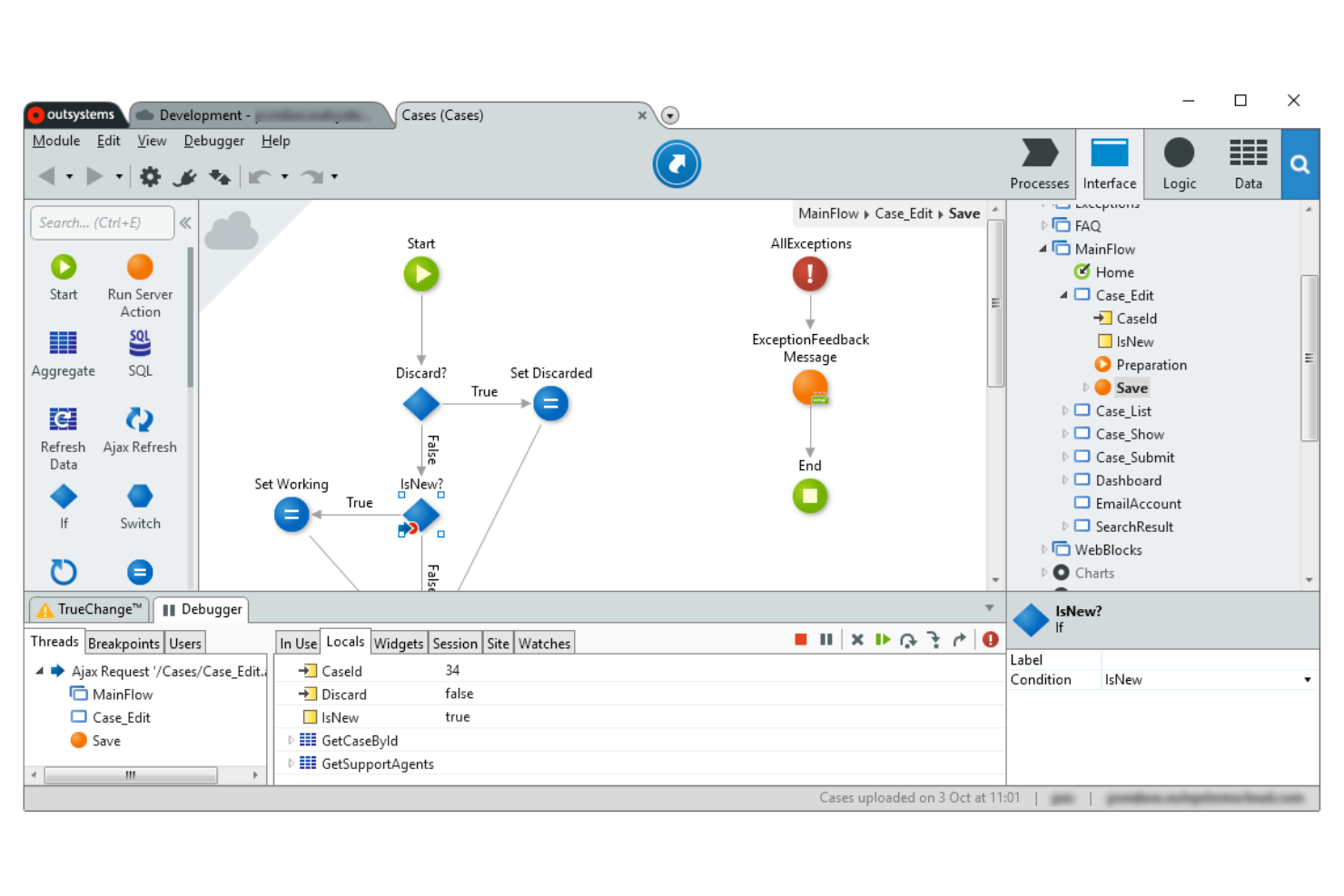
If your team needs to build complex, enterprise-grade apps that scale in the cloud, OutSystems is worth a close look. The platform is designed for IT departments and software development teams that want to deliver secure, high-performance applications with advanced integration and deployment needs. Unlike Zoho Creator, OutSystems supports full-stack development and offers built-in tools for managing large-scale, mission-critical solutions.
Why OutSystems Is a Good Zoho Creator Alternative
For organizations that need to deliver applications at scale, OutSystems stands out as a Zoho Creator alternative because of its focus on cloud-native, enterprise-grade solutions. I picked OutSystems for its ability to handle complex workflows, high user volumes, and demanding security requirements. The platform offers built-in tools for automated deployment, performance monitoring, and advanced scalability across cloud environments. If your team is building mission-critical apps that must grow with your business, OutSystems provides features that go far beyond basic low-code platforms.
OutSystems Key Features
Some other OutSystems features that caught my attention include:
- Visual Workflow Designer: Build and modify application logic using a drag-and-drop interface.
- Reusable UI Components: Access a library of pre-built interface elements for faster app development.
- Built-In Testing Tools: Run automated and manual tests directly within the platform.
- Multi-Channel Deployment: Launch applications across web, mobile, and tablet devices from a single codebase.
OutSystems Integrations
Native integrations are not currently listed.
Pros and Cons
Pros:
- Visual workflow builder for rapid prototyping
- Built-in deployment automation for cloud environments
- Full-stack development supports complex enterprise apps
Cons:
- Limited community resources compared to competitors
- Performance tuning can be resource-intensive

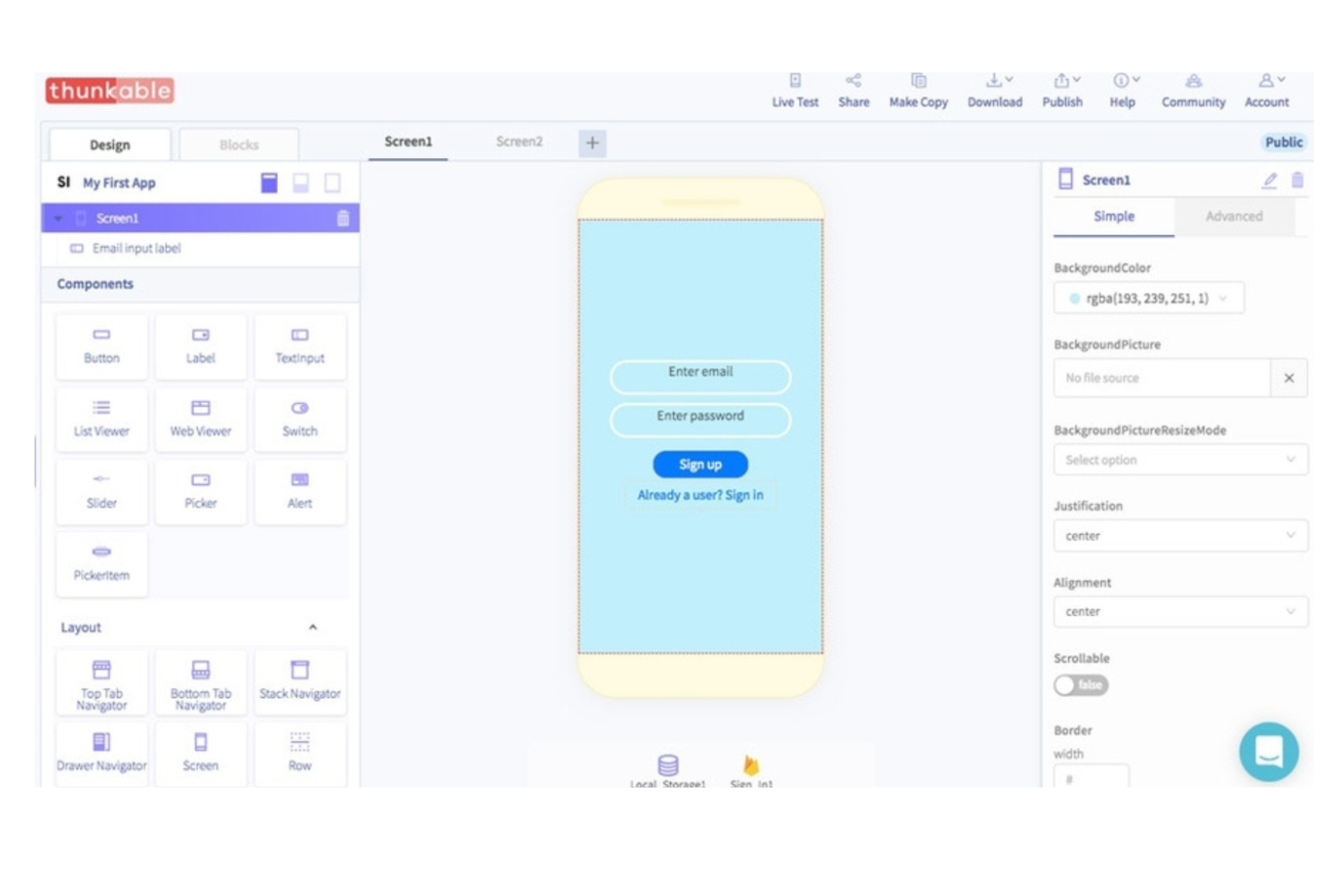
Thunkable gives you a way to build apps for both iOS and Android from a single project. It’s especially useful for product teams, educators, and startups that want to launch cross-platform apps without managing separate codebases. Unlike Zoho Creator, Thunkable emphasizes visual logic blocks and real-time device testing, making it easier to create and iterate on mobile experiences for multiple platforms at once.
Why Thunkable Is a Good Zoho Creator Alternative
For teams focused on cross-platform app development, Thunkable offers a distinct advantage over Zoho Creator. I picked Thunkable because it lets you design and deploy native apps for both iOS and Android from a single project, eliminating the need to maintain separate builds. Its visual logic blocks make it possible to create complex app behaviors without code, and you can test changes instantly on real devices. This approach is especially helpful if your team needs to deliver consistent mobile experiences across multiple platforms.
Thunkable Key Features
Some other Thunkable features worth noting include:
- Drag-and-Drop Interface: Build app screens visually by arranging components on a canvas.
- Media Handling: Add images, audio, and video elements directly into your app projects.
- Custom Web APIs: Connect to external data sources and services using configurable API blocks.
- Live App Preview: See real-time updates on your device as you make changes in the editor.
Thunkable Integrations
Integrations include Cloudinary, Airtable, Firebase, Google Sheets, Webflow, Xano, Backendless, RevenueCat, Figma, and more.
Pros and Cons
Pros:
- Supports custom web API connections
- Live device preview for instant testing
- Visual logic blocks for building app workflows
Cons:
- Advanced animations require external tools
- No built-in user management system
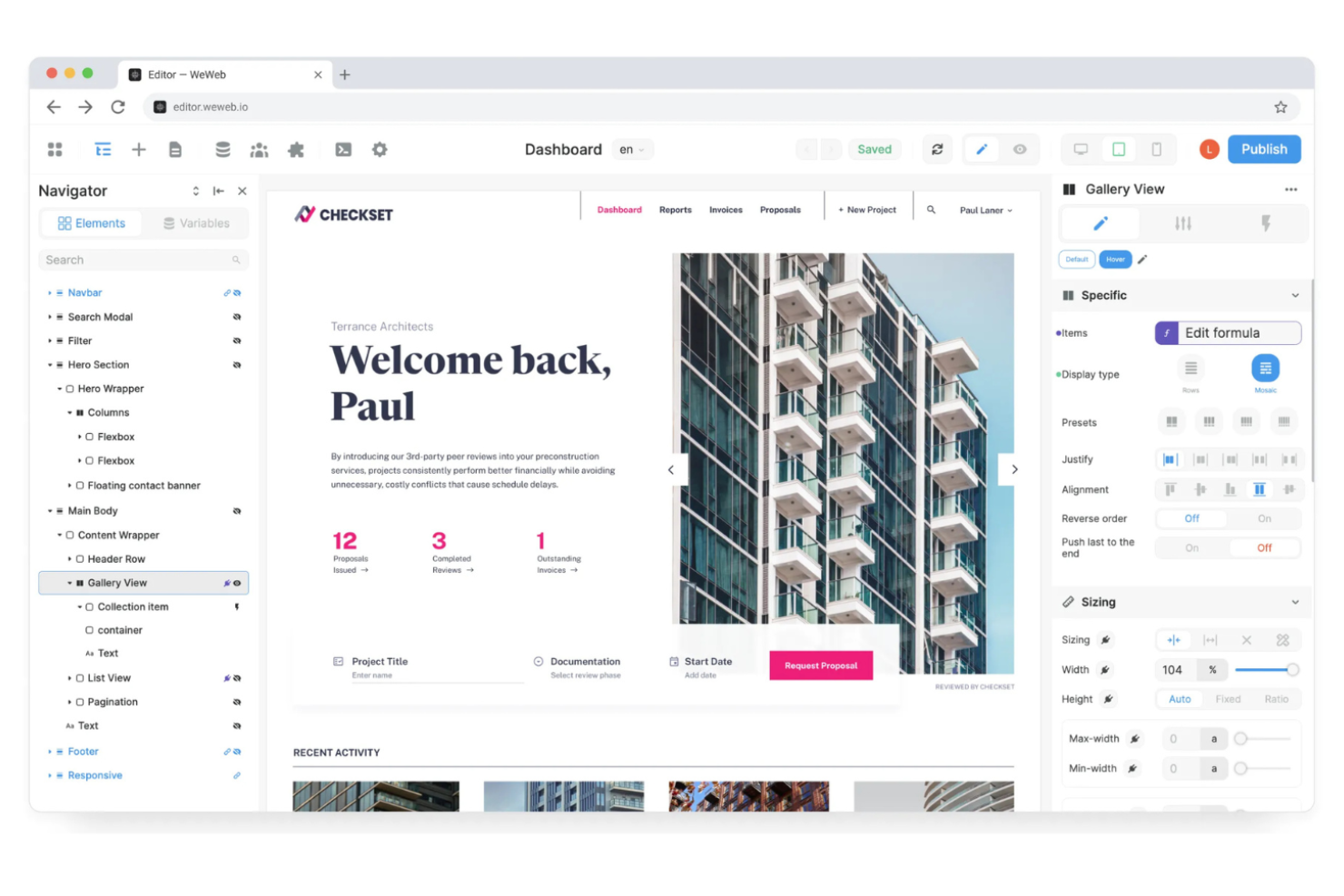
If you need to build secure, interactive client-facing portals, WeWeb offers a flexible approach that stands apart from Zoho Creator. It’s a strong fit for agencies, SaaS providers, and internal teams that want to create branded web apps with granular control over user permissions and data sources. WeWeb’s visual editor and backend-agnostic setup let you connect to any API or database, making it easier to deliver custom client experiences without backend limitations.
Why WeWeb Is a Good Zoho Creator Alternative
When building client-facing portals is your top priority, WeWeb gives you more flexibility than Zoho Creator. I picked WeWeb because it lets you design fully branded web apps with advanced user authentication and granular access controls, which are essential for client portals. You can connect to any backend or API, so you’re not locked into a single data source or workflow. This makes WeWeb a strong choice if you need to deliver secure, customized experiences for different client groups.
WeWeb Key Features
Some other WeWeb features worth highlighting include:
- Drag-and-Drop Page Builder: Arrange and customize portal layouts visually without code.
- Conditional Logic: Set up dynamic workflows and display rules based on user actions or data.
- Reusable Components: Create and manage custom components to use across multiple projects.
- Version Control: Track changes and roll back to previous versions of your portal builds.
WeWeb Integrations
Integrations include Airtable, Anthropic, Auth0, Cloudinary, Google Sheets, Intercom, Slack, Stripe, Supabase, and more.
Pros and Cons
Pros:
- Offers reusable components for faster builds
- Connects natively to multiple backend sources
- Supports granular user roles and permissions
Cons:
- Lacks built-in workflow automation tools
- Requires external authentication for SSO


Lightning App Builder offers a unique approach for teams that want to build custom apps directly on top of their CRM data. It’s especially useful for sales, service, and operations teams that need to automate workflows and manage customer relationships in one place. Unlike Zoho Creator, Lightning App Builder lets you create apps that are deeply integrated with your CRM, making it easier to connect business processes and customer data.
Why Lightning App Builder Is a Good Zoho Creator Alternative
If your team needs to build apps that work directly with CRM data, Lightning App Builder is a strong Zoho Creator alternative. I picked Lightning App Builder because it lets you design custom applications that leverage real-time customer information and automate sales or service workflows. The platform’s App Builder provides drag-and-drop tools for creating tailored interfaces and logic on top of your CRM records. For organizations that want to unify customer management and app development, Lightning App Builder offers a level of CRM-driven customization that Zoho Creator doesn’t match.
Lightning App Builder Key Features
Some other Lightning App Builder features worth noting include:
- Process Builder: Automate multi-step business processes with a visual workflow tool.
- Custom Object Creation: Define and manage custom data structures tailored to your business needs.
- AppExchange Marketplace: Access thousands of pre-built apps and components to extend platform functionality.
- Role-Based Access Controls: Set granular permissions for users and teams across your custom apps.
Lightning App Builder Integrations
Native integrations are not currently listed.
Pros and Cons
Pros:
- Large marketplace of pre-built app components
- Extensive automation tools for sales workflows
- Deep CRM integration for custom business apps
Cons:
- Data storage limits may require costly upgrades
- Customization often requires Salesforce developer skills
Other Zoho Creator Alternatives
Here are some additional Zoho Creator alternatives that didn’t make it onto my shortlist, but are still worth checking out:


Zoho Creator Alternatives Selection Criteria
When selecting the best Zoho Creator alternatives to include in this list, I considered common buyer needs and pain points related to Zoho Creator alternatives products, like wanting more flexible data integrations and needing advanced user permission controls. I also used the following framework to keep my evaluation structured and fair:
Core Functionality (25% of total score)
To be considered for inclusion in this list, each solution had to fulfill these common use cases:
- Build custom web apps
- Design forms and collect data
- Automate workflows
- Manage user access and permissions
- Connect to external data sources
Additional Standout Features (25% of total score)
To help further narrow down the competition, I also looked for unique features, such as:
- Visual workflow builders
- Native mobile app publishing
- Built-in analytics dashboards
- White-labeling and branding options
- Advanced API connectivity
Usability (10% of total score)
To get a sense of the usability of each system, I considered the following:
- Clean and intuitive interface design
- Logical navigation and menu structure
- Minimal clicks to complete core tasks
- Responsive design for different devices
- Customizable dashboards and views
Onboarding (10% of total score)
To evaluate the onboarding experience for each platform, I considered the following:
- Availability of step-by-step product tours
- Access to template libraries for quick setup
- Training videos and documentation
- In-app chatbots or guided help
- Live or recorded onboarding webinars
Customer Support (10% of total score)
To assess each software provider’s customer support services, I considered the following:
- Multiple support channels like chat, email, and phone
- Fast response times to inquiries
- Access to a searchable knowledge base
- Community forums or user groups
- Availability of dedicated account managers
Value For Money (10% of total score)
To evaluate the value for money of each platform, I considered the following:
- Transparent and flexible pricing plans
- Free trials or free plans available
- Features included at each pricing tier
- No hidden fees or surprise charges
- Discounts for annual billing or nonprofits
Customer Reviews (10% of total score)
To get a sense of overall customer satisfaction, I considered the following when reading customer reviews:
- Positive feedback on reliability and uptime
- Praise for customer support quality
- Reports of ease or difficulty in setup
- Comments on feature completeness
- User sentiment about pricing fairness
Why Look for a Zoho Creator Alternative?
While Zoho Creator is a good choice of Zoho Creator alternatives, there are a number of reasons why some users seek out alternative solutions. You might be looking for a Zoho Creator alternative because…
- You need more advanced user permission controls
- You want native mobile app publishing
- You require deeper integration with external databases
- You need more flexible branding and white-labeling
- You want built-in analytics and reporting tools
- You need support for complex workflow automation
If any of these sound like you, you’ve come to the right place. My list contains several Zoho Creator alternatives that are better suited for teams facing these challenges with Zoho Creator and looking for alternative solutions.
Zoho Creator Key Features
Here are some of the key features of Zoho Creator, to help you contrast and compare what alternative solutions offer:
- Visual drag-and-drop app builder
- Custom form creation and data collection
- Workflow automation with logic and triggers
- Multi-platform deployment (web, iOS, Android)
- Role-based user access controls
- Integration with Zoho and third-party apps
- Built-in analytics and reporting dashboards
- Support for custom scripts and functions
- Real-time collaboration tools
- App publishing and sharing options