

10 Best Time Doctor Alternatives for Remote Teams in 2026

Best Time Doctor Alternatives Shortlist


Managing your team's productivity can be a real challenge. If Time Doctor is not meeting your needs, you might be looking for alternatives to increase profitability. Maybe it's the features, the pricing, or just the user experience that isn't quite right for you.
In my experience, finding the right tool can make a big difference. Time-tracking software should ease your workload, not add to it. That's why I've tested and reviewed several options to find the best fit for you and your team.
In this article, I'll share my top picks for Time Doctor alternatives. You'll get an unbiased look at each tool's features and benefits. Let's find the right solution to help your team work smarter.
What Is Time Doctor?
Time Doctor is a time-tracking and productivity software designed to help you monitor work hours and boost efficiency. It's often used by professionals such as project managers, freelancers, and remote teams who need to keep track of time spent on tasks.
With features such as simple time tracking, productivity reports, and distraction alerts, Time Doctor helps you and your team stay focused and accountable. Overall, Time Doctor provides valuable insights into how your team spends their time, helping you make informed decisions.
Time Doctor Alternatives Comparison Table
The table below compares pricing details for my top Time Doctor alternatives.
| Tool | Best For | Trial Info | Price | ||
|---|---|---|---|---|---|
| 1 | Best for real-time activity analysis | Free demo + 7-day free trial available | From $8/user/month (billed annually) | Website | |
| 2 | Best for visual activity monitoring | Free trial available | From $7/user/month | Website | |
| 3 | Best for privacy-conscious team monitoring | 14-day free trial + free demo available | From $3.99/user/month (billed annually) | Website | |
| 4 | Best for non-intrusive project time logging | Free plan + 7-day free trial available | From $4.99/user/month | Website | |
| 5 | Best for accounting integration | 30-day free trial | From $20/month + $10/user/month | Website | |
| 6 | Best for team collaboration focus | Free plan + 14-day free trial + free demo available | From $4/user/month (billed annually) | Website | |
| 7 | Best for facial recognition attendance | Free plan + free demo available | Pricing upon request | Website | |
| 8 | Best for project management integration | Free plan available + 14-day free trial | From $5.83/user/month (billed annually) | Website | |
| 9 | Best for real-time productivity insights | Free plan available; 14-day free trial | From ₹300/user/month | Website | |
| 10 | Best for monitoring over 60 activities | Free demo available | From $15/user/month (billed annually) | Website |

Why Trust Our Software Recommendations
Our team has been testing and reviewing software since 2012. As project managers ourselves, we know how difficult—and important—it is to choose the right software.
For this guide, we evaluated tools using hands-on testing and independent research, scoring tools using our selection criteria. We also draw on insights from industry thought leaders and practicing project management experts.
Our reviews reflect our human editorial judgment, not a sales pitch.
Expert reviewers:
Best Time Doctor Alternatives Reviews
Below are my detailed summaries of the best Time Doctor alternatives that made it onto my shortlist. My reviews offer a detailed look at the key features, pros and cons, integrations, and ideal use cases of each tool to help you find the best one for you.

Best for real-time activity analysis
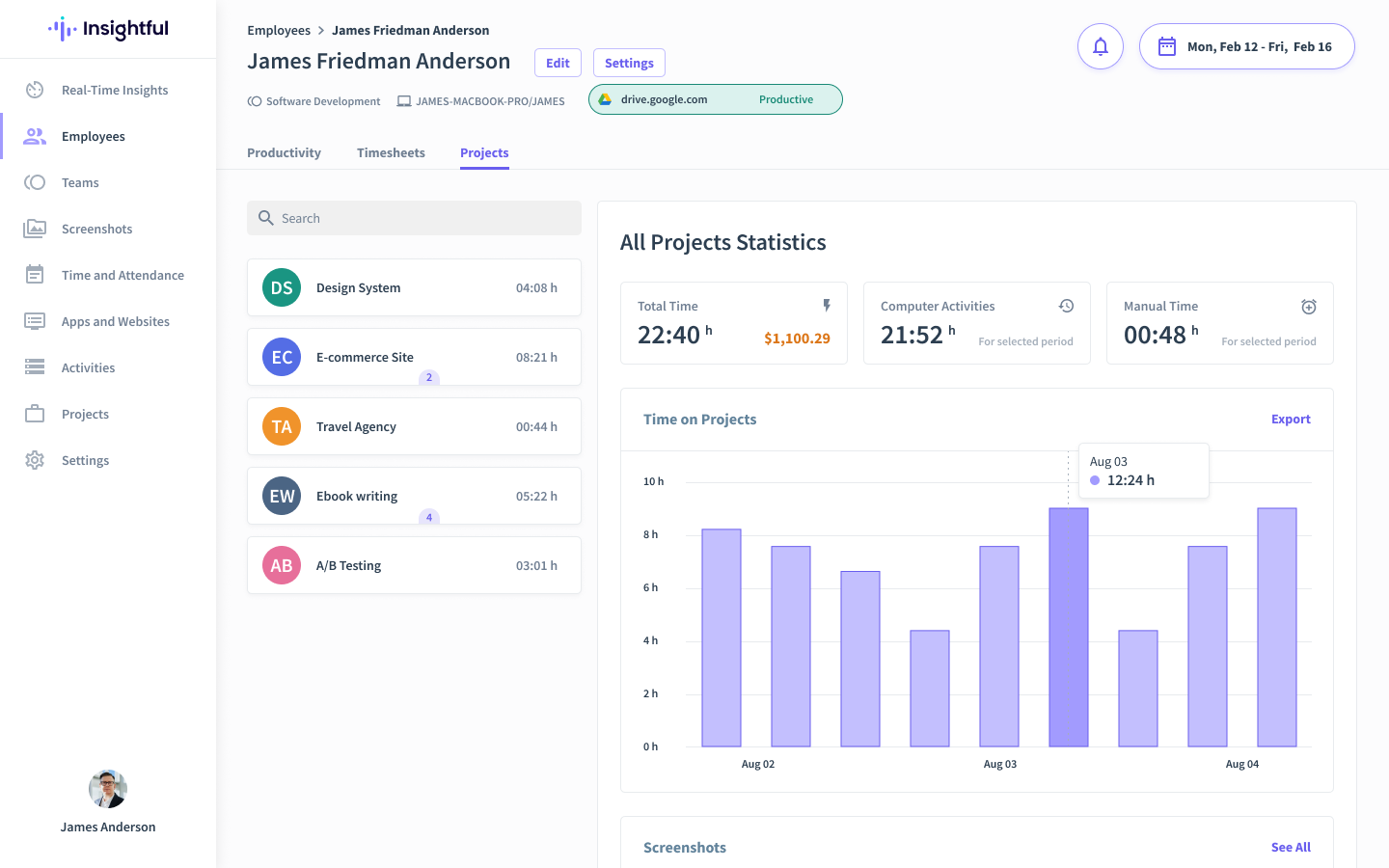
Insightful is an AI-powered workforce intelligence platform. It provides real-time activity analysis and automated time tracking for remote and hybrid teams, helping managers optimize workflows and improve accountability through high-level behavioural data rather than simple surveillance.
Why I Picked Insightful
I chose Insightful as a top Time Doctor alternative for its superior real-time activity analytics. Its automated time mapping removes the friction of manual timers, capturing work hours instantly to ensure billing accuracy. Also, its insider risk management tools proactively flag behavioural anomalies, protecting company data without the heavy administrative burden of traditional monitoring.
Insightful Key Features
In addition to its standout productivity measurement, here are some other features you might find valuable:
- Workspace Security: This feature includes tools for monitoring and managing insider threats, safeguarding your business from potential security breaches.
- App Switching Analytics: Measures "fragmentation" to identify when too many tools are slowing down your team’s focus.
- Stealth & Visible Modes: Flexible deployment that lets you choose between background security monitoring or employee-facing dashboards.
Insightful Integrations
Integrations include Asana, BambooHR, GitLab, ClickUp, Jira, BigQuery, and more. Insightful also offers custom integrations via a public API.
Pros and Cons
Pros:
- Exports granular data for precise invoicing
- Predicts turnover through digital activity patterns
- Detects overwork signals to protect staff
Cons:
- Setting up advanced mapping rules requires time
- No mobile app support
New Product Updates from Insightful
Insightful Expands MCP and HRIS Integrations
Insightful adds OAuth connections for ChatGPT and Microsoft Copilot Studio through its MCP Server, while HRIS integrations gain manager scope syncing in Beta. These updates expand AI access and automate permission management. For more information, visit Insightful’s official site.
 .
.
Apploye
Best for visual activity monitoring
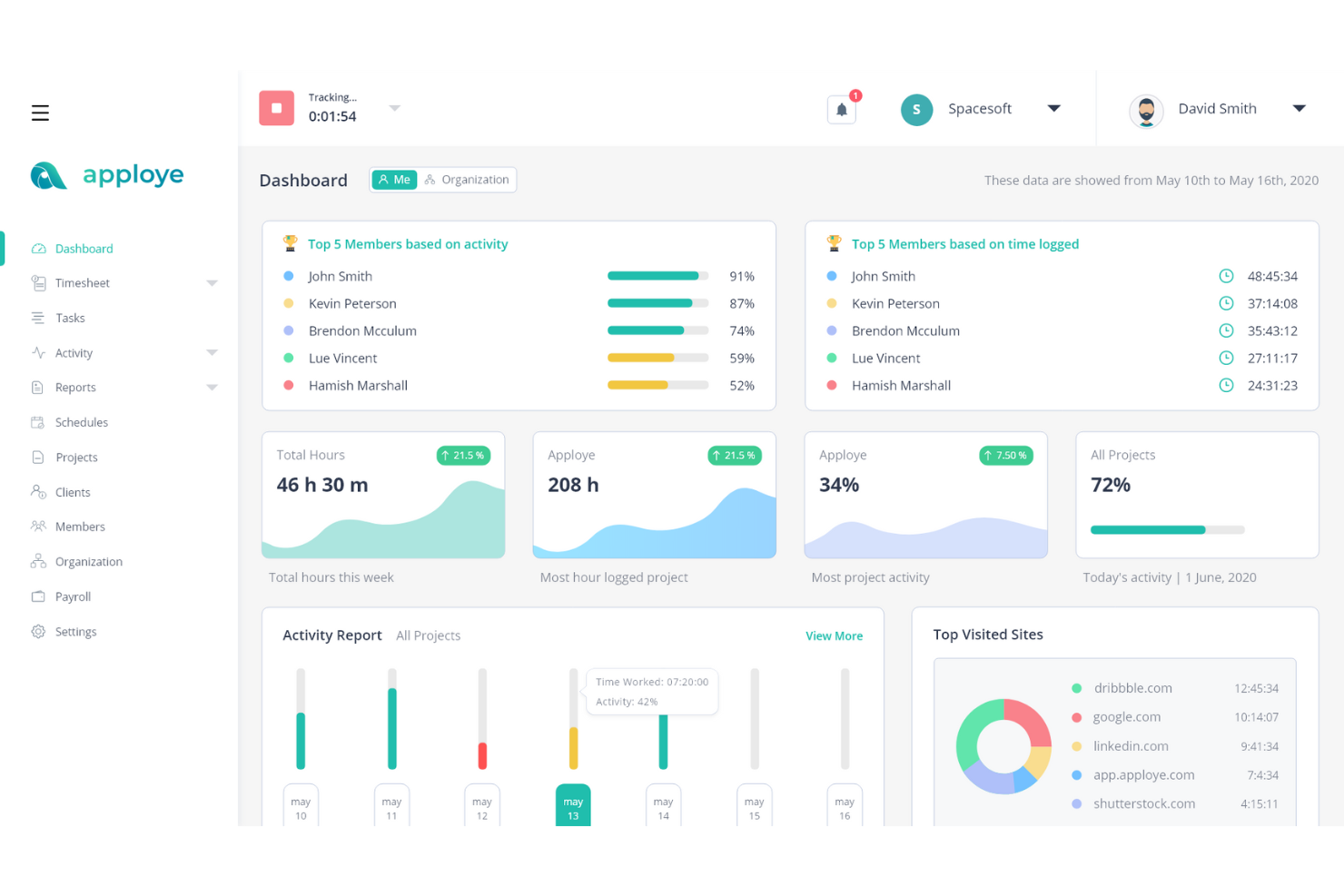
If you're looking for a tool to support your team's productivity while addressing workforce management needs, Apploye could be a practical option. Designed for industries such as agencies, freelancers, and call centers, it helps teams manage time tracking and project oversight while providing visual activity monitoring to better understand how work is progressing. Apploye also helps address issues like productivity gaps and payroll calculations with features that support clearer tracking of work hours and tasks.
Why I Picked Apploye
I picked Apploye as a Time Doctor alternative for its visual activity monitoring, which helps teams understand how work is progressing through screenshots and activity tracking. The platform records work hours automatically and monitors app usage, websites, and activity levels so managers can review how time is spent across tasks and projects. These features make it easier to track productivity and manage remote teams without relying on manual time entries.
Apploye Key Features
In addition to visual activity monitoring, Apploye offers:
- Screenshot Monitoring: This feature captures regular screenshots to provide a visual record of your team's activities.
- Automated Payroll Processing: Streamlines the payroll process by automatically generating payrolls based on tracked hours.
- Offline Tracking: Allows you to track time even when not connected to the internet, ensuring no data is lost.
- Pomodoro Timer: Helps your team manage their work intervals and breaks to boost productivity.
Apploye Integrations
Integrations include ClickUp, Trello, Jira, Asana, and more. Apploye also offers an API for custom integrations.
Pros and Cons
Pros:
- Tracks team activity clearly for remote productivity monitoring
- Monitors employees effectively without feeling overly invasive
- Automatic time tracking reduces manual data entry
Cons:
- Idle detection activates incorrectly during team conversations
- Activity detection sometimes misrepresents actual work engagement

Best for privacy-conscious team monitoring
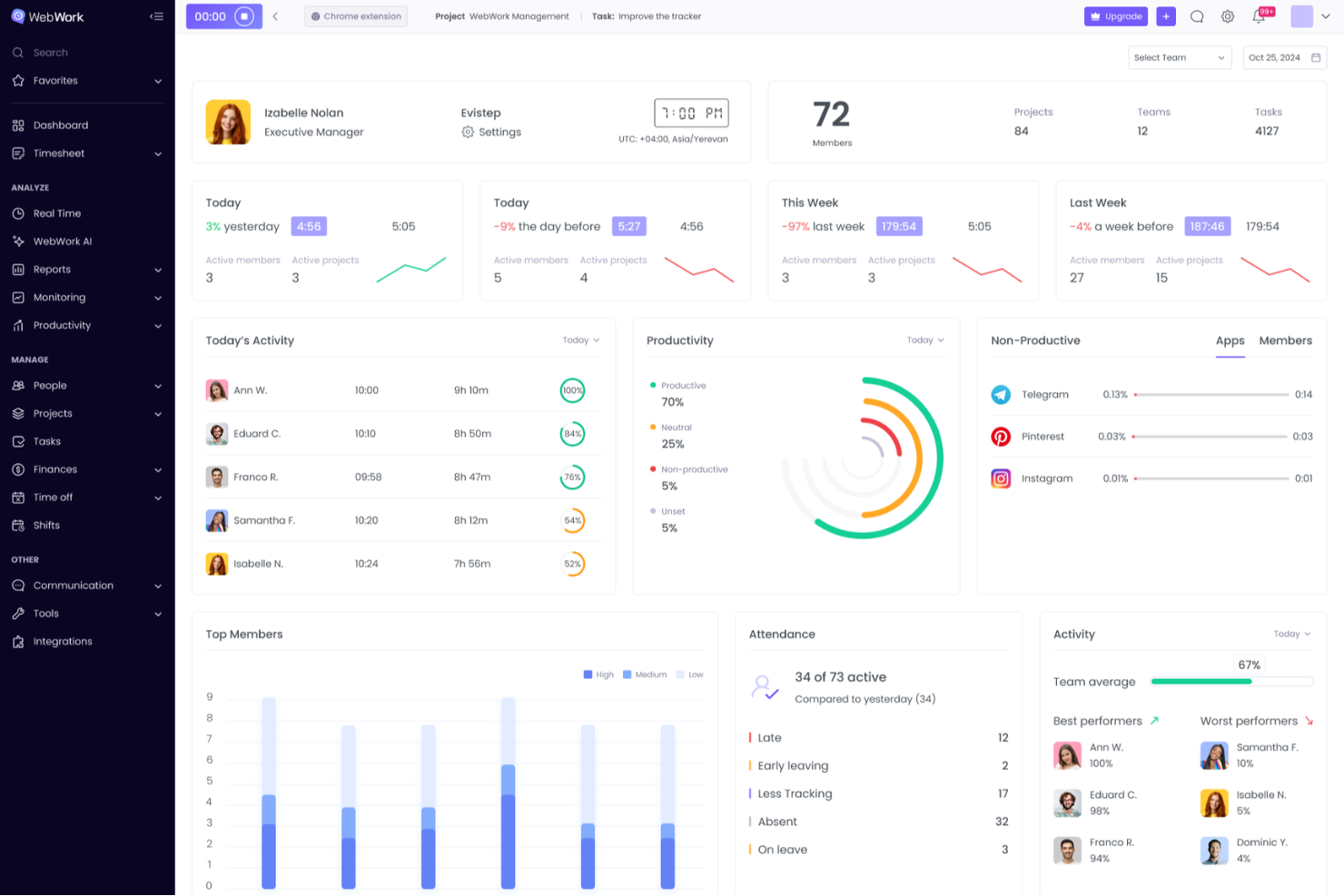
WebWork Time Tracker is a time tracking and employee monitoring platform that combines automated tracking, productivity monitoring, project and task management, and payroll features for remote, hybrid, and in-office teams.
Who Is WebWork Time Tracker Best For?
WebWork Time Tracker is a strong fit for remote team leaders and operations managers who need granular monitoring without making employees feel surveilled.
Why I Picked WebWork Time Tracker
I've included WebWork Time Tracker in my top picks because it gives teams real control over how monitoring actually works. I particularly like that you can blur screenshots by app category, so sensitive windows like a password manager or personal browser tab never appear in plain view. The silent tracker mode runs in the background on company devices without constant pop-ups, and role-based access means employees only see their own data, not their teammates'.
WebWork Time Tracker Key Features
- Offline time tracking: Records work time without an internet connection and syncs automatically once you're back online.
- GPS and geofencing: Tracks team location via mobile apps and can automatically clock people in and out when they enter or leave a designated job site.
- Two-way PM tool sync: Integrates with Jira, Asana, and ClickUp in real time, pushing tracked time directly into native worklogs and updating task statuses when timers start or stop.
- Automated payroll payouts: Processes team payments through partners like PayPal, Stripe, Wise, Gusto, and Deel directly from the platform.
WebWork Time Tracker Integrations
WebWork Time Tracker offers 10+ native integrations, including Jira, Asana, ClickUp, Trello, GitHub, Notion, QuickBooks, Gusto, and Deel. It also supports custom connections through its API and Zapier.
Pros and Cons
Pros:
- GPS supports distributed and field teams
- Offline tracking preserves disconnected work hours
- Blurred screenshots protect sensitive work
Cons:
- Monitoring can trigger employee privacy concerns
- Activity scores undervalue low-input knowledge work

Clockify
Best for non-intrusive project time logging

Clockify is time-tracking software designed for freelancers, small businesses, and large enterprises. It helps you track work hours, manage projects, and analyze productivity.
Why it's a good Time Doctor alternative: I selected Clockify as a Time Doctor alternative because it offers reliable project time tracking without invasive employee monitoring features like continuous webcam snaps or keystroke logging. Its clean interface allows team members to run simple timers, log hours manually, or utilize automated desktop tracking while respecting user privacy. This transparent approach helps teams maintain accurate project budgets and billable timesheets without damaging team trust or morale.
Standout features and integrations:
Features include time tracking, reporting, and project management. You can easily track time spent on projects and tasks, helping you stay organized. Reporting tools provide insights into team performance and productivity trends. Project management features allow you to allocate resources and monitor progress efficiently.
Integrations include Trello, Asana, Jira, Basecamp, Slack, QuickBooks, GitHub, monday.com, Todoist, Microsoft Teams, and more.
Pros and Cons
Pros:
- Suitable for teams of all sizes
- Flexible time-tracking options
- Five free user access
Cons:
- Lacks advanced shift-scheduling tools
- Basic invoicing tools

Best for accounting integration
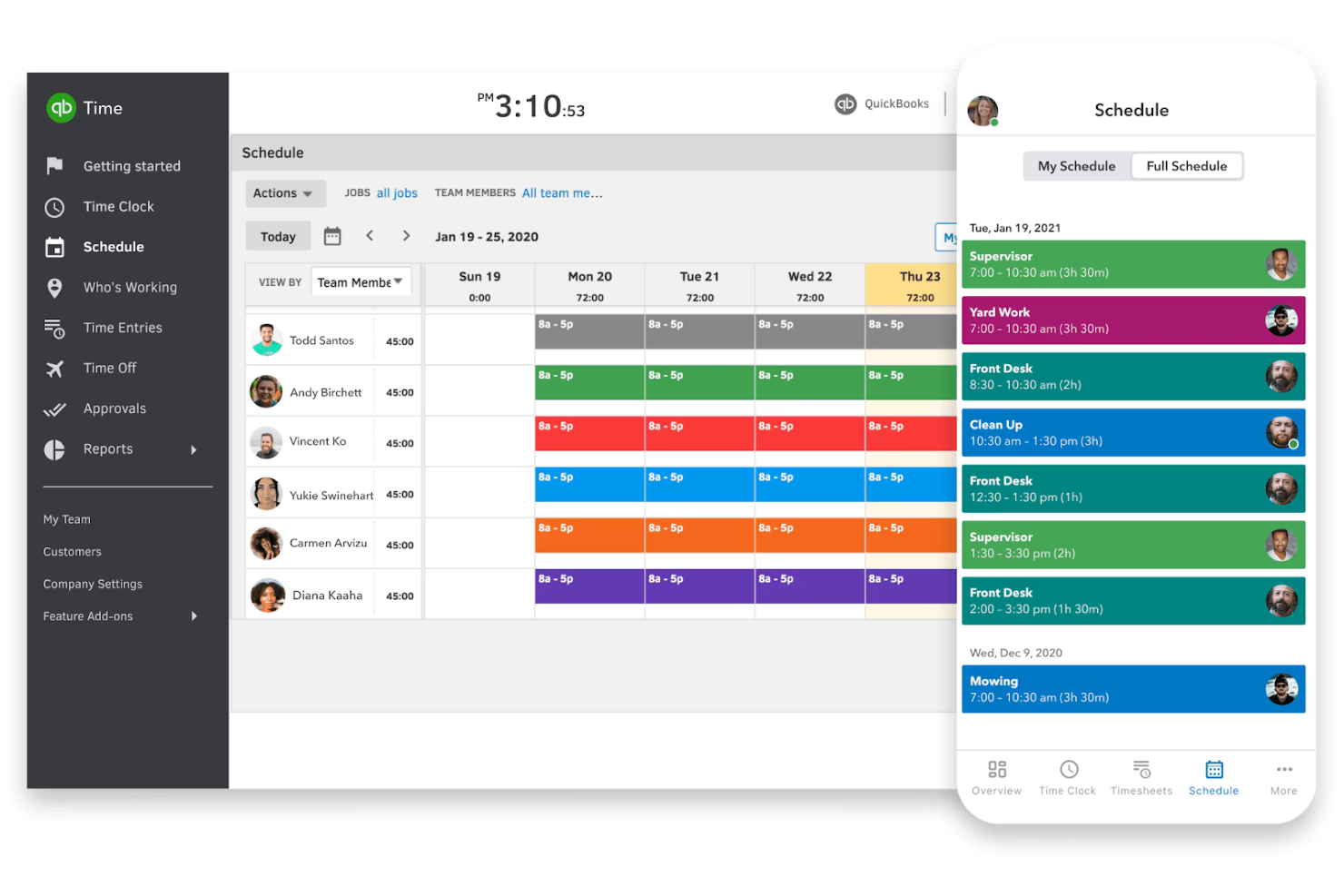
QuickBooks Time is a time-tracking solution with Android support and is designed for businesses of all sizes, from freelancers to large enterprises. It helps you track employee hours, manage payroll, and enhance project management.
Why it's a good Time Doctor alternative: QuickBooks Time offers smooth accounting integration, making it ideal for businesses already using QuickBooks for financial management. It provides GPS tracking, which is great for teams working in the field. With features such as scheduling and time-off management, you can easily coordinate team activities. These capabilities make QuickBooks Time an inclusive time-tracking solution.
Standout features and integrations:
Features include mobile time tracking, job costing, and alerts. You can track projects on the go with mobile apps, which is useful for remote teams. Job costing helps you understand project expenses better, and alerts keep you informed about timesheet submissions.
Integrations include QuickBooks Online, Xero, Square, Gusto, Expensify, Deputy, BambooHR, ADP, Paychex, and more.
Pros and Cons
Pros:
- Efficient scheduling tools
- GPS tracking for field teams
- Easy QuickBooks integration
Cons:
- Occasional app freezes
- No multi-level approval flows

My Hours
Best for team collaboration focus
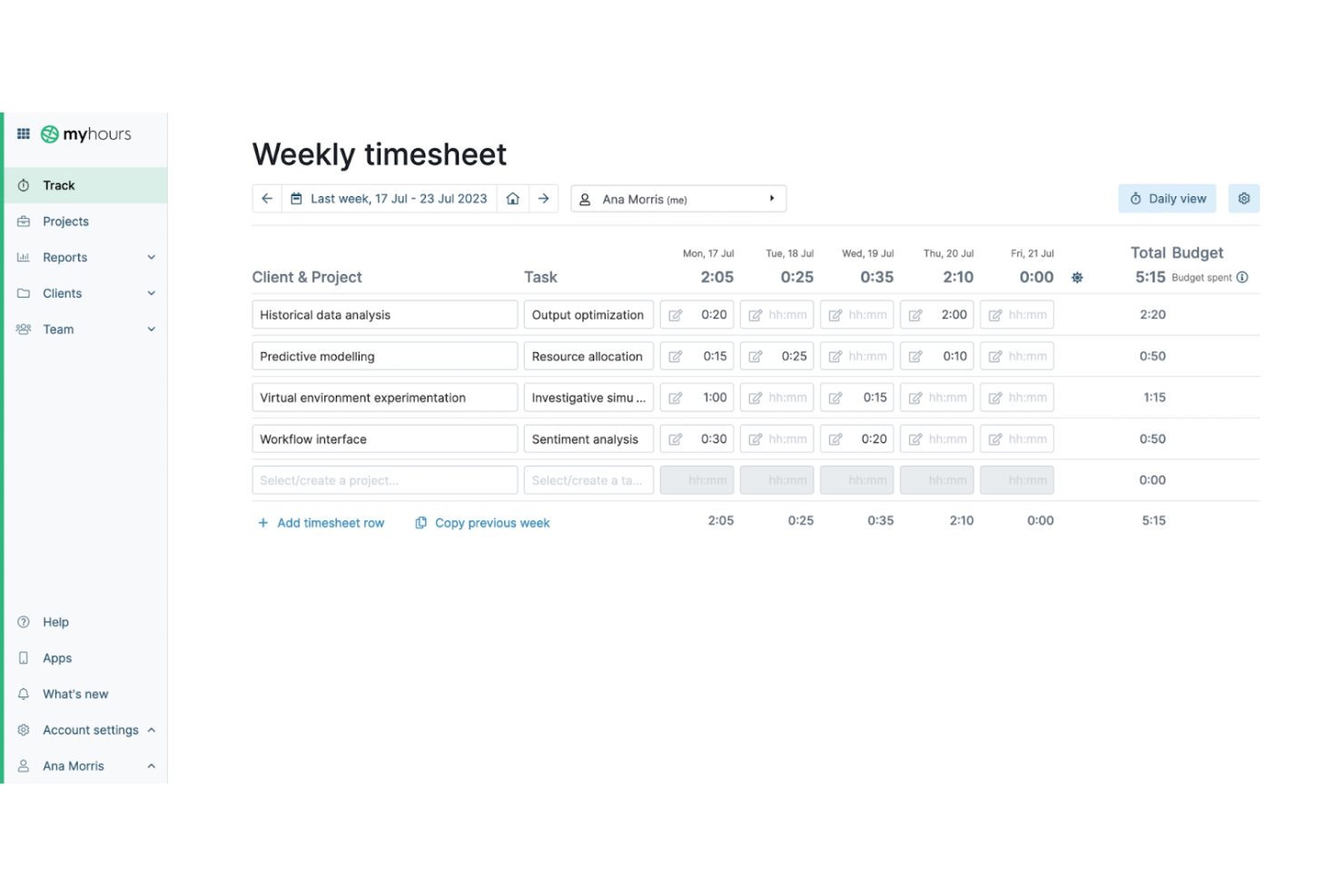
My Hours is a time-tracking software designed for freelancers, small businesses, and teams. It offers a free platform to help you track work hours, manage projects, and collaborate with your team effectively.
Why it's a good Time Doctor alternative: My Hours offers a strong focus on team collaboration, making it ideal for teams that need to work closely together. You can track billable hours and manage project budgets with ease. The tool also provides detailed reporting to help you analyze team performance. These features make My Hours a great choice for teams looking to enhance collaboration and employee productivity.
Standout features and integrations:
Features include project and time management, invoicing, and reporting. You can easily create and manage projects to keep track of tasks and deadlines. Invoicing allows you to generate accurate bills based on tracked time, simplifying client billing. The reporting feature provides insights into how time is spent, helping you make informed decisions.
Integrations include QuickBooks, Asana, Trello, Basecamp, monday.com, Xero, Zapier, FreshBooks, Slack, Google Calendar, and more.
Pros and Cons
Pros:
- Suitable for small businesses
- Detailed performance reports
- Strong focus on team collaboration
Cons:
- Hard to assign new projects
- Basic mobile app functionality

Jibble
Best for facial recognition attendance
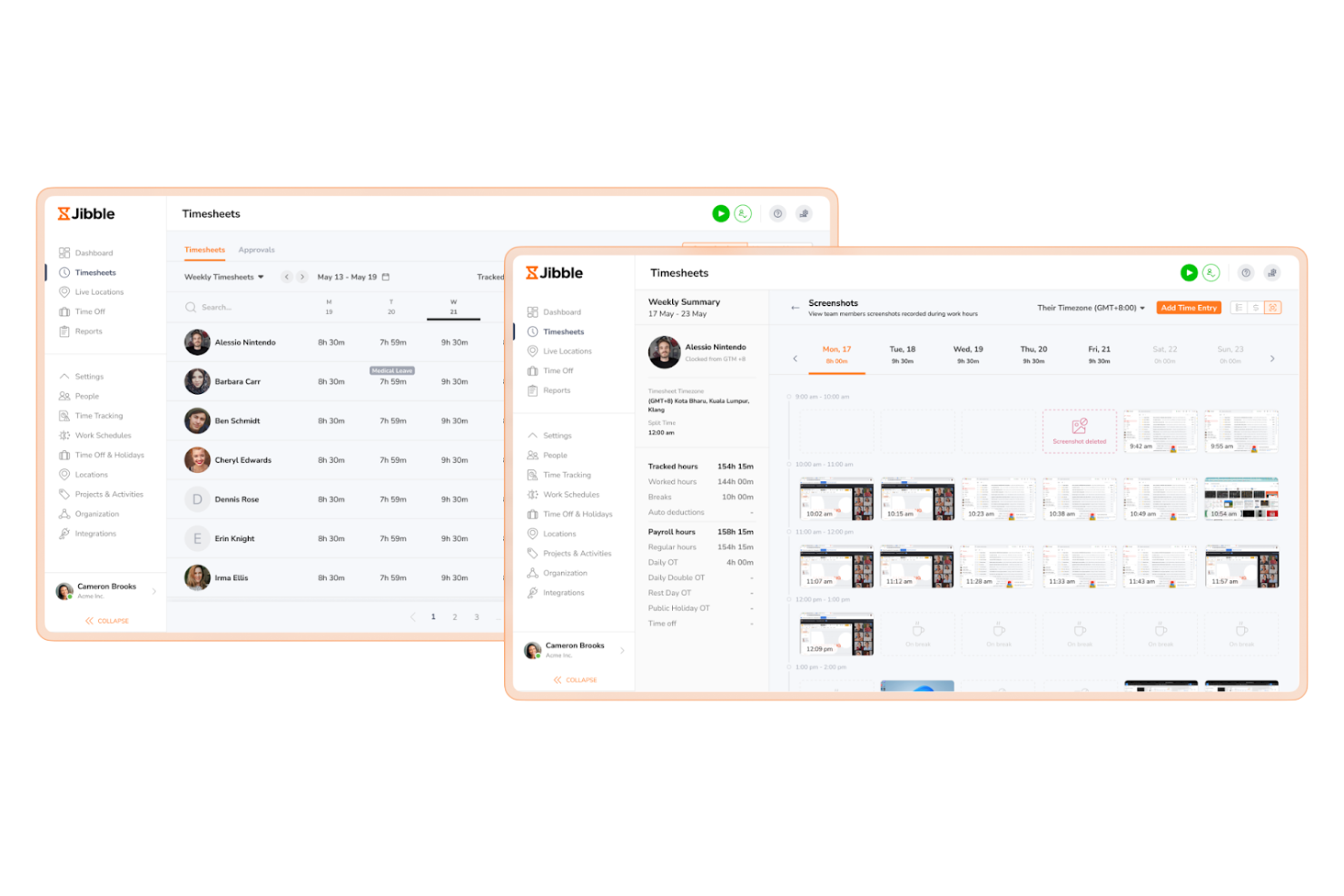
Jibble is a time and attendance tracking software designed for businesses of all sizes. It helps you track employee hours, manage timesheets, and monitor attendance efficiently.
Why it's a good Time Doctor alternative: Jibble offers facial recognition attendance, providing a secure and accurate way to clock in and out. This feature minimizes time theft and ensures that only authorized personnel can log hours. You can monitor attendance in real time, which is ideal for managing large teams. These capabilities make Jibble a reliable choice for businesses focusing on security and accuracy in time tracking.
Standout features and integrations:
Features include GPS tracking, timesheet management, and activity tracking. GPS tracking with geofencing allows you to verify employees' locations when they clock in while respecting their free time, which is useful for field teams. Time management simplifies payroll with accurate logging of hours worked. Activity tracking helps you understand how time is spent across various tasks.
Integrations include Slack, Microsoft Teams, Asana, Trello, Google Calendar, Zapier, QuickBooks, Xero, Gusto, BambooHR, and more.
Pros and Cons
Pros:
- Accurate time management
- GPS tracking for field teams
- Facial recognition for attendance
Cons:
- No built-in chat/communication
- Limited export/report formats
TMetric
Best for project management integration
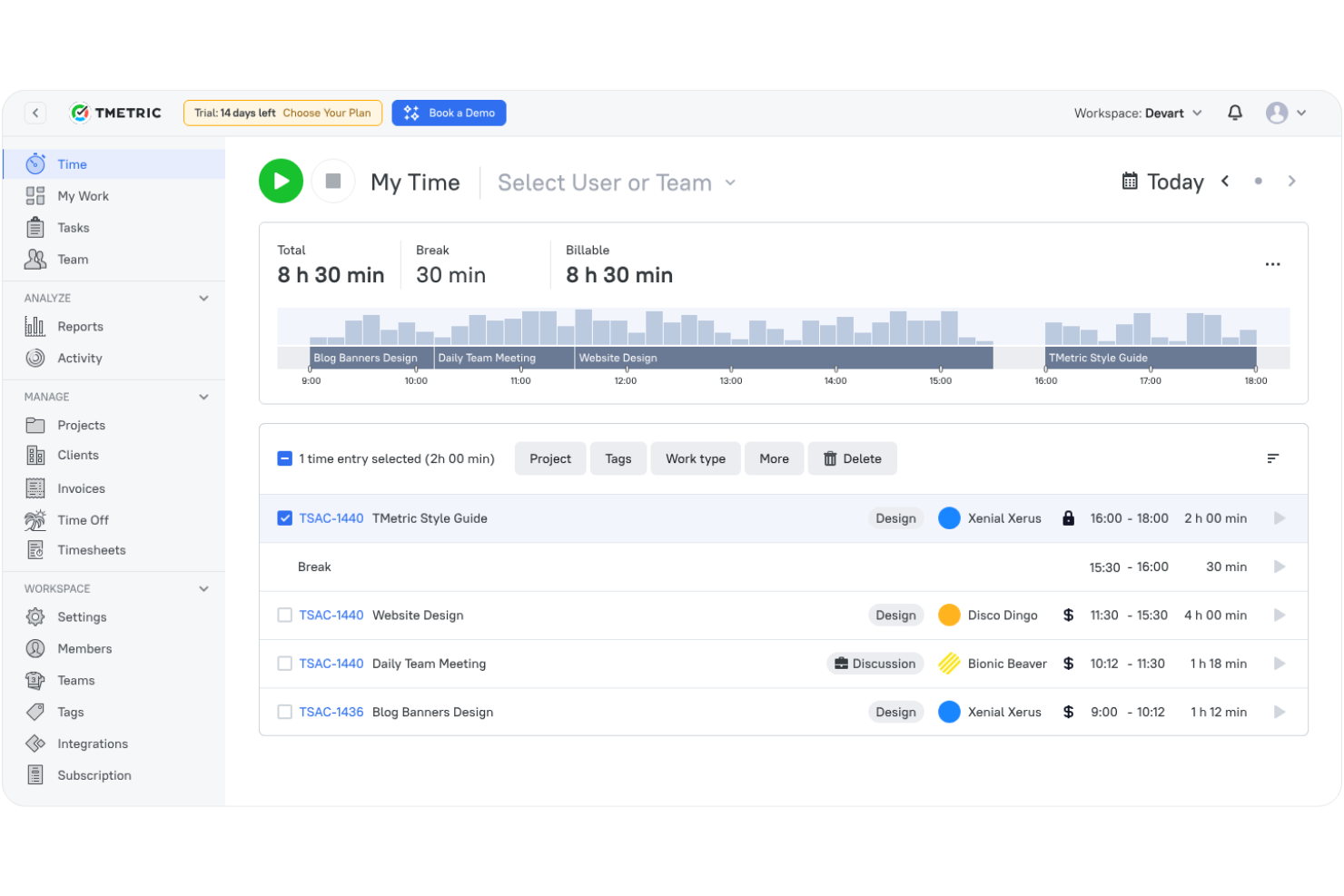
TMetric is time-tracking software designed for freelancers, small teams, and large enterprises. It helps you manage projects, track work hours, and analyze productivity effectively.
Why it's a good Time Doctor alternative: TMetric offers strong project management integration, allowing you to smoothly coordinate tasks and time tracking. You can monitor project progress and allocate resources efficiently. With features such as billable time tracking, you can ensure accurate client billing. These capabilities make TMetric a versatile choice for teams needing integrated project management tools.
Standout features and integrations:
Features include task management, invoicing, and detailed reporting. Task management helps you organize and prioritize work efficiently. Invoicing allows you to generate accurate bills for clients based on tracked time. Detailed reporting provides insights into team productivity and project progress.
Integrations include Asana, Trello, Jira, GitHub, QuickBooks, Todoist, Redmine, Wrike, Salesforce, and more.
Pros and Cons
Pros:
- Effective time management tools
- Accurate billable time tracking
- Strong project management integration
Cons:
- Reports need manual cleanup
- Limited mobile app features
Best for real-time productivity insights
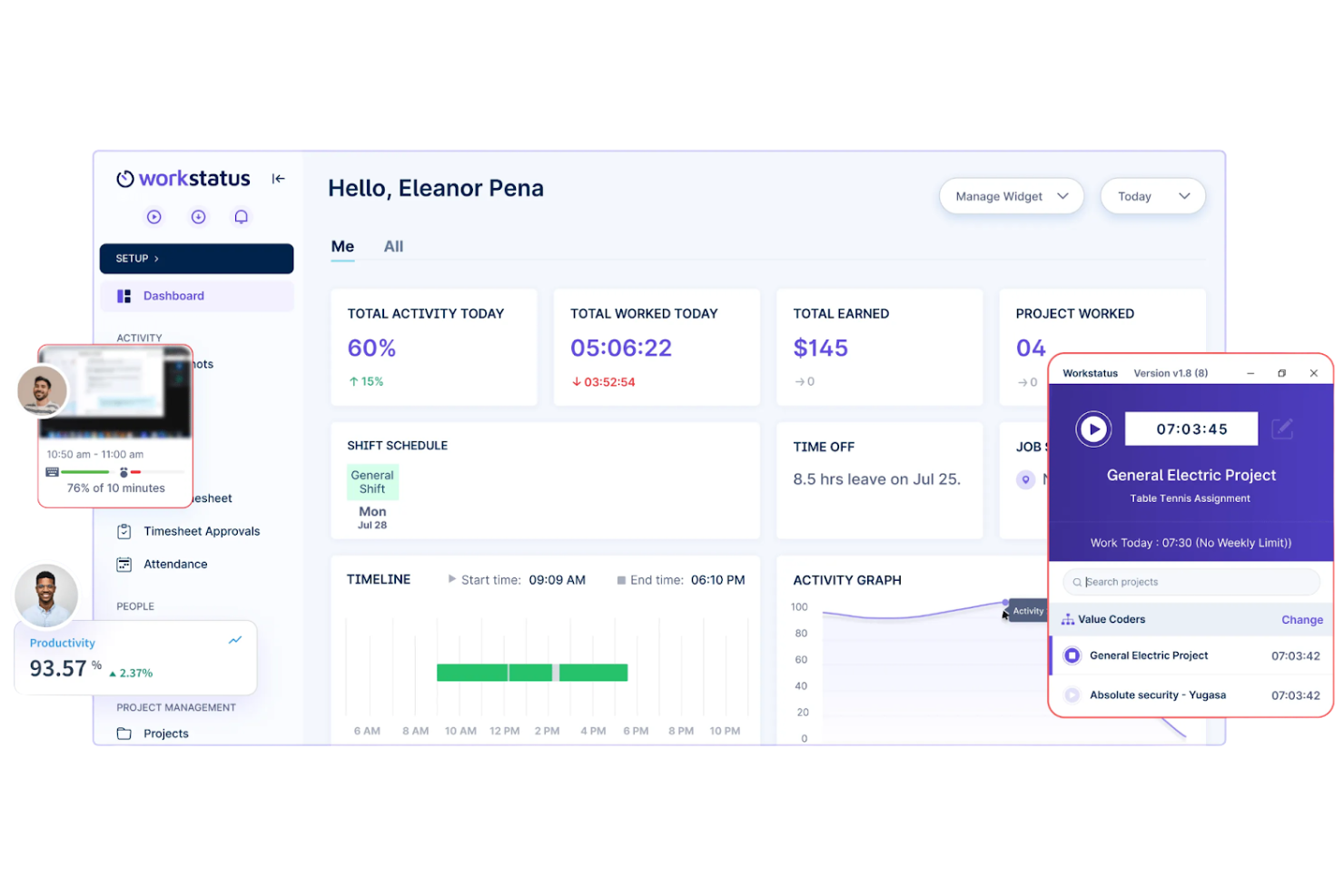
Workstatus is a time-tracking and workforce management tool aimed at businesses of all sizes, including remote teams and freelancers. It helps with productivity monitoring, project management, and employee time tracking.
Why it's a good Time Doctor alternative: Workstatus provides real-time productivity insights, allowing you to see how your team spends their time. With features such as activity tracking and automatic screenshots, you can ensure tasks are being performed efficiently. The tool also offers GPS tracking for teams on the move, making it versatile for various work environments. These features make Workstatus a compelling choice if you need real-time data on team performance.
Standout features and integrations:
Features include productivity tracking, timesheet management, and GPS monitoring. Productivity tracking shows you active and idle times, helping you assess team efficiency. Time management simplifies payroll by accurately tracking work hours. GPS monitoring provides location-based data, which is ideal for teams working in the field.
Integrations include Slack, Trello, Asana, Zapier, HubSpot, QuickBooks, Google Workspace, Jira, Basecamp, and more.
Pros and Cons
Pros:
- GPS tracking for field teams
- Automatic screenshot capabilities
- Real-time productivity tracking
Cons:
- GPS data updates slowly
- Limited dashboard personalization


Veriato is an employee monitoring and productivity analysis tool designed for businesses of various sizes. It helps you track employee activities, analyze productivity, and ensure policy compliance.
Why it's a good Time Doctor alternative: Veriato offers extensive monitoring capabilities, covering over 60 different activities, which provide a complete view of employee behavior. You can track keystrokes, emails, and web app usage to ensure productivity and security. The software also provides insider threat detection, helping you safeguard sensitive information. These features make Veriato a strong choice for organizations focused on detailed monitoring and security.
Standout features and integrations:
Features include user behavior analytics, activity dashboards, and real-time alerts. User behavior analytics help you understand patterns and identify potential issues. Activity dashboards provide a visual overview of productivity metrics. Real-time alerts notify you of any suspicious activity, allowing for a quick response.
Integrations include Microsoft 365, Salesforce, Dropbox, Microsoft Teams, Azure, AWS, Okta, and more.
Pros and Cons
Pros:
- Inclusive security features
- Real-time alert notifications
- Extensive activity monitoring
Cons:
- No iOS device support
- Complex initial setup
Other Time Doctor Alternatives
Here are some additional Time Doctor alternatives that didn’t make it onto my shortlist but are still worth checking out:
- ManicTime
For offline use
- Toggl
For user-friendly interface
- Monitask
For proof-of-work screenshots
- Connecteam
For deskless team management
- DeskTime
For automatic time tracking
- Paymo
For project accounting features
- ActivTrak
For detailed activity reports
- Teramind
For insider threat detection
- Buddy Punch
For use with Android
- ezClocker
For scheduling simplicity
- Beebole
For flexible time tracking
- Hubstaff
For remote team monitoring
- Deltek Replicon Time
For compliance tracking
- BusyBusy
For construction time tracking
- Harvest
For simple invoicing
- When I Work
For shift scheduling


How I Evaluate Time Doctor Alternatives
I split my evaluation into two layers: the baseline a tool must clear—time tracking, project allocation, productivity monitoring—and the differentiators that set strong options apart.
Core Functionality (Table Stakes For This List)
When I'm selecting tools for my list, I rank each one on a scale from 0 (does not offer the functionality) to 5 (excels in this area) for each core functionality listed below. Then, I calculate the tool's total score into a percentage. Each tool needs to achieve a minimum total score of 65% to be considered for inclusion.
- Automated Time Tracking: I check whether a tool offers built-in timers, idle detection, and auto-tracking so teams aren't stuck manually logging every client call or sprint task.
- Project & Task-Level Allocation: Each tool should let you assign tracked hours to specific projects, tasks, and clients—like splitting time across three retainers in a single day.
- Productivity Monitoring: I evaluate whether the platform tracks app and URL usage, activity levels, or screenshots, and how much control managers and employees have over those settings.
- Timesheets & Reporting: I look for customizable timesheets, approval workflows, and reports that can break down hours by team member, project, or date range for weekly standups or client reviews.
- Billing & Payroll Support: The tool should support billable rate configuration and integrate with payroll or invoicing systems so tracked hours translate directly into accurate client invoices or pay runs.
- PM Tool Integrations: Strong contenders sync natively with tools like Jira, Asana, or ClickUp, pulling in tasks and letting team members start timers without leaving their PM workspace.
Once I have a list of tools that meet this criteria, I consider what sets each platform apart.
Differentiating Factors (What Sets Vendors Apart)
Here's how I compare and contrast different vendors:
Standout Features
Privacy controls matter a lot here. I look for tools that let managers adjust monitoring intensity—blurred screenshots, opt-in tracking, or the ability to disable screen capture entirely—so teams feel trusted rather than surveilled. Offline time tracking is another differentiator I evaluate, especially for hybrid teams who lose connectivity during travel or fieldwork. Budget and capacity forecasting also separates the stronger options; tools that surface real-time burn rates against project budgets help PMs catch overservicing before it hits the invoice.
Beyond Features
Data privacy and compliance certifications weigh heavily in my evaluation, especially for distributed teams operating across regions with different regulations. I check whether a vendor offers data residency options and worker consent workflows. Pricing structure also matters—I look at how features are gated across tiers, since many tools lock screenshots or integrations behind higher plans that can balloon costs as your team scales. Cross-platform support rounds things out; a tool needs native desktop, mobile, and browser extension coverage so no one on the team is left without a way to track time.
Why Look For a Time Doctor Alternative?
While Time Doctor is a good choice of time-tracking and productivity software, there are a number of reasons why some users seek out alternative solutions. You might be looking for a Time Doctor alternative because:
- You need more advanced reporting features
- Your team requires offline tracking capabilities
- You want better integration with existing tools
- You need a solution for larger teams
- You require a more budget-friendly option
- Your team needs a simpler user interface
If any of these sound like you, you've come to the right place. My list contains several time-tracking apps and productivity software options that are better suited for teams facing these challenges with Time Doctor and looking for alternative solutions.
Time Doctor Key Features
Here are some of the key features of Time Doctor, to help you contrast and compare what alternative solutions offer:
- Time Tracking Feature: Monitors time spent on tasks and projects, allowing you to analyze and optimize productivity.
- Productivity Reports: Provides detailed analytics on employee performance, helping you identify areas for improvement.
- Task Management: Enables you to assign and manage tasks effectively, ensuring that your team members stay on track.
- Screenshots and Screen Recording: Captures employee activity levels to ensure accountability and compliance.
- Inactivity Alerts: Notifies managers when employees lose focus, helping you maintain productivity.
- Integrations: Works with over 60 applications, enhancing your workflow.
- Executive Dashboards: Offers visibility into team productivity and performance metrics, aiding in decision-making.
- Work-life Balance Metrics: Helps maintain balanced workloads to prevent burnout and ensure employee well-being.
- Mobile App: Allows tracking on the go, ensuring you can monitor work from anywhere.
- Client Management: Tracks time for client projects, making billing more accurate and efficient.
What's Next:
If you're in the process of researching time-tracking and productivity software, connect with a SoftwareSelect advisor for free recommendations.
You fill out a form and have a quick chat where they get into the specifics of your needs. Then you'll get a shortlist of software to review. They'll even support you through the entire buying process, including price negotiations.