

10 Best Quote and Proposal Software in 2026

Best Quote and Proposal Software Shortlist


Quote and proposal software helps salespeople create professional quotes, sales proposals, and sales documents without relying on disconnected spreadsheets or manual templates. The right quoting software can streamline your quoting process, reduce manual errors, and give your team a clearer view of the sales cycle from first conversation to signed agreement.
Whether you need sales quote software for a growing service business, CPQ software for complex product configurations, or cloud-based quotation software for client-facing teams, this guide compares the best quoting software for different workflows. You’ll see which tools can help you create quotes, manage approval workflows, support a smoother proposal process, and deliver a stronger customer experience.
Why Trust Our Software Recommendations
Our team has been testing and reviewing software since 2012. As project managers ourselves, we know how difficult—and important—it is to choose the right software.
For this guide, we evaluated tools using hands-on testing and independent research, scoring tools using our selection criteria. We also draw on insights from industry thought leaders and practicing project management experts.
Our reviews reflect our human editorial judgment, not a sales pitch.
Expert reviewers:
Quote and Proposal Software Comparison Table
This comparison table summarizes pricing details for my top quote and proposal software selections:
| Tool | Best For | Trial Info | Price | ||
|---|---|---|---|---|---|
| 1 | Best for controlled content reuse | 14-day free trial + free demo available | From $19/user/month (billed annually) | Website | |
| 2 | Best for accounting firms billing after sign-off | 14-day free trial + free demo available | From $39/month | Website | |
| 3 | Best for interactive, web-based proposals | 14-day free trial | From $35/user/month (billed annually) | Website | |
| 4 | Best for quoting across CRM and accounting in one flow | Free trial available | From $45.83/user/month (billed annually) | Website | |
| 5 | Best for MSP quoting with distributor pricing | Free demo available | From $299/month | Website | |
| 6 | Best for proposal-to-signature in one workflow | Free plan + 14-day free trial + free demo available | From $19/user/month | Website | |
| 7 | Best for complex guided selling | Free demo available | Pricing upon request | Website | |
| 8 | Best for reusable proposal sections and tracking | 14-day free trial | From $29/month | Website | |
| 9 | Best for video-enabled buyer engagement | 14-day free trial + free demo available | From $25/user/month (billed annually) | Website | |
| 10 | Best for solo and small-team quoting | 21-day free trial | From $28/user/month | Website |
Best Quote and Proposal Software Reviews
Below are my detailed summaries of the best quote and proposal software that made it onto my shortlist. My reviews offer a detailed look at the features, pricing, and integrations of each platform to help you find the best one for you.

Best for controlled content reuse
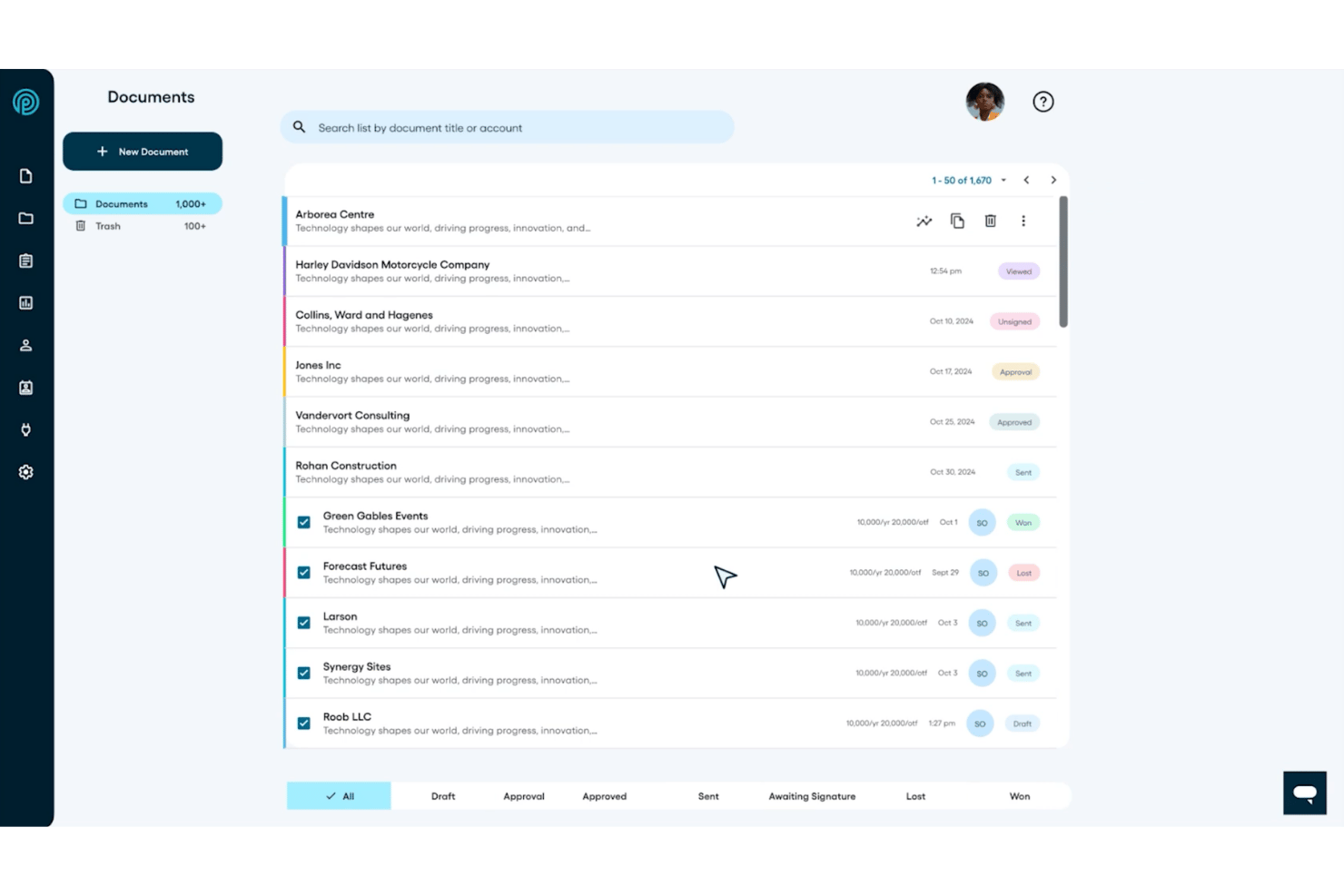
Proposify is a proposal and quoting platform that lets sales teams build branded documents, manage pricing catalogs, collect e-signatures, and track prospect engagement across the deal cycle.
Who Is Proposify Best For?
Proposify fits sales teams that need to control what reps can and can't change when building proposals from shared, approved content.
Why I Picked Proposify
I picked Proposify as one of the best because of how precisely it controls what reps can and can't touch inside a shared template. The content library lets you store approved sections, pricing, and case studies, while role-based permissions let you lock specific document elements so reps personalize without going off-script. I especially like the approval workflow, which triggers a required review when a quote hits a set value threshold before it can ever reach a client.
Proposify Key Features
- Interactive pricing tables: Buyers can adjust quantities and optional line items directly in the proposal and see price totals update in real time.
- Document engagement analytics: Track when recipients open a proposal, how long they spend on each section, and view a full chronological activity timeline.
- E-signature collection: Collect legally binding signatures from multiple signees, with a full audit trail that records IP addresses, timestamps, and locks signed documents.
- CRM data sync: Connect with HubSpot or Salesforce to pull contact, company, and deal data into proposals and push document status updates back to the CRM.
Proposify Integrations
Documented integrations include HubSpot, Salesforce, QuickBooks, Harvest, Basecamp, Stripe, Slack, Trello, and monday.com, plus Zapier. Proposify also provides a REST-style API, webhooks, and OAuth 2.0 for custom integrations.
Pros and Cons
Pros:
- Section-level engagement guides follow-ups
- Polished documents improve client presentation
- Reusable content keeps proposals consistent
Cons:
- PDF downloads lose detailed tracking
- Large edits can disrupt formatting

Ignition
Best for accounting firms billing after sign-off
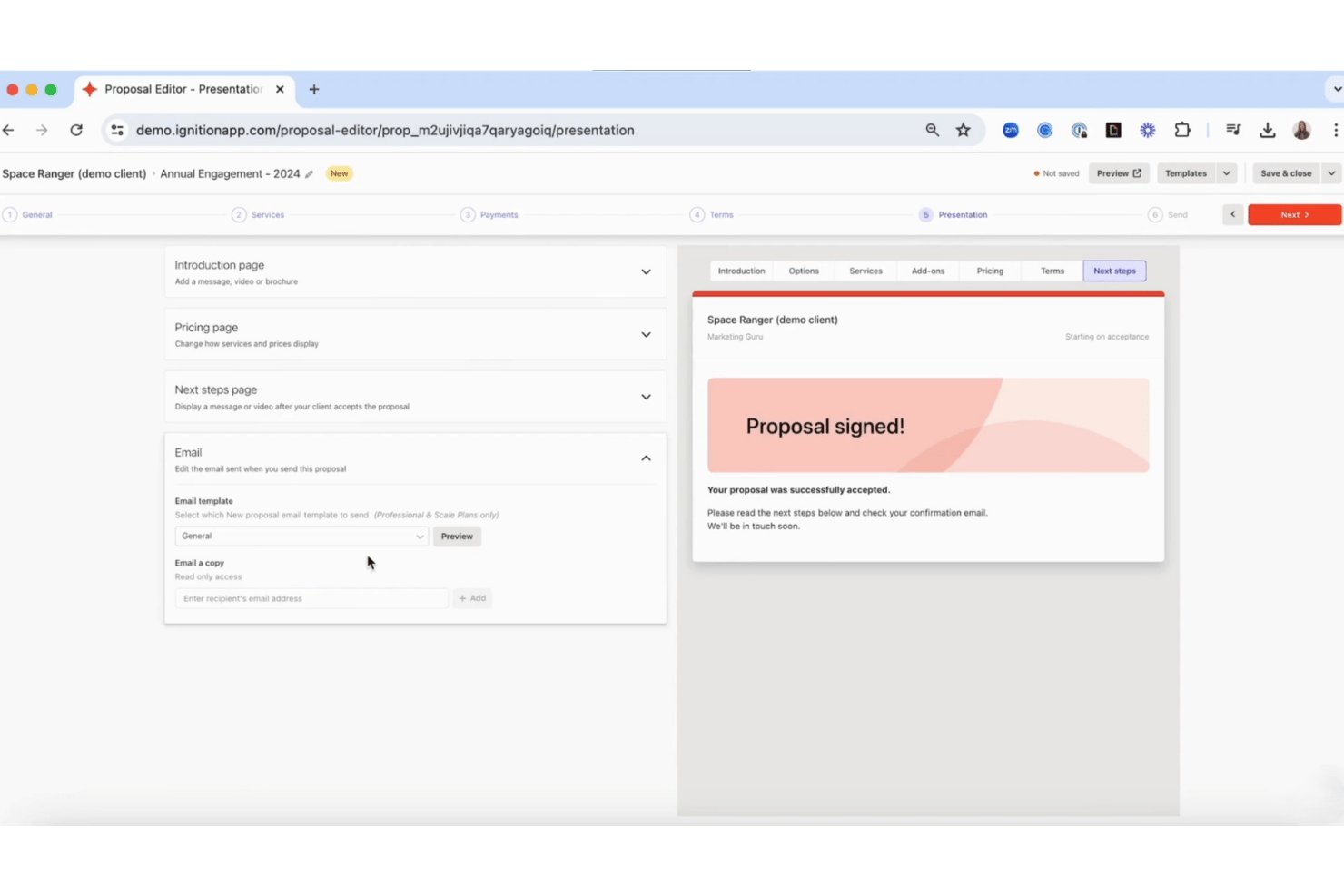
Ignition is a proposal and client engagement platform built for professional services firms, combining branded proposal templates, e-signatures, engagement letters, automated billing, and payment collection in one workflow.
Who Is Ignition Best For?
Ignition suits accounting and bookkeeping firms that want to tie proposal sign-off directly to automated billing and payment collection.
Why I Picked Ignition
I've included Ignition in my top picks because it's one of the few proposal tools that treats client sign-off as the trigger for billing, not just a paper trail. When a client accepts a proposal, Ignition automatically creates and schedules invoices in QuickBooks or Xero, collecting payment details at signature so nothing falls through the cracks. I also like its engagement letter templates, which are region-tailored and legally vetted, making them genuinely useful for accounting firms sending high volumes of client agreements.
Ignition Key Features
- Reusable service library: Store and search pre-built services with fixed, unit, minimum, or range pricing that you can customize per client without changing the saved record.
- Milestone billing: Split fixed-price engagements into named payment stages, each generating its own invoice automatically after proposal acceptance.
- Multiple signatories: Assign more than one decision-maker to a single proposal, with each signer notified by email in sequence after the primary signs.
- AML and KYC compliance workflow: Run client verification and risk reviews within Ignition, with records structured to support audit readiness.
Ignition Integrations
Ignition offers native integrations with Xero, QuickBooks, MYOB Business, Sage, Karbon, FYI, and Xero Practice Manager. It supports custom reporting via API, Early Access webhooks, and Zapier.
Pros and Cons
Pros:
- Region-tailored accounting and tax templates
- Accepted proposals trigger scheduled client billing
- Polished proposals with reusable service packages
Cons:
- Proposal tracking lacks section-level engagement analytics
- Proposal package choices cap at three

Qwilr
Best for interactive, web-based proposals
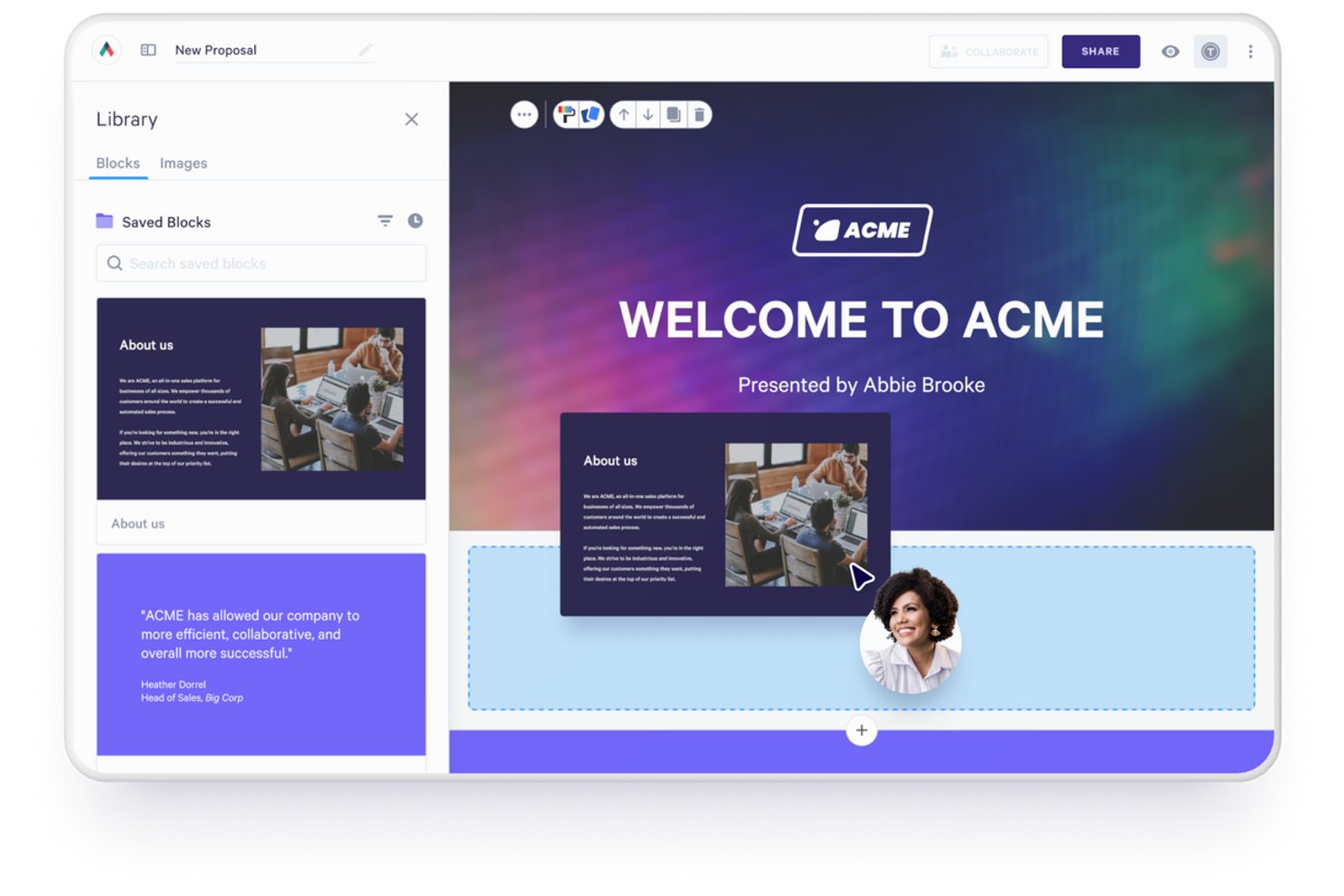
Qwilr is a web-based proposal and quoting tool that turns sales documents into interactive, link-based pages with embedded pricing tables, e-signatures, payment collection, and real-time engagement analytics.
Who Is Qwilr Best For?
Qwilr suits sales reps and small business owners who want to send visually polished, interactive proposals and track exactly how buyers engage with them.
Why I Picked Qwilr
Qwilr earns its spot on my shortlist because it turns static proposal documents into live, interactive web pages that buyers can actually engage with. I love that you can embed tiered pricing tables directly in a proposal, letting buyers toggle options and see costs update in real time before they sign. On top of that, Qwilr's section-level engagement analytics show exactly which parts of a proposal a buyer lingered on, so follow-up calls are sharper and more targeted.
Qwilr Key Features
- AI Proposal Creator: Scans a prospect's website to generate a full proposal draft, including messaging, offer details, and brand styling pulled from the site.
- Multi-signer e-signature: Collects legally binding signatures from multiple recipients within a single Qwilr page, holding acceptance until all parties have signed.
- CRM-based proposal automation: Pulls deal, contact, and pricing data from connected CRMs like HubSpot, Salesforce, and Pipedrive to populate and personalize proposals automatically.
- Pipeline Report: Tracks sales velocity, page funnel progression, and status transitions by count and value, with filters for team member, template, currency, and tag.
Qwilr Integrations
Qwilr offers native integrations with HubSpot, Salesforce, Microsoft Dynamics 365, Zoho CRM, Pipedrive, QuickBooks, Stripe, and Slack. It also provides a REST API, webhooks, and Zapier connectivity for custom workflows.
Pros and Cons
Pros:
- Reusable blocks speed consistent quote creation
- Section-level analytics guide buyer follow-ups
- Interactive proposals showcase multimedia content
Cons:
- Nested budgets can exceed quote-table flexibility
- PDF exports can disrupt page formatting

Best for quoting across CRM and accounting in one flow
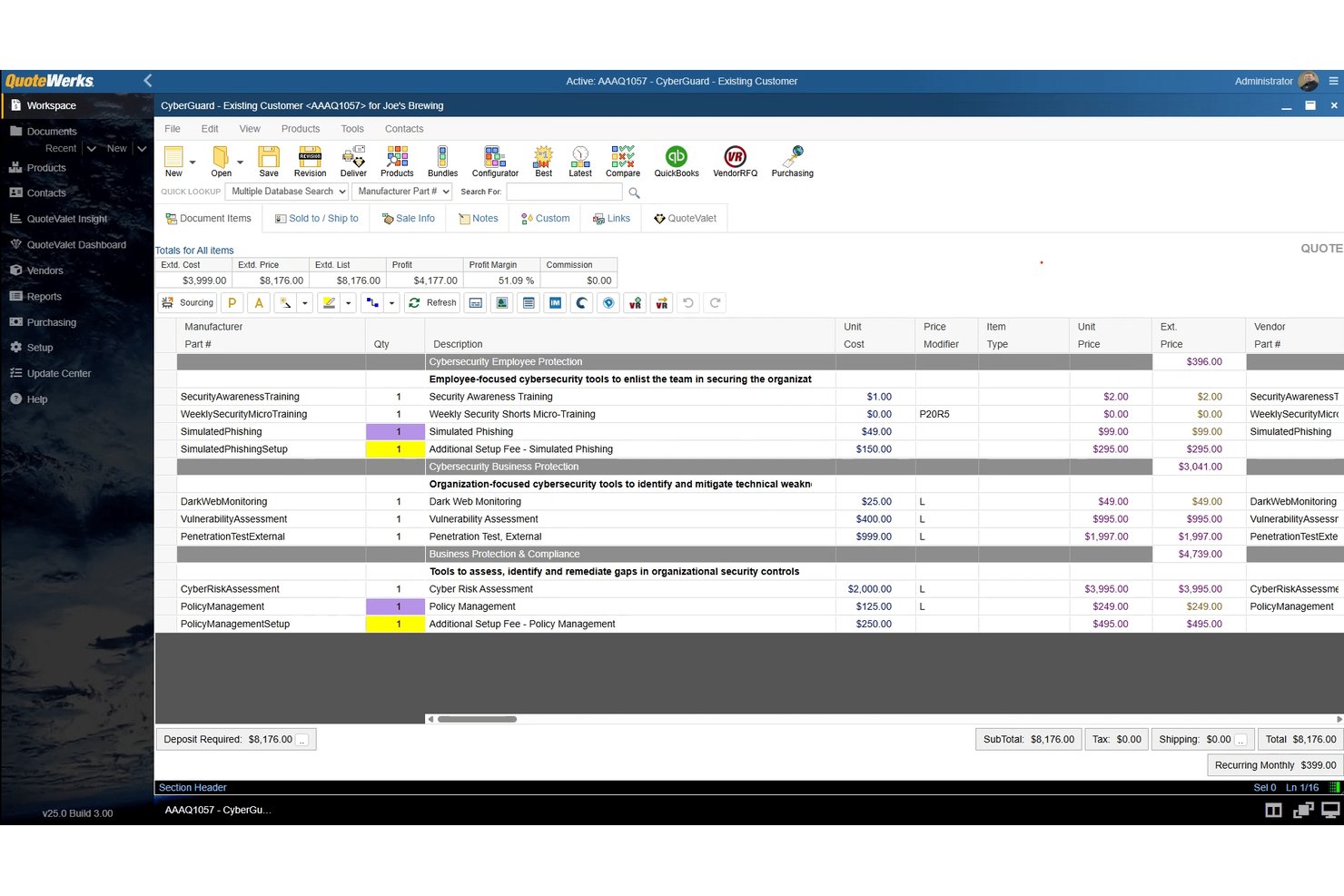
QuoteWerks is a CPQ and quoting platform that lets sales teams build quotes and proposals, manage product catalogs and pricing rules, track customer engagement, collect e-signatures, and connect with CRM and accounting systems.
Who Is QuoteWerks Best For?
QuoteWerks is a strong fit for sales teams that need to move a deal from CRM to quote to accounting invoice without jumping between disconnected systems.
Why I Picked QuoteWerks
QuoteWerks earns its spot on my shortlist because it keeps the entire sales motion—CRM, quoting, and accounting—inside one connected flow rather than forcing reps to re-enter data across three separate tools. I particularly like how QuoteValet lets customers view, select options, and sign a quote online, and that accepted quote then carries its acceptance date straight into the order conversion. Pair that with native integrations for Salesforce, HubSpot, and QuickBooks Online, and the handoff from closed deal to invoice becomes far less error-prone.
QuoteWerks Key Features
- Guided selling configurator: Steps sales reps through product selections to build quotes, bundles, and solutions without missing required items.
- QuoteValet Shopping Cart: Creates online order forms customers can use for reorders or purchases from promotional email campaigns.
- Peer review and approval workflow: Requires reps to get management sign-off before sending quotes, with rules-based and margin-triggered approval routing.
- Real-time distributor pricing lookup: Retrieves current pricing and availability from supported distributors directly within the quoting interface.
QuoteWerks Integrations
QuoteWerks offers 115+ native integrations, including HubSpot, Salesforce, Pipedrive, Microsoft Dynamics CRM, Zoho CRM, and QuickBooks Online. It also supports REST API, webhooks, scripting, and Zapier.
Pros and Cons
Pros:
- Margin visibility supports controlled pricing
- Customers can review and sign proposals online
- Reusable templates speed routine quote creation
Cons:
- Price-list updates can consume time
- Proposal template edits can require repeated adjustment
Quoter
Best for MSP quoting with distributor pricing
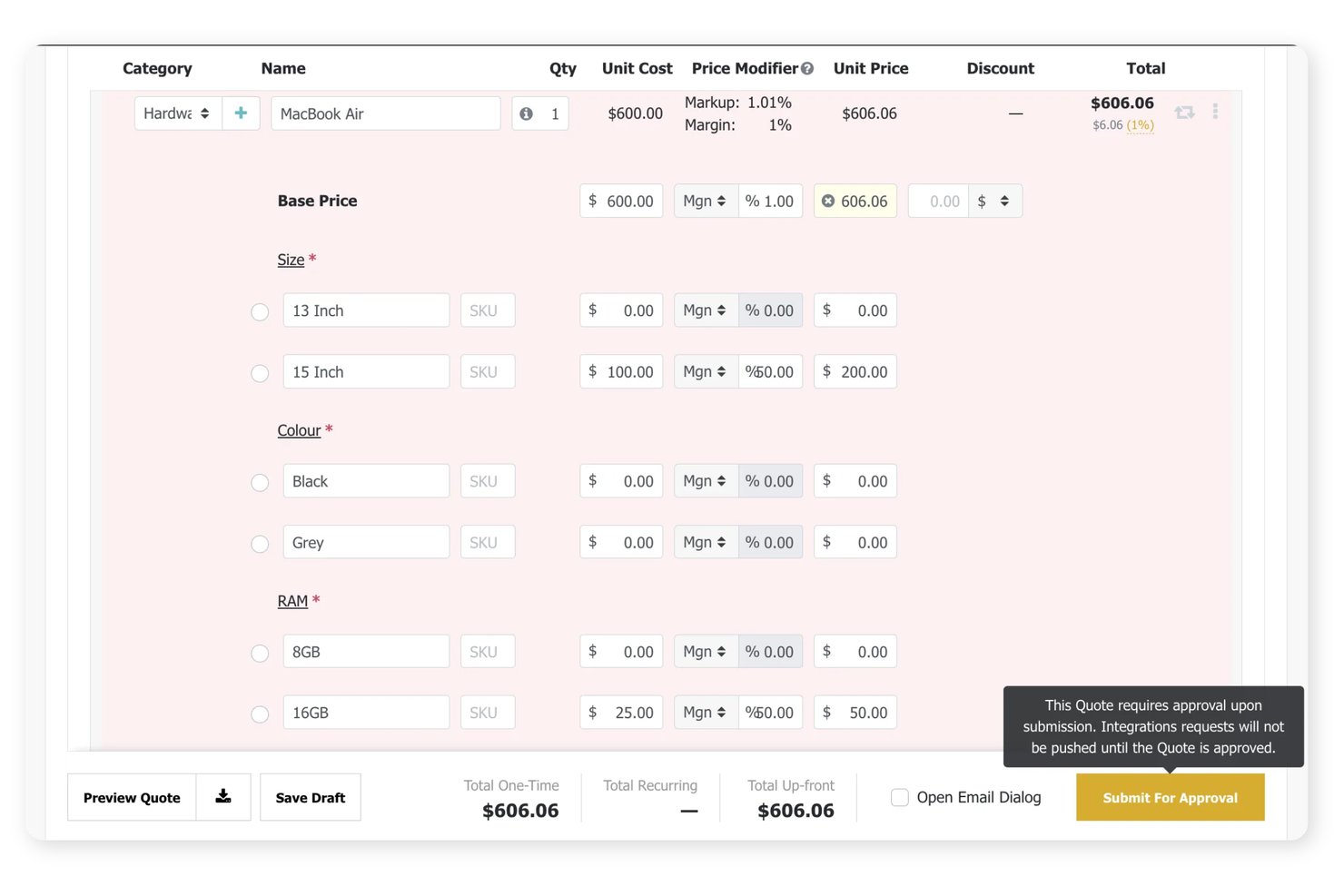
Quoter is a quoting and proposal platform built for MSPs that covers quote building, product catalog management, e-signatures, contract workflows, and integrations with PSA, CRM, and accounting systems.
Who Is Quoter Best For?
Quoter is a strong fit for MSPs that need to build quotes from live distributor pricing and move accepted proposals through PSA and accounting workflows without manual rekeying.
Why I Picked Quoter
Quoter earns its spot on my shortlist because of how it handles live distributor pricing through Product Cloud, which gives MSPs access to more than 21 million hardware SKUs to build accurate quotes without manually hunting down current costs. I also like that once a quote is accepted, Quoter can automatically trigger contract document signing and push invoice data directly to QuickBooks Online or Xero, cutting out the rekeying that usually eats up time between a signed proposal and a billable order.
Quoter Key Features
- Quote lifecycle tracking: Monitor each quote's status across stages—delivered, opened, clicked, accepted, ordered, or lost—from a filterable quote list.
- Multi-sign contract workflows: Route agreements to multiple recipients and track signature status as each party completes their part.
- Margin color-coding: View recurring and upfront margin sorted and color-coded by range directly in the quote list before sending.
- Optional line items: Add customer-selectable items to a quote with default selections or editable quantities for buyers to configure before accepting.
Quoter Integrations
Quoter offers 36 native integrations, including ConnectWise PSA, HubSpot, QuickBooks Online, Xero, D&H Distributing, and Authorize.Net Payment Gateway. It also provides ScalePad API and MCP access for custom connections.
Pros and Cons
Pros:
- Quote tracking reveals opens and clicks
- Optional items let buyers shape proposals
- Quotes clearly separate recurring and upfront charges
Cons:
- Retired catalog items require manual upkeep
- Proposal layouts offer limited formatting control
PandaDoc
Best for proposal-to-signature in one workflow
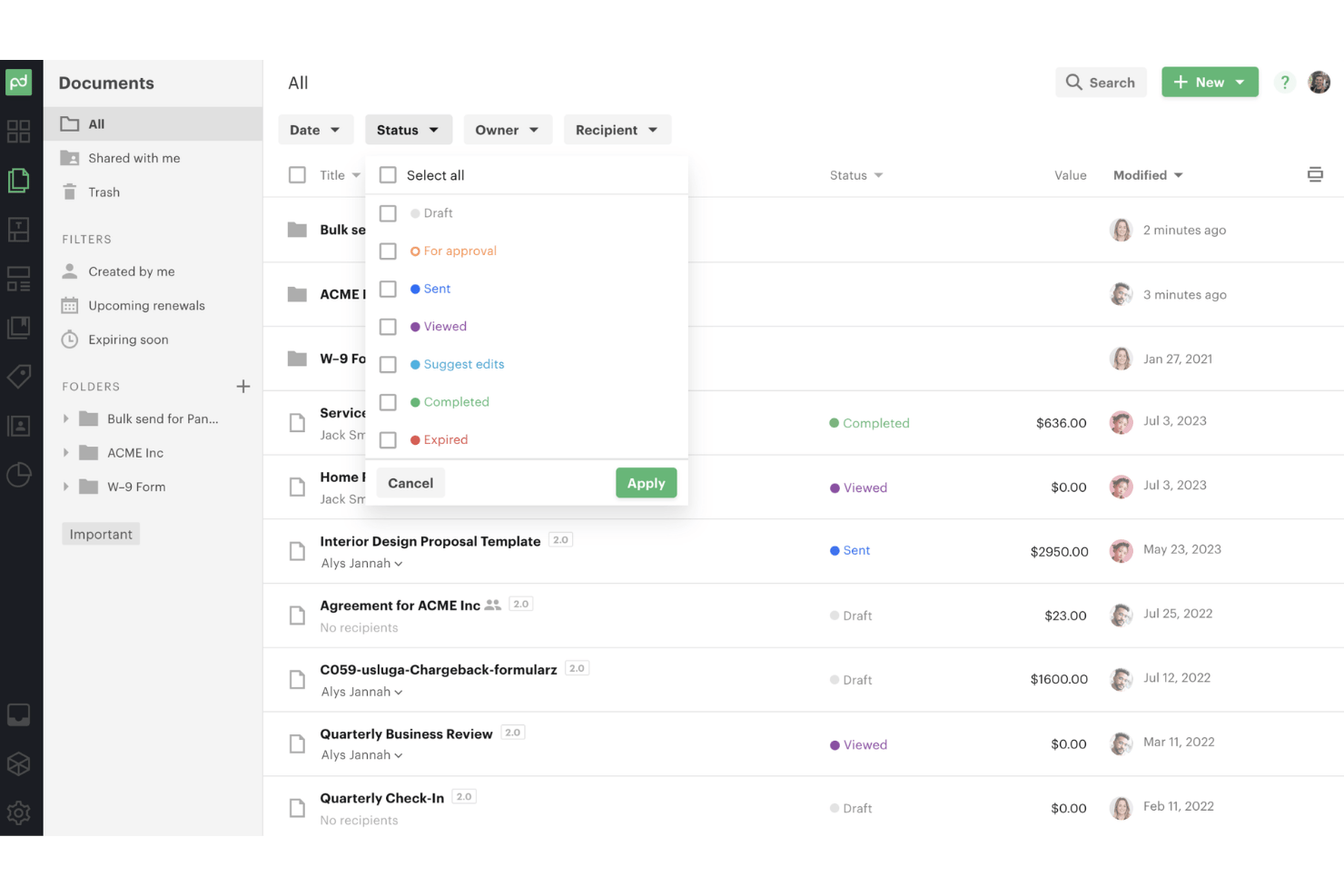
PandaDoc is a proposal and document automation platform that combines a drag-and-drop editor, product catalog, interactive pricing tables, e-signatures, approval workflows, and real-time engagement tracking in one tool.
Who Is PandaDoc Best For?
PandaDoc is a strong fit for sales teams that need to take a deal from draft to signed contract without switching between tools.
Why I Picked PandaDoc
PandaDoc earns its spot on my shortlist because it keeps the entire deal cycle, from first draft to countersigned contract, inside one tool. I particularly like the conditional approval routing: when a rep discounts a deal beyond a set margin threshold, PandaDoc automatically queues it for manager sign-off before it ever reaches the client. Pair that with per-recipient engagement analytics showing exactly how long a prospect spent on your pricing page, and you have real signal to act on before following up.
PandaDoc Key Features
- Recipient analytics: View per-recipient engagement data, including number of views, total time spent, and page-level activity for each sent document.
- Product catalog: Store and search SKUs, services, and pricing in a central catalog that populates directly into pricing tables.
- Bulk send: Use templates and CSV files to send personalized documents to multiple recipients at once.
- E-signature compliance: Collect legally binding signatures with support for ESIGN, UETA, eIDAS, and QES standards.
PandaDoc Integrations
PandaDoc offers 30+ integrations, including native integrations with Salesforce, HubSpot CRM, Pipedrive, Microsoft Dynamics CRM, and Zoho, plus QuickBooks Online and Zapier integrations. Its REST API, webhooks, and SDKs support custom integrations.
Pros and Cons
Pros:
- Conditional approvals can protect quote margins
- E-signatures and recipient tracking in one workflow
- Polished proposals from reusable templates
Cons:
- Editing sent documents removes previous analytics
- Complex tables can be awkward to format

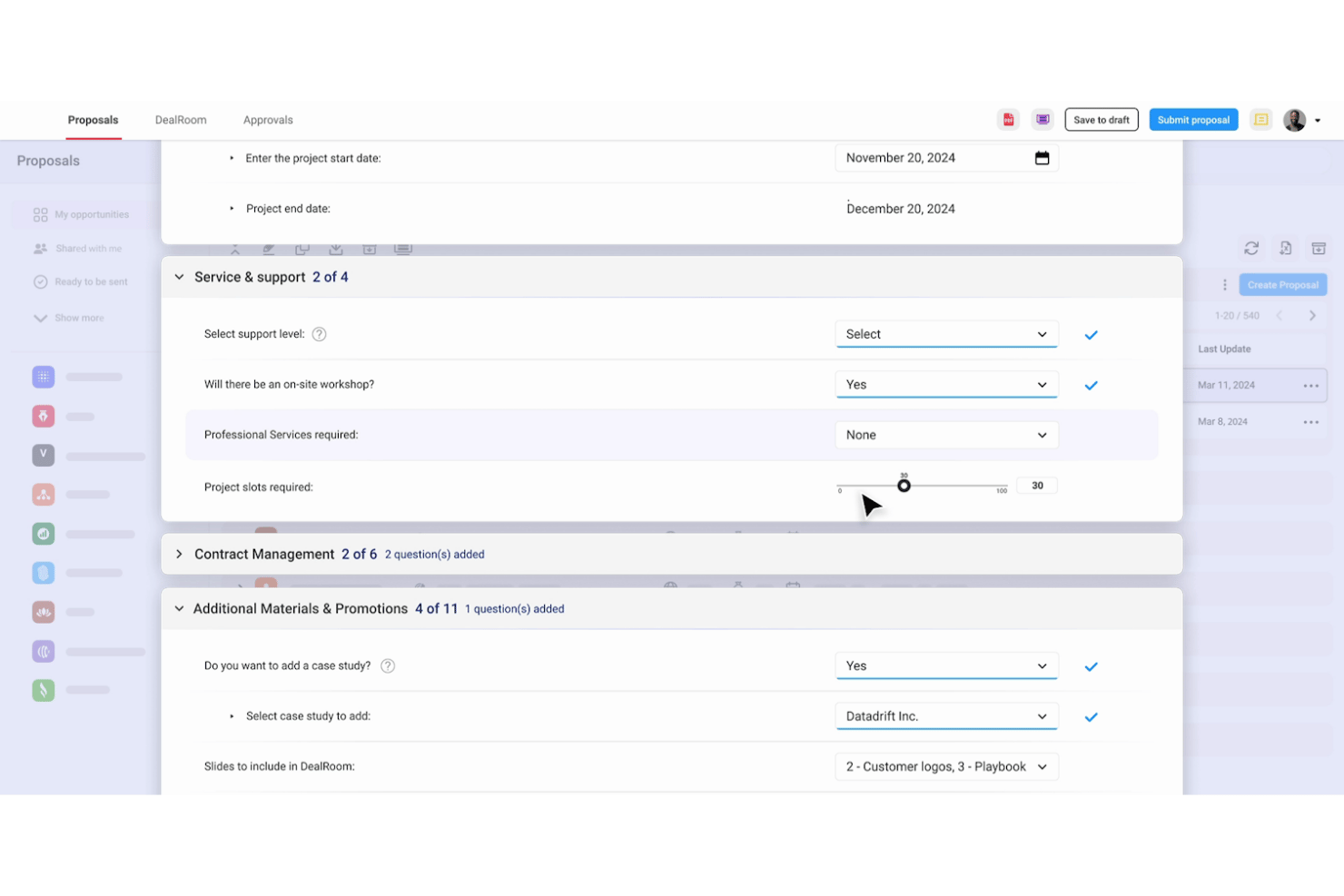
DealHub is a quote-to-revenue platform that combines CPQ, contract lifecycle management, digital sales rooms, subscription management, and billing into a single connected workflow.
Who Is DealHub Best For?
DealHub is a strong fit for mid-market and enterprise sales teams that manage complex product configurations, multi-tier pricing, and structured approval workflows across long deal cycles.
Why I Picked DealHub
I picked DealHub as one of the best because its guided Playbook does something most proposal tools can't: it walks sales reps through configuration step by step, automatically generating products, calculating prices, and applying discounts within pre-set guardrails. That means a rep quoting a complex, multi-tier deal can't accidentally undercut margins or skip an approval step. The Deal Desk dashboard then gives ops teams live visibility into quote progress and approval status across every open deal.
DealHub Key Features
- Branded proposal templates: Build quotes and proposals using drag-and-drop templates that combine logos, colors, dynamic content, and localized text.
- Digital DealRoom: Share proposals, contracts, and supporting content in a single branded buyer portal with permission-based access and in-room chat.
- Built-in e-signature: Capture single- or multi-party signatures natively or through DocuSign, with real-time status tracking and CRM sync.
- Subscription and billing management: Generate invoices for recurring, one-time, and milestone pricing, and manage the full subscription lifecycle from amendments to renewals.
DealHub Integrations
DealHub offers native integrations with Salesforce, HubSpot, Microsoft Dynamics 365, NetSuite, Slack, and DocuSign. Its API supports custom connections and headless quoting, while some third-party connectors may cost extra.
Pros and Cons
Pros:
- DealRoom tracks buyer activity across shared proposals
- Proposal templates help reps create accurate documents quickly
- Guided prompts keep discounts within approved ranges
Cons:
- Editing proposal tables can involve trial and error
- Complex pricing rules can require formula workarounds

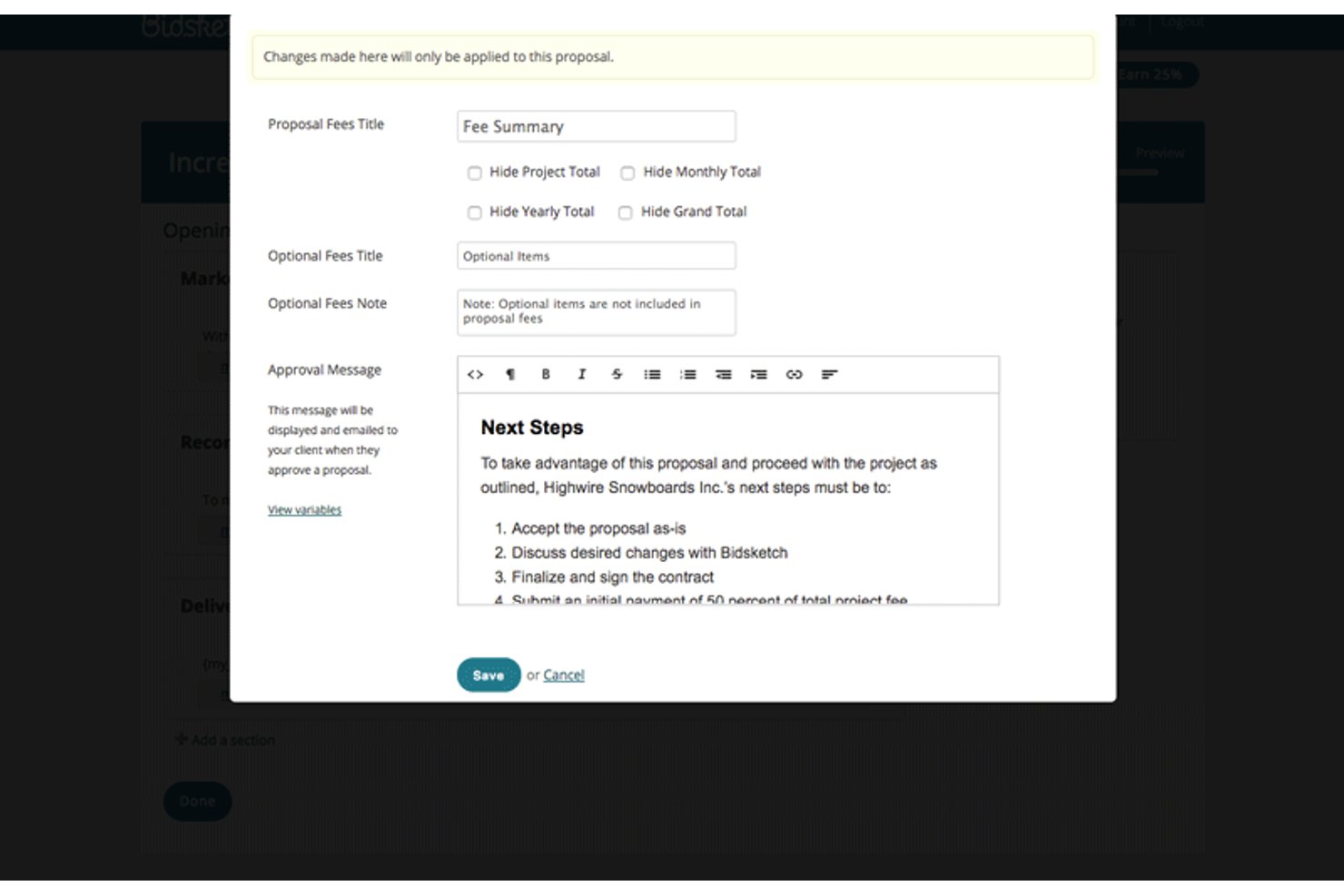
Bidsketch is proposal software that lets you build, send, and track client proposals using reusable content sections, customizable fee structures, e-signatures, and native integrations with tools like Salesforce, FreshBooks, and Basecamp.
Who Is Bidsketch Best For?
Bidsketch suits freelancers and small teams who send client proposals regularly and want to build a reusable content library to speed up their workflow.
Why I Picked Bidsketch
I picked Bidsketch as one of the best because it's built around a reusable content library that genuinely cuts proposal turnaround time. I like how you can save individual proposal sections, from scope descriptions to pricing blocks, and pull them into new proposals without starting from scratch. The engagement tracking also earns its place: you can see exactly how long a client spent viewing a proposal and whether they exported it to PDF, which tells you a lot more than a simple open notification.
Bidsketch Key Features
- E-signatures: Clients can type or draw their signature to approve proposals, with the signed document automatically archived and locked from further edits.
- Optional fee items: Mark individual pricing line items as optional so clients can add or remove them when reviewing a proposal.
- Client landing page: Each proposal gets a dedicated page where clients can view, comment on, approve, or download the proposal as a PDF.
- Salesforce integration: Connect Bidsketch to Salesforce to create proposals from opportunities and automatically update opportunity status when a proposal is accepted.
Bidsketch Integrations
Bidsketch has four documented native integrations: Salesforce, FreshBooks, Harvest, and Basecamp. It also offers an API and connects with 2,000+ other web services through Zapier.
Pros and Cons
Pros:
- View alerts help time follow-ups
- Optional fees support tailored offers
- Reusable sections shorten proposal preparation
Cons:
- Proposal analytics offer limited detail
- Editing saved text can feel awkward

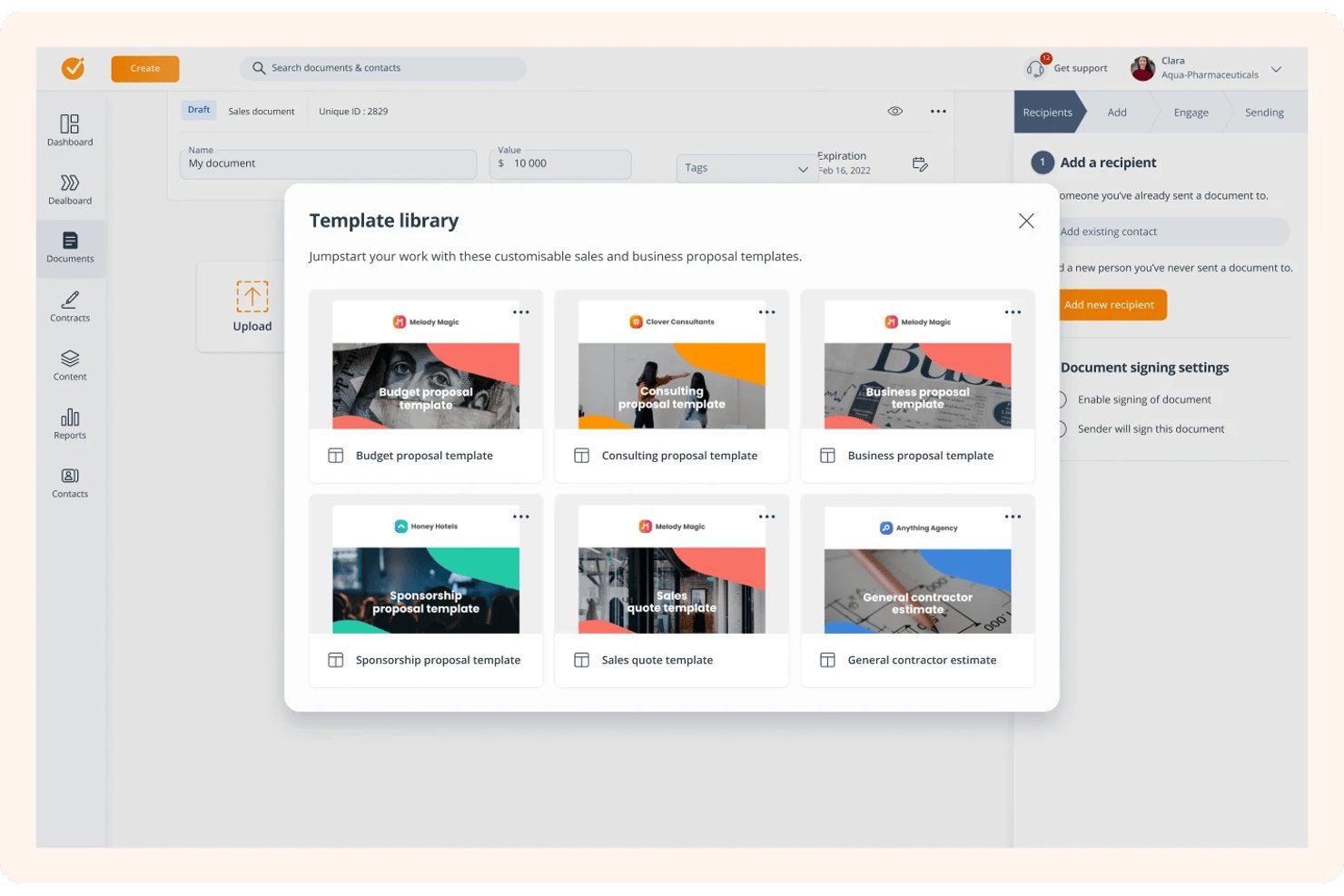
GetAccept is a proposal and digital sales room platform that combines document creation, pricing tables, e-signatures, engagement tracking, and CRM integration in one place.
Who Is GetAccept Best For?
GetAccept suits sales teams at mid-sized companies who want to add video, live chat, and real-time engagement tracking to their proposal workflow.
Why I Picked GetAccept
I picked GetAccept as one of the best because it's the only proposal tool I've seen that lets you embed a personalized video directly into the proposal itself, so buyers get a warm, face-to-camera walkthrough before they've read a single line item. Pair that with the Engagement tab, which shows exactly which pages a prospect spent time on and for how long, and you have a genuinely useful signal for your next follow-up. The mutual action plan feature adds another layer by giving buyers and sellers a shared to-do list inside the deal room, keeping momentum alive after the proposal lands.
GetAccept Key Features
- Pricing table builder: Create quote line items with grouped products, discount fields, tax calculation, and currency selection directly inside a proposal document.
- E-signature with role-based signing order: Route documents to signers, external approvers, internal approvers, and viewers in sequential or parallel order before capturing a legally binding signature.
- CRM data merge tags: Pull live deal, contact, and product data from HubSpot, Salesforce, or Pipedrive directly into proposal fields to populate documents automatically.
- Contract management and renewal reminders: Store signed documents and trigger automated reminders when contracts approach their renewal dates.
GetAccept Integrations
GetAccept has native Salesforce and HubSpot integrations, plus documented connections for Pipedrive, Microsoft Dynamics, Stripe, Authorize.net, and Google Drive. It offers a REST API, webhooks, Power Automate, and Zapier.
Pros and Cons
Pros:
- Reviewers praise electronic signing and reminders
- Page-level viewing data guides timely follow-ups
- Personalized video adds a human touch to proposals
Cons:
- Product catalog and multiple discounts feel underdeveloped
- Reviewers report clunky image editing
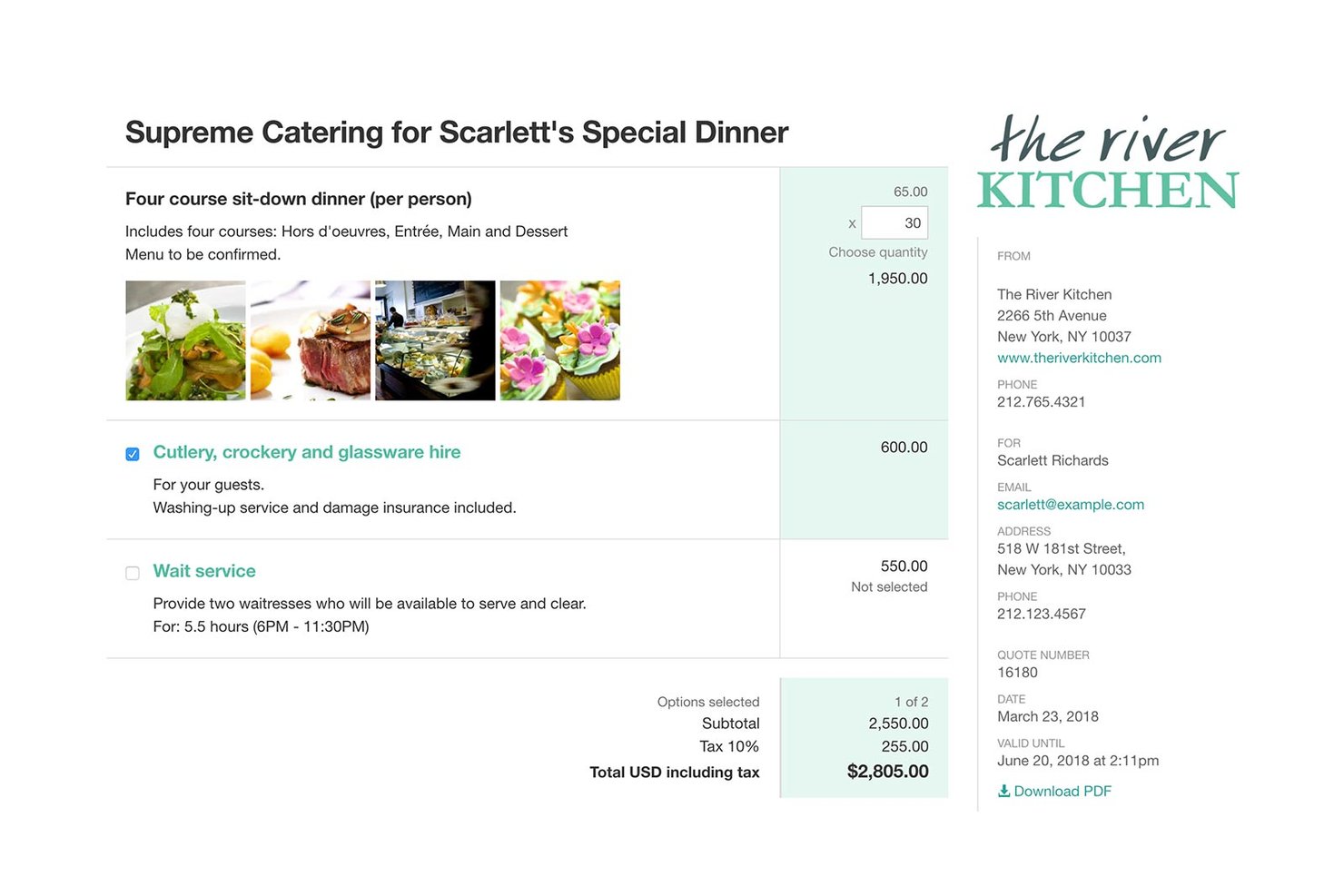
Quotient is online quoting software that lets you build branded quotes with optional and multiple-choice line items, track customer engagement, collect e-signatures, and convert accepted quotes into invoices via Xero or QuickBooks.
Who Is Quotient Best For?
Quotient is a strong fit for freelancers and small business owners who need to send polished, professional quotes without the complexity of a full CPQ platform.
Why I Picked Quotient
I picked Quotient as one of the best because it strips quoting down to exactly what a solo operator or small team actually needs. I love how optional and multiple-choice line items let customers configure their own quote total in real time, which cuts down the back-and-forth that kills deal momentum. You can also see the moment a customer opens your quote and flag aging deals directly from the dashboard, so follow-ups happen at the right time, not just whenever you remember.
Quotient Key Features
- Branded quote builder: Apply logo-derived colors, choose from three layouts, and preview your quote before sending.
- E-signature capture: Customers can draw or type a signature directly on the quote from any touch device.
- Cost price and margin tracking: Add a cost price to each line item and let Quotient calculate the selling price using your chosen markup or margin percentage.
- Customer review requests: Automatically prompt customers for feedback or reviews after a job is complete and display selected reviews on future quotes.
Quotient Integrations
Quotient offers native integrations with Xero, QuickBooks Online, Capsule, Insightly, Highrise, and Mailchimp. It also supports Webhooks API connections and Zapier for custom workflows.
Pros and Cons
Pros:
- Quote-view alerts help time customer follow-ups
- Optional line items let customers shape totals
- Polished quotes reuse templates and saved items
Cons:
- Sales reporting lacks detailed conversion breakdowns
- Complex proposals offer limited visual-design flexibility
Other Quote and Proposal Software
Here are some additional quote and proposal software options that didn’t make it onto my shortlist, but are still worth checking out:
- ScalePad
For MSP-native quoting and procurement
- Quote IQ
For field service quoting and invoicing
- Better Proposals
For freelancer and agency proposal branding
- HoneyBook
For solo service businesses booking clients
- Zoho CRM
For CPQ-driven quoting within a CRM
- Jobber
For field service quoting to job conversion
- Oneflow
For quote-to-contract without extra tools
- Conga CPQ
For enterprise Salesforce CPQ and approvals
- Oracle CPQ
For complex product and pricing configuration
- HubSpot Quotes
For sales-native quoting within a CRM


How I Evaluate Quote and Proposal Software
I split my evaluation into three parts, giving the most weight to tools that create branded quotes with catalog pricing and capture client approval. Next, I look for differentiators like resource-based estimating. Finally, I consider onboarding, support, and pricing value beyond the feature set.
Core Functionality (Table Stakes For This List)
When I'm selecting tools for my list, I score each one on a scale from 0 (does not offer the functionality) to 5 (excels in this area) for each core functionality listed below. I then convert the total into a percentage to help assess each tool's overall fit, with extra weight on any functionalities I’ve deemed essential.
- Quote & Proposal Builder (Essential): I look for branded templates, reusable content, and pricing tables that make project scope clear before a client approves.
- Catalog & Pricing (Essential): I check whether teams can add stored services, tiered prices, and discounts to quotes without re-entering line items.
- E-Signature & Approval: I evaluate in-document signing, approval routing, and audit records when several stakeholders must approve a proposal.
- Quote-to-Cash: I look for accepted quotes that convert into orders, invoices, or contracts without manually re-entering scope and pricing.
- Engagement Tracking: I check for view alerts and activity details that help sales teams follow up when prospects review a proposal.
- CRM & Accounting Integrations: I assess whether customer, deal, and pricing data sync with CRM or accounting tools used by sales and finance teams.
Once I have a list of tools that meet the criteria, I consider what sets each platform apart.
Differentiating Factors (What Sets Vendors Apart)
Here's how I compare and contrast different vendors:
Standout Features
I look for resource-based estimating that builds quotes from roles, hours, and rates instead of static line items—this matters when a proposal needs to reflect actual project staffing. I also evaluate project handoff automation, checking whether accepted proposals push scope, budgets, and tasks directly into delivery tools like Asana or Monday.com. Win-loss reporting is another differentiator; I check if the tool surfaces conversion trends by deal size or client type so teams can sharpen future bids.
Beyond Features
I check whether vendors offer guided onboarding and template migration support, since configuring complex rate cards and approval chains from scratch can stall adoption for weeks. Cross-departmental collaboration matters too—I look for role-based permissions that let PMs define scope while finance controls pricing, plus inline commenting so internal revisions happen inside the proposal rather than over email. I also evaluate integration depth with PM and accounting tools, specifically whether syncs run in real time or require manual updates between sales and delivery.
How to Choose Quote and Proposal Software
As you compare software tools, focus on how each platform supports your actual sales process. A user-friendly quoting tool should help your team create quotes quickly while still giving administrators control over pricing rules, approval workflows, and branded quotes.
Match the Tool to Your Sales Process
First, consider whether the platform can support both your current sales cycle and future needs. For example, a simple proposal tool may work well for small businesses. However, CPQ software may be a better fit if you sell complex product packages, use dynamic pricing, or need structured product configurations.
Next, think about how the software will fit into your existing workflow. In particular, check whether its integrations support your CRM, payment provider, project management tools, and customer support systems.
Here’s a checklist to guide your comparison:
| Factor | What to Consider |
|---|---|
| Scalability | Will the platform support your team and deal volume if you double headcount or project load? Watch for extra costs that surface as you grow. |
| Integrations | Does it connect directly with your CRM, ERP, or billing systems—or will you need API work or third-party connectors like Zapier for your processes? |
| Customizability | Can you easily tailor templates, workflows, and branding to match your firm’s process, or will you hit walls and workarounds? |
| Ease of use | How quickly can team members build, send, and track proposals without constant support or extensive training? Try to demo with typical users, not just admins. |
| Implementation and onboarding | What onboarding is offered—templates, migration, training? Will you need dedicated support to get live, or can you handle setup in-house? |
| Cost | How does pricing evolve for users, documents, and premium features? Look for unexpected charges on integrations or e-signatures as you scale. |
| Security safeguards | Are permissions, audit logs, and certifications like SOC 2 or GDPR compliance in place—especially if client data or contracts are involved? |
| Support availability | Is support live and responsive during the hours your team works, or will technical issues delay your sales and project launches? |
What Is Quote and Proposal Software?
Quoting software—sometimes called sales quote software or quotation software—is a cloud-based software solution for creating, sending, and managing price quotes, sales proposals, and contracts. It helps teams create customized quotes with itemized pricing, scope, terms, and optional services, then route them through an approval process before requesting electronic signatures.
Unlike a basic document editor, quoting software can support quote templates, pricing rules, product configurations, and approval workflows. This makes it easier to create on-brand sales documents, reduce manual errors, and move accepted work into your sales pipeline, billing workflow, or project management system.
Features
Here are the core features any great quote and proposal software should have:
- Quote creation and quote templates: Create professional quotes from reusable layouts, service libraries, and branded quote templates.
- Product configurations and pricing rules: Configure complex product options, bundles, quantities, discounts, and dynamic pricing without rebuilding each price quote manually.
- Approval workflows: Set up an approval process for discounts, margin thresholds, complex product configurations, or non-standard terms.
- Interactive pricing: Let buyers select optional services, add-ons, or an upsell inside the proposal to create more accurate quotes.
- E-signature functionality: Collect electronic signatures and keep an auditable record of acceptance.
- Sales pipeline visibility: Connect proposal activity to your CRM so salespeople can follow up at the right time.
- Customer experience and branding: Deliver customized quotes, polished layouts, and on-brand sales documents that make the buying process feel more professional.
Common Quote and Proposal Software AI Features
Beyond the standard quote and proposal software features listed above, many of these solutions are incorporating AI with features like:
- AI-assisted drafting: Automatically generate proposal content, scope descriptions, or pricing explanations based on past winning proposals and client data.
- Smart content recommendations: Suggest relevant case studies, legal clauses, or pricing tables to include in your proposal based on deal type or client industry.
- Predictive deal scoring: Analyze proposal data and client engagement to forecast the likelihood of winning a deal, helping prioritize follow-up efforts.
- Automated response to RFPs: Use AI to match requirements from RFP documents with your content library, auto-filling answers and highlighting gaps for review.
- Dynamic personalization: Tailor proposal language, visuals, and pricing suggestions in real time based on client profile, preferences, or previous interactions.
Benefits
Implementing quote and proposal software provides several benefits for your team and your business. Here are a few you can look forward to:
- Faster proposal turnaround: Built-in templates and content libraries let you generate branded proposals quickly, even for complex projects.
- Improved quote accuracy: Itemized quoting, approval workflows, and guided pricing reduce errors and ensure consistent scope and rate structures.
- Streamlined sign-off process: Integrated e-signature and digital acceptance workflows eliminate delays from manual signatures and scattered approvals.
- Greater visibility into deals: Engagement tracking and analytics help you monitor proposal status, client interest, and bottlenecks at every stage.
- Professional client experience: Custom branding, interactive quote features, and digital delivery make your proposals stand out and support modern buying journeys.
- Simplified project handoff: Automatic status updates and integrations with CRM or billing tools ensure accepted proposals move directly into delivery or invoicing.
- Enhanced security and compliance: User permissions, audit trails, and built-in safeguards protect sensitive client and contract data throughout your workflow.
Costs and Pricing
Selecting quote and proposal software requires an understanding of the various pricing models and plans available. Costs vary based on features, team size, add-ons, and more. The table below summarizes common plans, their average prices, and typical features included in quote and proposal software solutions:
Plan Comparison Table for Quote and Proposal Software
| Plan Type | Average Price | Common Features |
|---|---|---|
| Free Plan | $0 | Basic quote and proposal creation, limited templates, single user access, and basic e-signature. |
| Personal Plan | $10-$25/user/month | All free features, more templates, limited content library, simple analytics, and basic integrations. |
| Business Plan | $30-$65/user/month | Team collaboration, advanced templates, approval workflows, CRM integrations, engagement analytics, and custom branding. |
| Enterprise Plan | $75-$150/user/month | SSO/SAML, advanced security, API access, custom onboarding, dedicated support, and custom contract or compliance features. |
FAQs
Here are some answers to common questions about quote and proposal software:
Can quote and proposal software integrate with my CRM?
Yes, most solutions offer direct integrations with popular CRMs like Salesforce, HubSpot, or Pipedrive. This helps you pull contact and deal data directly into your proposals and automatically update your pipeline as deals progress.
How secure is quote and proposal software for sensitive contracts?
Leading platforms offer features like SOC 2 certification, granular user permissions, audit trails, and data encryption. This makes them suitable for handling confidential client information and supporting compliance requirements.
Is it possible to automate follow-ups or reminders after sending a proposal?
Yes, many tools let you set up automatic reminders and notifications to prompt clients to review, sign, or accept proposals, helping you keep deals moving without manual tracking.
What happens if we need to manage complex approvals for proposals?
Most business and enterprise plans support multi-step approval workflows. You can assign approvers based on deal value, product type, or role, ensuring every proposal gets the right sign-off before it reaches the client.
Will my team need special training to use this software?
No, most modern quote and proposal platforms emphasize ease of use, with onboarding tutorials, template libraries, and in-app guides, so your team can get started with minimal ramp-up time.