

10 Best Quickbase Alternatives for Project Teams in 2026

10 Best Alternatives to Quickbase Shortlist


The best Quickbase alternatives offer a modern and intuitive interface for no-code application development, have an easier learning curve, and let you spend less time setting up templates and workflows and more on project management. With the right alternative to Quickbase, you'll be able to build a custom project management app that better fits your workflows and integrates with other software you're using.
I’ve used my experience in project management and 3+ years of testing software to review dozens of tools and curate my list of the best Quickbase alternatives. Each of my recommendations will help you improve productivity, make your workflows more efficient, and automate repetitive and manual tasks. Below, I cover strengths and key differences, pros and cons, and ideal use cases for each tool.
What are Quickbase Alternatives?
Quickbase alternatives are no-code or low-code application development tools that include features or capabilities that Quickbase doesn't offer, and let you build, customize, and deploy business applications without extensive coding knowledge. They might have a more user-friendly interface, offer specific plug-ins or integrations you need, or have less of a learning curve so you can get up and running quickly.
Alternatives to Quickbase will also typically include many of same features offered by Quickbase, such as a visual app builder, customizable dashboards, AI features, and role-based permissions so you can control user access at a granular level.
Why Trust Our Software Recommendations
Our team has been testing and reviewing software since 2012. As project managers ourselves, we know how difficult—and important—it is to choose the right software.
For this guide, we evaluated tools using hands-on testing and independent research, scoring tools using our selection criteria. We also draw on insights from industry thought leaders and practicing project management experts.
Our reviews reflect our human editorial judgment, not a sales pitch.
Expert reviewers:
Quickbase Alternative Comparison Table
We’ve researched the pricing and availability of free trials and demo versions for a simple side-by-side comparison:
| Tool | Best For | Trial Info | Price | ||
|---|---|---|---|---|---|
| 1 | Best for custom workflows | Free plan + 14-day free trial + free demo available | From $10/user/month (billed annually) | Website | |
| 2 | Best for flexible low-code ERP solutions | Free plan available | Pricing upon request | Website | |
| 3 | Best for no-code app creation with Google integration | Free plan + free trial available | From $5/user/month | Website | |
| 4 | Best for unlimited user pricing | 14-day free trial | From $392/month | Website | |
| 5 | Best for end-to-end process automation | Free plan + free demo available | Pricing upon request | Website | |
| 6 | Best for complete low-code solutions | Free plan available; 15-day free trial | Pricing upon request | Website | |
| 7 | Best for powerful custom app development | Free trial available | From $17.50/user/month (billed annually) | Website | |
| 8 | Best for online databases | Free trial available | From $49/month (billed annually) | Website | |
| 9 | Best for integration with Microsoft ecosystem | Free plan available | From $20/user/month (billed annually) | Website | |
| 10 | Best for high-performance low-code development | Free plan + demo available | Pricing upon request | Website |

Best Quickbase Alternatives Reviews
I’ll walk you through the pros and cons of each Quickbase alternative. I’ll also cover their features and best use cases to help you find the right tool for your needs.

Wrike
Best for custom workflows
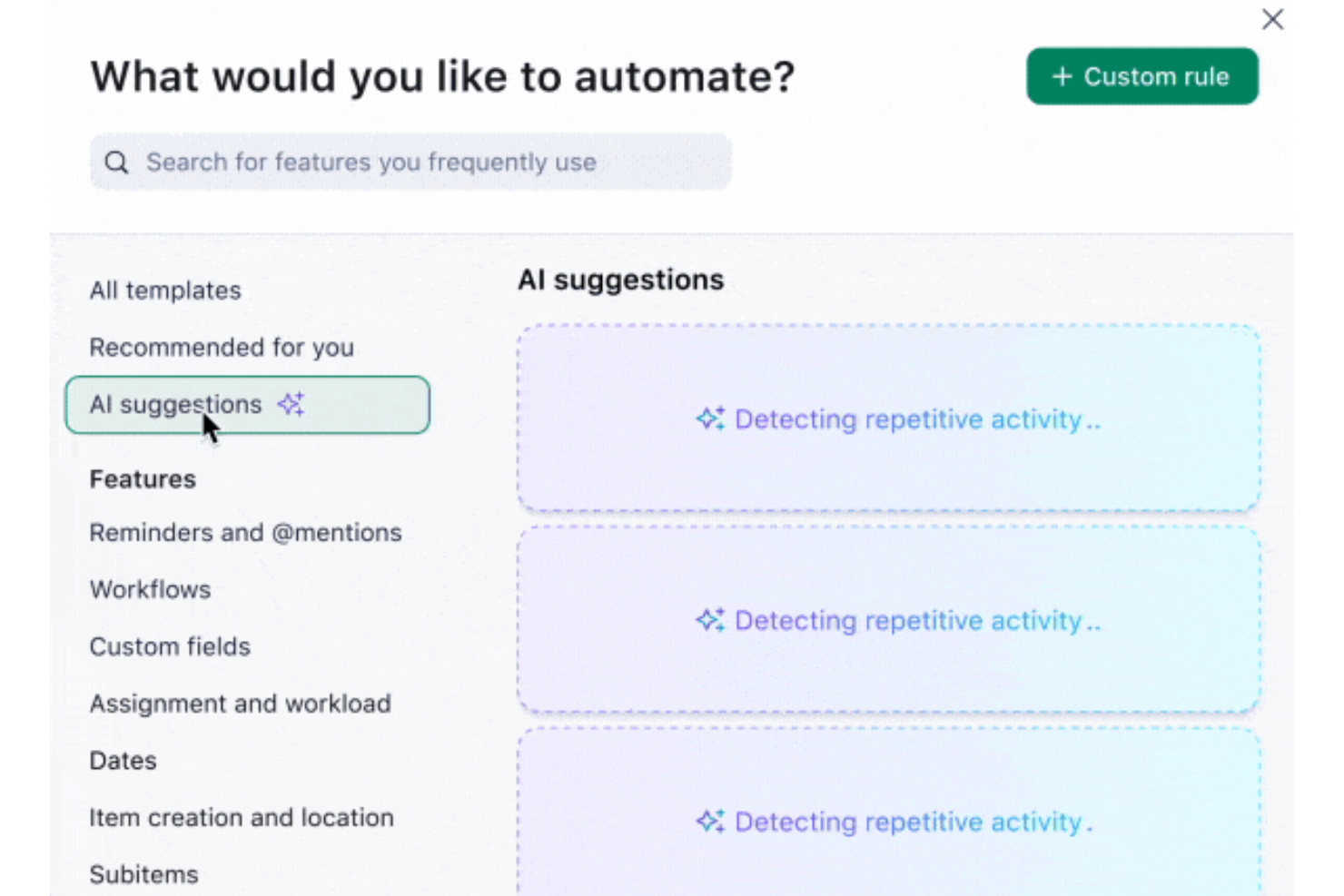
Wrike is a work management platform that combines project tracking, custom workflow automation, relational databases, and cross-team reporting into a single workspace.
Who Is Wrike Best For?
Wrike suits cross-functional teams that need to coordinate complex projects across product, engineering, and design without juggling multiple disconnected tools.
Why I Picked Wrike
Wrike earns its spot on my shortlist because its custom workflow engine goes deeper than most Quickbase alternatives. I particularly like how WHEN–IF–THEN automation rules let you build multi-step approval chains across teams without touching code, and custom item types let you reshape how work is labeled, structured, and tracked at the space or account level. Wrike Databases add linked, auto-updating records that feed directly into dashboards and automation, giving cross-functional teams a structured alternative to spreadsheets.
Wrike Key Features
- Wrike Databases: Link structured record tables to custom fields and other databases, with mirrored fields that update automatically across views, filters, reports, and automation.
- Role-based access controls: Configure granular permissions by user type for folders, projects, spaces, and database operations, with up to 10 custom access roles on eligible plans.
- Activity reports: Generate on-demand audit logs of account actions—including logins, workflow changes, and data exports—filterable by user, date, IP address, and operation type.
- 400+ pre-built native integrations: Connect Wrike to tools like Salesforce, Slack, Jira, and GitHub, with an open REST API, webhooks, and Wrike Integrate for deeper cross-app automation.
Wrike Integrations
Wrike offers 400+ pre-built native integrations, including Salesforce, Slack, Jira, GitHub, and Microsoft Teams, plus an open REST API, webhooks, and Wrike Integrate for custom connectivity.
Pros and Cons
Pros:
- Linked databases connect operational records
- Dashboards unify status and workload visibility
- Configurable approval and handoff automation
Cons:
- Workflow setup can require administrator effort
- Custom item types aren’t full app builders
New Product Updates from Wrike

Wrike Redesigns AI Agent Builder
Wrike redesigns its AI Agent Builder with a side-by-side setup, Scopes, sentence-style triggers and actions, and clearer filters. These changes make it easier to configure, test, and manage agent behavior. For more information, visit Wrike’s official site.

Ninox
Best for flexible low-code ERP solutions
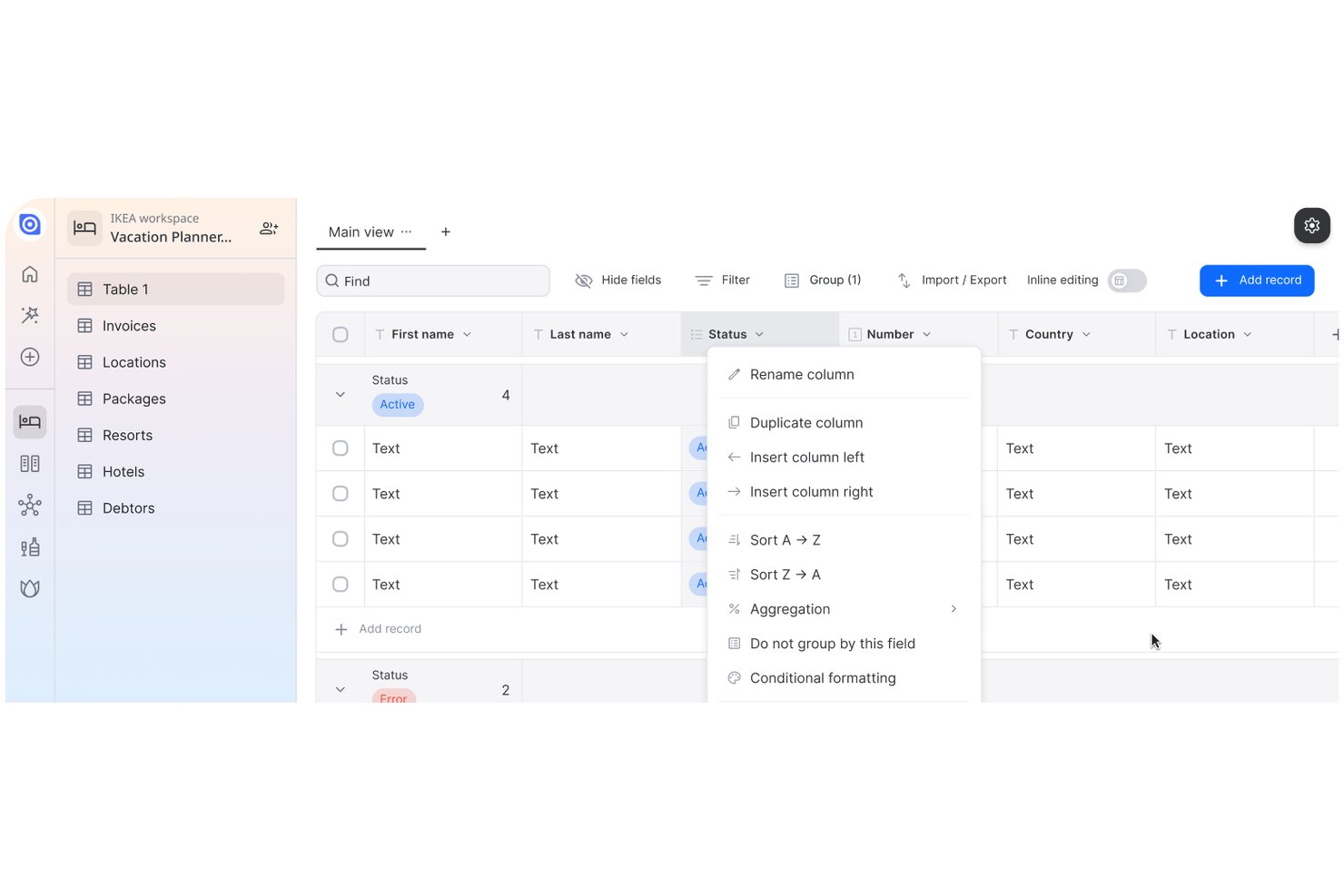
Ninox is an AI-powered low-code platform for building custom business applications, with relational data modeling, trigger-based workflow automation, and multi-view interfaces across table, Kanban, calendar, and chart formats.
Who Is Ninox Best For?
Ninox suits operations teams and citizen developers in industries like manufacturing, construction, and professional services who need to build custom internal tools without relying on developers.
Why I Picked Ninox
Ninox earns its spot on my shortlist because its AI-native, low-code builder lets operations teams construct genuinely custom ERP-style solutions without waiting on developers. I especially like how relational data modeling works here: you can link records across tables, build many-to-many relationships using a third junction table, and create role-specific interfaces so a warehouse manager and a finance lead each see exactly what they need. Trigger-based workflow automation then connects those views to real actions, like updating records or generating documents when conditions change.
Ninox Key Features
- Template gallery: Choose from pre-built templates across CRM, Finance, HR, Operations, and Project management categories, then customize them to fit your workflow.
- Multi-level permissions: Set access controls at the app, table, and field level, with custom roles you can define once and reuse across workspaces.
- CSV import via API: Import data in append, update, or upsert modes with automatic column matching or explicit field mappings to migrate from spreadsheets.
- Change history tracking: Access a full audit trail of record changes, with history windows ranging from 7 days on Free up to unlimited on Business.
Ninox Integrations
Ninox offers native integrations with Google Sheets, Microsoft Excel, Lexware Office, sevdesk, weclapp, Xentral, and Sage Accounting. Its REST API supports custom integrations, CSV imports, and record migration.
Pros and Cons
Pros:
- Automation cuts repetitive process work
- Custom apps replace spreadsheet-based workflows
- Linked tables consolidate operational records
Cons:
- Large datasets can complicate scaling
- Reports and PDF layouts need refinement

AppSheet
Best for no-code app creation with Google integration
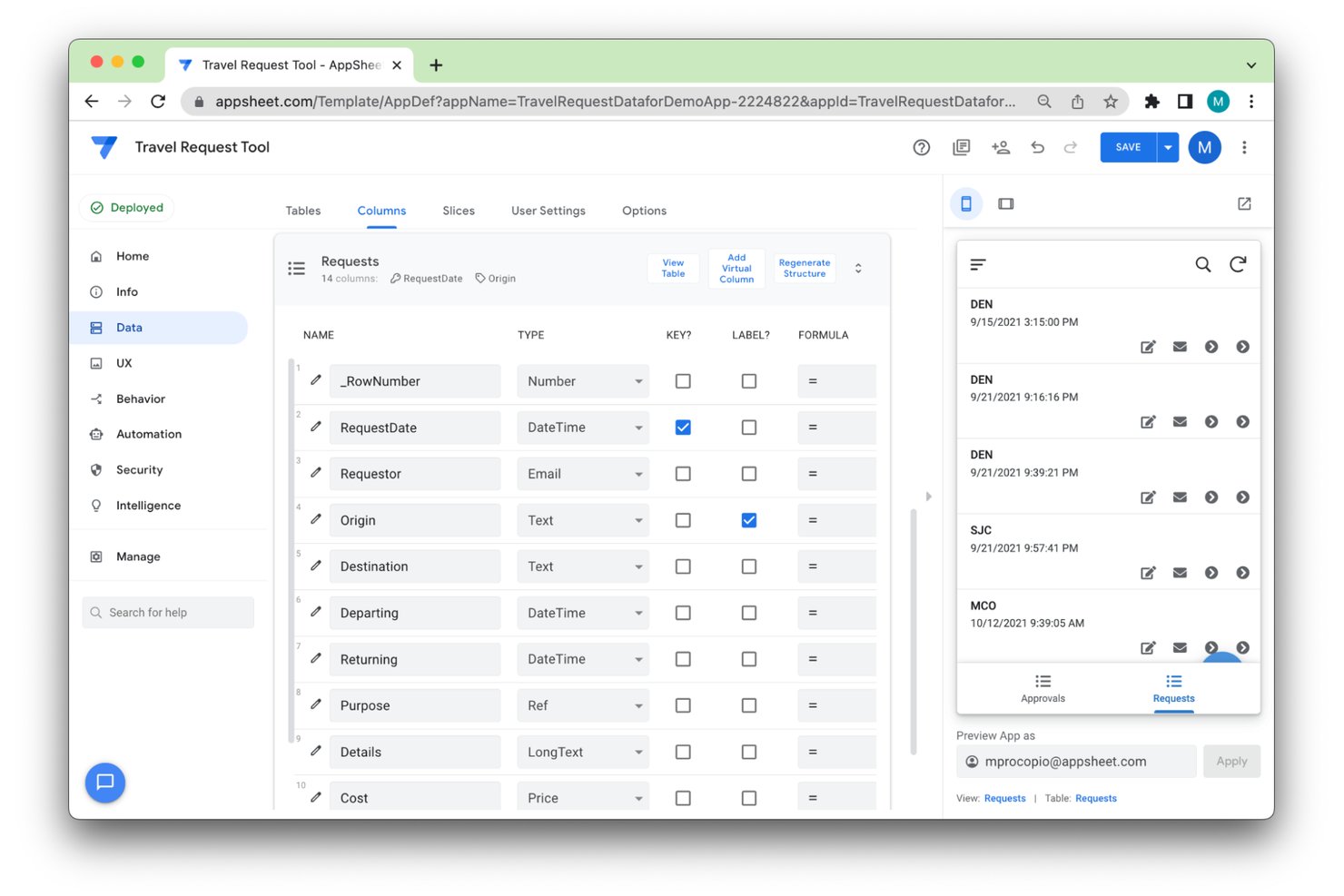
AppSheet is a no-code app builder from Google that lets you create cross-platform business applications and automated workflows from spreadsheets, databases, and other data sources.
Who Is AppSheet Best For?
AppSheet is a strong fit for operations teams and citizen developers who want to build custom mobile apps directly from their existing Google Workspace data—without writing code.
Why I Picked AppSheet
AppSheet is one of my top picks because I love how naturally it bridges Google Workspace data with fully functional mobile apps, no coding required. If your team already lives in Google Sheets or BigQuery, you can connect that data directly and build apps that capture field information via barcodes, photos, and GPS, then run offline when connectivity drops. I also rely on AppSheet's Gemini-powered app creation, where describing a workflow in plain language generates a working prototype you can refine from there.
AppSheet Key Features
- Role- and team-based access controls: Restrict app access by assigning roles and teams, controlling which views, actions, columns, and table data each user can see or edit.
- Cross-platform app deployment: Publish apps that run on web browsers, iOS, and Android devices from a single build.
- Event- and schedule-based automation: Trigger automated workflows based on app data changes or set them to run on a defined schedule.
- AppSheet database: Store app data in AppSheet's built-in relational database, with support for multi-table references and row-level relationships.
AppSheet Integrations
AppSheet offers native integrations with Google Sheets, Google BigQuery, Salesforce, Cloud SQL, Microsoft Excel, and Smartsheet. It also supports REST API, OpenAPI, webhooks, and Google Apps Script connections for custom integrations.
Pros and Cons
Pros:
- Tests app prototypes before wider deployment
- Captures field data offline with barcode scanning
- Turns spreadsheet workflows into working apps quickly
Cons:
- Larger datasets can slow app loading
- Editor settings can be hard to locate

Caspio
Best for unlimited user pricing
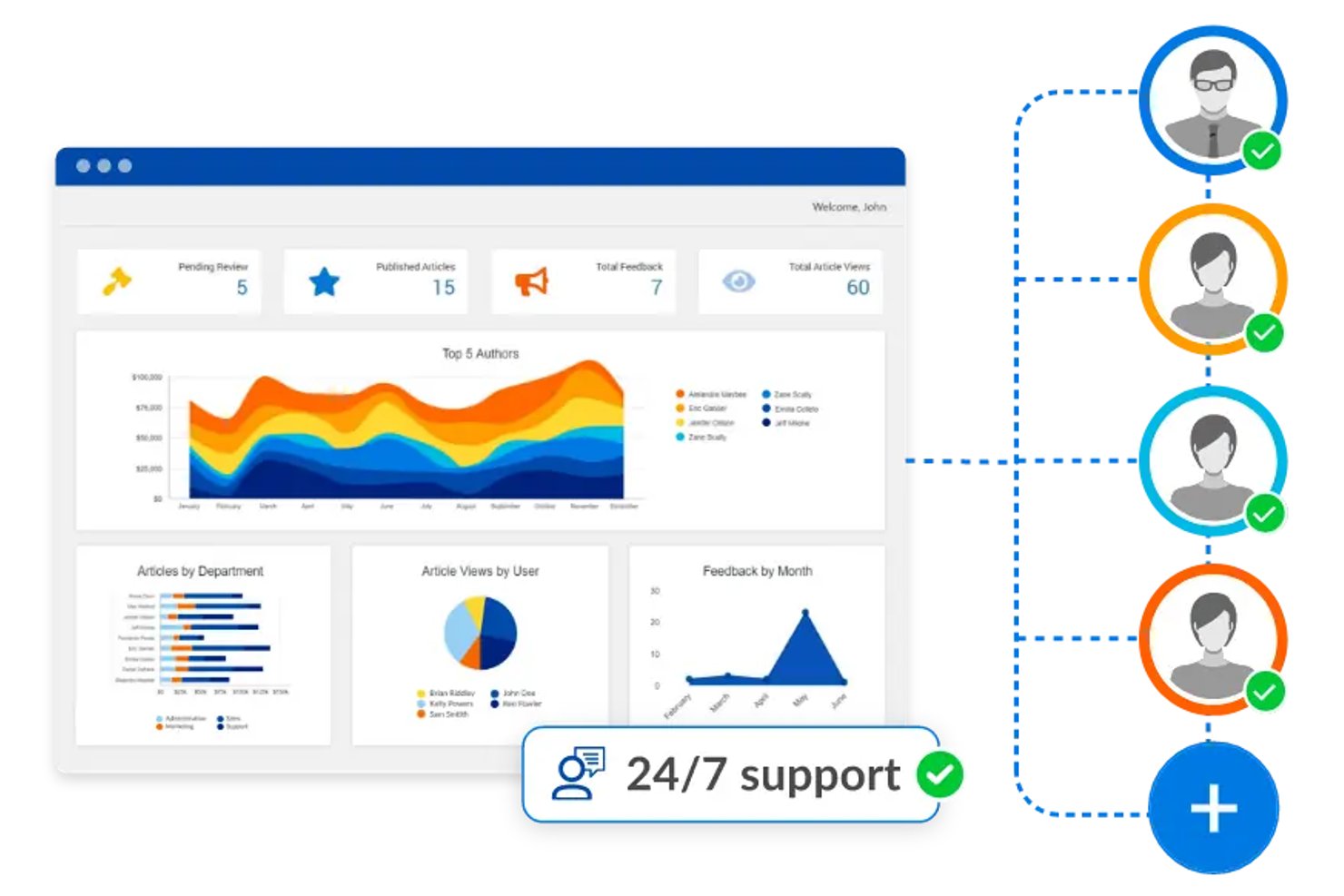
Caspio is a no-code database application platform that lets teams build custom web apps, automate workflows, and manage relational data through a visual drag-and-drop builder backed by a managed SQL Server database.
Who Is Caspio Best For?
Caspio fits teams and departments that need to build custom internal apps and replace spreadsheets—without paying more as their user count grows.
Why I Picked Caspio
I picked Caspio as one of the best because its account-based pricing includes unlimited app users on every paid plan, which means a growing ops team or a department rolling out an internal tool to 200 people pays the same as one with 20. I love that it pairs this with genuine relational data management, backed by a managed SQL Server database where you can define one-to-many and many-to-many table relationships, build views across up to 16 tables, and run pivot-table reports against live data.
Caspio Key Features
- Caspio Automations: Trigger rule-based actions on data events or run scheduled tasks using a visual block editor with SQL-like logic, joins, and email or SMS notifications.
- Caspio Directories: Manage users, groups, and permissions across applications, with support for SAML single sign-on from providers like Microsoft Entra ID and Okta.
- REST API and webhooks: Connect Caspio data to external systems through a REST API supporting full CRUD operations, or push data to third-party tools when records change.
- Pivot-table reporting: Build pivot-table reports with drilldown capabilities against live application data, using any table or view as the data source.
Caspio Integrations
Caspio offers native integrations with PayPal, Stripe, Microsoft Entra ID, and Okta, plus integrations via Make, n8n, Keragon, and Zapier. Its REST API and webhooks support custom connections.
Pros and Cons
Pros:
- Reviewers report quick application prototyping
- Record-level controls suit departmental applications
- Relational tables consolidate spreadsheet-based data
Cons:
- Resource limits may constrain high-volume apps
- Advanced extensions can require coding skills

Appian
Best for end-to-end process automation
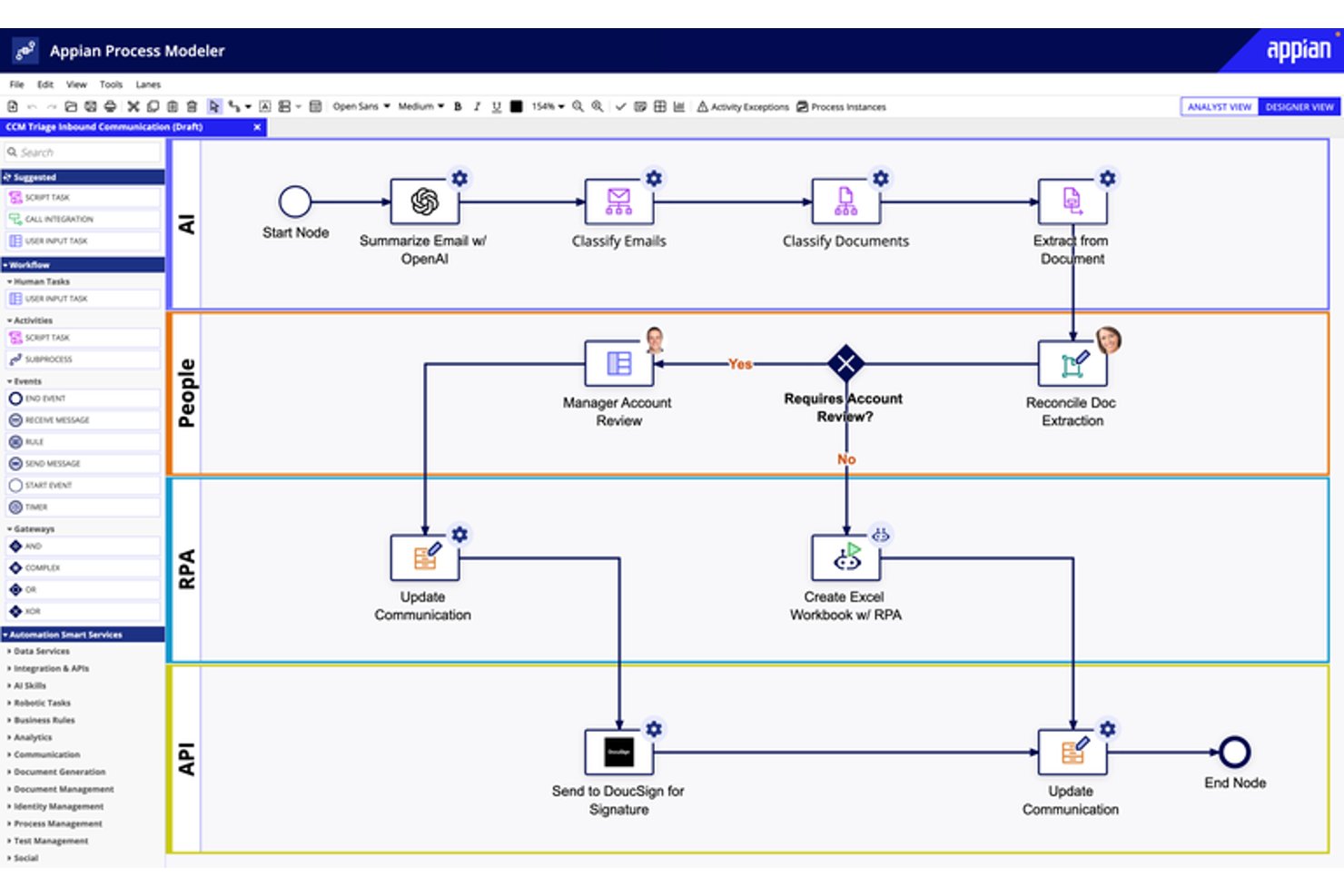
Appian is an enterprise low-code platform that unifies process orchestration, relational data management, workflow automation, and AI-driven document processing into a single environment for building and running complex business applications.
Who Is Appian Best For?
Appian is a strong fit for enterprise operations and IT teams that need to coordinate people, systems, and AI across multi-step, regulated business processes.
Why I Picked Appian
I picked Appian as one of the best because its BPMN-based process orchestration goes well beyond what Quickbase offers, coordinating people, bots, and AI across multi-step workflows in a single environment. I especially like Case Management Studio, which gives operations teams ready-to-use dashboards, case routing, and workflow modules without building everything from scratch. Process HQ adds another layer I value: real-time process intelligence that surfaces bottlenecks and tracks compliance against modeled rules across live enterprise data.
Appian Key Features
- Data Fabric: Connects data across disparate systems without migrating it, making enterprise data available to applications, workflows, and AI agents from a single layer.
- Robotic process automation (RPA): Lets you build bots using a task recorder and low-code interface to automate repetitive tasks, including interactions with systems that lack APIs.
- Intelligent document processing: Uses AI to classify document types and extract data fields from structured, semi-structured, and unstructured documents, then feeds that data into business workflows.
- Role-based and field-level security: Applies granular object-, record-, and field-level access controls across applications, APIs, reports, and AI agents.
Appian Integrations
Appian offers hundreds of prebuilt connectors, including Salesforce, Google, Microsoft SharePoint, DocuSign, and AWS. It also supports REST, SOAP, JDBC, OpenAPI, Web APIs, and an Integration SDK for custom connections.
Pros and Cons
Pros:
- Reviewers praise centralized task and approval automation
- Case modules provide ready-made routing and dashboards
- BPMN workflows coordinate people, systems, and bots
Cons:
- Process HQ dashboards offer limited layout control
- Complex process logic often needs specialist developers

Best for complete low-code solutions
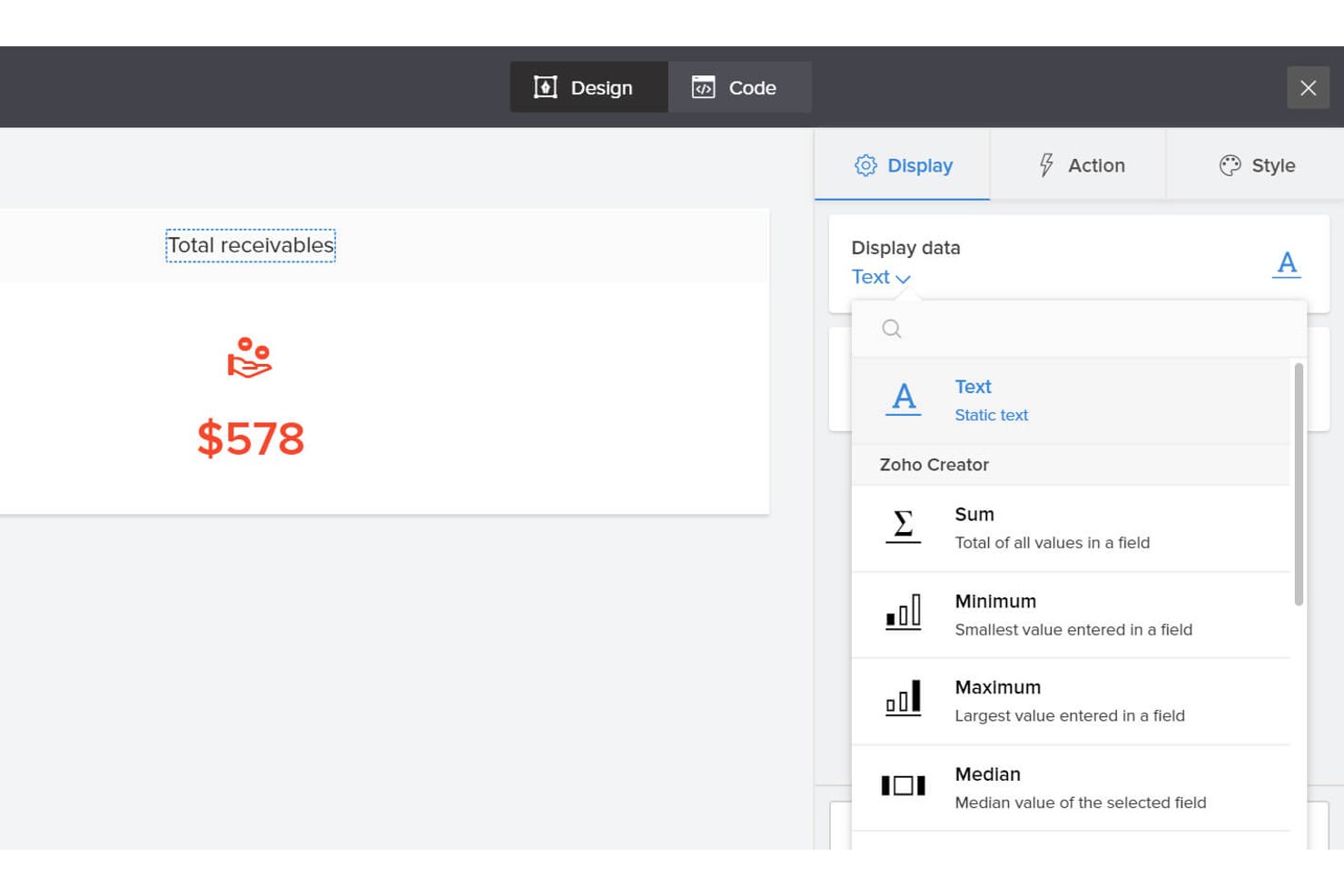
Zoho Creator is a low-code application development platform that lets you build custom business apps, automate multi-step workflows and approvals, model relational data structures, and connect to external systems through a visual builder and scripting engine.
Who Is Zoho Creator Best For?
Zoho Creator is a strong fit for IT and operations teams that need to build and manage custom business apps across multiple departments without relying on a dedicated development team.
Why I Picked Zoho Creator
Zoho Creator earns its spot on my shortlist because it offers the most complete low-code development environment I've seen, covering app building, workflow automation, and data modeling in a single platform. I particularly like how Blueprint lets you map out approval processes as stages and transitions, so something like an IT asset request moves through defined steps with assigned owners rather than relying on ad hoc handoffs. The schema builder also lets me visualize and manage relational data structures without writing raw database queries.
Zoho Creator Key Features
- Smart Import: Migrate data from spreadsheets, legacy systems, and databases directly into a structured, relational app database using AI-assisted import tools.
- Native mobile app distribution: Publish apps to Google Play, the App Store, or an MDM so users can access them on iOS and Android devices.
- Deluge scripting engine: Write custom application logic using Zoho's built-in scripting language to handle conditional updates, data validation, and API calls.
- Audit trails: Track record-level changes across your apps, with logs available from the Standard plan upward.
Zoho Creator Integrations
Zoho Creator claims 1,000+ prebuilt integrations, including Zoho CRM, Zoho Books, Salesforce, QuickBooks, Google Workspace, SharePoint, Slack, Snowflake, and Google BigQuery. It also supports REST, XML-RPC, custom APIs, and Zapier.
Pros and Cons
Pros:
- Creates dashboards for organization-specific tracking
- Automates approvals and operational workflows
- Builds asset and approval apps from spreadsheets
Cons:
- Reports can lag with large datasets
- Complex logic often requires Deluge scripting

Best for powerful custom app development
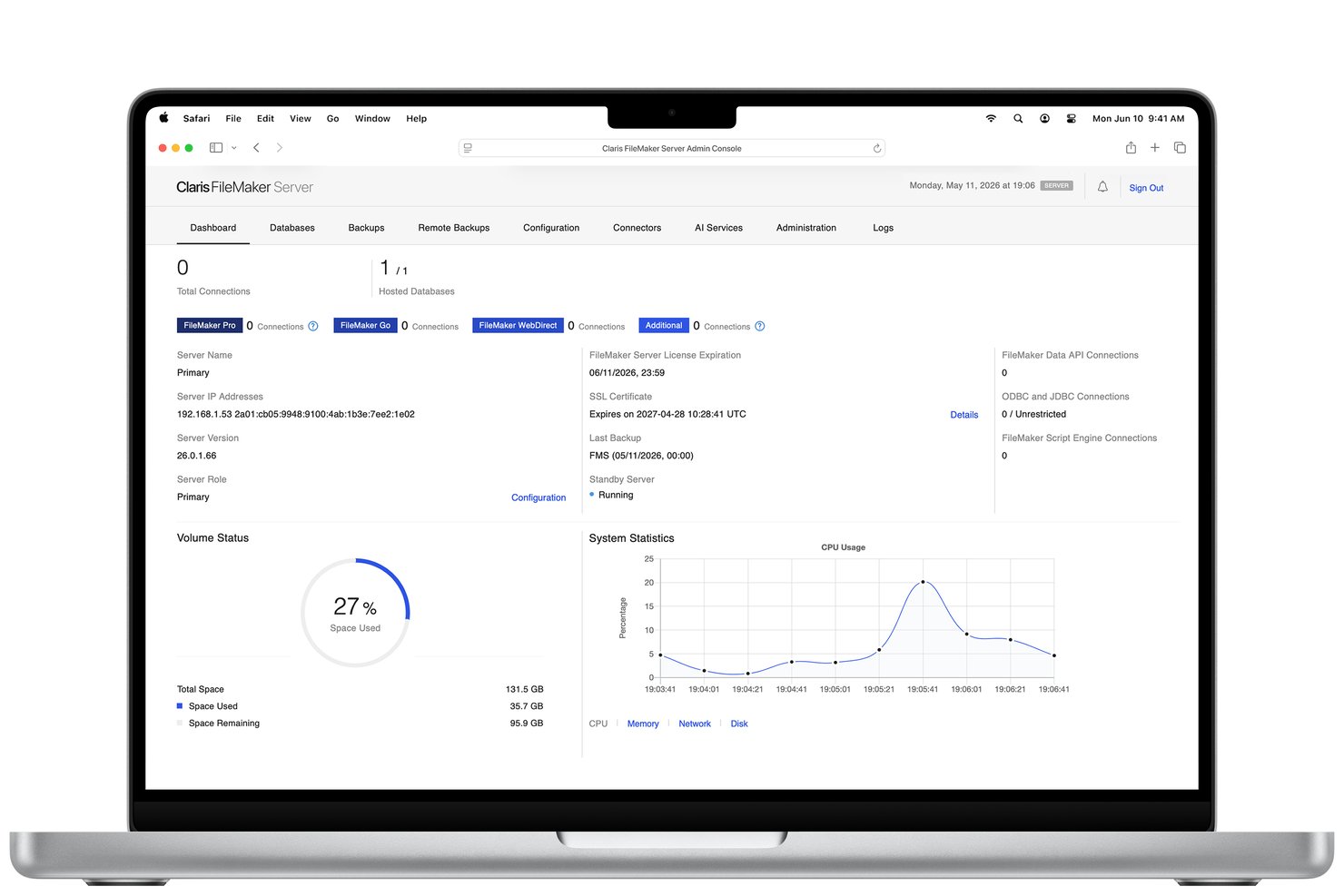
Claris FileMaker is a low-code custom app development platform that lets you build relational database applications with drag-and-drop tools, scripting, and workflow automation across desktop, mobile, and web.
Who Is FileMaker Best For?
FileMaker is a strong fit for teams and citizen developers who need to build relational database apps tailored to their exact workflows rather than adapting to a rigid off-the-shelf tool.
Why I Picked FileMaker
FileMaker earns its spot on my shortlist because it lets you build genuinely custom relational database apps around your exact workflows, not the other way around. I love how the drag-and-drop builder pairs with a real scripting and formula engine, so you can start simple and layer in complex logic like multi-table relationships with portal views or server-side script triggers as your needs grow. The job-tracking and asset-management templates in the Claris Marketplace give you a real starting point without locking you into a rigid structure.
FileMaker Key Features
- Claris Connect workflow builder: A point-and-click automation tool that connects FileMaker apps to external services like Slack, HubSpot, and QuickBooks using triggers, actions, and conditional logic.
- FileMaker Go mobile access: A native iPhone and iPad client that supports GPS, barcode scanning, and signature capture directly within your custom apps.
- Privilege sets and field-level permissions: Granular access controls that let you restrict record creation, editing, and deletion at the table or individual field level using Boolean calculations.
- FileMaker Data API: A REST API that lets external systems read, create, update, and delete records in hosted FileMaker databases programmatically.
FileMaker Integrations
FileMaker offers marketplace integrations with Asana, Jira, Slack, Microsoft Teams, Google Sheets, HubSpot, QuickBooks, Shopify, Smartsheet, and Trello. Its Data API, Admin API, OData, webhooks, and custom API integrations support additional connectivity.
Pros and Cons
Pros:
- Capture field data with barcode scanning
- Replace spreadsheet tracking with linked records
- Build relational apps around changing workflows
Cons:
- Complex apps can require scripting expertise
- Custom reports offer limited data visualization

Knack
Best for online databases
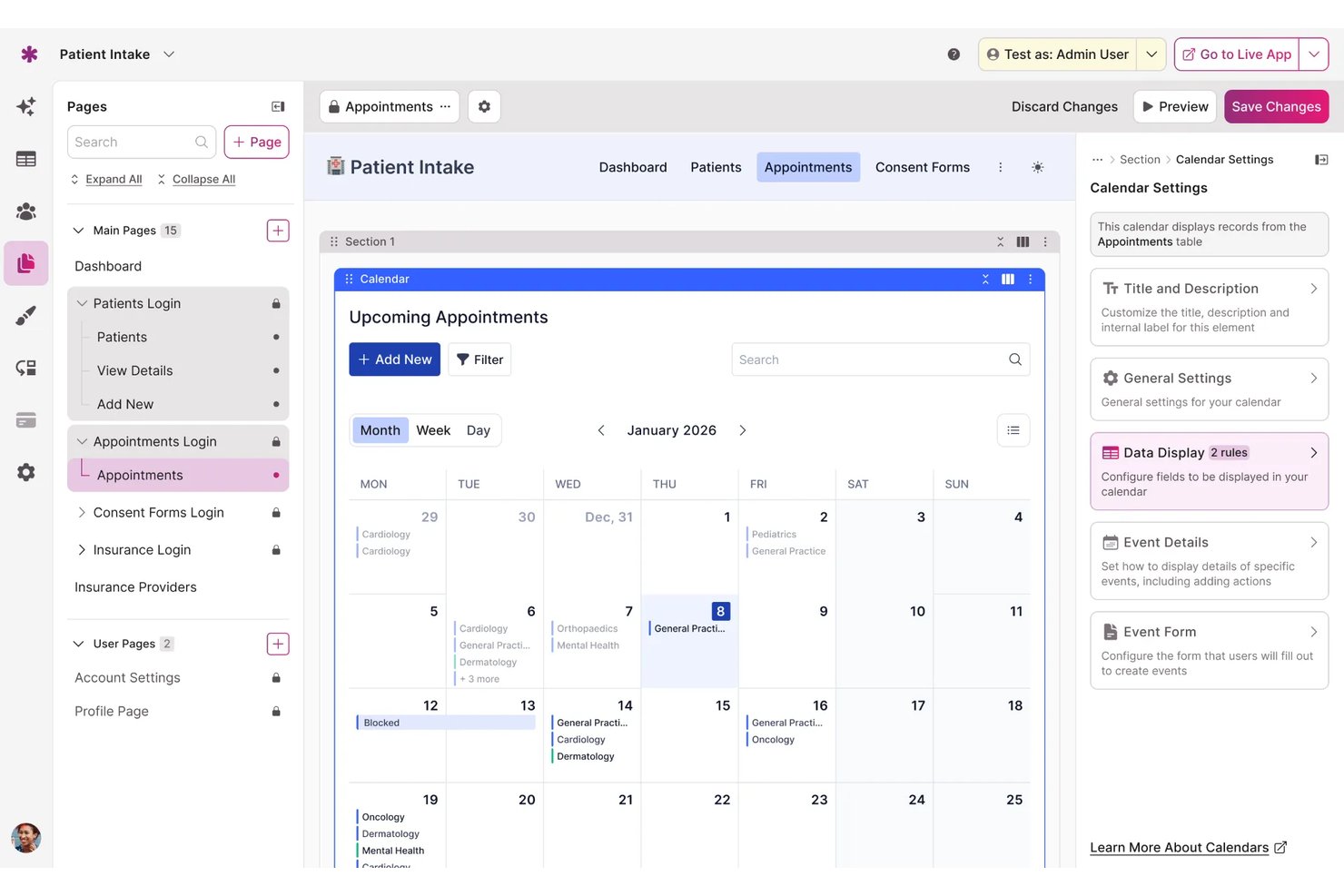
Knack is a no-code platform for building online databases and custom business applications, with tools for relational data modeling, workflow automation, role-based access controls, and reporting.
Who Is Knack Best For?
Knack is a strong fit for operations teams and citizen developers who need to replace spreadsheets with structured, relational databases and build custom internal tools without writing code.
Why I Picked Knack
Knack earns its spot on my shortlist because it genuinely replaces the relational structure of QuickBase at a fraction of the cost. I love how it handles real table-to-table connections, including many-to-many relationships, so you can model complex data like linking contacts to companies or tracking equipment across multiple job sites. The AI App Builder also lets you generate tables, pages, and forms from a single prompt, which cuts setup time considerably when migrating away from QuickBase.
Knack Key Features
- Role-based data access control: Define granular access permissions per user role and table, controlling who can create, edit, view, or delete specific records.
- Scheduled tasks: Set up automated record updates, connected record changes, and email sends on daily, weekly, or monthly schedules.
- Audit trail and record history: Track changed fields, previous and new values, change timestamps, and the logged-in user who made each change.
- REST API access: Connect external tools and services to your Knack data using a REST-style HTTP API with JSON support.
Knack Integrations
Knack Flows connects to 700+ connectors, including Microsoft Excel, Google, Salesforce, Airtable, Asana, Microsoft Teams, Shopify, Stripe, Mailchimp, and outgoing webhooks. It also provides a REST-style JSON API for custom integrations.
Pros and Cons
Pros:
- Controls record access by role and table
- Builds custom apps without coding quickly
- Consolidates spreadsheets into relational records
Cons:
- Advanced dashboards offer limited layout flexibility
- Complex workflows take hands-on configuration
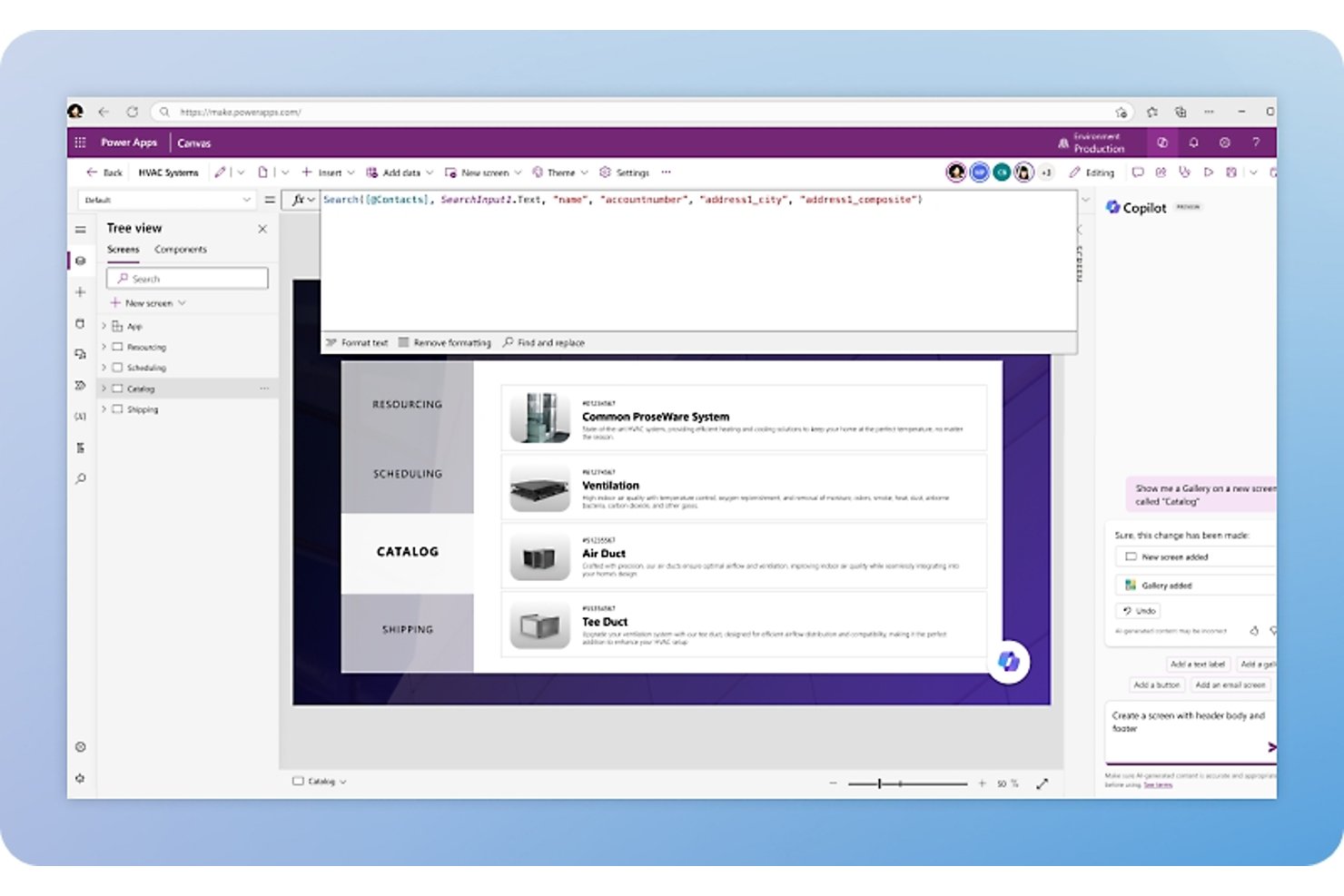
Microsoft Power Apps is a low-code application development platform that lets you build custom web and mobile business apps, automate workflows, and manage relational data through Microsoft Dataverse—without relying on a professional development team.
Who Is Microsoft Power Apps Best For?
Power Apps is a strong fit for organizations already running Microsoft 365 or Azure, where IT teams and citizen developers need to build internal tools without standing up separate infrastructure.
Why I Picked Microsoft Power Apps
I've included Power Apps in my top picks because it's the strongest option here for teams already running Microsoft 365 or Azure who want to build internal tools without spinning up separate infrastructure. I especially like how Dataverse handles relational data directly inside the Microsoft ecosystem, letting you model one-to-many and many-to-many table relationships and apply cascading rules across records. Pair that with native connections to SharePoint, Teams, and Dynamics 365, and replacing a Quickbase workflow becomes a much shorter lift.
Microsoft Power Apps Key Features
- Dataverse column-level security: Assign granular read, create, and update permissions to individual columns for specific users or teams.
- Power Fx formula engine: Write Excel-style formulas to filter, sort, and query data across connected data sources.
- Model-driven app dashboards: Build user or system dashboards with charts and lists pulled directly from Dataverse tables.
- Mobile offline mode: Enable standalone canvas apps to read and write Dataverse data without an active network connection.
Microsoft PowerApps Integrations
Microsoft PowerApps offers native integrations with Microsoft Teams, SharePoint, Dynamics 365, SAP, and Microsoft Dataverse. It also supports custom integrations through the Dataverse REST API and custom connectors.
Pros and Cons
Pros:
- Use Dataverse apps offline on mobile
- Model relational data with record-level auditing
- Build internal tools with little coding
Cons:
- Complex formulas and governance need technical oversight
- Nondelegable queries can miss larger datasets

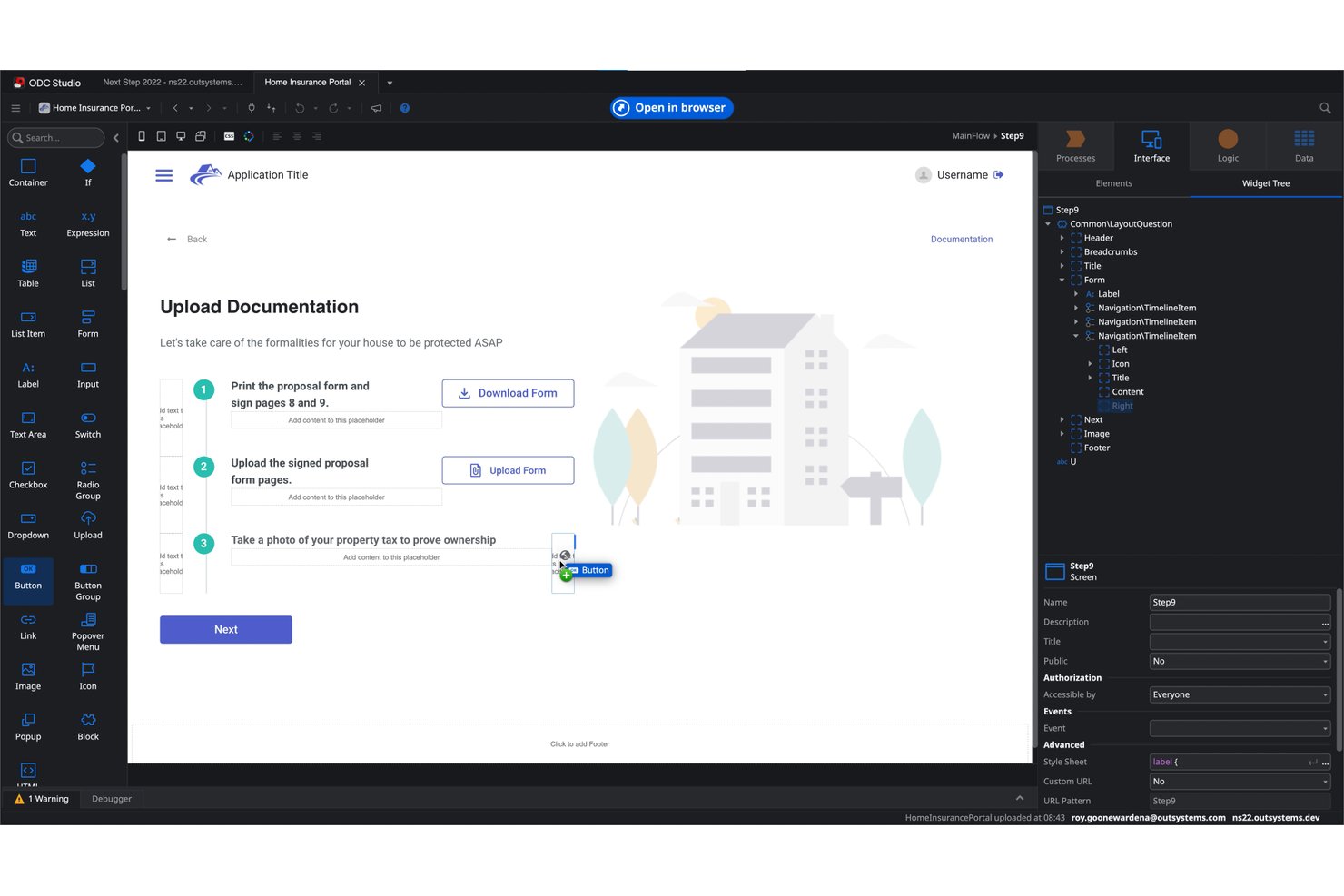
OutSystems is an enterprise low-code platform that lets IT teams and citizen developers build, automate, and deploy full-stack web and mobile applications using visual development, AI-assisted app generation, and 400+ pre-built integrations.
Who Is OutSystems Best For?
OutSystems suits enterprise IT teams and technically sophisticated organizations that need to build, deploy, and scale full-stack custom applications without relying entirely on traditional development cycles.
Why I Picked OutSystems
OutSystems earns its spot on my shortlist because it goes further than most low-code platforms by letting IT teams build full-stack, production-grade web and mobile apps without handing everything off to traditional development. I'm particularly impressed by Mentor, which generates application structures, screens, and data models from natural-language prompts, and by the visual workflow engine that supports multi-step approvals with agent and human oversight in the same process. For teams that have outgrown Quickbase's app-building constraints, OutSystems handles the complexity.
OutSystems Key Features
- Pre-built connectors: OutSystems includes 400+ native connectors to systems like SAP, Salesforce, ServiceNow, and PostgreSQL, letting you link apps to existing enterprise data sources.
- Role-based access controls: Administrators assign granular roles per app and stage, controlling access to screens, data, and functionality, with programmatic role granting and revocation.
- Audit trail logging: The platform logs platform operations across the Portal, Studio, and public APIs, with CSV exports that include source IP, trace ID, and configuration change history.
- Web and mobile app deployment: OutSystems supports building and publishing full-stack web and mobile applications, including offline mobile functionality backed by local SQLite storage.
OutSystems Integrations
OutSystems offers 400+ native integrations, including SAP, Salesforce, ServiceNow, MongoDB, PostgreSQL, and PayPal. It also supports REST, SOAP, MCP, and A2A APIs, custom connectors, and connections to external SQL Server, MySQL, Oracle, and other data sources.
Pros and Cons
Pros:
- Supports offline mobile apps with local data
- Automates multi-step approvals with human oversight
- Builds full-stack apps beyond Quickbase-style tools
Cons:
- AI-generated screens need careful review
- Advanced builds require developer expertise
Other Quickbase Alternatives
Here are some additional Quickbase alternatives that I shortlisted. While they didn’t make the top 10, they’re still valuable and worth a look.
- Smartsheet
For enterprise work management
- GoodDay
For diverse work views
- Podio
For project management and team collaboration
- Airtable
For no-code custom business apps
- Mendix
For rapid application development
- TrackVia
For mobile and web app development
- Betty Blocks
For citizen developers and business users
- Kintone
For team collaboration and custom workflows
- Bubble
For building web applications without code
- Creatio
For CRM and process automation
- Retool
For building internal tools quickly
- Insightly
For centralizing business data
- AppGyver
For creating apps with no-code tools


Related Project Management Software Reviews
If you still haven't found what you're looking for, check out these related project management tools we've tested and reviewed.
- Project Management Software
- Resource Management Software
- Workflow Automation Software
- Task Management Software
- Collaboration Tools
- Gantt Chart Maker
How I Evaluate Quickbase Alternatives
I evaluate tools against two layers: baseline criteria like relational data modeling and workflow automation, and differentiators that matter most to PMO and ops teams replacing Quickbase.
Core Functionality (Table Stakes For This List)
When I'm selecting tools for my list, I rank each one on a scale from 0 (does not offer the functionality) to 5 (excels in this area) for each core functionality listed below. Then, I calculate the tool's total score into a percentage. Each tool needs to achieve a minimum total score of 65% to be considered for inclusion.
- Custom App Building: I look for no-code/low-code builders where ops teams can spin up tailored apps—like a change request tracker or resource intake form—without filing a dev ticket.
- Relational Data Model: Each tool's ability to link records across tables matters. For example, connecting a project record to its tasks, contractors, and budget line items in a single workspace.
- Workflow Automation: I evaluate how each platform handles multi-step triggers, conditional logic, and approval chains—like auto-routing a scope change request to the right stakeholder based on project type.
- Project & Task Management: Core PM capabilities like dependencies, Gantt views, and milestone tracking get checked. Platforms like Smartsheet and monday.com approach this differently, so I look at depth and flexibility.
- Dashboards & Reporting: I check whether you can build real-time dashboards that pull data across apps and tables—the kind PMO directors need to report portfolio health to leadership without manual data wrangling.
- Integrations & API Access: The tool should connect to the systems your team already uses. I evaluate native connectors, REST API availability, webhook support, and compatibility with iPaaS platforms like Zapier or Make.
Once I have a list of tools that meet this criteria, I consider what sets each platform apart.
Differentiating Factors (What Sets Vendors Apart)
Here's how I compare and contrast different vendors:
Standout Features
Portfolio-level views matter when you're managing dozens of projects and need to report status to leadership without stitching spreadsheets together. I also evaluate whether a platform offers AI-assisted building—the ability to describe what you need in plain language and get a working app or formula back. Sandbox environments are another differentiator, especially for IT project leads who need to test workflow changes before pushing them live across teams.
Beyond Features
Pricing structure is one of the first things I check, since Quickbase's per-user costs push many teams to explore alternatives. I look at whether platforms separate builder seats from end-user seats and how minimums scale as your team grows. Implementation speed also matters—pre-built PM templates and starter apps can cut weeks off deployment compared to building from scratch. For enterprise buyers, I evaluate governance controls like role-based permissions, audit logs, and multi-environment support for separating dev and production workspaces.
Why Look For a Quickbase Alternative?
You might be looking for an alternative to Quickbase if you need the following.
- Lower costs: Quickbase's pricing can be relatively expensive, especially for smaller businesses or startups. The costs, which are based on per-user fees, can quickly add up, so it's less appealing for larger teams on a tight budget.
- More reporting features: Some users find Quickbase’s reporting tools less detailed than those offered by competitors, which can be a drawback for data-heavy enterprises.
- More intuitive user interfaces: The flexibility and depth of Quickbase's options come with a steep learning curve. You might find it challenging to navigate the platform and use it to its full potential without substantial training.
- Better integration: Despite supporting various integrations, Quickbase might not connect with other software you're already using, which would require additional customization or third-party tools. This can complicate the setup process and increase overall system maintenance.
- Effective scalability: Quickbase has extensive customization options, but limited integrations and reporting options might slow you down when you're trying to scale.
Quickbase Alternatives Key Features
To be a valuable Quickbase alternative, there are some key features your chosen software should offer or improve upon. Here are some of the features I am looking for.
- No-code visual builder: Allows users to create applications without coding
- Workflow automation: Automates repetitive tasks to improve efficiency
- Customizable dashboards: Provides user-specific dashboards for better data visualization
- Real-time collaboration: Enables multiple users to work on the same data simultaneously
- Advanced reporting: Offers interactive and customizable reports
- Data integration: Connects with various external systems for unified data management
- Mobile access: Empowers field operations with real-time data access on mobile devices
- Role-based permissions: Controls user access and permissions at granular levels
- AI capabilities: Utilizes AI for smarter insights and decision-making
- Scalability: supports enterprise-grade scalability and security