

10 Best Obsidian Alternatives for Note-Taking in 2026

Best Obsidian Alternatives Shortlist


Managing projects is tough, and finding the right tools can make all the difference. If you use Obsidian but find it doesn't quite fit your team's needs, you might be considering alternatives. Maybe you're looking for better collaboration features or something more user-friendly.
In my experience, note-taking apps can help you organize tasks and ideas efficiently. I’ve tested and reviewed various software to give you unbiased insights. This listicle will guide you through the best Obsidian alternatives, focusing on what can truly benefit your team.
You'll discover options tailored to different industries and team sizes. Whether it's integration, storage, or compliance, I'll help you find the right fit. Let's dive in and explore what might be the perfect solution for your project management challenges.
What is Obsidian?
Obsidian is a note-taking app that helps you organize and connect your ideas using a markdown format. It's popular among writers, researchers, and project managers who need a flexible tool for handling complex information.
Obsidian's linking, graph view, and markdown capabilities help with visualizing connections, organizing thoughts, and maintaining a structured workflow. Overall, Obsidian offers a versatile platform for managing detailed notes and fostering creativity.
Best Obsidian Alternatives Summary
This comparison chart summarizes pricing details for my top Obsidian alternatives to help you find the best one for your budget and business needs.
| Tool | Best For | Trial Info | Price | ||
|---|---|---|---|---|---|
| 1 | Best for smooth iCloud syncing | Free plan available | Free to use | Website | |
| 2 | Best for advanced search and web clipping | Free plan + 7-day free trial available | From $8.25/month (billed annually) | Website | |
| 3 | Best for integration with Microsoft apps | 30-day free trial available | From $6/user/month (billed annually) | Website | |
| 4 | Best for team collaboration and management | Free plan + free demo available | From $10/user/month (billed annually) | Website | |
| 5 | Best for open-source and secure notes | Free-forever plan available | Free to use | Website | |
| 6 | Best for AI-powered productivity | Free plan available | From $16/month (billed annually) | Website | |
| 7 | Best for real-time collaboration | Free plan available | From $11.99/year | Website | |
| 8 | Best for interactive learning tools | Free plan available | From $20/year | Website | |
| 9 | Best for simplicity and accessibility | Free plan available | Free to use | Website | |
| 10 | Best for real-time PDF markup and collaboration | 7-day free trial + free plan + free demo available | From $4.19/month | Website |
Why Trust Our Software Recommendations
Our team has been testing and reviewing software since 2012. As project managers ourselves, we know how difficult—and important—it is to choose the right software.
For this guide, we evaluated tools using hands-on testing and independent research, scoring tools using our selection criteria. We also draw on insights from industry thought leaders and practicing project management experts.
Our reviews reflect our human editorial judgment, not a sales pitch.
Expert reviewers:
Best Obsidian Alternatives Reviews
Below are my detailed summaries of the best Obsidian alternatives that made it onto my shortlist. My reviews offer a detailed look at the key features, pros and cons, integrations, and ideal use cases of each tool to help you find the best one for you.

Best for smooth iCloud syncing
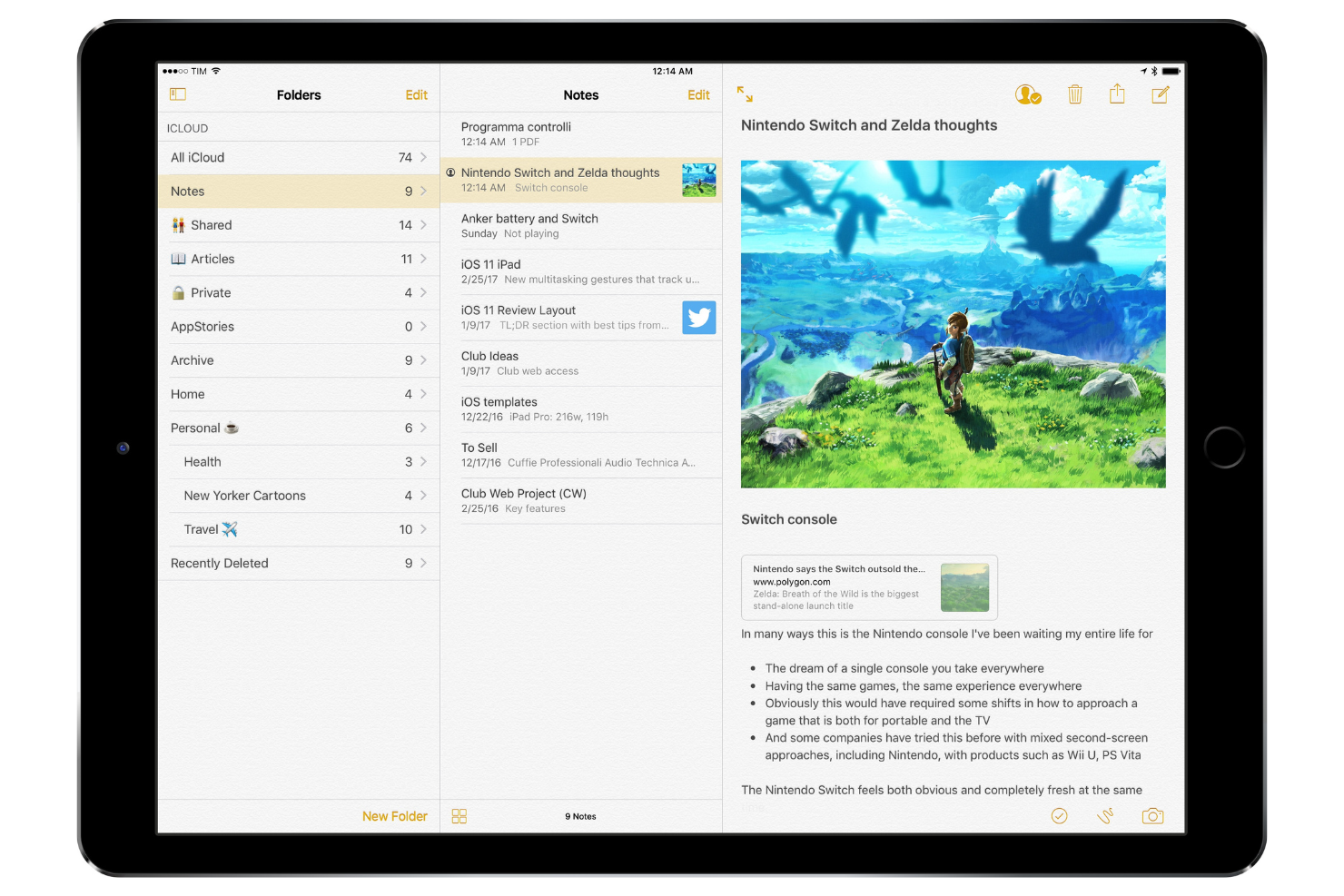
Apple Notes is a note-taking tool that caters primarily to Apple device users, including students, professionals, and creatives. It allows users to capture ideas, organize notes, and collaborate with others through shared notes.
Why it's a good Obsidian alternative: It offers smooth iCloud syncing, keeping your notes accessible across all Apple devices. With features such as shared folders and the ability to lock notes, the Notes app supports both personal and collaborative projects. The app’s integration with Siri lets you quickly create notes using voice commands. Apple Notes also supports rich text formatting and attachments, making it versatile for various use cases.
Standout Features and Integrations:
Features include the ability to scan documents directly into the app, organize notes with tags, and create checklists for task management. You can also draw sketches and add them to your notes, which is great for visual thinkers. The app supports note sharing with others, improving collaboration.
Integrations include Apple iCloud and more.
Pros and Cons
Pros:
- Integrates with Siri for voice notes
- Note sharing with others
- Syncing across Apple devices
Cons:
- Limited to the Apple ecosystem
- Limited formatting options

Evernote
Best for advanced search and web clipping
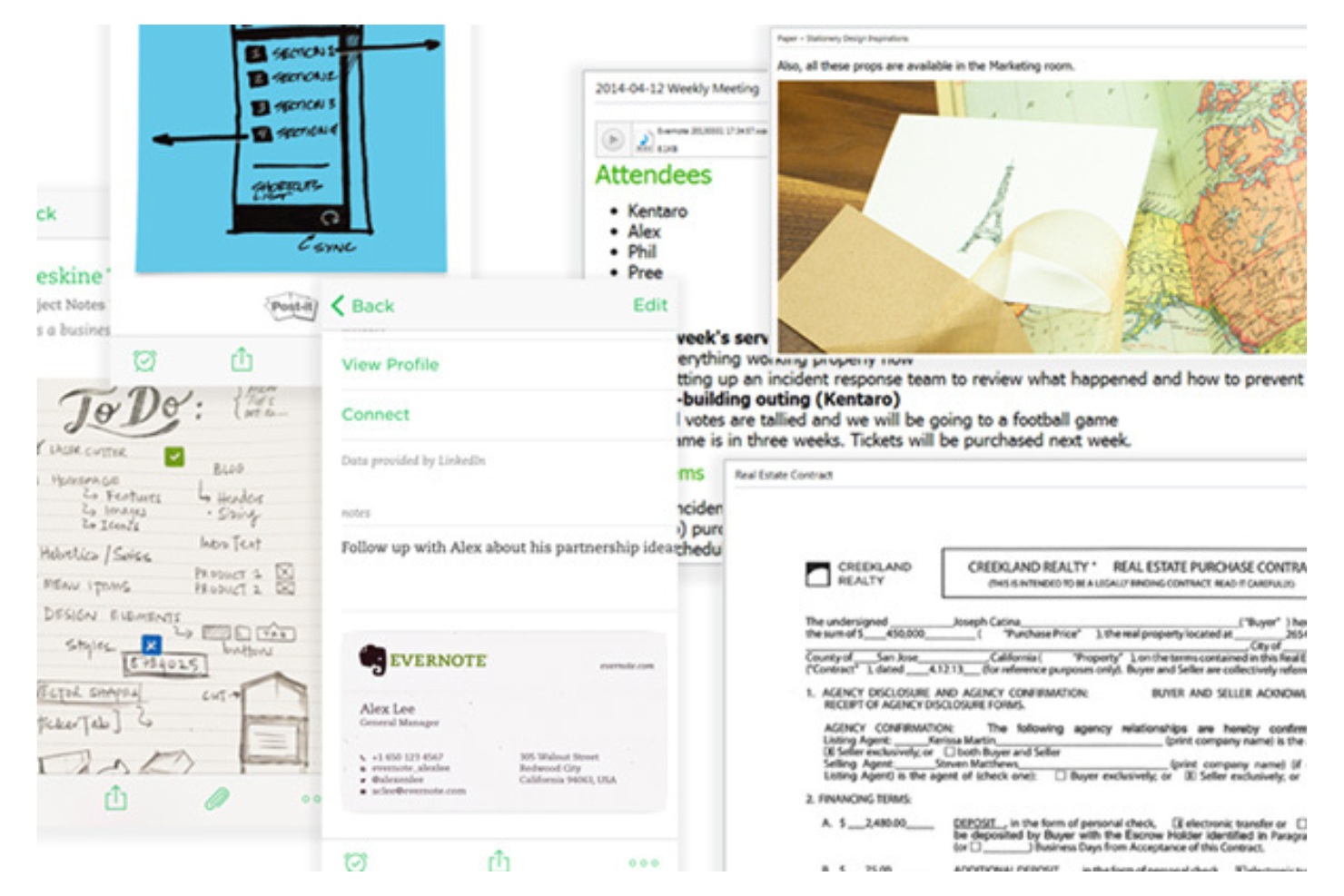
Evernote is a note-taking and organization tool used by professionals and students to capture ideas, manage projects, and store information. It works like a second brain and helps users keep track of notes, tasks, and documents in one centralized location.
Why it's a good Obsidian alternative: It offers advanced search capabilities and web clipping features, making it ideal for users who need to gather and organize information efficiently. Evernote allows you to search within PDFs and images, which is useful for research and documentation. The web clipper lets you save articles, web pages, and emails directly to your notes. Its tagging system helps you categorize and find notes quickly.
Standout Features and Integrations:
Features include the ability to organize notebooks by project or topic and an AI assistant to help manage your tasks. You can also set reminders to keep track of deadlines and use its daily journaling template to capture your thoughts and emotions. Evernote's handwriting recognition allows you to search handwritten notes, adding another layer of utility for diverse note-taking styles.
Integrations include Google Drive, Google Calendar, Slack, Microsoft Outlook, Google Gmail, Zapier, and more.
Pros and Cons
Pros:
- Reminders for task management
- Web clipping tool
- Search capabilities
Cons:
- Strict limits on free version
- Requires regular updates
Best for integration with Microsoft apps
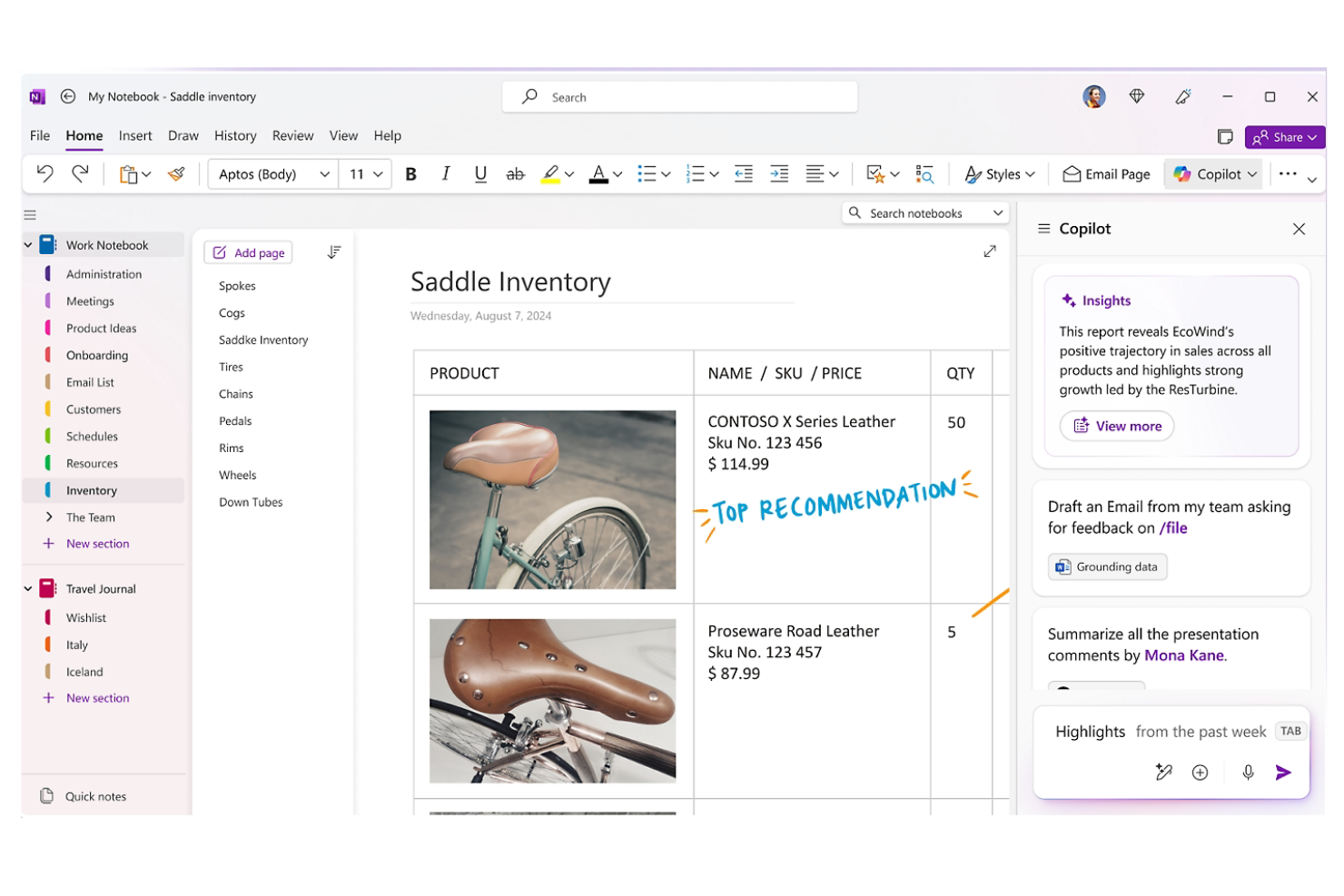
Microsoft OneNote is a digital note-taking app primarily used by students, educators, and professionals for organizing information and collaborating on projects. It supports capturing ideas, organizing content, and sharing notes with others.
Why it's a good Obsidian alternative: It integrates smoothly with other Microsoft apps, making it ideal if your team already uses Microsoft 365. With features such as shared notebooks and real-time collaboration, OneNote enables efficient teamwork. The ability to embed documents and multimedia improves note-taking. Its intuitive organizational structure helps you keep track of complex projects.
Standout Features and Integrations:
Features include the ability to create sections and pages, draw and annotate with a stylus, and audio recording capabilities for capturing meeting notes. You can also search handwritten notes, making it easy to find specific content. The app's flexibility allows for embedding different types of media within notes.
Integrations include Microsoft 365, Microsoft SharePoint, and more.
Pros and Cons
Pros:
- Allows handwriting search
- Real-time collaboration features
- Integrates well with the Microsoft ecosystem
Cons:
- Requires a Microsoft account
- Mobile app lacks some desktop features
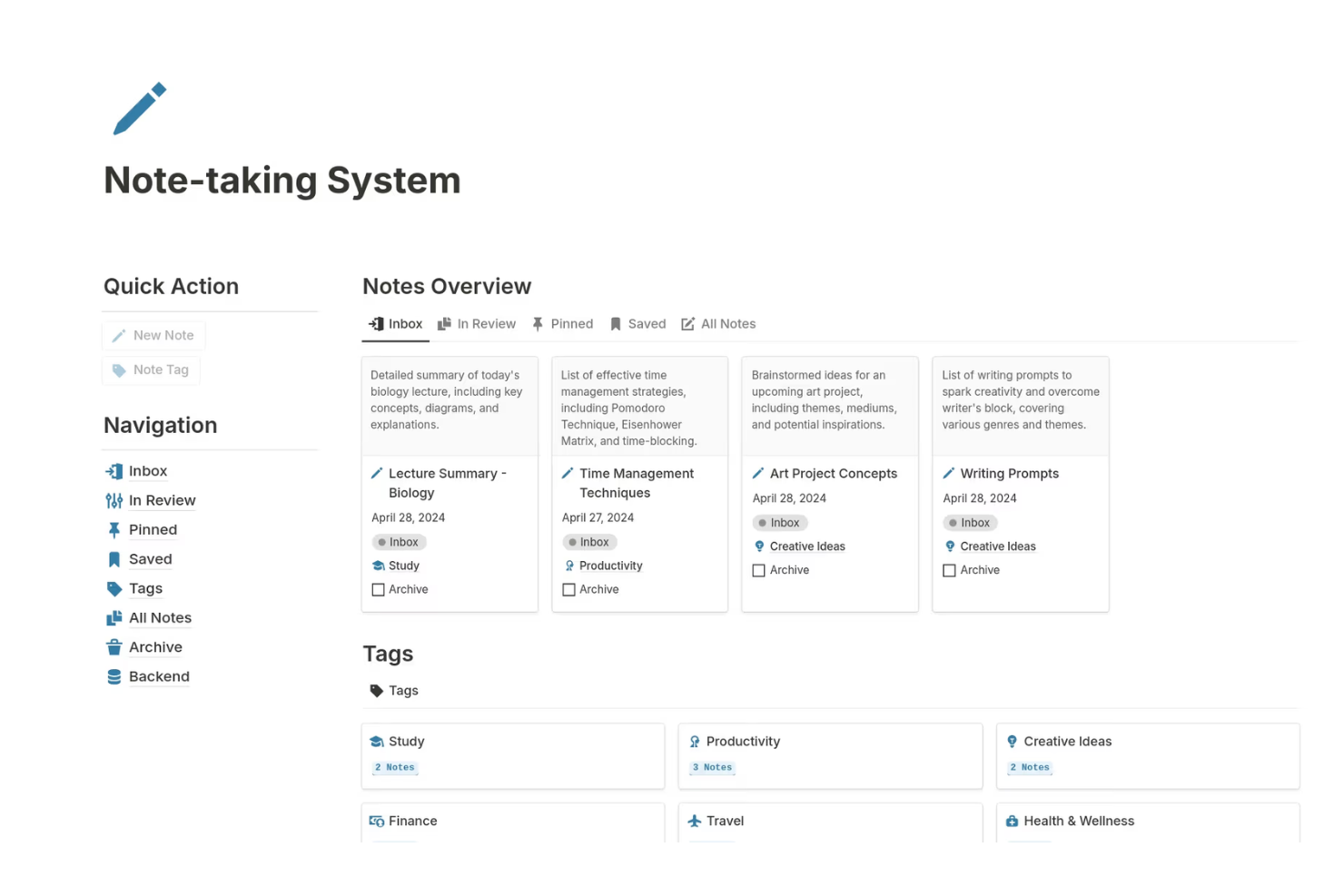
Notion is a versatile personal knowledge management tool used by teams and individuals as a notes organizer, outliner, and database tool for project management and knowledge bases. It offers a flexible platform where you can create notes, databases, and wikis to support various business functions.
Why it's a good Obsidian alternative: It excels in team collaboration and management, providing shared workspaces that strengthen teamwork. You can build custom dashboards to track projects and progress, which is great for keeping everyone aligned. Notion's templates allow you to quickly set up pages for different purposes, saving time on configuration. Its drag-and-drop interface makes it easy to organize content to fit your needs.
Standout Features and Integrations:
Features include the ability to create relational databases, which helps in linking different types of content. You can also use Kanban boards to visualize tasks and workflows. The app supports embedding various types of media, making it a dynamic tool for content creation.
Integrations include Slack, Google Drive, Trello, GitHub, Asana, Zapier, Typeform, Figma, and more.
Pros and Cons
Pros:
- Easy to set up templates
- Highly customizable pages
- Supports project management
Cons:
- Overkill for simple notes
- Limited offline functionality

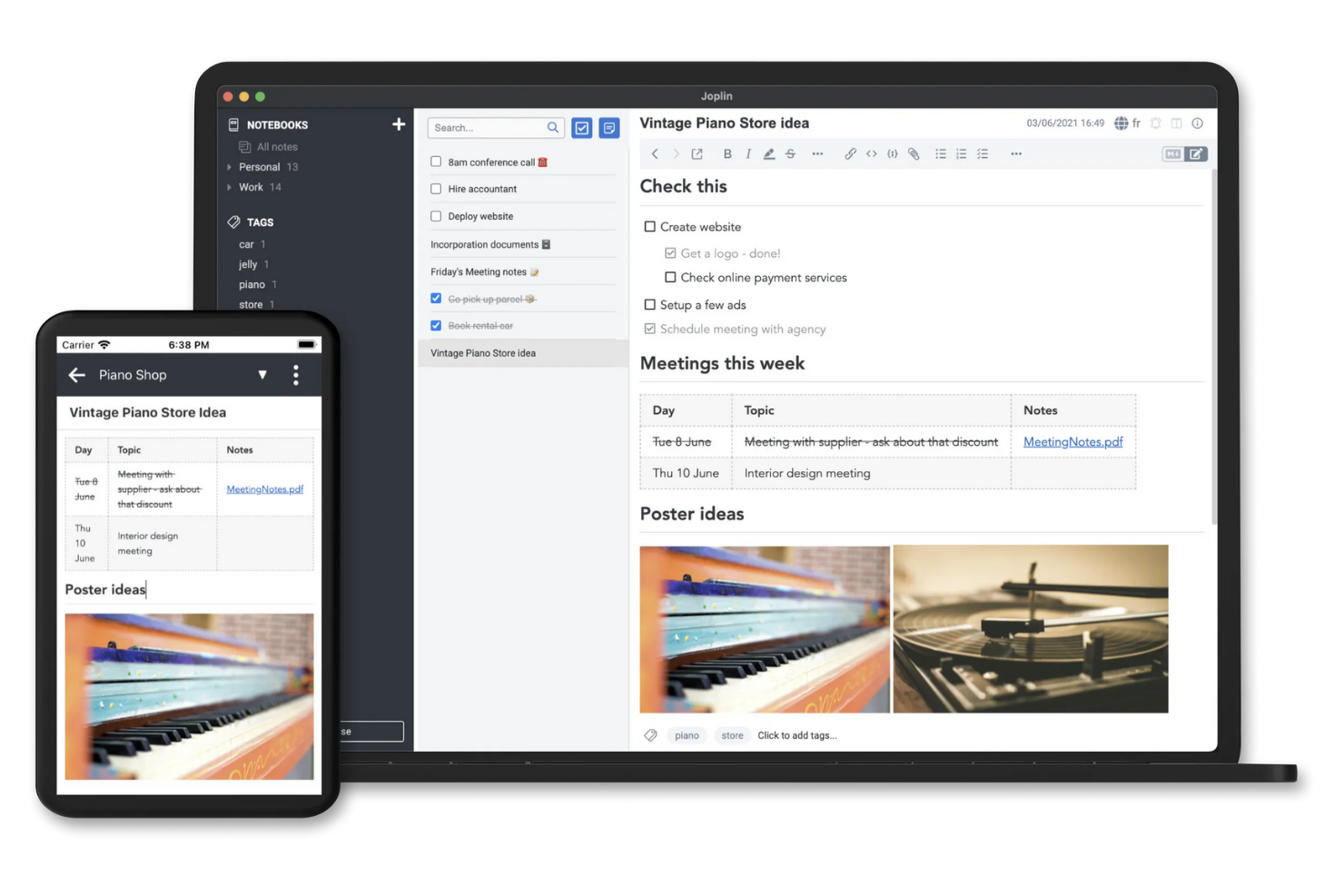
Joplin is an open-source note-taking and to-do application designed with a local-first approach for users who prioritize privacy and security. It caters to individuals and teams looking to organize notes and tasks efficiently while maintaining data control.
Why it's a good Obsidian alternative: This is an open-source alternative available for mobile devices and desktops, including Windows, Linux, and Mac, that offers secure note-taking, allowing you to self-host your data on your own servers. Joplin supports end-to-end encryption, keeping your notes safe from unauthorized access. You can organize your notes using notebooks, tags, and a markdown editor, providing flexibility in how you manage your information. The app's offline-first capabilities let you access your notes without an internet connection, making it convenient for on-the-go use.
Standout Features and Integrations:
Features include the ability to synchronize notes across multiple devices using your preferred cloud service. It also supports bidirectional linking through dedicated plugins to create networked notes. You can also search through your notes with advanced search options to find specific content quickly. Joplin's web clipper lets you save web pages and screenshots to your notes, improving your research and documentation.
Integrations include Nextcloud, Dropbox, Microsoft OneDrive, Evernote, Microsoft Azure, and more.
Pros and Cons
Pros:
- Offline access to notes
- Strong focus on data privacy
- Open-source with customization options
Cons:
- Limited collaboration features
- No built-in OCR for images


Saner.AI is a productivity tool that uses artificial intelligence to improve note-taking and task management for professionals and teams. It is designed to assist users in organizing their workflows and improving efficiency.
Why it's a good Obsidian alternative: It offers AI-powered productivity features, helping you automate tasks and manage notes more effectively. With intelligent suggestions, Saner.AI can help prioritize tasks based on urgency and importance. Its AI capabilities allow for smart categorization of notes, making it easier to find what you need. The tool's AI-driven productivity features help you and your team work smarter, not harder.
Standout Features and Integrations:
Features include predictive text input, which speeds up the note-taking process. You can also set up automated reminders to keep track of important deadlines. The tool offers analytics to give insights into your productivity patterns, helping you identify areas for improvement.
Integrations include Slack, Google Calendar, Google Gmail, and more.
Pros and Cons
Pros:
- Predictive text input
- Smart note categorization
- AI-driven task prioritization
Cons:
- Desktop-first; mobile is limited
- Relies heavily on AI credits

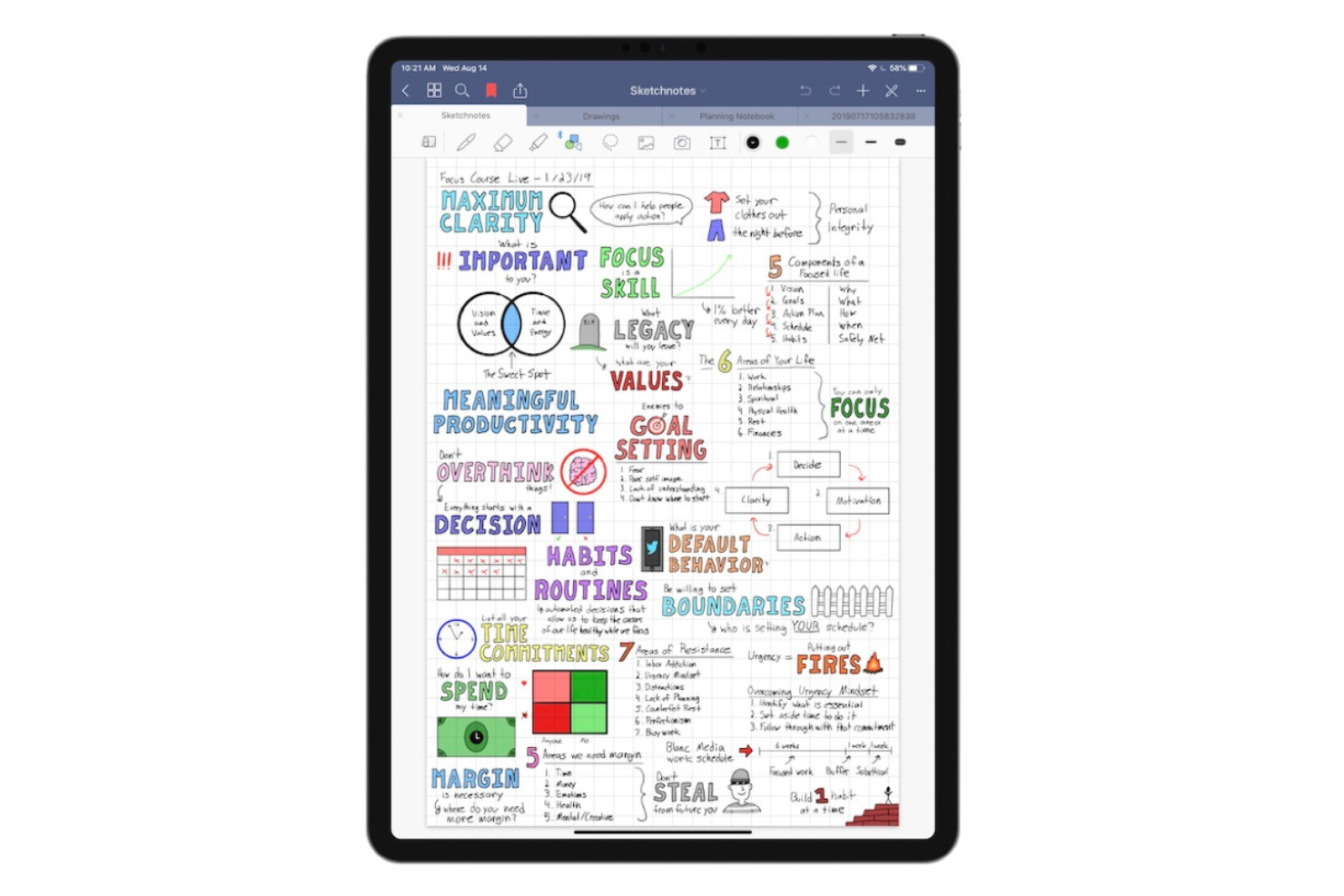
Goodnotes is a note-taking app designed for students, educators, and professionals who prefer handwritten notes on digital devices, including for Mac, Windows, and Android. It allows users to create, organize, and share notes, making it a versatile tool for both personal and academic use.
Why it's a good Obsidian alternative: It supports real-time collaboration, enabling you and your team to work on notes simultaneously. Goodnotes offers a smooth writing experience with its handwriting recognition feature. You can convert handwritten notes into text, which is handy for organizing your thoughts. The app's notebook system allows you to categorize and access notes efficiently, making it a practical option for collaborative projects.
Standout Features and Integrations:
Features include the ability to annotate PDFs directly within the app, which is useful for reviewing documents. You can also import images and diagrams into your notes, adding visual elements to your content. The app's search function helps you find specific notes or keywords quickly.
Integrations include Apple iCloud, Google Drive, Microsoft OneDrive, Microsoft Teams, and more.
Pros and Cons
Pros:
- Real-time collaboration features
- Allows PDF annotation
- Supports handwriting recognition
Cons:
- Limited cross-platform support
- Handwriting search can fail
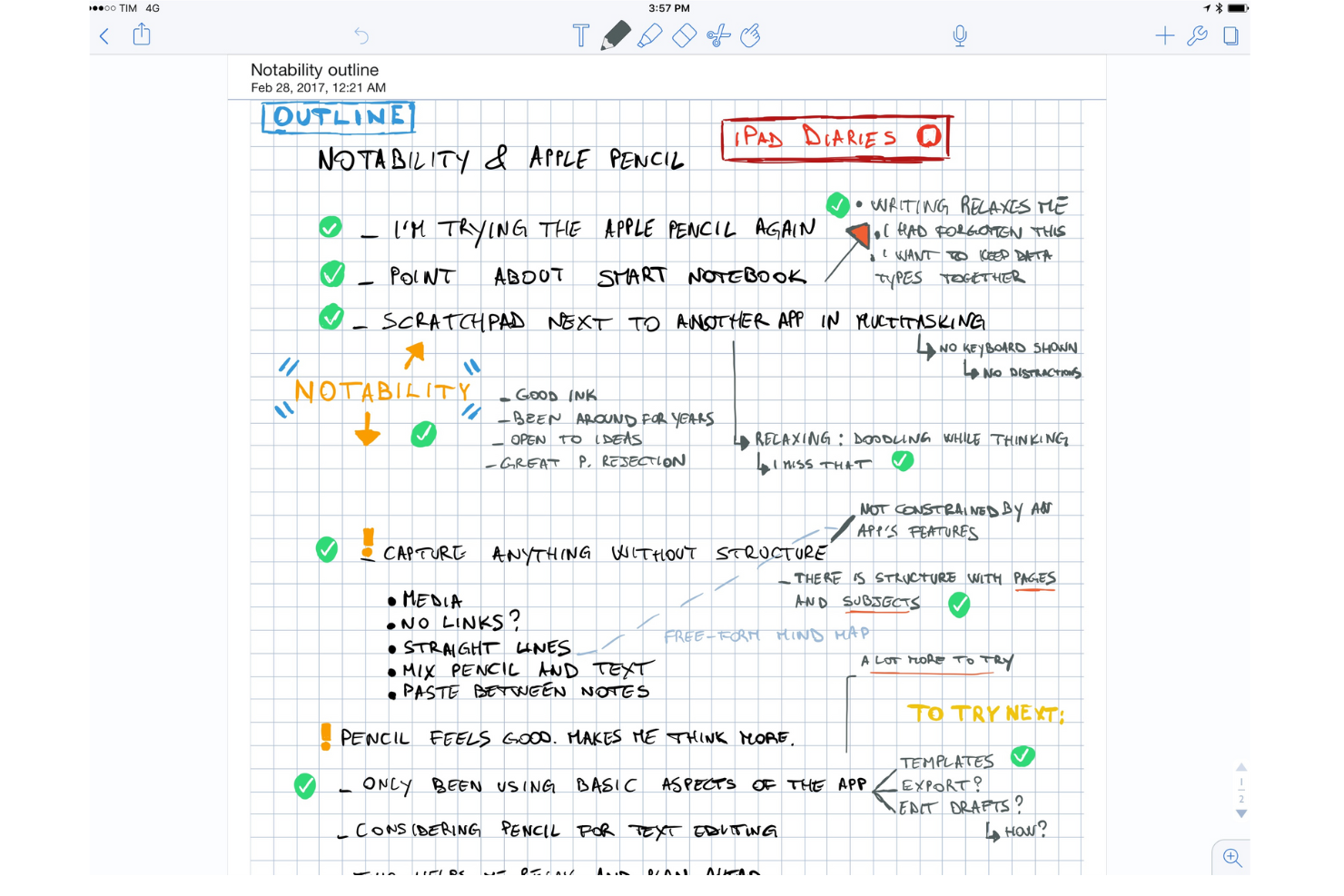
Notability is a note-taking app popular among students, educators, and professionals for its ability to combine handwriting, photos, and typing in a single note. It allows users to capture ideas, annotate documents, organize notes effectively, and can be used as a digital whiteboard.
Why it's a good Obsidian alternative: It offers interactive learning tools that improve note-taking with multimedia elements. You can record audio notes while writing, which is helpful for lectures and meetings. The app's ability to annotate PDFs and images and the AI-powered flashcard feature make it versatile for different learning styles. Notability's user-friendly interface lets you focus on your content without getting bogged down by complex features.
Standout Features and Integrations:
Features include the ability to search handwritten notes and convert them to text. You can also organize notes into subjects and dividers for better categorization. The app supports importing and exporting documents in various formats, making it easy to share your work.
Integrations include Apple iCloud, Google Drive, Dropbox, Microsoft OneDrive, Box, Apple Pencil, Evernote, and more.
Pros and Cons
Pros:
- Supports multimedia elements
- Annotates PDFs and images
- Combines handwriting with audio recording
Cons:
- Collaboration is not real-time
- Requires Apple Pencil for best use


Easy Notes is a minimalistic personal note-taking app aimed at users who want a simple and accessible way to jot down notes and organize information. It's popular among individuals looking for a user-friendly tool to quickly capture thoughts and tasks.
Why it's a good Obsidian alternative: It offers simplicity and accessibility, making it easy for anyone to use. The app's clean interface allows you to focus on your notes without distractions. You can create colorful notes and lists to organize your thoughts effectively. Its quick access feature lets you jot down ideas whenever they come to you, boosting productivity.
Standout Features and Integrations:
Features include the ability to create checklists to track tasks and to-do items. You can also set reminders so you don’t forget important tasks. The app allows you to pin notes to keep them at the top of your list for easy access.
Integrations are not publicly listed.
Pros and Cons
Pros:
- Task tracking
- Quick access to notes
- Simple and intuitive design
Cons:
- Basic folder structure only
- Cloud sync limited to premium

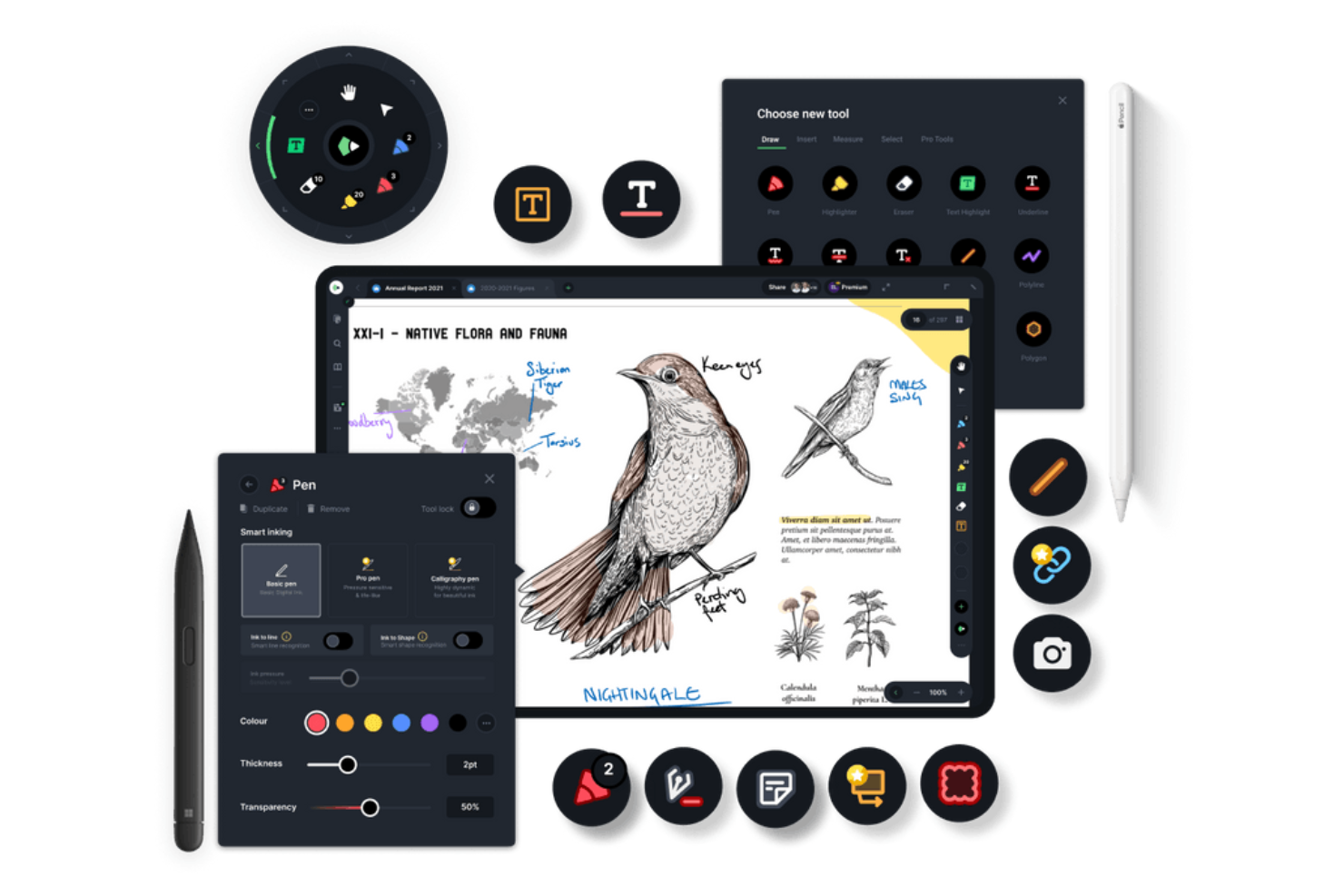
Drawboard PDF is a document productivity tool used by professionals and teams to annotate, edit, and collaborate on PDF documents. It is ideal for architects, engineers, and designers who need precise markup tools.
Why it's a good Obsidian alternative: It offers real-time PDF markup and collaboration, allowing your team to work together on documents simultaneously. You can use tools such as text boxes, shapes, and freehand drawing to annotate PDFs, which is great for detailed reviews. The app supports digital signatures, making document approval processes smoother. Its focus on collaboration and markup makes it a versatile tool for various professional needs.
Standout Features and Integrations:
Features include the ability to customize toolbars for quick access to frequently used tools. You can also use pressure-sensitive ink for more natural handwriting and drawing. The app allows you to overlay images and text on PDFs, improving document clarity.
Integrations include Microsoft OneDrive, Microsoft SharePoint, Dropbox, Google Drive, Box, Microsoft Teams, Slack, and more.
Pros and Cons
Pros:
- Pressure-sensitive ink support
- Supports digital signature
- Real-time collaboration features
Cons:
- Performance lags on large PDFs
- Consumes high battery
Other Obsidian Alternatives
Here are some additional Obsidian alternatives that didn’t make it onto my shortlist, but are still worth checking out:
- Zoho Notebook
For multimedia note-taking
- Tana
For data enthusiasts
- Google Keep
For quick note-taking and reminders
- Hive Notes
For team meeting notes
- Logseq
For privacy & outlining
- Heptabase
For visual learning


How I Evaluate Obsidian Alternatives
I split my evaluation into two layers: baseline capabilities every solid knowledge tool needs, and the differentiators—like graph views or Jira sync—that matter most for PMs.
Core Functionality (Table Stakes For This List)
When I'm selecting tools for my list, I rank each one on a scale from 0 (does not offer the functionality) to 5 (excels in this area) for each core functionality listed below. Then, I calculate the tool's total score into a percentage. Each tool needs to achieve a minimum total score of 75% to be considered for inclusion.
- Markdown & Rich Text Editing: I look for a flexible editor that handles markdown, code blocks, tables, and embeds—the kind of formatting you actually need when writing sprint briefs or PRDs.
- Bidirectional Linking: Backlinks and linked references help PMs trace decisions back to their source. I check whether tools surface these connections automatically or require manual upkeep.
- Task & Project Tracking: Every tool should let you assign tasks, set due dates, and track progress without jumping to a separate app. Tools like Notion and Coda blend tasks into docs natively.
- Real-Time Collaboration: I evaluate whether teams can co-edit pages, leave inline comments, and tag teammates—especially for async standups and distributed retro sessions.
- Cloud Sync & Cross-Platform Access: Project notes need to be reachable from a laptop, phone, or browser. I check sync reliability across devices and whether offline mode actually works.
- Search & Knowledge Organization: A growing project wiki gets unwieldy fast. I look for full-text search, tagging, nested page hierarchies, and filters that make past decisions easy to find.
Once I have a list of tools that meet this criteria, I consider what sets each platform apart.
Differentiating Factors (What Sets Vendors Apart)
Here's how I compare and contrast different vendors:
Standout Features
AI features matter when you're managing multiple projects. Tools like Notion and Coda offer AI that can summarize lengthy meeting notes or draft status updates from scattered inputs. I also evaluate database and custom view support, since PMs often need to toggle between a Kanban board for sprint work and a timeline view for stakeholder reporting within the same workspace. Templates for recurring workflows like sprint retros or project kickoffs save real setup time, especially when paired with automations that assign tasks or update statuses on trigger.
Beyond Features
Integrations shape how well a tool fits your existing workflow. I check whether each platform connects to tools like Jira, Slack, and GitHub, since a disconnected knowledge base creates more friction than it solves. Data portability also weighs heavily—markdown export and version history mean you're not locked into a vendor if your needs change. One of Obsidian's biggest draws is data ownership, so I look at whether alternatives offer local storage or self-hosting options. Finally, I consider how pricing scales per seat, since a PMO rollout looks very different from a solo PM subscription.
Why Look for an Obsidian Alternative?
While Obsidian is a good choice of note-taking app, there are a number of reasons why some users seek out alternative solutions. You might be looking for an Obsidian alternative because…
- You need more collaboration features
- Your team requires mobile access
- You want integrated task management
- Your project demands advanced search tools
- You need a simpler user interface
- Your team works in different time zones
If any of these sound like you, you’ve come to the right place. My list contains several note-taking app options that are better suited for teams facing these challenges with Obsidian and looking for alternative solutions.
Obsidian Features
Here are some of the key features of Obsidian, to help you contrast and compare what alternative solutions offer:
- Markdown-based storage: Notes are saved as plain-text markdown files, giving you control and portability.
- Backlinks: Create links between notes to build a connected knowledge network, improving your ability to find related information.
- Graph view: Visualizes the connections between your notes, which helps you see the bigger picture and relationships in your data.
- Plugins: Extend functionality with community-developed plugins, allowing you to customize Obsidian to fit your needs.
- Local storage: Stores notes privately on your device, providing quick access and privacy.
- Customizable themes: Tailor the appearance of your workspace to match your preferences, making it more comfortable to use.
- Daily notes: Automatically create and organize notes by date, helping you keep track of daily thoughts and tasks.
- Version control: Tracks changes to your notes, allowing you to revert to previous versions if needed.
- Cross-platform availability: Access your notes on various devices, maintaining continuity in your workflow.
- Advanced search: Quickly finds specific notes or content within your notes, improving efficiency.
What’s Next:
If you're in the process of researching a note-taking app, connect with a SoftwareSelect advisor for free recommendations.
You fill out a form and have a quick chat where they get into the specifics of your needs. Then you'll get a shortlist of software to review. They'll even support you through the entire buying process, including price negotiations.