

10 Best Loopio Alternatives in 2026

Best Loopio Alternatives Shortlist


Strong Loopio alternatives give you flexible proposal software that speeds up responses, adapts to your team’s workflow, and keeps version chaos under control. If you’re searching for platforms that go beyond Loopio’s approach, you’re likely dealing with rising RFP volume, tight deadlines, and shifting content needs. Here, you’ll find options that fit specialized requirements—from deep Microsoft 365 integration to AI-powered draft creation—so you can confidently pick a proposal solution that fits how your team actually works.
What Is Loopio?
Loopio is a proposal software platform designed to organize, automate, and accelerate response processes for RFPs, RFIs, and security questionnaires. It centralizes reusable content and lets your team collaborate in one place. Project managers, sales teams, and subject matter experts use Loopio to cut down response time and maintain consistency in proposals. If you need better workflow control and content management for proposals, Loopio is one of the recognized options.
Loopio Alternatives Comparison Table
This comparison table summarizes pricing details for my top Loopio alternative selections:
| Tool | Best For | Trial Info | Price | ||
|---|---|---|---|---|---|
| 1 | Best for learning from prior proposal edits | Free demo available | Pricing upon request | Website | |
| 2 | Best for branded sales proposal design | 14-day free trial + free demo available | From $19/user/month (billed annually) | Website | |
| 3 | Best for e-signature and proposal delivery | Free plan + 14-day free trial + free demo available | From $19/user/month | Website | |
| 4 | Best for content tailored to industry jargon | Free demo available | Pricing upon request | Website | |
| 5 | Best for AI-generated first draft responses | Free demo available | From $899/month (billed annually) | Website | |
| 6 | Best for enterprise-level RFP automation | Free demo available | Pricing upon request | Website | |
| 7 | Best for centralized knowledge reuse at scale | Free demo available | Pricing upon request | Website | |
| 8 | Best for tight Microsoft 365 integration | Free demo available | Pricing upon request | Website | |
| 9 | Best for AI-powered answer recommendations | Free demo available | Pricing upon request | Website | |
| 10 | Best for complex content management workflows | Free demo available | Pricing upon request | Website |
Why Trust Our Software Recommendations
Our team has been testing and reviewing software since 2012. As project managers ourselves, we know how difficult—and important—it is to choose the right software.
For this guide, we evaluated tools using hands-on testing and independent research, scoring tools using our selection criteria. We also draw on insights from industry thought leaders and practicing project management experts.
Our reviews reflect our human editorial judgment, not a sales pitch.
Expert reviewers:
Best Loopio Alternatives Reviews
Below are my detailed summaries of the best Loopio alternatives that made it onto my shortlist. My reviews offer a detailed look at the features, integrations, and best use cases of each proposal software to help you find the best one for you.

Best for learning from prior proposal edits
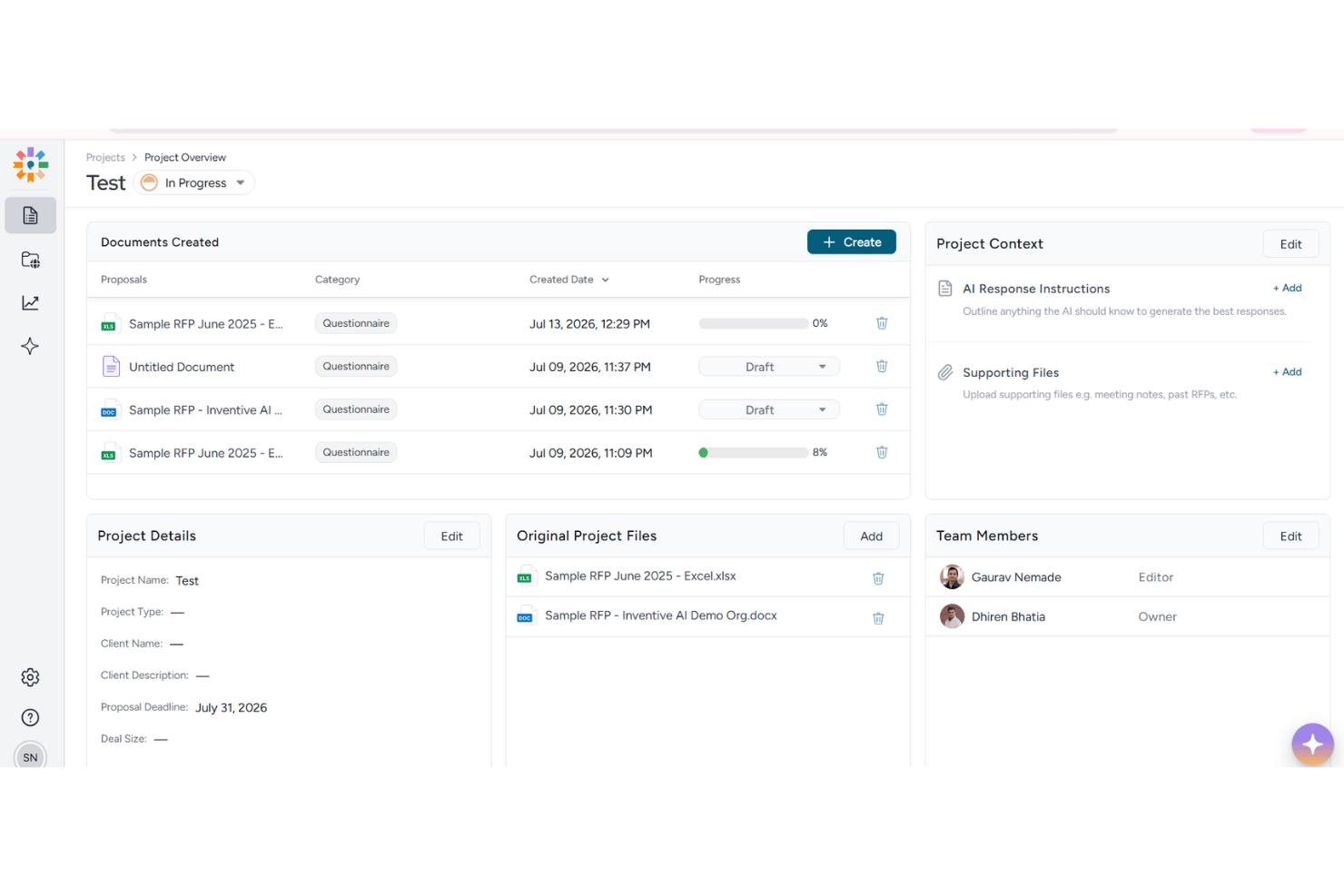
Inventive AI is an AI-native RFP response platform built for proposal and sales teams who need to generate accurate first drafts faster by pulling directly from their existing knowledge sources, documents, and CRM data.
Who Is Inventive AI Best For?
Inventive AI is a strong fit for mid-market B2B SaaS companies with lean proposal teams handling a high volume of RFPs and security questionnaires.
Why Inventive AI Is a Good Loopio Alternative
I picked Inventive AI as one of the best because its AI engine actually learns from how your team edits responses over time. When I refine an answer in one RFP, that context carries forward into future drafts. The AI Content Manager also flags conflicting information across past submissions, so repeated edits don't introduce inconsistencies across a high-volume response pipeline.
Inventive AI Key Features
- Unified knowledge hub: Centralizes past RFPs, synced documents, and Q&A pairs from multiple sources for easy search and retrieval.
- Multi-format support: Imports and exports Word, Excel, PDF, and CSV files while preserving original formatting and structure.
- Role-based permissions: Lets you control access to sensitive content and manage user roles across projects and libraries.
- Slack and Teams integration: Enables proposal teams to collaborate and communicate directly within their preferred channels.
Inventive AI Integrations
Inventive AI offers native integrations with Salesforce, HubSpot, Slack, Google Drive, Microsoft OneDrive, Notion, and Confluence, and provides an API for custom integrations.
Pros and Cons
Pros:
- Flags stale and duplicate library answers
- Handles security questionnaires with SME routing
- AI improves from each proposal edit made
Cons:
- Lacks native automated proposal printing
- Reporting and analytics are relatively limited

Best for branded sales proposal design
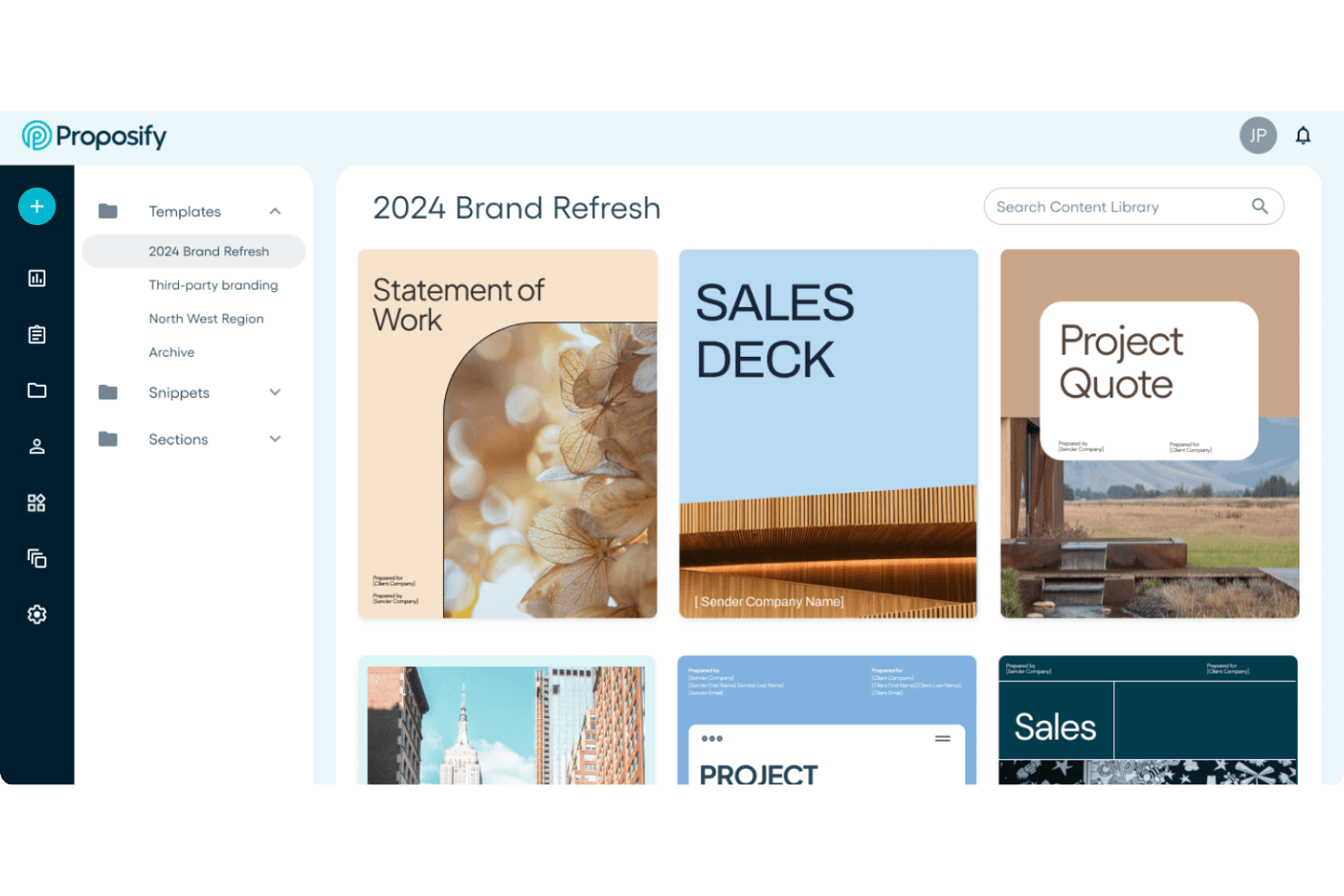
Proposify is a sales proposal platform built for teams who need brand-consistent, design-forward documents with built-in e-signatures, engagement analytics, and CRM-connected quoting.
Who Is Proposify Best For?
Sales teams at small to mid-sized companies who send high volumes of branded proposals and need visibility into client engagement will find it a natural fit.
Why Proposify Is a Good Loopio Alternative
I picked Proposify as one of the best because its design editor and lockable template elements give sales teams real control over brand consistency at scale. I love that you can lock specific sections reps aren't allowed to edit, so every proposal that goes out stays on-brand without relying on trust. The section-level engagement analytics show exactly which pages a prospect spent time on, not just whether they opened the document.
Proposify Key Features
- E-signature support: Collect legally binding signatures directly within any sent proposal using electronic signature fields on any device.
- Content library: Save reusable sections, pricing tables, and snippets for easy insertion into future proposal drafts.
- CRM integrations: Connect with sales platforms like HubSpot, Salesforce, and Zoho to sync opportunity data and automate proposal creation.
- Workflow approvals: Set up approval steps that require managerial review before proposals get sent to clients.
Proposify Integrations
Proposify offers native integrations with HubSpot, Salesforce, Zoho CRM, QuickBooks, Stripe, Harvest, Slack, and Zapier. An API is available for custom integrations.
Pros and Cons
Pros:
- Allows custom brand asset storage
- Page-level client engagement analytics included
- Branded proposal templates with lockable sections
Cons:
- Library lacks structured Q&A answer management
- No dedicated RFP import or parsing tools
PandaDoc
Best for e-signature and proposal delivery
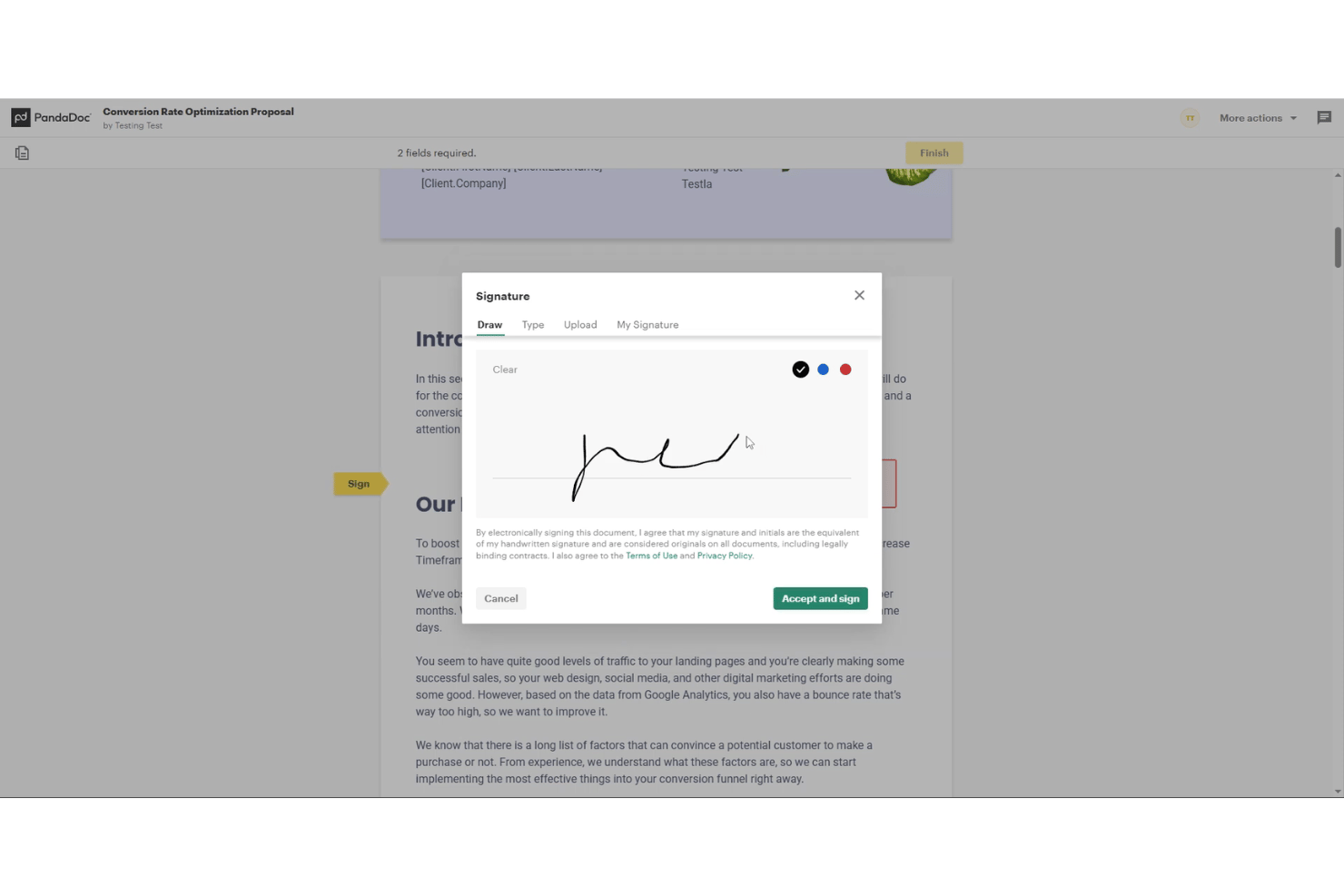
PandaDoc is a document automation platform for sales and proposal teams who need to create, send, track, and e-sign proposals, quotes, and contracts without juggling multiple tools.
Who Is PandaDoc Best For?
PandaDoc is a strong fit for small and mid-sized sales teams that handle proposals and contracts regularly and want e-signature built into the same tool.
Why PandaDoc Is a Good Loopio Alternative
I picked PandaDoc as one of the best because it handles proposal delivery and e-signature in a single workflow. I love the recipient analytics: you can see exactly when a prospect opens your proposal and how long they spend on each page. The lockable content library snippets let me reuse approved RFP answers while preventing contributors from editing finalized language before the document goes out.
PandaDoc Key Features
- Customizable document templates: Set up reusable templates for proposals, contracts, and agreements with your branding and layout.
- Content library management: Store, organize, and lock approved language, clauses, and standard replies for fast document assembly.
- Recipient engagement analytics: Receive real-time notifications showing when each section of your document is viewed by prospects.
- Approval workflows: Route documents for internal review and sign-off before sending for signature, with audit trails for compliance.
PandaDoc Integrations
PandaDoc offers native integrations with Salesforce, HubSpot, Zoho CRM, Pipedrive, PayPal, Stripe, QuickBooks, Dropbox, Google Drive, Microsoft OneDrive, and connects with Zapier. An API is available for custom integrations.
Pros and Cons
Pros:
- Lockable content library prevents unauthorized edits
- Real-time recipient engagement analytics included
- Built-in e-signature on every sent document
Cons:
- AI drafting limited to basic suggestions
- No dedicated RFP question assignment workflows

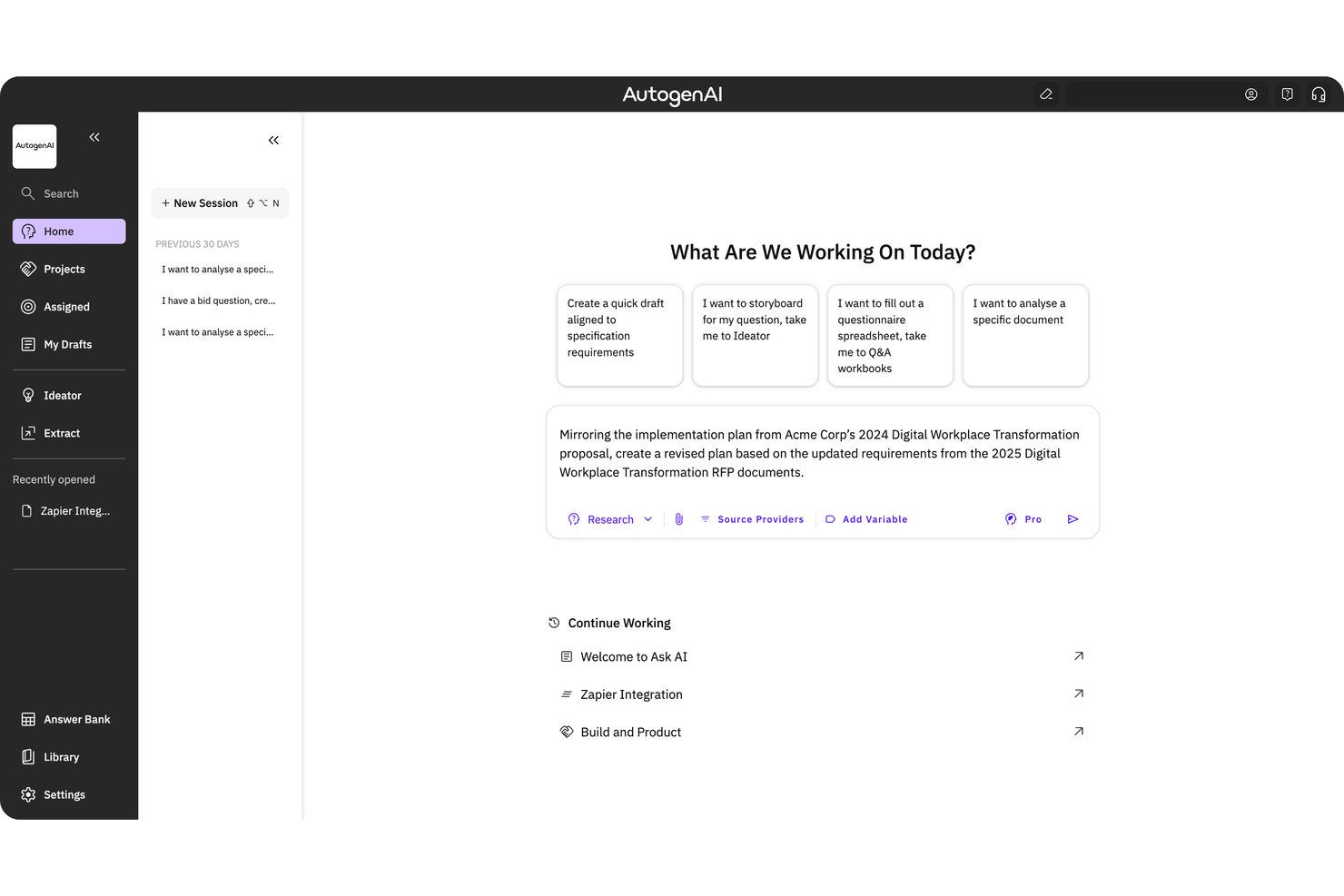
AutogenAI is a generative AI proposal writing platform built for bid and proposal teams who need to move from RFP requirements to a review-ready first draft faster, without sacrificing accuracy or brand voice.
Who Is AutogenAI Best For?
AutogenAI is a strong fit for enterprise and federal contracting teams managing high-volume, complex bids where compliance and brand-accurate language are non-negotiable.
Why AutogenAI Is a Good Loopio Alternative
I picked AutogenAI as one of the best because its custom language engines are genuinely unlike anything Loopio offers. AutogenAI builds a model trained on your past winning bids, sector-specific terminology, and brand tone, so AI-generated drafts read like your team wrote them, not a generic AI. The Research Assistant then pulls supporting evidence from your knowledge library and live web sources to back up every claim before Gamma Review checks compliance.
AutogenAI Key Features
- Gamma Review compliance checking: Reviews every proposal draft for compliance, evidence quality, and alignment with evaluator requirements before submission.
- Automated requirement extraction: Pulls, parses, and structures RFP requirements from source documents to build compliant outlines.
- Project management module: Lets teams create custom proposal outlines, assign responsibilities, and track completion status for every draft section.
- Audit trail and traceable citations: Maintains a full audit log with source references and document history for all generated and edited content.
AutogenAI Integrations
AutogenAI offers native integrations with Microsoft SharePoint and Microsoft OneDrive. An API is available for custom integrations.
Pros and Cons
Pros:
- Includes built-in compliance review tools
- Automates proposal requirement parsing
- Bespoke language engine trained on your content
Cons:
- Requires manual import of past sales content
- No offline document creation or editing

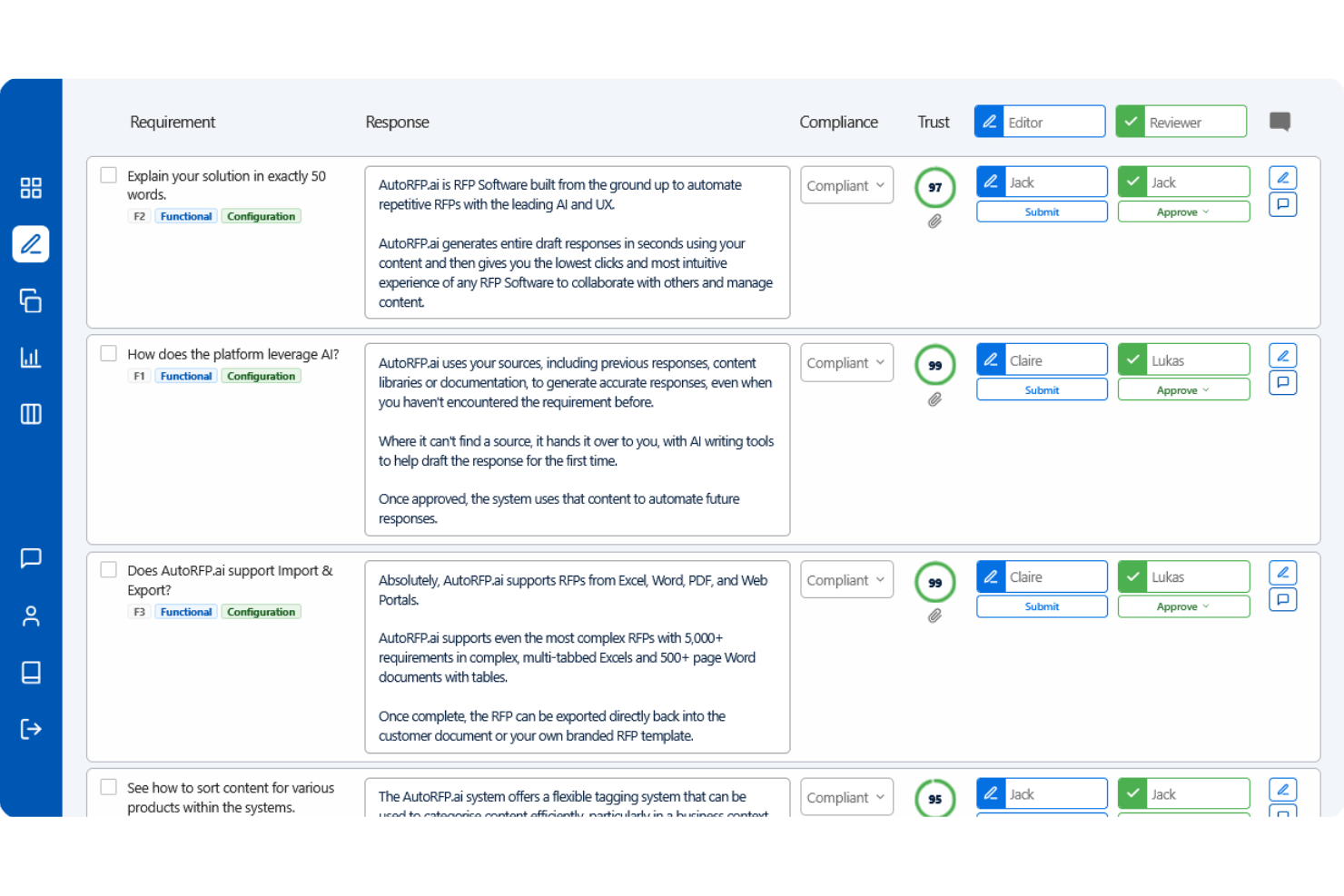
AutoRFP.ai is an AI-native RFP response platform built for proposal teams that want to eliminate manual content library maintenance and generate accurate first drafts without rebuilding their knowledge base from scratch.
Who Is AutoRFP.ai Best For?
It's a strong fit for mid-market and enterprise sales and bid teams that respond to high volumes of RFPs, DDQs, and security questionnaires across technology, professional services, and finance sectors.
Why AutoRFP.ai Is a Good Loopio Alternative
I've included AutoRFP.ai in my top picks because its AI Response Engine doesn't just suggest answers; it generates complete first drafts that require no edits 63% of the time. Unlike Loopio's Magic feature, which struggles with anything beyond repetitive questions, AutoRFP.ai's AI Flywheel learns from every approved response, so drafts improve automatically without manual library updates. The AI Reviewer then scores each draft from 0 to 100 with actionable feedback before you submit.
AutoRFP.ai Key Features
- Centralized content manager: Instantly flags outdated or duplicate responses in your library for real-time SME review.
- Multi-format import/export: Supports Word, Excel, PDF, and major online procurement portals without loss of document structure.
- Slack and Teams integration: Enables collaboration, notifications, and content updates directly in team chat tools.
- Unlimited user access: Allows organizations to onboard as many contributors as needed without per-seat charges.
AutoRFP.ai Integrations
AutoRFP.ai offers native integrations with Salesforce, Slack, and Microsoft Teams, and provides an API for custom integrations.
Pros and Cons
Pros:
- Library health scoring surfaces stale content
- Native SIG and CAIQ questionnaire support
- Frequently produces submission-ready first drafts
Cons:
- Reporting and analytics features are relatively limited
- Newer platform with limited customer case studies

Best for enterprise-level RFP automation
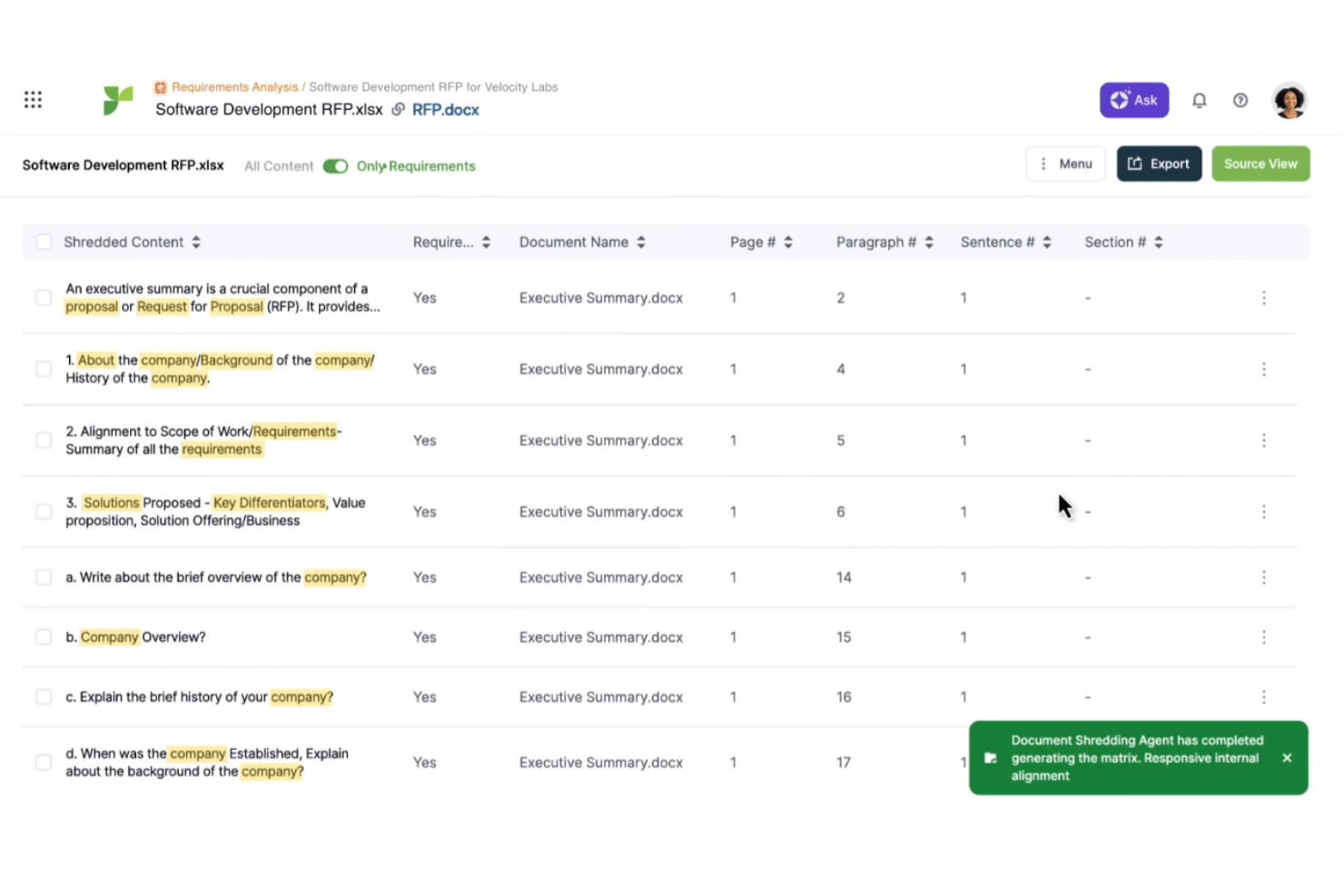
Responsive is an AI-powered response management platform built for enterprise proposal and bid teams that need to handle high volumes of RFPs, security questionnaires, and DDQs at scale.
Who Is Responsive Best For?
Responsive is a strong fit for large organizations with dedicated proposal operations teams managing complex, multi-stakeholder response workflows across legal, security, and sales functions.
Why Responsive Is a Good Loopio Alternative
Responsive earns its spot on my shortlist because its AI agents go beyond simple library matching, drafting full responses across every RFP section simultaneously. I particularly like Proposal Builder, which pulls from pre-approved content and branded templates so my team can assemble a compliant proposal without starting from scratch each time. At enterprise scale, the role-based workflow automation routes sections through Legal, InfoSec, and multi-level approval chains that most RFP tools simply aren't built to handle.
Responsive Key Features
- Content library analytics: Track usage patterns and identify duplicates or outdated content with built-in analytics.
- Multi-format import/export: Handle Word, Excel, PowerPoint, PDF, and portal-based questionnaires directly within the platform.
- Automated content review cycles: Assign owners, set expiration dates, and trigger reminders for content updates on a scheduled basis.
- Slack and Teams integrations: Collaborate on proposal projects with real-time notifications and comments inside your organization's preferred chat tools.
Responsive Integrations
Responsive offers native integrations with Salesforce, HubSpot, Microsoft Dynamics 365, SharePoint, Highspot, Seismic, Slack, and Microsoft Teams. An API is available for custom integrations.
Pros and Cons
Pros:
- Native security questionnaire workflows built in
- Enterprise-grade approval routing for complex teams
- AI drafts full RFP responses automatically
Cons:
- Reporting dashboards require significant configuration
- Implementation takes weeks for large content libraries

Ombud
Best for centralized knowledge reuse at scale
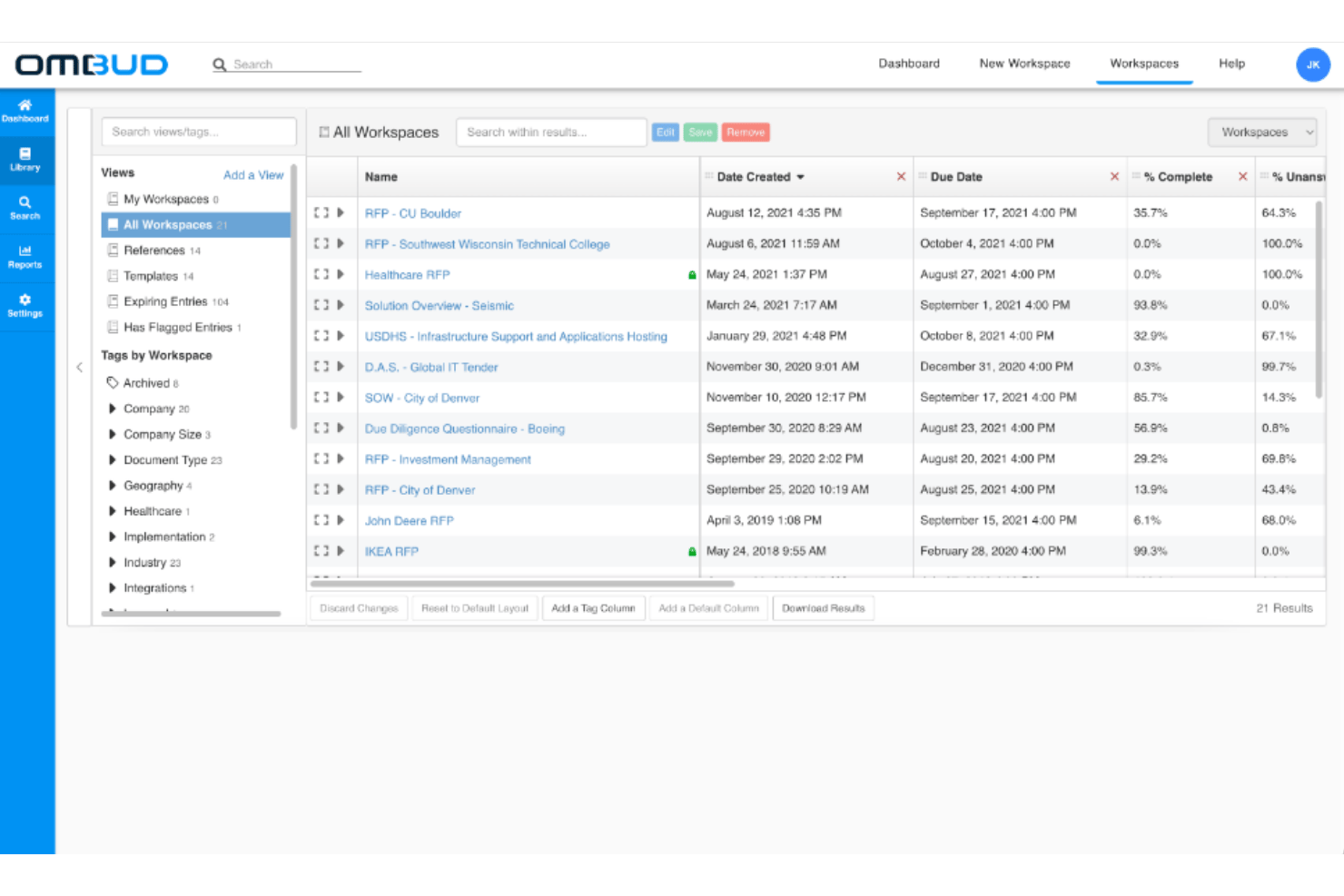
Ombud is an enterprise RevOps platform built for proposal and sales engineering teams that need to manage RFP responses, security questionnaires, and client-facing sales documents through a centralized, AI-assisted content and workflow system.
Who Is Ombud Best For?
Ombud is a strong fit for enterprise sales and proposal teams that handle large volumes of complex, multi-stakeholder responses across RFPs, DDQs, and security questionnaires.
Why Ombud Is a Good Loopio Alternative
I've included Ombud in my top picks because of how it handles content reuse at the organizational level. Where other tools store answers in a flat library, Ombud's ML-based "Show Suggestions" actively surfaces the most relevant approved content as you're building a response, pulling from past projects and the central library simultaneously. Combine that with content flagging, expiration controls, and assigned ownership, and my team is able to keep the library genuinely current rather than letting stale answers quietly accumulate.
Ombud Key Features
- Project dashboards: Track workflows, contributor assignments, and completion status for every RFP or questionnaire project.
- Salesforce integration: Sync RFP activity, opportunity details, and win/loss outcomes directly with your CRM.
- Structured approval workflows: Set up content reviews, approvals, and expiration notifications with assigned owners.
- Import/export wizard: Import and export response documents in Word, Excel, and PDF formats while preserving project structure.
Ombud Integrations
Ombud offers native integrations with Salesforce, HubSpot, Microsoft Teams, and Slack, and provides an API for custom integrations.
Pros and Cons
Pros:
- Built for high-volume enterprise response teams
- Content health scoring flags outdated library entries
- ML-ranked suggestions surface relevant answers fast
Cons:
- Reporting depth is limited
- No built-in proposal e-signature

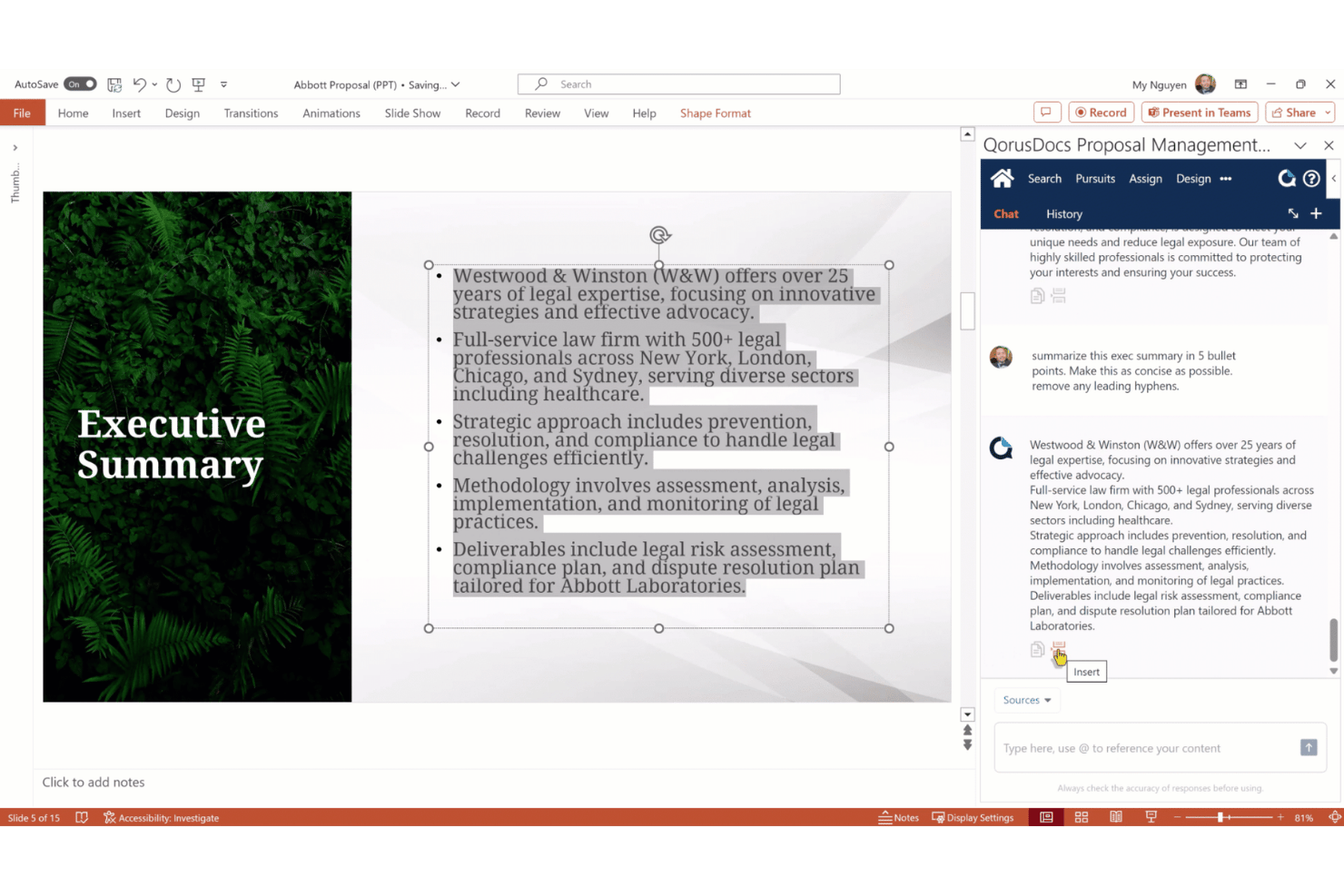
QorusDocs is a proposal and RFP response platform built for Microsoft 365-first teams who need to produce pitches, proposals, and questionnaire responses without leaving Word, PowerPoint, or Teams.
Who Is QorusDocs Best For?
It's a strong fit for professional services, AEC, and legal teams that run proposal workflows inside Microsoft 365 and need brand-ready outputs in Word or PowerPoint.
Why QorusDocs Is a Good Loopio Alternative
I picked QorusDocs as one of the best because its proposal workflow runs entirely inside Word and PowerPoint, so my team never exports or reformats finished documents. QPilot, its Azure OpenAI-powered assistant, surfaces approved library content and drafts answers directly inside the documents I'm already building. The SharePoint-backed content library keeps every reusable response governed, searchable, and version-controlled without leaving Microsoft 365.
QorusDocs Key Features
- Centralized content library: Store and manage all approved proposal content, templates, and supporting assets in one searchable SharePoint-backed repository.
- Role-based access controls: Set permissions for content editing, usage, and sharing based on user roles or team membership.
- CRM data ingestion: Pull opportunity data, pricing details, and client information directly from Salesforce or Dynamics into proposal documents.
- Engagement analytics: Track proposals after delivery to see who has opened, downloaded, or interacted with each document.
QorusDocs Integrations
QorusDocs has native integrations across the Microsoft ecosystem, including Microsoft 365, SharePoint, Teams, Word, PowerPoint, and Outlook. It also offers native integrations with Salesforce and Dynamics 365, and provides an API for custom integrations.
Pros and Cons
Pros:
- SharePoint content library is version-controlled
- QPilot AI drafts answers from your library
- Proposals build directly inside Word and PowerPoint
Cons:
- Reporting and analytics are relatively limited
- Non-Microsoft users face steep adoption challenges
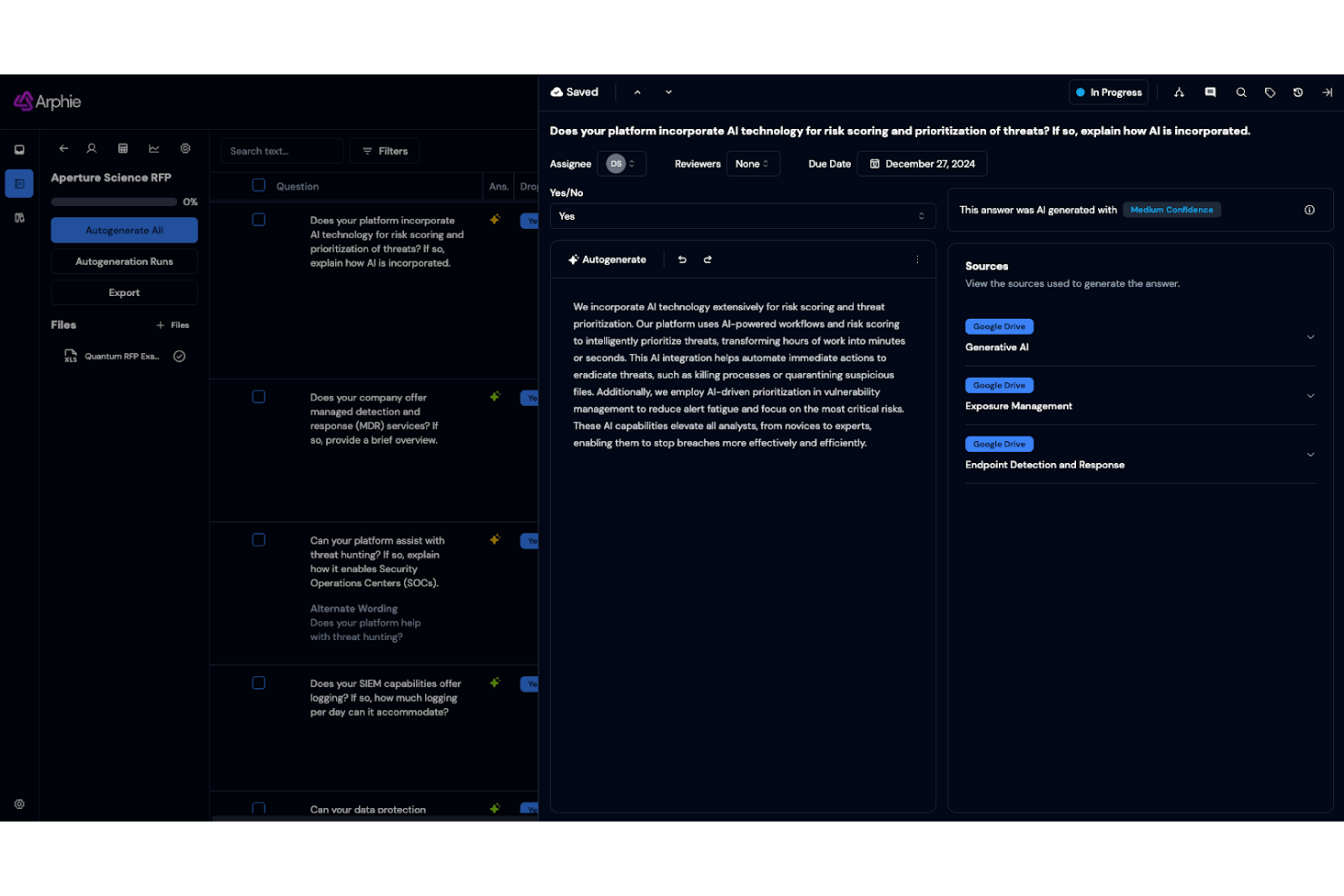
Arphie is an AI-native RFP automation platform built for proposal and sales teams who need to complete RFPs, DDQs, and security questionnaires faster without relying on a manually maintained content library.
Who Is Arphie Best For?
Arphie is a strong fit for mid-market and enterprise B2B companies whose solutions engineering, sales, or security teams handle a high volume of RFPs and compliance questionnaires.
Why Arphie Is a Good Loopio Alternative
I picked Arphie as one of the best Loopio alternatives because of how it handles AI-generated answer recommendations. Unlike tools that match questions to static library entries, Arphie generates first-draft responses with source citations and confidence scores shown alongside each answer. I also appreciate Smart Merge, which flags answers that may be outdated when connected source documents change and automatically suggests refreshed responses.
Arphie Key Features
- Live knowledge base integrations: Connect to Google Drive, SharePoint, Confluence, Notion, Highspot, and more for up-to-date content.
- Multi-format import and export: Import and export questionnaires and answers in Word and Excel formats with structure preserved.
- Collaborative project assignment: Assign questions and set reviewer, owner, and writer roles with due dates and notifications.
- Secure access controls: SOC 2 Type 2 compliance, SAML SSO, and annual penetration testing ensure enterprise-grade data security.
Arphie Integrations
Arphie offers native integrations with Google Drive, Microsoft SharePoint, Notion, Confluence, Seismic, Highspot, and Salesforce. An API is available for custom integrations.
Pros and Cons
Pros:
- Purpose-built for security questionnaire response workflows
- Automated stale content flagging via health scoring
- AI answers include citations and confidence scores
Cons:
- Analytics and win-rate reporting is limited
- Smaller user community than established competitors

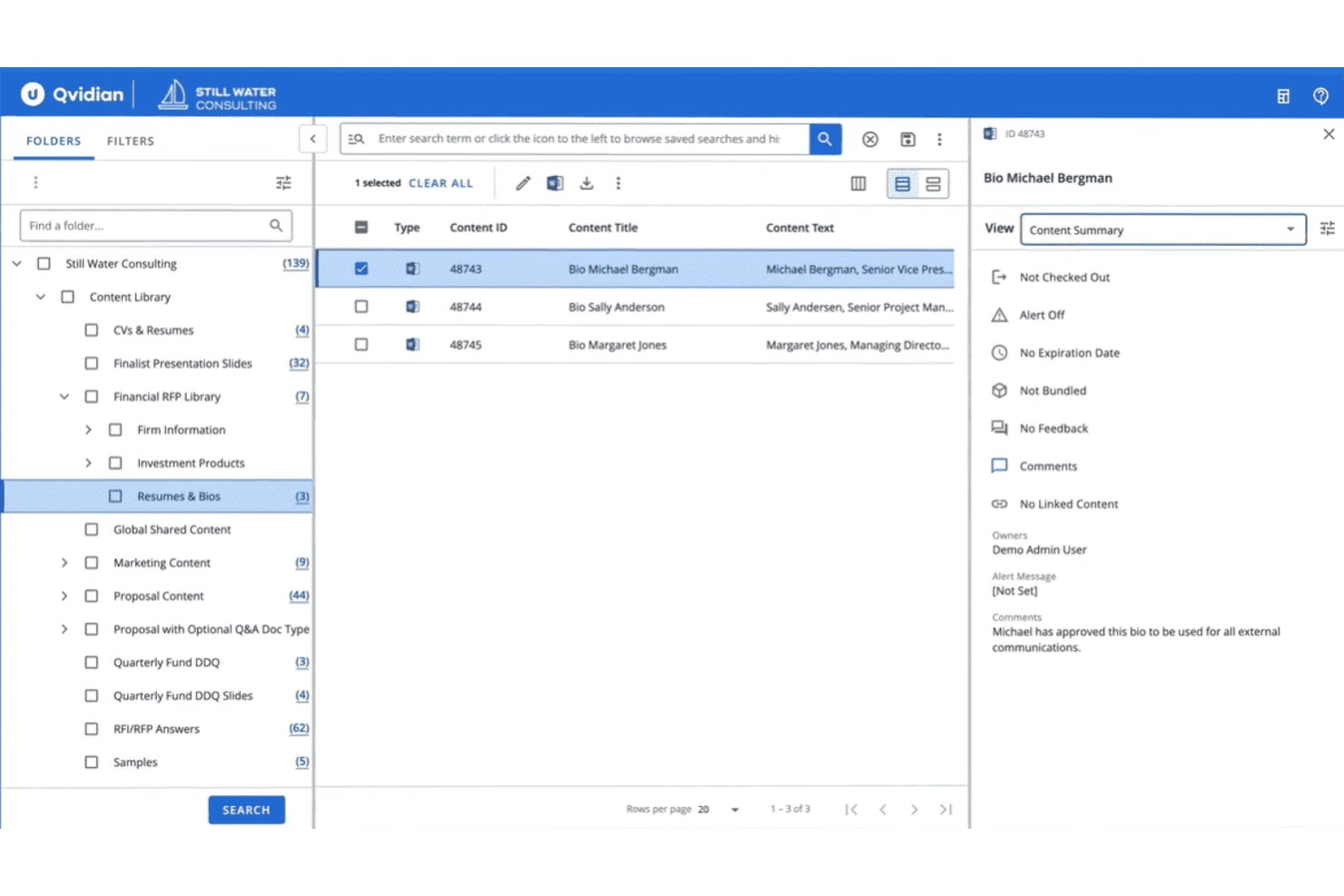
Upland Qvidian is an enterprise proposal automation platform built for bid and proposal teams that need centralized content governance, AI-assisted response drafting, and structured review workflows across complex RFP, RFI, and security questionnaire processes.
Who Is Upland Qvidian Best For?
Qvidian is a strong fit for large enterprises in regulated industries like financial services that need strict content governance across distributed proposal teams.
Why Upland Qvidian Is a Good Loopio Alternative
I've included Upland Qvidian in my top picks because of how well it handles complex content governance. The content library supports versioning, metadata tagging, and audit trails that track every edit, which matters when managing hundreds of approved responses across business units. AI Assist also lets me draft and personalize responses using custom prompts, keeping output consistent with brand voice across large contributor groups.
Upland Qvidian Key Features
- Automatic questionnaire parsing: Uses generative AI to detect sections and questions in imported documents for accurate project setup.
- Review and approval workflows: Assigns content owners and reviewers, tracks updates, and maintains an audit trail for every project.
- Microsoft 365 and Salesforce integrations: Syncs proposals, answers, and updates directly with core business platforms for direct data flow.
- Custom report builder: Lets you create detailed, drag-and-drop reports to track proposal volume, response times, and content usage.
Upland Qvidian Integrations
Upland Qvidian offers native integrations across the Microsoft ecosystem, including Microsoft 365 and SharePoint, as well as Salesforce. An API is available for custom integrations.
Pros and Cons
Pros:
- AI drafts responses from approved library content
- Native security questionnaire workflow support
- Strong content governance with audit trails
Cons:
- UI feels dated compared to newer competitors
- Onboarding requires significant implementation time
Other Loopio Alternatives
Here are some additional Loopio alternative options that didn’t make it onto my shortlist, but are still worth checking out:
- RocketDocs
For financial services compliance support
- GovDash
For government RFP and bid workflows
- Breeze
For quickstart AI-driven content migration
- 1up
For integrating RFP insights with CRM systems
- DeepRFP
For automated RFP and RFI import parsing
- SiftHub
For in-app multi-team collaboration
- Vendorful
For granular response workflow control
- Rohirrim
For real-time AI answer refinement
- Conveyor
For security questionnaire automation


How I Evaluate Loopio Alternatives
I first check that each tool handles the core RFP workflow Loopio covers—content libraries, assignments, and AI drafts. Then I look at differentiators like CRM sync and SME engagement that set one option apart.
Core Functionality (Table Stakes for This List)
When I'm selecting tools for my list, I rank each one on a scale from 0 (does not offer the functionality) to 5 (excels in this area) for each core functionality listed below. Then, I calculate the tool's total score as a percentage. Each tool needs to achieve a minimum total score of 65% to be considered for inclusion.
- Content Library: I look for a searchable repository where your team can store approved Q&A pairs, boilerplate language, and past responses—organized by tags, categories, or metadata so finding the right answer doesn't slow you down.
- RFP Project Management: Each tool should let you create response projects, assign individual questions to contributors, set deadlines, and track completion so proposal managers aren't chasing status updates over email.
- AI Auto-Response: I evaluate how well the AI matches incoming questions to existing library content—whether it offers basic keyword matching or drafts full answers with confidence scores pulled from past projects.
- Import/Export Formats: Proposal teams regularly receive RFPs in Word, Excel, and PDF. I check whether each tool can import and export those formats while preserving the original structure and formatting.
- Content Review Workflows: Stale answers lose deals. I look for scheduled review cycles, assigned content owners, and expiration alerts that keep your library accurate without manual tracking in spreadsheets.
- Collaboration & Commenting: Response projects involve multiple contributors. I evaluate whether tools support comments and version tracking so SMEs and proposal leads can coordinate without switching to separate chat apps.
Once I have a list of tools that meet the criteria, I consider what sets each platform apart.
Differentiating Factors (What Sets Vendors Apart)
Here's how I compare and contrast different vendors:
Standout Features
Generative AI that drafts full, context-aware answers is a major time-saver when you're facing a 300-question RFP. I also evaluate content library health scoring—tools that flag stale or duplicate answers help you avoid submitting outdated information that costs you credibility. Bidirectional CRM sync matters for sales ops teams who need proposal outcomes tied back to Salesforce or HubSpot opportunity records automatically.
Beyond Features
I pay close attention to AI data handling—whether the model trains on your content only or shares data across customers matters when you're responding to security questionnaires with sensitive details. Implementation speed is another key factor, especially content library migration from Loopio or legacy spreadsheets. I also consider how easily you can pull in SMEs through lightweight guest access or Slack and Teams integrations without adding per-seat license costs.
Why Look For A Loopio Alternative?
While Loopio is a good choice of proposal software, there are several reasons why some users seek out alternative solutions. You might be looking for a Loopio alternative because…
- You need deeper Microsoft 365 or Google Workspace integration
- Your team is hitting user limits or complex pricing tiers for SaaS platforms
- You want more advanced AI-powered or generative AI answer drafting to autofill responses and eliminate manual effort
- You rely on web-based portal RFP submissions and security reviews, not just docs
- You face a steep learning curve or delays with complex onboarding and migration
If any of these sound like you, you’ve come to the right place. My list contains several RFP software options that simplify proposal management and offer user-friendly collaboration features for teams facing these challenges with Loopio and looking for alternative solutions.
Loopio Key Features
Here are some of the key features of Loopio to help you contrast and compare functionality across automation tools:
- Content library: Centralizes approved content, knowledge base answers, boilerplate language, and supporting documents in one searchable location so team members can quickly reuse and update content.
- Project management: Lets you create, assign, and track multi-contributor response projects, set deadlines, and see completion status to manage RFP cycles end to end.
- AI auto-response: Suggests draft answers for RFIs and rfp responses using machine learning and rfp automation to accelerate proposal creation times and increase proposal consistency.
- Import/export support: Enables direct import and export of PowerPoint, Word, Excel, and PDF formats while preserving layouts and structure, simplifying response management.
- Content review workflows: Sets up scheduled content management cycles, approvals, and ownership assignments to keep proposal workflows accurate, up to date, and compliant with company standards.
- Collaboration tools: Supports real-time commenting and version control to help teams, subject matter experts, and stakeholders coordinate without endless email threads.
- Usage analytics: Tracks content usage, project progress, and response workflow turnaround times, helping you optimize operations and close deals faster.
- Security questionnaire handling: Provides purpose-built capabilities for handling complex security questionnaires, DDQs, and trust center requests, including task routing and InfoSec workflow automation.
- Template management: Stores and manages proposal templates, ensuring consistent branding, messaging, and formatting across all your responses.
- Integration options: Offers integrations with CRMs like Salesforce and HubSpot so you can sync proposal activity, status updates, and win/loss outcomes with sales data.