

10 Best RFP Software In 2026

RFP Software Shortlist


RFP software is a digital tool that helps you manage, automate, and track your team’s request for proposal processes from start to finish. If you’re searching for the best RFP software, you’re likely aiming to save time, reduce manual work, and land more deals, even as requirements and review cycles keep evolving.
Below, you’ll find a curated list of tools proven to help project managers and proposal teams navigate complex requirements, keep stakeholders aligned, and deliver winning proposals faster. Use this guide to compare your options and choose the best RFP software for your team’s unique workflow.
Why Trust Our Software Recommendations
Our team has been testing and reviewing software since 2012. As project managers ourselves, we know how difficult—and important—it is to choose the right software.
For this guide, we evaluated tools using hands-on testing and independent research, scoring tools using our selection criteria. We also draw on insights from industry thought leaders and practicing project management experts.
Our reviews reflect our human editorial judgment, not a sales pitch.
Expert reviewers:
RFP Software Comparison Table
This comparison table summarizes pricing details for my top RFP software selections
| Tool | Best For | Trial Info | Price | ||
|---|---|---|---|---|---|
| 1 | Best with automated conflict detection | Free demo available | Pricing upon request | Website | |
| 2 | Best for zero-maintenance AI content libraries | 30-day money-back guarantee | From $899/month (billed annually) | Website | |
| 3 | Best for design-centric brand control | 14-day free trial + free demo available | From $19/user/month (billed annually) | Website | |
| 4 | Best for complex enterprise project workflows | Free demo available | Pricing upon request | Website | |
| 5 | Best for end-to-end document lifecycles | Free plan available | From $19/user/month (billed annually) | Website | |
| 6 | Best for CRM-integrated deal qualification | Free 90-minute workshop + free demo available | Pricing upon request | Website | |
| 7 | Best for end-to-end generative narrative drafting | Free demo available | Pricing upon request | Website | |
| 8 | Best for library-less automated drafting | Free demo available | From $899/month (billed annually) | Website | |
| 9 | Best for agent-led tribal knowledge capture | Free demo available | Pricing upon request | Website | |
| 10 | Best for Slack-integrated knowledge automation | Free trial + free plan + free demo available | From $300/month | Website |
RFP Software Reviews
Below are my detailed summaries of the best RFP software that made it onto my shortlist. My reviews offer a detailed look at the features, integrations, and best use cases of each platform to help you find the software that works best for you.

Best with automated conflict detection
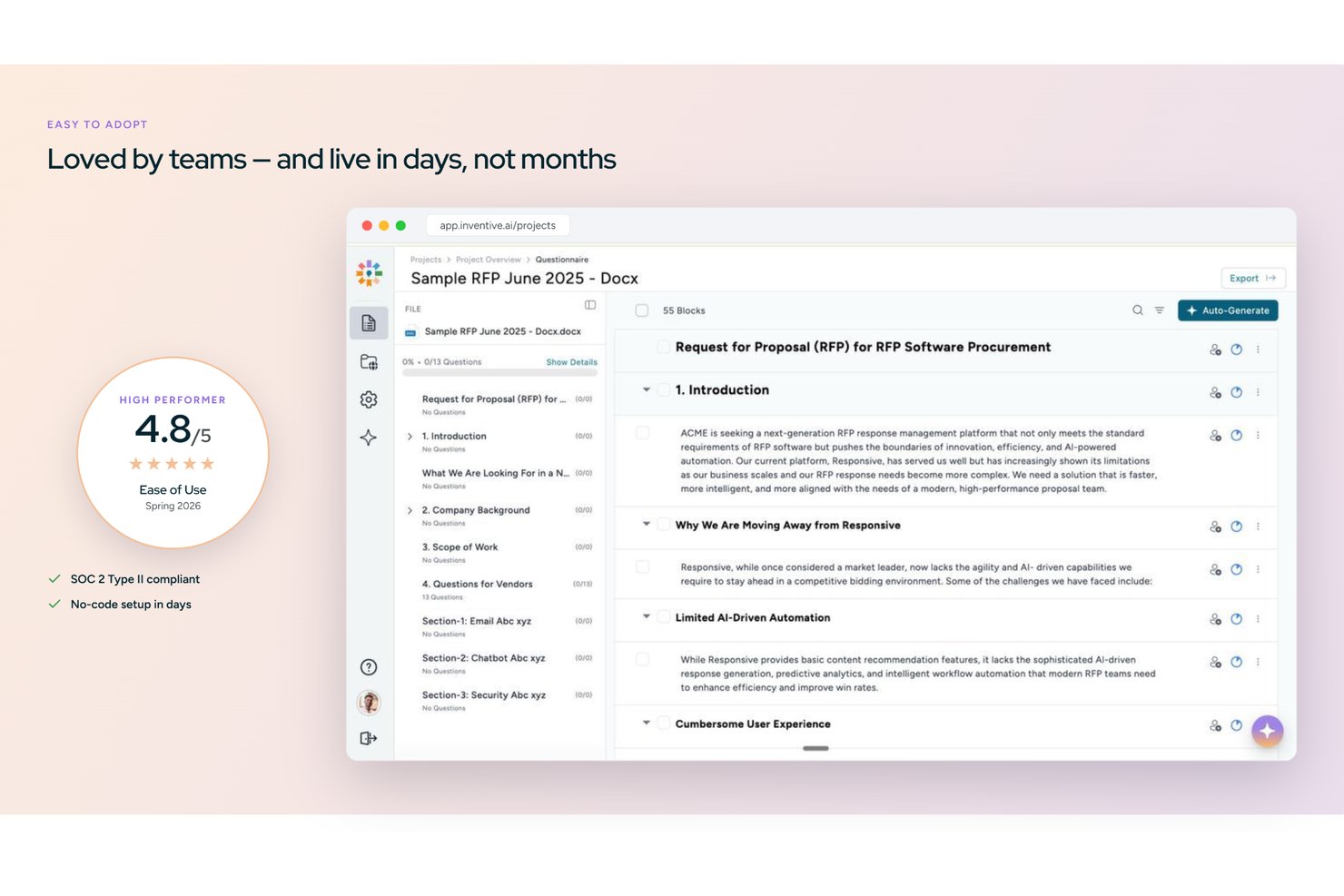
Inventive AI is an AI-native RFP response platform that automates draft generation across RFPs, RFIs, DDQs, and security questionnaires using a centralized knowledge hub, conflict detection, and multi-format import and export.
Who Is Inventive AI Best For?
Inventive AI is a strong fit for proposal and pre-sales teams at mid-market and enterprise companies managing a high volume of RFPs, RFIs, and security questionnaires.
Why I Picked Inventive AI
I picked Inventive AI as one of the best because its AI Content Manager actively catches conflicting information across connected sources before any response goes out. If a pricing page and a product deck give different answers to the same RFP question, the platform flags it inline. I also like the Analyzer Agent, which runs a compliance pass on finished drafts, checking that every requirement is addressed and that tone stays consistent across sections.
Inventive AI Key Features
- Unified knowledge hub: Centralizes company Q&A pairs, product docs, and prior RFPs for AI-driven response generation.
- Analyzer Agent: Runs review cycles to confirm every RFP requirement is addressed and checks tone consistency in drafts.
- Multi-format export: Allows export of completed responses in Word, Excel, PDF, CSV, and branded templates.
- Jira and Salesforce integration: Syncs proposal and project data directly with project management and CRM systems.
Inventive AI Integrations
Inventive AI offers native integrations with Salesforce, Jira, Slack, Microsoft 365, Google Workspace, and HubSpot. An API is available for custom integrations.
Pros and Cons
Pros:
- Knowledge hub flags and refreshes stale answers
- AI drafts responses across RFPs and DDQs
- Conflict detection catches contradictory proposal content automatically
Cons:
- Analytics reporting less mature than established competitors
- Newer platform with a smaller user community
Best for zero-maintenance AI content libraries
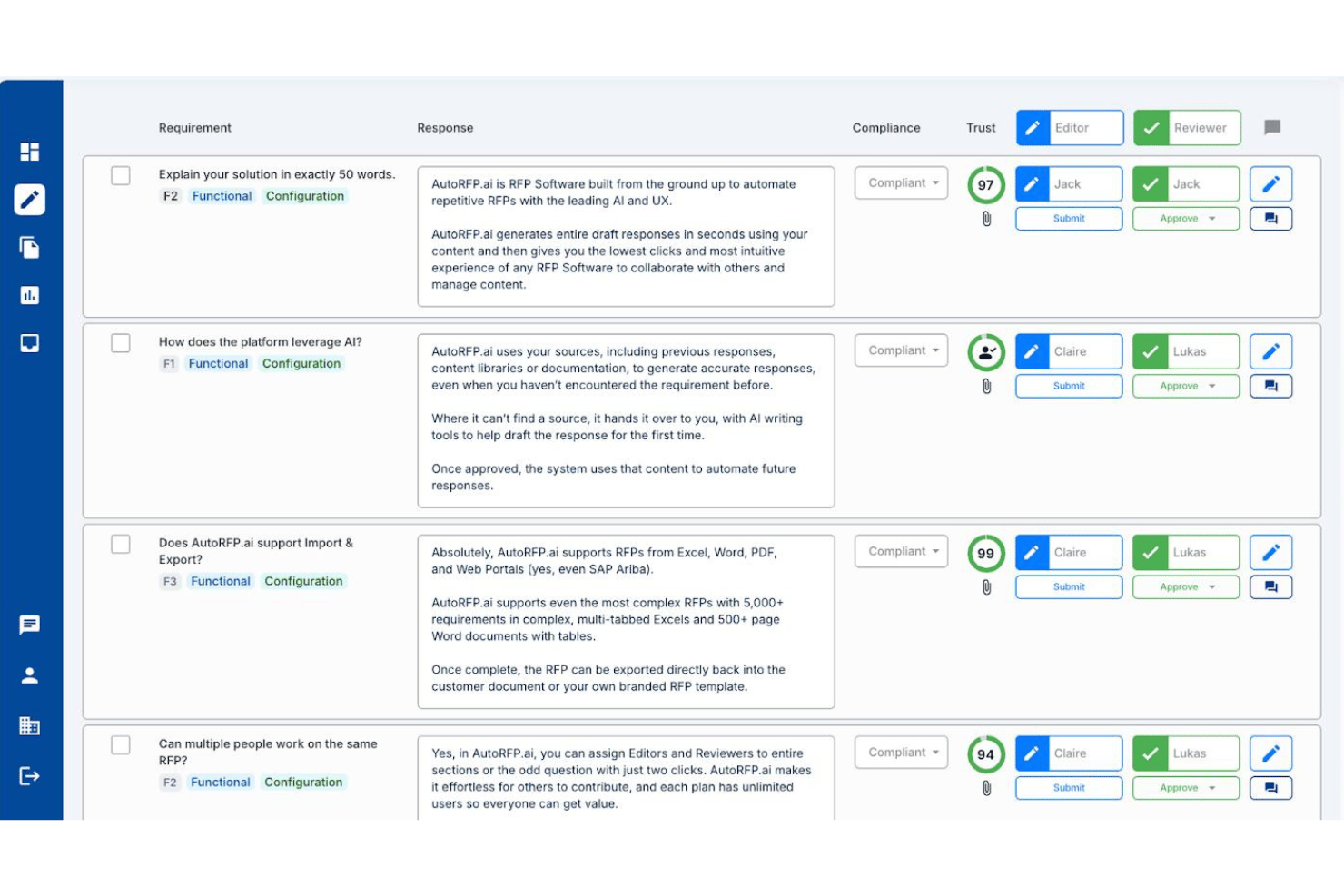
AutoRFP.ai is an AI-native RFP response platform that automates first-draft generation, manages cross-functional SME workflows, and maintains a self-building content library across RFPs, DDQs, and security questionnaires.
Who Is AutoRFP.ai Best For?
AutoRFP.ai suits proposal teams that need AI to handle content library upkeep automatically, without anyone manually maintaining a Q&A database.
Why I Picked AutoRFP.ai
AutoRFP.ai earns its spot on my shortlist because it's the only RFP tool I've seen that genuinely removes the content library maintenance burden. Instead of manually curating a Q&A database, the platform learns from every approved response and syncs automatically from sources like SharePoint, Confluence, and Notion. I also like the Trust Scores attached to every AI draft, which flag confidence levels and cite sources so reviewers aren't guessing at answer quality.
AutoRFP.ai Key Features
- Go/No-Go analysis: Scans incoming RFP documents for deal-breakers and automates bid/no-bid decisions before your team commits any resources.
- Portal Agent with browser extension: Responds directly inside procurement portals like SAP Ariba, Coupa, and Workday via a Chrome or Edge extension, without rebuilding documents.
- Slack and Teams @mention workflow: Lets proposal managers tag SMEs directly inside Slack or Microsoft Teams to collect answers without pulling contributors into a separate platform.
- Multilingual response support: Drafts and localizes responses across 44+ languages, including automatic localization between US and UK English.
AutoRFP.ai Integrations
AutoRFP.ai advertises 18+ integrations, including Salesforce, SharePoint, Confluence, Notion, Slack, Microsoft Teams, Drata, and Vanta. It also supports REST API, webhooks, and MCP Server connections for custom workflows.
Pros and Cons
Pros:
- Trust Scores and citations on every answer
- Fast onboarding with first drafts in 48 hours
- AI content library requires zero maintenance
Cons:
- Outcome analytics don’t track win-loss quality
- No Gantt charts or PM tool integration

Best for design-centric brand control

Proposify is a proposal creation and management platform for teams that need design control, content libraries, branded templates, e-signatures, and real-time tracking in one workspace.
Who Is Proposify Best For?
Proposify suits creative sales teams and agencies that need tight branding control and custom proposal design across multiple client projects.
Why I Picked Proposify
I picked Proposify as one of the best because I need total control over proposal branding and design consistency when responding to RFPs. My team uses its flexible drag-and-drop editor to create on-brand templates that showcase our brand at every touchpoint. I also rely on the centralized content library to manage approved messaging and visuals for quick access across all proposals.
Proposify Key Features
- Drag-and-drop editor: Create highly visual and branded sales documents.
- Standardized content library: Ensure brand consistency across sales teams.
- Client-view analytics: Track when and how recipients interact with proposals.
Proposify Integrations
Proposify offers native integrations with Salesforce, HubSpot, QuickBooks, Stripe, Zoho CRM, Pipedrive, FreshBooks, and Slack, and provides an API for custom integrations.
Pros and Cons
Pros:
- White-labeled custom domains for professional presentations
- Granular content locking to prevent unauthorized changes
- Advanced design customization for branded documents
Cons:
- Custom role and permission settings are restricted
- Limited project workflow and task management

Best for complex enterprise project workflows
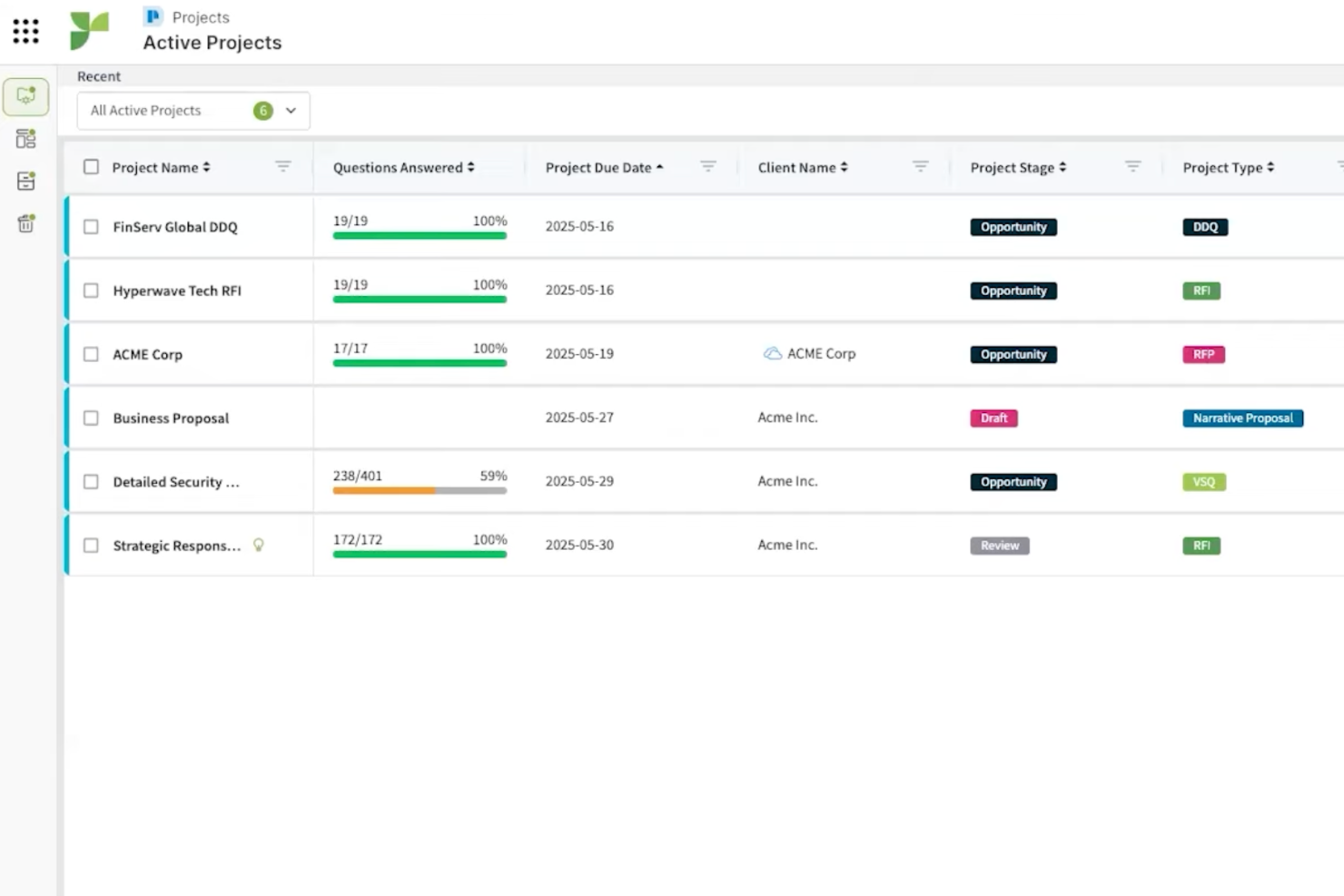
Responsive is an enterprise RFP software platform designed to centralize request management, response workflow automation, integrate with business tools, and support large teams handling high-volume, complex proposals.
Who Is Responsive Best For?
Responsive suits large enterprises and proposal teams managing high-volume, multi-departmental RFP and compliance workflows.
Why I Picked Responsive
I picked Responsive as one of the best RFP response software because it handles complex enterprise project workflows with customizable workspaces, granular permissions, and automated response libraries. I use it to coordinate large teams by assigning tasks across business units, and its workflow automation lets my team simplify review, compliance, and approvals on high-stakes RFPs.
Responsive Key Features
- AI-enabled content suggestion: Suggests relevant answers from your content library as you fill out RFPs.
- Version tracking: Keeps a record of all edits and updates to project documents.
- Built-in e-signature workflow: Lets you collect signatures directly within proposals and responses.
Responsive Integrations
Responsive offers more than 30 native integrations, including Salesforce, Slack, Google Drive, Microsoft 365, HubSpot, Box, OneDrive, SharePoint, and Dropbox, and provides an API for custom integrations.
Pros and Cons
Pros:
- Handles multi-step approval and compliance workflows
- Offers permission controls for large teams
- Supports an automated response library for faster replies
Cons:
- Can be too complex for some SME
- Limited self-service trial or demo options
PandaDoc
Best for end-to-end document lifecycles

PandaDoc is a document automation platform for RFP teams that handles document creation, template management, eSignatures, approval workflows, and collaboration for proposals and contracts.
Who Is PandaDoc Best For?
PandaDoc is a great match for sales and proposal teams at growing businesses who need an all-in-one platform to manage RFP and contract documents.
Why I Picked PandaDoc
I picked PandaDoc as one of the best because I can manage every stage of the RFP document lifecycle in one platform, including creation, workflow routing, and secure eSignatures. My team uses its template and content library features to standardize proposal responses at scale. I rely on its built-in approval workflows to keep contract compliance tight across global teams.
PandaDoc Key Features
- Form builder: Lets you create fillable forms to collect RFP data.
- Document analytics: Tracks when recipients open, view, or interact with documents.
- Bulk send: Send a document to many recipients at once for RFP distribution.
PandaDoc Integrations
PandaDoc offers more than 30 native integrations, including Salesforce, HubSpot, Pipedrive, Zoho CRM, Slack, Dropbox, QuickBooks, PayPal, and Stripe. An API is available for custom integrations.
Pros and Cons
Pros:
- Native CRM integrations for pipeline sync
- Multi-user template library for standardization
- End-to-end document tracking with timestamps
Cons:
- Version control lacks collaboration features
- Limited offline access for editing documents

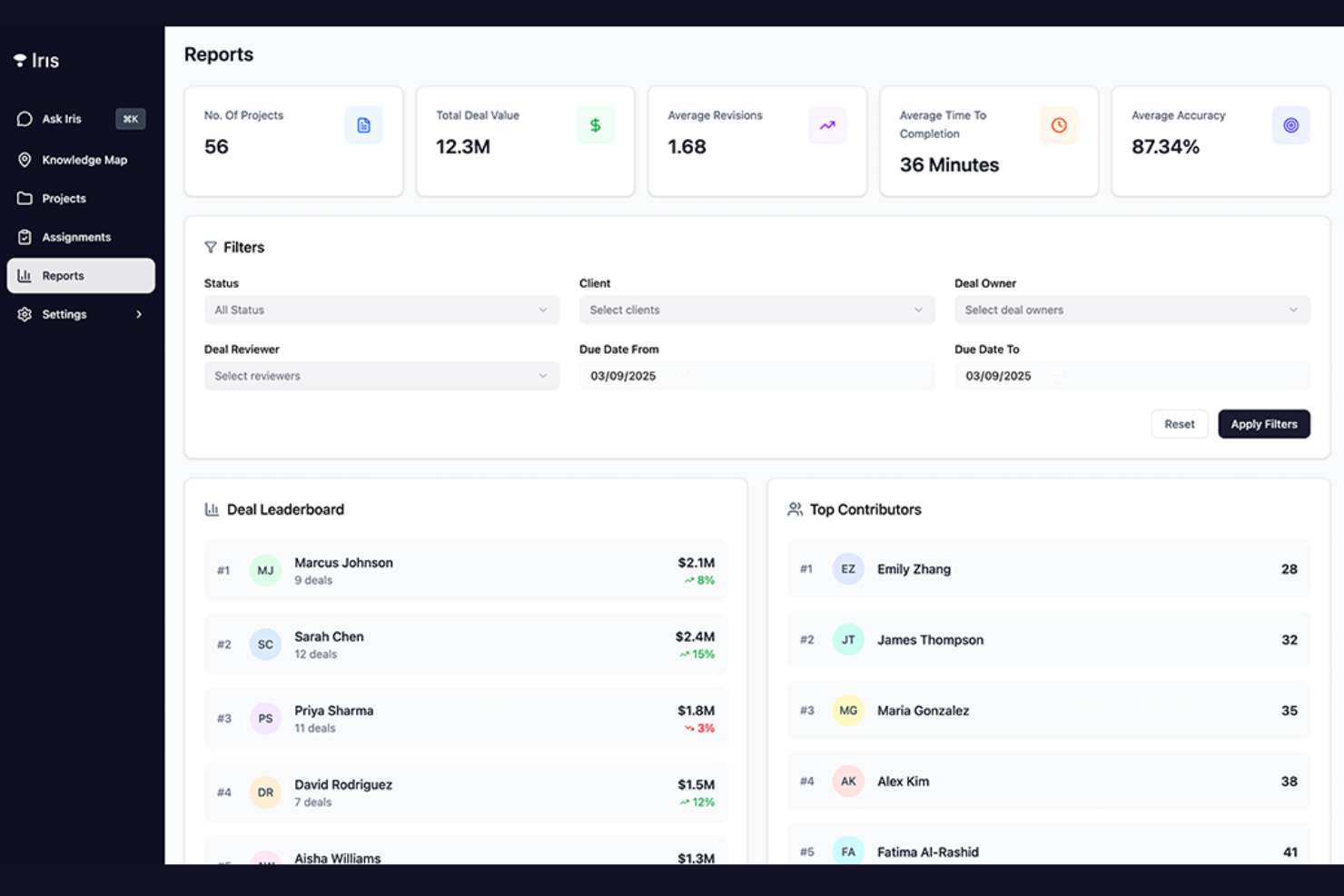
Iris is a sales workflow automation platform that connects deal qualification and RFP processes directly to your CRM, offering AI-driven data extraction, qualification tracking, and pipeline management.
Who Is Iris Best For?
Iris fits sales and revenue operations teams in B2B organizations that rely on CRM-centric workflows for managing RFPs and qualifying deals.
Why I Picked Iris
I picked Iris as one of the best because I've seen its CRM-linked deal qualification bring a real edge to managing RFPs in our pipeline. I use its AI automation to extract deal criteria directly from CRM or submitted documents, then monitor status with customizable qualification matrices. My team benefits from insights that highlight stalled RFPs and identify missing information for deal progression.
Iris Key Features
- RFP analytics dashboard: View real-time metrics and activity across all active RFPs.
- Custom field mapping: Match extracted RFP data to CRM schema requirements.
- Audit activity logs: Track every action and edit on each RFP record.
Iris Integrations
Iris offers native integrations with Salesforce, HubSpot, Microsoft Dynamics 365, and Pipedrive. An API is available for custom integrations.
Pros and Cons
Pros:
- Syncs RFP status with pipelines in real time
- Provides AI suggestions for RFP qualification
- Automates deal data extraction from submissions
Cons:
- Requires manual setup for custom fields
- No dedicated templates for RFP responses


AutogenAI is an AI-powered RFP response platform that automates project narrative drafting, integrates collaboration tools, and manages proposal versioning and content management through an optimized content library.
Who Is AutogenAI Best For?
AutogenAI suits proposal teams and bid managers at enterprise-level organizations who need to generate and manage high-volume, complex RFP narrative content.
Why I Picked AutogenAI
I picked AutogenAI as one of the best RFP software because I can generate full-length, client-ready proposal narratives using its advanced generative AI agents. In practice, my team drafts responses from detailed source documents and leverages built-in collaboration for reviews and edits. From the first draft to finalizing the proposal, this platform lets us manage multiple RFP projects at once while maintaining distinct content libraries for different sectors.
AutogenAI Key Features
- AI-driven narrative style customization: Let users adjust proposal tone and style for different audiences or sectors.
- Document import tools: Uploads and processes requirements or source documents in multiple formats.
- Audit trails: Tracks all changes and user actions across proposals for compliance and oversight.
AutogenAI Integrations
AutogenAI offers native integrations with Salesforce, SharePoint, and Zapier, and provides an API for custom integrations.
Pros and Cons
Pros:
- Tracks detailed audit history on all content
- Maintains dedicated content libraries to optimize all sectors
- Generates full-length RFP narratives with AI
Cons:
- Primarily positioned for large organizations
- Requires onboarding for advanced functionality

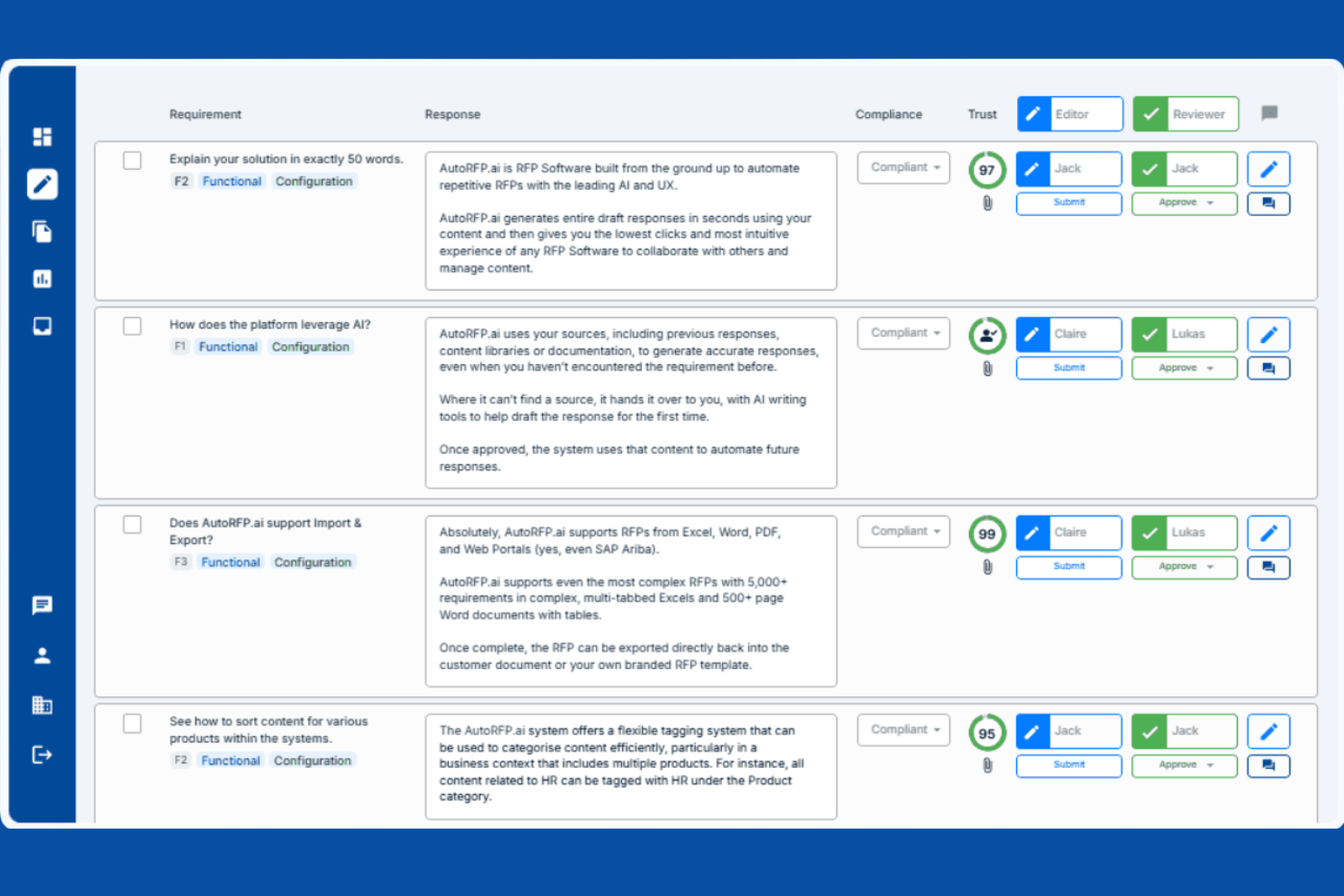
AutoRFP.ai is an AI-driven RFI and RFP software that automates proposal drafting directly from uploaded documents, supports real-time editing, and requires no pre-built content library.
Who Is AutoRFP.ai Best For?
Proposal managers and small-to-midsize team members who need rapid, high-volume RFP responses without maintaining a content library.
Why I Picked AutoRFP.ai
I picked AutoRFP.ai as one of the best because I can draft RFP responses instantly just by uploading the RFP document. There’s no need for us to manage a content library. My team is able to collaborate on proposals in real time and quickly generate answers from project attachments or documents. This lets us respond to high volumes without prepping reusable content in advance.
AutoRFP.ai Key Features
- Smart content validation: Uses automated checks to verify uploaded document accuracy.
- Electronic signatures: Capture legally binding sign-offs within the platform.
- Audit trail tracking: Records all activity and edits made to RFP responses.
AutoRFP.ai Integrations
AutoRFP.ai offers native integrations with Box, Confluence, Google Chrome, Google Drive, Google Workspace, Intercom, Microsoft Edge, Microsoft Entra, Microsoft Teams, Notion, Okta, OneDrive, Salesforce, Seismic, SharePoint, Slack, and Zendesk.
Pros and Cons
Pros:
- Includes AI-driven content validation features
- Supports real-time team collaboration on proposals
- Drafts responses from uploaded RFP documents
Cons:
- No dedicated mobile app
- Initial onboarding required for user navigation


Tribble is an AI-driven knowledge management platform tailored for capturing, organizing, and retrieving tribal knowledge from agent interactions and internal workflows.
Who Is Tribble Best For?
Tribble is a great fit for customer support and operations teams in fast-growing organizations that need to capture and leverage institutional knowledge.
Why I Picked Tribble
I picked Tribble as one of my top choices because I want my agents to be able to capture nuanced, in-the-moment solutions and lessons learned from real cases. I use its agent-driven capture tools to document on-the-job tribal knowledge without disrupting workflow. Tribble’s AI then organizes and surfaces this information so my team can quickly find relevant answers as new projects and RFPs arise.
Tribble Key Features
- AI-powered search: Find relevant knowledge snippets instantly using natural language queries.
- Integration with chat platforms: Capture and retrieve knowledge directly within Slack and Microsoft Teams.
- Automated content suggestions: Surface related articles and solutions during RFP drafting.
Tribble Integrations
Tribble offers native integrations with Salesforce, HubSpot, SharePoint, Google Drive, Confluence, Notion, Slack, Microsoft Teams, Gong, Clari, DocuSign, Box, and OneDrive, and an API is available for custom integrations.
Pros and Cons
Pros:
- Role-based permissions for sensitive RFP content
- AI organizes and tags tribal knowledge fast
- Agents can capture live knowledge during projects
Cons:
- Lacks template support for standardized RFPs
- Requires manual maintenance of the knowledge base

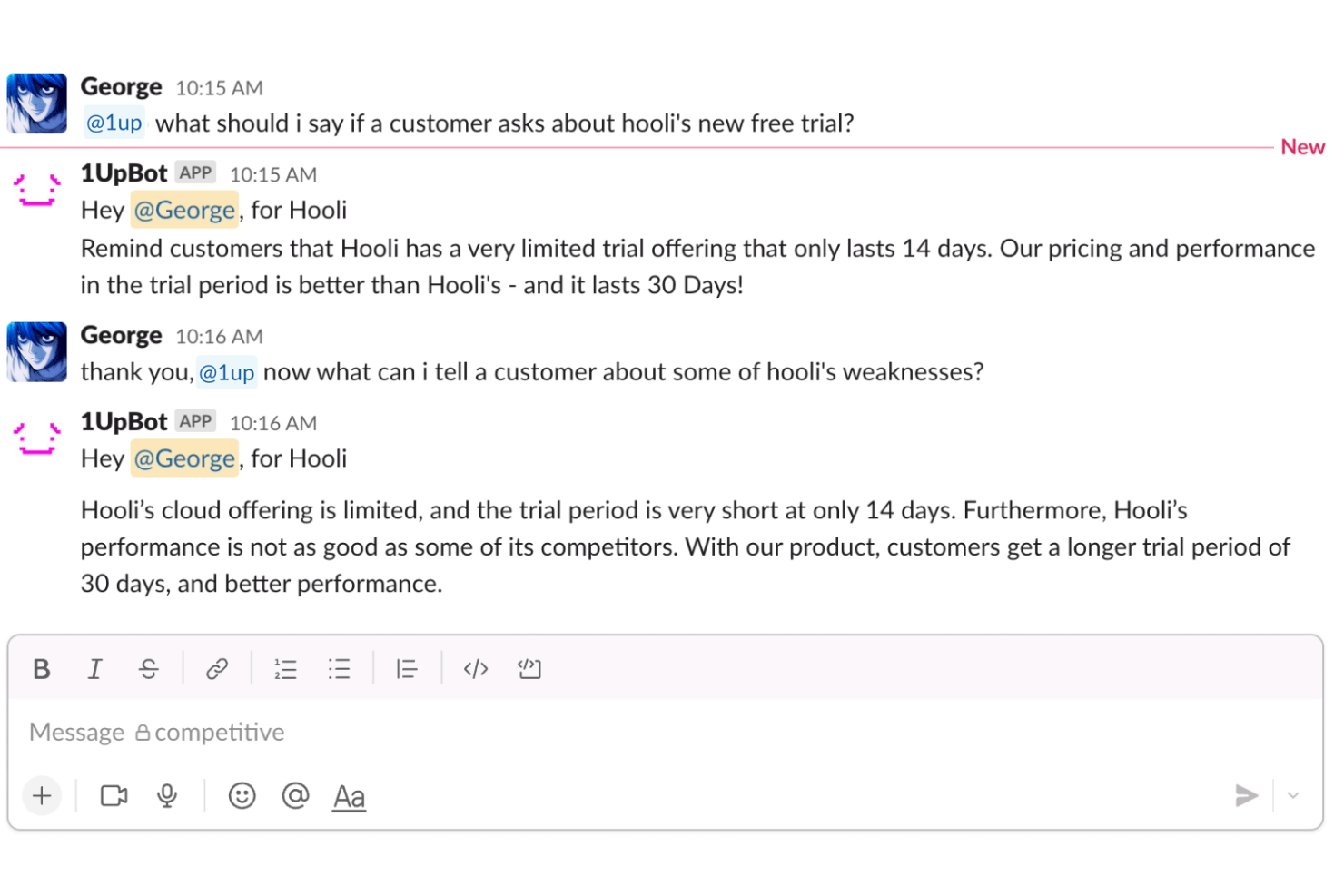
1up is an AI-powered RFP automation platform that connects with your team’s knowledge sources, manages response content, and integrates directly with Slack for optimized collaboration.
Who Is 1up Best For?
1up is ideal for sales or proposal teams in tech companies that rely on Slack to coordinate RFP responses and knowledge sharing.
Why I Picked 1up
I picked 1up as one of the best because I rely on its direct Slack integration to surface relevant documents and automate knowledge sharing during RFP projects. My team can capture and organize Q&A content in real time, all within Slack channels. I also like that we can use its AI-powered search to instantly find previous RFP responses without leaving our chat environment.
1up Key Features
- Automated RFP answer generation: Uses AI to draft responses based on your knowledge base.
- Knowledge library management: Centralizes and categorizes reusable RFP content for team access.
- Integration with Google Drive: Connects to Google Drive to source up-to-date documents and files.
1up Integrations
1up offers native integrations with Slack, Salesforce, Confluence, Google Drive, and HubSpot.
Pros and Cons
Pros:
- Quick search for historical responses using AI
- AI auto-generates suggested answers from the knowledge base
- Real-time Slack collaboration on RFP responses
Cons:
- Reporting and analytics features are minimal
- No built-in document formatting for exports
Other RFP Software
Here are some additional RFP software options that didn’t make it onto my shortlist, but are still worth checking out:
- Bidara
For rapid on-brand proposal drafting
- VisibleThread
For deterministic compliance matrix shredding
- Better Proposals
For high-conversion rapid signatures
- RFP360
For full-circle request and response
- XaitPorter
For simultaneous multi-user co-authoring
- Loopio
For automating RFP response libraries
- Expedience Software
For native Word-based response automation
- DeepRFP
For AI-led document requirement analysis
- SparrowGenie
For AI-driven win probability scoring


How I Evaluate RFP Software
I look at RFP tools in two layers: the baseline capabilities a proposal team needs to function—like content libraries and AI auto-fill—and the differentiators that separate one vendor from another.
Core Functionality (Table Stakes For This List)
When I'm selecting tools for my list, I rank each one on a scale from 0 (does not offer the functionality) to 5 (excels in this area) for each core functionality listed below. Then, I calculate the tool's total score into a percentage. Each tool needs to achieve a minimum total score of 65% to be considered for inclusion.
- Content Library Management: I evaluate how each tool organizes reusable Q&A pairs, checking for tagging, search quality, version control, and whether stale answers get flagged before they end up in a live proposal.
- RFP Response Automation: The depth of auto-fill matters here—I look at whether the tool recommends answers via keyword matching, rule-based logic, or AI-driven suggestions with confidence scores.
- Collaborative Workflow Management: Proposals touch sales, legal, engineering, and security teams, so I check how each tool handles SME assignments, review routing, and multi-stage approvals across contributors.
- Multi-Format Import/Export: Real RFPs arrive as Word docs, Excel spreadsheets, PDFs, and web portal questionnaires, so I evaluate how well each tool ingests and exports across these formats without breaking structure.
- Project & Deadline Tracking: Proposal cycles run on tight timelines, so I look for milestone views, deadline alerts, and progress dashboards that keep bid managers aware of where each response stands.
- Analytics & Reporting: Good proposal teams track win rates and response turnaround, so I check whether each platform offers configurable reporting on content usage, contributor workload, and outcome metrics.
Once I have a list of tools that meet the criteria, I consider what sets each platform apart.
Differentiating Factors (What Sets Vendors Apart)
Here's how I compare and contrast different vendors:
Standout Features
Generative AI drafting is a big differentiator—I look at whether a tool can produce contextual first-draft answers pulled from past proposals, not just surface keyword matches. Security questionnaire support also matters, especially for teams fielding SIG or CAIQ assessments alongside standard RFPs. I evaluate CRM integration depth too, checking whether proposal status and outcome data flow back into Salesforce or HubSpot so sales leaders get pipeline visibility without chasing updates.
Beyond Features
Implementation and content migration is a major consideration. A tool's value depends on how quickly your team can import years of past proposals into a usable library, so I check whether vendors offer guided onboarding or migration services. Security and compliance posture is another factor I weigh—teams in finance or healthcare need SOC 2 Type II certification and data residency options. I also evaluate industry fit by looking for reference customers and case studies that match the buyer's vertical and team size.
How to Choose RFP Software
It’s easy to get bogged down in long feature lists and complex pricing structures. To help you stay focused as you work through your unique software selection process, here’s a checklist of factors to keep in mind:
| Factor | What to Consider |
|---|---|
| Scalability | Will the software adapt as your volume and team size grow? Can it support multiple departments or regions over time? |
| Integrations | Does it connect natively with your CRM, document management, and communication platforms you already use? |
| Customizability | Can workflows, fields, and document formats be aligned with your unique processes and approval structures? |
| Ease of use | Is the UI simple for non-technical users? Can stakeholders collaborate without extra training or IT intervention? |
| Implementation and onboarding | How long does setup take? What level of vendor support and resources are available to guide your rollout? |
| Cost | Are pricing tiers transparent, with no hidden fees? Do costs scale reasonably as usage increases? |
| Security safeguards | Does the vendor offer encryption, access controls, and audit trails to meet your data protection standards? |
| Support availability | What support channels exist, and are they available during your critical project windows or deadlines? |
What is RFP Software?
RFP software is a digital tool that helps organizations manage the full process of responding to or issuing requests for proposals. It centralizes document creation, tracks deadlines, refines collaboration, and organizes proposal data for easy review and submission. This software reduces errors, improves team coordination, and ensures compliance with buyer requirements during high-stakes procurement cycles.
Features of RFP Software
When selecting RFP software, keep an eye out for the following key features:
- Centralized document repository: Store, organize, and manage all RFPs, attachments, and related materials in one secure location for easy access and version control.
- Collaboration tools: Enable multiple stakeholders to contribute, comment, or review responses within the same workspace, reducing confusion and duplicate efforts.
- Deadline and milestone tracking: Set deadlines, assign tasks, and trigger reminders to ensure no response component is missed or submitted late.
- Template management: Create, edit, and reuse response templates to speed up the proposal process and ensure consistent messaging and branding.
- Content library: Save approved, prewritten answers, company information, and boilerplate content for quick insertion into new responses.
- Custom workflow design: Adapt task assignment and approval stages to your organization’s RFP review and sign-off processes.
- Import/export functionality: Quickly pull in RFP details from various file formats and export responses in client-required formats without formatting issues.
- User permission controls: Define granular access levels and authorship rights for each user to protect sensitive data and ensure accountability.
- Audit trail and activity logs: Track changes, edits, and approvals in real time for compliance and transparent project oversight.
Common RFP Software AI Features
Beyond the standard RFP software features listed above, many of these solutions are incorporating AI with features like:
- Automated answer suggestion: AI scans past responses and libraries to instantly suggest tailored answers for new RFP questions, reducing manual drafting time.
- Intelligent content matching: AI analyzes RFP requirements and matches them with the most relevant preapproved content or subject matter experts within the organization.
- Smart document parsing: AI reads and structures inbound RFP documents, extracting key criteria, deadlines, and compliance requirements for rapid response setup.
- Response quality scoring: AI reviews drafts and scores responses for clarity, relevance, and compliance, flagging potential weaknesses or inconsistencies in real time.
- Bid probability prediction: AI uses historical win/loss data and proposal traits to estimate the likelihood of winning an opportunity before resources are committed.
Benefits of RFP Software
Implementing RFP software provides several benefits for your team and your business. Here are a few you can look forward to:
- Faster response times: Automated workflows, templates, and content libraries reduce manual work and speed up the entire proposal process.
- Improved compliance: Built-in audit trails, approval workflows, and structured data management help your team meet client and regulatory requirements.
- Better collaboration: Shared workspaces and role-based permissions allow steady teamwork and clear accountability across departments.
- Better content consistency: Template management and standardized response libraries ensure your proposals maintain consistent language and quality.
- Easier progress tracking: Deadline management and real-time status updates let you monitor milestones and address bottlenecks before they become problems.
- Reduced risk of errors: Centralized document control and automated version tracking minimize mistakes and the need for last-minute revisions.
- Stronger win rates: Smart reporting, AI-powered insights, and data-driven bid guidance let you focus resources on the most promising RFP opportunities.
Costs and Pricing of RFP Software
Selecting RFP software requires an understanding of the various pricing models and plans available. Costs vary based on features, team size, add-ons, and more. The table below summarizes common plans, their average prices, and typical features included in RFP software solutions:
Plan Comparison Table for RFP Software
| Plan Type | Average Price | Common Features |
|---|---|---|
| Free Plan | $0 | Basic document storage, single-user access, limited response templates, and basic task management. |
| Personal Plan | $19-$50/user/month | Expanded template options, deadline tracking, content library, email notifications, and export capabilities. |
| Business Plan | $60-$100/user/month | Advanced collaboration, workflow customization, analytics dashboards, CRM integrations, and priority support. |
| Enterprise Plan | $300-$1000+//month | Custom workflows, unlimited users, advanced permissions, SSO, audit trails, dedicated onboarding, and SLAs. |
RFP Software FAQs
Here are some answers to common questions about RFP software:
Can RFP Software help manage deadlines and team assignments?
Yes, most RFP software includes task assignment, milestone tracking, response management, and automated reminders to keep everyone on schedule. This makes it easier to coordinate work, prevent missed deadlines, and manage proposals with multiple contributors.
How secure is data stored in RFP Software?
Most RFP software providers use strong encryption, SOC 2, strict access controls, and audit logs to protect your data. Always review a vendor’s security questionnaires, certifications and policies to ensure they align with your organization’s data protection requirements.
Is it possible to integrate RFP Software with other business tools?
Yes, many RFP solutions offer integrations with CRMs, document management systems, and collaboration platforms. This connectivity reduces manual data entry, helps maintain a single source of truth, and simplifies your RFP workflows across key business systems.
Do RFP Software platforms support content library management?
Yes, a built-in content library is a standard feature for most RFP software. It lets you store approved responses, technical documents, and reusable assets, making proposal creation much faster and ensuring consistency across responses.
What should I look for when evaluating RFP Software for a larger team?
Look for scalable user management, advanced permissions, cloud-based access, and extensive onboarding resources. Larger teams often benefit from custom workflows and advanced analytics to track activity and outcomes across departments.