

10 Best LibreOffice Alternatives To Consider in 2026

LibreOffice Alternatives Shortlist


A strong LibreOffice alternative offers reliable document editing, compatibility with common file formats, and flexible collaboration options—without locking you into a single vendor. If you’re searching for good alternatives to LibreOffice, you’re likely weighing open-source values, privacy, and the need for features that fit your team’s workflow. With so many office suites available, it’s tough to know which ones deliver the editing tools, integrations, and deployment models you actually need. This list will help you quickly compare the top LibreOffice alternatives for 2026, so you can find the right fit for your projects and organization.
What is LibreOffice?
LibreOffice is a free open source software suite that includes tools for word processing, spreadsheets, presentations, and more—often used instead of Microsoft Word, Excel, and PowerPoint. It supports a wide range of file formats, including MS Office documents, making it a popular choice for individuals and organizations seeking vendor independence. LibreOffice is maintained by The Document Foundation and is available for Windows, macOS, and Linux, offering regular updates and a strong community-driven development model.
LibreOffice Alternatives Comparison Table
This comparison table summarizes pricing details for my top LibreOffice alternative selections:
| Tool | Best For | Trial Info | Price | ||
|---|---|---|---|---|---|
| 1 | Best with familiar interface for new users | Free plan available | From $2.49/user/month (billed annually) | Website | |
| 2 | Best with advanced document collaboration tools | Free plan + 30-day free trial available | From $20/admin/month | Website | |
| 3 | Best for teams needing offline document editing | Free plan available | Free and open-source | Website | |
| 4 | Best with real-time multi-user editing | 14-day free trial available | From $7/user/month | Website | |
| 5 | Best for integration with enterprise platforms | Free demo available | Pricing upon request | Website | |
| 6 | Best for privacy-focused document sharing | Free plan + free demo available | From €5/month | Website | |
| 7 | Best for self-hosted file management | Free 1-hour demo available | From €68.94/user/year (billed annually) | Website | |
| 8 | Best for built-in workflow automation | Free plan available | From $3/user/month (billed annually) | Website | |
| 9 | Best for cross-device document access | Free plan + free demo + 30-day free trial availabl | From $900/yea | Website | |
| 10 | Best for mobile-friendly document editing | Free plan available | Pricing upon request | Website |
Why Trust Our Software Recommendations
Our team has been testing and reviewing software since 2012. As project managers ourselves, we know how difficult—and important—it is to choose the right software.
For this guide, we evaluated tools using hands-on testing and independent research, scoring tools using our selection criteria. We also draw on insights from industry thought leaders and practicing project management experts.
Our reviews reflect our human editorial judgment, not a sales pitch.
LibreOffice Alternatives Reviews
Below are my detailed summaries of the LibreOffice alternatives that made it onto my shortlist. My reviews offer a detailed look at the features, best use cases, and integrations of each office suite to help you find the best one for you.

Best with familiar interface for new users
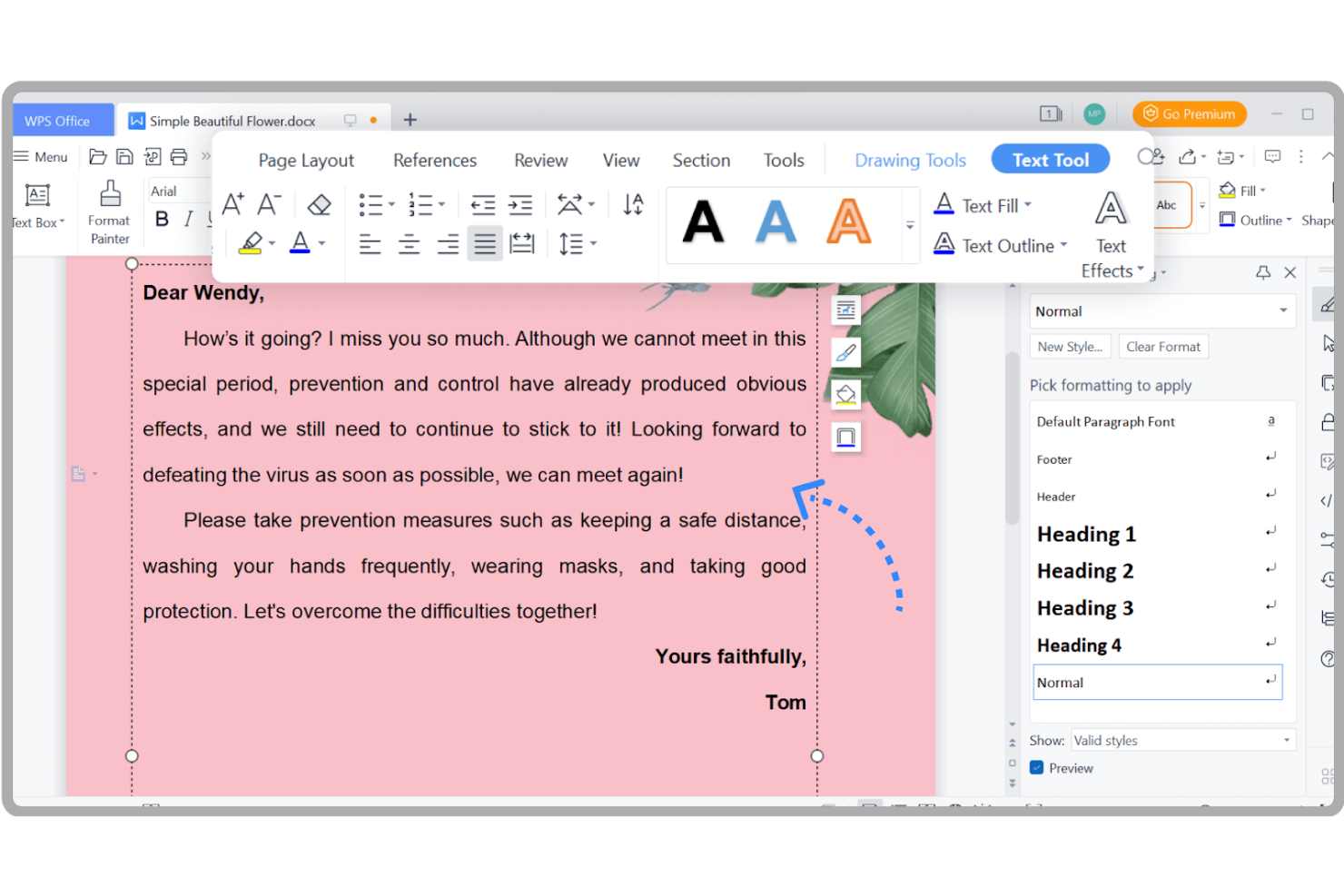
WPS Office stands out for users who want an office suite that feels instantly familiar. Its interface closely mirrors Microsoft Office, making it a strong fit for teams or professionals transitioning from proprietary suites but seeking a more flexible, open-source-friendly alternative. If you need a solution that minimizes retraining and supports a smooth switch from mainstream tools, WPS Office is designed with that experience in mind.
Why WPS Office Is a Good LibreOffice Alternative
If you’re looking for an office suite that feels instantly recognizable, WPS Office is a strong choice. I picked it because its interface closely matches Microsoft Office, which helps new users get up to speed quickly without a steep learning curve. WPS Office also supports familiar ribbon menus and tabbed document editing, making it easy for teams to transition from proprietary suites. For anyone prioritizing a smooth switch with minimal disruption, these features set WPS Office apart from LibreOffice.
WPS Office Key Features
Some other features that make WPS Office appealing include:
- Cloud Document Storage: Save and access documents directly from WPS Cloud across devices.
- PDF Conversion Tools: Convert documents to and from PDF format within the suite.
- Built-In Templates Library: Choose from a wide range of templates for documents, spreadsheets, and presentations.
- Cross-Platform Support: Use WPS Office on Windows, macOS, Linux, Android, and iOS.
WPS Office Integrations
Integrations include WPS Cloud and Google Drive.
Pros and Cons
Pros:
- Excellent mobile apps
- Lightweight installer
- Great PDF conversions
Cons:
- Paid premium features
- Data privacy concerns

Best with advanced document collaboration tools
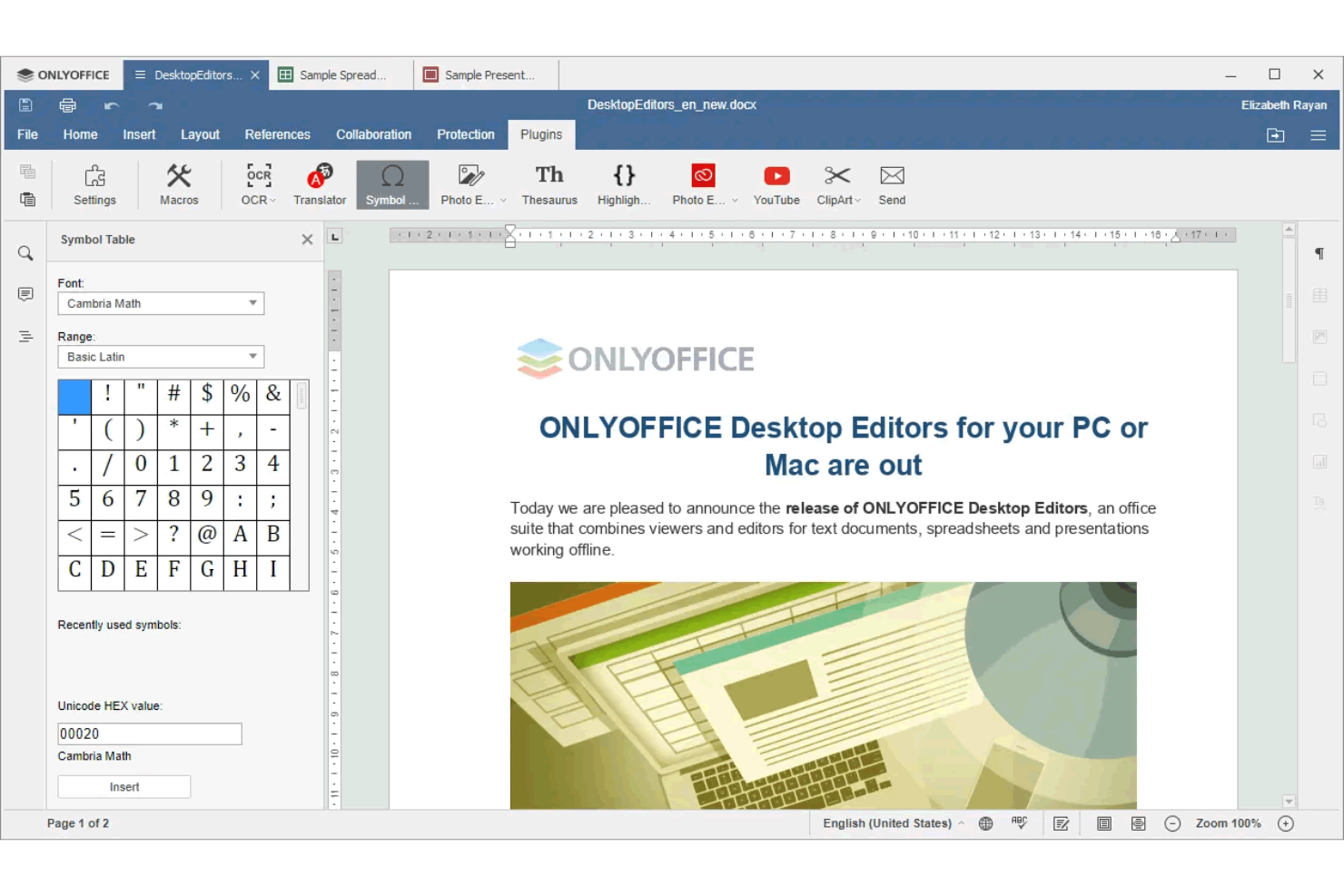
Teams looking for advanced document collaboration features may want to explore ONLYOFFICE. This open-source suite is designed for organizations that need real-time co-editing, version control, and granular sharing permissions. It’s especially useful for distributed teams that require seamless collaboration on documents, spreadsheets, and presentations.
Why ONLYOFFICE Is a Good LibreOffice Alternative
Unlike many open-source office suites, ONLYOFFICE is built with advanced document collaboration at its core. I picked it because it offers real-time co-editing, detailed version history, and customizable sharing permissions that help teams work together on the same files without confusion. The suite also supports in-document chat and comments, making it easier to discuss changes directly within your workflow. These features make ONLYOFFICE a strong choice for teams that prioritize collaborative editing over traditional offline document work.
ONLYOFFICE Key Features
Some other features make ONLYOFFICE a flexible choice for different organizations:
- Document Editor Plugins: Extend editing capabilities with plugins for translation, thesaurus, and more.
- Mail Module: Manage business email accounts directly within the suite.
- CRM Module: Track contacts, deals, and tasks with built-in customer relationship management tools.
- Calendar Integration: Schedule meetings and manage events with a shared calendar system.
ONLYOFFICE Integrations
Integrations include Nextcloud, ownCloud, Moodle, WordPress, Confluence, Jira, Box, Dropbox, Odoo, and Trello.
Pros and Cons
Pros:
- Self-hosting options
- Tabbed document viewing
- Clean modern interface
Cons:
- Fewer drawing tools
- Lacks database module
Best for teams needing offline document editing
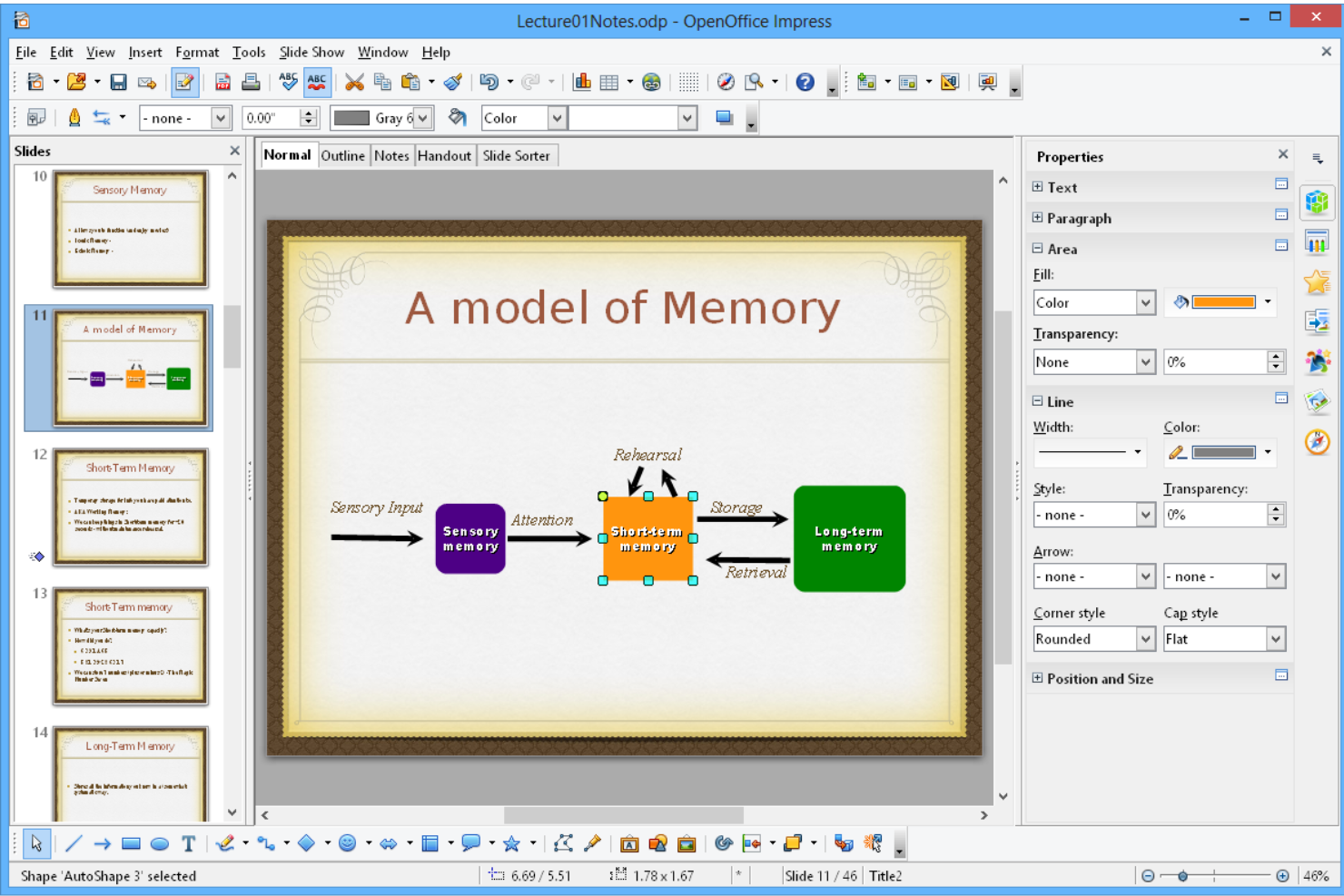
If your team needs a reliable office suite for offline document editing, Apache OpenOffice is worth considering. This open-source platform appeals to organizations that prioritize local file control and compatibility with a wide range of document formats. It’s a strong choice for businesses that want a straightforward, vendor-independent alternative to LibreOffice.
Why Apache OpenOffice Is a Good LibreOffice Alternative
For teams that need reliable offline document editing, Apache OpenOffice stands out as a practical choice. I picked it because it offers a full suite of office tools—including Writer, Calc, and Impress—that work entirely without an internet connection. Its strong support for legacy file formats makes it easy to open and edit older documents. The ability to save files locally gives teams more control over their data compared to cloud-based solutions.
Apache OpenOffice Key Features
Some other features make Apache OpenOffice a flexible option for different teams:
- Extension Manager: Add new functionality or customize the suite with a wide range of downloadable extensions.
- Draw Tool: Create diagrams, flowcharts, and simple graphics directly within the suite.
- Base Database Module: Build and manage databases with built-in tools for forms, queries, and reports.
- PDF Export: Export documents, spreadsheets, and presentations directly to PDF format without extra software.
Apache OpenOffice Integrations
Integrations include MySQL, PostgreSQL, Microsoft SharePoint, Alfresco, and MediaWiki.
Pros and Cons
Pros:
- Familiar core codebase
- Low system requirements
- Works fully offline
Cons:
- Smaller developer base
- Poor docx compatibility

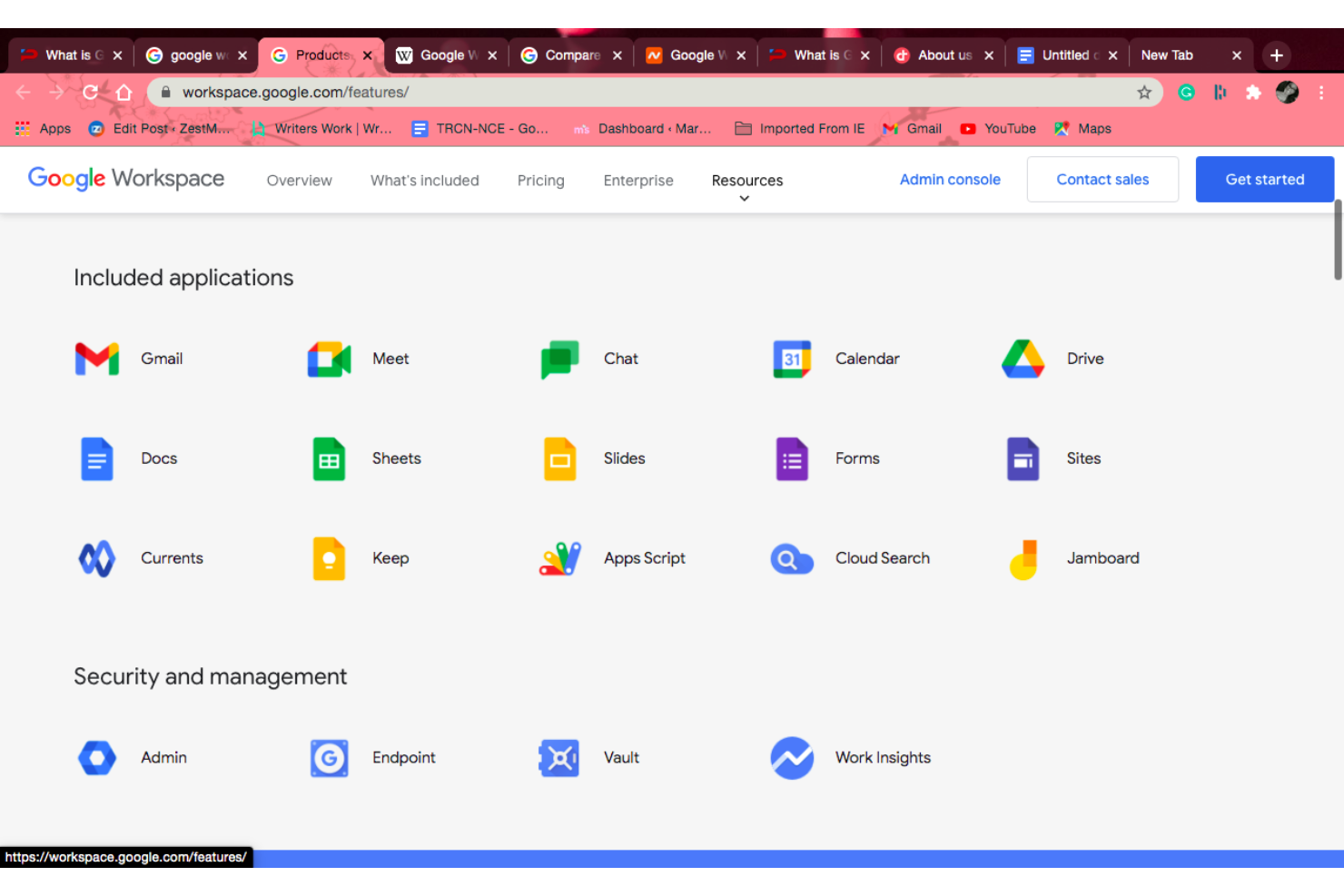
If your team needs real-time collaboration on documents, Google Workspace is worth a close look. It’s especially useful for distributed teams and organizations that prioritize live editing, instant feedback, and cloud-based access across devices. Unlike most open-source office suites, Google Workspace enables multiple users to work together in the same file at the same time, with changes visible instantly.
Why Google Workspace Is a Good LibreOffice Alternative
For teams that need to collaborate in real time, Google Workspace offers a level of multi-user editing that open-source suites like LibreOffice can’t match. I picked it because you can see edits from colleagues as they happen, leave comments, and tag teammates directly in Docs, Sheets, and Slides. The platform also tracks changes automatically, so everyone stays on the same page without version confusion. This makes Google Workspace a strong choice for groups that rely on fast, interactive document collaboration.
Google Workspace Key Features
Some other features that stand out for teams include:
- Integrated Gmail and Calendar: Manage email and schedule meetings directly within the same platform.
- Google Forms: Create surveys and collect structured responses with built-in analytics.
- Cloud Storage with Google Drive: Store, organize, and share files securely in the cloud.
- Admin Console: Control user access, security settings, and device management from a centralized dashboard.
Google Workspace Integrations
Integrations include Gmail, Google Drive, Google Meet, Google Calendar, Google Chat, Google Docs, Google Sheets, Google Slides, Google Forms, and Google Keep.
Pros and Cons
Pros:
- Auto-saves instantly
- Zero local installation
- Accessible anywhere
Cons:
- No native desktop app
- Messes up complex docs

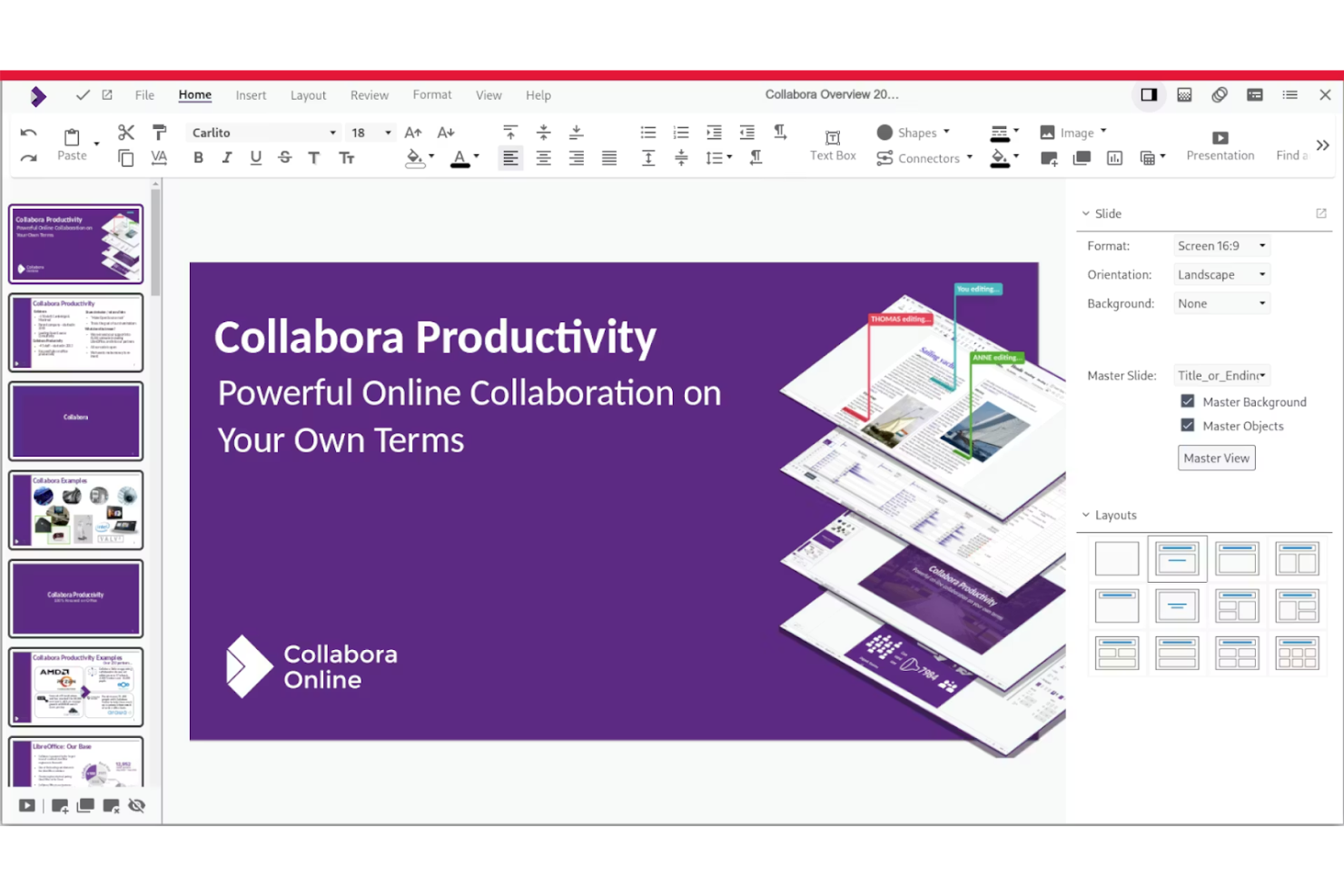
Collabora Online is designed for organizations that need an open-source office suite tightly integrated with their existing enterprise platforms. It’s a strong fit for IT teams and businesses that want to embed document editing and collaboration directly into their own systems or cloud environments. Collabora Online stands out for its compatibility with enterprise content management and file-sharing solutions, making it easier to keep workflows unified and secure.
Why Collabora Online Is a Good LibreOffice Alternative
What sets Collabora Online apart is its deep focus on integration with enterprise platforms. I picked it because it allows businesses to embed document editing and collaboration directly into their own content management systems and cloud storage solutions. Collabora Online supports real-time co-authoring and version control within these environments, so teams can work together without leaving their preferred platforms. This makes it a strong choice for organizations that need open-source office tools to fit seamlessly into complex, existing workflows.
Collabora Online Key Features
Some other features make Collabora Online a flexible choice for different business needs:
- Mobile Editing Support: Edit documents, spreadsheets, and presentations from mobile devices with a responsive interface.
- Advanced Document Formatting: Access a wide range of formatting tools for complex documents and layouts.
- Commenting and Annotation Tools: Add comments and annotations directly within documents for team feedback.
- Support for Microsoft Office File Formats: Open, edit, and save files in DOCX, XLSX, and PPTX formats without conversion.
Collabora Online Integrations
Integrations include Nextcloud, ownCloud, Alfresco, Drupal, Mattermost, Nuxeo, WordPress, OpenText, Univention, and Strato.
Pros and Cons
Pros:
- Enterprise-ready scale
- Strong data privacy
- Great Nextcloud sync
Cons:
- Paid support tiers
- UI feels a bit clunky
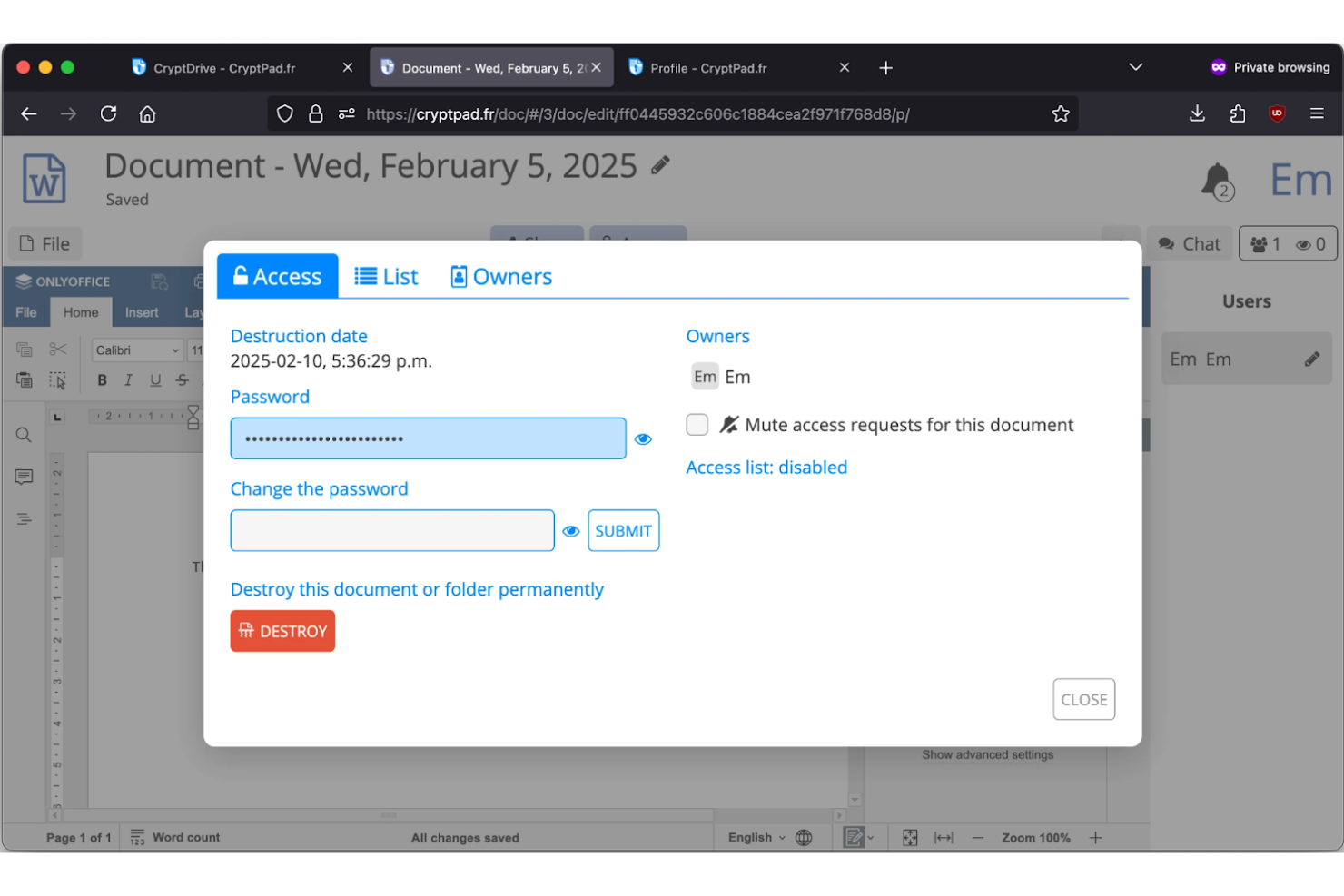
If privacy is your top concern, Cryptpad offers a unique approach to document collaboration. This open-source suite uses end-to-end encryption for every file, making it a strong fit for organizations handling sensitive information or working in regulated industries. It’s especially useful for teams that need secure, anonymous document sharing without sacrificing real-time editing features.
Why Cryptpad Is a Good LibreOffice Alternative
For teams that need privacy above all else, Cryptpad stands out as a strong LibreOffice alternative. I picked it because it offers end-to-end encryption for every document, spreadsheet, and presentation you create or share. Cryptpad also allows for anonymous collaboration, so users don’t need to provide personal information to work together in real time. These privacy-focused features make it a great fit for organizations that can’t compromise on data security.
Cryptpad Key Features
Some other features make Cryptpad a flexible option for different privacy needs:
- Kanban Boards: Organize tasks and projects visually with built-in kanban boards.
- Rich Text Editor: Create and format documents with a collaborative rich text editor.
- Polls and Forms: Build and share secure polls and forms for team input or feedback.
- Whiteboard Tool: Collaborate visually with a shared digital whiteboard for sketches and diagrams.
Cryptpad Integrations
Integrations include Nextcloud, Matrix, Moodle, GitHub, and GitLab.
Pros and Cons
Pros:
- Open-source codebase
- Real-time collaboration
- No account required
Cons:
- Basic formatting tools
- Storage limits on free
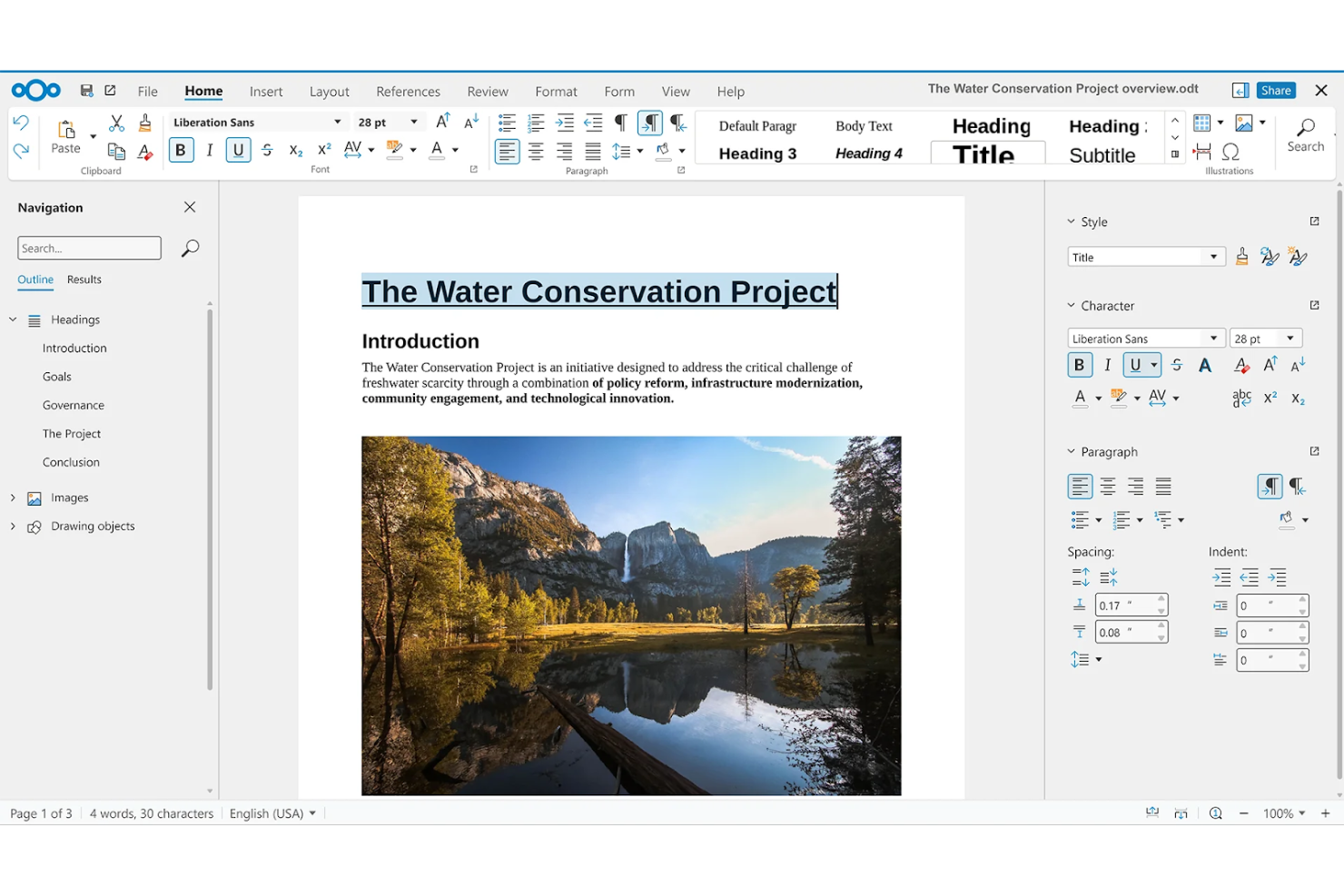
If your organization needs full control over both documents and file management, Nextcloud Office brings open-source editing and collaboration directly into your self-hosted Nextcloud environment. This solution is especially useful for IT teams and privacy-focused businesses that want to keep sensitive data on their own infrastructure. Nextcloud Office stands out for its tight integration with file sharing, user permissions, and workflow automation within the broader Nextcloud platform.
Why Nextcloud Office Is a Good LibreOffice Alternative
Nextcloud Office is a strong choice if you want to manage both your documents and your file storage on your own servers. I picked it because it lets you keep all files, editing activity, and user data under your direct control, which is essential for privacy-focused organizations. The platform supports collaborative editing, granular file permissions, and workflow automation within a unified self-hosted environment. This makes it a practical alternative to LibreOffice for teams that need open-source office tools tightly connected to their own file management systems.
Nextcloud Office Key Features
In addition to its strong self-hosted file management, I also found these features worth noting:
- Document Versioning: Track and restore previous versions of documents directly within the platform.
- Integrated Chat and Video Calls: Communicate with collaborators using built-in chat and video conferencing tools.
- Template Management: Create and manage reusable document templates for consistent formatting.
- PDF Annotation: Mark up and comment on PDF files without leaving the Nextcloud environment.
Nextcloud Office Integrations
Integrations include Collabora Online, ONLYOFFICE, Microsoft Teams, Outlook, and Matrix.
Pros and Cons
Pros:
- Great team file sharing
- LibreOffice backend
- Strong privacy controls
Cons:
- Heavy IT administration
- Hard for solo users
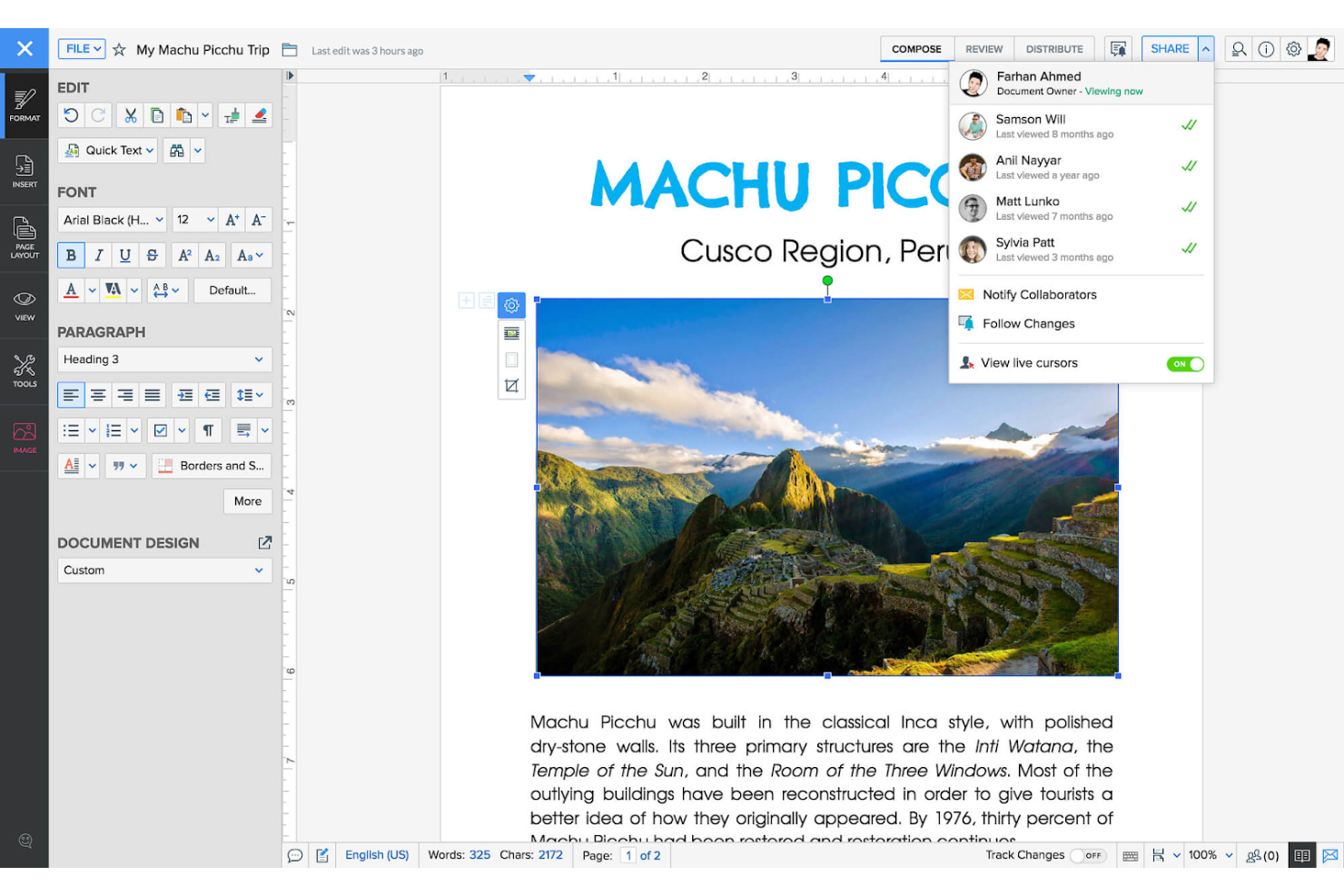
Teams looking for an office suite with built-in automation tools may want to consider Zoho Office. This platform is especially useful for businesses that want to connect documents, spreadsheets, and presentations directly to automated workflows without relying on third-party tools. Zoho Office stands out from other open-source options by offering native workflow automation and integration across its suite of productivity apps.
Why Zoho Office Is a Good LibreOffice Alternative
Unlike many open-source office suites, Zoho Office puts workflow automation at the center of its platform. I picked it because you can automate document approvals, notifications, and data collection directly within your office apps, without needing extra plugins or coding. The suite includes built-in tools for creating custom workflows that connect Zoho Writer, Sheet, and Show, making it easy to streamline repetitive tasks. This approach makes Zoho Office a strong alternative for teams that want productivity tools and automation in one package.
Zoho Office Key Features
Some other features that caught my attention include:
- Real-Time Co-Authoring: Multiple users can edit documents, spreadsheets, and presentations at the same time.
- Document Merge: Combine data from spreadsheets or forms into personalized documents automatically.
- Version History: Access and restore previous versions of files with detailed change tracking.
- Offline Editing: Work on documents without an internet connection and sync changes later.
Zoho Office Integrations
Integrations include Zoho CRM, Zoho WorkDrive, Zoho Mail, Zoho Connect, Zoho Cliq, Zoho Meeting, Zoho Projects, Zoho People, Zoho Sign, and Zoho Forms.
Pros and Cons
Pros:
- Smooth team sharing
- Great mobile apps
- Built-in smart assistant
Cons:
- Paid for advanced tools
- Weak complex formatting

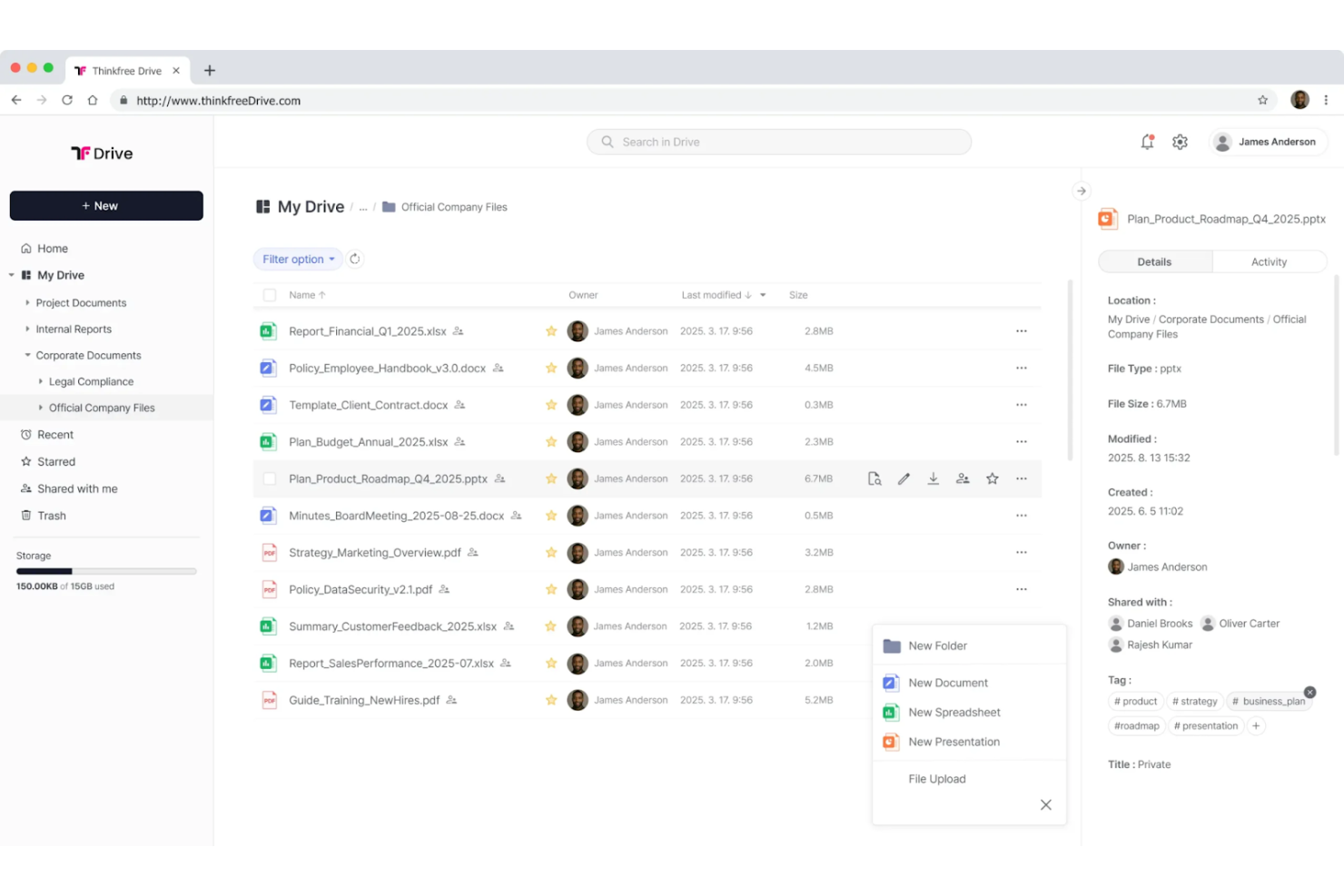
If you need to work on documents across multiple devices without hassle, ThinkFree is designed for you. It’s a cloud-based office suite that appeals to professionals and teams who move between desktops, laptops, tablets, and smartphones. Unlike most open-source office suites, ThinkFree lets you start a document on one device and pick up right where you left off on another, with your files always accessible online.
Why ThinkFree Is a Good LibreOffice Alternative
Unlike many open-source office suites, ThinkFree is built for users who need to access and edit documents seamlessly across different devices. I picked it because you can start a project on your desktop and continue working on your phone or tablet without losing formatting or progress. The platform automatically syncs your files to the cloud, so your latest version is always available wherever you log in. This makes ThinkFree a strong choice for anyone who values flexibility and mobility in their document workflows.
ThinkFree Key Features
Some other features that make ThinkFree appealing include:
- Document Conversion Tools: Convert files between Microsoft Office formats and PDFs directly within the platform.
- Collaboration Permissions: Set view, comment, or edit access for shared documents.
- Template Library: Access a range of pre-built templates for documents, spreadsheets, and presentations.
- Browser-Based Editing: Edit files directly in your web browser without needing to install additional software.
ThinkFree Integrations
Integrations include AWS, Nextcloud, ownCloud, Alfresco, and Microsoft SharePoint.
Pros and Cons
Pros:
- Clean user interface
- Lightweight mobile app
- Good web-based editing
Cons:
- Less advanced features
- Weak extension library

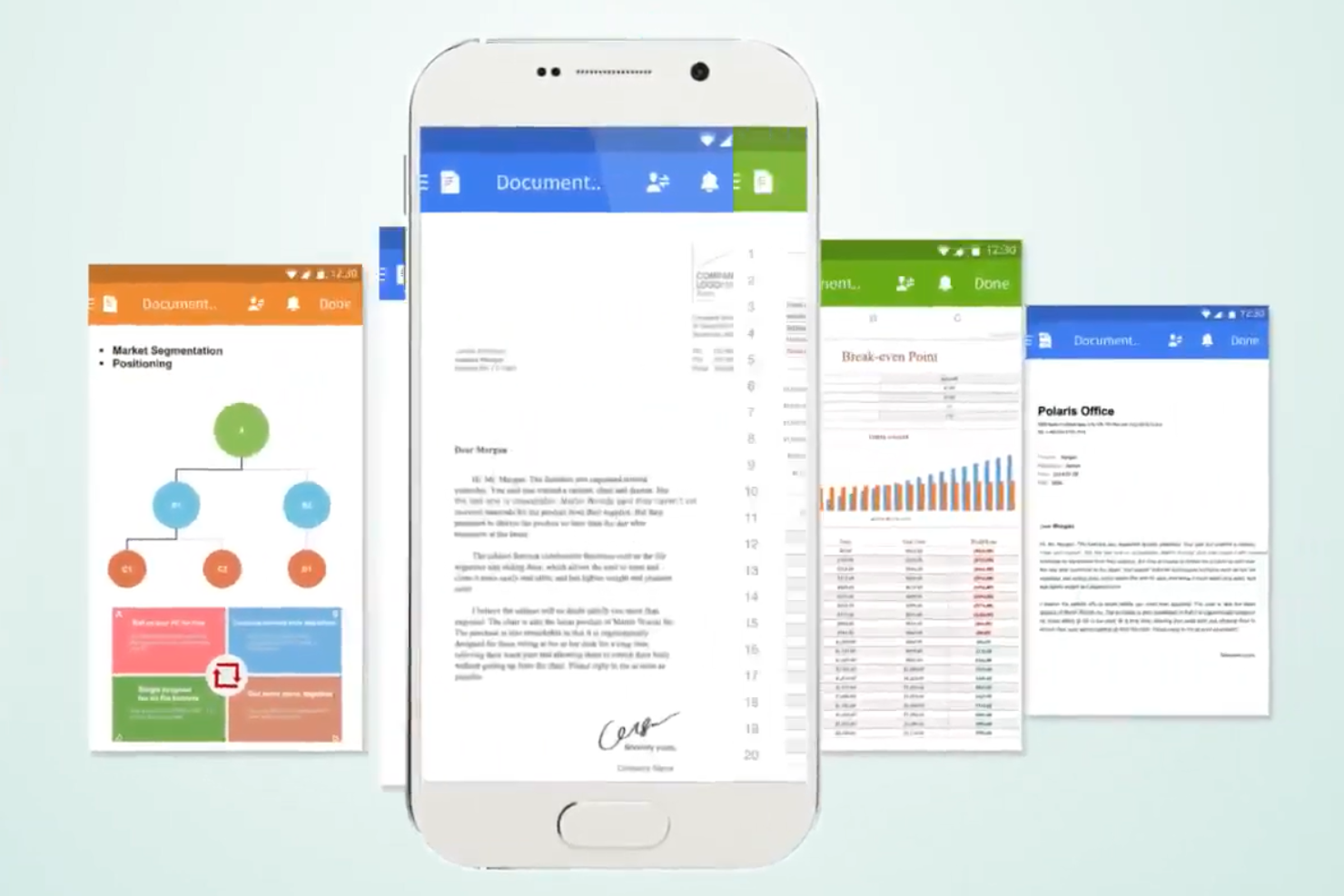
If you’re looking for an office suite that works especially well on smartphones and tablets, Polaris Office Web is worth considering. It’s designed for professionals and teams who need to create, edit, and share documents on the go, without sacrificing formatting or usability. Unlike most open-source office suites, Polaris Office Web offers a mobile-first interface that makes document editing and collaboration smooth on smaller screens.
Why Polaris Office Web Is a Good LibreOffice Alternative
For anyone who needs to edit documents on a phone or tablet, Polaris Office Web stands out as a strong alternative to LibreOffice. I picked it because its mobile-friendly interface is designed specifically for touchscreens, making it easy to format text, insert images, and manage spreadsheets from any device. The platform also supports real-time collaboration, so you can work with colleagues on documents even when you’re away from your desk. These features make Polaris Office Web a practical choice for teams and professionals who prioritize mobile productivity.
Polaris Office Web Key Features
Some other features that make Polaris Office Web appealing include:
- Cloud Storage Integration: Connect and save documents directly to Google Drive, Dropbox, and OneDrive.
- PDF Editing Tools: Open, annotate, and convert PDF files within the platform.
- Document Encryption: Protect sensitive files with password-based encryption.
- Template Gallery: Choose from a variety of pre-designed templates for documents, spreadsheets, and presentations.
Polaris Office Web Integrations
Integrations include Google Drive, Dropbox, OneDrive, and Polaris Drive.
Pros and Cons
Pros:
- Familiar ribbon design
- Low storage footprint
- Great PDF editing tools
Cons:
- Weaker desktop version
- Privacy policy concerns
Other LibreOffice Alternatives
Here are some additional LibreOffice alternatives options that didn’t make it onto my shortlist, but are still worth checking out:
- Calligra Suite
For visual project planning features
- Truly Office
For document version control
- Microsoft 365
With advanced spreadsheet analytics
- SoftMaker FreeOffice
For compatibility with legacy file formats
- MobiOffice
For on-the-go document editing
- iWork
For macOS and iOS device integration
- WordPerfect Office
For legal document formatting


How I Evaluate LibreOffice Alternatives
I split my evaluation into two layers: the baseline any tool must clear—like editing a DOCX budget or co-authoring a project charter—and the differentiators that separate good from great.
Core Functionality (Table Stakes For This List)
When I'm selecting tools for my list, I rank each one on a scale from 0 (does not offer the functionality) to 5 (excels in this area) for each core functionality listed below. Then, I calculate the tool's total score into a percentage. Each tool needs to achieve a minimum total score of 65% to be considered for inclusion.
- Document Creation Suite: I look for a full set of office apps—docs, spreadsheets, and presentations—so you can build a project charter and a budget deck in one place.
- File Format Compatibility: Opening a stakeholder's DOCX or PPTX and losing all the formatting defeats the purpose, so I evaluate how cleanly each tool handles imports and exports.
- Real-Time Collaboration: I check whether multiple team members can co-edit a risk register or status report at the same time, with comments, version history, and presence indicators.
- Cloud & Cross-Platform Access: Project managers work across devices constantly, so each tool should offer web, desktop, and mobile access with reliable sync between them.
- Project-Grade Spreadsheet Power: Pivot tables, conditional formatting, and formula depth matter here—I evaluate whether the spreadsheet app can handle a resource tracker or a multi-phase budget model.
- Integrations & Sharing Controls: I look at native connections to tools like Jira, Slack, and SharePoint, plus granular permissions that let you share a deliverable with a client without exposing internal notes.
Once I have a list of tools that meet this criteria, I consider what sets each platform apart.
Differentiating Factors (What Sets Vendors Apart)
Here's how I compare and contrast different vendors:
Standout Features
AI writing assistance is a major differentiator—I evaluate whether a tool can summarize meeting notes or draft a project brief without leaving the editor. Built-in project templates matter too. A pre-built Gantt chart or RAID log saves hours of setup at project kickoff. I also look at automation and macro support for recurring tasks like generating weekly status reports from live spreadsheet data, which cuts a lot of manual work for PMO leads managing multiple workstreams.
Beyond Features
Licensing and pricing structure matters a lot when you're equipping an entire PMO. I evaluate whether a vendor offers a meaningful free tier or scales affordably as your team grows. Migration support is another key factor—switching from LibreOffice mid-project means your templates, macros, and formatting need to survive the move intact. I also check deployment flexibility, since some organizations require on-premise hosting or regional data residency to meet internal IT policies, especially teams handling sensitive project data.
Why Look For a LibreOffice Alternative?
While LibreOffice is a good choice of open-source office suite, there are a number of reasons why some users seek out alternative solutions. You might be looking for a LibreOffice alternative because…
- You need real-time document collaboration
- You want a more modern or familiar interface
- You require better compatibility with Microsoft Office files
- You need built-in cloud storage and sync
- You want more advanced PDF editing tools
- You require stronger mobile or web app support
If any of these sound like you, you’ve come to the right place. My list contains several open-source office suite options that are better suited for teams facing these challenges with LibreOffice and looking for alternative solutions.
LibreOffice Key Features
Here are some of the key features of LibreOffice, to help you contrast and compare what alternative solutions offer:
- Full-featured word processor (Writer)
- Advanced spreadsheet editor (Calc)
- Presentation software with multimedia support (Impress)
- Vector drawing and diagramming tool (Draw)
- Database management system (Base)
- Formula editor for scientific and mathematical equations (Math)
- Extensive support for Microsoft Office file formats
- Customizable extension and template library
- Offline desktop access for all modules
- Open-source licensing and active community support