

10 Best Invoicing Software for Small Business in 2026

Best Invoicing Software for Small Businesses Shortlist


Invoicing software for small businesses reduces payment delays, automates recurring billing, and simplifies client management without manual bookkeeping errors. When you are managing shifting client demands and multiple projects, the right tool can reduce the friction between finished deliverables and payments.
In this guide, I break down the best invoicing software for small businesses, agencies, and service providers. You’ll see how each platform handles contracts, expenses, and payouts, without drowning you in admin work.
Why Trust Our Software Recommendations
Our team has been testing and reviewing software since 2012. As project managers ourselves, we know how difficult—and important—it is to choose the right software.
For this guide, we evaluated tools using hands-on testing and independent research, scoring tools using our selection criteria. We also draw on insights from industry thought leaders and practicing project management experts.
Our reviews reflect our human editorial judgment, not a sales pitch.
Expert reviewers:
Invoicing Software for Small Businesses Comparison Table
Compare pricing and specs, side by side, for the invoicing software for small businesses that made it onto my shortlist.
| Tool | Best For | Trial Info | Price | ||
|---|---|---|---|---|---|
| 1 | Best for field service scheduling and billing | 14-day free trial | From $49/month | Website | |
| 2 | Best for smart billing insights | Free plan available | From $15/month | Website | |
| 3 | Best for billing across multiple entities and projects | 7-day free trial | From $600/year | Website | |
| 4 | Best for managing multi-currency billing | Free plan + 14-day free trial available | From $16/month (billed annually) | Website | |
| 5 | Best for businesses using an hourly billing model | Free plan + 15-day free trial available | From $9.90/month | Website | |
| 6 | Best for open-source customization and self-hosting | Free plan available | From $11.67/month (billed annually) | Website | |
| 7 | Best for client collaboration and expense tracking | Free demo + 30-day free trial available | From $12/month (billed annually) | Website | |
| 8 | Best for end-to-end freelancer contract billing | 7-day free trial | From $9/user/month (billed annually) | Website | |
| 9 | Best free invoicing with a client portal | Not available | Free forever plan | Website | |
| 10 | Best for invoicing with AI receipt scanning | Free demo + 7-day free trial available | From $6.67/user/month (billed annually) | Website |
Invoicing Software for Small Businesses Reviews
Below are my detailed summaries of the best invoicing software for small businesses that made it onto my shortlist. My reviews offer a detailed look at the features, best use cases, and pricing of each software to help you find the best one for you.

Jobber
Best for field service scheduling and billing
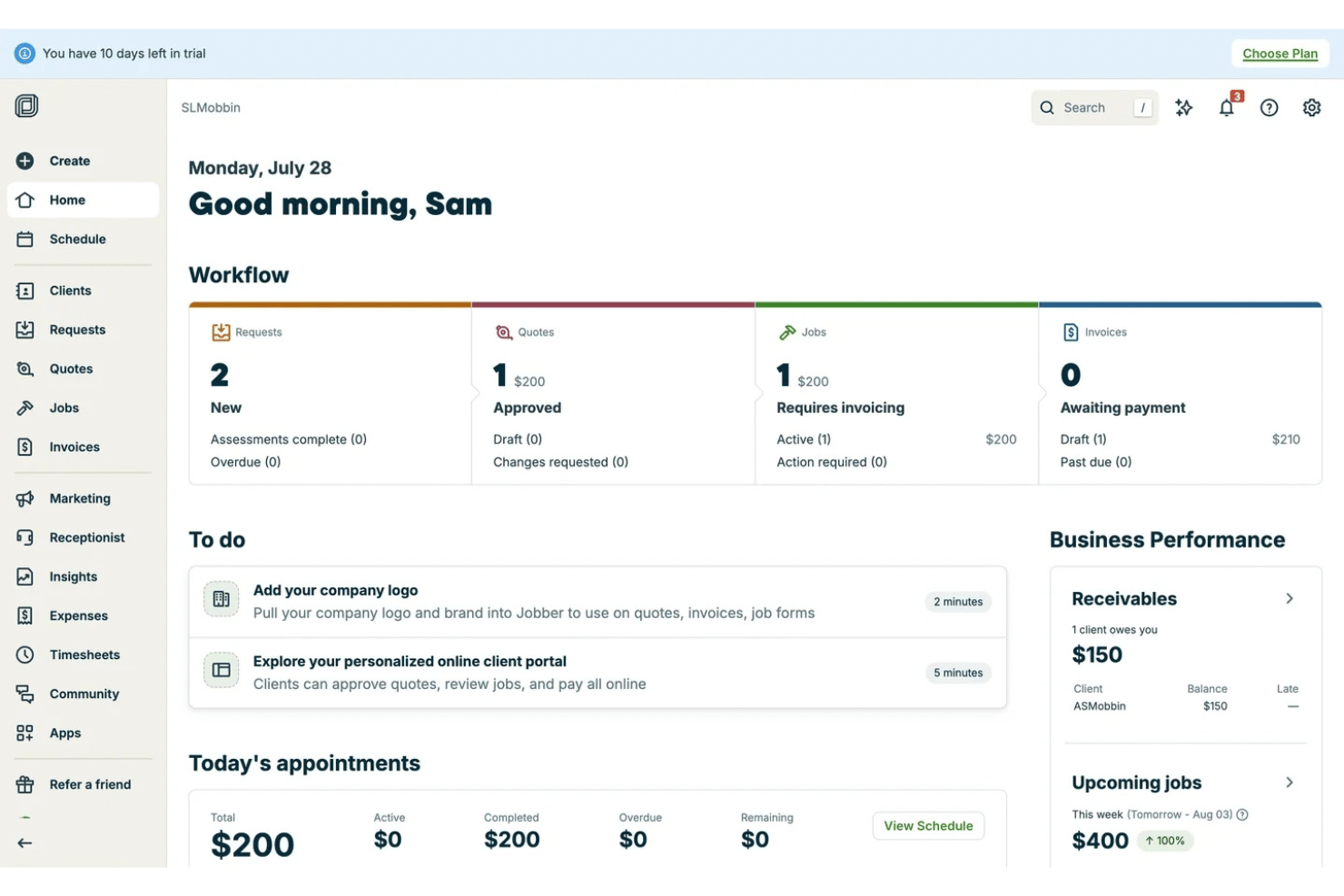
Jobber is a field service management platform that combines invoicing, scheduling, quoting, job management, expense tracking, and payment collection in one tool.
Who Is Jobber Best For?
Jobber is the right fit for home and field service businesses—landscapers, HVAC technicians, and cleaning companies—that need invoicing tied to job scheduling and on-site payment collection.
Why I Picked Jobber
I picked Jobber as one of the best because it's the only invoice generator on this list built entirely around how field service jobs actually work. When a client approves a quote through Jobber's Client Hub portal, it converts into a job and then into an invoice without re-entering a single line item. I also like that field teams can collect payment on-site via Tap to Pay and attach job photos to the invoice, so clients get documented proof of work the moment billing happens.
Jobber Key Features
- Automated invoice follow-ups: Sends scheduled email and SMS reminders to clients with outstanding balances, available on the Connect plan and above.
- QuickBooks Online sync: Syncs clients, invoices, payments, and timesheets to QuickBooks Online in near real-time, without manual data entry.
- Job costing dashboard: Compares actual labor and material costs against billed amounts to show per-job profitability.
- Job forms and checklists: Create customizable forms and checklists to capture job details, collect customer information, and standardize field workflows.
Jobber Integrations
Jobber integrates with QuickBooks Online, Xero, Gusto, Paychex, Stripe, and 100+ platforms. It also offers an API and supports Zapier for custom connections.
Pros and Cons
Pros:
- Converts quotes to invoices without re-entry
- Automates invoice follow-ups via email and SMS
- Tracks expenses and employee time in one place
Cons:
- No multi-currency or VAT/GST automation
- Not designed for creative or agency work

ZipBooks
Best for smart billing insights
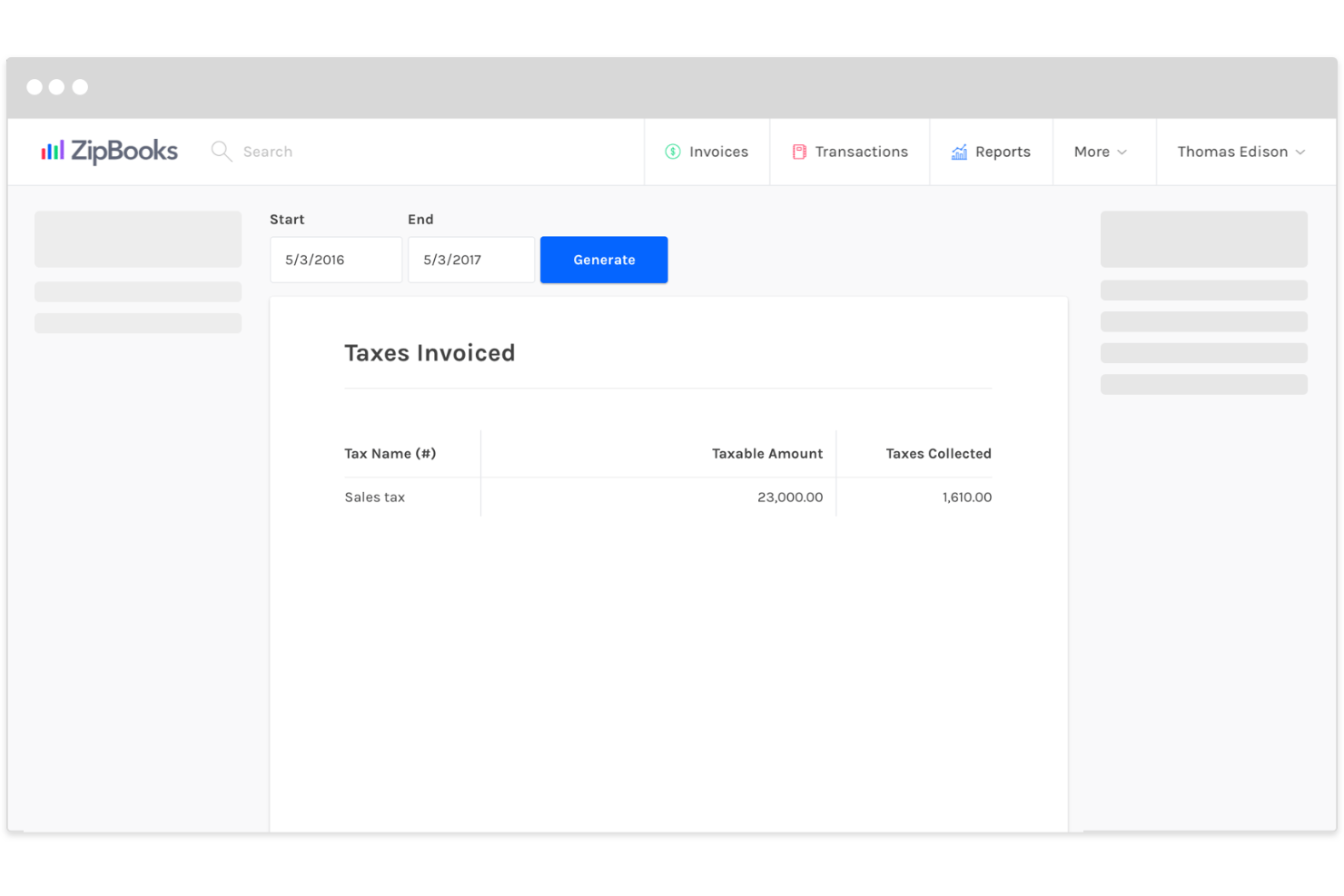
ZipBooks is a small business accounting and invoicing platform with built-in time tracking, expense management, recurring billing, and an AI-driven Intelligence module.
Who Is ZipBooks Best For?
ZipBooks is a strong fit for freelancers and micro-business owners who bill clients for time and need invoicing, expense tracking, and financial insights.
Why I Picked ZipBooks
I've included ZipBooks in my top picks because its Intelligence module gives you billing feedback you won't find in most tools at this price. The Invoice Quality Score analyzes patterns from over 200,000 invoices and flags specific gaps in your invoice details that slow down payment. Pair that with the Business Health Score, and you get a running read on financial performance without digging through reports.
ZipBooks Key Features
- Estimates-to-invoice conversion: Create a quote, get client approval, and convert it directly into an invoice without re-entering any line item data.
- Multi-currency invoicing: Bill international clients in their currency with automatic exchange rate conversion applied.
- Recurring billing with auto-bill: Set configurable billing schedules—weekly, monthly, quarterly, or annual—and charge saved payment methods.
- Time tracking: Track billable hours by client and project to simplify time-based billing.
ZipBooks Integrations
ZipBooks connects only with Stripe, Square, PayPal, Gusto, Google Drive, and Slack. It does not have a public API or support Zapier.
Pros and Cons
Pros:
- Native time tracking links directly to invoices
- Invoice Quality Score for faster payment feedback
- Unlimited invoicing on the free tier
Cons:
- No public API or Zapier integration
- Recurring billing locked behind paid tier

Best for billing across multiple entities and projects
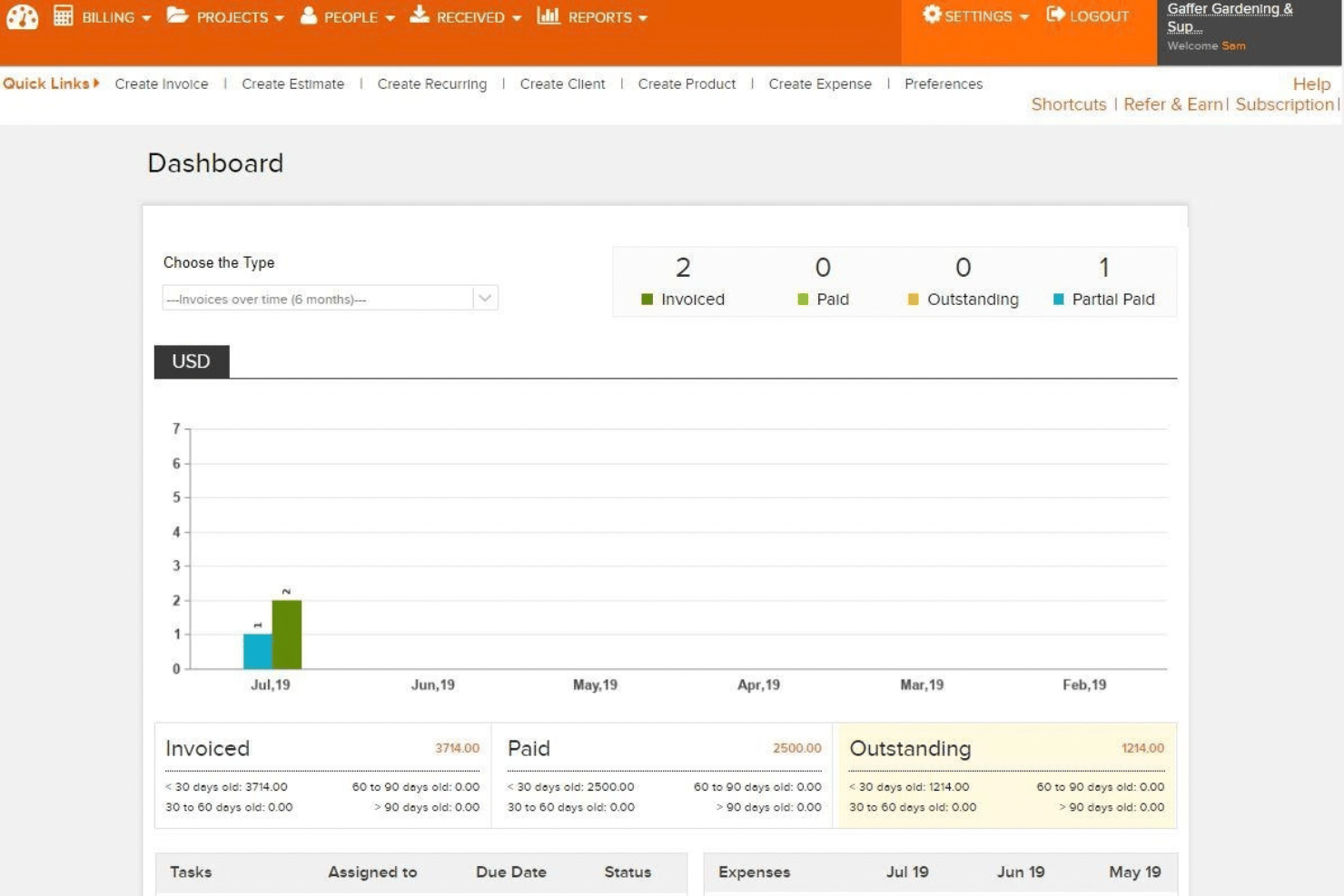
Invoicera is a billing operations platform that handles invoice creation, recurring billing, multi-step approval workflows, and client payment collection across multiple entities and projects.
Who Is Invoicera Best For?
Invoicera is a strong fit for agencies and growing businesses that need to manage complex billing needs in one tool.
Why I Picked Invoicera
I've included Invoicera in my top picks because it handles billing across multiple entities and projects in a way that few invoicing tools actually support well. I specifically like its multi-step approval workflows, which route invoices through configurable review chains before they ever reach a client—useful when you're managing billing across several brands or legal entities with different rules. The time-tracking module ties directly into invoicing too, pulling approved Jira entries into invoice line items with full metadata (rate, project, reviewer) intact.
Invoicera Key Features
- Multi-currency invoicing: Create and send invoices in 125+ currencies with real-time currency conversion built into the invoice builder.
- Client self-service portal: Allow clients to view, download, pay invoices, and raise disputes through a branded portal.
- Expense tracking: Record and manage project-related expenses alongside billable time to keep costs organized for client billing.
- AI-assisted invoice drafting: Generate line-item descriptions and reminder messages, with humans reviewing and approving before sending.
Invoicera Integrations
Invoicera integrates with QuickBooks, Xero, Stripe, Razorpay, and Jira. An open API is also available for custom integrations.
Pros and Cons
Pros:
- AI-assisted invoice drafting with human review
- Client portal for invoice payment and disputes
- Approval workflows for multi-entity billing control
Cons:
- Payment gateway options are limited on site
- Entry price is high for small businesses
Hiveage
Best for managing multi-currency billing
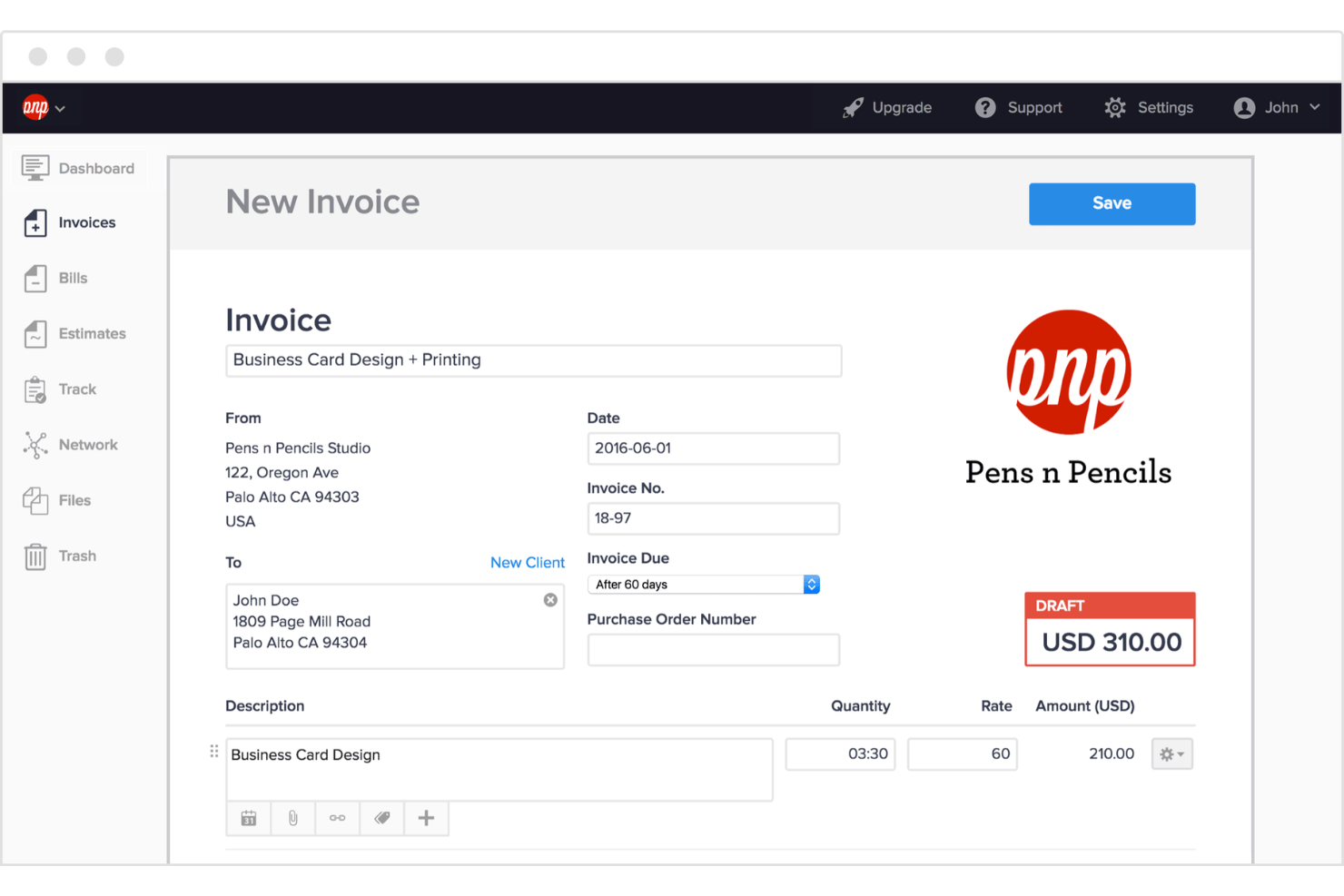
Hiveage is an invoicing platform for small businesses that covers multi-currency billing, recurring invoices, estimates, and native time, expense, and mileage tracking.
Who Is Hiveage Best For?
Hiveage is a strong fit for freelancers and small service businesses that want a simple way to manage client billing and track billable work.
Why I Picked Hiveage
I've included Hiveage in my top picks because it handles the multi-currency billing process better than most tools in this category. You can set a preferred currency per client and manage exchange rates manually or automatically, so billing an international client in their local currency takes no extra setup. The three-mode recurring billing (manual review, auto-send, or auto-charge) works across all currencies, which is especially useful when managing retainer clients in different regions.
Hiveage Key Features
- Estimate-to-invoice conversion: Accept client estimates with a single click and convert them directly into invoices without re-entering any line items.
- Native mileage tracking: Log trips in miles or kilometers, assign per-trip rates, and convert mileage entries into billable invoice line items.
- Multi-business management: Manage multiple business entities and teams from one login without switching accounts or duplicating setup.
- Flexible tax configuration: Apply multiple tax rates, compound taxes, or flat/percentage discounts at the line-item or invoice subtotal level, with saved rules for reuse.
Hiveage Integrations
Hiveage integrates with multiple payment gateways, including PayPal, Stripe, Square, Braintree, and Pin Payments. Its RESTful JSON API supports custom integrations.
Pros and Cons
Pros:
- Native time, expense, and mileage tracking features
- Quick estimate-to-invoice conversion
- Handles multi-currency and localization exceptionally well
Cons:
- Limited native accounting and CRM integrations
- Lacks full client self-service portal

Paymo
Best for businesses using an hourly billing model
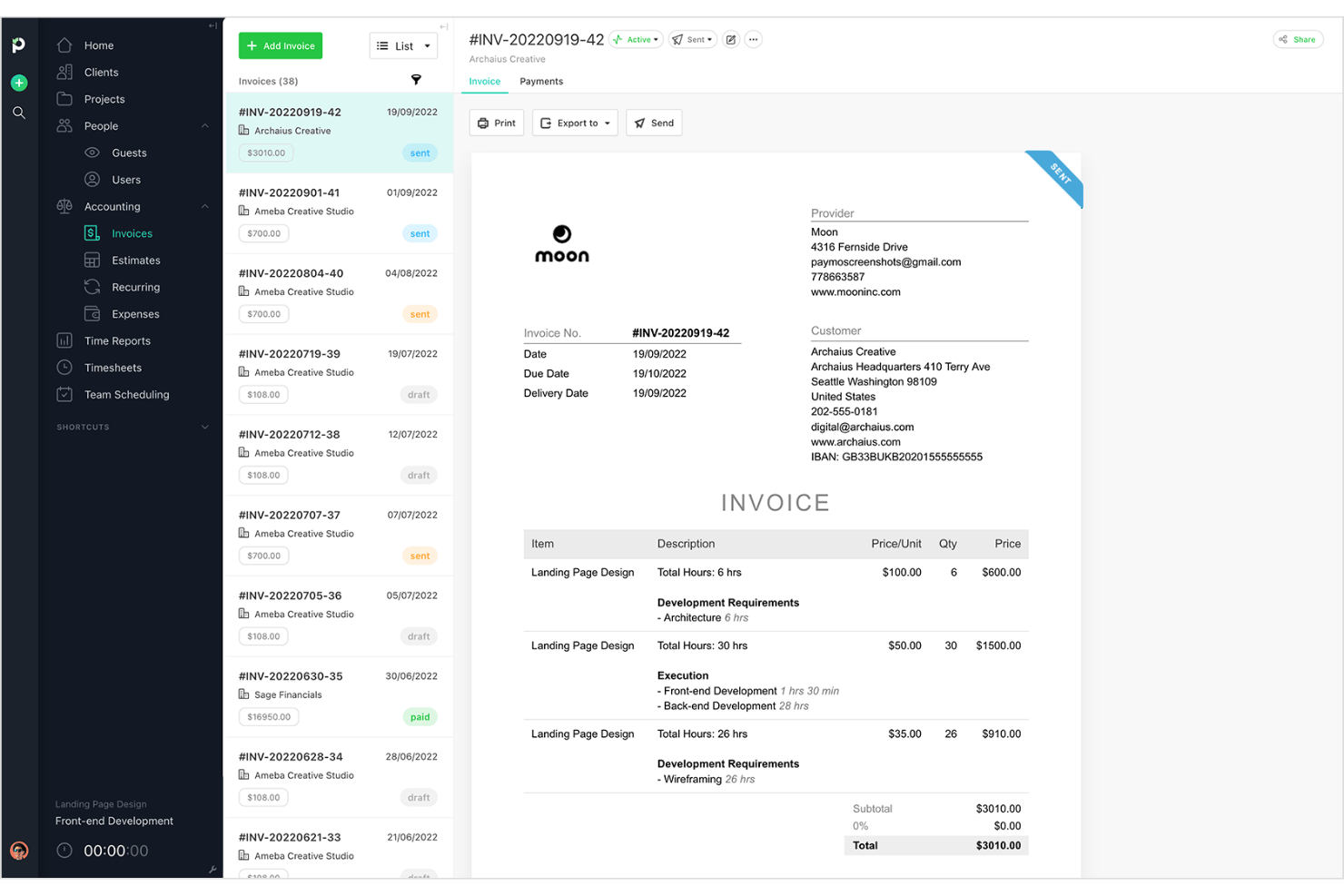
Paymo is a project-based invoicing platform that combines time tracking, expense management, client billing, and invoice creation in a single workspace.
Who Is Paymo Best For?
Paymo is a strong fit for freelancers and small service businesses that manage client projects and need a centralized workspace for their work.
Why I Picked Paymo
I picked Paymo as one of the best because it connects time tracking to invoicing. When you log hours against a project, you can convert those entries into invoice line items without re-entering anything. The automatic timesheet feature (Paymo Track) captures time in the background, so billable hours don't slip through the cracks.
Paymo Key Features
- Client portal: Clients log in to view their full invoice history, filter by payment status, and download receipts without contacting you directly.
- Task management: Organize project work with tasks, subtasks, priorities, and deadlines to keep deliverables on track.
- Team workload management: Plan team availability and assign work based on schedules and workloads.
- Project profitability dashboard: Compare budgeted versus actual hours and expenses per project, client, and employee in real time.
Paymo Integrations
Paymo integrates with Stripe, PayPal, Slack, Google Drive, and Google Calendar. It also supports Make and Zapier and offers an API for custom connections.
Pros and Cons
Pros:
- Offers branded client self-service portal
- Project profitability dashboard for actionable insights
- Converts tracked time directly into invoices
Cons:
- No automatic tax calculation for invoices
- Native online payments limited to US users

Best for open-source customization and self-hosting
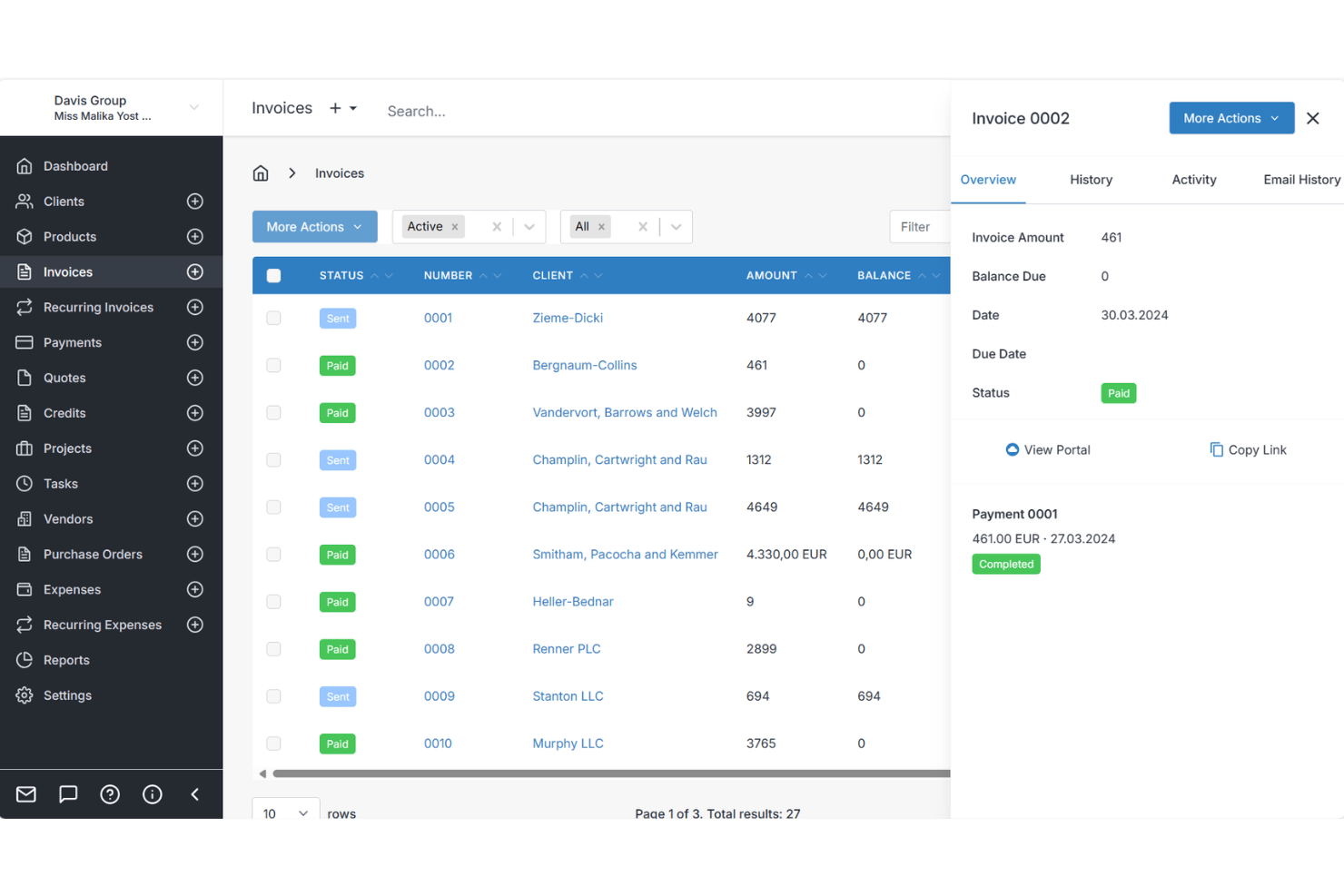
Invoice Ninja is an open-source invoicing platform that covers invoice creation, recurring billing, client payments, time tracking, and expense management.
Who Is Invoice Ninja Best For?
Invoice Ninja is a natural fit for solo freelancers and entrepreneurs who want to self-host their invoicing setup.
Why I Picked Invoice Ninja
Invoice Ninja earns its spot on my shortlist because it's the only invoicing tool I've used that you can genuinely self-host and white-label, giving you full control over your data and branding. I especially like the Kanban project boards with built-in time tracking, where logged hours convert directly into invoice line items with one click. The open-source codebase also means you can extend or modify the platform in ways no SaaS-only tool allows.
Invoice Ninja Key Features
- Client self-service portal: Clients view invoices, approve quotes with e-signatures, save payment methods, and download statements.
- Recurring invoice automation: Set payment terms to bill weekly, monthly, or annually with auto-charging against saved client payment profiles and automatic late fee application.
- Vendor management: Manage up to 10 separate business entities under one login, each with its own branding and client base.
- Quotes & e-signatures: Create professional proposals and quotes that clients can e-sign and approve online, automatically converting into payable invoices.
Invoice Ninja Integrations
Invoice Ninja supports 40+ payment gateway integrations, including Stripe, PayPal, Square, GoCardless, Mollie, Braintree, and Authorize.net. It also offers Yodlee bank sync, a REST API, and Zapier for custom integrations.
Pros and Cons
Pros:
- Multi-company support within one login
- Built-in time and expense tracking
- Open-source and self-hosting available
Cons:
- Free plan capped at five clients
- No native QuickBooks or Xero integration

Best for client collaboration and expense tracking
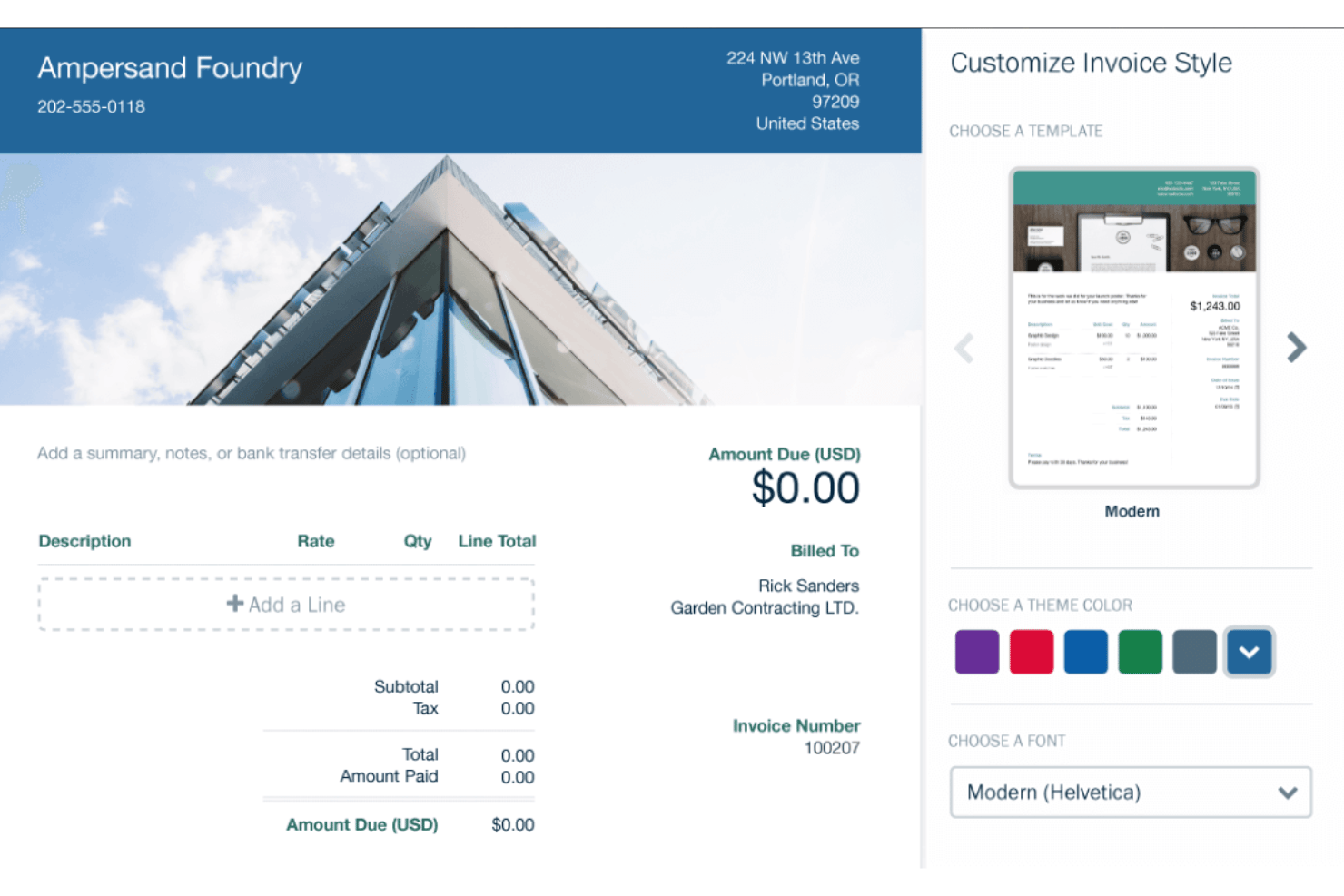
FreshBooks is a cloud-based invoicing and accounting platform built for freelancers and small businesses, covering invoice creation, expense tracking, time logging, recurring billing, and client payment collection.
Who Is FreshBooks Best For?
FreshBooks is a strong fit for freelancers and service-based small business owners who bill clients directly and need invoicing, expense tracking, and time logging in one place.
Why I Picked FreshBooks
I've included FreshBooks in my top picks because the client collaboration and expense tracking experience is genuinely hard to replicate elsewhere. The client portal lets clients view invoice history, download receipts, and update stored payment methods without any back-and-forth. I also love that tracked time and receipt-captured expenses convert directly into invoice line items, so nothing billable slips through the cracks.
FreshBooks Key Features
- Recurring billing automation: Schedule invoices, with saved client card details charged at the same time.
- Estimate and proposal creation: Build branded proposals, collect e-signatures, and convert accepted estimates into invoices without re-entering any line items.
- Double-entry accounting system: Access Profit & Loss, Balance Sheet, General Ledger, and Bank Reconciliation reports built on standard double-entry accounting.
- Buy Now, Pay Later checkout: Clients can pay invoices in installments via Affirm or Afterpay, giving you more flexibility in how you collect payment.
FreshBooks Integrations
FreshBooks offers 100+ marketplace integrations, including Stripe, PayPal, Gusto, HubSpot, Trello, Asana, and Acuity Scheduling. It also supports custom connections through an open API and Zapier.
Pros and Cons
Pros:
- Mobile app tracks mileage and expenses
- Project profitability dashboard aids decision-making
- Client portal simplifies client collaboration
Cons:
- Minimal customizable invoice templates
- Client limits force plan upgrades

Bonsai
Best for end-to-end freelancer contract billing
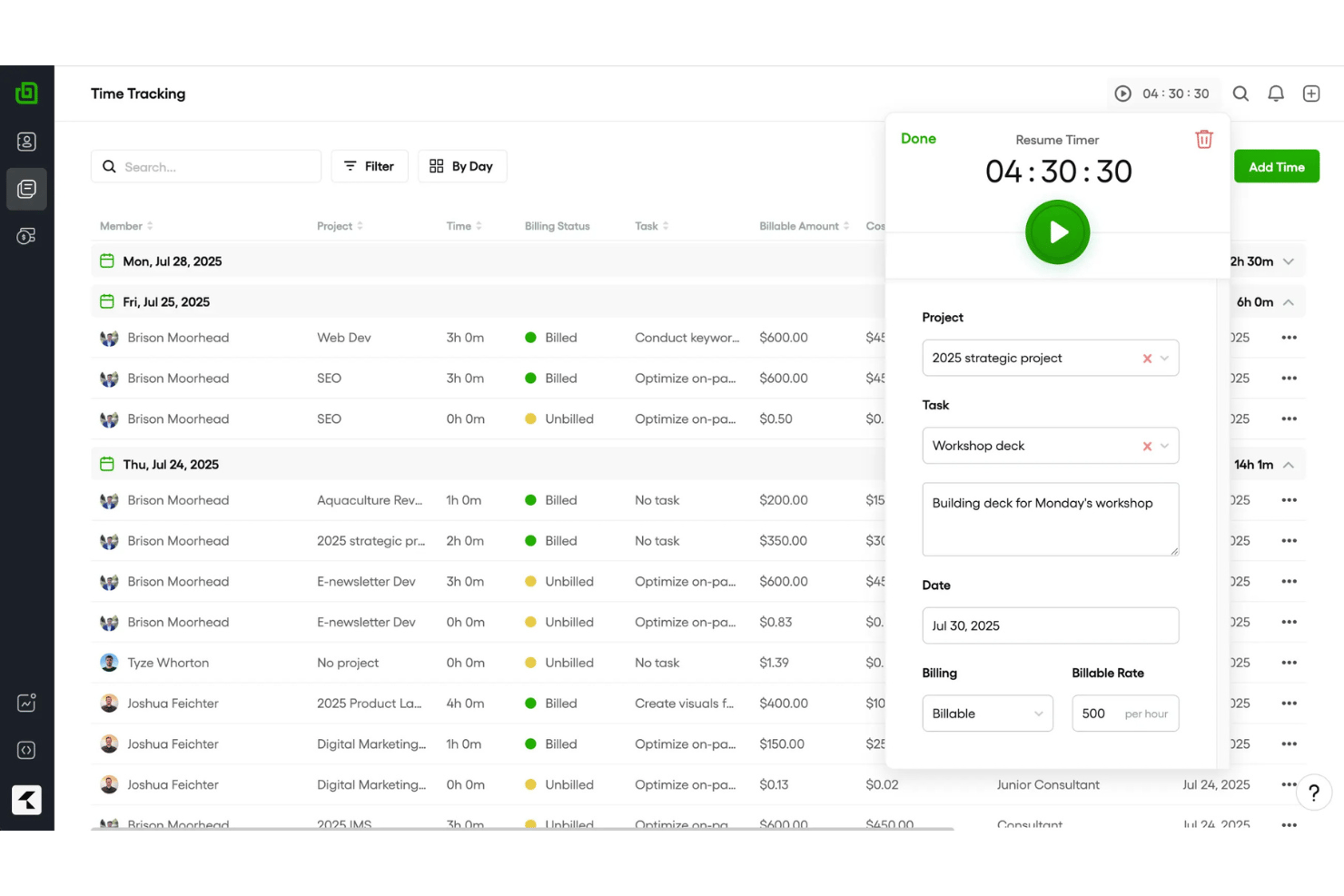
Bonsai is a freelancer and small business invoicing platform that bundles proposal creation, contract management, e-signatures, time tracking, expense logging, and online payment collection into a single end-to-end workflow.
Who Is Bonsai Best For?
Bonsai is a strong fit for freelancers and solo service providers who need to manage the full client lifecycle—from proposal and contract to invoice and payment—in one place.
Why I Picked Bonsai
I've included Bonsai in my top picks because it's the only tool on this list that takes you from signed contract to paid invoice without ever leaving the platform. I love how a client-approved proposal automatically converts into a contract (with e-signature built in) and then flows directly into a billable invoice, with no re-keying of line items. The built-in time tracker ties logged hours straight to invoice line items too, so if you're billing hourly, your invoice builds itself as you work.
Bonsai Key Features
- Multi-currency invoicing: Create and send invoices in 100+ currencies with automatic conversion and localized formatting for international clients.
- Client self-service portal: Give clients a branded login to view invoices, project status, and payment history without back-and-forth emails.
- Recurring and subscription billing: Set up automated recurring invoice schedules or card-on-file auto-charging for retainer and subscription clients.
- Automated payment reminders: Send scheduled overdue reminders to clients automatically, without manually following up on unpaid invoices.
Bonsai Integrations
Bonsai offers native integrations with QuickBooks Online, Xero, Google Calendar, Gmail, and Calendly. It also supports Zapier and provides a REST API for custom integrations.
Pros and Cons
Pros:
- Hundreds of attorney-vetted invoice templates
- Project profitability dashboards for small teams
- Proposal-to-invoice workflow with e-signatures
Cons:
- Payment processing delays reported by users
- Invoicing not available on entry-level plan

Best free invoicing with a client portal
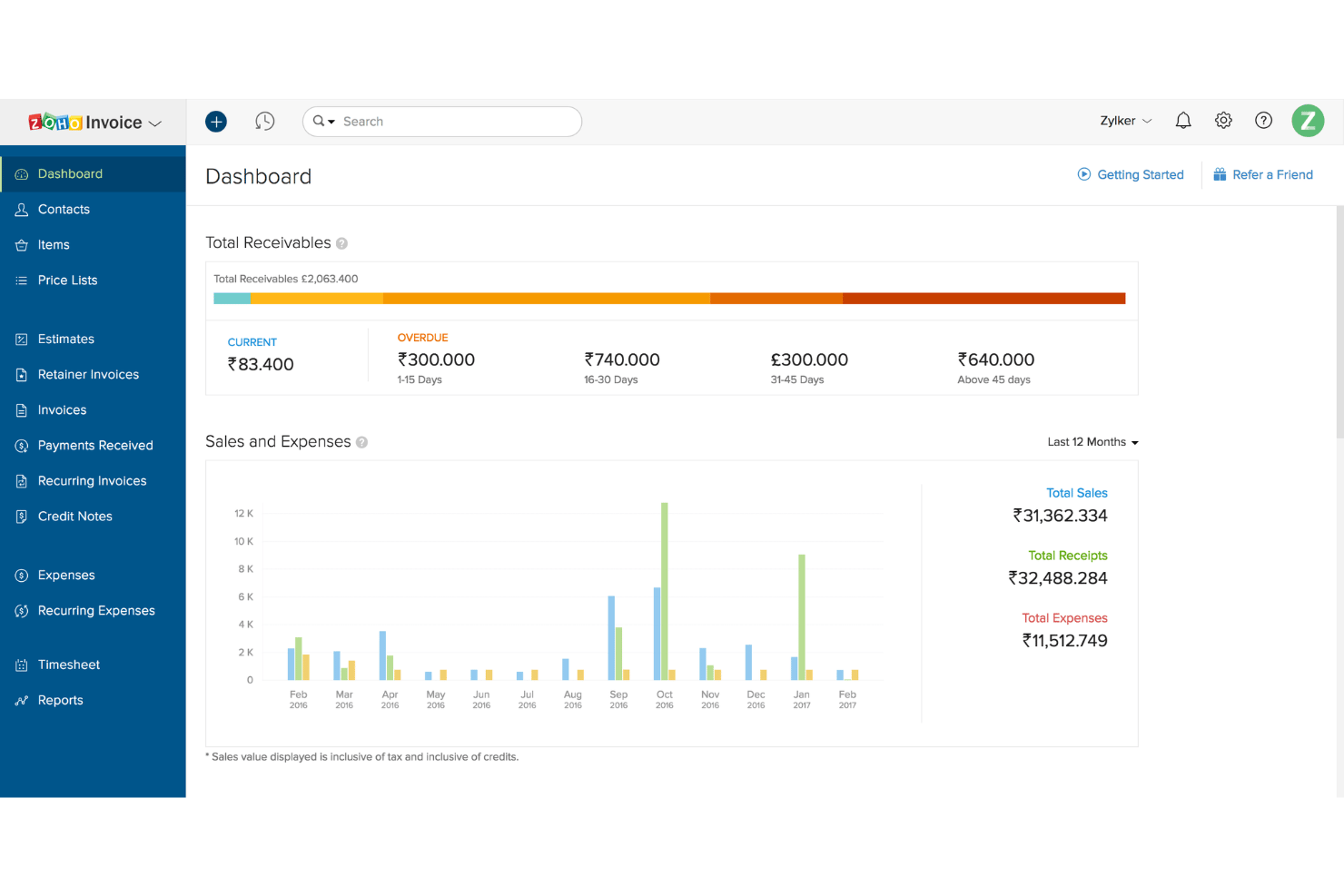
Zoho Invoice is a free invoicing software for small businesses and freelancers that covers invoice creation, expense and time tracking, recurring billing, payment collection across 12+ gateways, and a branded client self-service portal.
Who Is Zoho Invoice Best For?
Zoho Invoice is a great fit for freelancers and small business owners who need a fully featured invoicing tool at zero cost.
Why I Picked Zoho Invoice
I've included Zoho Invoice in my top picks because it's the only fully free invoicing tool I know of that pairs a branded client portal with real AR depth. Clients can log into their portal to approve quotes, view transaction history, and pay invoices in full or in part, without a single email exchange. The built-in time tracker also lets you log billable hours against specific projects and convert them directly to invoice line items.
Zoho Invoice Key Features
- Multi-currency support: Bill international clients seamlessly in over 10 languages with localized tax and currency handling.
- Automated payment reminders: Set customizable reminder schedules that trigger automatically before and after invoice due dates, with AI-generated follow-up email drafts.
- Estimate-to-invoice conversion: Draft quotes with expiration dates and terms, collect e-signatures via Zoho Sign, and convert approved estimates into invoices.
- Built-in time & expense tracking: Log billable project hours with live timers and record trackable client expenses directly onto line-item invoices.
Zoho Invoice Integrations
Zoho Invoice integrates with the entire Zoho suite. It also connects with payment gateways including Stripe, PayPal, Square, GoCardless, and Authorize.net.
Pros and Cons
Pros:
- No subscription or ads for core features
- Native time and mileage tracking included
- Client portal for self-service invoice management
Cons:
- Only two users allowed per account
- Capped to 500 invoices per year
Moon Invoice
Best for invoicing with AI receipt scanning
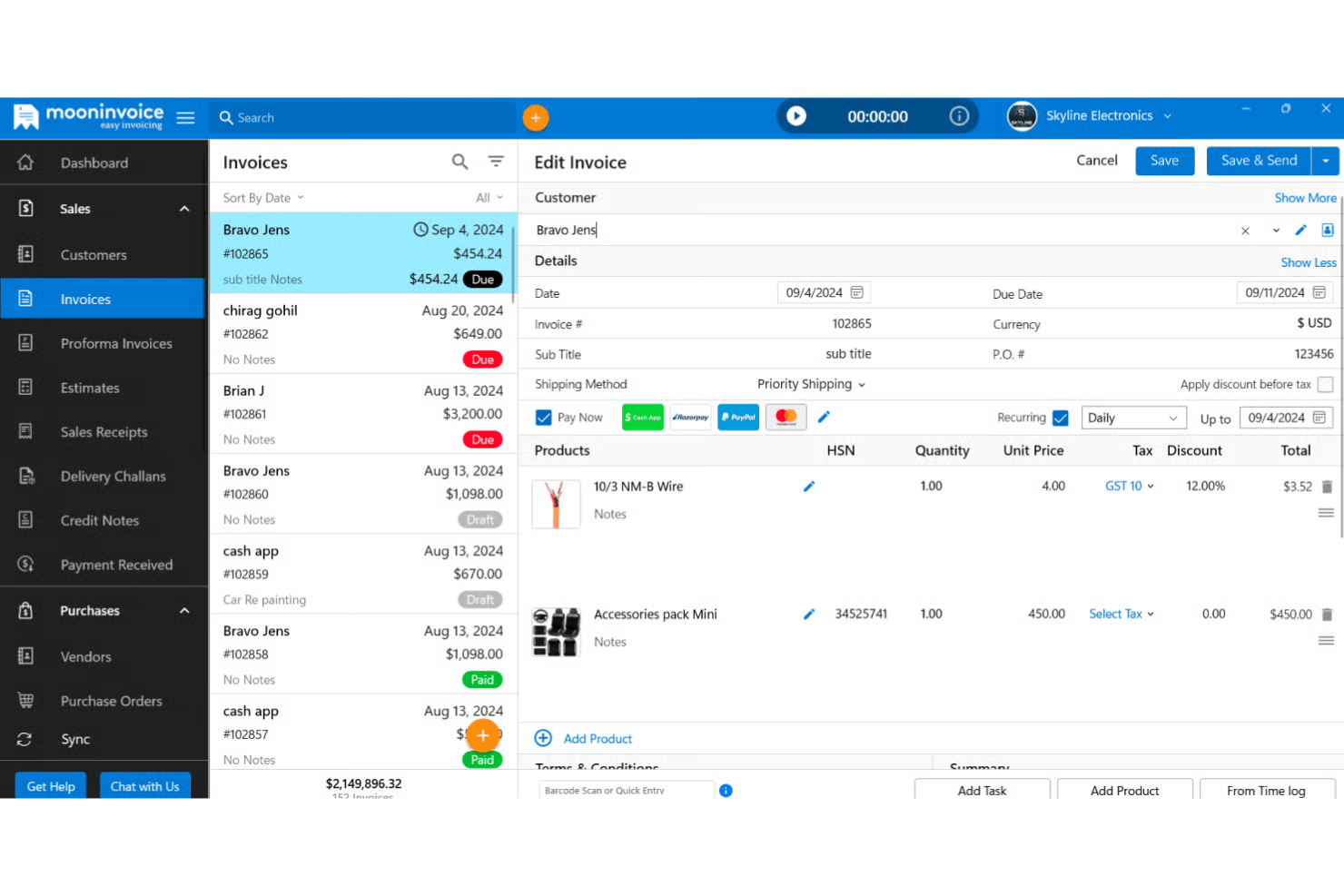
Moon Invoice is a cross-platform invoicing tool that covers invoice creation, expense tracking, time logging, recurring billing, and payment collection across 20+ gateways.
Who Is Moon Invoice Best For?
Moon Invoice is a strong fit for small businesses who bill clients across multiple countries and payment platforms.
Why I Picked Moon Invoice
I picked Moon Invoice as one of the best because its AI Quick Scan is genuinely useful in day-to-day expense tracking. Point your phone at a paper receipt, and it extracts the details automatically, logging the expense without manual entry. From there, you can convert that logged expense directly into an invoice line item. That receipt-to-invoice pipeline is something most tools at this price point don't offer natively.
Moon Invoice Key Features
- Recurring invoice automation: Set up invoices to generate and send automatically on a schedule, with follow-up reminders triggered for late payers.
- Multi-currency billing: Bill clients in 100+ currencies, with exchange rate support built directly into the invoice builder.
- Estimate-to-invoice conversion: Create and send client estimates, collect e-signatures, and convert accepted estimates into invoices in one click.
- 15+ built-in business reports: Pull sales summaries, payment reports, and profit/loss statements directly from the dashboard.
Moon Invoice Integrations
Moon Invoice integrates with Basecamp, WooCommerce, Gmail, Make, Stripe, PayPal, Square, and Razorpay. It also offers a public REST API for custom connections and a Zapier integration.
Pros and Cons
Pros:
- Supports multiple currencies for global billing
- Share invoices directly via WhatsApp
- AI Quick Scan digitizes paper receipts
Cons:
- Only one attachment allowed per invoice
- No native QuickBooks or Xero connection
Other Invoicing Software for Small Businesses
Here are some additional invoicing software for small business options that didn’t make it onto my shortlist, but are still worth checking out:
- Xero
For unlimited user access and bank reconciliation
- QuickBooks Online
For full accounting tied to invoicing
- Chargebee
For recurring subscription billings
- Harvest
For time tracking and team capacity billing
- Invoice2Go
For estimate-to-invoice with deposit requests
- Square Invoices
For invoicing within Square's payment ecosystem
- Invoicely
For multi-business and multi-brand invoicing
- Plutio
For proposal-to-invoice billing in one place
- Refrens
For GST-compliant invoicing
- Bookipi
For micro-businesses with one-tap mobile invoices


How I Evaluate Invoicing Software for Small Businesses
When a freelancer needs to turn logged hours into a paid invoice before Friday, or an agency needs to bill three clients in different currencies, the tool either holds up or it doesn't—so I split my evaluation into baseline criteria every tool must meet and differentiating factors that separate the best from the rest.
Core Functionality (Table Stakes For This List)
When I'm selecting tools for my list, I rank each one on a scale from 0 (does not offer the functionality) to 5 (excels in this area) for each core functionality listed below. I then calculate the tool's total score into a percentage, using 65% as a benchmark to help assess its overall fit for the list.
- Invoice creation and customization: I evaluate template flexibility, branding options, and support for tax rules and multi-currency formatting across client regions.
- Payment processing and collection: Tools should support multiple gateways and methods like credit card, ACH, and digital wallets so clients can pay however they prefer.
- Invoice tracking and status: I look for real-time visibility into whether an invoice has been sent, viewed, paid, or is overdue, plus aging reports and client-level balances.
- Recurring billing and automation: I check for configurable recurring schedules, automated payment reminders, and late fee rules that reduce manual follow-up on outstanding invoices.
- Small business accessibility: Pricing, onboarding, and day-to-day usability should suit small teams without requiring accounting expertise or enterprise-level budgets.
- Expense and time tracking: I look at how each tool handles billable hours and project expenses, especially whether logged time converts directly into invoice line items.
Once I have a list of tools that meet the criteria, I consider what sets each platform apart.
Differentiating Factors (What Sets Vendors Apart)
Here's how I compare and contrast different vendors:
Standout Features
I look for estimate-to-invoice conversion that lets you send a proposal, collect an e-signature, and turn it into a live invoice without re-entering line items—a real time-saver when you're closing multiple project scopes in a week. Project profitability dashboards matter just as much; I check whether a tool can compare billed amounts against tracked time and expenses so you can spot which clients actually generate margin. I also evaluate each platform's client self-service portal, since a branded portal where clients view invoices, download receipts, and update payment details cuts down on back-and-forth emails.
Beyond Features
I check whether a tool's per-transaction fees and seat-based pricing still make sense at your projected invoice volume, since a "free" plan that caps clients or charges steep card processing rates can cost more than a paid tier. Integrations matter just as much—I look for native connections to accounting platforms like QuickBooks or Xero and project tools like Asana or Jira so tracked hours flow straight into invoices without double entry. I also evaluate onboarding resources, because small teams without dedicated finance staff need guided setup wizards and responsive support on lower-tier plans to send that first invoice fast.
How to Choose an Invoicing Software for Small Business
The right invoicing tool fits your project-driven billing, automation, and client management needs without wasting your time.
| If your priority is... | Look for… |
|---|---|
| Fast billing after project delivery | One-click time and expense import to invoices |
| Managing global, multi-currency clients | Automatic currency and tax rules per client |
| Reducing late and missed payments | Custom payment reminders and overdue notices |
| Tight integration with project or accounting apps | Direct syncing with your existing core platforms |
| Scaling with more freelancers or clients | Unlimited users or clients on your pricing tier |
How to Vet Your Shortlist
- Test invoice accuracy: Send an internal invoice adding tracked time and project expenses—verify all fields and calculations appear as expected.
- File a real support request: Submit a ticket about payment gateway setup and time how quickly and clearly the vendor responds.
- Run a two-currency trial: Create, send, and collect a test invoice in two currencies—check for conversion clarity and client-side usability.
- Review pricing for workflow fit: Ask for a line-item quote based on your current invoice volume, number of users, and billing currencies.
- Tradeoff to decide: Choose between specialized project tools with built-in invoicing versus accounting platforms with project billing add-ons—pick based on which workflow you want to lead with.
What Is Invoicing Software for Small Businesses?
Invoicing software for small businesses is a digital tool that helps you create, send, and track invoices to get paid accurately and on time. These platforms allow you to manage billing for multiple clients or projects, customize invoice templates, and automate reminders for overdue payments. Small businesses use invoicing software to streamline financial processes, improve cash flow visibility, and reduce manual work around payments and billing.
Features of Invoicing Software for Small Businesses
When selecting the right invoicing software for your small business, keep an eye out for the following key features:
- Invoice creation and customization: Build and personalize custom invoices with flexible templates. This lets you tailor billing to meet client needs and project types.
- Payment processing and collection: Accept payments through multiple methods, including credit cards, ACH transfers, and digital wallets. This widens payment options for your clients, helping you get paid faster.
- Automated payment reminders: Set up automatic emails to remind clients of upcoming or overdue payments. These reminders help reduce late payments and save you the hassle of manual follow-up.
- Recurring billing: Schedule invoices to go out automatically for ongoing projects or services. This is especially useful for retainer clients or subscription offerings, so you never miss a billing cycle.
- Expense and time tracking: Log billable hours and project expenses directly in the platform. Easily add these items to invoices, making sure everything you do gets billed accurately.
- Multi-currency and tax support: Send invoices in different currencies and apply region-specific tax rules. This supports global clients and keeps your billing compliant.
- Invoice tracking and status updates: See whether invoices have been sent, viewed, paid, or are overdue. Real-time status helps you stay on top of your cash flow.
- Client self-service portal: Give clients a secure place to view invoices, download receipts, and update payment information. This cuts down on email requests and speeds up payment turnaround.
- Integration with accounting and project tools: Sync with platforms like QuickBooks, Xero, Asana, or Jira for direct flow of financial and project data. This reduces double entry and keeps your records accurate.
- Detailed reporting and analytics: Generate reports on paid, unpaid, and overdue invoices, plus client balances and project profitability. These insights help you manage finances and improve decision-making.
Benefits of Invoicing Software for Small Businesses
Using invoicing software for your small business provides several benefits. Here are a few you can look forward to:
- Faster payments: Accept multiple payment methods and automate reminders to reduce overdue invoices and get paid quicker.
- Accurate billing: Convert tracked hours and project expenses into invoice line items to ensure every billable activity is included.
- Streamlined client management: Use branded client portals to let clients view invoices, download receipts, and update payment details without extra emails.
- Simplified global invoicing: Send invoices in multiple currencies and apply local tax rules, so you can work with international clients with less hassle.
- Recurring revenue support: Set up automatic recurring billing schedules for ongoing projects or retainers so you never miss a cycle.
- Actionable financial insights: Access real-time reporting and profitability dashboards to help track paid, unpaid, and overdue invoices by project or client.
- Seamless integration with business tools: Sync financial and project data with accounting software and project management apps to avoid double entry and keep your records accurate.
Costs and Pricing
Choosing the right invoicing tool for small businesses requires understanding the various pricing models and plans available. Costs vary based on features, team size, add-ons, and more. The table below summarizes common plans, their average prices, and typical features included in invoicing software for small businesses:
Plan Comparison Table for Invoicing Software for Small Businesses
| Plan Type | Average Price | Common Features |
|---|---|---|
| Free Plan | $0-$10/user/month | Basic invoice creation, limited clients, essential payment tracking, and access to support resources. |
| Personal Plan | $10-$20/user/month | Custom invoice templates, expense tracking, basic payment processing, and branded client portals. |
| Business Plan | $20-$50/user/month | Multi-user access, recurring billing, integration with accounting tools, and detailed reporting. |
| Enterprise Plan | $50-$100/user/month | Advanced analytics, priority support, multi-currency invoicing, dedicated onboarding, and API access. |
Invoicing Software for Small Business FAQs
Here are some answers to common questions about invoicing software for small businesses:
How do I migrate from manual invoicing to invoicing software?
Start by exporting your client and payment data from spreadsheets or documents. Most invoicing software lets you import contacts and set up projects before generating your first digital invoice. Test a few sample invoices to make sure calculations and branding look right. If you have signed contracts or old invoices, upload them to the client’s record to centralize your billing history.
Can invoicing software handle multiple currencies and tax rules?
Yes, many invoicing tools support multi-currency invoices and region-specific tax rates. This is essential if you work with international clients or need to comply with tax authorities in different regions. When evaluating options, check for flexible currency formatting and the ability to customize or automate sales tax and VAT per client.
Do I need accounting software if I’m using an invoicing tool?
Not always. Many small teams use standalone invoicing software for day-to-day billing and payments, especially if they don’t need advanced bookkeeping or payroll features. But, if you want to track expenses, reconcile accounts, or run financial reports, look for invoicing software that integrates with accounting tools like QuickBooks or Xero.
What kinds of payment methods can clients use with invoicing software?
Most modern solutions let your clients pay invoices via credit card, ACH, PayPal, or digital wallet. Some also support wire transfer and local payment methods, depending on your region. The wider your accepted payment options, the faster you can expect to get paid.
How secure is client and payment data in invoicing software?
Reputable platforms use encryption, access controls, and regular security audits to protect sensitive information. Check for SSL certification, compliance with standards like PCI DSS for payments, and user permissions that let you control who accesses your data. Always review the vendor’s security documentation before deciding.