

23 Best Google Forms Alternatives for 2026

Google Forms Alternatives Shortlist


A strong Google Forms alternative gives you more control over form design, data collection, and integrations than Google’s basic online form builder. If you’re searching for Google Forms alternatives, you’re likely running into limits with customization, workflow automation, or analytics—and you need a tool that fits your team’s unique requirements. This list will help you quickly compare the top options for 2026, so you can find a form builder that matches your project needs, tech stack, and collaboration style.
What Is Google Forms?
Google Forms is a free online form builder that lets users create surveys, quizzes, and data collection forms. It’s part of Google Workspace and integrates with Google Sheets for real-time data analysis. Project managers, educators, and teams use Google Forms for quick feedback, event registrations, and simple workflows. While it’s easy to use, its customization, logic, and integration options are limited compared to more advanced form builders.
Best Google Forms Alternatives Summary
This comparison chart summarizes pricing details for my top Google Forms alternative selections to help you find the best one for your budget and business needs.
| Tool | Best For | Trial Info | Price | ||
|---|---|---|---|---|---|
| 1 | Best for survey analytics tools | Free trial available | From $30/user/month (billed annually) | Website | |
| 2 | Best for mobile-friendly design | Free plan available | From $19/month (billed annually) | Website | |
| 3 | Best for advanced survey branching logic | Free plan + free demo available | From $19.99/month (billed annually) | Website | |
| 4 | Best for drag-and-drop customization | Free plan + free demo available | From $16.25/month (billed annually) | Website | |
| 5 | Best for CRM integration | Free plan available + free demo available | From $10/month (billed annually) | Website | |
| 6 | Best with Microsoft 365 ecosystem | 30-day free trial | From $9.99/user/month (Microsoft 365 Business Basic or included with Microsoft 365 plans) | Website | |
| 7 | Best for unlimited form submissions | 7-day free trial | From ₹7,931/3months + 18% GST | Website | |
| 8 | Best for conversational form experiences | Free plan available | From $99/year (billed annually) | Website | |
| 9 | Best for WordPress site integration | Free plan available | From $55/year (billed annually) | Website | |
| 10 | Best for calculated fields support | 14-day free trial + free plan available | From $19/month | Website |
Why You Can Trust Us
We’ve been testing and reviewing project management software since 2012. As project managers ourselves, we know how critical and difficult it is to make the right decision when selecting software.
We invest in deep research to help our audience make better software purchasing decisions. We’ve tested more than 2,000 tools for different project management use cases and written over 1,000 comprehensive software reviews. Learn how we stay transparent & our software review methodology.
-

Accelo
Visit WebsiteThis is an aggregated rating for this tool including ratings from Crozdesk users and ratings from other sites.4.4 -
Wrike
Visit WebsiteThis is an aggregated rating for this tool including ratings from Crozdesk users and ratings from other sites.4.2 -
Forecast
Visit WebsiteThis is an aggregated rating for this tool including ratings from Crozdesk users and ratings from other sites.4.6




Google Forms Alternatives Reviews
Below are my detailed summaries of the Google Forms alternatives that made it onto my shortlist. My reviews offer a detailed look at the features, integrations, and best use cases of each tool to help you find the best one for you.

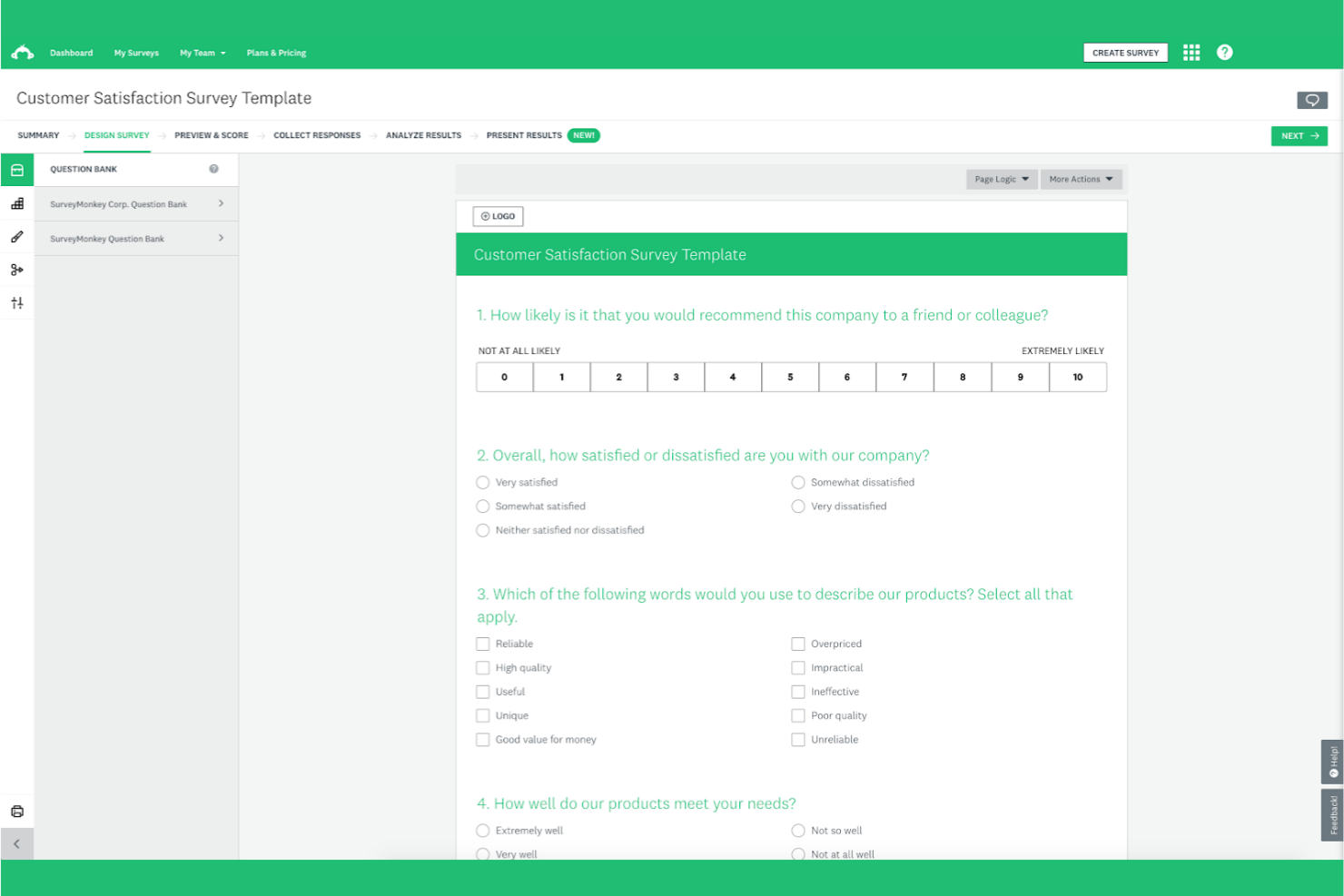
For teams that need advanced analytics from their surveys, SurveyMonkey offers a feature set that goes beyond basic and free form builders. It’s especially useful for researchers, marketers, and HR professionals who want to dig deeper into response data and trends. SurveyMonkey stands apart from Google Forms with its robust analytics dashboard, custom reporting, and built-in tools for data segmentation and benchmarking.
Why SurveyMonkey Is a Good Google Forms Alternative
When you need more than just basic data collection, SurveyMonkey delivers advanced analytics tools that set it apart from Google Forms. I picked SurveyMonkey because it offers detailed response analysis, including cross-tabulation and filtering, which helps you uncover patterns in your data. The platform also provides benchmarking tools, so you can compare your results against industry standards or previous surveys. For teams focused on extracting actionable insights from survey data, SurveyMonkey’s analytics features make it a strong alternative.
SurveyMonkey Key Features
Some other features that make SurveyMonkey a flexible choice include:
- Question Bank: Access a library of expert-written questions to add to your surveys.
- Custom Branding: Add your organization’s logo, colors, and themes to surveys.
- Survey Logic: Use skip logic and branching to create personalized survey paths.
- Multilingual Support: Create surveys in multiple languages to reach a broader audience.
Integrations
Integrations include Salesforce, Mailchimp, Google Sheets, Tableau, Marketo, Zendesk, and Eventbrite.
Pros and Cons
Pros:
- AI-powered survey generation
- Massive pre-built template library
- Intuitive drag-and-drop builder
Cons:
- Slow customer support responses
- Complex logic requires paid plans

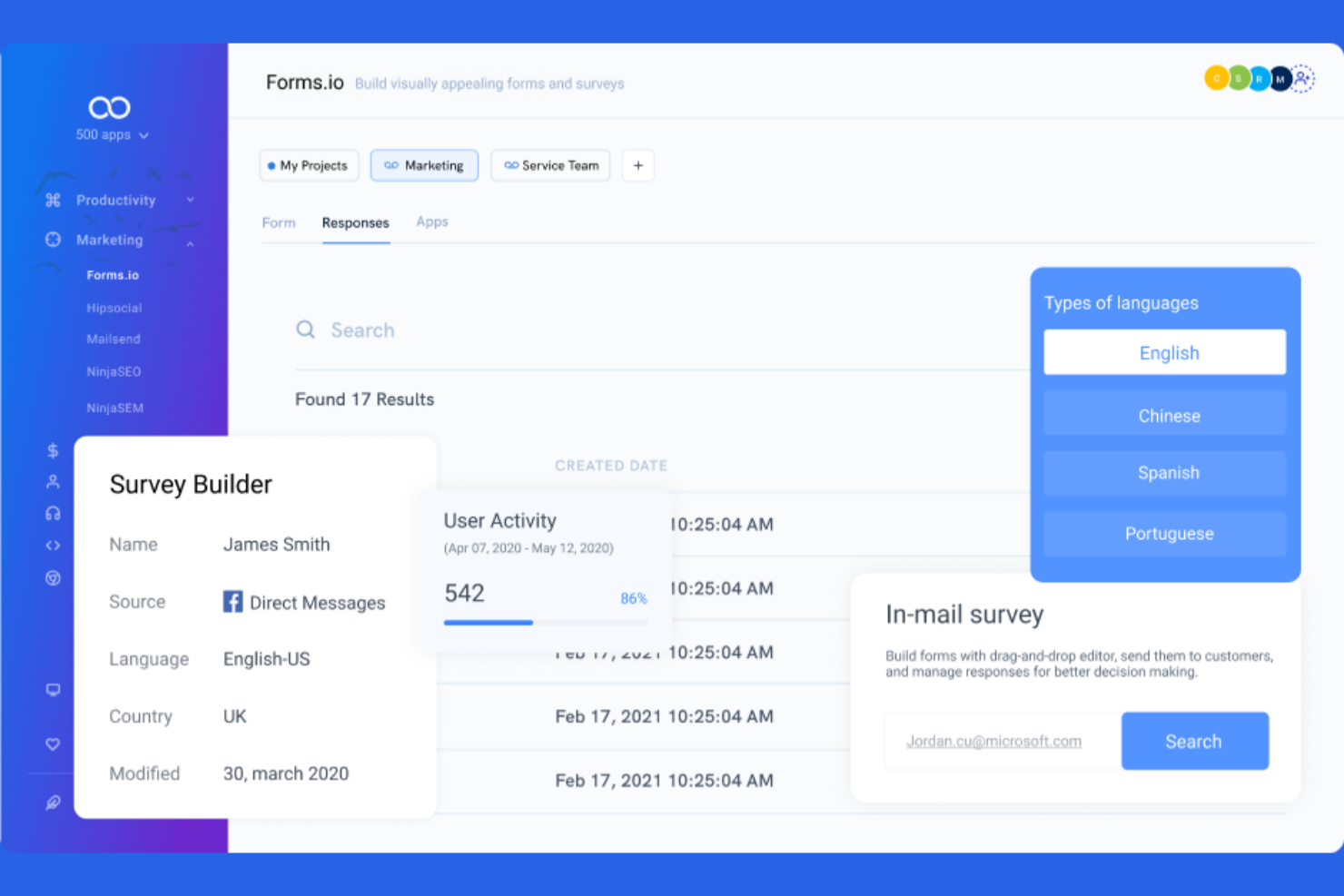
If you’re looking for a form builder that prioritizes mobile usability, forms.app is worth considering. It’s designed for teams and businesses that need forms to look and work well on any device, especially for fieldwork, events, or customer feedback on the go. Unlike Google Forms, forms.app offers mobile-first templates and responsive design tools that help you create forms optimized for smartphones and tablets.
Why forms.app Is a Good Google Forms Alternative
For teams that need forms to perform flawlessly on mobile devices, forms.app stands out as a strong alternative to Google Forms. I picked forms.app because it offers mobile-first templates and a responsive design editor, so every form automatically adapts to different screen sizes. The platform also includes a live preview feature, letting you see exactly how your form will look on smartphones and tablets before sharing it. If mobile accessibility is a top priority for your online forms, forms.app delivers features that keep your forms user-friendly on any device.
forms.app Key Features
Some other features that make forms.app a versatile form builder include:
- Conditional Logic: Set up rules to show or hide questions based on previous answers.
- Payment Collection: Accept payments directly through your forms using integrated payment gateways.
- Form Embedding: Embed forms on your website or share them via a direct link.
- File Uploads: Allow respondents to upload files or images as part of their form submission.
Integrations
Integrations include Google Sheets, Slack, Google Drive, Trello, Zapier, and Microsoft Teams.
Pros and Cons
Pros:
- Clean and modern templates
- AI-powered form generation
- Highly mobile-friendly builder
Cons:
- Restricted free response limits
- Limited deep-dive analytics

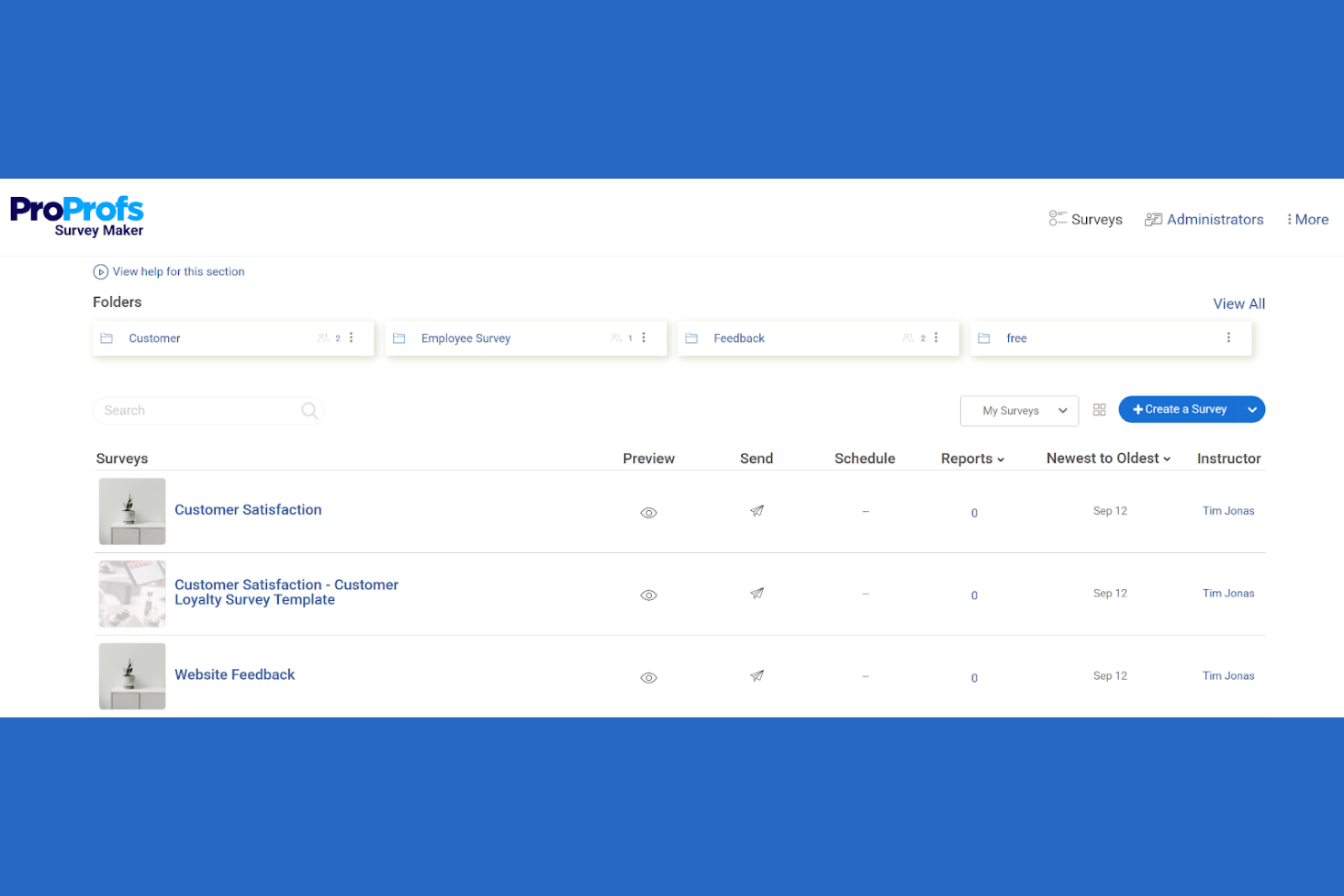
ProProfs Survey Maker is designed for teams that need advanced survey logic and detailed respondent paths. It’s a strong fit for researchers, HR professionals, and educators who want to build complex, adaptive surveys that go beyond Google Forms’ basic branching. If you need to tailor questions based on previous answers or create multi-layered feedback forms, this tool offers the flexibility you’re looking for.
Why ProProfs Survey Maker Is a Good Google Forms Alternative
What sets ProProfs Survey Maker apart is its advanced branching logic, which lets you create highly personalized survey experiences. You can set up conditional paths so respondents only see questions relevant to their previous answers, something Google Forms handles in a much more limited way. I like that you can build multi-level logic into your forms, making it easier to collect nuanced feedback or data. This makes ProProfs Survey Maker a strong choice for anyone who needs more control over survey flow and question sequencing.
ProProfs Survey Maker Key Features
Some other features that make ProProfs Survey Maker useful for form building include:
- Question Library: Access a large collection of pre-written questions to speed up survey creation and maintain consistency.
- Custom Branding: Add your logo, colors, and themes to match your organization’s identity on every form.
- Real-Time Reporting: View responses and analytics as they come in, with visual dashboards and export options.
- Multi-Language Support: Create forms and surveys in multiple languages to reach a broader audience.
Integrations
Integrations include Salesforce, Mailchimp, HubSpot, Google Analytics, Slack, Zapier, Google Sheets, Shopify, PayPal, and Stripe.
Pros and Cons
Pros:
- Real-time visual analytics reports
- Easy drag-and-drop survey builder
- Huge library of ready-made questions
Cons:
- High cost for advanced features
- Outdated and cluttered interface

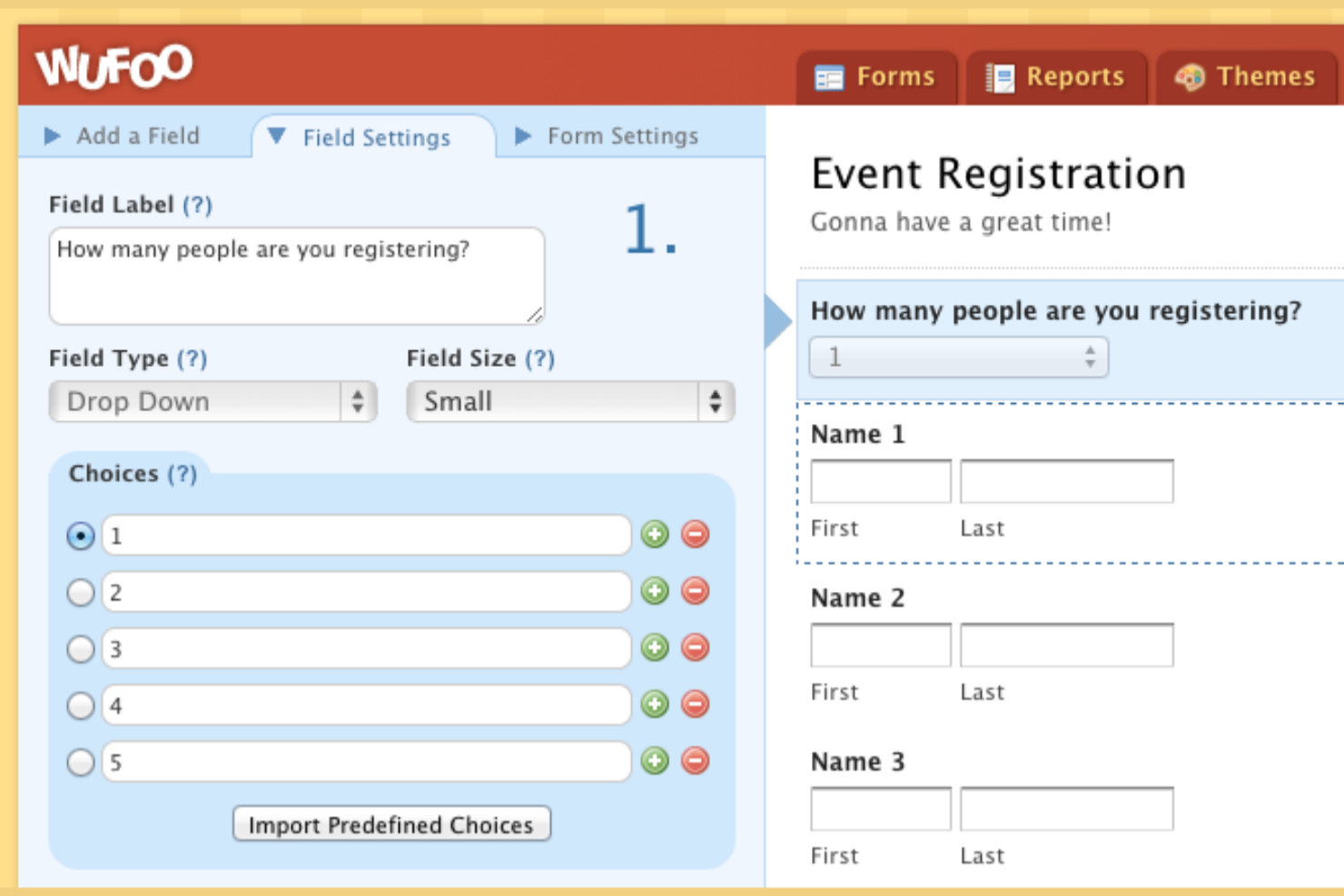
Wufoo gives you a visual, drag-and-drop approach to building online forms. It’s a strong fit for teams that want to customize layouts, branding, and workflows without touching code—especially in marketing, HR, or event management. Unlike Google Forms, Wufoo lets you design forms with advanced field types, custom themes, and flexible logic, so you can match your forms to your brand and process needs.
Why Wufoo Is a Good Google Forms Alternative
If you want more control over the look and structure of your forms, Wufoo is a strong choice. I picked Wufoo because its drag-and-drop builder lets you arrange fields, sections, and branding elements exactly how you want them. The platform also supports custom themes and advanced field types, so you can create forms that match your brand and collect the data you need. For teams that care about visual customization and layout flexibility, Wufoo offers options that go far beyond what Google Forms provides.
Wufoo Key Features
Some other features that make Wufoo a flexible form builder include:
- Real-Time Notifications: Receive instant email alerts when someone submits a form.
- File Uploads: Let respondents attach documents, images, or other files to their submissions.
- Reporting and Analytics: Access built-in tools to visualize and analyze form responses.
- Payment Integration: Collect payments directly through forms using Stripe, PayPal, or Authorize.Net.
Integrations
Integrations include Salesforce, Mailchimp, Dropbox, PayPal, Stripe, Campaign Monitor, Constant Contact, and QuickBooks.
Pros and Cons
Pros:
- Extensive pre-made templates
- Seamless payment integrations
- Simple drag-and-drop builder
Cons:
- Limited free tier features
- Strict submission limits

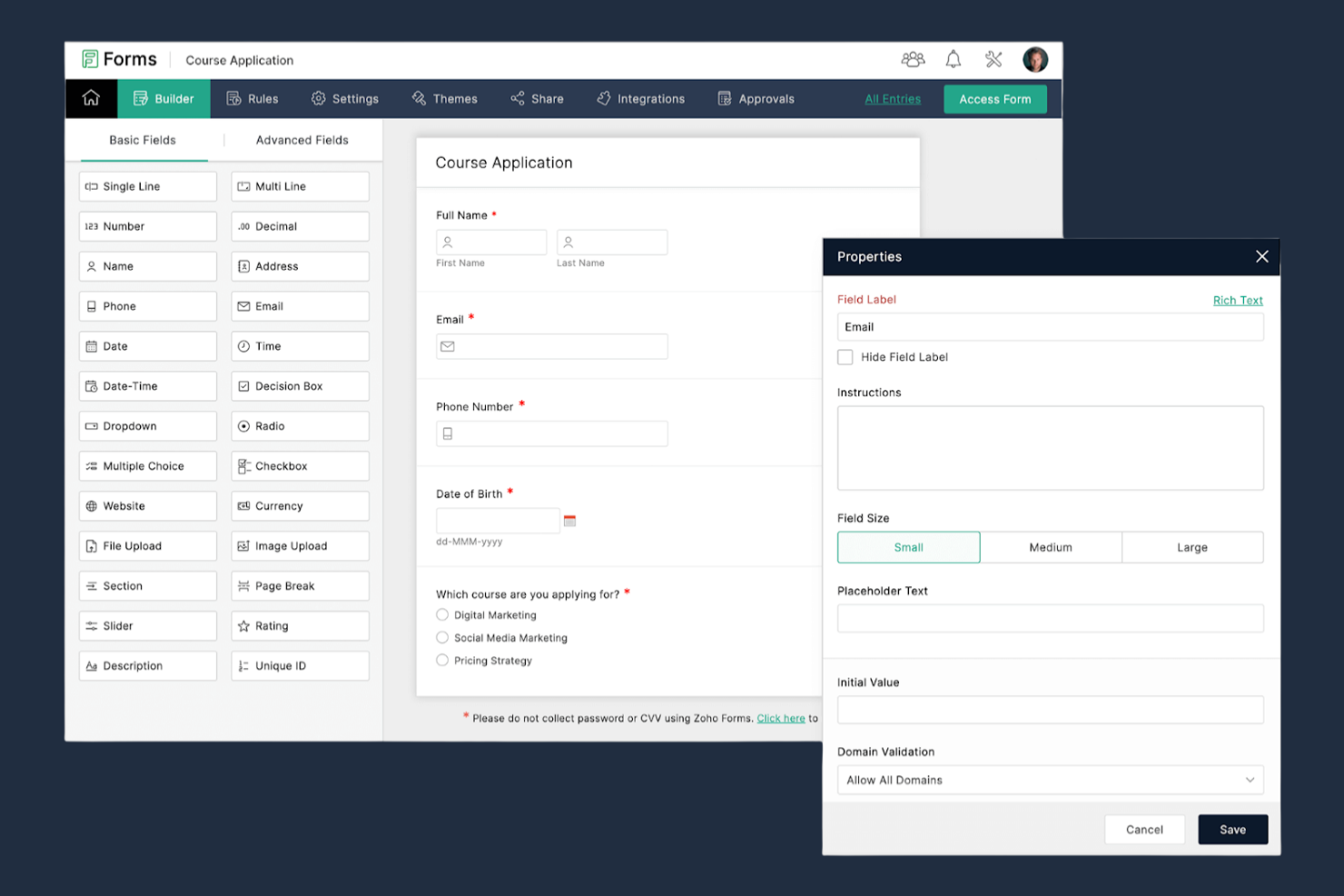
If you’re looking for a form builder that connects directly with your CRM, Zoho Forms is worth considering. It’s designed for sales, marketing, and support teams that need to capture leads and sync data with Zoho CRM or other business apps. Zoho Forms stands out from Google Forms by offering built-in CRM integration, automated workflows, and advanced data routing for business users.
Why Zoho Forms Is a Good Google Forms Alternative
Unlike Google Forms, Zoho Forms is built with native CRM integration at its core, making it a strong choice for teams that need to capture and manage leads. I picked Zoho Forms because it lets you automatically push form responses into Zoho CRM, assign tasks, and trigger follow-up actions without manual intervention. You can also map form fields directly to CRM fields, ensuring data consistency and reducing errors. For businesses that rely on real-time lead management and customer data, Zoho Forms offers automation and connectivity that Google Forms doesn’t provide.
Zoho Forms Key Features
Some other features that make Zoho Forms a versatile option include:
- Customizable Templates: Choose from a library of pre-built templates for different use cases and industries.
- Conditional Logic: Show or hide fields, sections, or pages based on user responses.
- Mobile App: Create, edit, and manage forms on the go with dedicated iOS and Android apps.
- Digital Signatures: Collect legally binding signatures directly within your forms.
Integrations
Integrations include Zoho CRM, Zoho Desk, Zoho Campaigns, Zoho Analytics, Zoho Creator, Google Sheets, and Slack.
Pros and Cons
Pros:
- Advanced multi-level approvals
- Offline mobile data collection
- Deep Zoho ecosystem integration
Cons:
- Restricted styling customization
- Clunky interface for beginners

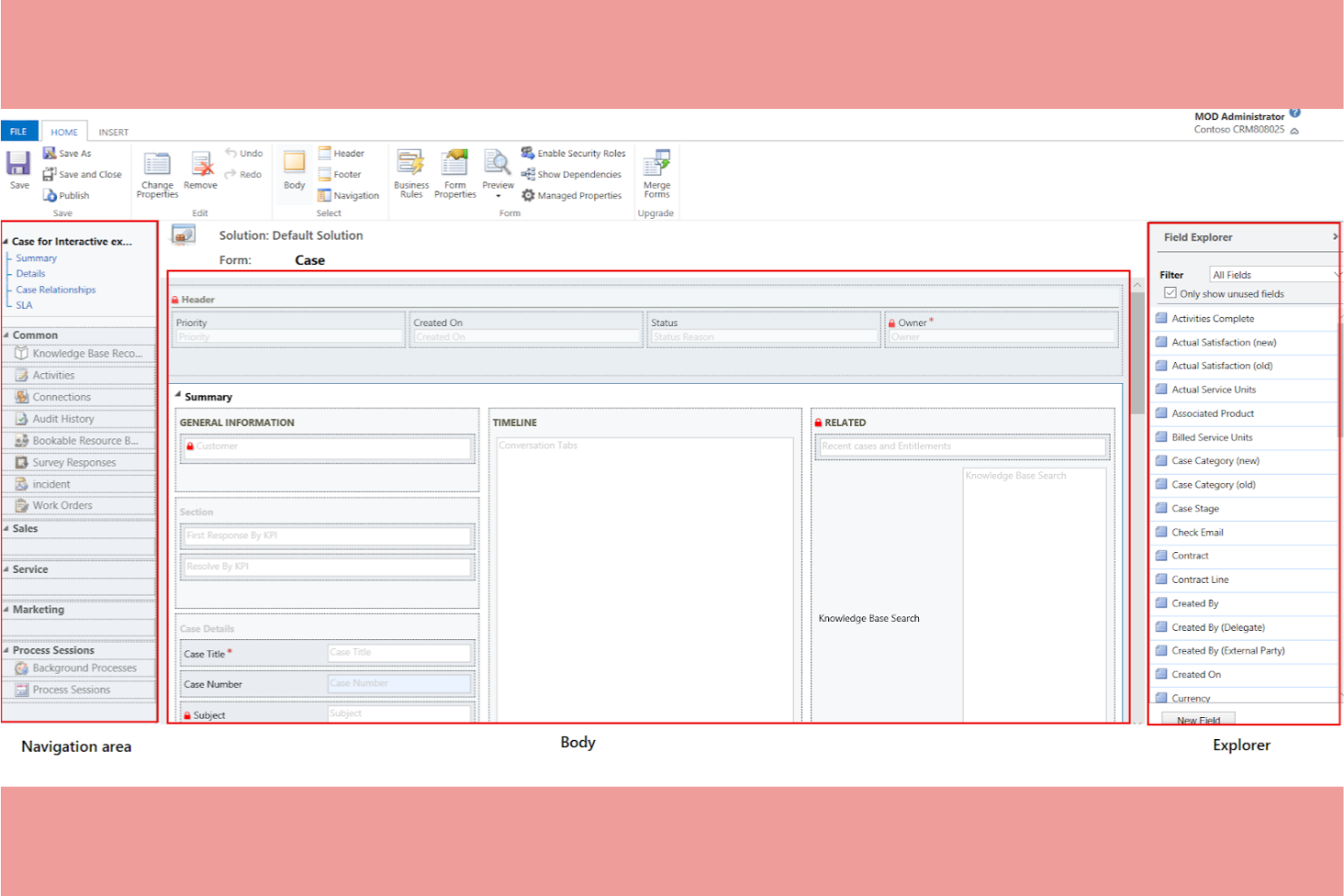
For teams already using Microsoft 365, Microsoft Forms offers a form builder that fits right into your existing workflow. It’s especially useful for IT departments, HR teams, and educators who want to collect data and feedback without leaving the Microsoft ecosystem. Unlike Google Forms, Microsoft Forms connects natively with tools like Excel, SharePoint, and Teams for streamlined data management and collaboration.
Why Microsoft Forms Is a Good Google Forms Alternative
If your organization relies on Microsoft 365, Microsoft Forms offers ease of use for building and sharing forms. I appreciate how responses can be automatically exported to Excel for real-time analysis and reporting. The tool also lets you embed forms directly in Teams or SharePoint, making it easy to collect feedback where your team already works. For anyone invested in the Microsoft ecosystem, these integrations make Microsoft Forms a strong alternative to Google Forms.
Microsoft Forms Key Features
Some other features that make Microsoft Forms useful for form building include:
- Branching Logic: Show or hide questions based on previous answers to personalize the form experience.
- Question Randomization: Shuffle question order to reduce response bias in surveys and quizzes.
- File Uploads: Allow respondents to upload files directly through the form for assignments or documentation.
- Response Notifications: Set up automatic email alerts when new responses are submitted.
Integrations
Integrations include Microsoft Excel, Microsoft Teams, SharePoint, OneDrive, Power Automate, and Azure Active Directory.
Pros and Cons
Pros:
- Mobile-responsive design default
- AI-powered form and quiz builder
- Highly intuitive and simple UI
Cons:
- Basic conditional logic branching
- Limited design and branding tools


Tally stands out for teams and creators who need to collect unlimited responses without hitting submission caps. It’s a strong choice for marketing teams, educators, and event organizers who run high-volume surveys or registrations. Unlike Google Forms, Tally offers unlimited form submissions on its free plan, making it ideal for projects where response limits are a concern.
Why Tally Is a Good Google Forms Alternative
Unlike many form builders that restrict the number of responses you can collect, Tally lets you accept unlimited form submissions even on its free plan. This is especially useful for teams running large-scale surveys, event registrations, or feedback forms without worrying about hitting a cap. I appreciate that Tally also supports advanced features like conditional logic and payment collection, so you can build more complex forms as your needs grow. For anyone who needs to gather a high volume of responses without interruption, Tally is a practical alternative to Google Forms.
Tally Key Features
Some other features that make Tally appealing for form building include:
- Custom Domain Support: Publish forms using your own branded domain for a professional appearance.
- File Upload Field: Allow respondents to attach files directly through your forms.
- Hidden Fields: Pass data into forms via URL parameters for tracking or personalization.
- Webhook Support: Send form responses to other tools or workflows in real time.
Integrations
Integrations include Google Sheets, Slack, Airtable, Notion, HubSpot, Mailchimp, Zapier, Salesforce, Trello, and Asana.
Pros and Cons
Pros:
- Seamless Notion and Airtable links
- Privacy-focused and GDPR-compliant
- Advanced logic on the free plan
Cons:
- No offline form submission support
- Steep price jump for Pro features

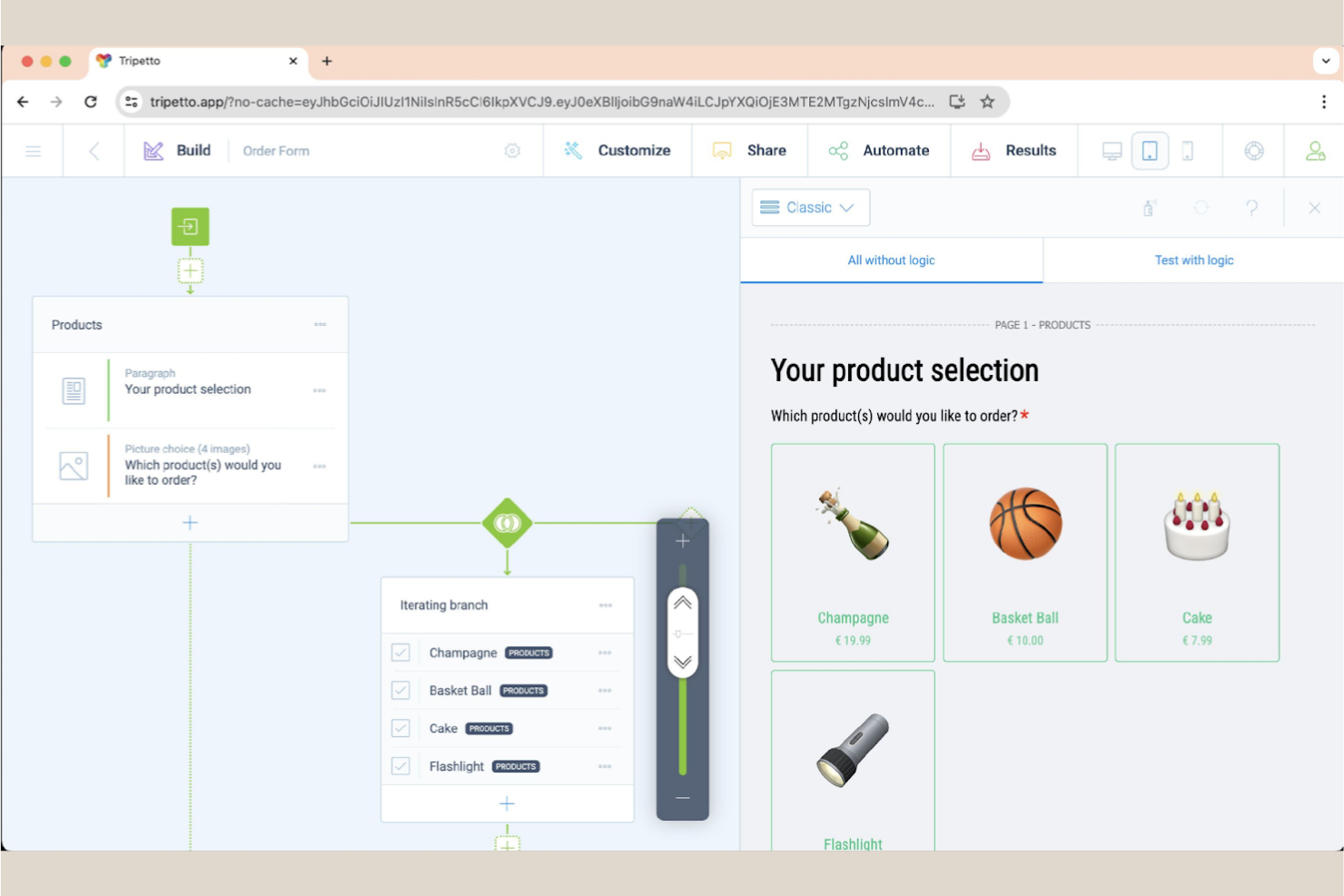
If you’re looking to create forms that feel more like conversations than static surveys, Tripetto is worth a look. It’s designed for marketers, educators, and product teams who want to boost engagement with interactive, logic-driven forms. Tripetto stands apart from Google Forms by offering chat-style and conversational interfaces that guide respondents step by step.
Why Tripetto Is a Good Google Forms Alternative
Tripetto takes a different approach by letting you build conversational forms that mimic real-life dialogue. This is especially valuable if you want to increase response rates or create a more engaging experience for users. I like that Tripetto offers visual flowcharts for designing question logic and supports chat-style, classic, and autoscroll form layouts. For teams that want to move beyond static surveys, Tripetto’s conversational format is a strong alternative to Google Forms.
Tripetto Key Features
Some other features that make Tripetto appealing for form building include:
- Self-Hosting Option: Deploy Tripetto forms on your own servers for full data control.
- Custom CSS Styling: Adjust the look and feel of forms with custom CSS.
- Multi-Language Support: Create forms in multiple languages to reach a wider audience.
- Calculator Blocks: Add calculation logic to forms for quizzes, quotes, or scoring.
Integrations
Integrations include Google Sheets, Slack, Mailchimp, HubSpot, Salesforce, and Shopify.
Pros and Cons
Pros:
- Advanced logic branching
- Self-hosting privacy options
- Conversational form styles
Cons:
- Sluggish with large forms
- No native payment gateway

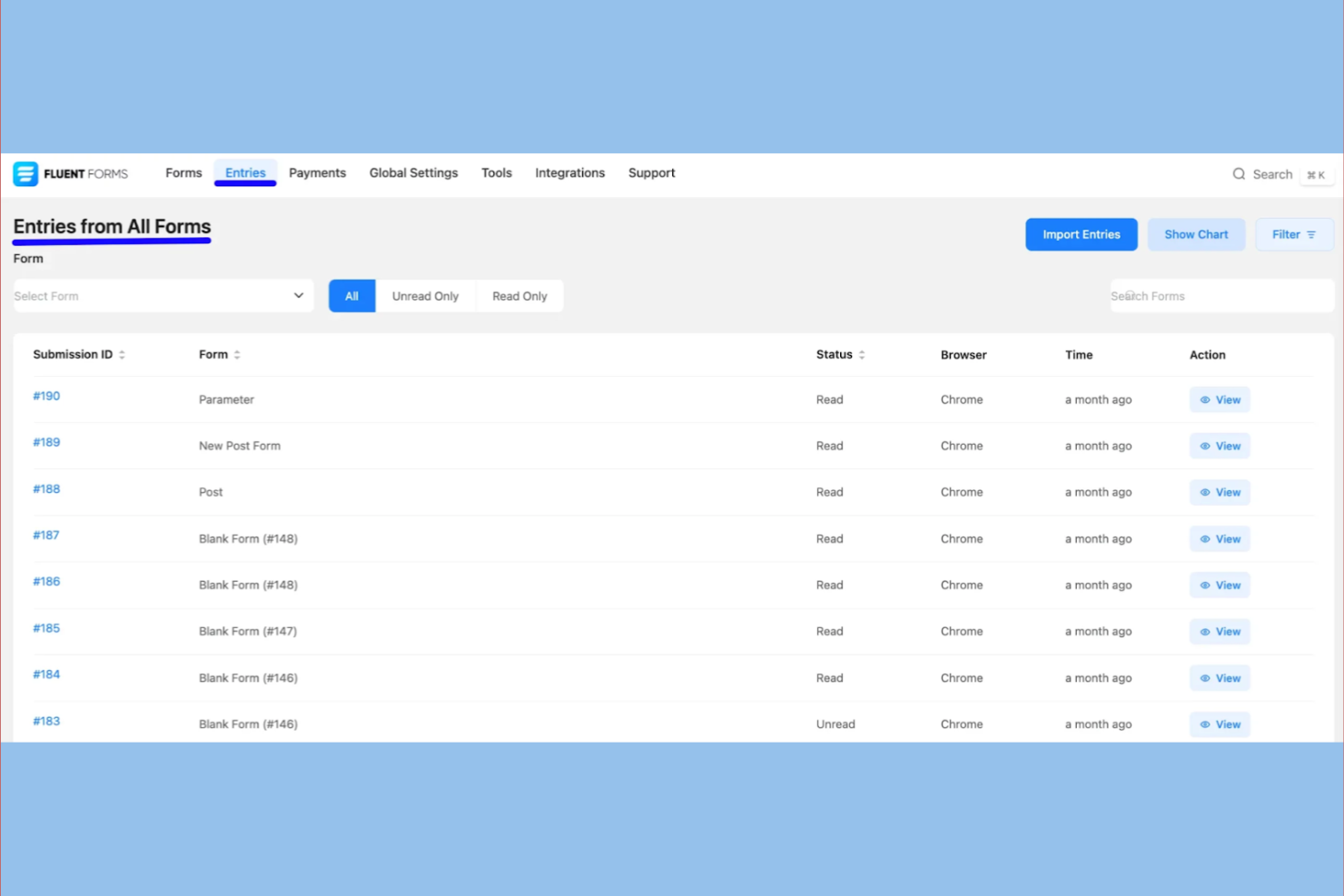
If you’re running a WordPress site and need a form builder that fits right in, Fluent Forms is built for you. It’s especially useful for website managers, marketers, and small business owners who want to create forms without leaving their WordPress dashboard. Unlike Google Forms, Fluent Forms offers deep WordPress integration, letting you manage submissions, automate workflows, and customize forms directly within your site.
Why Fluent Forms Is a Good Google Forms Alternative
Fluent Forms stands out for anyone who needs a form builder that’s fully embedded in WordPress. You can create, edit, and manage forms directly from your WordPress dashboard, which is something Google Forms doesn’t offer. I appreciate how Fluent Forms lets you use shortcodes and blocks to place forms anywhere on your site, and you can automate actions like email notifications or user registration based on form submissions. This level of integration makes it a strong choice for WordPress site owners who want more control and flexibility over their forms.
Fluent Forms Key Features
Some other features that make Fluent Forms appealing for form building include:
- Drag-and-Drop Builder: Build and arrange form fields visually without any coding.
- Conditional Logic: Show or hide fields and sections based on user responses.
- Spam Protection: Use built-in tools like reCAPTCHA and Akismet to reduce unwanted submissions.
- File Upload Field: Allow users to attach documents, images, or other files directly through your forms.
Integrations
Integrations include Mailchimp, ActiveCampaign, HubSpot, Zapier, Slack, PayPal, Stripe, Twilio, Google Sheets, and Kit.
Pros and Cons
Pros:
- Advanced conditional logic
- Extremely lightweight and fast
- Robust free version features
Cons:
- Interface can feel cluttered
- Steep lifetime license cost
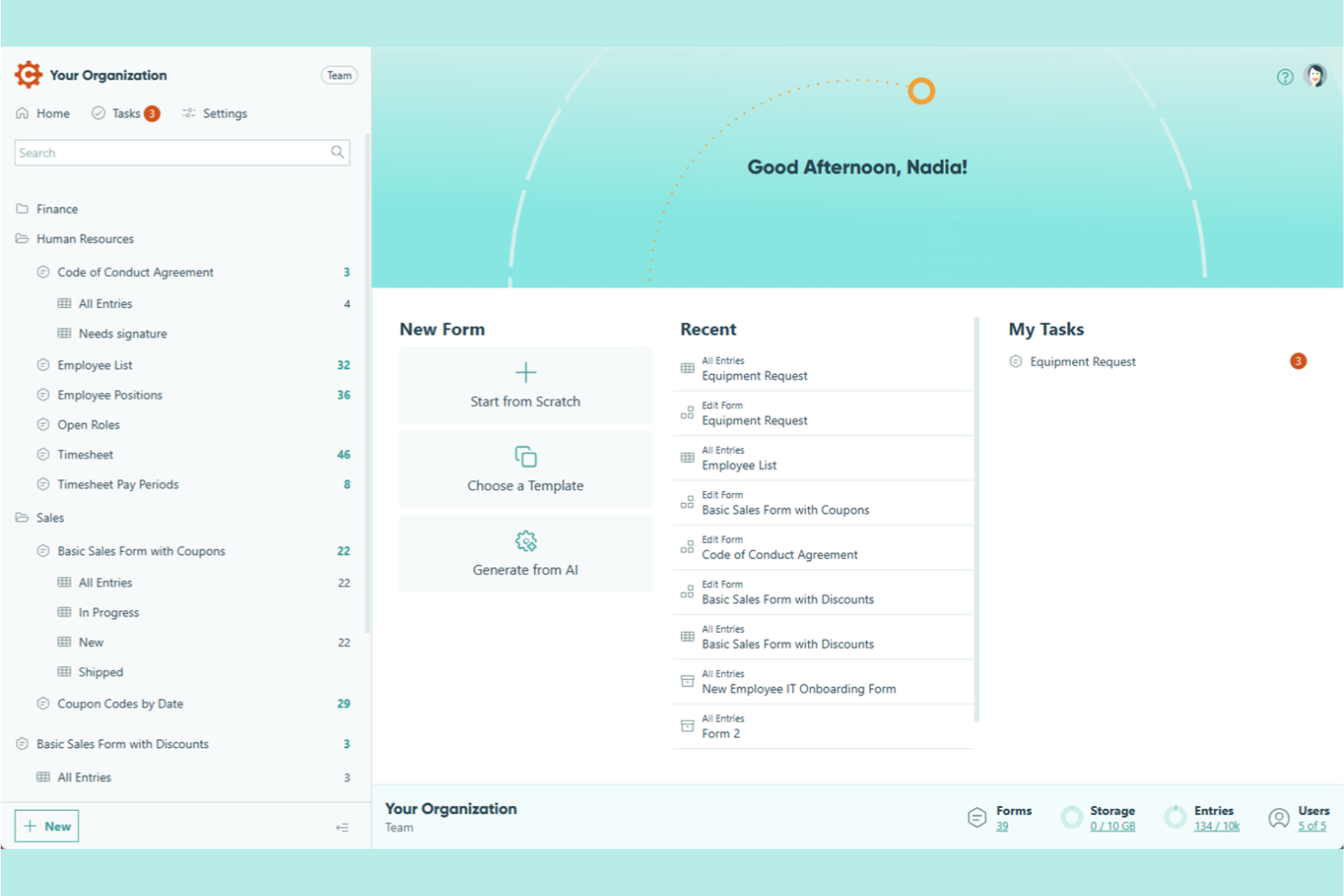
For teams that need advanced calculations and logic in their forms, Cognito Forms is a strong contender. It’s especially useful for finance teams, order management, and anyone who needs to automate complex pricing or scoring within a form. Unlike Google Forms, Cognito Forms supports calculated fields that let you build forms with real-time math, conditional logic, and dynamic content.
Why Cognito Forms Is a Good Google Forms Alternative
Cognito Forms is a strong choice if you need forms that can handle complex calculations and dynamic content. I picked Cognito Forms because it lets you create calculated fields that automatically total values, apply formulas, or generate custom outputs based on user input. You can also use conditional logic to show or hide fields, making forms more interactive and responsive. For anyone who needs more than basic data collection, Cognito Forms offers advanced calculation features that Google Forms doesn’t match.
Cognito Forms Key Features
Some other features that make Cognito Forms appealing for form building include:
- Multi-Page Forms: Break long forms into multiple pages to improve completion rates.
- File Upload Fields: Allow respondents to attach documents, images, or other files directly to their submissions.
- Data Encryption: Protect sensitive information with built-in encryption for form responses.
- Workflow Automation: Set up approval flows and notifications to manage form submissions efficiently.
Integrations
Integrations include Microsoft Power Automate, Zapier (for extended integrations), PayPal, Stripe, Square, Dropbox, OneDrive, and Mailchimp.
Pros and Cons
Pros:
- Advanced calculation fields
- Secure GDPR and HIPAA compliance
- Powerful conditional logic
Cons:
- Restricted search functionality
- Slow backend builder performance
Other Google Forms Alternatives
Here are some additional Google Forms alternatives options that didn’t make it onto my shortlist, but are still worth checking out:
- Fillout
For pre-filled form workflows
- Jotform
For template variety
- MightyForms
For real-time form tracking
- Survicate
For multi-channel survey distribution
- Formstack
For workflow automation features
- WPForms
For beginner-friendly setup
- Formsite
For file upload capabilities
- Growform
For multi-step lead capture
- Budibase
For open-source customization
- Weavely
For AI-powered form creation
- Feathery
For developer-friendly APIs
- FormBuilder
For instant form embedding
- HubSpot Forms
With marketing automation tools


Google Forms Alternatives Selection Criteria
When selecting the best Google Forms alternatives to include in this list, I considered common buyer needs and pain points related to online form builder products, like wanting more advanced customization options and needing better data management tools. I also used the following framework to keep my evaluation structured and fair:
Core Functionality (25% of total score)
To be considered for inclusion in this list, each solution had to fulfill these common use cases:
- Create and publish online forms
- Collect and store form responses
- Export data to spreadsheets or other formats
- Add basic logic or conditional fields
- Share forms via link or embed on a website
Additional Standout Features (25% of total score)
To help further narrow down the competition, I also looked for unique features, such as:
- Drag-and-drop form builder interface
- Built-in payment processing
- Advanced analytics and reporting
- Custom branding and white-labeling
- Integration with third-party apps
Usability (10% of total score)
To get a sense of the usability of each system, I considered the following:
- Clean and intuitive user interface
- Minimal steps to create and launch a form
- Responsive design for mobile and desktop
- Clear navigation and labeling
- Accessibility for users with different skill levels
Onboarding (10% of total score)
To evaluate the onboarding experience for each platform, I considered the following:
- Availability of step-by-step tutorials or product tours
- Access to pre-built form templates
- In-app guidance or tooltips for new users
- Training videos or live webinars
- Support for data import and migration
Customer Support (10% of total score)
To assess each software provider’s customer support services, I considered the following:
- Live chat or email support availability
- Response time to support inquiries
- Access to a searchable help center or knowledge base
- Community forums or user groups
- Availability of onboarding or setup assistance
Value For Money (10% of total score) To evaluate the value for money of each platform, I considered the following:
- Transparent and flexible pricing plans
- Features included in lower-tier plans
- Free plan or free trial availability
- Cost compared to similar tools
- No hidden fees or surprise charges
Customer Reviews (10% of total score)
To get a sense of overall customer satisfaction, I considered the following when reading customer reviews:
- Positive feedback on reliability and uptime
- Comments on feature usefulness and depth
- Reports of bugs or technical issues
- Experiences with customer support quality
- Overall satisfaction and likelihood to recommend
Why Look For a Google Forms Alternative?
While Google Forms is a good choice of online form builder, there are a number of reasons why some users seek out alternative solutions. You might be looking for a Google Forms alternative because…
- You need more advanced customization and branding options
- You want to collect payments or signatures directly through forms
- You require deeper analytics or reporting features
- You need integrations with tools outside the Google ecosystem
- You want more control over data privacy and storage location
- You need better support for complex workflows or conditional logic
If any of these sound like you, you’ve come to the right place. My list contains several online form builder options that are better suited for teams facing these challenges with Google Forms and looking for alternative solutions.
Google Forms Key Features
Here are some of the key features of Google Forms, to help you contrast and compare what alternative solutions offer:
- Simple drag-and-drop form builder interface
- Multiple question types including multiple choice, dropdown, and linear scale
- Real-time response collection and summary charts
- Automatic data export to Google Sheets
- Basic conditional logic for branching questions
- Easy sharing via link, email, or website embed
- Built-in collaboration with other Google Workspace users
- Customizable themes and color palettes
- File upload support for collecting documents or images
- Free to use with a Google account
What’s Next:
If you're in the process of researching Google Forms alternatives, connect with a SoftwareSelect advisor for free recommendations.
You fill out a form and have a quick chat where they get into the specifics of your needs. Then you'll get a shortlist of software to review. They'll even support you through the entire buying process, including price negotiations.