

10 Best Free Client Management Software Picks Recommended for 2026

Best Free Client Management Software Shortlist


Free client management software gives your team access to essential tools for tracking contacts, managing client interactions, and organizing sales pipelines—without hefty upfront costs. If you’re searching for free solutions, you’re likely balancing tight budgets with the need to keep client data organized and accessible across your team.
Choosing the right free client management software can help you automate tasks, improve visibility, and support collaboration. In this list, you’ll find trusted options that offer free plans or trials, so you can compare features and pick the best fit for your workflow.
Why Trust Our Software Recommendations
Our team has been testing and reviewing software since 2012. As project managers ourselves, we know how difficult—and important—it is to choose the right software.
For this guide, we evaluated tools using hands-on testing and independent research, scoring tools using our selection criteria. We also draw on insights from industry thought leaders and practicing project management experts.
Our reviews reflect our human editorial judgment, not a sales pitch.
Expert reviewers:
Free Client Management Software Comparison Table
Here are the base costs for each of the tools that made it onto my shortlist:
| Tool | Best For | Trial Info | Price | ||
|---|---|---|---|---|---|
| 1 | Best for project tracking features | Free plan available | From $6/user/month (billed annually) | Website | |
| 2 | Best for all-in-one client tools | Free plan + free demo available | From $13.79/user/month (billed annually) | Website | |
| 3 | Best for simple contact organization | 14-day free trial | From $18/user/month (billed annually) | Website | |
| 4 | Best for open-source customization | 30-day free trial + free demo available | From $15/user/month | Website | |
| 5 | Best for integrated email campaigns | 15-day free trial + free demo available | From $12/user/month (billed annually) | Website | |
| 6 | Best with extensive app integrations | 30-day free trial | From $25/user/month | Website | |
| 7 | Best with built-in telephony features | Free plan + 15-day free trial + free demo available | From $49/organization/month (billed annually) | Website | |
| 8 | Best with marketing automation included | Free plan available | From $8.99/user/month | Website | |
| 9 | Best for unlimited data storage | Free plan available | From $10/month | Website | |
| 10 | Best for unlimited user access | 28-day free trial + free plan available | From $20/seat/month | Website |
Best Free Client Management Software Reviews
Below are my detailed summaries of free client management software that made it onto my shortlist. My reviews offer a detailed look at the features, best use cases, and integrations of each platform to help you find the best one for your team.

Flowlu
Best for project tracking features
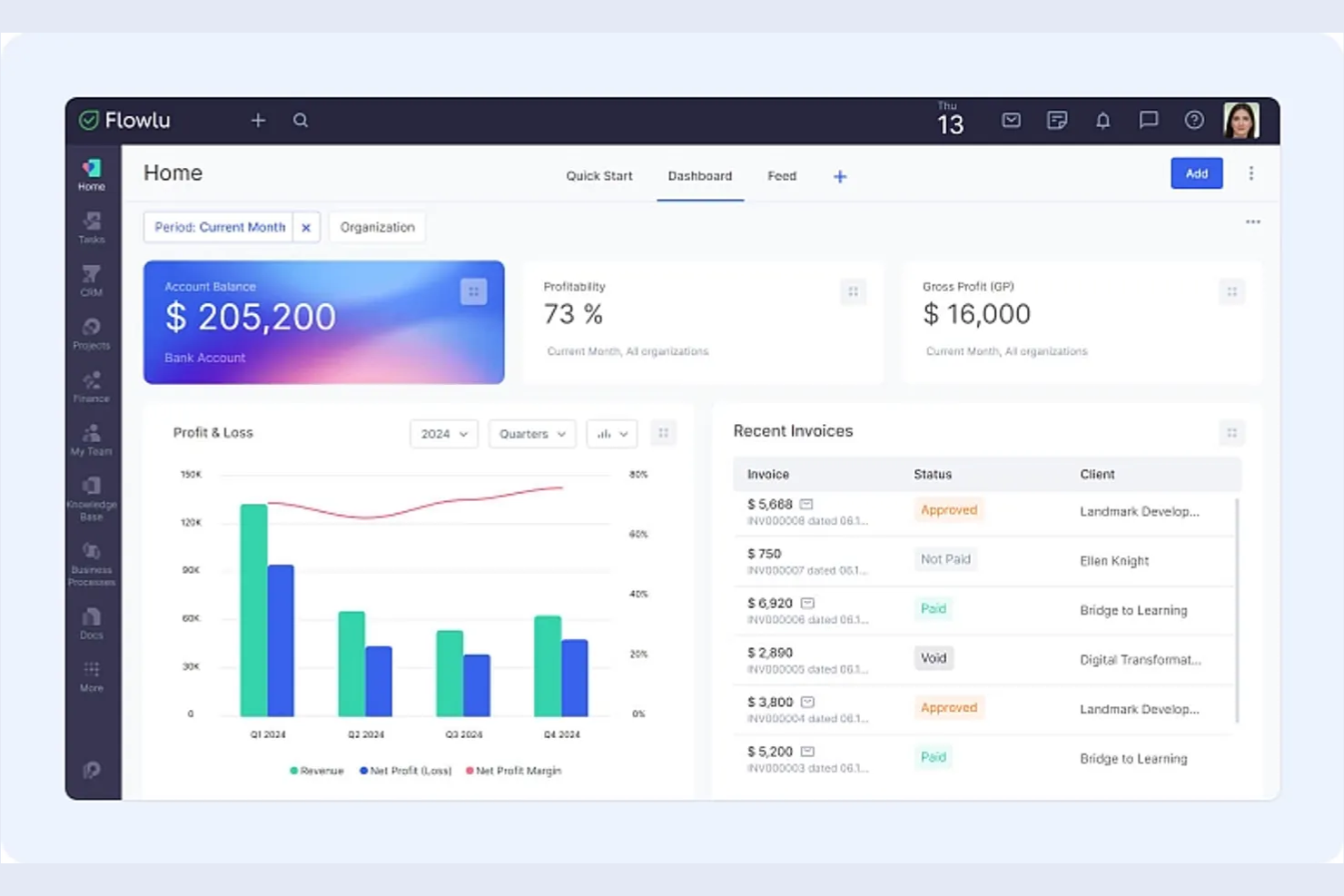
If you’re looking for a client management platform with built-in project tracking, Flowlu is worth a look. It’s designed for teams that need to manage client relationships alongside tasks, projects, and workflows in one place. Flowlu can help agencies, consultancies, and service businesses keep client work organized from first contact through project delivery.
Why I Picked Flowlu
What sets Flowlu apart for me is how deeply it integrates project tracking with client management. I see this as a strong fit for teams that need to manage client communications, tasks, and project milestones all in one place. Flowlu’s project workspace lets you assign tasks, set deadlines, and track progress for each client, while also keeping all related files and discussions organized. This level of project visibility is especially useful for agencies and service businesses juggling multiple client projects at once.
Flowlu Key Features
Some other features that stand out for teams considering Flowlu as a free client management solution include:
- Client Portal: Give clients access to their own dashboard for project updates, invoices, and communication.
- Invoicing and Payments: Generate invoices, track payments, and manage billing directly within the platform.
- Knowledge Base: Build and share internal or client-facing knowledge bases to centralize important information.
- Time Tracking: Log billable and non-billable hours for tasks and projects to monitor team productivity.
Flowlu Integrations
Integrations include Gmail, Microsoft Outlook, Google Drive, Dropbox, OneDrive, Twilio, Stripe, PayPal, Mailchimp, and Slack.
What's Free?
Flowlu offers a free-forever plan for up to 2 users. The free plan includes unlimited projects and contacts but limits storage to 1 GB and restricts access to advanced features like automation and custom fields.
Pros and Cons
Pros:
- Invoicing and payment tracking included
- Unlimited projects and contacts on free plan
- Built-in client portal for external collaboration
Cons:
- No native integration with QuickBooks
- Free plan limits storage to 1 GB

Best for all-in-one client tools
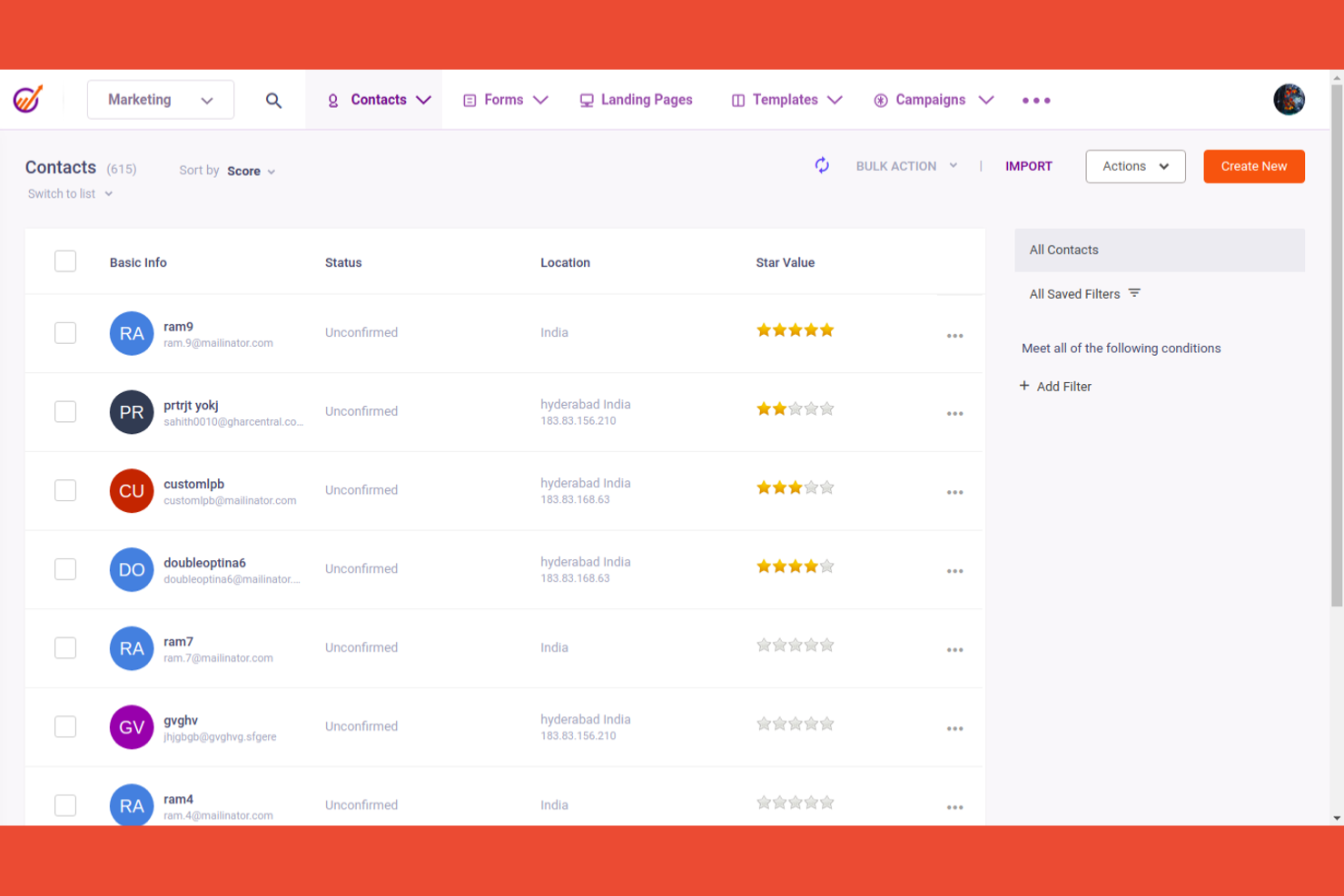
If you’re searching for a free client management platform that combines marketing, sales, and support tools, EngageBay is worth considering. It’s designed for small businesses and agencies that want to manage the entire client lifecycle in one place. EngageBay helps unify contact management, email marketing, ticketing, and deal tracking without switching between multiple apps.
Why I Picked EngageBay
What drew me to EngageBay is how it brings together marketing, sales, and support tools in a single platform. I see this as especially useful for small teams that want to manage client relationships, run email campaigns, and handle support tickets without juggling multiple systems. EngageBay’s contact management, deal pipeline, and built-in helpdesk all work together, so you can track every client interaction from first touch to ongoing support. This all-in-one approach makes it easier to keep client data and communications organized as your business grows.
EngageBay Key Features
Some other features that make EngageBay useful for client management include:
- Appointment Scheduling: Book meetings directly with clients using a built-in calendar tool.
- Landing Page Builder: Create and publish landing pages to capture new leads.
- Live Chat Widget: Add a live chat option to your website for real-time client support.
- Task Management: Assign, track, and organize tasks for your team within the platform.
EngageBay Integrations
Integrations include Shopify, Mailchimp, Xero, QuickBooks, Stripe, Slack, Zoom, Google Calendar, Outlook, and LinkedIn.
What's Free?
EngageBay offers a free-forever plan with unlimited users and contacts. The free plan limits you to 500 emails per day, 1,000 branded emails per month, and restricts access to advanced features like marketing automation and custom reporting.
Pros and Cons
Pros:
- Email sequences available on the free plan
- Built-in landing page and form builder
- Free plan includes marketing, sales, and support tools
Cons:
- Automation features are restricted to paid plans
- Free plan limited to 500 emails per day

Best for simple contact organization
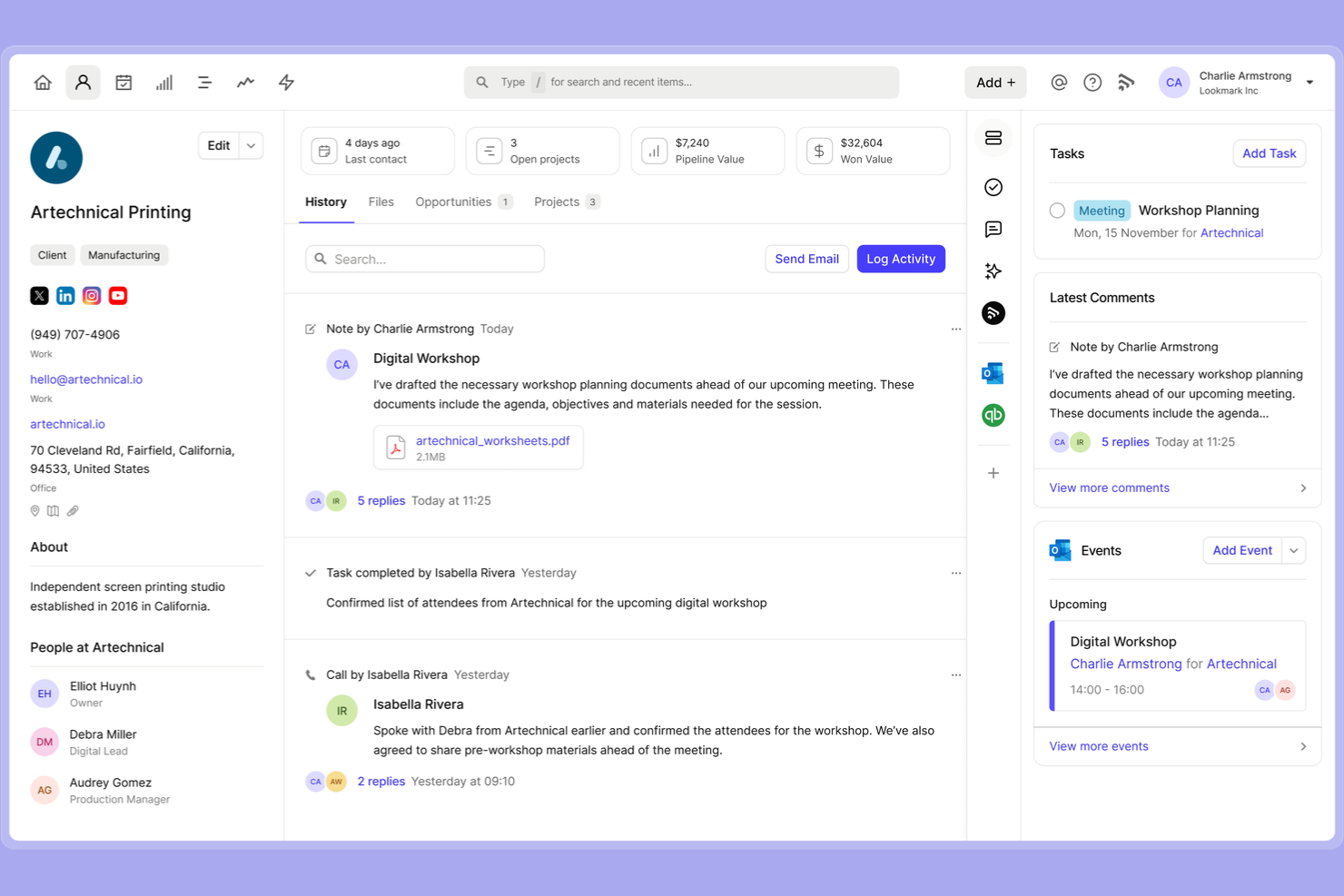
Capsule CRM is designed for teams and professionals who want a straightforward way to organize contacts and manage relationships. If you’re looking for a tool that keeps client information tidy without extra complexity, Capsule CRM is a strong fit. It’s especially useful for small businesses that need simple contact tracking and task management in one place.
Why I Picked Capsule CRM
What drew me to Capsule CRM is how it keeps contact organization simple and focused, which is exactly what many small teams and solo professionals need from free client management software. Capsule CRM lets you store detailed contact profiles, categorize clients with tags, and link notes, emails, and tasks directly to each contact. I like that you can quickly search and filter your database to find the right client or company without digging through cluttered menus. For anyone who wants a no-fuss way to keep client information organized and accessible, Capsule CRM’s approach stands out.
Capsule CRM Key Features
Some other features in Capsule CRM that support free client management include:
- Sales pipeline board: Visualize and track opportunities through customizable sales stages.
- Task reminders: Set follow-up reminders and deadlines for client-related tasks.
- Email history tracking: Automatically link email conversations to contact records.
- Mobile app: Access and update client information from iOS and Android devices.
Capsule CRM Integrations
Integrations include Gmail, Outlook, Xero, QuickBooks Online, Mailchimp, Transpond, Google Calendar, LinkedIn (via Add to CRM), Zendesk, and FreshBooks.
What's Free?
Capsule CRM offers a free-forever plan for up to 2 users and 250 contacts. The free plan includes basic contact management, sales pipeline, and task tracking, but limits custom fields, integrations, and reporting features.
Pros and Cons
Pros:
- Task management is built into contact records
- Contact history includes emails and notes
- Free plan supports up to 250 contacts
Cons:
- No workflow automation on free plan
- Free plan limited to 2 users

EspoCRM
Best for open-source customization
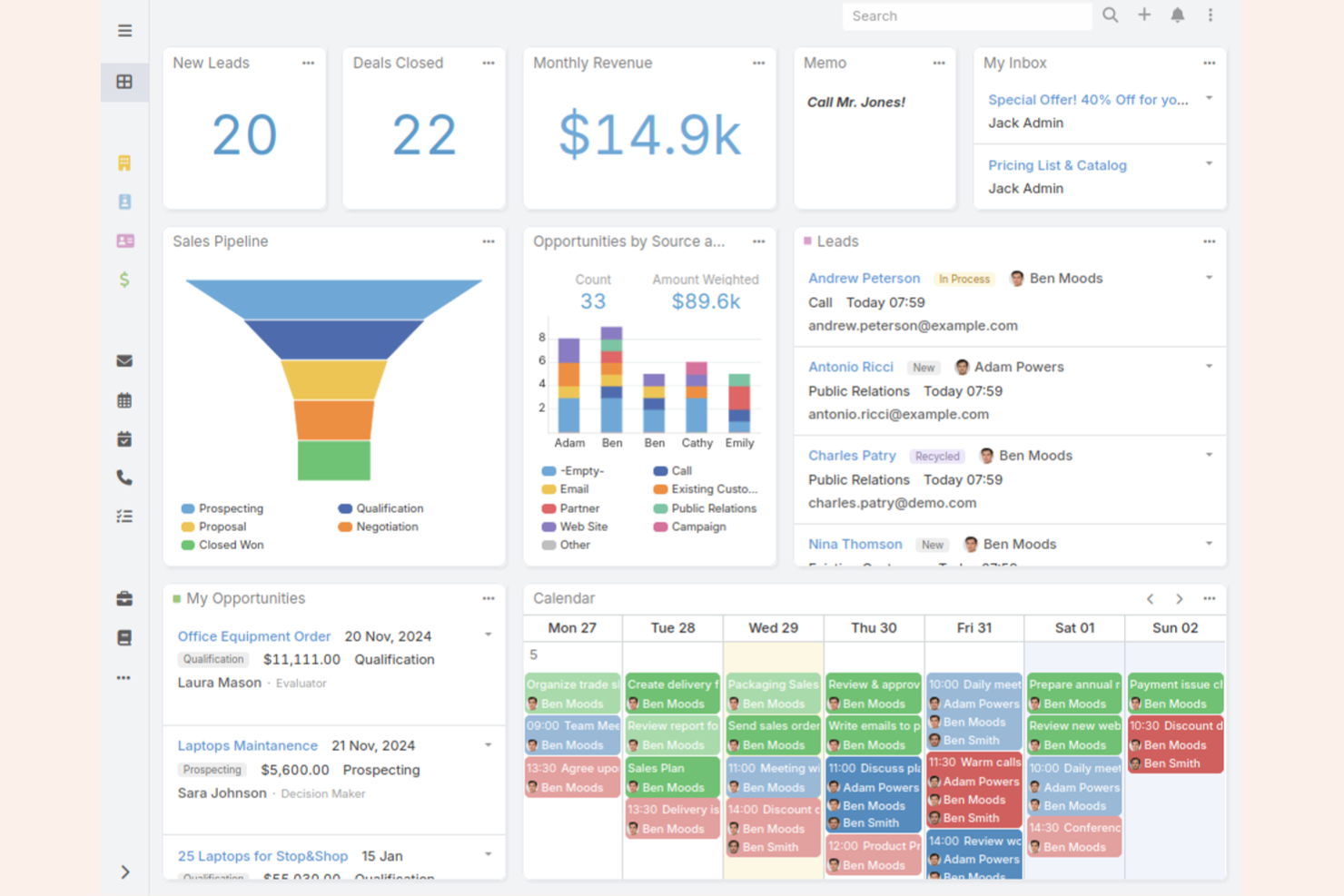
If you want full control over your client management software, EspoCRM stands out for its open-source approach. It’s a strong fit for teams with technical resources who want to customize workflows, modules, and data structures. EspoCRM helps businesses tailor their CRM to unique processes without being locked into a vendor’s limitations.
Why I Picked EspoCRM
What drew me to EspoCRM is its open-source foundation, which gives you the freedom to fully customize your client management system. You can modify data models, create custom entities, and build unique workflows to match your team’s exact needs. This level of flexibility is rare among free client management software, especially for organizations with specific or evolving requirements. If you want to adapt your CRM as your business grows or changes, EspoCRM’s open-source customization makes it a strong choice.
EspoCRM Key Features
Some other features in EspoCRM that support free client management include:
- Email integration: Connects with your email provider to send, receive, and log client communications directly in the CRM.
- Calendar and scheduling: Let you manage meetings, calls, and tasks with built-in calendar tools.
- Role-based access control: Allows you to set permissions and restrict access to sensitive client data by user role.
- Sales automation: Supports lead assignment, opportunity tracking, and automated follow-ups to help manage your sales pipeline.
EspoCRM Integrations
Integrations include 3CX, Twilio, Asterisk, Starface, Binotel, Zoom, Outlook, Google, Mailchimp, and Stripe.
What's Free?
EspoCRM offers a free-forever open-source version that you can self-host with no user or record limits. Some advanced features and official cloud hosting are only available in paid plans.
Pros and Cons
Pros:
- No user or record limits on free version
- Self-hosting option for data control
- Open-source code allows full backend access
Cons:
- Limited out-of-the-box reporting features
- Lacks native integration with Slack or Teams

Vtiger
Best for integrated email campaigns

If you’re looking for a free client management solution with built-in email campaign tools, Vtiger is worth a look. It’s designed for teams that want to manage contacts and launch email campaigns from one place without juggling multiple platforms. Vtiger can help small businesses and sales teams keep client communications organized and automate outreach.
Why I Picked Vtiger
What stands out about Vtiger is how it brings integrated email campaign tools directly into its free CRM platform. You can create, send, and track email campaigns without leaving the system, which is rare among free client management software. I picked Vtiger because it lets you manage contacts and automate follow-ups in the same place, making it easier to keep client communications organized. This approach is especially useful for small teams that want to nurture leads and clients without relying on separate marketing tools.
Vtiger Key Features
Some other features in Vtiger that support free client management include:
- Contact management: Store, organize, and segment client information in a centralized database.
- Deal tracking: Monitor sales opportunities and stages with a visual pipeline.
- Task and activity management: Assign, schedule, and track tasks and meetings for your team.
- Document storage: Upload and manage client-related files directly within the CRM.
Vtiger Integrations
Integrations include Google Workspace, Microsoft Teams, WhatsApp, Gmail, Microsoft Outlook, Mailchimp, QuickBooks, Xero, Stripe, and Zoom Meetings.
What's Free?
Vtiger offers a free-forever plan for up to 10 users. The free plan includes basic CRM features, email campaigns, and contact management, but limits advanced automation, reporting, and some integrations.
Pros and Cons
Pros:
- Free plan includes unlimited users and records
- Visual sales pipeline for deal management
- Built-in email campaign and tracking tools
Cons:
- Mobile app features are restricted on free plan
- Free plan lacks advanced workflow automation

Best with extensive app integrations
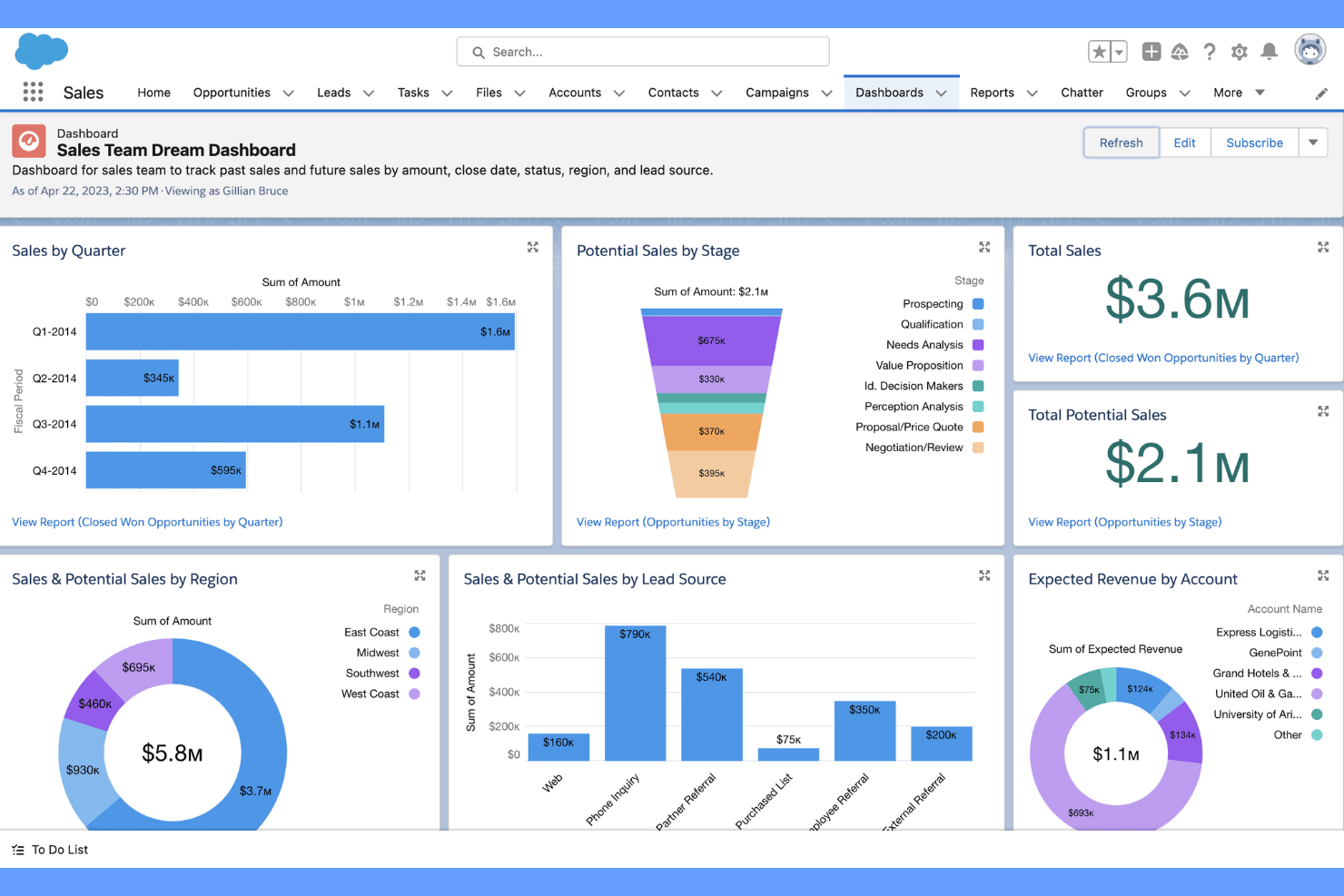
Salesforce is a cloud-based CRM platform built for teams that need advanced customization and integration options. It’s a strong fit for businesses that want to connect client management with a wide range of third-party apps and workflows. If you’re looking for a solution that can adapt to complex processes and scale with your organization, Salesforce stands out for its flexibility and ecosystem.
Why I Picked Salesforce
What makes Salesforce a strong choice for client management is its unmatched ability to connect with a huge range of third-party apps and services. I picked Salesforce because its AppExchange marketplace lets you add tools for marketing, support, analytics, and more, all within the same platform. This means you can tailor your CRM to fit your team’s exact workflow, whether you need to sync with accounting software, automate lead capture, or integrate with communication tools. For teams that want a client management solution that grows and adapts as their tech stack evolves, Salesforce’s integration ecosystem is hard to match.
Salesforce Key Features
Some other features that make Salesforce useful for client management include:
- Customizable Dashboards: Build visual dashboards to track sales, support, and client activity in real time.
- Workflow Automation: Set up automated rules for lead assignment, follow-ups, and approvals.
- Case Management: Manage client support requests and track resolution progress within the CRM.
- Mobile App: Access client records, tasks, and notifications from anywhere using the Salesforce mobile app.
Salesforce Integrations
Integrations include Outlook, Gmail, Slack, QuickBooks, Mailchimp, HubSpot, Docusign, Dropbox, LinkedIn, and Google Drive.
What's Free?
Salesforce offers a 30-day free trial with access to core CRM features. The free trial is limited in duration and does not include a free-forever plan; user and integration limits may apply during the trial period.
Pros and Cons
Pros:
- Case management for client support tracking
- Custom dashboards for tracking client activity
- AppExchange offers thousands of integration options
Cons:
- Limited email sends on entry-level plans
- No free-forever plan available
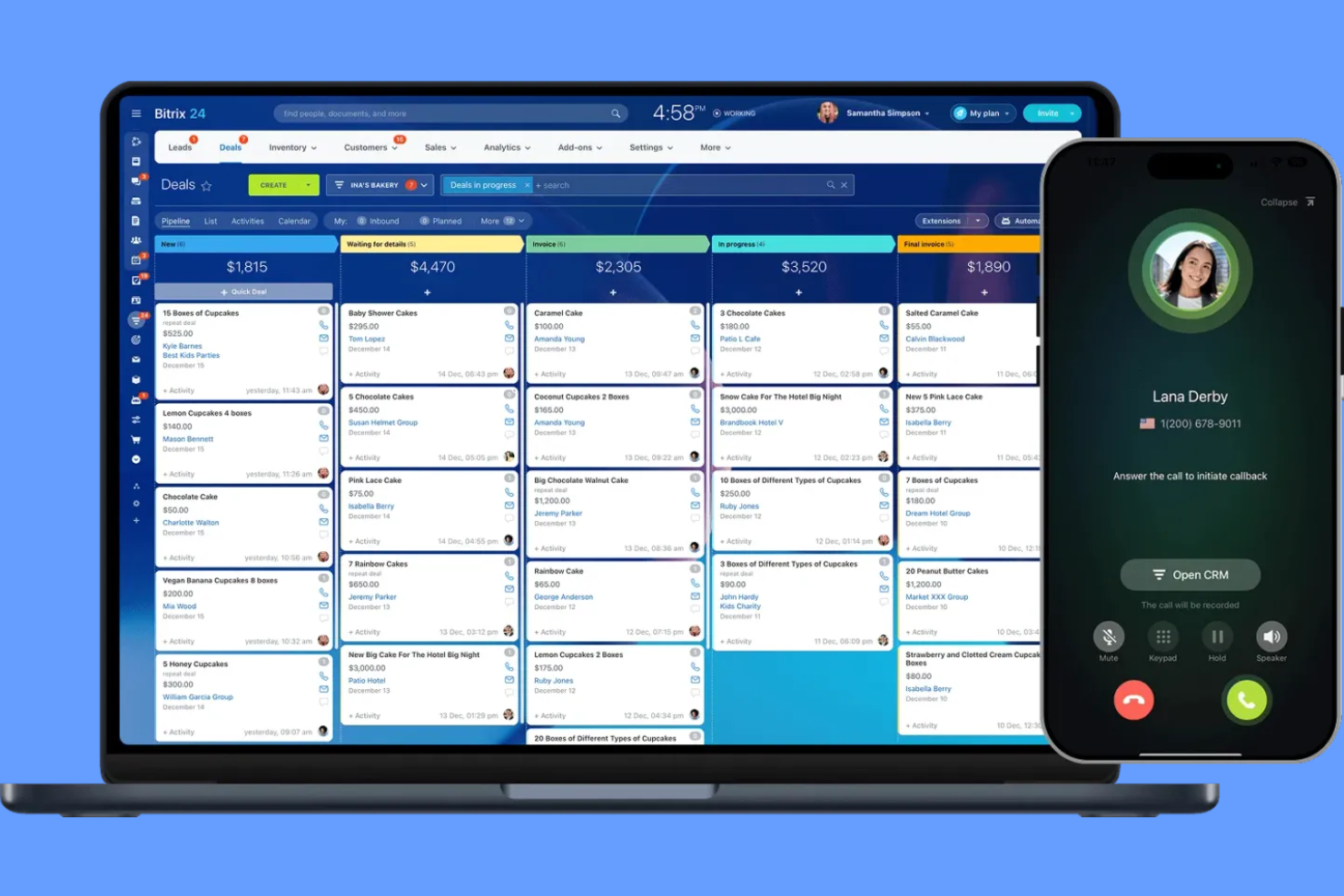
If your team needs free client management software with built-in telephony, Bitrix24 is worth a look. It’s designed for businesses that want to manage calls, contacts, and communications from one platform. Bitrix24 helps teams centralize client interactions, making it easier to track conversations and follow up without switching tools.
Why I Picked Bitrix24
What sets Bitrix24 apart in the free client management software space is its built-in telephony features. You can make and receive calls directly from the CRM, log call details automatically, and even record conversations for future reference. I picked Bitrix24 because these telephony tools are included on the free plan, which is rare among client management platforms. For teams that rely on phone communication with clients, having telephony fully integrated with contact records and activity tracking makes Bitrix24 a strong fit.
Bitrix24 Key Features
Some other features in Bitrix24 that support free client management include:
- Task and project management: Assign tasks, set deadlines, and track progress for client-related work.
- Document management: Store, share, and collaborate on client files within the platform.
- Live chat widget: Add a chat widget to your website to capture and respond to client inquiries in real time.
- Sales pipeline visualization: Use customizable pipelines to track deals and client status from lead to close.
Bitrix24 Integrations
Integrations include Gmail, Outlook, WhatsApp, Facebook Messenger, Instagram, Twilio, Shopify, Mailchimp, Slack, and Dropbox. Bitrix24 also offers an API for custom integrations.
What's Free?
Bitrix24 offers a free-forever plan for unlimited users. The free plan includes core CRM features, telephony, task management, and live chat, but limits storage to 5 GB and restricts access to advanced automation, reporting, and some integrations.
Pros and Cons
Pros:
- Includes live chat and web form tools
- Unlimited contacts and deals on free plan
- Built-in telephony for calls and call logging
Cons:
- Telephony features may require paid credits
- Free plan limited to 5 GB storage

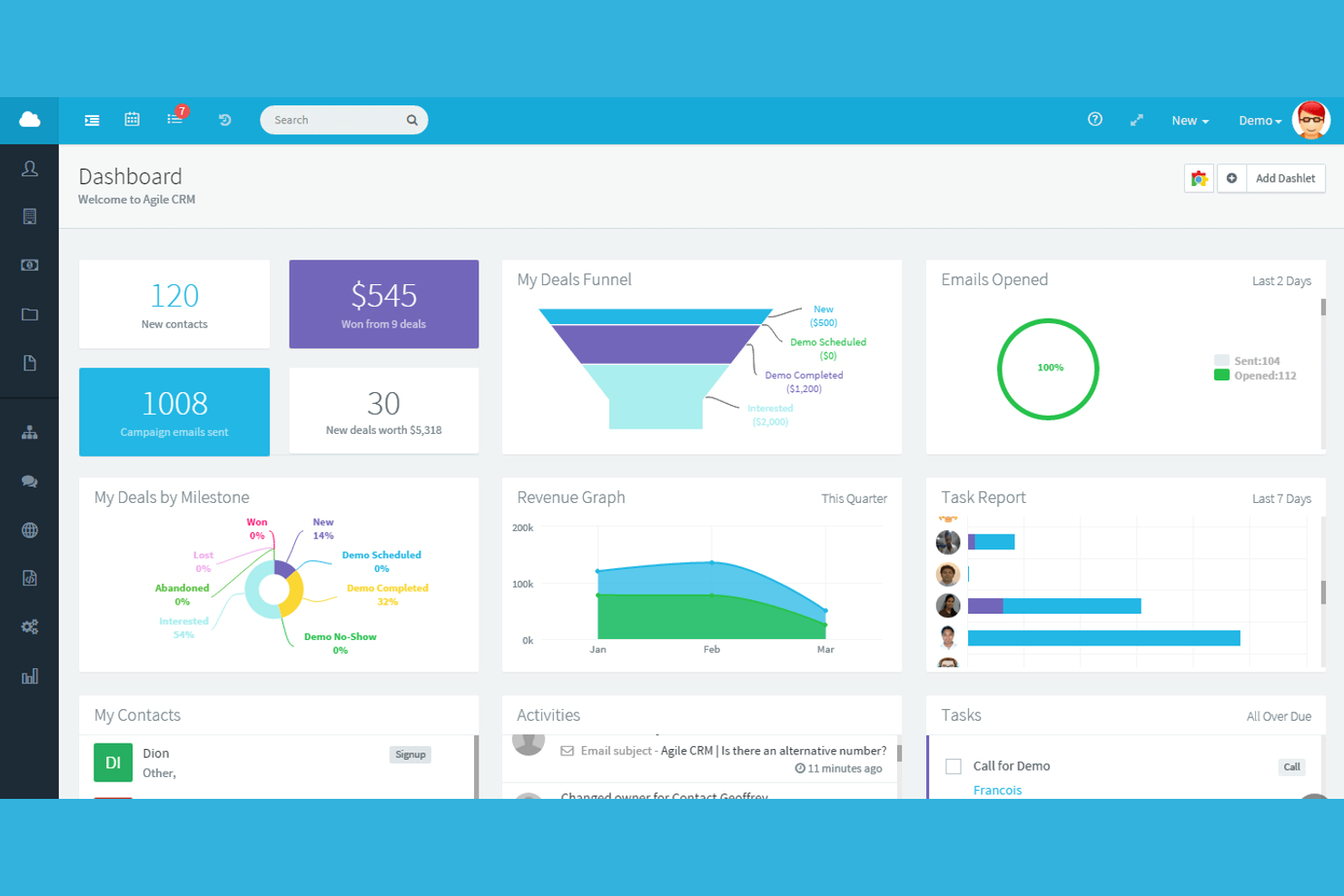
Agile CRM brings marketing automation features into a free client management platform, making it a strong choice for small businesses and startups that want to combine sales and marketing in one place. If you need to manage contacts while also running email campaigns and tracking web engagement, Agile CRM covers both. It’s especially useful for teams looking to automate repetitive marketing tasks alongside their client management workflows.
Why I Picked Agile CRM
What sets Agile CRM apart for me is how it brings marketing automation directly into its free client management platform. I see this as a big advantage for small teams that want to manage contacts and automate email campaigns, web forms, and follow-up sequences without juggling multiple tools. Agile CRM’s free plan includes marketing automation workflows and campaign tracking, which isn’t common among free CRM options. For anyone who wants to nurture leads and manage client relationships in one place, Agile CRM’s automation features make it a strong fit.
Agile CRM Key Features
Some other features in Agile CRM that support free client management include:
- Contact timeline: View a chronological history of every interaction with each contact.
- Deal tracking: Organize and monitor sales opportunities through customizable stages.
- Appointment scheduling: Allow clients to book meetings directly through integrated calendar links.
- Mobile app: Access and update client information from iOS and Android devices.
Agile CRM Integrations
Integrations include Google Apps, LinkedIn, Facebook, Twitter, Mailchimp, Shopify, Stripe, QuickBooks, Zendesk, and Twilio.
What's Free?
Agile CRM offers a free-forever plan for up to 10 users. The free plan includes contact management, lead scoring, appointment scheduling, and basic marketing automation, but limits advanced features, like custom reports and workflow automation.
Pros and Cons
Pros:
- Appointment scheduling is available on free plan
- Email tracking and templates are included
- Free plan includes basic marketing automation
Cons:
- Workflow automation is capped at one trigger
- Free plan limited to 10 users


FreeCRM is a client management platform designed for teams that need unlimited data storage without extra costs. It’s a strong fit for businesses handling large volumes of contacts, notes, and communications that don’t want to worry about hitting storage limits. If your work involves managing extensive client records or long-term relationship histories, FreeCRM helps you keep everything organized in one place.
Why I Picked FreeCRM
What drew me to FreeCRM is its promise of unlimited data storage on the free plan, which is rare among client management tools. For teams that manage thousands of contacts, detailed notes, and long communication histories, hitting storage caps can be a real barrier. FreeCRM lets you store unlimited records, emails, and files without forcing an upgrade. This makes it a practical choice for businesses that need to keep extensive client information accessible and organized over time.
FreeCRM Key Features
Some other features that stand out for teams considering FreeCRM as a free client management solution include:
- Task management: Assign, track, and update tasks for yourself or your team directly within the platform.
- Calendar integration: Sync your appointments and meetings with built-in calendar tools.
- Email integration: Send, receive, and log emails from within the CRM interface.
- Document storage: Upload and organize files and documents related to your contacts and deals.
FreeCRM Integrations
Integrations include Google, WhatsApp for Business, QuickBooks, Facebook, Twitter/X, Docusign, Amazon Web Services, Android, Apple iOS, and Microsoft Entra.
What's Free?
FreeCRM offers a free-forever plan for up to 100 users. The free plan includes unlimited data storage but limits advanced features like workflow automation and premium support.
Pros and Cons
Pros:
- Free plan supports up to 100 users
- Email integration with logging and tracking
- Unlimited storage for contacts and documents
Cons:
- Limited automation features on free plan
- Outdated user interface and navigation

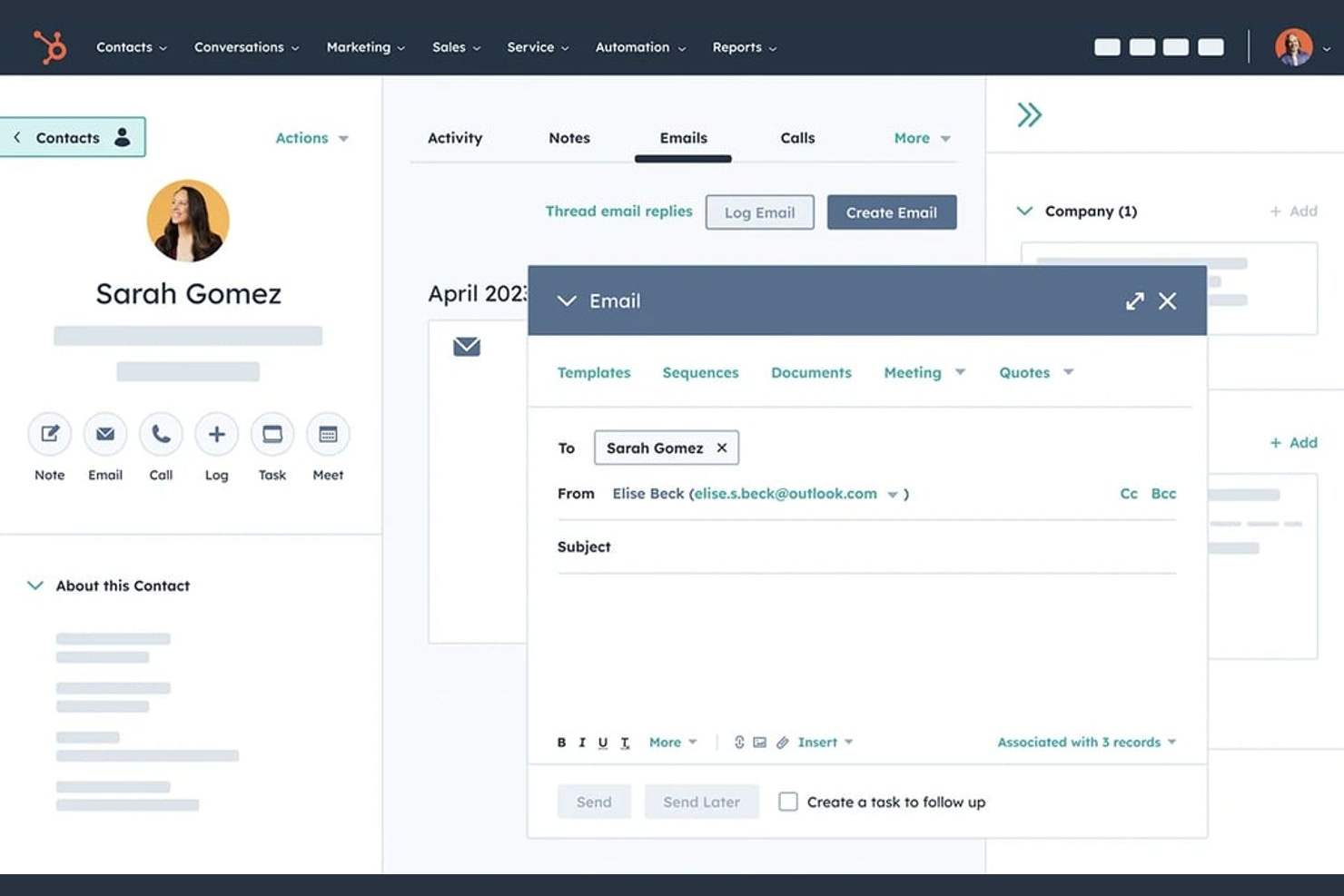
If your team needs a client management platform with no user limits, HubSpot CRM is worth a look. It’s designed for growing businesses that want to give everyone access to contact records, deal tracking, and activity timelines. The free plan makes it easy for distributed teams to collaborate without worrying about hitting a cap on users.
Why I Picked HubSpot CRM
I chose HubSpot CRM because it’s one of the few free client management platforms that truly allows unlimited users on its free plan. This makes it a strong fit for teams that need everyone—regardless of size or department—to access and update client records. The platform’s shared contact database and collaborative deal pipelines help keep everyone on the same page. I also like that activity tracking is available to all users, so you don’t have to worry about information silos as your team grows.
HubSpot CRM Key Features
Some other features in HubSpot CRM that stand out for client management include:
- Email Tracking: Track when contacts open emails and click links directly from the CRM.
- Meeting Scheduling: Share a personalized booking link so clients can schedule meetings with your team.
- Task Management: Assign and monitor tasks for yourself or teammates within each client record.
- Document Sharing: Store and send sales documents from a central library, with tracking for client engagement.
HubSpot CRM Integrations
Integrations include Gmail, Google Calendar, Outlook, HubSpot for WordPress, Outlook Calendar, Meta Ads, Zoom, Microsoft Teams, Slack, and Salesforce.
What's Free?
HubSpot CRM offers a free-forever plan with unlimited users. Some features, like workflow automation and advanced reporting, are only available on paid plans, and there are limits on the number of contacts and some integrations.
Pros and Cons
Pros:
- Extensive integration options with popular tools
- Meeting scheduler included at no cost
- Unlimited users on the free plan
Cons:
- Workflow automation is not included for free
- Free plan lacks advanced reporting features
Other Free Client Management Software
Here are some additional free client management software options that didn’t make it onto my shortlist, but are still worth checking out:
- Zoho CRM
For workflow automation tools
- Bigin by Zoho CRM
For managing sales pipelines
- Mailchimp
For managing client communications
- Streak
For Gmail-based client tracking
- Freshsales
For AI-powered contact scoring
- OnePageCRM
For action-focused task lists
- Teamgate
For sales lead tracking
- SuiteCRM
For unlimited custom modules
- eWay-CRM
With Outlook integration
- monday.com
For customizable workflows
- Pipedrive
For visual deal management
- CiviCRM
For nonprofit organizations


How I Evaluate Free Client Management Software
I evaluate these tools in two layers: the baseline capabilities a tool must cover—like storing client records, tracking deliverables, and sharing updates—and the differentiators that set one apart.
Core Functionality (Table Stakes For This List)
When I'm selecting tools for my list, I rank each one on a scale from 0 (does not offer the functionality) to 5 (excels in this area) for each core functionality listed below. Then, I calculate the tool's total score into a percentage. Each tool needs to achieve a minimum total score of 65% to be considered for inclusion.
- Free Plan Availability: I check whether the tool offers a true free tier that supports ongoing client management work—not just a 14-day trial that cuts you off mid-project.
- Client Database & Contacts: A solid contact hub matters. I look for the ability to store client profiles with custom fields, tags, and notes beyond just a name and email.
- Project & Task Tracking: I evaluate whether you can tie tasks and deadlines directly to client accounts, so a retainer deliverable or campaign milestone stays linked to its owner.
- Client Communication Logging: I look for activity timelines, email threads, or note histories attached to each client record so handoffs between team members don't lose context.
- Client Portal or External Sharing: Tools like monday.com and HubSpot handle this differently, but I check for some form of guest access, shared links, or a portal where clients can view progress.
- File & Document Management: Attaching SOWs, briefs, and feedback docs to the right client or project record keeps things findable. I look for uploads tied to records, not just a generic drive.
Once I have a list of tools that meet this criteria, I consider what sets each platform apart.
Differentiating Factors (What Sets Vendors Apart)
Here's how I compare and contrast different vendors:
Standout Features
Built-in time tracking is a big differentiator—especially for agency coordinators who manage multiple retainers and need logged hours tied directly to client records. Workflow automations also matter here. Tools that let you auto-assign onboarding tasks or trigger follow-up reminders when a project status changes save hours of manual work each week. I also evaluate reporting and client dashboards. Being able to pull a profitability snapshot per client or share a live status view beats compiling updates in a spreadsheet.
Beyond Features
Free plan limits vary wildly, so I look at how many users and client records a tool supports before it nudges you toward a paid tier. Integration coverage matters just as much—if the tool doesn't connect to your email, calendar, and invoicing apps, you'll end up toggling between tabs. I also consider who each tool is really built for. A freelancer managing five clients has different needs than a 10-person agency juggling 30 accounts, and the right fit depends on project volume as much as feature depth.
How to Choose Free Client Management Software
It’s easy to get bogged down in long feature lists and complex pricing structures. To help you stay focused as you work through your unique software selection process, here’s a checklist of factors to keep in mind:
| Factor | What to Consider |
|---|---|
| Scalability | Will the software support your client base as it grows? Check user, data, and workflow limits on the free plan. |
| Integrations | Does it connect with your existing tools (email, calendar, accounting)? Confirm native integrations, not just API or Zapier. |
| Customizability | Can you adapt fields, pipelines, or workflows to match your team’s process? Look for drag-and-drop or template options. |
| Ease of use | Will your team adopt it quickly? Test the interface for clarity and see if common tasks are easy to complete. |
| Implementation and onboarding | How long will it take to get up and running? Assess data import options, training resources, and migration support. |
| Cost | What happens after the free plan? Review upgrade pricing, user limits, and any hidden costs for scaling up. |
| Security safeguards | Does the tool offer encryption, user permissions, and data backup? Make sure it meets your organization’s security standards. |
| Support availability | What support channels are available on the free plan? Check for live chat, email, or community forums, and typical response times. |
What Is Free Client Management Software?
Free client management software is a type of CRM system that helps businesses manage customer data, track interactions, and organize the sales process without requiring a paid subscription. These CRM tools are designed to support customer relationship management by centralizing contacts, tracking activities, and improving visibility across the sales cycle.
Many platforms position themselves as a simple CRM or best free CRM option, offering core CRM functionality like lead generation, deal tracking, and task management. Some solutions also include AI features or an AI assistant to help automate tasks, analyze customer data, and support teams as they work to close deals more efficiently.
Features of Free Client Management Software
Let’s go over the features commonly found in client management software, and which ones are usually included in free vs. paid plans.
Typically Free Client Management Software Features
- Contact management: Store, organize, and update client details such as names, emails, phone numbers, and company information in a searchable database.
- Activity tracking: Log calls, emails, meetings, and notes to maintain a history of all client interactions for easy reference.
- Task management: Assign, schedule, and track tasks related to client follow-ups, meetings, or project milestones within the platform.
- Basic reporting: Generate simple reports on client activity, sales pipelines, or task completion to monitor progress and performance.
- Pipeline visualization: View and manage sales or project pipelines using visual boards or lists to track client status and next steps.
- Email integration: Connect your email account to send, receive, and log client communications directly from the software.
- Reminders and notifications: Set up alerts for upcoming tasks, meetings, or follow-ups to ensure nothing falls through the cracks.
- User access controls: Manage basic permissions to control who can view or edit client information within your team.
Typically Paid Client Management Software Features
- Advanced automation: Automate repetitive workflows such as lead assignment, follow-up emails, or task creation based on triggers and rules.
- Custom reporting and analytics: Build detailed, customizable reports and dashboards to analyze client data, trends, and team performance.
- Integration with third-party apps: Connect with a wider range of business tools like accounting, marketing, or support platforms for seamless data flow.
- Role-based permissions: Set granular access controls for different team members or departments, ensuring sensitive data is only available to the right users.
- Bulk email campaigns: Send personalized bulk emails to client segments, track open rates, and manage campaign performance within the platform.
- Mobile app with offline access: Use a dedicated mobile app that allows you to access and update client data even without an internet connection.
- Custom fields and layouts: Tailor the database structure by adding custom fields, layouts, or modules to fit your unique business processes.
- API access: Use developer tools and APIs to build custom integrations or automate data syncing with other systems.
- Priority customer support: Access faster response times, dedicated account managers, or premium support channels for troubleshooting and onboarding.
- Data backup and recovery: Benefit from advanced data protection features, including automated backups and recovery options in case of data loss.
Benefits of Free Client Management Software
Implementing free client management software provides several benefits for your team and your business. Here are a few you can look forward to:
- Centralized client information: Keep all client contact details, notes, and activity history in one accessible location, reducing manual tracking and data silos.
- Improved task organization: Use built-in task management and reminders to ensure follow-ups and client commitments are never missed.
- Cost savings: Access essential client management features without the need for a paid subscription, making it easier for small teams to get started.
- Enhanced team collaboration: Share client records, assign tasks, and track progress together, supporting better communication and accountability.
- Easy integration with existing tools: Connect email, calendar, and other basic business apps to streamline workflows and reduce duplicate data entry.
- Scalable foundation: Start with basic features and upgrade to advanced capabilities as your client base and business needs grow.
- Quick onboarding: Benefit from user-friendly interfaces, templates, and training resources that help your team get up and running with minimal downtime.
Costs and Pricing of Client Management Software
I realize you came to this article looking for the best client management software options that are available for free. However, since free plans only offer limited features, there's a good chance you'll need to scale your plan up in the future.
The table below summarizes common plans, their average prices, and typical features included in client management software:
Plan Comparison Table for Client Management Software
| Plan Type | Average Price | Common Features |
|---|---|---|
| Free Plan | $0 | Basic contact management, activity tracking, task management, limited reporting, and basic integrations. |
| Personal Plan | $5-$15/user/month | All free features, email integration, customizable pipelines, simple automation, and expanded storage. |
| Business Plan | $20-$40/user/month | Advanced automation, custom reporting, third-party integrations, role-based permissions, and mobile app access. |
| Enterprise Plan | $50-$100/user/month | All business features, API access, advanced security, priority support, custom modules, and data backup. |
Free Client Management Software FAQs
Here are some answers to common questions about free client management software:
Are there any hidden costs with free client management software?
No, most free client management software plans do not have hidden costs, but you may encounter limits on users, storage, or features. Always review the provider’s pricing page to understand upgrade triggers and any potential charges for add-ons or integrations.
Can I migrate my data if I outgrow the free plan?
Yes, most platforms allow you to export your data or upgrade to a paid plan without losing information. Check for data export options and confirm that your chosen tool supports easy migration to higher tiers or other systems.
How secure is free client management software?
Security varies by provider, but most reputable platforms offer basic safeguards like encryption and user permissions, even on free plans. For sensitive data, review the vendor’s security documentation and consider whether advanced protections are only available on paid tiers.
What limitations should I expect with free client management software?
Free plans often limit the number of users, contacts, storage, or integrations you can use. Advanced features like automation, custom reporting, or priority support are usually reserved for paid plans, so assess whether the free tier meets your current and near-future needs.
Can I use free client management software for a distributed or remote team?
Yes, many free client management tools are cloud-based and accessible from anywhere with an internet connection. However, check if collaboration features, mobile access, or user permissions are included in the free plan to support your team’s workflow.