

10 Best Decision Management Software for 2026

Best Decision Management Software Shortlist


Decision management software helps your team automate, track, and optimize business rules and decision logic across complex workflows. If you’re searching for the best decision management software, you’re likely facing pressure to reduce manual errors, keep up with changing requirements, and ensure consistent, auditable decisions at scale. This list gives you a clear, expert-driven comparison of leading platforms—so you can quickly identify which tools fit your technical needs, regulatory demands, and integration priorities. Use this guide to cut through the noise and make a confident, informed choice for your next project.
Why Trust Our Software Recommendations
Our team has been testing and reviewing software since 2012. As project managers ourselves, we know how difficult—and important—it is to choose the right software.
For this guide, we evaluated tools using hands-on testing and independent research, scoring tools using our selection criteria. We also draw on insights from industry thought leaders and practicing project management experts.
Our reviews reflect our human editorial judgment, not a sales pitch.
Expert reviewers:
Comparison Table: Decision Management Software
This comparison table summarizes pricing details for my top decision management software selections.
| Tool | Best For | Trial Info | Price | ||
|---|---|---|---|---|---|
| 1 | Best for robotic process automation synergy | Free plan available | From $25/month | Website | |
| 2 | Best for audit process integration | Not available | Pricing upon request | Website | |
| 3 | Best for real-time decision execution | Free demo available | Pricing upon request | Website | |
| 4 | Best for no-code rule configuration | Free demo available | Pricing upon request | Website | |
| 5 | Best for multi-criteria decision analysis | 15-day free trial + free demo available | Pricing upon request | Website | |
| 6 | Best for insurance workflow automation | Free demo available | Pricing upon request | Website | |
| 7 | Best for complex rule authoring | Free trial available | Pricing upon request | Website | |
| 8 | Best for regulatory compliance tracking | Free demo available | Pricing upon request | Website | |
| 9 | Best for high-volume transaction processing | Free demo available | Pricing upon request | Website | |
| 10 | Best for cloud-native rule management | Free plan + free demo available | From €50/month | Website |
Decision Management Software Reviews
Below are my detailed summaries of the decision management software that made it onto my shortlist. My reviews offer a detailed look at the features, best use cases, and integrations of each platform to help you find the best one for you.

UiPath
Best for robotic process automation synergy
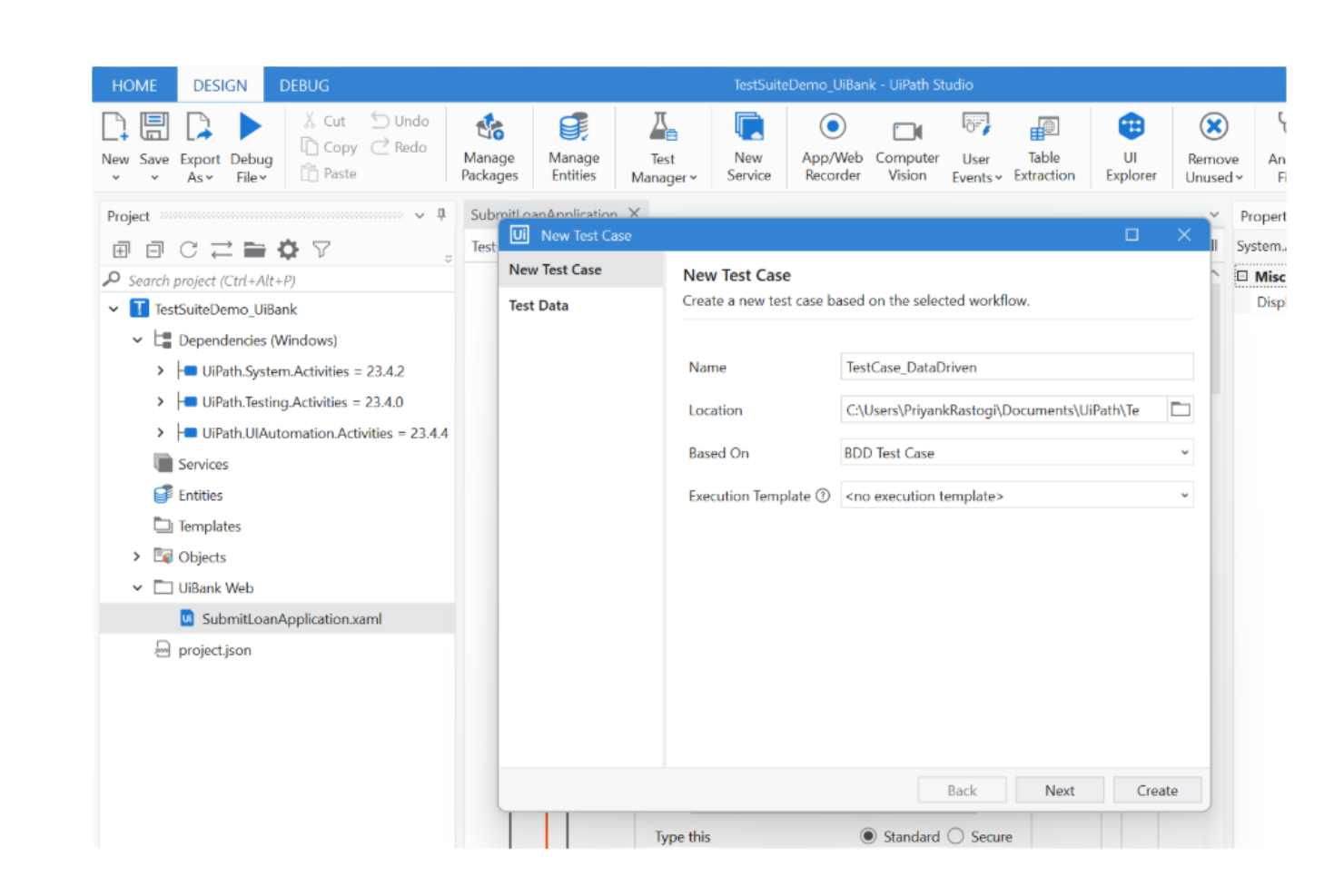
UIPath brings process intelligence and automation together for teams looking to connect decision management with robotic process automation. It’s a strong fit for operations leaders, business analysts, and IT teams who want to analyze, optimize, and automate complex workflows using real-time data. By combining process mining with automation triggers, UIPath helps you identify decision points and automate actions across business processes.
Why I Picked UIPath
What sets UIPath apart for decision management is how it connects process intelligence with robotic process automation in a single decisioning platform. I picked UIPath because it lets you map out business processes, identify decision points, and then automate those decisions using bots. The process mining feature uncovers bottlenecks and inefficiencies, while automation triggers let you act on insights without manual intervention. This synergy is especially valuable for teams that want to move from process analysis directly into automated execution.
UIPath Key Features
Some other features that make UIPath valuable for decision management include:
- Business rules editor: Build and manage decision logic using a visual interface.
- Pre-built automation templates: Access a library of templates for common business processes.
- Real-time analytics dashboards: Monitor process performance and automation outcomes as they happen.
- Role-based permissions: Control access to automation and decision logic based on user roles.
UIPath Integrations
Integrations include SAP, Microsoft, Salesforce, ServiceNow, Oracle, Workday, Google Workspace, Amazon Web Services, Jira, and more.
Pros and Cons
Pros:
- Extensive native integrations with enterprise platforms
- Process mining highlights automation opportunities
- Visual business rules editor for decision logic
Cons:
- Limited offline functionality for process management
- Complex setup for multi-departmental automation

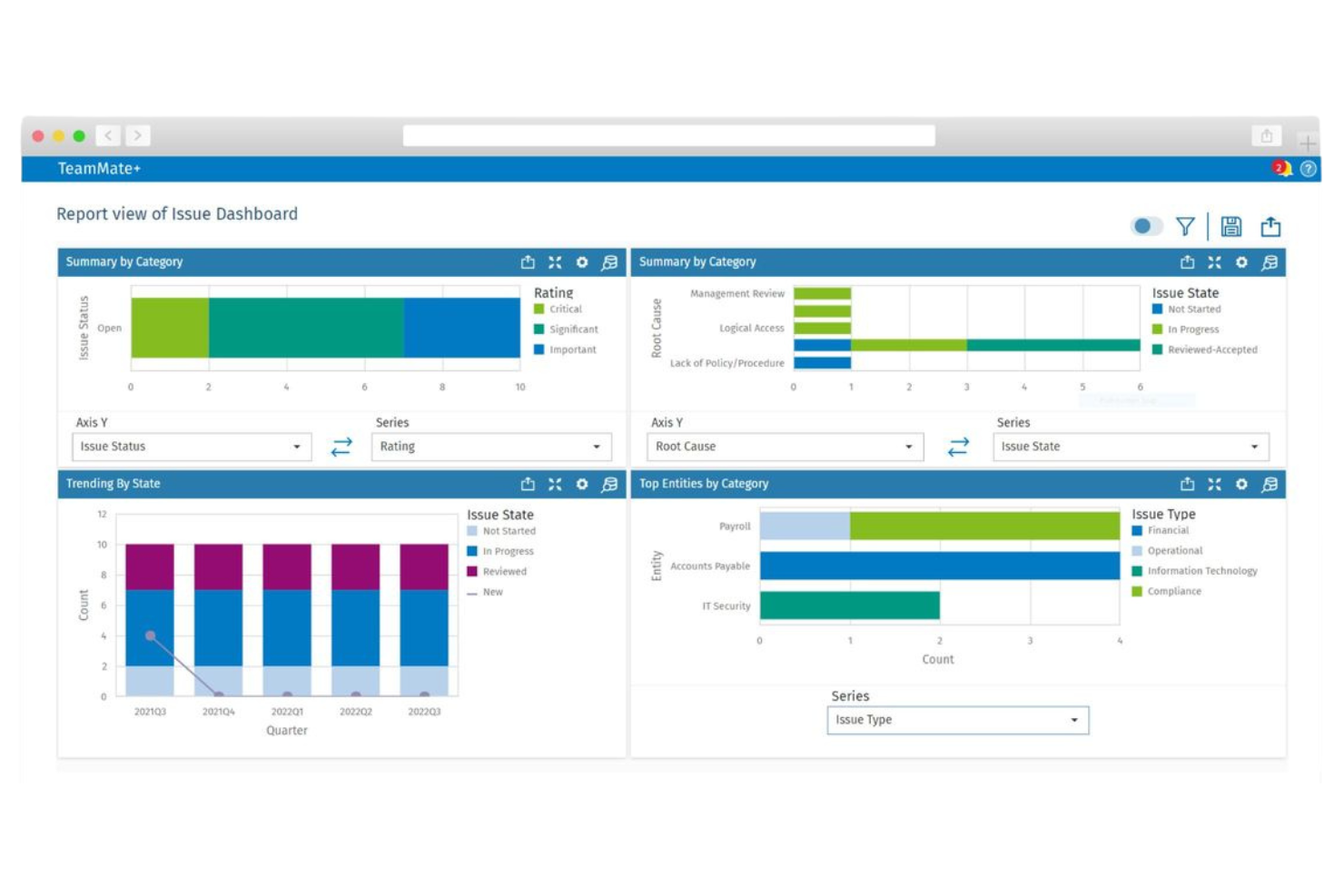
If your team needs to embed decision logic directly into audit workflows, TeamMate offers a business rules engine built for audit and compliance professionals. It’s especially relevant for internal audit departments in large organizations that want to automate risk assessments, findings, and follow-up actions. By integrating rule management with audit process automation, TeamMate helps teams enforce consistent standards and respond quickly to regulatory changes.
Why I Picked TeamMate
For teams that need to connect decision logic directly to audit processes, TeamMate stands out with its business rules engine tailored for audit workflows. I picked TeamMate because it lets you automate risk scoring, findings assignment, and escalation steps within the same platform where audits are managed. The tool’s rules engine is designed to trigger actions based on audit data, so you can enforce consistent standards and respond to compliance requirements in real time. This makes TeamMate a strong fit for audit and compliance teams that want to embed decision management into their daily operations.
TeamMate Key Features
Some other features that make TeamMate useful for decision management include:
- Custom rule templates: Create and reuse templates for common audit scenarios and decision points.
- Role-based access controls: Assign permissions to users based on their responsibilities within the audit process.
- Automated notifications: Send alerts to team members when specific rule conditions are met.
- Change tracking: Monitor and log all modifications to business rules for auditability.
TeamMate Integrations
Integrations are not publicly available.
Pros and Cons
Pros:
- Custom rule templates for recurring audit scenarios
- Automated notifications for rule-triggered events
- Built-in rule engine for audit-specific workflows
Cons:
- Limited rule engine features
- Prioritizes audit over decision logic

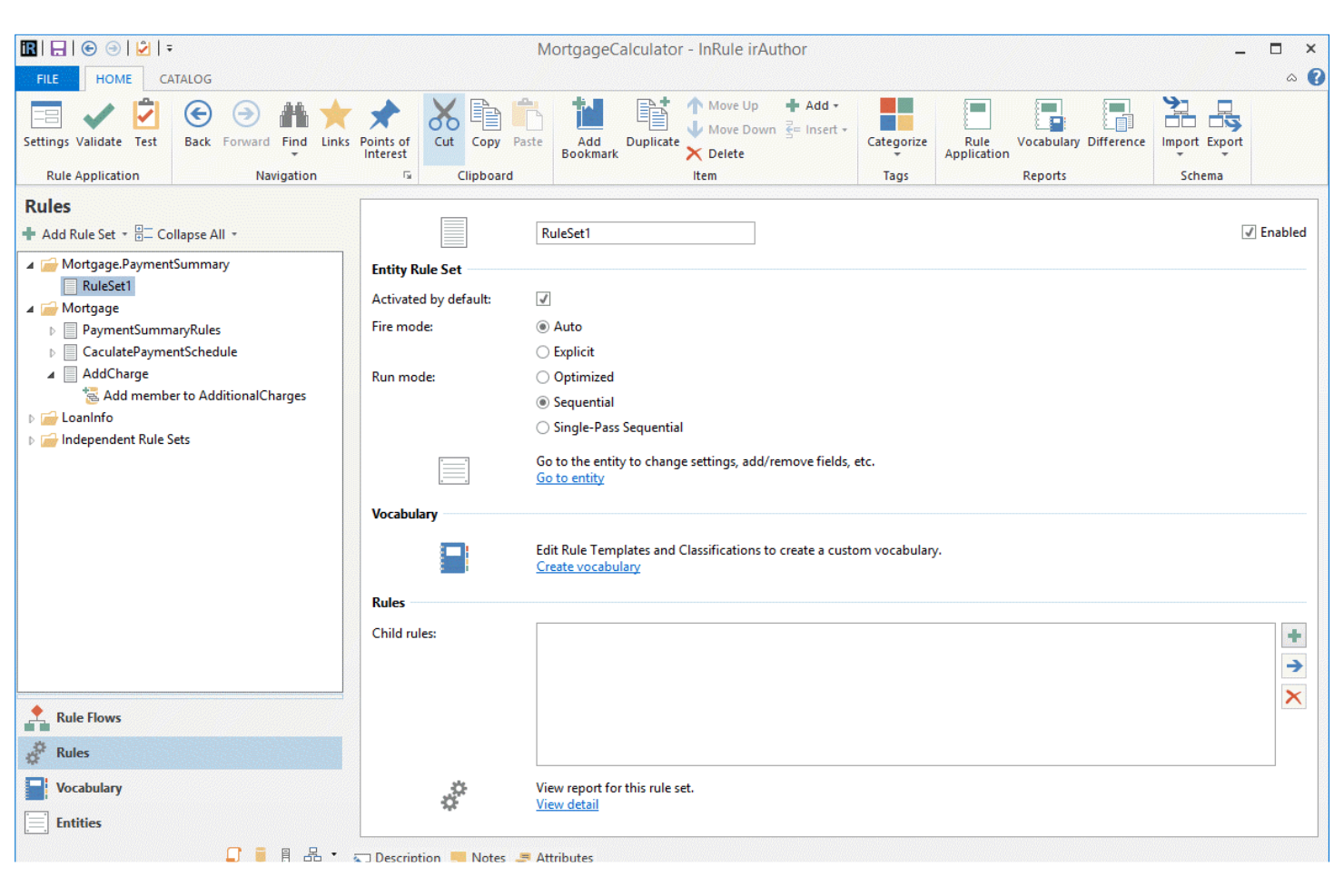
When your team needs to automate complex decisions instantly, InRule delivers real-time decision execution for high-volume environments. It’s a strong fit for financial services, insurance, and operations teams that require fast, consistent rule application across digital channels. The platform’s unique focus on real-time processing helps you operationalize business logic and adapt to changing requirements without code changes.
Why I Picked InRule
Real-time decision execution is essential for organizations that need to automate high-stakes processes without delay, and that’s where InRule excels. I picked InRule because it lets you author, test, and deploy business rules that execute instantly as data flows through your systems. The platform’s decision automation engine supports complex logic and integrates directly with operational workflows, so you can adapt to new requirements on the fly. This makes it especially valuable for industries like finance and insurance, where rapid, consistent decisions are critical for compliance and customer interactions.
InRule Key Features
Some other features that decision management teams may find useful include:
- Visual rule authoring interface: Build and modify decision logic using a drag-and-drop editor.
- Version control for rules: Track changes and manage multiple versions of business rules over time.
- Automated testing environment: Run simulations and validate rule outcomes before deployment.
- Role-based access controls: Assign permissions and manage user access to sensitive decision logic.
InRule Integrations
Integrations include Salesforce, SAP, Microsoft Dynamics, Snowflake, and more.
Pros and Cons
Pros:
- Supports integration with Salesforce and SAP
- Automated testing environment for rule validation
- Real-time rule execution for instant decisions
Cons:
- Mobile support is not fully developed
- Requires technical setup for complex integrations
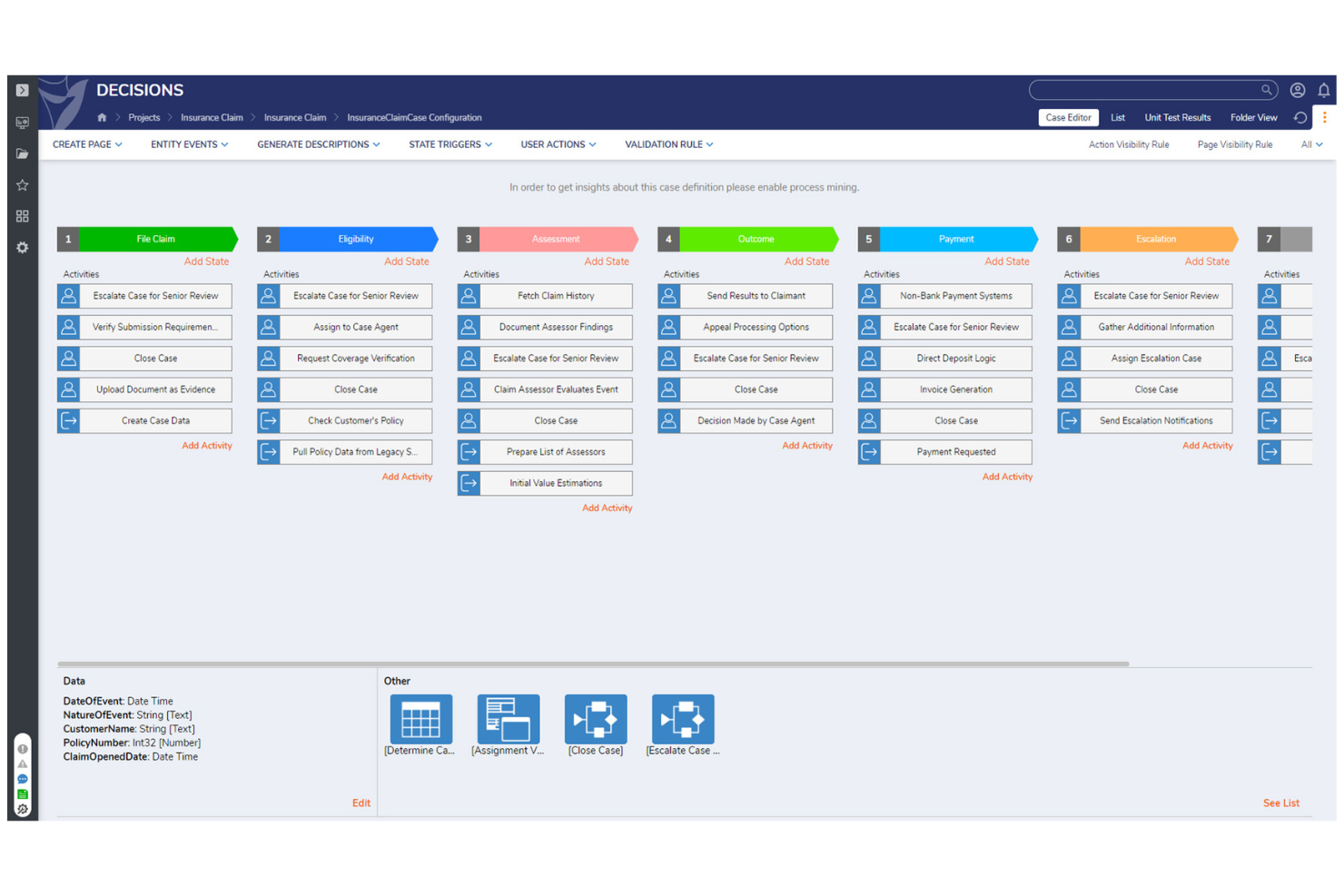
Decisions stands out for teams that want to configure business rules and workflows without writing code. It’s a strong fit for operations, compliance, and IT leaders who need to empower non-developers to automate decisions quickly. If your organization values flexibility and rapid iteration in rule management, Decisions is built to support those needs.
Why I Picked Decisions
For teams that want to build and update business rules without relying on developers, Decisions offers a true no-code environment. I picked Decisions because its visual rule designer lets users drag and drop logic components, making rule configuration accessible to non-technical staff. The platform also includes workflow automation tools that allow you to map out and automate multi-step processes directly within the interface. This approach helps organizations respond quickly to changing requirements and empowers business users to take ownership of decision logic.
Decisions Key Features
In addition to its no-code rule configuration, Decisions offers several other features that support decision management teams:
- Business metrics dashboard: Monitor rule performance and workflow outcomes in real time.
- Integrated forms designer: Build custom forms to collect and validate data within automated processes.
- Rule testing and simulation tools: Test business rules with sample data before deploying changes.
- Role-based access controls: Set granular permissions for users and groups managing rules and workflows.
Decisions Integrations
Integrations include Salesforce, HubSpot, DocuSign, Microsoft Teams, Slack, Amazon S3, Azure, Oracle, SAP, and more.
Pros and Cons
Pros:
- Drag-and-drop form designer included
- Built-in testing tools for rule validation
- Visual workflow builder supports complex logic
Cons:
- On-premises deployment requires additional setup
- Limited prebuilt industry-specific templates

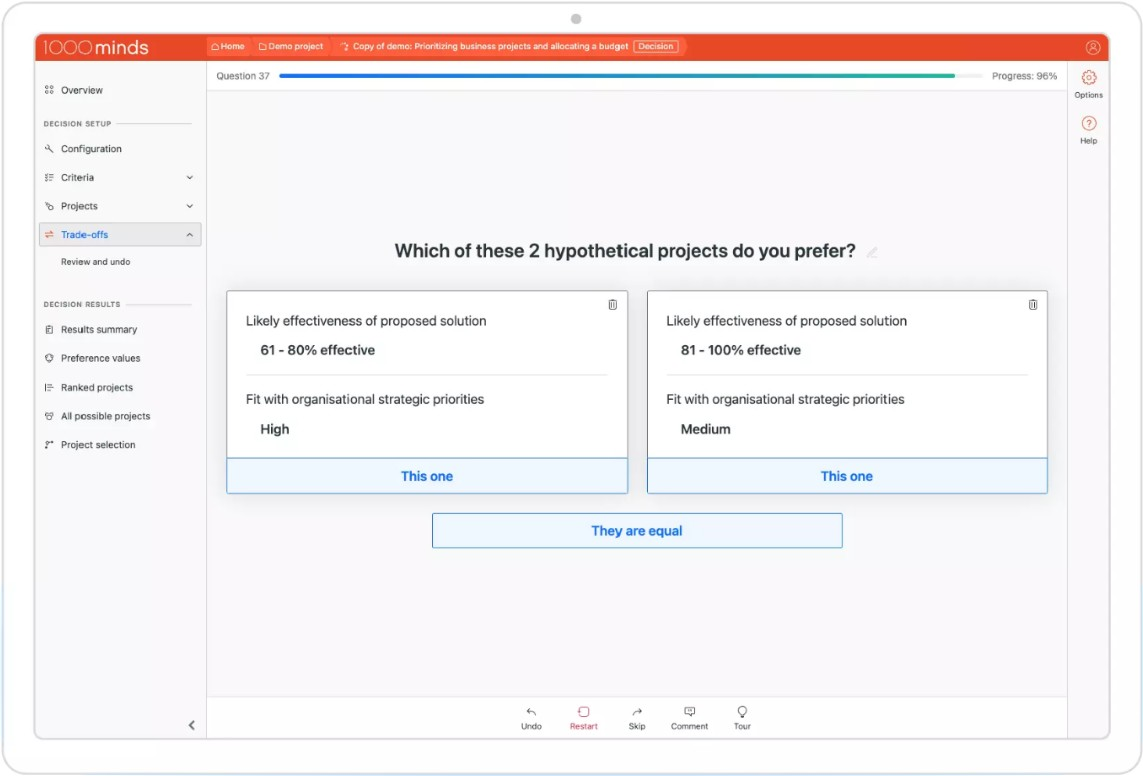
If you need to make complex decisions involving multiple criteria, 1000minds offers a structured approach for teams and organizations. It’s especially useful for professionals in policy, healthcare, research, and procurement who need to balance competing priorities transparently. The tool’s unique strength is its patented algorithm for multi-criteria decision analysis, helping you quantify preferences and justify choices with clear, data-driven decisions.
Why I Picked 1000minds
For teams that need to weigh multiple factors in their decision-making, 1000minds stands out for its multi-criteria decision analysis capabilities. I picked 1000minds because it uses a patented algorithm to help you systematically rank and prioritize options based on your unique criteria and preferences. The tool guides you through pairwise comparisons, making it easier to clarify trade-offs and document the reasoning behind each decision. This approach is especially valuable when transparency and defensibility are essential, such as in policy development, grant allocation, or procurement.
1000minds Key Features
In addition to its core decision analysis capabilities, I also found these features useful:
- Group decision-making tools: Collaborate with multiple stakeholders and aggregate input for collective decisions.
- Customizable criteria weighting: Adjust the importance of each criterion to reflect your organization’s priorities.
- Scenario analysis: Model and compare different decision scenarios to see how outcomes change.
- Audit trail and reporting: Track decision processes and generate detailed reports for transparency and documentation.
1000minds Integrations
Integrations are not publicly available.
Pros and Cons
Pros:
- Customizable weighting for decision criteria
- Transparent audit trail for decision documentation
- Patented algorithm for multi-criteria analysis
Cons:
- Lacks advanced visualization tools
- Limited automation for recurring decision processes

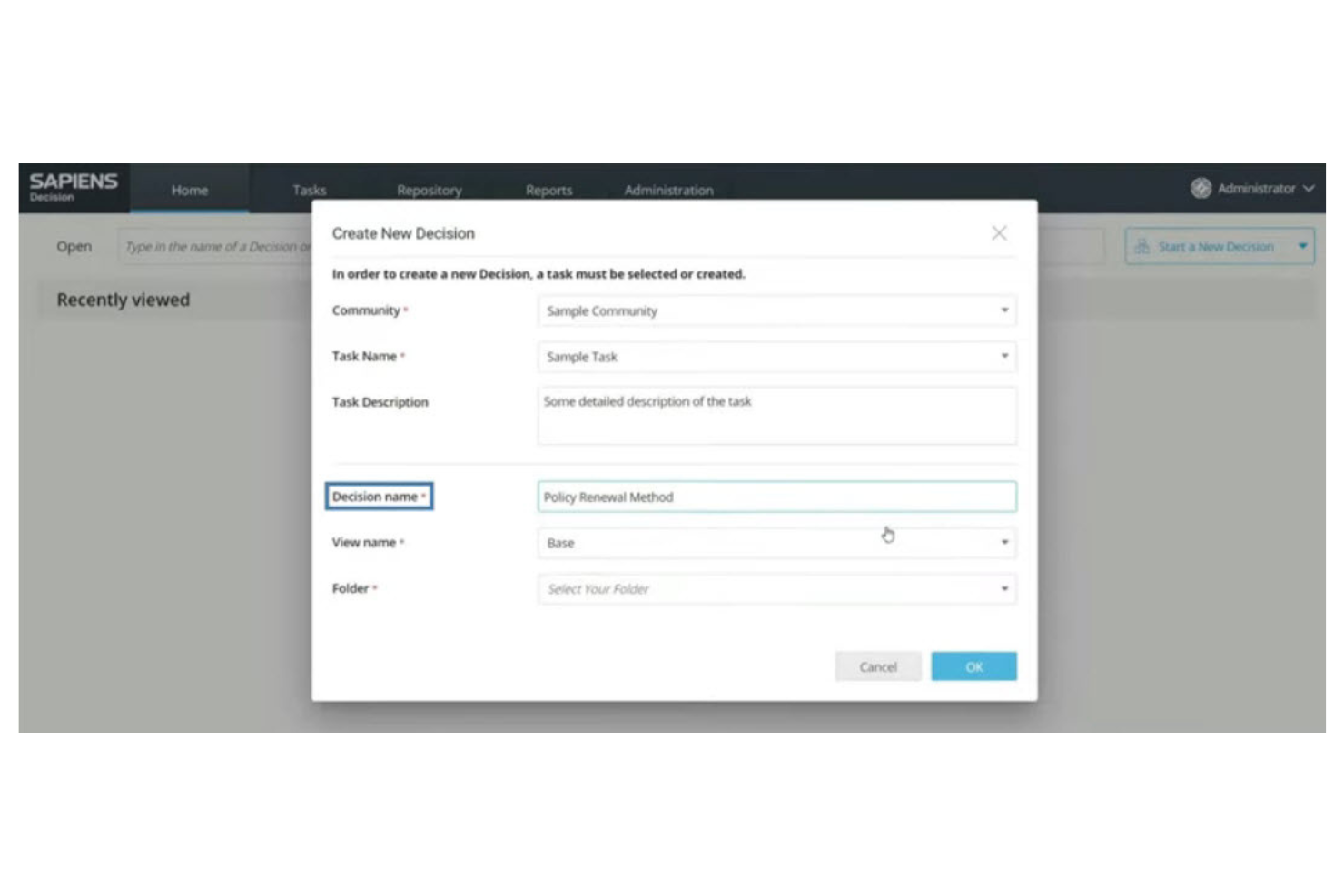
Sapiens offers a decision management platform designed specifically for insurance providers and financial services organizations. It helps teams automate underwriting, claims, and policy workflows while maintaining compliance with industry regulations. If your business needs to manage complex insurance logic and streamline decision-making processes, Sapiens targets those challenges directly.
Why I Picked Sapiens
For insurance teams, Sapiens stands out because it’s purpose-built to automate and manage complex insurance workflows. I picked Sapiens for its ability to handle underwriting and claims decision logic with configurable business rules and real-time decision tracking. The platform also supports regulatory compliance by allowing you to update rules as regulations change, without disrupting ongoing operations. These features make Sapiens a strong fit for organizations that need to automate high-stakes, industry-specific decision processes.
Sapiens Key Features
Some other features in Sapiens that decision management teams may find useful include:
- Visual rule modeling: Build and modify decision logic using a drag-and-drop interface for faster updates and easier collaboration.
- Audit trail management: Track every rule change and decision outcome for compliance and internal review.
- Integration with core insurance systems: Connect directly to policy administration, claims, and billing platforms to automate end-to-end processes.
- Scenario testing: Simulate rule changes and decision flows before deploying them to production environments.
Sapiens Integrations
Integrations are not publicly available.
Pros and Cons
Pros:
- Enables scenario testing before deployment
- Offers strong audit and compliance tracking
- Built for insurance-specific decision automation
Cons:
- Interface may feel dated
- Primarily focused on the insurance industry


IBM Operational Decision Manager (ODM) is designed for organizations that need to author, manage, and automate highly complex business rules at scale. It’s especially useful for enterprises in finance, insurance, and retail that require advanced rule modeling and real-time decision execution. If your team needs granular control over decision logic and the ability to update rules without code changes, IBM ODM addresses those needs directly.
Why I Picked IBM ODM
When complex rule authoring is a top priority, IBM ODM offers a level of control and flexibility that’s hard to match. I picked IBM ODM because it lets teams define, test, and deploy intricate business rules using a visual rule editor and decision tables. The tool also supports versioning and simulation, so you can safely experiment with changes before pushing them live. For organizations that need to manage thousands of rules and adapt quickly to regulatory or business changes, IBM ODM provides the depth and structure required.
IBM ODM Key Features
Some other features in IBM ODM that decision management teams may want to know about include:
- REST API support: Connect decision services to external applications and systems using standard RESTful APIs.
- Role-based access control: Assign permissions and manage user roles to control who can view, edit, or deploy rules.
- Automated deployment tools: Move decision logic from development to production environments with built-in deployment automation.
- Business event processing: Detect and respond to business events in real time using integrated event management capabilities.
IBM ODM Integrations
Integrations include IBM Cloud Pak for Business Automation, IBM Automation Decision Services, IBM WatsonX Orchestrate, and more.
Pros and Cons
Pros:
- Strong version control for rule changes
- Built-in simulation for rule testing
- Visual rule editor supports complex logic
Cons:
- Documentation can be difficult to navigate
- Requires specialized skills for advanced features

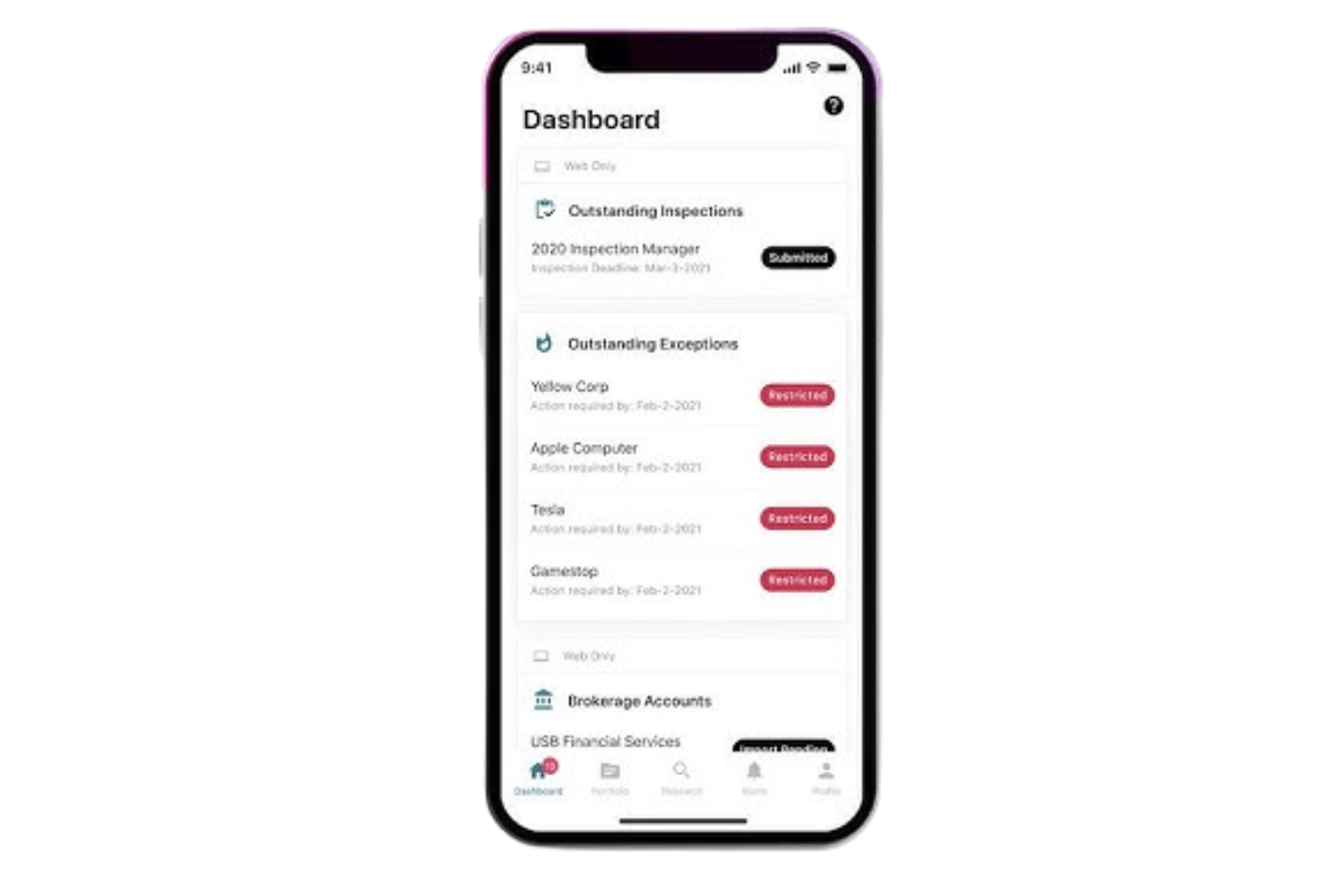
Kingland is purpose-built for organizations that need to track, manage, and document regulatory compliance decisions across complex environments. It’s especially relevant for financial services, insurance, and other highly regulated industries where audit trails and policy enforcement are non-negotiable. If your team faces evolving compliance requirements and needs a system to centralize and automate compliance workflows, Kingland addresses those challenges directly.
Why I Picked Kingland
For teams that need to stay ahead of regulatory changes, Kingland stands out for its focus on compliance tracking within decision management. I picked Kingland because it offers automated policy monitoring and detailed audit trails, which are essential for organizations facing frequent regulatory updates. The platform also provides configurable workflows that help ensure every compliance decision is documented and reviewable. If your business operates in a highly regulated sector, these features make Kingland a strong fit for managing compliance obligations.
Kingland Key Features
I also found several other features in Kingland that support decision management teams:
- Role-based access controls: Set granular permissions for users based on their responsibilities and compliance needs.
- Automated notifications: Trigger alerts for policy changes, review deadlines, or compliance exceptions.
- Data lineage tracking: Trace the origin and flow of compliance data throughout the decision process.
- Customizable reporting tools: Build and export compliance and decision reports tailored to regulatory requirements.
Kingland Integrations
Integrations include Kingland Entity Management and an API for custom integrations.
Pros and Cons
Pros:
- Automated alerts for policy updates
- Customizable compliance reporting templates
- Regulatory change tracking is built in
Cons:
- Support response times can be inconsistent
- Few native integrations with external tools


FICO Blaze Advisor is designed for organizations that need to automate and manage complex, high-volume decision processes. It’s especially useful for financial institutions, insurers, and enterprises handling large-scale transactions where speed and accuracy are essential. If your team needs to deploy business rules at scale and adapt quickly to changing policies, Blaze Advisor addresses those demands directly.
Why I Picked FICO Blaze Advisor
When high-volume transaction processing is a top priority, FICO Blaze Advisor offers a specialized approach to decision management. I picked Blaze Advisor because it supports complex business rule authoring and deployment, which is essential for organizations processing thousands or millions of transactions daily. The tool’s real-time decision execution engine ensures that automated decisions are both fast and consistent, even under heavy loads. For teams that need to update rules quickly in response to changing business or regulatory requirements, Blaze Advisor’s centralized rule management is a strong advantage.
FICO Blaze Advisor Key Features
Some other features in FICO Blaze Advisor that support decision management teams include:
- Graphical rule modeling tools: Build and visualize decision logic using a drag-and-drop interface.
- Version control for business rules: Track changes and maintain historical versions of all rule sets.
- Simulation and testing environment: Test decision logic with sample data before deploying to production.
- Multi-language support: Author and manage business rules in multiple languages for global teams.
FICO Blaze Advisor Integrations
Integrations are not publicly available.
Pros and Cons
Pros:
- Includes simulation and testing environments
- Offers graphical rule modeling tools
- Handles millions of transactions per day
Cons:
- Limited documentation for advanced features
- Requires specialized training for rule authoring

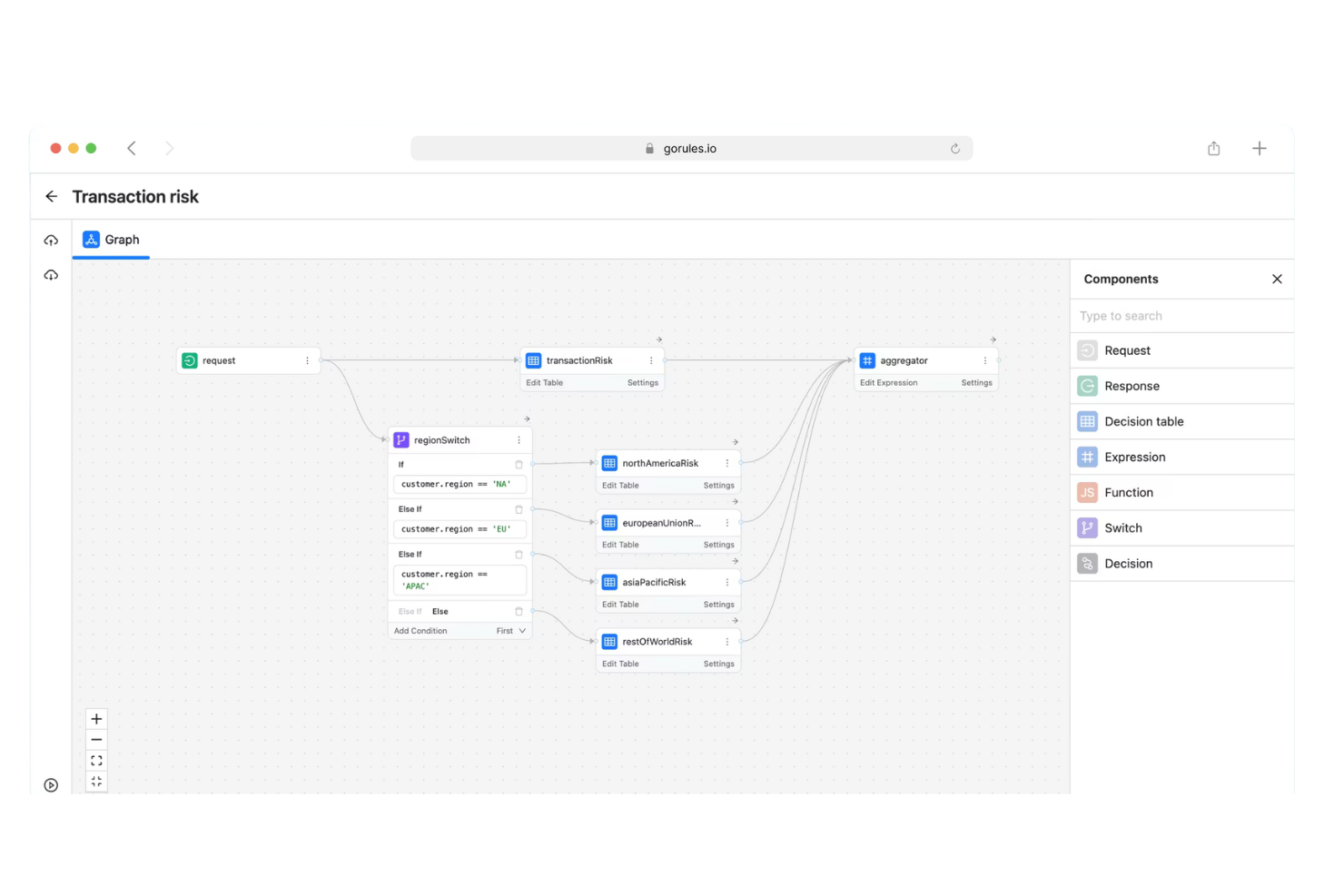
GoRules is designed for teams that want to manage business rules in a cloud-native environment. It’s especially useful for SaaS providers, fintech companies, and digital platforms that need scalable, API-driven rule management. If you’re looking to centralize and automate decision logic across distributed systems, GoRules offers a modern approach tailored for cloud-first operations.
Why I Picked GoRules
What sets GoRules apart is its focus on cloud-native rule management, which is essential for organizations operating in distributed and API-driven environments. I picked GoRules because it lets you deploy, update, and manage business rules directly through a web interface, with changes instantly available via REST APIs. The platform also supports version control for rules, so you can track changes and roll back updates as needed. This makes GoRules a strong choice for teams that need to maintain agility and reliability in fast-changing digital ecosystems.
GoRules Key Features
Some other features that make GoRules appealing for decision management teams include:
- Rule editor with syntax highlighting: Write and review rules with clear visual cues for logic and errors.
- Audit logs: Track every rule change and user action for compliance and transparency.
- Multi-environment support: Manage and test rules across development, staging, and production environments.
- Webhook triggers: Initiate external workflows or notifications automatically when rules are executed.
GoRules Integrations
Integrations include Azure AD, Okta, and any OpenID Connect provider. An API is available for custom integrations.
Pros and Cons
Pros:
- Audit logs provide traceability for compliance
- Multi-environment support for safe testing
- Cloud-native deployment
Cons:
- Minimal community support resources
- No built-in analytics or reporting dashboard
Other Decision Management Software
Here are some additional decision management software options that didn’t make it onto my shortlist, but are still worth checking out:
- SAS Intelligent Decisioning
For advanced analytics integration
- Aera Decision Cloud
For autonomous decision automation
- Cloverpop
For collaborative team workflows


How I Evaluate Decision Management Software
Whether a PMO is logging RAID decisions or automating change approvals, I evaluate tools on two layers: must-have functionality and the differentiators that set the best options apart.
Core Functionality (Table Stakes For This List)
When I'm selecting tools for my list, I rank each one on a scale from 0 (does not offer the functionality) to 5 (excels in this area) for each core functionality listed below. Then, I calculate the tool's total score into a percentage. Each tool needs to achieve a minimum total score of 65% to be considered for inclusion.
- Decision Repository & Log: I check whether decisions live in a dedicated, searchable log with fields for rationale, owner, and status—not buried in comment threads or wiki pages.
- Decision Workflow & Approval: Each tool should support structured routing for proposals and approvals, like escalating a scope change through a PMO review before it reaches a steering committee.
- Criteria-Based Evaluation: I look for weighted scoring or ranking against defined criteria, so teams can compare vendor shortlists or technology options with a consistent, transparent method.
- Business Rules & Logic Automation: The platform should let you define reusable decision rules—for example, auto-routing budget-impacting decisions above a set threshold to a portfolio manager for sign-off.
- Traceability & Linking: Decisions need to connect back to the artifacts they affect. I evaluate whether you can link a go/no-go call to its related risks, tasks, and milestones with visible dependencies.
- Audit Trail & Reporting: I look for a complete change history on every decision record, paired with dashboards or reports that surface patterns like approval bottlenecks or decision cycle times.
Once I have a list of tools that meet the criteria, I consider what sets each platform apart.
Differentiating Factors (What Sets Vendors Apart)
Here's how I compare and contrast different vendors:
Standout Features
Scenario modeling is a big differentiator—I look for tools that let you adjust variables like budget or timeline and see how each option plays out before a steering committee vote. Stakeholder voting and async collaboration matter just as much, especially when approvers sit across time zones and can't join a live call. I also evaluate whether a platform includes prebuilt decision templates for common project scenarios like change requests or risk responses, which saves PMOs from building governance frameworks from scratch.
Beyond Features
I evaluate how well each tool integrates with the PM and PPM platforms your team already relies on—two-way sync with Jira or Smartsheet is far more useful than a basic CSV export. Compliance and auditability also weigh heavily, since regulated industries like pharma or construction need immutable logs and role-based access controls. Finally, I consider pricing structure, particularly whether the vendor offers viewer or stakeholder-only licenses so occasional approvers don't inflate your per-seat costs as the PMO scales across programs.
How to Choose Decision Management Software
It’s easy to get bogged down in long feature lists and complex pricing structures. To help you stay focused as you work through your unique software selection process, here’s a checklist of factors to keep in mind:
| Factor | What to Consider |
|---|---|
| Scalability | Will the software handle your current and projected decision volumes as your business grows? Ask about transaction limits and performance at scale. |
| Integrations | Does the tool connect natively to your existing systems (CRM, ERP, and other data sources)? Check for pre-built connectors and API options. |
| Customizability | Can you tailor rules, workflows, and interfaces to your organization’s unique processes without heavy IT involvement? |
| Ease of use | Will business users be able to author and update rules, or will you need technical staff for ongoing changes? |
| Implementation and onboarding | How long does it take to get up and running? Look for clear migration paths, training resources, and support during rollout. |
| Cost | Are pricing tiers transparent and predictable? Consider total cost of ownership, including setup, support, and future scaling. |
| Security safeguards | Does the platform meet your data protection standards? Ask about encryption, access controls, and audit trails. |
| Compliance requirements | Will the software help you meet industry regulations (like GDPR, HIPAA, or SOX)? Check for built-in compliance features and audit support. |
What Is Decision Management Software?
Decision management software is a digital platform that automates, manages, and tracks business decision logic across processes and systems. These tools let you define rules, policies, and models that drive consistent, auditable decisions in real time. Teams use decision management software to reduce manual intervention, adapt quickly to changing requirements, and ensure compliance with internal and external standards.
Features
When selecting decision management software, keep an eye out for the following key features:
- Rule authoring interface: Lets users create, edit, and organize business rules using visual editors or scripting tools, making it easier to manage complex logic without deep technical skills.
- Version control: Tracks changes to decision logic over time, allowing teams to roll back to previous versions and maintain a clear audit trail of updates.
- Real-time execution engine: Processes decisions instantly as data flows through your systems, supporting time-sensitive business operations and reducing manual intervention.
- Workflow integration: Connects decision logic directly to business processes, ensuring automated decisions are triggered at the right points within your workflows.
- Audit logging: Records every decision made by the system, including inputs, outputs, and rule paths, to support compliance and troubleshooting.
- Role-based access controls: Restricts who can view, edit, or deploy decision logic, helping organizations manage sensitive rules and maintain governance.
- Testing and simulation tools: Allows users to validate rules and decision flows before deployment by running test scenarios and reviewing outcomes.
- Reporting and analytics: Provides dashboards and reports that summarize decision activity, rule usage, and trends, helping teams monitor performance and identify areas for improvement.
Common Decision Management Software AI Features
Beyond the standard decision management software features listed above, many of these solutions are incorporating AI with features like:
- Predictive analytics: Uses machine learning models to forecast outcomes based on historical data, helping teams anticipate trends and make proactive decisions.
- Automated decision optimization: Continuously refines decision logic by analyzing results and adjusting rules or parameters to improve business outcomes over time.
- Natural language processing: Enables users to define or query decision logic using everyday language, making it easier for non-technical stakeholders to interact with the system.
- Anomaly detection: Identifies unusual patterns or outliers in decision data, alerting teams to potential risks or opportunities that may require attention.
- Adaptive learning: Allows the system to learn from new data and user feedback, automatically updating decision models to stay aligned with changing business conditions.
Benefits
Implementing decision management software provides several benefits for your team and your business. Here are a few you can look forward to:
- Consistent decision logic: Automated rule execution ensures decisions are made the same way every time, reducing errors and bias.
- Faster response times: Real-time processing and workflow integration allow your team to act on data and events instantly.
- Improved compliance: Audit logging and version control make it easier to track, review, and demonstrate adherence to internal policies and external regulations.
- Greater agility: Visual rule authoring and testing tools let you update decision logic quickly as business needs change, without heavy IT involvement.
- Enhanced transparency: Reporting and analytics features provide clear visibility into how and why decisions are made across your organization.
- Reduced manual workload: Automation of routine decisions frees up your team to focus on higher-value tasks and strategic initiatives.
- Scalable operations: The ability to handle increasing decision volumes and integrate with core systems supports business growth without sacrificing control.
Costs & Pricing
Selecting decision management software requires an understanding of the various pricing models and plans available. Costs vary based on features, team size, add-ons, and more. The table below summarizes common plans, their average prices, and typical features included in decision management software solutions:
Plan Comparison Table for Decision Management Software
| Plan Type | Average Price | Common Features |
|---|---|---|
| Free Plan | $0 | Basic rule authoring, limited integrations, single user access, and community support. |
| Personal Plan | $20–$50/user/month | Basic rule authoring, limited integrations, single-user access, and community support. |
| Business Plan | $50–$150/user/month | Multi-user access, advanced integrations, version control, reporting tools, and role-based permissions. |
| Enterprise Plan | $150–$400+/user/month | Custom integrations, advanced security, compliance tools, dedicated support, and onboarding assistance. |
Decision Management Software FAQs
Here are some answers to common questions about decision management software:
How does decision management software differ from business process management tools?
Decision management software focuses on automating and managing decision logic, such as rules and policies, while business process management tools orchestrate entire workflows. You often use both together—decision management handles the “what” and “how” of decisions, while process management handles the “when” and “who.”
Can non-technical users manage rules in decision management software?
Yes, many platforms offer visual rule editors and guided interfaces designed for business users. This lets non-technical staff create, update, and test rules without coding, though complex logic may still require IT support.
What types of integrations should I look for in decision management software?
Look for integrations with your core systems, such as CRM, ERP, data warehouses, and workflow automation platforms. API access is important for custom connections, and pre-built connectors can speed up deployment and reduce IT workload.
How do I ensure compliance when using decision management software?
Choose software with audit logging, version control, and role-based access controls. These features help you track changes, monitor decision activity, and demonstrate compliance with regulations like GDPR or HIPAA.
What are common challenges during implementation?
Common challenges include migrating existing rules, integrating with legacy systems, and training users on new interfaces. Planning for data mapping, involving stakeholders early, and leveraging vendor onboarding resources can help smooth the transition.