

10 Best Construction Estimating Software Reviewed in 2026

Best Construction Estimating Software Shortlist


Managing construction projects can be overwhelming, with budgets, timelines, and teams to juggle. Construction estimating software can help by providing accurate cost insights, reducing mistakes, and improving your budgeting process so you can focus on delivering successful projects.
I’ve tested and reviewed top construction estimating software to help you find the best fit for your team. My insights are independent, so you can trust them to guide your decision.
In this article, you’ll get an unbiased look at features, ease of use, and what sets each tool apart. Read on to see which construction estimating software can help simplify your project planning and boost efficiency.
Why Trust Our Software Recommendations
Our team has been testing and reviewing software since 2012. As project managers ourselves, we know how difficult—and important—it is to choose the right software.
For this guide, we evaluated tools using hands-on testing and independent research, scoring tools using our selection criteria. We also draw on insights from industry thought leaders and practicing project management experts.
Our reviews reflect our human editorial judgment, not a sales pitch.
Expert reviewers:
Construction Estimating Software Comparison Table
This comparison table summarizes pricing details for my top construction estimating software selections:
| Tool | Best For | Trial Info | Price | ||
|---|---|---|---|---|---|
| 1 | Best for complex capital project controls | Free demo available | Pricing upon request | Website | |
| 2 | Best for integrated accounting features | Free demo available | Pricing upon request | Website | |
| 3 | Best for estimate-to-proposal on custom builds | Free 7-day trial + free demo available | From $225/month (billed annually) | Website | |
| 4 | Best for team collaboration features | Free demo available | Pricing upon request | Website | |
| 5 | Best for browser-based takeoff and estimating | Free demo + free trial available | From $2,599/user/year | Website | |
| 6 | Best for estimate-to-budget financial workflows | Free demo available | Pricing upon request | Website | |
| 7 | Best for bid-day analysis at scale | Free consultation available | Pricing upon request | Website | |
| 8 | Best for estimate-to-actuals cost tracking | Free demo available | From $790/month | Website | |
| 9 | Best for end-to-end estimating and job costing | Free demo available | From $199/month | Website | |
| 10 | Best for MEP contractors doing takeoff and pricing | Free demo available | Pricing upon request | Website |
Best Construction Estimating Software Review
Below are my detailed summaries of the best construction estimating software that made it onto my shortlist. My reviews offer a detailed look at the key features, pros and cons, integrations, and ideal use cases of each tool to help you find the best one for you.

InEight
Best for complex capital project controls
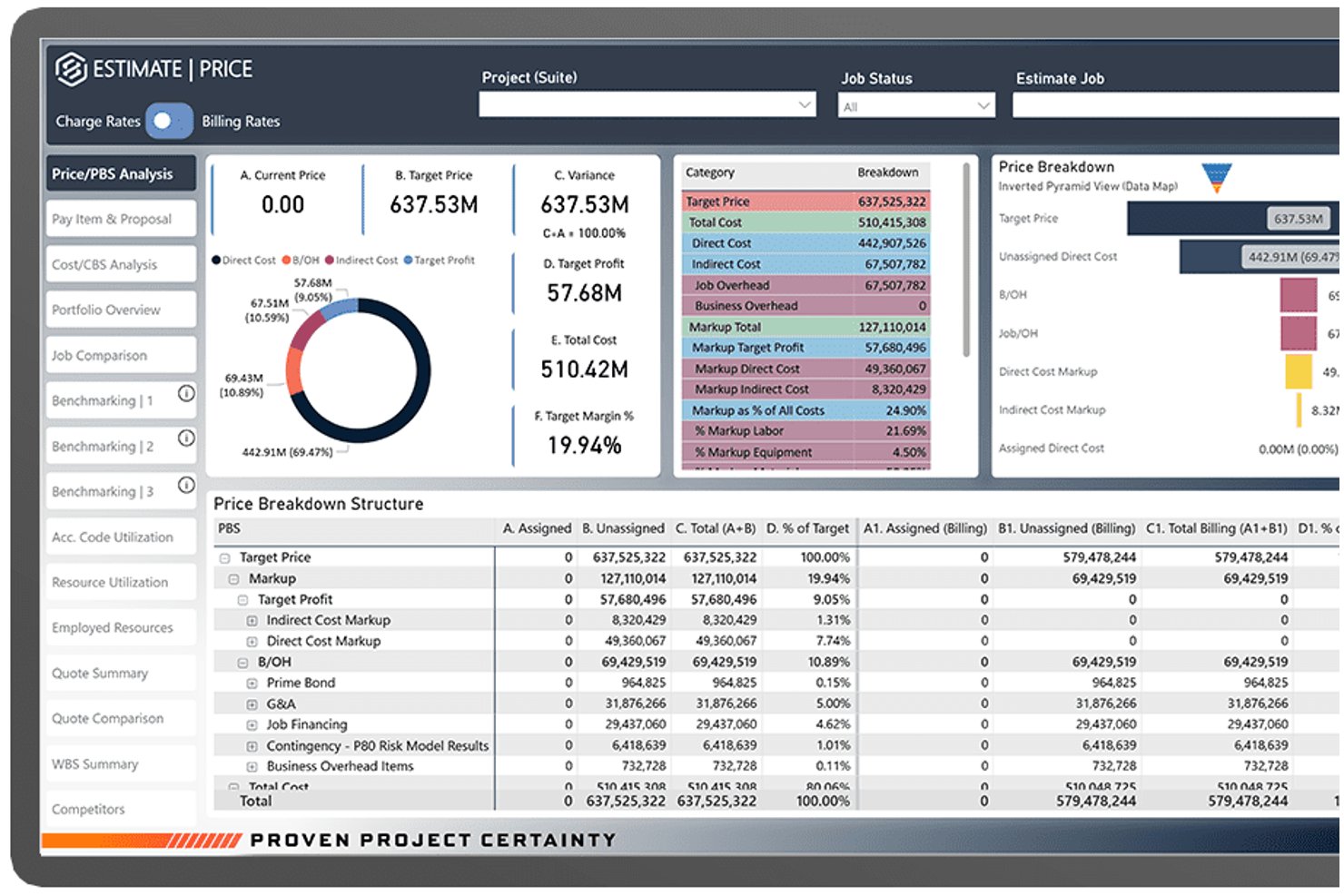
InEight Estimate is an enterprise construction estimating platform that combines parametric assemblies, resource-based cost modeling, historical benchmarking, subcontractor quote management, and bid generation for large-scale capital projects.
Who Is InEight Best For?
InEight is built for enterprise contractors, EPCs, and capital project owners managing large-scale infrastructure, energy, or industrial construction programs.
Why I Picked InEight
InEight earns its spot on my shortlist because it's the only estimating tool I've used that handles capital project cost complexity at this scale. I love the built-in benchmarking feature, which compares new estimate line items against historical projects in real time to surface variances early. The parametric assembly engine lets my team model crew compositions and productivity rates at a granular level, which matters when pricing large infrastructure or industrial programs.
InEight Key Features
- Quote management: Centralizes vendor and subcontractor quotes within the estimating workflow for direct comparison and selection.
- Excel interoperability: Lets users link live Excel spreadsheets to estimates and sync data between platforms.
- Customizable reporting: Generates configurable reports that can be tailored for internal teams or client presentations.
- Integration with ERP systems: Supports connections with enterprise ERPs like SAP and Oracle for seamless project cost data flow.
InEight Integrations
InEight offers native integrations with Primavera P6, Bluebeam Revu, SAP, Oracle, Microsoft Dynamics 365, and Sage 300 Construction and Real Estate. An open API is available for custom integrations.
Pros and Cons
Pros:
- Real-time collaboration for distributed estimating teams
- Historical cost benchmarking for complex projects
- Parametric assemblies support highly detailed estimates
Cons:
- Interface can overwhelm occasional or new users
- Native takeoff tools require separate integration

CMiC
Best for integrated accounting features
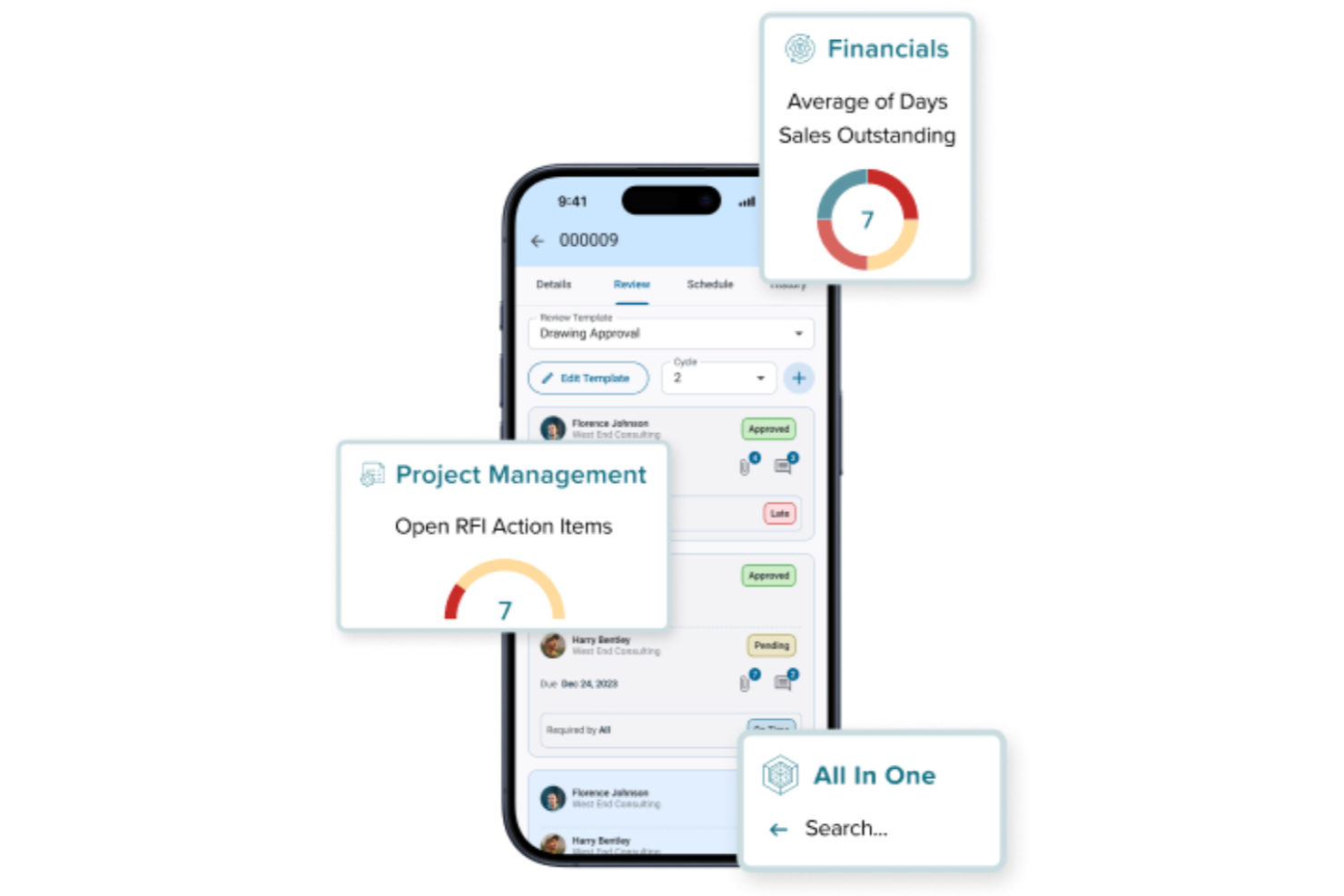
CMiC is a construction ERP built on a single database platform that connects cost estimating, job costing, project controls, construction accounting, procurement, and subcontractor management in one system.
Who Is CMiC Best For?
CMiC is a strong fit for mid-to-large general contractors and construction firms that need a unified system spanning estimating, financials, and project delivery.
Why I Picked CMiC
I've included CMiC in my top picks because its accounting layer is genuinely built into the estimating and project delivery workflow, not bolted on. What I like most is that every financial transaction flows into both the general ledger and job costing simultaneously, so there's no manual reconciliation or duplicate data entry when an estimate becomes a budget. The accounts payable, accounts receivable, and consolidated GL are all construction-specific, meaning they handle things like retainage, progress billing, and subcontract cost tracking natively rather than through workarounds.
CMiC Key Features
- Bid management: Create and send invitations to bid, track subcontractor responses, and level bids side-by-side to compare costs across submissions.
- Change order management: Generate, route, and approve change orders with cost and schedule impact calculations tied directly to the project budget.
- Cost forecasting: Project final costs at completion using real-time actuals, committed costs, and remaining budget data across active work items.
- Procurement management: Manage subcontracts, purchase orders, and material requisitions from a single interface connected to project budgets.
CMiC Integrations
CMiC offers both CMiC-built and partner-built integrations with construction-specific tools including DocuSign, Procore, ProEst, Clearstory, HammerTech, GCPay, Oracle Textura, hh2, SmartBarrel, and EarthCam. An API is available for custom integrations, with documented endpoints spanning financials, project controls, HCM, and materials management.
Pros and Cons
Pros:
- Built-in certified payroll and lien tracking
- Handles multi-entity construction project accounting
- Financials and job costing share one database
Cons:
- Frequent hotfixes disrupt daily operations
- Interface feels outdated and slow to navigate

Buildern
Best for estimate-to-proposal on custom builds
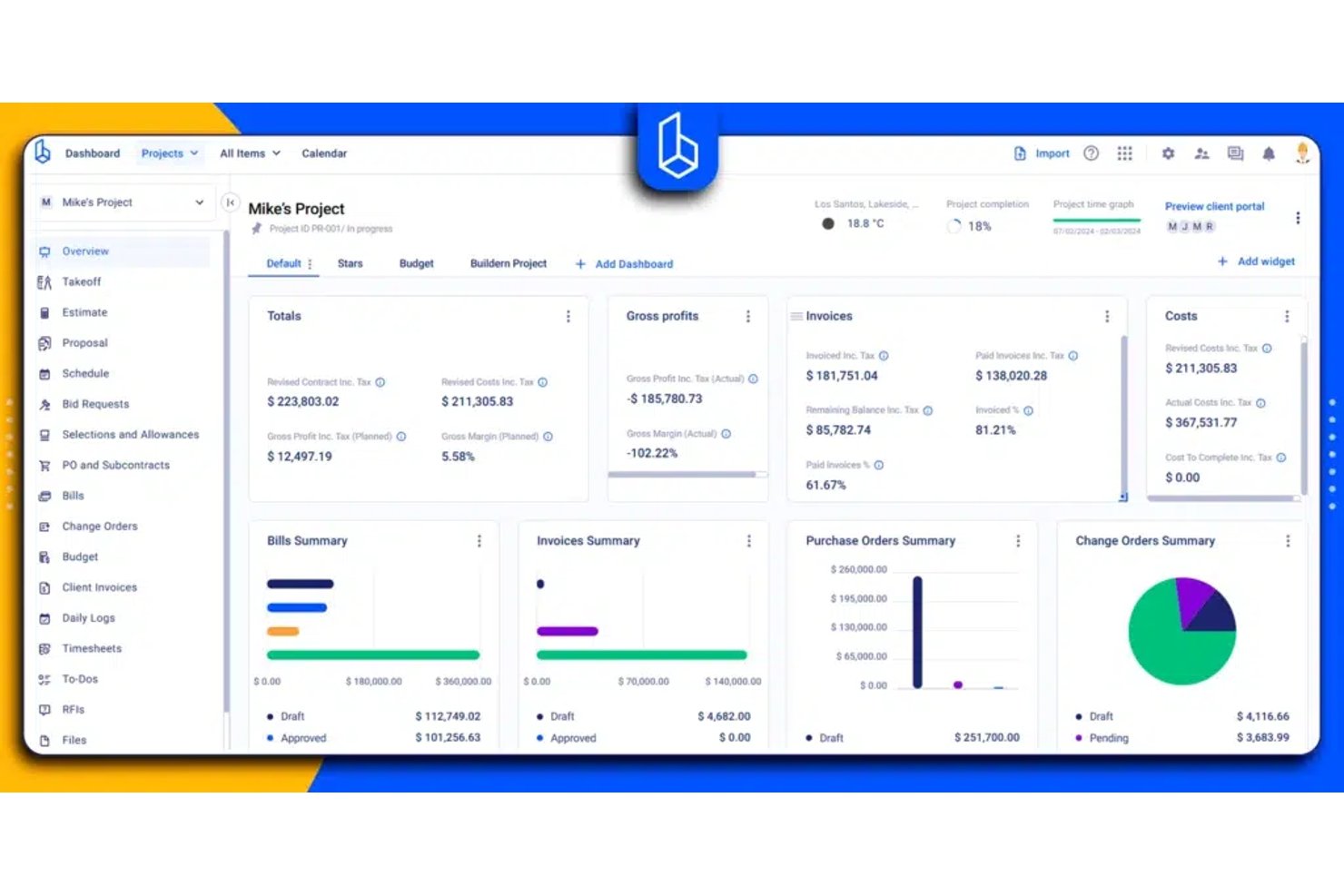
Buildern is construction estimating software that combines digital takeoff, itemized cost estimating, bid solicitation, vendor price comparison, and estimate-to-proposal generation in one platform.
Who Is Buildern Best For?
Buildern suits custom home builders and general contractors who need to move from digital takeoff through itemized estimating to a signed client proposal without jumping between tools.
Why I Picked Buildern
I've included Buildern in my top picks because it closes the loop between digital takeoff and signed client proposal without requiring a separate tool at any step. I particularly like how takeoff measurements feed directly into estimate quantities, which then pull through to a branded, client-ready proposal complete with e-signature fields and an "Effective for" validity window. On custom builds, where scope and pricing shift before a contract is signed, that connected flow from measured plans to approved proposal is exactly what keeps things from falling through the cracks.
Buildern Key Features
- Cost catalog with bulk import: Store reusable priced items for materials, labor, and equipment, and import your existing price lists from Excel or other tools like Procore and Buildertrend.
- Assembly quantity linking: Set a single assembly quantity that automatically updates the quantities of all linked material, labor, and equipment line items within that assembly.
- Bid request and side-by-side offer comparison: Send RFQs to multiple subcontractors or vendors and compare their submitted pricing side by side before moving approved figures into your estimate.
- Estimate version control: Create, duplicate, and switch between multiple estimate versions within a project, and lock a version to prevent edits after it's been signed.
Buildern Integrations
Buildern offers two documented native integrations: QuickBooks Online and Xero. It also supports custom integrations through its API and is available on Zapier.
Pros and Cons
Pros:
- Reviewers praise detailed material and labor estimates
- Takeoff quantities flow directly into estimates
- Reviewers report faster bid preparation and leveling
Cons:
- Some reviewers report occasional platform lag
- Mobile app offers fewer estimating functions

Procore
Best for team collaboration features
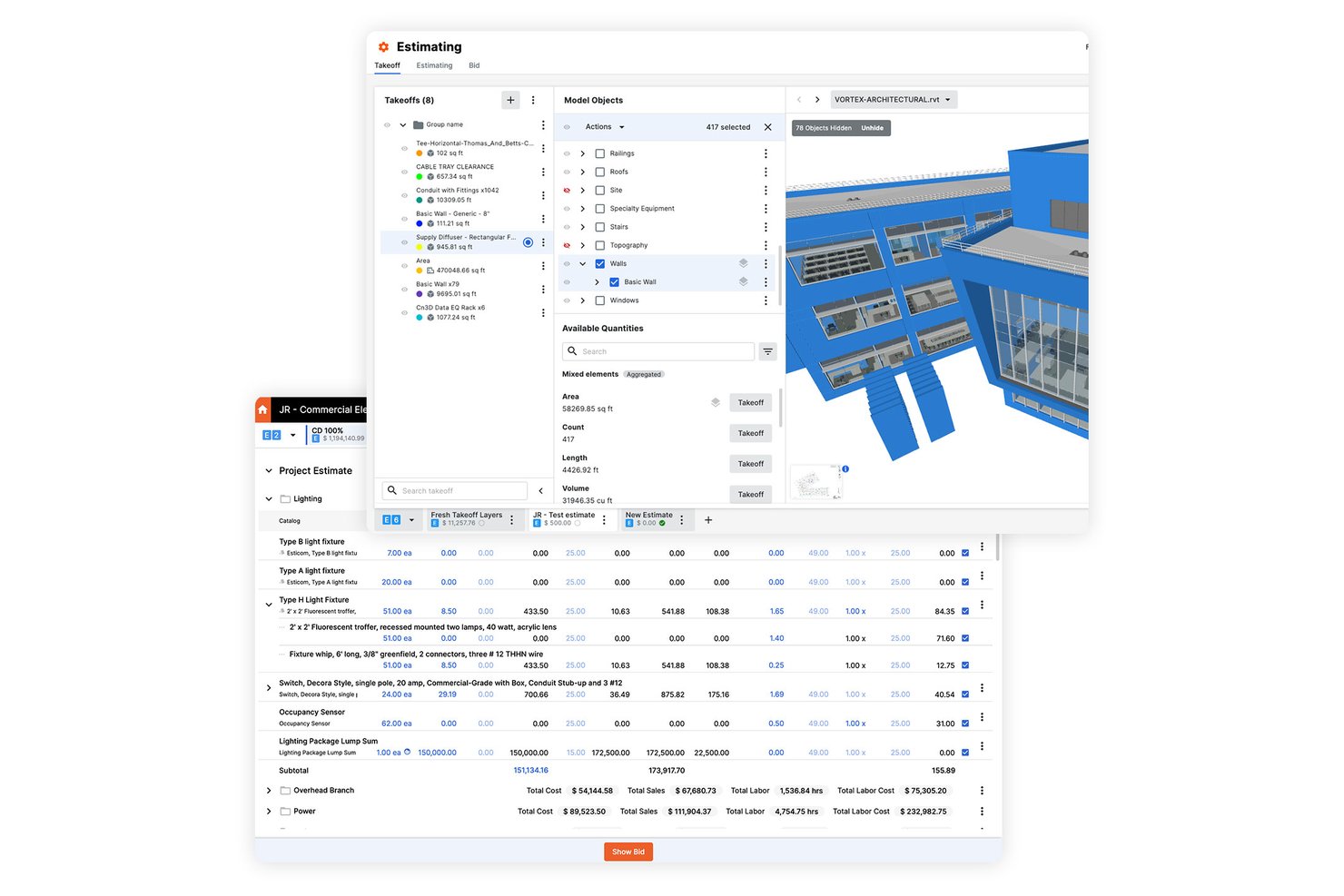
Procore Estimating is a cloud-based construction estimating tool that covers quantity takeoff on 2D and 3D plans, cost catalog-based estimate assembly, and proposal and bid package generation.
Who Is Procore Best For?
Procore Estimating is a strong fit for construction teams—general contractors and specialty trades alike—who need multiple estimators working on the same project at the same time without version conflicts.
Why I Picked Procore
I've included Procore Estimating in my top picks because its real-time multi-user editing genuinely sets it apart: multiple estimators can work on the same takeoff or estimate simultaneously, with changes syncing instantly across devices. I find the simultaneous editing especially valuable on complex bids where one person is running area takeoffs while another is building out the cost groups. You can also copy estimate groups across projects, so a roofing or concrete scope built once becomes a reusable starting point on the next bid.
Procore Key Features
- AI-assisted auto-count and auto-area detection: Procore uses machine learning to automatically count repeated symbols and detect floor-plan areas directly from uploaded drawings.
- Estimate-to-budget workflow: Estimating data can flow directly into project budgets, contracts, and financial workflows without manual re-entry.
- Proposal Builder: Generate client-facing proposals from estimate data with configurable detail levels, including line items, taxes, alternates, and cover pages.
- Bid Win/Loss analytics: The Preconstruction Report tracks bid outcomes by company, trade, and project type, with estimate-to-actuals comparisons by cost code or estimator.
Procore Integrations
Procore lists 500+ integrations and apps, including marketplace integrations with Sage 100 Contractor Connector, Compass, and Togal.ai. An Open API is available for custom integrations.
Pros and Cons
Pros:
- Auto-count speeds drawing takeoffs
- Reusable rates and cost assemblies
- Simultaneous estimate and takeoff editing
Cons:
- Proposal layouts may need outside tools
- Catalog prices need local adjustment

STACK
Best for browser-based takeoff and estimating
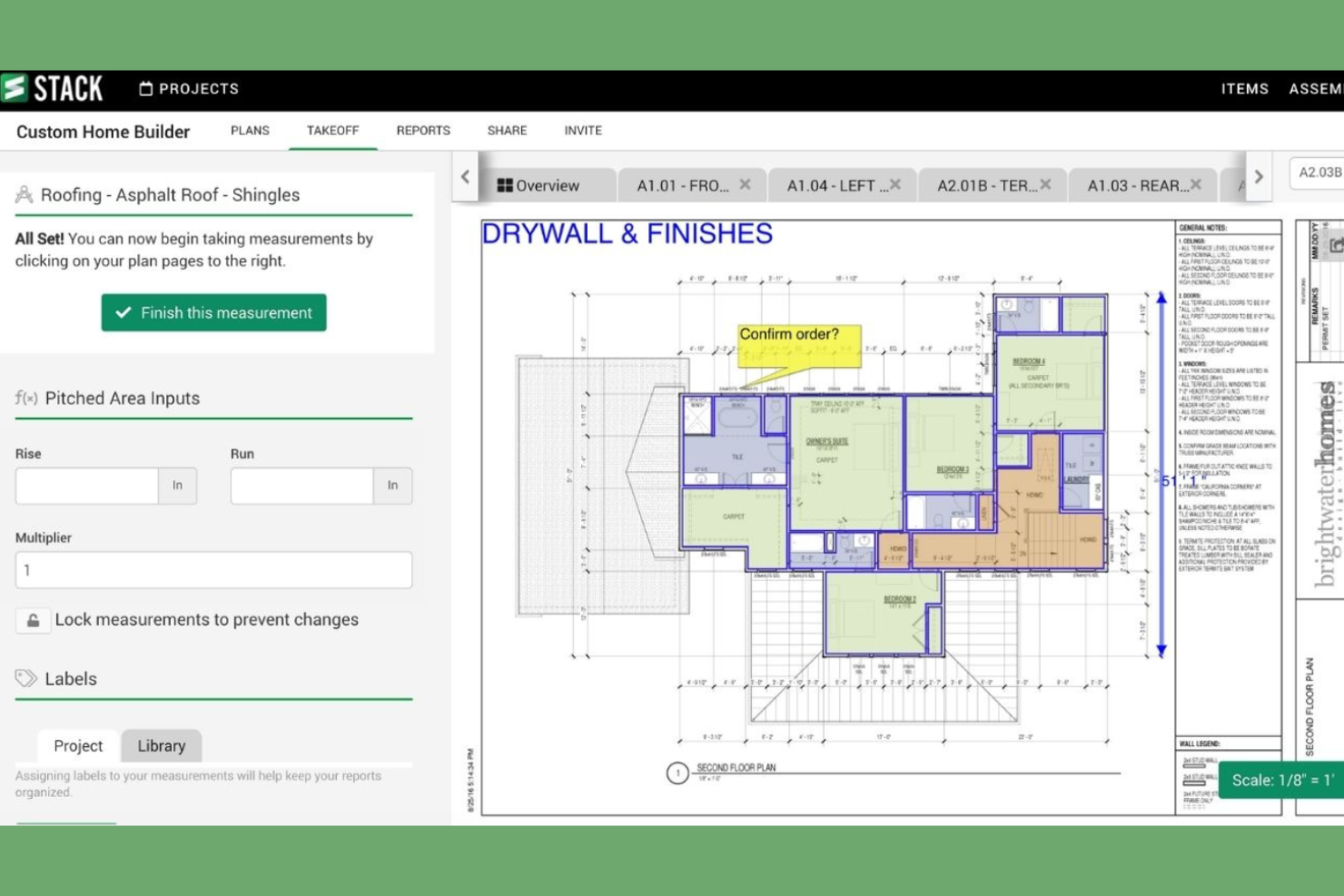
STACK is a browser-based construction takeoff and estimating platform that covers digital plan measurement, cost estimation using a built-in BNi pricing database, and proposal generation.
Who Is STACK Best For?
STACK is a strong fit for construction estimators and preconstruction teams—especially general contractors and specialty trades—who need a browser-based takeoff-to-proposal workflow without installing software.
Why I Picked STACK
I picked STACK as one of the best because it's the only tool on my list that runs entirely in the browser with no installation required, making it genuinely accessible from any machine on a job site or in the office. I particularly like how its AI-powered Floor Plan AI can automatically detect doors, windows, walls, and room areas directly from architectural floor plans, cutting down the time it takes to build a complete quantity takeoff. Pair that with a built-in BNi regional cost database covering 10,000+ items across 600 U.S. areas, and you have a tight takeoff-to-estimate workflow without needing to source pricing separately.
STACK Key Features
- Estimate Worksheet dashboard: Calculates base costs, profit, selling price, gross margin, and labor hours in real time as you build out your estimate.
- Plan overlay and version control: Compares revised plan versions side by side so you can identify changes without redoing completed takeoff work.
- Audit trail: Logs every project, takeoff, and measurement action—including who changed what and when—with CSV export for recordkeeping.
- Reusable item and assembly libraries: Stores custom materials, prices, and labor rates so you can pull prebuilt assemblies into new estimates across projects.
STACK Integrations
STACK lists integrations with QuickBooks Online, QuickBooks Desktop, Sage Intacct, Oracle NetSuite, Acumatica, Procore Construction, and Procore Preconstruction. It also offers an API for custom integrations, though protocols aren’t specified.
Pros and Cons
Pros:
- Reusable assemblies organize takeoffs and estimates
- Plan overlays help catch drawing discrepancies
- Speeds plan measurement and bid preparation
Cons:
- Large takeoffs may slow or freeze the software
- Material price updates can require manual work

Best for estimate-to-budget financial workflows
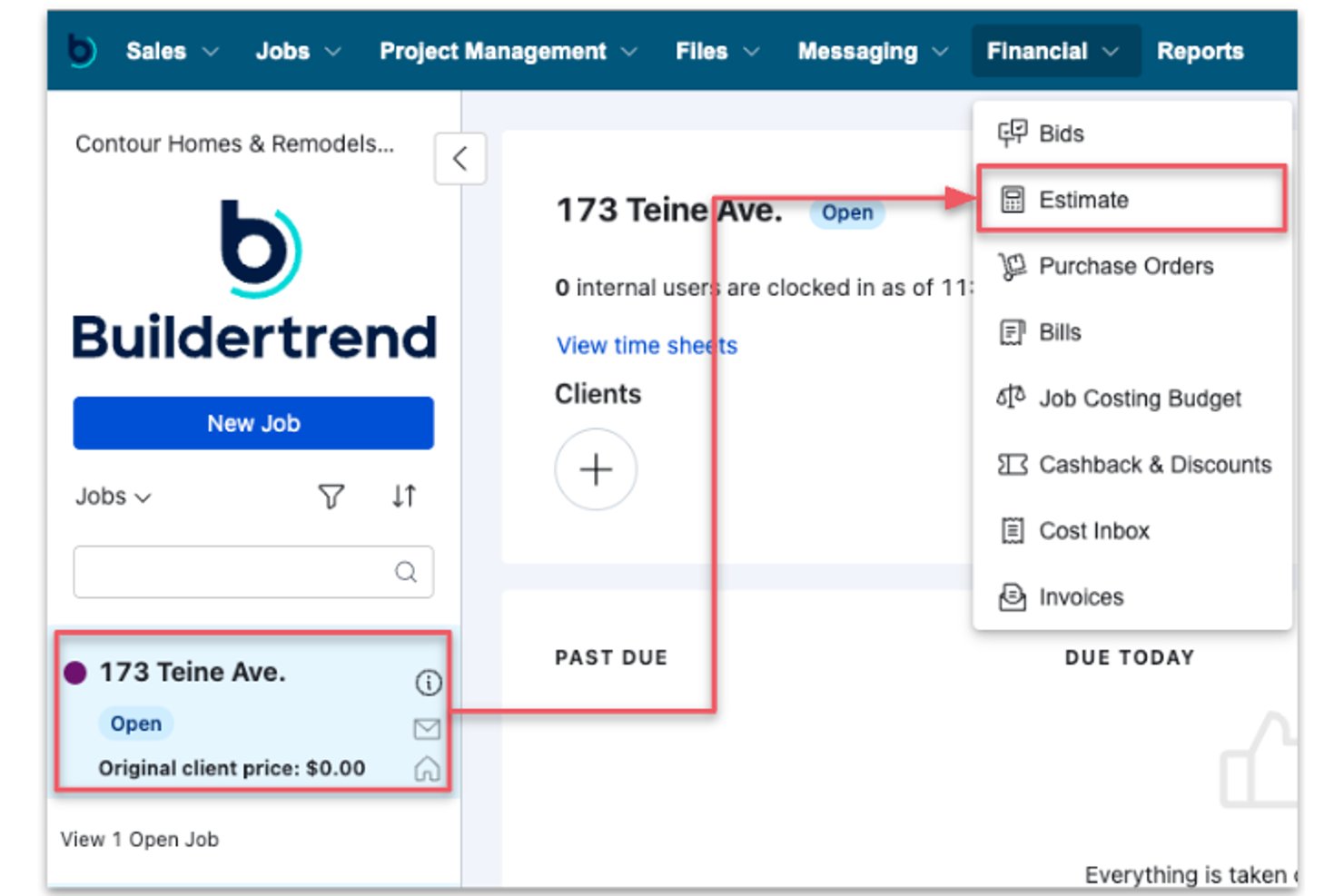
Buildertrend is a construction management platform with estimating tools that cover digital takeoff, cost catalog building, itemized estimate assembly, bid collection, and proposal generation with e-signature support.
Who Is Buildertrend Best For?
Buildertrend is a strong fit for residential builders and remodelers who need estimating, takeoff, and job costing to work as one connected financial workflow.
Why I Picked Buildertrend
I picked Buildertrend as one of the best because it connects every stage of the financial workflow, from takeoff to estimate to job-costing budget, without requiring manual re-entry at each step. I love how takeoff quantities sync directly into estimate line items with their cost codes intact, and how a finalized estimate converts into a client-facing proposal with e-signature support in the same platform. That estimate then flows straight to the job-costing budget, so the numbers your team bid on are the same numbers tracking actual spend.
Buildertrend Key Features
- Bid package builder: Create scoped bid packages with attachments, deadlines, and line items, then send them to subcontractors or vendors for pricing submission.
- Role-based access controls: Assign default or custom roles to internal users, including a dedicated Project Estimator role with access to estimates, bids, and bills.
- Cost Catalog: Build or import a reusable library of cost items tied to configurable cost codes for labor, materials, equipment, and subcontractor work.
- Client portal delivery: Release finalized proposals directly to clients through an integrated portal or by email, with electronic signature support built in.
Buildertrend Integrations
Buildertrend offers marketplace integrations with QuickBooks, Sage Intacct, Xero, and Bluebeam. It also lists Gusto, HubSpot, Salesforce, and Pipedrive in its marketplace.
Pros and Cons
Pros:
- Mobile logs keep field updates connected
- Bid requests and proposals share estimate data
- Takeoff quantities flow into job-cost budgets
Cons:
- Blueprint estimating drew complaints from reviewers
- No automatic bid leveling or low-bid ranking

Best for bid-day analysis at scale
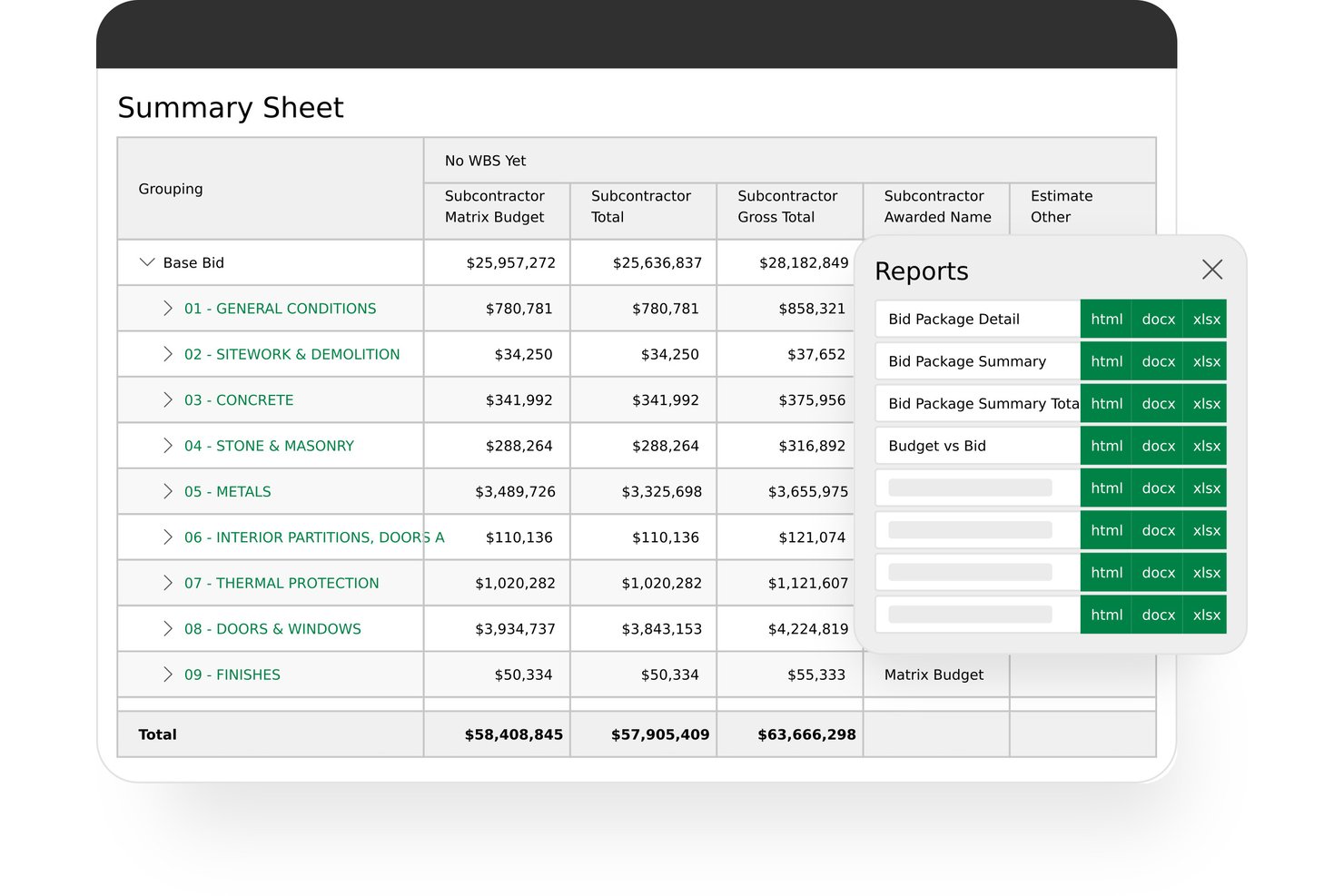
Sage Estimating is construction estimating software that covers cost databases, estimate assembly, subcontractor bid comparison, bid-path analysis, and integration with Sage's accounting and job-costing products.
Who Is Sage Estimating Best For?
Sage Estimating is a strong fit for general contractors and preconstruction teams who need to manage complex subcontractor bid analysis across large project pipelines.
Why I Picked Sage Estimating
I've included Sage Estimating in my top picks because its bid-day analysis tools go deeper than anything else I've seen at scale. The Bid Grid and bid-path analysis can process thousands of subcontractor combinations to surface the lowest-cost bid configuration, and Sage Ai layers on top to flag outlier bids and predict bidder participation using historical trade data. Award tracking for MBE/WBE requirements and local subcontractor percentages rounds out a bid-day workflow that's genuinely built for large, complex bid environments.
Sage Estimating Key Features
- Cost database integration: Connects with RSMeans and other third-party databases, and supports importing custom price databases via CSV, TXT, or XLS files.
- Concurrent multi-estimator access: Lets multiple estimators work on the same project simultaneously within the Estimate Sheet or Summary Sheet.
- Database models and estimate duplication: Provides reusable templates that can be taken off repeatedly and revised without altering the original, plus a duplicate-estimate function for recurring project types.
- Sage accounting connectivity: Shares estimating data directly with Sage Intacct Construction, Sage 300 CRE, and Sage 100 Contractor to eliminate manual re-entry across job costing and accounting.
Sage Estimating Integrations
Sage Estimating has native integrations with Sage Intacct Construction, Sage 300 Construction and Real Estate, Sage 100 Contractor, and eTakeoff Dimension through eTakeoff Bridge. It also integrates with RSMeans and other third-party cost databases.
Pros and Cons
Pros:
- Detailed estimates accommodate flexible bid breakdowns
- Historical estimate data supports project reuse
- Bid-path analysis compares thousands of subcontractor combinations
Cons:
- Some reviewers describe the interface as dated
- Takeoff often requires separate PDF tools

Archdesk
Best for estimate-to-actuals cost tracking
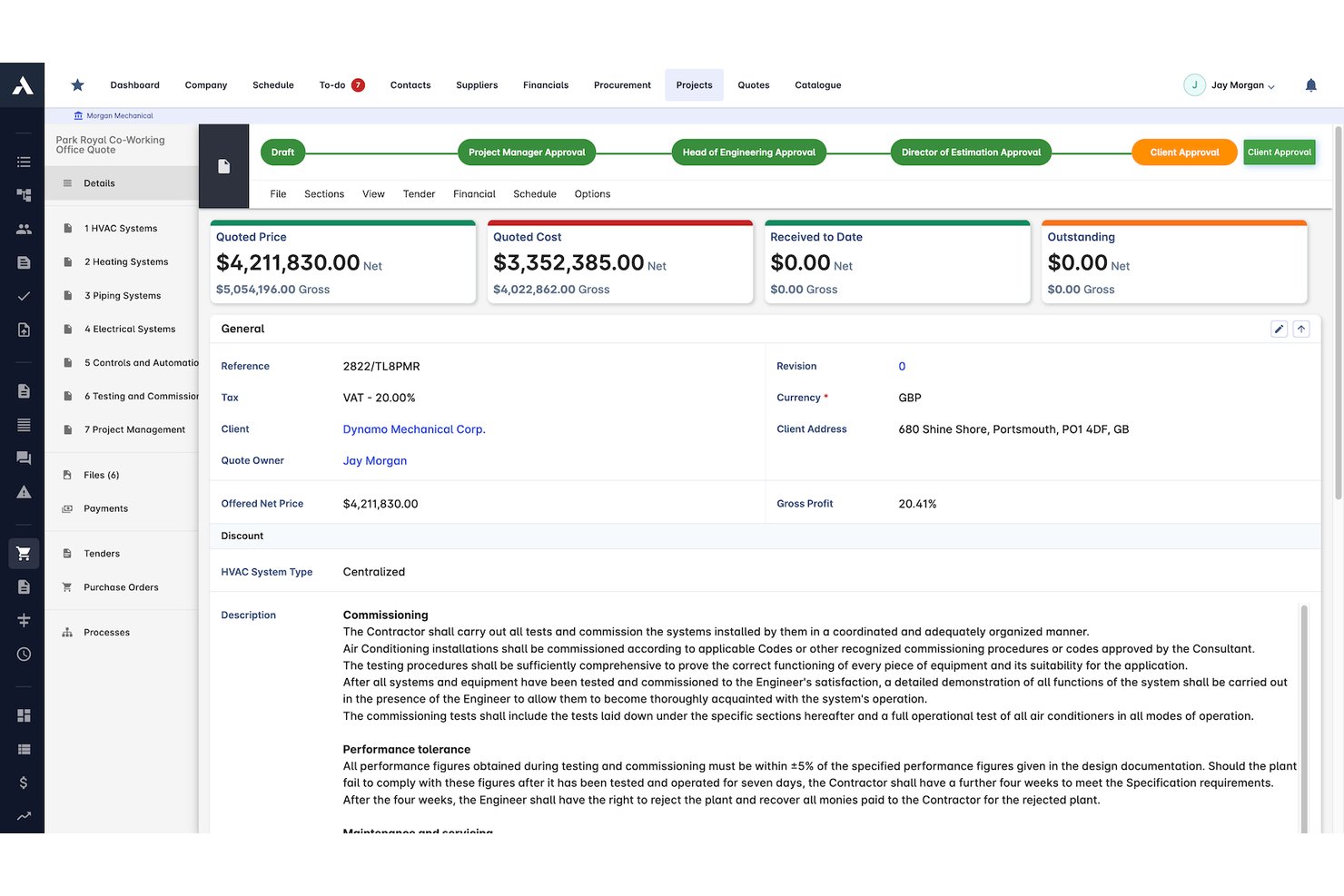
Archdesk is a construction management platform with estimating tools that span cost libraries, estimate assembly, subcontractor bid comparison, proposal generation, and job-cost tracking.
Who Is Archdesk Best For?
Archdesk is a strong fit for general contractors and estimating teams who need their bid costs to follow a project all the way through to job-cost reporting.
Why I Picked Archdesk
I picked Archdesk as one of the best because of how tightly it connects bid costs to job-cost reporting. When you win a project, the estimate converts directly into a working budget, carrying cost codes through to delivery so nothing gets re-entered. From there, purchase orders and subcontractor invoices post against those same codes, and CVR reports show budget, committed, actual, and forecast figures side by side.
Archdesk Key Features
- Cost library with supplier-price integration: Build estimates from regional and custom material, rate, and equipment libraries that update automatically with supplier pricing.
- Subcontractor RFQ and bid comparison: Send RFQs directly from bill-of-quantities lines and compare returned subcontractor quotes side by side, with scope exclusions visible.
- BIM-model quantity extraction: Pull quantities and custom attributes from 3D/BIM models directly into estimates without manual retyping.
- Historical bid analytics: Track win/loss rates and estimate accuracy, and compare past estimates against delivered-job costs by line, trade, or project type.
Archdesk Integrations
Archdesk offers 7 documented native integrations, including Xero, QuickBooks Online, Sage 50, Zoho, NetSuite, MS Project, and Primavera P6. It also supports REST API, webhooks, and Zapier connections for custom integrations.
Pros and Cons
Pros:
- Reviewers praise connected estimates and invoicing
- Historical actuals inform future bids
- Estimate costs carry into job budgets
Cons:
- Reviewers report clunky quote creation
- 2D blueprint takeoff isn't documented

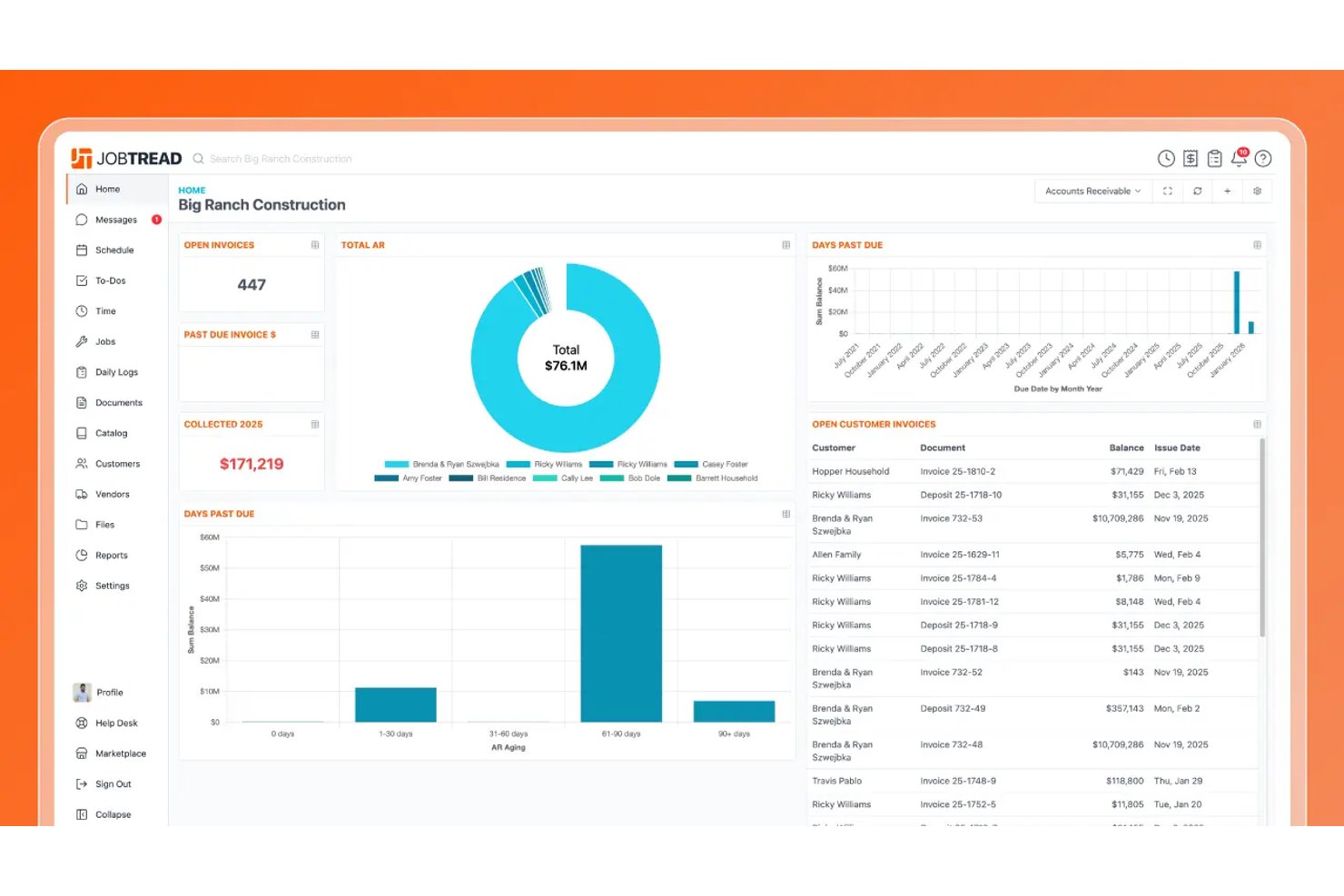
JobTread is construction estimating and job management software that combines on-screen takeoff, formula-driven budgeting, a reusable cost catalog, bid requests, and job costing in one platform.
Who Is JobTread Best For?
JobTread is a strong fit for general contractors and specialty trades who want estimating, job costing, and project management in a single platform.
Why I Picked JobTread
I picked JobTread as one of the best because it genuinely connects estimating and job costing in a single workflow rather than treating them as separate steps. I love that takeoff measurements feed directly into budget formulas, so a linear footage count from a plan sheet automatically drives your cost calculations without any manual re-entry. The built-in bid request workflow also lets you send line items to subs, receive their pricing, and convert accepted bids straight into purchase orders, all without leaving the platform.
JobTread Key Features
- Cost catalog: Store and organize reusable materials, labor rates, equipment, and subcontractor costs for quick use across job budgets.
- Change order management: Track project scope changes and associated charges directly within a job's financials.
- AI estimating: Draft detailed budgets using AI assistance based on project descriptions and existing catalog data.
- Customer portal: Give clients a dedicated space to view job progress, documents, invoices, and photos in real time.
JobTread Integrations
JobTread offers integrations with QuickBooks Online, The Home Depot, SRS Distribution, QXO, PoolCorp, Eagleview, and Gusto. It also provides an Open API and is available on Zapier.
Pros and Cons
Pros:
- Reusable templates speed estimate assembly
- Accepted subcontractor bids become vendor orders
- Takeoff quantities feed budget formulas
Cons:
- Catalog edits don’t update existing budgets
- Plan measurements sometimes misalign with drawings

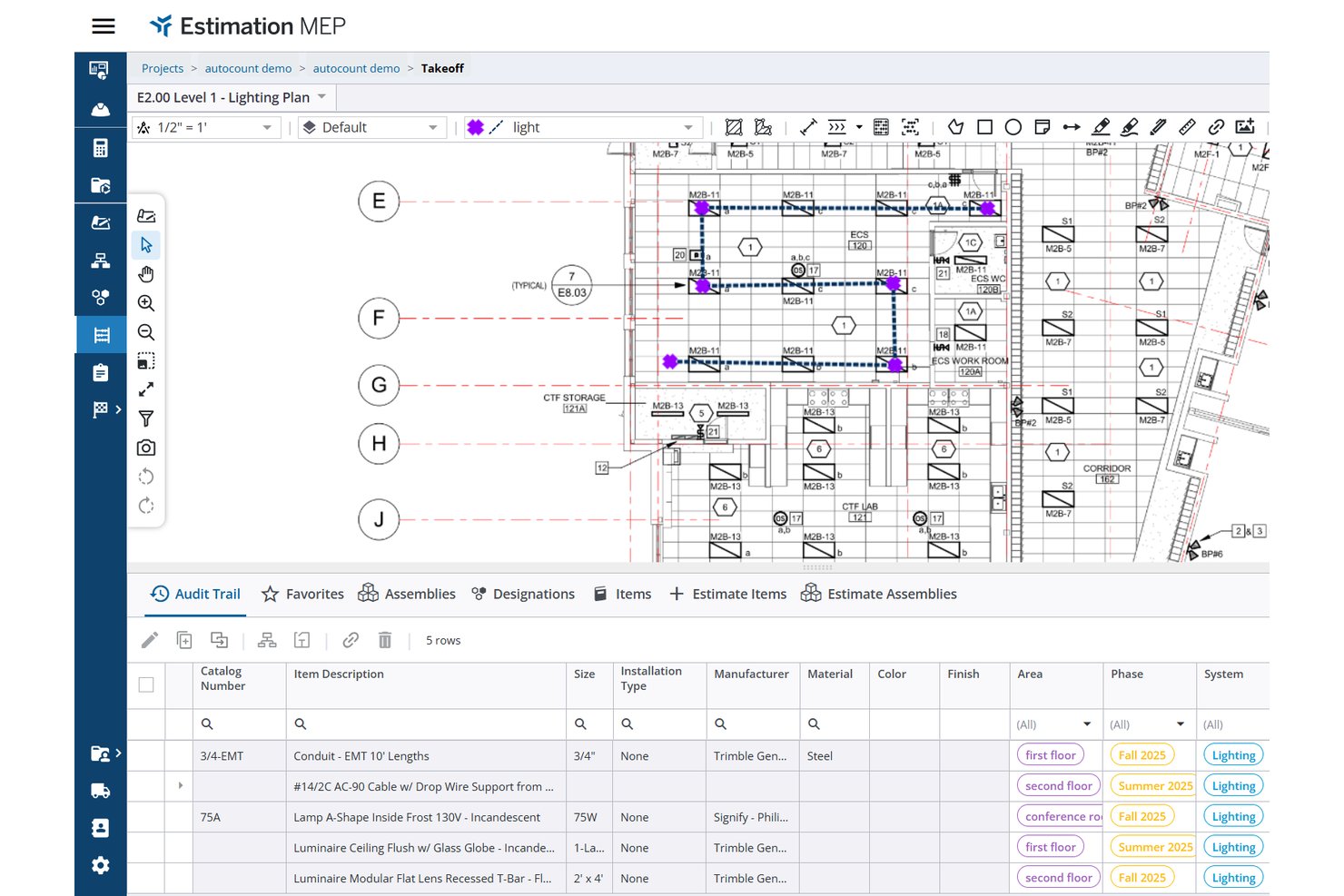
Trimble Estimation MEP is browser-based construction estimating software for MEP contractors that combines AI-powered graphical takeoff, a managed material and labor cost library, supplier pricing, and quote comparison into a single estimate-to-bid workflow.
Who Is Trimble Best For?
Trimble Estimation MEP is built for small-to-midsize electrical and MEP contractors who need a single tool to handle takeoff, material pricing, and labor estimating.
Why I Picked Trimble
I picked Trimble Estimation MEP as one of the best because it's purpose-built for MEP and electrical contractors, covering the full estimate-to-bid workflow in a single browser-based tool. I especially like its AI-powered graphical takeoff, which automatically measures, counts, and marks up drawings, feeding quantities live into the estimate. Pair that with a managed library of hundreds of thousands of items carrying real distributor pricing through Supplier Xchange and Luckins, and you get material costs that actually reflect what you'll pay.
Trimble Key Features
- Estimate closeout calculator: Adds costs, tax, overhead, and markup to your estimate to calculate a final bid amount.
- Custom assembly builder: Lets you create and save custom items and assemblies for reuse across future estimates.
- Vendor and subcontractor quote compilation: Collects incoming quotes from multiple suppliers in one place so you can compare them side by side.
- Trimble Connect project sharing: Makes your project available in Trimble Connect so stakeholders can access drawings, estimates, and updates in one shared space.
Trimble Integrations
Trimble Estimation MEP has documented integrations with Supplier Xchange, Luckins, Trimble Connect, Trimble Financials, and ProjectSight. These connections support supplier pricing, collaboration, proposals, and change-order estimating.
Pros and Cons
Pros:
- MEP assemblies support repeatable estimates
- AI-assisted takeoff helps cut manual counting
- Users praise graphical takeoff on smaller projects
Cons:
- Proposal creation requires a separate workflow
- A reviewer reports limited BIM connectivity
Other Construction Estimating Software
Here are some additional construction estimating software options that didn’t make it onto my shortlist, but are still worth checking out:
- Quick Bid
For supplier quote comparison in bids
- Buildxact
For residential builder estimating workflows
- CoConstruct
For all-in-one builder bid-to-budget workflows
- PlanSwift
For digital plan takeoff and estimating


How I Evaluate Construction Estimating Software
My evaluation splits into two layers: baseline capabilities like takeoffs and cost databases, and differentiators that tell me if a tool fits a GC versus a specialty trade estimator.
Core Functionality (Table Stakes For This List)
When I'm selecting tools for my list, I rank each one on a scale from 0 (does not offer the functionality) to 5 (excels in this area) for each core functionality listed below. Then, I calculate the tool's total score into a percentage. Each tool needs to achieve a minimum total score of 65% to be considered for inclusion.
- Cost Database & Pricing: I check whether the tool includes a prebuilt cost database or only supports manual entry—and whether users can customize unit costs for their region and trades.
- Digital Takeoff Tools: On-screen measurement from uploaded plans matters here, so I look for scaling, area/length tools, and count features that reduce manual quantity work.
- Bid & Proposal Generation: The tool should turn estimate data into polished, client-ready bid documents with customizable formatting, not just raw spreadsheet exports.
- Assemblies & Templates: I evaluate whether estimators can build reusable assemblies—like a concrete footing kit with rebar, formwork, and labor—and apply them across future projects.
- Subcontractor Bid Management: For GCs juggling multiple subs per trade, I look at how the tool handles bid invitations, quote collection, and side-by-side bid leveling.
- Estimate-to-PM/Accounting Integration: Winning a bid means converting an estimate into a project budget, so I check for connections to platforms like Procore, Sage, or QuickBooks.
Once I have a list of tools that meet this criteria, I consider what sets each platform apart.
Differentiating Factors (What Sets Vendors Apart)
Here's how I compare and contrast different vendors:
Standout Features
Historical cost analytics is a major differentiator—I look for tools that let you benchmark past project data to sharpen margins on future bids. Conceptual estimating also matters, especially when a client needs a ballpark before drawings exist. Real-time collaboration separates solo-estimator tools from team-ready platforms where multiple users can work the same estimate without overwriting each other's line items.
Beyond Features
Trade specialization is a big one—an electrical estimator needs conduit and wire-fill calculations, while a GC needs broad CSI division coverage. I also evaluate how well the tool scales. A solo estimator doesn't need enterprise role permissions, and a 50-person preconstruction team can't run on a single-seat desktop license. Deployment matters too; cloud-based tools suit distributed teams, but some estimators still prefer desktop apps with offline access for jobsite walkthroughs.
How To Choose Construction Estimating Software
It's easy to get bogged down in long feature lists and complex pricing structures. To help you stay focused as you work through your unique software selection process, here's a checklist of factors to keep in mind:
| Factor | What To Consider |
|---|---|
| Scalability | Can the software grow with your business? Consider future project volume and team size. Look for tools that accommodate increasing data and users without performance loss. |
| Integrations | Does it connect with your existing tools? Verify that it syncs with accounting, project management, and other essential systems to avoid data silos. |
| Customizability | Can you tailor the software to fit your workflows? Check for options to modify templates, reports, and dashboards to match your specific processes. |
| Ease of Use | Is the interface intuitive for your team? A steep learning curve can delay adoption. Look for a clean design and user-friendly navigation. |
| Implementation and Onboarding | How quickly can your team get up to speed? Consider the availability of training resources, support, and the time needed to deploy the software effectively. |
| Cost | Does the pricing fit your budget? Look beyond the initial cost—consider ongoing fees, hidden charges, and the overall value offered by the software. |
| Security Safeguards | How does the software protect your data? Verify encryption standards, access controls, and compliance with industry regulations to maintain data security. |
| Support Availability | What support options does the vendor offer? Consider 24/7 availability, response times, and the quality of help you can expect when issues arise. |
What Is Construction Estimating Software?
Construction estimating software is a tool used to calculate costs for construction projects. Contractors, estimators, and project managers typically use these tools to increase accuracy and efficiency. Cost estimation, bid management, and project tracking features help with budgeting, planning, and executing projects effectively. Overall, these tools save time and reduce errors in project planning.
Features
When selecting construction estimating software, keep an eye out for the following key features:
- Cost estimation: Provide accurate project cost calculations, helping you budget effectively.
- Bid management: Manage and organize bids to improve your chances of winning projects.
- Digital takeoffs: Perform measurements directly from digital plans, saving time and reducing errors.
- Project tracking: Monitor project progress and costs to keep everything on schedule and within budget.
- Reporting tools: Generate detailed reports that offer insights into project performance and financial health.
- Integration capabilities: Connect with other tools such as accounting and project management software for smooth data flow.
- Customization options: Modify templates and reports to fit your specific business needs.
- Real-time collaboration: Team members can work together on estimates, improving communication and efficiency.
- Client communication tools: Facilitate interaction with clients to keep them informed and engaged throughout the project.
- Resource management: Track materials and labor resources to optimize usage and reduce waste.
Benefits
Implementing construction estimating software provides several benefits for your team and your business. Here are a few you can look forward to:
- Improved accuracy: Help provide precise cost estimates, reducing the risk of budget overruns.
- Time savings: Automate calculations and processes, freeing up time for other tasks.
- Better project management: Track progress and costs, helping you stay on schedule and on budget.
- Greater collaboration: Allow team members to work together on estimates, improving communication and efficiency.
- Increased competitiveness: Improve bid management, increasing your chances of winning projects.
- Informed decision-making: Offer detailed reports and insights to help guide project planning and execution.
Costs and Pricing
Selecting construction estimating software requires an understanding of the various pricing models and plans available. Costs vary based on features, team size, add-ons, and more. The table below summarizes common plans, their average prices, and typical features included in construction estimating software solutions:
Plan Comparison Table for Construction Estimating Software
| Plan Type | Average Price | Common Features |
|---|---|---|
| Free Plan | $0 | Basic cost estimation, limited project tracking, and minimal support. |
| Personal Plan | $20-$50/user/month | Cost estimation, digital takeoffs, and basic reporting tools. |
| Business Plan | $50-$100/user/month | Advanced reporting, bid management, and integration with other tools. |
| Enterprise Plan | $100+/user/month | Customization options, real-time collaboration, advanced analytics, and dedicated customer support. |
Construction Estimating Software FAQs
Here are some answers to common questions about construction estimating software:
What types of projects can it estimate?
Construction estimating software supports residential, commercial, industrial, and infrastructure projects. This includes renovations, new builds, civil works, and specialty trades. Most tools allow estimates to be adjusted based on project size and complexity.
Can construction estimating software integrate with my current systems?
Yes, most construction estimating software offers integrations with other systems such as accounting, project management, and CRM tools. Check the software’s integration list to confirm compatibility with your current systems. This can help you maintain a smooth workflow and avoid data silos. If integration is important, prioritize software that offers API access for custom connections.
How secure is my data in construction estimating software?
Most construction estimating software providers implement security measures such as data encryption, access controls, and regular security updates. Before choosing a tool, review the security features and compliance certifications it offers. Make sure the software aligns with your organization’s data protection policies to safeguard sensitive information.
Is training available for new users?
Yes, many software providers offer training resources such as tutorials, webinars, and user guides. Some also provide onboarding support to help your team get started. Before purchasing, inquire about the training options available and consider tools that offer interactive product tours or demos to ease the learning curve.