
14 Best Caspio Alternatives in 2026

Caspio Alternatives Shortlist
Here’s my shortlist of Caspio alternatives:


A strong Caspio alternative gives your team an all-in-one online database, customizable workflows, and a no-code platform without locking you into a single development platform. If you’re searching for the best alternative to Caspio—like Knack, Quickbase, AppSheet, or Bubble—you’re likely looking for user-friendly options that handle complex data integration, support project management, and adapt to your changing needs for application development. This list will help you compare leading platforms—so you can find the right fit for your team’s technical requirements, android compatibility, and delivery goals.
What Is Caspio?
Caspio offers a no-code approach for building custom web applications without extensive coding. It lets teams create forms, reports, and business process workflows that connect to a cloud backend. Caspio is used by businesses that need a CRM, or to manage data securely—especially in healthcare where hipaa compliance is critical, or for inventory management. Its drag-and-drop builder makes it popular to embed tools or replace legacy systems like filemaker, but teams often seek alternatives like power apps or zoho creator to streamline operations.
Best Caspio Alternatives Summary
This comparison chart summarizes pricing details for my top Caspio alternative selections to help you find the best one for your budget and business needs.
| Tool | Best For | Trial Info | Price | ||
|---|---|---|---|---|---|
| 1 | Best for visual workflow customization | Free plan + free demo available | From $20/user/month (billed annually) | Website | |
| 2 | Best for multi-database management in one tool | 14-day free trial available | From $25/month | Website | |
| 3 | Best for team-based app collaboration | Free plan + free demo available | From $11.20/user/month (billed annually) | Website | |
| 4 | Best for high-volume transactional data | Free plan available | Free | Website | |
| 5 | Best for enterprise-grade scalability | Free tier available | Pricing upon request | Website | |
| 6 | Best for advanced data integrity features | Free download available | Free (open source) | Website | |
| 7 | Best for rapid desktop database creation | 30-day free trial available | From $9.99/user/month | Website | |
| 8 | Best for intelligent SQL code assistance | 30-day free trial + free plan + free demo available | From $10.90/month (billed annually) | Website | |
| 9 | Best for version-controlled database collaboration | Free download available | Free (open source) | Website | |
| 10 | Best for database migration and automation | Free trial available | Pricing upon request | Website |
Why You Can Trust Us
We’ve been testing and reviewing project management software since 2012. As project managers ourselves, we know how critical and difficult it is to make the right decision when selecting software.
We invest in deep research to help our audience make better software purchasing decisions. We’ve tested more than 2,000 tools for different project management use cases and written over 1,000 comprehensive software reviews. Learn how we stay transparent & our software review methodology.
-

Accelo
Visit WebsiteThis is an aggregated rating for this tool including ratings from Crozdesk users and ratings from other sites.4.4 -
Wrike
Visit WebsiteThis is an aggregated rating for this tool including ratings from Crozdesk users and ratings from other sites.4.2 -
monday.com
Visit WebsiteThis is an aggregated rating for this tool including ratings from Crozdesk users and ratings from other sites.4.6





Caspio Alternatives Reviews
Below are my detailed summaries of the Caspio alternatives that made it onto my shortlist. My reviews offer a detailed look at the features, best use cases, and integrations of each platform to help you find the best one for you.


For teams that want to design custom workflows with a visual approach, Airtable offers a flexible alternative to Caspio. It’s especially useful for project managers, marketers, and product teams who need to organize, link, and automate data in a spreadsheet-like interface. Airtable stands out by letting you build databases, dashboards, and automations with drag-and-drop tools and multiple view options.
Why Airtable Is a Good Caspio Alternative
If you want to customize workflows visually, Airtable gives you more flexibility than Caspio. I picked Airtable because it lets you build and modify databases using drag-and-drop fields, Kanban boards, and calendar views. You can also automate repetitive tasks with its built-in automation tools, making it easy to adapt processes as your needs change. For teams that value visual organization and quick adjustments, Airtable offers a unique approach to workflow customization.
Airtable Key Features
Some other features in Airtable may be useful if you’re comparing Caspio alternatives:
- Interface Designer: Create custom interfaces for different users without writing code.
- Record Linking: Connect related records across tables to build relational databases.
- Permission Controls: Set granular access levels for collaborators and teams.
- Prebuilt Extensions: Add charts, maps, and other visualizations directly to your bases.
Airtable Integrations
Integrations include Google Drive, Salesforce, Slack, Jira, Zendesk, Box, Dropbox, GitHub, Gmail, and Outlook Calendar.
Pros and Cons
Pros:
- Rich field type options
- Excellent web form maker
- No SQL knowledge needed
Cons:
- Weaker permissions depth
- Not a true relational DB

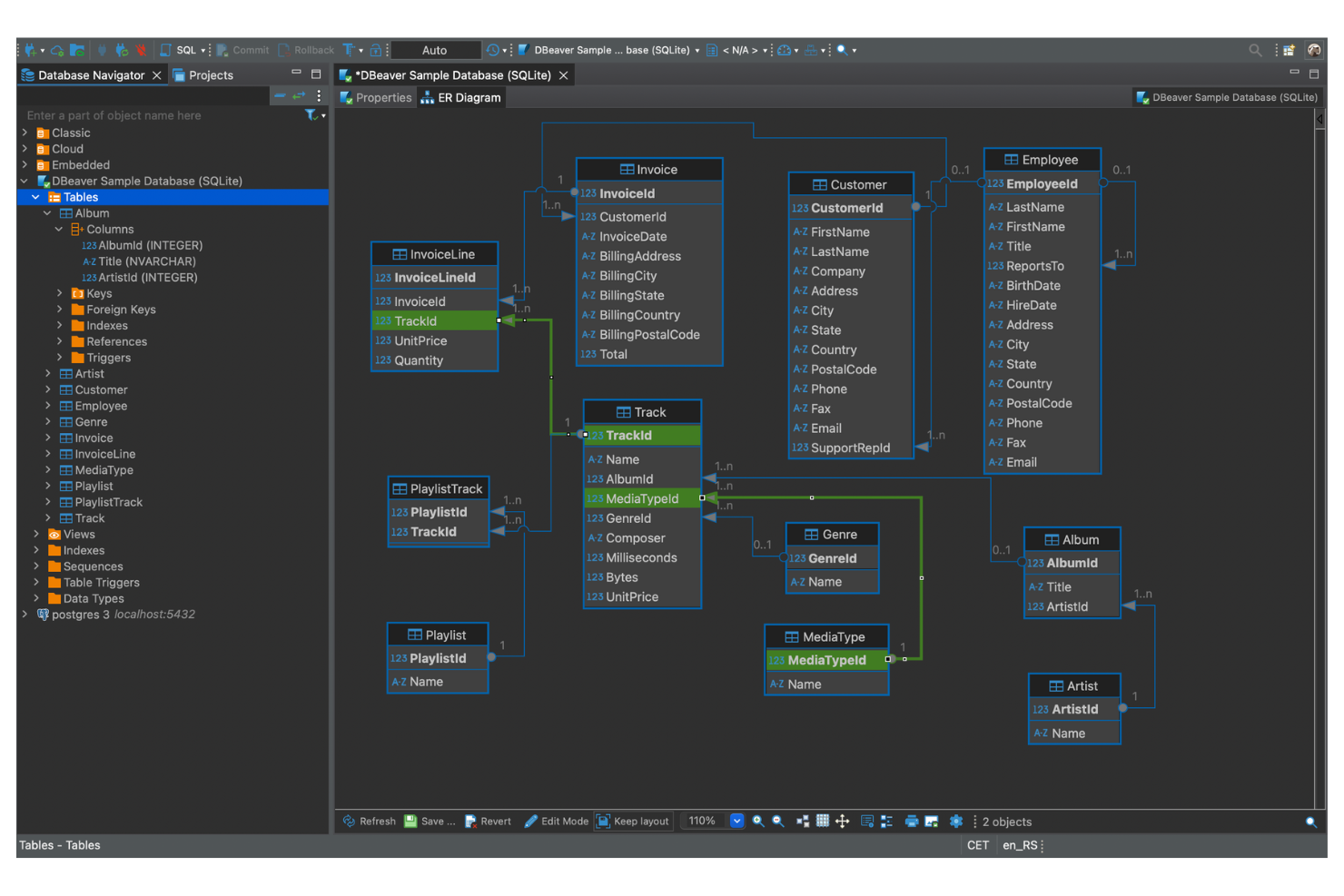
If you’re looking for a way to manage multiple databases from a single interface, DBeaver is designed for that need. This tool is especially useful for database administrators, analysts, and IT teams who work across different database platforms. Unlike Caspio, DBeaver lets you connect, query, and manage dozens of database types side by side without switching tools.
Why DBeaver Is a Good Caspio Alternative
Unlike Caspio, DBeaver is built for teams that need to manage and interact with multiple database systems from one place. I picked DBeaver because it supports direct connections to a wide range of databases, including MySQL, PostgreSQL, Oracle, SQL Server, and many others. You can run queries, edit data, and compare schemas across different platforms without switching tools. For anyone juggling several databases or migrating data between systems, DBeaver offers a unified workspace that Caspio doesn’t provide.
DBeaver Key Features
Some other DBeaver features may be helpful if you’re comparing Caspio alternatives:
- ER Diagram Generation: Visualize database structures and relationships with built-in entity-relationship diagrams.
- SQL Editor with Autocomplete: Write and edit SQL queries with syntax highlighting and code completion.
- Data Export and Import Tools: Move data between databases or file formats using guided export and import wizards.
- Customizable UI Themes: Adjust the interface appearance with a variety of theme and layout options.
DBeaver Integrations
Integrations include MySQL, PostgreSQL, Oracle, SQL Server, and SQLite.
Pros and Cons
Pros:
- Easy data import/export
- Strong SQL editor tools
- Free open-source version
Cons:
- Strictly for developers
- No web form capabilities

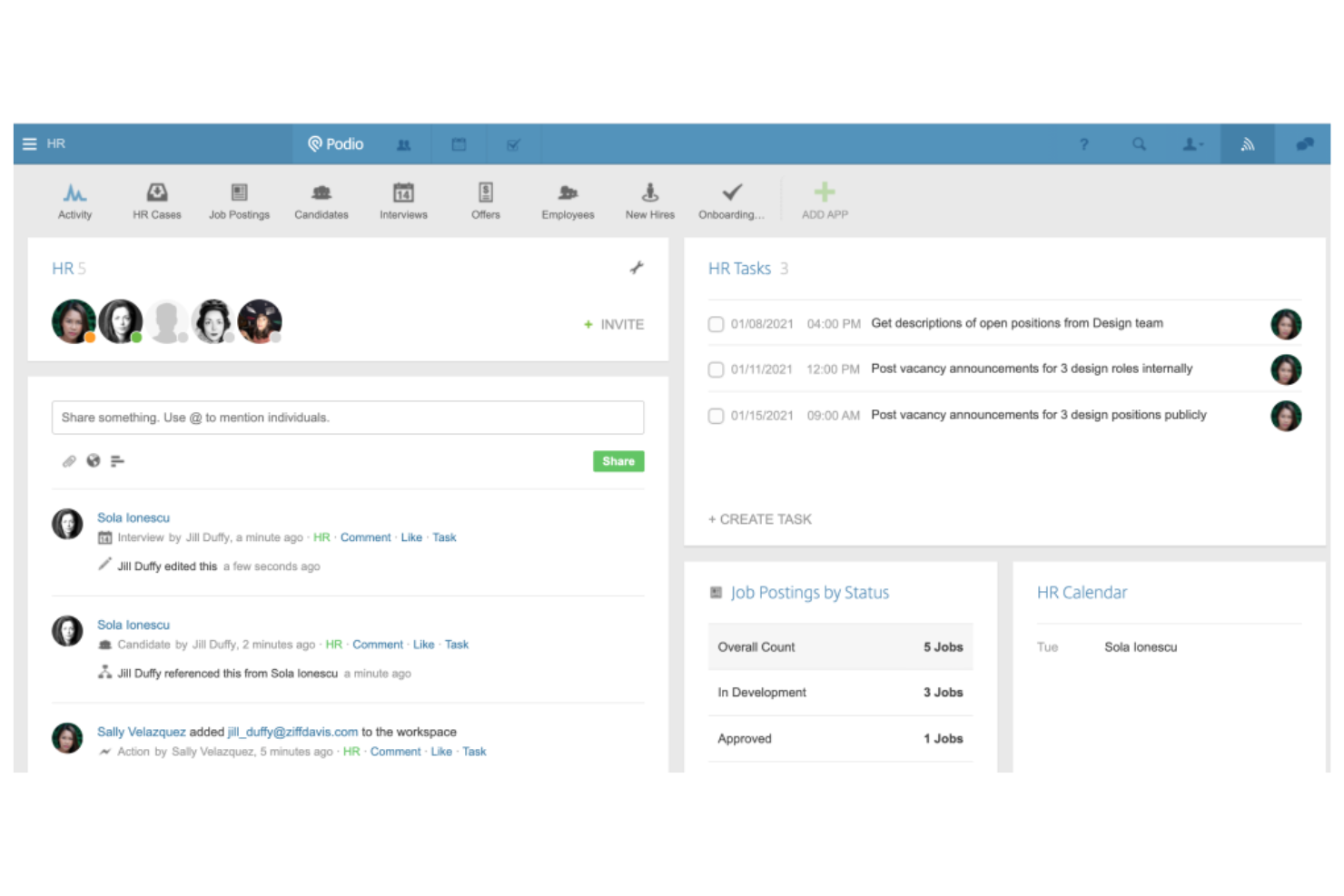
Podio is designed for teams that need to build custom apps and manage projects collaboratively. It’s a strong fit for organizations that want to centralize workflows, discussions, and data in one place without heavy coding. Podio stands out from Caspio by letting users create, modify, and automate team-based apps with flexible permission controls and integrated communication tools.
Why Podio Is a Good Caspio Alternative
For teams that want to build and manage collaborative apps, Podio offers a different approach than Caspio. I picked Podio because it lets users create custom apps with drag-and-drop modules and assign granular permissions for team members. Built-in chat and comment threads keep project communication tied directly to tasks and records. If your team values real-time collaboration and flexible app design, Podio is a strong fit.
Podio Key Features
Some other features in Podio may be useful if you’re comparing Caspio alternatives:
- Workflow Automation: Automate repetitive tasks and approvals using Podio’s built-in workflow tools.
- Customizable App Templates: Start projects quickly with a library of prebuilt app templates for different business needs.
- File Sharing and Storage: Attach, store, and manage files directly within tasks and projects.
- Calendar Integration: Sync project deadlines and events with external calendars for better scheduling.
Podio Integrations
Integrations include ShareFile, Dropbox, Google Drive, Evernote, and Zendesk.
Pros and Cons
Pros:
- Good external web forms
- Very user-friendly UI
- Built-in workflow logic
Cons:
- Clunky mobile application
- Slower than true databases

MySQL is an open-source relational database trusted by teams handling large-scale, high-volume transactional data. It’s a strong fit for tech-driven businesses and product teams that need reliable data consistency and fast query performance. If you’re looking for a Caspio alternative that supports complex data operations and integrates with a wide range of applications, MySQL stands out for its scalability and flexibility.
Why MySQL Is a Good Caspio Alternative
For teams that need to manage high-volume transactional data, MySQL offers capabilities that go beyond what Caspio provides. I picked MySQL because it handles complex queries and large datasets with strong ACID compliance, which is essential for data integrity in demanding environments. Its support for replication and clustering lets you maintain high availability and performance as your data grows. These features make MySQL a reliable choice for businesses that can’t compromise on speed or consistency.
MySQL Key Features
Some other features in MySQL may be useful if you’re comparing Caspio alternatives:
- Stored Procedures: Automate complex business logic directly within the database using reusable SQL code blocks.
- Full-Text Search: Enable advanced search capabilities across large text fields for more flexible data retrieval.
- User Management and Access Control: Set granular permissions for users and roles to control who can view or modify specific data.
- Partitioning: Organize large tables into smaller, more manageable pieces to improve query performance and maintenance.
MySQL Integrations
Integrations include Apache, PHP, Tableau, Datadog, and AWS.
Pros and Cons
Pros:
- Highly flexible schemas
- Extremely fast queries
- Huge developer community
Cons:
- Needs strict SQL knowledge
- Requires manual hosting

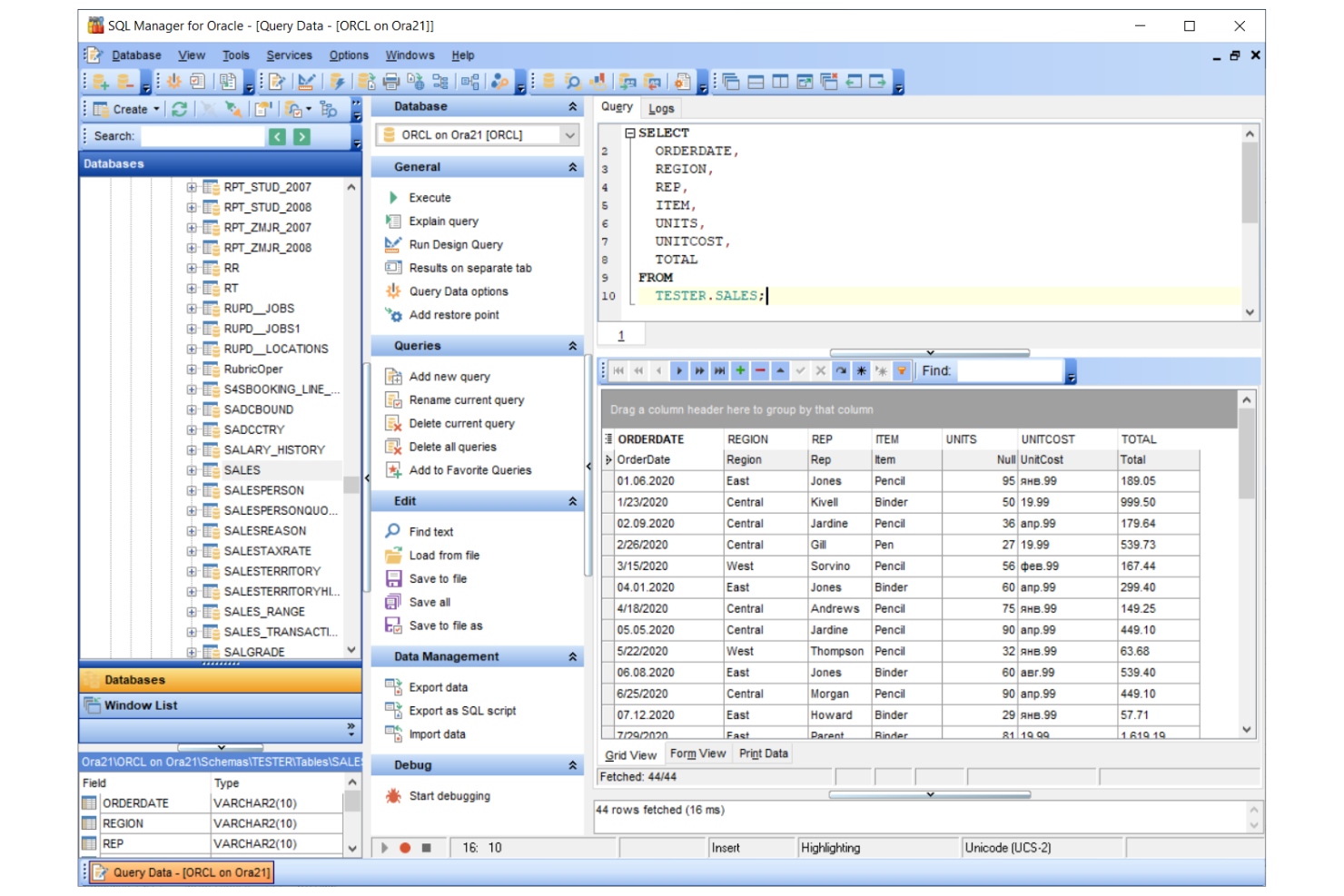
For organizations that need to handle massive data volumes and complex workloads, Oracle Database offers enterprise-grade scalability and reliability. This platform is a strong fit for large enterprises, financial institutions, and IT teams managing mission-critical applications. Unlike Caspio, Oracle Database supports advanced clustering, high availability, and multi-layered security for demanding environments.
Why Oracle Database Is a Good Caspio Alternative
If your team needs a solution that can scale to support thousands of users and massive datasets, Oracle Database is built for that level of demand. I picked Oracle Database because it offers advanced clustering and real application clustering (RAC) for high availability and load balancing. You can also take advantage of its multi-layered security controls and automated backup features to protect sensitive data. For organizations where uptime, scalability, and data integrity are non-negotiable, Oracle Database delivers capabilities that go far beyond what Caspio provides.
Oracle Database Key Features
Some other Oracle Database features may be useful if you’re comparing Caspio alternatives:
- PL/SQL Support: Build and run complex stored procedures and triggers directly within the database.
- Advanced Data Encryption: Protect data at rest and in transit with built-in encryption options.
- Automatic Storage Management: Manage disk groups and optimize storage allocation without manual intervention.
- Data Guard: Set up disaster recovery and data replication across geographically distributed sites.
Oracle Database Integrations
Integrations include Oracle Cloud Infrastructure, Microsoft Azure, Amazon Web Services, SAP, Salesforce, IBM Cloud, Google Cloud Platform, Tableau, Informatica, and MicroStrategy.
Pros and Cons
Pros:
- Powerful PL/SQL language
- High availability setups
- Advanced analytic tools
Cons:
- Overkill for SMB needs
- Requires dedicated admins

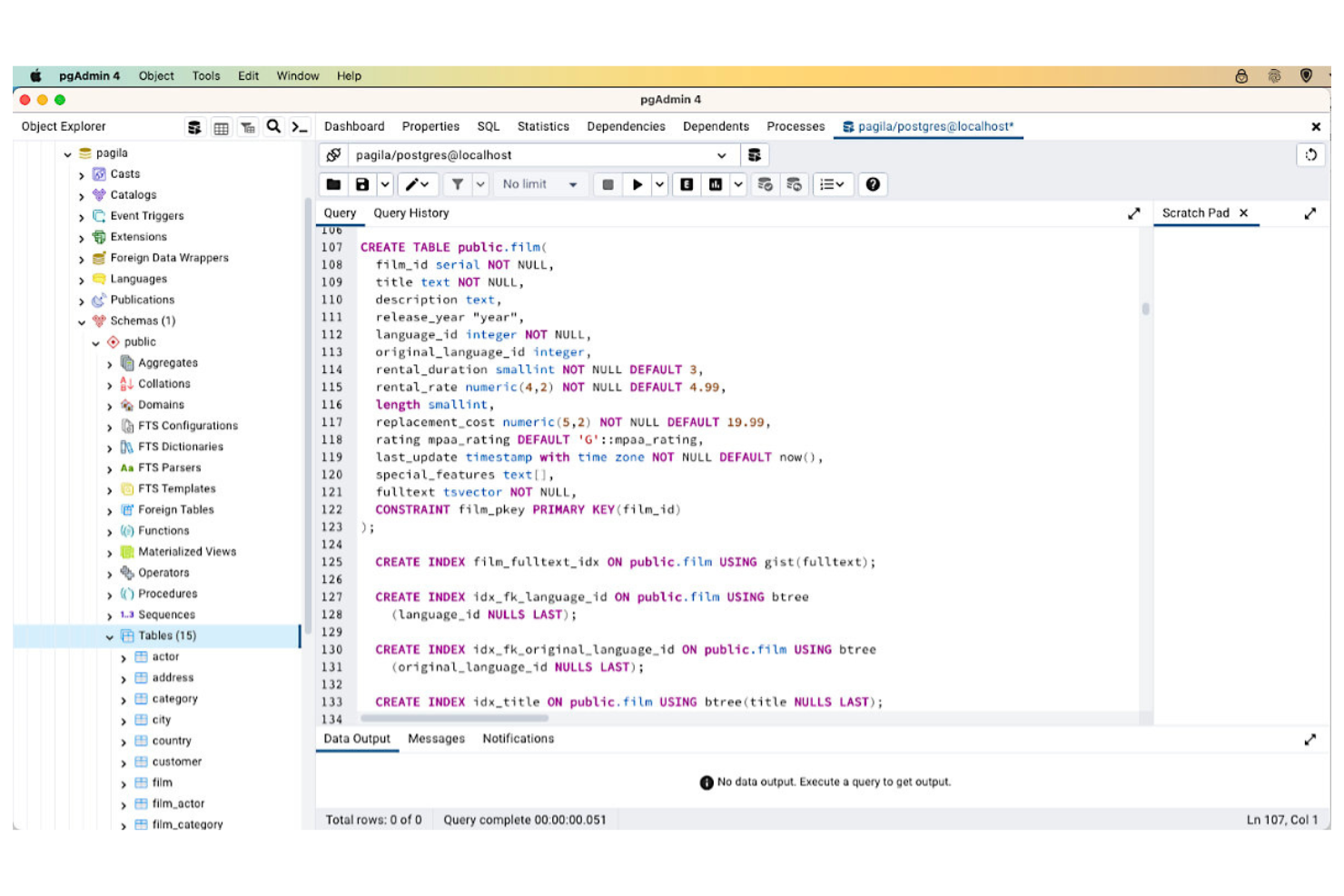
If you need a database platform with strict data integrity and advanced controls, PostgreSQL is worth considering. This open-source relational database appeals to teams handling complex data structures, regulatory requirements, or mission-critical applications. Unlike Caspio, PostgreSQL gives you full control over schema design, validation rules, and transactional consistency.
Why PostgreSQL Is a Good Caspio Alternative
For teams that need advanced data integrity, PostgreSQL offers features that go far beyond what you’ll find in most low-code platforms. I picked PostgreSQL because it supports multi-version concurrency control (MVCC), granular transaction isolation, and robust data validation through constraints and triggers. These features help you enforce strict business rules and maintain consistent, reliable data even in high-volume or regulated environments. If your projects demand precise control over data quality and transactional behavior, PostgreSQL is a strong alternative to Caspio.
PostgreSQL Key Features
Some other PostgreSQL features may be useful if you’re comparing Caspio alternatives:
- Extensible Data Types: Create custom data types to match your application’s unique requirements.
- Full-Text Search: Run advanced text search queries directly within the database.
- JSON and XML Support: Store and query semi-structured data using native JSON and XML capabilities.
- Point-in-Time Recovery: Restore your database to any specific moment using built-in backup and recovery tools.
PostgreSQL Integrations
Integrations include pgAdmin, Tableau, Apache Kafka, Datadog, and AWS.
Pros and Cons
Pros:
- Incredible scalability
- Completely free to use
Cons:
- Lacks instant web portals
- Heavy database expertise
- Enterprise-grade security
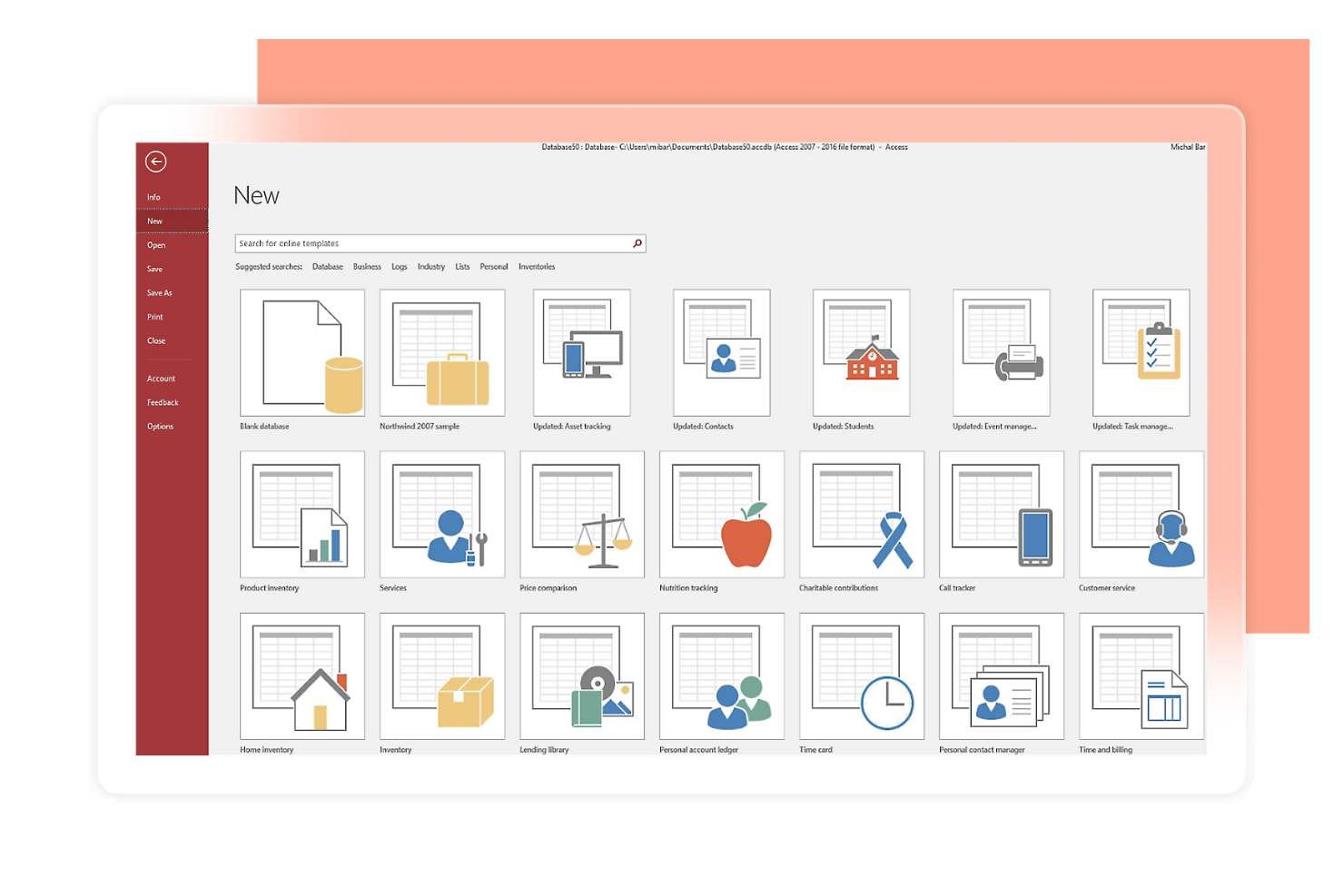
If you need to build desktop databases quickly without heavy coding, Microsoft Access is worth a look. It’s designed for professionals and small businesses that want to create custom data solutions on Windows with minimal setup. Unlike Caspio, Access lets you design forms, queries, and reports directly on your desktop for rapid prototyping and deployment.
Why Microsoft Access Is a Good Caspio Alternative
When you need to create desktop databases fast, Microsoft Access offers a unique advantage over Caspio. I picked Access because it lets you design tables, forms, and reports visually, so you can build and iterate on data-driven applications without waiting on IT. Its built-in query designer and report builder help you quickly turn raw data into actionable insights. For teams that want to prototype or deploy desktop solutions rapidly, Access delivers a focused set of tools for the job.
Microsoft Access Key Features
Some other features in Microsoft Access may be helpful if you’re considering Caspio alternatives:
- VBA Scripting: Automate tasks and customize workflows using Visual Basic for Applications directly within your database.
- Data Import and Export Tools: Move data in and out of Access using built-in connectors for Excel, SharePoint, and other sources.
- Template Library: Start projects quickly with a range of pre-built database templates for common business needs.
- Multi-User Support: Allow multiple users to work on the same database file over a shared network.
Microsoft Access Integrations
Integrations include Microsoft Excel, SharePoint, SQL Server, Outlook, and Dataverse.
Pros and Cons
Pros:
- Easy drag-and-drop forms
- Visual query builder
Cons:
- Lacks native cloud sync
- Windows OS dependency
- No cloud subscription fee


Developers and data professionals who need advanced SQL coding support may find DataGrip a strong fit. This tool stands out from Caspio by offering intelligent code completion, on-the-fly analysis, and refactoring tools for complex SQL queries. DataGrip is especially useful for teams managing multiple database systems and looking for deep code insight rather than low-code app building.
Why DataGrip Is a Good Caspio Alternative
For teams that need more than low-code database apps, DataGrip offers intelligent SQL code assistance that Caspio doesn’t provide. I picked DataGrip because it delivers context-aware code completion, real-time error detection, and advanced refactoring tools for SQL development. You can write, analyze, and optimize complex queries across multiple database platforms from a single interface. If your work depends on writing and maintaining high-quality SQL, DataGrip brings a level of code intelligence and productivity that low-code platforms like Caspio can’t match.
DataGrip Key Features
Some other DataGrip features may be helpful if you’re comparing Caspio alternatives:
- Database Diagramming: Visualize database structures and relationships with interactive diagrams.
- Version Control Integration: Connect to Git, Mercurial, and other version control systems directly from the interface.
- Customizable Code Templates: Create and use reusable SQL code snippets for faster query writing.
- Data Editor with Filtering: Edit table data directly and apply advanced filters to view specific records.
DataGrip Integrations
Integrations include MySQL, PostgreSQL, Oracle, SQL Server, and MongoDB.
Pros and Cons
Pros:
- Clean dark mode interface
- Refactors code safely
- Great version control sync
Cons:
- Paid JetBrains license
- Does not host your data

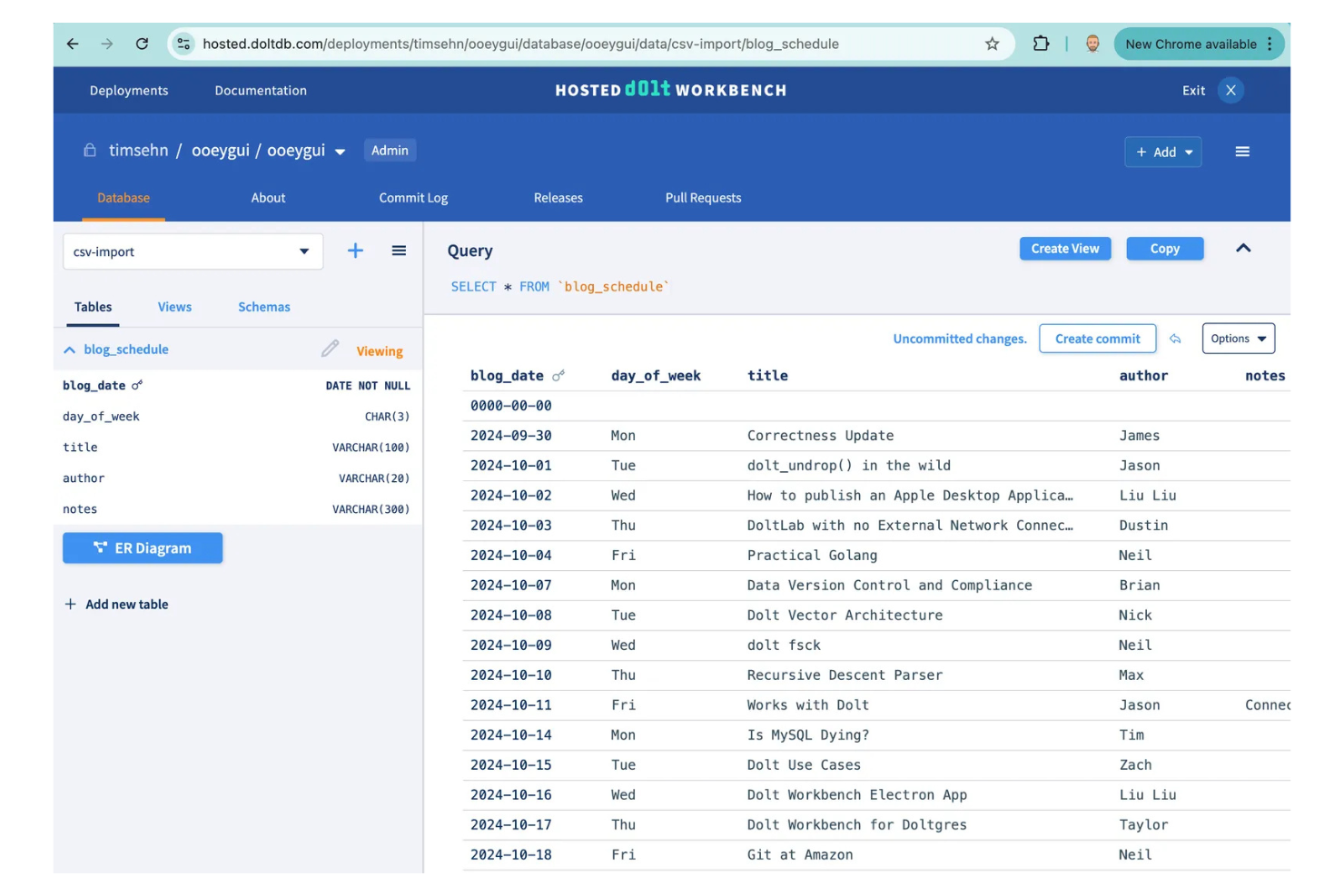
If your team needs Git-style version control for databases, Dolt offers a unique approach that Caspio doesn’t. This tool is designed for data engineers, analytics teams, and developers who want to branch, merge, and collaborate on live databases just like they do with code. Dolt is especially useful for organizations that require detailed audit trails, collaborative schema changes, and robust data governance beyond what low-code platforms provide.
Why Dolt Is a Good Caspio Alternative
Unlike most low-code platforms, Dolt brings version-controlled database collaboration to teams that need more than just app building. I picked Dolt because it lets you branch, merge, and track changes in your database with the same workflows developers use for code. You can review and audit every change, roll back to previous states, and manage schema updates collaboratively. For teams that prioritize data governance and want full transparency over database changes, Dolt offers a level of control that Caspio doesn’t address.
Dolt Key Features
Some other Dolt features may be useful if you’re comparing Caspio alternatives:
- SQL Database Engine: Run standard SQL queries and manage data using familiar syntax.
- Data Import and Export Tools: Move data in and out of Dolt using CSV, SQL, and other common formats.
- Web-Based Data Browser: View, edit, and explore tables and schema changes through a browser interface.
- Access Control Management: Set granular permissions for users and teams working on shared databases.
Dolt Integrations
Integrations include Django, SQLAlchemy, Apache Superset, Metabase, Looker Studio, Google Sheets, Excel, Datadog, Debezium, and Retool.
Pros and Cons
Pros:
- Easy rollback features
- Great for team data sync
- MySQL compatible queries
Cons:
- Niche use case focus
- Requires Git knowledge


Database teams looking for advanced migration and automation capabilities may want to consider Quest. This platform is designed for IT professionals and database administrators who need to move, manage, and automate data across complex environments. Unlike Caspio, Quest specializes in large-scale database migrations, cross-platform automation, and performance monitoring for enterprise systems.
Why Quest Is a Good Caspio Alternative
If you need a solution focused on database migration and automation, Quest offers capabilities that Caspio doesn’t address. I picked Quest because it provides tools for automating complex data migrations, managing schema changes, and synchronizing databases across multiple platforms. You can schedule and monitor migrations, automate repetitive database tasks, and ensure data integrity throughout the process. For organizations with large or distributed data environments, Quest brings specialized automation and migration features that go beyond what low-code platforms like Caspio provide.
Quest Key Features
Some other Quest features may be useful if you’re comparing Caspio alternatives:
- Performance Monitoring Dashboard: Track database health and performance metrics in real time.
- Data Masking Tools: Protect sensitive information by masking data during migrations and testing.
- Change Tracking and Auditing: Monitor and log all changes made to database structures and data.
- Cross-Platform Compatibility: Work with multiple database systems, including Oracle, SQL Server, MySQL, and PostgreSQL.
Quest Integrations
Integrations include Microsoft, Google Cloud, Snowflake, and Databricks.
Pros and Cons
Pros:
- High enterprise trust
- Automates routine tasks
- Deep diagnostic reports
Cons:
- Not for citizen devs
- No low-code web forms
Other Caspio Alternatives
Here are some additional Caspio alternatives options that didn’t make it onto my shortlist, but are still worth checking out:


Caspio Alternatives Selection Criteria
When selecting the best Caspio alternatives to include in this list, I considered common buyer needs and pain points related to Caspio alternatives products, like wanting more advanced data versioning and needing collaborative database editing. I also used the following framework to keep my evaluation structured and fair:
Core Functionality (25% of total score)
To be considered for inclusion in this list, each solution had to fulfill these common use cases:
- Build custom database applications
- Create and manage data tables
- Design forms for data entry
- Set user roles and permissions
- Automate workflows and processes
Additional Standout Features (25% of total score)
To help further narrow down the competition, I also looked for unique features, such as:
- Version control for database changes
- Branching and merging of data sets
- Visual schema editing tools
- Built-in audit trails for data changes
- Real-time collaboration on data
Usability (10% of total score)
To get a sense of the usability of each system, I considered the following:
- Clean and intuitive user interface
- Logical navigation and menu structure
- Minimal clicks to complete common tasks
- Responsive design for different devices
- Clear error messages and guidance
Onboarding (10% of total score)
To evaluate the onboarding experience for each platform, I considered the following:
- Availability of step-by-step tutorials
- Access to prebuilt templates and sample apps
- Interactive product tours for new users
- In-app chatbots or help widgets
- Live or recorded onboarding webinars
Customer Support (10% of total score)
To assess each software provider’s customer support services, I considered the following:
- Multiple support channels like chat and email
- Fast response times to inquiries
- Access to a searchable knowledge base
- Community forums for peer support
- Availability of dedicated account managers
Value For Money (10% of total score)
To evaluate the value for money of each platform, I considered the following:
- Transparent and flexible pricing plans
- Features included in lower-tier plans
- Free trial or free plan availability
- No hidden fees or surprise charges
- Discounts for annual billing or nonprofits
Customer Reviews (10% of total score)
To get a sense of overall customer satisfaction, I considered the following when reading customer reviews:
- Positive feedback on reliability and uptime
- Reports of helpful and knowledgeable support
- Comments on ease of setup and use
- User satisfaction with feature set
- Feedback on integration capabilities
Why Look for a Caspio Alternative?
While Caspio is a good choice of Caspio alternatives, there are a number of reasons why some users seek out alternative solutions. You might be looking for a Caspio alternative because…
- You need advanced version control for databases
- You want more flexible data collaboration features
- You require open source or self-hosted deployment
- You need deeper audit trails for compliance
- You want more control over schema changes
- You require integrations with developer-focused tools
If any of these sound like you, you’ve come to the right place. My list contains several Caspio alternatives options that are better suited for teams facing these challenges with Caspio and looking for alternative solutions.
Caspio Key Features
Here are some of the key features of Caspio, to help you contrast and compare what alternative solutions offer:
- Visual app builder for creating custom applications
- Drag-and-drop form and report design tools
- Built-in user authentication and access controls
- Automated workflow and task management
- Cloud-based hosting with global data centers
- Integration with popular services like Salesforce and Zapier
- Role-based permissions for granular data access
- Scheduled data import and export capabilities
- Responsive design for mobile and desktop devices
- Audit logs for tracking user activity