

10 Best Agency Rank Tracking Software Reviewed in 2026

Best Agency Rank Tracking Software Shortlist


Managing digital projects can be tough, especially when tracking your marketing agency's search ranking changes and keyword positions in an ever-changing algorithm landscape. As a project manager, you face the constant challenge of keeping your team informed and clients satisfied. That's where agency SEO rank tracking software comes in handy.
These rank tracker tools help you monitor search rankings efficiently, saving your team time and effort. In my experience, having the right agency rank tracker software can make a big difference in maintaining client trust, demonstrating share of voice, and achieving strong SEO results.
In this article, I'll share my unbiased review of the top agency rank tracking software available. You'll get insights into their features and benefits, including ranking reports, branded reports, and notifications, to help you choose the best fit for your team's needs.
Why Trust Our Software Recommendations
Our team has been testing and reviewing software since 2012. As project managers ourselves, we know how difficult—and important—it is to choose the right software.
For this guide, we evaluated tools using hands-on testing and independent research, scoring tools using our selection criteria. We also draw on insights from industry thought leaders and practicing project management experts.
Our reviews reflect our human editorial judgment, not a sales pitch.
Expert reviewers:
Agency Rank Tracking Software Comparison Table
Use this comparison table to review pricing details for my top agency rank tracking software selections.
| Tool | Best For | Trial Info | Price | ||
|---|---|---|---|---|---|
| 1 | Best for speed and accuracy | 14-day free trial available | From $116/month (billed annually) | Website | |
| 2 | Best for budget-friendly plans | 14-day free trial + free demo available | From $103.20/month (billed annually) | Website | |
| 3 | Best for ease of use | Free plan available | From $37.70/month (billed annually) | Website | |
| 4 | Best for small businesses | 14-day free trial available | From $29/month | Website | |
| 5 | Best for backlink analysis | Free plan available | From $29/month | Website | |
| 6 | Best for client reporting | 14-day free trial | From $20/month (billed annually) | Website | |
| 7 | Best for SEO professionals | 14-day free trial | From $139/month | Website | |
| 8 | Best for large agencies | 7-day free trial available | From $125/month (billed annually) | Website | |
| 9 | Best for visual data insights | 14-day free trial available | From $32/month (billed annually) | Website | |
| 10 | Best for custom dashboards | 14-day free trial + free demo available | From $49/month (billed annually) | Website |
Best Agency Rank Tracking Software Reviews
Below are my summaries of the best agency rank tracking software that made it onto my shortlist. My reviews offer a detailed look at the key features, pros and cons, integrations, and ideal use cases of each tool to help you find the best one for you.
Best for speed and accuracy
My Evaluation Score
- Local & Geo Tracking
- 5/5
- Keyword Rank Tracking
- 5/5
- White-Label Reporting
- 3/5
- Multi-Client Management
- 3/5
- Competitor Rank Monitoring
- 5/5
- Scheduled Automation & API
- 4/5
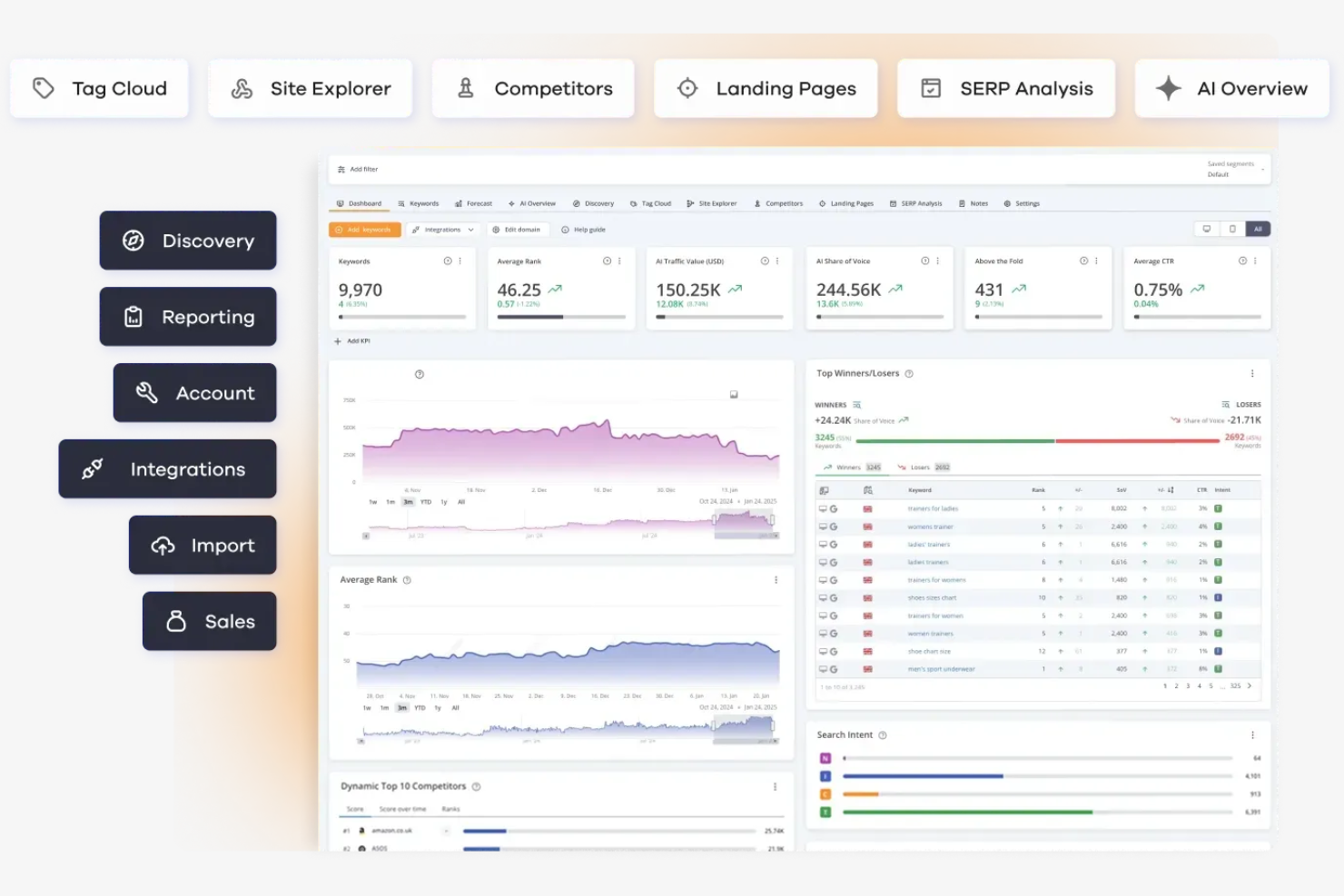
AccuRanker is a rank tracking tool designed for SEO professionals and digital marketers who need fast, accurate data. It provides precise search engine ranking information to help optimize your SEO strategies.
Why I picked AccuRanker: It delivers fast, accurate rank tracking for quick decision-making. You can track rankings across multiple search engines to provide you with in-depth insights into your performance. Detailed analytics and reporting features allow you to share information with clients or stakeholders.
Standout Features and Integrations:
Features include instant on-demand updates, detailed analytics, and reporting capabilities. Unlimited domain tracking is ideal for agencies with multiple clients, while competitor analysis helps you stay ahead in your market.
Integrations include Google Analytics, Google Search Console, Google Looker Studio, Adobe Analytics, Databox, and more. It delivers fast, accurate rank tracking for quick decision-making. You can track rankings across multiple search engines to provide you with in-depth insights into your performance. Detailed analytics and reporting features allow you to share information with clients or stakeholders.
Standout Features and Integrations:
Features include instant on-demand updates, detailed analytics, and reporting capabilities. Unlimited domain tracking is ideal for agencies with multiple clients, while competitor analysis helps you stay ahead in your market.
Integrations include Google Analytics, Google Search Console, Google Looker Studio, Adobe Analytics, Databox, and more.
Pros and Cons
Pros:
- Competitor analysis available
- Unlimited domain tracking
- Fast data updates
Cons:
- Limited non-rank tracking tools
- Higher cost for small teams

Best for budget-friendly plans
My Evaluation Score
- Local & Geo Tracking
- 5/5
- Keyword Rank Tracking
- 5/5
- White-Label Reporting
- 4/5
- Multi-Client Management
- 4/5
- Competitor Rank Monitoring
- 5/5
- Scheduled Automation & API
- 4/5
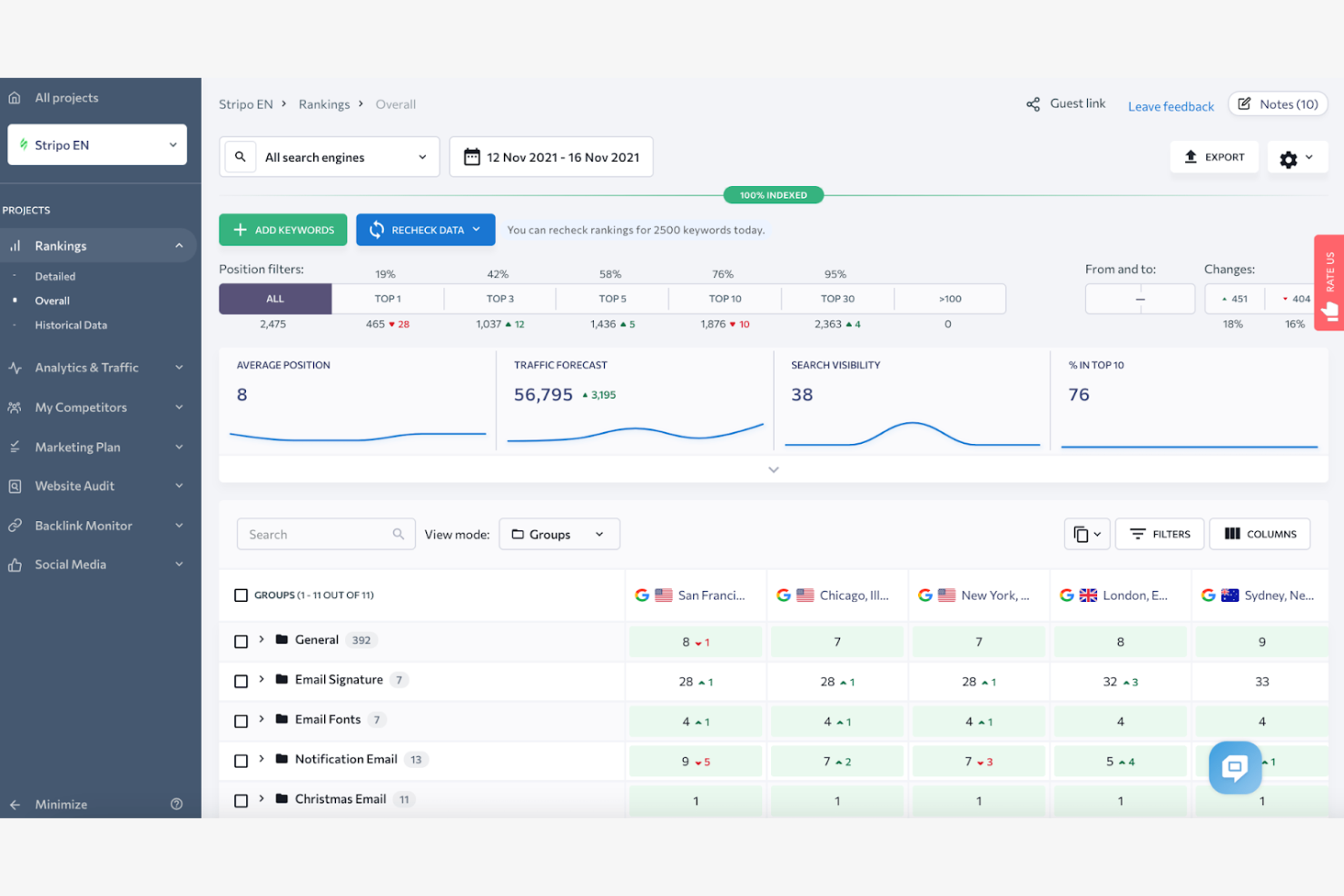
SE Ranking is an in-depth SEO software tool designed for small to medium-sized businesses and digital marketers. It provides essential functions such as rank tracking, keyword research, and website audits to improve your online presence.
Why I picked SE Ranking: It offers budget-friendly plans that make it accessible for smaller teams and startups. Rank tracking provides accurate data across multiple search engines, while the keyword research tool identifies new opportunities for growth. The website audit tool highlights critical issues to help your team maintain optimal site health.
Standout Features and Integrations:
Features include a marketing plan that guides your SEO strategy, competitor analysis to understand your market position, and a social media management tool to boost your online presence. Detailed reporting features keep your team informed, while the lead generation tool helps you attract potential clients.
Integrations include Google Analytics, Google Search Console, Google Looker Studio, and more.
Pros and Cons
Pros:
- Effective lead generation tool
- Detailed competitor analysis
- Accurate rank tracking
Cons:
- Basic customization options
- Extra costs for necessary tools

Mangools
Best for ease of use
My Evaluation Score
- Local & Geo Tracking
- 3/5
- Keyword Rank Tracking
- 3/5
- White-Label Reporting
- 4/5
- Multi-Client Management
- 3/5
- Competitor Rank Monitoring
- 5/5
- Scheduled Automation & API
- 4/5
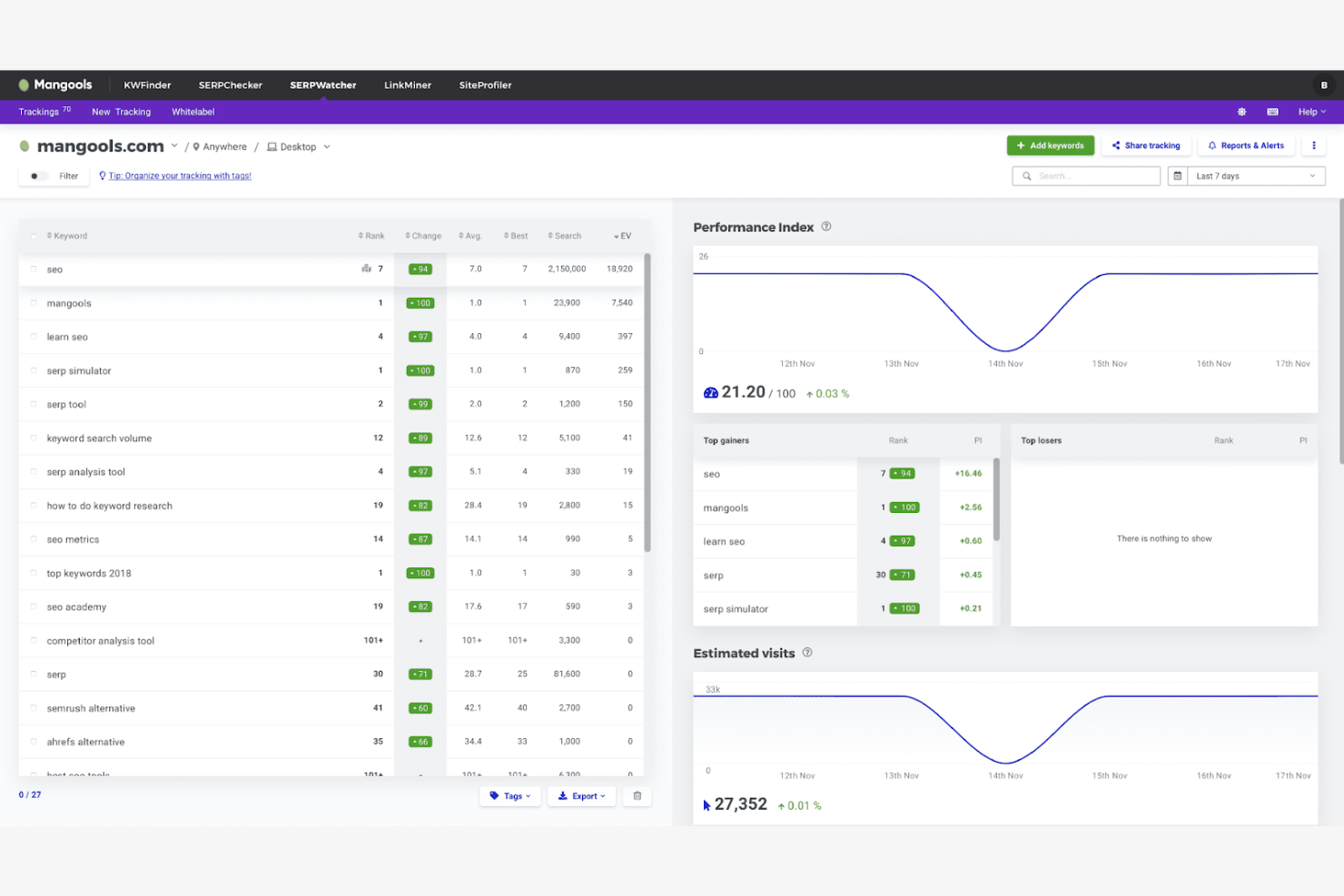
Mangools is an SEO tool suite designed for marketers and small businesses. It focuses on simplifying SEO tasks such as keyword research, rank tracking, and backlink analysis.
Why I picked Mangools: Its user-friendly interface makes it accessible to those who may not be SEO experts, allowing you to navigate the different tools effectively. You can conduct keyword research with KWFinder and gain insight into your search performance.
Standout Features and Integrations:
Features include keyword research, backlink analysis, and SERP analysis. You can also use the site profiler to get a detailed overview of any website. The tool provides rank tracking with daily updates to improve and maintain your SEO strategies.
Integrations include Google Analytics, Google Looker Studio, Google Search Console, Slack, and more.
Pros and Cons
Pros:
- Effective SERP analysis
- Daily rank tracking updates
- Refined keyword research
Cons:
- Not ideal for large agencies
- Slow data refreshes
Best for small businesses
My Evaluation Score
- Local & Geo Tracking
- 5/5
- Keyword Rank Tracking
- 4/5
- White-Label Reporting
- 4/5
- Multi-Client Management
- 2/5
- Competitor Rank Monitoring
- 3/5
- Scheduled Automation & API
- 4/5
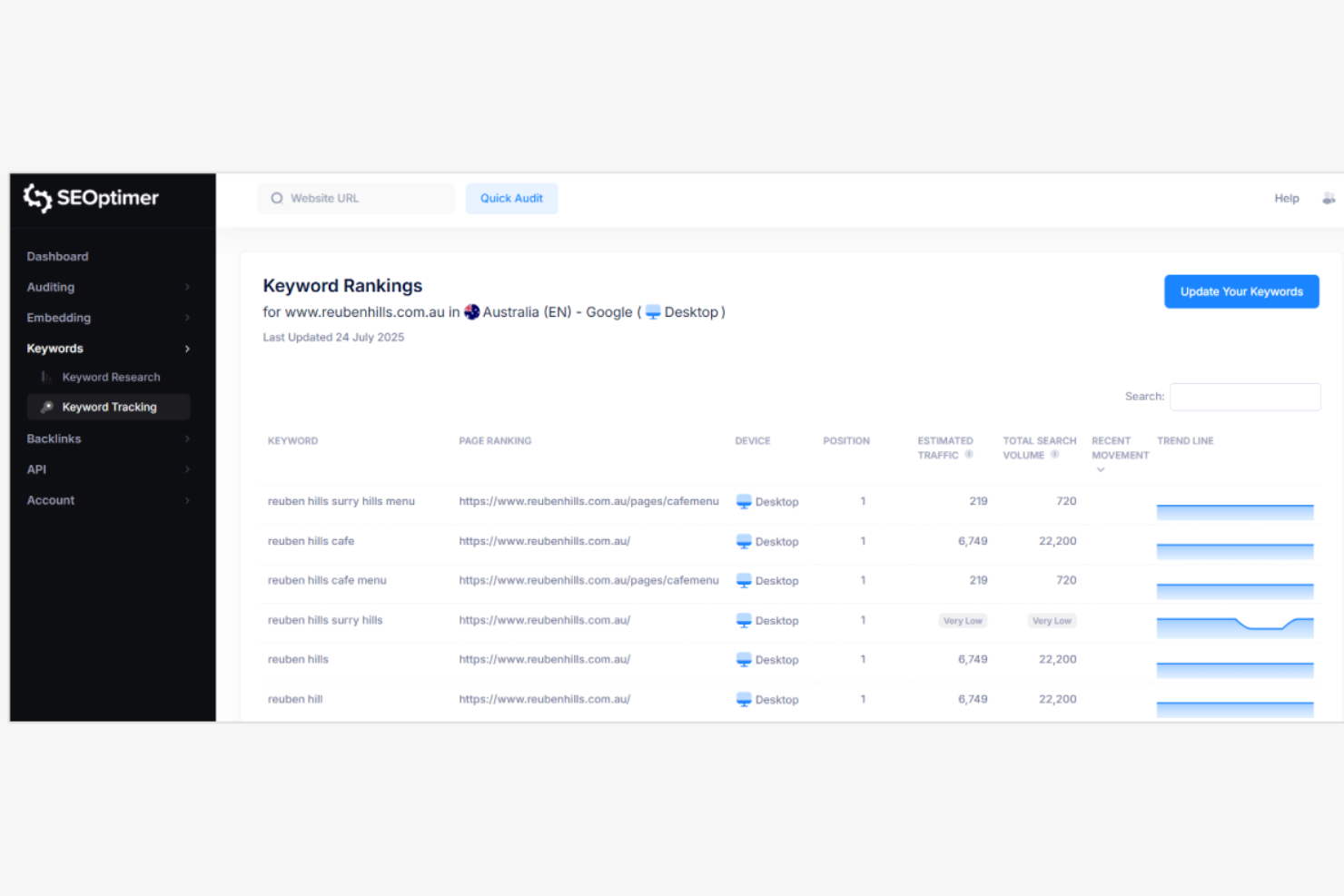
SEOptimer is a website audit and optimization tool tailored for small businesses and digital marketers. It helps users improve website performance and search engine rankings.
Why I picked SEOptimer: It offers a user-friendly interface that small businesses can navigate without technical expertise. The tool provides clear, actionable insights for website improvements, making it accessible for teams with limited SEO knowledge. The built-in audit tool highlights key areas for improvement, helping your team address issues quickly.
Standout Features and Integrations:
Features include a built-in audit tool, white-label reports, and actionable SEO insights. The tool provides an on-page optimization checker to guide your content strategy. It also offers keyword rank tracking to monitor search performance.
Integrations include Google Analytics, Google Search Console, Shopify, Zapier, WordPress, Squarespace, Wix, and more.
Pros and Cons
Pros:
- Quick issue identification
- White-label reports available
- On-page optimization checker
Cons:
- Less suitable for large agencies
- Shallow competitor analysis

Ahrefs
Best for backlink analysis
My Evaluation Score
- Local & Geo Tracking
- 4/5
- Keyword Rank Tracking
- 3/5
- White-Label Reporting
- 1/5
- Multi-Client Management
- 4/5
- Competitor Rank Monitoring
- 4/5
- Scheduled Automation & API
- 4/5
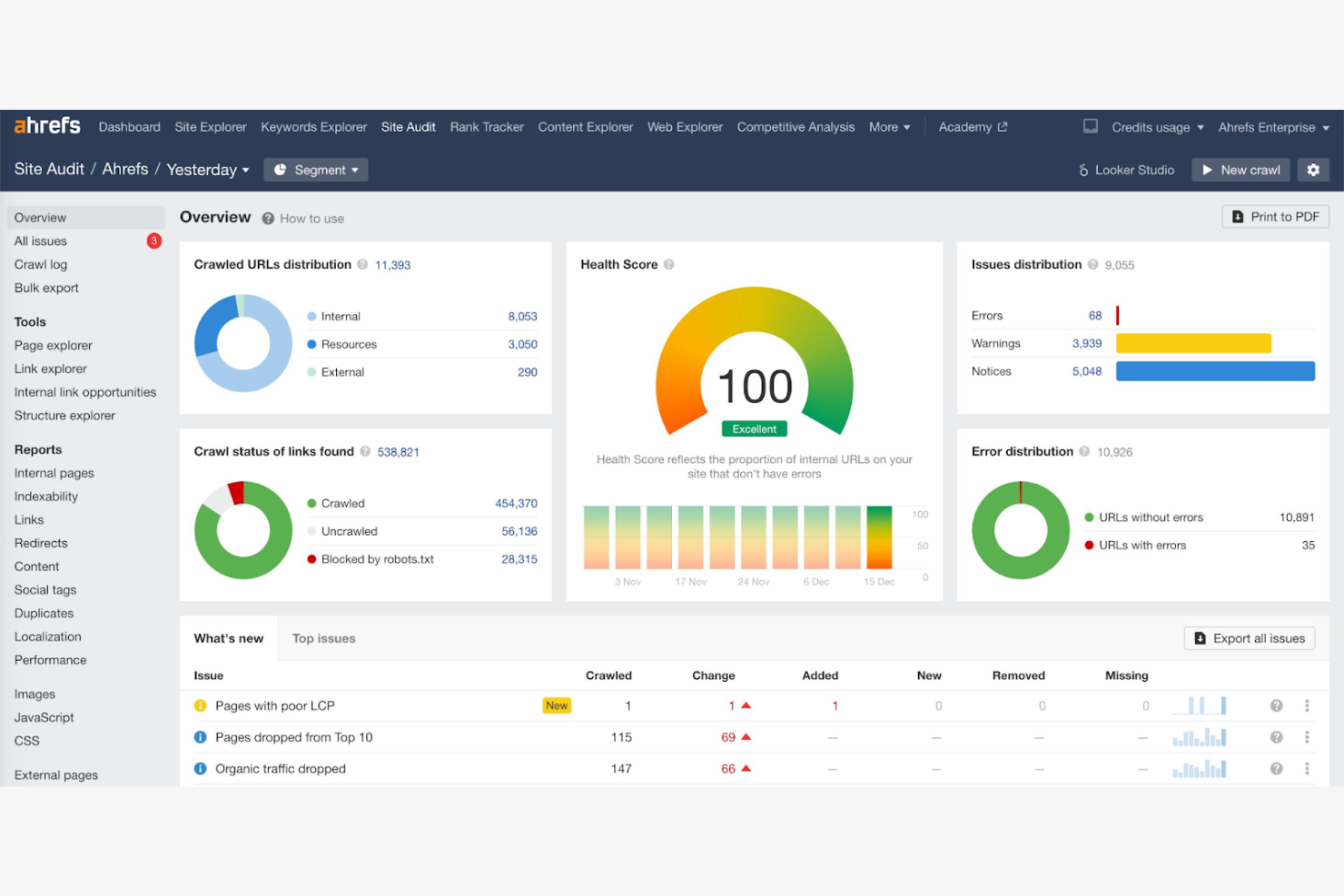
Ahrefs is an extensive SEO toolset widely used by digital marketers and SEO professionals. It provides in-depth backlink analysis, keyword research, and rank tracking to boost online visibility.
Why I picked Ahrefs: It excels in backlink analysis, helping you understand the quality and quantity of backlinks to your site. Detailed reports offer insights into competitor link-building strategies, while the rank tracker provides accurate data on your search engine positions, allowing you to monitor your SEO progress.
Standout Features and Integrations:
Features include a site explorer, a content explorer, and a keyword explorer. You can use the site audit feature to quickly find and fix technical issues. The content explorer helps identify trending information in your industry.
Integrations include Google Search Console, Google Looker Studio, and more.
Pros and Cons
Pros:
- Accurate rank tracking
- In-depth keyword research
- Detailed backlink analysis
Cons:
- Limited API access
- Very steep pricing tiers

Best for client reporting
My Evaluation Score
- Local & Geo Tracking
- 4/5
- Keyword Rank Tracking
- 3/5
- White-Label Reporting
- 4/5
- Multi-Client Management
- 5/5
- Competitor Rank Monitoring
- 3/5
- Scheduled Automation & API
- 4/5
AgencyAnalytics is a rank tracking tool designed for digital agencies and marketing teams. It helps users efficiently manage client reporting and SEO rank tracking and monitor keyword positions across search engines.
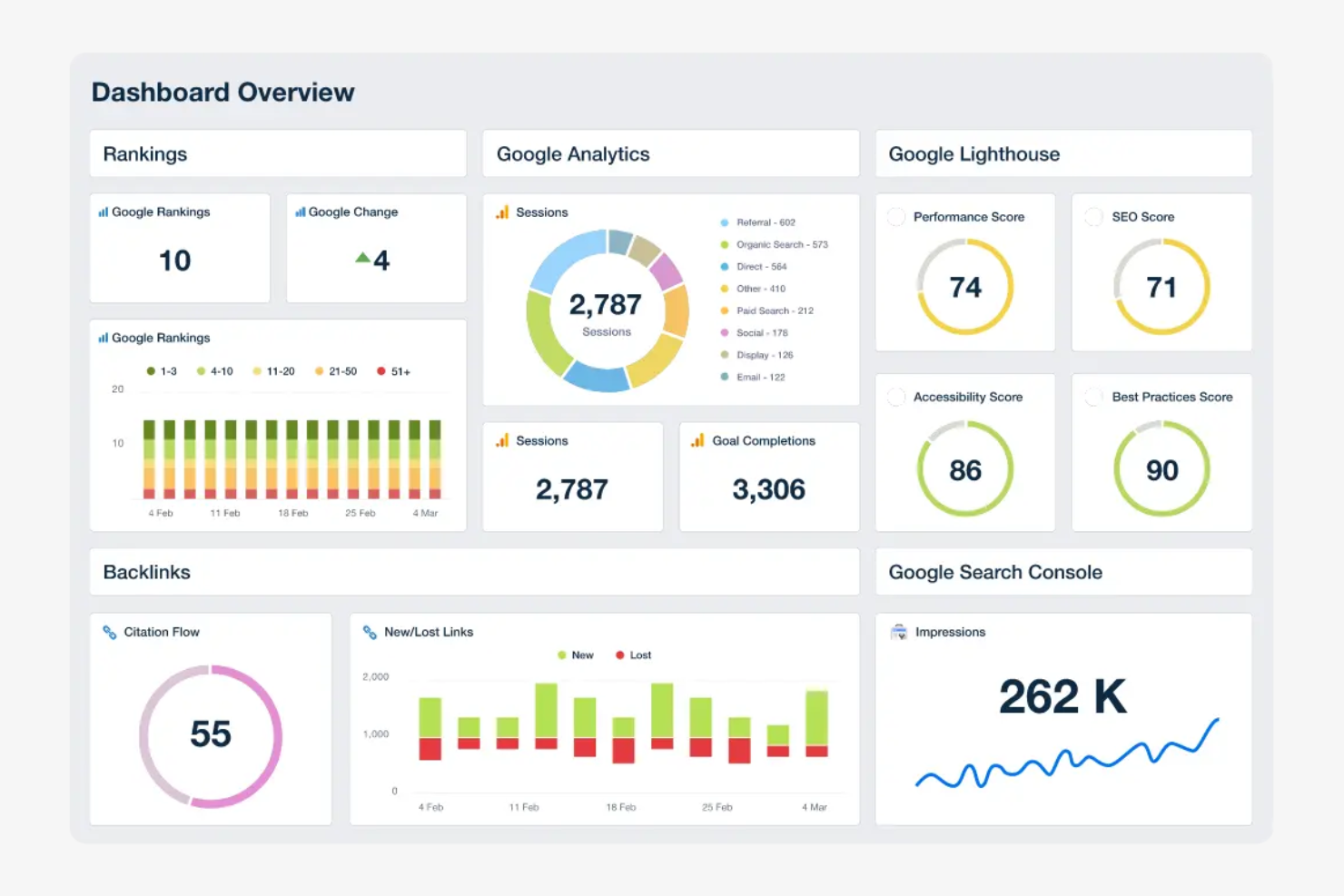
Why I picked AgencyAnalytics: It excels in client reporting, which improves transparency and communication. Users can quickly create branded reports that highlight ranking changes, search volume, and target keywords. The drag-and-drop dashboard lets you present data visually for clarity.
Standout Features and Integrations:
Features include customizable dashboards, automated reporting, and real-time data updates. You can also access keyword tracking and site auditing tools to improve your SEO strategies. The user-friendly interface simplifies navigation, allowing your team to focus on data analysis rather than software complexity.
Integrations include Google Analytics 4, Google Ads, Facebook Ads, Mailchimp, CallRail, and more.
Pros and Cons
Pros:
- Drag-and-drop dashboard
- Real-time data updates
- Customizable reporting templates
Cons:
- Occasional data syncing issues
- Limited advanced SEO features

Semrush
Best for SEO professionals
My Evaluation Score
- Local & Geo Tracking
- 5/5
- Keyword Rank Tracking
- 5/5
- White-Label Reporting
- 4/5
- Multi-Client Management
- 4/5
- Competitor Rank Monitoring
- 4/5
- Scheduled Automation & API
- 4/5
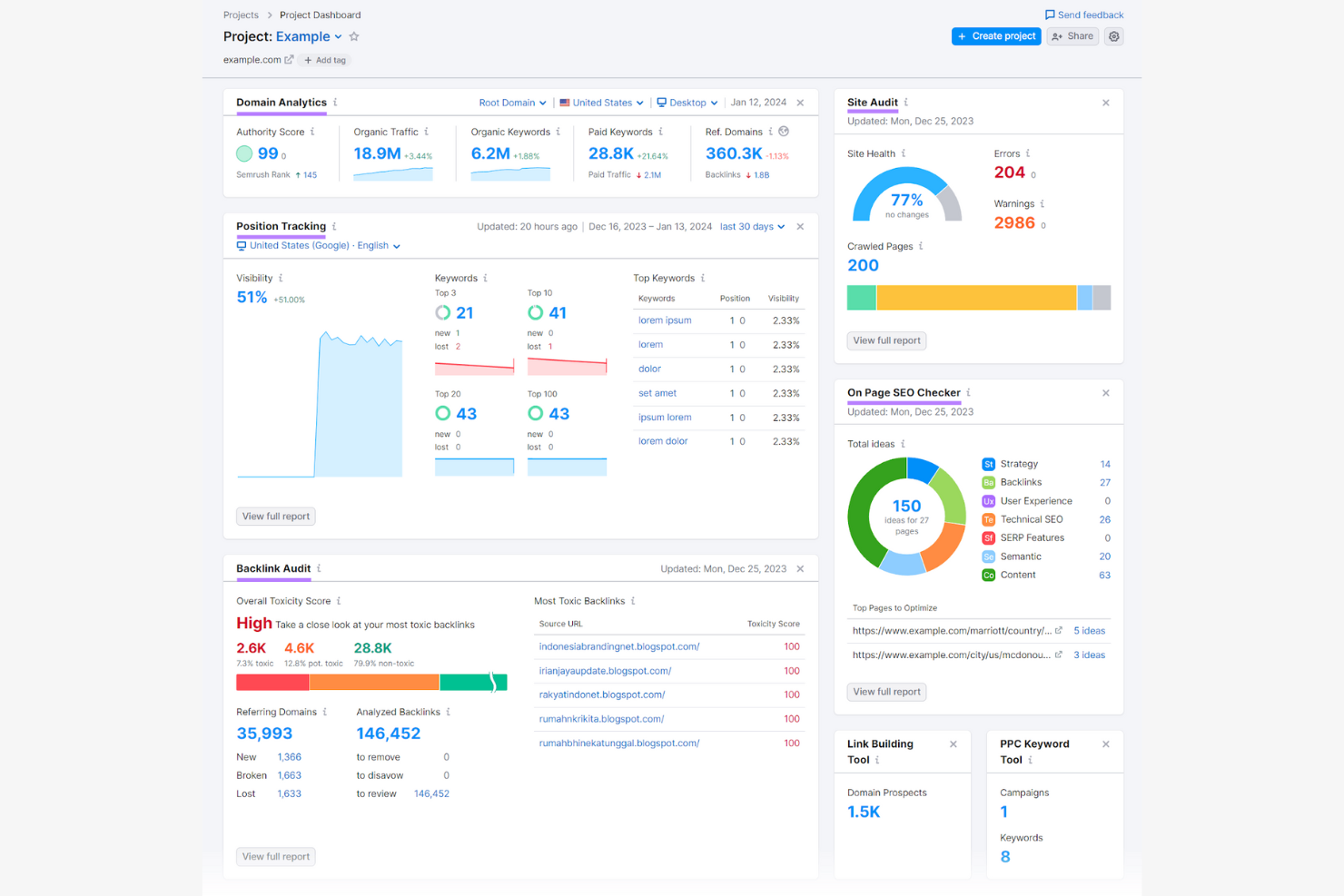
Semrush is an all-in-one digital marketing tool used by SEO professionals and agencies. Its key functions include keyword research, site audits, and rank tracking to boost online visibility.
Why I picked Semrush: It offers a wide range of SEO tools tailored to professionals who need detailed analytics. Its features help you identify new growth opportunities, detect and fix issues that may affect your site's performance, and gain insights into competitors' strategies so your team can refine its own approach.
Standout Features and Integrations:
Features include keyword research, backlink analysis, and site audits. You can also access traffic analytics to better understand your audience. The tool provides content marketing tools to optimize your strategy.
Integrations include Google Analytics, Google Search Console, Trello, HubSpot, and more.
Pros and Cons
Pros:
- Extensive keyword research
- Backlink analysis insights
- Extensive SEO tools
Cons:
- Data limits on low plans
- Expensive for small teams

Best for large agencies
My Evaluation Score
- Local & Geo Tracking
- 4/5
- Keyword Rank Tracking
- 5/5
- White-Label Reporting
- 5/5
- Multi-Client Management
- 3/5
- Competitor Rank Monitoring
- 4/5
- Scheduled Automation & API
- 4/5
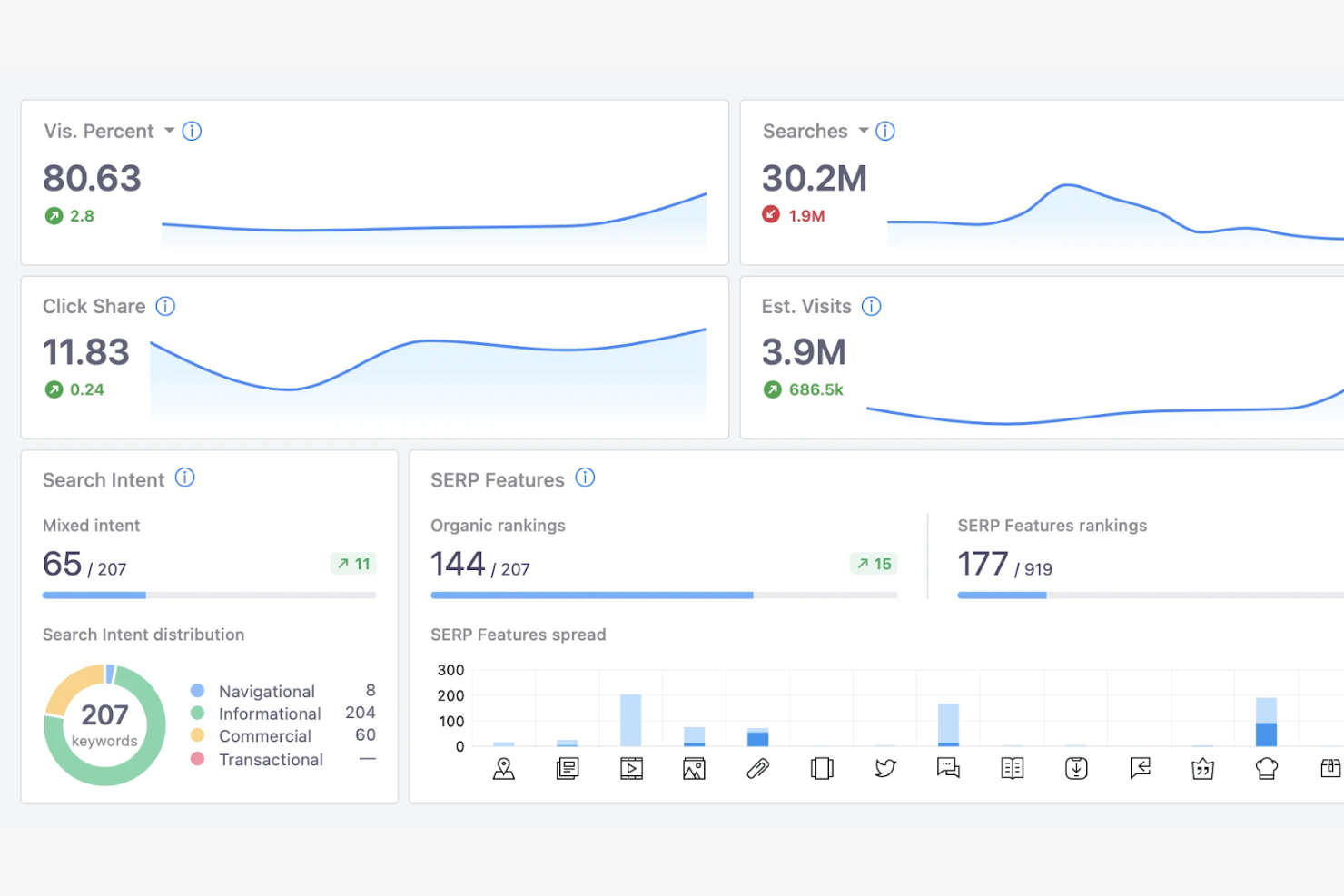
Advanced Web Ranking is a rank tracking software designed for large digital agencies and SEO specialists. It provides extensive rank tracking and reporting capabilities to manage multiple client projects.
Why I picked Advanced Web Ranking: It's specifically designed for large agencies that need detailed data management. The tool allows you to tailor reports to each client's needs, and it enables your team to monitor a wide range of search terms.
Standout Features and Integrations:
Features include customizable reporting, unlimited keyword tracking, and local and mobile ranking data, altogether ensuring that you have a complete view of your SEO efforts. The competitive analysis feature provides insight into your market position, while historical data access helps you track performance over time.
Integrations include Google Analytics, Google Search Console, Google Looker Studio, Slack, Bing Webmaster Tools, and more.
Pros and Cons
Pros:
- Provides local ranking data
- Supports unlimited keywords
- Customizable reporting options
Cons:
- Higher cost for small businesses
- Complex for beginners
Best for visual data insights
My Evaluation Score
- Local & Geo Tracking
- 4/5
- Keyword Rank Tracking
- 5/5
- White-Label Reporting
- 5/5
- Multi-Client Management
- 4/5
- Competitor Rank Monitoring
- 3/5
- Scheduled Automation & API
- 5/5
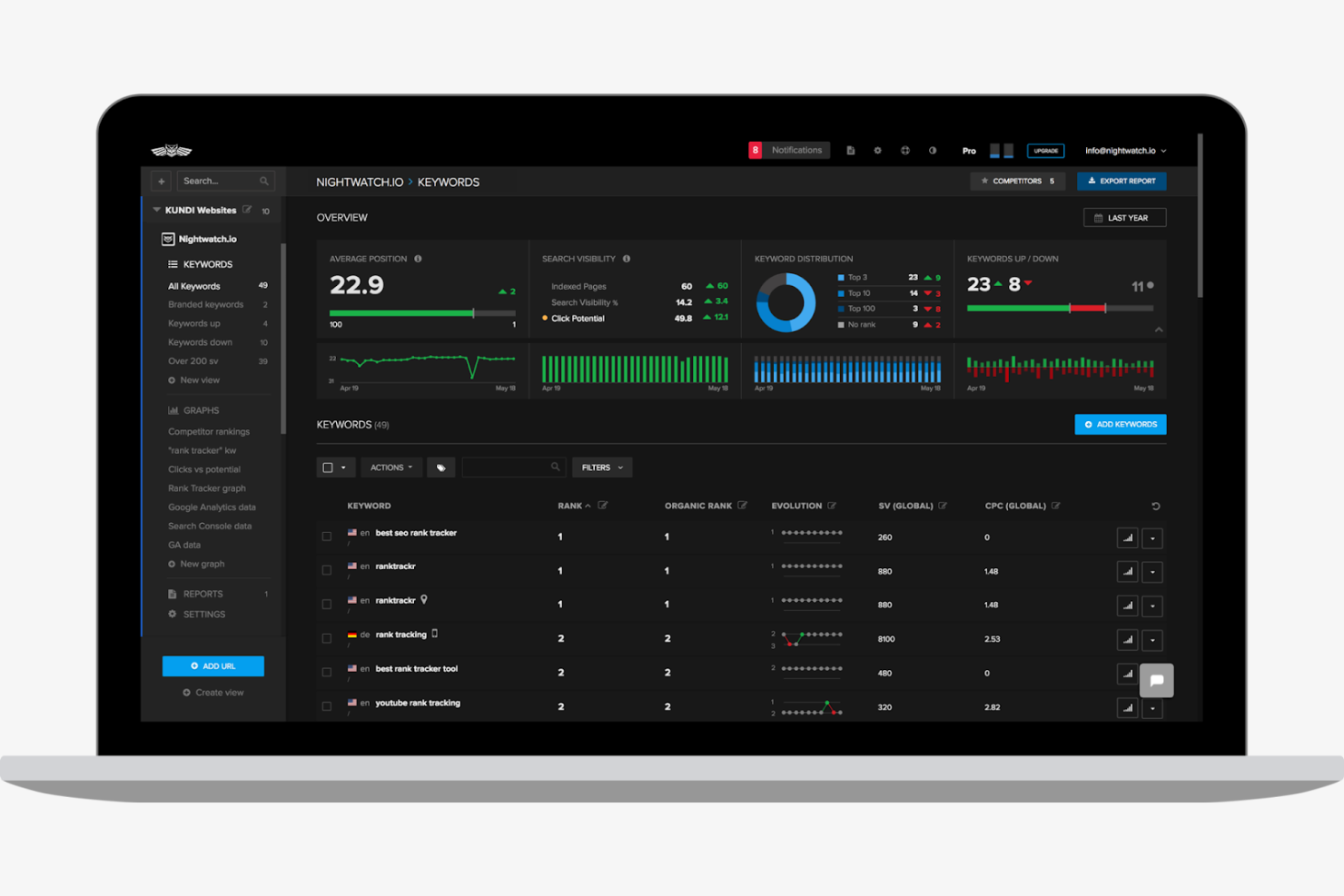
Nightwatch is a rank tracking tool designed for digital marketers and SEO professionals. It helps users to effectively visualize data trends and monitor search engine performance.
Why I picked Nightwatch: It offers visual data insights, simplifying complex data. Additionally, its location-specific rank tracking feature allows you to tailor strategies to specific regions.
Standout Features and Integrations:
Features include customizable dashboards, interactive charts, and access to historical data. You can use position tracking to target specific markets, while keyword discovery helps you find new ranking opportunities.
Integrations include Google Analytics, Google Search Console, Google Data Studio, Slack, Zapier, and more.
Pros and Cons
Pros:
- Customizable dashboards
- Location-specific tracking
- Visual data representation
Cons:
- No mobile app support
- Limited API access

My Evaluation Score
- Local & Geo Tracking
- 5/5
- Keyword Rank Tracking
- 5/5
- White-Label Reporting
- 1/5
- Multi-Client Management
- 3/5
- Competitor Rank Monitoring
- 5/5
- Scheduled Automation & API
- 4/5
Nozzle is a rank tracking tool designed for SEO agencies and digital marketing teams. It offers customizable dashboards and features to optimize search engine performance.
Why I picked Nozzle: It allows you to create dashboards that display the metrics most important to your team. The tool tracks ranking across multiple search engines, while its ability to monitor competitor performance can help you refine your strategies.
Standout Features and Integrations:
Features include real-time data updates, granular rank tracking, and SERP feature monitoring. You can also access competitor analysis to gain insights into market dynamics, while customizable dashboards let you tailor the interface to your needs.
Integrations include Google Analytics, Google Search Console, Google Looker Studio, and more.
Pros and Cons
Pros:
- Detailed competitor analysis
- Real-time data updates
- Customizable dashboards
Cons:
- Lacks full all-in-one SEO tools
- Complex for new users
Other Agency Rank Tracking Software
Here are some additional agency rank tracking software options that didn’t make it onto my shortlist, but are still worth checking out:
- Pro Rank Tracker
For detailed rank updates
- Keyword.com
For keyword insights
- Serpstat
For keyword clustering
- Ranktracker
For flexible reporting
- Localo
For small business SEO
- SerpWatch
For team collaboration
- Local Falcon
For local search insights
- Wincher
For daily rank updates
- Whitespark
For citation building


How I Evaluate Agency Rank Tracking Software
I evaluate agency rank tracking tools in two layers: the baseline every tool must have—multi-client management, white-label reporting, geo tracking—and the differentiators that set the best apart.
Core Functionality (Table Stakes For This List)
When I'm selecting tools for my list, I rank each one on a scale from 0 (does not offer the functionality) to 5 (excels in this area) for each core functionality listed below. Then, I calculate the tool's total score into a percentage. Each tool needs to achieve a minimum total score of 65% to be considered for inclusion.
- Multi-Client Account Management: I look for clear client-level separation so an agency running 30+ accounts can organize, permission, and navigate between them without crossover.
- Keyword Rank Tracking: Each tool should automate daily position monitoring across major search engines and device types, not just Google desktop results.
- White-Label Reporting: I check whether you can apply your agency's logo, colors, and custom domain to reports so deliverables look like they came from your team.
- Local & Geo-Specific Tracking: Agencies serving multi-location clients need granular tracking at the city or postal code level, so I evaluate how precise each tool's targeting goes.
- Competitor Rank Monitoring: I look for the ability to track competitor domains alongside client keywords, with side-by-side SERP comparisons and visibility benchmarks.
- Scheduled Automation & API Access: Ranking data should flow into your existing workflows, so I evaluate whether each tool offers scheduled refreshes, data exports, and API connectivity.
Once I have a list of tools that meet this criteria, I consider what sets each platform apart.
Differentiating Factors (What Sets Vendors Apart)
Here's how I compare and contrast different vendors:
Standout Features
Share of voice metrics are a big differentiator. They let you translate raw keyword positions into a single visibility score that clients actually understand during quarterly reviews. I also look for client-facing dashboards where stakeholders can check rankings themselves, which cuts down on ad-hoc reporting requests. Tag-based keyword segmentation matters too, since it lets you slice rankings by campaign, product line, or funnel stage for more targeted client conversations.
Beyond Features
Pricing structure matters a lot for agencies. I evaluate whether a tool charges per keyword, per project, or per user, since that directly impacts margins as your client roster grows or contracts. Integration ecosystem is another key factor—I check for native connections to Google Search Console, Looker Studio, and PM tools like Asana or Jira that agencies already rely on. Data accuracy and refresh frequency also weigh in, especially when a client calls mid-campaign asking for an updated ranking snapshot.
How To Choose Agency Rank Tracking Software
It's easy to get bogged down in long feature lists and complex pricing structures. To help you stay focused as you work through your unique software selection process, here's a checklist of factors to keep in mind:
| Factor | What To Consider |
|---|---|
| Scalability | Will the software grow with your agency? Check if it can handle more users, data, and projects as your business expands. |
| Integrations | Does it connect smoothly with your existing tools? Look for integrations with platforms such as Google Analytics, Slack, or CRMs to avoid workflow disruptions. |
| Customizability | Can you tailor it to fit your specific needs? Consider if the tool allows for custom reports and dashboards to match your agency's branding and reporting style. |
| Ease of use | Is the interface intuitive for your team? Ensure that new users can quickly learn the system without extensive training. |
| Implementation and onboarding | How quickly can you get started? Evaluate the onboarding process and availability of training resources such as tutorials and webinars. |
| Cost | Does the pricing align with your budget? Compare subscription models, look for hidden fees, and determine if the cost reflects the features offered. |
| Security safeguards | Are your data and client information protected? Check for features such as data encryption, user permissions, and compliance with regulations, including GDPR. |
| Support availability | Can you get help when needed? Look for responsive support options such as live chat, phone support, and an extensive help center. |
What Is Agency Rank Tracking Software?
Agency rank tracking software is a tool used to monitor and analyze the search engine rankings of websites. Marketing professionals, SEO specialists, and digital agencies use these tools to gain insights into their online visibility and performance. Keyword tracking, competitor analysis, and customizable reporting help with understanding search trends and improving SEO strategies. These tools provide valuable data that aids in making informed decisions to improve online presence.
Features
When selecting agency rank tracking software, keep an eye out for the following key features:
- Keyword tracking: Monitors your website's rankings for specific keywords to help you adjust your SEO strategies effectively.
- Competitor analysis: Provides insights into competitors' search performance, allowing you to identify opportunities for improvement.
- Customizable reporting: Allows you to tailor reports to your agency's branding and specific client needs.
- Local SEO tracking: Focuses on search rankings in specific geographic areas, helping you to improve local marketing efforts.
- Real-time updates: Deliver the latest ranking data so you can make timely decisions based on current information.
- Site audit tools: Identify technical issues on your website that may impact search rankings, helping you maintain optimal site health.
- SERP feature monitoring: Tracks search engine results page aspects such as featured snippets and local packs to optimize your content strategy.
- Integration capabilities: Connect with other digital marketing tools to simplify data management and reporting.
- Backlink analysis: Examines the quality and quantity of backlinks to your site, aiding in link-building strategies.
- User-friendly interface: Ensures ease of use for your team, minimizing the learning curve and maximizing productivity.
Benefits
Implementing agency rank tracking software provides several benefits for your team and your business. Here are a few you can look forward to:
- Improved search visibility: By monitoring keyword rankings, you can strengthen your website's visibility in search engine results.
- Competitive edge: Competitor analysis helps you identify market opportunities and adjust your strategies to outperform rivals.
- Informed decision-making: Real-time updates provide the latest data, enabling you to make timely and informed decisions.
- Improved local presence: Local SEO tracking allows you to focus on specific geographic areas to boost local search performance.
- Efficient reporting: Customizable reports save time and ensure that your clients receive relevant and branded insights.
- Optimized site health: Site audit tools identify and resolve technical issues, ensuring optimal website performance.
- Effective content strategy: SERP feature monitoring helps tailor your content to capture valuable search engine real estate.
Costs & Pricing
Selecting agency rank tracking software requires an understanding of the various available pricing models and plans. Costs vary based on features, team size, add-ons, and more. The table below summarizes common plans, their average prices, and typical features included in agency rank tracking software solutions:
Plan Comparison Table for Agency Rank Tracking Software
| Plan Type | Average Price | Common Features |
|---|---|---|
| Free Plan | $0 | Basic keyword tracking, limited reports, and restricted user access. |
| Personal Plan | $4-$30/month | Keyword tracking, competitor analysis, basic reporting, and access to limited integrations. |
| Business Plan | $50-$249/month | Advanced keyword tracking, detailed reports, local SEO tracking, and multiple user accounts. |
| Enterprise Plan | $150+/user/month | Customizable reporting, API access, detailed competitor analysis, and priority support. |
Agency Rank Tracking Software FAQs
Here are some answers to common questions about agency rank tracking software:
What is the main purpose of agency rank tracking software?
Agency rank tracking software mainly monitors and analyzes your website’s search engine rankings. This helps you understand how your site performs in search results, enabling you to make informed decisions to improve visibility. By tracking keyword performance and competitors’ rankings, you can adjust your SEO strategies effectively.
Can agency rank tracking software track rankings on all search engines?
Yes, most agency rank tracking software can track rankings on multiple search engines. While these tools focus primarily on Google, many also support Bing, Yahoo, and others. When choosing software, check that it supports the search engines most relevant to your target audience. This ensures you get a complete view of your rankings across different platforms.
How often should you check your rankings?
Check your rankings regularly but avoid obsessing over daily fluctuations. Weekly checks are generally sufficient to spot trends and make strategic adjustments. However, more frequent monitoring may be necessary if you’re running a specific campaign or experiencing significant changes. Adjust your frequency based on your business needs and goals.
Do you need technical expertise to use agency rank tracking software?
No, you don’t need extensive technical expertise to use agency rank tracking software. Most tools are designed to be user-friendly and accessible to marketers with varying skill levels. Look for software with intuitive interfaces and helpful tutorials. If you’re new to SEO, consider tools with strong customer support and training resources to get you started.