

10 beste programvarer for skybasert håndtering av digitale ressurser i 2026

Beste programvare for håndtering av digitale ressurser i skyen – kortliste


Det kan være en hodepine å håndtere digitale ressurser, særlig når teamet ditt er spredt på forskjellige steder. Du kan ende opp med å holde styr på flere filer, slite med versjonskontroll eller bekymre deg for datasikkerheten. Det er krevende, men det er nettopp her programvare for håndtering av digitale ressurser i skyen kommer inn i bildet.
Disse verktøyene hjelper deg og teamet ditt med å organisere, lagre og dele digitale ressurser uten problemer. Etter min erfaring avhjelper de mange vanlige utfordringer og gjør arbeidsdagen litt enklere.
I denne artikkelen deler jeg mine beste anbefalinger for programvare for håndtering av digitale ressurser i skyen. Jeg har testet og vurdert hver av dem uavhengig, med fokus på det som virkelig betyr noe for deg. Du kan forvente objektiv innsikt og praktiske råd som hjelper deg med å velge den beste løsningen for dine behov.
Why Trust Our Software Recommendations
Our team has been testing and reviewing software since 2012. As project managers ourselves, we know how difficult—and important—it is to choose the right software.
For this guide, we evaluated tools using hands-on testing and independent research, scoring tools using our selection criteria. We also draw on insights from industry thought leaders and practicing project management experts.
Our reviews reflect our human editorial judgment, not a sales pitch.
Expert reviewers:
Sammenligningstabell for programvare for håndtering av digitale ressurser i skyen
Denne sammenligningstabellen oppsummerer prisdetaljene for mine beste utvalgte programmer for håndtering av digitale ressurser i skyen
| Tool | Best For | Trial Info | Price | ||
|---|---|---|---|---|---|
| 1 | Best for centralized brand portals | Free demo available | Pricing upon request | Website | |
| 2 | Best for advanced asset search | Free demo available | Pricing upon request | Website | |
| 3 | Best for AI-driven metadata governance | Free forever plan | From $9/month | Website | |
| 4 | Best for digital asset collaboration | Free demo available | Pricing upon request | Website | |
| 5 | Best for creating asset collections | Free plan available | From $99/month | Website | |
| 6 | Best for automated visual content tagging | 30-day free trial available | From $250/month (billed annually) | Website | |
| 7 | Best scalable DAM solution | Free demo available | Pricing upon request | Website | |
| 8 | Best for AI-driven image classification | 14-day free trial | From $213/month | Website | |
| 9 | Best for marketing team collaboration | 30-day free trial | From $29/month | Website | |
| 10 | Best for open-source data management | Free demo available | Pricing upon request | Website |
Anmeldelser av den beste programvaren for håndtering av digitale ressurser i skyen
Nedenfor finner du mine detaljerte oppsummeringer av den beste programvaren for håndtering av digitale ressurser i skyen som kom med på kortlisten min. Anmeldelsene mine gir et detaljert innblikk i de viktigste funksjonene, fordelene & ulempene, integrasjonene og ideelle bruksområdene for hvert verktøy, slik at du kan finne det beste for deg.

Papirfly
Best for centralized brand portals
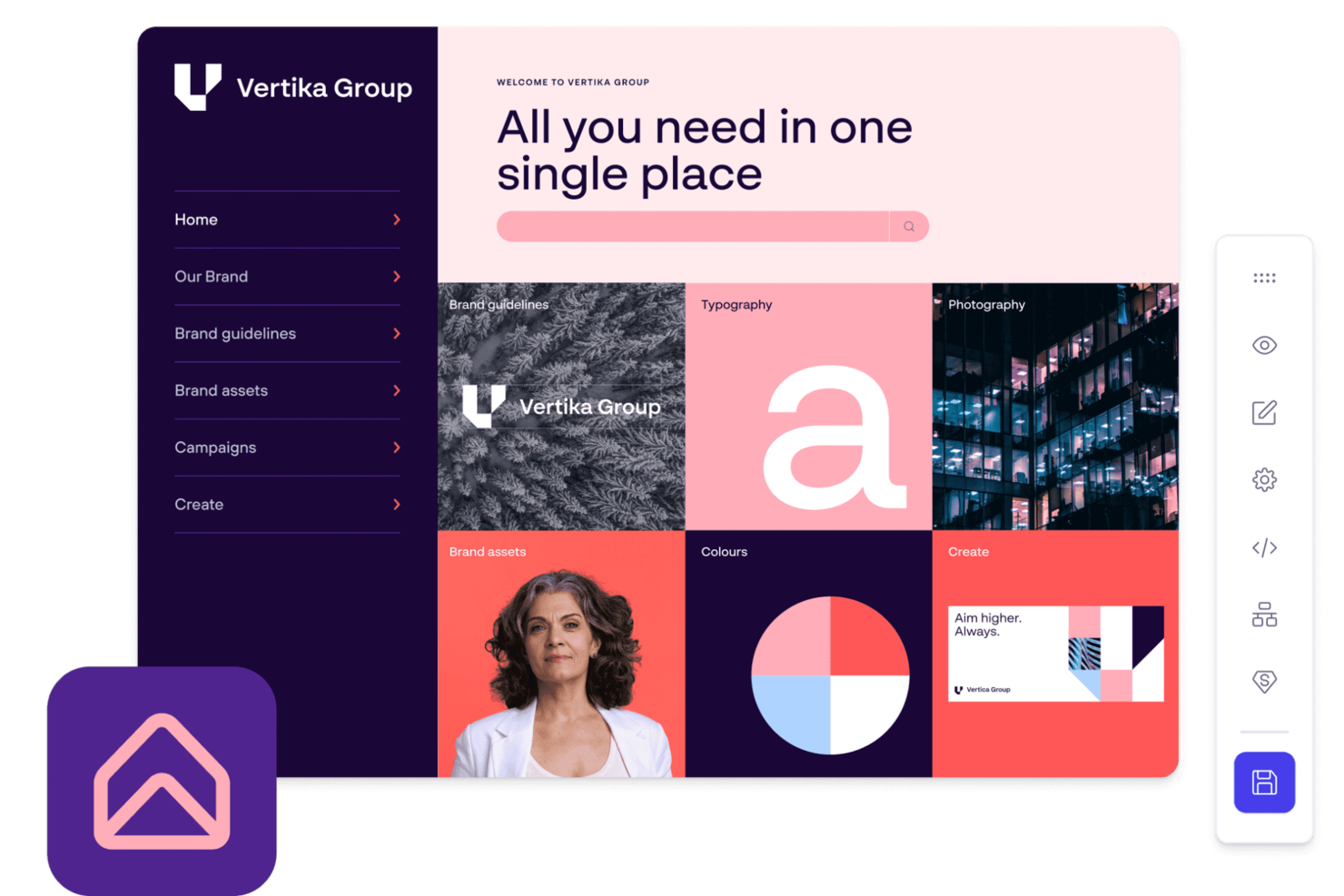
Papirfly is a cloud digital asset management platform that organizes, stores, and shares brand assets, guidelines, and creative materials in a centralized online environment.
Who Is Papirfly Best For?
Papirfly is a strong fit for mid-to-large enterprises managing brand consistency across multiple teams, regions, or markets.
Why I Picked Papirfly
Papirfly earns its spot on my shortlist because of how well its brand portal bridges the gap between back-end asset storage and front-end brand activation. I like that you can build campaign information pages that surface pre-approved assets, design templates, and messaging guidelines all in one place—so regional teams or external partners aren't hunting through folders or emailing requests. The granular user permissions let me control exactly who can view, download, or edit specific assets, which matters a lot when you're managing multiple sub-brands or markets. Usage analytics also show which assets are actually being accessed, so I can see where adoption is strong and where guidelines aren't landing.
Papirfly Key Features
- AI metadata tagging: Papirfly automatically tags and categorizes uploaded assets using AI, with the option to add manual tags as needed.
- Asset expiry dates and digital rights management: Set expiry dates and usage timelines on individual assets to keep your library current and brand-compliant.
- Templated content creation: Lock brand elements into pre-approved design templates so any team member can produce on-brand content without design skills.
- Campaign planning and management: Plan and track global and local campaigns with visibility into task status, budgets, key contacts, and approved assets in one view.
Papirfly Integrations
Native integrations include Adobe Creative Cloud, Adobe Commerce, Asana, Brightcove, Canva, and Contentful. Papirfly offers an API for custom integrations.
Pros and Cons
Pros:
- Centralized brand portal access
- AI-powered asset discovery tools
- Strong brand compliance workflows
Cons:
- Pricing not publicly disclosed
- Limited native integration options
New Product Updates from Papirfly

Papirfly Point Adds Brand Assistant Admin Controls
Papirfly now lets admins configure Brand Assistant directly in Point, including enabling the assistant, accepting AI terms, tuning conversation style, and managing knowledge sources and documents. For more information, visit Papirfly's official site.
 .
.
Best for advanced asset search

MediaValet is a cloud digital asset management platform that provides centralized asset storage, AI-powered search, metadata management, and tools for organizing and sharing digital content.
Who Is MediaValet Best For?
MediaValet is a good fit for mid-to-large enterprises in marketing, media, and creative industries that manage high volumes of digital assets across distributed teams.
Why I Picked MediaValet
I picked MediaValet as one of the best because its advanced search capabilities go well beyond a basic keyword lookup. The multi-filter search lets my team combine filters like file type, asset status, document text, and rating simultaneously—so when I'm hunting for a specific approved campaign image across a library of 100,000+ assets, I'm not scrolling endlessly. Face recognition and object detection automatically tag visual content, letting you search for assets containing specific people or product types without manually labeling everything. Additionally, the shared searches feature lets me distribute a saved search view to the whole team, so everyone is working from the same filtered perspective on a given project.
MediaValet Key Features
- Experience portals: Share curated asset collections with internal or external stakeholders via branded, URL-based portals without file size limits.
- Built-in proofing: Review, annotate, and approve assets directly within the platform, with approved files automatically delivered back into your DAM library via FinalFile automation.
- Templating: Create and customize on-brand templates (powered by Marq) so non-designers across departments can produce content without touching approved source files.
- Usage reporting: Track asset performance and user activity through real-time dashboards and exportable reports to see which assets are being used and by whom.
MediaValet Integrations
Native integrations include Adobe Creative Cloud, Canva, Marq, and monday.com. It supports custom integrations via API.
Pros and Cons
Pros:
- Mobile access allows for asset management on the go
- Advanced security features ensure assets remain protected
- Robust search capabilities allow for quick location of assets
Cons:
- Limited options for customizing the user interface
- Potential learning curve for new users

ImageKit
Best for AI-driven metadata governance
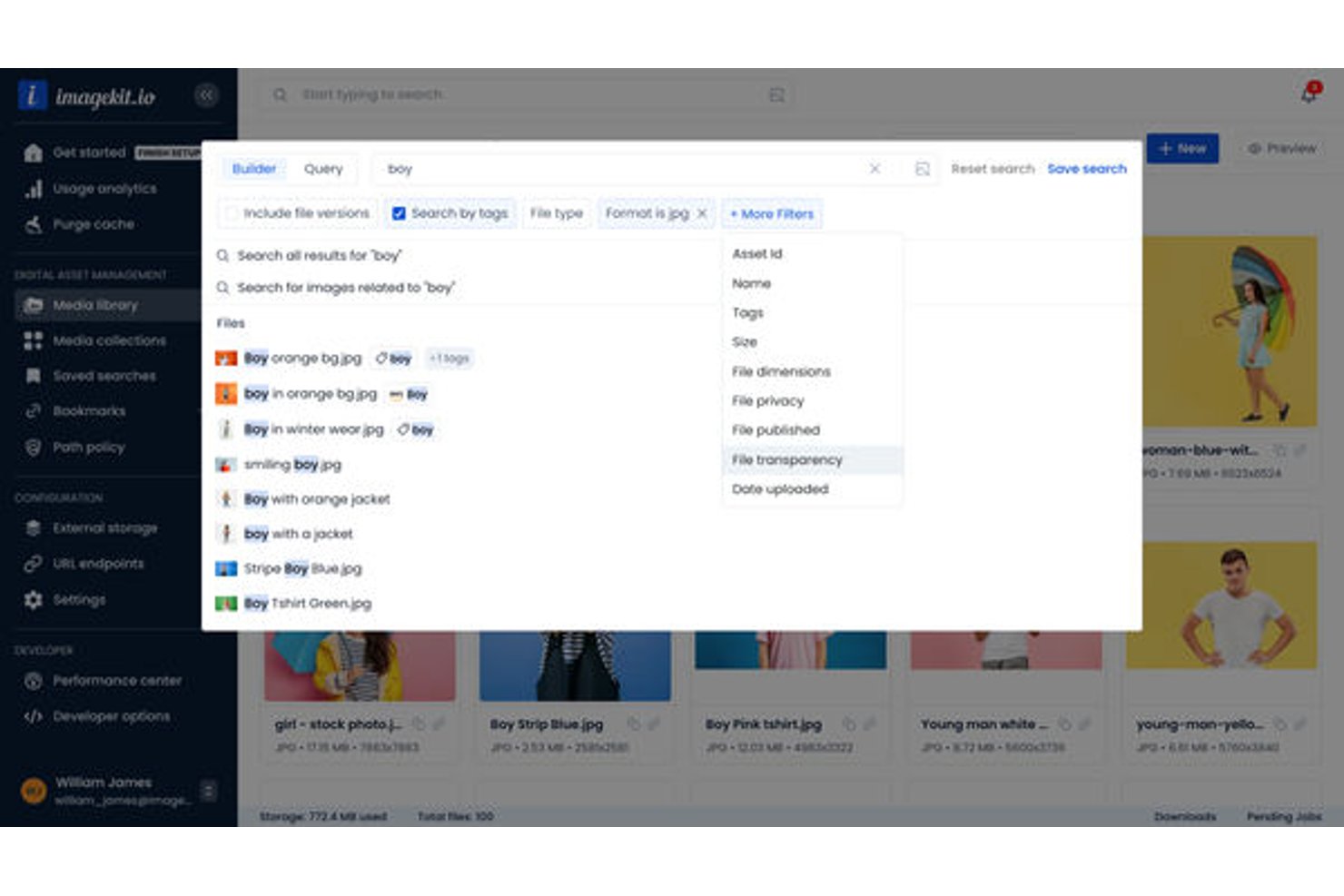
ImageKit is a cloud digital asset management platform that combines AI-powered media storage, real-time image and video processing, metadata governance, and CDN delivery for creative and marketing teams.
Who Is ImageKit Best For?
ImageKit is a strong fit for marketing and creative teams at growing tech companies that need developer-friendly asset management without sacrificing marketer usability.
Why I Picked ImageKit
ImageKit earns its spot on my shortlist because the metadata governance goes well beyond tagging. I use AI Tasks to ask questions in natural language and get structured metadata back instantly, constrained to controlled vocabularies so taxonomy stays clean at scale. Path Policies let me enforce mandatory fields at the folder level, which means no asset gets uploaded without the metadata my team needs to find and use it.
ImageKit Key Features
- Virtual collections: Group assets across folders for campaigns or projects without duplicating files.
- Creative automation templates: Generate image or ad variations using CSV data and master templates directly in the DAM.
- Visual similarity search: Find assets that look alike using visual search from a sample image.
- Permission-aware DAM agent: Use natural language to search, configure, and perform batch operations within user permissions.
ImageKit Integrations
ImageKit offers native integrations with Adobe Photoshop, Adobe Illustrator, Shopify, and Sanity. An API is available for custom integrations.
Pros and Cons
Pros:
- Visual search finds assets without keywords
- CDN delivery built directly into storage
- AI auto-tagging reduces manual metadata entry
Cons:
- Fewer native project management tool connections
- Review workflows are relatively basic

Pics.io
Best for digital asset collaboration

Pics.io is a cloud digital asset management platform that lets teams organize, search, version, and collaborate on media files in one centralized workspace.
Who Is Pics.io Best For?
Pics.io is a good fit for creative and marketing teams that need a shared space to manage, review, and approve digital assets across distributed workflows.
Why I Picked Pics.io
I picked Pics.io as one of the best because of how well it handles collaboration across internal teams and external partners. The discussion and review features let my team leave timestamped comments directly on images and videos—including time-coded notes within video files—which reduces back-and-forth over email or Slack. I also like the version control system: when a logo or creative file gets updated, existing shared links automatically serve the latest approved version, so external partners never pull outdated assets. Role-based permissions let me control exactly who can view, edit, or share specific files without locking down the whole library.
Pics.io Key Features
- Custom metadata fields: Create custom metadata fields beyond default options to tag, filter, and search assets using your own terminology and workflow logic.
- AI-powered auto-tagging: Automatically generate keywords, run facial recognition across images, and transcribe speech in video files to make assets searchable without manual input.
- Advanced search filters: Search asset content within PDFs and AI files, apply multiple filters simultaneously, and save frequent searches for repeated use.
- Expiring shared links: Set expiration dates and password protection on shared asset links to control external access without changing permissions across the whole library.
Pics.io Integrations
Pics.io offers native integrations with Google Drive, Amazon S3, and Dropbox. An API is available for custom integrations.
Pros and Cons
Pros:
- Robust collaboration tools
- Dynamic AI-based tagging
- Powerful search function
Cons:
- Web views could be more customizable
- Occasional slow loading for larger files
New Product Updates from Pics.io
Pics.io Adds AVIF File Support
Pics.io now supports AVIF files, expanding the image formats you can upload and manage in the platform. This gives teams more flexibility when working with modern image assets. For more information, visit Pics.io’s official site.
 .
.
Best for creating asset collections

Stockpress is a digital asset management (DAM) platform designed to organize, search, collaborate, and share digital files for teams of any size. It offers AI tagging, customizable collections, and advanced search tools to manage and locate assets efficiently.
Why I picked Stockpress: I like its use of 'collections' to sort your digital assets. Unlike traditional folders, collections allow you to group files in a way that makes sense for your projects or campaigns, offering a more flexible approach to organization. Coupled with advanced search capabilities, which include AI tagging and dynamic filters, finding what you need becomes easier. You can search by file names, descriptions, keywords, and even custom tags, ensuring that your team spends less time searching.
Standout features & integrations:
Features include comprehensive version control and annotation tools. You can leave comments and annotations directly on PDFs, images, and videos, allowing for asynchronous communication and feedback. Additionally, the software's access and sharing options are designed to keep your assets secure. You can create shareable links that come with expiration dates, tracking, and even password protection.
Integrations include Webflow, Adobe Illustrator, Adobe InDesign, Adobe Photoshop, Box, Canva, Dropbox, Google Drive, Klaviyo, Mailchimp, Slack, and Okta.
Pros and Cons
Pros:
- Manages large asset volumes
- Good AI tagging features
- Can create custom collections for assets
Cons:
- Could offer more integrations
- File migration support limited to enterprise plan
Best for automated visual content tagging

Tagbox.io is a cloud digital asset management platform that uses AI to organize, tag, and manage large image libraries for creative teams.
Who Is Tagbox.io Best For?
Tagbox.io is a strong fit for creative and marketing teams that manage large volumes of visual content and need faster ways to organize and retrieve assets.
Why I Picked Tagbox.io
Tagbox.io is one of my top picks because I love how its AI-powered auto-tagging cuts the manual work of organizing large image libraries. When I upload assets, Tagbox.io automatically applies relevant tags based on visual content, so my team can search by subject, color, or object without tagging anything by hand. The smart search then makes it fast to surface the exact asset we need.
Tagbox.io Key Features
- Face recognition: Automatically detects and identifies people across your photo library, letting you build and share personalized collections by individual or group.
- Video asset analysis: Breaks down video content frame by frame to detect people, speech, and brand moments, making every second of footage searchable.
- Custom metadata fields: Add client names, venues, locations, approval status, and other custom metadata on top of AI-generated tags to fit your team's specific workflow.
- User permissions and access controls: Manage team members, set role-based permissions, and control exactly who can view or edit assets across your workspace.
Tagbox.io Integrations
Connect Tagbox.io through Tagbox Desktop (drag-and-drop into any app), Zapier, Make, and a REST API. Custom workflows are available for Enterprise.
Pros and Cons
Pros:
- Brand portals for external asset sharing
- Visual feedback tools with in-image annotations
- Direct connections to Google Drive and Dropbox
Cons:
- Advanced reporting only on higher tiers
- Limited video asset management features

Bynder
Best scalable DAM solution

Bynder is a cloud digital asset management platform that lets you organize, store, search, and collaborate on digital files with customizable workflows and advanced metadata tagging.
Who Is Bynder Best For?
Bynder is a good fit for mid-size to enterprise marketing and creative teams that manage large volumes of brand assets across multiple channels or regions.
Why I Picked Bynder
Bynder earns its spot as one of the best on my shortlist because it's built to scale with your content operations, not just store files. I particularly like the Duplicate Manager and Duplicate Finder at Upload features—when my team is ingesting thousands of assets across campaigns, these tools catch redundant files before they clutter the library. Bynder's metadata and AI-powered natural language search also hold up well at scale, letting you find a specific asset across a library of millions without needing to remember exact file names or folder paths.
Bynder Key Features
- Brand guidelines portal: Publish and share interactive brand guidelines directly from your DAM so internal teams and external partners always access up-to-date brand standards.
- Asset expiration and usage rights controls: Set expiration dates and usage permissions on individual assets to prevent outdated or unlicensed content from being published.
- Version control: Track and manage multiple versions of an asset in one place, so teams always know which file is the approved, current version.
- Creative workflow and approvals: Route assets through configurable review and approval workflows before they're published or distributed.
Bynder Integrations
Bynder offers native integrations with Adobe Creative Cloud, Google Workspace, Microsoft 365, Salesforce, Hootsuite, Drupal, WordPress, Sitecore, and Brightcove. An API is available for custom integrations.
Pros and Cons
Pros:
- Ability to approve assets
- Robust analytics and reporting
- Efficient search functionality allows quick access to assets
Cons:
- Limited customization options for certain functionalities
- Time-consuming initial setup

Best for AI-driven image classification

Scaleflex is a cloud digital asset management platform that offers centralized media storage, AI-powered asset organization, and tools for optimizing and delivering images and videos.
Who Is Scaleflex Best For?
Scaleflex is a good fit for marketing and ecommerce teams that manage large volumes of visual media and need cloud-based tools for asset organization and delivery.
Why I Picked Scaleflex
I picked Scaleflex as one of the best because of how well its Visual AI handles image classification at scale. When my team is working with a catalog of thousands of product images, manually tagging and organizing them isn't realistic—Scaleflex's AI tagging and classification feature uses computer vision to automatically detect objects, assign tags, and categorize visuals on upload. I also like that it offers industry-specific AI models for ecommerce, real estate, and travel, so the classification logic is tuned to the type of content you're managing. Additionally, the NSFW moderation and UGC curation tools reduce the need for manual review of user-generated content before it goes live.
Scaleflex Key Features
- Headless DAM APIs and widgets: Scaleflex offers a headless DAM architecture with APIs and embeddable widgets, letting developers integrate the media library directly into web or mobile apps.
- Automated approval workflows: Teams can set up customized validation steps and event triggers to move assets through review and approval without manual handoffs.
- Dynamic media optimization: Scaleflex delivers 150+ on-the-fly image and video transformations, including resizing and compression, served via multi-CDN for fast delivery across devices.
- Brand portals: Create customizable portals to share approved assets with external partners, retailers, or marketplaces, with brand guidelines included in the same interface.
Scaleflex Integrations
Scaleflex offers native integrations with Adobe Creative Cloud, Shopify, Magento, WordPress, and Salesforce. An API is available for custom integrations.
Pros and Cons
Pros:
- AI-powered automation
- The platform integrates well with various tools
- Efficient media optimization
Cons:
- Lower-tier plans are limited to one project
- Some users find the interface complex initially

Filecamp
Best for marketing team collaboration

Filecamp is a cloud digital asset management platform that lets you organize, store, share, and collaborate on files with customizable branding, granular permissions, and version control.
Who Is Filecamp Best For?
Filecamp suits marketing teams and creative agencies that need a centralized, branded space to manage and share digital assets with clients and collaborators.
Why I Picked Filecamp
I've included Filecamp in my top picks because its collaboration tools match marketing teams' daily workflows. The online proofing feature lets my team place markers directly on image files and PDFs to pinpoint exactly where changes are needed—reviewers can reply to each other's comments in real time, preventing long email threads. I also like the Collections feature, which lets you pull assets from multiple folders into a single shareable link—handy for sending a curated set of campaign files to an external agency without granting them full account access. Automatic email notifications keep everyone in the loop when a file's approval status changes, so nothing stalls waiting on a sign-off.
Filecamp Key Features
- Auto tags: Filecamp automatically analyzes and tags uploaded images to improve asset search and discovery across your library.
- Version control: Access and download previous versions of a file when collaborating on assets that go through multiple rounds of changes.
- Asset expiration: Set expiration dates on assets and configure Filecamp to automatically delete them when they're no longer current.
- Granular access control: Assign folder- and file-level permissions so clients and external partners only see the assets you've explicitly shared with them.
Filecamp Integrations
Native integrations are not clearly documented. Filecamp offers an API for custom integrations.
Pros and Cons
Pros:
- Effective and secure sharing capabilities
- Strong file organization and searchability features
- Custom branding options enhance user experience
Cons:
- Annual billing may not be flexible for all organizations
- Higher starting price compared to some competitors
New Product Updates from Filecamp
Filecamp Adds Analytics, AI Thumbnails, and CDN Embed Links
Filecamp adds Analytics, AI-powered thumbnails, and CDN-backed Embed links. These updates give teams more visibility into asset usage, improve thumbnail presentation, and make embedded images easier to manage. For more information, visit Filecamp’s official site.
 .
.
Pimcore
Best for open-source data management

Pimcore is a cloud-based digital asset management platform that combines asset organization, product information management, and content management in a single open-source solution.
Who Is Pimcore Best For?
Pimcore is a good fit for mid-to-large enterprises with technical teams that need a customizable, open-source platform to manage digital assets alongside product and content data.
Why I Picked Pimcore
I chose Pimcore because its open-source, open-core architecture gives technical teams full control over how the DAM is built, extended, and deployed. You can customize data models using over 45 configurable data components without writing code—so when my team needs to define metadata structures for a specific asset type or industry workflow, we're not locked into a rigid schema. Pimcore's open-core also means we can extend the platform at the code level when no-code isn't enough. The Data Hub exposes assets via GraphQL and REST, so we can distribute assets to external systems ourselves instead of waiting for a vendor roadmap.
Pimcore Key Features
- Asset experience portals: Configurable portals that give internal and external stakeholders real-time access to assets with search, filtering, and sharing built in.
- Automated asset conversion: Transcodes and converts media between formats, including AI-based image upscaling, watermarking, and video thumbnail generation via FFmpeg.
- Unlimited asset versioning: Every change to an asset creates a new version, with full history and rollback support to keep asset lifecycles traceable.
- Enterprise asset metadata: Define structured metadata models for assets—similar to object classes—including custom data types and tag-based taxonomy for filtering.
Pimcore Integrations
Pimcore offers native integrations with Adobe Creative Cloud, Bynder, SAP, Salesforce, and Akeneo, and provides an API for custom integrations.
Pros and Cons
Pros:
- Robust API for easy integration with other systems
- Integrates DAM, PIM, and MDM in a single solution
- Highly customizable open-source platform
Cons:
- Potential high total cost of ownership for extensive customizations
- Requires technical expertise to implement and customize
Annen programvare for håndtering av digitale ressurser i skyen
Her er noen flere alternativer for programvare for håndtering av digitale ressurser i skyen som ikke kom med på kortlisten min, men som likevel er verdt å se nærmere på:
- Canto
For brand asset organization
- Adobe Experience Manager
For cross-channel content consistency
- Lingo
For unlimited brand kits
- Asset Bank
For AI-powered DAM search
- MarcomCentral
For marketing material distribution
- Mailchimp
Asset management in a marketing platform
- Adobe Experience Manager Assets
For scalable content management
- Nuxeo
For enterprise and large organizations
- Extensis Portfolio
For creative workflow automation
- Daminion
For centralized digital asset access
- Cloudinary
For media asset optimization
- Acquia DAM (Widen)
For digital asset centralization
- Plytix
For product digital assets
- Brandfolder
For intuitive digital asset management


Relaterte anmeldelser av prosjektstyringsprogramvare
Hvis du fortsatt ikke har funnet det du leter etter her, kan du se nærmere på disse andre relaterte verktøyene som vi har testet og vurdert:
- Prosjektstyringsprogramvare
- Programvare for ressursstyring
- Programvare for arbeidsflytautomatisering
- Programvare for tidsregistrering
- Programvare for oppgavestyring
- Samarbeidsverktøy
- Verktøy for å lage Gantt-diagrammer
- Produktivitetsverktøy
- Programvare for prosjektsporing
- Programvare for prosjektplanlegging
- DAM-programvare for e-handel
How I Evaluate Cloud Digital Asset Management Software
I evaluate each tool through two layers: the core capabilities a project team needs to manage assets from campaign kickoff to final delivery, and the differentiators that determine fit.
Core Functionality (Table Stakes For This List)
When I'm selecting tools for my list, I rank each one on a scale from 0 (does not offer the functionality) to 5 (excels in this area) for each core functionality listed below. Then, I calculate the tool's total score into a percentage. Each tool needs to achieve a minimum total score of 65% to be considered for inclusion.
- Cloud-Based Asset Storage: I check whether the platform handles common project file types—think PSD comps, video rushes, PDF briefs—and can scale storage as campaign volumes grow.
- Metadata & Tagging Structure: A well-organized taxonomy saves hours of searching. I look for custom metadata fields and bulk tagging that help teams locate assets across multiple active projects.
- Version Control & History: When a designer uploads a revised hero image, every stakeholder should see the latest version. I evaluate how each tool tracks revisions and supports rollback.
- Permissions & Access Control: Project teams often include freelancers, agency partners, and clients. I look for role-based permissions and secure external sharing that protect sensitive work-in-progress files.
- Review & Approval Workflows: I evaluate whether teams can annotate assets, route them through approval stages, and tie sign-offs to project milestones rather than relying on scattered email threads.
- Integrations & API Access: The best DAM fits into your existing stack. I check for native connectors to tools like Asana, Adobe Creative Cloud, and Slack, plus open API options for custom setups.
Once I have a list of tools that meet the criteria, I consider what sets each platform apart.
Differentiating Factors (What Sets Vendors Apart)
Here's how I compare and contrast different vendors:
Standout Features
AI-powered search is a major differentiator—I look for tools that use visual recognition or auto-tagging so teams can surface the right asset without depending on perfect metadata. Rights management matters when your project spans multiple channels and you need license expiration alerts before a campaign goes live. Brand portals also add real value, giving external stakeholders self-serve access to approved deliverables without cluttering your project workspace.
Beyond Features
Pricing structure matters a lot in this space. I evaluate whether a vendor charges per user, per storage tier, or both—and whether external collaborators like clients and freelancers require full paid seats. Security is another key factor, especially for teams handling pre-launch campaign assets. I check for SOC 2 compliance, SSO support, and granular audit logs. Scalability also plays a role—a tool that works for a five-person creative team should still hold up when your project portfolio doubles.
Slik velger du programvare for håndtering av digitale ressurser i skyen
Det er lett å gå seg vill i lange funksjonslister og komplekse prismodeller. For å hjelpe deg med å holde fokus mens du går gjennom den unike prosessen din for valg av programvare, har jeg laget en sjekkliste over faktorer du bør ha i mente:
| Faktor | Hva du bør vurdere |
|---|---|
| Skalerbarhet | Kan programvaren vokse med teamet ditt? Vurder om den kan håndtere et økende antall ressurser og brukere uten problemer. |
| Integrasjoner | Fungerer den godt sammen med andre verktøy teamet ditt bruker? Sjekk kompatibiliteten med eksisterende programvare, for eksempel CRM-, e-post- eller designverktøy. |
| Tilpasningsmuligheter | Kan du tilpasse programvaren til arbeidsflytene dine? Se etter alternativer for å justere brukertillatelser, dashbord og arbeidsflyter etter behovene dine. |
| Brukervennlighet | Vil teamet ditt synes den er enkel å bruke? Sørg for at grensesnittet er intuitivt og ikke krever omfattende opplæring for å komme i gang. |
| Implementering og introduksjon | Hvor lang tid tar det å komme i gang? Vurder tiden og ressursene som kreves for oppsettet, samt hvor tilgjengelig opplæringsmateriell er. |
| Kostnad | Passer den inn i budsjettet ditt? Sammenlign prisplaner, se etter skjulte gebyrer og vurder forholdet mellom kostnad og nytte for dine spesifikke behov. |
| Sikkerhetstiltak | Hvordan beskytter den dataene dine? Kontroller at programvaren overholder sikkerhetsstandarder og kan beskytte sensitiv informasjon. |
| Tilgjengelig brukerstøtte | Er hjelp tilgjengelig når du trenger det? Vurder tilgjengeligheten til brukerstøttekanaler som chat, e-post eller telefon, samt leverandørens responstid. |
Trender innen skybasert programvare for digital ressursforvaltning
De siste årene har skybasert programvare for digital ressursforvaltning utviklet seg raskt for å møte de skiftende kravene til digitale arbeidsflyter og samarbeid på avstand. Her er noen av de nyeste trendene jeg har lagt merke til, og som former markedet for digital ressursforvaltning:
- Integrasjon med AI og maskinlæring: Kunstig intelligens og maskinlæring integreres stadig oftere i skybaserte løsninger for digital ressursforvaltning. Disse teknologiene automatiserer tagging av metadata og kategorisering av ressurser, noe som forbedrer søkbarheten og effektiviteten. Betydningen av dette ligger i at manuelt arbeid reduseres og det blir enklere å finne ressurser.
- Vektlegging av brukeropplevelsen: Forenklede grensesnitt og intuitiv navigasjon prioriteres for å imøtekomme brukere med ulike tekniske ferdigheter. Denne trenden er viktig for bredere bruk og høyere brukertilfredshet.
- Avansert analyse for ressursforvaltning: Skybaserte plattformer for digital ressursforvaltning tar i bruk avanserte analysefunksjoner som gir innsikt i ressursbruk, engasjement og ytelse. Trenden er viktig for informerte beslutninger og for å maksimere verdien av digitale ressurser.
- Forbedrede sikkerhetstiltak: Sikkerhet innen skybasert digital ressursforvaltning får stadig større oppmerksomhet, og funksjoner som kryptering, tilgangskontroller og regelmessige sikkerhetsrevisjoner blir standard. Denne trenden er viktig for å beskytte sensitive digitale ressurser mot cybertrusler.
- Bærekraftige skytjenester: Bærekraft påvirker valget av leverandører av skybasert digital ressursforvaltning, ettersom selskaper vurderer miljøpåvirkningen fra den digitale infrastrukturen sin. Denne trenden gjenspeiler et økende engasjement for å redusere karbonavtrykket innen digital ressursforvaltning.
Hva er programvare for digital ressursforvaltning i skyen?
Programvare for digital ressursforvaltning i skyen er et verktøy som hjelper team med å organisere, lagre og få tilgang til digitale ressurser som bilder, videoer og dokumenter på nettet. Markedsførere, designere og innholdsskapere bruker vanligvis disse verktøyene for å forbedre samarbeidet og sikre en konsekvent merkevareprofil. Funksjoner som versjonskontroll, sikker deling og tagging av metadata gjør det enklere å håndtere store mengder ressurser effektivt. Alt i alt sparer disse verktøyene tid og reduserer bryderiet med å administrere digitalt innhold.
Funksjoner
Når du velger programvare for digital ressursforvaltning i skyen, bør du se etter følgende viktige funksjoner:
- Organisering og lagring: Hjelper deg med å oppbevare digitale ressurser på ett sentralt sted, slik at de er enkle å finne og administrere.
- Versjonskontroll: Gjør det mulig å spore endringer og sikrer at alle arbeider med den nyeste versjonen av ressursen.
- Sikker deling: Gjør det mulig å distribuere ressurser trygt internt og eksternt for å opprettholde dataintegriteten.
- Tagging av metadata: Automatiserer kategoriseringen av ressurser og gjør dem enklere å finne, slik at du sparer tid på manuell tagging.
- Brukertillatelser: Tilbyr tilpassbare tilgangsnivåer og sikrer at bare autoriserte brukere kan se eller redigere bestemte ressurser.
- Integrasjonsmuligheter: Kobler seg til andre verktøy teamet ditt bruker, noe som forbedrer effektiviteten i arbeidsflyten og datakonsistensen.
- Tilpassbare dashbord: Gir tilpassede visninger og rapporter som hjelper team med å fokusere på det som er viktigst for dem.
- Tilgang via mobilapp: Gir tilgang til ressurser mens du er på farten, noe som gjør det enklere for fjernteam å samarbeide.
- Analyse og rapportering: Gir innsikt i ressursbruk og ytelse, noe som bidrar til informerte beslutninger.
Fordeler
Implementering av programvare for digital ressursforvaltning i skyen gir flere fordeler for teamet og virksomheten din. Her er noen av fordelene du kan se frem til:
- Forbedret samarbeid: Sikker deling og versjonskontroll hjelper team med å samarbeide mer effektivt og reduserer misforståelser.
- Tidsbesparelser: Funksjoner som metadatamerking og sentralisert lagring gjør det raskere og enklere å finne og administrere ressurser.
- Forbedret sikkerhet: Brukertillatelser og sikker deling sørger for at bare autoriserte personer får tilgang til sensitive digitale ressurser.
- Bedre organisering: Funksjoner for organisering og lagring holder ressursene ryddig ordnet, slik at det blir enkelt å opprettholde orden.
- Bedre beslutningsgrunnlag: Analyse og rapportering gir innsikt i ressursenes ytelse og støtter datadrevne strategier.
- Økt fleksibilitet: Tilgang via mobilappen gjør det mulig for team å få tilgang til og administrere ressurser hvor som helst, noe som fremmer fjernarbeid.
Kostnader og priser
Å velge programvare for skybasert forvaltning av digitale ressurser krever en forståelse av de ulike prismodellene og abonnementene som er tilgjengelige. Kostnadene varierer basert på funksjoner, teamstørrelse, tillegg og mer. Tabellen nedenfor oppsummerer vanlige abonnementer, gjennomsnittsprisene deres og typiske funksjoner som er inkludert i programvareløsninger for skybasert forvaltning av digitale ressurser:
Sammenligningstabell for programvare for skybasert forvaltning av digitale ressurser
| Abonnementstype | Gjennomsnittspris | Vanlige funksjoner |
|---|---|---|
| Gratisabonnement | $0 | Grunnleggende lagring, begrenset deling og grunnleggende søkefunksjoner. |
| Privatabonnement | $5-$25 per bruker per måned | Økt lagringsplass, metadatamerking og grunnleggende brukertillatelser. |
| Bedriftsabonnement | $30-$75 per bruker per måned | Avanserte delingsalternativer, integrasjonsmuligheter og analyseverktøy. |
| Storbedriftsabonnement | $100-$250 per bruker per måned | Tilpassbare dashbord, forbedrede sikkerhetsfunksjoner og dedikert kundestøtte. |
Vanlige spørsmål om skybasert programvare for digital ressursforvaltning
Her er noen svar på vanlige spørsmål om skybasert programvare for digital ressursforvaltning:
Hvor lang tid tar det å implementere programvare for digital ressursforvaltning?
Implementeringstiden for DAM-programvare kan variere betydelig mellom organisasjoner og påvirkes av faktorer som teamets tilgjengelighet, DAM-erfaring og kompleksiteten i de nødvendige arbeidsflytene. Organisasjoner med tidligere DAM-erfaring kan komme raskere i gang, mens de som er nye innen DAM eller har komplekse behov, kan trenge flere måneder. En fleksibel prosess for igangsetting, tilpasset teamets spesifikke mål, er avgjørende for en vellykket implementering.
Er NetX nyttig for digital ressursforvaltning?
NetX er en DAM-plattform som tilbyr en rekke funksjoner og tjenester for å hjelpe organisasjoner med å administrere sine digitale ressurser. Med over 15 års erfaring innen DAM tilbyr NetX sitt kundesuksess-team bransjekunnskap og støtte for å hjelpe deg med å ta informerte beslutninger. NetX legger vekt på hvor viktig det er å forstå organisasjonens behov og arbeidsflyter når du velger en DAM-plattform, og anbefaler å avtale samtaler med DAM-eksperter for personlig veiledning.
Hvordan forbedrer skybasert DAM sikkerhet og samarbeid?
Skybaserte DAM-systemer tilbyr avanserte sikkerhetstiltak, inkludert brukertillatelser og identitetsadministrasjon, for å beskytte digitale ressurser mot uautorisert tilgang og trusler. De forbedrer også samarbeidet ved å muliggjøre sanntidsinteraksjon med ressurser og tilby maler for innholdsproduksjon, noe som gjør det enklere for team å arbeide effektivt sammen, uavhengig av hvor de befinner seg
Hvordan støtter skybasert DAM-programvare fjernarbeid?
Skybasert DAM-programvare gjør fjernarbeid enklere ved å gi tilgang til digitale ressurser fra hvor som helst og på alle enheter med internettilkobling. Den støtter distribuerte team ved å gjøre det mulig å samarbeide i sanntid, dele ressurser sikkert og holde alle filer oppdatert, noe som øker produktiviteten uavhengig av fysisk plassering.
Kan skybasert DAM-programvare integreres med andre verktøy?
Ja, de fleste skybaserte DAM-løsninger tilbyr integrasjoner med populære verktøy som Google Drive, Photoshop og Figma. Dette gjør det mulig for teamet ditt å arbeide sømløst på tvers av ulike plattformer, noe som øker produktiviteten og sikrer at alle digitale ressurser er tilgjengelige fra en sentralisert plassering.
Er skybasert DAM-programvare sikker for sensitive data?
Skybasert DAM-programvare omfatter vanligvis robuste sikkerhetsfunksjoner som kryptering, brukertillatelser og sikre delingsalternativer. Disse funksjonene bidrar til å beskytte sensitive data mot uautorisert tilgang, slik at du kan føle deg trygg når du lagrer og deler digitale ressurser.