10 beste programvarer for prosjektstyring for oppstartsbedrifter i 2026

10 Kortliste over den beste prosjektstyringsprogramvaren for oppstartsbedrifter


Den beste prosjektstyringsprogramvaren for oppstartsbedrifter hjelper gründere og små team med å håndtere tidsfrister, budsjetter, leveranser og samarbeid, og holde fokus på å bygge og skalere virksomheten. Uten det riktige verktøyet vil du slite med ukontrollert utvidelse av prosjektomfanget, overskredne tidsfrister og kommunikasjonsbrudd som skyldes spredte regneark, uoversiktlige e-posttråder og verktøy som ikke henger sammen.
Den riktige programvaren hjelper deg med å prioritere oppgaver, fordele ressurser, håndtere kunder og effektivisere tilbakemeldinger, selv med begrenset teamkapasitet. Jeg har brukt min erfaring fra over 20 år som prosjektleder og gründer til å teste disse verktøyene selv og samle de beste prosjektstyringsprogrammene for oppstartsbedrifter, slik at du kan finne den løsningen som passer best for å holde virksomheten, teamet og prosjektene på rett spor.
Hvorfor du kan stole på våre programvareanbefalinger
Teamet vårt har testet og anmeldt programvare siden 2012. Vi er selv prosjektledere, så vi vet hvor vanskelig og hvor viktig det er å velge riktig programvare.
I denne guiden har vi vurdert verktøyene gjennom praktisk testing og uavhengig research og gitt dem poeng ut fra våre utvelgelseskriterier. Vi bygger også på innsikt fra ledende eksperter i bransjen og erfarne prosjektledere.
Anmeldelsene våre bygger på vår egen redaksjonelle vurdering. De er ikke et salgsargument.
Ekspertanmeldere:
Sammenligningstabell for prosjektstyringsprogramvare for oppstartsbedrifter
Denne sammenligningstabellen oppsummerer prisdetaljene for mine utvalgte prosjektstyringsprogrammer for oppstartsbedrifter:
| Tool | Best For | Trial Info | Price | ||
|---|---|---|---|---|---|
| 1 | Best for collaborative creative teams | Free plan available; 14-day free trial | From $9/user/month (billed annually) | Website | |
| 2 | Best for scalability | Free plan + 15-day free trial available | Pricing upon request | Website | |
| 3 | Best for infinite nested task breakdowns | Free plan + 30-day free trial available | From $7.65/user/month (billed annually) | Website | |
| 4 | Best for collaborative whiteboards and visualizations | Free plan + 14-day free trial available | From $8/user/month (billed annually) | Website | |
| 5 | Best for custom task tracking on a budget | Free plan available | From $7/user/month (billed annually) | Website | |
| 6 | Best for docs, wikis, and tasks in one workspace | Free plan + free demo available | From $10/user/month (billed annually) | Website | |
| 7 | Best for new-team task adoption | Free plan available | From $10.99/user/month (billed annually) | Website | |
| 8 | Best for aligning product and engineering teams | Free plan + 14-day free trial + free demo available | From $8.50/user/month (billed annually) | Website | |
| 9 | Best for dev-team sprint and roadmap tracking | Free plan available | From $10/user/month (billed annually) | Website | |
| 10 | Best for growing startups on Atlassian's ecosystem | Free plan available | From $8.48/user/month | Website |


Oversikt over den beste prosjektstyringsprogramvaren for oppstartsbedrifter
Her er en kort beskrivelse av hvert av mine valg blant de beste prosjektstyringsverktøyene for oppstartsbedrifter, sammen med skjermbilder, beste bruksområder og viktige funksjoner.

Best for collaborative creative teams
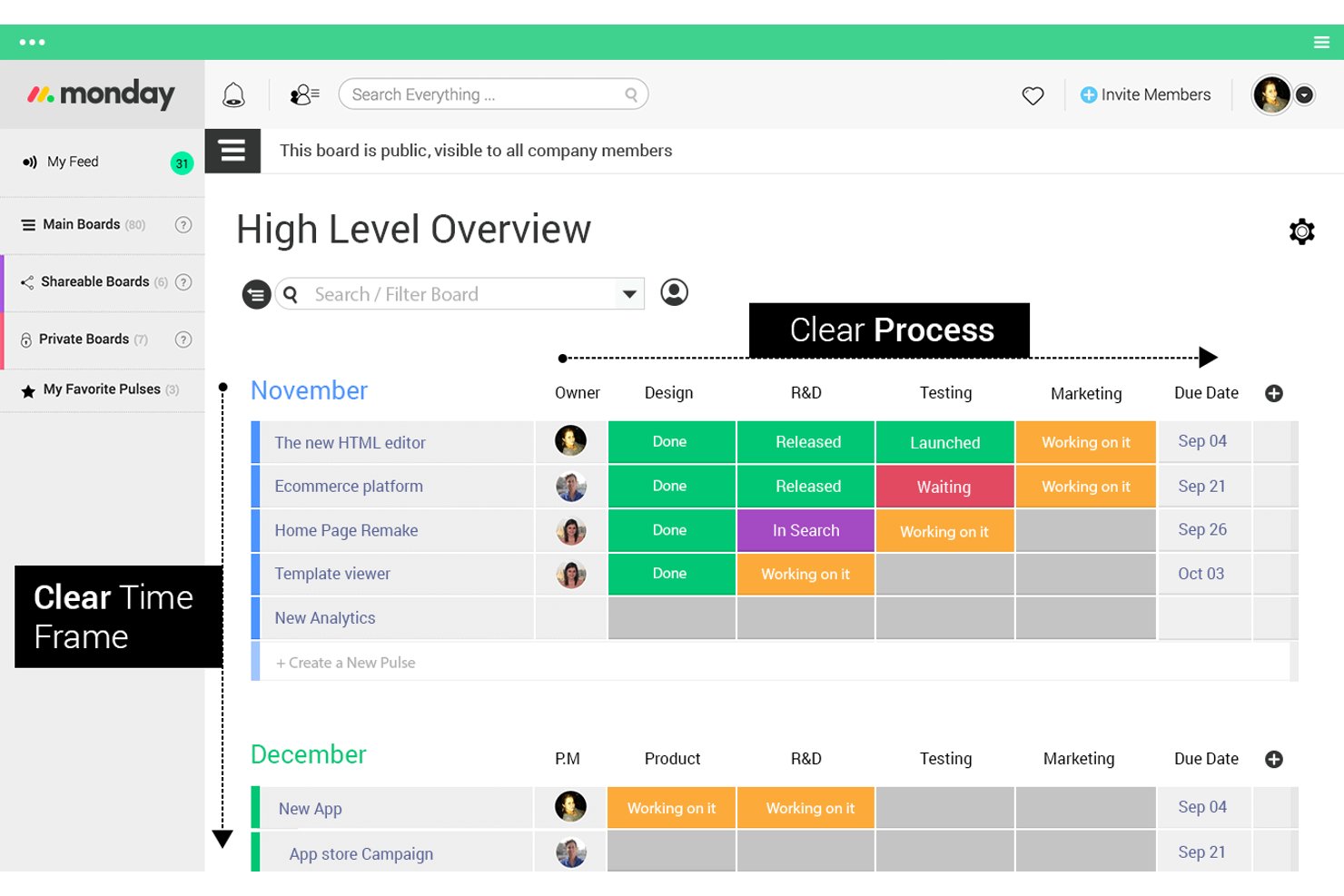
monday AI Workspace is a project management platform that combines task tracking, visual workflows, AI-assisted automation, and real-time collaboration tools across boards, timelines, and dashboards.
Who Is monday AI Workspace Best For?
monday AI Workspace is a strong fit for creative and marketing teams at startups that need visual project tracking and real-time collaboration across multiple workstreams.
Why I Picked monday AI Workspace
I've included monday AI Workspace in my top picks because creative and marketing teams at startups often juggle multiple campaigns, briefs, and feedback cycles at once. I love how its visual boards let teams map out workstreams side by side, while AI-assisted automation handles repetitive status updates. The real-time collaboration across timelines and dashboards keeps everyone aligned without constant check-ins.
monday AI Workspace Key Features
- Time tracking: Log hours directly on tasks to monitor how your team spends time across projects.
- Customizable dashboards: Build high-level views that pull data from multiple boards into a single snapshot.
- Dependency management: Link tasks so teams can see which items are blocked and what needs to happen first.
- Workload view: Visualize each team member's assigned work to spot capacity issues before they become problems.
monday AI Workspace Integrations
monday AI Workspace offers 850+ integrations and apps, including Slack, Google Calendar, Gmail, Microsoft Teams, GitHub, GitLab, HubSpot, Salesforce, QuickBooks, and Mailchimp. It supports custom integrations through a GraphQL API and Zapier.
Pros and Cons
Pros:
- Workload views expose capacity conflicts early
- Live updates reduce cross-team status chasing
- Visual boards map parallel startup campaigns
Cons:
- Custom workflows need upfront operating rules
- Board sprawl can obscure portfolio priorities
New Product Updates from monday AI Workspace
monday AI Workspace Adds Human Approval Routing
monday AI Workspace adds a human-in-the-loop approval block to AI Workflows, sending approval requests and routing workflow paths based on responses. For more information, visit monday AI Workspace's official site.

Best for scalability

Zoho Projects is a project management platform built around task tracking, milestone management, Gantt charts, time logging, and issue tracking—with deep integrations across the broader Zoho ecosystem.
Who Is Zoho Projects Best For?
Zoho Projects is a strong fit for startups that expect to grow fast and want a tool that scales with them without forcing a platform switch.
Why I Picked Zoho Projects
I've included Zoho Projects in my top picks because it's one of the few tools that genuinely grows with you, without forcing a platform migration when your team doubles. I love how milestone tracking and Gantt charts stay useful whether you're managing a three-person sprint or a multi-team product rollout. Its issue tracking also matures naturally alongside your workflows, handling basic bug logs early on and more complex dependency chains later.
Zoho Projects Key Features
- Blueprint workflow automation: Define and enforce custom process flows with conditional transitions, making sure tasks move through the right stages every time.
- Portfolio dashboard: View progress across multiple projects in a single dashboard, giving you visibility into workload, status, and timelines at a glance.
- Built-in time tracking: Log hours directly against tasks and generate timesheets to monitor effort and support accurate project billing.
- Zoho ecosystem integrations: Connect natively with Zoho CRM, Zoho Desk, and other Zoho apps to link project work directly to sales and support data.
Zoho Projects Integrations
Zoho Projects offers native integrations across the Zoho ecosystem, including Zoho CRM and Zoho Desk, connecting project work with sales and support data.
Pros and Cons
Pros:
- Reusable templates speed repeatable project launches
- Blueprints standardize workflows as teams grow
- Visual Gantt dependencies clarify shifting timelines
Cons:
- Large-project Gantt updates may feel sluggish
- Advanced report customization can feel limited
New Product Updates from Zoho Projects
Zoho Projects Adds CodeX Scripts for Custom Modules
Zoho Projects now supports CodeX Scripts for custom modules, enabling conditional logic and rules for creating, updating, and deleting records. For more information, visit Zoho Projects' official site.
 .
.
Quire
Best for infinite nested task breakdowns
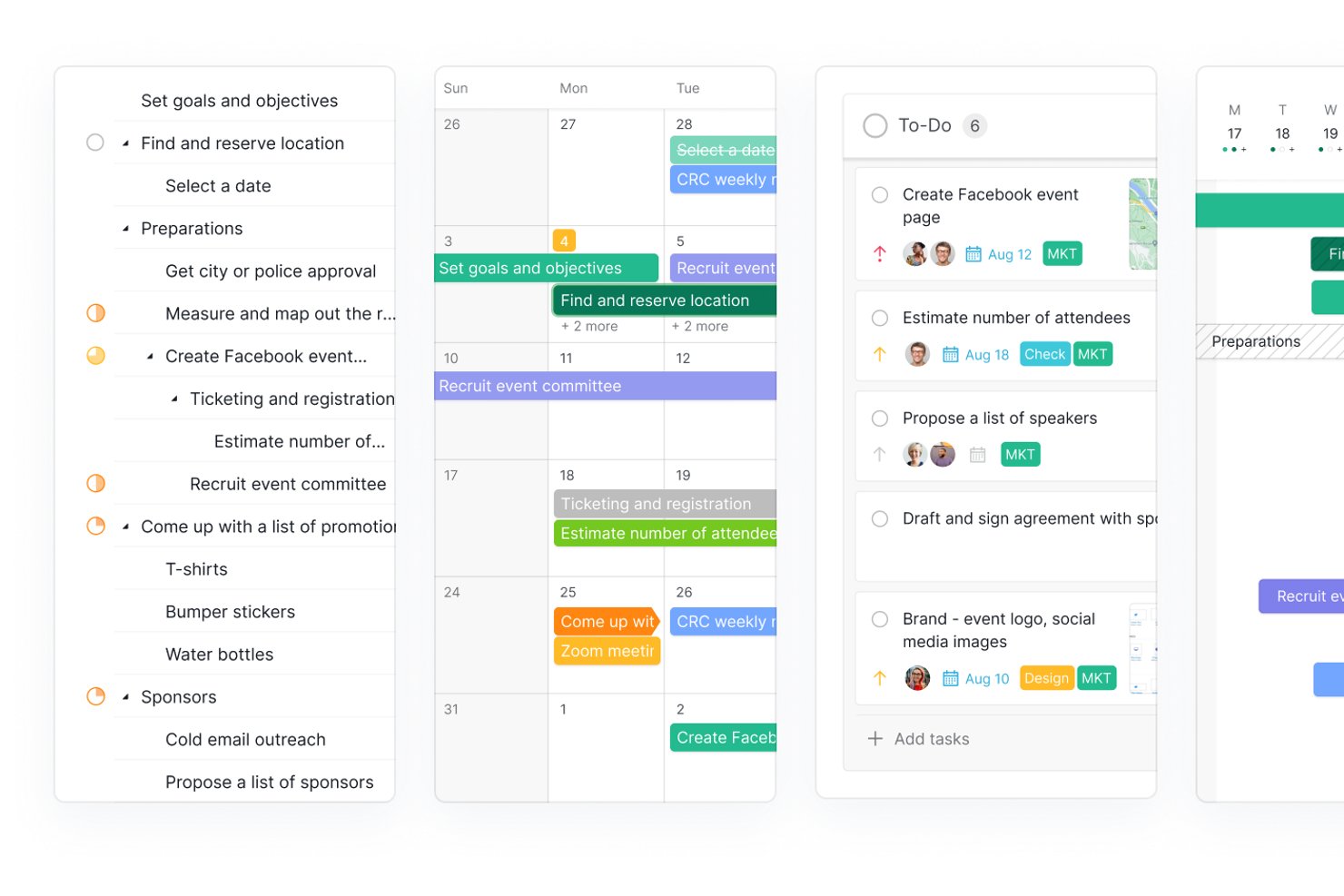
Quire is a project management tool built around an infinite nested task hierarchy, combining multi-view project tracking, sprint management via sublists, built-in collaborative docs, and portfolio-level dashboards.
Who Is Quire Best For?
Quire is a great fit for early-stage startup teams that need to break complex product goals into granular, actionable tasks without outgrowing their tool as scope evolves.
Why I Picked Quire
Quire earns its spot on my list because no other tool handles infinite nested task breakdowns quite like it does. I love how the Sublist feature lets you pull specific tasks from a sprawling nested backlog into a focused sprint board, so your team works on what matters now without losing the bigger structure. The Peekaboo feature hides non-actionable tasks from view until you need them, keeping the list clean as scope grows.
Quire Key Features
- MCP-based AI integration: Connects AI clients like Claude and ChatGPT directly to your Quire data so you can manage tasks and generate summaries using natural language.
- Collaborative documents: Built-in docs let your team write specs, meeting notes, and SOPs alongside tasks without switching to a separate tool.
- Dashboard view: A customizable dashboard displays cross-project charts and task-list widgets, giving founders and stakeholders a portfolio-level snapshot.
- External team access: Invite contractors or clients to specific tasks with limited permissions, and share project views publicly via link without requiring a Quire account.
Quire Integrations
Quire offers native integrations with Slack, GitHub, Google Calendar, Microsoft Teams, Google Drive, Dropbox, OneDrive, Power BI, and Microsoft Copilot. It also provides a REST API, webhooks, MCP support, and Zapier.
Pros and Cons
Pros:
- Built-in docs keep specs beside tasks
- Sprint sublists separate active work from backlogs
- Deep task trees keep evolving scopes organized
Cons:
- Free plan caps projects and task volume
- Reviewers flag reporting as a weak spot
New Product Updates from Quire
Quire Adds Custom Field Locking and Comment Reaction API Support
Quire adds custom field locking and API support for reading and setting emoji reactions on comments. These updates give teams more control over field data and expand comment interaction options for developers. For more information, visit Quire’s official site.
 .
.
Miro
Best for collaborative whiteboards and visualizations
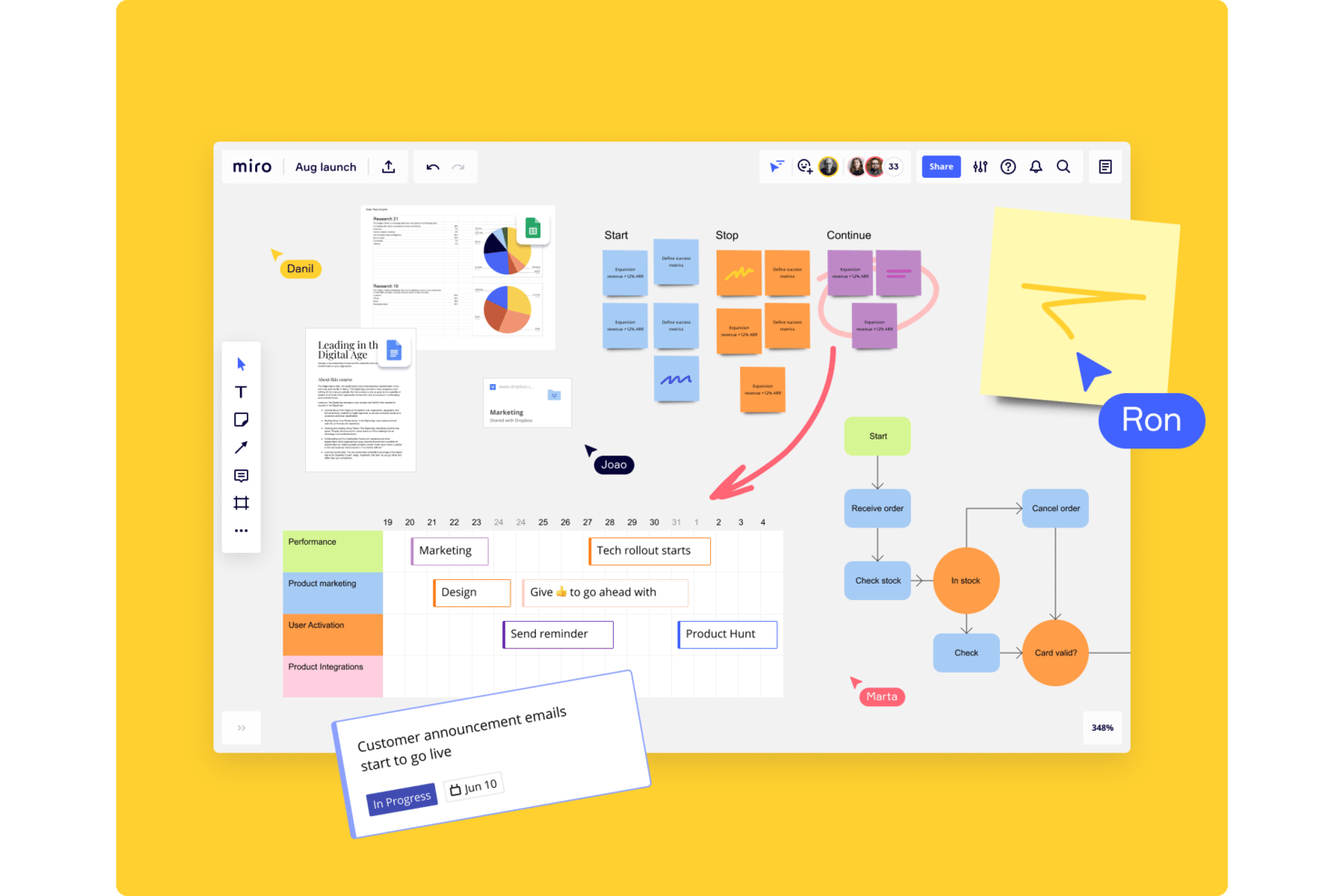
Miro is a visual collaboration platform that combines infinite whiteboards, mind mapping, diagramming, and project planning tools in one shared workspace.
Who Is Miro Best For?
Miro is a strong fit for startup teams that rely on visual thinking—whether that's mapping out product flows, running remote brainstorms, or aligning cross-functional work on a shared canvas.
Why I Picked Miro
Miro earns its spot on my shortlist because visual thinking is often how startup teams actually work through complex problems. I love how the infinite canvas lets cross-functional teams map out product flows, run structured brainstorms, and align on priorities in real time, all without losing context. The built-in mind mapping and diagramming tools mean you're not just sketching freely—you're building shareable, structured artifacts that move work forward.
Miro Key Features
- Template library: Access hundreds of pre-built templates for sprint planning, retrospectives, user story mapping, and more.
- Sticky notes and voting: Add sticky notes to any canvas and run dot-voting sessions to prioritize ideas as a team.
- Integrations with project tools: Connect Miro to Jira, Asana, Slack, and other tools to pull in live data directly onto your board.
- Presentation mode: Turn any board into a guided presentation to walk stakeholders through your work without leaving the canvas.
Miro Integrations
Miro offers 250+ integrations, including Jira, Asana, Slack, Microsoft Teams, Confluence, GitHub, Google Workspace, Zoom, and Trello. Its APIs and SDKs support custom integrations for startup workflows.
Pros and Cons
Pros:
- Diagrams map product flows and dependencies
- Voting makes startup prioritization sessions concrete
- Shared canvases help teams align visually
Cons:
- Large canvases can become difficult to navigate
- Boards don't replace structured task tracking
New Product Updates from Miro
Miro Adds Japan Data Residency for Enterprise Customers
Miro has introduced Japan data residency for enterprise customers, offering in-region storage for production data, backups, and metadata, plus in-region compute infrastructure. For more information, visit Miro's official site.

ClickUp
Best for custom task tracking on a budget
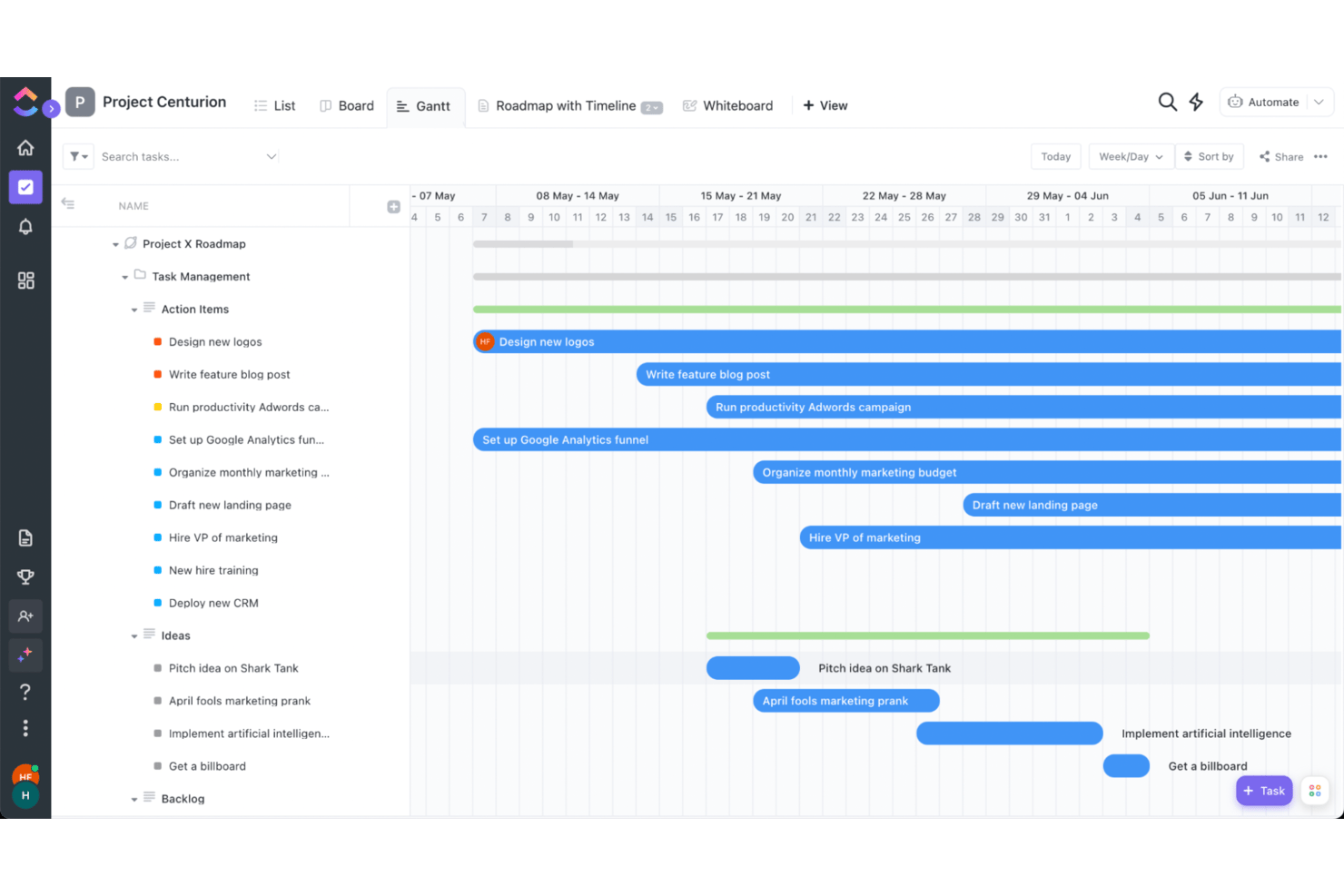
ClickUp is a project management platform that combines task tracking, docs, goals, time tracking, and custom views like Gantt charts and Kanban boards in a single workspace.
Who Is ClickUp Best For?
ClickUp is a strong fit for early-stage startups that need flexible task tracking across multiple teams without paying for multiple tools.
Why I Picked ClickUp
ClickUp earns its spot on my shortlist because it packs an impressive range of task tracking options into a free plan that most startups can actually use day-to-day. I like how custom fields let you tag tasks by sprint, team, or priority without any add-ons, and the multiple views (Kanban, Gantt, List) mean engineers and designers can work in the same project without fighting over format. For a startup watching every dollar, that flexibility without a paywall is hard to justify skipping.
ClickUp Key Features
- Goal tracking: Set measurable targets and link them directly to tasks so your team always knows how their work connects to bigger objectives.
- Time tracking: Log hours natively within any task without needing a third-party integration.
- Automation builder: Create rule-based automations to handle recurring actions like status changes, assignments, and notifications.
- Doc collaboration: Build internal wikis, briefs, or SOPs directly inside ClickUp and link them to relevant tasks.
ClickUp Integrations
ClickUp offers native integrations with Slack, GitHub, GitLab, Bitbucket, Google Drive, Google Calendar, Microsoft Teams, Zoom, Figma, and HubSpot. It also supports custom integrations through its API and Zapier.
Pros and Cons
Pros:
- Docs, goals, and tasks share one workspace
- Free plan supports multi-view task tracking
- Task fields capture sprint and priority labels
Cons:
- Large boards can feel sluggish during updates
- Busy interface can obscure everyday task controls
New Product Updates from ClickUp
ClickUp Adds Meetings Hub, Super Agent Templates, and ZoomInfo Integration
ClickUp adds a searchable Meetings Hub, new ways to clone and template Super Agents, and a ZoomInfo integration through the App Center. These updates improve meeting retrieval, agent reuse, and access to sales intelligence. For more information, visit ClickUp’s official site.

Notion
Best for docs, wikis, and tasks in one workspace
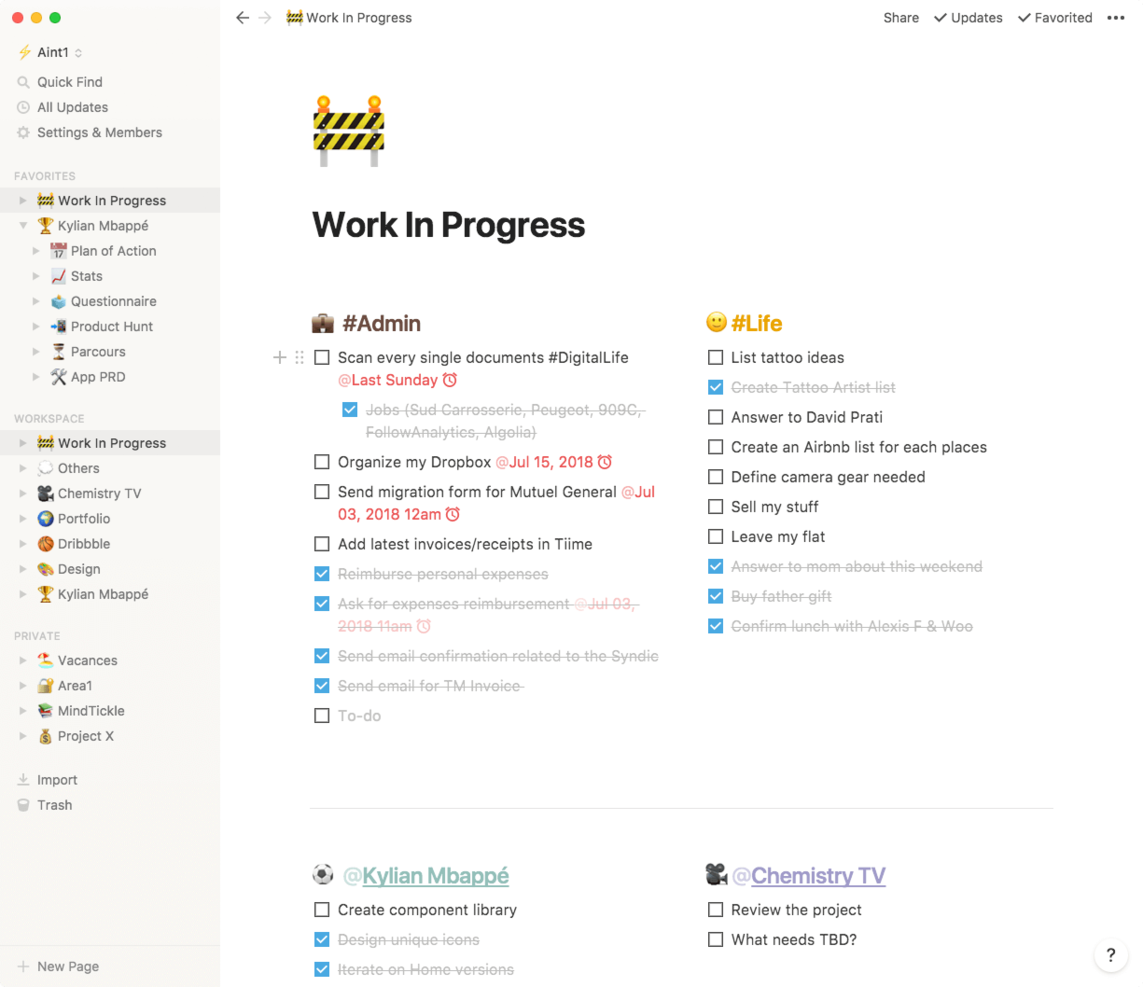
Notion is a flexible workspace platform that combines notes, docs, wikis, databases, and task management into a single connected environment.
Who Is Notion Best For?
Notion is a great fit for early-stage startups that need a single place to write docs, build a knowledge base, and track work without juggling multiple tools.
Why I Picked Notion
I've included Notion in my top picks because it's the one tool that genuinely replaces three or four separate apps for early-stage startups. I love how its linked databases let you connect a product wiki directly to a task board, so engineering and product teams share one source of truth. Notion's block-based docs also mean you can draft an onboarding runbook and turn it into a tracked project checklist without switching contexts.
Notion Key Features
- Template library: Access hundreds of pre-built templates for meeting notes, product specs, sprint planning, and OKRs to get projects moving fast.
- Notion AI: Use built-in AI to summarize pages, generate action items, and draft content directly within your workspace.
- Permissions and sharing controls: Set granular access levels for pages and databases so you can safely share specific docs with external stakeholders or contractors.
- Notion Forms: Collect structured input from teammates or users and feed responses directly into a Notion database for tracking and triage.
Notion Integrations
Notion supports integrations via its API for custom connections. Native integrations are not clearly documented.
Pros and Cons
Pros:
- Forms collect requests in tracking databases
- Project pages double as team documentation
- Linked databases connect docs to task boards
Cons:
- Reporting and workload views are limited
- Advanced project workflows need manual setup

Asana
Best for new-team task adoption

Asana is a work management platform that gives startup teams a structured way to organize tasks, assign ownership, track progress across projects, and coordinate work through timelines, boards, and automation.
Who Is Asana Best For?
Asana is a strong fit for early-stage startup teams that need a low-friction way to get everyone aligned on tasks and ownership from day one.
Why I Picked Asana
I've included Asana in my top picks because it's genuinely one of the fastest tools to get a brand-new team actually using it. Features like task templates and onboarding workflows mean you're not starting from scratch every time someone joins. I also like how My Tasks gives each team member a personal task view from day one, so ownership is clear without any manager hand-holding.
Asana Key Features
- Timeline view: A Gantt-style chart that lets you map task dependencies and visualize project schedules across the full team.
- Automation rules: Trigger-based automations that move tasks, assign owners, or update statuses when set conditions are met.
- Workload management: A dashboard that shows each team member's assigned work so you can spot capacity issues before they cause delays.
- Goals tracking: A built-in feature that connects team tasks directly to company-level objectives so progress is always visible.
Asana Integrations
Asana offers integrations with Slack, Google Drive, Microsoft Teams, Jira Cloud, GitHub, Google Calendar, and Google Sheets. It also provides an API for custom integrations and supports Zapier.
Pros and Cons
Pros:
- Timeline dependencies help coordinate changing launch plans
- Personal task views clarify individual ownership
- New hires inherit repeatable task workflows
Cons:
- Engineering teams may need separate issue tracking
- Goals need deliberate setup to stay useful

Shortcut
Best for aligning product and engineering teams

Shortcut is a project management platform built specifically for software teams, combining story-based task tracking, sprint planning, kanban boards, and product roadmapping in one workspace.
Who Is Shortcut Best For?
Shortcut is a strong fit for early-stage tech startups where product managers and engineers need to work from the same source of truth without the overhead of enterprise tooling.
Why I Picked Shortcut
I've included Shortcut in my top picks because it's built around the way product and engineering teams actually collaborate, treating stories, epics, and sprints as first-class objects rather than bolted-on afterthoughts. I love how its Docs feature lives directly alongside your sprint board, so product specs and engineering tasks stay linked instead of drifting apart in separate tools. Shortcut's label and workflow state system also lets both teams move work forward without stepping on each other.
Shortcut Key Features
- Iteration management: Plan and track sprints with dedicated iteration workflows that let teams set goals, assign stories, and monitor progress in one place.
- Customizable workflow states: Define unique workflow stages per team so engineering and product can track work through their own process without a rigid shared structure.
- Reporting dashboards: View real-time charts and burndown reports that surface delivery trends and team velocity across active projects.
- GitHub and GitLab integration: Link pull requests and branches directly to stories so code changes stay connected to the work items that drive them.
Shortcut Integrations
Shortcut offers integrations with GitHub and GitLab, linking pull requests and branches to stories so product and engineering teams can connect code changes with planned work.
Pros and Cons
Pros:
- Quick onboarding suits lean startup teams
- Epics and stories clarify cross-team ownership
- Sprint boards keep engineering work visible
Cons:
- Nontechnical teams may miss broader planning tools
- Reporting offers limited delivery metrics

Linear
Best for dev-team sprint and roadmap tracking
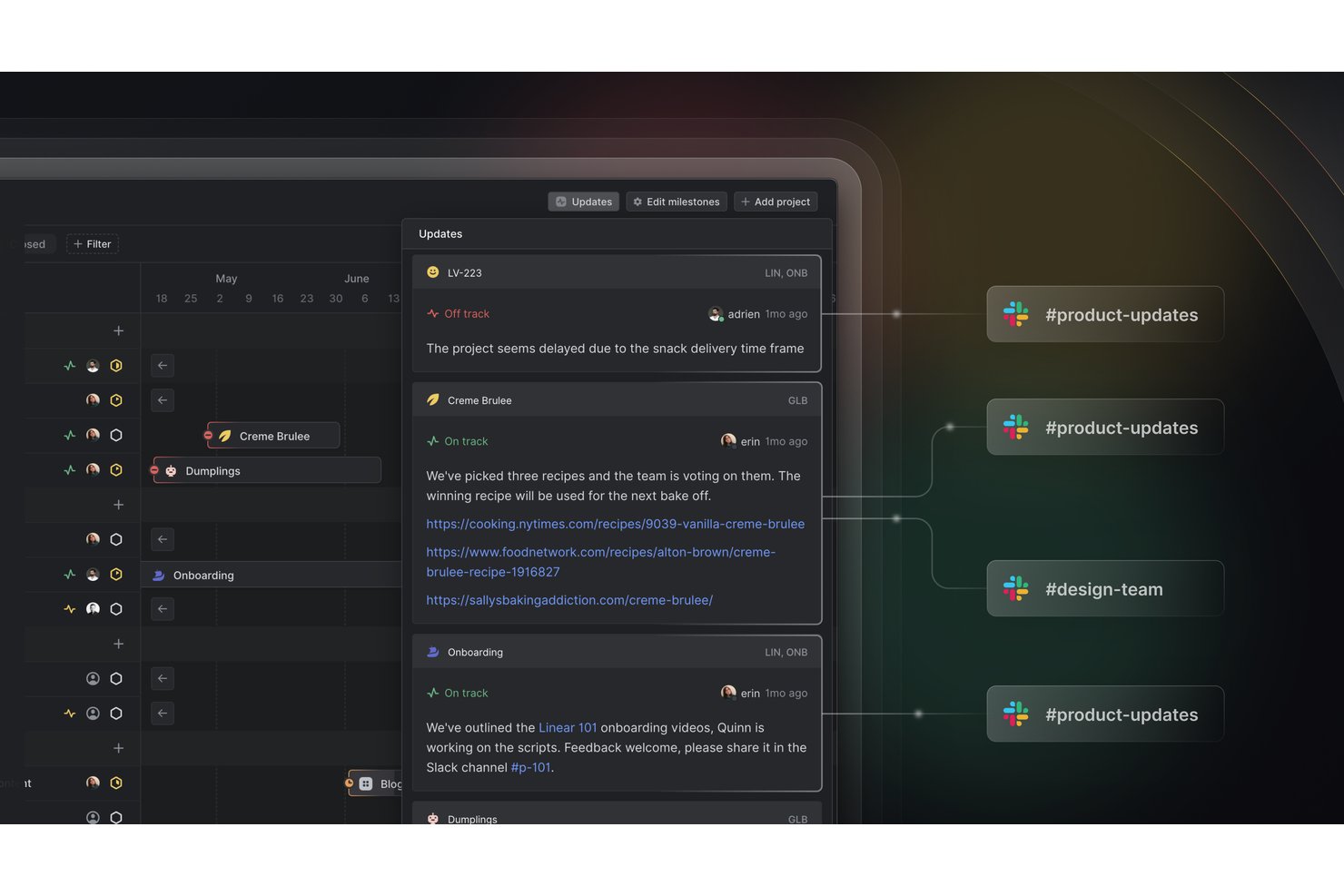
Linear is a project management tool built specifically for software teams, offering sprint planning, issue tracking, roadmap visualization, and cycle management in a single workspace.
Who Is Linear Best For?
Linear is a great fit for engineering-led startups where developers and product managers are running sprints and managing roadmaps side by side.
Why I Picked Linear
Linear earns its spot on my shortlist because it's purpose-built for the way dev teams actually work. I love how cycles (Linear's version of sprints) automatically carry over unfinished issues and surface blockers without any manual cleanup. The roadmap view connects that sprint-level work directly to product milestones, so engineering leads at early-stage startups can show progress to stakeholders without building a separate deck.
Linear Key Features
- Git integration: Linear connects directly to GitHub, GitLab, and other version control platforms to link commits and pull requests to issues automatically.
- Triage inbox: Incoming bug reports and feature requests land in a shared triage queue where your team can review, assign, and prioritize before work enters a cycle.
- Project updates: Team members can post structured progress updates on projects, giving stakeholders a clear view of status without interrupting the engineering workflow.
- Custom views: You can build filtered views by assignee, label, priority, or project to surface exactly the work that matters to you at any given moment.
Linear Integrations
Linear offers native integrations with GitHub and GitLab, linking commits and pull requests to issues for coordinated startup development workflows.
Pros and Cons
Pros:
- Triage queue helps prioritize incoming requests
- Roadmaps connect sprint work to milestones
- Unfinished issues carry into the next cycle
Cons:
- No native resource planning view
- Non-engineering workflows feel less natural
Jira
Best for growing startups on Atlassian's ecosystem
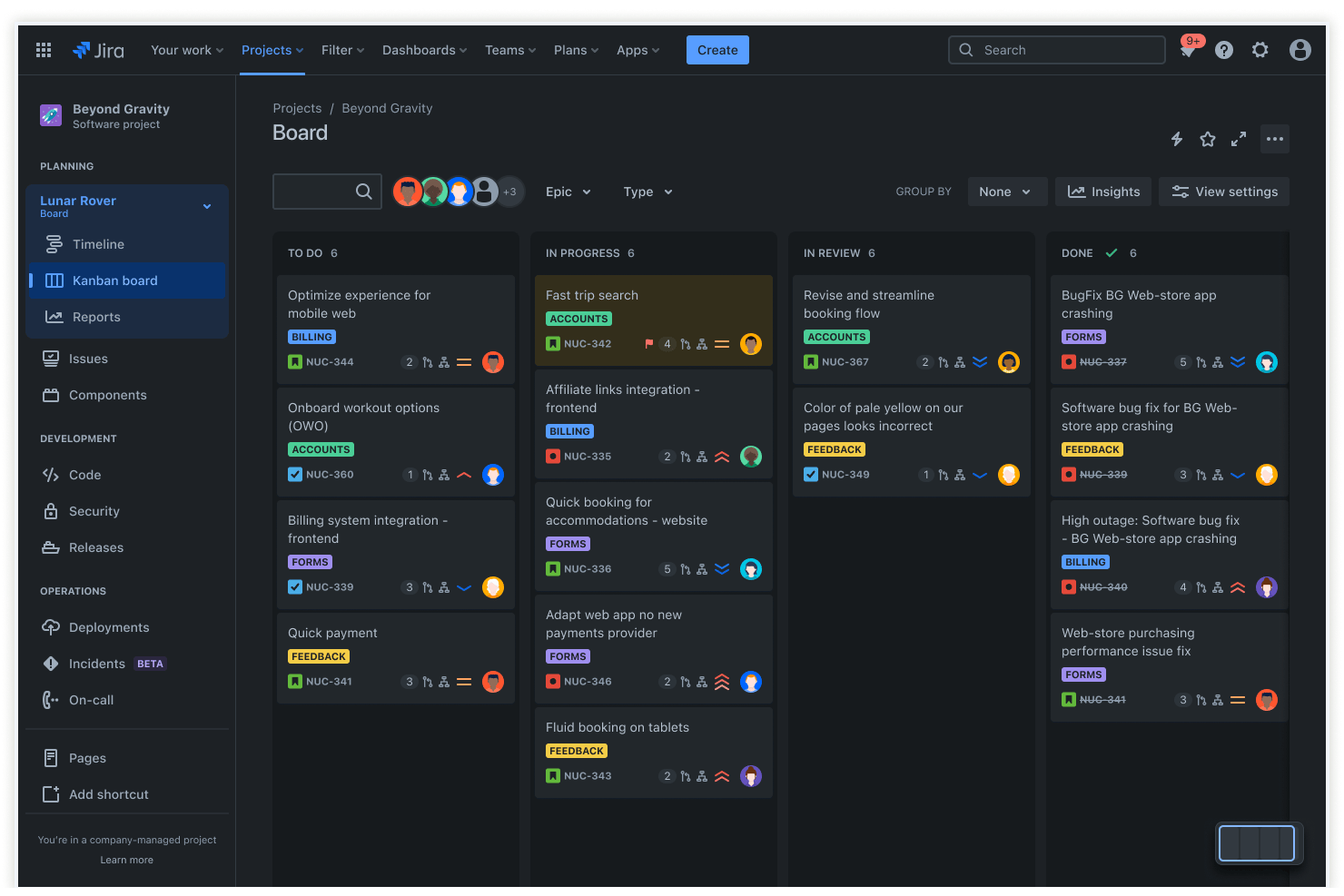
Jira is a project management and issue-tracking platform that combines sprint planning, backlog management, bug tracking, and workflow automation across software development and cross-functional teams.
Who Is Jira Best For?
Jira is a strong fit for growing startups that already use Atlassian tools like Confluence or Bitbucket and need a project management layer that scales with their engineering team.
Why I Picked Jira
I've included Jira in my top picks because it fits naturally into startups that are already building on Atlassian's stack. If your team uses Confluence for documentation or Bitbucket for version control, Jira's sprint planning and backlog management connect directly to that work without any manual syncing. I especially like how Jira's scrum boards let engineering leads track velocity across sprints, which gives growing teams real data to improve planning cycles over time.
Jira Key Features
- Bug and issue tracking: Log, assign, and prioritize bugs directly on the same board your engineering team uses for sprint work.
- Customizable workflows: Build approval chains, status transitions, and automation rules tailored to your team's delivery process.
- Roadmap view: Plot epics and initiatives on a timeline so stakeholders can see what's coming and when.
- Integration with third-party tools: Connect Jira to Slack, GitHub, Figma, and hundreds of other tools your startup already relies on.
Jira Integrations
Jira supports integrations with Slack, GitHub, and Figma, plus hundreds of other tools your startup may already use. It also provides an API for custom connections.
Pros and Cons
Pros:
- Workflow rules automate repeatable handoffs
- Issue hierarchies connect epics to delivery tasks
- Scrum boards track velocity across sprints
Cons:
- Business teams face engineering-centric terminology
- Configuration overhead grows with process complexity
Andre verktøy
Her er noen flere verktøy som ikke kom med på topplisten min, men som er verdt å vurdere hvis du ikke fant den riktige prosjektstyringsprogramvaren for oppstartsbedriften din ovenfor.
- Wrike
For client and guest collaboration
- GoodDay
For customizable workspaces at startup scale
- Smartsheet
For spreadsheet-style project tracking at scale
- Freedcamp
For all-in-one suite on a free plan
- Teamwork.com
For client-facing product management teams
- Scoro
For client-services startup billing and oversight
- Airtable
For building custom workflows on a database
- Nifty
For AI-generated sprint workflows
- Hive
For OKR and goal tracking as you scale
- Superhuman Docs
For docs, AI trackers, and free editors


How I Evaluate Project Management Software for Startups
I split my evaluation into baseline criteria—like sprint tracking, agile views, and startup-friendly pricing—and differentiators that separate the tools worth recommending from the rest.
Core Functionality (Table Stakes For This List)
When I'm selecting tools for my list, I rank each one on a scale from 0 (does not offer the functionality) to 5 (excels in this area) for each core functionality listed below. Then, I calculate the tool's total score into a percentage. Each tool needs to achieve a minimum total score of 65% to be considered for inclusion.
- Task & Project Tracking: I look for structured task hierarchies with assignees, due dates, priorities, dependencies, and custom fields—enough to manage a product launch from kickoff through delivery.
- Multiple Project Views: Teams work differently, so I check whether a tool offers at least Kanban, list, and calendar views, with bonus points for Gantt/timeline options.
- Team Collaboration Tools: Comments, @mentions, and file attachments should live directly on tasks so a distributed founding team can discuss work in context rather than jumping to Slack threads.
- Agile & Sprint Support: I evaluate whether a platform can handle sprint planning, backlogs, and story points—the basics a small engineering team needs to ship iteratively.
- Scalable Pricing & Free Tier: Startups burn cash carefully, so I look for a usable free plan or startup program and confirm that per-seat costs stay reasonable as the team grows.
- Integrations & Automations: I check for native connections to tools startups already rely on—GitHub, Slack, Google Workspace, Figma—plus automation builders that reduce repetitive status updates and handoffs.
Once I have a list of tools that meet this criteria, I consider what sets each platform apart.
Differentiating Factors (What Sets Vendors Apart)
Here's how I compare and contrast different vendors:
Standout Features
Goal and OKR tracking is a big differentiator—I look for tools that let founders tie daily tasks to company-level objectives, which matters when investors ask for proof of execution against milestones. Built-in docs and wikis also carry weight because they cut tool sprawl; a five-person team shouldn't need a separate knowledge base for product specs. I evaluate roadmap views too, since PMs need a clear way to communicate product direction to both engineering and external stakeholders without building slide decks.
Beyond Features
Time-to-value matters a lot for startups—I check whether a platform offers prebuilt templates for sprints and launches so a non-technical founder can get a workspace running in hours, not weeks. Scalability is equally important; a tool should support a five-person team today and a 100-person org next year without forcing a painful migration. I also evaluate security posture, specifically SOC 2 and GDPR readiness, because enterprise prospects and investors increasingly ask about it during due diligence.
Slik velger du prosjektstyringsprogramvare for oppstartsbedrifter
Det er lett å gå seg vill i lange lister over funksjoner og kompliserte prismodeller. For å hjelpe deg med å holde fokus mens du går gjennom den unike prosessen med å velge programvare, har jeg satt sammen en sjekkliste over faktorer du bør ha i tankene:
| Faktor | Hva du bør vurdere |
|---|---|
| Skalerbarhet | Sørg for at programvaren kan vokse med oppstartsbedriften din. Se etter fleksible priser, brukergrenser og avanserte funksjoner som ikke krever at dere bytter plattform etter hvert som teamet vokser. |
| Integrasjoner | Velg et verktøy som kobles sømløst til appene dere allerede bruker – Slack, Google Drive, CRM-systemer eller utviklingsverktøy – for å unngå avbrudd i arbeidsflyten og datasiloer (du kan også vurdere prosjektstyringsprogramvare med CRM-funksjoner) |
| Tilpasningsmuligheter | Oppstartsbedriftens prosesser er unike. Velg programvare som lar deg tilpasse arbeidsflyter, dashbord og tillatelser slik at de passer til hvordan teamet arbeider. |
| Brukervennlighet | En bratt læringskurve reduserer produktiviteten. Velg en løsning med et intuitivt grensesnitt, enkel navigering og minimale krav til opplæring. |
| Budsjett | Oppstartsbedrifter trenger kostnadseffektive løsninger. Sammenlign gratisabonnementer, prøveperioder og priser per bruker for å sikre at dere får et rimelig alternativ uten å ofre viktige funksjoner. |
| Sikkerhetstiltak | Beskytt sensitive forretningsdata. Se etter funksjoner som rollebasert tilgang, kryptering og samsvar med standarder som SOC 2 eller GDPR. |
| Samarbeidsverktøy | Oppstartsbedrifter beveger seg raskt, så kommunikasjon i sanntid, oppgavekommentarer, fildeling og teamdashbord bør være innebygd. |
| Tilgjengelighet på mobil | Teamet trenger tilgang mens de er på farten. Sørg for at programvaren har en veldesignet mobilapp med full funksjonalitet. |
Hva er prosjektstyringsprogramvare for oppstartsbedrifter?
Prosjektstyringsprogramvare for oppstartsbedrifter er et verktøy som hjelper deg med å organisere oppgaver, tidsplaner og ressurser for prosjektene i oppstartsbedriften din. Gründere, prosjektledere og teammedlemmer bruker det for å holde alle oppdatert, samarbeide effektivt og levere prosjekter i tide.
Funksjonene omfatter sporing av oppgaver og milepæler, samarbeidsverktøy, dokumentdeling og ressursstyring. Prosjektstyringsprogramvare for oppstartsbedrifter er spesielt nyttig når teamet vokser og prosjektene blir mer kompliserte, fordi du kan organisere prosjekter på en måte som øker produktiviteten og gjør det mulig å skalere effektivt.
Funksjoner i prosjektstyringsprogramvare for oppstartsbedrifter
Her er noen av funksjonene jeg ser etter når jeg vurderer prosjektstyringssystemer for små team, oppstartsbedrifter og små virksomheter.
- Strømlinjeformet arbeidsstyring: De fleste oppstartsbedrifter har ikke mange ressurser å sette av til opplæring og introduksjon, så verktøyet må tilby forenklet prosjektplanlegging som er lett å komme i gang med, og som har en overkommelig læringskurve.
- Fildeling: Kommunikasjon og distribusjon av begrensede (men voksende) ressurser er avgjørende for å få en oppstartsbedrift på beina.
- Oppdateringer i sanntid: Ting beveger seg raskt og endrer seg ofte, så det er avgjørende at ulike teammedlemmer får den nyeste informasjonen så raskt som mulig.
- Veikart: Oppstartsteamet ditt trenger ikke bare et krystallklart veikart for hvor det skal, men du vil også trenge en måte å varsle teamledere på hvis et prosjekt eller en oppgave krever oppfølging eller kurskorrigering.
- Samarbeid på tvers av prosjekter: Oppstartsbedrifter håndterer mange prosjekter samtidig, fra vedlikehold av sosiale medier til produktutvikling og ansettelser. Du trenger en app som samler samarbeidet for alle områder på ett sentralt sted.
- Scrum-tavler for oversikt over oppgavekøen: Dette hjelper travle team med å visualisere hva som må gjøres i hver sprint, og markere elementer som har lavere prioritet. Det hjelper deg også med å holde oversikt over gode ideer til produktets veikart og fremtidige visjon.
- Rapportering: Få innsikt i prosjektfremdrift, teamprestasjoner og tidsfrister med dashbord i sanntid og tilpassbare rapporter.
- Automatisering: Reduser manuelt arbeid ved å automatisere oppgavetildelinger, statusoppdateringer og varsler, slik at prosjektene beveger seg effektivt fremover.
- Dokumentstyring: Lagre, organiser og del filer på ett sentralisert sted for å sikre at teamet enkelt får tilgang til de nyeste prosjektdokumentene.
- Ressursstyring: Fordel teammedlemmer, budsjetter og verktøy effektivt for å unngå overbelastning og holde prosjektene på rett spor.
Hvis småbedriften din bedre kan beskrives som en ideell organisasjon, kan du prøve denne listen over prosjektstyringsprogramvare for ideelle organisasjoner. Hvis du er et team på én person, kan du prøve denne listen over prosjektstyringsprogramvare for enkeltpersoner.
Vanlige spørsmål om prosjektstyringsprogramvare for oppstartsbedrifter
Hvordan implementerer man prosjektstyring i en oppstartsbedrift?
Du vil raskt innse behovet for en prosjektleder i teamet ditt. Du vil imidlertid også innse at det kanskje ikke finnes budsjett til det. Den første oppgaven din blir derfor å velge hvilken person i det nåværende teamet som er best egnet til å håndtere dette ansvaret.
Når du har valgt en person, kan du se etter gratis prosjektstyringsverktøy som dere kan teste. Etter testingen må du velge det beste verktøyet for situasjonen deres. Det er for eksempel vanligvis best å velge programvare som kan kjøres på en Macbook eller en annen bærbar datamaskin, slik at du slipper å investere i nye systemer. Når du har valgt riktig verktøy, kan moroa begynne.
Selv med den enkleste prosjektstyringsprogramvaren tar det fortsatt tid å ta i bruk verktøyet, og du må investere i en-til-en-møter for å forklare ulike personer hvordan de skal bruke verktøyet i sin rolle i prosjektene. Dette vil være tidkrevende, men det er også den beste måten å sikre en smidigere overgang fra det nåværende systemet ditt til dette verktøyet på.
Til slutt vil gjentakelse være din beste allierte. Gjenta, gjenta, gjenta. Gjenta prosessen, og gi teamet tilbakemeldinger på hvordan de bruker verktøyet, slik at de fortsetter å bevege seg i den retningen du ønsker.