

10 beste gratis programvarer for prosjektstyring i byggebransjen i 2026

Beste gratis programvare for prosjektstyring i bygg og anlegg – kortliste


Gratis programvare for prosjektstyring i bygg og anlegg kan hjelpe deg med å administrere oppgaver, tidsplaner og team uten å påføre deg en ekstra programvarekostnad. Heldigvis er det nettopp her gratis programvare for prosjektstyring i bygg og anlegg kan være til hjelp. Enten du driver et lite firma eller vokser raskt, kan disse verktøyene gi mer struktur uten å medføre en ekstra kostnad.
I denne listen har jeg vurdert de beste gratis verktøyene som er tilgjengelige. Jeg fokuserte på hva som faktisk fungerer for team innen bygg og anlegg ute i felten, planlegging, kommunikasjon, fildeling og brukervennlighet, slik at du kan finne det som passer best for teamets unike behov.
Why Trust Our Software Recommendations
Our team has been testing and reviewing software since 2012. As project managers ourselves, we know how difficult—and important—it is to choose the right software.
For this guide, we evaluated tools using hands-on testing and independent research, scoring tools using our selection criteria. We also draw on insights from industry thought leaders and practicing project management experts.
Our reviews reflect our human editorial judgment, not a sales pitch.
Expert reviewers:
Sammenligningstabell for gratis programvare for prosjektstyring i bygg og anlegg
Denne sammenligningstabellen oppsummerer prisopplysningene for mine beste utvalgte gratisprogrammer for prosjektstyring i bygg og anlegg:
| Tool | Best For | Trial Info | Price | ||
|---|---|---|---|---|---|
| 1 | Best for construction management templates | Free plan available | From $9/user/month (billed annually) | Website | |
| 2 | Best for Agile workflows | 14-day free trial | Pricing upon request | Website | |
| 3 | Best for interactive Gantt charts | 14-day free trial | From $7/user/month (billed annually) | Website | |
| 4 | Best for an intuitive user interface | Free plan + 15-day free trial + free demo available | From $4/user/month (billed annually) | Website | |
| 5 | Best for nested task breakdown | Free plan + 30-day free trial available | From $7.65/user/month (billed annually) | Website | |
| 6 | Best for creating customizable workspaces | Free plan available | From $9/user/month (billed annually) | Website | |
| 7 | Best for all-in-one team chat and file sharing | Free plan available | From $12/user/month (billed annually) | Website | |
| 8 | Best for sharing updates with clients and subs | Free plan + 14-day free trial available | From $9.99/user/month (billed annually) | Website | |
| 9 | Best with GPS time cards and crew scheduling | 30-day free trial | From $49/month (billed annually) | Website | |
| 10 | Best for field punch lists and offline logs | Free plan available | From $39/user/month (billed annually) | Website |


Anmeldelser av den beste gratis programvaren for prosjektstyring i bygg og anlegg
Nedenfor finner du mine detaljerte sammendrag av den beste gratis programvaren for prosjektstyring i bygg og anlegg som kom med på kortlisten min. Anmeldelsene mine gir en detaljert gjennomgang av de viktigste funksjonene, fordeler & ulemper, integrasjoner og ideelle bruksområder for hvert verktøy, slik at du kan finne det som passer best for deg. Noen av disse verktøyene tilbyr en helt gratis versjon, mens andre tilbyr en gratis prøveperiode. Jeg har lagt til en merknad om hva som er gratis i hver av anmeldelsene mine.

Best for construction management templates
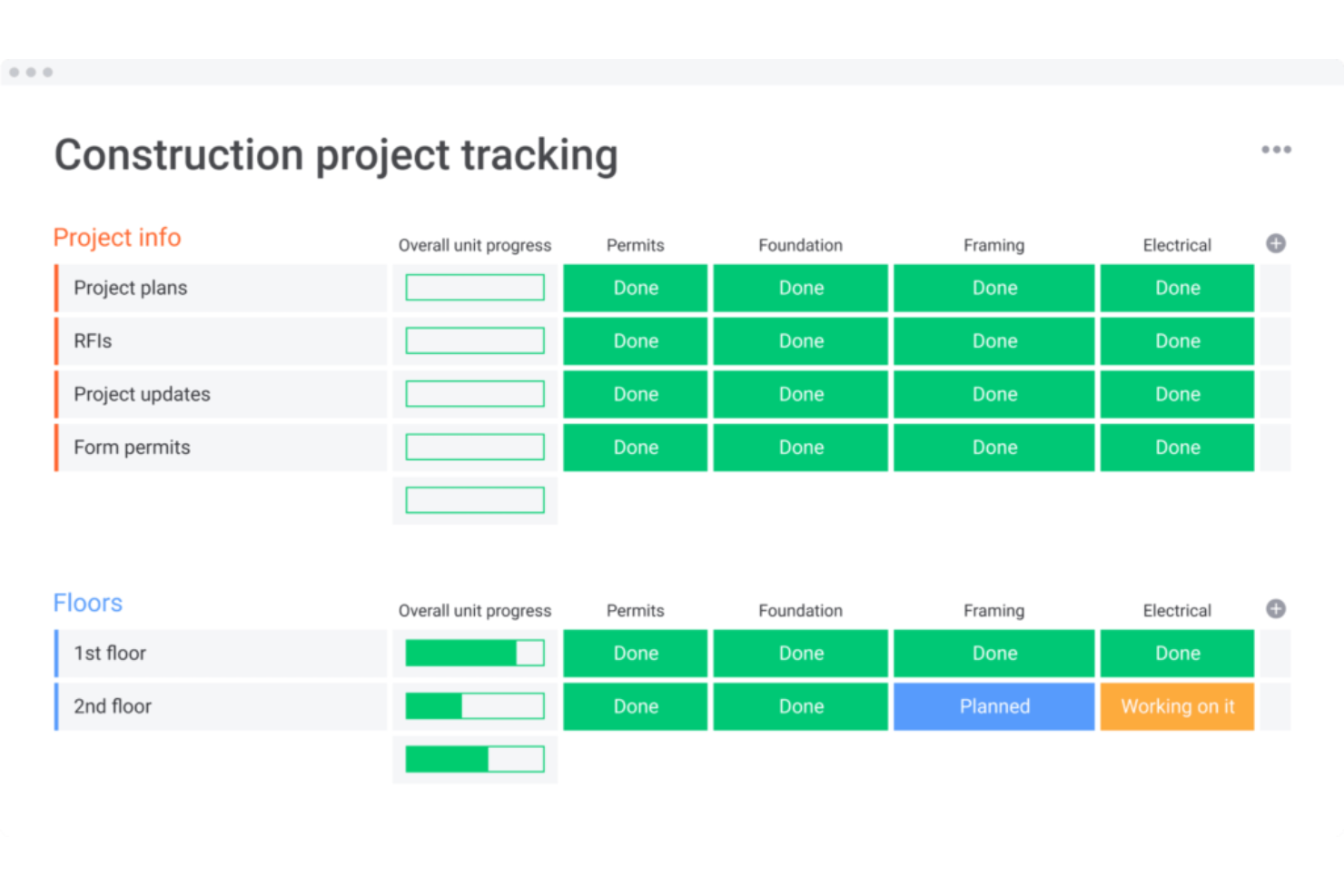
monday AI Workspace is a general-purpose project management platform that brings AI-assisted scheduling, task tracking, document management, and team collaboration to construction workflows through customizable boards and templates.
Who Is monday AI Workspace Best For?
It's a strong fit for small construction teams and independent general contractors who want a flexible, customizable platform over a rigid, construction-native tool.
Why I Picked monday AI Workspace
I picked monday AI Workspace because its construction template library is one of the most practical I've seen for GCs who need to build project workflows from scratch. Templates span every phase, from pre-construction drawings and RFIs through submittals, purchase orders, and budget tracking columns, so there's no blank-canvas guessing. I like that these templates are available on the free plan, and that each one is fully customizable by project type, trade, or stakeholder.
monday AI Workspace Key Features
- AI-powered project scheduling: Lets you plan timelines and spot risks with automated recommendations for task assignment and milestones.
- Mobile app with offline mode: Allows field teams to access documents, communicate, and update tasks even without internet connectivity.
- Customizable daily log boards: Enables tracking of daily jobsite progress with photo uploads and checklists tailored to your workflow.
- Budget tracking columns: Lets you monitor estimated versus actual costs directly in your task boards using customizable columns.
monday AI Workspace Integrations
monday AI Workspace offers hundreds of integrations through its built-in integrations and marketplace, including Slack, Google Workspace, Microsoft 365, Salesforce, DocuSign, Dropbox, HubSpot, Jira, Trello, and Zoom. It also supports Zapier and provides an API for custom integrations.
What's Free?
monday AI Workspace offers a free-forever plan limited to 2 seats, with up to 3 boards, 200+ templates, and access to the iOS and Android apps. Automations, integrations, and advanced reporting are gated behind paid plans, and the 2-seat cap makes it impractical for teams larger than a solo contractor or two-person crew.
Pros and Cons
Pros:
- AI assists with task scheduling and dependencies
- Boards adapt to any construction workflow
- Extensive library of construction-specific templates
Cons:
- Not purpose-built for construction workflows
- Two-seat cap limits real team use
New Product Updates from monday AI Workspace
monday AI Workspace Adds Human Approval Routing
monday AI Workspace adds a human-in-the-loop approval block to AI Workflows, sending approval requests and routing workflow paths based on responses. For more information, visit monday AI Workspace's official site.

Wrike
Best for Agile workflows
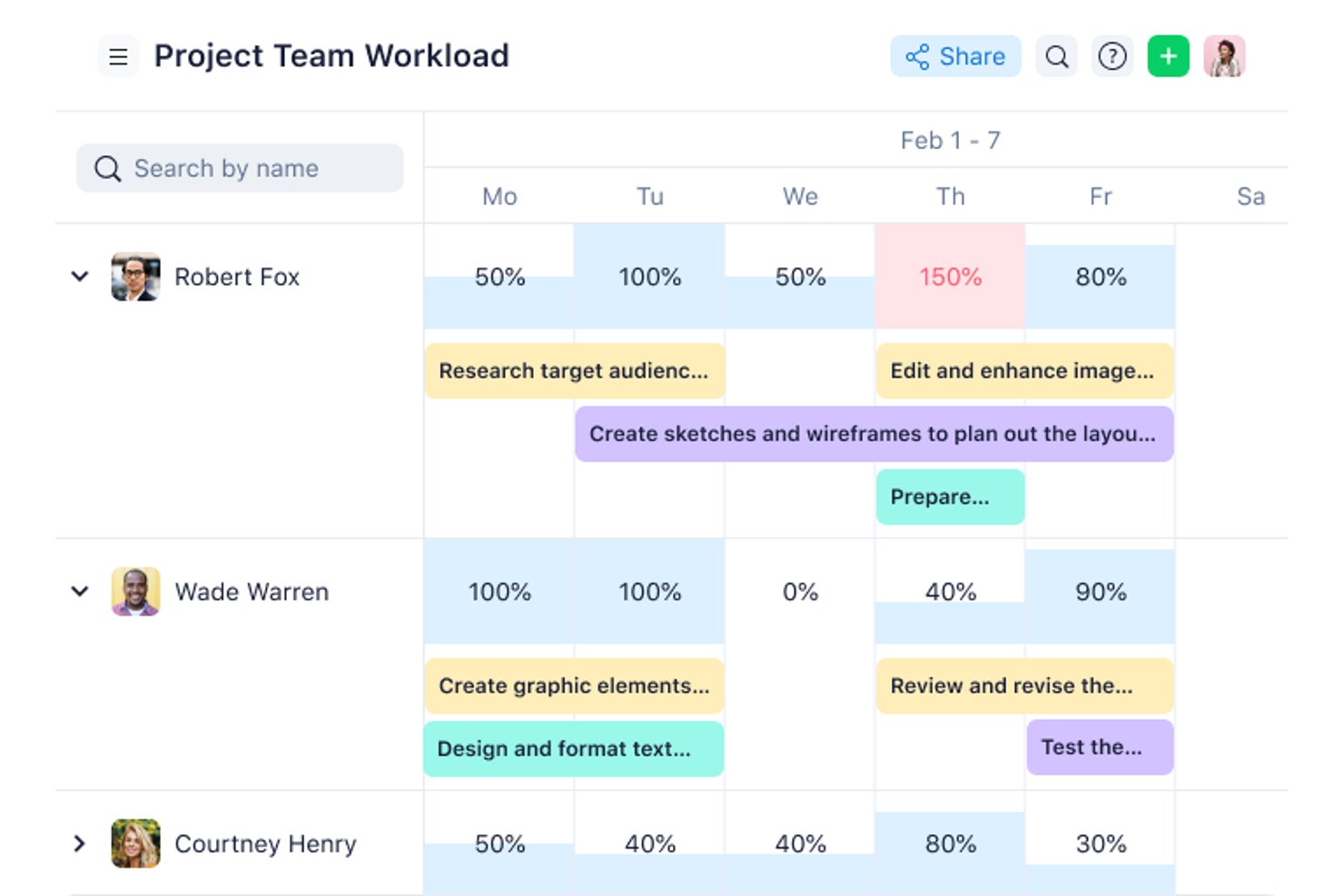
Wrike is a project management platform for construction teams that brings together task management, Gantt charts, document sharing, and real-time collaboration in one workspace.
Who Is Wrike Best For?
Wrike is a good fit for mid-size to large construction teams that need a flexible platform to manage multiple projects and coordinate across departments.
Why I Picked Wrike
I picked Wrike as one of the best because of how well it handles Agile workflows on construction projects where scope and priorities shift constantly. Wrike's Scrum boards let my team manage backlogs, run sprints, and track progress in real time without switching tools. I also like that you can toggle between Kanban boards and Gantt charts depending on the phase of a project. That flexibility means my team can run Agile sprints during planning and switch to a timeline view when coordinating with subcontractors or tracking phase deadlines.
Wrike Key Features
- Custom request forms: Build dynamic intake forms that automatically generate tasks, assign owners, and trigger workflows when a new project or change order comes in.
- Resource bookings: Reserve time from specific team members or job roles and check their availability before assigning them to a project phase.
- Wrike document editor: Attach files directly to tasks and edit them in the platform without downloading, keeping submittals and project documents version-controlled.
- User activity reports: Pull on-demand audit logs that show exactly who modified a task or document and when, useful for accountability across subcontractor teams.
Wrike Integrations
Wrike offers hundreds of integrations via its marketplace and built-in connectors, including tools like Google Workspace, Microsoft 365, Salesforce, Slack, Box, Dropbox, GitHub, Jira, and Adobe Creative Cloud. It also supports Zapier and provides an API for custom integrations.
What's Free?
Wrike offers a free-forever plan for small teams with up to 5 users. The free plan includes basic task management but limits access to advanced features, integrations, and reporting tools.
Pros and Cons
Pros:
- Dynamic intake request forms
- Built-in file proofing features
- Flexible custom workflow options
Cons:
- Expensive higher-tier plans
- Steep initial learning curve
New Product Updates from Wrike
Wrike Adds Klaxoon MCP Integration
Wrike’s Klaxoon MCP integration is now generally available, enabling AI agents to navigate between Wrike tasks and attached whiteboards, read task context, and manage whiteboard attachments via API. For more information, visit Wrike's official site.

GanttPRO
Best for interactive Gantt charts
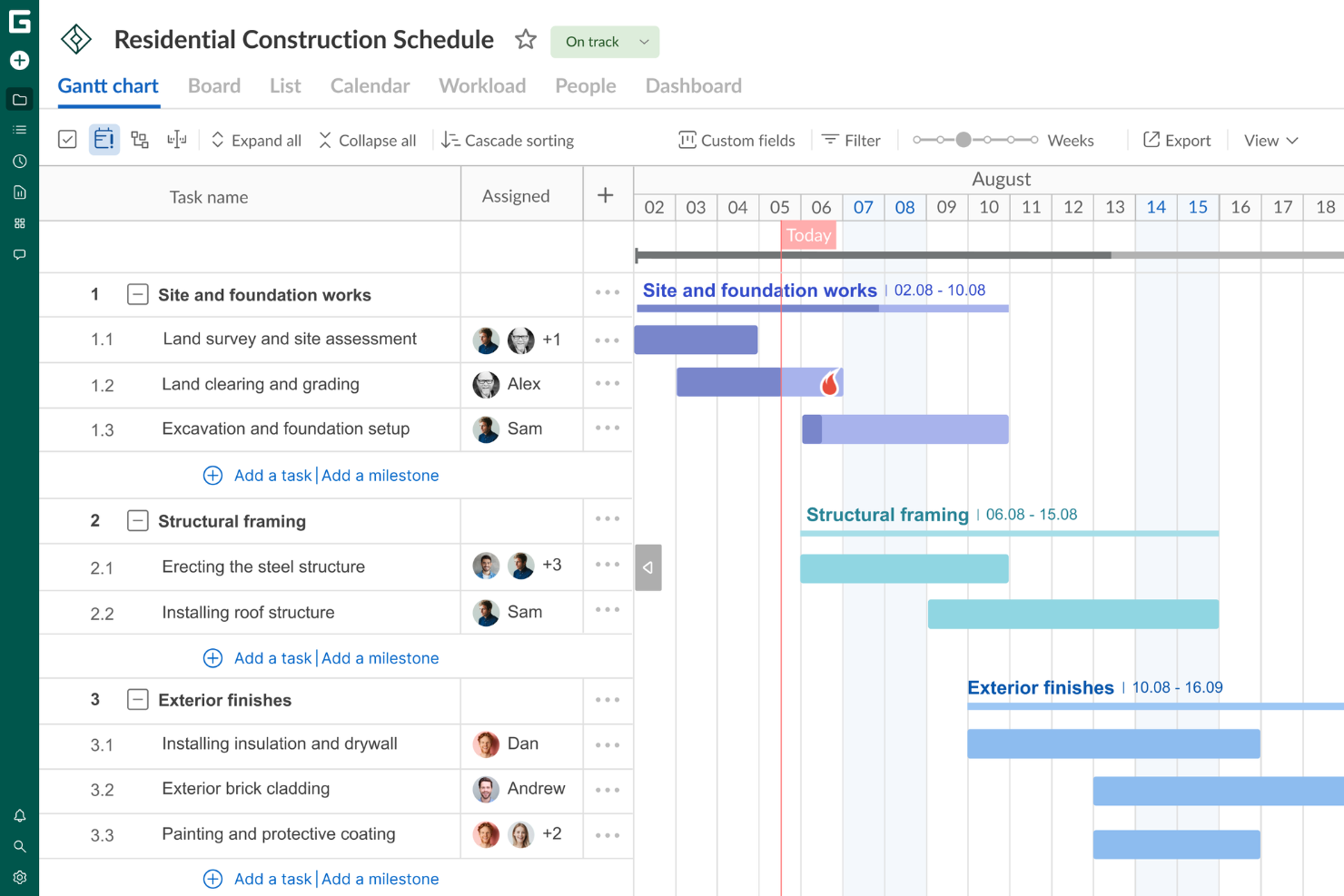
GanttPRO is a construction project management platform that centers on visual project scheduling, task management, resource allocation, and team collaboration using interactive Gantt charts.
Who Is GanttPRO Best For?
GanttPRO is a good fit for project managers and construction teams who need a visual, timeline-driven approach to scheduling and tracking work across multiple projects.
Why I Picked GanttPRO
GanttPRO is on my shortlist because its interactive Gantt charts handle the multi-phase scheduling that construction projects demand. I like that you can set task dependencies and let the auto-scheduling feature recalculate timelines automatically when dates shift—something that happens constantly on construction sites. I also use the critical path feature to instantly see which tasks could push back a project's completion date if they slip. The baseline comparison lets me track actual progress against the original plan, which is exactly what you need when reporting to stakeholders mid-build.
GanttPRO Key Features
- Board view: Switch between Gantt chart, Kanban-style board, and list view to manage tasks in the format that fits each phase of a construction project.
- Workload management: See each team member's task load across projects and reassign work directly from the workload view to avoid over-allocation.
- Time logs: Log actual hours spent on tasks and milestones, with comments, so you can track labor time against your project schedule.
- Portfolio view: Monitor multiple construction projects simultaneously from a single view to track progress across all active workstreams.
GanttPRO Integrations
GanttPRO offers native integrations with Jira Cloud, Google Drive, and Slack. An API is available for custom integrations.
What's Free?
GanttPRO offers a 14-day free trial with access to all features. After the trial, a paid subscription is required, and there is no free-forever plan.
Pros and Cons
Pros:
- Interactive Gantt charts enhance project visualization and planning.
- Task dependencies allow for clear project sequencing.
- Kanban-style board view provides flexible task management.
Cons:
- Limited native integrations with other software tools.
- While reporting tools are present, it lacks more advanced options for complex forecasting.

Best for an intuitive user interface
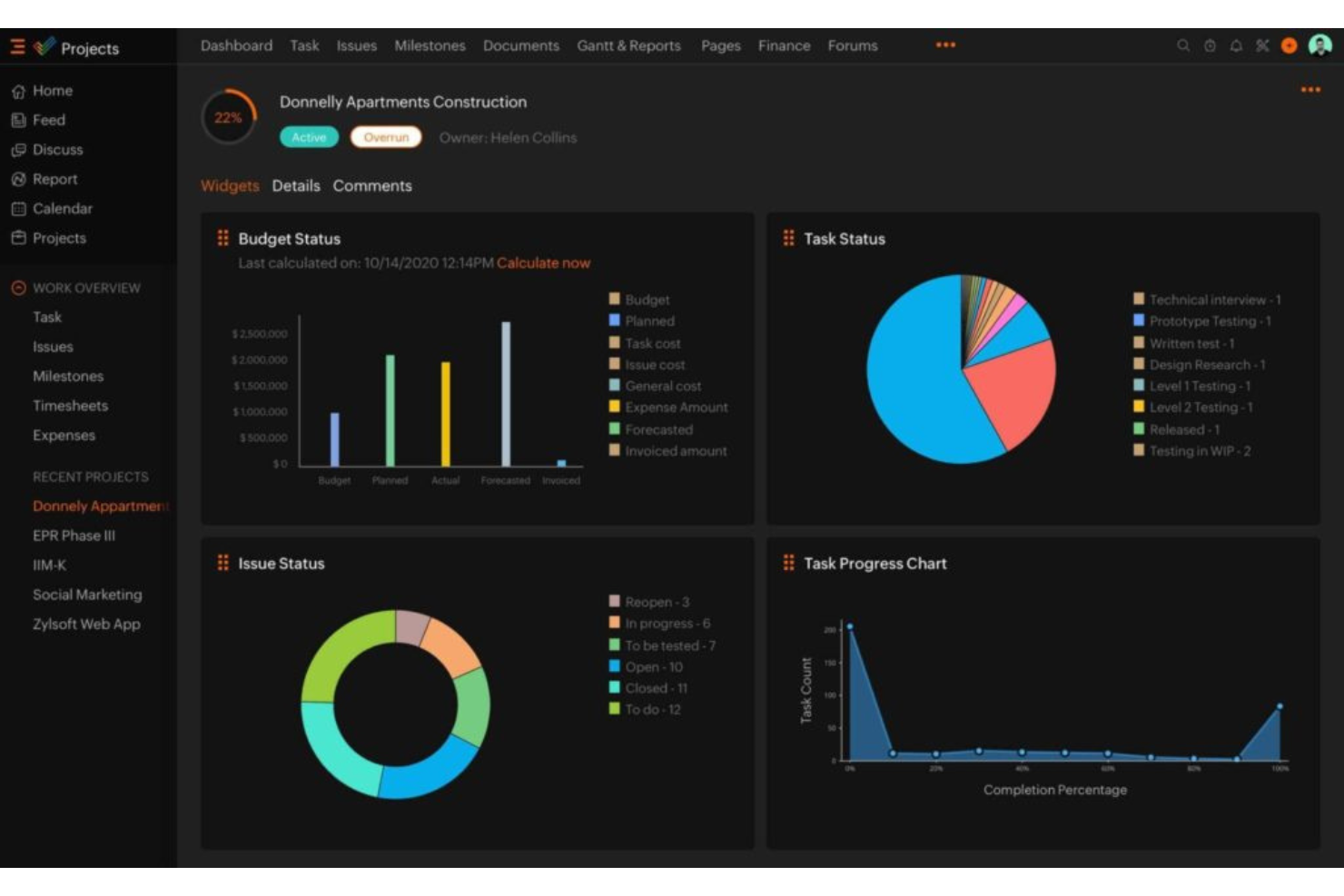
Zoho Projects is a cloud-based construction project management platform that covers task management, Gantt charts, time tracking, document sharing, and team collaboration.
Who Is Zoho Projects Best For?
Zoho Projects is a good fit for small to mid-sized construction teams that need a straightforward project management tool without a steep learning curve.
Why I Picked Zoho Projects
Zoho Projects is one of my top picks because I like that construction teams can get up and running with minimal setup and without a long onboarding process. The interface uses a clean, left-panel navigation that keeps milestones, task lists, Gantt charts, and timesheets all within one or two clicks. I particularly like the Kanban board view, which lets site managers drag tasks across status columns as work progresses on the ground. The Blueprint feature also stands out here—it lets you map out a task workflow visually, so every handoff between subcontractors or trades follows a defined process without anyone needing to chase updates manually.
Zoho Projects Key Features
- Issue tracking: Log bugs or site issues, assign them to team members, and monitor resolution progress within the same platform as your tasks.
- Project baseline: Set a baseline at any point in a project to compare planned vs. actual progress and catch schedule deviations early.
- Resource management: View each team member's workload before assigning tasks, and redistribute work when someone is over- or under-allocated.
- Budget forecasting: Track planned vs. actual project costs in real time and forecast total spend based on current completion percentage.
Zoho Projects Integrations
Zoho Projects offers 30+ native integrations, including Zoho CRM, Zoho Analytics, Zoho Desk, Zoho Invoice, Google Calendar, Google Drive, Microsoft Teams, Slack, Dropbox, GitHub, and Zapier. An API is available for custom integrations.
What's Free?
Zoho Projects offers a free-forever plan for up to 3 users and 2 projects. The free plan has limited storage and does not include features like Gantt charts, resource management, or most integrations.
Pros and Cons
Pros:
- Seamless Zoho ecosystem integration
- Built-in time tracking tools
- Highly affordable pricing plans
Cons:
- Limited third-party app integrations
- Restricted free plan features
New Product Updates from Zoho Projects
Zoho Projects Adds CodeX Scripts for Custom Modules
Zoho Projects now supports CodeX Scripts for custom modules, enabling conditional logic and rules for creating, updating, and deleting records. For more information, visit Zoho Projects' official site.
 .
.
Quire
Best for nested task breakdown
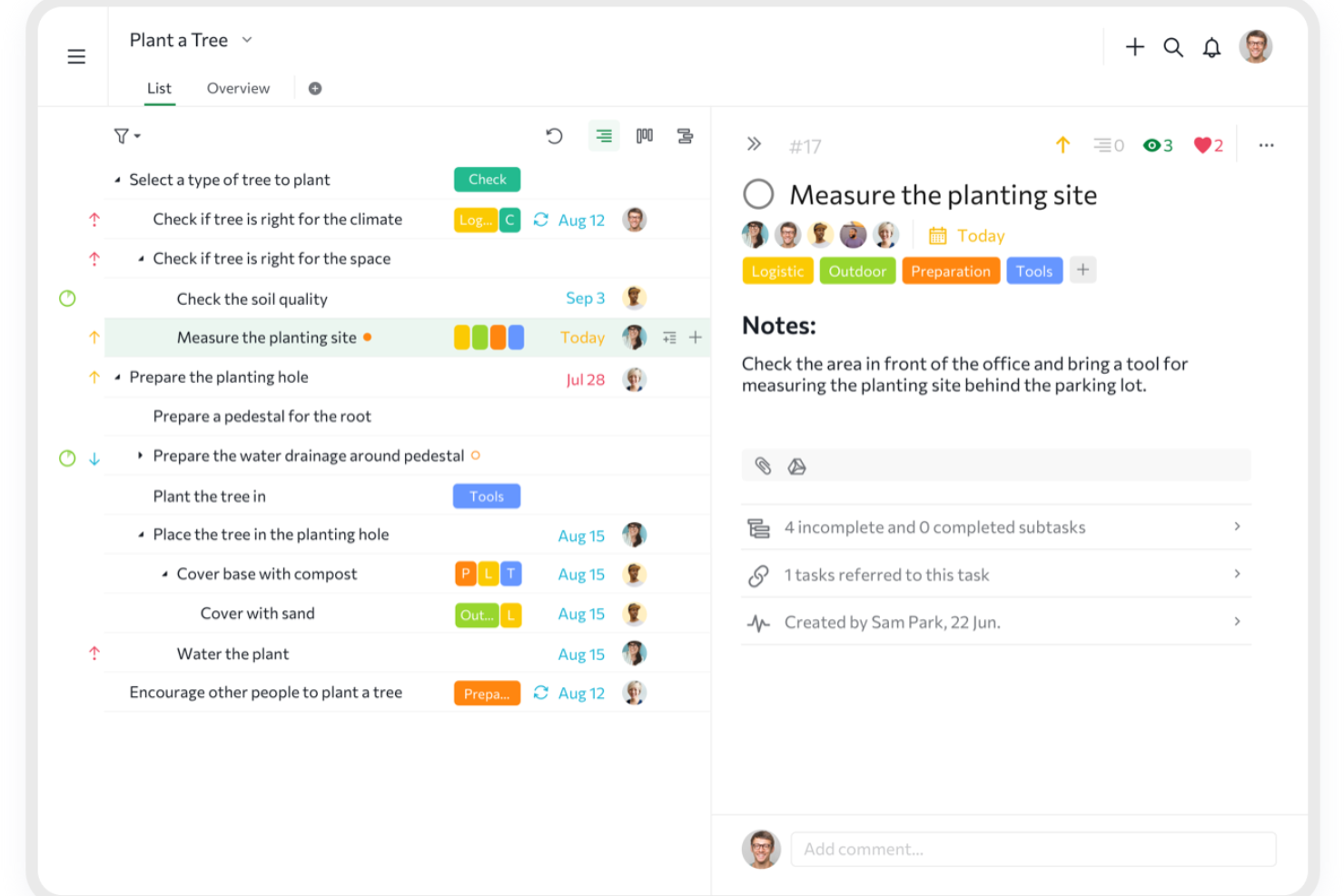
Quire is a project management platform for construction teams that organizes projects with nested task lists, kanban boards, and timeline views for tracking work and collaboration.
Who Is Quire Best For?
Quire is a good fit for small to mid-sized construction teams that need to break complex projects into manageable, hierarchical task structures.
Why I Picked Quire
Quire is one of my top picks because I love how its infinite nested task list handles the layered complexity of construction projects. On a real build, that means I can break a phase like "foundation work" into sub-phases, then into individual tasks, then into checklist-level steps—all within a single view. I also use the zoom-in feature to drill down into one branch of the task tree without losing sight of the broader project structure. The task dependency mapping ties it all together, letting me flag when a concrete pour can't start until inspections are signed off.
Quire Key Features
- Gantt chart timeline view: Map out project phases and deadlines on a visual timeline that switches between list and board layouts.
- Project milestones: Mark key checkpoints across a construction timeline to track phase completions and flag potential delays early.
- Custom fields: Add project-specific data fields to tasks, such as contractor names, permit numbers, or material specs.
- Roles and permissions: Assign custom access levels to team members, subcontractors, or clients within a project workspace.
Quire Integrations
Quire offers native integrations with Slack, Google Drive, and GitHub, and connects with Zapier. An API is available for custom integrations.
What's Free?
Quire offers a free-forever plan for up to 10 users per organization. The free plan includes unlimited tasks and projects but limits access to advanced features and some integrations.
Pros and Cons
Pros:
- Easy to learn and use
- Flexible views (tree, board, timeline)
- Infinite nested task structures
Cons:
- No native team chat
- Basic reporting and analytics
New Product Updates from Quire
Quire Adds Custom Field Locking and Comment Reaction API Support
Quire adds custom field locking and API support for reading and setting emoji reactions on comments. These updates give teams more control over field data and expand comment interaction options for developers. For more information, visit Quire’s official site.
 .
.
ClickUp
Best for creating customizable workspaces
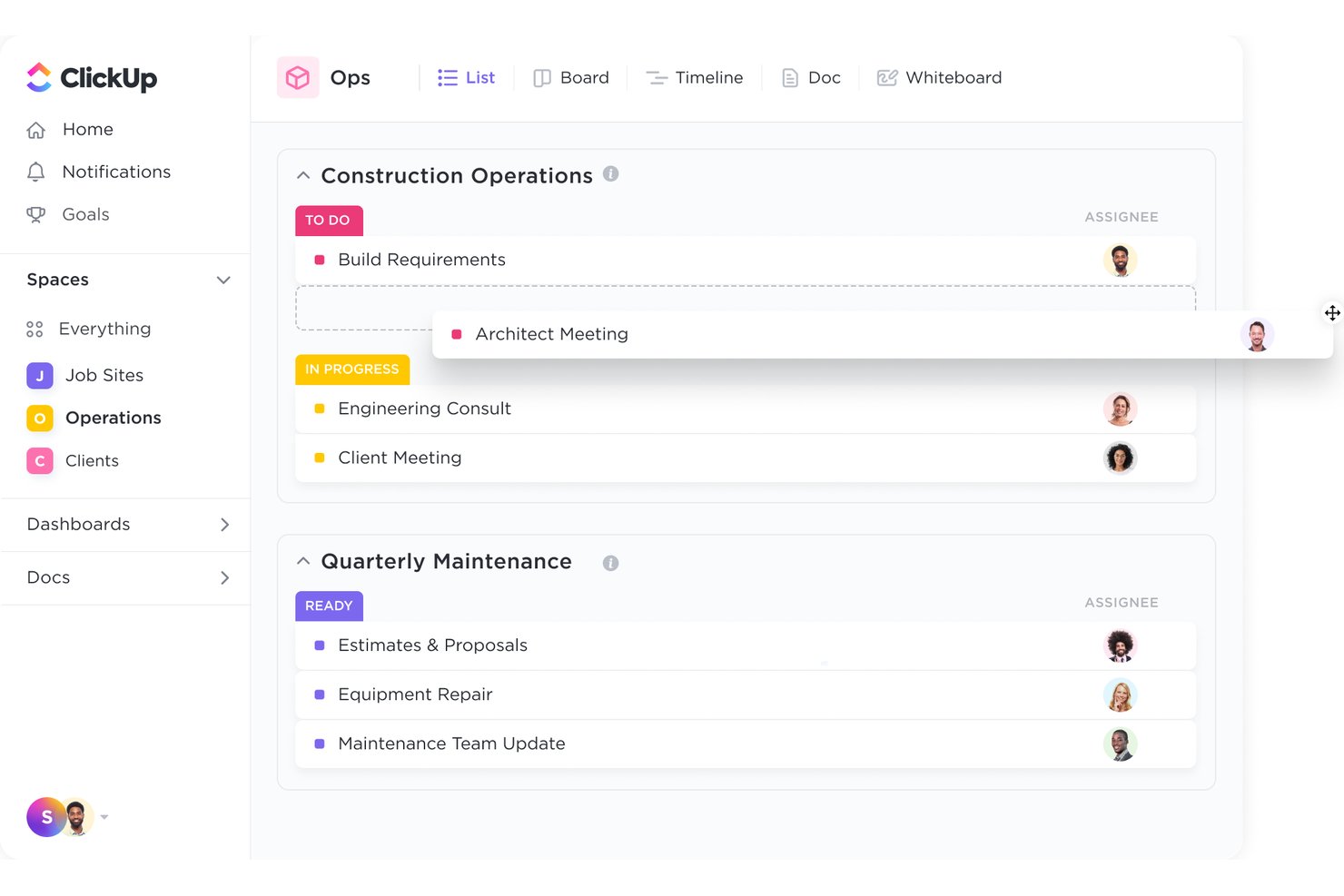
ClickUp is a general-purpose project management platform that adapts to construction workflows through customizable task views, Gantt charts, collaborative Docs, time tracking, and built-in tools for managing RFIs, submittals, and contractor coordination.
Who Is ClickUp Best For?
ClickUp is a strong fit for small to mid-sized construction firms and independent builders who need a flexible, configurable platform without the cost of specialized construction software.
Why I Picked ClickUp
ClickUp earns its spot on my shortlist because no other free tool lets you configure your workspace around how construction actually flows. I build custom statuses for each project phase (Pre-Construction, Active Build, Punch List, Closeout) and use custom field formulas to calculate material estimates directly within tasks. The pre-built Construction Management Template gives my team a ready-made structure for RFIs, milestone scheduling, and subcontractor coordination from day one.
ClickUp Key Features
- Gantt chart scheduling: Allows you to plan and visualize project phases with dependencies and milestones.
- Custom forms for RFIs and approvals: Lets your team create request forms and approval workflows tailored to construction needs.
- Centralized document management: Stores blueprints, contracts, and drawings with folder organization and file sharing.
- Mobile app access: Provides real-time updates and task assignments on both iOS and Android devices.
ClickUp Integrations
ClickUp offers native integrations with Google Drive, Slack, GitHub, Zoom, Microsoft Teams, Dropbox, OneDrive, and Outlook. It also connects with Zapier and provides an API for custom integrations.
What's Free?
ClickUp offers a free forever plan that supports unlimited users and unlimited tasks, making it accessible for small construction teams. Key restrictions include 100MB of storage, limited Gantt chart uses, and limited dashboard widgets, with several advanced features like time tracking reporting and custom field formulas gated behind paid plans.
Pros and Cons
Pros:
- Pre-built construction project templates available
- Highly configurable workflows for construction phases
- Unlimited users on the free forever plan
Cons:
- Gantt chart access is limited on the free tier
- No purpose-built construction-specific reporting tools
New Product Updates from ClickUp
ClickUp Adds Meetings Hub, Super Agent Templates, and ZoomInfo Integration
ClickUp adds a searchable Meetings Hub, new ways to clone and template Super Agents, and a ZoomInfo integration through the App Center. These updates improve meeting retrieval, agent reuse, and access to sales intelligence. For more information, visit ClickUp’s official site.

Lark
Best for all-in-one team chat and file sharing
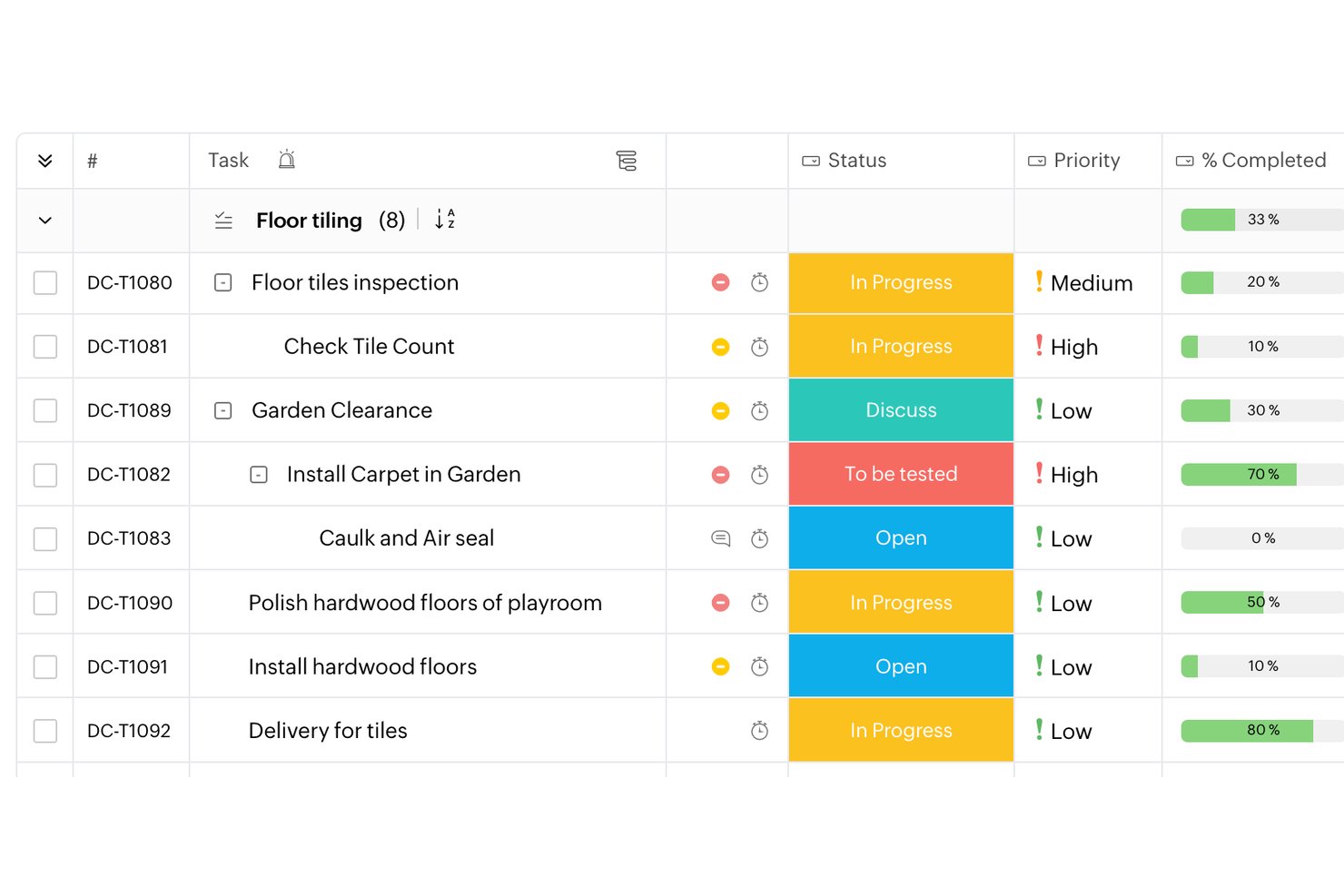
Lark is a free project management option for construction teams, combining task tracking and customizable workflows with team chat, collaborative documents, and file sharing in one workspace.
Who Is Lark Best For?
Lark fits small construction firms looking for a flexible workspace to coordinate office and field teams across active projects.
Why I Picked Lark
I picked Lark, Best for all-in-one team chat and file sharing, because construction teams can keep field updates beside shared project documents. A foreman can post a site update in chat, while task tracking and customizable workflows help the office team assign and follow up on the next action.
Lark Key Features
- Shared calendar: Schedule project milestones, site visits, and team events on shared calendars.
- Video meetings: Meet with project participants using video calls and screen sharing.
- Meeting minutes: Capture and organize meeting notes and recordings in Lark Minutes.
- Lark Base: Build structured tables and forms to record site inspections or material details.
Lark Integrations
Lark AnyCross connects Lark with external apps, including Salesforce, and supports workflow automation. Lark also offers open APIs for custom integrations.
What's Free?
Lark’s Starter plan is free indefinitely and supports up to 20 members, with 100 GB of total storage and 1,000 Base automation runs per month.
Pros and Cons
Pros:
- Base forms capture inspection and material details
- Shared calendars coordinate milestones and site visits
- Site updates stay beside shared project files
Cons:
- No built-in job costing or bid management
- No construction-specific drawing or submittal controls

Best for sharing updates with clients and subs
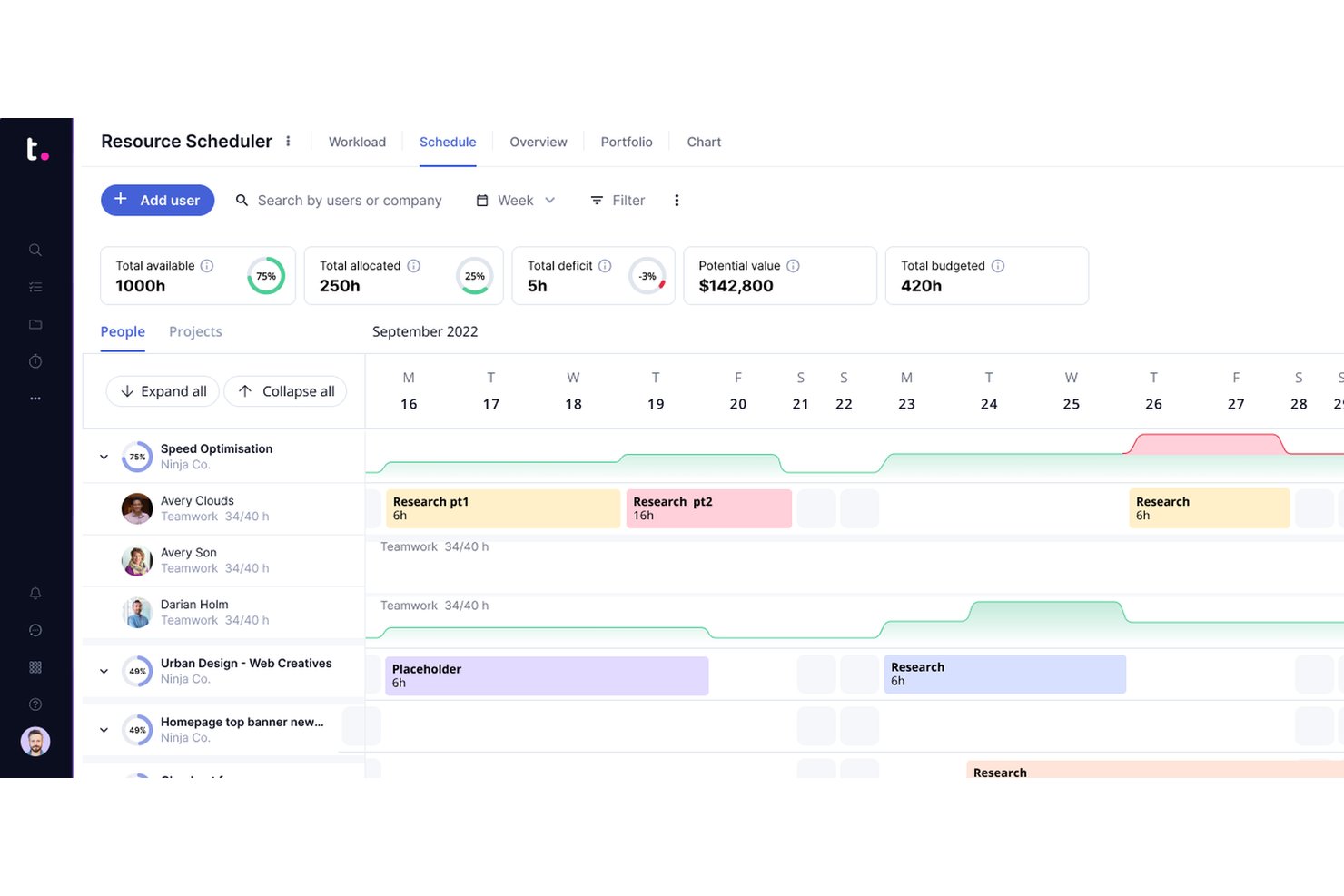
Teamwork.com is a project management platform for construction teams that need task tracking, Gantt charts, time tracking, document management, and built-in collaboration tools.
Who Is Teamwork.com Best For?
Teamwork.com is a strong fit for construction project managers who need to coordinate across internal teams, external contractors, and clients from a single platform.
Why I Picked Teamwork.com
Teamwork.com earns its spot on my shortlist because of how well it handles client and stakeholder visibility on construction projects. The Client Users feature lets you add unlimited clients to your projects at no extra cost, with granular permission controls that determine exactly what they can see and do. I find the Clients view especially useful—it rolls up cross-project metrics like budget health, billable time, and project status into a single dashboard, so you're never scrambling to pull together a progress report before a client call. The Proofs feature also cuts down on the back-and-forth approval cycles that slow down construction deliverables, giving clients a structured way to leave feedback and sign off on work.
Teamwork.com Key Features
- Gantt charts: Visualize project timelines, set task dependencies, and track what's due and when across construction phases.
- Milestone tracking: Set checkpoints within a project so your team and clients always know what's expected and by when.
- Budget tracking: Create project-specific budgets, monitor hours and spend in real time, and get alerts when costs approach set thresholds.
- Workload and capacity management: View your team's day-to-day capacity, spot scheduling conflicts, and reassign tasks to keep delivery on track.
Teamwork.com Integrations
Teamwork.com offers native integrations with Slack, Google Drive, Dropbox, Microsoft Teams, HubSpot, QuickBooks, Xero, and Harvest. It also connects with Zapier and provides an API for custom integrations.
What's Free?
Teamwork.com offers a free-forever plan for up to 5 users and 2 projects. The free plan has limited features and restricts access to advanced project templates, time tracking, and some integrations.
Pros and Cons
Pros:
- Integrated client proofing tools
- Built-in time tracking
- Unlimited free client users
Cons:
- Learning curve for newcomers
- Paid plans require user minimums

Best with GPS time cards and crew scheduling
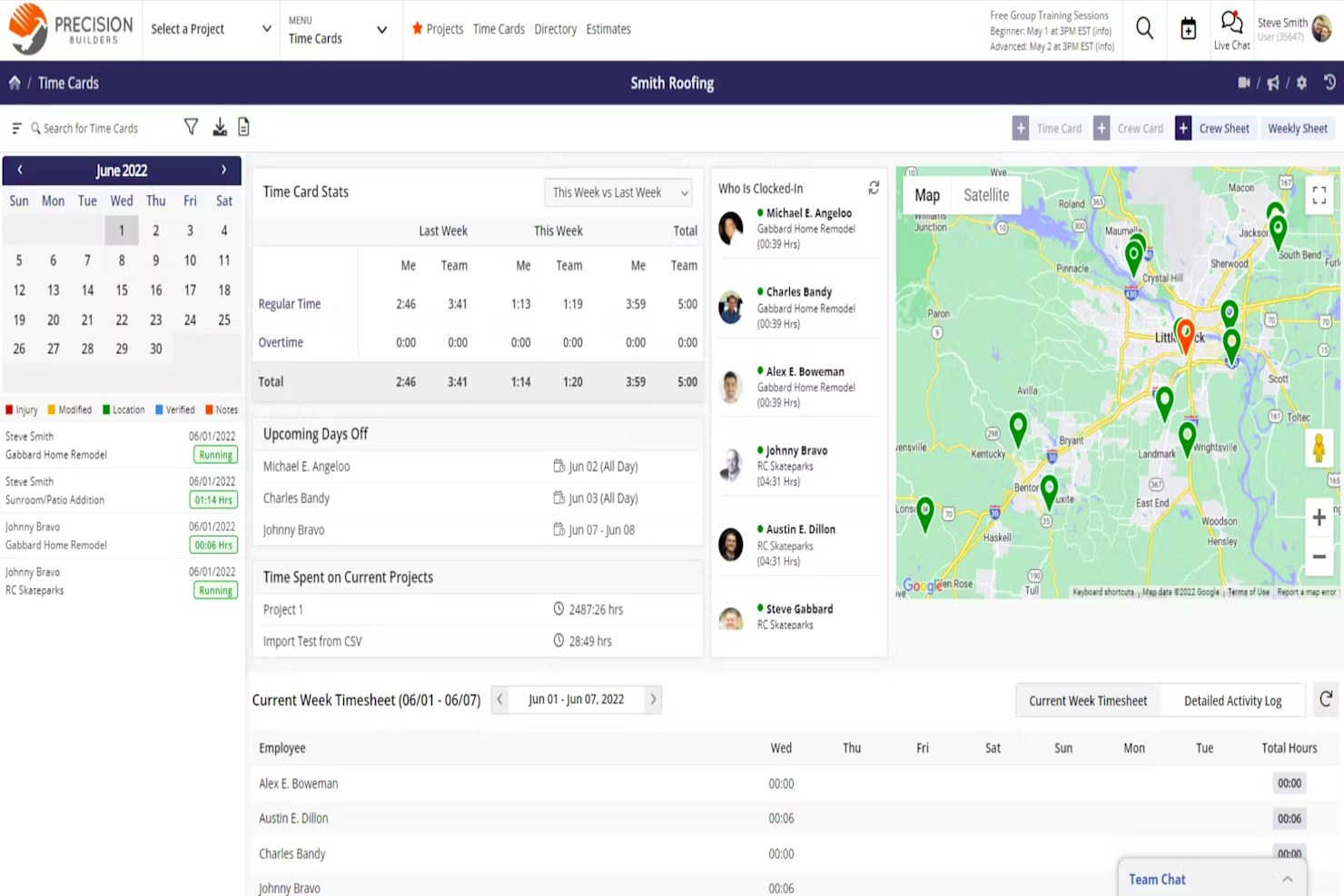
Contractor Foreman is construction project management software with tools for managing schedules, estimates, project documents, daily logs, and job costs.
Who Is Contractor Foreman Best For?
Contractor Foreman suits construction contractors coordinating field crews across active jobsites; it’s Best with GPS time cards and crew scheduling.
Why I Picked Contractor Foreman
I picked Contractor Foreman for Best Free Construction Project Management Software because it’s Best with GPS time cards and crew scheduling. I like how field crews can record time by jobsite while managers coordinate assignments across active projects. Daily logs help keep a record of site activity alongside the schedule.
Contractor Foreman Key Features
- Estimates: Create estimates with material and labor pricing, markups, and client approval.
- Document management: Store and organize project documents in one place.
- Change orders: Record and manage changes to project scope.
- Invoicing: Create invoices with retainage and AIA-style billing options.
Contractor Foreman Integrations
Contractor Foreman lists integrations with QuickBooks Online and QuickBooks Desktop for Windows, Google Calendar, and Stripe. Zapier is also listed.
What’s Free?
Contractor Foreman offers a 30-day free trial, not a free-forever plan. Paid plans start at $49/month, billed annually.
Pros and Cons
Pros:
- Daily logs record activity alongside schedules
- Crew scheduling coordinates assignments across active projects
- GPS time cards connect labor to jobsites
Cons:
- 30-day trial limits evaluation time
- No free-forever plan for ongoing projects

Fieldwire
Best for field punch lists and offline logs
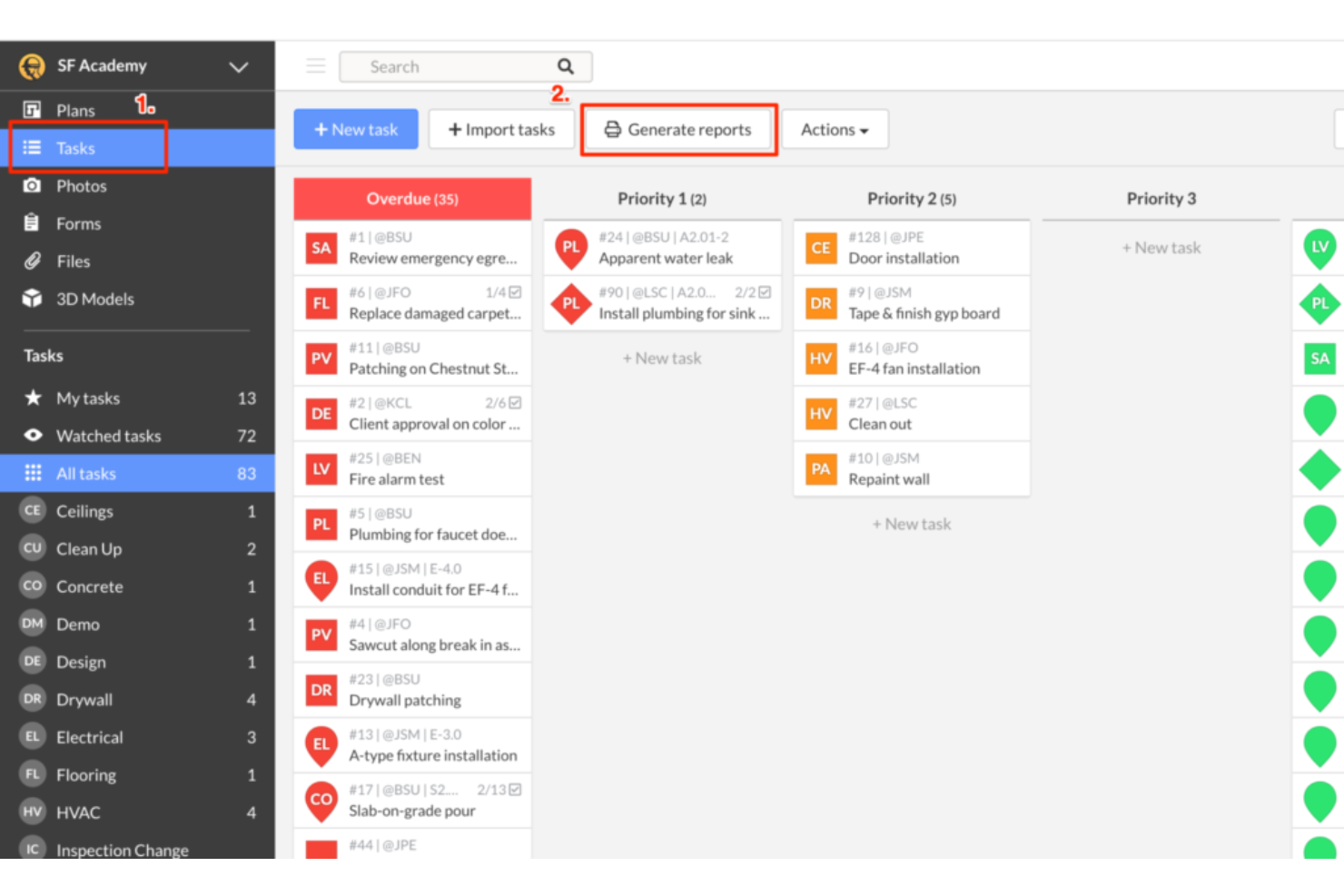
Fieldwire is construction project management software with a free plan that connects construction drawings with field tasks, forms, punch lists, and RFIs.
Who Is Fieldwire Best For?
Fieldwire is a good fit for construction site supervisors and forepersons coordinating crews and monitoring work across active job sites.
Why I Picked Fieldwire
I picked Fieldwire for job site management because it ties field work to construction drawings. I use plan-linked tasks to show crews exactly where work needs attention, then track punch list items and RFIs against the project plans. That keeps site updates connected to the drawings crews rely on.
Fieldwire Key Features
- Forms: Create and complete digital forms for inspections, safety checks, and other site records.
- Plan version control: Upload revised sheets and keep previous versions available for reference.
- File storage: Store project documents alongside site information for team access.
- Reports: Generate reports from project data to review and share site activity.
Fieldwire Integrations
Integrations include Microsoft SharePoint and Google Drive for syncing plans and files, plus Microsoft Power BI for task and form analytics. Fieldwire also offers a REST API for custom integrations; API access requires a managed account.
What's Free?
Fieldwire offers a free-forever Basic plan for up to five users, three projects, and 100 sheets. It includes core features such as plan viewing, task management, files, photos, and checklists, while reports, integrations, custom forms, and RFIs require a paid plan.
Pros and Cons
Pros:
- Photos and checklists support site documentation
- Plan viewing and task management included
- Drawing-linked tasks pinpoint field work
Cons:
- Reports and RFIs require paid plans
- Free plan caps teams at five users
Annen gratis programvare for prosjektstyring i bygg og anlegg
Her er noen flere gratis alternativer for prosjektstyring i bygg og anlegg som ikke kom med på kortlisten min, men som likevel er verdt å undersøke:
- Methvin
For estimate-linked schedule and cost tracking
- Jira
For adapting agile workflows to build phases
- ProjectManager
For Gantt-driven schedule tracking
- OpenProject
For self-hosted open-source scheduling
- Notion
For flexible solo contractor workspaces


How I Evaluate Free Construction Project Management Software
I evaluate free construction project management software based on two things: whether the free plan is practical for real construction work and whether the platform provides the core tools needed to coordinate projects between the office and job site.
Core Functionality (Table Stakes For This List)
When I'm selecting tools for my list, I rank each one on a scale from 0 (does not offer the functionality) to 5 (excels in this area) for each core functionality listed below. Then, I calculate the tool's total score as a percentage. Each tool needs to achieve a minimum total score of 65% to be considered for inclusion.
- Free Plan Availability: I verify that the software offers an ongoing free plan rather than only a time-limited trial. I also consider limits on users, active projects, storage, and features to determine how practical the free version is for construction teams.
- Project Scheduling & Task Management: I look for tools that can organize construction phases, tasks, deadlines, dependencies, and milestones so teams can see what needs to happen next and where delays may affect the schedule.
- Document & Plan Management: Construction teams need access to drawings, RFIs, permits, photos, and other project files. I assess how well each tool stores, organizes, shares, and updates project documentation.
- Field & Office Collaboration: I evaluate mobile access, project updates, comments, notifications, and role-based access to determine how effectively field crews, project managers, subcontractors, and other stakeholders can coordinate.
- Budget & Cost Tracking: I look for tools that help teams monitor estimates, budgets, labor, expenses, change orders, or other project costs, while accounting for which financial features are actually included in the free plan.
- Progress & Site Reporting: I assess tools for daily logs, photos, status updates, issue tracking, punch lists, and other features that help teams document progress and identify problems on the job site.
Once I have a list of tools that meet these criteria, I consider what sets each platform apart.
Differentiating Factors (What Sets Vendors Apart)
Here's how I compare and contrast different vendors:
Standout Features
Punch list management is a big differentiator—tools that let you tag deficiencies with photos and assign corrections by trade save real time during closeout. I also look for subcontractor portals that give subs access to schedules and documents without eating into your user count. Safety and compliance forms matter too, especially pre-built inspection templates and incident reports that keep jobsite documentation consistent across crews.
Beyond Features
Mobile and offline functionality is a major factor—crews on remote jobsites need to log data without cell service, so I evaluate whether an app syncs reliably when connectivity returns. Integration with accounting tools like QuickBooks or Xero also matters, since construction PMs need job costs flowing into financials without manual re-entry. I also consider whether a platform is purpose-built for construction or a general PM tool adapted for the industry, which shapes how well it handles trade-specific workflows.
Slik velger du gratis programvare for prosjektstyring i bygg og anlegg
Den beste gratis programvaren for prosjektstyring i bygg og anlegg avhenger av størrelsen på arbeidsstyrken din, hvor mange aktive prosjekter du administrerer, og hvilke arbeidsflyter innen bygg og anlegg du trenger at programvaren skal støtte. Gratisabonnementer kan ha betydelige begrensninger, så sammenlign hva du faktisk kan bruke før du bestemmer deg for en plattform.
| Faktor | Hva du bør vurdere |
|---|---|
| Begrensninger i gratisabonnementet | Kontroller maksimalt antall brukere, prosjekter og hvor mye lagringsplass som er inkludert. Sørg for at gratistilbudet kan støtte det nåværende teamet og aktive prosjekter uten at det kreves en umiddelbar oppgradering. |
| Arbeidsflyter for byggeprosjekter | Se etter funksjoner som passer med måten dere driver prosjekter på, for eksempel planlegging, daglige logger, tegninger, RFI-er, mangellister, endringsordrer og fremdriftssporing. |
| Tilgang ute på byggeplassen | Vurder hva teamene kan gjøre fra en telefon eller et nettbrett, inkludert å se planer, oppdatere oppgaver, laste opp bilder og registrere fremdrift på byggeplassen. Frakoblet tilgang kan også være viktig på steder med ustabil tilkobling. |
| Planlegging og avhengigheter | Finn ut om gratisabonnementet støtter det planleggingsnivået dere trenger. Grunnleggende oppgavedatoer kan være tilstrekkelig for mindre prosjekter, mens mer komplekse prosjekter kan kreve avhengigheter, milepæler eller Gantt-diagrammer. |
| Dokumenthåndtering | Kontroller hvordan tegninger, tillatelser, bilder, kontrakter og andre prosjektfiler lagres og deles, samt eventuelle lagringsbegrensninger i gratisabonnementet. |
| Kostnadssporing | Hvis dere trenger å overvåke prosjektkostnader, bør dere kontrollere om budsjettering, kalkulering, tidsregistrering eller prosjektkostnadsberegning er inkludert kostnadsfritt eller forbeholdt betalte abonnementer. |
| Samarbeid og tillatelser | Vurder om dere kan legge til underentreprenører, kunder eller team ute på byggeplassen, og styre hva hver person kan se eller redigere uten å overskride grensen for kostnadsfrie brukere. |
| Krav ved oppgradering | Finn ut hvilke funksjoner som etter hvert krever et betalt abonnement, og hva oppgraderingen vil koste. Dette kan hjelpe dere med å unngå å velge et gratisverktøy dere raskt vil vokse ut av. |
Før dere velger et verktøy, bør dere sammenligne begrensningene i gratisabonnementet med måten teamet faktisk håndterer byggeprosjekter på. Et mindre team trenger kanskje bare oppgavesporing, tidsplaner og dokumentdeling, mens entreprenører som håndterer flere prosjekter, kan trenge mer avansert planlegging, kostnadssporing, rapportering ute på byggeplassen og koordinering av underentreprenører.
Hva er gratis prosjektstyringsprogramvare for byggeprosjekter?
Gratis prosjektstyringsprogramvare for byggeprosjekter hjelper entreprenører og byggeteam med å planlegge, koordinere og følge opp prosjekter uten et betalt abonnement. Disse verktøyene tilbyr et kostnadsfritt abonnement som kan brukes over tid, men begrenser vanligvis antall brukere, prosjekter, lagringsplass eller tilgjengelige avanserte funksjoner.
Byggeteam kan bruke gratis prosjektstyringsprogramvare til å håndtere oppgaver og tidsplaner, dele prosjektdokumenter, koordinere mellom byggeplass og kontor og følge prosjektets fremdrift. Noen plattformer inkluderer også byggeplasspesifikke funksjoner som daglige logger, tegninger, RFI-er, mangellister, kalkulering eller kostnadssporing.
Hvordan hjelper gratis prosjektstyringsprogramvare for byggeprosjekter?
Gratis prosjektstyringsprogramvare for byggeprosjekter gir mindre team et sentralt sted å håndtere prosjektinformasjon som ellers kan være spredt over regneark, e-post, papirdokumenter og separate kommunikasjonsverktøy. Det kan også være et mer tilgjengelig alternativ til spesialisert prosjektstyringsprogramvare for byggeprosjekter for team som ikke trenger avanserte funksjoner.
Oppgavehåndtering og planlegging kan for eksempel hjelpe prosjektledere med å koordinere kommende arbeid, mens dokumentdeling gir team ute på byggeplassen tilgang til oppdaterte planer og prosjektfiler. Mobilverktøy kan også hjelpe teamene med å registrere fremdrift, laste opp bilder og kommunisere oppdateringer fra byggeplassen. Team som trenger mer spesialisert koordinering ute på byggeplassen, kan også ha nytte av programvare for tidsregistrering i byggeprosjekter for å registrere timer og knytte arbeidsdata til prosjektarbeidet.
Gratisabonnementer har vanligvis begrensninger, og fungerer derfor best for mindre entreprenører, individuelle prosjektledere eller team med relativt enkle prosjektkrav. Når antallet prosjekter, brukere eller arbeidsflyter for byggeprosjekter øker, kan funksjoner som avansert planlegging, prosjektkostnadsberegning, rapportering og administrasjon av underentreprenører kreve et betalt abonnement. Team som sammenligner alternativer, kan også se på mer omfattende gratis prosjektstyringsprogramvare for å se hvordan verktøy for generell prosjektstyring står seg mot plattformer rettet mot byggeprosjekter.
Funksjoner i gratis prosjektstyringsprogramvare for byggeprosjekter
La oss gå gjennom funksjonene som vanligvis finnes i prosjektstyringsprogramvare for byggeprosjekter, og hvilke som vanligvis er inkludert i gratis- og betalte abonnementer.
Funksjoner som vanligvis er inkludert i gratis prosjektstyringsprogramvare for byggeprosjekter
- Oppgavehåndtering: Lar deg tildele oppgaver, sette frister og følge fremdriften, slik at ingenting blir glemt.
- Dokumentdeling: Lar deg laste opp og få tilgang til tillatelser, tegninger og planer på ett sted.
- Enkel planlegging: Hjelper deg med å tildele datoer, organisere prosjektfaser og følge kommende byggeoppgaver. Avhengigheter, verktøy for kritisk linje og avansert Gantt-planlegging kan kreve et betalt abonnement.
- Teamkommunikasjon: Tilbyr enkle måter å kommunisere direkte med arbeidslaget ditt i plattformen.
- Begrenset prosjektstyring: Gratisabonnement støtter vanligvis et begrenset antall aktive prosjekter, brukere eller begge deler, selv om de nøyaktige grensene varierer fra plattform til plattform.
- Tilgang til mobilapp: Gir arbeidslag ute på byggeplassen mulighet til å se oppgaver eller oppdateringer fra telefoner eller nettbrett.
- Aktivitetslogger: Viser en løpende liste over endringer eller oppdateringer, slik at alle holder seg orientert.
Funksjoner i programvare for byggeprosjektstyring som vanligvis krever betaling
- Styring av flere prosjekter: Lar deg administrere flere jobber samtidig, med separate tidsplaner, oppgaver og filer.
- Registrering av tid og arbeidskraft: Registrerer arbeidstimer per prosjekt, oppgave eller byggeplass og kan hjelpe team med å sammenligne arbeidskostnader med prosjektbudsjetter.
- Budsjett- og kostnadsoppfølging: Lar deg beregne byggekostnader, følge utgifter og sammenligne faktiske kostnader med budsjettet.
- Gantt-diagramvisninger: Tilbyr visuelle tidslinjer som hjelper med å planlegge avhengigheter og oppdage forsinkelser tidlig.
- Avansert rapportering: Oppretter tilpassede rapporter for prosjektstatus, budsjettbruk og teamets produktivitet.
- Tilpassede brukertillatelser: Lar deg kontrollere hva ulike brukere eller roller kan se og gjøre.
- Portaler for kunder eller underentreprenører: Gir eksterne samarbeidspartnere begrenset tilgang til relevant prosjektinformasjon.
Fordeler med gratis programvare for byggeprosjektstyring
Gratis programvare for byggeprosjektstyring kan gi entreprenører og mindre team en mer strukturert måte å administrere jobber på uten å legge til et nytt programvareabonnement. Avhengig av hvilke funksjoner som er inkludert i gratisabonnementet, kan de viktigste fordelene omfatte:
- Sentralisert prosjektinformasjon: Oppbevar oppgaver, tidsplaner, tegninger, bilder og annen prosjektinformasjon på ett sted i stedet for å spre den over regneark, e-poster og papirdokumenter.
- Bedre koordinering mellom byggeplass og kontor: Gi prosjektledere og arbeidslag ute på byggeplassen tilgang til de samme oppgaveoppdateringene, tidsplanene, dokumentene og prosjektstatusopplysningene.
- Tydeligere prosjektplanlegging: Organiser byggefasene, fristene og det tildelte arbeidet, slik at teamene kan se hva som skjer nå, og hva som må skje videre.
- Mer konsekvent oppfølging av fremdriften: Bruk oppgaveoppdateringer, aktivitetslogger, bilder og daglige rapporter til å dokumentere fullført arbeid på byggeplassen og identifisere forsinkelser.
- Enklere dokumenttilgang: Lagre og del planer, tillatelser, prosjektfiler og annen dokumentasjon, slik at teamene får tilgang til oppdatert informasjon når de trenger den.
- Lavere programvarekostnader: Administrer grunnleggende arbeidsflyter for byggeprosjekter uten å betale for programvaren på forhånd, noe som kan gjøre gratisabonnement praktiske for mindre entreprenører og team.
- Mulighet til å evaluere før oppgradering: Bruk gratisversjonen til å finne ut om plattformen passer til arbeidsflytene dine innen bygging, før du går over til et betalt abonnement med høyere grenser eller mer avanserte funksjoner.
Kostnader og priser for gratis programvare for byggeprosjektstyring
Gratis programvare for byggeprosjektstyring koster $0 i utgangspunktet, men gratisabonnement begrenser vanligvis antallet brukere, aktive prosjekter, lagringsplass eller tilgjengelige avanserte funksjoner. Etter hvert som teamet eller prosjektkravene dine vokser, kan det hende du må oppgradere til et betalt abonnement for funksjoner som avansert planlegging, kostnadsoppfølging, rapportering, integrasjoner eller flere brukere.
Tabellen nedenfor viser typiske prisnivåer og hvilke typer funksjoner du kan finne på hvert nivå.
Sammenligningstabell for abonnementer for programvare for byggeprosjektstyring
| Abonnementstype | Gjennomsnittspris | Vanlige funksjoner |
|---|---|---|
| Gratisabonnement | $0 | Oppgavehåndtering, dokumentdeling, grunnleggende planlegging, teammeldinger og ett prosjekt. |
| Personlig abonnement | $5–$15/bruker/måned | Flere prosjekter, mobiltilgang, grunnleggende rapporter, kalendervisning og begrensede integrasjoner. |
| Bedriftsabonnement | $20–$40/bruker/måned | Tidsregistrering, budsjettverktøy, Gantt-diagrammer, avanserte rapporter og brukertillatelser. |
| Virksomhetsabonnement | $50–$100/bruker/måned | Tilpassede roller, revisjonslogger, kundeportaler, avansert sikkerhet og dedikert kundestøtte. |
Vanlige spørsmål om gratis programvare for byggeprosjektstyring
Her finner du svar på vanlige spørsmål om gratis programvare for byggeprosjektstyring.