

Le 10 migliori alternative e concorrenti di Basecamp nel 2026

10 Le migliori alternative a Basecamp in sintesi


Le migliori alternative a Basecamp offrono una gestione delle attività più avanzata, report più approfonditi e integrazioni più ampie. Se hai superato la semplicità di Basecamp o vuoi avere un maggiore controllo sull'organizzazione dei progetti, lo strumento giusto ti aiuterà a pianificare e monitorare meglio i progetti, tenere sotto controllo le ore fatturabili e monitorare l'utilizzo delle risorse.
Ho utilizzato i miei oltre 15 anni di esperienza nella gestione dei progetti per testare le alternative a Basecamp e determinare le opzioni migliori per aiutarti a rimanere in contatto con i clienti, personalizzare i flussi di lavoro in base alle tue esigenze e realizzare progetti con un impatto misurabile. Di seguito evidenzio i punti di forza e le differenze principali, i pro e i contro e i casi d'uso ideali.
Cosa sono le alternative a Basecamp?
Le alternative a Basecamp sono strumenti per la gestione dei progetti e la collaborazione che aiutano i team a organizzare il lavoro, condividere aggiornamenti e tenere traccia delle attività. Offrono funzionalità simili a Basecamp, ma possono avere un'interfaccia più intuitiva, funzionalità aggiuntive che Basecamp non offre o maggiori possibilità di personalizzazione per adattarsi alle tue esigenze.
Le alternative a Basecamp sono apprezzate dai responsabili di progetto, dai titolari di aziende e dai team che lavorano da remoto e desiderano modi semplici per gestire i progetti, rimanere connessi e ridurre il tempo trascorso passando da un'app all'altra.
Perché fidarsi dei nostri consigli sui software
Il nostro team testa e recensisce software dal 2012. In quanto project manager noi stessi, sappiamo quanto sia difficile — e importante — scegliere il software giusto.
Per questa guida, abbiamo valutato gli strumenti attraverso test pratici e ricerche indipendenti, assegnando un punteggio agli strumenti in base ai nostri criteri di selezione. Ci basiamo inoltre sulle competenze di leader di pensiero del settore e di professionisti attivi nella gestione dei progetti.
Le nostre recensioni riflettono il nostro giudizio editoriale umano, non un discorso di vendita.
Revisori esperti:
Tabella di confronto delle alternative a Basecamp
Questa tabella di confronto riassume i dettagli sui prezzi delle mie migliori alternative a Basecamp.
| Tool | Best For | Trial Info | Price | ||
|---|---|---|---|---|---|
| 1 | Ideale per organizzazioni in crescita | Prova gratuita di 14 giorni | Da $9.80/utente/mese | Website | |
| 2 | Migliore per la personalizzazione | 14 giorni di prova gratuita | Da $6/utente/mese | Website | |
| 3 | Ideale per una facile migrazione da Basecamp | Prova gratuita di 10 giorni. Non sono richieste informazioni sulla carta di credito. | A partire da $4/utente/mese con fatturazione annuale. Dispone anche di una versione freemium fino a 3 utenti per 2 progetti | Website | |
| 4 | Ideale per viste multiple di progetti e attività | Prova gratuita di 14 giorni | A partire da $12/utente/mese | Website | |
| 5 | Ideale per l'integrazione tra ideazione e gestione delle attività | Prova gratuita + piano gratuito + demo gratuita disponibili | Da $13/utente/mese (fatturazione annuale) | Website | |
| 6 | Miglior piano gratuito come alternativa a Basecamp | Piano gratuito + demo gratuita disponibile | Gratis per sempre con piani a pagamento a partire da $5/utente/mese | Website | |
| 7 | Ideale per facilità d'uso e collaborazione con i clienti | Prova gratuita di 14 giorni disponibile, nessuna carta di credito richiesta | Piani a pagamento a partire da soli $5/utente/mese | Website | |
| 8 | Ideale per la gestione progetti economica | Prova gratuita di 14 giorni | Da $1.49/utente/mese | Website | |
| 9 | Migliore alternativa a Basecamp per database open source e flessibili | Prova gratuita + piano gratuito disponibile | Da $10/utente/mese (fatturato annualmente) | Website | |
| 10 | Migliore alternativa a Basecamp per lo sviluppo software | 30 giorni di prova gratuita | Da 35/mese | Website |


Recensioni delle migliori alternative a Basecamp
Ecco i miei riepiloghi dettagliati di ogni alternativa a Basecamp e dei motivi per cui rappresentano valide alternative.

Wrike
Ideale per organizzazioni in crescita
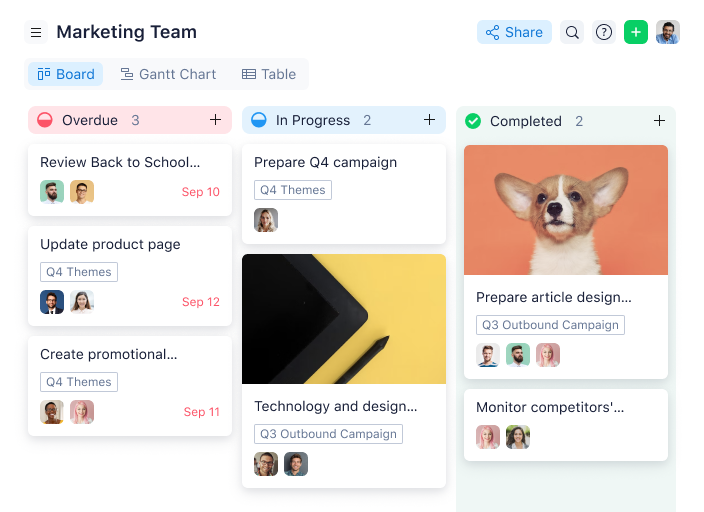
Wrike è un software di gestione progetti pluripremiato e facile da usare, scelto da oltre 20.000 organizzazioni in tutto il mondo. Questo strumento di pianificazione dei progetti è adatto a team che vanno da cinque fino a un numero illimitato di membri. È altamente configurabile e consente agli utenti di personalizzare flussi di lavoro, attività ricorrenti, dashboard, report, moduli di richiesta e molto altro.
L'interfaccia semplice di Wrike permette agli utenti di passare da Kanban board, diagrammi di Gantt con un clic e le classiche viste di carico di lavoro, consentendo loro di scegliere come visualizzare le priorità. Wrike offre inoltre funzionalità per la gestione dei progetti come modelli di progetto, liste delle attività, sotto-attività, dipendenze tra attività, calendari, flussi di lavoro condivisi, condivisione di file, revisione di immagini, video e siti web, oltre alla collaborazione in tempo reale. Sblocca approfondimenti avanzati con strumenti di reportistica sulle prestazioni, gestione e allocazione delle risorse, monitoraggio del tempo e molto altro.
Wrike ha un'interfaccia e una navigazione facili e intuitive, con spazi ben distinti per ogni cartella e lista di attività. Gestire i progetti diventa semplice passando dalla schermata principale a schede orario, dashboard, calendari, report e al flusso attività per notifiche e messaggi.
Questa soluzione di project management offre anche una varietà di funzionalità di gestione progetti diverse e specifiche, a seconda del tipo di team o organizzazione - che siate un team creativo, di marketing o di servizi professionali.
Wrike offre oltre 400 integrazioni native predefinite, tra cui le più popolari soluzioni di gestione file di Microsoft, Google e Dropbox, insieme a software di vendita e marketing come Salesforce e Marketo.
New Product Updates from Wrike

Wrike Adds Quick Search to Table View
Wrike adds Quick Search to Table View with full-table search across titles, descriptions, and fields, plus highlighted matches. This helps users find tasks faster in large tables. For more information, visit Wrike’s official site.

Migliore per la personalizzazione
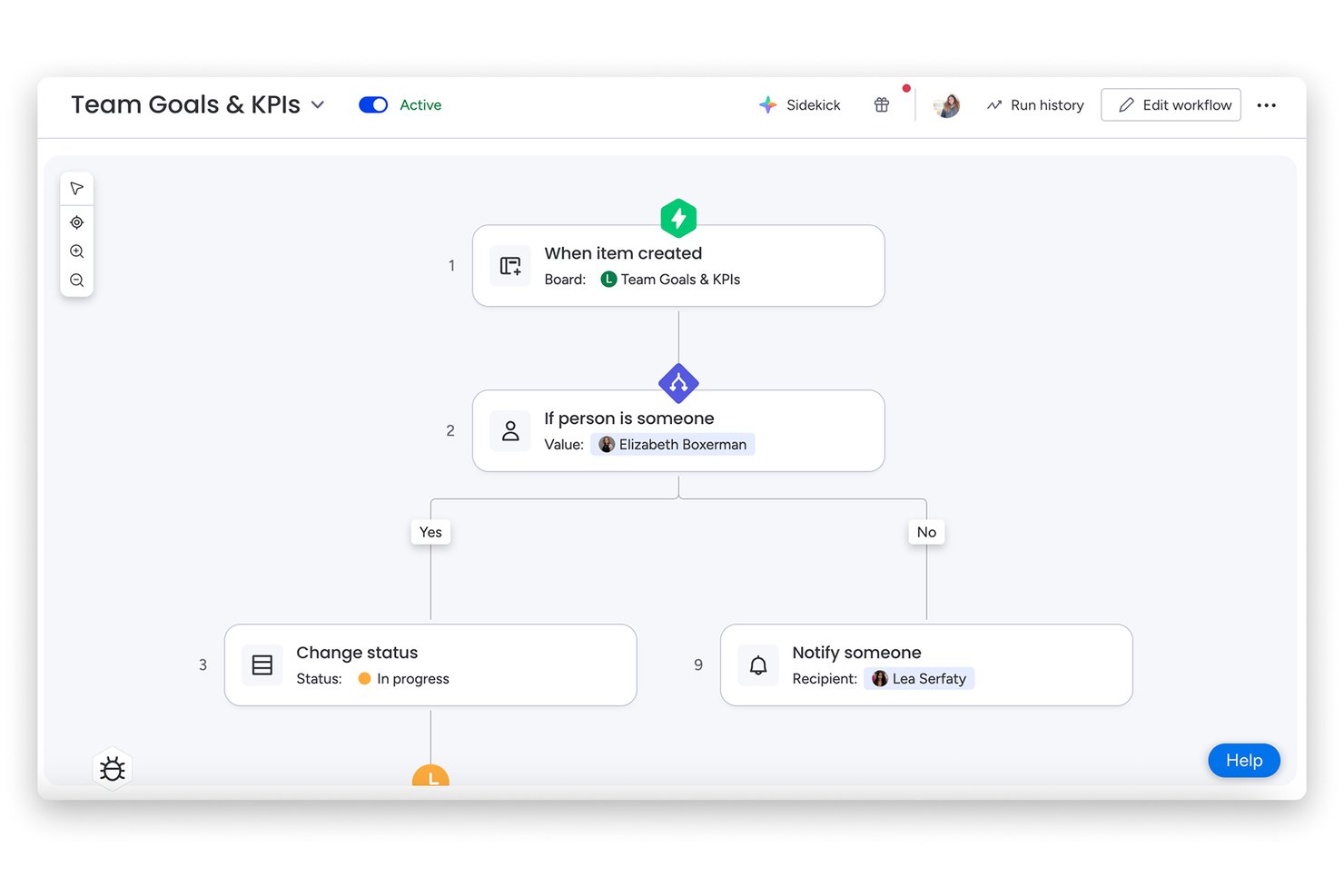
monday AI Workspace è una piattaforma di gestione progetti visiva pensata per i team che hanno superato strumenti semplici e necessitano di un tracciamento dei progetti multi-vista, automazione dei flussi di lavoro e esecuzione assistita dall’IA, tutto in un unico posto.
Per chi è più adatto monday AI Workspace?
È particolarmente indicato per i team operativi e i project manager che devono coordinare il lavoro tra più dipartimenti o funzioni senza dover costruire tutto da zero.
Perché monday AI Workspace è una valida alternativa a Basecamp
Ho scelto monday AI Workspace per questa lista perché la personalizzazione va ben oltre i nomi delle colonne e i temi cromatici. Puoi concatenare trigger di automazione a tipi di colonne personalizzate, così quando uno stato cambia su una board, le board collegate si aggiornano automaticamente. Il generatore di workflow IA porta ancora oltre queste possibilità, permettendomi di configurare un instradamento intelligente dei task in base ai dati in tempo reale delle board senza scrivere alcuna riga di codice.
Caratteristiche principali di monday AI Workspace
- Assistente IA: Genera attività, riepiloghi, note di riunione e aggiornamenti di progetto direttamente dalle tue board.
- Visualizzazione timeline e Gantt: Gestisci scadenze, traguardi e dipendenze con planning di progetto interattivi.
- Suita multi-prodotto (Gestione del lavoro, CRM, sviluppo, assistenza): Passa tra diversi moduli per gestire una varietà di workflow aziendali.
- Accesso per ospiti e clienti: Invita utenti esterni con permessi controllati per collaborare e fornire feedback sui progetti.
Integrazioni di monday AI Workspace
monday AI Workspace offre centinaia di integrazioni native tramite le sue integrazioni incorporate e il marketplace, tra cui Slack, Salesforce, HubSpot, Google Workspace, Outlook, Microsoft Teams, GitHub, Jira, Dropbox e Zoom. Supporta anche Zapier e mette a disposizione un’API per integrazioni personalizzate.
Pros and Cons
Pros:
- Board, campi e flussi di lavoro altamente personalizzabili
- La generazione di attività con IA velocizza l’avvio dei progetti
- Numerose visualizzazioni di progetto tra cui Gantt e timeline
Cons:
- Può risultare complesso per team molto piccoli
- Il piano gratuito limita automazioni e funzioni avanzate
New Product Updates from monday AI Workspace
monday AI Workspace Adds Human Approval Routing
monday AI Workspace adds a human-in-the-loop approval block to AI Workflows, sending approval requests and routing workflow paths based on responses. For more information, visit monday AI Workspace's official site.

Ideale per una facile migrazione da Basecamp
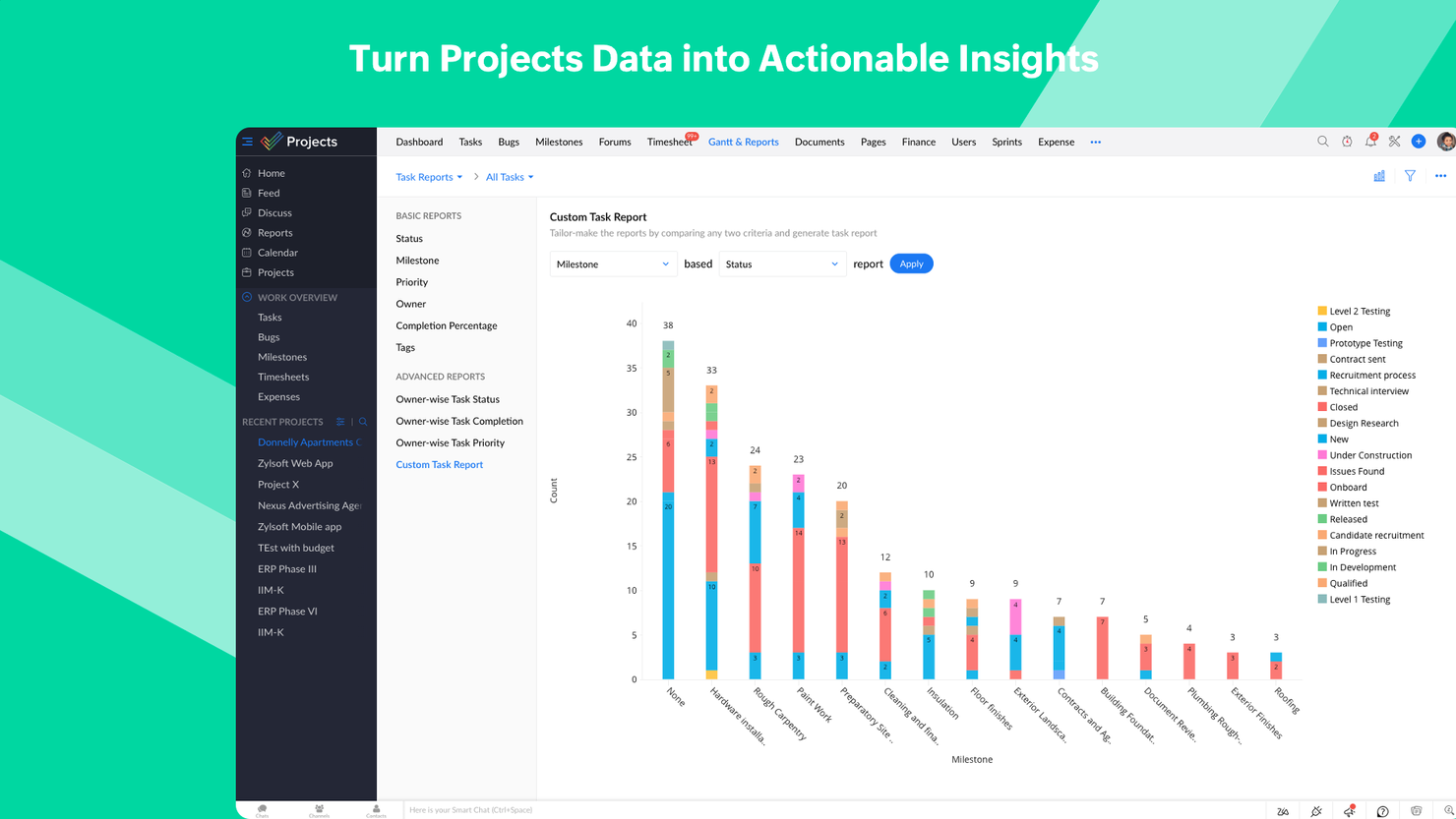
Se stai cercando un aggiornamento intuitivo ma ricco di funzionalità rispetto a Basecamp, Zoho Projects è un'opzione eccellente. Se sei già un utente Basecamp, Zoho Projects consente una migrazione diretta da Basecamp. Grazie alle sue possibilità di personalizzazione e alle capacità di reporting, questo strumento rappresenta il passo successivo più logico.
Programma le attività di lavoro come task e imposta le date, oppure utilizza l'interfaccia del diagramma di Gantt intuitiva con drag and drop. Va oltre la semplice pianificazione e permette di analizzare le timeline con percorso critico e baseline. Il feed sociale integrato, le chat room e i forum offrono numerose opzioni per avviare conversazioni. A ciò si aggiunge il modulo dei documenti, che supporta la condivisione dei file, la cronologia delle versioni e la creazione collaborativa di file. Zoho Projects è uno dei pochi strumenti PM che consentono la creazione di dipendenze tra progetti.
Personalizza completamente le dashboard in base alle tue esigenze. Integra Zoho Analytics e crea oltre 50 tipi di grafici e report. Esporta i diagrammi di Gantt in PDF e le attività in formato XLS/CSV. L’interfaccia e i moduli sono altamente personalizzabili. Tutti gli aspetti dell’interfaccia utente, dai colori del tema alla disposizione e visibilità dei vari moduli, possono essere modificati in base alle preferenze dell’utente. Zoho Projects offre anche onboarding gratuito per i suoi clienti e una guida completa online per tutti gli utenti.
Essendo parte dell’ecosistema Zoho, Projects può connettersi a diversi altri servizi Zoho come Zoho Books, Zoho CRM e la suite finanziaria di Zoho. Il nuovo marketplace Zoho permette anche l’integrazione con servizi di terze parti. Sono inoltre supportate le connessioni Zapier. Zoho Projects si distingue nei casi in cui sono previsti vari passaggi tra team. È particolarmente popolare tra aziende IT, consulenti e organizzazioni educative.
Prezzi a partire da $4/utente/mese con fatturazione annuale. È disponibile anche una versione freemium fino a 3 utenti e 2 progetti e una prova gratuita di 10 giorni. Non sono richieste informazioni sulla carta di credito.
New Product Updates from Zoho Projects
Zoho Projects Adds CodeX Scripts for Custom Modules
Zoho Projects now supports CodeX Scripts for custom modules, enabling conditional logic and rules for creating, updating, and deleting records. For more information, visit Zoho Projects' official site.
 .
.
Hive
Ideale per viste multiple di progetti e attività
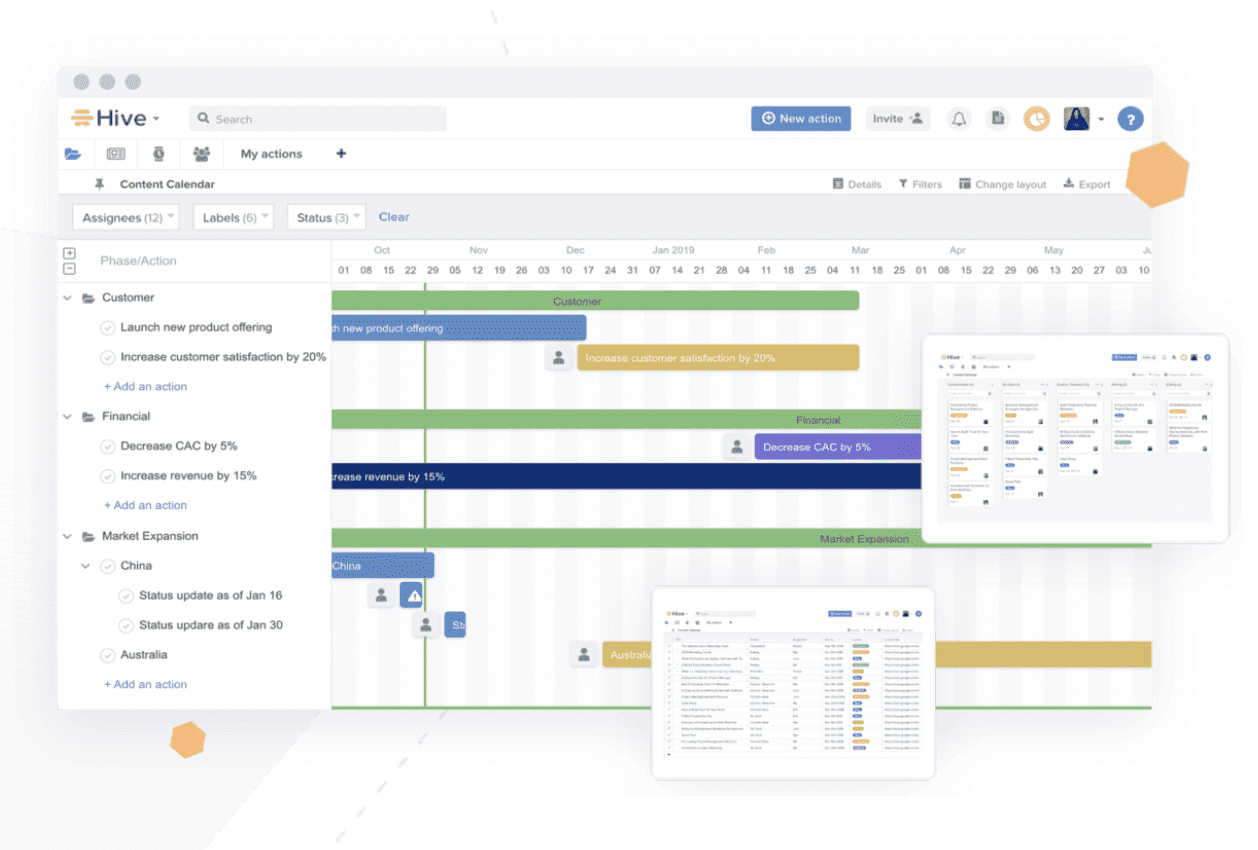
Hive è uno strumento potente per la gestione dei progetti, la collaborazione e il coordinamento flessibile dei compiti, che mette in ombra Basecamp. Permette agli utenti di organizzare i progetti in un diagramma di Gantt, una bacheca Kanban, una tabella o un calendario, e anche di passare facilmente da un layout all’altro, a seconda dello stile di comunicazione preferito. Gli aggiornamenti sono riflessi su tutte le viste del progetto, così l’intero team è informato non appena vengono apportate modifiche.
Hive consente agli utenti di collaborare facilmente inviando messaggi direttamente a singoli o a gruppi, utilizzando una casella di posta molto più gradevole rispetto a quella a cui sei abituato con Basecamp. Devi condividere un documento? Caricalo direttamente in un’attività, un progetto o un messaggio. La funzione Moduli di Hive elimina le continue email e raccoglie tutte le informazioni necessarie tramite semplici campi da compilare.
Vale la pena notare che, se stai passando a Hive da un altro strumento, puoi importare i compiti da applicazioni come Asana, Trello, Basecamp, Smartsheet e alcune altre.
Hive si integra con Google Drive, Salesforce, Jira, Dropbox, Slack, Zoom, One Drive, Box e con oltre mille altri strumenti tramite Zapier.
Hive costa a partire da $12/utente/mese.

Ideale per l'integrazione tra ideazione e gestione delle attività
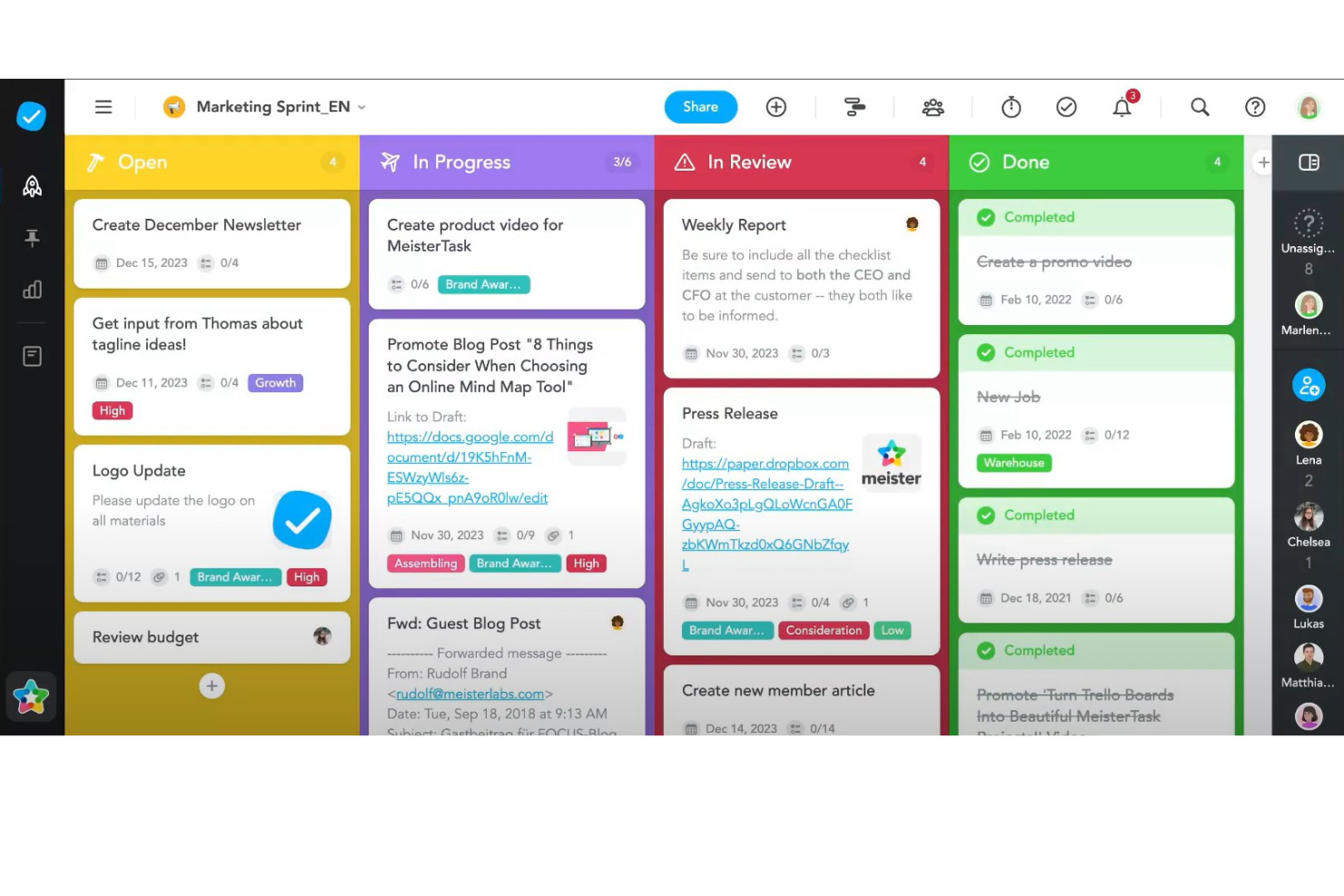
MeisterTask si afferma come un forte concorrente di Basecamp nel mercato dei software di project management grazie alla sua combinazione unica di design visivamente accattivante, usabilità intuitiva e funzionalità innovative che mirano specificamente a migliorare la produttività del team e il flusso di lavoro dei progetti. A differenza di Basecamp, che adotta un approccio più semplice e basato su liste per la gestione dei progetti, MeisterTask offre un'interfaccia dinamica in stile Kanban che consente una gestione delle attività più visiva e flessibile.
Una delle caratteristiche più distintive di MeisterTask è la sua profonda integrazione con MindMeister, uno strumento di mind mapping online. Questa integrazione facilita una transizione fluida dalle fasi iniziali di brainstorming e pianificazione direttamente verso attività e progetti attuabili all'interno di MeisterTask. Questa funzione è particolarmente unica nel panorama dei software di project management, offrendo ai team una piattaforma coesa sia per l'ideazione che per l'esecuzione. Una tale capacità è preziosa per la pianificazione creativa e strategica, dove il percorso dal concetto al completamento è spesso non lineare e richiede un set di strumenti flessibile e integrato per essere gestito efficacemente.
MeisterTask pone una forte enfasi sull'automazione, con funzionalità pensate per semplificare attività e processi ripetitivi. Questo non solo riduce lo sforzo manuale ma assicura anche che i progetti avanzino senza intoppi ed efficienza. Le capacità di automazione in MeisterTask vanno oltre le semplici assegnazioni di compiti e i promemoria delle scadenze, offrendo configurazioni di regole personalizzate che possono attivare una serie di azioni basate su criteri specifici.
L'impegno di MeisterTask per la sicurezza e la privacy è evidente attraverso la conformità al GDPR e la crittografia end-to-end per i commenti e le discussioni sulle attività. Questa attenzione alla protezione dei dati è un fattore essenziale per le aziende che operano in settori sensibili o che danno priorità alla sicurezza delle informazioni. Sebbene anche Basecamp ponga valore sulla privacy e la sicurezza, l'approccio di MeisterTask offre agli utenti maggiore tranquillità grazie a politiche trasparenti e solide misure di sicurezza, rendendolo una scelta interessante per i team che richiedono un alto livello di protezione dei dati insieme a potenti funzionalità di project management.

ClickUp
Miglior piano gratuito come alternativa a Basecamp

ClickUp è uno strumento di gestione dei progetti con funzionalità avanzate per la gestione e il completamento di tutti i progetti del tuo team su un'unica piattaforma. Gli utenti possono pianificare i progetti, programmare le attività e gestire le risorse in uno spazio di lavoro centralizzato, oltre a comunicare e collaborare con i membri del team e ospiti.
Le funzionalità di programmazione dei progetti includono diagrammi di Gantt, calendari e cronologie per visualizzare le attività. Gli utenti possono anche programmare il tempo e le attività, monitorare le scadenze, impostare stime temporali e tracciare il tempo.
ClickUp include anche funzionalità per la creazione, la condivisione e la modifica collaborativa di wiki e documenti. Gli utenti possono commentare documenti e attività, assegnare commenti e chattare con altri membri del team per aumentare la comunicazione e la collaborazione. Le funzionalità di reportistica includono la possibilità di creare dashboard personalizzate, oltre a sei tipi di report integrati per la reportistica del team.
ClickUp offre integrazioni native con Slack, G Suite, Dropbox e molti altri strumenti, oltre a oltre 1.000+ integrazioni tramite Zapier. Il piano gratuito di ClickUp è avanzato e include tutte le funzionalità principali. Il piano illimitato parte da $5 al mese per utente e offre funzionalità aggiuntive.
New Product Updates from ClickUp
ClickUp Adds Meetings Hub, Super Agent Templates, and ZoomInfo Integration
ClickUp adds a searchable Meetings Hub, new ways to clone and template Super Agents, and a ZoomInfo integration through the App Center. These updates improve meeting retrieval, agent reuse, and access to sales intelligence. For more information, visit ClickUp’s official site.

Nifty
Ideale per facilità d'uso e collaborazione con i clienti

Nifty è un hub per la gestione dei progetti e la collaborazione che consente ai team di pianificare, monitorare e consegnare progetti. Nifty è ricco di funzionalità per la pianificazione dei progetti come discussioni, traguardi, dipendenze tra attività, documenti e file, garantendo che i membri del progetto e gli stakeholder siano allineati sugli obiettivi. Lo strumento include anche la messaggistica diretta, ideale per facilitare la comunicazione in tutto il team dalla pianificazione alla consegna. I report integrati di Nifty offrono una panoramica globale sullo stato dei progetti e sul carico di lavoro dei membri del team, assicurando che le tue decisioni siano allineate con il piano aziendale.
Nifty consente di importare i dati esistenti da Basecamp così come da file CSV ed Excel, così puoi rapidamente configurare il tuo flusso di lavoro su Nifty. Nifty offre anche integrazioni incorporate con Google Docs, Sheets e Presentazioni. Personalizza i progetti integrando servizi di terze parti e automazioni del flusso di lavoro, oltre a connessioni con oltre 1000 applicazioni aggiuntive tramite Zapier.
Nifty parte da $39/mese.

Ideale per la gestione progetti economica
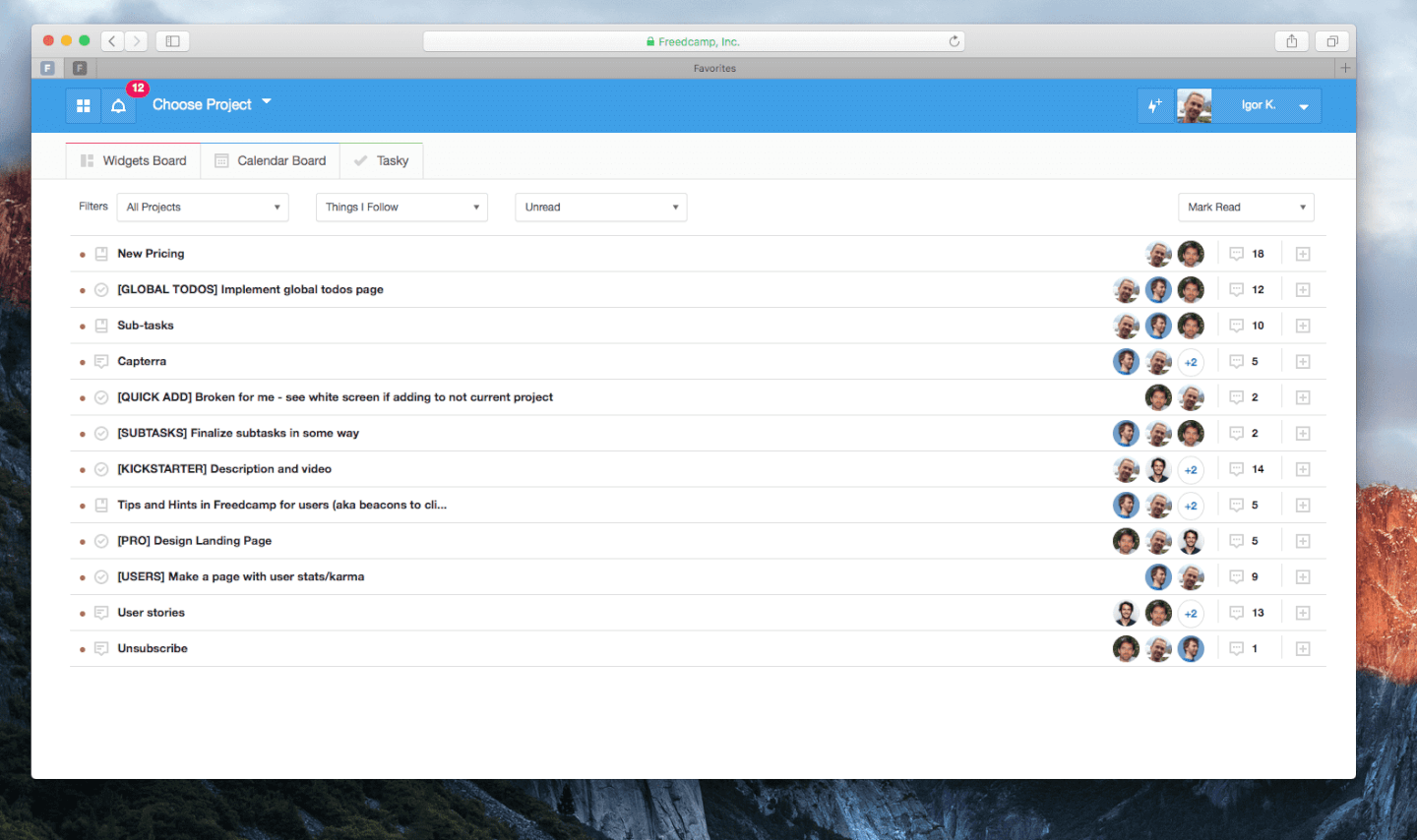
Freedcamp è un eccellente software alternativo a Basecamp, che offre funzionalità di collaborazione utili tramite un'interfaccia visiva semplice. L'app consente di monitorare, annotare e seguire le tue attività, utilizzando una bacheca Kanban e un diagramma di Gantt interattivo. Offre la possibilità di categorizzare le attività in base a chi, quando e come vengono svolte.
Con le bacheche per la messaggistica e la panoramica delle attività di Freedcamp, puoi assegnare membri, fornire loro i file necessari, stabilire scadenze e aggiungere sotto-attività. Il calendario integrato ti permette di creare e personalizzare eventi, attività e traguardi. Freedcamp dispone anche di una bacheca per discussioni generali.
Le integrazioni di Freedcamp includono tutte quelle standard: Jira, Slack, Trello, GitHub e molte altre. Si sincronizza facilmente anche con l'intero ecosistema Google, il che significa che puoi sincronizzare il tuo Google Calendar con quello integrato di Freedcamp per mantenere aggiornamenti coerenti su tutte le piattaforme e abilitare ulteriori possibilità di reportistica.
Freedcamp ha un costo a partire da $3.49/utente/mese.
Baserow
Migliore alternativa a Basecamp per database open source e flessibili
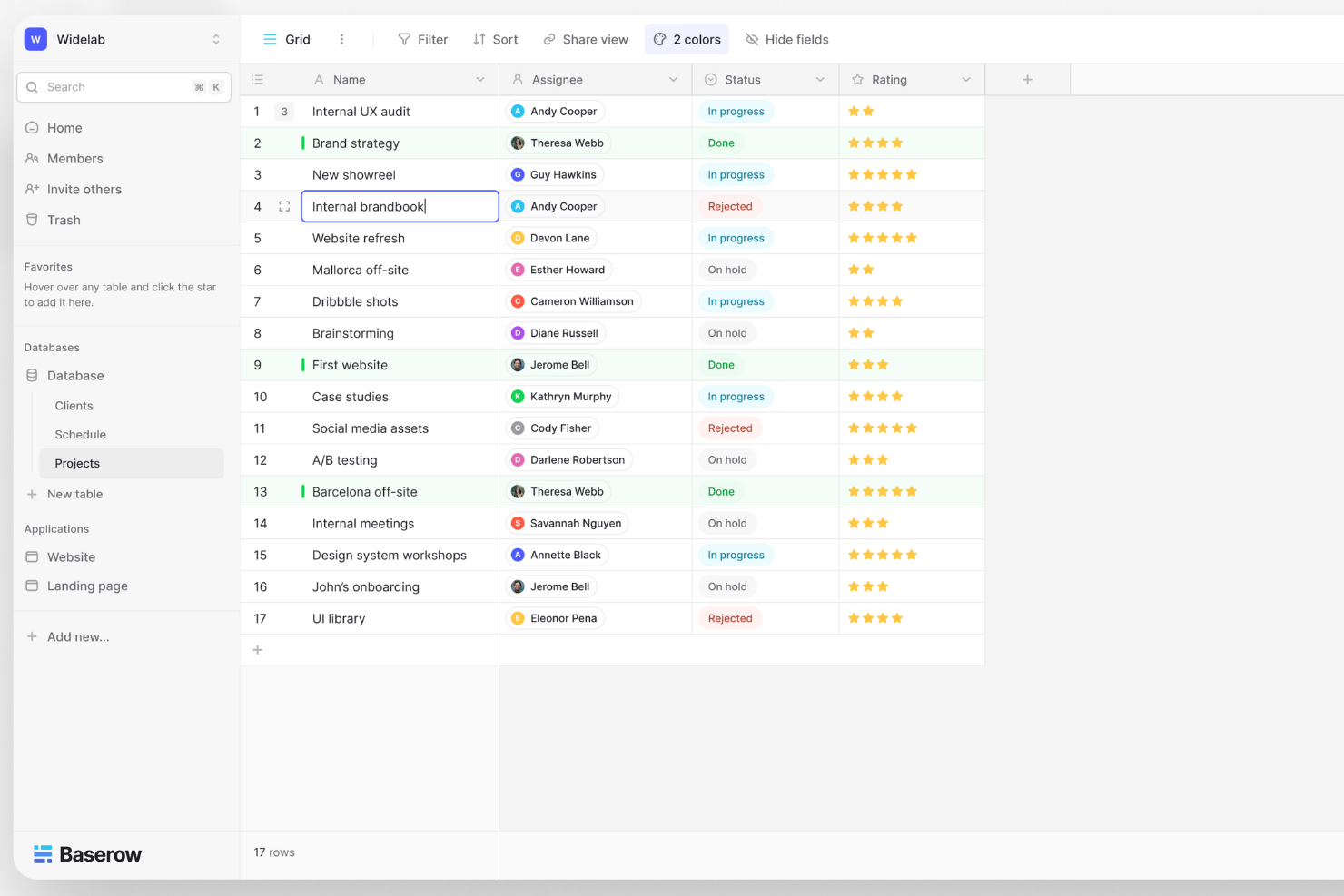
Baserow è una piattaforma di database open-source e no-code progettata per semplicità e flessibilità nella gestione dei dati. Offre un'interfaccia intuitiva simile a un foglio di calcolo per la collaborazione in tempo reale, modelli personalizzabili e integrazione API-first, rivolgendosi sia agli utenti non tecnici che agli sviluppatori in cerca di soluzioni efficienti e adattabili per organizzare e gestire i dati.
Baserow si distingue per il suo approccio no-code alla personalizzazione dei database, permettendo agli utenti senza conoscenze tecniche di creare e gestire facilmente database. Questa caratteristica è particolarmente unica, poiché democratizza la gestione dei database consentendo a chiunque di costruire e personalizzare database in base alle proprie esigenze specifiche senza alcuna esperienza di programmazione.
A differenza di molti concorrenti, Baserow è open-source, offre trasparenza e miglioramenti guidati dalla community. Inoltre, prevede opzioni di self-hosting che danno agli utenti il pieno controllo sui propri dati e la flessibilità di modificare il software per soddisfare requisiti unici, una caratteristica particolarmente apprezzata dalle organizzazioni con politiche specifiche di governance o privacy dei dati.
Baserow parte da $5/utente/mese ed è disponibile un piano gratuito.
Backlog
Migliore alternativa a Basecamp per lo sviluppo software
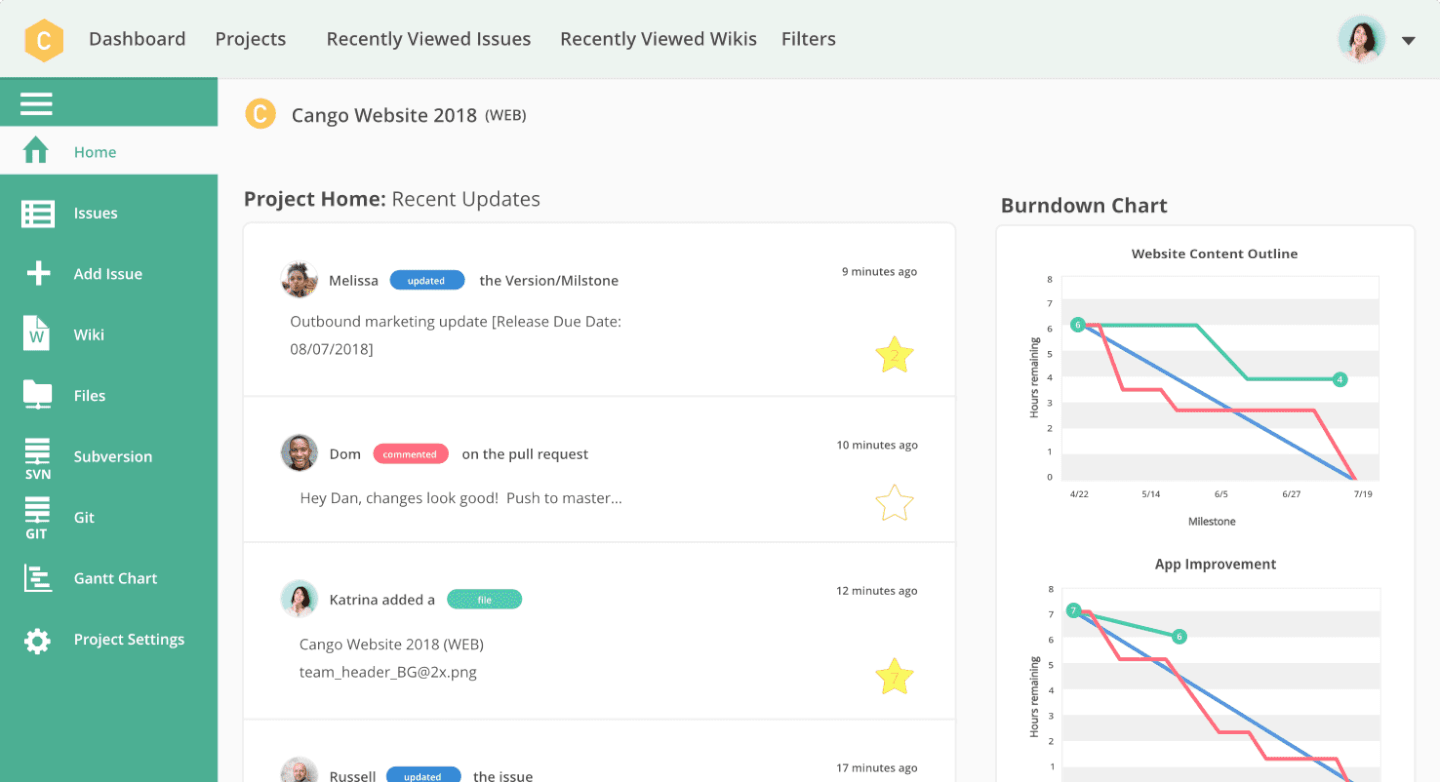
Backlog è uno strumento di gestione dei progetti basato su cloud con un'enfasi particolare sugli strumenti collaborativi per sviluppatori. Backlog offre utili funzionalità di collaborazione come la gestione delle attività (inclusi sotto-attività, checklist e campi personalizzati), traguardi, gestione dei file, wiki e altro ancora. Ma Backlog è più di un'app di project management: è anche un tracker di bug e un sistema di controllo delle versioni tutto in uno.
Per collaborare sul codice, Backlog offre repository SVN e Git, un visualizzatore delle differenze e commenti in linea, oltre a pull request, merge request e gestione dei rami. Per report visivi rapidi, l'app fornisce grafici burndown, grafici Git, bacheche Kanban e diagrammi di Gantt, così i project manager e gli utenti possono valutare rapidamente i progetti con un colpo d'occhio.
Anche se non c'è una chat uno-a-uno, gli utenti possono collaborare e commentare direttamente sulle issue, incluso taggare membri selezionati del team su attività e aggiornamenti importanti. Nulab — i creatori di Backlog — hanno anche una loro app di chat chiamata Typetalk che si integra perfettamente con Backlog per offrire tutte le funzionalità di comunicazione di cui hai bisogno insieme agli strumenti di project management su cui fai affidamento.
Backlog si adatta a vari livelli di grandezza dei team. È disponibile un account gratuito per team fino a 10 persone, oltre a un'opzione Enterprise self-hosted pensata per le aziende più grandi. Fornisce anche una app mobile sia su iOS che su Android per collaborare ovunque ti trovi. Si integra con le altre app di Nulab e offre importatori sia per Redmine che per Jira.
Backlog ti permette di assegnare, tracciare e rilasciare il lavoro tutto in un'unica app, garantendo trasparenza e responsabilità tra i team. Se sei alla ricerca di uno strumento per gestire progetti di sviluppo o lavori a stretto contatto con un team di sviluppatori, questa è l'app che fa per te.
Backlog è gratuito fino a 10 utenti con alcune limitazioni di funzionalità oppure $35/mese per un massimo di 30 utenti. Con $100/mese, il tuo team ha utenti illimitati, ovvero il loro Piano Standard.
Altre alternative a Basecamp
Ecco alcune alternative aggiuntive a Basecamp che non sono entrate nella mia selezione, ma che vale comunque la pena prendere in considerazione:
- Workzone
Ideale per un supporto di onboarding personalizzato
- Shortcut
Ideale per framework specifici dell’agilità
- Avaza
Ideale per funzionalità extra come fogli presenze e monitoraggio delle spese
- Teamwork.com
Ideale per la collaborazione sui contenuti
- Bonsai Agency Software
Ideale per gestire progetti, clienti e finanze in un'unica soluzione
- Nutcache
Ideale per organizzare visivamente le attività
- Yanado
Ideale per chi utilizza Gmail
- Intervals
Ideale per piccoli team e piccole imprese
- Ravetree
La migliore alternativa a Basecamp per le agenzie
- Pneumatic Workflow
Ideale per semplificare i progetti digitali
- Stackfield
Ideale per la privacy e la conformità dei dati nell'UE
- ReptonPOD
Ideale per la progressione guidata delle fasi
- Quire
Migliore alternativa a Basecamp per principianti


Come valuto le alternative a Basecamp
Valuto le alternative a Basecamp su due livelli: le funzionalità fondamentali di gestione delle attività e collaborazione senza le quali un'agenzia o un PMO non possono operare, e gli elementi distintivi che determinano la soluzione più adatta.
Funzionalità fondamentali (requisiti minimi per questo elenco)
Quando seleziono gli strumenti per il mio elenco, assegno a ciascuno un punteggio su una scala da 0 (non offre la funzionalità) a 5 (eccelle in quest'area) per ogni funzionalità fondamentale elencata di seguito. Quindi, calcolo il punteggio totale dello strumento in percentuale. Ogni strumento deve raggiungere un punteggio totale minimo del 75% per essere preso in considerazione.
- Gestione delle attività e dei progetti: cerco diverse visualizzazioni dei progetti, come bacheche, elenchi e cronologie, in modo che i team possano pianificare uno sprint in Kanban mentre i portatori di interesse monitorano lo stesso lavoro su un diagramma di Gantt.
- Collaborazione e messaggistica del team: che si tratti di discussioni in thread su un risultato da consegnare o di un rapido messaggio di gruppo, verifico che le conversazioni rimangano collegate al contesto del progetto.
- Condivisione dei file e archiviazione dei documenti: i team hanno bisogno di un luogo centrale in cui archiviare e organizzare le risorse per progetto. Valuto come ogni strumento gestisce il controllo delle versioni, la ricerca dei file e le strutture delle cartelle.
- Pianificazione e monitoraggio delle tappe fondamentali: osservo come ogni strumento gestisce calendari, scadenze e indicatori delle tappe fondamentali, così che un responsabile del team possa individuare una data di lancio a rischio prima che comprometta le attività successive.
- Collaborazione con clienti ed esterni: per agenzie e società di consulenza, valuto i controlli di accesso degli ospiti. Lo strumento giusto consente di condividere un progetto con un cliente senza esporre note interne o budget.
- Integrazioni di terze parti: verifico la presenza di connessioni native con strumenti come Slack, Google Workspace, GitHub e Figma, oltre a una connettività più ampia tramite Zapier, Make o un'API aperta.
Una volta ottenuto un elenco di strumenti che soddisfano questi criteri, considero ciò che distingue ogni piattaforma.
Fattori distintivi (ciò che differenzia i fornitori)
Ecco come confronto e metto a confronto i diversi fornitori:
Funzionalità distintive
L'automazione senza codice è una delle prime cose che valuto. Uno strumento in grado di assegnare automaticamente le attività quando cambia uno stato o di attivare una notifica Slack quando viene raggiunta una tappa fondamentale fa risparmiare ai responsabili di progetto ore di solleciti manuali ogni settimana. Valuto anche il monitoraggio nativo del tempo con tariffe fatturabili, un aspetto importante per le agenzie che devono riconciliare le ore registrate con i budget dei clienti. I cruscotti personalizzati completano la mia valutazione: i direttori dei PMO hanno bisogno di visualizzazioni in tempo reale del portafoglio che possano condividere con la dirigenza senza esportare un foglio di calcolo.
Oltre le funzionalità
Il modello di prezzo è molto importante quando si confrontano le alternative a Basecamp. Alcuni strumenti applicano un costo per utente, che può diventare rapidamente elevato per un team di 50 persone, mentre altri offrono piani a tariffa fissa che mantengono prevedibili i costi. Considero anche l'idoneità alle dimensioni del team: uno strumento progettato per i PMO aziendali può risultare eccessivo per un'azienda giovane di 10 persone, e viceversa. Anche l'inserimento iniziale merita attenzione. Verifico se una piattaforma offre assistenza per la migrazione, modelli predefiniti e una configurazione guidata, così che il team non debba trascorrere settimane a ricreare i progetti da zero.
Perché cercare un'alternativa a Basecamp?
Sebbene Basecamp sia una buona scelta per la gestione dei progetti e la collaborazione tra team, ci sono diversi motivi per cui alcuni utenti cercano soluzioni alternative. Potresti cercare un'alternativa a Basecamp perché…
- Hai bisogno di funzionalità avanzate per la gestione delle attività, come dipendenze o sottoattività
- Vuoi più integrazioni con gli altri strumenti che il tuo team utilizza già
- Hai bisogno di report o analisi migliori per monitorare l'avanzamento dei progetti
- Preferisci un modello di prezzo diverso, come la fatturazione per utente
- Hai bisogno di funzionalità più solide per il monitoraggio del tempo o la fatturazione
- Vuoi più opzioni di personalizzazione per i flussi di lavoro e le autorizzazioni
Funzionalità principali di Basecamp
Ecco alcune delle funzionalità principali di Basecamp, utili per confrontare ciò che offrono le soluzioni alternative:
- Liste di attività: Crea e assegna attività ai membri del team, imposta le scadenze e monitora i progressi per assicurarti che tutti conoscano le proprie responsabilità.
- Bacheche dei messaggi: Pubblica annunci, proponi idee o avvia discussioni in un luogo centralizzato per mantenere organizzate e accessibili tutte le comunicazioni del team.
- Chat di gruppo: Partecipa a conversazioni di gruppo in tempo reale per domande rapide o discussioni spontanee, riducendo la necessità di lunghe conversazioni via e-mail.
- Programmazioni: Gestisci le tempistiche del progetto impostando traguardi, scadenze ed eventi per aiutare il team a rispettare il programma e le date importanti.
- Documenti e file: Carica, archivia e condividi documenti e file in un luogo centralizzato per assicurarti che tutti abbiano accesso alle versioni più recenti.
- Check-in automatici: Configura domande ricorrenti per raccogliere aggiornamenti sullo stato dal team, tenendo tutti informati senza dover programmare riunioni aggiuntive.
- Grafici di avanzamento: Visualizza i progressi del progetto per individuare potenziali ostacoli e assicurarti che le attività procedano come previsto.
- Accesso dei clienti: Invita i clienti a progetti specifici, consentendo loro di visualizzare i progressi, fornire feedback e collaborare direttamente all'interno di Basecamp.
- Report: Genera informazioni sulle prestazioni del progetto, monitora le attività in ritardo e controlla l'attività del team per mantenere responsabilità e trasparenza.
- Integrazioni: Collega Basecamp agli altri strumenti utilizzati dal team, come software per il monitoraggio del tempo o la contabilità, per creare un flusso di lavoro più coeso.