

2026 İçin Seçilen En İyi 10 Kurumsal Görev Yönetimi Yazılımı

En İyi Kurumsal Görev Yönetimi Yazılımları Kısa Listesi


-

Smartsheet
Visit WebsiteThis rating combines scores from multiple user review sites to reflect overall customer sentiment about the product.4.4 -
Celoxis
Visit WebsiteThis rating combines scores from multiple user review sites to reflect overall customer sentiment about the product.4.5 -
Accelo
Visit WebsiteThis rating combines scores from multiple user review sites to reflect overall customer sentiment about the product.4.4




Doğru kurumsal görev yönetimi yazılımını seçmek zordur. Verimliliği artırmanız ve karmaşık projelerin üstesinden gelmeniz gerekir. Bu seçimi sizin için basitleştirdim. Çeşitli çözümlerle ilgili deneyimim beni buraya yönlendirdi. Bu araçlar görevleri düzenler ve ekip iş birliğini verimli bir şekilde geliştirir. Manuel çabayı azaltır ve proje görünürlüğünü artırırlar. Ele alınan temel sorunlu noktalar arasında dağınık görevler ve kaynakların kötü tahsis edilmesi yer alır. Bu rehberi, size en uygun seçeneği bulmanıza yardımcı olmak için yazdım.
Why Trust Our Software Recommendations
Our team has been testing and reviewing software since 2012. As project managers ourselves, we know how difficult—and important—it is to choose the right software.
For this guide, we evaluated tools using hands-on testing and independent research, scoring tools using our selection criteria. We also draw on insights from industry thought leaders and practicing project management experts.
Our reviews reflect our human editorial judgment, not a sales pitch.
Expert reviewers:
Kurumsal Görev Yönetimi Yazılımları Karşılaştırma Tablosu
Bu karşılaştırma tablosu, kurumsal görev yönetimi yazılımları arasından en iyi seçimlerim için fiyatlandırma ayrıntılarını özetlemektedir:
| Tool | Starting Price | Website | |
|---|---|---|---|
| Best for 360-degree overviews on all projects | 4.3 out of 5 | $10/user/month Free plan + 14-day trial + demo available | Book Demo |
| Best for complex project planning | 4.7 out of 5 | £679.99 one-time purchase Not available | Website |
| Best for proofing and approval processes | 4.5 out of 5 | $45/month 14-day free trial + free demo available | Website |
| Best for external project collaboration | 4.2 out of 5 | $14/user/month Free plan + 30-day free trial + free demo available | Website |
| Best for visual task management | — | $5/user/month Free plan + Free trial available | Website |
| Best for integrated notes and tasks | — | $10/user/month Free plan + trial available | Website |
| Best for agile development teams | — | $7.91/user/month Free plan + free trial available | Website |
| Best for workflow automation | — | Pricing upon request. | Website |
| Best for financial management integration | 4.5 out of 5 | $17/user/month 14-day free trial | Book Demo |
| Best for small to midsize businesses | 4.3 out of 5 | Pricing upon request Free plan + 15-day trial + demo available | Website |
En İyi Kurumsal Görev Yönetimi Yazılımları İncelemeleri
Her bir kurumsal görev yönetimi yazılımının tüm ayrıntılarını keşfetmeniz için kapsamlı incelemelerimi burada bulabilirsiniz. Bu analizler, her aracın güçlü ve zayıf yönlerini, özellik setlerini ve ideal kullanım alanlarını öne çıkararak bilinçli bir karar vermenize yardımcı olur.

Wrike
Best for 360-degree overviews on all projects

Wrike is an enterprise task management software designed to help teams manage tasks and projects all in one place.
Why I Picked Wrike:
As a project management tool, Wrike is ideal for businesses seeking a comprehensive solution to manage their projects. It offers a centralized platform with 360° visibility on all projects, customizable dashboards, real-time monitoring, and the ability to scale up quickly. These features help improve project management for teams and enterprises with complex workloads and multiple active projects.
Standout features & integrations:
Wrike offers features like automation, proofing, cross-tagging, Kanban boards, Gantt charts, approvals, custom item types, spaces for different departments and workflows, workload charts, time tracking, and budgeting.
Integrations include Slack, Salesforce, Microsoft Teams, Adobe Creative Cloud, Google Sheets, Miro, Tableau, MediaValet, Zoom, Google Drive, Microsoft SharePoint, Microsoft OneDrive, Google Calendar, and more.
Pros and Cons
Pros:
- Workload charts
- Automation features
- Flexible project templates
Cons:
- Limited number of users on the free plan
- Learning curve for new users
New Product Updates from Wrike

Wrike Redesigns Workspace Search With New Filters
Wrike introduces a redesigned Workspace Search interface with recent search shortcuts, item type and location filters, and parent-task context. These updates help users find relevant work items and navigate search results efficiently. For more information, visit Wrike’s official site.
 .
Best for complex project planning
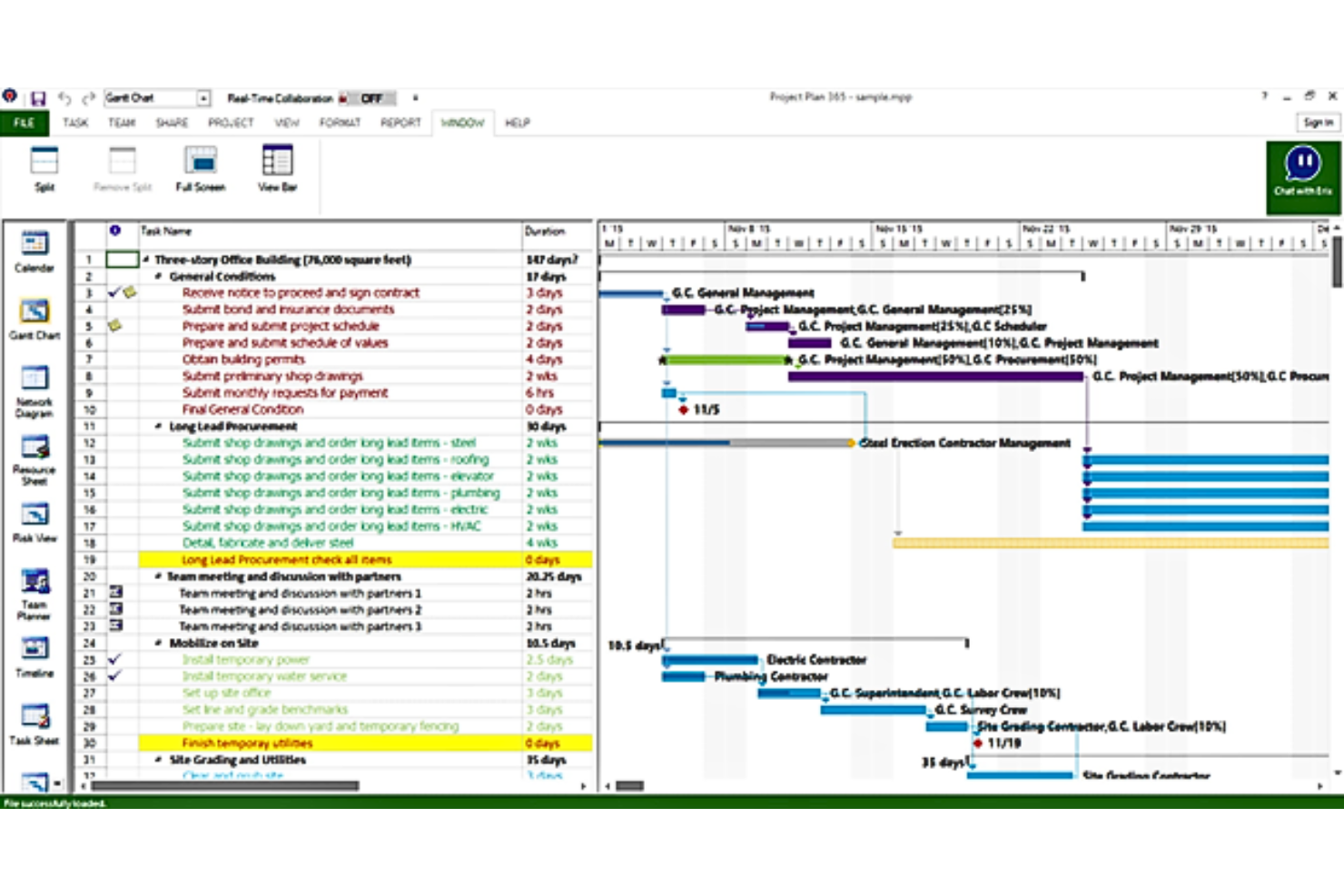
Microsoft Project simplifies the management and planning of large, complex projects.
Why I Picked Microsoft Project:
I chose Microsoft Project because of its comprehensive toolset tailored for complex project planning and management. Its robust features and integrations stand out from other project management software, making it an exceptional choice for managing intricate project schedules and resources. Its capability to handle complexity effortlessly is why it's best for complex project planning.
Standout features & integrations:
Microsoft Project excels with its detailed scheduling features, real-time collaboration capabilities, and comprehensive reporting tools. These features ensure that every aspect of project management is covered, from initiation to closure.
Integrates natively with Microsoft 365 suite, including Excel, Outlook, Teams, Power BI, SharePoint, OneDrive for Business, Azure, Dynamics 365, and more.
Pros and Cons
Pros:
- Detailed reporting and analytics
- Strong integration with Microsoft ecosystem
- Comprehensive project management features
Cons:
- Limited agility for rapid project changes
- Can be expensive for large teams
- Steep learning curve

ProofHub
Best for proofing and approval processes
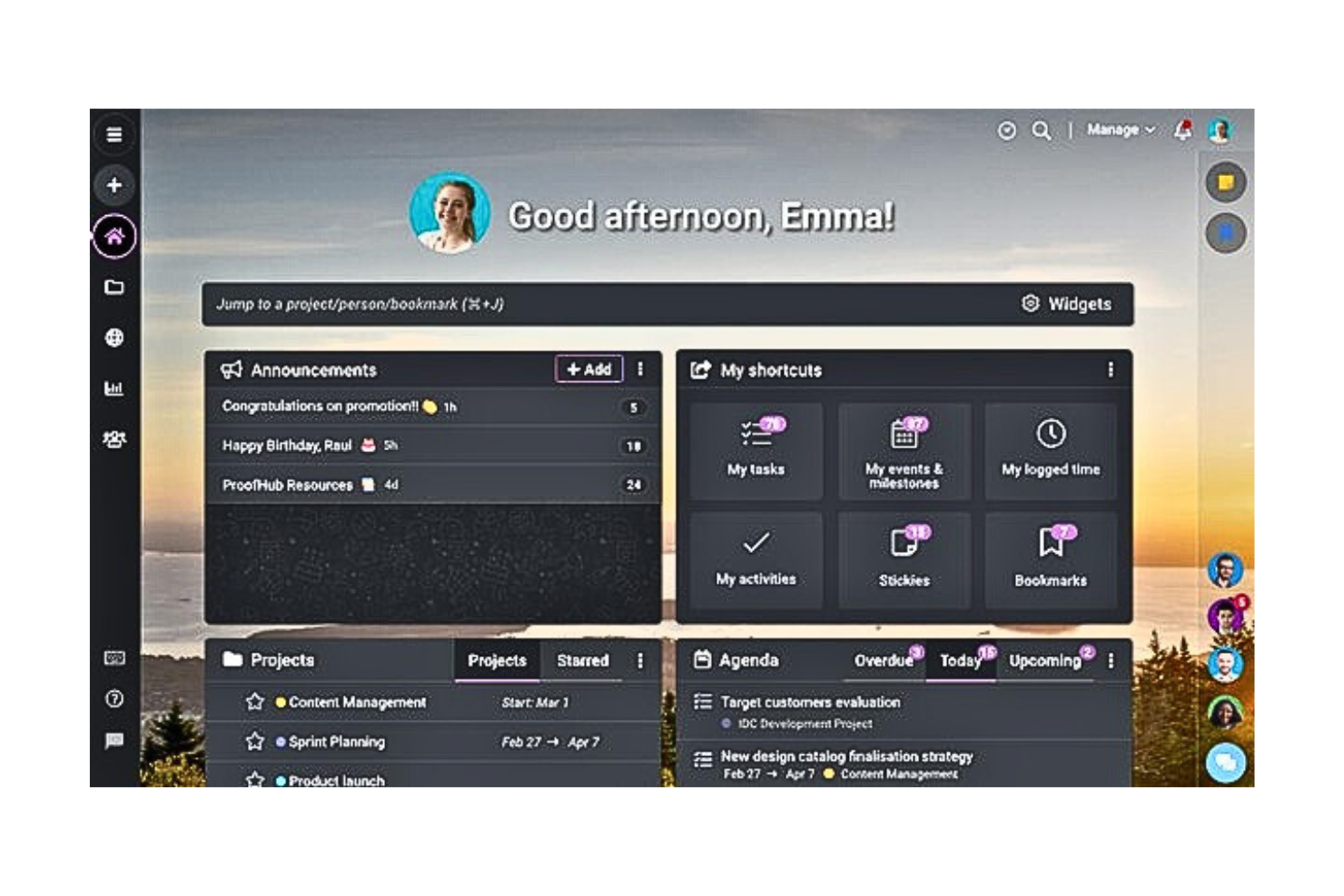
ProofHub offers comprehensive project management solutions with a strong emphasis on proofing and approval workflows.
Why I Picked ProofHub:
I selected ProofHub for its streamlined proofing and approval processes, which stand out in the realm of project management tools. Its specialized features for reviewing and approving documents and designs directly within the platform make it particularly valuable for teams in creative and development sectors. This focus on facilitating feedback and revisions ensures efficiency and accuracy in project deliverables.
Standout features & integrations:
ProofHub's key features include integrated task lists, Gantt charts for planning, document and file management, and, most notably, online proofing tools that allow for real-time feedback and approvals. Its ability to centralize communications and file management further streamlines the review process.
It integrates with a variety of other tools, enhancing its utility for teams.
Pros and Cons
Pros:
- Easy to use with minimal training required
- Flat pricing for unlimited users
- Streamlined proofing and approval processes
Cons:
- Integrations are useful but might not cover all third-party tools businesses use
- May lack advanced features for large-scale projects
- Limited customization options
Podio
Best for external project collaboration
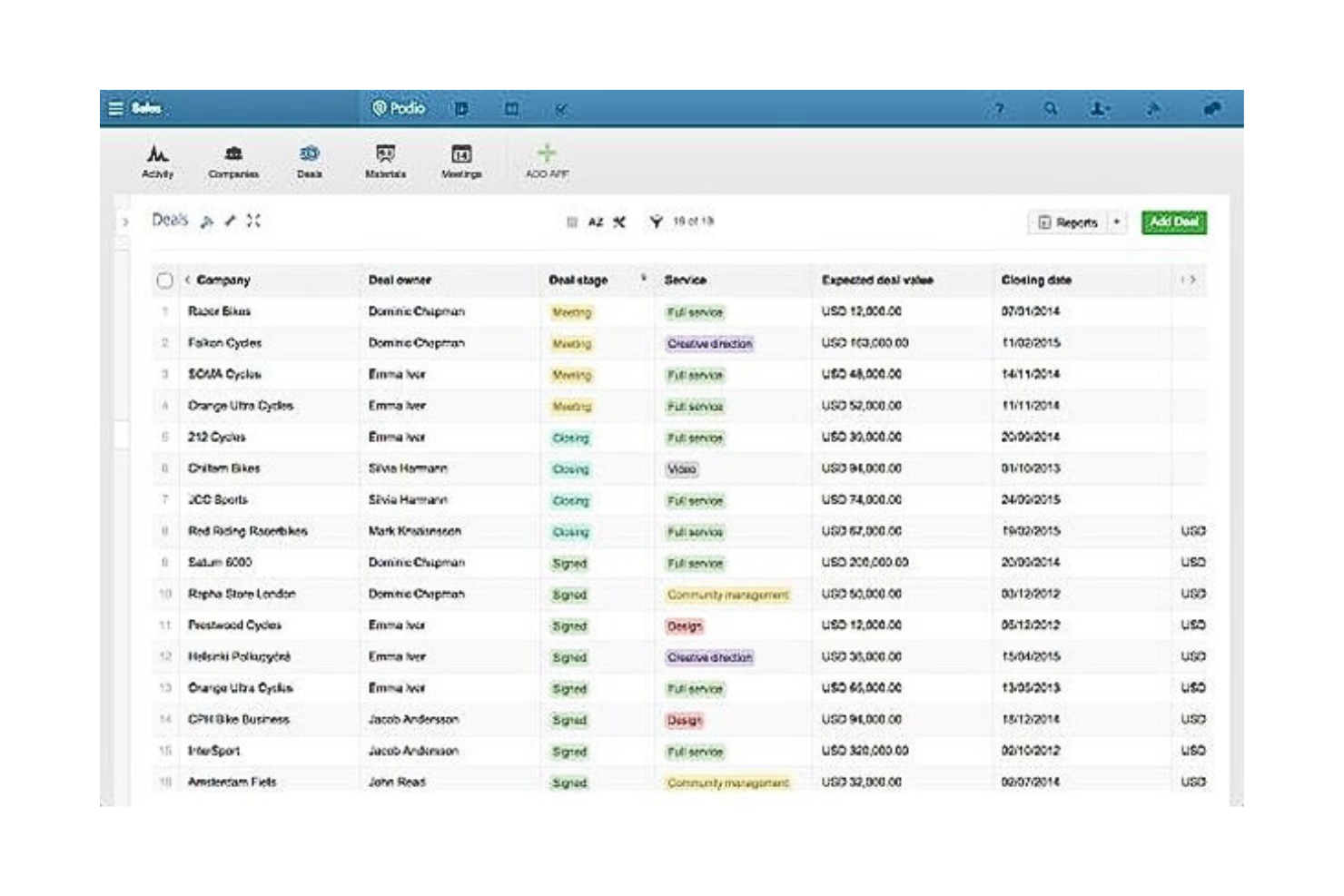
Podio facilitates project management and collaboration within teams and with external stakeholders through customizable workspaces.
Why I Picked Podio:
I selected Podio for its exceptional capability to support external project collaboration. Its platform uniquely combines project management functionalities with robust customization options and external access controls, making it stand out from other tools. Podio's flexibility in managing workflows and information sharing with clients and partners is why it's especially beneficial for teams working extensively with external stakeholders.
Standout features & integrations:
Podio excels with its customizable apps and workflows, enabling teams to tailor the platform to their specific project needs. The tool's comprehensive task management, file sharing, and communication features streamline collaboration, both internally and externally.
It integrates with a variety of tools, including Google Drive, Dropbox, Evernote, and more, enhancing its capabilities in project management and collaboration.
Pros and Cons
Pros:
- Integrates with a wide range of apps and services
- Effective for managing external collaborations
- Highly customizable for various project needs
Cons:
- Some users may find the interface less intuitive than competitors'
- Pricing can become expensive with additional users and features
- Can be complex to set up initially

Trello simplifies project and task management with its visual boards, cards, and lists.
Why I Picked Trello:
I chose Trello for its intuitive and visual approach to task management. Its ease of use and flexibility in organizing tasks and projects visually set it apart from other task management software. Trello's board and card system is perfect for visual thinkers and teams who benefit from seeing tasks laid out in a highly visual format.
Standout features & integrations:
Trello's standout features include customizable kanban boards, cards for task details, and the ability to add checklists, labels, and due dates. Its power-ups extend its functionality, integrating with a wide range of apps and services.
It integrates natively with tools such as Slack, Google Drive, Dropbox, OneDrive, Box, and more, enhancing its utility and flexibility.
Pros and Cons
Pros:
- Wide range of integrations
- Flexible and customizable
- Highly visual and intuitive interface
Cons:
- Less suited for complex project management needs
- Can become cluttered with extensive use
- Limited features in free version

Notion is an all-in-one workspace for note-taking, project management, and task organization.
Why I Picked Notion:
I chose Notion for its unparalleled flexibility in integrating notes and tasks within a single, unified platform. Its ability to adapt to various workflows and the integration between text, tasks, and databases make it standout for personal organization and team collaboration alike. Notion's user-friendly interface and customizable templates cater perfectly to those seeking an integrated solution for notes and task management.
Standout features & integrations:
Notion shines with its rich text editing, extensive templating system, and powerful database functionality. These features allow users to create customized workflows that can include everything from simple to-do lists to complex project management boards.
Notion offers a wide range of internal integrations and embeds like Google Sheets, Figma files, and Miro boards.
Pros and Cons
Pros:
- Clean, user-friendly interface
- Integrated notes and tasks within the same platform
- Highly customizable pages and templates
Cons:
- May require third-party integrations for advanced project management
- Limited offline functionality
- Can have a learning curve for new users


Jira is a powerful tool designed for issue tracking and project management, especially suited for Agile methodologies.
Why I Picked Jira:
I chose Jira because it stands out for its deep commitment to agile development processes. Its flexibility in handling scrum, kanban, and mixed methodologies makes it indispensable for teams practicing Agile. Jira's robust set of features specifically caters to the iterative progress, collaboration, and rapid release cycles that agile development teams need to thrive.
Standout features & integrations:
Jira excels with its comprehensive project tracking features, customizable workflows, and extensive reporting capabilities. Its integration with the Atlassian ecosystem, including Confluence and Bitbucket, enhances collaboration and version control, making it a cohesive platform for software development projects.
It also integrates natively with tools like Slack, GitHub, GitLab, Jenkins, and more, facilitating a development workflow.
Pros and Cons
Pros:
- Robust reporting and tracking features for agile teams
- Extensive integration with development tools
- Highly customizable to fit any agile methodology
Cons:
- Some integrations may require additional configuration
- Pricing can become expensive for larger teams
- Can be complex to set up and navigate for new users


HighGear enables enterprises to automate and optimize their workflows efficiently.
Why I Picked HighGear:
I selected HighGear for its standout capability in automating complex workflows across various industries, making it unmatched for operational efficiency improvements. Its focus on enhancing workflow automation through user-friendly interfaces and powerful backend logic is why it's best suited for this use case.
Standout features & integrations:
HighGear is renowned for its drag-and-drop workflow builder, real-time status updates, and comprehensive analytics. These features empower users to customize workflows, track progress meticulously, and make data-driven decisions.
HighGear integrates natively with a variety of essential tools to enhance its functionality and user experience. These integrations include Microsoft Outlook, Microsoft Excel, Microsoft SharePoint, Microsoft SQL Server, Microsoft Power BI, Microsoft Teams, Zapier, Google Drive, Dropbox, and Salesforce. These connections help streamline various business processes, improving workflow automation and data synchronization across commonly used platforms.
Pros and Cons
Pros:
- Strong analytical tools for performance tracking
- Customizable to various business processes
- Powerful workflow automation features
Cons:
- Limited information on integration without inquiry
- May require training for optimal utilization
- Pricing information not readily available

Scoro
Best for financial management integration
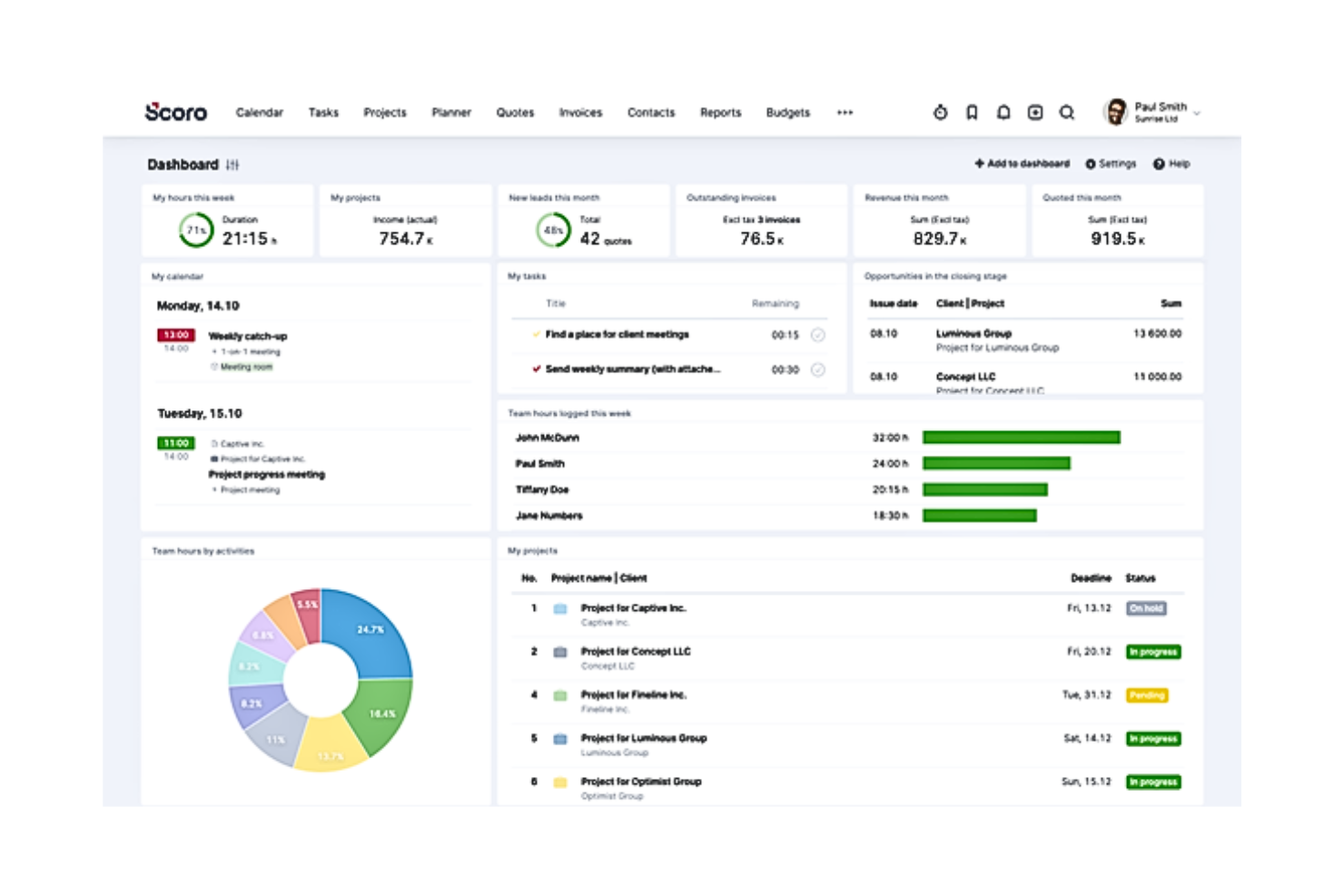
Scoro streamlines business processes with a strong focus on financial management and project oversight.
Why I Picked Scoro:
I chose Scoro for its robust financial management integration capabilities, which are unparalleled in the project management software space. Its comprehensive suite of features allows for tracking of project budgets, expenses, and invoicing, making it indispensable for businesses focused on maintaining financial health and transparency. Scoro's ability to integrate financial data with other project elements provides a holistic view of business operations.
Standout features & integrations:
Scoro's standout features include detailed financial reporting, time tracking, project management, and CRM functionalities. Its financial management tools are particularly noteworthy, offering in-depth insights into profitability, budgeting, and invoicing.
It integrates with financial software and tools, enhancing its financial oversight capabilities.
Pros and Cons
Pros:
- Integration with a wide range of financial software
- Customizable dashboards and reports
- Comprehensive financial management tools
Cons:
- May require additional investment in training for full utilization
- Higher cost compared to basic project management tools
- Steep learning curve for new users
New Product Updates from Scoro

Scoro Adds Time Mobile App and ELI Improvements
Scoro adds the Scoro Time mobile app for iOS/Android to track time anywhere and expands ELI with attachments, smarter filtering, and trigger-based actions. For more information, visit Scoro's official site.
 .

Best for small to midsize businesses

Zoho Projects offers comprehensive project management features, facilitating task organization, collaboration, and tracking.
Why I Picked Zoho Projects:
I selected Zoho Projects for its tailored approach to meeting the needs of small to midsize businesses. Its affordability, combined with a wide array of features, makes it stand out from other project management tools. The platform's ease of use and scalability are perfectly suited for growing businesses looking to streamline their project management processes.
Standout features & integrations:
Zoho Projects stands out with its task and subtasks automation, in-depth reporting tools, and time tracking capabilities. The software solutions' integration with the broader Zoho ecosystem, as well as external applications, enhances its utility and flexibility for businesses.
It integrates with tools such as Zoho CRM, Zoho Invoice, Zoho Books, and external apps like Google Drive, Dropbox, Microsoft Office 365, and Slack.
Pros and Cons
Pros:
- Integration with other Zoho apps
- Comprehensive set of project management tools
- Cost-effective for small to midsize businesses
Cons:
- Limited customization options compared to larger, more expensive platforms
- Learning curve for new users
- May require additional costs for full feature access
New Product Updates from Zoho Projects
Zoho Projects Adds CodeX Scripts for Custom Modules
Zoho Projects now supports CodeX Scripts for custom modules, enabling conditional logic and rules for creating, updating, and deleting records. For more information, visit Zoho Projects' official site.
 .
Değerlendirilebilecek Diğer Kurumsal Görev Yönetimi Yazılımları
Aşağıda, kısa listemize aldığımız ancak en iyi listemize giremeyen ek kurumsal görev yönetimi yazılımlarının bir listesi yer almaktadır. Kesinlikle göz atmaya değer.
- Smartsheet
Good for spreadsheet-based project management
- Basecamp
For team communication
- Adobe Workfront
Good for enterprise work management integration
- Kantata
Good for professional services automation
- Teamwork.com
Good for client work management
- ClickUp
Good for all-in-one project and task management
- Airtable
For customizable databases
- Nifty
Good for milestone-driven planning
- Workzone
Good for traditional project management with robust reporting
- Asana
For workflow flexibility
- monday.com
Good for customization and visual project tracking


How I Evaluate Enterprise Task Management Software
I evaluate these platforms in two layers—acceptance criteria that every tool must meet to manage tasks at enterprise scale, and differentiating factors that separate the best from the rest.
Core Functionality (Table Stakes For This List)
When I'm selecting tools for my list, I rank each one on a scale from 0 (does not offer the functionality) to 5 (excels in this area) for each core functionality listed below. Then, I calculate the tool's total score into a percentage. Each tool needs to achieve a minimum total score of 65% to be considered for inclusion.
- Scalable Task Management: I check whether a platform holds up when you're running hundreds of concurrent projects with thousands of users assigning, prioritizing, and updating tasks daily.
- Multi-View Workflow Visualization: Teams using Agile need Kanban boards, while leadership wants Gantt charts. I look for tools that offer at least three interactive views with dependency mapping.
- Portfolio & Program Rollups: I evaluate how well a tool aggregates task data across projects into executive dashboards, so a PMO director can spot delivery risks without digging into individual workstreams.
- Enterprise Security & Permissions: SSO/SAML, granular role-based access, and audit logs are the baseline. I look for compliance certifications like SOC 2 and ISO 27001 that procurement teams expect.
- Automation & Workflow Rules: I consider whether a platform supports multi-step conditional automations, like auto-routing a task to the legal team when a contract approval is flagged as high-risk.
- Enterprise Integrations & API: Most enterprise teams rely on tools like Jira, Salesforce, or ServiceNow. I evaluate native integration depth and API flexibility for custom connections to existing tech stacks.
Once I have a list of tools that meet this criteria, I consider what sets each platform apart.
Differentiating Factors (What Sets Vendors Apart)
Here's how I compare and contrast different vendors:
Standout Features
I look for AI-powered task intelligence that can auto-prioritize backlogs or predict delays based on historical velocity. Resource and capacity planning is another big one—workload heatmaps that show which teams are overloaded before a sprint even starts save real headaches. I also evaluate custom fields and objects, since enterprise teams often need task attributes tied to internal taxonomies like cost centers or business units that off-the-shelf fields can't capture.
Beyond Features
Total cost of ownership matters a lot at enterprise scale. I evaluate how licensing models handle mixed user populations—executives who only need dashboards shouldn't cost the same as power users managing daily tasks. Implementation support is another factor I weigh, especially structured migration paths from legacy tools like MS Project or spreadsheets. I also check for industry-specific compliance certifications like FedRAMP or HIPAA, since regulated teams in healthcare or government often can't adopt a platform without them.
Kurumsal Görev Yönetimi Yazılımı Nasıl Seçilir?
Kendinize özgü yazılım seçim sürecinizi yürütürken aşağıdaki noktaları göz önünde bulundurun:
- Ölçeklenebilirlik: Yazılımın kuruluşunuzla birlikte ne ölçüde büyüyebileceğini değerlendirin. Kurumsal görev yönetimi çözümleri, performanstan ödün vermeden artan görev, proje ve kullanıcı sayısını yönetebilmelidir.
- Entegrasyon Olanakları: Mevcut araçlarınız ve sistemlerinizle entegre olabilen yazılımları arayın. Etkili entegrasyon iş akışlarını kolaylaştırabilir, iletişimi geliştirebilir ve veri silolarını önleyebilir.
- Özelleştirme ve Esneklik: Her kuruluşun kendine özgü süreçleri ve ihtiyaçları vardır. Doğru yazılım, belirli iş akışı gereksinimlerinize uyacak özelleştirme seçenekleri sunmalıdır. Karmaşık proje yapılarına sahip bir şirket, süreçleriyle uyum sağlamak için özelleştirilebilir görev durumlarına, iş akışlarına ve raporlama özelliklerine ihtiyaç duyabilir.
- Güvenlik ve Uyumluluk: Hassas bilgileri yöneten kuruluşlar için güvenlik son derece önemlidir. Yazılımın sektör standartlarına uygun olduğundan ve şifreleme, erişim denetimleri ve veri koruma gibi güçlü güvenlik özellikleri sunduğundan emin olun.
- Kullanıcı Deneyimi ve Benimseme: Yazılım, ekibinizin kullanımı için sezgisel ve kolay olmalıdır. Kullanıcı dostu bir arayüz, daha yüksek benimseme oranlarına ve ekip üyeleri arasındaki direncin azalmasına yol açabilir. Sorunsuz bir uygulama sağlamak için işe alıştırma desteği ve eğitim sunan bir platformu değerlendirin.
2025'te Kurumsal Görev Yönetimi Yazılımı Trendleri
Görev yönetimi teknolojisiyle ilgili fark ettiğim bazı trendleri ve bunların pazarlama sektörünün geleceği açısından ne anlama gelebileceğini burada bulabilirsiniz. En önemli içgörüleri ortaya çıkarmak için sayısız ürün güncellemesini, basın bültenini ve sürüm günlüğünü inceledim.
- Yapay Zekâ ve Makine Öğrenimi ile Entegrasyon: Tahmine dayalı analitiği geliştirmek, görev takibini ve önceliklendirmeyi otomatikleştirmek ve kaynak tahsisini optimize etmek için yapay zekâdan ve makine öğreniminden yararlanmaya yönelik belirgin bir eğilim var. Bu işlevler giderek daha gelişmiş hâle geliyor ve dijital proje yöneticilerinin proje darboğazlarını öngörmesine ve iş akışlarını daha etkili şekilde kolaylaştırmasına olanak tanıyor. Yapay zekâ içeren belirli görev yönetimi araçlarını burada bulabilirsiniz.
- Gelişmiş Gerçek Zamanlı İş Birliği: Anlık iletişimi ve iş birliğini destekleyen araçlara duyulan ihtiyaç; uygulama içi mesajlaşma, video konferans ve canlı belge düzenleme özelliklerinin hızla gelişmesini sağladı. Bu trend, dijital öncelikli bir iş yerinde ekip koordinasyonunun önemini vurguluyor.
- Özelleştirme ve Esneklik: Projeler ve ekipler daha çeşitli hâle geldikçe özelleştirilebilir panolara, iş akışlarına ve raporlamaya olan talep de arttı. Farklı proje ihtiyaçlarına ve yönetim tarzlarına uyacak şekilde yüksek düzeyde kişiselleştirme sunan araçlar giderek daha önemli hâle geliyor.
- Entegrasyon Ekosistemleri: Görev yönetimi uygulamalarının çok çeşitli üçüncü taraf uygulamalar ve hizmetlerle bağlantı kuran genişleyen entegrasyon ekosistemleri, günümüzün dijital araçlarında birlikte çalışabilirliğin önemini ortaya koyuyor. Bu işlev, uygulamalar arasında geçiş yapma ihtiyacını azaltarak daha bütünleşik bir proje yönetimi deneyimini kolaylaştırıyor.
- Kullanıcı Deneyimine Odaklanma: Daha sezgisel arayüzler, basitleştirilmiş gezinme ve daha hızlı işe alıştırma süreçleriyle kullanıcı deneyimini iyileştirmeye yönelik belirgin bir değişim var. Bu trend, yalnızca güçlü değil, aynı zamanda kullanımı kolay yazılımlara yönelik daha geniş kullanıcı beklentisini yansıtıyor.
- Bağımsız Araçların Gerilemesi: Güçlü entegrasyon özellikleri veya esneklik sunmayan bağımsız görev yönetimi araçları daha az popüler hâle geliyor. Eğilim, tüm proje yönetimi faaliyetleri için merkezi bir merkez görevi görebilecek kapsamlı platformlara doğru ilerliyor. Bu değişim, işletmeler parça parça çözümler yerine giderek daha fazla birleşik platformlar aradığından, araçları değerlendirirken bir kurumsal iş yönetimi karşılaştırmasının önemini pekiştiriyor.
Kurumsal Görev Yönetimi Yazılımı Nedir?
Kurumsal görev yönetimi yazılımı, büyük kuruluşlardaki görevleri ve görev bağımlılıklarını düzenler ve takip eder. Yöneticiler, ekip liderleri ve bireysel katkı sağlayan çalışanlar tarafından kullanılır. Amaç, iş akışlarını kolaylaştırmak ve ekip verimliliğini artırmaktır. Özellikler arasında görev planlama, ilerleme takibi ve iş birliği araçları bulunur. Ekipler, zaman çizelgelerini ve kaynakları net bir şekilde görür. Bu yazılım, birden fazla araca duyulan ihtiyacı azaltarak proje sonuçlarını optimize eder.
Kurumsal Görev Yönetimi Yazılımının Özellikleri
Kurumsal görev yönetimi yazılımı seçerken, büyük kuruluşların dinamik ihtiyaçlarını karşılayacak kapsamlı işlevler sunan özellikleri göz önünde bulundurmak çok önemlidir. Aşağıda aranması gereken temel özellikler yer alıyor:
- Görev Atama ve Takibi: Ekip görevlerinin dağıtılmasını ve izlenmesini sağlar. Bu özellik, proje yönetiminde hesap verebilirliğin ve ilerleme takibinin sağlanması açısından hayati önem taşır.
- İş Birliği Araçları: Ekip üyeleri arasındaki iletişimi kolaylaştırır. Etkili iş birliği araçları, uyumu sürdürmek ve birleşik bir çalışma ortamı oluşturmak için kritik öneme sahiptir.
- Proje Planlama ve Zamanlama: Proje zaman çizelgelerinin ve kilometre taşlarının planlanmasını sağlar. Bu işlev, başarılı proje yürütme ve son teslim tarihlerine uyma açısından temel öneme sahiptir.
- Raporlama ve Analitik: Proje performansı ve verimlilik ölçümleri hakkında içgörüler sunar. Ayrıntılı raporlara erişim, bilinçli karar alma ve proje optimizasyonu için gereklidir.
- Özelleştirilebilir İş Akışları: Proje yönetimi süreçlerini belirli ihtiyaçlara göre uyarlama olanağı sunar. İş akışlarındaki esneklik, çeşitli proje gereksinimlerine ve yönetim tarzlarına uyum sağlamak açısından kritik öneme sahiptir.
- Zaman Takibi: Görevler ve projeler için harcanan sürenin kaydedilmesini sağlar. Bu özellik, kaynak tahsisi, faturalandırma ve verimlilik analizi açısından önemlidir ve kurumsal zaman takip yazılımında bulunanlara benzer özellikler sunar.
- Kaynak Yönetimi: Kaynakların tahsis edilmesine ve kullanımının optimize edilmesine yardımcı olur. Etkili kaynak yönetimi, projelerin yeterli personel ve donanımla yürütülmesini sağlayarak darboğazları en aza indirir.
- Entegrasyon Özellikleri: Yazılımın diğer araçlarla bağlantı kurmasını sağlar. Güçlü entegrasyon özellikleri, süreçleri kolaylaştırmak ve yazılımın faydasını artırmak için kritik öneme sahiptir.
- Güvenlik Özellikleri: Veri korumasını ve erişim denetimini sağlar. Güçlü güvenlik önlemleri, hassas proje bilgilerini korumak ve veri düzenlemelerine uymak için gereklidir.
- Mobil Erişilebilirlik: Proje yönetimi araçlarına her konumdan erişim sağlar. Mobil erişilebilirlik, uzaktan çalışan ekipleri ve hareket hâlindeyken görev yönetimini desteklemek açısından önemlidir.
Kurumsal Görev Yönetimi Yazılımının Faydaları
Kurumsal görev yönetimi yazılımı, proje yönetimi süreçlerini kolaylaştırmak, iş birliğini geliştirmek ve genel üretkenliği artırmak isteyen kuruluşlar için kritik bir araçtır. Göz önünde bulundurulması gereken beş temel fayda şunlardır:
- Geliştirilmiş Proje Görünürlüğü: Proje zaman çizelgelerine, görevlere ve ilerlemeye ilişkin kapsamlı bir genel bakış sunar. Bu fayda, tüm ekip üyelerinin aynı bilgiye sahip olmasını sağlayarak yanlış anlamaları azaltır ve projelerin plan doğrultusunda ilerlemesine yardımcı olur.
- Geliştirilmiş İş Birliği: Ekip üyeleri arasındaki iletişimi ve iş birliğini kolaylaştırır. Yazılım; görüşmeleri, belgeleri ve geri bildirimleri merkezileştirerek etkili ekip çalışmasının önündeki engelleri ortadan kaldırır ve iş birliğine dayalı bir çalışma kültürünü teşvik eder.
- Artan Üretkenlik: Rutin görevleri otomatikleştirir ve proje iş akışlarını kolaylaştırır. Kullanıcılar, manuel süreçlerle uğraşmak yerine daha yüksek değer sağlayan faaliyetlere odaklanabilir; bu da verimlilikte ve çıktıda önemli artışlar sağlar.
- Veriye Dayalı Karar Alma: Gerçek zamanlı verilere ve analizlere erişim sağlar. Yöneticiler, proje performansına ilişkin ayrıntılı içgörüler sayesinde bilinçli kararları hızlı bir şekilde alabilir ve proje başarısını güvence altına almak için stratejileri gerektiği şekilde düzenleyebilir.
- Ölçeklenebilirlik: Bir işletmenin büyüyen ihtiyaçlarına uyum sağlar. Proje sayısındaki artışla veya ekiplerin genişlemesiyle karşı karşıya kalındığında kurumsal görev yönetimi yazılımı buna uygun şekilde ölçeklenebilir ve performanstan ödün vermeden kuruluşun büyümesini destekleyebilir.
Kurumsal Görev Yönetimi Yazılımı İçin Maliyetler ve Fiyatlandırma
Doğru kurumsal görev yönetimi yazılımını seçmek, mevcut çeşitli plan ve fiyatlandırma seçeneklerini anlamayı gerektirir. Bir yazılım uzmanı olarak, çoğu sağlayıcının küçük girişimlerden büyük şirketlere kadar farklı büyüklükteki ve türdeki ekipler için uyarlanmış çeşitli planlar sunduğunu gözlemledim.
Bu planlar genellikle özellikler, destek düzeyleri ve özelleştirme seçenekleri açısından farklılık gösterir. Bu nedenle yazılım alıcılarının, her planın sunduklarıyla kendi özel ihtiyaçlarını dikkatle değerlendirmesi önemlidir.
| Plan Türü | Ortalama Fiyat | Yaygın Özellikler |
|---|---|---|
| Ücretsiz | $0 | Temel görev yönetimi, sınırlı sayıda proje, temel iş birliği araçları |
| Temel | $5-10/user/month | Görev ve proje takibi, bazı entegrasyon seçenekleri, e-posta desteği |
| Standart | $10-25/user/month | Geliştirilmiş proje yönetimi özellikleri, ek entegrasyonlar, öncelikli destek |
| Üst Düzey | $25-50/user/month | Gelişmiş raporlama, eksiksiz entegrasyon paketi, kişiselleştirilmiş kullanıma alma |
| Kurumsal | Özel fiyatlandırma | Özel özellikler ve entegrasyonlar, özel destek, kapsamlı güvenlik seçenekleri |
Sırada Ne Var?
Kurumsal görev yönetimi yazılımı araştırma sürecindeyseniz, ücretsiz öneriler almak için SoftwareSelect danışmanıyla iletişime geçin.
Bir form doldurur ve ihtiyaçlarınızın ayrıntılarını ele aldıkları kısa bir görüşme gerçekleştirirsiniz. Ardından incelemeniz için bir yazılım kısa listesi alırsınız. Fiyat görüşmeleri de dahil olmak üzere satın alma sürecinin tamamında size destek olurlar.