

2026’da İncelenen En İyi 10 Kişisel Görev Yönetimi Yazılımı

En İyi Kişisel Görev Yönetimi Yazılımları Kısa Listesi


Doğru kişisel görev yönetimi yazılımını seçmek zor olabilir. Görevlerinizi etkili bir şekilde düzenlemenin bir yolunu arıyorsunuz, ancak seçeneklerin çeşitliliği bunaltıcı olabilir. Bu zorluğu anlıyorum ve bu süreçte size rehberlik etmek için buradayım.
Dijital proje yönetimi alanındaki kapsamlı deneyimim ve çeşitli üretkenlik araçlarına olan derin aşinalığımla seçenekleri inceleyerek size en iyi kişisel görev yönetimi yazılımlarını sunuyorum.
Why Trust Our Software Recommendations
Our team has been testing and reviewing software since 2012. As project managers ourselves, we know how difficult—and important—it is to choose the right software.
For this guide, we evaluated tools using hands-on testing and independent research, scoring tools using our selection criteria. We also draw on insights from industry thought leaders and practicing project management experts.
Our reviews reflect our human editorial judgment, not a sales pitch.
Expert reviewers:
Kişisel Görev Yönetimi Yazılımları Karşılaştırma Tablosu
Bu karşılaştırma tablosu, en iyi kişisel görev yönetimi yazılımı seçimlerimin fiyatlandırma ayrıntılarını özetlemektedir:
| Tool | Best For | Trial Info | Price | ||
|---|---|---|---|---|---|
| 1 | Best for flexible personal workflows | Free plan + 14-day trial available | From $9/user/month (billed annually) | Website | |
| 2 | Best for Microsoft ecosystem users | Free-forever plan available | Free to use | Website | |
| 3 | Best for team collaboration features | Free plan + free trial + free demo available | From $12/user/month | Website | |
| 4 | Best for visual task organization | Free plan + free trial available | From $5/user/month (billed annually) | Website | |
| 5 | Best for note-taking and archiving | Free plan + 7-day free trial available | From $10/user/month | Website | |
| 6 | Best for setting habits and goals | Free plan available | From $49.99/year (billed annually) | Website | |
| 7 | Best for GTD enthusiasts | 14-day free trial | From $4.99/month | Website | |
| 8 | Best for simple task management | Free plan + free demo available | From $4.99/user/month (billed annually) | Website | |
| 9 | Best for automated planning | Free trial available | From $19/user/month (billed annually) | Website | |
| 10 | Best for customizable workspaces | Free plan + trial available | From $10/user/month | Website |

En İyi Kişisel Görev Yönetimi Yazılımı İncelemeleri
Bu listedeki her yazılım hakkındaki ayrıntılı görüşlerim aşağıda yer alıyor; her birinin hangi konularda başarılı olduğunu ve en uygun kullanım alanlarını da bulabilirsiniz.
Best for flexible personal workflows
monday.com offers an attractive option if you need a personal task-management platform that’s flexible enough for solo use and scalable enough for teams. It works well whether you’re juggling freelance gigs, managing small-team projects, or simply trying to stay on top of your own to-dos. With monday.com, you get a visual, adaptable workspace that can bend to your style — whether you prefer lists, boards, or timelines — so you can shape it to how you work best.
Why I Picked monday.com
I picked monday.com because it excels at transforming complex task lists into intuitive visual workflows. Its core feature, the customizable dashboards, allows you to view your tasks in a way that makes sense to you, whether it's through Gantt charts or Kanban boards. Additionally, its automation capabilities reduce time spent on repetitive tasks, allowing you to focus on what truly matters. For those who often find themselves overwhelmed by task management, monday.com's ability to adapt and streamline your workflow is a huge help.
monday.com Key Features
In addition to its customizable dashboards and automation capabilities:
- Sub-items & Nested Tasks: You can break down larger tasks into subtasks or sub-items, helping you manage complex projects or multi-step personal tasks.
- Mobile Apps (iOS & Android): You can view, update, and add tasks while on the go — handy if you want to manage tasks outside your desk or track to-dos on mobile.
- Time Tracking: Monitor how much time you spend on each task to improve efficiency.
- Custom Automations: Set up automated reminders and recurring tasks to stay on top of deadlines.
monday.com Integrations
Integrations include Slack, Gmail, Microsoft Teams, GitLab, Mailchimp, Excel, Outlook, and DocuSign.
Pros and Cons
Pros:
- Multiple view options (list, board, timeline) help fit different planning styles
- Subitems let you break large tasks into manageable steps
- Easy to set up boards and drag-and-drop tasks for quick organization
Cons:
- Some users find too many customization options overwhelming or confusing
- Some advanced features (like time tracking, automations) require paid plans
New Product Updates from monday AI Workspace
monday AI Workspace Adds Human Approval Routing
monday AI Workspace adds a human-in-the-loop approval block to AI Workflows, sending approval requests and routing workflow paths based on responses. For more information, visit monday AI Workspace's official site.

Best for Microsoft ecosystem users
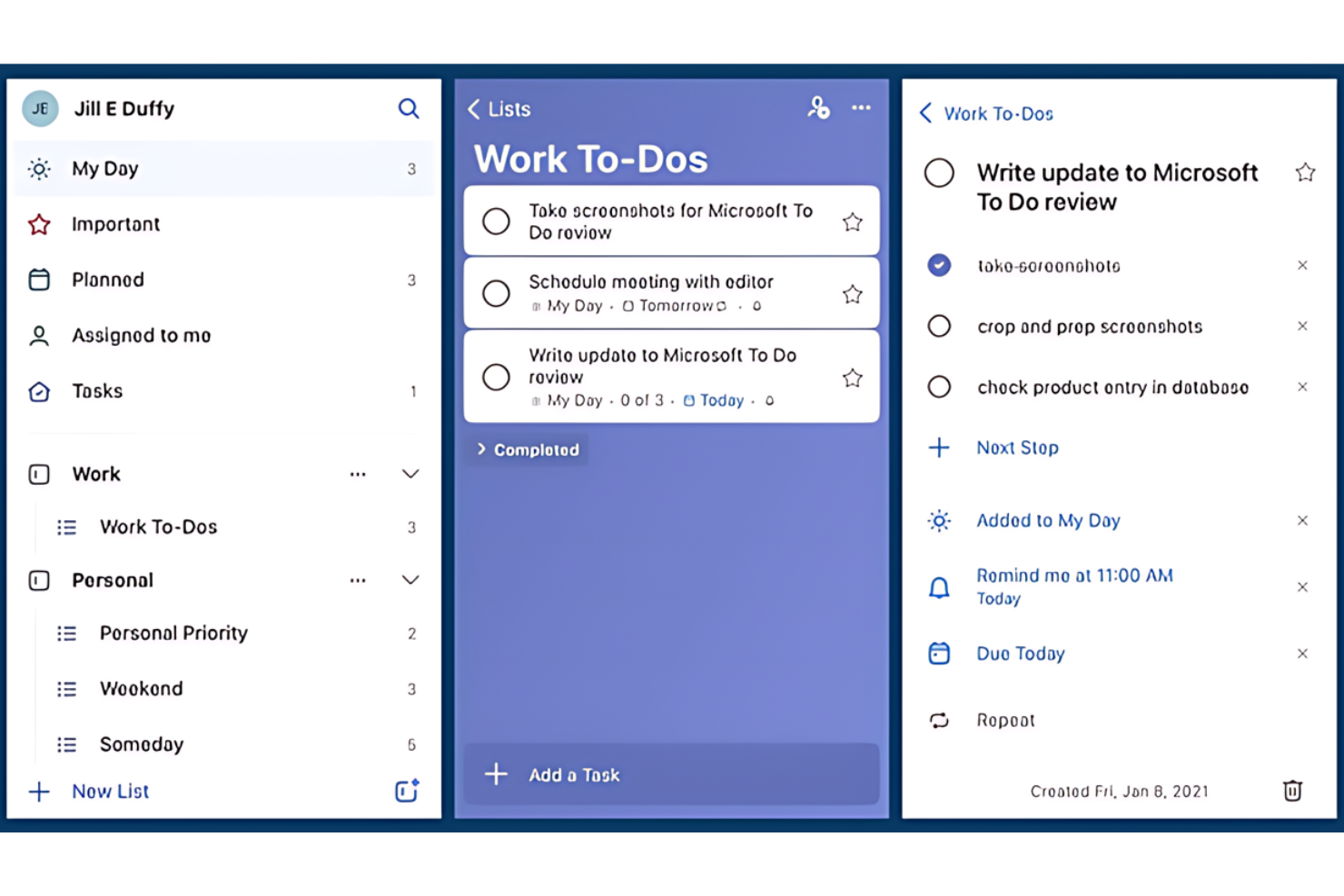
Microsoft To Do is a task management app that helps you manage all your tasks in one place. It is best for Microsoft ecosystem users because it integrates with Outlook Tasks, allowing for a unified task management experience across Microsoft applications.
Why I picked Microsoft To Do:
I chose Microsoft To Do for this list because of its deep integration with the Microsoft ecosystem, which many people already use for their personal and professional lives. This tool stands out due to its ability to sync tasks across various Microsoft platforms, providing a cohesive experience. I believe it's best for Microsoft ecosystem users because it leverages the familiar interface and functionalities of Microsoft applications, making it an intuitive choice for those already invested in Microsoft services.
Standout features & integrations:
Features include a smart daily planner with My Day, personalized suggestions, and the ability to break tasks down into simple steps. It also features due dates and reminders to keep users on track.
Integrations include Microsoft 365, Outlook, Planner, OneNote, Microsoft Teams, and other Microsoft services.
Pros and Cons
Pros:
- Deep integration with Microsoft Outlook and other Microsoft 365 apps
- Cross-platform availability for consistent task management across devices
- Smart daily planner with personalized suggestions for task management
Cons:
- May not offer as many features as some dedicated task management tools
- Limited functionality for users who prefer integration with non-Microsoft services
- Limited to 25 MB per file attachment

ClickUp
Best for team collaboration features

ClickUp is a comprehensive task management tool that facilitates team collaboration.
Why I picked ClickUp:
I chose ClickUp for this list because it offers a unique combination of features that cater to various team sizes and needs, from personal use to large enterprises. Its ability to provide real-time collaboration and a wide range of integrations makes it a versatile choice for managing tasks.
I believe ClickUp is best for team collaboration features because it includes tools like real-time chat, collaborative docs, whiteboards, and advanced collaboration detection, which are essential for teams to work efficiently together.
Standout features & integrations:
Features include real-time updates on tasks, collaborative document editing, and advanced collaboration detection that notifies users when others are viewing or editing the same task. It also offers a variety of views like Kanban boards, calendar views, and Gantt charts, which are crucial for project management.
Integrations include Slack, Google Calendar, GitHub, GitLab, Bitbucket, Dropbox, Google Drive, OneDrive, Outlook, and Zoom, among others.
Pros and Cons
Pros:
- Wide range of integrations with other software
- Real-time collaboration tools for team efficiency
- Offers a free plan with essential features
Cons:
- Pricing for paid plans may be high compared to other software
- Adding guests to a workspace may affect billing
- Usage limits on certain features in the free plan
Trello
Best for visual task organization

Trello is a project management application designed for easy collaboration. It excels in visual task organization with its board, list, and card system that enhances task visibility.
Why I picked Trello:
I selected Trello for the list as it uniquely utilizes a visual system for managing tasks, distinguishing it from text-heavy alternatives. I judge Trello to be best for visual task organization because its board-centric design aids in clearly displaying tasks and progress, which is crucial for managing projects and team workflows efficiently.
Standout features & integrations:
Features include customizable boards, cards for detailed task information, and lists to track progress. It also offers automation with Butler, various power-ups to extend functionality and a rich set of templates for quick setup.
Integrations include Slack, Google Drive, Salesforce, Dropbox, Box, Evernote, GitHub, Mailchimp, Microsoft Teams, OneDrive, and Zapier.
Pros and Cons
Pros:
- Free version available for basic use
- Extensive integration options with popular tools
- Intuitive visual organization with boards and cards
Cons:
- Lack of advanced reporting
- Limited functionality for large-scale projects
- Enterprise plan may be costly for small organizations

Evernote
Best for note-taking and archiving
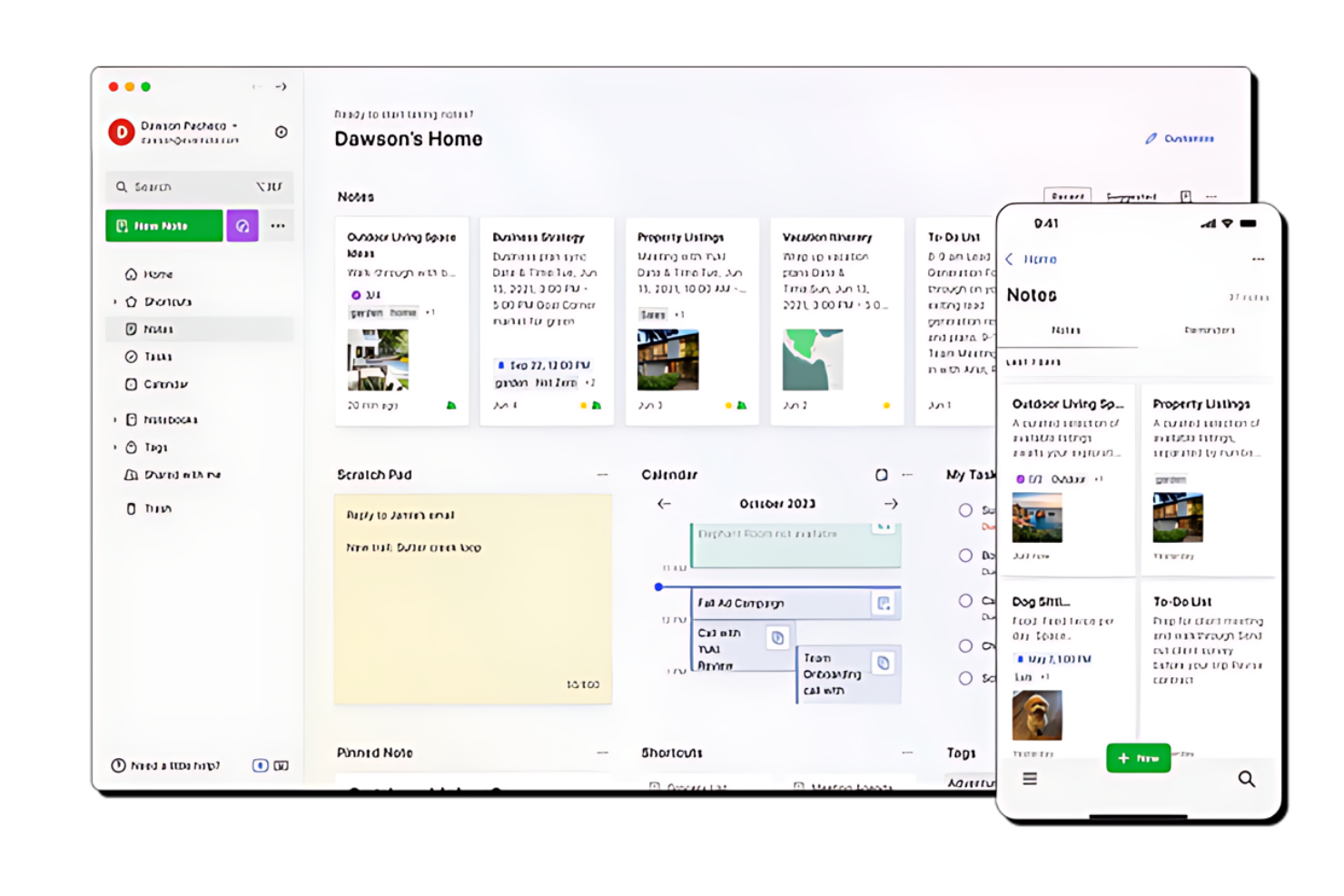
Evernote is a comprehensive app for organizing notes, tasks, and schedules. It stands out as the best for note-taking and archiving due to its robust search capabilities and versatile note organization.
Why I picked Evernote:
I chose Evernote for this list because of its reputation for being a powerful tool for executives, entrepreneurs, and creative individuals to capture and arrange their ideas. Its standout feature is the ability to handle a variety of content types, making it different from other note-taking apps. I believe Evernote is best for note-taking and archiving because it offers advanced search options that are not limited to text notes, allowing users to search through PDFs, documents, and images with ease.
Standout features & integrations:
Features include AI-powered search, web clipping, document scanning, and real-time editing for collaboration. These tools help users to capture, organize, and find their content efficiently.
Integrations include Google Drive, Microsoft Teams, Outlook, Salesforce, and Slack.
Pros and Cons
Pros:
- AI-powered search for efficient retrieval of information
- Versatile note organization supporting various content types
- Real-time editing and collaboration features
Cons:
- Pricing information and details about integrations are not readily available
- The free version has limitations on the number of notes and notebooks

TickTick
Best for setting habits and goals

TickTick is a versatile task management app that helps users manage their daily tasks and personal goals efficiently. It offers a variety of tools designed to boost productivity and establish long-term habits.
Why I picked TickTick:
I chose TickTick because of its strong focus on habit formation and goal setting, which sets it apart from other productivity tools. Its unique blend of task management with habit-tracking features makes it especially useful for individuals looking to foster discipline and achieve their personal and professional objectives. I think it is best for setting habits and goals due to its integrated system that supports users in staying consistent with their habits.
Standout features & integrations:
Features include a built-in Pomodoro timer, which encourages focused work sessions, and its habit tracker which helps users establish and maintain regular routines. Additionally, the app's calendar view integrates tasks and schedules in a clear and accessible manner, enhancing the planning process. The ability to set priority levels for tasks ensures that users can focus on what is most important each day.
Integrations include Google Calendar, Evernote, Todoist, Slack, Trello, Asana, Dropbox, Zapier, IFTTT, Outlook, Apple Calendar, and Amazon Alexa.
Pros and Cons
Pros:
- The calendar view integrates tasks and appointments, facilitating better planning.
- Habit tracker assists in building and maintaining new routines.
- Built-in Pomodoro timer enhances productivity through focused work intervals.
Cons:
- Limited customization options for task categories and reminders.
- Habit-tracking features may be overly complex for users seeking simple task management.
- Higher starting price point compared to some other productivity apps.

Best for GTD enthusiasts

OmniFocus is a highly detailed task management tool designed specifically for Apple users, adhering closely to the principles of the Getting Things Done (GTD) methodology.
Why I picked OmniFocus:
I chose OmniFocus for this list because of its deep commitment to the GTD approach, which makes it a standout option among productivity tools. Its complex system of tags, perspectives, and review features allows for comprehensive management of tasks and projects. I believe OmniFocus is best for GTD enthusiasts due to its ability to handle intricate workflows and extensive task details, which are essential for the rigorous GTD follower.
Standout features & integrations:
Features include advanced task categorization through its tagging system, which can adapt to a variety of workflows and preferences. The app also includes custom perspectives that allow users to create and save unique views of their tasks based on specific criteria. Additionally, the review feature is especially useful, providing a structured format for periodically assessing ongoing projects and tasks to ensure nothing is neglected.
Integrations include Apple Calendar, Apple Reminders, Siri, Shortcuts, Apple Mail, and AppleScript, and has excellent support for IFTTT and Zapier to connect with other platforms indirectly.
Pros and Cons
Pros:
- Exclusive focus on Apple devices ensures a highly optimized user experience.
- Custom perspectives and detailed tagging allow for personalized task organization.
- Advanced task management features tailored to the GTD methodology.
Cons:
- Higher price point compared to simpler task management tools.
- Slight learning curve due to complex features and options.
- Limited to Apple devices, restricting access for users of other operating systems.

Any.do
Best for simple task management

Any.do is a task management software designed to help you organize personal and professional tasks. Its simplicity and ease of use stand out, making it best for simple task management.
Why I picked Any.do:
I chose Any.do for this list because of its straightforward approach to task management, which distinguishes it from other more complex tools. It's the simplicity and user-friendly interface that makes it best for managing daily tasks without the clutter of excessive features. I believe Any.do is best for simple task management because it provides the essential tools needed to stay organized without overwhelming the user.
Standout features & integrations:
Features include to-do lists, daily planners, calendars, and reminders. Users can also take advantage of chat and collaboration tools, making it easier to work with others on shared tasks.
Integrations include WhatsApp, Gmail, Slack, Zapier, Siri, Trello, ClickUp, Asana, monday.com, and Todoist.
Pros and Cons
Pros:
- Effective collaboration tools
- Cross-platform availability
- User-friendly interface
Cons:
- Annual billing for the lowest price
- Limited functionality in the free version
- Premium features require a subscription

Motion
Best for automated planning

Motion is a task management software that automates scheduling and planning. It is best for individuals and teams who want to increase productivity by automating daily planning and prioritization.
Why I picked Motion:
I chose Motion for this list because of its unique approach to task management, which leverages AI to automate the scheduling process. This feature sets it apart from other task management tools that require manual input for planning and prioritization. I believe Motion is best for automated planning because it uses intelligent algorithms to build schedules, prioritize tasks, and adapt to changes in real-time, ensuring that users can focus on their work without the stress of manual planning.
Standout features & integrations:
Features include an intelligent calendar that automatically prioritizes tasks, a task manager that eliminates the need for manual to-do lists, and a project manager that automates individual and team scheduling. The software also offers a meeting scheduler that optimizes meeting times to reduce interruptions and increase focus time.
Integrations include Google Calendar, Outlook Calendar, Apple Calendar, Zoom, Microsoft Teams, Slack, Asana, Trello, Jira, and Salesforce.
Pros and Cons
Pros:
- Offers a 7-day free trial
- Integrates with popular calendars and communication tools
- AI-driven automated scheduling and planning
Cons:
- May have a learning curve for new users
- Enterprise pricing not transparently listed
- Higher monthly cost if not billed annually

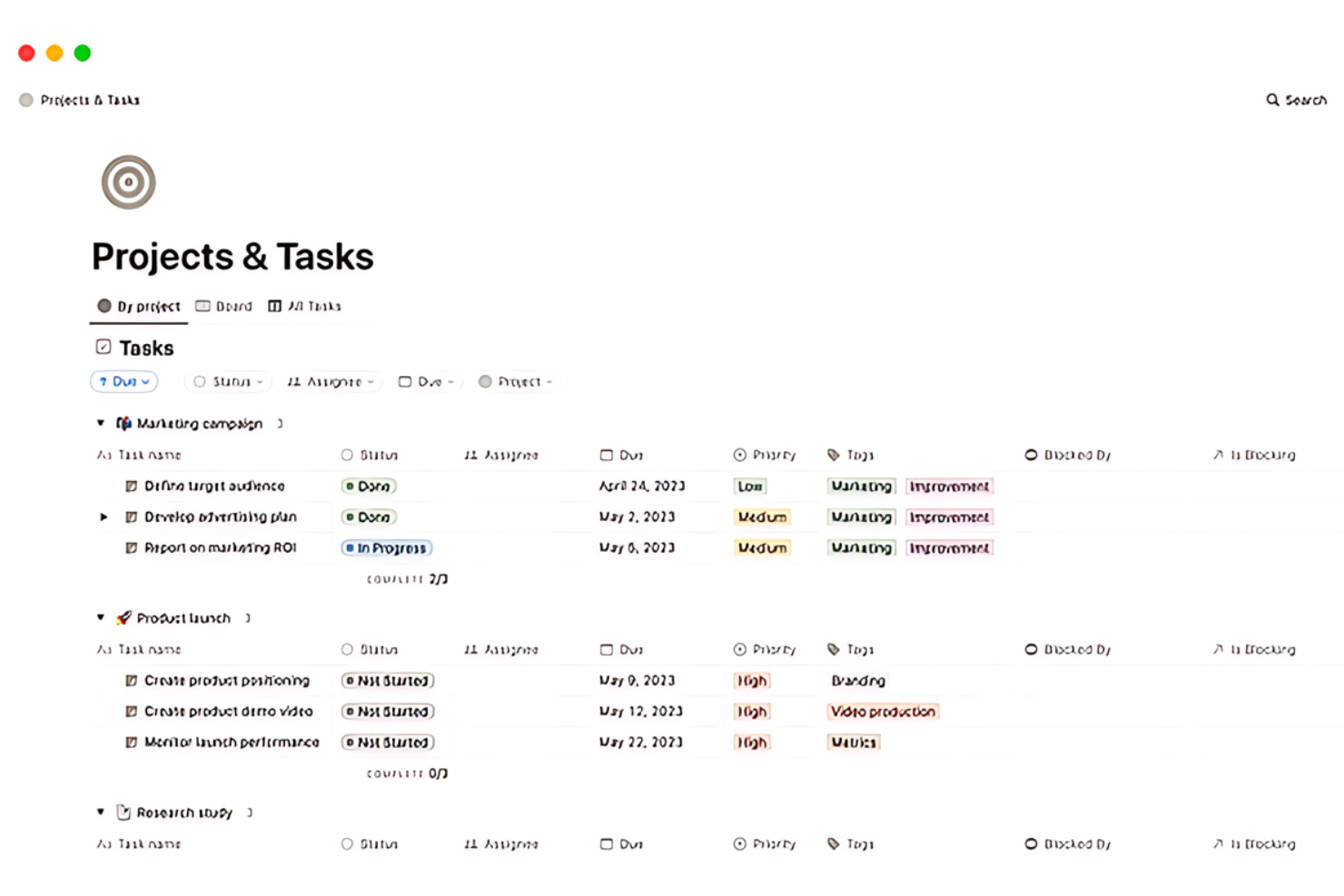
Notion is an all-in-one workspace for note-taking, project management, and collaboration. It's best for customizable workspaces because it offers extensive flexibility in organizing content and tasks.
Why I picked Notion:
I chose Notion for this list due to its unique approach to task management, which combines notes, docs, wikis, and project management tools into a single, customizable platform. This tool stands out for its ability to adapt to various workflows and personal preferences. I believe Notion is best for customizable workspaces because it allows users to create their own systems for managing work and life, with a wide array of building blocks and templates that can be tailored to any need.
Standout features & integrations:
Features include an integrated AI assistant, a powerful documentation system, centralized knowledge management, and flexible project management tools. It also offers calendar integration to manage time and projects collaboratively.
Integrations include Slack, GitHub, Google Calendar, Google Drive, Trello, Asana, Jira, Everhour, Zapier, Tray.io, and Make.
Pros and Cons
Pros:
- Supports a wide range of integrations
- Integrated AI assistant for enhanced productivity
- Highly customizable workspace
Cons:
- Some users may prefer more specialized tools for specific tasks
- The free version has limited functionality for teams
- Can be overwhelming due to its vast array of features
Diğer Kişisel Görev Yönetimi Yazılımları
Aşağıda, kısa listemize aldığımız ancak en iyi listeye giremeyen ek kişisel görev yönetimi yazılımlarının bir listesi yer alıyor. Kesinlikle göz atmaya değer.
- Things
For Apple device users
- GoodDay
For personalized task visualization
- PathPro
For community-driven project management
- Smartsheet
For spreadsheet-based project management
- Basecamp
For team collaboration
- Freedcamp
For budget-conscious teams
- Zoho Projects
For integration with Zoho suite
- ProofHub
For teams needing proofing tools
- Taskworld
For visual project planning
- MeisterTask
For Kanban board fans
- Zenkit
For data visualization
- Airtable
Good for database-driven task management
- Nifty
For milestone tracking
- Quire
For nested task lists
- Remember The Milk
For simple to-do lists
- Asana
For custom project workflows


İlgili Proje Yönetimi İncelemeleri
Aradığınızı hâlâ burada bulamadıysanız, sizin için derlediğimiz şu diğer proje yönetimi aracı incelemelerine göz atın:
- Gantt Şeması Oluşturucu
- Üretkenlik Araçları
- Proje Takip Yazılımı
- Proje Planlama Yazılımı
- Proje Yönetimi Yazılımı
- Kaynak Yönetimi Yazılımı
How I Evaluate Personal Task Management Software
I think about these tools in two layers: the baseline a tool must clear—quick capture, due dates, cross-device sync—and what actually makes one worth picking over another.
Core Functionality (Table Stakes For This List)
When I'm selecting tools for my list, I rank each one on a scale from 0 (does not offer the functionality) to 5 (excels in this area) for each core functionality listed below. Then, I calculate the tool's total score into a percentage. Each tool needs to achieve a minimum total score of 65% to be considered for inclusion.
- Task Creation & Capture: I check how many ways you can add a task—quick-add shortcuts, email forwarding, browser extensions—since PMs need to grab action items mid-meeting fast.
- Due Dates & Reminders: Each tool should let you set deadlines, recurring schedules, and timed reminders so follow-ups like weekly status check-ins don't slip through the cracks.
- Prioritization & Organization: I look for layered sorting options like priority flags, labels, and nested lists that let you separate, say, sprint commitments from ad hoc stakeholder requests.
- Personal Views & Filters: Tools like Todoist and ClickUp offer "My Tasks" or "Today" views—I evaluate whether a tool surfaces your own work clearly when it also handles team data.
- Cross-Device Sync: Real-time sync across web, desktop, and mobile matters because most PMs capture tasks on a laptop in a meeting and triage them from their phone later.
- Project Tool Integrations: I evaluate native connections with PM platforms, calendars, and chat apps so tasks from a Jira board or a Slack thread flow into your personal workflow.
Once I have a list of tools that meet the criteria, I consider what sets each platform apart.
Differentiating Factors (What Sets Vendors Apart)
Here's how I compare and contrast different vendors:
Standout Features
Natural language input is a big differentiator—typing "send roadmap update Friday 3 pm" and having the tool parse it into a structured task saves real time during back-to-back meetings. I also evaluate whether a tool supports time blocking or calendar overlays, which let you drag tasks onto your schedule to carve out focus time between standups and reviews. AI-powered prioritization matters too, especially when a tool surfaces what to tackle next based on deadlines and effort.
Beyond Features
Integration depth matters a lot—I check whether a tool syncs two-way with platforms like Jira or Asana so personal tasks actually reflect sprint changes. Pricing structure is another key factor, since most PMs start solo before pitching a tool to their team. A generous free tier or flexible per-seat model makes that transition smoother. I also evaluate onboarding speed—tools with PM-ready templates like GTD or Eisenhower boards get users productive faster than starting from a blank slate.
Kişisel Görev Yönetimi Yazılımı Nasıl Seçilir?
Kendinize özgü yazılım seçim sürecinizi yürütürken aşağıdaki noktaları göz önünde bulundurun:
- Kullanıcı Dostu Arayüz: Yazılım, dik bir öğrenme eğrisi olmadan gezinmeyi ve görevleri yönetmeyi kolaylaştıran sezgisel bir tasarıma sahip olmalıdır. Örneğin, teknoloji konusunda bilgili olmayan kişiler, görevlerini hemen düzenlemeye başlamalarını sağlayan anlaşılır bir düzenden yararlanacaktır.
- Özelleştirme Olanakları: Deneyimi kendi özel ihtiyaçlarınıza göre uyarlamanıza olanak tanıyan yazılımları arayın. İster farklı müşteriler için zamanı takip etmesi gereken bir serbest çalışan ister görevleri konuya göre kategorilere ayırmak isteyen bir öğrenci olun, özelleştirme, yaşam tarzınıza uygun şekilde düzenli kalmanıza yardımcı olabilir.
- Entegrasyon Seçenekleri: Yazılımın kullandığınız diğer araçlarla entegre olup olamayacağını değerlendirin. Bu, e-posta, takvim ve dosya depolama için birden fazla platforma güvenen kişiler açısından özellikle önemlidir; çünkü görevleri ve bilgileri tek bir yerde merkezileştirmeye yardımcı olabilir.
- Mobil Erişilebilirlik: Yazılımın mobil bir sürüm sunduğundan veya mobil cihazlarla uyumlu olduğundan emin olun. Bu, sık sık hareket hâlinde olan ve görevlerine ve programlarına her yerden, her zaman erişmesi gereken kullanıcılar için kritik öneme sahiptir.
- Maliyet Etkinliği: Maliyeti sunulan özelliklere göre değerlendirin. Bütçesine dikkat eden kişiler veya yalnızca temel görev yönetimi işlevlerine ihtiyaç duyanlar, iyi bir değer elde edip etmediklerini ya da ihtiyaçlarını karşılayan ücretsiz alternatiflerin bulunup bulunmadığını değerlendirmelidir.
2025'te Kişisel Görev Yönetimi Yazılımı Trendleri
Kişisel görev yönetimi yazılımı teknolojisinde fark ettiğim güncel ve ilgi çekici trendlerden bazıları şunlar.
- Yapay Zekâ ve Makine Öğrenimiyle Entegrasyon: Yapay zekâ, görev yönetimi araçlarına giderek daha fazla yerleştiriliyor. Görevler önermek ve programları optimize etmek için kullanıcı davranışlarını tahmin ediyor. Bu trend, üretkenliği kişiselleştirme potansiyeli açısından önem taşıyor. Daha fazla yapay zekâ görev yönetimi aracını burada bulabilirsiniz.
- Platformlar Arası Senkronizasyon: Yazılımlar artık çeşitli cihazlar arasında gerçek zamanlı senkronizasyon sunuyor. Kullanıcılar bir cihazda görevleri güncelleyebilir ve değişiklikleri diğer tüm cihazlarda görebilir. Bu, görev yönetiminde sürekliliği korumak açısından önemlidir.
- Sesle Etkinleştirilen Kontroller: Sesli komut özellikleri görev yönetimi uygulamalarında daha yaygın hâle geliyor. Kullanıcıların ellerini kullanmadan görev eklemesine veya görevleri değiştirmesine olanak tanıyor. Bu trend, erişilebilirliği ve kolaylığı artırması açısından ilgi çekicidir.
- Zihinsel Sağlığa ve İyi Oluş Hâline Odaklanma: Yeni görev yönetimi yazılımları, zihinsel sağlığı destekleyen özellikler içeriyor. Molaları ve bilinçli çalışma alışkanlıklarını teşvik ediyor. Bu trend, iş-yaşam dengesinin önemine ilişkin farkındalığın arttığını yansıtıyor.
- Oyunlaştırma Unsurları: Görev yönetimini daha ilgi çekici hâle getirmek için oyunlaştırmadan yararlanılıyor. Ödüller ve ilerleme takibi gibi özellikler motivasyonu artırıyor. Bu trend, üretkenliği daha keyifli hâle getirme potansiyeli açısından önemlidir.
Bu trendler, daha kişiselleştirilmiş, verimli ve kullanıcı dostu görev yönetimi deneyimlerine doğru bir geçiş olduğunu gösteriyor.
Kişisel Görev Yönetimi Yazılımı Nedir?
Kişisel görev yönetimi yazılımı, bireylerin görevlerini ve etkinliklerini düzenlemesine, takip etmesine ve önceliklendirmesine yardımcı olmak üzere tasarlanmış dijital bir araçtır. Profesyoneller, öğrenciler ve günlük görevlerini ve kişisel projelerini daha etkili bir şekilde yönetmek isteyen herkes tarafından kullanılır.
Yazılım, kullanıcıların son tarihler belirlemesine, yapılacaklar listeleri oluşturmasına ve zamanlarını verimli bir şekilde yönetmesine olanak tanıyan kişisel bir düzenleyici görevi görür. Üretkenliği korumayı ve hiçbir görevin gözden kaçırılmamasını sağlamayı amaçlayan kişiler için vazgeçilmezdir.
Kişisel Görev Yönetimi Yazılımının Özellikleri
Günlük görevleri ve projeleri yönetirken kişisel görev yönetimi yazılımı vazgeçilmez bir araç hâline gelir. Yapılması gerekenleri takip etmeye, görevlere öncelik vermeye ve zamanı etkili bir şekilde yönetmeye yardımcı olur. Bu tür yazılımlarda aranması gereken en önemli özellikler şunlardır:
- Görev Önceliklendirme: Görevlere önem düzeyleri atar. Bu özellik, önce en kritik görevlere odaklanmamı sağlayarak en önemli teslim tarihlerini ve hedeflerimi karşılamama yardımcı olur.
- Son Teslim Tarihleri ve Hatırlatıcılar: Son teslim tarihlerini belirler ve bildirimler gönderir. Görevlerimi takip etmek, hiçbir teslim tarihini kaçırmamak veya önemli bir görevi unutmamak için bu özelliğe güveniyorum.
- Takvim Entegrasyonu: Dijital takvimlerle senkronize olur. Bu entegrasyon, görevlerimin programıma nasıl uyduğunu görselleştirmek ve zamanımı buna göre planlamak için çok önemlidir.
- Alt Görevler ve Bağımlılıklar: Görevleri daha küçük, yönetilebilir parçalara ayırır ve tamamlanmaları gereken sırayı gösterir. Bu, karmaşık projeleri görevleri doğru sırayla tamamlayarak ele almama yardımcı olur.
- İş Birliği Araçları: Görevlerin ve projelerin başkalarıyla paylaşılmasına olanak tanır. Bir ekiple çalışırken bu özellik, bağlantıda kalmamıza ve birbirimizin ilerlemesinden haberdar olmamıza yardımcı olur.
- Dosya Ekleme: Belge ve görselleri görevlere ekler. Gerekli tüm bilgileri tek bir yerde tutmak için bunu yararlı buluyorum; bu da iş akışımı kolaylaştırıyor.
- Zaman Takibi: Görevlerde harcanan zamanı kaydeder. Görevlerin ne kadar sürdüğünü takip ederek gelecekteki görevleri daha iyi tahmin edebilir ve zamanımı yönetebilirim.
- Özelleştirilebilir Görünümler: Görevleri listeler veya panolar gibi farklı şekillerde görüntüleme olanağı sunar. Bu esneklik, görevlerimi çalışma tarzıma uygun bir şekilde görüntülememi sağlar.
- Arama ve Filtreleme Seçenekleri: Görevleri hızlıca bulur ve çeşitli ölçütlere göre filtreler. Belirli görevleri bulmam veya belirli koşulları karşılayan görevleri görüntülemem gerektiğinde bu özellik zamandan tasarruf etmemi sağlar.
- Mobil Erişim: Görevlere bir mobil uygulama aracılığıyla erişim sağlar. Bu sayede masamdan uzaktayken bile üretken kalabilir ve görevlerimi takip edebilirim.
- Yinelenen görevler: Belirli aralıklarla otomatik olarak tekrarlanacak şekilde ayarlanan görevler.
- Kanban tarzı: İşlerin bir süreç boyunca ilerlerken yönetilmesini sağlayan, genellikle bir panodaki sütunlar üzerinde kartlarla gösterilen görsel bir sistem.
- Görev görünümleri: Listeler, takvimler veya panolar gibi görevleri görüntülemenin ve görevlerle etkileşim kurmanın farklı yolları.
Kişisel görev yönetimi yazılımı, düzenli ve verimli kalmama yardımcı olarak günlük üretkenliğimin temel taşlarından biridir. Doğru özellik kombinasyonu, iş yükümü yönetmemde ve kişisel ve profesyonel hedeflerime ulaşmamda önemli bir fark yaratabilir.
Kişisel Görev Yönetimi Yazılımının Faydaları
Kişisel görev yönetimi yazılımı, hem bireyler hem de kuruluşlar için üretkenliği artırmada ve düzeni korumada hayati bir araçtır. Aşağıda kişisel görev yönetimi yazılımının kullanıcılarına ve kuruluşlara sağladığı beş temel fayda yer almaktadır:
- Artan Üretkenlik: Kişisel görev yönetimi yazılımı, işleri yönetmek için yapılandırılmış bir yaklaşım sunarak görevlerin daha verimli tamamlanmasını ve zaman ile kaynakların daha iyi kullanılmasını sağlar.
- Gelişmiş Organizasyon: Kullanıcılar görevlerini sıralayabilir ve önceliklendirebilir. Bu, kritik teslim tarihlerine uyulmasını ve görevlerin gözden kaçırılmamasını sağlayarak iş kalitesinin artmasına ve stresin azalmasına katkıda bulunur.
- Geliştirilmiş Zaman Yönetimi: Takvimler ve hatırlatıcılar gibi özellikler, kullanıcıların görevleri planlamasına ve bunlara uygun zamanı ayırmasına yardımcı olur. Bu, teslim tarihlerine uymak ve iş yüklerini yönetmek için kritik öneme sahiptir.
- Kolay İş Birliği: Görev yönetimi araçları genellikle ekip üyelerinin projeler üzerinde kolayca iş birliği yapmasını sağlayan özellikler içerir. Bu özellikler, bir kuruluşun başarısı için hayati önem taşıyan etkili iletişimi ve ekip çalışmasını teşvik eder.
- Veriye Dayalı Karar Alma: Yazılım genellikle görev performansı ve üretkenlik eğilimleri hakkında içgörüler sunan izleme ve raporlama işlevleri sağlar; bu da stratejik planlamaya ve karar alma süreçlerine yardımcı olur.
Kişisel görev yönetimi yazılımı, kullanıcıların ve kuruluşların günlük operasyonlarını optimize etmede kritik bir rol oynar. Bireyler ve işletmeler, sıralanan faydalardan yararlanarak verimlilik ve iş memnuniyeti açısından yeni seviyelere ulaşabilir.
Kişisel Görev Yönetimi Yazılımının Maliyetleri ve Fiyatlandırması
Kişisel görev yönetimi yazılımı seçerken alıcıların çeşitli plan seçeneklerini ve bunlarla ilişkili maliyetleri anlaması önemlidir. Bu planlar, bireysel kullanıcılardan büyük işletmelere kadar farklı ihtiyaçlara hitap eder.
Aşağıda plan türleri, ortalama fiyatlandırmaları ve her birinde bulunan yaygın özellikler ayrıntılı olarak açıklanmıştır.
Kişisel Görev Yönetimi Yazılımı İçin Plan Karşılaştırma Tablosu
| Plan Türü | Ortalama Fiyat | Yaygın Özellikler |
| Ücretsiz | $0 | - Sınırlı sayıda proje (genellikle 3'e kadar)- Temel görev yönetimi özellikleri- Sınırlı sayıda ekip üyesiyle iş birliği- Sınırlı dosya depolama kapasitesi- Liste ve pano düzenleri gibi temel görünümlere erişim- Diğer uygulamalar ve hizmetlerle entegrasyon |
| Pro/Kişisel | $4 - $13 aylık | - Artırılmış sayıda kişisel proje (300'e kadar)- Görev hatırlatıcıları ve süre- Gelişmiş arama ve filtre görünümleri- Sınırsız etkinlik geçmişi- Yapay zekâ asistanı (bazı yazılımlarda kullanılabilir)- Takvim düzeni- Harici paylaşım ve özel projeler |
| İşletme | $6 - $25 üye/ay başına | - Pro/Kişisel planındaki tüm özellikler- Paylaşımlı ekip çalışma alanı- 500'e kadar ekip projesi- Ekip rolleri ve izinleri- Merkezi ekip faturalandırması- Gelişmiş raporlama ve özel alanlar- Öncelikli e-posta ve telefon desteği |
| Kurumsal | Özel fiyatlandırma | - İhtiyaca göre uyarlanmış fiyat teklifi- Özel hesap yöneticisi- Kişiselleştirilmiş işe alıştırma desteği- SAML Tek Oturum Açma- Gelişmiş güvenlik özellikleri- Uyumluluk dışa aktarımları- Özel markalama ve premium destek |
Yazılım satın alacak kişiler, iş akışlarını en iyi şekilde destekleyecek özelliklerle birlikte kullanıcı sayısını ve gereken iş birliği düzeyini değerlendirmelidir.
Kişisel Görev Yönetimi Yazılımı Hakkında SSS
Sizin için ele almak istediğim birkaç sık sorulan soru burada yer alıyor.
Kişisel görev yönetimi yazılımı üretkenliği artırabilir mi?
Evet, kişisel görev yönetimi yazılımı görevlerinizi düzenlemenize, zamanınızı daha etkili yönetmenize ve çok sayıda sorumluluğu takip etmenin getirdiği bilişsel yükü azaltmanıza yardımcı olarak üretkenliği önemli ölçüde artırabilir. Ayrıca önemli görevlerin gözden kaçırılmamasını ve son teslim tarihlerine uyulmasını sağlar.
Kişisel görev yönetimi yazılımı için ödeme yapmaya değer mi?
Kişisel görev yönetimi yazılımı için ödeme yapmanın değip değmeyeceği, özel ihtiyaçlarınıza bağlıdır. Ücretsiz sürümler genellikle basit görev yönetimi için uygun temel işlevleri kapsar. Ancak ücretli sürümler, karmaşık projeleri yönetmek veya profesyonel kullanım için değerli olan daha kapsamlı özellikler sunar.
Kişisel görev yönetimi yazılımı ne kadar güvenlidir?
Saygın kişisel görev yönetimi yazılımlarının çoğu veri şifreleme, güvenli veri merkezleri ve düzenli güvenlik denetimleri dâhil olmak üzere güçlü güvenlik önlemleri sunar. Özellikle yazılımı ticari amaçlarla kullanmayı düşünüyorsanız, yazılımın ilgili düzenlemelere ve standartlara uyup uymadığını mutlaka kontrol edin.
Görev yönetimi yazılımımı birden fazla cihaz arasında senkronize edebilir miyim?
Birçok kişisel görev yönetimi uygulaması, birden fazla cihaz arasında senkronizasyon özelliği sunarak görevlerinizi telefonunuzda, tabletinizde ve bilgisayarınızda sorunsuz şekilde yönetmenize olanak tanır. Bu özellik, hangi cihazı kullandığınızdan bağımsız olarak görev listelerinizi ve bildirimlerinizi güncel tutmak için özellikle kullanışlıdır.
Görev yönetimi yazılımında ne tür entegrasyonlar aramalıyım?
E-posta platformları, takvim uygulamaları, dosya paylaşım araçları, iş birliği yazılımları ve hatta üretkenlik eklentileriyle yapılanlar gibi iş akışınızı tamamlayan entegrasyonları arayın. Bu entegrasyonlar süreçlerinizi kolaylaştırır ve farklı uygulamalar arasında sürekli geçiş yapmadan görevlerinizi yönetmenizi sağlar.
Seçtiğim görev yönetimi yazılımının kullanıcı dostu olduğundan nasıl emin olabilirim?
Yazılımın kullanıcı dostu olduğundan emin olmak için temiz ve sezgisel bir arayüz, kolay gezinme ve erişilebilirlik özellikleri arayın. Ayrıca bir karar vermeden önce yazılımın kullanılabilirliğini test etmek için kullanıcı yorumlarını okumanız, eğitim videolarını izlemeniz ve ücretsiz denemelerden yararlanmanız önerilir.