

10 Best Workday Alternatives in 2026

Best Workday Alternatives Shortlist


Finding the best Workday alternatives means choosing HR and payroll platforms that put flexibility first. Whether you are scaling a remote team, streamlining employee onboarding, or looking for tighter control over shift scheduling, these alternatives offer robust workforce management tools without the enterprise price tag or months-long deployment process.
In this guide, I’ll help you compare top Workday alternatives across HR, payroll, and scheduling functions—so you can find the best fit for how your teams actually work.
What Is Workday?
Workday is an enterprise software platform for managing human resources, payroll, finance, and workforce planning in a single system. It enables organizations to centralize employee data, automate HR and finance workflows, handle payroll and time tracking, and gain insights through customizable analytics. Workday is used by businesses of all sizes to coordinate HR processes, support compliance, and provide a single source of truth for workforce operations across global and distributed teams.
Workday Alternatives Comparison Table
This comparison table summarizes pricing details for my top Workday alternative selections:
| Tool | Best For | Trial Info | Price | ||
|---|---|---|---|---|---|
| 1 | Best for hiring global teams and contractors | Free demo available | From $5/user/month | Website | |
| 2 | Best for unified HR, IT, and finance | Free demo available | Upon request | Website | |
| 3 | Best for mid-market HR and payroll in one place | Free demo available | Pricing upon request | Website | |
| 4 | Best for SMB payroll and benefits | Free demo available | Pricing upon request | Website | |
| 5 | Best for frontline workforce scheduling | Free demo available | Pricing upon request | Website | |
| 6 | Best for onboarding and PTO tracking | Free trial available | From $10/employee/month | Website | |
| 7 | Best for complex shift planning | Free demo available | Pricing upon request | Website | |
| 8 | Best for native WFM and payroll | Free demo available | Pricing upon request | Website | |
| 9 | Best for global enterprise talent management | 30-day free trial | Pricing upon request | Website | |
| 10 | Best for hire-to-retire on one data model | Free demo available | Pricing upon request | Website |

Why Trust Our Software Recommendations
Our team has been testing and reviewing software since 2012. As project managers ourselves, we know how difficult—and important—it is to choose the right software.
For this guide, we evaluated tools using hands-on testing and independent research, scoring tools using our selection criteria. We also draw on insights from industry thought leaders and practicing project management experts.
Our reviews reflect our human editorial judgment, not a sales pitch.
Expert reviewers:
Workday Alternatives Reviews
Below are my detailed summaries of the best Workday alternatives that made it onto my shortlist. My reviews offer a detailed look at the features, pricing, and best use cases of each software to help you find the best one for you.

Deel HR
Best for hiring global teams and contractors
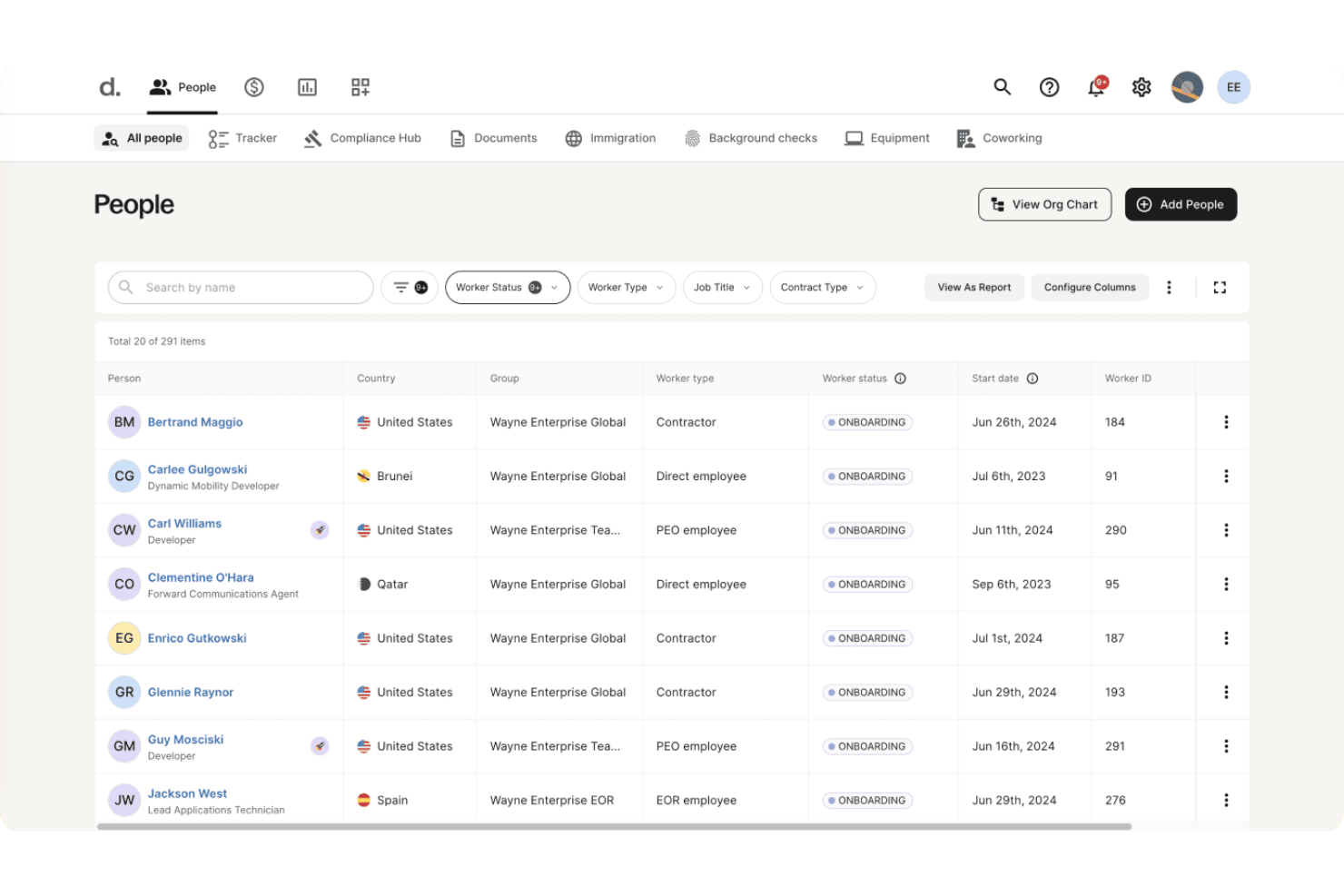
Deel HR is designed for organizations hiring across borders, making it a go-to option for tech companies and distributed teams who need to handle global onboarding, payroll, and compliance from a single platform.
Who Is Deel HR Best For?
Deel HR is a strong fit for tech companies and distributed teams managing international hiring, payroll, and compliance.
Why Deel HR Is a Good Workday Alternative
I picked Deel HR as one of the best because it lets my team manage applicant tracking, onboarding, and payroll across multiple countries in one place. I can handle compliance for contractors and employees globally without juggling separate systems. Deel HR's unified dashboard simplifies contract management and local law compliance for distributed tech teams.
Deel HR Key Features
- Document management: Store, organize, and share key HR documents and contracts within a single platform.
- Org chart visualization: Build and view your company’s reporting structure with an interactive organizational chart.
- Time-off tracking: Track paid time off, sick days, and holidays across different countries in one dashboard.
- Employee self-service portal: Allow team members to update personal details, access documents, and manage tasks independently.
Deel HR Integrations
Deel HR offers native integrations with NetSuite, Slack, Campfire, 1Password, and Lever. It also offers an API for custom integrations.
Pros and Cons
Pros:
- Customizable visual org chart for distributed teams
- Unified dashboard for global onboarding and payroll
- Manages compliance for both contractors and employees
Cons:
- Slow support response times during peak periods
- Limited advanced analytics compared to other platforms
New Product Updates from Deel HR

Deel Expands Stablecoin Wallet to 80+ Countries
Deel expands its Stablecoin Wallet to 80+ countries with dollar-backed balances and optional rewards. This gives eligible contractors more ways to hold and manage earnings inside Deel. For more information, visit Deel’s official site.
 .
.
Rippling
Best for unified HR, IT, and finance
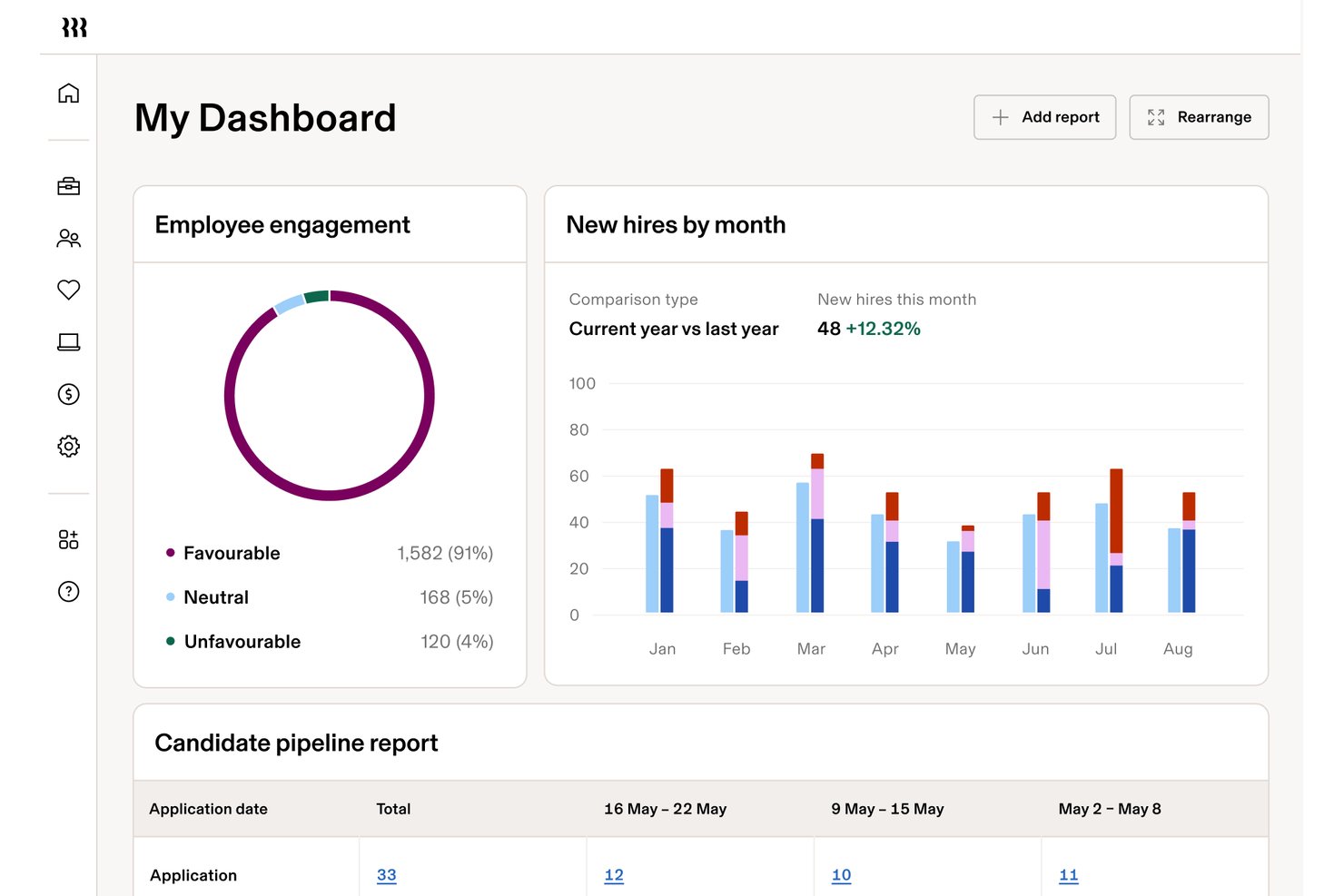
Rippling is a cloud-based platform designed for businesses that want one system to manage HR, IT, employee scheduling, and finance, making it a solid match for companies dealing with complex workforce and workflow demands.
Who Is Rippling Best For?
Rippling is a solid fit for mid-sized and larger businesses that need unified control over HR, IT, and finance.
Why Rippling Is a Good Workday Alternative
I picked Rippling because it gives me one place to manage HR, IT, and finance workflows together, without jumping between tools. I like how quickly I can go from hiring and onboarding to device and app provisioning, and even payroll runs, all in a unified system. That lets my team handle everything from scheduling to asset management in one platform.
Rippling Key Features
- Automated time and attendance tracking: Capture employee hours, PTO, and overtime directly in the platform.
- Custom approval workflows: Build customizable approval chains for scheduling changes and time off requests.
- Role-based access controls: Set permissions so managers, HR, and IT teams see only the data they need.
- Integrated compliance tools: Keep payroll and scheduling compliant with regional labor laws and audit trails.
Rippling Integrations
Rippling integrates with Google Workspace, Microsoft 365, Slack, Zoom, QuickBooks, Xero, Okta, and Salesforce, and offers an API for custom integrations.
Pros and Cons
Pros:
- Allows custom approval chains for scheduling
- Automates device and app provisioning on hire
- Combines HR, IT, and finance in one place
Cons:
- Some payroll processes require manual intervention
- Reporting features feel limited for complex needs
New Product Updates from Rippling

Rippling Expands Automated Compliance With AI Workflows
Rippling expands Automated Compliance with multi-framework support, AI workflows, an audit portal, and trust centers. These updates help GRC teams manage compliance work and audits. For more information, visit Rippling’s official site.

Best for mid-market HR and payroll in one place
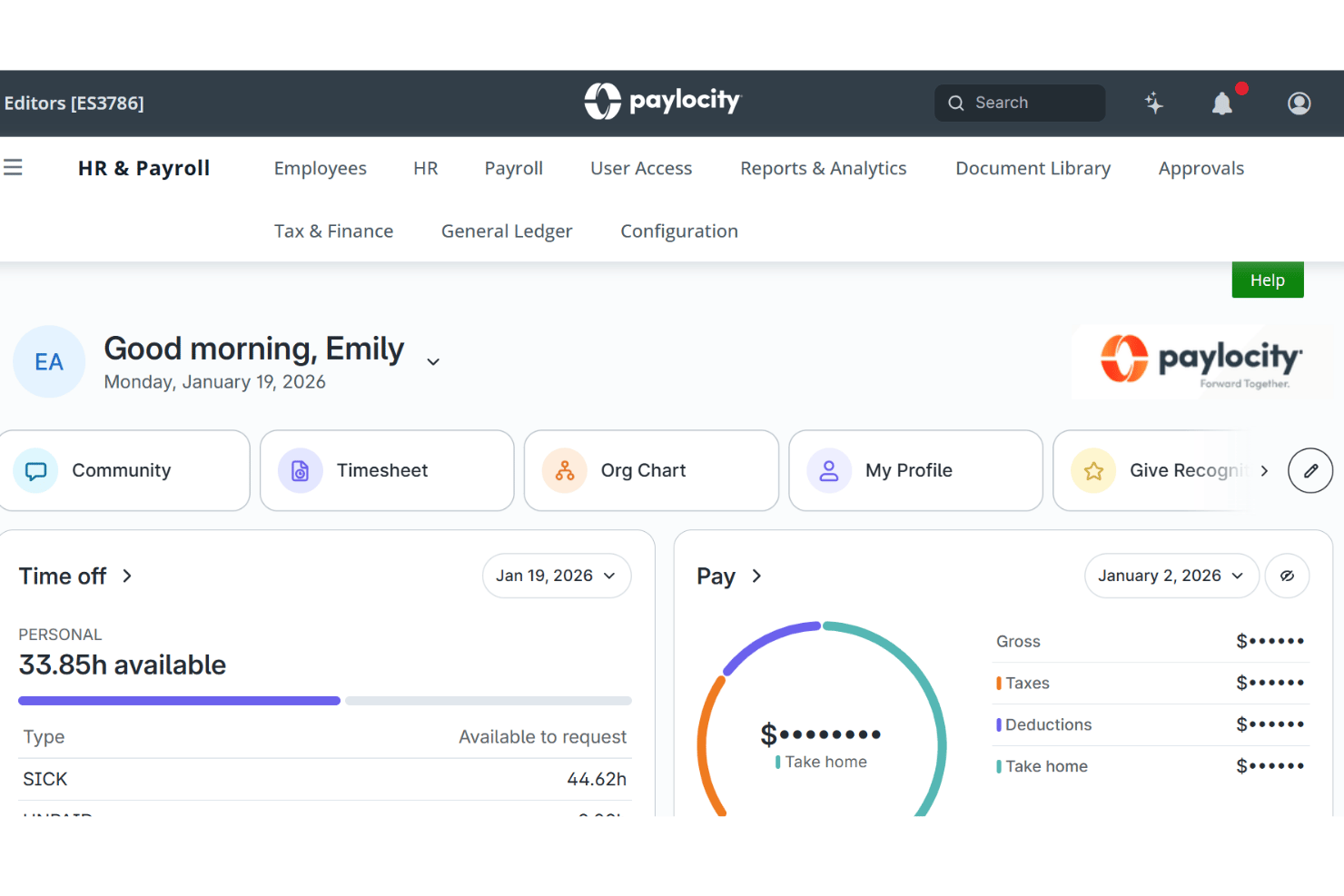
Paylocity gives growing companies a central hub to manage HR, payroll, and workforce data, making it a strong choice if you want to streamline employee scheduling, calendars, and internal communication within one platform.
Who Is Paylocity Best For?
Paylocity is a solid choice for mid-sized businesses that want an integrated platform to manage HR, payroll, and workforce processes in one place.
Why Paylocity Is a Good Workday Alternative
I picked Paylocity as a top Workday alternative because it brings HR, payroll, and workforce management together for mid-sized companies. I use its central hub to create employee calendars, manage scheduling, and handle workforce data all in one place, eliminating tool switching and confusion.
Paylocity Key Features
- Custom workflows: Automate approvals and tasks to fit your team’s daily processes.
- Document management: Store, organize, and share employee documents in a secure digital vault.
- Compliance tracking: Monitor key HR compliance elements like certifications and required trainings.
- Employee insights dashboard: Visualize attrition, demographics, and engagement survey results in real time.
Paylocity Integrations
Paylocity integrates with QuickBooks, NetSuite, Salesforce, Microsoft 365, and Google Workspace. An API is available for custom integrations.
Pros and Cons
Pros:
- Custom workflows automate everyday HR processes
- Employee engagement surveys built into the platform
- Centralized dashboard for HR and payroll tasks
Cons:
- Mobile app experience can be inconsistent
- Reporting tools lack advanced analytics options
New Product Updates from Paylocity

Paylocity Expands Expense and Purchase Request Tools
Paylocity adds connected personal cards, smarter expense categorization, and a streamlined purchase request experience. This reduces manual entry and helps finance teams manage expenses and approvals more efficiently. For more information, visit Paylocity’s official site.
 .
.
Best for SMB payroll and benefits
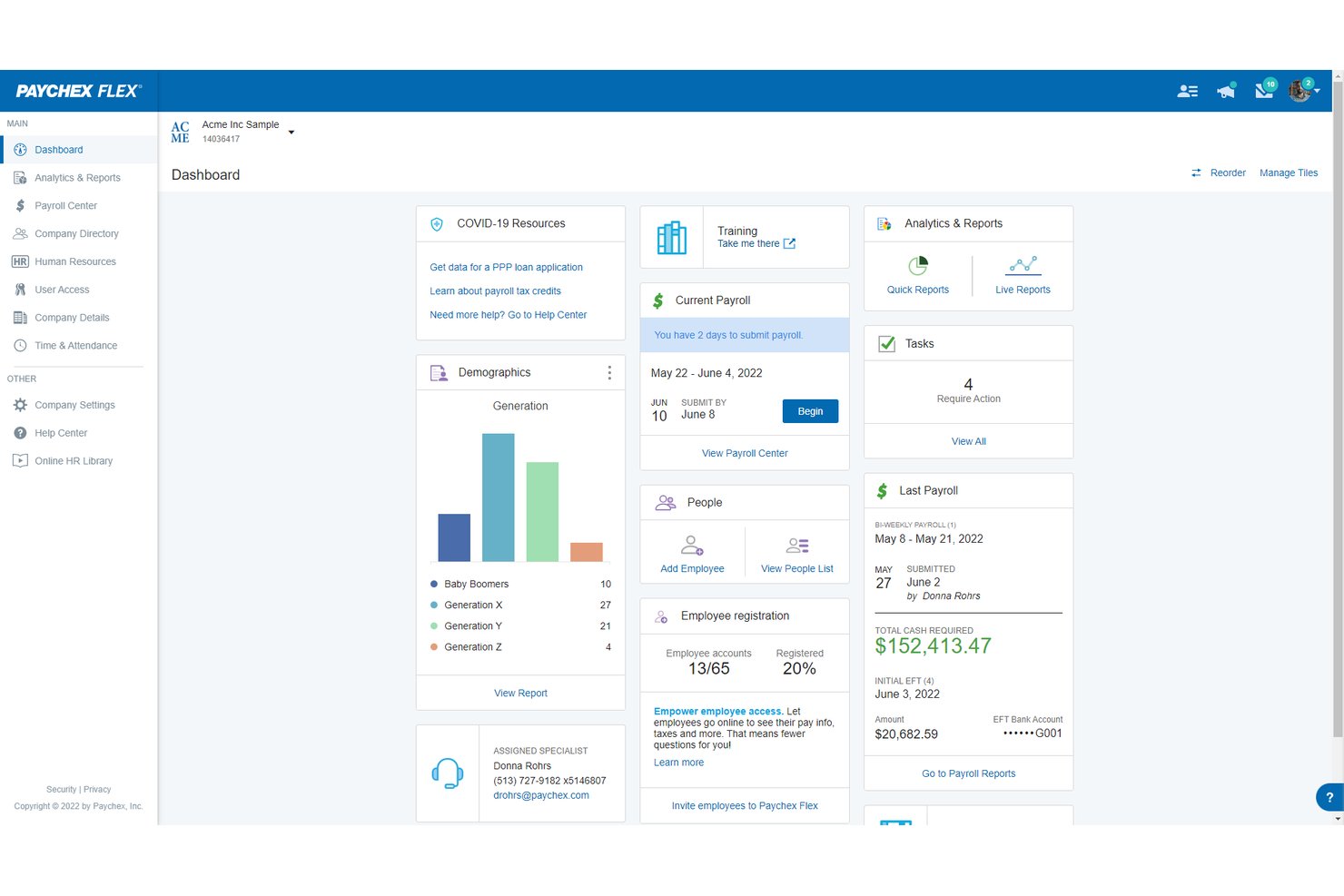
Paychex Flex is a workforce management platform designed for small and midsize businesses that need unified payroll, HR, time tracking, and employee scheduling tools in a single system.
Who Is Paychex Flex Best For?
Paychex Flex is a good fit for small and midsize businesses that want integrated payroll, HR, and benefits management.
Why Paychex Flex Is a Good Workday Alternative
I picked Paychex Flex because it gives my team integrated payroll, HR, benefits, and employee scheduling in one place. With built-in time tracking and direct access to benefits management, I’m able to handle everything SMBs need for workforce management without switching platforms. Those features make Paychex Flex a great fit for managing payroll and benefits together.
Paychex Flex Key Features
- Mobile app: Access payroll, HR, and scheduling features from your mobile device.
- Custom reporting: Build and export reports on payroll, time tracking, and HR data.
- Document management: Store and share HR and payroll documents securely within the platform.
- Employee self-service portal: Let employees view pay stubs, tax forms, and update personal information on their own.
Paychex Flex Integrations
Paychex Flex offers native integrations with QuickBooks Online, Xero, Jobber, Paidly, and TSheets. API for custom integrations is also available.
Pros and Cons
Pros:
- Employee self-service portal reduces admin overhead
- Mobile app gives full access for managers
- Payroll and benefits managed in one platform
Cons:
- Custom workflows require Paychex support setup
- Benefits management features limited for larger teams
Paycor
Best for frontline workforce scheduling
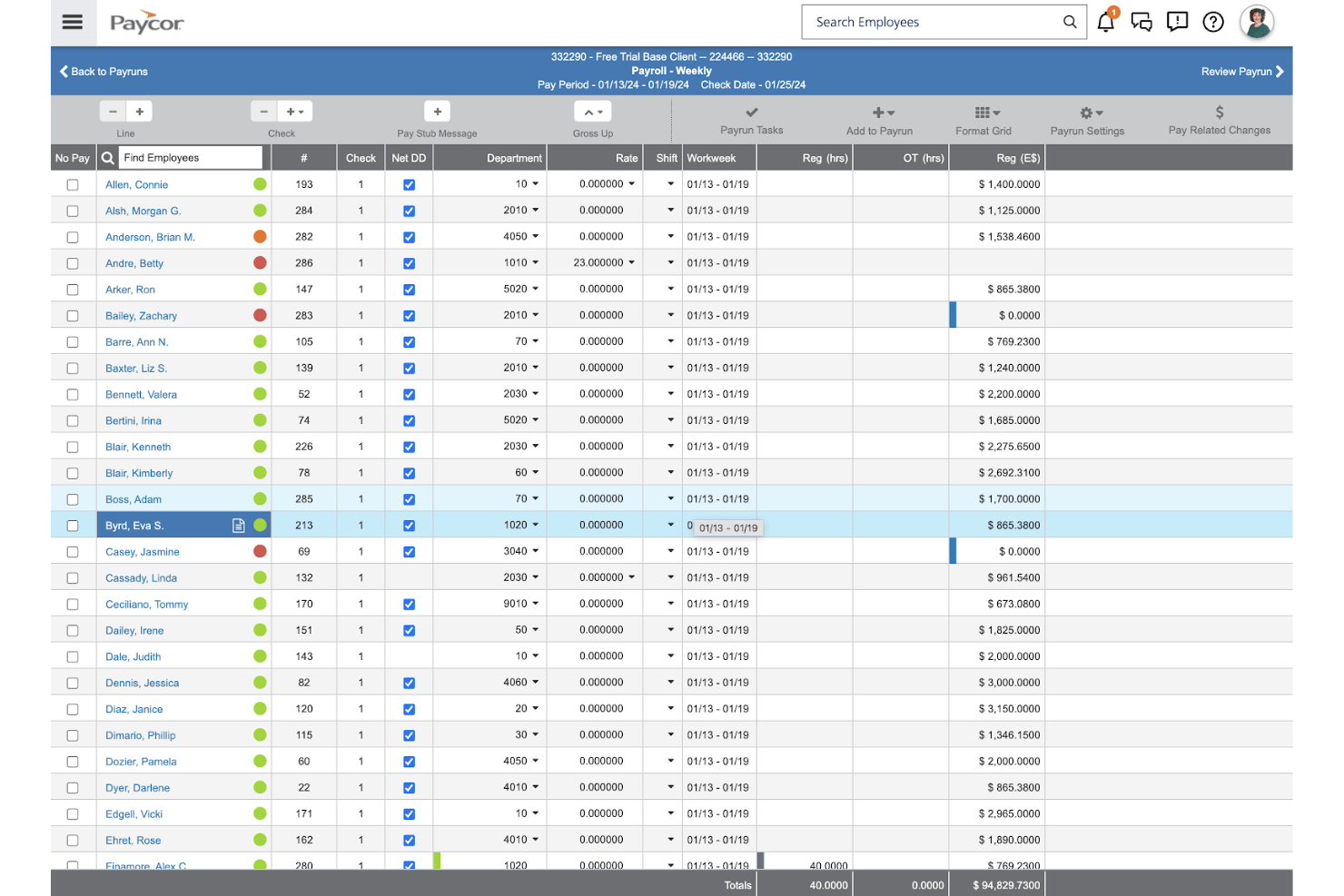
Paycor is a cloud-based HR and scheduling solution designed for businesses that need to manage complex workforce calendars, especially in industries with shift-based teams and frontline employees.
Who Is Paycor Best For?
Paycor is a strong choice for operations and HR teams in shift-based industries like retail, hospitality, manufacturing, and healthcare.
Why Paycor Is a Good Workday Alternative
I picked Paycor as one of my top choices because my team relies on its advanced shift scheduling, real-time attendance tracking, and compliance monitoring in high-turnover environments. Paycor stands out for handling complex frontline workforce calendars, letting us quickly adjust schedules and communicate updates to shift-based staff.
Paycor Key Features
- Custom reporting tools: Build and export on-demand reports using workforce, payroll, and scheduling data.
- Employee self-service portal: Let staff access pay stubs, update personal information, and manage time-off requests online.
- Document management system: Store and organize HR policies, forms, and employee documentation securely in the cloud.
- Mobile app access: Enable managers and staff to handle critical HR tasks and scheduling from their smartphones.
Paycor Integrations
Paycor offers native integrations with QuickBooks, Indeed, Glassdoor, ZipRecruiter, and E-Verify, and offers an API for custom integrations.
Pros and Cons
Pros:
- Frontline staff access via mobile app
- Real-time attendance and absence tracking
- Advanced shift scheduling for hourly teams
Cons:
- New feature rollouts disrupt workflows frequently
- Reporting dashboards can lack customization

Best for onboarding and PTO tracking
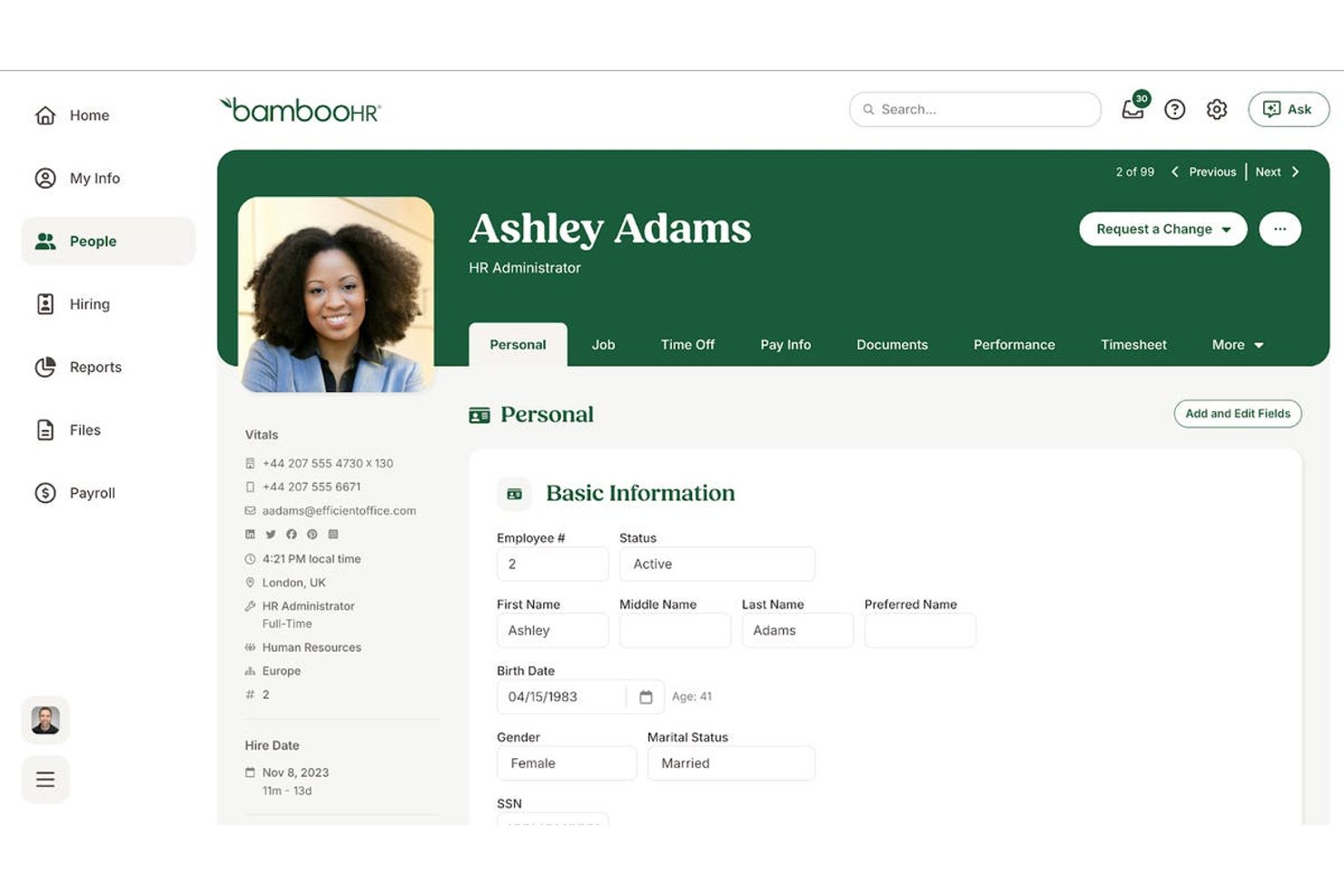
BambooHR is an HR software platform designed for growing organizations that want to centralize employee records, automate HR tasks, and create a more organized approach to workforce management.
Who Is BambooHR Best For?
BambooHR is a great fit for small to midsize businesses that want to simplify onboarding, PTO management, and centralize employee data.
Why BambooHR Is a Good Workday Alternative
I picked BambooHR because I rely on its onboarding automation and PTO tracking to simplify core HR processes for growing teams. My team can easily manage employee data, automate new hire checklists, and give staff self-service access to time-off balances and requests—features that keep everything organized as we scale.
BambooHR Key Features
- Employee self-service portal: Lets your team update personal info, view pay stubs, and download documents on their own.
- Performance management tools: Enables managers to set goals, provide feedback, and run regular review cycles directly within the platform.
- Document storage and e-signatures: Lets you securely store employee files and collect signatures for HR paperwork digitally.
- Custom reporting: Allows you to build, schedule, and export reports based on a wide range of employee data fields.
BambooHR Integrations
BambooHR offers native integrations with Slack, Indeed, Zapier, Google Workspace, and QuickBooks. An API is also available for custom integrations.
Pros and Cons
Pros:
- Centralized document management with e-signature support
- PTO tracking visible to employees and managers
- Onboarding workflow automation for new hires
Cons:
- Performance review customization lacks flexibility
- Reporting features have limited advanced filters
New Product Updates from BambooHR®

BambooHR Expands Compensation Benchmarking Data
BambooHR adds monthly-refreshed compensation benchmarks, additional data sources, and clearer job match indicators. This gives teams more context when comparing pay data and selecting relevant benchmarks. For more information, visit BambooHR’s official site.
 .
.
Dayforce
Best for complex shift planning
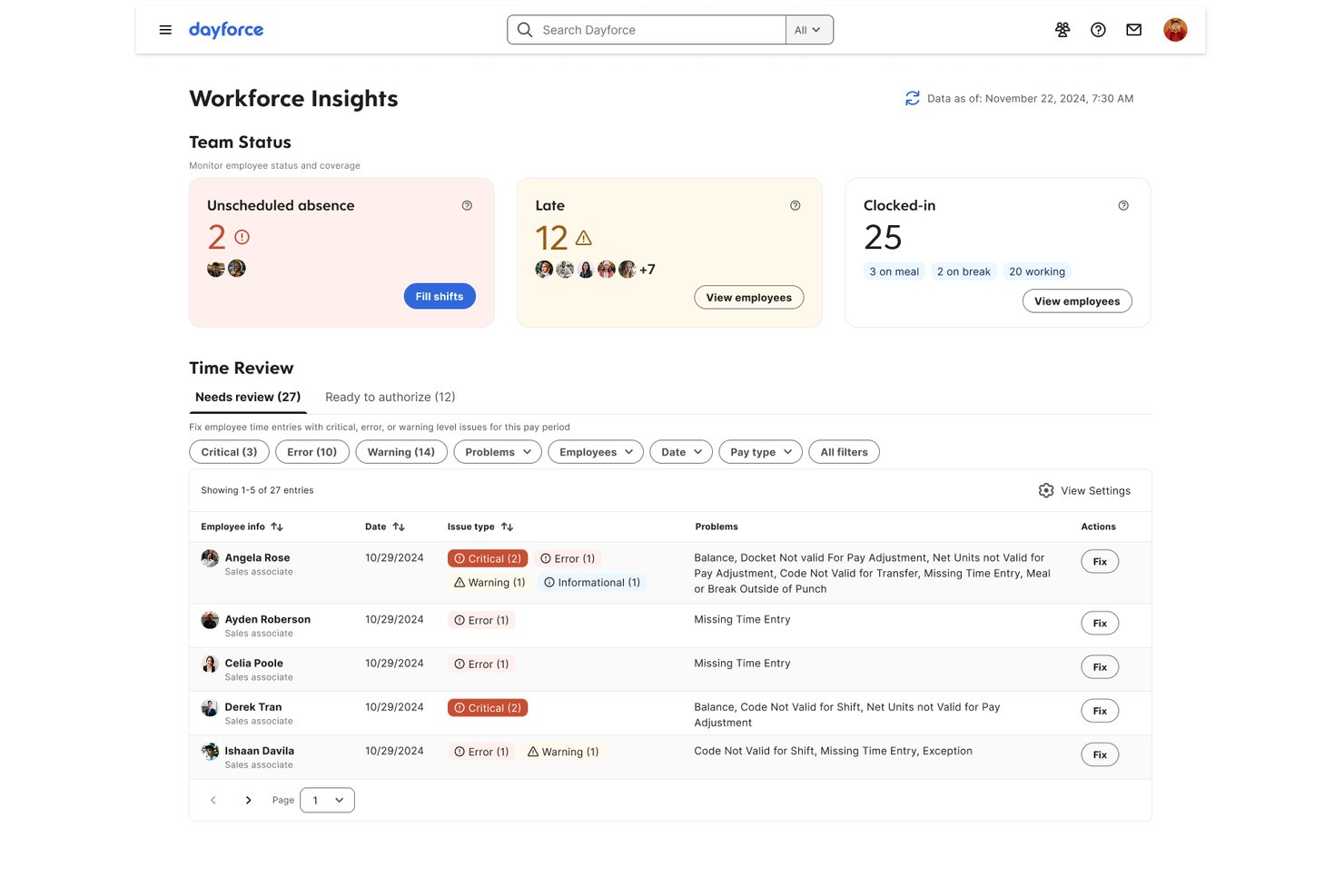
Dayforce is a cloud-based platform that helps companies of all sizes manage employee scheduling, payroll, time tracking, and workforce planning in a single system. It’s a solid choice for organizations that need advanced scheduling and detailed compliance controls.
Who Is Dayforce Best For?
Dayforce is a good fit for midsize and large companies that need unified payroll, advanced scheduling, and compliance controls across distributed teams.
Why Dayforce Is a Good Workday Alternative
I picked Dayforce because it lets me handle complex shift scheduling and payroll from one place. I use its dynamic scheduling tools to account for compliance and labor rules across locations. The payroll system updates in real time, so pay calculations stay accurate as shifts are changed. This streamlines workforce planning without toggling between systems.
Dayforce Key Features
- Real-time analytics dashboard: Analyze workforce data with live dashboards that update as schedules and attendance change.
- Mobile self-service app: Let employees view schedules, request time off, and update availability from their phones.
- Automated compliance monitoring: Track labor laws and company policies automatically across locations and regions.
- Document management tools: Store, share, and manage employee records and compliance forms securely within the platform.
Dayforce Integrations
Dayforce offers native integrations with Oracle Fusion Cloud, SAP SuccessFactors, Guusto, and Dovetail. An API is available for custom integrations.
Pros and Cons
Pros:
- Employee scheduling adapts to labor regulations
- Automated compliance checks for multiple locations
- Real-time payroll updates after shift changes
Cons:
- Building custom reports is non-intuitive
- Small configurations require extensive technical knowledge

UKG Pro
Best for native WFM and payroll
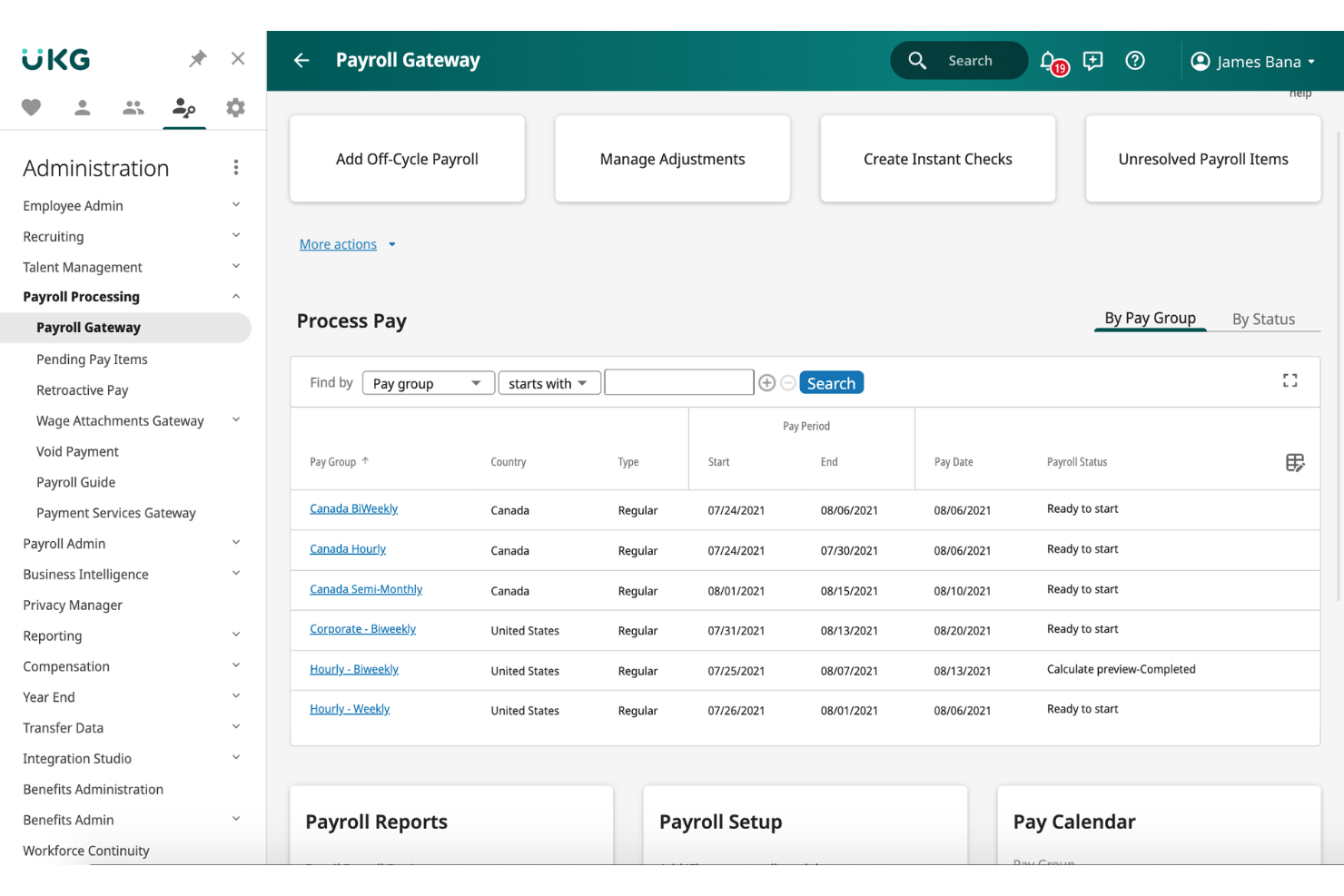
UKG Pro is an enterprise HR platform designed for organizations that want unified workforce management, scheduling, and payroll tools in a single system. It’s built for businesses handling complex employee scheduling and payroll needs across multiple departments or locations.
Who Is UKG Pro Best For?
UKG Pro is a good fit for mid-size to large organizations that need unified workforce management and payroll capabilities across multiple locations.
Why UKG Pro Is a Good Workday Alternative
I picked UKG Pro for my shortlist because I like having native workforce management and payroll in one system. I can coordinate scheduling, attendance, and payroll workflows without toggling between tools. My team can manage complex employee rosters across locations and run payroll without extra integrations.
UKG Pro Key Features
- Employee calendar view: Access a centralized calendar to view schedules, time off, and team events in one place.
- Customizable approval workflows: Set up multi-level approvals for time off requests and schedule changes.
- Automated compliance updates: Receive automatic alerts and scheduling adjustments based on regional labor laws.
- Mobile self-service: Let employees check schedules, request time off, and swap shifts directly from their smartphones.
UKG Pro Integrations
UKG Pro integrates with Microsoft Teams, Achievers, and DocuSign. It supports additional integrations through its open API.
Pros and Cons
Pros:
- Multi-level approval workflows for scheduling
- Automated compliance with regional labor laws
- Built-in payroll and workforce management tools
Cons:
- Interface can feel outdated for some users
- Report customization options are limited

Best for global enterprise talent management
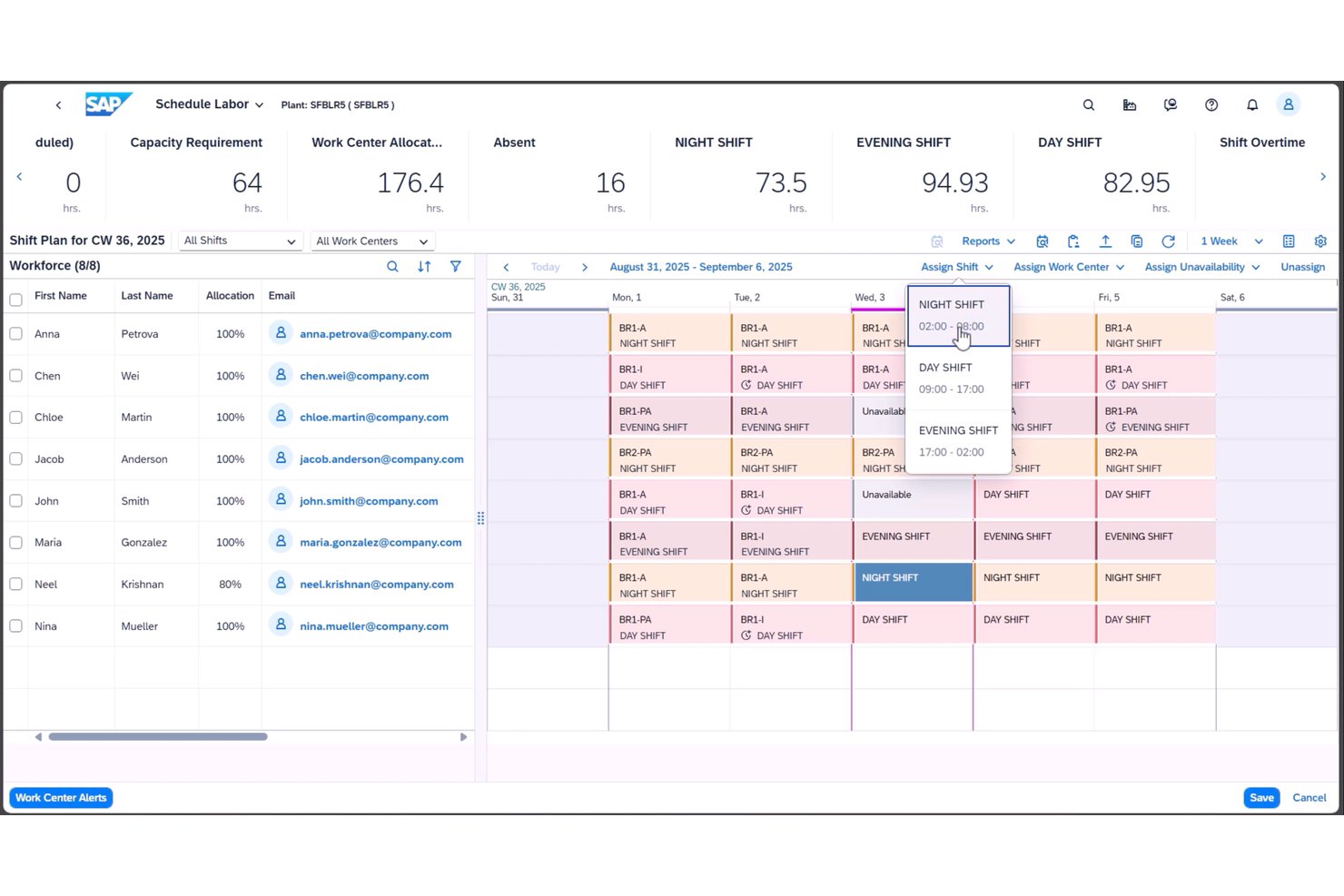
SAP SuccessFactors is a cloud-based suite designed for large, distributed organizations that need unified HR, scheduling, and employee calendar management across multiple countries, industries, and business units.
Who Is SAP SuccessFactors Best For?
Global enterprises with complex HR, talent management, and workforce planning needs across multiple countries and business units.
Why SAP SuccessFactors Is a Good Workday Alternative
I picked SAP SuccessFactors because it handles global complexity better than most platforms, unifying HR, scheduling, and employee calendars across regions. I like that I can oversee workforce planning and talent management for multiple countries and business units from one dashboard, letting my team manage distributed staff and time off policies at scale.
SAP SuccessFactors Key Features
- Time off management: Configure and automate global and local leave policies to track employee absences and approvals.
- Shift planning tools: Assign, optimize, and adjust employee work shifts within a single dashboard.
- Employee self-service portal: Let employees update calendars, request time off, and view schedules without HR intervention.
- Integration with third-party HR systems: Connect calendars and scheduling data to payroll, benefits, and external workforce platforms.
SAP SuccessFactors Integrations
SAP SuccessFactors natively integrates with SAP S/4HANA, SAP ERP, Microsoft 365, DocuSign, and Salesforce, along with OData APIs.
Pros and Cons
Pros:
- Global time off and shift planning features
- Strong workforce analytics across business units
- Handles multi-country HR policies and compliance
Cons:
- Advanced configuration needs technical support
- Interface feels dated compared to others
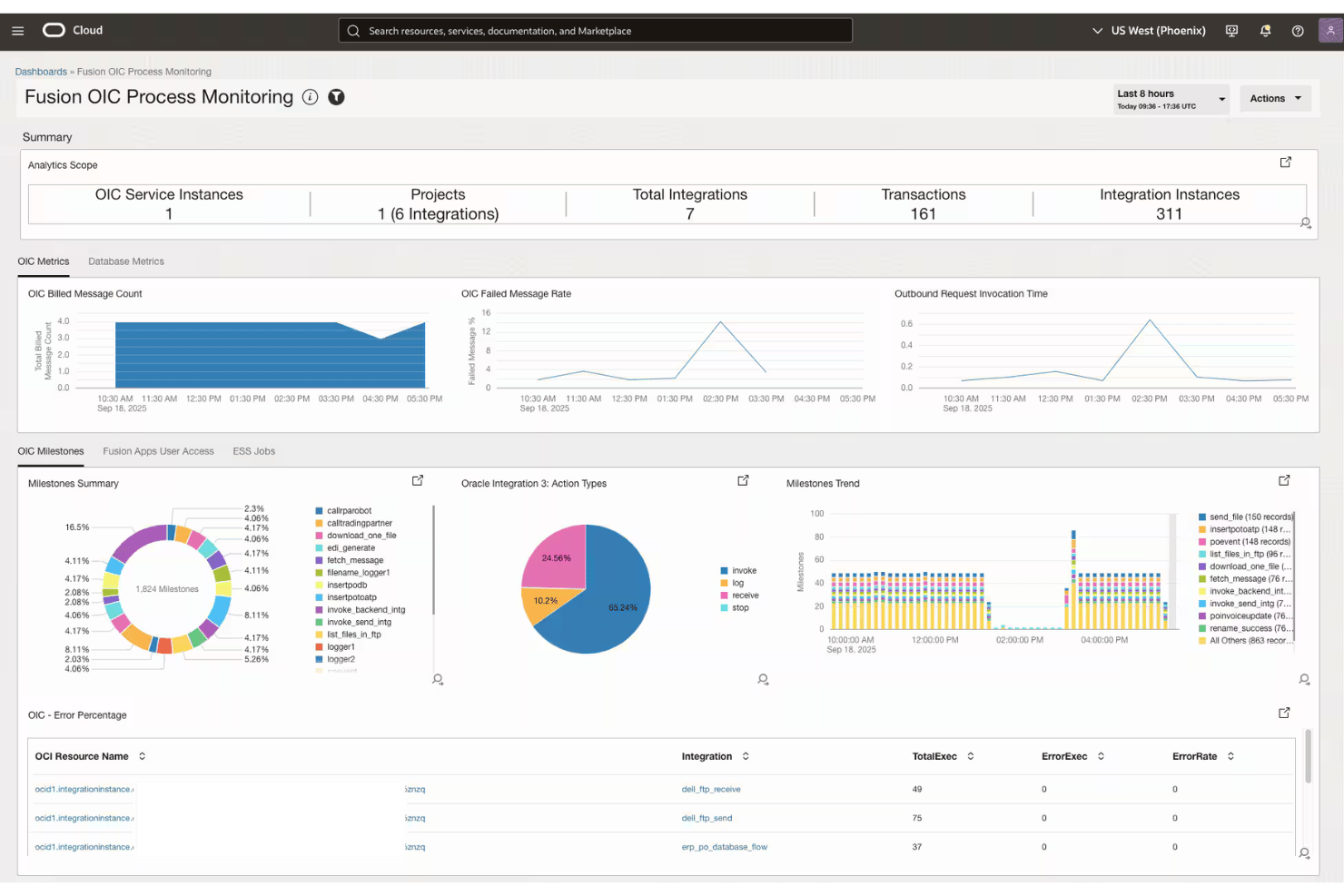
Oracle Fusion Cloud HCM is a cloud-based HR platform designed for organizations that want to manage the entire employee lifecycle, offering solutions for everything from recruitment to payroll and workforce planning.
Who Is Oracle Fusion Cloud HCM Best For?
Large enterprises that need a unified HR platform to manage global workforce processes from recruitment through retirement.
Why Oracle Fusion Cloud HCM Is a Good Workday Alternative
I picked Oracle Fusion Cloud HCM as a standout because I can manage every HR process—recruitment, payroll, talent management—on a single data model. My team handles complex workforce planning globally and never needs to switch systems. Such a unified approach reduces overlap and boosts accuracy for large-scale enterprises.
Oracle Fusion Cloud HCM Key Features
- Employee self-service portal: Lets employees manage personal information, request time off, and view pay documents without HR intervention.
- Advanced organization charts: Visualizes reporting lines and team structures for improved workforce clarity.
- Absence management tools: Tracks employee leave, vacation, and sick days with rule-based approval workflows.
- Calendaring and scheduling integration: Syncs key HR dates and events with internal calendars for team visibility.
Oracle Fusion Cloud HCM Integrations
Oracle Fusion Cloud HCM integrates with Oracle Cloud solutions and third-party platforms like Salesforce, SAP, and Workday. An API is also available.
Pros and Cons
Pros:
- Comprehensive compliance and audit tracking
- Strong process automation for complex organizations
- Manages global HR on a unified model
Cons:
- Configuration requires deep technical knowledge
- User interface can feel overly complex
Other Workday Alternatives
Here are some additional Workday alternatives that didn’t make it onto my shortlist, but are still worth checking out:
- Paycom
For employee-driven payroll verification
- ADP Workforce Now
For payroll built on decades of tax expertise
- TriNet
For SMB HR with expert support
- Namely
For HR and culture management
- PeopleStrong
For enterprise talent management in APAC
- Factorial
For European SMB time and expense tracking
- Workforce.com
For complex enterprise labor forecasting
- HiBob
For AI-driven mid-market people ops
- Unit4
For HR tied to project-based workforce planning


How I Evaluate Workday Alternatives
I split my evaluation into two layers: core functionality every serious HCM platform must cover—like payroll, employee records, and time tracking—and differentiators like AI-driven skills intelligence or EOR support that separate one vendor from another.
Core Functionality (Table Stakes For This List)
When I'm selecting tools for my list, I rank each one on a scale from 0 (does not offer the functionality) to 5 (excels in this area) for each core functionality listed below. I then calculate the tool's total score into a percentage, using 75% as a benchmark to help assess its overall fit for the list.
- Core HR & employee records: I check whether the platform maintains a real system of record with org charts, job history, and lifecycle tracking across entities.
- Payroll & compensation management: Multi-region payroll processing matters here, along with comp planning tools that go beyond storing salary figures in a spreadsheet.
- Talent & performance management: I look for recruiting, onboarding, and performance reviews in one place, plus goal-setting and succession planning capabilities.
- Benefits administration: Self-service enrollment, life-event triggers, and carrier integrations are what I evaluate rather than static benefits pages employees never use.
- Time, attendance & absence tracking: Scheduling, leave policies, and time capture need to feed directly into payroll, especially for shift-based or project-based teams.
- Workforce analytics & reporting: I evaluate whether dashboards and reports are configurable enough to surface headcount trends, labor costs, and turnover without IT involvement.
Once I have a list of tools that meet the criteria, I consider what sets each platform apart.
Differentiating Factors (What Sets Vendors Apart)
Here's how I compare and contrast different vendors:
Standout Features
I look for global employer of record capabilities, since project teams often need to bring on contractors or full-time hires in countries where they have no legal entity. Platforms like Deel HR handle this natively, while others rely on partner integrations. Low-code workflow builders also matter—I evaluate whether HR admins can design custom approval chains and lifecycle automations without pulling in engineering. AI-powered skills intelligence is another differentiator I check, especially for mapping team competencies to open roles or upcoming project needs.
Beyond Features
I evaluate how quickly a platform reaches production readiness, since some vendors bundle guided implementation while others require costly partner-led rollouts that stretch past six months. Integration depth matters too—I check for native connectors to tools like Jira, Asana, or NetSuite so HR data flows into project delivery and finance without manual exports. Compliance posture rounds out my review: SOC 2 Type II certification, regional data residency options, and built-in audit trails tell me whether a platform can handle regulated industries and multinational teams.
Why Look For A Workday Alternative?
There are several reasons some users seek Workday alternatives. You might be looking for a Workday alternative because you:
- Need simpler workflows for distributed or remote teams
- Want lower-cost options for smaller organizations
- Require faster implementation without third-party consultants
- Need local payroll compliance outside Workday’s main markets
- Seek more flexible integration with project management tools
- Desire support for contract or global hiring without legal entities
Workday Key Features
Here are some of the key features of Workday to help you contrast and compare what alternative solutions offer:
- Unified employee records: Store and manage complete employee profiles, including job history, org structures, and performance data, giving you a single source of truth for your workforce.
- Global payroll management: Handle payroll processing for employees in multiple countries, automatically calculate taxes and deductions, and stay compliant with local laws.
- Talent acquisition and onboarding: Post roles, manage hiring pipelines, run background checks, and track new hire progress in one connected workflow.
- Performance and goal tracking: Set, monitor, and review individual and team goals, while capturing feedback and conducting regular performance check-ins.
- Benefits administration: Offer self-service enrollment, manage open enrollment windows, and automate processes for life changes or eligibility updates.
- Time, attendance, and absence management: Capture working hours, attendance, and various leave types, then automatically sync this data with payroll calculations.
- Workforce planning and analytics: Analyze headcount, attrition, and labor costs with configurable dashboards to drive data-backed resourcing and budget decisions.
- Workflow automation and approvals: Use configurable workflows to automate processes like time-off approvals, expense management, or role changes, reducing manual handoffs.
- Compliance and audit support: Maintain audit trails, enforce data security policies, and track regulatory compliance, helping you meet HR and payroll standards across regions.
- Integration ecosystem: Connect with common project management, finance, and IT systems to sync workforce and operational data across platforms without extra exports.
Costs and Pricing of Workday Alternatives
Selecting Workday alternatives requires an understanding of the various pricing models and plans available. Costs vary based on features, team size, add-ons, and more. The table below summarizes common plans, their average prices, and typical features included in Workday alternatives:
Plan Comparison Table for Workday Alternatives
| Plan Type | Average Price | Common Features |
|---|---|---|
| Free Plan | $0 | Basic employee recordkeeping, limited payroll tools, basic time tracking, and simple reporting. |
| Personal Plan | $5–$15/user/month | Full employee profiles, basic payroll, onboarding tools, performance tracking, and self-service portals. |
| Business Plan | $20–$40/user/month | Advanced HR workflows, payroll for multiple regions, benefits administration, analytics dashboards, and integrations. |
| Enterprise Plan | $50–$100/user/month | Multi-country payroll, AI-powered analytics, customizable workflows, compliance management, and dedicated support. |