

10 Best Free Invoicing Software in 2026

Best Free Invoicing Software Shortlist


Free invoicing software lets you create and send invoices, track payments, and manage billing without paying monthly fees. If you handle project work, client billing, or time tracking, finding the right free invoicing software helps you simplify your workflow, keep clients updated, and get paid faster. I’ve spent years balancing tight deadlines and shifting client requirements—I know how fast invoicing gets forgotten when projects get hectic.
This guide compares top tools with free plans or trials, focusing on options that integrate with your project workflows and support clean, client-ready billing. You’ll find what fits your team, your process, and your budget.
Why Trust Our Software Recommendations
Our team has been testing and reviewing software since 2012. As project managers ourselves, we know how difficult—and important—it is to choose the right software.
For this guide, we evaluated tools using hands-on testing and independent research, scoring tools using our selection criteria. We also draw on insights from industry thought leaders and practicing project management experts.
Our reviews reflect our human editorial judgment, not a sales pitch.
Expert reviewers:
Free Invoicing Software Comparison Table
This comparison table summarizes pricing details for my top free invoicing software selections:
| Tool | Best For | Trial Info | Price | ||
|---|---|---|---|---|---|
| 1 | Best for project billing with EU VAT built in | Free plan available | From $7/user/month (billed annually) | Website | |
| 2 | Best for invoicing backed by Square's network | Free plan + free trial available | From $49/month | Website | |
| 3 | Best for turning tracked hours into invoices | Free trial + free plan available | From $9/user/month (billed annually) | Website | |
| 4 | Best for time-and-expense-to-invoice billing | Free plan + 14-day free trial available | From $16/month (billed annually) | Website | |
| 5 | Best for mobile invoicing with Tap to Pay built in | Free plan available | From $7.60/month (billed annually) | Website | |
| 6 | Best for Kanban project billing | Free plan available | From $11.67/month (billed annually) | Website | |
| 7 | Best for invoicing with multi-country tax built in | Free plan available | Free to use | Website | |
| 8 | Best for invoicing with AI payment alerts | Not available | Free forever plan | Website | |
| 9 | Best for mobile invoicing with 20+ payment gateways | Free demo + 7-day free trial available | From $6.67/user/month (billed annually) | Website | |
| 10 | Best for billing across projects and a client portal | Free plan available | From $24/month (billed annually) | Website |
Best Free Invoicing Software Reviews
Below are my detailed summaries of the free invoicing software that made it onto my shortlist. My reviews offer a detailed look at the features, best use cases, and integrations of each tool to help you find the best one for you.

Elorus
Best for project billing with EU VAT built in
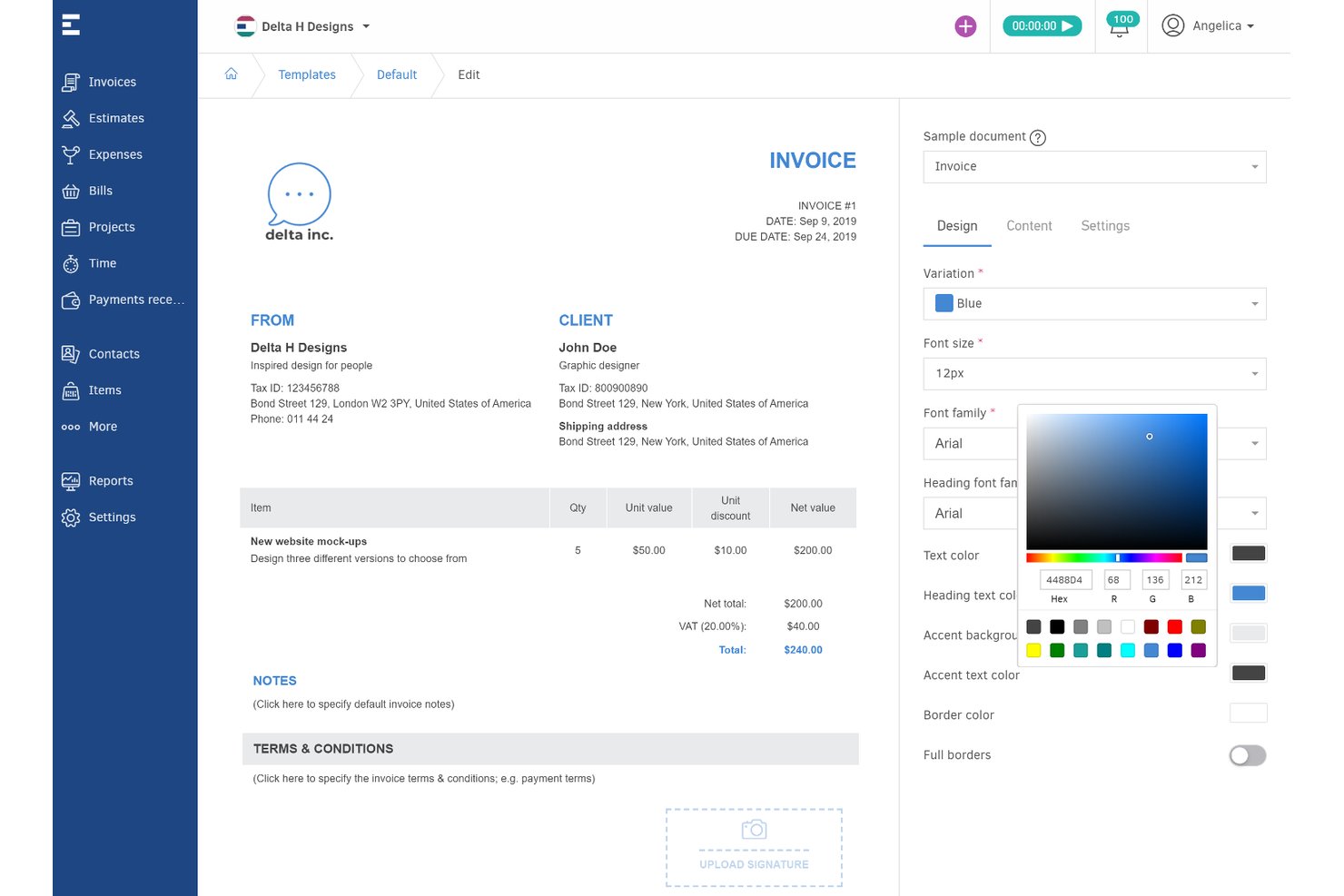
Elorus is an invoicing and billing platform for freelancers and project teams, offering invoice creation, time tracking, project profitability, recurring billing, online payments, and multi-currency support on its free forever plan.
Who Is Elorus Best For?
Freelancers, consultants, and client-focused project teams who need invoicing, time tracking, and EU VAT features in one platform.
Why I Picked Elorus
I picked Elorus as one of the best because it combines project billing, EU VAT support, and time tracking in a single free-forever plan. I like that I can send recurring invoices, accept payments through multiple gateways, and track project profitability—features that are usually locked behind paid tiers elsewhere.
Elorus Key Features
- Multi-currency invoicing: Easily issue invoices in any global currency with automatic exchange rate calculation.
- Automatic payment status notifications: Receive instant alerts when clients view, pay, or miss invoice due dates.
- Advanced estimates and quote-to-invoice conversion: Turn client-approved estimates or quotes into invoices with a single click.
- Developer API access: Integrate Elorus with your workflow or build custom automations using the open API, available on all plans.
Elorus Integrations
Elorus offers native integrations with Stripe, PayPal, Braintree, RevolutPay, Authorize.Net, Asana, Jira, Trello, and Slack. It also provides an API for custom integrations.
What's Free?
Elorus offers a free-forever plan that supports one user, unlimited invoices, and up to five clients. The free plan includes time tracking, project billing, and essential integrations, but you’ll need to upgrade for more users, advanced automations, and higher client limits.
Pros and Cons
Pros:
- No transaction commission on online payments
- Recurring invoices and payment reminders on free tier
- Combines invoicing with project time tracking
Cons:
- Client portal requires upgrading to a paid plan
- Free plan limited to 5 active clients

Best for invoicing backed by Square's network
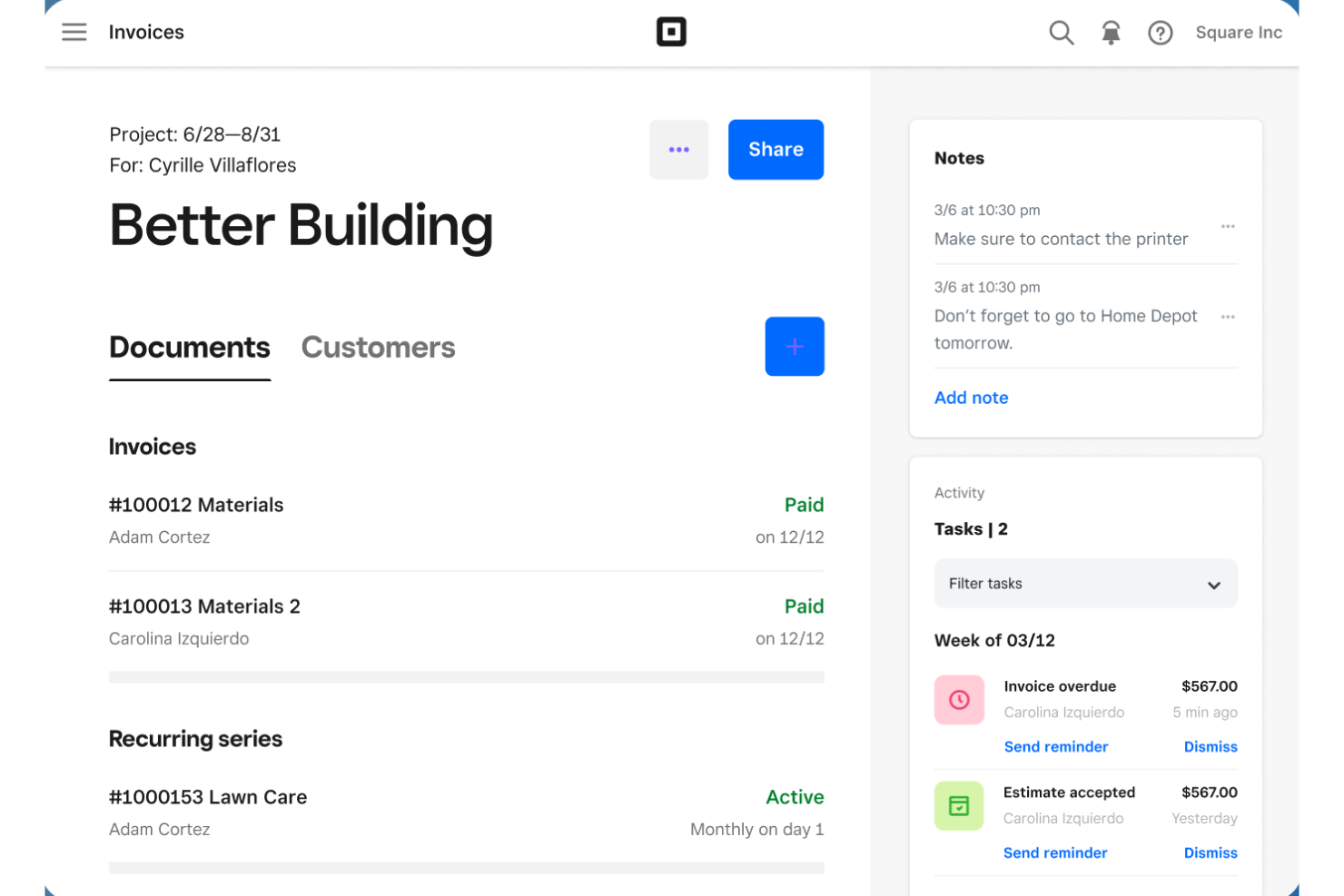
Square Invoices is a free invoicing software tool that lets you create unlimited invoices and estimates, send contracts for e-signature, accept a wide range of online payments, and manage client billing directly from web or mobile apps.
Who Is Square Invoices Best For?
Square Invoices is a strong choice for independent consultants and contractors who need unlimited free invoicing, e-signature contracts, and online payment acceptance across multiple methods.
Why I Picked Square Invoices
I picked Square Invoices because I rely on its unlimited free invoicing and payment options backed by the trusted Square network. I can request contract e-signatures, mix project deposits and milestone payouts on a single invoice, and accept card, ACH, and even Apple Pay payments from clients instantly.
Square Invoices Key Features
- Contracts with e-signature: Send reusable contract templates that clients can review and sign directly online.
- Recurring invoice scheduling: Automate invoice creation and delivery on daily, weekly, monthly, or yearly cycles.
- Batch invoicing: Send one invoice to multiple customers at once for recurring or repeated project fees.
- Estimate-to-invoice conversion: Instantly turn accepted estimates into billable invoices with a single click.
Square Invoices Integrations
Square Invoices offers native integrations with QuickBooks Online, Xero, Square POS, Square Appointments, Square Online, and other Square ecosystem tools. It also connects with Zapier and provides an API for custom integrations.
What's Free?
Square Invoices offers a free-forever plan that lets you send unlimited invoices and estimates. The free plan charges a fee only when you accept payments, and advanced features like custom workflows or automated reminders are part of paid tiers.
Pros and Cons
Pros:
- Contract e-signature included with invoices
- Broadest range of payment methods supported
- Unlimited invoices on the free-forever plan
Cons:
- Multi-currency invoicing is not supported
- No native billable-hours time tracking

Harvest
Best for turning tracked hours into invoices
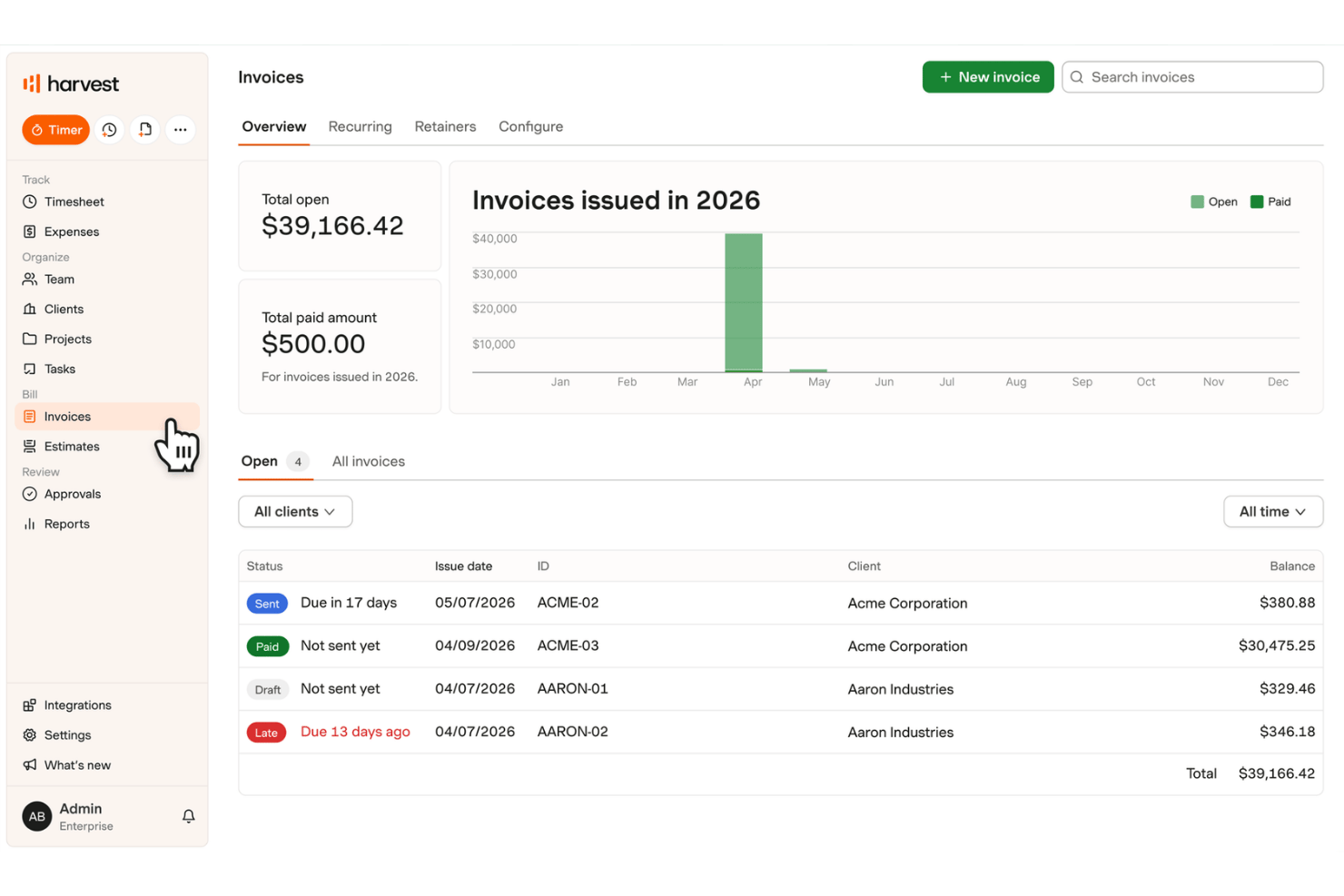
Harvest is a free invoicing and time tracking software that lets you track billable hours, capture expenses, create and customize invoices, manage clients, and send estimates with basic project and reporting capabilities.
Who Is Harvest Best For?
Harvest is a solid choice for solo project managers, freelancers, and consultants who need to quickly turn tracked billable hours and expenses into client invoices.
Why I Picked Harvest
I picked Harvest as one of the best because I can turn billable hours and expenses tracked in real time into branded invoices with just a click. I like how estimates convert straight to invoices after client approval, and the built-in retainer tracking helps with recurring project billing. This tight loop from time tracking to invoicing nails the "best for turning tracked hours into invoices" promise.
Harvest Key Features
- Recurring invoicing: Schedule invoices to send automatically for ongoing projects or retainer work.
- Multi-currency support: Create invoices in various currencies, setting the currency per client or project.
- Estimates-to-invoice conversion: Convert approved estimates directly into invoices without duplicate entry.
- Automated late-payment reminders: Send custom reminders to clients when invoices become overdue.
Harvest Integrations
Harvest offers native integrations with Stripe, PayPal, QuickBooks Online, Xero, Asana, Trello, Jira, Basecamp, and Slack, with access to over 50 integrations on paid plans. An API is available for custom integrations.
What's Free?
Harvest offers a free-forever plan for one user and up to two active projects. If you need more users or projects, you’ll need to upgrade to a paid plan.
Pros and Cons
Pros:
- Converts approved estimates to invoices directly
- Includes built-in timer and expense tracking
- Turns tracked hours into invoices instantly
Cons:
- Online payments not included with free plan
- Free plan limits to two active projects
Hiveage
Best for time-and-expense-to-invoice billing
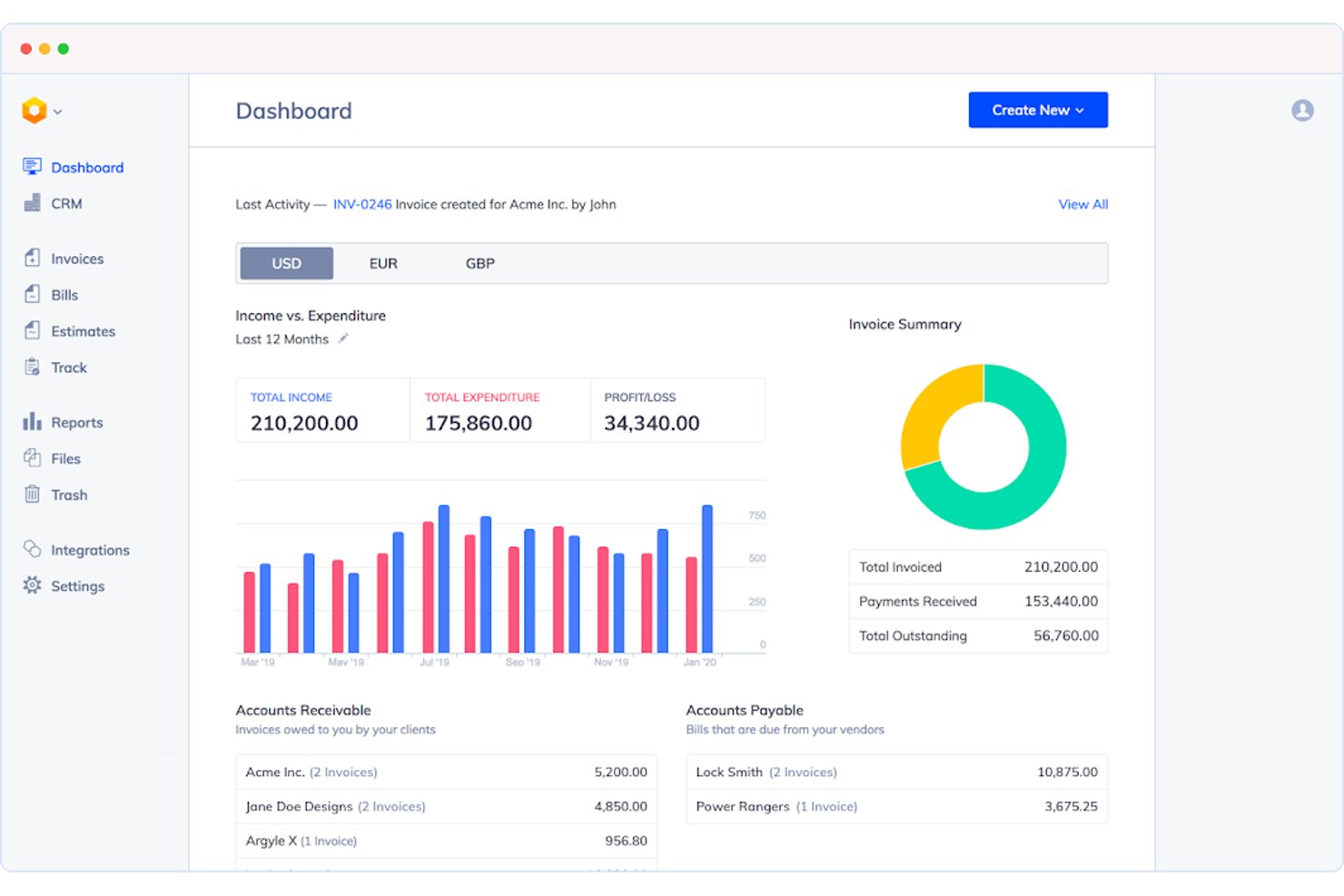
Hiveage is a free invoicing software platform designed for freelancers, consultants, and agencies, offering unlimited invoices, estimates, time tracking, expense capture, and support for 12+ payment gateways.
Who Is Hiveage Best For?
Designed for freelancers, consultants, and small agencies that need unlimited time, expense, and invoice management for project-based work.
Why I Picked Hiveage
I picked Hiveage as a top choice because it’s the only free invoicing platform I’ve used that lets me track time, expenses, and mileage, then convert them directly into invoices. I like that unlimited invoices, estimates, and time tracking are included on the free tier, and 12+ payment gateways give my clients payment flexibility.
Hiveage Key Features
- Multi-currency invoicing: Bill clients worldwide in their preferred currency directly from your dashboard.
- Estimate-to-invoice conversion: Turn client-approved estimates into invoices with a single click.
- Payment gateway integrations: Accept payments through 12+ gateways like PayPal, Stripe, Braintree, and Square.
- Real-time invoice notifications: Get alerts when clients view, partially pay, or fully pay invoices.
Hiveage Integrations
Hiveage offers native integrations with PayPal, Stripe, Braintree, Square, Authorize.Net, 2Checkout, Pin Payments, WePay, and connects with Zapier. An API is available for custom integrations.
What’s Free?
Hiveage offers a free-forever plan with unlimited invoices, estimates, time tracking, and expense capture. Some features—like adding team members or additional payment gateways—require a paid plan.
Pros and Cons
Pros:
- Real-time invoice viewed and paid notifications
- Convert estimates to invoices instantly
- Time, expense, and mileage tracking included
Cons:
- Free plan limited to 5 clients
- Recurring invoices not on free plan

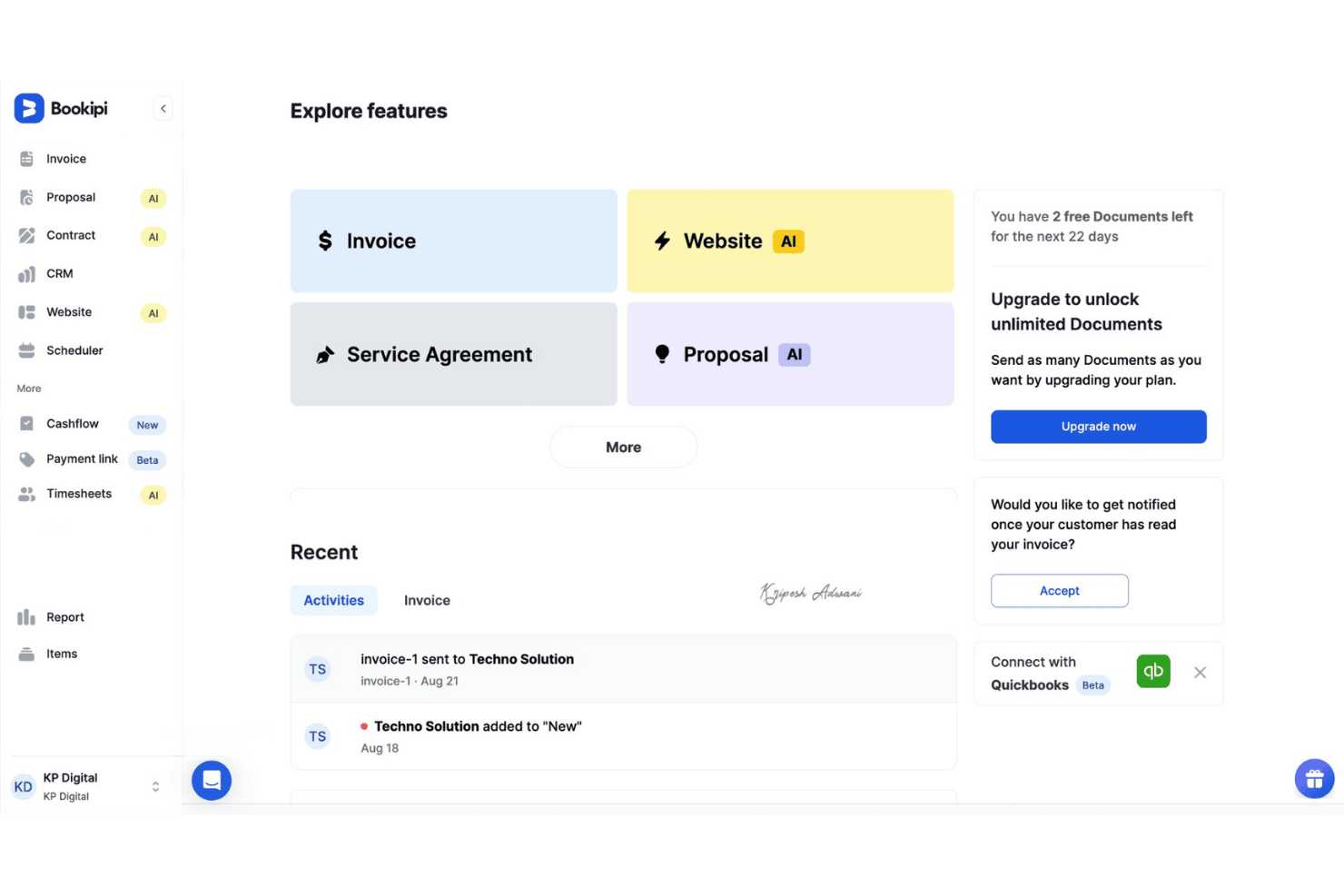
Bookipi is a mobile-first free invoicing software platform with Tap to Pay, automated reminders, recurring billing, CRM pipeline tracking, and card payment support from both web and mobile apps.
Who Is Bookipi Best For?
Freelancers and independent consultants who need a simple way to invoice, accept payments, and manage client billing from their phone.
Why I Picked Bookipi
I picked Bookipi because having Tap to Pay built in makes invoicing and accepting in-person payments from my phone simple. I like that I can instantly send invoices, collect card payments on the spot, and manage a whole client pipeline all in one mobile app. The ability to convert estimates or quotes to invoices with a tap speeds up milestone billing when I’m working on-the-go.
Bookipi Key Features
- Customizable invoice templates: Adjust logo, colors, tax fields, and line items to match your brand and workflow.
- Client Pipeline Kanban CRM: Drag and drop clients through sales, estimate, and invoice stages on a visual board.
- Integrated email correspondence: Send and reply to customer emails directly inside the platform for streamlined client communication.
- Multi-language mobile app: Access invoicing tools in 10+ languages from the Android or iOS app.
Bookipi Integrations
Bookipi offers native integrations with Stripe, PayPal, Gmail, Apple Pay, Google Pay, and Afterpay. Real-time sync is available across web and mobile apps, and CSV export supports bookkeeping hand-off. An open API or Zapier integration is not prominently documented.
What's Free?
Bookipi offers a free-forever plan with basic invoicing, client management, and access from both web and mobile apps. Some advanced features and payment integrations may require a paid upgrade.
Pros and Cons
Pros:
- CRM pipeline Kanban board for tracking clients
- Recurring invoices included on the free plan
- Tap to Pay built into mobile invoicing
Cons:
- No built-in time tracking for invoices
- Free plan capped at 3 invoices monthly

Best for Kanban project billing
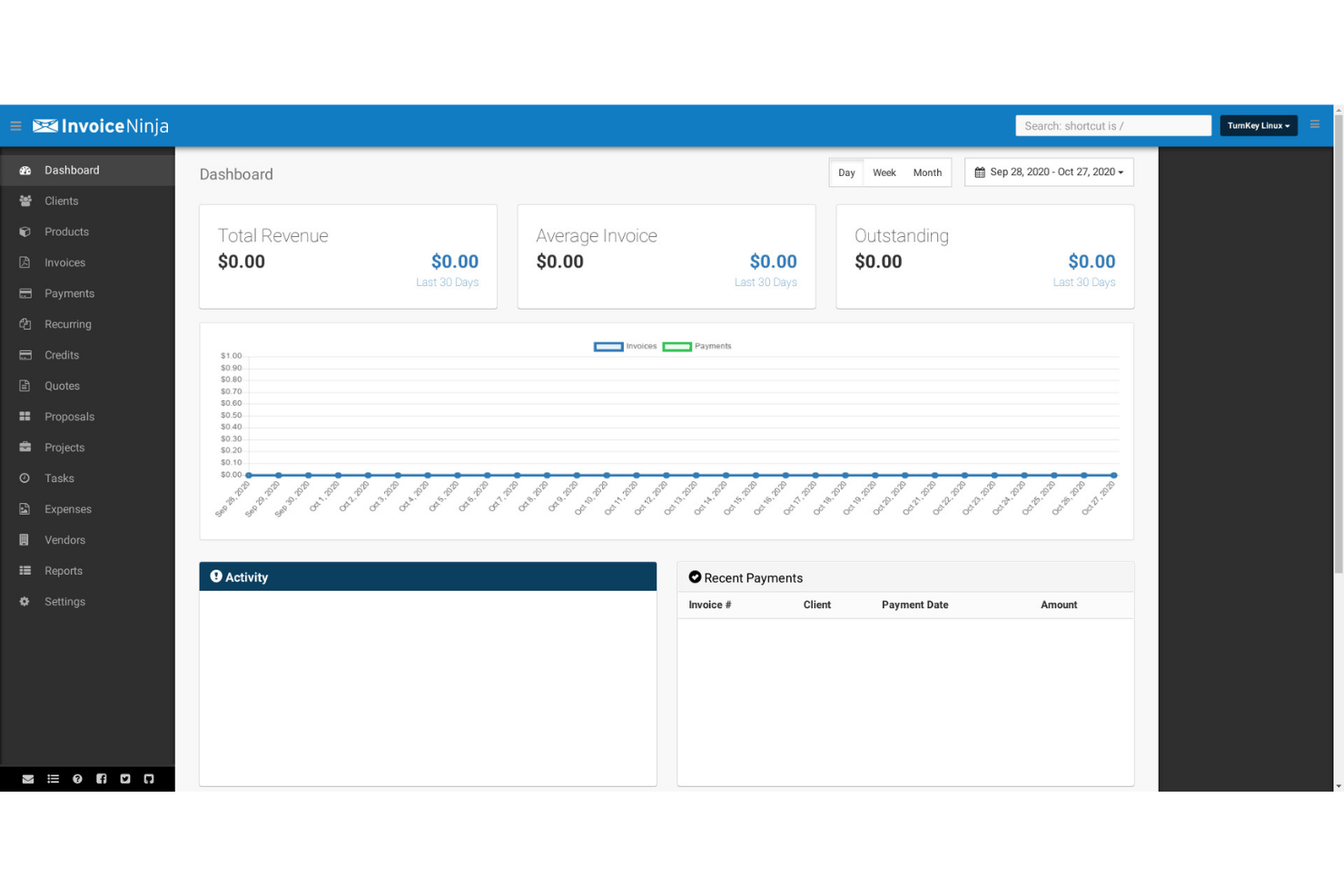
Invoice Ninja is a free invoicing software platform that combines unlimited invoice creation, multi-gateway online payments, project-based billing, time and expense tracking, client management, and native Kanban boards for professionals handling project work.
Who Is Invoice Ninja Best For?
Freelancers, consultants, and small agencies who need project billing, time tracking, Kanban boards, and invoicing in one platform.
Why I Picked Invoice Ninja
I picked Invoice Ninja because I use its Kanban project boards to link tasks and billable time directly to invoices, all on the free plan. The built-in timers let me track project work, switch tasks, and roll hours into invoice line items with one click—no manual entry. This setup works great for managing multi-stage client work and billing by milestone.
Invoice Ninja Key Features
- Branded client portal: Share invoices, payment history, and documents with clients on a secure portal included in the free plan.
- Mobile and desktop apps: Access full invoicing, time tracking, and expense features on iOS, Android, macOS, Windows, and Linux with real-time sync.
- Payment gateway integrations: Connect to over 50 payment providers—like Stripe, PayPal, and Square—to accept client payments online.
- Recurring and auto-billing: Create recurring invoices with automatic billing cycles and pull from saved payment methods for ongoing client work.
Invoice Ninja Integrations
Invoice Ninja offers native integrations with Stripe, PayPal, Square, GoCardless, Authorize.net, Mollie, Braintree, Checkout.com, Gmail, and Microsoft 365. It also connects with Zapier and provides an API for custom integrations.
What's Free?
Invoice Ninja offers a free-forever plan that supports unlimited invoices, clients, and branded client portals for up to 20 clients. Core features like invoicing, time tracking, project management, and Kanban boards are included, but advanced features and white labeling require a paid upgrade.
Pros and Cons
Pros:
- Supports unlimited invoices on the free plan
- Offers client portal for branded invoice sharing
- Includes Kanban boards and billable time tracking
Cons:
- Automated payment reminders require paid upgrade
- Free plan capped at five clients
Best for invoicing with multi-country tax built in
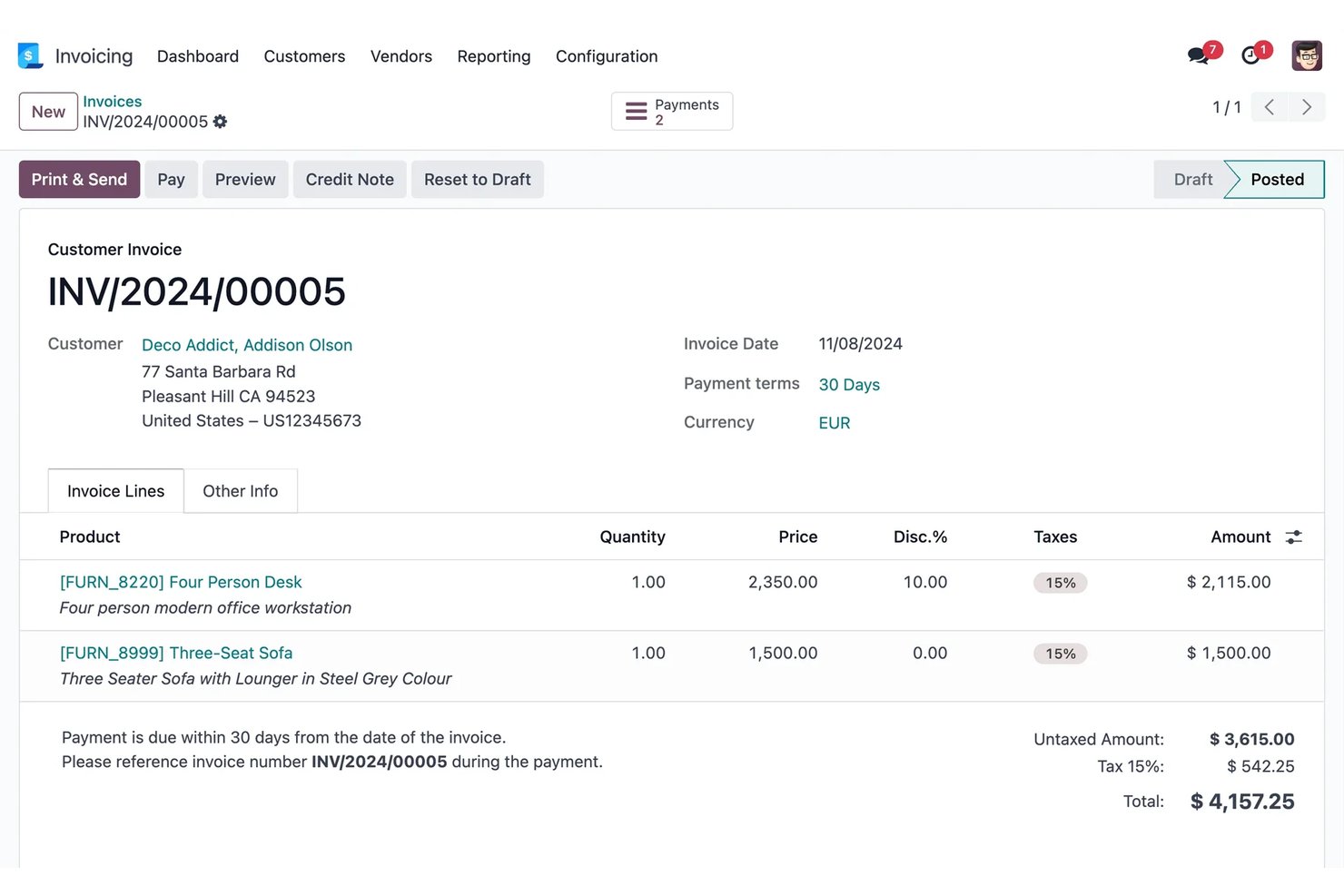
Odoo Invoicing is a cloud-based invoicing software that lets you send unlimited invoices, manage clients and payments, handle multiple currencies, and integrate with tax, payment, and project management tools.
Who Is Odoo Invoicing Best For?
Odoo Invoicing is a smart choice for project-driven consultants, small agencies, and independent contractors managing client billing across multiple countries.
Why I Picked Odoo Invoicing
I picked Odoo Invoicing because I like how it handles multi-country tax compliance out of the box and lets my team send unlimited invoices to clients worldwide for free. I can configure VAT and local fiscal rules for 160+ countries, auto-calculate FX rates, and give clients a self-serve portal with online payments in their preferred currency.
Odoo Invoicing Key Features
- Branded customer portal: Clients can view, download, and pay invoices online and exchange messages in a secure, branded space.
- Automated dunning workflows: Set up follow-up reminders for overdue invoices by email, SMS, and physical mail right from the platform.
- Invoice QR codes: Add QR codes to invoices so clients can pay using their preferred banking or mobile app.
- Credit note and refund management: Issue and track credit notes and refunds directly from the same invoicing dashboard.
Odoo Invoicing Integrations
Odoo Invoicing offers native integrations with Stripe, PayPal, Authorize.net, Adyen, Buckaroo, Ingenico, Ogone, Alipay, AvaTax, UPS, and FedEx. An API is available for custom integrations.
What's Free?
Odoo Invoicing offers a free-forever plan that lets you send unlimited invoices, manage clients, and handle multi-country taxes for one user. Integrations are limited, and you’ll need to upgrade for advanced features or multiple users.
Pros and Cons
Pros:
- Branded customer portal for clients
- Handles multi-country tax compliance by default
- Unlimited invoices and users on free plan
Cons:
- Advanced invoice templates require technical help
- Free plan limited to one app only

Best for invoicing with AI payment alerts
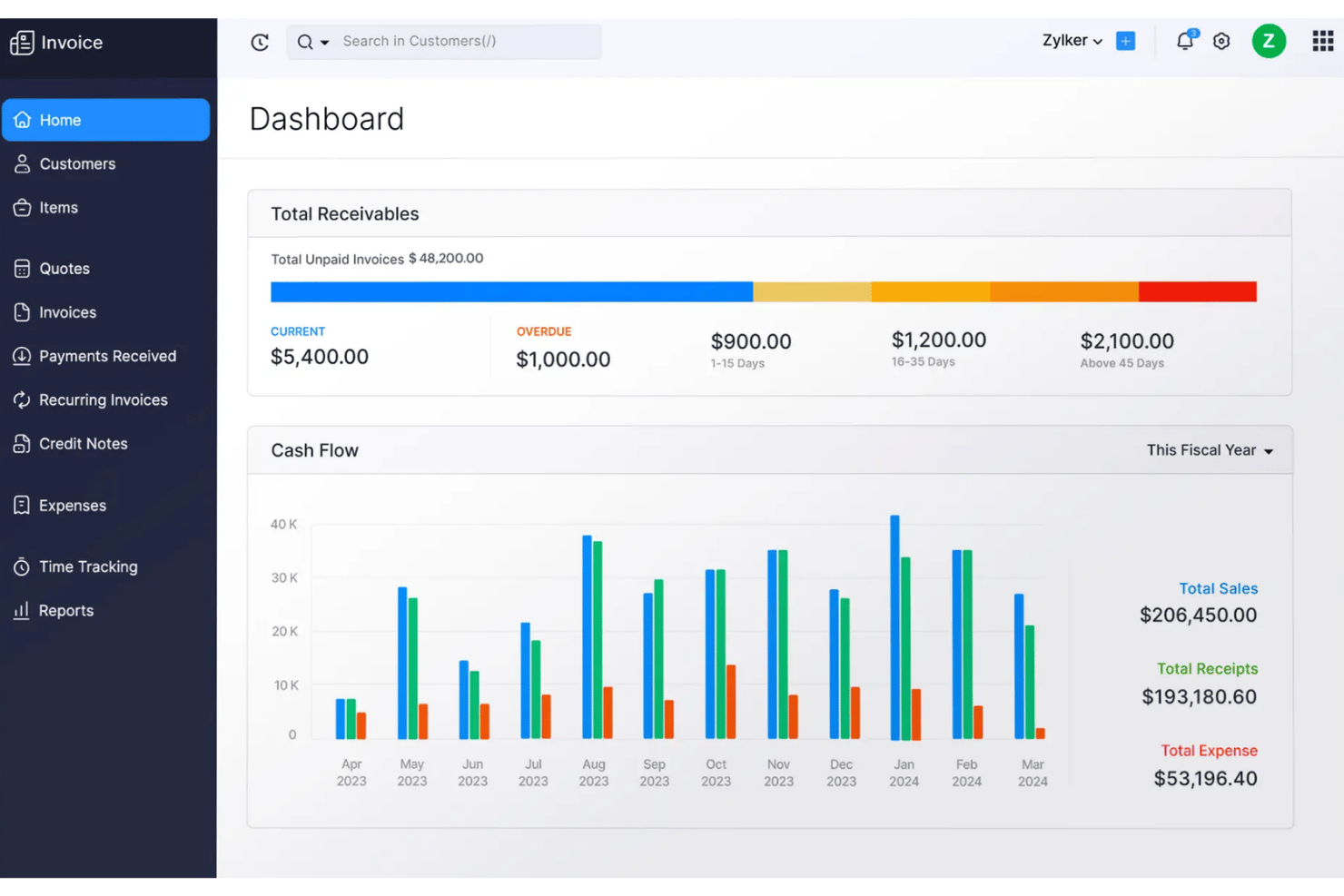
Zoho Invoice is a free invoicing software platform for creating custom invoices, tracking time and expenses, automating reminders and recurring billing, managing client payments, and integrating with 10+ payment gateways.
Who Is Zoho Invoice Best For?
Solo project managers and small service-based businesses that need free, automated invoicing, time tracking, and client portal features without upgrade pressure.
Why I Picked Zoho Invoice
I picked Zoho Invoice because the AI-driven payment alerts from Zia save my team from chasing overdue invoices, especially on retainers. I also rely on the client portal for real-time invoice tracking and letting clients pay online instantly. The built-in time tracking converts hours to invoices in just one click.
Zoho Invoice Key Features
- Multi-currency and tax support: Send invoices in multiple currencies and automatically apply region-specific tax rates and exemptions.
- Client self-serve portal: Let clients view invoices, make online payments, and download PDFs from a branded portal.
- Expense and mileage tracking: Categorize expenses, attach receipts, and track vehicle mileage directly in the platform.
- Mobile and desktop apps: Access invoicing, time tracking, and expense features on iOS, Android, macOS, Windows, and through a Chrome extension.
Zoho Invoice Integrations
Zoho Invoice offers native integrations with Stripe, PayPal, Authorize.Net, Square, Zoho CRM, Google Workspace, Microsoft 365, Dropbox, and Zapier. An API is available for custom integrations.
What's Free?
Zoho Invoice offers a free-forever plan with no user or invoice limits. You get access to core invoicing, time tracking, expense management, and payment integrations, but advanced accounting features are not included.
Pros and Cons
Pros:
- Branded client portal for online payments
- AI predicts payment delays for follow-up
- Recurring and scheduled invoices fully supported
Cons:
- Must migrate to Zoho Books to upgrade
- Free plan limits users and invoices
Best for mobile invoicing with 20+ payment gateways
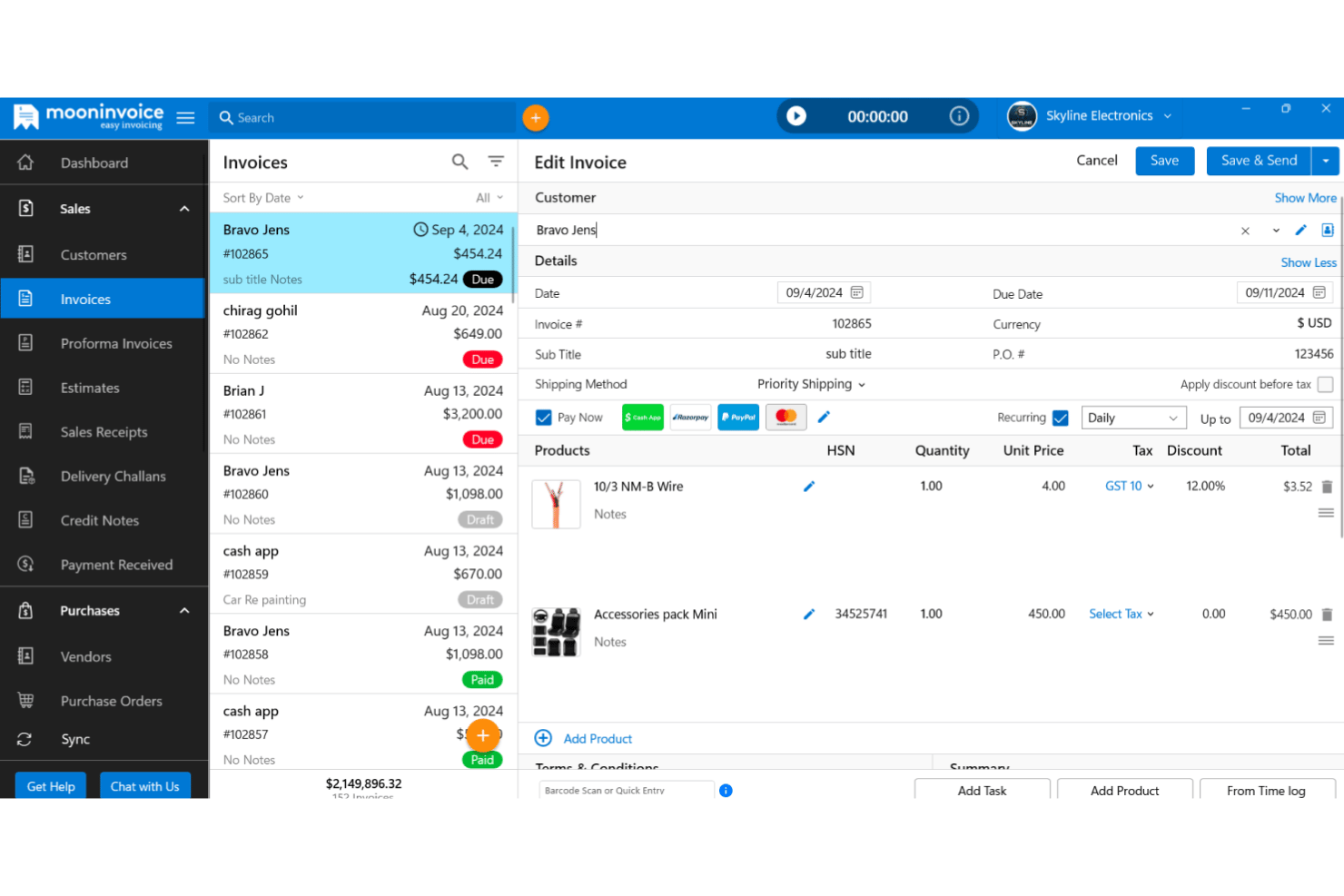
Moon Invoice is an invoicing software platform for freelancers and small teams, offering customizable templates, time and expense tracking, online payment integration, project-linked billing, reports, and mobile access across iOS, Android, and web.
Who Is Moon Invoice Best For?
Freelancers, consultants, and small teams who need fast invoice creation, project-linked billing, and integrated mobile access on iOS and Android.
Why I Picked Moon Invoice
I picked Moon Invoice because I like how quickly I can create professional invoices using over 60 customizable templates right from my phone. I’ve used the mobile app to link billing directly to project tasks and accept payments through regional gateways like UPI and Paytm, not just Stripe or PayPal. That flexibility is a game changer for remote or on-the-go project work.
Moon Invoice Key Features
- Customer self-serve portal: Clients can view invoices, track payments, and download statements without emailing your team.
- Quick Scan AI for receipts: Snap and upload paper receipts to auto-extract expense details for billing.
- 66+ invoice and estimate templates: Access a wide range of professionally designed, customizable PDF formats for invoices and estimates.
- Multi-currency and group tax support: Issue invoices in over 100 currencies and calculate layered taxes for global clients.
Moon Invoice Integrations
Moon Invoice offers native integrations with Stripe, PayPal, Square, Braintree, Google Pay, Apple Pay, Razorpay, WooCommerce, Gmail, and Basecamp, and connects with Zapier. An API is also available for custom integrations.
What's Free?
Moon Invoice offers a 7-day free trial with access to its full features. After the trial, you'll need to upgrade to a paid plan to continue creating invoices or accessing premium functionality—there's no free-forever plan.
Pros and Cons
Pros:
- Built-in AI for fast receipt scanning
- Supports over 20 payment gateways
- Invoice from mobile with 60+ templates
Cons:
- Some users report missing invoice data
- No free-forever plan currently visible
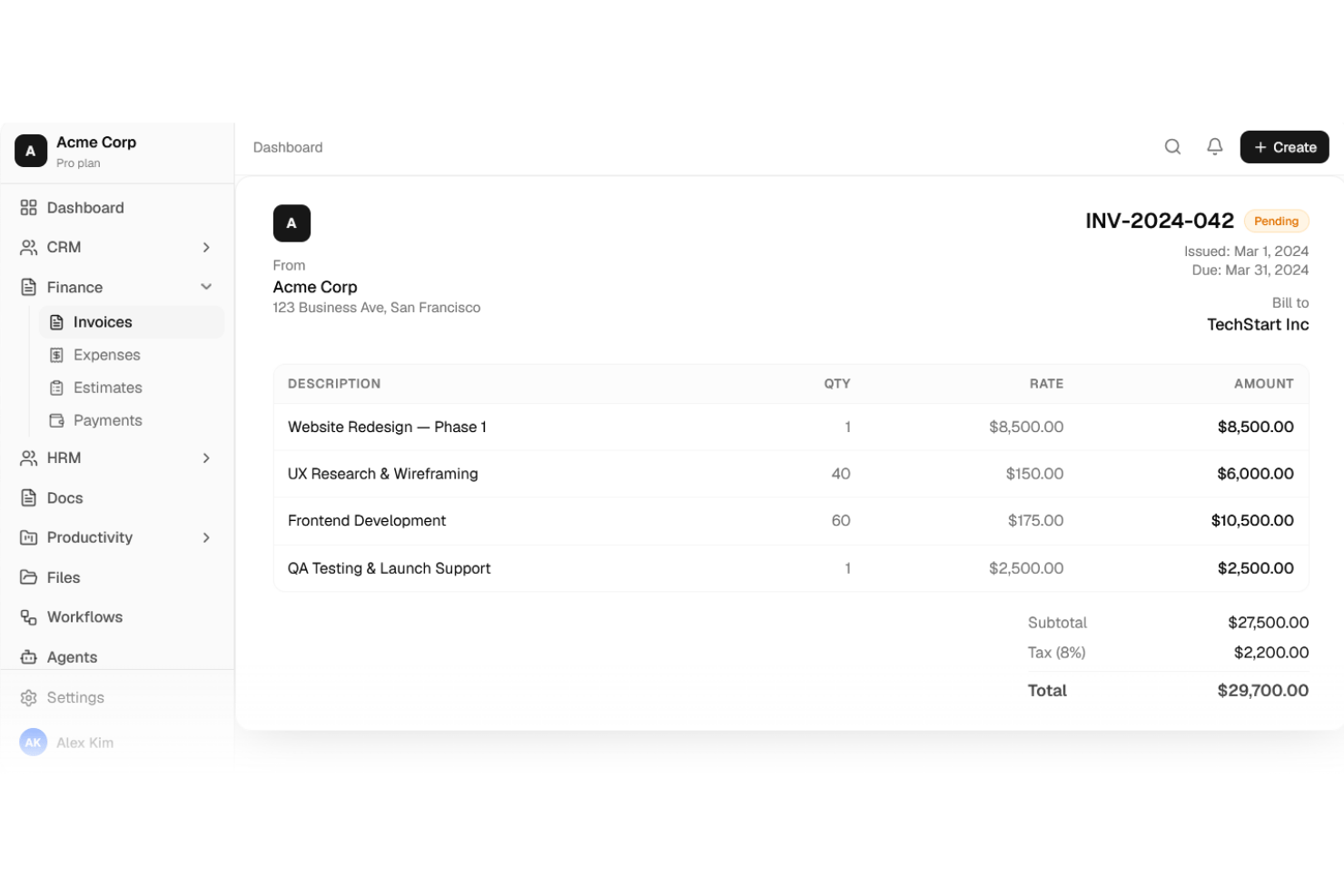
Agiled is an all-in-one invoicing and project management platform that lets you create invoices, manage billable time and expenses, accept online payments, and handle client communications from a unified workspace.
Who Is Agiled Best For?
Agiled is a strong choice for freelancers, consultants, and small agencies who want invoicing tightly connected with project management, time tracking, and a branded client portal in one workspace.
Why I Picked Agiled
I picked Agiled because I can invoice across multiple projects and let clients access everything through a branded portal. I like that I can send recurring invoices, track billable time, and link milestones or expenses right to invoices. The client portal keeps communication, payments, and files organized in one place for each client.
Agiled Key Features
- Centralized invoice dashboard: View, filter, and manage all invoices with real-time status updates in one workspace.
- Partial and milestone payments: Handle deposits, scheduled payments, and progress billing directly from each invoice.
- Built-in time and expense tracking: Track billable hours and expenses that flow straight onto invoices as line items.
- Multi-currency invoicing: Invoice clients in any currency with automatic exchange rates and region-specific tax fields.
Agiled Integrations
Agiled offers 40+ native integrations, including Stripe, PayPal, Wise, QuickBooks Online, Xero, Slack, Zoom, Google Calendar, Mailchimp, and HubSpot. It also connects with Zapier and provides an API for custom integrations.
What's Free?
Agiled offers a 14-day free trial with access to its full features. After the trial, you'll need to upgrade to a paid plan to continue creating invoices or accessing premium functionality—there's no free-forever plan.
Pros and Cons
Pros:
- Unlimited invoice templates for multiple industries
- Project-linked invoicing with milestone payments
- Built-in client portal for invoices and projects
Cons:
- Branded portal requires paid upgrade
- Free plan limited to two clients
Other Free Invoicing Software
Here are some additional free invoicing software options that didn’t make it onto my shortlist, but are still worth checking out:
- Clientary
For retainer billing with a client portal
- Paymo
For time-tracked project billing on a free plan
- Wave
For invoicing with ACH and bookkeeping
- InvoiceBerry
For invoicing with multi-language quotes
- Helcim
For recurring billing with card vault
- ZipBooks
For solo project billing with Square or PayPal
- Akaunting
For open-source self-hosted invoicing
- Refrens
For quoting and invoicing with a client portal
- SolidInvoice
For self-hosted invoicing with no caps
- PayPal Invoicing
For milestone billing backed by PayPal's network


How I Evaluate Free Invoicing Software
First, I define what counts as free. For invoicing software, that means a free-forever plan—not a trial—since client billing is ongoing and a 14-day window won't cut it for retainer work or recurring project milestones. From there, I split my evaluation into core functionality every tool must cover and the differentiators that separate a good fit from the right one.
Core Functionality (Table Stakes For This List)
In addition to my free offer requirements, I also use a scoring system to select tools for my list. Here's how it works:
When I'm selecting tools for my list, I rank each one on a scale from 0 (does not offer the functionality) to 5 (excels in this area) for each core functionality listed below. I then calculate the tool's total score into a percentage, using 75% as a benchmark to help assess its overall fit for the list.
- Invoice creation & customization: I look for editable templates with branding options, line items, and tax fields so your invoices look professional when they land in a client's inbox.
- Client & invoice management: Each tool should let you store client records and track invoice status—sent, viewed, paid, overdue—without toggling between spreadsheets and email threads.
- Online payment acceptance: I check which payment gateways are included on the free plan, since tools like Square Invoices and Zoho Invoice take different approaches to card, ACH, and PayPal support.
- Recurring & automated invoicing: For retainer work, I evaluate whether you can set up recurring schedules and automatic payment reminders rather than manually duplicating invoices each billing cycle.
- Time & expense billing: I look at how each tool handles logging billable hours and project expenses and converting them into invoice line items—especially useful when billing hourly across multiple client projects.
- Multi-currency & tax support: The tool should handle invoicing in different currencies and let you configure tax rates for the regions you operate in, whether that's VAT, GST, or sales tax.
Once I have a list of tools that meet the criteria, I consider what sets each platform apart.
Differentiating Factors (What Sets Vendors Apart)
Here's how I compare and contrast different vendors:
Standout Features
I look for a client self-serve portal where clients can view invoices, download PDFs, and pay balances on their own. That cuts down on status-check emails mid-sprint. I also evaluate quote-to-invoice conversion, since project work starts with estimates and one-click conversion keeps billing aligned with approved scope. Tools like Invoice Ninja and Clientary handle this differently, so I check how each connects quoting to invoicing. Beyond that, I consider Zapier and native integrations that push invoice data into your existing stack without manual re-entry.
Beyond Features
I check how fast you can go from signup to a sent invoice. Tools like Square Invoices and Zoho Invoice offer guided setup flows that walk you through logo upload, tax IDs, and gateway connection, so you're billing within minutes rather than hours. I also evaluate payment gateway choice, since a free plan that only supports one gateway limits how clients can pay you. Some tools let you enable multiple options per invoice, which matters when a retainer client prefers bank debit over card. Finally, I look at data export options—CSV and PDF archives keep you from getting locked into any single platform.
How to Choose a Free Invoicing Software
How do you find free invoicing software that actually fits how your team tracks billable work, handles clients, and navigates ongoing projects?
| If your priority is | Look for |
|---|---|
| Flexible project billing | Hourly, retainer, and milestone options in the free plan |
| Easy time tracking integration | Time logging and expense capture linked to invoices |
| Client transparency | Client self-serve portals or live invoice status tracking |
| International compliance | Multi-currency and region-specific tax configuration for free |
| Mobile and remote access | Full-featured mobile app and payment gateway support |
How to Vet Your Shortlist
- Test real project billing: Create and send 2 invoices using different billing models to see if options like hourly and milestone really sync with your workflow.
- Review time tracking workflows: Link a timesheet or expense log to an invoice—confirm you can pull billable hours without manual entry.
- Evaluate client access: Grant client portal access to a collaborator and preview their view of pending, paid, and overdue invoices.
- Run an international invoice: Issue an invoice in a non-local currency and add tax for at least one foreign location.
- Tradeoff—open-source flexibility vs. payment integrations: Decide whether you want no vendor lock-in but limited gateways, or broad payment options backed by a managed platform.
What is Free Invoicing Software?
Free invoicing software is a digital tool that lets you create, send, and manage invoices without paying subscription fees. These platforms offer core features like invoice customization, client and payment tracking, and support for recurring billing. Free invoicing software helps teams and freelancers manage billable work, client communication, and project expenses while keeping costs low and maintaining accurate, organized records.
Features
Let’s go over the features commonly found in invoicing software, and which ones are usually included in free vs. paid plans.
Typically Free Invoicing Software Features
- Invoice creation and customization: Most platforms let you build professional invoices using templates. You can add your logo, adjust colors, and include personalized messages or terms for each client.
- Client management: Store basic client details, such as contact information and billing addresses, in a central database. This makes it easier to reuse client records and track their billing history.
- Basic payment tracking: Monitor invoice status (sent, viewed, paid, overdue) so you always know which clients owe you and who needs a reminder.
- Limited online payment options: Accept payments through a default payment gateway, usually credit card or PayPal, without extensive custom integrations.
- Recurring invoicing: Set up automated invoices for recurring work, like monthly retainers or subscription billings, reducing manual effort.
- Expense and itemized billing: Add billable expenses, products, or services as line items, so clients get a detailed breakdown of charges.
- PDF export or download: Generate downloadable copies of your sent invoices, enabling you to keep digital or paper records as needed.
- Basic reporting: Access simple reports to view outstanding balances, total billed this month, or a list of overdue invoices.
Typically Paid Invoicing Software Features
- Advanced customization and branding: Unlock full template editing, custom domains, and white-label options to create invoices that fully match your company’s identity.
- Multiple and custom payment gateways: Enable clients to pay via additional gateways (Stripe, ACH, bank transfer, etc.), or offer region-specific payment methods to increase flexibility.
- Automated payment reminders: Automatically send scheduled emails to clients when invoices are approaching due dates or become overdue, reducing manual follow-up.
- Client self-service portal: Let clients log in to view current and past invoices, pay balances, and access quotes or receipts without requesting them.
- Multi-currency and advanced tax handling: Issue invoices in multiple currencies and automate tax calculation for various countries and regions, supporting businesses with international clients.
- Time tracking integration: Link timesheets or project management tools directly to invoicing, so tracked hours convert instantly into billable invoices without re-entry.
- Quote and estimate conversion: Create detailed quotes or estimates and convert them to invoices with one click when work is approved.
- Workflow automation and integrations: Connect invoicing with accounting, CRM, or task management tools to sync data and automate repetitive steps.
- Detailed reporting and analytics: Access in-depth dashboards showing revenue trends, client payment habits, and business insights for financial planning.
- User roles and permissions: Set varying levels of access for team members, so only authorized staff can view, send, or edit invoices and client data.
Benefits
Implementing free invoicing software provides several benefits for your team and your business. Here are a few you can look forward to:
- Reduced billing costs: You can create, send, and manage invoices without paying monthly fees, thanks to feature-rich free-forever plans.
- Faster payment cycles: Built-in payment tracking and support for online gateways help your team get paid quickly and keep clients up to date.
- Professional client communications: Editable templates and branding options give your invoices a clean, client-ready look every time.
- Automated recurring billing: Recurring invoicing and payment reminders reduce manual work when billing for retainers, milestones, or subscription projects.
- Accurate tracking of time and expenses: You can log hours and billable expenses—then convert them into invoice line items—to ensure your billing aligns with your project work.
- Improved international compliance: Multi-currency and customizable tax fields let you handle clients and taxes across different regions at no extra cost.
- Better client transparency: Self-serve client portals, where available, let clients access current and past invoices, see payment status, and download records without extra back-and-forth.
Costs and Pricing
I realize you came to this article looking for the best invoicing software options that are available for free. However, since free plans only offer limited features, there's a good chance you'll need to scale your plan up in the future.
The table below summarizes common plans, their average prices, and typical features included in invoicing software:
Plan Comparison Table for Invoicing Software
| Plan Type | Average Price | Common Features |
|---|---|---|
| Free Plan | $0 | Create and send invoices, basic client management, basic payment tracking, PDF export, and limited online payments. |
| Personal Plan | $5–$15/user/month | All free features, additional templates and branding, basic payment integrations, basic reporting, and limited automation. |
| Business Plan | $15–$40/user/month | All personal plan features, multi-currency and tax support, recurring and automated invoicing, advanced reporting, and integrations. |
| Enterprise Plan | $40–$100+/user/month | All business plan features, custom roles and permissions, advanced workflow automation, dedicated support, bulk data export, and custom integrations. |
Free invoicing software FAQs
Here are some answers to common questions about free invoicing software:
Can you use free invoicing software with multiple team members?
Yes, some free invoicing software lets you add multiple users, but most limit this feature to paid plans. If team collaboration is important, check whether the free tier includes multi-user access or role-based permissions before you commit. Solutions like Invoice Ninja and Akaunting often support extra users in their open-source or free plans, but managed services may lock this behind a paywall.
Are free invoicing tools secure for client and payment data?
Yes, most reputable free invoicing platforms use encryption and comply with industry standards to protect client and payment data. Always verify that any platform you’re considering uses HTTPS for all connections and details its security measures in a public policy or help center page. Self-hosted options like SolidInvoice or Akaunting put more responsibility on your team to maintain security patches and server settings.
Is there a way to connect free invoicing software with time tracking tools?
Yes, but integrations vary by platform. Some tools like Zoho Invoice offer built-in time tracking, while others like Wave or InvoiceBerry may lack direct timesheet integrations in their free plans. If time tracking is key, look for native features or confirm the software supports integrations with your preferred tool—sometimes via Zapier or similar connectors.
What payment gateways work with free invoicing software?
Most free invoicing tools support at least one default payment gateway, often PayPal or Stripe. Other platforms, like Square Invoices or Wave, may restrict you to their own payment service in the free plan. If your clients need flexible payment options (like ACH, credit card, or Google Pay), review the free tier’s payment gateway list before you start sending invoices.
Can you migrate your data out of free invoicing software later on?
Yes, most major free invoicing platforms offer basic data export options—usually in CSV, PDF, or Excel format. This lets you back up your invoices, clients, and payments or move to a different solution if you outgrow the free plan. Open-source tools typically give you more control over backing up your full database. Always test the export process before you get too invested.