

10 Best Flock Alternatives for Team Chat in 2026

Flock Alternatives Shortlist


A strong Flock alternative offers reliable instant messaging, easy team collaboration, and integrations that fit your workflow. If you’re searching for Flock alternatives, you’re likely looking for tools that support fast internal communication, flexible project coordination, and compatibility with the platforms your team already uses.
With so many options available, it’s tough to know which solution will actually streamline processes and break down communication silos.
This list will help you compare the top Flock alternatives for 2026, so you can confidently choose the right platform for your team’s needs.
What is Flock?
Flock is a messaging app and collaboration app designed to help teams communicate, handle file storage, and manage tasks in one place.
It offers group and direct messaging, video and voice calls, searchable chat history, and integrations with popular work tools. Flock is used by teams that need a centralized space for conversations and to foster teamwork, especially in fast-paced digital environments where quick communication and task tracking are essential.
Flock Alternatives Comparison Table
The table below compares pricing details for my top Flock alternatives.
| Tool | Best For | Trial Info | Price | ||
|---|---|---|---|---|---|
| 1 | Best for async topic-based team chat | Free plan + free demo available | From $6.67/user/month (billed annually) | Website | |
| 2 | Best for chat-to-task conversion at scale | Free plan + free trial + free demo available | From $12/user/month | Website | |
| 3 | Best for meeting-centered team collaboration | Free plan available | From $14.16/user/month (billed annually) | Website | |
| 4 | Best for low-cost Flock migration to team chat | Free plan + free demo available | From $3/user/month (billed annually) | Website | |
| 5 | Best for Zoho ecosystem integration | 14-day free trial + free plan + free demo available | From $16.20/month (billed annually) | Website | |
| 6 | Best for Microsoft 365 integration | Free plan + 1-month free trial available | From $4/user/month (billed annually) | Website | |
| 7 | Best for self-hosted team chat deployment | Free plan + free demo available | Pricing upon request | Website | |
| 8 | Best for frontline worker communication | 14-day free trial + free demo | From $3.75/user/month (billed annually) | Website | |
| 9 | Best for chat-to-task conversion | Free plan + 15-day trial + demo available | From $69/month | Website | |
| 10 | Best for secure, self-hosted team messaging | 30-day free trial | Pricing upon request | Website |

Why Trust Our Software Recommendations
Our team has been testing and reviewing software since 2012. As project managers ourselves, we know how difficult—and important—it is to choose the right software.
For this guide, we evaluated tools using hands-on testing and independent research, scoring tools using our selection criteria. We also draw on insights from industry thought leaders and practicing project management experts.
Our reviews reflect our human editorial judgment, not a sales pitch.
Expert reviewers:
Flock Alternatives Reviews
Below are my detailed summaries of the Flock alternatives that made it onto my shortlist. My reviews offer a detailed look at the features, integrations, and best use cases of each platform to help you find the best one for you.
Zulip
Best for async topic-based team chat
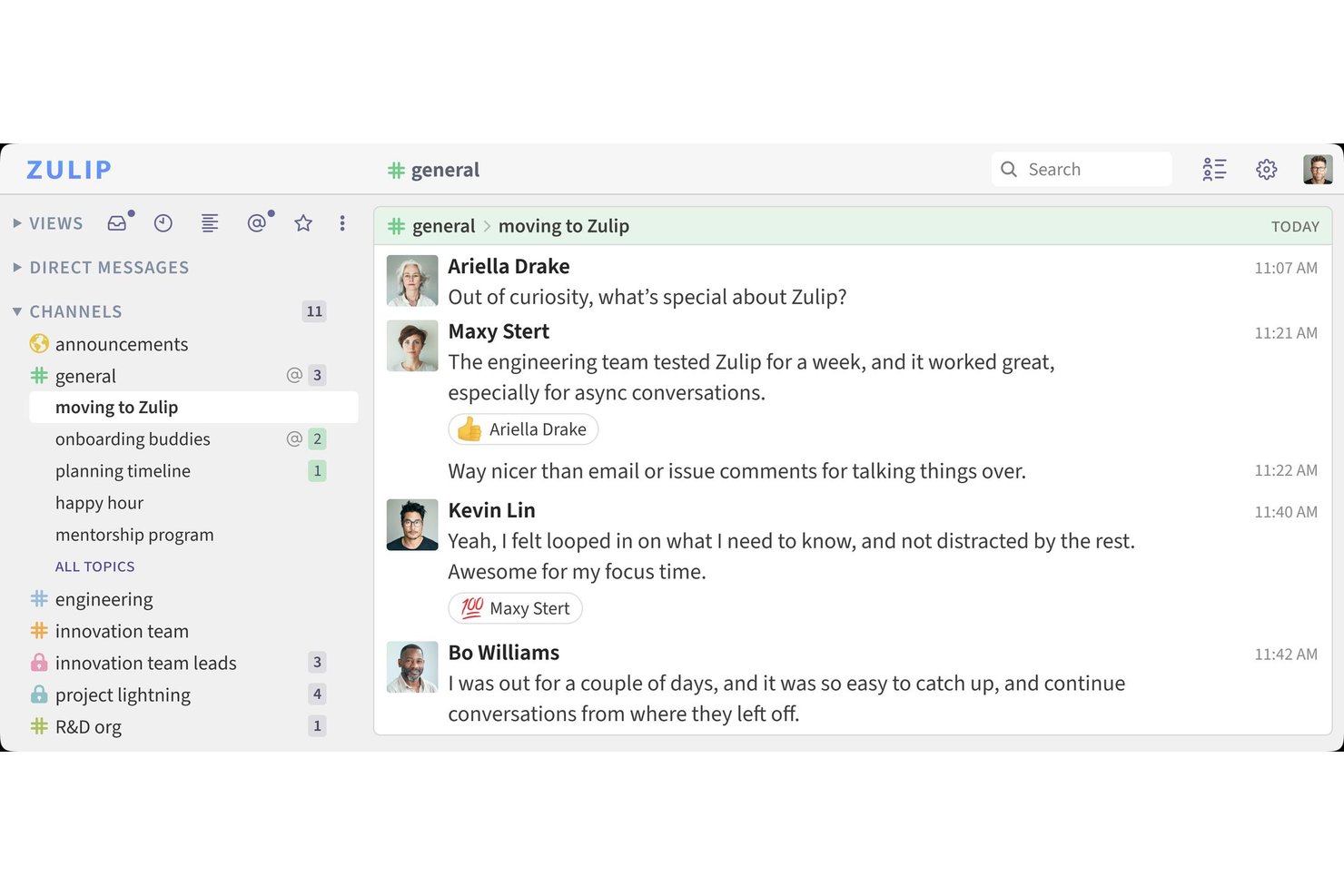
Built for product and engineering teams, Zulip is a team chat platform that helps distributed groups keep project conversations organized and make decisions easier to track.
Who Is Zulip Best For?
Zulip suits teams with many ongoing workstreams, such as software and open-source projects, that need conversations organized into searchable topics.
Why I Picked Zulip
I picked Zulip because it’s best for async topic-based team chat. I like how streams group work by project while topics keep separate discussions, such as bug triage and release planning, from getting tangled in one channel. Searchable topic threads help my team return to decisions without digging through unrelated chat.
Zulip Key Features
- Markdown formatting: Format messages with code blocks, links, lists, and text styling.
- Emoji reactions: Add emoji reactions to messages.
- File uploads: Attach files to messages for teammates to access.
- Integrations: Connect Zulip with external tools through integrations and bots.
Zulip Integrations
Zulip offers 130+ native integrations, including GitHub, GitLab, Jira, Asana, Linear, and Trello; it also connects with Zapier and IFTTT and provides a REST API for custom integrations.
Pros and Cons
Pros:
- Self-hosting gives teams control over chat data
- Searchable history keeps decisions easy to retrieve
- Topic threads separate parallel project discussions
Cons:
- Mobile experience feels less fluid than desktop
- Streams and topics confuse newcomers

ClickUp
Best for chat-to-task conversion at scale
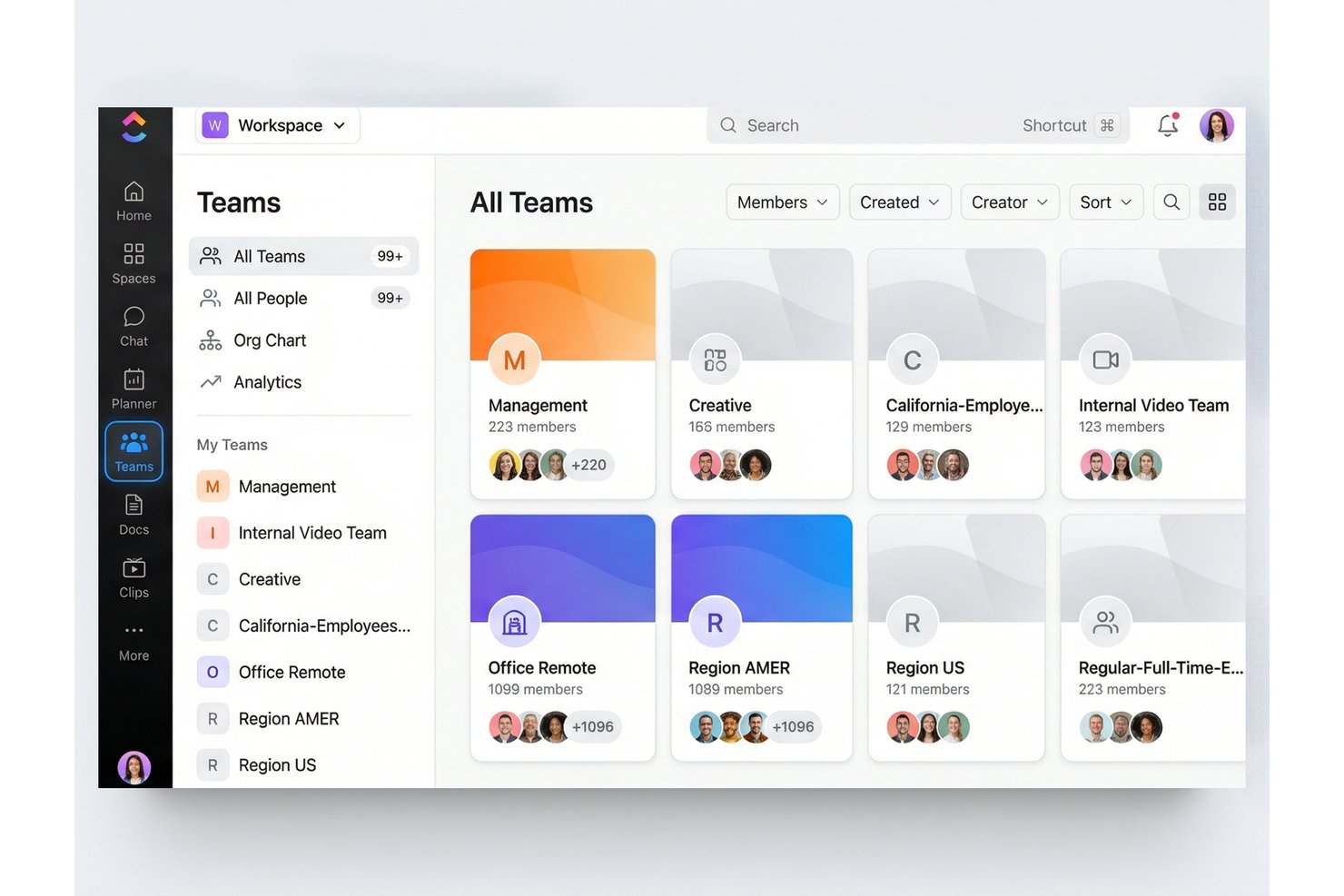
ClickUp is a work management platform that combines team chat, tasks, and project planning to help cross-functional teams keep discussions, decisions, and follow-up work connected.
Who Is ClickUp Best For?
ClickUp suits project and operations teams that need to turn high-volume team conversations into assigned, trackable work across cross-functional projects.
Why I Picked ClickUp
I picked ClickUp because it fits the “Best for chat-to-task conversion at scale” brief: I can turn a chat message into a task and assign an owner. When a release discussion surfaces a blocker, I can link the conversation to its task so the decision and follow-up stay connected.
ClickUp Key Features
- Channels: Organize team conversations by topic or project.
- Direct messages: Send private messages to individuals or groups.
- Threaded replies: Keep responses grouped under the message they address.
- AI thread summaries: Use ClickUp Brain to summarize chat threads.
ClickUp Integrations
ClickUp offers native integrations with Slack, GitHub, GitLab, Bitbucket, Google Drive, Figma, Microsoft Teams, Zoom, and HubSpot. It also connects with Zapier and provides a public API for custom integrations.
Pros and Cons
Pros:
- AI summarizes threads and surfaces next steps
- Keep project discussions linked to follow-up work
- Convert chat messages into assigned tasks
Cons:
- SyncUp notifications can be missed
- Channel views and ordering feel inconsistent
New Product Updates from ClickUp
ClickUp Adds Meetings Hub, Super Agent Templates, and ZoomInfo Integration
ClickUp adds a searchable Meetings Hub, new ways to clone and template Super Agents, and a ZoomInfo integration through the App Center. These updates improve meeting retrieval, agent reuse, and access to sales intelligence. For more information, visit ClickUp’s official site.

Zoom
Best for meeting-centered team collaboration
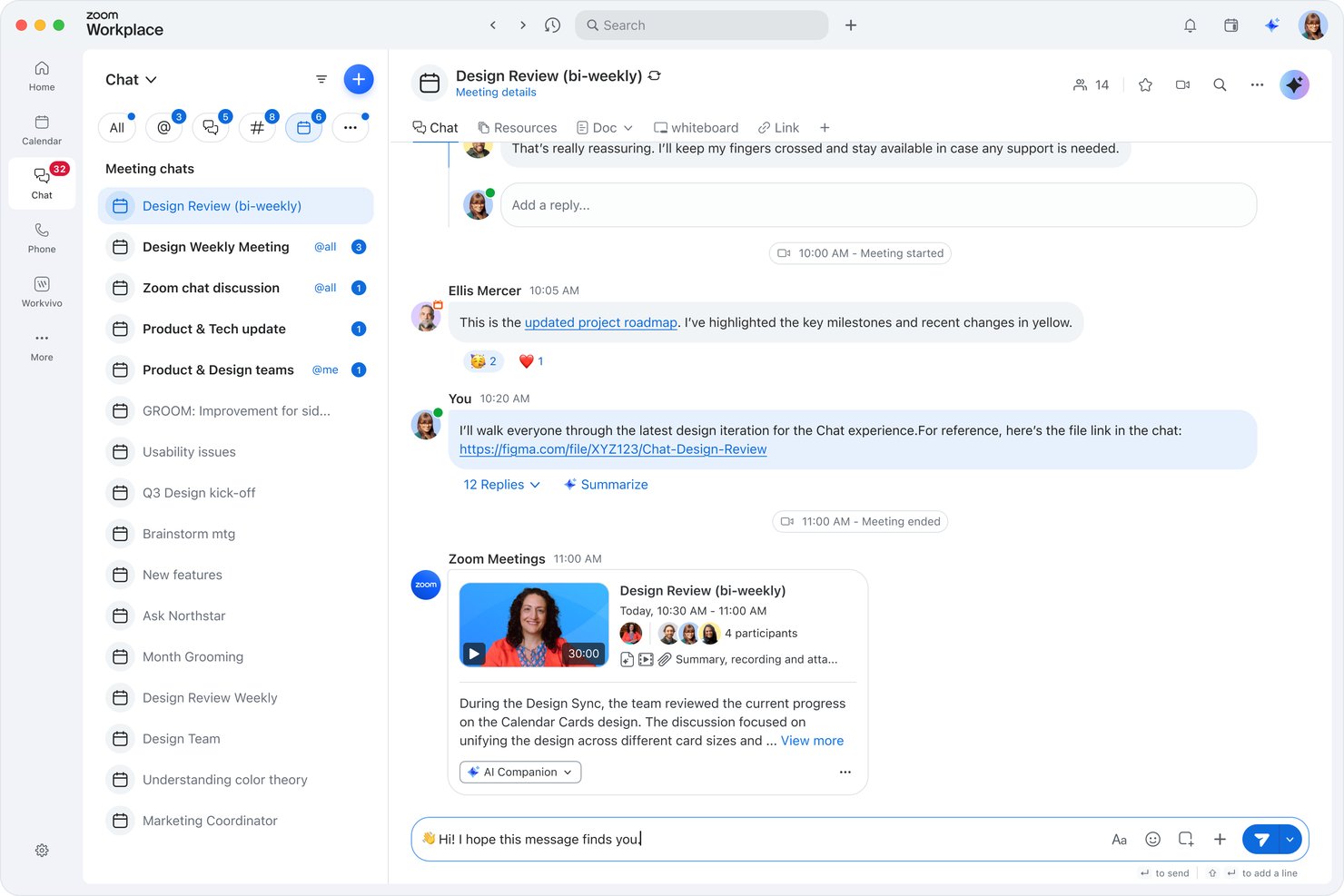
Zoom is a collaboration platform for distributed project and product teams, bringing video meetings, chat, and shared workspaces together to help teams align stakeholders and keep decisions visible.
Who Is Zoom Best For?
Product and engineering project managers can use Zoom to coordinate stakeholder reviews, planning sessions, and decisions across remote or hybrid teams.
Why I Picked Zoom
I picked Zoom for Best for meeting-centered team collaboration because it brings project decisions into live conversations. I use screen sharing to walk stakeholders through prototypes and meeting chat to share links during reviews.
Zoom Key Features
- Team Chat channels: Create persistent channels for project discussions, file sharing, and team updates.
- Zoom Whiteboard: Build and edit visual boards together with sticky notes, shapes, and templates.
- Zoom Docs: Create and co-edit documents, tables, and project plans.
- Zoom Clips: Record and share short video messages for asynchronous updates.
Zoom Integrations
Zoom documents integrations with Google Calendar, Office 365, Exchange, Slack, Microsoft Teams, Salesforce, Dropbox, Box, and Microsoft OneDrive. It also supports Zapier and offers REST APIs, a Desktop SDK, and MobileRTC for custom integrations.
Pros and Cons
Pros:
- Meetings pair with whiteboards and recordings
- External guests join without account friction
- Reliable calls with clear screen sharing
Cons:
- Project tracking remains limited for ongoing work
- In-meeting chat history can disappear

Chanty
Best for low-cost Flock migration to team chat
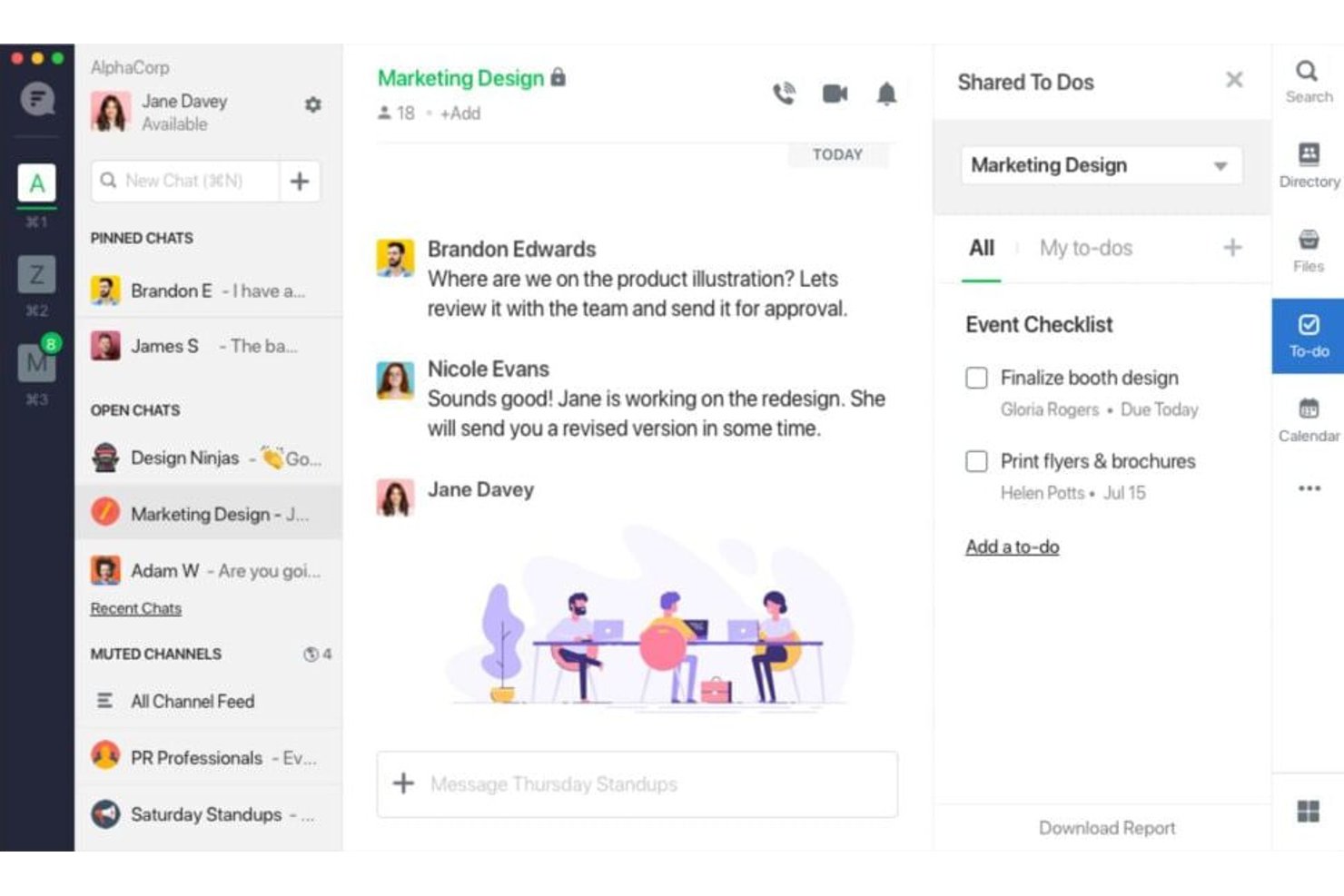
Chanty combines team messaging, searchable conversations, file sharing, and task tracking in one workspace, helping product and engineering teams coordinate decisions and keep follow-ups visible.
Who Is Chanty Best For?
Chanty suits budget-conscious small teams moving from Flock that need a straightforward tool for day-to-day team chat.
Why I Picked Chanty
I picked Chanty as a low-cost Flock migration option because it keeps team chat connected to follow-up work. Searchable conversations help me find past decisions, while file sharing and task tracking keep project handoffs in the same workspace. My team can keep daily coordination and related work together.
Chanty Key Features
- Audio and video calls: Start voice or video calls with teammates.
- Guest groups: Organize external guests separately from internal teams.
- Permission controls: Set access rules for chats, guest invites, and other actions.
- Desktop and mobile apps: Access Chanty on web, macOS, Windows, iOS, and Android.
Chanty Integrations
Chanty lists app integrations with Jira, Trello, Asana, ClickUp, monday.com, GitHub, GitLab, Bitbucket, Google Drive, and Dropbox. It also connects with Zapier.
Pros and Cons
Pros:
- Voice messages support asynchronous handoffs
- Turn chat decisions into assigned tasks
- Message search surfaces past team decisions
Cons:
- Windows calls and screen sharing can glitch
- Task views fall short for complex projects

Best for Zoho ecosystem integration
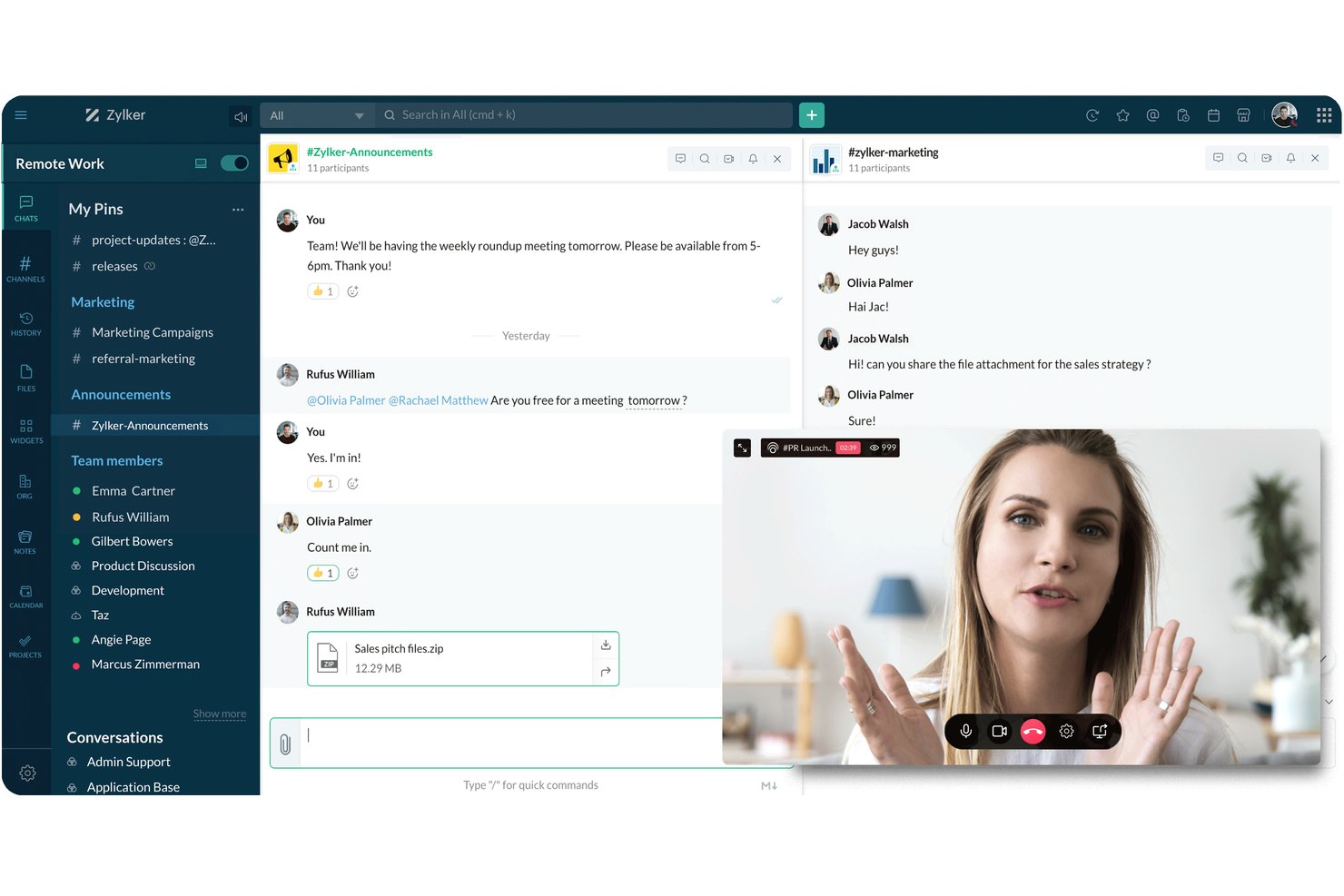
Zoho Cliq gives distributed product and operations teams a shared place for channel discussions, direct messages, and calls, helping keep project decisions and quick questions from getting lost across inboxes.
Who Is Zoho Cliq Best For?
Zoho Cliq is a good fit for project and operations teams that already use Zoho apps and want communication connected to that ecosystem.
Why I Picked Zoho Cliq
I picked Zoho Cliq as a Flock alternative and “Best for Zoho ecosystem integration” because its Zoho Projects connection brings real-time project notifications and task updates into chat. I like how teams can discuss a changed task in a channel while keeping project activity close at hand.
Zoho Cliq Key Features
- Channels: Create topic-based spaces for team discussions.
- Threaded discussions: Reply to a message in a dedicated thread.
- Audio and video calls: Start calls and meetings from Cliq.
- File sharing: Share files directly in conversations.
Zoho Cliq Integrations
Zoho Cliq offers marketplace integrations with Zoho Projects, Zoho CRM, Zoho Desk, GitHub, GitLab, Google Drive, Asana, and Trello. It provides a REST API for custom integrations and connects with Zapier.
Pros and Cons
Pros:
- Screen sharing supports client walkthroughs
- Threaded channels keep project decisions contextual
- Meeting chats persist after calls
Cons:
- Calls can freeze or feel less polished
- Notifications sometimes arrive late or go missing

Best for Microsoft 365 integration
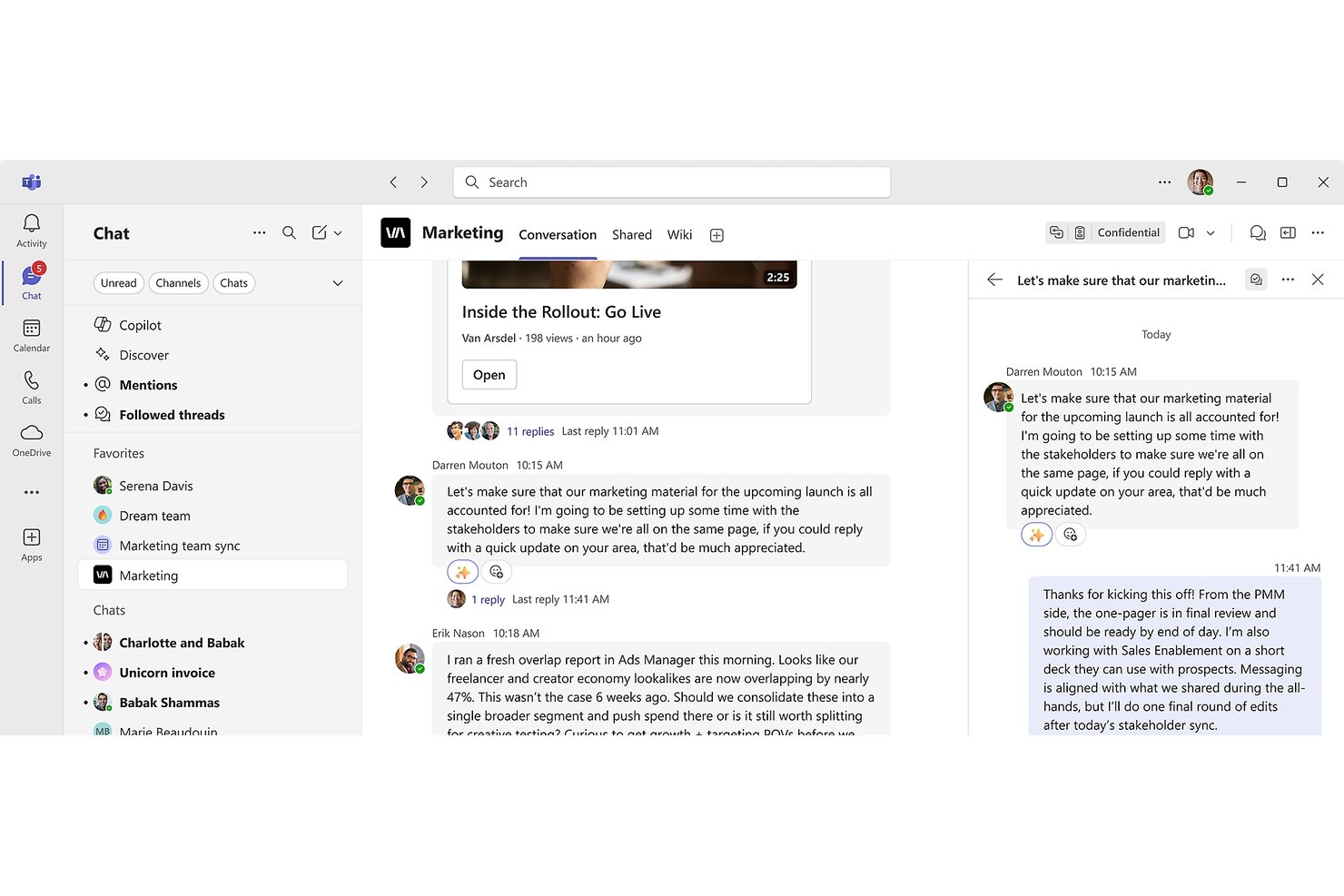
Microsoft Teams gives product, engineering, and design teams a shared space for chat, calls, meetings, and file collaboration, helping keep project discussions and decisions connected.
Who Is Microsoft Teams Best For?
Project managers and cross-functional teams already working in Microsoft 365 can coordinate project discussions and meetings within tools they already use.
Why I Picked Microsoft Teams
I picked Microsoft Teams because its Microsoft 365 integration keeps project coordination close to the tools teams already use. I use channels to organize workstream discussions and share project files alongside the conversation, while meetings and calls keep decisions connected to the same team space. That helps me keep updates and the documents teams need to review together.
Microsoft Teams Key Features
- Private and group chats: Start one-to-one conversations or chat with multiple colleagues.
- Message reactions: Respond to chat messages with emoji reactions.
- Message editing: Edit messages after sending them.
- Chat search: Find messages and narrow results by sender.
Microsoft Teams Integrations
Microsoft Teams has native integrations across the Microsoft ecosystem, including Microsoft 365, Outlook, SharePoint, and OneDrive. It also supports apps from the Teams app store, connects with Zapier, and offers Microsoft Graph APIs for custom integrations.
Pros and Cons
Pros:
- Teams can co-edit project documents in context
- Meetings support recordings, captions, and screen sharing
- Channels keep project discussions and files together
Cons:
- Desktop app can lag and consume substantial resources
- Search often misses older messages and files

Best for self-hosted team chat deployment
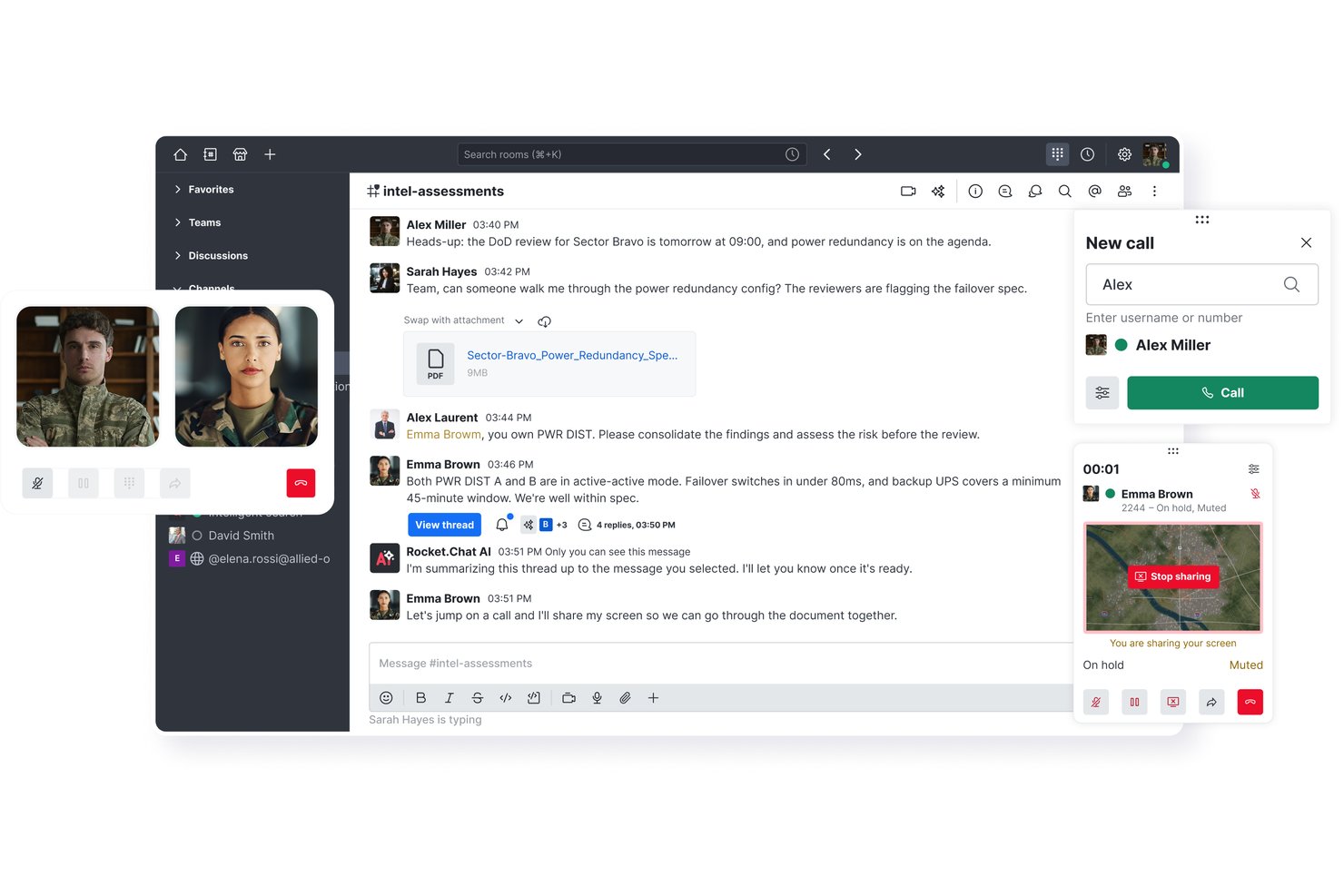
Rocket.Chat brings channel-based messaging, direct chats, and integrations together for product and engineering teams that need to coordinate decisions and keep project conversations organized.
Who Is Rocket.Chat Best For?
Rocket.Chat suits IT and platform teams that want to host team chat on their own infrastructure and manage its deployment directly.
Why I Picked Rocket.Chat
I picked Rocket.Chat as a Flock alternative because it’s Best for self-hosted team chat deployment, letting teams run chat on infrastructure they manage. I like how product and engineering teams can organize release discussions in channels, then use direct chats to resolve specific decisions while keeping conversations within their own deployment.
Rocket.Chat Key Features
- Message threads: Reply to a specific message to keep follow-up discussion grouped.
- File sharing: Upload and share files directly in conversations.
- Audio and video calls: Start voice or video calls from Rocket.Chat.
- Message search: Search conversation history to find messages and shared files.
Rocket.Chat Integrations
Rocket.Chat offers Marketplace apps for integrations including GitHub, Jira Cloud, Google Drive, Trello, HubSpot CRM, and Zapier. It also supports custom integrations through its API and incoming and outgoing webhooks.
Pros and Cons
Pros:
- Air-gapped deployment supports sensitive team communications
- Channels and threads keep project decisions grouped
- Self-hosting keeps project conversations under your control
Cons:
- Some deployments report intermittent performance slowdowns
- Admin guides can be difficult to follow
Blink
Best for frontline worker communication
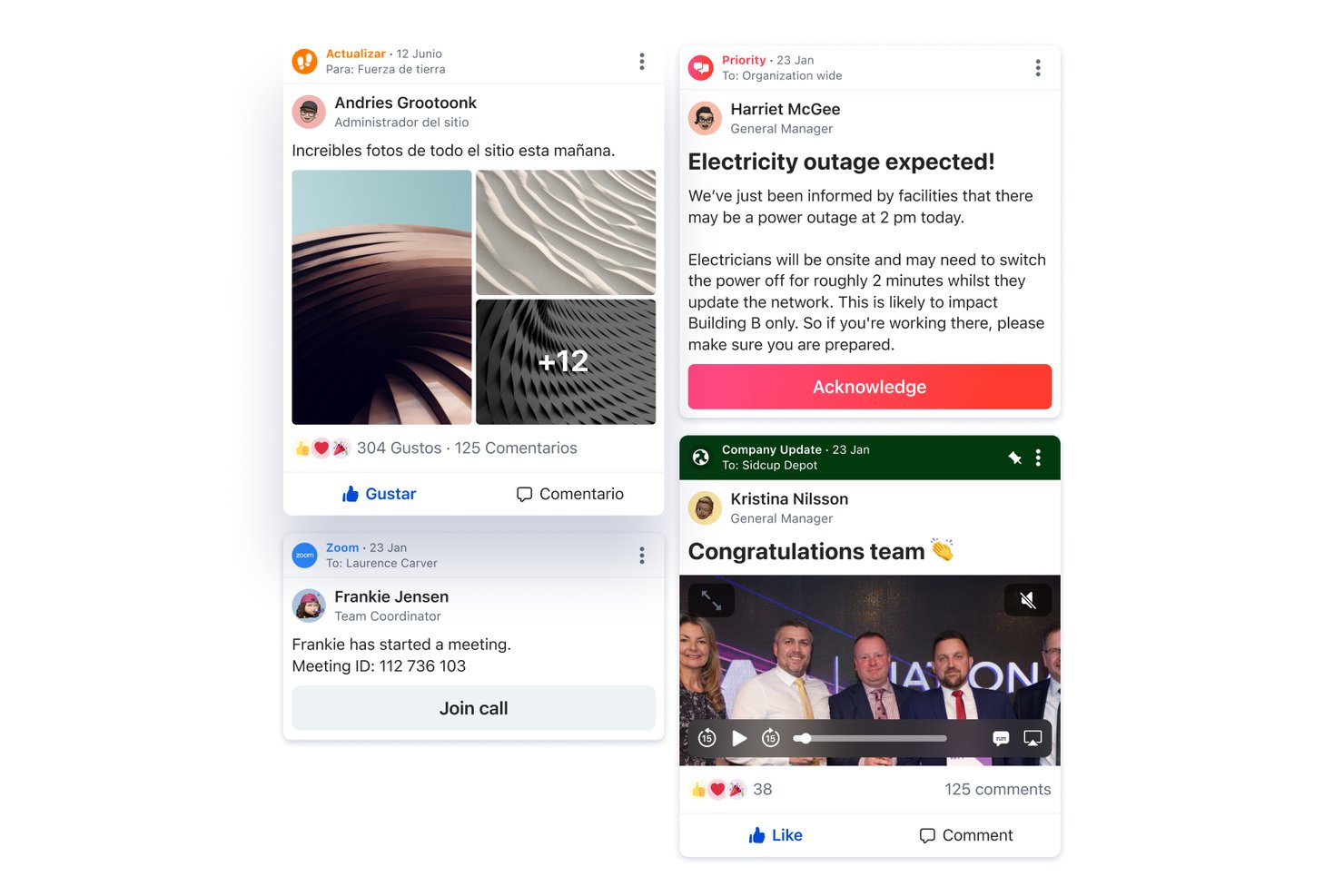
Blink is a mobile employee communication platform for organizations with deskless and distributed teams, bringing messaging, company updates, and work tools together so staff can stay informed without relying on email or scattered apps.
Who Is Blink Best For?
Operations and HR teams at organizations with frontline staff can use Blink to share updates and keep employee communication accessible beyond email.
Why I Picked Blink
I picked Blink as a Flock alternative for “Best for frontline worker communication.” I like its story-style shift briefs for sharing safety bulletins and route updates, plus chat and voice or video for follow-up between shifts.
Blink Key Features
- Employee feed: Share posts with reactions and employee recognition.
- Surveys and polls: Collect employee feedback through in-app questions.
- Digital forms: Replace paper-based processes with mobile forms.
- Knowledge management: Make policies, procedures, and guidance available to employees.
Blink Integrations
Blink’s App Marketplace lists 37 integrations, including Workday, ADP, Microsoft 365, Google, Salesforce, ServiceNow, Jira, Dropbox, Okta, and Zoom. Blink also provides an API for custom integrations.
Pros and Cons
Pros:
- Forms and policy hub replace scattered resources
- Feed posts support updates and recognition
- Mobile-first access connects deskless teams
Cons:
- Hub document organization can feel awkward
- Busy feeds make older posts harder to find
Bitrix24
Best for chat-to-task conversion
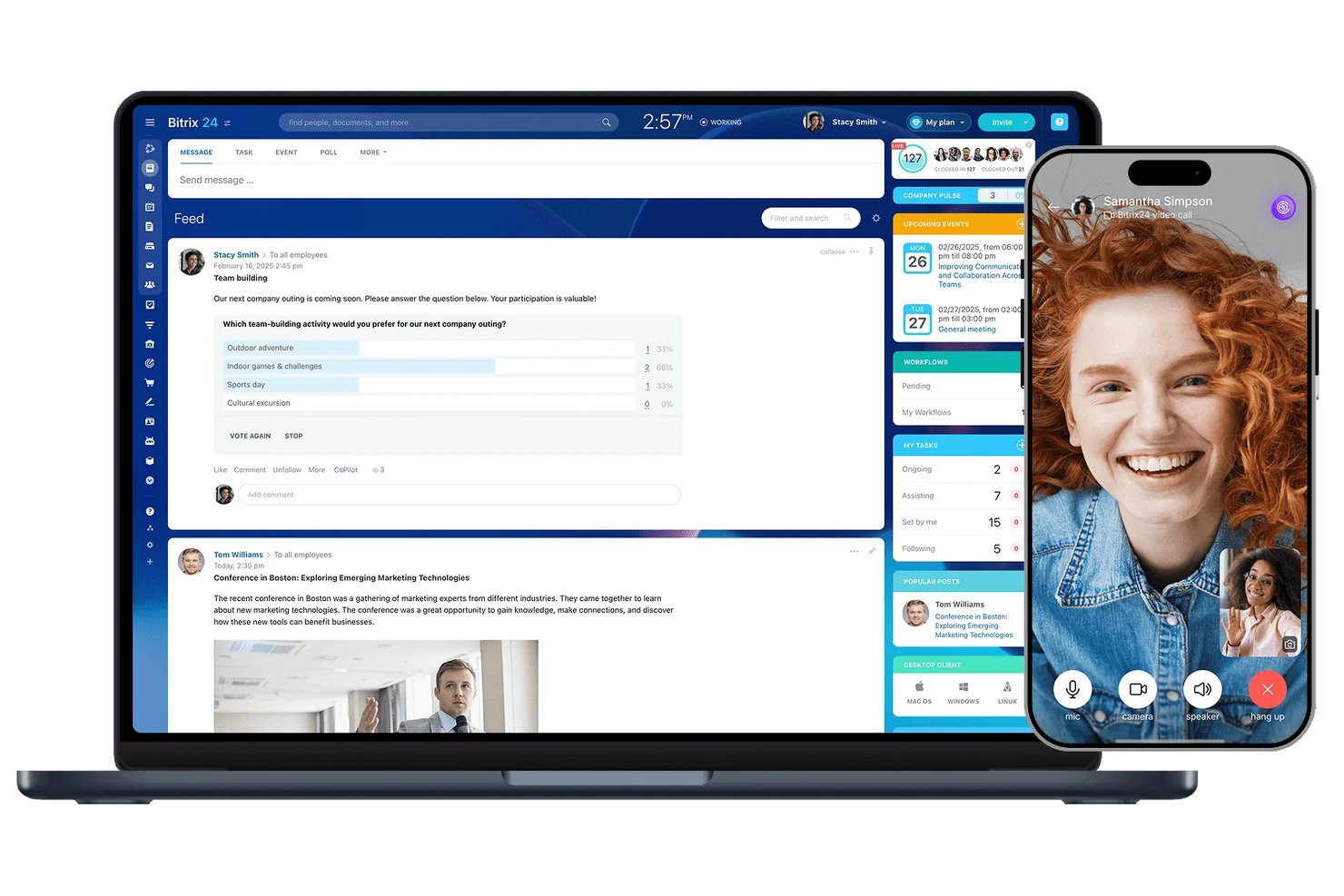
Bitrix24 combines team chat with project and business tools, giving cross-functional teams one workspace to coordinate work and keep communication connected to ongoing projects.
Who Is Bitrix24 Best For?
Bitrix24 suits project coordinators and team leads who need to turn team conversations into assigned tasks and follow-up work.
Why I Picked Bitrix24
I picked Bitrix24 as a Flock alternative for its chat-to-task conversion: I can turn a message about a blocked release into a task without losing the discussion behind it. I like that I can assign an owner and deadline, keeping follow-up tied to the conversation.
Bitrix24 Key Features
- One-to-one and group chats: Start private conversations or group discussions.
- Public and private chats: Set chat visibility for the intended audience.
- Chat history search: Find past messages with the built-in search.
- Video calls: Start calls from chats, tasks, or events.
Bitrix24 Integrations
Bitrix24 Market offers 500+ apps, including marketplace integrations for Jira, Google Drive, and Zoom. Bitrix24 also supports Zapier and provides a REST API for custom integrations.
Pros and Cons
Pros:
- Chat, calls, and project work coexist
- Task follow-up stays tied to discussion
- Chat threads can become assigned tasks
Cons:
- Mobile app can load slowly or crash
- Crowded interface obscures everyday chat and tasks

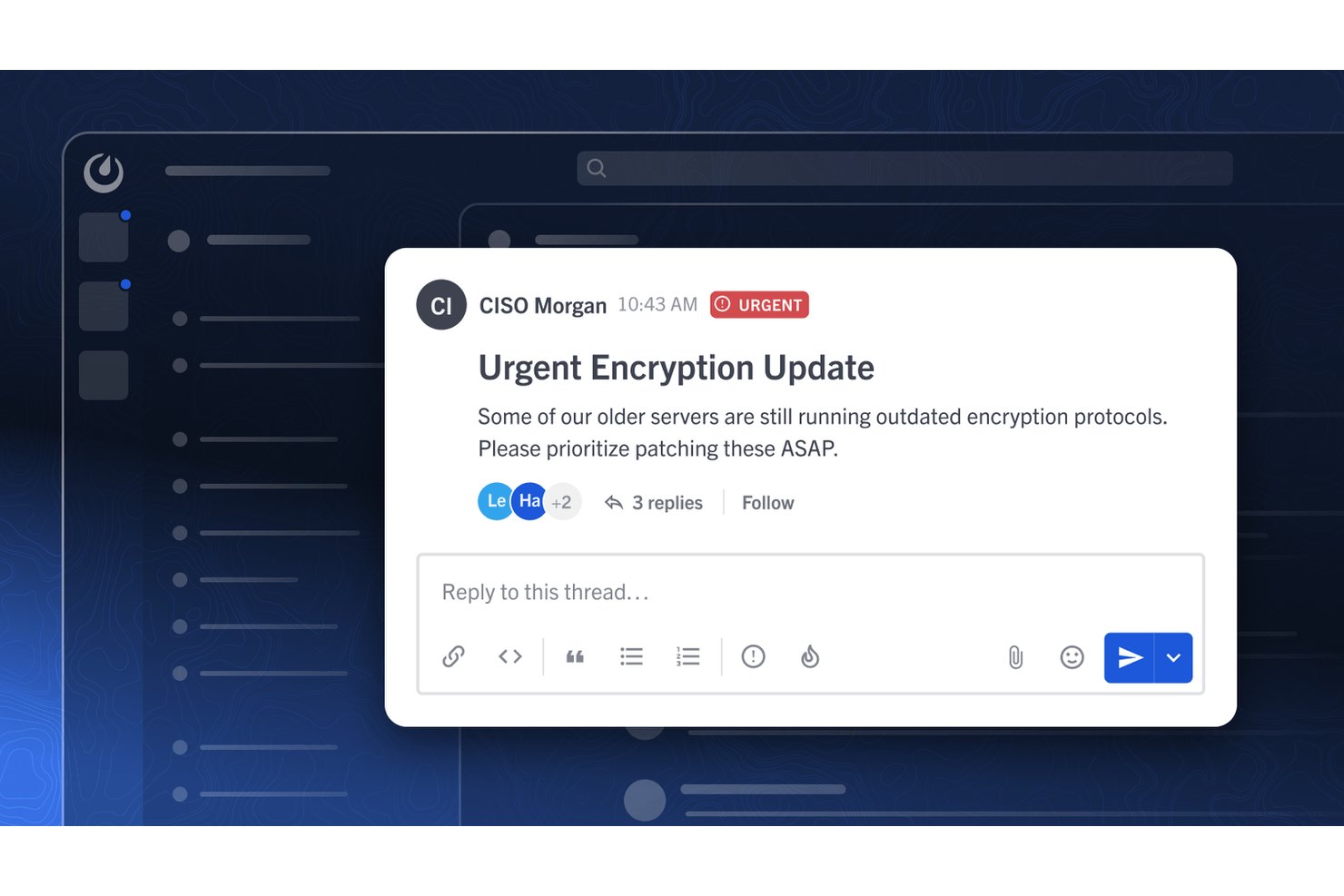
Mattermost is a team messaging platform for engineering, operations, and other technical teams that need focused conversations to coordinate projects, respond to incidents, and keep cross-functional work moving.
Who Is Mattermost Best For?
Mattermost suits engineering and operations teams that need to coordinate incident response and project work through self-hosted messaging.
Why I Picked Mattermost
I picked Mattermost as a Flock alternative for secure, self-hosted team messaging. I like that teams can run it in their own environment and use channels to coordinate incident response. Its Playbooks help teams follow repeatable response steps and keep status updates visible as work progresses.
Mattermost Key Features
- Direct and group messaging: Send messages to individuals or group conversations.
- Audio calls and screen sharing: Start calls and share your screen with teammates.
- File and link sharing: Share files, images, and links with previews.
- Threaded discussions: Reply to a message in a thread to keep the conversation organized.
Mattermost Integrations
Mattermost offers pre-built App Marketplace integrations with GitHub, GitLab, Jira, Zoom, Microsoft 365, Microsoft Teams, Outlook, and Microsoft Calendar. It also supports Zapier and a REST API for custom integrations.
Pros and Cons
Pros:
- Playbooks guide repeatable incident response steps
- Channels and threads keep incident context organized
- Self-hosted deployment keeps data under your control
Cons:
- Mobile push notifications can arrive late
- Self-hosting adds upgrade and backup workload
Other Flock Alternatives
Here are some additional flock alternatives options that didn’t make it onto my shortlist, but are still worth checking out:
- Google Chat
For Google Workspace-connected chat
- Slack
For AI-powered channel catch-up summaries
- Brosix
For compliance-focused private team messaging
- Pumble
For free unlimited team messaging history
- Discord
For always-on voice channels in team chat


How I Evaluate Flock Alternatives
I split my evaluation into three parts. First, core functionality: an alternative needs to handle real-time messaging reliably and support channel-based organization by team or topic—this carries the most weight. Second, I look for standout features like AI-powered summarization or threaded task conversion. Third, I consider what's beyond the feature set: migration support, pricing transparency, and security controls.
Core Functionality (Table Stakes For This List)
When I'm selecting tools for my list, I score each one on a scale from 0 (does not offer the functionality) to 5 (excels in this area) for each core functionality listed below. I then convert the total into a percentage to help assess each tool's overall fit, with extra weight on any functionalities I’ve deemed essential.
- Real-Time Messaging (Essential): I look for reliable direct and group chats, with threads or reactions that help teams resolve questions without losing project context.
- Channels (Essential): I check whether teams can organize conversations by project or topic, with public or private settings suited to the people involved.
- Voice And Video Calls: I assess whether teams can hold one-to-one and group calls, share screens, and discuss urgent dependencies without switching apps.
- File Sharing And Search: I look for straightforward file sharing and search that helps teammates retrieve a decision, document, or update from an earlier conversation.
- Third-Party Integrations: I consider how the tool connects with calendars, storage, and project trackers, such as when a chat needs to link to assigned work.
- Desktop, Web, And Mobile: I check whether core messaging and collaboration features work consistently across devices for distributed teams.
Once I have a list of tools that meet the criteria, I consider what sets each platform apart.
Differentiating Factors (What Sets Vendors Apart)
Here's how I compare and contrast different vendors:
Standout Features
I look for threaded task conversion—the ability to turn a chat message into a tracked task with an assignee and due date. This bridges the gap between a decision made in conversation and actual follow-through. I also evaluate workflow automation builders, checking whether teams can set up no-code triggers for approvals or status updates without leaving the chat. Tools like Slack and Microsoft Teams handle this differently, so I compare how much setup each requires for a real recurring workflow.
Beyond Features
I check whether a vendor publishes clear per-user pricing tiers and offers flexible guest seats—agencies that bring clients into project channels need predictable costs as headcount shifts. Migration support matters just as much: some platforms provide dedicated onboarding specialists and channel-history imports, while others leave you to rebuild from scratch. I also evaluate vendor roadmap momentum, because a tool that hasn't shipped meaningful updates in months is a risk for any team choosing a daily-driver communication platform.
Why Look For a Flock Alternative?
While Flock is a good choice of flock alternatives, there are a number of reasons why some users seek out alternative solutions. You might be looking for a Flock alternative because…
- You need more advanced integrations with other tools
- Your team relies on mobile-first or deskless workflows
- You want more customization for notifications and alerts
- You require better support for large or distributed teams
- You need features tailored to specific industries
- You want more flexible pricing or billing options
If any of these sound like you, you’ve come to the right place. My list contains several flock alternatives options that are better suited for teams facing these challenges with Flock and looking for alternative solutions.
Flock Key Features
Here are some of the key features of Flock, to help you contrast and compare what alternative solutions offer:
- Direct and group messaging
- Built-in video conferencing
- File sharing and storage
- Searchable message history
- Shared to-do lists and reminders
- Channel-based conversations
- Polls and surveys
- Native integrations with productivity tools
- Guest user access
- Team announcement channels