

10 Best Enterprise SEO Agency Software Solutions for 2026

Best Enterprise SEO Agency Software Shortlist


Enterprise SEO agency software refers to platforms designed to help agencies manage, analyze, and optimize large-scale SEO campaigns for complex websites. If you’re searching for the right solution, you’re likely balancing the need for advanced technical features, scalable workflows, and reliable reporting that can handle multiple clients or massive sites. The right software can help your team track rankings, perform technical audits, adapt to search engine algorithm changes, and deliver high-quality SEO services and SEO solutions. Many platforms support both modern strategies and traditional SEO, while also offering flexibility for agencies that serve both enterprise clients and small businesses. In this list, you’ll find a curated selection of enterprise SEO agency software, with details on what each tool does best, so you can confidently choose the platform that fits your agency’s needs.
Why Trust Our Software Recommendations
Our team has been testing and reviewing software since 2012. As project managers ourselves, we know how difficult—and important—it is to choose the right software.
For this guide, we evaluated tools using hands-on testing and independent research, scoring tools using our selection criteria. We also draw on insights from industry thought leaders and practicing project management experts.
Our reviews reflect our human editorial judgment, not a sales pitch.
Expert reviewers:
Best Enterprise SEO Agency Software Summary
This comparison chart summarizes pricing details for my top enterprise SEO agency software selections to help you find the best one for your budget and business needs.
| Tool | Best For | Trial Info | Price | ||
|---|---|---|---|---|---|
| 1 | Best for multi-project keyword tracking | 14-day free trial + free demo available | From $103.20/month (billed annually) | Website | |
| 2 | Best for compliance-focused SEO analysis | Free demo available | Pricing upon request | Website | |
| 3 | Best for real-time rank tracking | 14-day free trial + free demo available | From $75/month (billed annually) | Website | |
| 4 | Best for traffic intelligence meets SEO tracking | Free trial available | From $125/month | Website | |
| 5 | Best for large-scale crawl management | Free demo available | Pricing upon request | Website | |
| 6 | Best for unified content and SEO workflows | Free demo available | Pricing upon request | Website | |
| 7 | Best for EU-based organic visibility benchmarking | 14-day free trial | From €119/month | Website | |
| 8 | Best for customizable reporting dashboards | Free demo available | Pricing upon request | Website | |
| 9 | Best for competitor intelligence insights | Free demo available | Pricing upon request | Website | |
| 10 | Best for backlink data depth | Not available | From $1,499/month (billed annually) | Website |
Best Enterprise SEO Agency Software Reviews
Below are my detailed summaries of enterprise SEO agency software that made it onto my shortlist. My reviews offer a detailed look at the features, best use cases, and integrations of each platform to help you find the best one for your agency.

Best for multi-project keyword tracking
My Evaluation Score
- Technical SEO & Site Health
- 4/5
- Multi-Site & Portfolio Management
- 3/5
- Reporting, Dashboards & Data Access
- 4/5
- SEO Intelligence & Opportunity Discovery
- 4/5
- SEO Prioritization & Workflow Enablement
- 3/5
- Search Performance & Visibility Monitoring
- 5/5
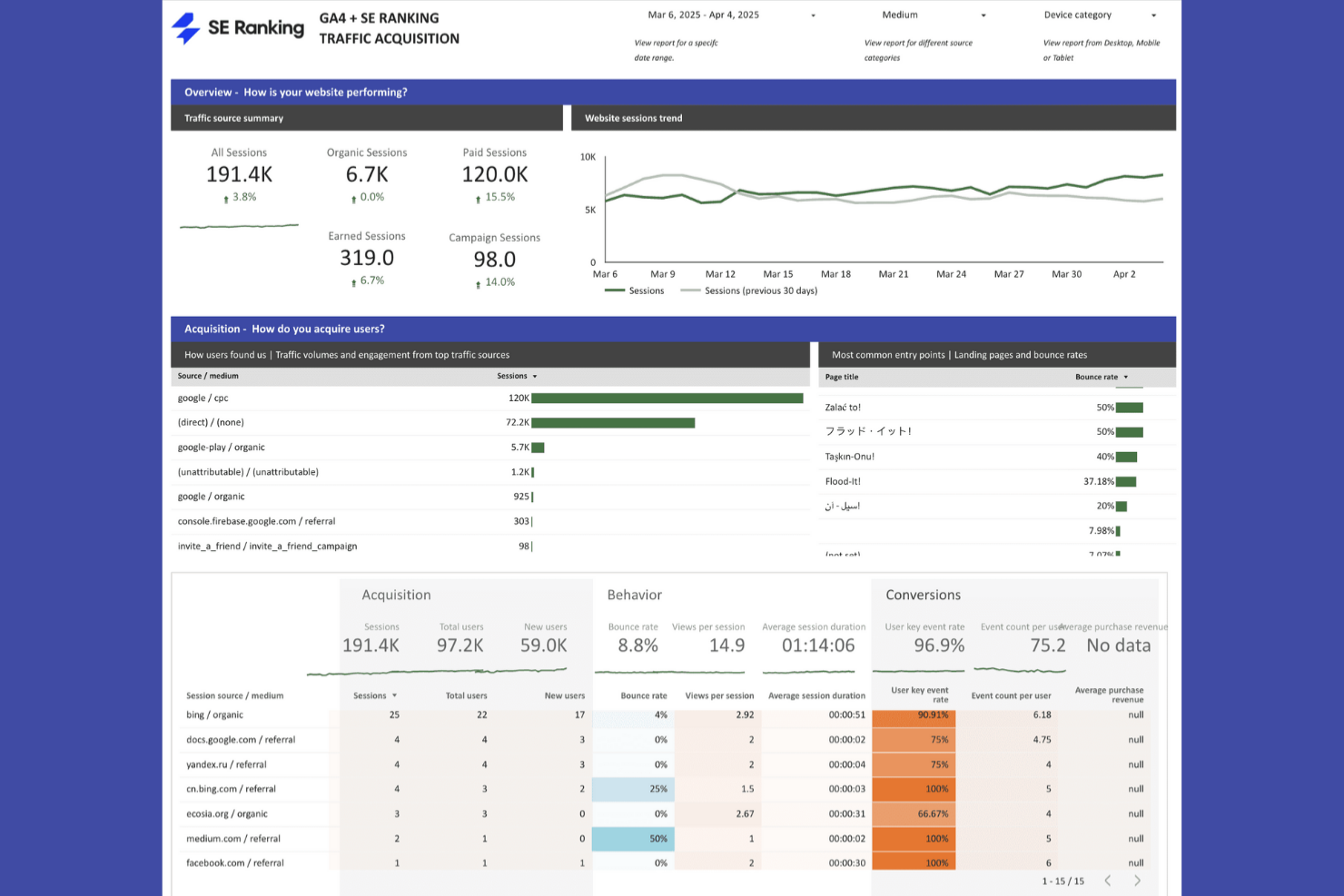
SE Ranking is an enterprise SEO platform covering rank tracking, site auditing, competitive research, backlink monitoring, AI search visibility, and white-label reporting across unlimited projects.
Who Is SE Ranking Best For?
SE Ranking is a strong fit for agency SEO directors and in-house teams managing multiple client sites or brand portfolios who need scalable rank tracking without enterprise-level pricing.
Why I Picked SE Ranking
SE Ranking earns its spot on my shortlist because of how well it handles multi-project keyword tracking at scale, with enterprise configurations supporting up to 15,000 keywords tracked daily across unlimited projects. I love that each project gets granular rank data broken down by device, location, and search engine, including AI search visibility across Google AI Overviews, ChatGPT, and Perplexity. The SEO Insights module also automatically surfaces easy-win keywords and cannibalization issues across all your tracked projects without any manual digging.
SE Ranking Key Features
- White-label reporting: Build and schedule branded SEO reports with AI-generated summaries, delivered from your own domain via custom SMTP.
- Website audit tool: Crawls up to 2M pages per account across 115+ parameters, including JS rendering, with issue severity grouping and historical Health Score tracking.
- Backlink monitor: Tracks new, lost, and status-changed backlinks across up to 375,000 links per account, with dofollow/nofollow filtering and email alerts.
- Looker Studio connector: Pulls live rankings, audit data, keyword metrics, and AI search visibility into auto-refreshing Looker Studio dashboards for stakeholder reporting.
SE Ranking Integrations
SE Ranking integrates with Google Analytics 4, Google Search Console, Google Ads, Looker Studio, WordPress, Wix, Google Business Profile, Matomo, Make.com, and n8n. It also offers APIs and Zapier connectivity for custom workflows.
Pros and Cons
Pros:
- White-label platform tailored for agency use
- Automated AI search and SERP visibility data
- Scalable keyword tracking across unlimited projects
Cons:
- Limited enterprise governance and security controls
- Lacks native project management integrations
Best for compliance-focused SEO analysis

My Evaluation Score
- Technical SEO & Site Health
- 3/5
- Multi-Site & Portfolio Management
- 5/5
- Reporting, Dashboards & Data Access
- 4/5
- SEO Intelligence & Opportunity Discovery
- 4/5
- SEO Prioritization & Workflow Enablement
- 4/5
- Search Performance & Visibility Monitoring
- 4/5
Siteimprove is an agentic content intelligence platform that unifies SEO, AEO, accessibility, analytics, and content strategy on a single governance layer, with multi-site crawling, AI-search citation tracking, and compliance monitoring built in.
Who Is Siteimprove Best For?
Siteimprove is a strong fit for enterprise in-house digital teams managing large multi-site estates where SEO, accessibility compliance, and content governance must work together.
Why I Picked Siteimprove
I picked Siteimprove as one of the best because it's the only platform I've seen that treats accessibility compliance and SEO as genuinely inseparable. When my team is managing a large multi-site estate, the Digital Certainty Index gives a single composite score across QA, accessibility, and SEO health, so a traffic drop can be traced to its actual root cause fast. I also rely on its AEO citation tracking across ChatGPT, Perplexity, and Google AI Overviews to monitor brand visibility in AI-generated results.
Siteimprove Key Features
- Content Strategy agents: AI agents map your existing content landscape, detect gaps, and generate prioritized briefs and publish-ready drafts under your brand's governance rules.
- Backlink Trust Score: A 0–100 trust rating monitors new and lost backlinks, flags low-value links for disavow, and surfaces high-value lost links for reclamation.
- Pre-publish CMS checks: Authors get accessibility, SEO, and QA issue flags directly inside supported CMS platforms before content goes live.
- BI and warehouse connectors: Export Siteimprove data into Looker Studio, Power BI, Tableau, and Klipfolio to blend it with CRM or sales data in your existing reporting stack.
Siteimprove Integrations
Siteimprove lists 100+ integrations, including WordPress, Drupal, Adobe Experience Manager, Google Analytics, Google Search Console, Jira, Azure DevOps, Power BI, and Tableau. It also provides a REST API and Zapier.
Pros and Cons
Pros:
- Manages thousands of sites in one dashboard
- Tracks AI search and AEO citations
- Unifies accessibility, SEO, and analytics monitoring
Cons:
- Lacks deep technical SEO features
- No white-label or agency client portal
Best for real-time rank tracking
My Evaluation Score
- Technical SEO & Site Health
- 4/5
- Multi-Site & Portfolio Management
- 4/5
- Reporting, Dashboards & Data Access
- 5/5
- SEO Intelligence & Opportunity Discovery
- 3/5
- SEO Prioritization & Workflow Enablement
- 3/5
- Search Performance & Visibility Monitoring
- 4/5
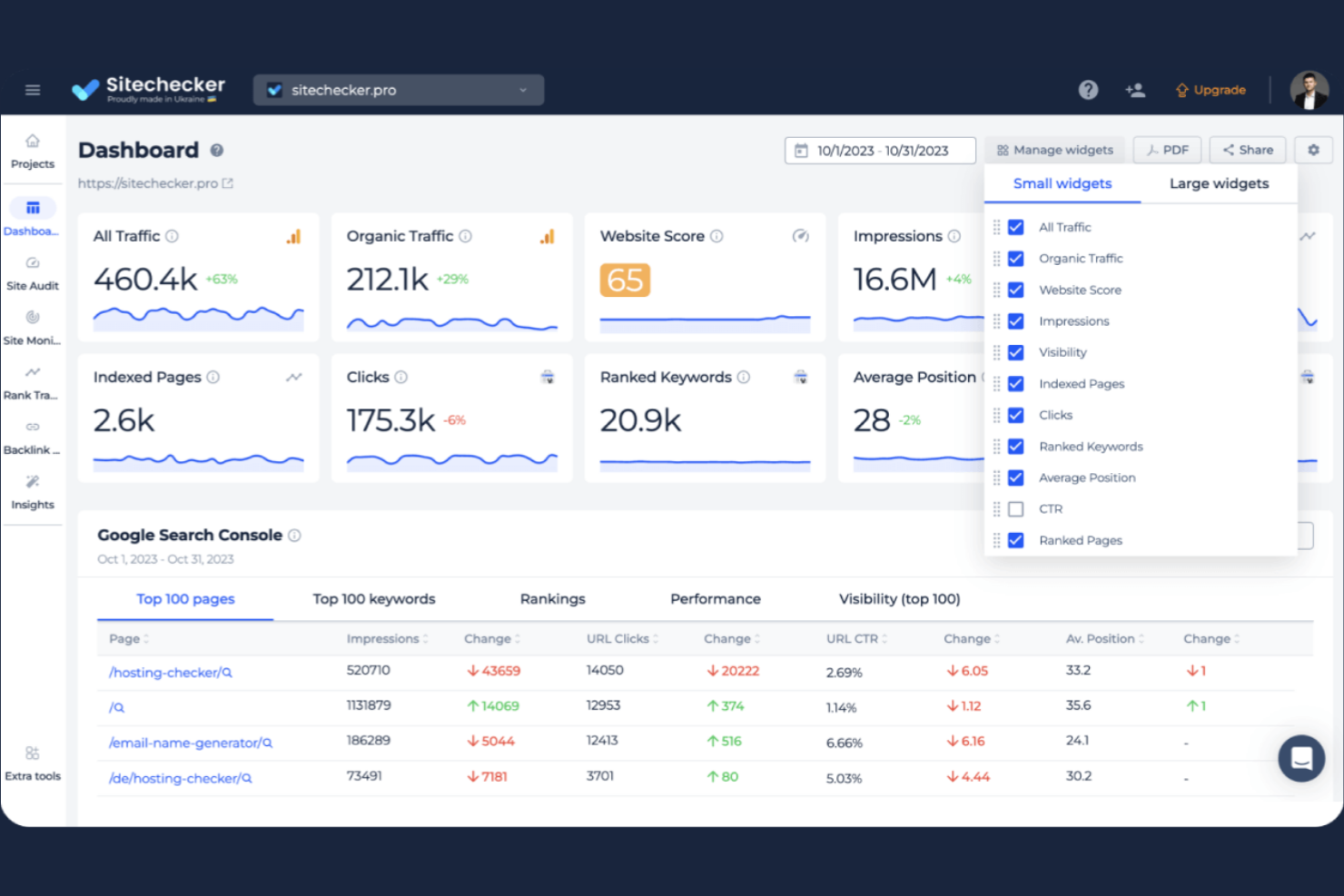
Sitechecker is an enterprise SEO platform that combines rank tracking, technical site auditing, GSC/GA4 dashboards, AI search visibility monitoring, and white-label reporting across multi-site portfolios.
Who Is Sitechecker Best For?
Sitechecker is a strong fit for SEO agencies managing multiple client accounts, particularly those who need white-label reporting, unlimited users, and centralized rank tracking across dozens of sites.
Why I Picked Sitechecker
I picked Sitechecker as one of the best because its real-time rank tracking capabilities go deeper than most tools at this level. Daily position updates across Google, Bing, and Yahoo, paired with granular city-level targeting and SERP feature detection, give you a clear picture of where your clients actually stand. I also love that the GSC dashboard surfaces 36 months of Search Console history with no row-export caps, which is a genuine edge when tracking long-term ranking trends across dozens of client accounts.
Sitechecker Key Features
- White-label reporting: Apply your own logo, favicon, custom domain, and branded email sender address to client-facing dashboards and automated PDF reports.
- Multi-site portfolio dashboard: Manage unlimited websites from a single login, with bulk project creation and editing across all active accounts.
- AI search visibility tracker: Monitor brand citations and rankings across ChatGPT, Gemini, Perplexity, and Copilot, with side-by-side competitor comparisons.
- Public REST API: Access all core modules—rank tracking, site audit, GSC/GA4, and monitoring—via a documented API with up to five individually revocable keys for Looker Studio, Zapier, and Make workflows.
Sitechecker Integrations
Sitechecker has native integrations with Google Search Console, Google Analytics 4, Looker Studio, and Slack. It also offers a public REST API for custom integrations and supports Zapier, Make, and N8N.
Pros and Cons
Pros:
- AI search visibility tracking across major LLMs
- Deep Google Search Console historical analysis
- Unlimited users and bulk project management
Cons:
- Lacks native project management tool integrations
- No competitor backlink research capability

Best for traffic intelligence meets SEO tracking
My Evaluation Score
- Technical SEO & Site Health
- 4/5
- Multi-Site & Portfolio Management
- 3/5
- Reporting, Dashboards & Data Access
- 5/5
- SEO Intelligence & Opportunity Discovery
- 5/5
- SEO Prioritization & Workflow Enablement
- 2/5
- Search Performance & Visibility Monitoring
- 5/5
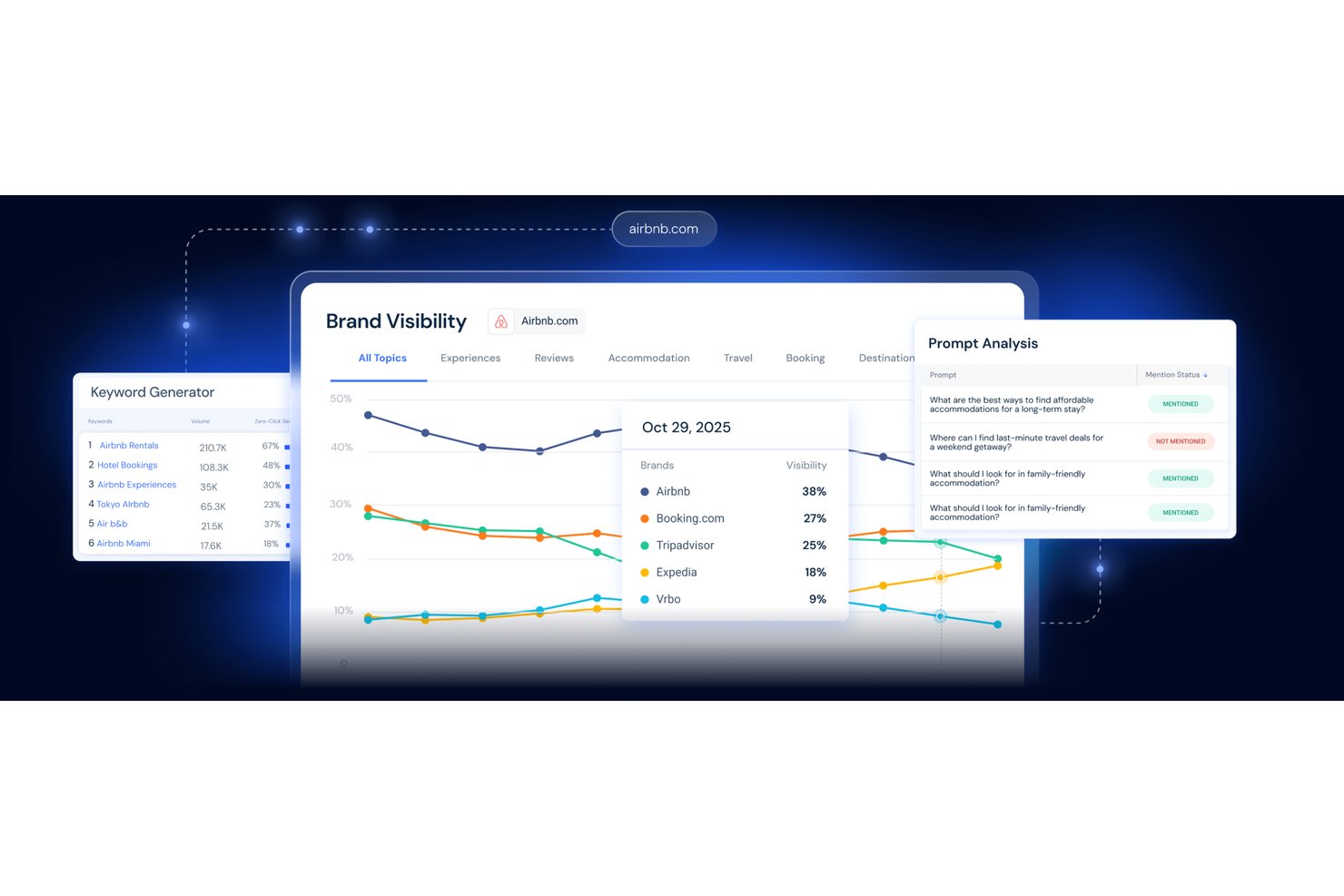
Similarweb is a competitive intelligence and enterprise SEO platform that combines rank tracking, technical site auditing, keyword research, backlink analysis, and AI search visibility monitoring across a single suite.
Who Is Similarweb Best For?
Similarweb is a strong fit for enterprise SEO directors and operations managers who need to connect ranking data to real traffic and competitive market intelligence.
Why I Picked Similarweb
I picked Similarweb as one of the best because no other platform on this list connects raw ranking data to real traffic estimates the way it does. When a keyword drops, I can immediately see whether it's affecting actual site traffic or just a positional shift, using click-level data that most rank trackers simply don't have. I also love the competitor discovery feature, which surfaces every domain ranking in the top 100 for your tracked keyword set automatically, not just the competitors you thought to declare upfront.
Similarweb Key Features
- Site audit scheduling: Set recurring crawls across 300+ technical SEO factors, with each crawl saved for trend tracking over time.
- AI Search Intelligence: Tracks your brand's appearance in AI-generated answers, including citation analysis, prompt analysis, and competitor benchmarking.
- SERP feature tracker: Shows which SERP features you own, including AI Overviews, and maps each feature back to specific keywords and pages.
- Custom data feeds: Delivers raw SEO and traffic data directly to Snowflake, AWS S3, or Google Cloud Storage for BI and analytics workflows.
Similarweb Integrations
Documented integrations include Google Search Console, Google Looker Studio, Snowflake, AWS S3, Google Cloud Storage, Majestic, and Logs.io. Similarweb also supports REST and bulk APIs, MCP, and SSO for custom data and access workflows.
Pros and Cons
Pros:
- Audits competitor sites without ownership verification
- Tracks AI search visibility and citations
- Connects ranking data to real traffic
Cons:
- No white-label or client-portal reporting
- Lacks native workflow and task management

My Evaluation Score
- Technical SEO & Site Health
- 5/5
- Multi-Site & Portfolio Management
- 3/5
- Reporting, Dashboards & Data Access
- 4/5
- SEO Intelligence & Opportunity Discovery
- 4/5
- SEO Prioritization & Workflow Enablement
- 4/5
- Search Performance & Visibility Monitoring
- 4/5
Botify is an enterprise SEO platform built around large-scale site crawling, log file analysis, keyword performance monitoring, and SEO activation tools like automated internal linking, sitemaps, and front-end tag deployment.
Who Is Botify Best For?
Botify is built for enterprise SEO teams managing large, technically complex sites where crawl scale, log analysis, and automated SEO activation are daily priorities.
Why I Picked Botify
Botify earns its spot on my shortlist because of its truly unlimited crawl scale, which sets it apart when you're managing sites with millions of URLs. I love how SiteCrawler uses a Googlebot-equivalent rendering engine, so you're seeing exactly what search bots see, including JavaScript-heavy content. LogAnalyzer goes further by tracking AI crawlers like GPTBot and PerplexityBot daily, which I haven't seen matched anywhere else at this depth.
Botify Key Features
- ActionBoard impact ranking: Ranks recommended SEO fixes by projected organic traffic impact, using your site's own crawl frequency, PageRank, and log data.
- RealKeywords GSC integration: Imports your full, unsampled daily Google Search Console data and joins it with crawl data for deeper page-level diagnosis.
- PageWorkers front-end deployment: Deploys SEO changes like title tags, meta data, and structured data via JS tag without requiring developer involvement.
- AI search visibility tracking: Monitors your brand's presence, mentions, and share of voice across ChatGPT, Perplexity, Google AI Overviews, and Gemini.
Botify Integrations
Botify offers documented integrations with Google Search Console, Google Analytics, Looker Studio, and Google Sheets, plus CDN and server log ingestion. Its REST API and Botify Query Language support custom integrations.
Pros and Cons
Pros:
- AI search visibility tracking across key platforms
- Prioritizes SEO fixes by projected organic impact
- Crawls millions of pages with Googlebot-equivalent rendering
Cons:
- Lacks native integrations with project management tools
- No white-label client reporting is available

Best for unified content and SEO workflows
My Evaluation Score
- Technical SEO & Site Health
- 5/5
- Multi-Site & Portfolio Management
- 4/5
- Reporting, Dashboards & Data Access
- 4/5
- SEO Intelligence & Opportunity Discovery
- 4/5
- SEO Prioritization & Workflow Enablement
- 4/5
- Search Performance & Visibility Monitoring
- 5/5
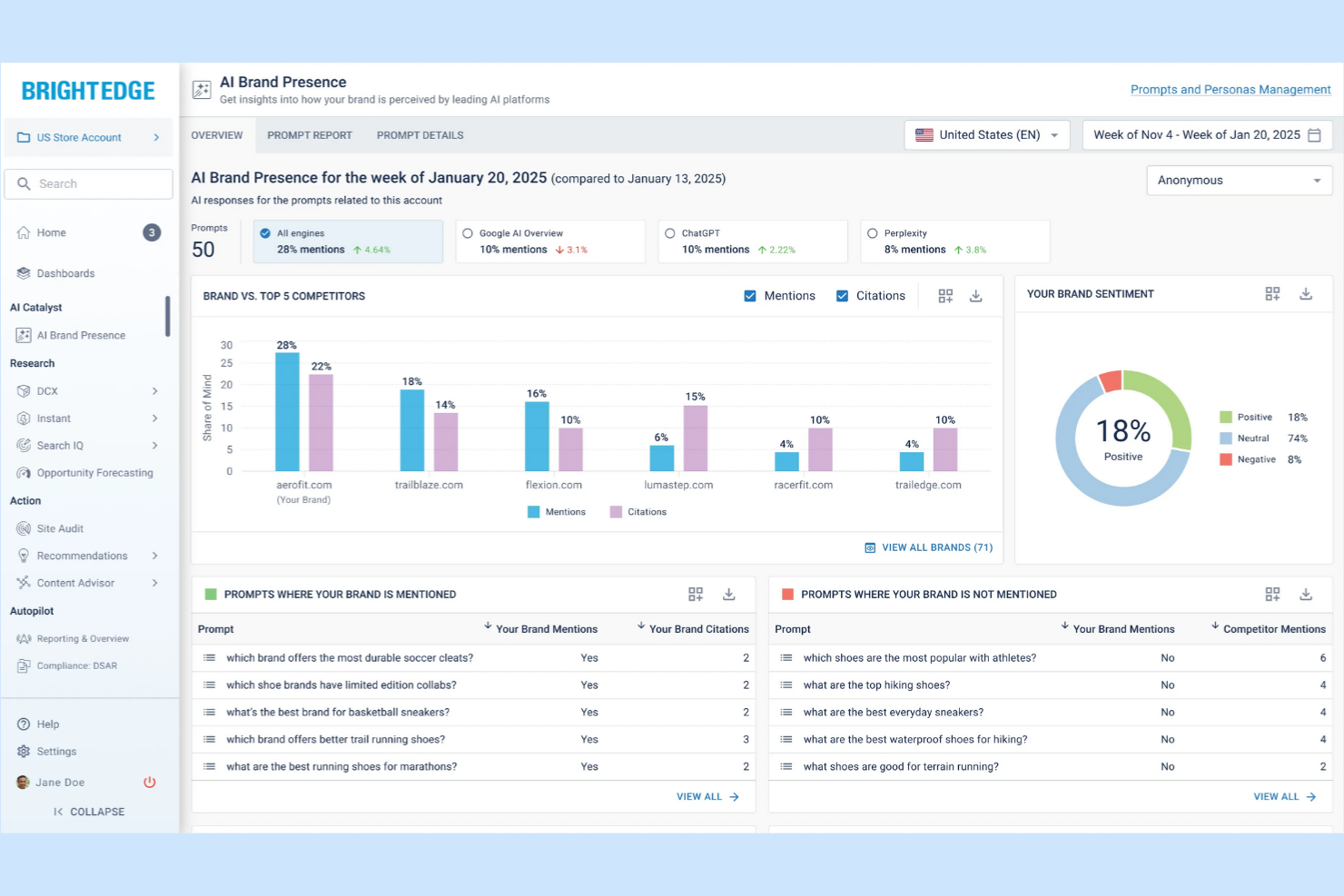
BrightEdge is an enterprise SEO platform that combines keyword tracking, technical site auditing, competitive analysis, AI search visibility monitoring, and automated content optimization across large and complex website portfolios.
Who Is BrightEdge Best For?
BrightEdge is a strong fit for enterprise SEO teams managing large, complex website portfolios who need a single platform connecting research, execution, and reporting.
Why I Picked BrightEdge
BrightEdge earns its spot on my shortlist because the entire platform is built around closing the gap between SEO insight and content execution. I particularly like how Data Cube X lets you drill from domain level down to individual pages, then move directly into Recommendations with estimated SEO impact scores attached, so prioritization isn't guesswork. The Site Agents Suite takes it further by automatically deploying internal links, generating schema markup, and pushing approved metadata updates directly into your CMS.
BrightEdge Key Features
- Share of Voice: Tracks competitive visibility across keywords using real click curves, AI Overview presence, and branded vs. non-branded intent, with a Gains and Losses breakdown to the URL level.
- ContentIQ: Crawls up to hundreds of millions of pages, supports JavaScript frameworks and SPAs, and lets you configure custom XPath and RegEx extraction rules for technical audits.
- StoryBuilder: Blends search engine data, web analytics, and BrightEdge data into customizable executive dashboards with scheduled distribution and click-through reporting.
- AI Agent Insights: Monitors crawler activity from ChatGPT, Claude, Perplexity, and Gemini to show which pages AI engines rely on and where agent fetch attempts fail.
BrightEdge Integrations
BrightEdge documents integrations with Google Analytics 4 and 360, Google Search Console, Adobe Analytics, Google Looker Studio, WordPress, Drupal, Optimizely One, Salesforce Marketing Cloud, and Domo. Its Connect API supports custom integrations, while an MCP connector links BrightEdge with an AI stack.
Pros and Cons
Pros:
- Handles massive, multi-brand website portfolios
- AI visibility tracking spans search and agents
- Automates internal links and structured data
Cons:
- Opaque, custom pricing and annual contracts
- Lacks white-label or client portal reporting

My Evaluation Score
- Technical SEO & Site Health
- 4/5
- Multi-Site & Portfolio Management
- 3/5
- Reporting, Dashboards & Data Access
- 4/5
- SEO Intelligence & Opportunity Discovery
- 4/5
- SEO Prioritization & Workflow Enablement
- 2/5
- Search Performance & Visibility Monitoring
- 5/5
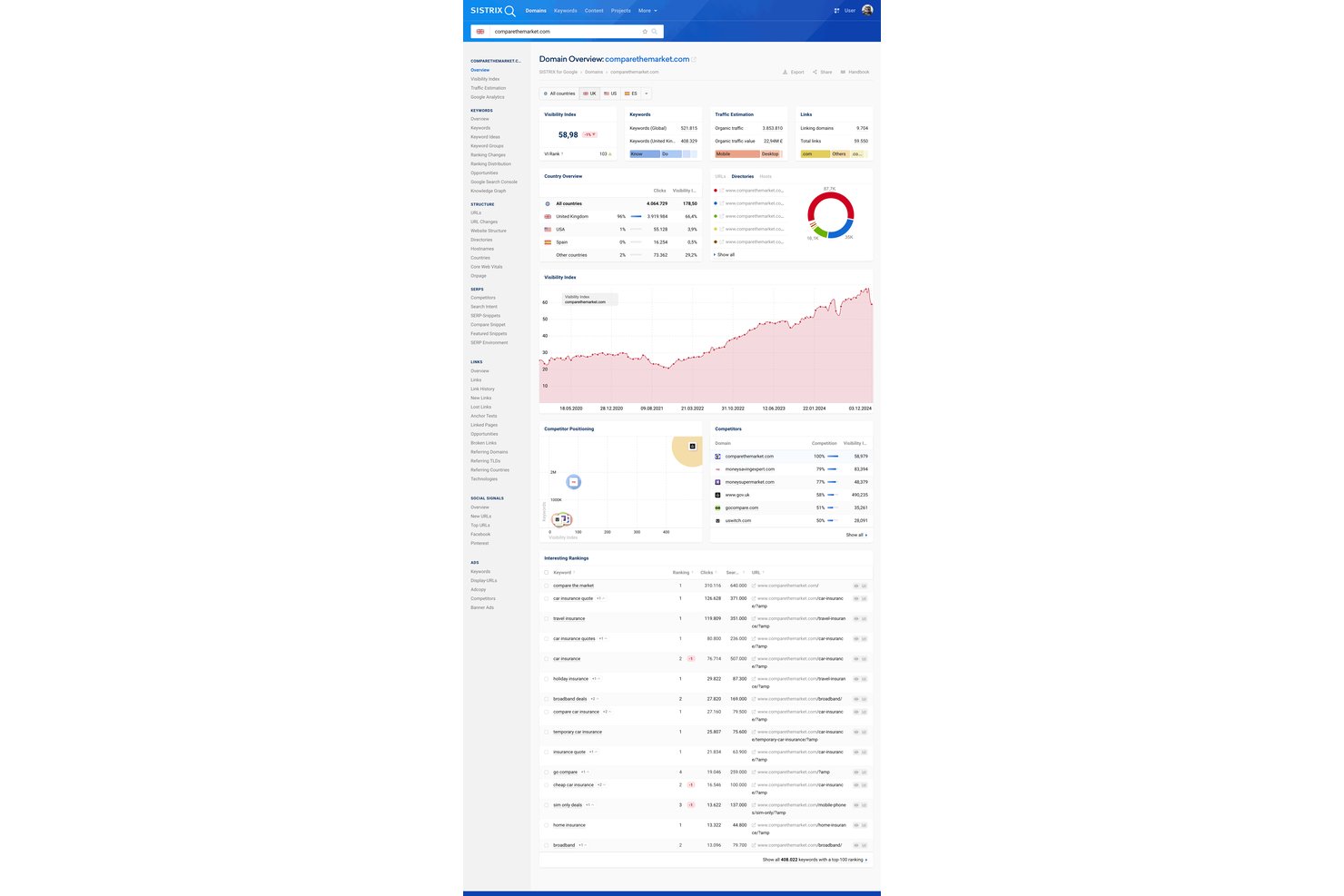
SISTRIX is an enterprise SEO platform offering organic visibility tracking via its proprietary Visibility Index, rank tracking across 350+ country-language combinations, technical site crawling with JavaScript rendering, keyword and competitor intelligence, backlink analysis, and white-label reporting.
Who Is SISTRIX Best For?
SISTRIX fits EU-focused SEO teams and agencies that treat organic visibility benchmarking as a core discipline and need deep historical data to back it up.
Why I Picked SISTRIX
SISTRIX earns its spot on my shortlist because its Visibility Index is genuinely the benchmark for EU-based organic visibility tracking, with data stretching back to 2008 across 100M+ domains in 30+ countries. I love that you can benchmark any competitor instantly without setup, and build custom keyword sets to calculate your own project-level Visibility Index with day-accurate updates. The hyperlocal rank tracking across 10,000+ cities adds another layer of precision that's hard to match for regional SEO strategy across European markets.
SISTRIX Key Features
- JavaScript crawling: Renders pages using a modified Chrome engine that mirrors Googlebot, so you can catch issues that a standard HTML crawl would miss entirely.
- White-label reporting: Delivers branded PDF reports and live dashboards under your own logo and colors, with no SISTRIX branding, from the Plus plan up.
- AI Visibility Index: Combines classic organic visibility with brand mention and citation tracking across ChatGPT, Perplexity, and Google AI Overviews into a single unified score.
- REST API with MCP server: Exposes SISTRIX data programmatically via JSON/XML and lets AI assistants query it in natural language for custom workflow integration.
SISTRIX Integrations
SISTRIX has documented integrations with Google Search Console, Google Analytics, Looker Studio, Microsoft Excel, Google Sheets, and Slack. Its REST API and MCP server support custom SEO workflows and AI assistant access.
Pros and Cons
Pros:
- Hyperlocal rank tracking across 10,000+ cities
- Unlimited ad-hoc competitor analysis included
- Visibility Index sets the EU industry benchmark
Cons:
- Governance tools only on highest plan
- No native SEO task management features
My Evaluation Score
- Technical SEO & Site Health
- 5/5
- Multi-Site & Portfolio Management
- 3/5
- Reporting, Dashboards & Data Access
- 5/5
- SEO Intelligence & Opportunity Discovery
- 4/5
- SEO Prioritization & Workflow Enablement
- 3/5
- Search Performance & Visibility Monitoring
- 5/5
seoClarity is an enterprise SEO platform that consolidates rank tracking, technical site auditing, keyword research, content optimization, backlink analysis, and AI search visibility monitoring across large-scale and multi-domain environments.
Who Is seoClarity Best For?
seoClarity suits enterprise SEO teams and agencies that need flexible, shareable reporting dashboards and the ability to track thousands of keywords across multiple domains from a single platform.
Why I Picked seoClarity
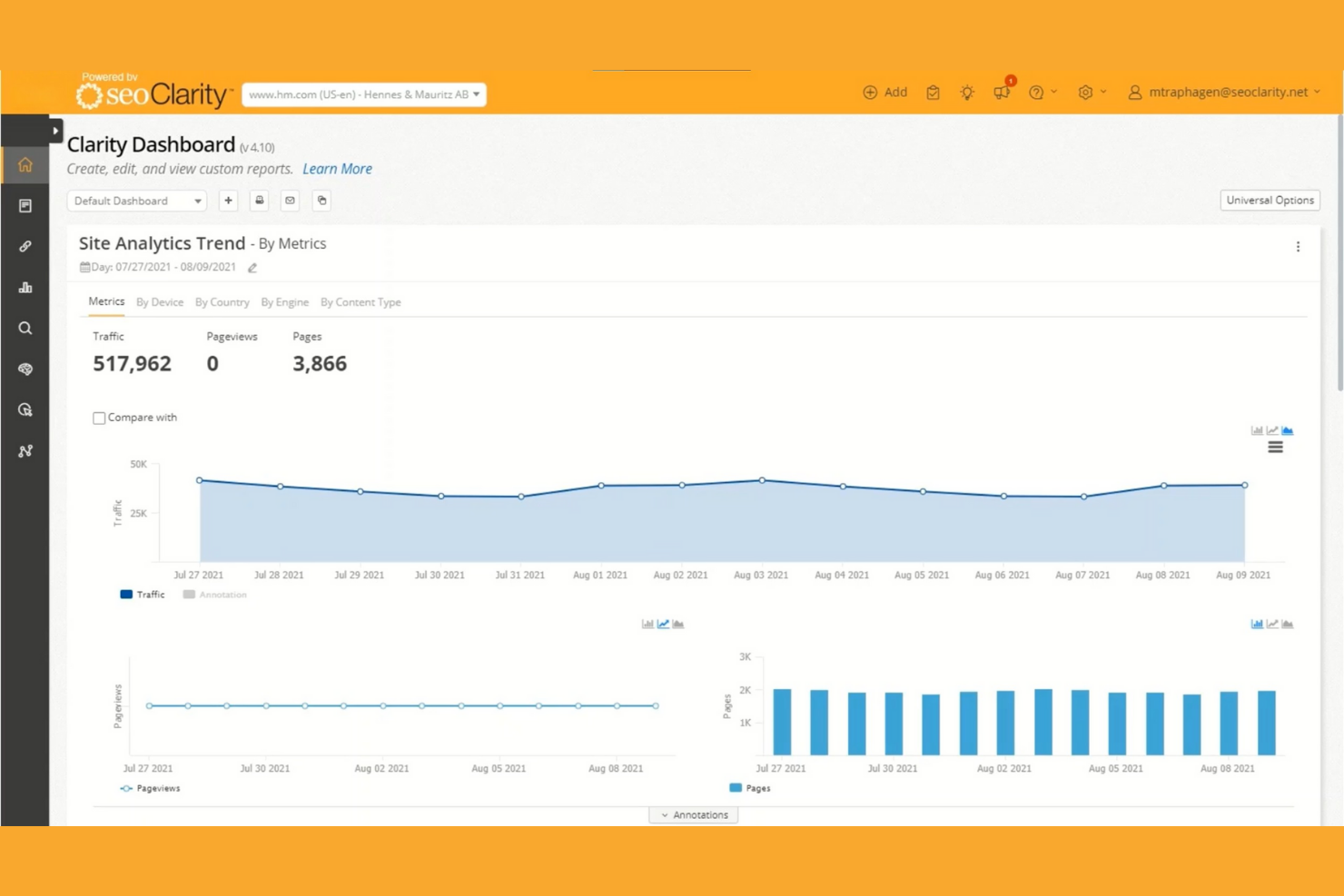
I picked seoClarity as one of the best because its reporting infrastructure is genuinely built for enterprise scale, with 130+ dashboard widgets you can mix, match, and share across unlimited users without worrying about seat limits. I love how easy it is to pull raw data out and pipe it directly into Tableau, Power BI, or BigQuery via LiveWire, which means stakeholder reports don't have to live inside the platform at all. That level of flexibility is rare when you're managing multiple domains and need dashboards that speak to both technical SEO leads and executives.
seoClarity Key Features
- Clarity ArcAI: Tracks brand visibility, citations, and mentions across nine AI engines including ChatGPT, Perplexity, Google AI Overviews, and Gemini.
- ClarityAutomate: Deploys on-page changes, schema, and internal links without requiring dev team involvement.
- Log file analysis: Analyzes server log data to surface how search engine bots crawl and interact with your site.
- Research Grid: A keyword research database for identifying topic opportunities, content gaps, and competitive keyword intelligence.
seoClarity Integrations
seoClarity integrates with Google Analytics, Adobe Analytics, Google Search Console, Jira, Asana, Amazon S3, Amazon Redshift, Google BigQuery, Tableau, and Power BI. Its APIs and LiveWire connectivity support custom data exports and BI workflows.
Pros and Cons
Pros:
- Automated SEO actions without developer involvement
- Unlimited users included in every package
- Customizable dashboards with 130+ reporting widgets
Cons:
- Advanced features require add-on purchases
- No public or self-serve pricing available
My Evaluation Score
- Technical SEO & Site Health
- 5/5
- Multi-Site & Portfolio Management
- 3/5
- Reporting, Dashboards & Data Access
- 4/5
- SEO Intelligence & Opportunity Discovery
- 5/5
- SEO Prioritization & Workflow Enablement
- 3/5
- Search Performance & Visibility Monitoring
- 5/5
Semrush Enterprise is a modular enterprise SEO platform that combines rank tracking, technical site crawling, AI search visibility monitoring, competitive intelligence, and cross-product reporting in one sales-led environment.
Who Is Semrush Enterprise Best For?
Semrush Enterprise is a strong fit for enterprise SEO teams and agencies that need deep competitor intelligence across multiple markets and business units.
Why I Picked Semrush Enterprise
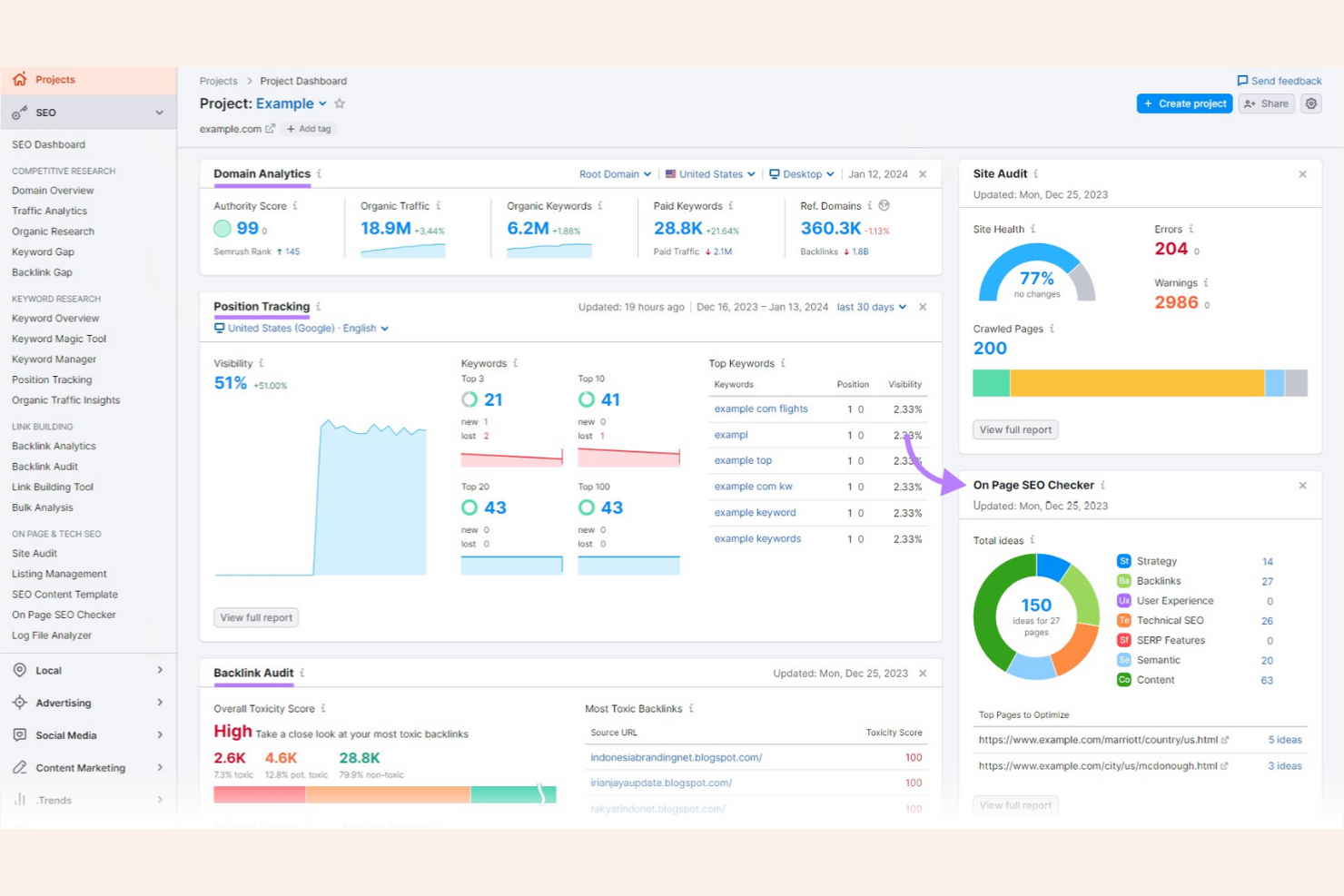
I picked Semrush Enterprise as one of the best because its competitor intelligence depth is genuinely hard to replicate with other tools. With coverage across 25B+ keywords and 800M+ domains across 140+ markets, I can benchmark a client's Share of Voice against rivals in near real time and pinpoint exactly where a competitor's visibility shifted. The "What Has Happened?" diagnostic takes it further, tracing traffic drops or algorithm-update impact to specific competitor moves rather than leaving you guessing.
Semrush Enterprise Key Features
- Site Intelligence crawling: Crawls millions of pages with JavaScript and Shadow DOM rendering, plus crawler-bot simulation to see how search engines and AI agents interpret your site.
- Report Studio: Cross-product reporting tool that blends Enterprise SEO, AIO, and Site Intelligence data into live-connected, nested reports organized by region, client, or product category.
- AI Optimization (AIO) tracking: Monitors your brand's mentions, citations, and sentiment across LLMs, with granularity by market, city, product, and language.
- Content brief generation at scale: AI-generated briefs built from keyword and competitive gap data, with live SEO and AI-search scoring as writers draft content.
Semrush Enterprise Integrations
Semrush Enterprise has documented integrations with Google Search Console, Google Analytics 4, Google Ads, Adobe Analytics, and Looker Studio. It also provides API access for custom integrations, while SAML SSO is available through Semrush.
Pros and Cons
Pros:
- Automated content briefs and internal linking
- Competitor visibility diagnostics in near real time
- Largest SEO and AI-search data coverage
Cons:
- Organic ranking data can require verification
- No public pricing or self-serve option
My Evaluation Score
- Technical SEO & Site Health
- 5/5
- Multi-Site & Portfolio Management
- 4/5
- Reporting, Dashboards & Data Access
- 4/5
- SEO Intelligence & Opportunity Discovery
- 5/5
- SEO Prioritization & Workflow Enablement
- 3/5
- Search Performance & Visibility Monitoring
- 5/5
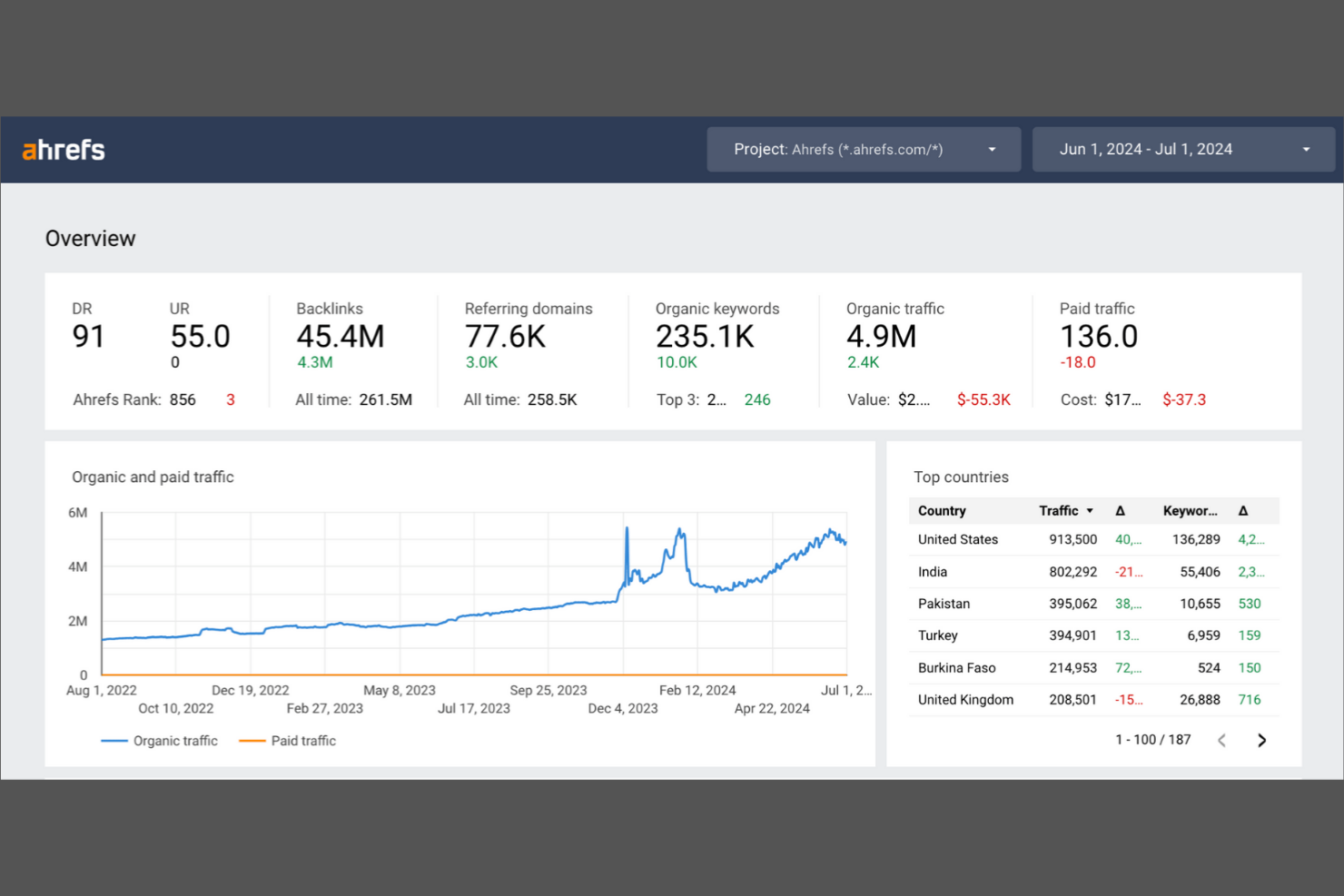
Ahrefs Enterprise is an enterprise SEO platform covering backlink analysis, rank tracking, technical site auditing, keyword research, and AI search visibility monitoring across unlimited projects and users.
Who Is Ahrefs Enterprise Best For?
Ahrefs Enterprise is a strong fit for enterprise SEO teams and agencies that prioritize backlink intelligence, technical site auditing at scale, and AI search visibility tracking across multiple brands or clients.
Why I Picked Ahrefs Enterprise
I picked Ahrefs Enterprise because no other tool in this category comes close to its backlink data depth: 35 trillion live links crawled by the second-most active web crawler on the internet. When I'm investigating a competitor's link profile or running a link gap analysis with Link Intersect, the index size translates directly into fewer blind spots. I also love that Brand Radar bundles AI search visibility across ChatGPT, Perplexity, and Google AI Overviews into the same platform, so backlink and AI-era tracking live in one place.
Ahrefs Enterprise Key Features
- Site Audit with JS rendering: Crawls up to 5 million pages per project with JavaScript rendering enabled, comparing raw and rendered HTML to surface hidden technical issues.
- Rank Tracker with SERP feature tracking: Monitors keyword positions across 190+ locations and tracks 19 SERP feature types, including AI Overviews and featured snippets.
- GSC Insights integration: Connects Google Search Console data to surface more than 16 months of performance history, including page-level keyword insights and cannibalization detection.
- Report Builder: Builds scheduled, widget-based PDF reports with 15+ metric types that deliver automatically to up to 50 recipients without requiring an Ahrefs account.
Ahrefs Enterprise Integrations
Ahrefs Enterprise integrates with Google Search Console, Google Analytics, PageSpeed Insights, Looker Studio, Cloudflare, and IndexNow. It also offers an uncapped REST API, MCP server, and Ahrefs Connect for custom integrations, but no documented Jira or Asana integrations.
Pros and Cons
Pros:
- AI search visibility across multiple platforms
- Unlimited users and projects on Enterprise tier
- Largest backlink index for competitive research
Cons:
- Lacks native project management integrations
- No white-label client reporting available
Other Enterprise SEO Agency Software
Here are some additional enterprise SEO agency software options that didn’t make it onto my shortlist, but are still worth checking out:
- Conductor
For large-scale website optimization
- Lumar
For technical site health monitoring
- AccuRanker
For multi-client rank tracking at scale
- WebCEO
For white-label client portal management
- SeoProfy
For data-driven SEO strategy consulting


How I Evaluate Enterprise SEO Agency Software
When an agency is managing 50+ client campaigns, I split my evaluation into baseline capabilities every tool must meet and the differentiators that separate the best from the rest.
Core Functionality (Table Stakes For This List)
When I'm selecting tools for my list, I rank each one on a scale from 0 (does not offer the functionality) to 5 (excels in this area) for each core functionality listed below. I then calculate the tool's total score into a percentage, using 65% as a benchmark to help assess its overall fit for the list.
- Enterprise Keyword Tracking: I evaluate how many keywords a tool can monitor across domains, locations, languages, and devices—plus whether it includes SERP feature tracking and share of voice.
- Technical SEO Auditing: Large-scale crawling matters here, so I look for JavaScript rendering, log file analysis, scheduled audits, and automated issue prioritization.
- Backlink Analysis: I check the size of the backlink index, how quickly new links are discovered, and whether the tool supports competitor gap analysis and disavow file management.
- Multi-Client Management: Workspace segmentation, role-based permissions, SSO, and client-specific environments all factor in when I'm evaluating tools for agency-scale operations.
- Project & Workflow Management: I look for task assignment, approval flows, and integrations with tools like Jira or Asana that keep content, dev, and SEO teams coordinated.
- Reporting & Dashboarding: White-label reports, custom branding, scheduled delivery, and live client dashboards are what separate usable reporting from truly agency-ready output.
Once I have a list of tools that meet the criteria, I consider what sets each platform apart.
Differentiating Factors (What Sets Vendors Apart)
Here's how I compare and contrast different vendors:
Standout Features
I look for live client portals that let enterprise stakeholders view deliverable status and approve content without needing a paid seat. Cross-channel data blending is equally important—I evaluate whether a tool can merge SEO data with paid search and CRM revenue data so agencies can tie rankings to actual pipeline. I also check for retainer budget tracking with scope alerts, since margin erosion from untracked overages is one of the fastest ways agencies lose money on enterprise accounts.
Beyond Features
Pricing structure matters more than sticker price. I evaluate whether a platform charges per seat, per client, or by usage, because a per-seat model can crush margins once you add strategists, writers, and dev contacts across 50+ accounts. I also check for native integrations with tools like HubSpot, Harvest, and Slack so project data flows into CRM, time tracking, and billing without manual exports. Finally, SOC 2 Type II compliance and SSO support are non-negotiable—enterprise procurement teams will reject any vendor that can't pass their security review.
How to Choose Enterprise SEO Agency Software
It’s easy to get bogged down in long feature lists and complex pricing structures. To help you stay focused as you work through your unique software selection process, here’s a checklist of factors to keep in mind:
| Factor | What to Consider |
|---|---|
| Scalability | Can the platform handle your current and projected client volume without performance issues or extra costs? |
| Integrations | Does the software connect natively to your analytics, reporting, and CRM tools, or will you need workarounds? |
| Customizability | Can you tailor dashboards, reports, and workflows to match your agency’s branding and client needs? |
| Ease of use | Will your team and clients be able to navigate the system quickly, or will you need extensive training? |
| Implementation and onboarding | How long does it take to get up and running, and what resources or support does the vendor provide during setup? |
| Cost | Are pricing tiers transparent, and do they align with your agency’s size, usage, and growth plans? |
| Security safeguards | Does the platform offer role-based access, data encryption, and compliance with relevant privacy standards? |
| Support availability | Is support offered in your time zone and through your preferred channels (chat, phone, email) when you need it? |
What Is Enterprise SEO Agency Software?
Enterprise SEO agency software is a category of enterprise SEO software and SEO platforms designed to help a marketing agency manage, execute, and report on large-scale SEO campaigns for multiple clients. These tools centralize workflows, automate audits, and support custom reports, making it easier to track SEO efforts, improve search rankings, and drive organic traffic. Many platforms include AI-powered features, support SEO content and content marketing, and integrate with channels like PPC and social media as part of a broader marketing strategy. With a user-friendly interface, these tools help teams move beyond manual spreadsheets, manage campaigns more efficiently, and build a clear SEO roadmap for scalable results.
Features of Enterprise SEO Agency Software
When selecting enterprise SEO agency software, keep an eye out for the following key features:
- Multi-client management: Lets you organize, track, and separate projects for different clients within a single platform, supporting clear boundaries and efficient oversight.
- Automated reporting: Generates scheduled, customizable reports for clients, reducing manual work and ensuring consistent communication of SEO results.
- Technical SEO auditing: Scans websites for issues like broken links, crawl errors, and site speed problems, providing actionable recommendations for improvement.
- Keyword rank tracking: Monitors keyword positions across multiple search engines and locations, helping you measure campaign performance and spot trends.
- Backlink analysis: Evaluates the quality and quantity of inbound links, flags toxic links, and tracks changes in backlink profiles over time.
- Competitor analysis: Compares your clients’ SEO performance, keywords, and backlink strategies against competitors to identify opportunities and threats.
- Role-based access controls: Allow you to assign permissions and access levels to team members and clients, protecting sensitive data and streamlining collaboration.
- Integration with analytics platforms: Connects directly to tools like Google Analytics and Google Search Console, centralizing data for deeper insights and easier reporting.
- Task and workflow management: Enables you to assign, track, and manage SEO tasks and deliverables across teams, supporting accountability and project visibility.
Benefits of Enterprise SEO Agency Software
Implementing enterprise SEO agency software provides several benefits for your team and your business. Here are a few you can look forward to:
- Centralized client management: Manage multiple client projects, campaigns, and data from a single platform, reducing confusion and administrative overhead.
- Consistent, automated reporting: Deliver scheduled, branded reports to clients with minimal manual effort, ensuring transparency and professionalism.
- Improved team collaboration: Assign tasks, set permissions, and track progress across teams, making it easier to coordinate work and maintain accountability.
- Faster issue detection: Identify technical SEO problems and backlink risks quickly through automated audits and monitoring tools.
- Data-driven decision making: Access integrated analytics and competitor insights to inform strategy and demonstrate ROI to clients.
- Enhanced security and compliance: Control access to sensitive client data with role-based permissions and audit trails, supporting privacy and regulatory requirements.
- Scalable operations: Support agency growth by handling more clients and larger campaigns without sacrificing quality or efficiency.
Costs and Pricing of Enterprise SEO Agency Software
Selecting enterprise SEO agency software requires an understanding of the various pricing models and plans available. Costs vary based on features, team size, add-ons, and more. The table below summarizes common plans, their average prices, and typical features included in enterprise SEO agency software solutions:
Plan Comparison Table for Enterprise SEO Agency Software
| Plan Type | Average Price | Common Features |
|---|---|---|
| Free Plan | $0 | Basic keyword tracking, limited site audits, restricted reporting, and single-user access. |
| Personal Plan | $25-$75/user/month | Expanded keyword limits, basic competitor analysis, simple reporting, and email support. |
| Business Plan | $100-$300/month | Multi-client management, automated reporting, technical SEO audits, integrations, and team access. |
| Enterprise Plan | $500-$1800/month | Unlimited projects, white-label features, advanced permissions, API access, dedicated support, and custom onboarding. |
Enterprise SEO Agency Software FAQs
Here are some answers to common questions about enterprise SEO agency software:
How does enterprise SEO agency software support multi-client management?
Enterprise SEO agency software lets you create separate workspaces or projects for each client, keeping data, reports, and tasks organized. This structure helps agencies avoid data mix-ups, manage permissions, and deliver tailored reporting for each client account.
Can these platforms integrate with other marketing or analytics tools?
Yes, most enterprise SEO agency software platforms offer integrations with tools like Google Analytics, Google Search Console, and various CRM or reporting platforms. These integrations centralize data, automate reporting, and help teams connect SEO insights with broader marketing efforts.
What should I look for in onboarding and support?
Look for platforms that offer step-by-step product tours, training videos, and live chat or onboarding webinars. Strong onboarding resources help your team get up to speed quickly, while responsive support ensures you can resolve issues and keep projects on track.
Are there security features to protect client data?
Yes, enterprise SEO agency software typically includes role-based access controls, data encryption, and audit logs. These features help agencies protect sensitive client information and comply with privacy regulations.
How do pricing models typically work for these tools?
Pricing usually depends on the number of users, tracked keywords, client projects, and advanced features like white-labeling or API access. Most vendors offer tiered plans, so you can choose a package that fits your agency’s size and needs.