

10 beste programvareløsninger for profesjonelle tjenester vurdert for 2026

10 Kortliste over beste programvare for profesjonelle tjenester


Det kan være krevende å administrere prosjekter. Hver dag må du håndtere tidsfrister, ressurser og kundenes forventninger. Programvare for profesjonelle tjenester kan gjøre arbeidsmengden mer overkommelig ved å organisere oppgaver, spore tid og forbedre samarbeidet i teamet.
Jeg har brukt utallige timer på å teste og vurdere disse verktøyene. Jeg vet hva som fungerer, og hva som ikke gjør det. Målet mitt er å gi deg en objektiv oversikt over de beste tilgjengelige alternativene.
I denne artikkelen finner du tydelig innsikt i de beste programvarealternativene, funksjonene deres og hvordan de kan være til nytte for teamet ditt. Enten du er del av et lite team eller en stor virksomhet, finnes det noe her for deg. La oss dykke ned i alternativene og finne det som passer best for behovene dine.
Hvorfor du kan stole på våre programvareanbefalinger
Teamet vårt har testet og anmeldt programvare siden 2012. Vi er selv prosjektledere, så vi vet hvor vanskelig og hvor viktig det er å velge riktig programvare.
I denne guiden har vi vurdert verktøyene gjennom praktisk testing og uavhengig research og gitt dem poeng ut fra våre utvelgelseskriterier. Vi bygger også på innsikt fra ledende eksperter i bransjen og erfarne prosjektledere.
Anmeldelsene våre bygger på vår egen redaksjonelle vurdering. De er ikke et salgsargument.
Ekspertanmeldere:
Sammenligningstabell for programvare for profesjonelle tjenester
Denne sammenligningstabellen oppsummerer prisopplysningene for mine beste utvalgte programvareløsninger for profesjonelle tjenester:
| Tool | Best For | Trial Info | Price | ||
|---|---|---|---|---|---|
| 1 | Best for real-time reporting across multiple business operations | 14-day free trial + free demo available | From $17/user/month | Website | |
| 2 | Best for end-to-end PSA management | 14-day free trial + free demo available | From $10/user/month (billed annually) | Website | |
| 3 | Best for professional services automation | Free demo available | Pricing upon request | Website | |
| 4 | Best for generating accurate reports plus actionable insights | 14-day free trial | From $10/user/month (billed annually) | Website | |
| 5 | Best for global services organizations | Free trial available | From $16/user/month (billed annually) | Website | |
| 6 | Best for full lifecycle service delivery | Free demo available | Pricing upon request | Website | |
| 7 | Best client portals for project insight sharing | 14-day free trial + free demo available | From $19/user/month (billed annually) | Website | |
| 8 | Best PSA software for MSPs | 30-day free trial | Pricing upon request | Website | |
| 9 | Best for mid-sized agencies and consultancies | Free demo available | Pricing upon request | Website | |
| 10 | Best for document proofing tool | 2-week free trial; free demo available | From $8/user/month (billed annually) | Website |


Anmeldelser av den beste programvaren for profesjonelle tjenester
Nedenfor finner du mine detaljerte sammendrag av den beste programvaren for profesjonelle tjenester som kom med på kortlisten min. Anmeldelsene mine gir et detaljert innblikk i de viktigste funksjonene, fordelene og ulempene, integrasjonene og ideelle bruksområdene for hvert verktøy, slik at du kan finne det som passer best for deg.

Scoro
Best for real-time reporting across multiple business operations
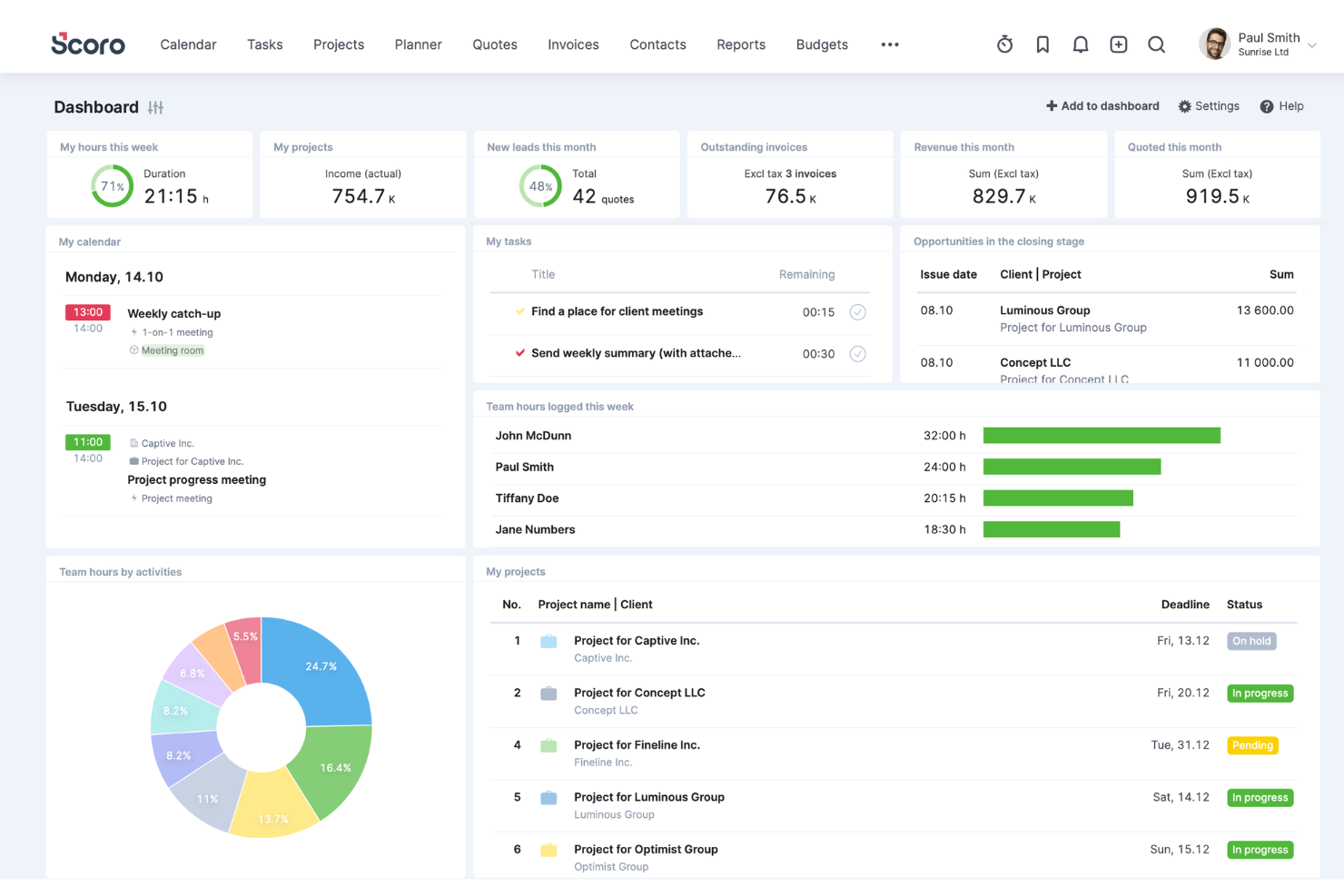
Scoro is a comprehensive work management software designed for professional services, offering a wide range of features to help boost service profitability. It caters to various industries and roles within the business, providing tools for project management, quoting and budgeting, invoicing, sales and CRM, resource planning, time tracking, and reporting.
One of Scoro's standout features is its project management tool, which can handle multiple projects simultaneously, with capabilities to assign tasks, set deadlines, track progress in real time, and manage resources effectively. Additionally, the platform's dynamic scheduling tools allow for adjustments on the fly, accommodating last-minute changes without disrupting the entire project workflow.
Furthermore, Scoro's advanced reporting and analytics features provide invaluable insights into every aspect of business operations. These reports are fully customizable and cover everything from detailed financial reports that analyze profits and losses to performance analytics that gauge project success and team productivity.
Integrations include Google Calendar, Microsoft Exchange, Xero, QuickBooks, Sage Intacct, Expensify, Stripe, Jira, Slack, Asana, Dropbox, PayPal, and more.
New Product Updates from Scoro

Scoro Adds Time Mobile App and ELI Improvements
Scoro adds the Scoro Time mobile app for iOS/Android to track time anywhere and expands ELI with attachments, smarter filtering, and trigger-based actions. For more information, visit Scoro's official site.

Best for end-to-end PSA management
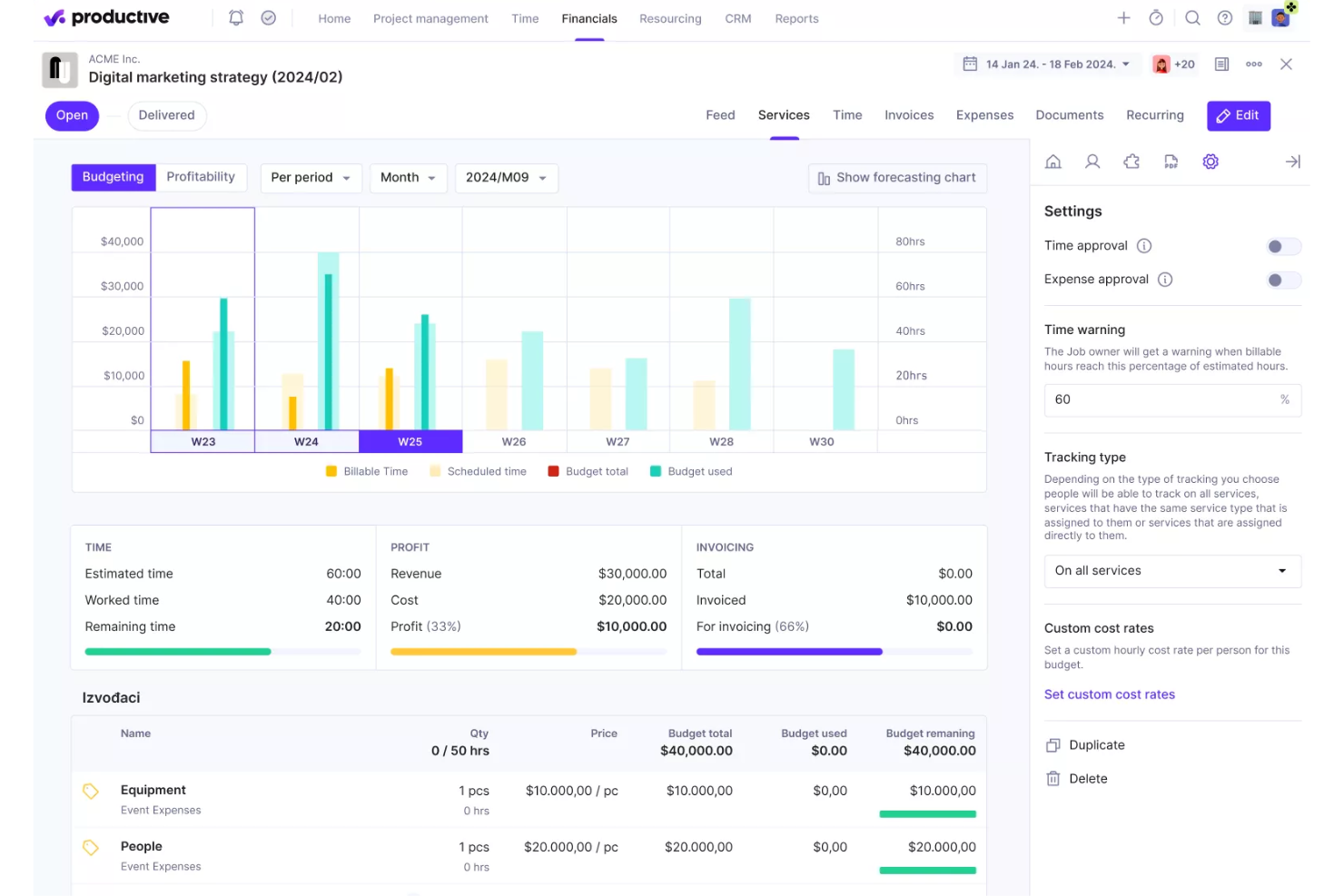
Productive is a comprehensive software solution designed to handle end-to-end processes for professional services and agencies. It integrates a wide range of tools necessary for managing projects, tracking time, allocating resources, and handling financial aspects, all within a single platform.
The platform offers advanced project management capabilities, such as Gantt charts for visualizing project timelines, task management to keep teams organized, and workload management to ensure resources are used effectively. Additionally, Productive includes tools for time tracking and billing, allowing agencies to accurately log hours, generate invoices, and manage payments.
Furthermore, the platform's CRM and sales tools help manage client relationships and streamline the sales process. Agencies can easily plan schedules, create pipelines, and track the status of projects and deals. Productive’s document management and automation features also reduce administrative overhead by automating repetitive tasks and ensuring that all team members have access to the latest project information and documentation.
Key integrations include Jira, Slack, QuickBooks, Xero, Zapier, Google Drive, Sage, BambooHR, and HubSpot.
New Product Updates from Productive
Productive Adds Voice Dictation, Slack Connector, Proposals, and Overtime
Productive adds voice dictation, a Slack Connector, proposal controls, and overtime tracking. These updates support faster AI interactions, client proposals, and time management. For more information, visit Productive’s official site.

Accelo
Best for professional services automation
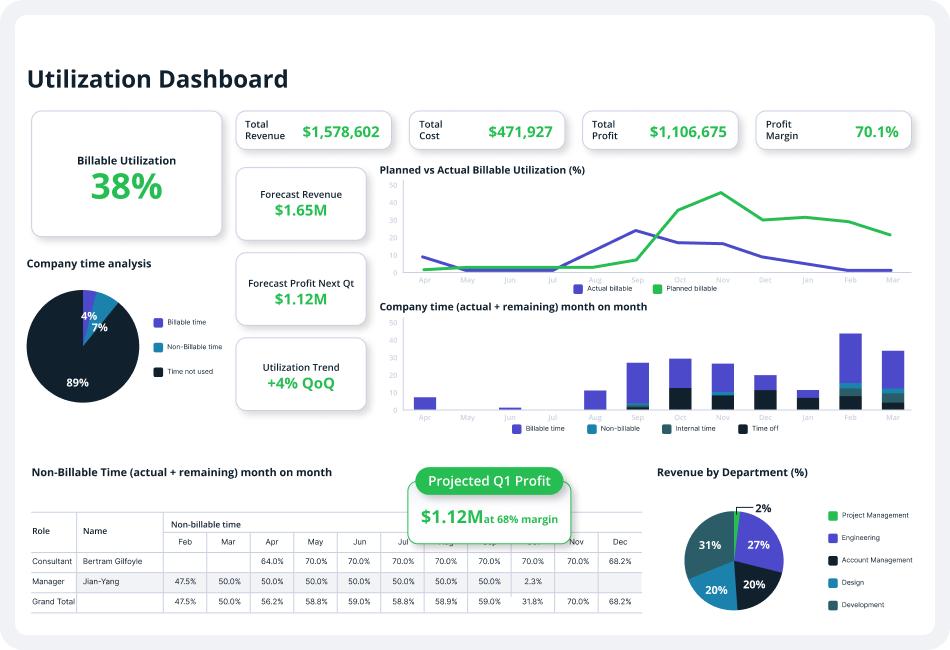
Accelo is a comprehensive professional services automation (PSA) platform designed to enhance the operations of service-based businesses. It offers a suite of tools for client relationship management (CRM), project management, time tracking, billing, invoicing, and client communication.
The platform's automation capabilities offer numerous opportunities to reduce repetitive, manual tasks, freeing up more time for billable client work. For instance, the quote-to-project conversion feature allows users to create new projects based on approved quotes in just a few clicks. Additionally, bulk client billing automates the generation of accurate client invoices into pre-made templates.
Furthermore, Accelo's project management features allow teams to collaborate, plan, manage, and deliver client projects efficiently through project templates, automated time tracking, custom workflows, and project triggers. Other features include branded invoice templates, custom payment terms, and accounting software integrations that save time and improve processes.
Integrations include Google Workspace, Microsoft 365, Microsoft Exchange & Microsoft Outlook, Xero, QuickBooks Online, HubSpot, Mailchimp, Salesforce, Zapier, Stripe, PayPal, Jira, Continuum, Zendesk, Microsoft Power BI, Expensify, Gusto, HubSpot Partner Portal, Practice Ignition, Google Analytics, and others.
New Product Updates from Accelo

Accelo Rebuilds Mobile App for Project and Time Management
Accelo rebuilds its mobile app with task management, new work creation, and mobile timesheets for Forecast customers. This helps teams keep project and time data current while working away from a desktop. For more information, visit Accelo’s official site.

Wrike
Best for generating accurate reports plus actionable insights

Wrike is a project management software that is designed for marketing agencies, project teams, and professional service providers. Wrike offers an all-in-one collaboration solution, which simplifies the project management process as well as resource allocation and people management.
The platform enables users to collaborate on projects without having to constantly call, text, or email to communicate. Users get access to collaborative features like automated notifications, dynamic reports, live editing, and real-time comments to make sure that every team member, stakeholder, and project contributor is on the same page throughout the project development process. Apart from the ability to share information and digital assets within the team, the platform is also tailored to make it easier for project managers and professional service providers to share updates with clients as needed.
Project managers can significantly improve client collaboration by simply inviting their clients into Wrike and making them a part of the work process. This allows clients to provide direct feedback and approvals on critical project decisions. And project managers can reduce the tedious back-and-forth process of getting requirements from clients on project requests or scope changes by using customizable request forms. This will enable agencies and teams to quickly collect all the necessary information from clients in one location and trigger fully planned projects with predefined actions, task assignees, and timelines.
New Product Updates from Wrike
Wrike Adds Klaxoon MCP Integration
Wrike’s Klaxoon MCP integration is now generally available, enabling AI agents to navigate between Wrike tasks and attached whiteboards, read task context, and manage whiteboard attachments via API. For more information, visit Wrike's official site.

VOGSY
Best for global services organizations

VOGSY is a unified project and resource platform that helps organizations set up new countries, track international projects, and connect local finance packages. The professional services automation (PSA) software offers end-to-end solutions built for services businesses so they can focus on what they do best—providing services—without worrying about the complexities of international expansion.
The cloud-based PSA platform also provides tools for project management, task management, resource management, performance monitoring, as well as automated billing and invoicing. It allows professional services firms to keep track of every client and deal, engage in a more efficient and sustainable quote-to-cash approach, and generate a more concise and reliable statement of work (SOW) on soft-booked services and projects.
With VOGSY’s professional service software, startups and SMEs can effectively plan their projects with great detail. They can leverage the platform’s robust work breakdown structure to design and implement a cohesive project roadmap based on key objectives and desired outcomes. The software allows them to budget the required work, resources, potential revenue, and margins accordingly, oftentimes even before the deal is finalized.
With the task management feature, users can allocate tasks and assign them to the appropriate personnel with the right skill set to finish them on time and on budget. Users can set tasks for themselves or their entire team, addressing everything from their quote-to-cash cycle, which includes the clients, the nature of the deal, the proposed projects, and the billing and invoicing.
This means that services businesses can focus on what they do best—providing services—without worrying about the complexities of international expansion.
Features include resource and project management, international project views and resource allocation, collaboration, reporting dashboards, budgeting, professional services automation, Gantt charts, notifications & alerts.
Integrations include Google Workspace, Jira, Microsoft Excel, Xero, Intuit Quickbooks Online, Copper, Hubspot, Salesforce, and Zoho.
VOGSY has a free version that is accessible through a personal Gmail account. It comes with all the features and is limited to a single user. Paid plans cost from $13/user/month. All paid plans require a minimum of 10 users and include a free trial.
New Product Updates from VOGSY
VOGSY Adds Velocity Agent Verdicts for Quote Approvals
VOGSY adds Velocity agent verdicts for quote approval requests with risk levels, margin checks, discount analysis, and reasoning. This helps approvers assess quote risk before making a final decision. For more information, visit VOGSY’s official site.
 .
.
Kantata
Best for full lifecycle service delivery

Kantata is a professional services platform purpose-built to help firms manage complex client engagements with ease. Instead of relying on disconnected tools for projects, resources, and reporting, it brings everything together so your team can plan, deliver, and analyze work in one streamlined system.
What makes Kantata stand out is how it supports the full lifecycle of service delivery—estimating, planning, executing, analyzing, and optimizing. You can forecast demand, align resources with project needs, and track budgets and profitability in real time. By connecting projects, financials, and staffing in a single view, Kantata gives you the clarity to make confident decisions and keep engagements running smoothly from start to finish.
Kantata also emphasizes collaboration and business intelligence. Activity feeds, task boards, and built-in surveys keep both teams and clients engaged throughout delivery, while customizable dashboards and 70+ prebuilt reports surface insights into utilization, portfolio health, and profitability. This combination of people-focused planning and data-driven visibility makes it easier to deliver consistently successful client outcomes.
New Product Updates from Kantata

Kantata Adds Access Group Change History
Kantata adds Access Groups History, letting account administrators track changes to group details, membership, and permissions in Recent History. The update also makes these events available through the Subscribed Events API for broader monitoring. For more information, visit Kantata’s official site.
 .
.
Best client portals for project insight sharing
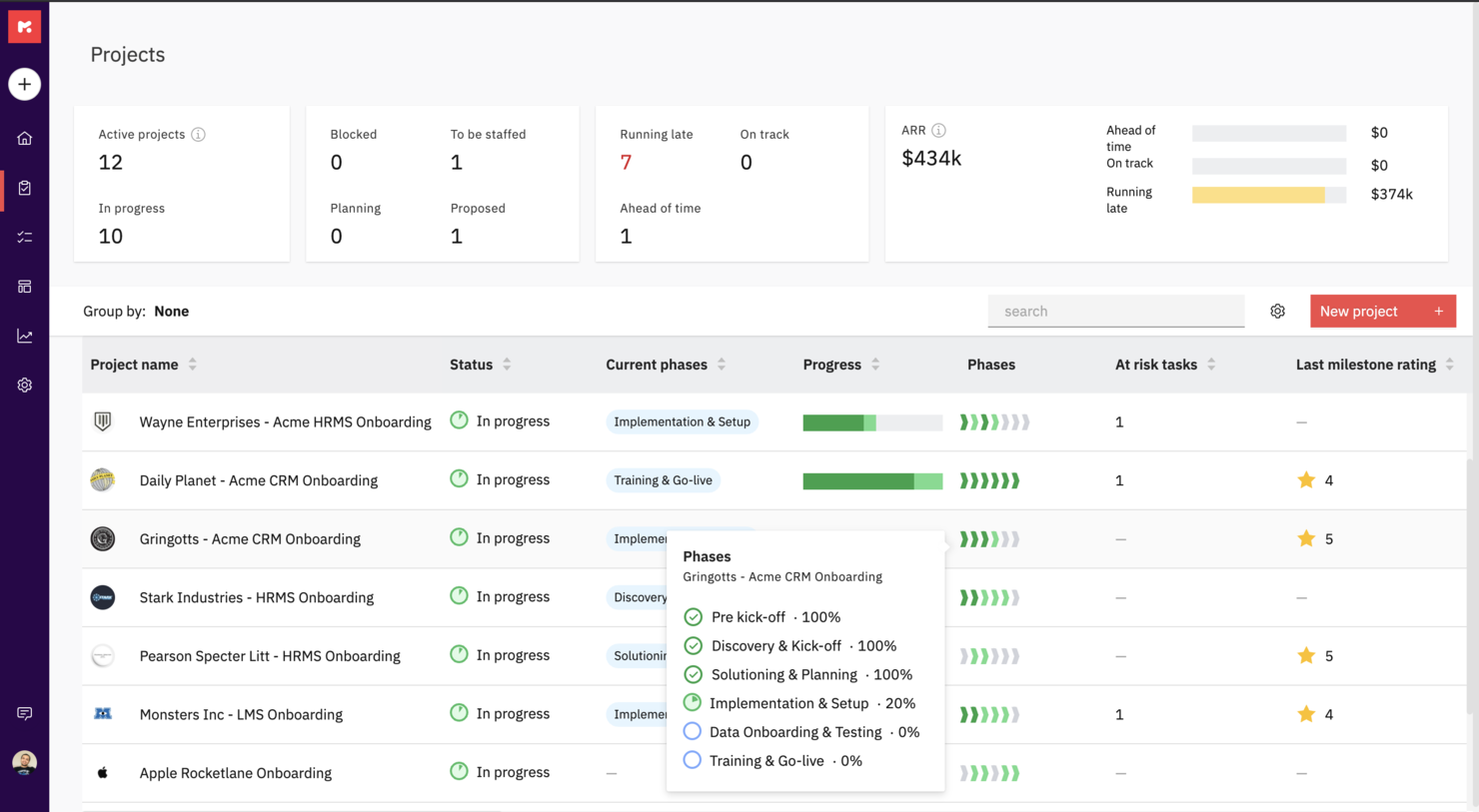
Rocketlane is a professional service software purpose-built to run customer-facing projects. It uniquely combines project management, document collaboration, and communication to help teams hit their project goals, accelerate time-to-value, and deliver a 5-star customer experience.
Rocketlane offers private and shared views for project plans and documents as well as a customer portal for stakeholder and client views. You can also codify your best practices with project and document templates to create them once and reuse them forever across projects.
With Rocketlane, you'll be able to keep your customers involved and make them accountable with reminders, notifications, and actionable emails. You can work together and create new or embed existing documents, collaborate on them synchronously and experience Slack-like chat inside Rocketlane.
Rocketlane costs from $19/user/month and offers a free 14-day trial.
New Product Updates from Rocketlane

Rocketlane Introduces Governance and Workforce Agents
Rocketlane introduces Governance Agents and Workforce Agents to automate delivery processes and recurring tasks. These updates help teams enforce rules and streamline project execution. For more information, visit Rocketlane’s official site.
 .
.
HaloPSA
Best PSA software for MSPs

HaloPSA is a solution, designed for MSPs and service providers. HaloPSA gives users powerful out-of-the-box functionality. With an integrated PSA platform, you get features such as time-tracking and billing, advanced reporting, asset management, remote access, seamless integrations, automation tools and more.
HaloPSA is a fully configurable system for managed IT services and is the PSA solution of choice for enterprises such as ATOS, NEC and Gijima.
HaloPSA integrates with many popular tools such as Microsoft CSP, Splunk, N-Able N-Central/RMM, Xero, Teams, Slack, Zapier, and TeamViewer to name a few. View their entire list of integrations on their website.
HaloPSA costs from $29/user/month.

Forecast
Best for mid-sized agencies and consultancies

Forecast is an AI-powered project and resource management software designed for professional services. It offers tools that help you manage project planning, resource allocation, and performance tracking, enhancing your team's operational efficiency.
Forecast stands out with its real-time workload visibility and capacity tracking, which helps you understand your team's demand and allocate resources based on skills and availability. This functionality ensures that your projects are on track and your team isn't overburdened, allowing for smoother project execution.
Another compelling feature is its ability to provide detailed utilization reports and project baselines. These tools give you insights into your team's performance and project progress, helping you make informed decisions and optimize resources to increase billable hours. Features include automated time tracking, which reduces the administrative burden and allows your team to focus on more critical tasks. Risk prediction alerts offer proactive insights into potential project challenges, enabling you to address issues before they escalate. Real-time dashboards provide a comprehensive view of project timelines and financials, enhancing your ability to manage budgets and profits effectively.
Integrations include Azure DevOps, GitLab, GitHub, BambooHR, HiBob, Google Calendar, Google Drive, MS Teams, Office 365 Calendar, Slack, Trello, and Zapier.

Workzone
Best for document proofing tool

Workzone is an adaptable project management software that caters to the unique demands of professional services, marketing, operations, and IT teams. Its design emphasizes simplicity and collaboration, making it an appealing choice for professionals seeking to enhance project visibility and streamline workflows. By offering features like document proofing and intake organization, Workzone addresses the challenges of managing complex projects without adding unnecessary layers of complexity.
Why I Picked Workzone
I picked Workzone for its strong focus on collaboration and project lifecycle management, which are crucial for professional services. The software's project visibility feature allows you to track progress effortlessly, ensuring that nothing falls through the cracks. Additionally, the document proofing tool is invaluable for teams that require frequent approvals and revisions, providing a centralized space for these tasks. These features together make Workzone an excellent option for those in professional services looking to optimize their project management processes.
Workzone Key Features
Aside from its collaborative focus and lifecycle management, I also found several other features that enhance its value for professional services:
- Pre-built Reports: These reports help your team manage workloads, track budgets, and allocate resources efficiently.
- Project Request Forms: Simplify the intake process by centralizing requests, ensuring all necessary information is collected upfront.
- Templates: With over 1,000 templates available, you can quickly launch new projects tailored to your industry's specific needs.
- Unlimited Training and Support: This ensures that your team can fully utilize Workzone's capabilities without worrying about additional costs.
Workzone Integrations
Integrations include Slack, Microsoft Teams, Google Drive, Salesforce, Dropbox, Box, and SharePoint. An API is available for custom integrations.
Pros and Cons
Pros:
- Structured request and workload management
- Built-in document proofing and approvals
- Strong project visibility and tracking
Cons:
- Mobile experience weaker than desktop
- Smaller integration ecosystem than competitors
New Product Updates from Workzone

Workzone Enterprise Adds Multi-Stage Approval Workflows
Workzone Enterprise now includes Approval Workflows, enabling multi-stage document approvals to standardize complex processes and reduce manual effort. For more information, visit Workzone's official site.
 .
.Annen programvare for profesjonelle tjenester
Her er noen flere alternativer for programvare for profesjonelle tjenester som ikke kom med på kortlisten min, men som likevel er verdt å se nærmere på:
- Adobe Workfront
Cross-platform PSA software
- Bonsai Agency Software
For integrated project, client, and financial management
- Birdview
For BI reporting
- Projector
PSA software for accessibility
- Polaris PSA By Replicon
PSA with resource allocation, time tracking, billing, and reporting
- Kimble
For salesforce users and management consulting
- Parallax
For efficient project management and streamlined business operations
- OnePlan
For managing project finances
- Ravetree
For retainer contracts
- Workamajig Platinum
For creative teams
- Netsuite OpenAir
For small businesses
- Upland
For managing large teams
- Deltek Workbook
For client transparency and communication
- Unit4PSA
For end-to-end administration
- Height
For cross-functional project and resource planning
- Changepoint
CRM-integrated PSA
- Celoxis
PSS for enterprises
- ClickTime
For medium-sized businesses seeking to centralize their resource management processes
- Hubstaff
PSS time management reports & analysis
- BigTime
For managing timesheets


How I Evaluate Professional Services Software
I split my evaluation into two layers: the baseline every tool must hit—billable time tracking, resource capacity, and client invoicing—and the differentiators that set the best PSAs apart.
Core Functionality (Table Stakes For This List)
When I'm selecting tools for my list, I rank each one on a scale from 0 (does not offer the functionality) to 5 (excels in this area) for each core functionality listed below. Then, I calculate the tool's total score into a percentage. Each tool needs to achieve a minimum total score of 65% to be considered for inclusion.
- Project Planning & Delivery: I look for scheduling tools that handle dependencies, milestones, and baselines—things like mapping a multi-phase ERP rollout across workstreams with clear critical paths.
- Resource Management: Matching the right consultant to a project based on skills, availability, and utilization targets is central, so I evaluate how each tool handles capacity planning.
- Time & Expense Tracking: Each tool should support billable vs. non-billable splits and rate cards, since accurate capture drives everything from invoicing to margin analysis downstream.
- Project Financials & Billing: I check whether a platform supports multiple billing models—fixed-fee, time-and-materials, milestone-based—and tracks budgets against actuals at the engagement level.
- Utilization & Profitability Analytics: Dashboards that surface real-time KPIs like billable utilization rates, realization percentages, and per-project margins help leaders make staffing and pricing decisions.
- PSA-CRM/ERP Integrations: Connecting delivery data to your CRM and accounting stack matters, so I evaluate native connectors and API depth for tools like Salesforce, QuickBooks, and NetSuite.
Once I have a list of tools that meet this criteria, I consider what sets each platform apart.
Differentiating Factors (What Sets Vendors Apart)
Here's how I compare and contrast different vendors:
Standout Features
Quote-to-cash automation is a major differentiator—I look for platforms that connect opportunity creation through SOW, staffing, delivery, and invoicing without manual handoffs. Scenario-based forecasting also matters when you're juggling a growing pipeline and need to model how new wins affect headcount and margins. Client-facing portals where stakeholders can approve deliverables and review project status cut down on update meetings and keep engagements transparent.
Beyond Features
Firm size and vertical fit shape my evaluation significantly. A five-person design studio and a 500-consultant IT services firm have very different needs around multi-entity support, currency handling, and project templates. I also evaluate pricing structures—whether a vendor charges per billable seat, per user, or offers modular bundles—since total cost of ownership shifts dramatically at scale. Implementation timelines matter too, especially for firms that need domain-specific onboarding rather than generic SaaS setup.
Slik velger du programvare for profesjonelle tjenester
Det er lett å gå seg vill i lange funksjonslister og kompliserte prismodeller. For å hjelpe deg med å holde fokus mens du går gjennom den unike prosessen med å velge programvare, har vi laget en sjekkliste over faktorer du bør ha i bakhodet:
| Faktor | Hva bør du vurdere? |
|---|---|
| Skalerbarhet | Kan programvaren vokse sammen med virksomheten din? Sjekk om den støtter flere brukere eller prosjekter etter hvert som virksomheten vokser. Se etter fleksible prisplaner som kan tilpasses veksten. |
| Integrasjoner | Kan den integreres med verktøyene du allerede bruker? Sørg for at den kan kobles til CRM-systemet, regnskapsprogramvaren eller andre viktige apper for å unngå avbrudd i arbeidsflyten. |
| Tilpasningsmuligheter | Kan du tilpasse programvaren etter behovene dine? Sørg for at du kan justere arbeidsflyter, felt og oversikter slik at de samsvarer med prosessene og preferansene dine. |
| Brukervennlighet | Er grensesnittet intuitivt for teamet ditt? Test prøveversjonen for å se om den er brukervennlig og reduserer læringskurven, slik at den raskt kan tas i bruk. |
| Implementering og innføring | Hvor lang tid tar det å komme i gang? Spør om innføringsprosessen, opplæringsressurser og brukerstøtte for å sikre en smidig overgang uten nedetid. |
| Kostnad | Ligger den innenfor budsjettet ditt? Sammenlign kostnaden med behovene dine, og ta høyde for skjulte gebyrer eller ekstra kostnader for tilleggsfunksjoner eller flere brukere. |
| Sikkerhetstiltak | Beskytter den dataene dine? Kontroller programvarens datakryptering, tilgangskontroller og samsvar med sikkerhetsstandarder for å holde informasjonen din trygg. |
| Tilgjengelig brukerstøtte | Er hjelp tilgjengelig når du trenger det? Sjekk hvor tilgjengelig kundestøtten er, inkludert chat i sanntid, telefonstøtte og responstid ved hastesaker. |
Hva er programvare for profesjonelle tjenester?
Programvare for profesjonelle tjenester er et verktøy utviklet for å hjelpe virksomheter med å administrere kundeprosjekter, registrere tid og håndtere fakturering og fakturaer. Fagpersoner som konsulenter, regnskapsførere og juridiske team bruker vanligvis disse verktøyene til å organisere arbeidet og forbedre effektiviteten. Funksjoner for prosjektstyring, tidsregistrering og fakturering bidrar til å organisere oppgaver, overholde tidsfrister og sikre nøyaktig fakturering av kunder. Alt i alt forenkler disse verktøyene komplekse prosesser, slik at det blir enklere for team å levere tjenester av høy kvalitet.
Funksjoner
Når du velger programvare for profesjonelle tjenester, bør du se etter følgende viktige funksjoner:
- Prosjektstyring: Hjelper deg med å planlegge, gjennomføre og overvåke prosjekter effektivt, slik at tidsfristene overholdes.
- Tidsregistrering: Registrerer fakturerbare timer nøyaktig, noe som gjør det enklere å fakturere kunder og administrere teamets produktivitet.
- Fakturering og fakturaer: Automatiserer opprettelsen av fakturaer og sporer betalinger, noe som reduserer den administrative arbeidsmengden.
- Ressursplanlegging: Fordeler og administrerer ressurser effektivt, slik at teamet og verktøyene utnyttes optimalt.
- Samarbeidsverktøy: Legger til rette for kommunikasjon og samarbeid mellom teammedlemmer, noe som forbedrer prosjektresultatene.
- Integrasjonsmuligheter: Kobles til eksisterende programvare som CRM- og regnskapsverktøy, slik at arbeidsflyten blir sømløs.
- Tilpassbare dashbord: Lar deg tilpasse grensesnittet slik at det viser relevante data og måltall for rask innsikt.
- Sikkerhetstiltak: Beskytter sensitive data med kryptering og tilgangskontroller, slik at kravene i standardene overholdes.
- Tilgjengelig mobilapp: Gir tilgang til viktige funksjoner på farten, slik at du holder kontakten med prosjekter og oppgaver.
- KI-drevet analyse: Gir innsikt gjennom dataanalyse og hjelper deg med å ta velinformerte forretningsbeslutninger.
Fordeler
Implementering av programvare for profesjonelle tjenester gir flere fordeler for teamet og virksomheten din. Her er noen av fordelene du kan se frem til:
- Forbedret effektivitet: Automatiserer tidkrevende oppgaver som fakturering og ressursplanlegging, slik at du får mer tid til viktigere arbeid.
- Bedre samarbeid: Tilbyr verktøy for kommunikasjon og fildeling, slik at teammedlemmene holder kontakten og er informert.
- Nøyaktig fakturering: Registrerer fakturerbare timer og utgifter, slik at fakturaene blir korrekte og uenigheter med kunder reduseres.
- Bedre beslutningstaking: Gir KI-drevet analyse og tilpassbare dashbord som gir innsikt i prosjektresultater.
- Skalerbarhet: Vokser med virksomheten din og støtter flere brukere og prosjekter uten behov for en fullstendig systemomlegging.
- Økt sikkerhet: Beskytter kunde- og virksomhetsdata med kryptering og tilgangskontroller, samtidig som tillit og samsvar opprettholdes.
- Mobil tilgjengelighet: Lar teammedlemmer få tilgang til viktig informasjon og administrere oppgaver hvor som helst, noe som gir større fleksibilitet.
Kostnader og priser
Valg av programvare for profesjonelle tjenester krever en forståelse av de ulike prismodellene og abonnementene som er tilgjengelige. Kostnadene varierer basert på funksjoner, teamstørrelse, tillegg og mer. Tabellen nedenfor oppsummerer vanlige abonnementer, gjennomsnittsprisene deres og typiske funksjoner som er inkludert i programvareløsninger for profesjonelle tjenester:
Sammenligningstabell for programvare for profesjonelle tjenester
| Abonnementstype | Gjennomsnittspris | Vanlige funksjoner |
|---|---|---|
| Gratis abonnement | $0 | Grunnleggende prosjektstyring, begrenset tidsregistrering og grunnleggende samarbeidsverktøy. |
| Personlig abonnement | $5-$25/bruker/måned | Prosjektstyring, tidsregistrering, fakturering og fakturaer samt grunnleggende rapportering. |
| Bedriftsabonnement | $30-$75/bruker/måned | Avansert prosjektstyring, ressursplanlegging, integrasjoner og forbedret sikkerhet. |
| Virksomhetsabonnement | $80-$150/bruker/måned | Tilpassbare dashbord, KI-drevet analyse, prioritert kundestøtte og omfattende funksjoner for samsvar. |
Vanlige spørsmål om programvare for profesjonelle tjenester
Her er noen svar på vanlige spørsmål om programvare for profesjonelle tjenester:
Kan programvare for profesjonelle tjenester integreres med andre verktøy?
Ja, det meste av programvare for profesjonelle tjenester kan integreres med verktøy som CRM-systemer, regnskapsprogramvare og kommunikasjonsplattformer. Denne integrasjonen bidrar til å skape en samlet arbeidsflyt, slik at teamet ditt får tilgang til all nødvendig informasjon på ett sted. Sjekk programvarens integrasjonsmuligheter for å sikre at den kobles til verktøyene du allerede bruker.
Er datasikkerhet en bekymring ved bruk av programvare for profesjonelle tjenester?
Ja, datasikkerhet er en viktig bekymring. Se etter programvare som tilbyr kryptering, tilgangskontroller og samsvar med bransjestandarder. Det er viktig å sikre at kundedataene dine og sensitiv informasjon er beskyttet mot uautorisert tilgang. Spør alltid om programvarens sikkerhetstiltak under evalueringsprosessen.
Hvor lang tid tar det å implementere programvare for profesjonelle tjenester?
Implementeringstiden varierer ut fra hvor kompleks programvaren er, og hvor klare teamet ditt er. Noen verktøy tilbyr rask konfigurering med maler og veiledninger, mens andre kan kreve detaljert tilpasning. Planlegg en overgangsperiode der teamet ditt kan lære systemet og tilpasse arbeidsflytene. Vurder ressurser som opplæring og brukerstøtte for å gjøre prosessen enklere.