Dayshape Review 2026: Pros, Cons, Features, and Pricing



Dayshape is a resource management software for professional services teams that need to match people’s skills and availability to changing project demand. I’d consider it when you’re managing complex staffing needs across many projects; compared with Float, Dayshape is a stronger fit when you need skills-based planning and scenario modeling alongside resource scheduling.
Dayshape Evaluation Summary
- Pricing upon request
- Free demo available
Why Trust Our Software Recommendations
Our team has been testing and reviewing software since 2012. As project managers ourselves, we know how difficult—and important—it is to choose the right software.
For this guide, we evaluated tools using hands-on testing and independent research, scoring tools using our selection criteria. We also draw on insights from industry thought leaders and practicing project management experts.
Our reviews reflect our human editorial judgment, not a sales pitch.
Expert reviewers:
Dayshape Overview
I’d choose Dayshape when a professional services team needs firm-wide staffing decisions: AI-assisted scheduling, Gantt views, demand planning, and project financial forecasts connect workforce capacity to changing work. Compared with lighter schedulers, it’s better suited to complex portfolios and scenario planning, though its depth and two-to-seven-month implementation can feel heavy for smaller teams. Pricing isn’t public, so you’ll need a sales quote to judge fit. Integrations span HR, ERP, and time-tracking systems, while migration help and dedicated customer support strengthen onboarding. I think it’s best for larger firms that value cross-project visibility enough to invest in setup.
pros
-
AI matches skills, availability, and experience across staffing scenarios.
-
Firm-wide Gantt views expose capacity, workloads, and scheduling conflicts.
-
Project financials connect staffing plans with budgets and revenue forecasts.
cons
-
Reporting and dashboards can require spreadsheet exports and extra configuration.
-
Managing numerous small engagements can feel cumbersome beside larger projects.
-
Project-level task management is less developed than resource scheduling.
-

Smartsheet
Visit WebsiteThis rating combines scores from multiple user review sites to reflect overall customer sentiment about the product.4.4 -
Celoxis
Visit WebsiteThis rating combines scores from multiple user review sites to reflect overall customer sentiment about the product.4.5 -
Accelo
Visit WebsiteThis rating combines scores from multiple user review sites to reflect overall customer sentiment about the product.4.4





Our Review Methodology
How We Test & Score Tools
We’ve spent years building, refining, and improving our software testing and scoring system. The rubric is designed to capture the nuances of software selection and what makes a tool effective, focusing on critical aspects of the decision-making process.
Below, you can see exactly how our testing and scoring works across seven criteria. It allows us to provide an unbiased evaluation of the software based on core functionality, standout features, ease of use, onboarding, customer support, integrations, customer reviews, and value for money.
Core Functionality (25% of final scoring)
The starting point of our evaluation is always the core functionality of the tool. Does it have the basic features and functions that a user would expect to see? Are any of those core features locked to higher-tiered pricing plans? At its core, we expect a tool to stand up against the baseline capabilities of its competitors.
Standout Features (25% of final scoring)
Next, we evaluate uncommon standout features that go above and beyond the core functionality typically found in tools of its kind. A high score reflects specialized or unique features that make the product faster, more efficient, or offer additional value to the user.
We also evaluate how easy it is to integrate with other tools typically found in the tech stack to expand the functionality and utility of the software. Tools offering plentiful native integrations, 3rd party connections, and API access to build custom integrations score best.
Ease of Use (10% of final scoring)
We consider how quick and easy it is to execute the tasks defined in the core functionality using the tool. High scoring software is well designed, intuitive to use, offers mobile apps, provides templates, and makes relatively complex tasks seem simple.
Onboarding (10% of final scoring)
We know how important rapid team adoption is for a new platform, so we evaluate how easy it is to learn and use a tool with minimal training. We evaluate how quickly a team member can get set up and start using the tool with no experience. High scoring solutions indicate little or no support is required.
Customer Support (10% of final scoring)
We review how quick and easy it is to get unstuck and find help by phone, live chat, or knowledge base. Tools and companies that provide real-time support score best, while chatbots score worst.
Customer Reviews (10% of final scoring)
Beyond our own testing and evaluation, we consider the net promoter score from current and past customers. We review their likelihood, given the option, to choose the tool again for the core functionality. A high scoring software reflects a high net promoter score from current or past customers.
Value for Money (10% of final scoring)
Lastly, in consideration of all the other criteria, we review the average price of entry level plans against the core features and consider the value of the other evaluation criteria. Software that delivers more, for less, will score higher.
Core Features
AI-Powered Scheduling
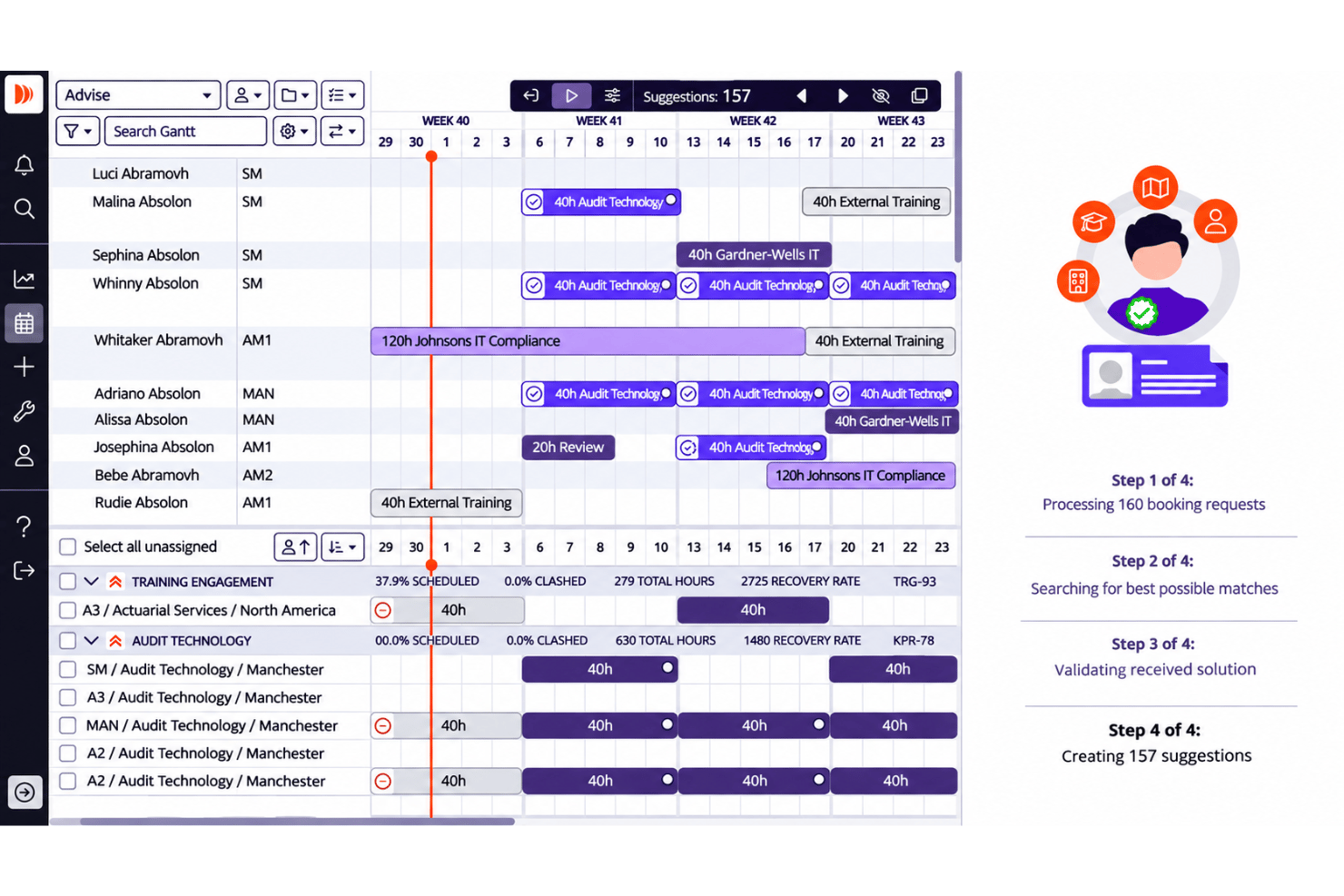
Dayshape Advise evaluates millions of staffing combinations across projects, matching people to work based on skills, availability, suitability, and commercial impact. You can review recommended matches, trade-offs, and unassignable requests before approving a schedule.
Firm-Wide Gantt Scheduling
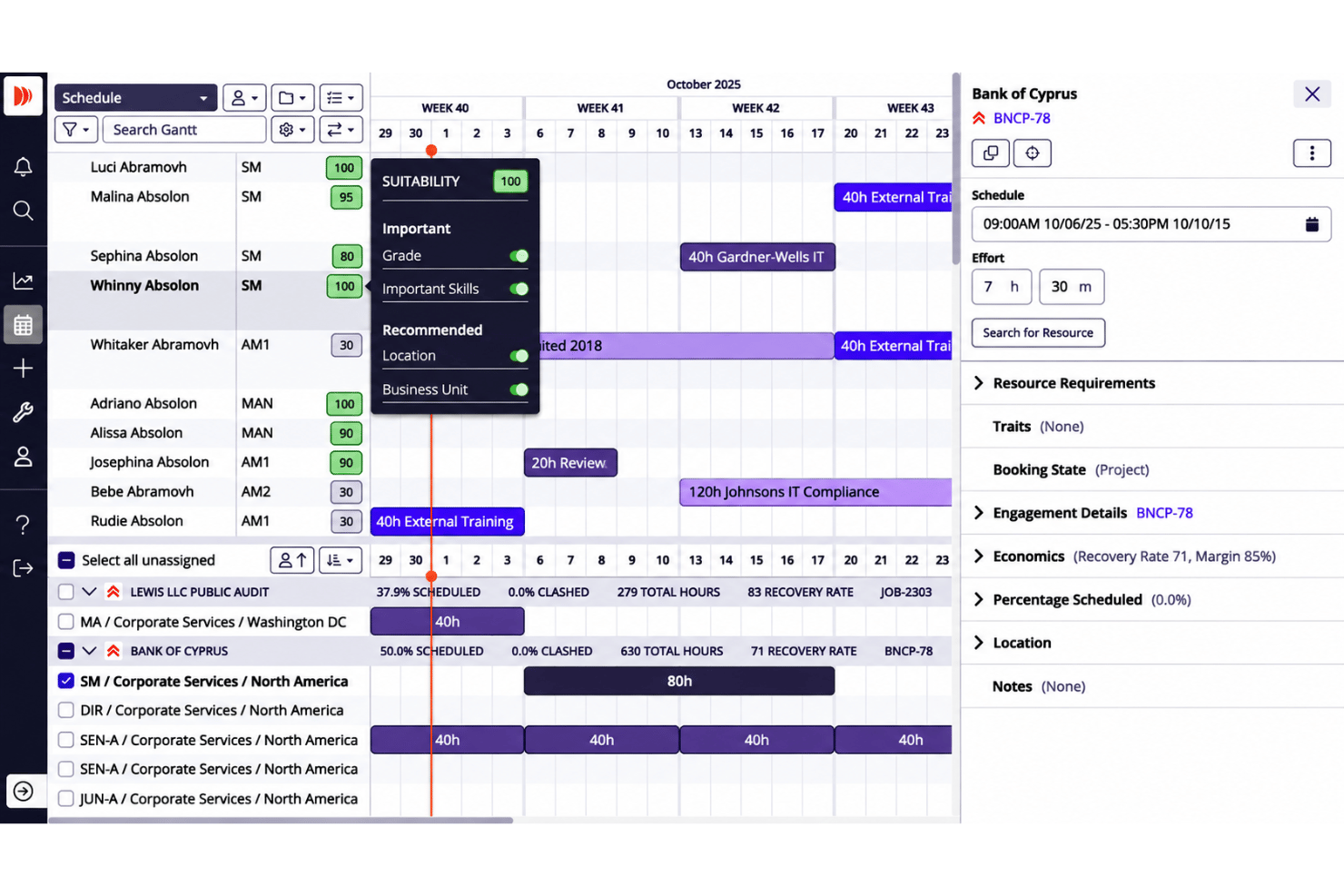
Gantt views show availability, workloads, and scheduling conflicts across projects, with tools to resolve clashes and roll projects forward. This helps you spot when one engagement’s staffing plan could affect capacity elsewhere.
Skills and Workload Management
Maintain staff skills and use them to find suitable people for project work; team members can also update skills, suggest schedule changes, or select appropriate unassigned tasks. Utilization alerts help managers identify workload imbalances before making assignments.
Demand Planning and Approvals
Build resource plans and budgets together, then use configurable review and approval processes to manage requests. Reusing or rolling forward prior plans gives you a starting point when forecasting staffing for upcoming work.
Project Financials
Dayshape compares project budgets and forecasts with live actuals, including revenue, internal cost, and margin, using resource plans and synced timesheet and rate-card data. For example, you can see how an approved staffing change affects a project’s forecast profitability.
Reporting and Capacity Forecasting
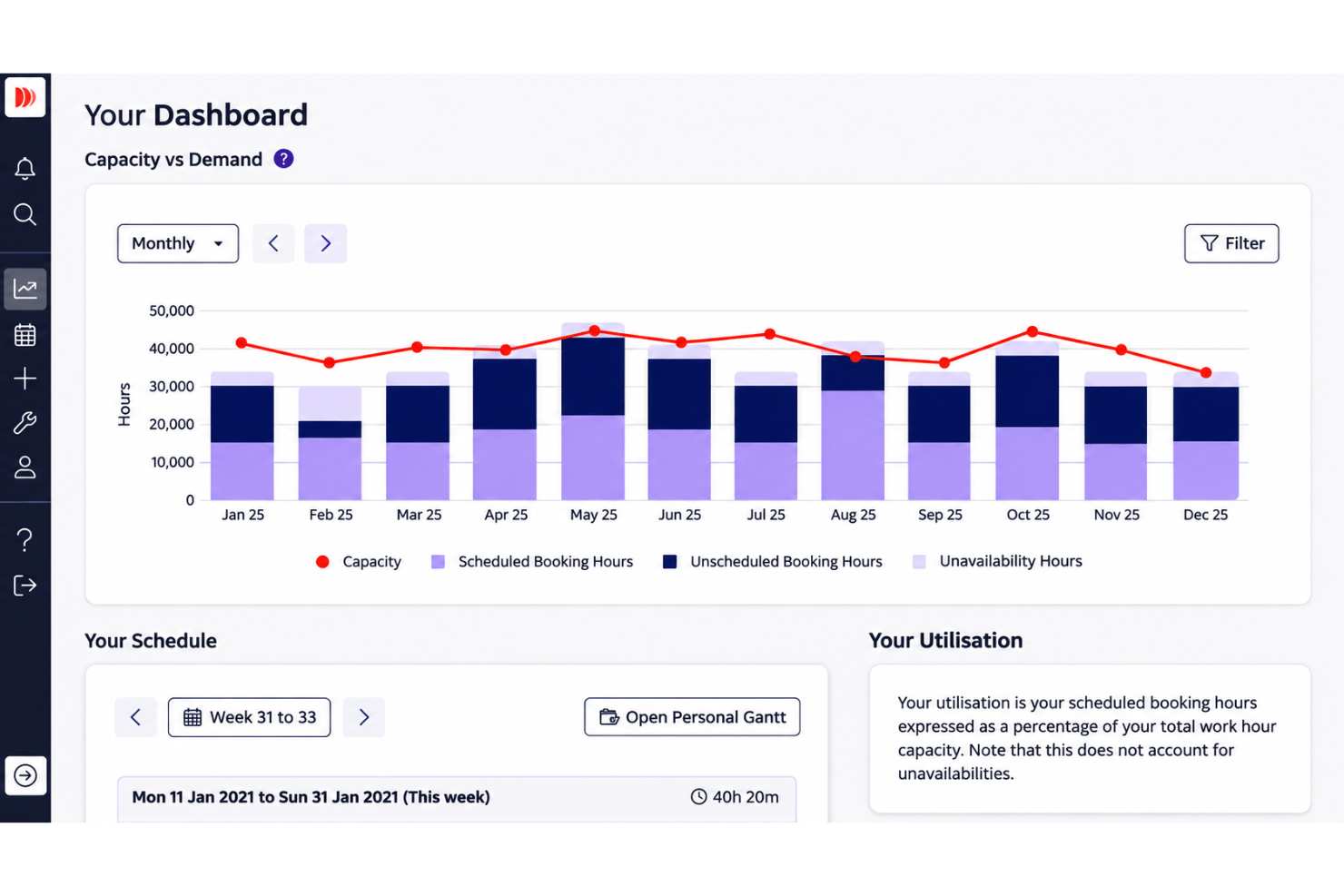
Drag-and-drop reports and dashboards show past, current, and future performance, including utilization, availability, and skills data. Use those views to identify bench capacity or forecast staffing needs across the firm.
Ease of Use
Dayshape is intuitive for core staffing and resource allocation, with real-time visibility, scheduling tools, and Gantt views that help teams assign people and manage workloads. However, its extensive features and workflows can make navigation and configuration challenging. Reporting may also require spreadsheet exports for further analysis. Teams managing numerous small engagements should expect a learning curve when configuring workflows and accessing advanced features.
Integrations
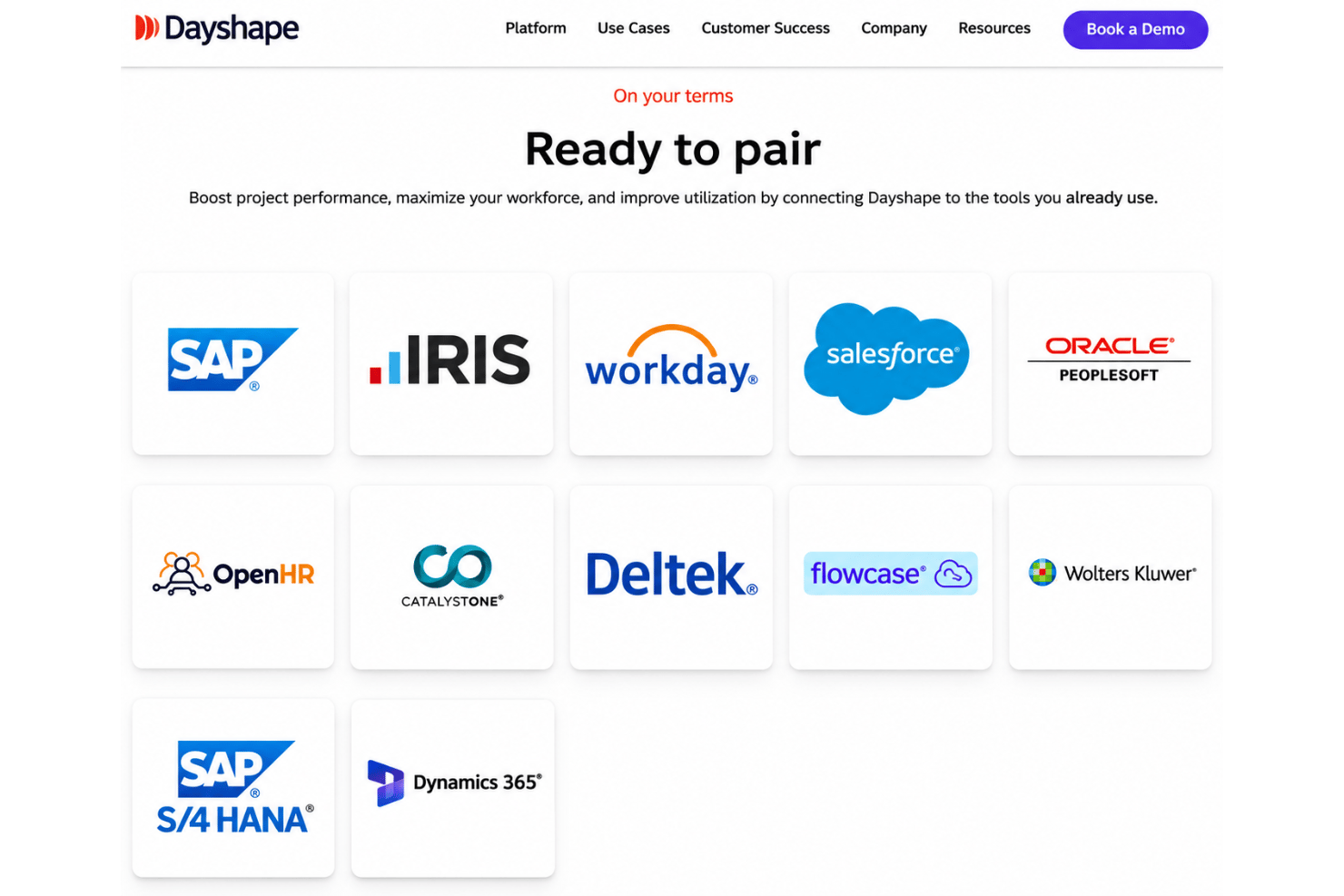
Dayshape integrates with Workday, Salesforce, IRIS, SAP, Oracle PeopleSoft, Microsoft Dynamics 365, Flowcase, OpenHR, CatalystOne, and Deltek, among others.
It also provides API connectivity for external reporting systems, including data lakes and Power BI, and supports HR and skills database integrations for synchronizing workforce information.
Dayshape Specs
- API
- Approval Workflows
- Audit Trail
- Budgeting
- Calendar Management
- Compliance Tracking
- Custom Reports
- Customer Management
- Dashboard
- Data Export
- Data Import
- Data Visualization
- Document Management
- Expense Tracking
- External Integrations
- Forecasting
- Inventory Tracking
- Multi-Currency
- Multi-User
- Notifications
- Prioritization
- Process Reporting
- Project Management
- Resource Management
- Risk Assessment
- Roadmapping
- Scheduling
- Supplier Management
- Third-Party Plugins/Add-Ons
- Workflow Management