

10 beste Jira-alternativer i 2026

Kortliste over de beste Jira-alternativene


De beste Jira-alternativene er mer brukervennlige, fleksible og tilpasset dine spesifikke prosjektarbeidsflyter. Med riktig verktøy kan du holde teamet samkjørt og produktivt, og bruke tiden på å fullføre arbeidet i stedet for komplisert programvareoppsett og tilpasning.
Jeg har brukt erfaringen min innen prosjektledelse og over 3 års erfaring med programvaretesting til å teste Jira-alternativer og finne de beste alternativene som kan hjelpe deg med å administrere oppgaver, støtte smidige arbeidsmetoder og tilpasse arbeidsflytene etter behovene dine. I vurderingene nedenfor fremhever jeg styrker og viktige forskjeller, fordeler og ulemper samt ideelle bruksområder.
Hva er Jira-alternativer?
Jira-alternativer er prosjektstyringsverktøy du kan bruke til å organisere, følge opp og levere arbeid i stedet for Jira. De tilbyr lignende funksjoner som Jira, men kan ha et annet brukergrensesnitt, ekstra funksjoner som Jira mangler, eller flere tilpasningsmuligheter som passer bedre til behovene dine.
Alternativer til Jira er populære blant programvareutviklere, prosjektledere og team som ønsker et annet verktøy for å planlegge arbeid, følge opp problemer eller administrere prosjekter. Disse verktøyene hjelper team med å holde orden, følge med på fremdriften og håndtere oppgaver uten å bli bundet til én plattforms måte å fungere på.
Hvorfor du kan stole på våre programvareanbefalinger
Teamet vårt har testet og anmeldt programvare siden 2012. Vi er selv prosjektledere, så vi vet hvor vanskelig og hvor viktig det er å velge riktig programvare.
I denne guiden har vi vurdert verktøyene gjennom praktisk testing og uavhengig research og gitt dem poeng ut fra våre utvelgelseskriterier. Vi bygger også på innsikt fra ledende eksperter i bransjen og erfarne prosjektledere.
Anmeldelsene våre bygger på vår egen redaksjonelle vurdering. De er ikke et salgsargument.
Ekspertanmeldere:
Sammenligningstabell for Jira-alternativer
Bruk denne sammenligningstabellen til å sammenligne spesifikasjoner og priser for mine beste Jira-alternativer.
| Tool | Best For | Trial Info | Price | ||
|---|---|---|---|---|---|
| 1 | Best for workflow customization | Free plan available; 14-day free trial | From $9/user/month (billed annually) | Website | |
| 2 | Best for comprehensive reporting tools | 15-day free trial | From $1/user/month (12 user minimum) | Website | |
| 3 | Best for client-facing project dashboards | 14-day free trial | From $10/user/month (billed annually) | Website | |
| 4 | Best for visual project management and collaboration | Free plan + 14-day free trial available | From $8/user/month (billed annually) | Website | |
| 5 | Best for customizable project management | Free plan available | From $7/user/month (billed annually) | Website | |
| 6 | Best for dev teams switching from Jira | Free plan available | From $10/user/month (billed annually) | Website | |
| 7 | Best for Microsoft ecosystem dev teams | Free plan available | From $6/user/month | Website | |
| 8 | Best for enterprise agility | Free demo + 14-day free trial available | From $8/user/month (billed annually) | Website | |
| 9 | Best for dev-team issue tracking on a budget | Free plan available | From $4.50/user/month (billed annually) | Website | |
| 10 | Best for DevOps teams replacing Jira | Free plan available | From $29/user/month (billed annually) | Website |


Vurderinger av de beste Jira-alternativene
Jeg har utarbeidet en detaljert analyse og oversikt over hvert Jira-alternativ. Jeg vil veilede deg gjennom fordelene og ulempene, funksjonene og de beste bruksområdene for disse verktøyene.

Best for workflow customization
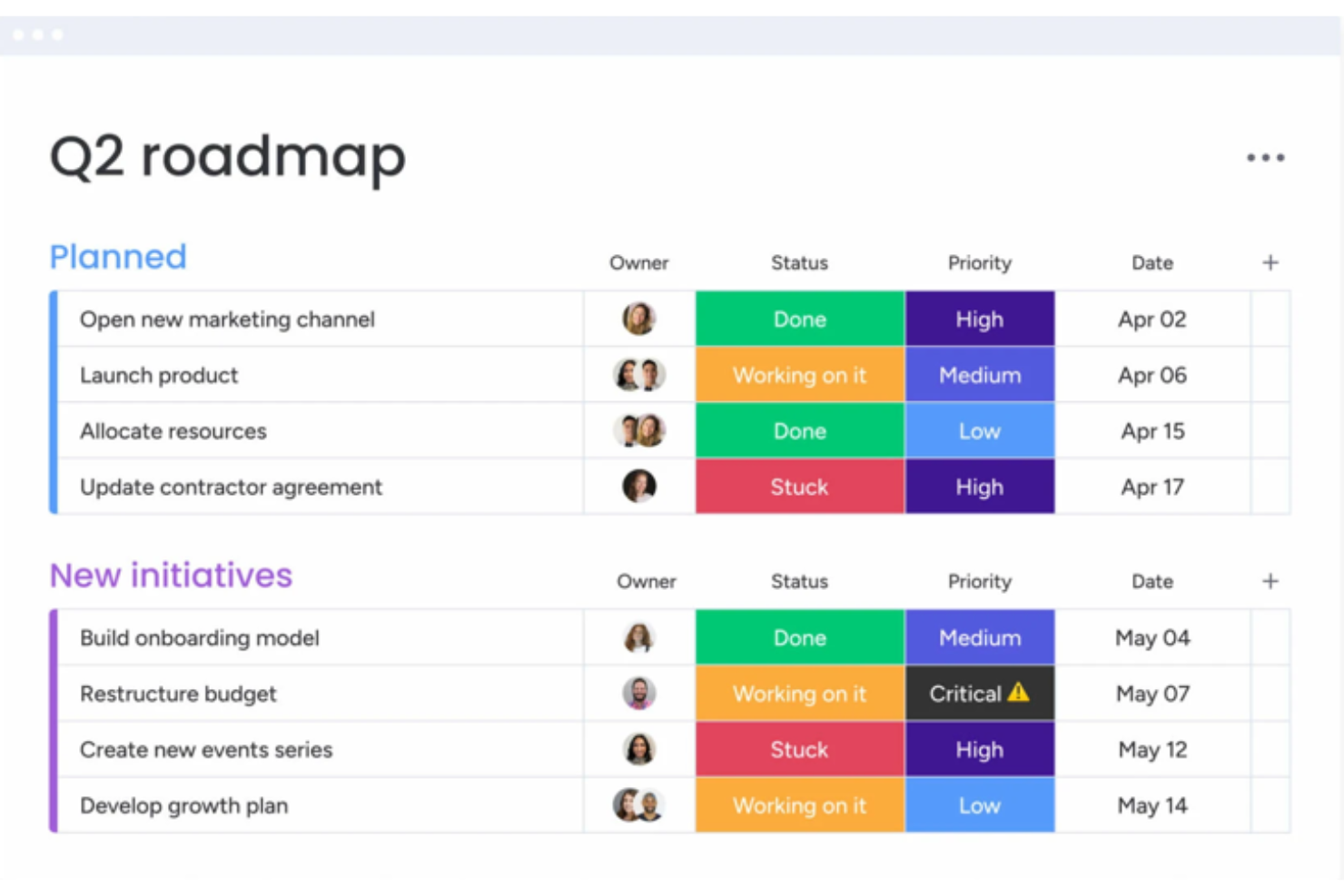
monday.com is a work OS that allows teams to run projects and workflows confidently. It's best for workflow customization due to its flexibility and user-friendly interface.
Why it's a good Jira alternative:
I selected monday.com for this list because it can adapt to various workflow requirements. Its customizable features provide an advantage for teams looking to tailor their project management experience.
Standout features & integrations:
monday.com's key features include customizable templates, time tracking, and automation to reduce manual work. It also offers visual project tracking with multiple views such as Kanban and Gantt charts.
The platform’s integrations include Slack, Google Drive, Gmail, Google Calendar, Jira, GitHub, Trello, Dropbox, Zoom, Microsoft Teams, Mailchimp, and Shopify.
Pros and Cons
Pros:
- Multiple project views for better tracking and management
- Automation features to save time on repetitive tasks
- Customizable templates for various projects and workflows
Cons:
- May require time to understand and utilize all features fully
- Can become expensive as teams grow due to per-user pricing
New Product Updates from monday AI Workspace
monday AI Workspace Adds Human Approval Routing
monday AI Workspace adds a human-in-the-loop approval block to AI Workflows, sending approval requests and routing workflow paths based on responses. For more information, visit monday AI Workspace's official site.

Best for comprehensive reporting tools

Zoho Sprints is an agile project management tool designed to help teams plan, track, and manage their work efficiently. It supports scrum teams by providing tools for creating user stories, managing backlogs, and tracking progress through sprints.
Why it's a good Jira alternative:
Zoho Sprints is a great Jira alternative for teams that prioritize agile methodologies. Zoho Sprints includes customizable Scrum and Kanban boards that enable teams to effectively manage their tasks and workflows through a simple drag-and-drop interface. This feature is particularly beneficial for teams looking to enhance their task management processes without the complexity that often accompanies Jira. Additionally, Zoho Sprints offers comprehensive reporting tools such as burn-up and burn-down charts, which provide valuable insights into project progress and team performance.
Standout features & integrations:
Features include backlog management, velocity charts, cumulative flow diagrams, timesheets for logging work hours, a centralized dashboard for tracking KPIs and other team performance metrics, custom work item types based on existing categories like Stories, Tasks, and Bugs, custom priorities, status timelines, and multi-language support.
Integrations include Zoho's other products, like Zoho Meetings and Zoho Projects, as well as other third-party apps like BitBucket, Zendesk, Microsoft Teams, Jenkins, GitLab, and GitHub.
Pros and Cons
Pros:
- Integrates well with other Zoho applications
- Detailed reports and dashboards
- Effective for agile project management
Cons:
- Occasional lags with larger projects
- Setting up the tool may require additional assistance
New Product Updates from Zoho Sprints
Zoho Sprints Adds Dashboard View for Custom Modules
Zoho Sprints adds a Dashboard view for custom modules with charts and tables for visualizing module records. This gives teams a clearer way to review custom data. For more information, visit Zoho Sprints’ official site.
 .
.
Celoxis
Best for client-facing project dashboards
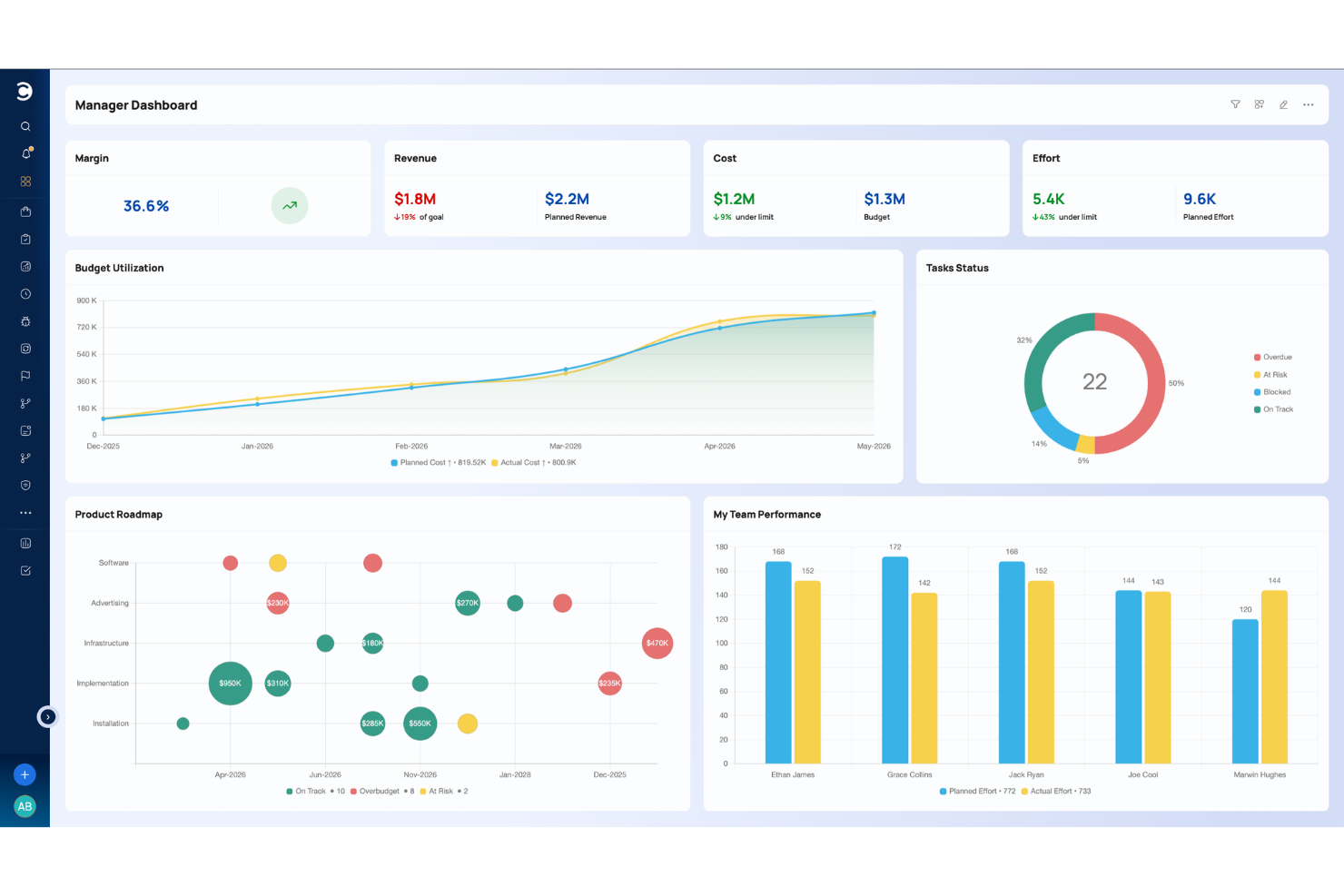
Celoxis is a project and portfolio management platform that covers the full project delivery lifecycle, including Gantt-based planning, resource management, time tracking, risk logging, portfolio oversight, and BI-style dashboards, all built into one tool.
Who Is Celoxis Best For?
Celoxis suits mid-to-large teams managing multiple projects across departments, especially in professional services, IT, and engineering.
Why I Picked Celoxis
I picked Celoxis as one of the best because its client portal feature is something you rarely get at this price point. Every client gets their own free, fully customizable portal where they can view real-time project status, files, and discussions without needing a paid seat. On top of that, dashboards can be downloaded as PDFs or scheduled for automated email delivery, so you're not manually pulling status reports before every client call. I also like that dashboard widgets are drillable, meaning clients or stakeholders can click through from a high-level chart directly into the underlying task data.
Celoxis Key Features
- Interactive Gantt charts: Build multi-project Gantt charts with task dependencies, automatic scheduling, and critical path highlighting across your entire project portfolio.
- Workflow apps: Create custom apps to track bugs, risks, change requests, and RAID logs, with configurable routing rules and escalation policies.
- Resource workload management: View team capacity across projects with visual workload charts, and reassign tasks from the resource planner.
- Comprehensive Reporting and Dashboards: Create and share customizable reports and dashboards for real-time insights into project progress, finances, and KPIs.
Celoxis Integrations
Celoxis offers native integrations with Jira, Salesforce, Trello, Zendesk, Okta, Microsoft Project, Slack, Outlook, Google Drive, and more, with an API available for custom integrations.
Pros and Cons
Pros:
- Generates BI-grade reports inside the platform
- Offers both cloud and on-premise deployment
- Interactive Gantt charts show downstream schedule impact
Cons:
- Mobile app lacks complex planning
- UI feels dated in some areas

Miro
Best for visual project management and collaboration

Miro is a collaborative online workspace that offers visual project management and collaboration tools to help teams plan, brainstorm, and execute projects. With features such as diagramming, process mapping, and data visualization, Miro provides a comprehensive solution for teams to work together visually and efficiently.
Why it's a good Jira alternative:
I included Miro in this list because it stands out for its visual project management capabilities, such as diagramming, process mapping, and collaboration, making it suitable for diverse teams. Miro's all-in-one visual workspace and collaborative features make it the best choice for visual project management and collaboration, enabling teams to work together effectively and efficiently.
Standout features & integrations:
Features include a visual Kanban framework, task cards, task connectors and dependency mapping, task management integrations, and over 2500 ready-made templates and frameworks to jumpstart your project planning. Miro also offers enterprise-grade security and integrations with over 130 tools, making it a valuable tool for large-scale collaboration and innovation.
Integrations include Zoom, Google Meet, Jira, Microsoft Teams, Asana, Google Calendar, Powerpack, Super Search, and Planning Poke. Miro also offers the ability to build custom app integrations via Zapier.
Pros and Cons
Pros:
- Extensive library of shapes, icons, and images
- Easily accessible from mobile devices and tablets
- Intuitive and easy-to-use
Cons:
- May be expensive for larger teams
- Lack of advanced project management features
New Product Updates from Miro
Miro Adds Japan Data Residency for Enterprise Customers
Miro has introduced Japan data residency for enterprise customers, offering in-region storage for production data, backups, and metadata, plus in-region compute infrastructure. For more information, visit Miro's official site.

ClickUp
Best for customizable project management

ClickUp is a comprehensive project management and productivity tool designed to streamline workflows and enhance team collaboration. It offers a wide range of features, including task management, time tracking, and goal setting, all within a user-friendly interface. ClickUp's versatility makes it suitable for various industries and team sizes.
Why it's a good Jira alternative:
As a Jira alternative, ClickUp stands out due to its more advanced project management features and higher degree of customization. Both ClickUp and Jira offer essential task management tools like Kanban boards and timelines, but ClickUp goes further by providing features like real-time chat, document creation, whiteboards, and mind maps. These tools enhance collaboration and communication among team members, something Jira lacks to the same extent. Additionally, ClickUp's user-friendly interface and intuitive design make it more accessible for teams with varying technical expertise.
Standout features & integrations:
Features include its goals and OKRs tool, which allows teams to set, track, and achieve their strategic objectives within the platform. Another notable feature is the automation capability, which helps streamline repetitive tasks, reducing manual effort and increasing productivity. Furthermore, ClickUp's time-tracking feature enables teams to monitor how much time is spent on different tasks and projects, providing valuable insights for improving efficiency and resource allocation.
Integrations include Slack, Google Drive, Dropbox, Zoom, GitHub, GitLab, Bitbucket, Evernote, Outlook, Calendar, Microsoft Teams, Salesforce, Zendesk, Trello, Asana, Monday.com, Toggl, Harvest, HubSpot, Airtable, and Zapier.
Pros and Cons
Pros:
- Visually appealing user interface
- Good for managing complex projects
- Offers a free plan with many features
Cons:
- Hierarchical structure can be confusing
- Extensive customization can take time to learn
New Product Updates from ClickUp
ClickUp Adds Meetings Hub, Super Agent Templates, and ZoomInfo Integration
ClickUp adds a searchable Meetings Hub, new ways to clone and template Super Agents, and a ZoomInfo integration through the App Center. These updates improve meeting retrieval, agent reuse, and access to sales intelligence. For more information, visit ClickUp’s official site.

Linear
Best for dev teams switching from Jira
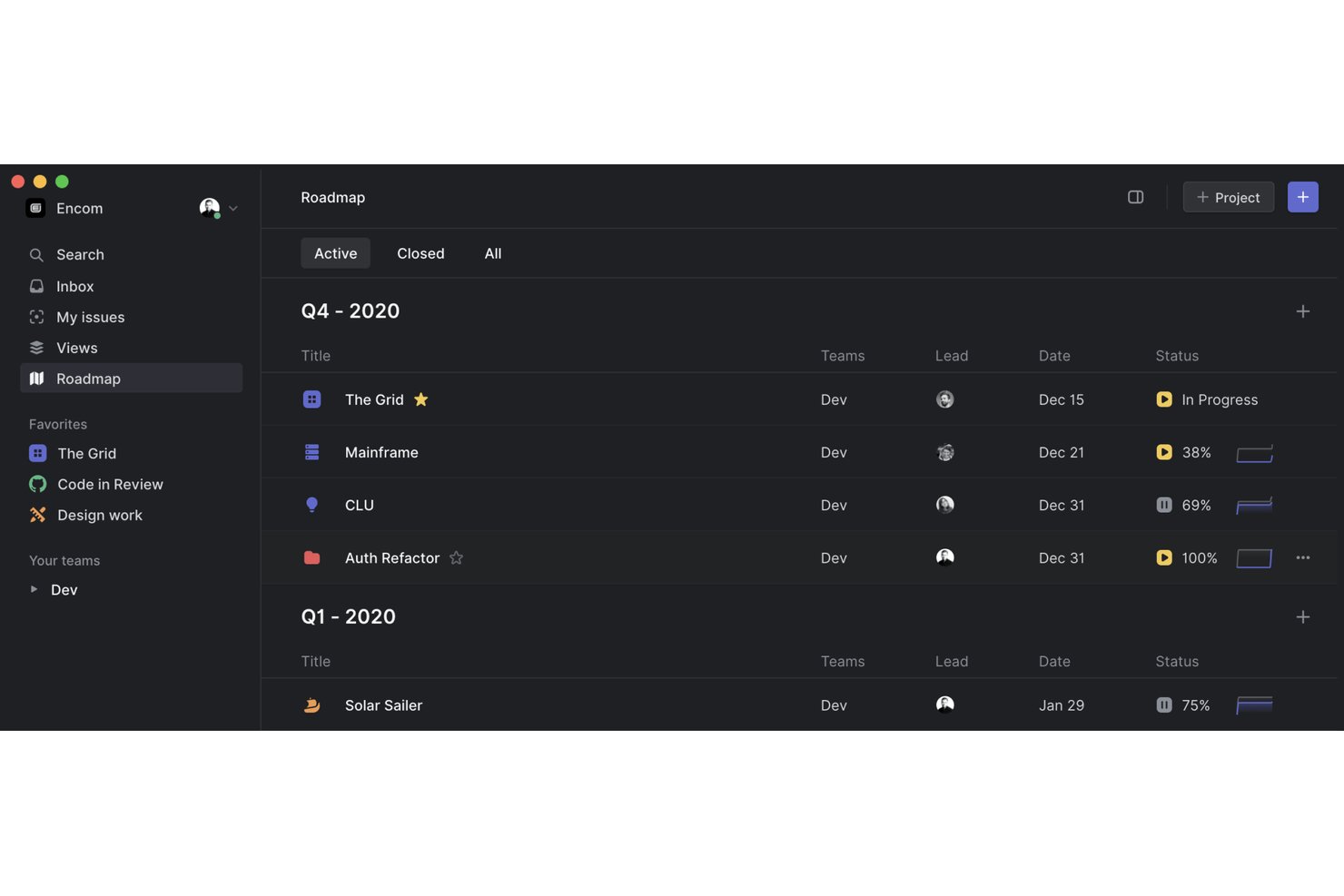
Linear is a project and issue tracking platform built for software development teams, combining cycle-based sprint planning, agile board views, and deep integrations with tools like GitHub, GitLab, and Sentry.
Who Is Linear Best For?
Linear is a strong fit for software engineering and product teams that want the structure of Jira without the configuration overhead.
Why I Picked Linear
I picked Linear as one of the best because it's built from the ground up for dev teams who are tired of Jira's configuration overhead. What I like most is the dedicated Jira importer paired with optional bidirectional sync, so your team can migrate existing issues and keep both tools in step during the transition. Cycles also stand out: configurable one-to-eight-week sprints with automatic issue rollover that replace Jira's sprint setup without the ceremony.
Linear Key Features
- Triage Intelligence: Automatically analyzes new issues against existing workspace data to suggest assignees, labels, and likely duplicates.
- Milestones and dependencies: Map dependencies between projects and highlight key dates to support planning across teams.
- Linear Asks: Routes workplace requests submitted via Slack, email, or web forms to the right team, with real-time updates back to the requester.
- GraphQL API and webhooks: Connect Linear to external systems using a GraphQL API, TypeScript SDK, OAuth 2.0, and webhooks that fire on changes to issues, projects, and cycles.
Linear Integrations
Linear lists hundreds of third-party integrations, including native integrations with Jira, GitHub, GitLab, Slack, Sentry, Figma, and Zendesk. It also offers marketplace integrations, a GraphQL API, webhooks, OAuth 2.0, and a TypeScript SDK.
Pros and Cons
Pros:
- Triage suggests assignees and likely duplicates
- Focused cycles support predictable sprint planning
- Lower configuration overhead than Jira
Cons:
- Cross-team, long-horizon work strains project model
- Advanced reporting trails larger-suite needs

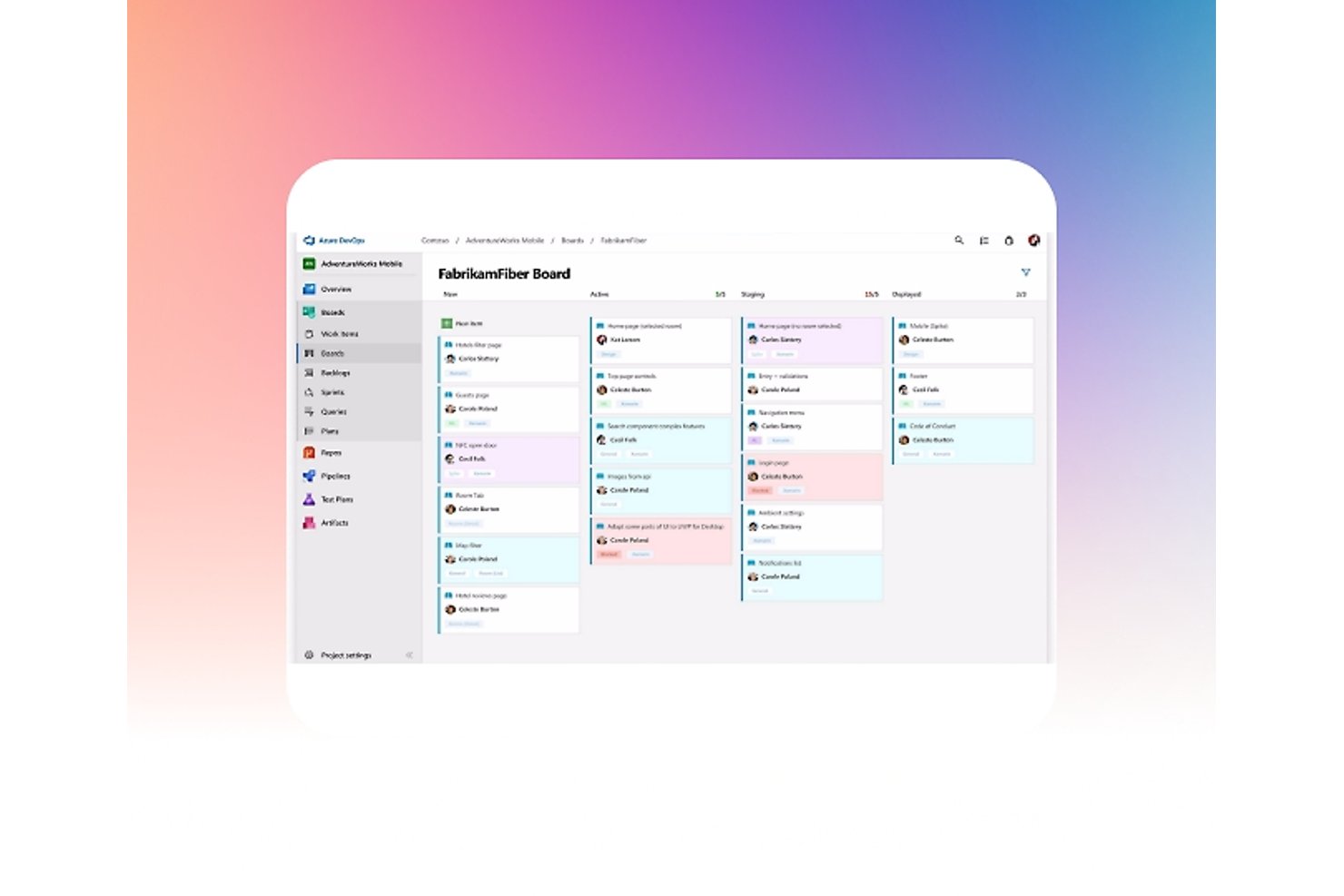
Azure Boards is Microsoft's agile work tracking tool within the Azure DevOps suite, offering Kanban boards, sprint planning, backlogs, and GitHub-linked development traceability.
Who Is Azure Boards Best For?
Azure Boards is a strong fit for software development teams already working within the Microsoft ecosystem, particularly those using GitHub, Azure Repos, or Microsoft Teams.
Why I Picked Azure Boards
Azure Boards earns its spot on my shortlist because it's purpose-built for dev teams already operating inside the Microsoft ecosystem, making it a natural Jira alternative when GitHub, Azure Repos, or Microsoft Teams are already in play. I particularly like how Delivery Plans let you view sprint-scheduled work across multiple teams on a single timeline, showing dependencies and epic rollups without needing a separate tool. The GitHub integration also lets you trace a work item directly to its linked commits, pull requests, and Checks status from within the board itself.
Azure Boards Key Features
- Scrum boards and sprint planning: Teams can run sprints end-to-end using built-in scrum boards, sprint backlogs, and taskboards designed for Agile ceremonies.
- Cross-project queries: Work-item queries can span multiple projects within an organization, giving teams a single view of work across different project boundaries.
- CSV bulk import and export: Teams can bulk-update work items or transfer data between projects and organizations using CSV files, with support for parent-child hierarchy setup.
- Audit logging: Organization-level events—including permission changes, deleted resources, and branch policy changes—are captured with actor, IP, timestamp, and category details.
Azure Boards Integrations
Azure Boards offers native integrations with GitHub, Microsoft Teams, and Slack, plus 1,000+ Marketplace extensions. Its REST API and service hooks support custom integrations and CI/CD workflows.
Pros and Cons
Pros:
- Queries surface work across project boundaries
- Stories, bugs, and sprint work stay together
- Delivery Plans map dependencies across team sprints
Cons:
- Workflow setup offers less flexibility than Jira
- Newcomers find navigation and queries overwhelming

Best for enterprise agility
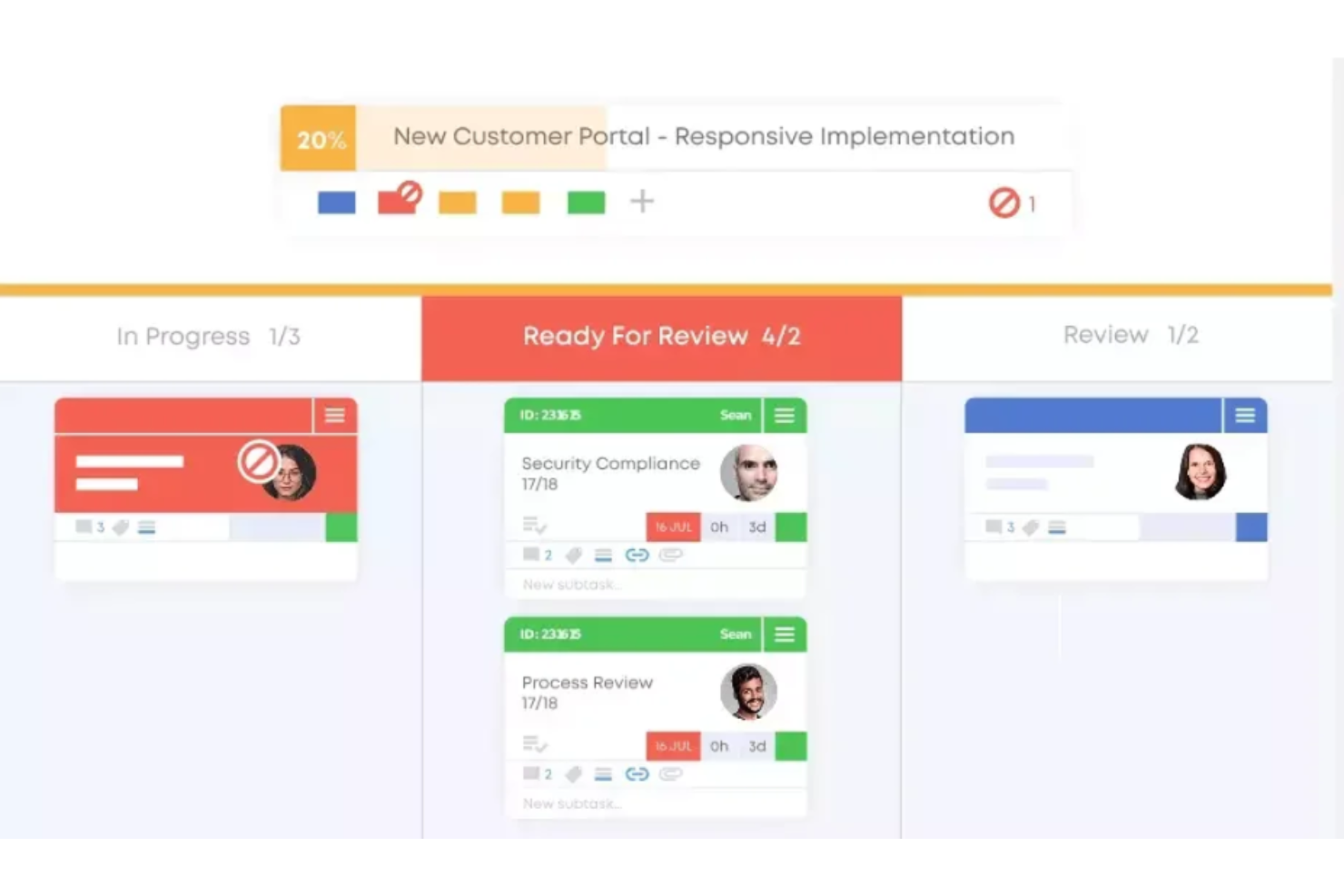
Businessmap simplifies enterprise operations with its advanced Kanban approach. It connects strategic planning and with execution, making it ideal for enhancing enterprise agility.
Why it's a good Jira alternative:
I selected Businessmap for its emphasis on enterprise agility. Its unique approach to integrating strategic objectives with project progress makes it a solid alternative to Jira.
Standout features & integrations:
Features include advanced analytics, customizable Kanban boards, and automation rules, which are critical for managing complex workflows and projects. The platform's ability to visualize and manage dependencies across multiple teams and projects is particularly beneficial for large organizations.
Integrations include Jira, Trello, Asana, Zapier, Google Drive, Dropbox, GitHub, GitLab, Bitbucket, Jenkins, and Slack.
Pros and Cons
Pros:
- Robust integration capabilities with popular tools and services
- Customizable Kanban boards for various workflow types
- Advanced analytics for in-depth project insights
Cons:
- The focus on enterprise features may be overwhelming for smaller projects
- A higher starting price point may be prohibitive for smaller teams
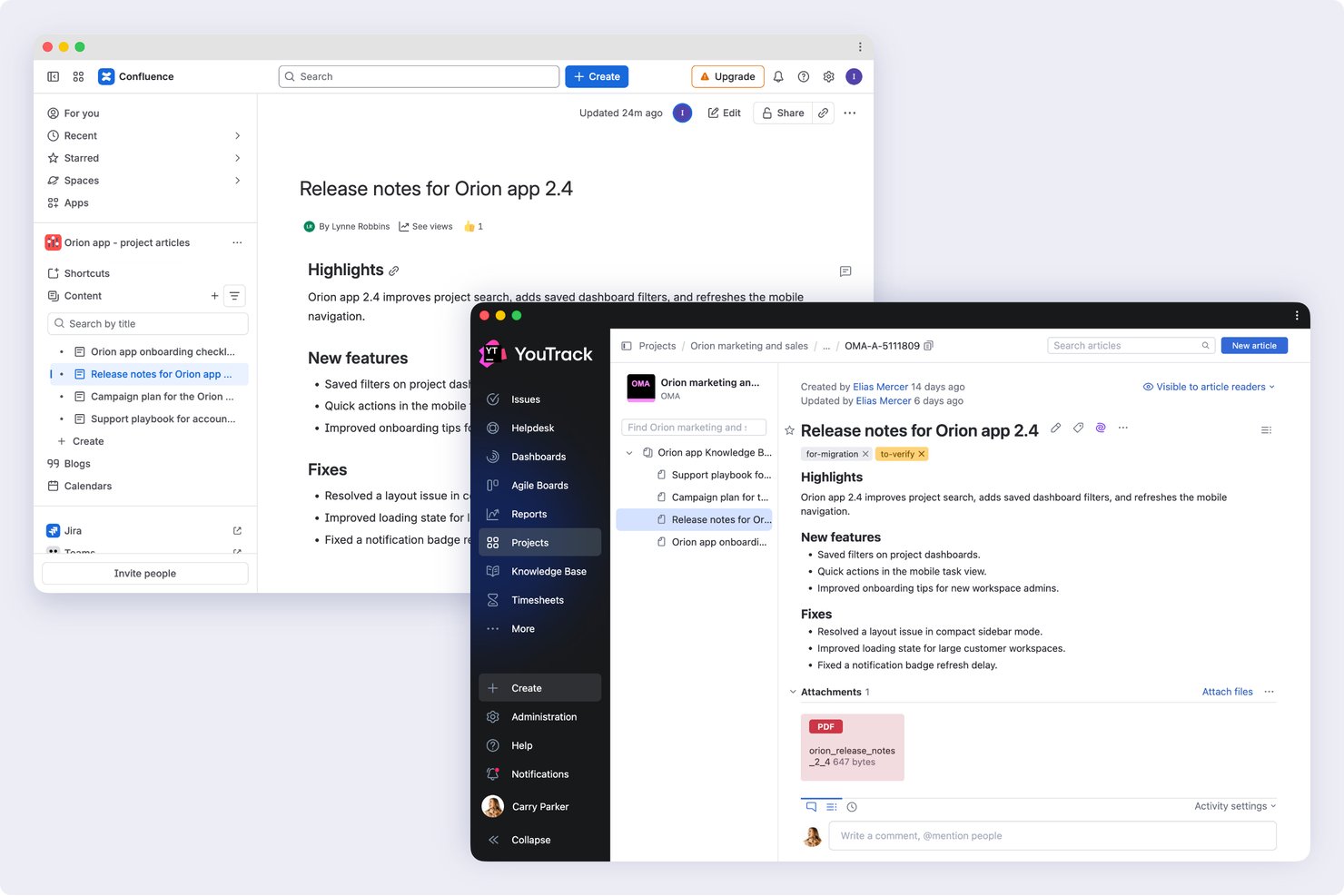
YouTrack is a JetBrains issue tracker and project management tool built for dev teams, offering agile boards, customizable workflows, sprint planning, and deep integrations with version control systems like GitHub, GitLab, and Azure DevOps.
Who Is YouTrack Best For?
YouTrack is a strong fit for software development teams that want Jira-level issue tracking without Jira's price tag or administrative overhead.
Why I Picked YouTrack
YouTrack earns its spot on my shortlist because it gives dev teams Scrum and Kanban boards, sprint planning, and deep VCS integrations with GitHub, GitLab, and Azure DevOps without the cost that typically comes with that feature set. I particularly like the multi-project boards, which let you pull issues from up to 20 projects into a single view with swimlanes and merged column states. The free tier for up to 10 users includes nearly everything in the paid plan, and the built-in Jira import handles issues, custom fields, comments, and history.
YouTrack Key Features
- Knowledge base: Teams can create internal or public documentation, organize it with tags and filters, and link articles directly to issues.
- Helpdesk projects: YouTrack accepts support requests via email or embedded web forms, with SLA policies, agent reply templates, and customer-facing FAQs built in.
- Time tracking: Users log time manually or automatically against individual tasks, then analyze it by team member, project, or work group.
- Gantt chart: The interactive timeline lets you schedule tasks, set dependencies, track estimates, and visualize progress across a project.
YouTrack Integrations
YouTrack offers native integrations with GitHub, GitLab, Azure DevOps, Bitbucket, Slack, Jira, and Confluence, plus hundreds of documented systems and applications. It also supports REST API and webhooks for custom integrations, with additional apps available through JetBrains Marketplace.
Pros and Cons
Pros:
- Cross-project reports give teams broader visibility
- Configurable boards organize sprints and backlogs
- Detailed issue fields support granular triage
Cons:
- Advanced workflow rules can require scripting skills
- Dense navigation makes tickets harder to find

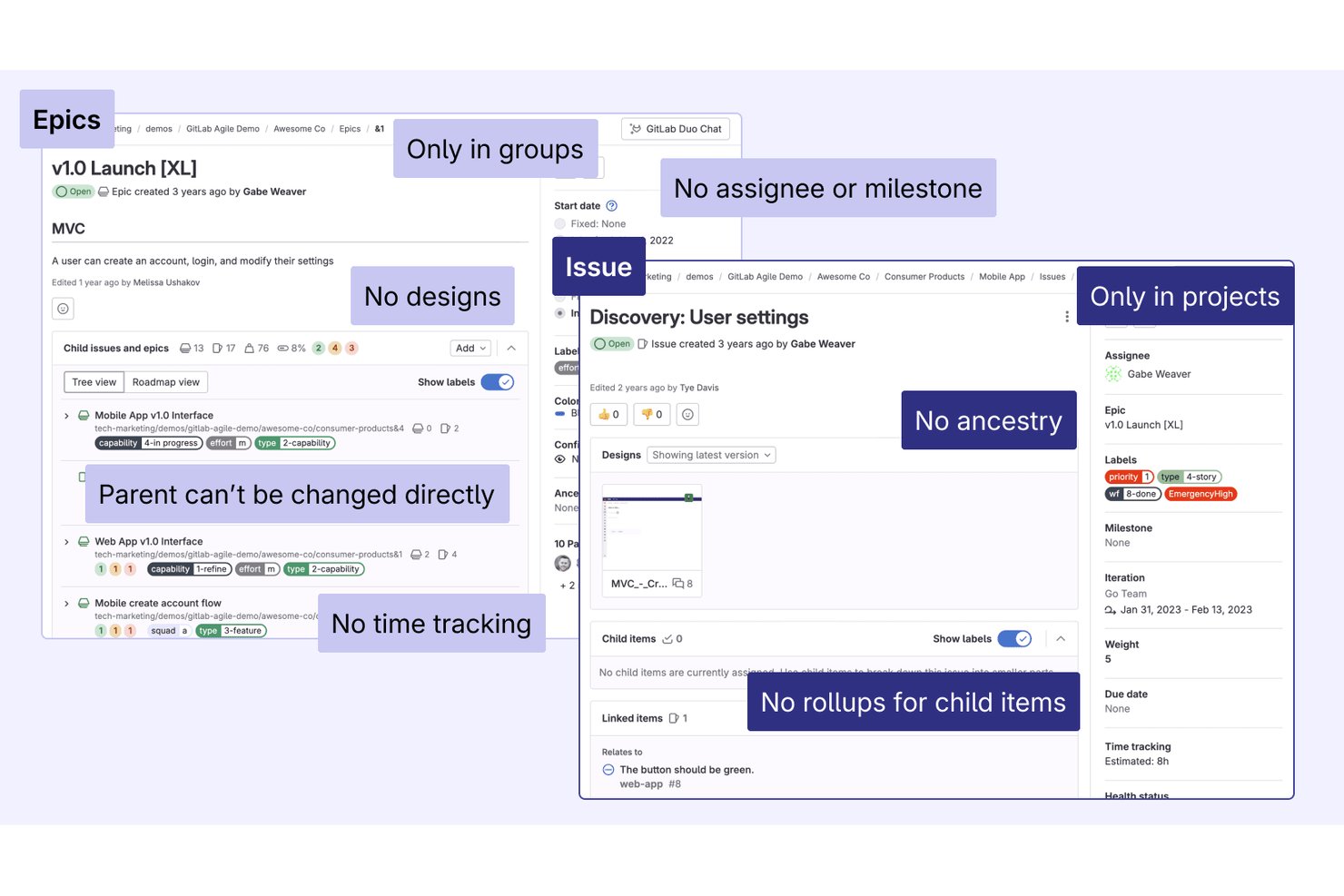
GitLab is a DevSecOps platform that unifies source code management, CI/CD, issue tracking, agile planning, and security into a single control plane for software teams.
Who Is GitLab Best For?
GitLab fits engineering-led teams that want to consolidate source control, CI/CD, and issue tracking into one platform instead of stitching together separate tools.
Why I Picked GitLab
I've included GitLab in my top picks because it's the only tool here that treats issue tracking and CI/CD as a single system rather than two products bolted together. When a developer closes a merge request, linked issues close automatically, keeping your board accurate without manual updates. I also find the value stream analytics genuinely useful: you can see exactly where work stalls between planning and deployment, which is something Jira requires third-party add-ons to approximate.
GitLab Key Features
- Issue boards with swimlanes: Organize issues into Kanban or Scrum boards with epic-based swimlanes, drag-and-drop card movement, and filters by assignee, label, milestone, or iteration.
- Iterations: Assign issues to time-boxed sprint cycles that track scope and progress separately from milestones.
- Built-in wikis: Create project and group wikis in Markdown and link pages directly to epics, issues, and boards.
- DORA metrics and productivity analytics: Track deployment frequency, lead time, and change failure rate alongside issue and merge request activity at project or group level.
GitLab Integrations
GitLab integrates with hundreds of applications, including Jira, Slack, Jenkins, AWS, Google Cloud, and Microsoft Azure. It also provides REST and GraphQL APIs, webhooks, and an MCP server for custom connectivity.
Pros and Cons
Pros:
- Issue analytics pair delivery metrics with planning
- Scrum boards support epic swimlanes and iterations
- GitLab links issues directly to merged work
Cons:
- New product owners face dense, engineering-centric workflows
- Multi-team backlogs and release assignment trail Jira
Andre Jira-alternativer
Nedenfor finner du en liste over flere Jira-alternativer som jeg vurderte, men ikke tok med i topplisten. Ta en titt på dem hvis du ikke fant det du lette etter ovenfor.
- IBM Targetprocess
For portfolio-level agile management
- Wrike
For complex projects across various industries
- Asana
For cross-functional goal alignment
- Forecast
For client services ops replacing Jira
- Airtable
For no-code custom app building
- Favro
For Agile teams and collaboration
- ONES
For Jira migration with dev tool sync
- Shortcut
For dev-team agile sprint management
- Planview AgilePlace
For enterprise Kanban at scale
- Plane
For Jira migrants who code and document


Relaterte vurderinger av prosjektstyringsprogramvare
Hvis du fortsatt ikke har funnet det du leter etter, kan du ta en titt på disse relaterte prosjektstyringsverktøyene som vi har testet og vurdert.
How I Evaluate Jira Alternatives
I evaluate Jira alternatives in two layers: baseline requirements like sprint boards and custom workflows that every tool must cover, and the differentiators that separate the best from the rest.
Core Functionality (Table Stakes For This List)
When I'm selecting tools for my list, I rank each one on a scale from 0 (does not offer the functionality) to 5 (excels in this area) for each core functionality listed below. Then, I calculate the tool's total score into a percentage. Each tool needs to achieve a minimum total score of 75% to be considered for inclusion.
- Issue & Task Tracking: I look at how each tool handles issue hierarchies—whether you can map epics to stories to subtasks and link related items the way Jira, Linear, and Asana each approach it.
- Agile Board Views: I check for Scrum and Kanban boards with real sprint support, backlog grooming, and swimlanes rather than a simple drag-and-drop task board dressed up as agile.
- Custom Workflows: Each tool gets evaluated on whether teams can build their own status flows and transitions, like routing a bug from triage to dev review to QA without workaround hacks.
- Roadmapping & Timelines: I look for timeline or Gantt views that let you plot releases and epics with dependencies, so product leads can visualize delivery across multiple teams at once.
- Reporting & Dashboards: Burndown charts, velocity tracking, and cumulative flow diagrams matter here. I evaluate whether dashboards are configurable or locked into preset templates.
- Dev Tool Integrations: A tool needs native connections to GitHub, GitLab, or Bitbucket plus CI/CD and chat apps. I check whether commits and pull requests link back to issues automatically.
Once I have a list of tools that meet this criteria, I consider what sets each platform apart.
Differentiating Factors (What Sets Vendors Apart)
Here's how I compare and contrast different vendors:
Standout Features
Built-in documentation is a big differentiator—tools like Notion and ClickUp let teams keep specs, meeting notes, and decision logs right next to their tasks instead of toggling to a separate wiki. I also evaluate portfolio management views, since program managers need rollups across multiple projects to spot bottlenecks early. Native time tracking and capacity planning round out the picture, helping leads balance workloads before sprint commitments turn into overtime.
Beyond Features
Migration support matters a lot when you're leaving Jira. I check whether a tool offers native Jira importers that preserve issue history, custom fields, and attachments—because rebuilding that data manually can stall a transition for weeks. Pricing structure is another key factor, especially how costs scale as your team grows and whether stakeholders get free viewer seats. For regulated teams, I also evaluate security posture: SOC 2 Type II certification, SSO/SAML support, and audit logging are table stakes at the enterprise level.
Hvorfor se etter et Jira-alternativ?
Det kan være lurt å se etter et alternativ til Jira hvis du har noen av følgende problemer.
- Kostnadsbekymringer: Du synes Jiras prismodell er for dyr for budsjettet ditt.
- Kompleksitetsproblemer: Du har problemer med Jiras kompleksitet og bratte læringskurve.
- Begrensninger i integrasjoner: Du trenger bedre integrasjonsmuligheter med andre verktøy og tjenester.
- Ytelsesproblemer: Du opplever treg ytelse eller nedetid med Jira.
- Funksjonstilpasning: Du trenger funksjoner eller tilpasningsmuligheter som Jira ikke tilbyr.
Viktige funksjoner i Jira
Disse kjernefunksjonene definerer Jiras funksjonalitet og kan hjelpe deg med å sammenligne alternative løsninger:
- Oppgavebehandling: Opprett, tildel og prioriter oppgaver for å holde prosjektene organiserte og i rute.
- Samarbeid: Kommuniser med teamet ditt ved hjelp av kommentarer, omtaler og varsler i sanntid.
- Veikart: Planlegg og visualiser prosjektets tidslinjer med avanserte verktøy for veikart, inkludert sporing av avhengigheter.
- Rapportering & analyse: Generer detaljerte rapporter om prosjektfremdrift, teamets ytelse og sporing av saker.
- Tilpassede arbeidsflyter: Utform og automatiser arbeidsflyter som samsvarer med teamets unike prosesser.
- Brukertillatelser & sikkerhet: Administrer tilgangskontroll med rollebaserte tillatelser og sikkerhetsinnstillinger.
- Integrasjonsmuligheter: Koble til hundrevis av tredjepartsapper, inkludert CI/CD-verktøy, DevOps-plattformer og produktivitetspakker.
- Smidig prosjektstyring: Støtt Scrum-, Kanban- og hybride smidige arbeidsflyter med innebygde tavler og verktøy for sprintplanlegging.
- Tidsregistrering: Registrer arbeidstimer direkte i Jira eller integrer med apper for tidsregistrering for ressursstyring.
- Saks- & feilsporing: Identifiser, rapporter og løs feil effektivt med detaljerte funksjoner for sporing og automatisering.