

10 beste Milanote-Alternativen für visuelle Planung im Jahr 2026

Liste der besten Milanote-Alternativen


Das Verwalten von Projekten kann eine Herausforderung sein, denn das Jonglieren mit Fristen, die Koordination des Teams und endlose Aufgaben können schnell dazu führen, dass du dich überfordert fühlst. Produktivitätssoftware wie Milanote kann helfen, deckt aber möglicherweise nicht alle deine Anforderungen ab.
Vielleicht benötigst du bessere Tools für die Zusammenarbeit oder eine flexiblere Aufgabenverwaltung. Was auch immer der Grund ist: Die richtige Software kann die Art und Weise, wie du arbeitest, grundlegend verändern.
Ich habe verschiedene Milanote-Alternativen getestet und bewertet, um dir eine fundierte Entscheidung zu ermöglichen. Mein Ziel ist es, unvoreingenommene Einblicke in Tools zu geben, die besser zu den Anforderungen deines Teams passen könnten.
In diesem Artikel findest du eine sorgfältig recherchierte Liste der besten Milanote-Alternativen sowie deren besondere Funktionen. Sehen wir uns Optionen an, die genau das sein könnten, wonach du suchst.
Was ist Milanote?
Milanote ist eine Produktivitätssoftware, die Kreativprofis dabei unterstützt, ihre Projekte visuell zu organisieren. Sie wird häufig von Designern, Autoren und Marketingspezialisten verwendet, die ein flexibles Tool für Brainstorming und Planung benötigen. Boards zum Ziehen und Ablegen, Moodboards und Funktionen zum Erstellen von Notizen helfen bei der Projektorganisation, dem Teilen von Ideen und der Zusammenarbeit im Team. Insgesamt ist Milanote ein visueller Arbeitsbereich, der dazu dient, Projekte und Ideen organisiert zu halten.
Vergleichstabelle der Milanote-Alternativen
Diese Vergleichstabelle fasst die Preisdetails meiner besten Milanote-Alternativen zusammen:
| Tool | Best For | Trial Info | Price | ||
|---|---|---|---|---|---|
| 1 | Am besten für einfache Zusammenarbeit im Team | Kostenloser Tarif verfügbar | Ab $6/Benutzer/Monat (jährlich abgerechnet) | Website | |
| 2 | Am besten für flexible Aufgabenverwaltung geeignet | 14-tägige kostenlose Testversion | Ab $5/Benutzer/Monat (jährlich abgerechnet) | Website | |
| 3 | Am besten für die Integration mit Microsoft | Kostenlose Demo + kostenloser Tarif verfügbar | Ab $9.99/Benutzer/Monat (jährlich abgerechnet) | Website | |
| 4 | Am besten für das Erstellen anspruchsvoller Notizen geeignet | Kostenloser Tarif verfügbar | Ab $8.33/Monat (jährlich abgerechnet) | Website | |
| 5 | Am besten für integrierte Produktivitätstools geeignet | Kostenloser Tarif + kostenlose Demonstration verfügbar | Ab $7/Benutzer/Monat (jährlich abgerechnet) | Website | |
| 6 | Am besten für komplexes Projektmanagement geeignet | Kostenloser Tarif verfügbar | Ab $10.99/Benutzer/Monat (jährlich abgerechnet) | Website | |
| 7 | Ideal für KI-gestütztes Brainstorming | Kostenloser Tarif verfügbar | Ab $6.75/Nutzer/Monat (jährlich abgerechnet) | Website | |
| 8 | Am besten für Wissensverwaltung geeignet | 14-tägige kostenlose Testversion + kostenloser Tarif verfügbar | Ab 9.99 $/Monat (jährlich abgerechnet) | Website | |
| 9 | Am besten für die schnelle Erstellung von Moodboards geeignet | 7-tägige kostenlose Testversion verfügbar | Ab $11.99/Monat (jährlich abgerechnet) | Website | |
| 10 | Am besten für visuelle Werkzeuge zum Notieren | Kostenloser Tarif + 30-Tage-Geld-zurück-Garantie verfügbar | Ab $99/Lizenz | Website |
Warum Sie unseren Software-Empfehlungen vertrauen können
Unser Team testet und bewertet Software seit 2012. Als Projektmanager wissen wir selbst, wie schwierig – und wichtig – es ist, die richtige Software auszuwählen.
Für diesen Leitfaden haben wir Tools mithilfe von praktischen Tests und unabhängiger Recherche bewertet und dabei unsere Bewertungskriterien angewendet. Zudem greifen wir auf Erkenntnisse von Branchenvordenkern und praktizierenden Projektmanagement-Experten zurück.
Unsere Bewertungen spiegeln unser menschliches redaktionelles Urteilsvermögen wider, keine Verkaufsstrategie.
Expertenprüfer:
Tests der besten Milanote-Alternativen
Nachfolgend findest du meine ausführlichen Zusammenfassungen der besten Milanote-Alternativen, die es auf meine Liste geschafft haben. Meine Bewertungen bieten einen detaillierten Überblick über die wichtigsten Funktionen, Vor- und Nachteile, Integrationen und idealen Einsatzmöglichkeiten jedes Tools, damit du die beste Lösung für dich findest.

Nuclino
Am besten für einfache Zusammenarbeit im Team
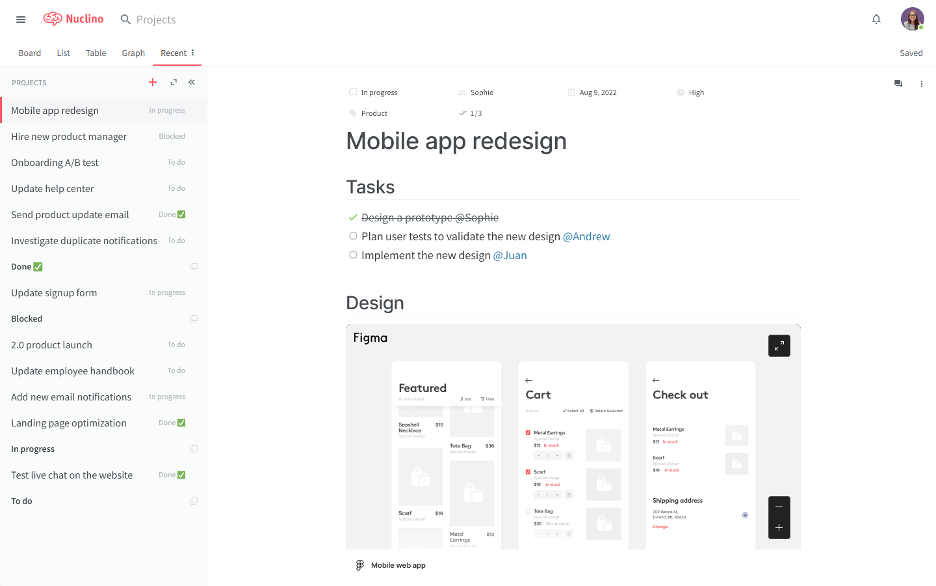
Nuclino ist ein kollaborativer Arbeitsbereich, der für Teams entwickelt wurde, um Wissen zu organisieren, Projekte zu verwalten und Ideen auf einer einheitlichen Plattform auszutauschen. Es eignet sich für Teams, die nach einer einfachen und schnellen Möglichkeit suchen, gemeinsam an Projekten zu arbeiten, ohne unnötige Unübersichtlichkeit.
Warum es eine gute Milanote-Alternative ist: Nuclino bietet eine übersichtliche und intuitive Benutzeroberfläche, die die Zusammenarbeit im Team vereinfachen soll. Die kollaborativen Dokumente in Echtzeit und die benutzerfreundlichen Organisationswerkzeuge ermöglichen eine schnelle Einrichtung und erfordern nur eine kurze Einarbeitungszeit. Nuclino bietet einen einheitlichen Raum für textbasierte Zusammenarbeit und den Austausch von Wissen und eignet sich für Teams, die bei ihren Arbeitsabläufen Einfachheit und Geschwindigkeit priorisieren.
Hervorstechende Funktionen und Integrationen:
Zu den Funktionen gehören Funktionen für die asynchrone Kommunikation, etwa Aktivitäts- und Kommentarmenüs, sowie die Möglichkeit, in Echtzeit gemeinsam an Dokumenten zu arbeiten. Die Plattform unterstützt Listen-, Board-, Tabellen- und Diagrammansichten und bietet damit Flexibilität bei der Organisation von Informationen. Zusätzlich stellt sie einen ablenkungsfreien Editor bereit, der den Fokus auf die Erstellung von Inhalten richtet.
Zu den Integrationen gehören Slack, Google Drive, Dropbox, Microsoft OneDrive, Box, Google Calendar und weitere.
Pros and Cons
Pros:
- Übersichtlicher Schreibarbeitsbereich
- Geringe Reibungsverluste im Team
- Schlanke Wissenszentrale
Cons:
- Begrenzte Freiheit bei der Layoutgestaltung
- Wenige Automatisierungssteuerungen

Trello
Am besten für flexible Aufgabenverwaltung geeignet
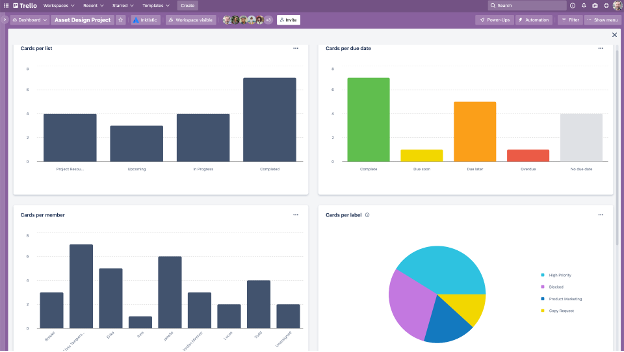
Trello ist ein visuelles Projektmanagement-Tool, das Teams dabei hilft, Aufgaben mithilfe von Boards, Listen und Karten zu organisieren. Es ist auf Teams zugeschnitten, die eine flexible und intuitive Möglichkeit benötigen, Projekte zu verwalten und effizient zusammenzuarbeiten.
Warum es eine gute Milanote-Alternative ist: Trello bietet ein flexibles Aufgabenverwaltungssystem, das sich an verschiedene Arbeitsabläufe anpassen lässt. Mit dem Board- und Kartensystem können Sie Aufgaben und Projekte auf verständliche Weise visualisieren. Außerdem bietet es anpassbare Arbeitsabläufe und Aufgabenautomatisierung.
Hervorstechende Funktionen und Integrationen:
Funktionen umfassen anpassbare visuelle Boards, mit denen Ihr Team Aufgaben so organisieren kann, dass sie zu Ihrem Arbeitsablauf passen. Mit dem Kartensystem können Sie jeder Aufgabe Details, Kommentare und Anhänge hinzufügen, sodass sich alles an einem Ort befindet. Trello bietet außerdem die Möglichkeit, Regeln und Befehle zu erstellen, um Projektaktionen, Nachrichten und Ticketverwaltung zu automatisieren.
Integrationen umfassen Slack-Power-Up, Google Kalender, Jira, Toggl und weitere.
Pros and Cons
Pros:
- Schnelle Einrichtung von Aufgaben
- Visuelle Fortschrittsverfolgung von Projekten
- Flexible Automatisierungsmöglichkeiten
Cons:
- Keine native Abhängigkeitslogik
- Bei zunehmender Größe kann es unübersichtlich werden

Mural
Am besten für die Integration mit Microsoft
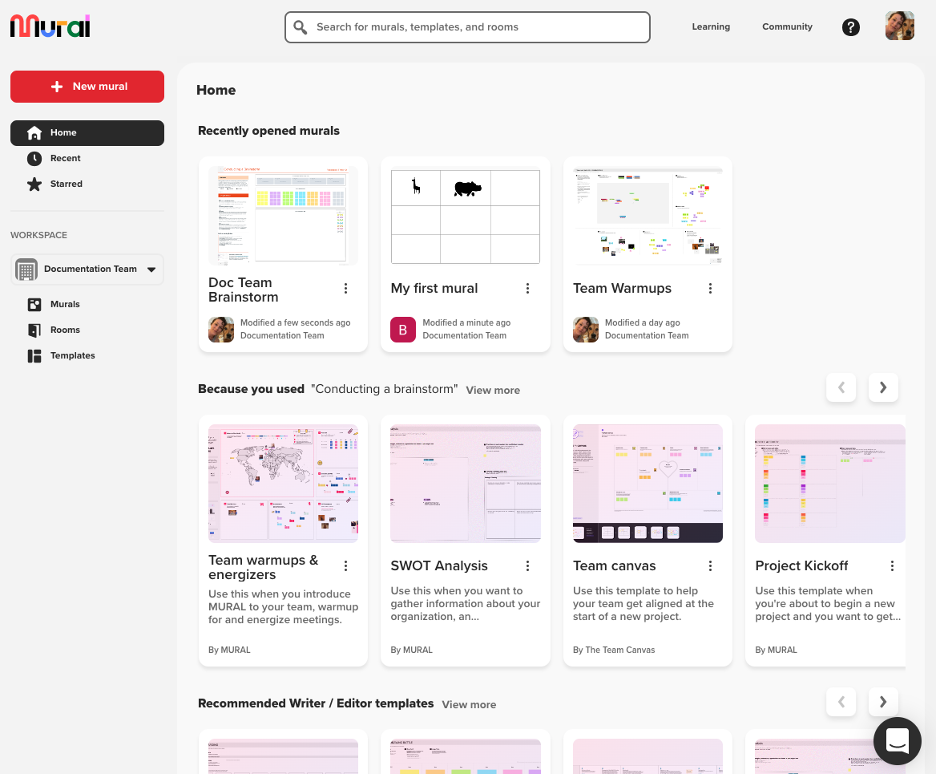
Mural ist ein digitaler Arbeitsbereich für visuelle Zusammenarbeit, der mit Microsoft 365 kompatibel ist. Er ist auf Design- und Innovationsteams zugeschnitten, die sich auf Brainstorming und interaktive Planung verlassen, um Kreativität und Teamarbeit zu fördern.
Warum es eine gute Milanote-Alternative ist: Mural bietet eine dynamische Plattform für visuelle Zusammenarbeit und eignet sich daher für Teams, die interaktive Whiteboards und Brainstorming-Tools benötigen. Die Haftnotizen, Zeichenwerkzeuge und Vorlagen können dazu beitragen, Arbeitsabläufe zu verbessern.
Herausragende Funktionen und Integrationen:
Funktionen umfassen eine unendliche Arbeitsfläche, auf der Ihr Team in Echtzeit zusammenarbeiten kann, wodurch Brainstorming-Sitzungen verbessert werden. Das Tool bietet eine umfassende Integration in das Microsoft-Ökosystem, sodass Sie Ihren Arbeitsablauf vereinheitlichen können. Mural bietet außerdem Abstimmungs- und Timer-Funktionen, um die Entscheidungsfindung während Besprechungen zu erleichtern.
Integrationen umfassen Microsoft Teams, Slack, Zoom, Jira, Google Workspace, Dropbox und mehr.
Pros and Cons
Pros:
- Live-Gruppen-Brainstorming
- Große Whiteboard-Skalierung
- Starke Unterstützung des Microsoft-Ökosystems
Cons:
- Begrenzte Versionskontrolle
- Visuelle Unübersichtlichkeit kann sich schnell aufbauen

Evernote
Am besten für das Erstellen anspruchsvoller Notizen geeignet
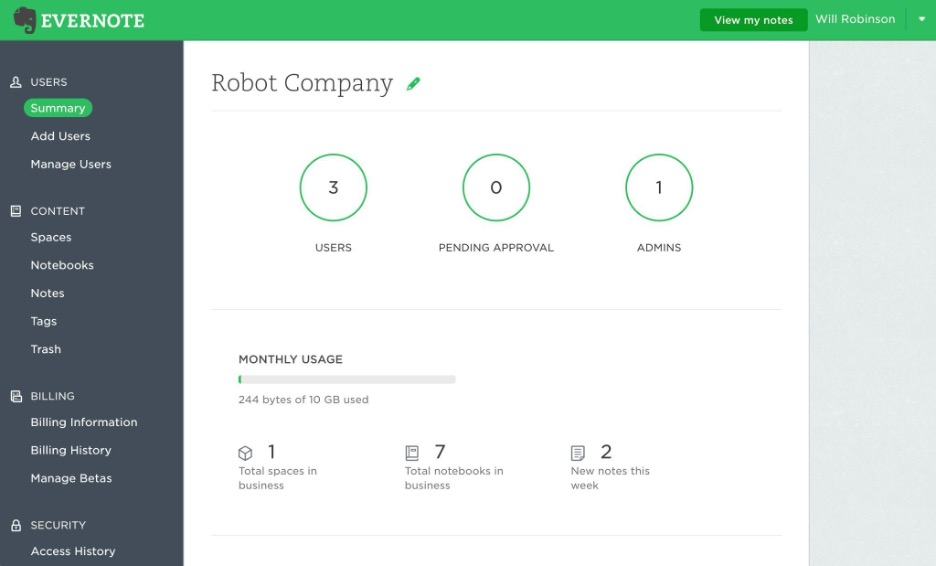
Evernote ist eine vielseitige App zum Erstellen von Notizen für Einzelpersonen und Teams, die Notizen, Aufgaben und Zeitpläne an einem Ort organisieren müssen. Sie ist eine beliebte Wahl für Fachleute, die Wert auf erweiterte Suchfunktionen und einfachen Zugriff auf Informationen legen.
Warum es eine gute Milanote-Alternative ist: Evernote überzeugt mit seinen erweiterten Funktionen zum Erstellen von Notizen und eignet sich besonders für Nutzer, die mehr als eine visuelle Projektplanung benötigen. Die vorgefertigten Notizvorlagen, Aufgabenlisten und KI-Funktionen unterstützen die detaillierte Erfassung und Organisation von Informationen. Im Gegensatz zu Milanote konzentriert sich Evernote auf textbasierte Daten und Aufgabenverwaltung.
Herausragende Funktionen und Integrationen:
Zu den Funktionen gehört das Ausschneiden von Webinhalten, mit dem du Artikel, Bilder und PDFs direkt in deinen Notizen speichern kannst. Die App bietet erweiterte Suchfunktionen, mit denen du Verweise in deinen Notizen schnell finden kannst. Außerdem hilft dir die Funktion zum Scannen von Dokumenten in Evernote dabei, Papierdokumente zu digitalisieren und zu verwalten.
Zu den Integrationen gehören Google Drive, Slack, Microsoft Teams, Outlook, Google Kalender und mehr.
Pros and Cons
Pros:
- Hohe Genauigkeit bei der Suche
- Leistungsstarke Dokumentenerfassung
- Langfristige Speicherung von Notizen
Cons:
- Langsamere Skalierung von Notizbüchern
- Eingeschränkte Exportkontrolle

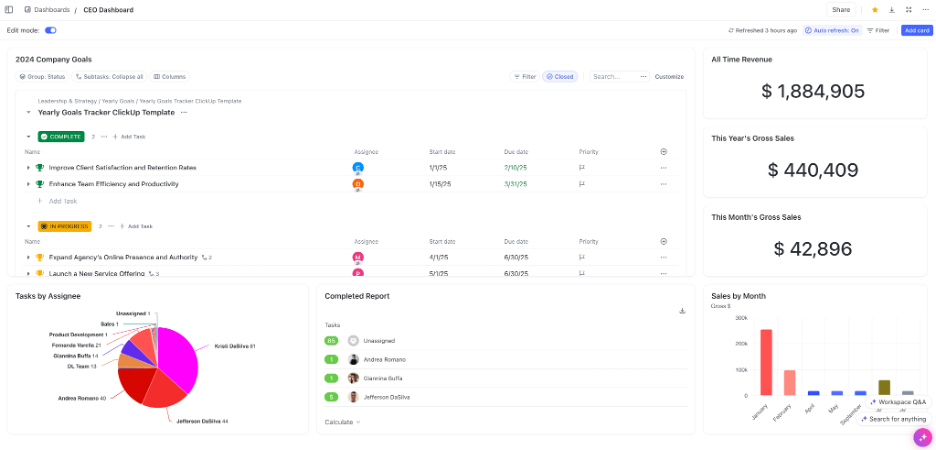
ClickUp ist ein vielseitiges Projektmanagement- und Produktivitätstool, das von Teams in verschiedenen Branchen genutzt wird, um Projekte zu planen, zu verfolgen und gemeinsam daran zu arbeiten. Es dient Unternehmen, die eine zentrale Plattform für die Integration von Aufgaben, Dokumenten, Zielen und Zeitmanagement benötigen.
Warum es eine gute Milanote-Alternative ist: ClickUp bietet eine umfassende Suite von Produktivitätstools, die mehr als nur visuelle Organisation ermöglicht. Die Funktionen zur Aufgabenverwaltung, Dokumentbearbeitung und Zeiterfassung sind darauf ausgelegt, die Teamproduktivität zu steigern. Die Plattform bietet eine strukturierte Umgebung zur Verwaltung verschiedener Projektbereiche.
Hervorstechende Funktionen und Integrationen:
Zu den Funktionen gehört die Aufgabenautomatisierung, mit der Ihr Team durch die Automatisierung wiederkehrender Aufgaben Zeit sparen kann. Die Plattform bietet Vorlagen für Checklisten und anpassbare Dashboards, sodass Sie die Benutzeroberfläche an die Anforderungen Ihres Projekts anpassen können. ClickUp bietet außerdem eine Zielverfolgung, damit Ihr Team die Projektziele im Blick behält.
Zu den Integrationen gehören Slack, Google Drive, Dropbox, Microsoft Teams, Zoom, GitHub und weitere.
Pros and Cons
Pros:
- Große Auswahl an Integrationen
- Leistungsstarke Automatisierungsfunktion
- Leistungsstarke Berichtsfunktionen
Cons:
- Komplexer Einrichtungsprozess
- Mögliche Verwirrung durch eine übermäßige Funktionsvielfalt

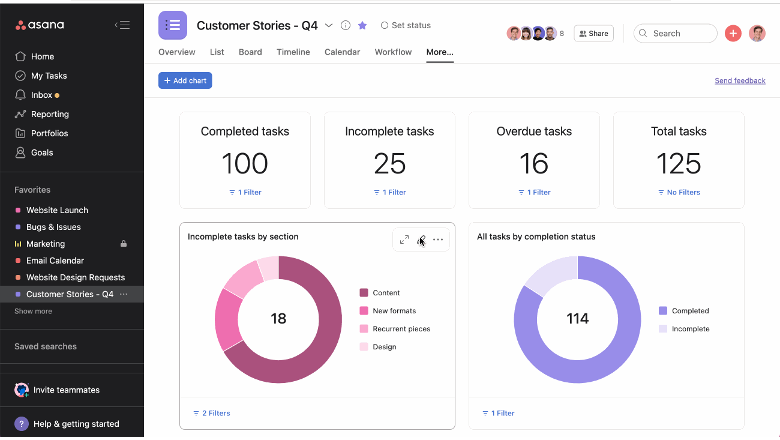
Asana ist ein Projektmanagement-Tool, das Teams dabei unterstützt, ihre Arbeit zu organisieren, zu verfolgen und zu verwalten. Es wird von Unternehmen bevorzugt, die umfangreiche Funktionen für die Projektplanung und Aufgabenverwaltung benötigen.
Warum es eine gute Milanote-Alternative ist: Asana bietet eine Reihe von Projektmanagementfunktionen, die sich für strukturierte Arbeitsabläufe und komplexe Projekte eignen. Die Funktionen für Aufgabenabhängigkeiten, Zeitpläne und Projektverfolgung bieten einen detaillierten Überblick über den Fortschritt.
Herausragende Funktionen und Integrationen:
Zu den Funktionen gehört eine Live-Zeitachsenansicht, mit der Sie Projektpläne und Fristen visualisieren können. Asana bietet außerdem benutzerdefinierte Felder, mit denen Sie die Plattform an Ihre spezifischen Projektanforderungen anpassen können.
Zu den Integrationen gehören Slack, Microsoft Teams, Google Drive, Dropbox, Salesforce, Zoom und mehr.
Pros and Cons
Pros:
- Leistungsstarke Verwaltung von Abhängigkeiten
- Übersichtliche Arbeitsauslastungsansichten
- Ausgereifte Arbeitsablaufstruktur
Cons:
- Begrenzungen bei der Verschachtelung von Aufgaben für große Organisationen
- Preisgestaltung und Funktionsstruktur können für kleine Teams zusätzlichen Aufwand verursachen

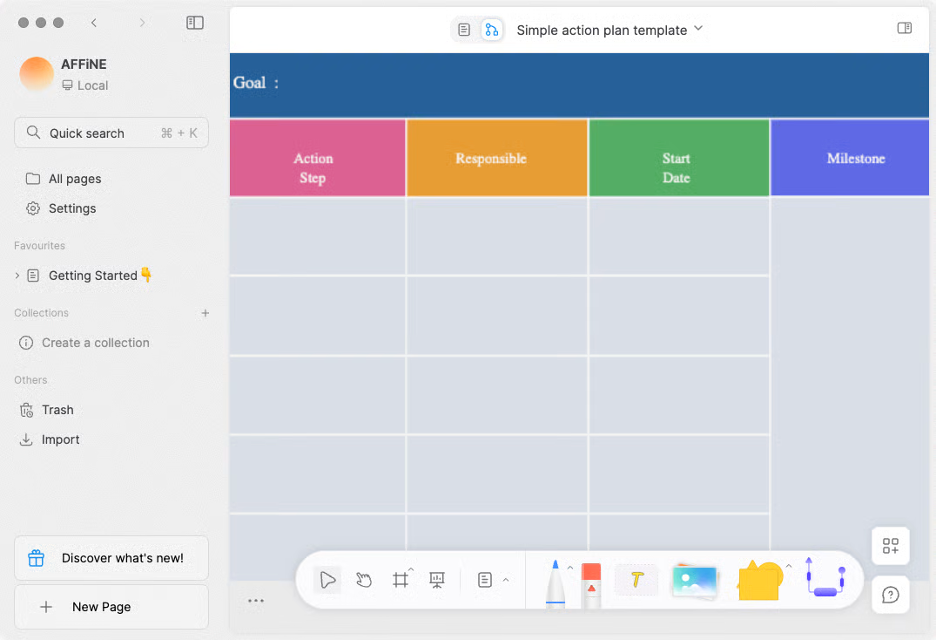
AFFiNE ist ein vielseitiger Wissensarbeitsbereich, der Dokumente, Whiteboards, Datenbanken und einen KI-gestützten Assistenten in einer einzigen App vereint. Er richtet sich an Einzelpersonen oder Teams, die einen flexiblen Raum für Notizen, visuelles Brainstorming, die Erstellung von Inhalten und die Projektplanung suchen.
Warum es eine gute Milanote-Alternative ist: AFFiNE bietet einen KI-gestützten Arbeitsbereich, in dem Sie schreiben, zeichnen, planen oder gestalten können. Die KI-Funktionen ermöglichen es Ihnen, Inhalte zu erstellen, Tonalität und Grammatik zu verfeinern und Notizen schnell in ausformulierte Texte oder strukturierte Gliederungen umzuwandeln. Die Plattform verbindet ein frei gestaltbares Whiteboard im Stil einer Arbeitsfläche mit herkömmlicher Dokumentbearbeitung, sodass Sie nicht zwischen separaten Apps wechseln müssen.
Hervorstechende Funktionen und Integrationen:
Zu den Funktionen gehören ein unendliches Whiteboard (randlose Arbeitsfläche) für visuelles Brainstorming, die Zusammenarbeit in Echtzeit über Cloud- oder lokale Arbeitsbereiche hinweg sowie ein integrierter KI-Assistent, der Sie beim Schreiben und Zusammenfassen unterstützen und Ideen in Texte oder Präsentationen umwandeln kann. Die Anwendung ist außerdem als mobile App verfügbar, sodass Sie auch unterwegs auf Ihre Projekte zugreifen können.
Integrationen sind nicht öffentlich aufgeführt.
Pros and Cons
Pros:
- Hybrides Schreiben auf einer Arbeitsflächenoberfläche
- Kontrolle nach dem Prinzip der lokalen Priorität
- KI-gestütztes Verfassen von Entwürfen
Cons:
- Die hybride Benutzeroberfläche kann komplex wirken
- Funktionen befinden sich noch in der Entwicklung

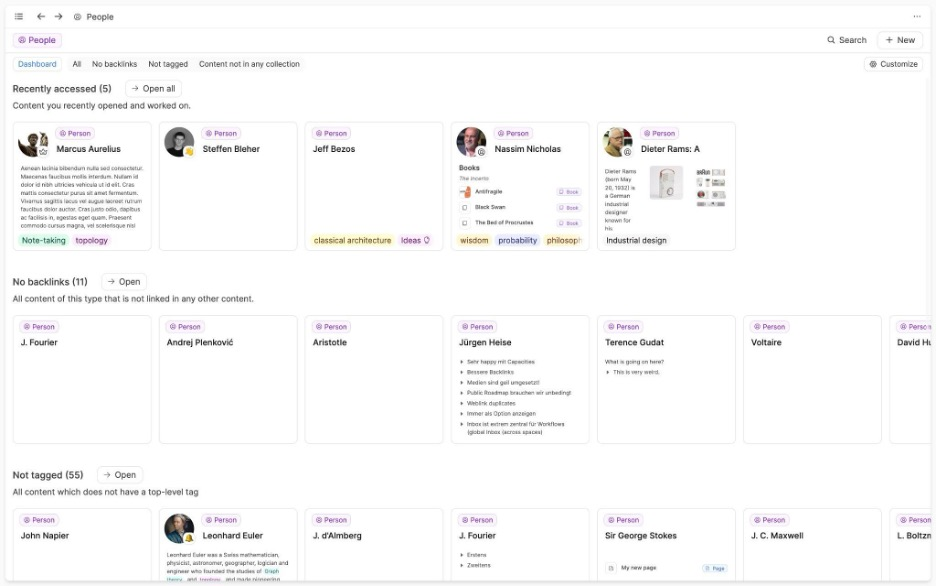
Capacities ist eine einzigartige Software, die kreatives Denken fördert, indem sie es Nutzern ermöglicht, mit ihren Notizen als Objekten statt mit herkömmlichen Dateien zu interagieren. Sie richtet sich an Autoren, Forscher und Entwickler, die einen vernetzten Ansatz zur Wissensverwaltung suchen.
Warum es eine gute Alternative zu Milanote ist: Capacities bietet eine kreative Umgebung zur visuellen Darstellung von Zusammenhängen, die Ihnen hilft, verschiedene Elemente wie Ideen und Bücher zu visualisieren und miteinander zu verknüpfen. Dieser Ansatz fördert die kreative Entwicklung und ermöglicht es Ihnen, Ihr Verständnis Ihrer Projekte zu vertiefen. Die Software eignet sich für Nutzer, die sich von herkömmlichen Methoden der Notizenerstellung lösen und einen intuitiveren Arbeitsablauf nutzen möchten.
Hervorstechende Funktionen und Integrationen:
Zu den Funktionen gehören ein interaktiver Arbeitsbereich, in dem Sie Ihre Gedanken visuell verknüpfen und organisieren können, sowie eine intuitive Benutzeroberfläche zur Entwicklung eines zentralen Archivs Ihrer Notizen und Ressourcen.
Zu den Integrationen gehören Google Calendar, Readwise und weitere.
Pros and Cons
Pros:
- Intuitive objektbasierte Organisation
- Einfache Schreiboberfläche
- Leistungsstarke Funktionen zum Markieren und Verknüpfen
Cons:
- Für die individuelle Nutzung konzipiert
- Keine Unterstützung für Geschäftsabläufe

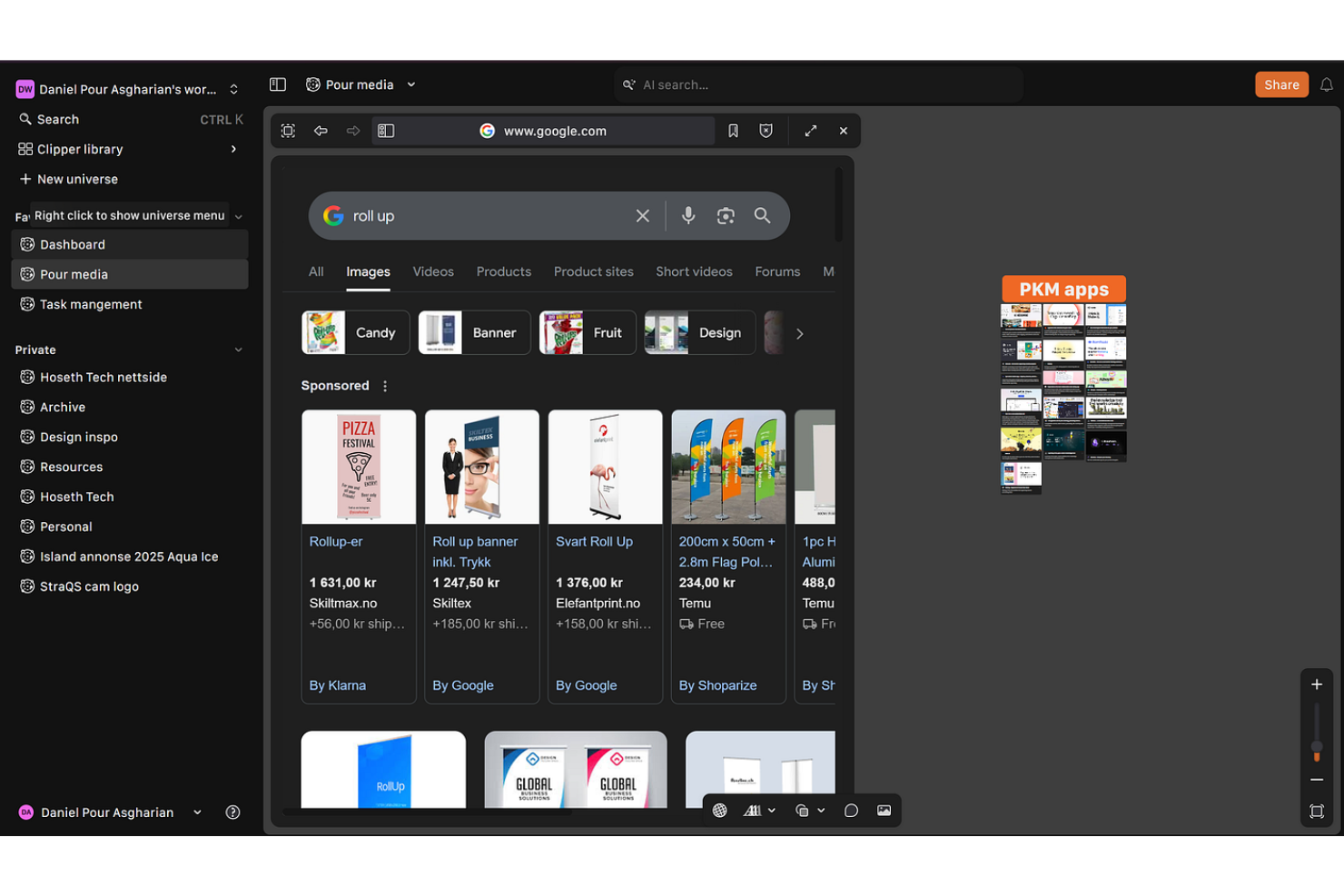
Kosmik ist ein digitales Tool, das kreative Fachleute dabei unterstützt, Projekte mithilfe von Moodboards und interaktiven Arbeitsbereichen zu organisieren und zu visualisieren. Es wird hauptsächlich von Designern und Künstlern genutzt, die eine flexible Plattform für Brainstorming und die Entwicklung von Ideen benötigen.
Warum es eine gute Milanote-Alternative ist: Kosmik bietet eine intuitive Benutzeroberfläche für die schnelle Erstellung von Moodboards und ist damit eine geeignete Wahl für Kreative, die Ideen jederzeit visualisieren müssen. Die Funktion zum Ziehen und Ablegen ermöglicht es Ihnen, Elemente mühelos zusammenzustellen und neu anzuordnen. Im Gegensatz zu Milanote, das umfassendere Funktionen für das Projektmanagement bietet, konzentriert sich Kosmik auf die Erstellung visueller Inhalte.
Herausragende Funktionen und Integrationen:
Zu den Funktionen gehört eine anpassbare Arbeitsfläche, auf der Ihr Team visuelle Projekte erstellen und Videos ohne Einschränkungen einbetten kann. Das Tool unterstützt die Zusammenarbeit in Echtzeit und ermöglicht Teammitgliedern, von verschiedenen Standorten aus gemeinsam zu arbeiten. Kosmik bietet außerdem eine Erweiterung zum Ausschneiden von Webinhalten, mit der Text ausgeschnitten, Seiten mit Lesezeichen versehen und Bilder zusammen mit Quellinformationen gespeichert werden können, um den kreativen Prozess anzustoßen.
Integrationen sind nicht öffentlich aufgeführt.
Pros and Cons
Pros:
- Schnelle visuelle Moodboards
- Reibungsloses Verschieben per Ziehen und Ablegen
- Freie Gestaltung des Layouts
Cons:
- Keine ernstzunehmende Projektverfolgung
- Keine Unterstützung für datenintensive Arbeitsabläufe

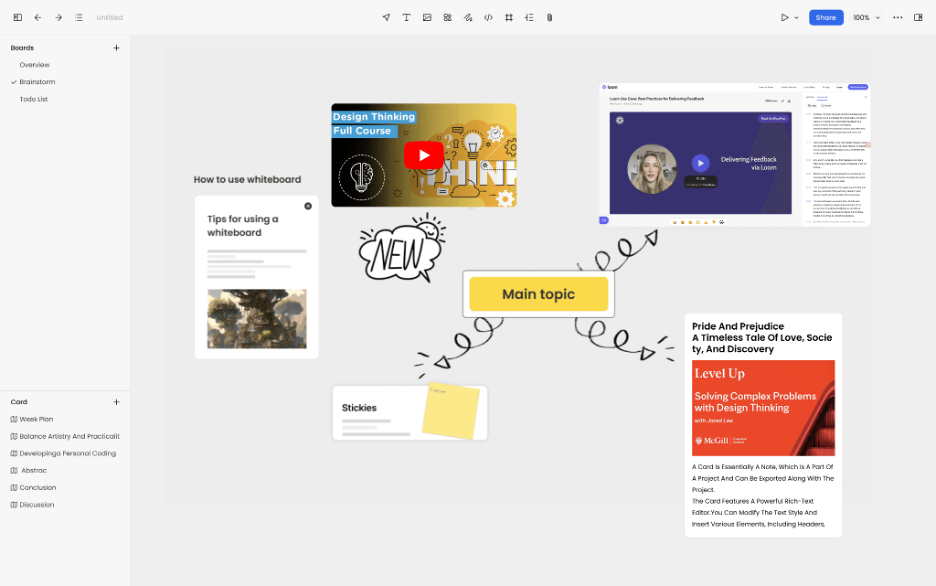
Noteey ist eine visuelle Notiz-App für Nutzer, die ihre Gedanken mithilfe von Whiteboards, Moodboards und Flussdiagrammen organisieren möchten. Sie richtet sich an ein vielfältiges Publikum, darunter Studierende, Forschende und Kreativprofis, die visuelles Denken schätzen.
Warum es eine gute Milanote-Alternative ist: Noteey bietet eine Vielzahl von Tools, die das visuelle Notieren verbessern, und eignet sich daher für alle, die mehr kreative Möglichkeiten benötigen. Die Whiteboard- und Moodboard-Funktionen bieten eine flexible Fläche, um Ideen visuell zu organisieren. Im Gegensatz zu Milanote integriert Noteey eine KI-gestützte Inhaltszusammenfassung, mit der Sie Informationen von Plattformen wie YouTube und aus PDFs schnell erfassen können.
Hervorstechende Funktionen und Integrationen:
Zu den Funktionen gehört ein Offline-Whiteboard, mit dem Sie ohne Internetverbindung arbeiten können. Die App unterstützt lokale Sicherungen und stellt so sicher, dass Ihre Daten geschützt und einfach wieder abrufbar bleiben. Noteey bietet außerdem Anmerkungswerkzeuge, mit denen Sie Dokumente hervorheben und kommentieren können.
Integrationen sind nicht öffentlich aufgeführt.
Pros and Cons
Pros:
- Starke lokale Datenkontrolle
- Flexible Whiteboard-Layouts
- Unterstützung für kreatives Arbeiten ohne Internetverbindung
Cons:
- Begrenzte Produktivitätsverfolgung
- Kleine Auswahl an unterstützten Integrationen
Weitere Milanote-Alternativen
Hier sind einige weitere Milanote-Alternativen, die es nicht auf meine Liste geschafft haben, aber dennoch einen Blick wert sind:


Wie ich Alternativen zu Milanote bewerte
Ich teile meine Bewertung in grundlegende Kriterien – etwa die Flexibilität einer frei gestaltbaren Arbeitsfläche und die Unterstützung verschiedener Medientypen – sowie in Unterscheidungsmerkmale auf, die empfehlenswerte Werkzeuge von solchen abheben, die lediglich ihren Zweck erfüllen.
Grundlegende Funktionen (Voraussetzungen für diese Liste)
Bei der Auswahl der Werkzeuge für meine Liste bewerte ich jedes einzelne für jede der unten aufgeführten grundlegenden Funktionen auf einer Skala von 0 (Funktion wird nicht angeboten) bis 5 (in diesem Bereich hervorragend). Anschließend rechne ich die Gesamtpunktzahl des Werkzeugs in einen Prozentsatz um. Jedes Werkzeug muss eine Mindestgesamtpunktzahl von 65 % erreichen, um in die Auswahl aufgenommen zu werden.
- Visueller Arbeitsbereich: Ich prüfe, ob Arbeitsflächen eine freie räumliche Anordnung unterstützen – etwa das Platzieren von Referenzbildern neben Aufgabennotizen per Ziehen und Ablegen – und Funktionen zum Zoomen, Gruppieren und zur einfachen Navigation bieten.
- Multimediale Inhaltsblöcke: Jedes Werkzeug sollte verschiedene Inhaltstypen innerhalb einer einzelnen Arbeitsfläche verarbeiten können, von eingebetteten Links und hochgeladenen Dateien bis hin zu Aufgabenlisten und Videoclips.
- Echtzeit-Zusammenarbeit: Ich achte auf gemeinsames Bearbeiten in Echtzeit, Kommentare und Erwähnungen, damit verteilte Teams ohne Versionskonflikte auf einer gemeinsamen Ideentafel Ideen entwickeln können.
- Werkzeuge zur Projektstrukturierung: Die Organisation Dutzender Arbeitsflächen wird schnell unübersichtlich. Daher bewerte ich, wie die einzelnen Werkzeuge mit Ordnern, Arbeitsbereichen und Hierarchien für mehrere Projekte umgehen.
- Vorlagen und Rahmenwerke: Eine solide Bibliothek fertiger Vorlagen für Kurzbeschreibungen, Ideentafeln und Sprintpläne spart Zeit bei der Einrichtung und erleichtert neuen Nutzern den Einstieg.
- Export- und Integrationsoptionen: Ich prüfe, ob der Export als PDF und Bild möglich ist und ob Verbindungen zu Werkzeugen wie Slack, Asana oder Google Drive bestehen, auf die Kreativ- und Projektmanagementteams bereits angewiesen sind.
Sobald ich eine Liste von Werkzeugen zusammengestellt habe, die diese Kriterien erfüllen, prüfe ich, wodurch sich die einzelnen Plattformen voneinander abheben.
Unterscheidungsmerkmale (Was Anbieter voneinander abhebt)
So vergleiche ich die verschiedenen Anbieter miteinander:
Hervorstechende Funktionen
Aufgaben- und Zeitleistenansichten spielen hier eine große Rolle. Einige Werkzeuge ermöglichen es, eine visuelle Arbeitsfläche in eine Kanban- oder Gantt-Ansicht umzuwandeln, wodurch die Lücke zwischen kreativer Planung und der Nachverfolgung der Umsetzung geschlossen wird. Der Präsentationsmodus ist eine weitere Funktion, nach der ich suche – einen Kunden durch eine Ideentafel zu führen, ohne Folien exportieren zu müssen, spart bei Besprechungen viel Zeit. Außerdem bewerte ich Zeichen- und Skizzenwerkzeuge, da freihändige Drahtmodelle direkt auf der Arbeitsfläche den Ideenfluss aufrechterhalten, ohne zwischen Anwendungen wechseln zu müssen.
Mehr als nur Funktionen
Die Modelle für Zusammenarbeit und Freigaben unterscheiden sich bei diesen Werkzeugen erheblich. Ich prüfe, ob man externe Kunden oder freie Mitarbeitende als Gäste einladen kann, ohne einen kostenpflichtigen Sitzplatz zu verbrauchen – das ist wichtig bei Agenturprojekten mit wechselnden Mitwirkenden. Die Preisstruktur ist ein weiterer entscheidender Faktor, insbesondere die Frage, wie sich die Kosten erhöhen, wenn das Team über eine Handvoll Nutzer hinaus wächst. Außerdem bewerte ich Richtlinien zu Dateneigentum und Exporten, denn Kreativteams, die mit geistigem Eigentum von Kunden arbeiten, benötigen klare Zusicherungen, dass ihre Arbeit portabel und geschützt bleibt.
Warum nach einer Milanote-Alternative suchen?
Milanote ist zwar eine gute Wahl für Produktivitätssoftware, aber es gibt verschiedene Gründe, warum manche Nutzer nach alternativen Lösungen suchen. Vielleicht suchst du nach einer Milanote-Alternative, weil …
- Du eine fortschrittlichere Aufgabenverwaltung benötigst
- Dein Team Offline-Zugriff benötigt
- Du bessere Integrationsmöglichkeiten möchtest
- Deine Projekte mehr Möglichkeiten zur visuellen Anpassung benötigen
- Du Unterstützung für größere Teams benötigst
- Du Funktionen für die globale Zusammenarbeit benötigst
Wenn du dich in einem dieser Punkte wiedererkennst, bist du hier genau richtig. Meine Liste enthält mehrere Produktivitätssoftware-Optionen, die besser für Teams geeignet sind, die mit diesen Herausforderungen bei Milanote konfrontiert sind und nach alternativen Lösungen suchen.