

10 Google-Drive-Alternativen für Cloud-Speicher im Jahr 2026

Die besten Google-Drive-Alternativen im Überblick


Eine effiziente Projektverwaltung ist unerlässlich, und Cloud-Speicher spielt eine wichtige Rolle dabei, Ihr Team organisiert zu halten. Wenn Google Drive nicht all Ihre Anforderungen erfüllt, können Sie mit der Suche nach Google-Drive-Alternativen Lösungen mit fortschrittlicher Sicherheit, besseren Funktionen für die Zusammenarbeit oder günstigeren Optionen finden.
Ich habe unabhängig eine Reihe von Cloud-Speicherplattformen getestet und bewertet, um Ihnen eine fundierte Entscheidung zu ermöglichen. In diesem Artikel entdecken Sie Google-Drive-Alternativen, die auf unterschiedliche geschäftliche Herausforderungen und Nutzerpräferenzen zugeschnitten sind.
Ich stelle meine Favoriten vor und zeige, wie jede Option zu verschiedenen Arbeitsabläufen und Teamanforderungen passt. Mit diesem Leitfaden können Sie selbstbewusst die Cloud-Speicherlösung auswählen, die Ihre Produktivität und organisatorischen Ziele am besten unterstützt.
Was ist Google Drive?
Google Drive ist eine Cloud-Speichersoftware, mit der Sie Dateien online speichern und darauf zugreifen können. Sie wird häufig von Fachleuten wie Projektmanagern, Lehrkräften und Freelancern genutzt, die Dokumente gemeinsam bearbeiten und teilen müssen.
Funktionen wie die Zusammenarbeit in Echtzeit, das einfache Teilen von Dateien und die Integration mit anderen Google-Workspace-Tools unterstützen eine effiziente Projektverwaltung und Teamarbeit. Insgesamt bietet Google Drive eine praktische Möglichkeit, Ihre Dateien sicher zu verwalten und zu teilen.
Zusammenfassung der besten Google-Drive-Alternativen
Diese Vergleichstabelle fasst die Preisdetails meiner besten Google-Drive-Alternativen zusammen, damit Sie die beste Option für Ihr Budget und Ihre geschäftlichen Anforderungen finden.
| Tool | Best For | Trial Info | Price | ||
|---|---|---|---|---|---|
| 1 | Am besten für Skalierbarkeit | Kostenloser Tarif verfügbar | Ab $0.02/GB/Monat | Website | |
| 2 | Am besten für sicheren Cloud-Speicher | Kostenlose Testversion + kostenloser Tarif verfügbar | Ab $9.99/user/month (jährlich abgerechnet) | Website | |
| 3 | Ideal für umfangreiche Speicherung | Kostenloser Tarif verfügbar | Ab $3.80/Monat (jährlich abgerechnet) | Website | |
| 4 | Am besten für vielseitige Sicherungsdienste | Kostenloser Tarif verfügbar | Ab $1.95/Monat | Website | |
| 5 | Beste selbst gehostete Lösung | Kostenlose Testversion + kostenlose Demo verfügbar | Preise auf Anfrage | Website | |
| 6 | Am besten für Inhaltsverwaltung und Sicherheit | Kostenloser Tarif + kostenlose Demo verfügbar | Ab $8/Benutzer/Monat | Website | |
| 7 | Am besten für Ende-zu-Ende-Verschlüsselung | 30-tägige kostenlose Testversion | Ab $6/Nutzer/Monat (jährlich abgerechnet) | Website | |
| 8 | Am besten für die Microsoft-365-Integration geeignet | Kostenloser Tarif verfügbar | Ab $1.99/Monat | Website | |
| 9 | Am besten für die Integration von Apple-Geräten | Kostenloser Tarif verfügbar | Ab $0.99/50 GB | Website | |
| 10 | Am besten für Cloud-Speicher ohne Gebühren für ausgehenden Datenverkehr | 30-tägige kostenlose Testversion | Ab $6.99/TB/Monat | Website |
Warum Sie unseren Software-Empfehlungen vertrauen können
Unser Team testet und bewertet Software seit 2012. Als Projektmanager wissen wir selbst, wie schwierig – und wichtig – es ist, die richtige Software auszuwählen.
Für diesen Leitfaden haben wir Tools mithilfe von praktischen Tests und unabhängiger Recherche bewertet und dabei unsere Bewertungskriterien angewendet. Zudem greifen wir auf Erkenntnisse von Branchenvordenkern und praktizierenden Projektmanagement-Experten zurück.
Unsere Bewertungen spiegeln unser menschliches redaktionelles Urteilsvermögen wider, keine Verkaufsstrategie.
Expertenprüfer:
Bewertungen der besten Google-Drive-Alternativen
Nachfolgend finden Sie meine ausführlichen Zusammenfassungen der besten Google-Drive-Alternativen, die es in meine Auswahl geschafft haben. Meine Bewertungen bieten einen detaillierten Einblick in die wichtigsten Funktionen, Vor- und Nachteile, Integrationen und idealen Einsatzmöglichkeiten jedes Tools, damit Sie die beste Option für sich finden.

Am besten für Skalierbarkeit
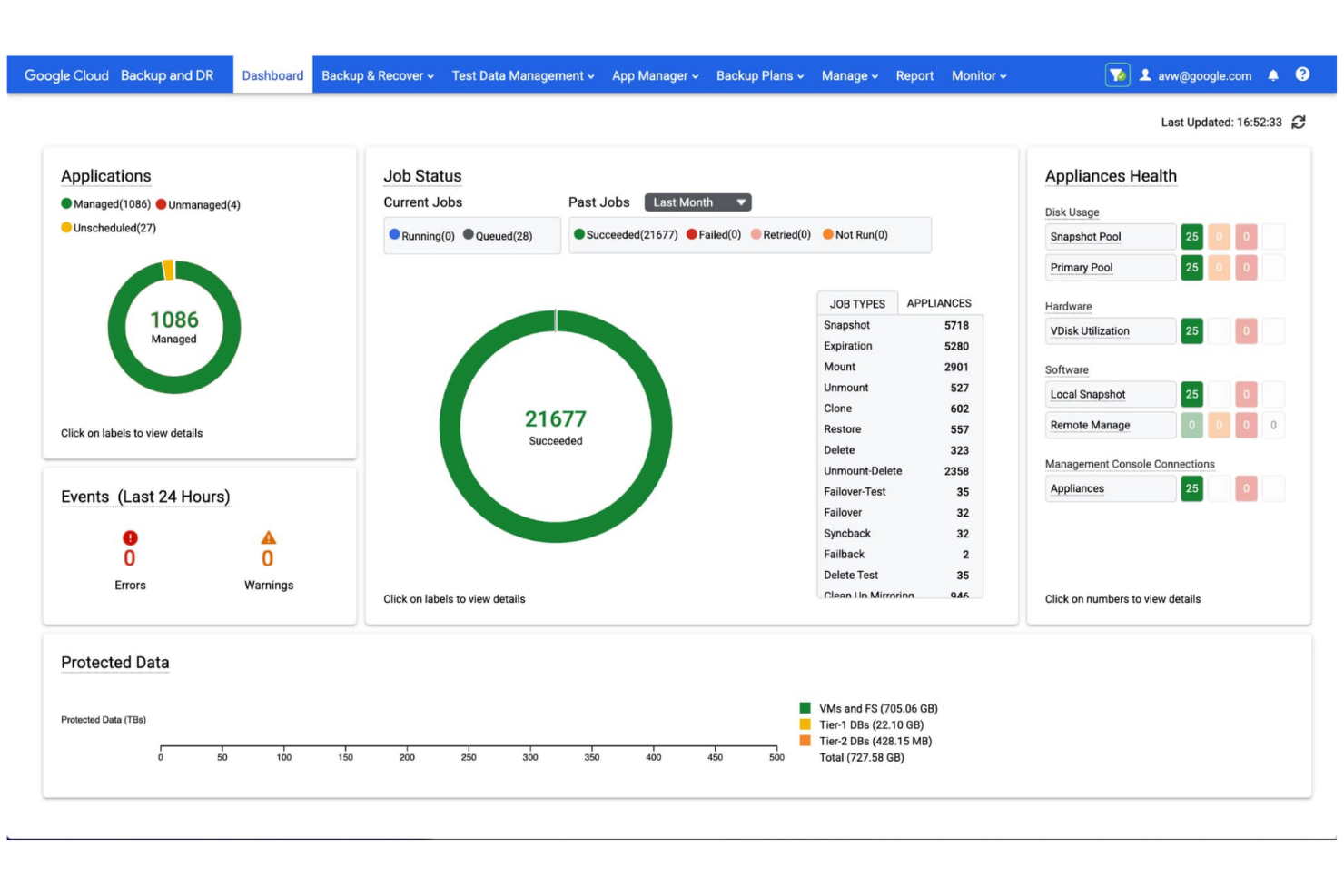
Google Cloud Storage ist ein skalierbarer, objektbasierter Speicherdienst für Entwickler und Unternehmen zum Speichern und Abrufen von Daten. Er bietet zuverlässigen Hochleistungsspeicher für anspruchsvolle Anwendungen und Datenanalysen.
Warum es eine gute Alternative zu Google Drive ist: Google Cloud Storage optimiert die Datenverwaltung durch einen sicheren, skalierbaren Objektspeicherdienst, der als grundlegende Komponente in einem einheitlichen Daten-zu-KI-Ökosystem dient. Er verarbeitet riesige Datensätze und eignet sich daher besonders gut, wenn Ihr Unternehmen umfangreiche Speicheranforderungen hat.
Hervorstechende Funktionen und Integrationen:
Zu den Funktionen gehören die Verwaltung des Objektlebenszyklus für die automatische Datenaufbewahrung, Löschung und Übergänge zwischen Speicherklassen sowie die Objektversionierung, die das Aufbewahren mehrerer Versionen für Sicherung und Wiederherstellung ermöglicht. Der Dienst unterstützt vollständig die multiregionale Speicherung und bietet geografische Redundanz sowie hohe Verfügbarkeit.
Zu den Integrationen gehören BigQuery, Pub/Sub, Cloud SQL, AlloyDB, Bigtable, Firestore, Search Ads 360, YouTube, Vertex AI, Enterprise License Manager, Gmail, Google Analytics, Cloud Translation und mehr.
Pros and Cons
Pros:
- Sehr große globale Reichweite
- Flexible Speicherklassen
- Benutzerfreundliche Tools
Cons:
- Komplexe IAM-Konfiguration
- Versteckte Gebühren für ausgehende Daten

Dropbox
Am besten für sicheren Cloud-Speicher

Dropbox ist ein Cloud-Speicherdienst, der Teams und Einzelpersonen ermöglicht, Dokumente und Dateien effektiv zu verwalten, zu synchronisieren und zu teilen. Er steigert die Produktivität durch sicheren Dateispeicher, schnelle Synchronisierung und Tools zur Zusammenarbeit.
Warum es eine gute Alternative zu Google Drive ist: Dropbox bietet erweiterte Funktionen zur Dokumentverwaltung. Es ermöglicht Ihnen, Dateien auf einer Vielzahl von Geräten und Betriebssystemen zu synchronisieren, darunter Windows, macOS, Android und iOS.
Herausragende Funktionen und Integrationen:
Zu den Funktionen gehören Dropbox Paper, Smart Sync und Dateianforderungen. Damit können Sie Dateien und Ordner verwalten, gemeinsam bearbeiten und sammeln, ohne Ihre lokale Festplatte zu überladen. Der Versionsverlauf und Tools zur Dateiwiederherstellung schützen wichtige Daten.
Zu den Integrationen gehören Slack, Zoom, Microsoft, Adobe, Trello, Jira, Asana, Google Workspace, HubSpot, Autodesk, Canva, AWS und mehr.
Pros and Cons
Pros:
- Schnelle Dateisynchronisierung
- Leistungsstarke Tools zur Zusammenarbeit
- Umfangreiche Integrationen
Cons:
- Einschränkungen bei der Ordnerstruktur
- Keine Verwaltung privater Schlüssel

MEGA
Ideal für umfangreiche Speicherung

MEGA ist ein sicherer, von Nutzern kontrollierter Cloud-Speicherdienst für Einzelpersonen und Unternehmen, die beträchtliche Speicherkapazität in Verbindung mit Ende-zu-Ende-Verschlüsselung suchen.
Warum es eine gute Google-Drive-Alternative ist: MEGA bietet eine Verschlüsselung ohne Kenntnis der Schlüssel durch den Anbieter und gewährleistet dadurch vollständige Privatsphäre und Kontrolle über Ihre Dateien. MEGA ist eine ausgezeichnete Alternative zu Google Drive, wenn Sie Sicherheit und eine große Speicherkapazität priorisieren.
Herausragende Funktionen und Integrationen:
Zu den Funktionen gehört eine Ende-zu-Ende-verschlüsselte Kommunikation für sichere Chats, Videokonferenzen und Nachrichten. MEGA bietet außerdem eine Dateiversionierung, mit der Sie während der Bearbeitung frühere Versionen Ihrer Dateien wiederherstellen können, sowie sicheres Teilen mit Optionen für Passwortschutz und Ablaufdaten.
Integrationen sind nicht öffentlich aufgeführt.
Pros and Cons
Pros:
- Wettbewerbsfähige Preise für umfangreichen Speicherbedarf
- Hohe Übertragungsgeschwindigkeiten
- 20 GB kostenloser Speicherplatz für nicht zahlende Konten
Cons:
- Strenge Richtlinien zur Entfernung von Inhalten
- Keine Wiederherstellung ohne den Schlüssel
IDrive
Am besten für vielseitige Sicherungsdienste

IDrive ist eine Cloud-Sicherungs- und Speicherlösung für Privatpersonen, kleine Unternehmen und Großunternehmen, die eine zuverlässige Datensicherung in Echtzeit, Synchronisierung und Wiederherstellung über unbegrenzt viele Geräte in einem Konto benötigen.
Warum es eine gute Alternative zu Google Drive ist: IDrive bietet einen umfassenden und äußerst zuverlässigen Datensicherungsdienst und ist daher ideal für sicherheitsbewusste Nutzer. Die Möglichkeit, mehrere Geräte über ein Konto zu sichern, sorgt für zusätzlichen Komfort, wenn Sie eine Vielzahl von Geräten verwalten.
Besondere Funktionen und Integrationen:
Zu den Funktionen gehört der kontinuierliche Datenschutz, der geänderte Dateien automatisch erkennt und sofort sichert. Mit der Festplatten-Image-Sicherung können Sie eine Kopie Ihrer Festplatte erstellen, einschließlich Ihres Betriebssystems, installierter Programme, Einstellungen und aller Ihrer Dateien. Die hybride Sicherung kombiniert lokale und Cloud-Sicherung für zusätzliche Sicherheit und eine schnellere Datenwiederherstellung.
Zu den Integrationen gehören Microsoft Office, Outlook, QuickBooks, Exchange, SharePoint, SQL Server, Linux, Mac OS und weitere.
Pros and Cons
Pros:
- Cloud-zu-Cloud-Sicherung
- Kostenlose 5 GB Speicherplatz zum Testen oder für eine leichte Nutzung
- Unterstützung für unbegrenzt viele Geräte
Cons:
- Eingeschränkte Linux-Unterstützung
- Komplexe Benutzeroberfläche

Beste selbst gehostete Lösung
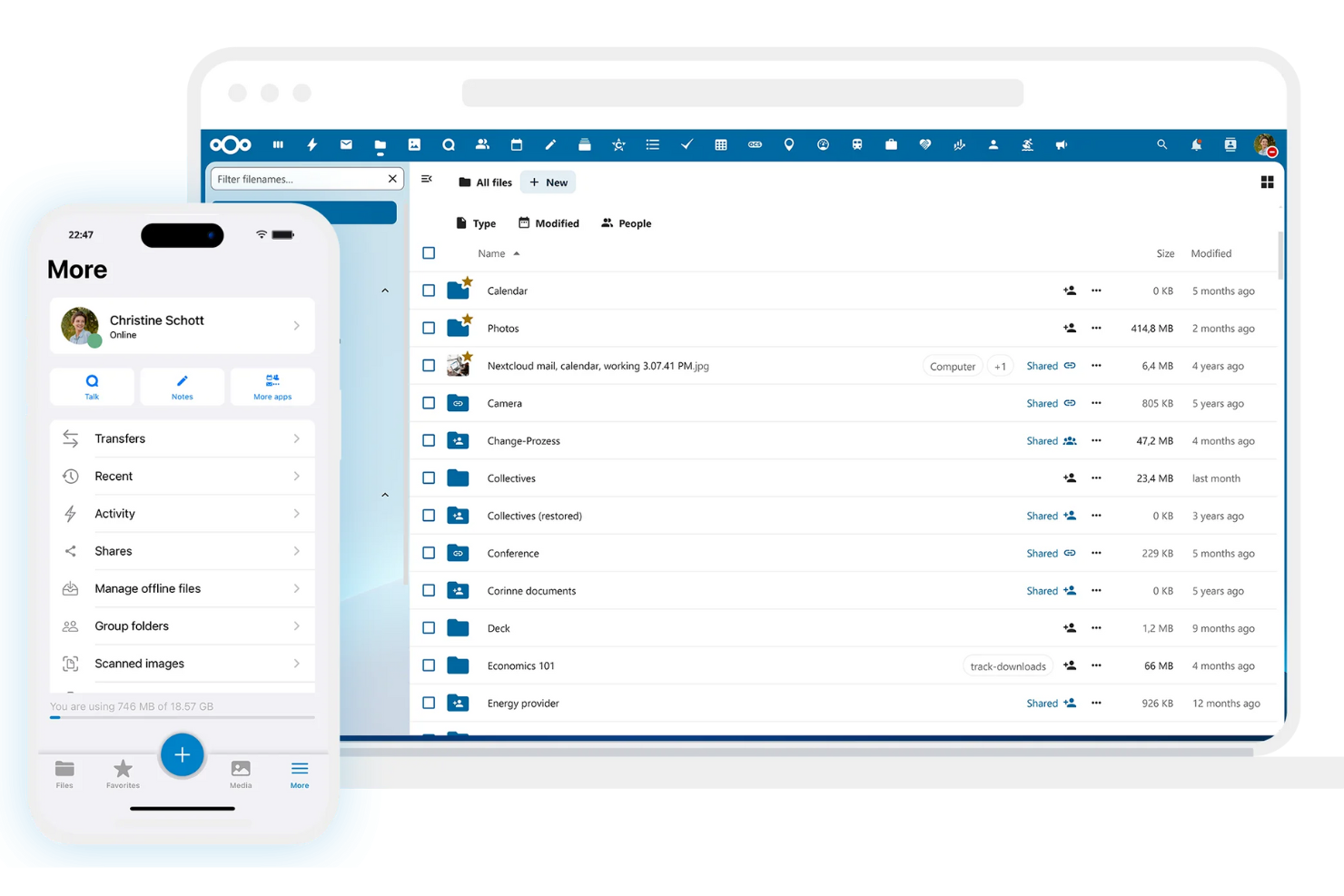
Nextcloud ist eine Open-Source-, selbst gehostete Plattform für Cloud-Speicher und die Zusammenarbeit an Inhalten für Unternehmen und Einzelpersonen, die eine sichere, interne Alternative zu öffentlichen Cloud-Diensten benötigen. Sie ermöglicht es Ihnen, Dateien auf Ihrem eigenen Server zu speichern, zu synchronisieren und zu teilen, sodass Sie die vollständige Datenhoheit behalten.
Warum es eine gute Alternative zu Google Drive ist: Nextcloud bietet die vollständige Flexibilität einer selbst gehosteten Lösung und gibt Ihnen die komplette, unabhängige Kontrolle über Ihre Daten, die Benutzerverwaltung und die Sicherheitseinstellungen. Es ist eine flexible, private und hochgradig anpassbare Alternative zu Google Drive, die zudem eine überlegene Sicherheit bietet.
Herausragende Funktionen und Integrationen:
Zu den Funktionen gehört die Zugriffskontrolle für Dateien, mit der Sie präzise Berechtigungen zum Anzeigen, Bearbeiten, Teilen oder Löschen von Dateien festlegen können. Die Ende-zu-Ende-Verschlüsselung schützt Daten vor unbefugtem Zugriff, selbst im Falle eines Datenlecks, und die Zwei-Faktor-Authentifizierung erhöht die Sicherheit Ihres Kontos.
Zu den Integrationen gehören Collabora Online, Microsoft Outlook, Zimbra, Moodle, EGroupware, Jitsi, Samba und mehr.
Pros and Cons
Pros:
- Selbst gehostet für vollständige Kontrolle
- Keine wiederkehrenden Speicherkosten
- Anpassbare Benutzerberechtigungen
Cons:
- Hoher Wartungsaufwand für den Server
- Benutzer müssen die Sicherheit verwalten

Box
Am besten für Inhaltsverwaltung und Sicherheit

Box ist ein cloudbasierter Dienst zur Inhaltsverwaltung und Dateifreigabe für Unternehmen und Konzerne, mit dem Dokumente sicher verwaltet, gespeichert und geteilt werden können. Er ermöglicht die Zusammenarbeit in Echtzeit, die Workflow-Automatisierung und eine umfassende Daten-Compliance.
Warum es eine gute Alternative zu Google Drive ist: Box bietet eine leistungsstarke Plattform zur Inhaltsverwaltung auf Unternehmensebene für Unternehmen, die eine sichere Dokumentenverarbeitung, Zusammenarbeit und Governance benötigen. Wenn Sie mit Daten mit hohem Risiko umgehen, ist Box eine überzeugende Alternative zu Google Drive.
Herausragende Funktionen und Integrationen:
Zu den Funktionen gehört die Workflow-Automatisierung, die die Erstellung individueller Workflows ermöglicht, die Produktivität deutlich steigert und Geschäftsprozesse optimiert. Mit granularen Zugriffskontrollen können Sie spezifische Berechtigungen für das Anzeigen und Bearbeiten von Dateien festlegen. Funktionen zur Verhinderung von Datenverlust schützen vertrauliche Informationen vor unbefugtem Zugriff.
Zu den Integrationen gehören Salesforce, Slack, Microsoft Office 365, Google Workspace, Adobe Acrobat, DocuSign, IBM Connections, Okta, Zoom, WebDrive, AdvisorCRM, Syncly, MV Tools, Trello und weitere.
Pros and Cons
Pros:
- Sicherheit auf Unternehmensebene
- Mehrere Geschäftstarife
- Unbegrenzte Speicherkapazität für Organisationen
Cons:
- Strenge Dateigrößenbeschränkungen
- Keine Synchronisierung auf Blockebene

Sync
Am besten für Ende-zu-Ende-Verschlüsselung

Sync ist ein datenschutzorientierter Cloud-Speicherdienst für Einzelpersonen und Unternehmen, die Datensicherheit und die Zusammenarbeit über mehrere Geräte hinweg priorisieren.
Warum es eine gute Google-Drive-Alternative ist: Sync verwendet Ende-zu-Ende-Verschlüsselung und eine Zero-Knowledge-Architektur, sodass nur autorisierte Benutzer auf Ihre Dateien zugreifen können. Erweiterte Freigabesteuerungen und Datenschutzeinstellungen ermöglichen Ihnen zu kontrollieren, wer Ihre Dateien sehen kann und was diese Personen damit tun können, wodurch Sync eine sichere Wahl für vertrauliche Informationen ist.
Hervorzuhebende Funktionen und Integrationen:
Zu den Funktionen gehören ein erweiterter Versionsverlauf von Dateien und Datenwiederherstellungstools, mit denen Sie frühere Versionen wiederherstellen und gelöschte Dateien zurückholen können. Das automatische Sicherungssystem schützt Ihre Daten ohne manuelles Eingreifen, und die benutzerfreundliche Oberfläche verbessert die Verwaltung und Freigabe von Dateien.
Zu den Integrationen gehören Microsoft Office 365, Adobe Creative Suite, Slack, Google Workspace und weitere.
Pros and Cons
Pros:
- Umfangreiche Wiederherstellung von Dateien und Versionsverlauf
- Zero-Knowledge-Verschlüsselung
- Zuverlässige Synchronisierung
Cons:
- Keine LAN-Synchronisierung
- Begrenzte Tarifoptionen

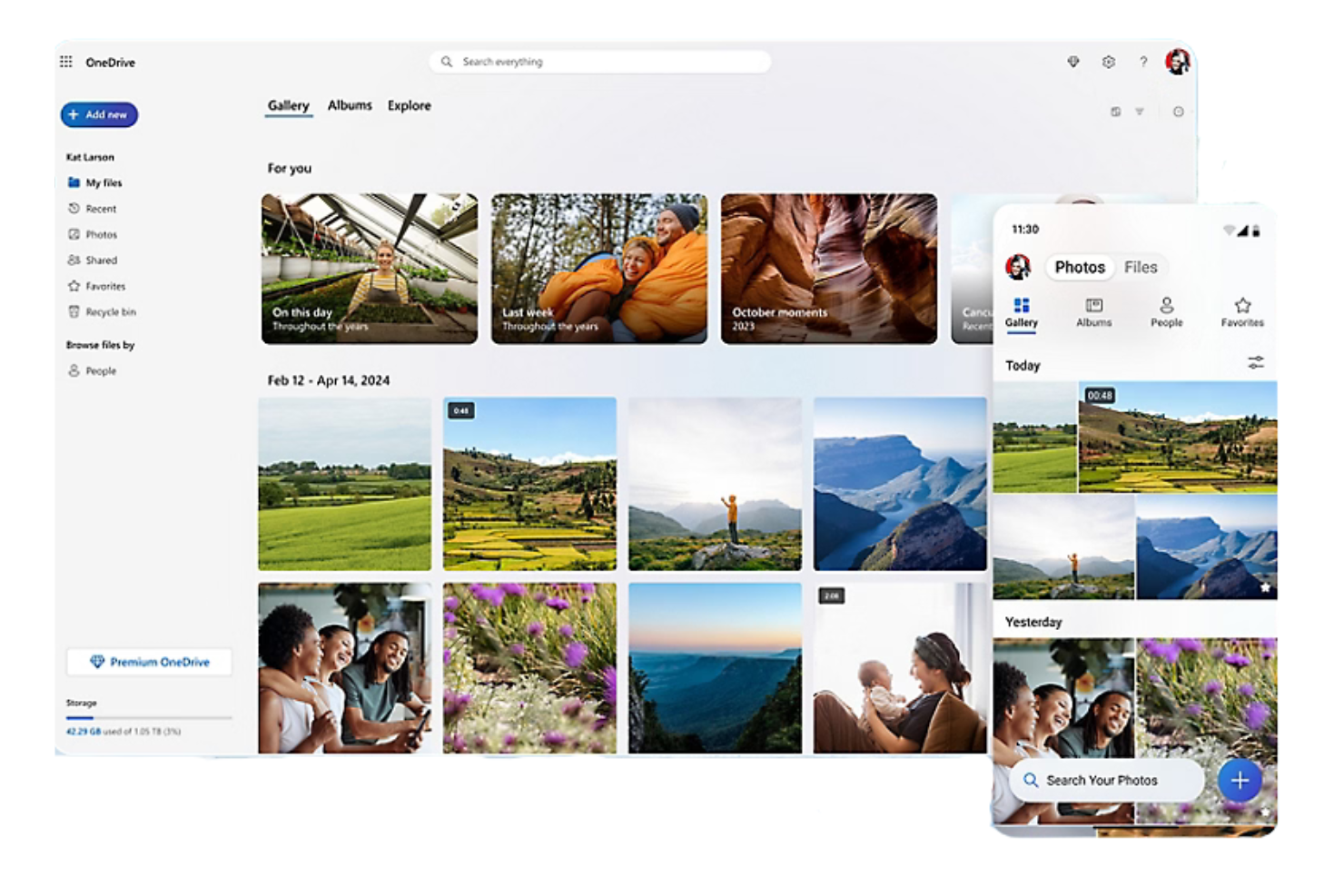
Microsoft OneDrive ist eine Cloud-Speicherplattform, mit der Nutzer Dateien, Fotos und Dokumente online speichern, synchronisieren und teilen können. Der in Microsoft integrierte Dienst eignet sich sowohl für den persönlichen Gebrauch als auch für Unternehmen, ist auf jedem kompatiblen Gerät zugänglich und ermöglicht eine sichere Zusammenarbeit.
Warum es eine gute Google-Drive-Alternative ist: OneDrive ist nativ in Microsoft 365 integriert und bietet Windows-Nutzern dadurch ein einheitliches Nutzungserlebnis. Außerdem wird eine Gmail-Integration von Drittanbietern angeboten. Der Dienst ermöglicht die Zusammenarbeit in Echtzeit in Office-Anwendungen und bietet erweiterte Sicherheitsfunktionen, einschließlich Dateiverschlüsselung und Ransomware-Erkennung, sodass Ihr Team sicher zusammenarbeiten und Daten teilen kann.
Herausragende Funktionen und Integrationen:
Zu den Funktionen gehört die Dateiversionierung zum Anzeigen, Wiederherstellen und Herunterladen früherer Dokumentversionen. Dank der Offline-Zugriffsmöglichkeiten können Sie ohne Internetverbindung an Dateien arbeiten. Außerdem können Sie mit anpassbaren Freigabeoptionen festlegen, wer Ihre Dateien sehen kann.
Zu den Integrationen gehören Microsoft Word, Excel, PowerPoint, Outlook, Teams, SharePoint, OneNote, Azure Active Directory, Dynamics 365, Power Automate und mehr.
Pros and Cons
Pros:
- Tiefe Windows-/Office-Integration
- Dateien bei Bedarf
- Besonders geeignet für Abläufe in kleinen Unternehmen
Cons:
- Verschiebt lokale Dateien standardmäßig
- Aggressive automatische Aktivierung


iCloud+ ist ein Cloud-Abonnementdienst für Nutzer mit mehreren Apple-Geräten, der das kostenlose iCloud-Angebot erweitert und Daten automatisch synchronisiert, sichert und teilt.
Warum es eine gute Google-Drive-Alternative ist: iCloud+ bietet eine native Integration in das Apple-Ökosystem und ist daher die naheliegendste Wahl, wenn Sie bereits Apple-Geräte verwenden und mehr als die standardmäßig verfügbaren 5 GB kostenlosen Speicherplatz benötigen. Der Dienst umfasst Datenschutz- und Sicherheitsfunktionen zum Schutz Ihrer Daten, Ihrer Privatsphäre und Ihrer Online-Identität.
Herausragende Funktionen und Integrationen:
Zu den Funktionen gehören iCloud-Fotos, iCloud Drive und iCloud-Backup. Sie bieten zusätzlichen Speicherplatz für die automatische Synchronisierung und Sicherung auf allen Apple-Geräten. HomeKit Secure Video, iCloud Private Relay und E-Mail-Adresse verbergen bieten umfassenden Schutz vor Trackern und Datenlecks.
Zu den Integrationen gehören Apple Mail, Kalender, Kontakte, Notizen, Erinnerungen, Safari, Nachrichten und mehr.
Pros and Cons
Pros:
- Automatische Sicherungen
- Integration mit Google Fotos
- Synchronisierung von Fotos und Dokumenten auf mehreren Geräten
Cons:
- Äußerst begrenzter kostenloser Tarif
- Bindung an das Ökosystem


Wasabi ist ein Cloud-Speicheranbieter für Unternehmen und Entwickler, der sich auf äußerst kostengünstigen, leistungsstarken und sicheren Cloud-Objektspeicher mit sofortigem Zugriff spezialisiert hat.
Warum es eine gute Google-Drive-Alternative ist: Wasabi erhebt keine Gebühren für ausgehenden Datenverkehr und ist daher eine kostengünstige Wahl, wenn Ihr Unternehmen häufig große Datenmengen verschiebt oder darauf zugreift.
Herausragende Funktionen und Integrationen:
Zu den Funktionen gehört die Unveränderlichkeit von Daten, die Ihre Dateien vor unbefugten Änderungen und Löschungen schützt. Der Hochgeschwindigkeits-Datenabruf sorgt dafür, dass Ihre Dateien bei Bedarf sofort zugänglich sind. Wasabi bietet außerdem ein einfaches Preismodell mit Pauschaltarif, um transparent zu sein und versteckte Gebühren zu vermeiden, wodurch eine unkomplizierte und planbare Budgetierung ermöglicht wird.
Zu den Integrationen gehören Veeam, Commvault, Rubrik, Veritas, Panzura, CloudBerry Lab, Arcserve, Synology, QNAP, Nasuni und weitere.
Pros and Cons
Pros:
- Keine Gebühren für Datenabruf oder ausgehenden Datenverkehr
- S3-kompatible API
- Hohe Geschwindigkeit
Cons:
- Keine mobilen Dateivorschauen
- Mindestaufbewahrungsrichtlinie
Weitere Google-Drive-Alternativen
Hier sind einige weitere Google-Drive-Alternativen, die es nicht in meine Auswahl geschafft haben, aber dennoch einen Blick wert sind:
- Proton Drive
Am besten für datenschutzorientierte Speicherung
- pCloud
Am besten für Angebote mit lebenslangem Speicher
- IceDrive
Ideal für eine schlanke Benutzeroberfläche


Comment j'évalue les alternatives à Google Drive
Je divise mon évaluation en deux niveaux : les fonctionnalités de base qu'un outil doit obligatoirement proposer—comme la co-édition en temps réel et les permissions basées sur les rôles—et les éléments différenciateurs qui déterminent le meilleur choix.
Fonctionnalités essentielles (Pré-requis pour cette liste)
Quand je sélectionne des outils pour ma liste, j'attribue à chacun une note de 0 (ne propose pas la fonctionnalité) à 5 (excelle dans ce domaine) pour chaque fonctionnalité essentielle listée ci-dessous. Ensuite, je convertis le score total de l’outil en pourcentage. Chaque outil doit obtenir un score total minimum de 75 % pour être envisagé dans la liste.
- Stockage de fichiers cloud : J’évalue la quantité de stockage inclus de base et évolutif que chaque outil propose, ainsi que la profondeur de la hiérarchie des dossiers et la compatibilité avec les types de fichiers (PDF, fichiers CAO, vidéo, etc.).
- Partage de fichiers et permissions : Le contrôle granulaire des accès par rôle est crucial ici—je recherche des outils permettant de définir des droits de visualisation, de modification et de commentaire dossier par dossier, aussi bien pour des collaborateurs internes que des clients externes.
- Collaborations de documents en temps réel : La co-édition est le point de référence établi par Google Drive, donc je vérifie si les alternatives proposent l’édition simultanée par plusieurs utilisateurs, les commentaires en ligne et la restauration des versions précédentes.
- Synchronisation multi-plateformes : Les équipes projets travaillent sur ordinateurs portables, smartphones et tablettes, chaque outil doit donc garantir une synchronisation fiable sur desktop, web et mobile—avec accès hors connexion pour les situations sur le terrain ou en déplacement.
- Intégrations avec d'autres outils de gestion de projet : J'examine les connexions natives avec des plateformes comme Jira, Asana, Monday, Slack et Microsoft Teams, et je vérifie si l’outil propose une API ouverte ou une compatibilité Zapier pour les workflows personnalisés.
- Sécurité et conformité : Les normes de chiffrement, les journaux d’audit, et les certifications telles que SOC 2 et RGPD sont mes premiers critères de vérification—notamment pour les équipes traitant des contrats clients ou des données réglementées.
Une fois ma liste d’outils répondant à ces critères établie, j’analyse ce qui distingue chaque plateforme.
Facteurs différenciateurs (Ce qui distingue les fournisseurs)
Voici comment je distingue et compare les différents fournisseurs :
Fonctionnalités remarquables
L’automatisation des workflows est un critère différenciant majeur—je recherche des outils permettant de faire passer les livrables par des étapes de validation sans avoir à relancer les gens par e-mail. Les portails clients sont aussi importants pour les agences qui doivent partager des fichiers avec des intervenants externes sans exposer tout l’espace de travail. L’intégration native d’e-signatures évite d’avoir à utiliser un outil séparé lorsqu’il s’agit de faire signer des documents en cours de projet.
Au-delà des fonctionnalités
La tarification entre en jeu lorsque votre équipe grandit—j’évalue si le stockage est mutualisé ou attribué par utilisateur, car cela modifie rapidement la structure des coûts selon l’évolution des effectifs. Les outils de migration sont aussi un critère déterminant. Transférer plusieurs téraoctets de fichiers depuis Google Drive est laborieux sans chemin d’import structuré ou assistance dédiée à la migration. J’examine également la profondeur de l’écosystème de chaque plateforme, notamment si elle s’intègre à la suite d’outils de gestion de projet et de communication déjà utilisés par votre équipe.
Warum nach einer Google-Drive-Alternative suchen?
Google Drive ist zwar eine gute Wahl für Cloud-Speichersoftware, doch es gibt mehrere Gründe, warum einige Nutzer nach alternativen Lösungen suchen. Sie suchen möglicherweise nach einer Google-Drive-Alternative, weil:
- Sie fortschrittlichere Sicherheitsfunktionen benötigen
- Ihr Team mehr Speicherkapazität benötigt
- Sie eine bessere Integration mit Apps außerhalb des Google-Ökosystems wünschen
- Sie für die Remote-Arbeit Offline-Zugriff benötigen
- Ihr Team umfangreiche Tools für die Zusammenarbeit benötigt
Wenn einer dieser Punkte auf Sie zutrifft, sind Sie hier richtig. Meine Liste umfasst mehrere Cloud-Speichersoftware-Optionen, die sich besonders für Teams eignen, die mit diesen Herausforderungen bei Google Drive konfrontiert sind und nach einer guten Alternative suchen.
Funktionen von Google Drive
Hier sind einige der wichtigsten Funktionen von Google Drive, die Ihnen helfen, die Angebote alternativer Lösungen gegenüberzustellen und zu vergleichen:
- Zusammenarbeit in Echtzeit: Arbeiten Sie gleichzeitig mit Ihrem Team an Dokumenten, sodass Sie diese einfach in Echtzeit bearbeiten und Feedback geben können.
- Integration mit Google Workspace: Nutzen Sie Google Docs, Tabellen und Präsentationen, um die Produktivität und Zusammenarbeit in Ihrem Team zu steigern.
- Dateifreigabe und Berechtigungen: Teilen Sie Dateien mit anderen und legen Sie fest, wer sie ansehen, bearbeiten oder kommentieren darf, sodass jeder Nutzer die passende Zugriffsebene erhält.
- Geteilte Ablagen: Erstellen Sie einen kollaborativen Bereich, in dem Ihr Team Dateien gemeinsam speichern und verwalten kann. Diese Funktion ist in ausgewählten Google-Workspace-Tarifen verfügbar.
- Sicherheitsfunktionen: Profitieren Sie von Zero-Trust-Kontrollen, KI-gestützten Sicherheitsmaßnahmen und der Einhaltung gesetzlicher Vorschriften zum Schutz Ihrer Daten.
- Zugriff über Mobilgeräte und Desktop: Greifen Sie unterwegs mit den mobilen und Desktop-Anwendungen von Google Drive auf Ihre Dateien zu und verwalten Sie diese.
- KI-gestützte Suche: Finden Sie Dateien und Dokumente mithilfe intelligenter Suchfunktionen schnell, um Ihren Arbeitsablauf zu optimieren.
- Versionsverlauf von Dateien: Verfolgen Sie Änderungen und kehren Sie bei Bedarf zu früheren Versionen zurück, damit Ihre Daten stets auf dem aktuellen Stand bleiben.
- Offline-Zugriff: Arbeiten Sie ohne Internetverbindung an Ihren Dateien und synchronisieren Sie die Änderungen, sobald Sie wieder online sind.
- Elektronische Signaturen: Fordern Sie elektronische Signaturen für Verträge und Vereinbarungen an und verwalten Sie diese. So können Sie Dokumente bequem abschließen.
Wie geht es weiter:
Wenn Sie gerade Software für Cloud-Speicher recherchieren, wenden Sie sich kostenlos an einen SoftwareSelect-Berater, um Empfehlungen zu erhalten.
Sie füllen ein Formular aus und führen ein kurzes Gespräch, in dem der Berater auf die Einzelheiten Ihrer Anforderungen eingeht. Anschließend erhalten Sie eine Auswahlliste von Softwarelösungen, die Sie prüfen können. Die Berater unterstützen Sie sogar während des gesamten Kaufprozesses, einschließlich der Preisverhandlungen.