

10 beste Filecamp-Alternativen für die Verwaltung von Assets im Jahr 2026

Auswahl der besten Filecamp-Alternativen


Die Verwaltung digitaler Assets kann eine Herausforderung sein. Wenn Sie Filecamp verwenden, sind Sie möglicherweise von seinen Einschränkungen frustriert oder benötigen Funktionen, die es nicht bietet. Sie sind nicht allein auf der Suche nach Alternativen, die die Verwaltung von Assets vereinfachen und Ihren individuellen Anforderungen gerecht werden.
Meiner Erfahrung nach kann die Wahl des richtigen Tools Ihrem Team Zeit sparen und Stress reduzieren. Ich habe viele Lösungen für die Verwaltung digitaler Assets getestet und bewertet und dabei den Schwerpunkt auf Benutzerfreundlichkeit, bestimmte Funktionen und ein gutes Preis-Leistungs-Verhältnis gelegt.
In diesem Artikel stelle ich meine besten Filecamp-Alternativen vor. Sie erhalten Einblicke in die Stärken der einzelnen Tools und erfahren, wie sie Ihrem Team helfen können, effizienter zu arbeiten. Finden wir die ideale Lösung für Ihre Anforderungen an die Verwaltung digitaler Assets.
Was ist Filecamp?
Filecamp ist ein Tool zur Verwaltung digitaler Assets, das Teams dabei unterstützt, digitale Dateien zu organisieren, zu teilen und gemeinsam zu bearbeiten. Es wird häufig von Marketingteams, Kreativfachleuten und Agenturen verwendet, die große Mengen digitaler Inhalte effizient verwalten müssen.
Die Tools von Filecamp für individuelles Branding, die einfache Dateifreigabe und Benutzerberechtigungen helfen bei der Organisation von Assets, der Wahrung der Markenkonsistenz und der Gewährleistung eines sicheren Zugriffs. Insgesamt bietet Filecamp eine praktische Lösung für Teams, die ihre digitalen Assets verwalten müssen.
Zusammenfassung der besten Filecamp-Alternativen
Diese Vergleichstabelle fasst die Preisinformationen meiner besten Filecamp-Alternativen zusammen, damit Sie die beste Lösung für Ihr Budget und Ihre geschäftlichen Anforderungen finden.
| Tool | Best For | Trial Info | Price | ||
|---|---|---|---|---|---|
| 1 | Am besten für benutzerfreundliche Designzusammenarbeit geeignet | Kostenloser Tarif verfügbar | Ab $15/Monat (jährlich abgerechnet) | Website | |
| 2 | Am besten für Markenkonsistenz und Zusammenarbeit geeignet | Kostenlose Demo verfügbar | Preise auf Anfrage | Website | |
| 3 | Am besten für die Integration mit Microsoft 365 | Kostenloser Tarif verfügbar | Ab £1.99/Benutzer/Monat | Website | |
| 4 | Am besten für schnelle Inhaltskonvertierung | Kostenlose Demo + 30-tägige kostenlose Testversion verfügbar | Ab $199/Benutzer/Monat | Website | |
| 5 | GDPR-konforme Verwaltung digitaler Inhalte | Kostenlose Demo + kostenlose Testversion verfügbar | Ab $500/Monat | Website | |
| 6 | Am besten für sicheren Cloud-Speicher mit Datenschutz | Kostenloser Tarif verfügbar | Ab $4.99/Monat (jährlich abgerechnet) | Website | |
| 7 | Am besten für die Verwaltung kreativer Videoinhalte geeignet | Kostenloser Tarif + kostenlose Testversion verfügbar | Ab $15/Benutzer/Monat (jährlich abgerechnet) | Website | |
| 8 | Am besten für KI-gestützte automatische Verschlagwortung geeignet | Kostenlose Demo verfügbar | Preis auf Anfrage | Website | |
| 9 | Optimal für die kanalübergreifende Inhaltsverwaltung | Kostenlose Demo verfügbar | Preis auf Anfrage | Website | |
| 10 | Am besten für KI-gestützte Kundenkonversion | Kostenlose Demo verfügbar | Preis auf Anfrage | Website |
Warum Sie unseren Software-Empfehlungen vertrauen können
Unser Team testet und bewertet Software seit 2012. Als Projektmanager wissen wir selbst, wie schwierig – und wichtig – es ist, die richtige Software auszuwählen.
Für diesen Leitfaden haben wir Tools mithilfe von praktischen Tests und unabhängiger Recherche bewertet und dabei unsere Bewertungskriterien angewendet. Zudem greifen wir auf Erkenntnisse von Branchenvordenkern und praktizierenden Projektmanagement-Experten zurück.
Unsere Bewertungen spiegeln unser menschliches redaktionelles Urteilsvermögen wider, keine Verkaufsstrategie.
Expertenprüfer:
Bewertungen der besten Filecamp-Alternativen
Nachfolgend finden Sie meine ausführlichen Zusammenfassungen der besten Filecamp-Alternativen, die es in meine Auswahl geschafft haben. Meine Bewertungen bieten einen detaillierten Überblick über die wichtigsten Funktionen, Vor- und Nachteile, Integrationen und idealen Anwendungsfälle jedes Tools, damit Sie die beste Lösung für sich finden.

Canva
Am besten für benutzerfreundliche Designzusammenarbeit geeignet
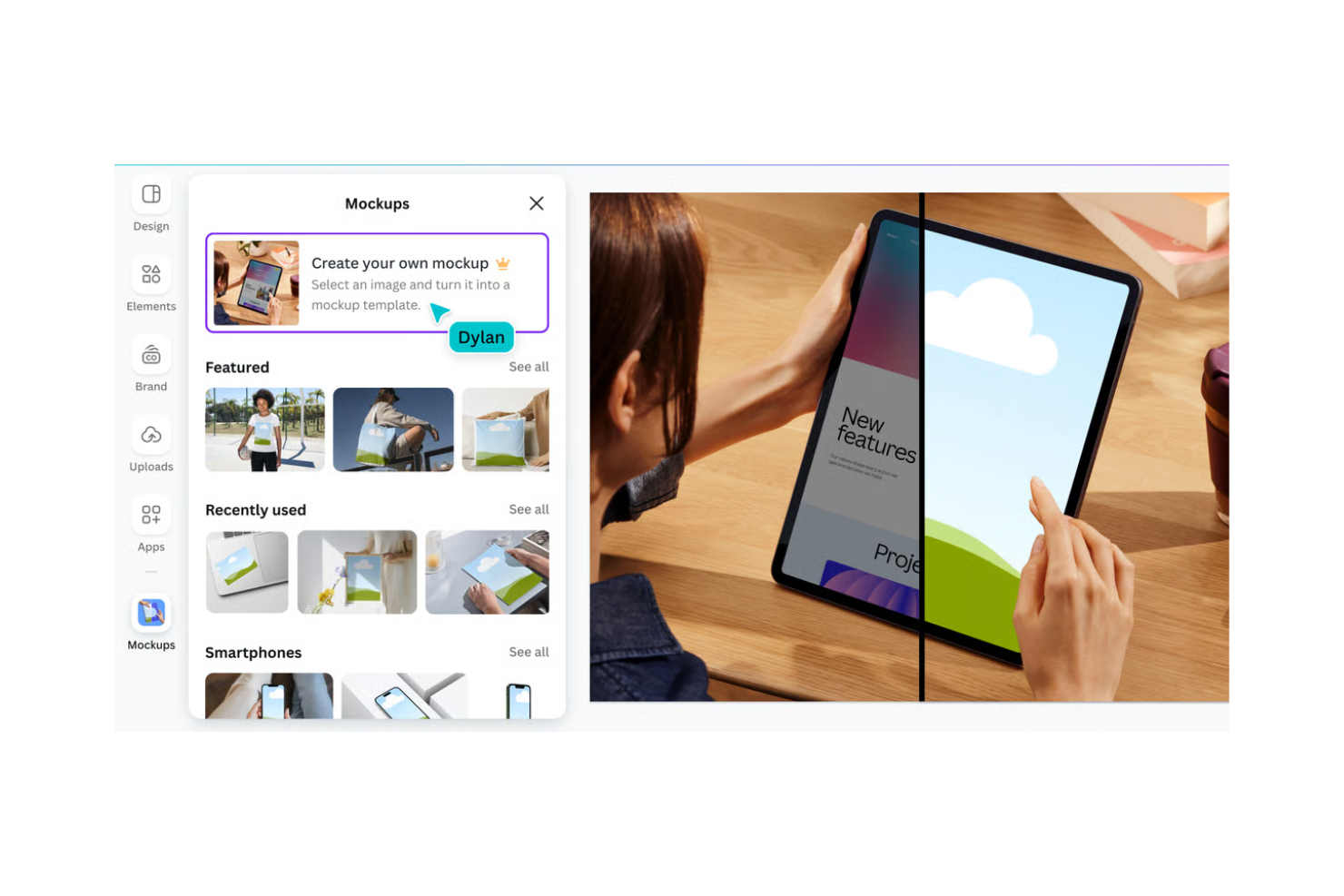
Canva ist eine Grafikdesign-Plattform für Einzelpersonen und Teams, die visuelle Inhalte erstellen möchten. Sie wird von Marketingfachleuten, Social-Media-Managern und Kleinunternehmern häufig verwendet, um alles von Social-Media-Grafiken bis hin zu Präsentationen zu gestalten.
Warum es eine gute Filecamp-Alternative ist: Canva bietet eine intuitive Benutzeroberfläche, die Design für jeden zugänglich macht. Die Drag-and-Drop-Funktion und die umfangreiche Vorlagenbibliothek vereinfachen den Designprozess. Canva ermöglicht außerdem die Zusammenarbeit in Echtzeit, sodass Teammitglieder gemeinsam an Projekten arbeiten können. Diese Funktionen machen Canva zu einer ausgezeichneten Wahl für Teams, die sich auf Design und Zusammenarbeit konzentrieren.
Hervorstechende Funktionen & Integrationen:
Zu den Funktionen gehören umfangreiche Medienbibliotheken mit Stockmedien, die Sie verwenden können, um professionelle Designs zu erstellen, ohne von Grund auf neu beginnen zu müssen. Die Markenkit-Funktion von Canva hilft Ihrem Team, die Markenkonsistenz in all Ihren Designs zu wahren. Sie können auch die Animationstools verwenden, um Ihren visuellen Inhalten dynamische Elemente hinzuzufügen.
Zu den Integrationen gehören Google Drive, Dropbox, HubSpot, Slack, Mailchimp, Pinterest, LinkedIn, YouTube und mehr.
Pros and Cons
Pros:
- Benutzerfreundliche Oberfläche
- Umfangreiche Vorlagenbibliothek
- Zusammenarbeit in Echtzeit
Cons:
- Erfordert eine Internetverbindung
- Einige Funktionen erfordern einen kostenpflichtigen Tarif

Frontify
Am besten für Markenkonsistenz und Zusammenarbeit geeignet
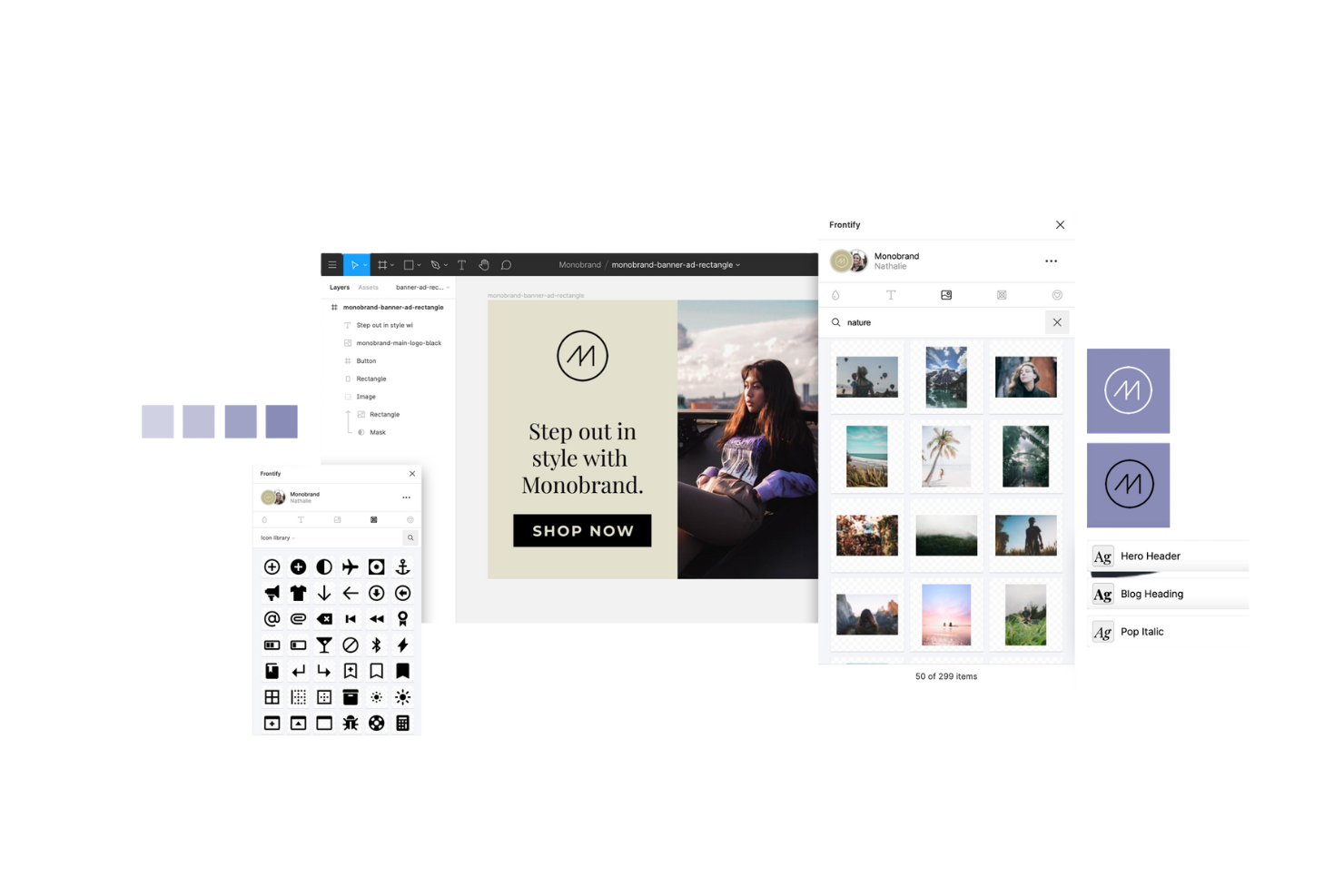
Frontify ist eine Markenmanagement-Plattform für Vermarkter und Markenmanager, die Markenkonsistenz über alle Kommunikationskanäle hinweg gewährleisten möchten. Sie unterstützt Teams dabei, Marken-Assets, Richtlinien und Projekte an einem Ort zu verwalten.
Warum es eine gute Filecamp-Alternative ist: Die Tools von Frontify für Markenkonsistenz und Zusammenarbeit ermöglichen es Ihrem Team, problemlos auf Markenrichtlinien zuzugreifen und diese zu aktualisieren. Mit den Funktionen zur Verwaltung digitaler Assets können Sie Marken-Assets organisieren und teilen. Die kollaborative Umgebung der Plattform unterstützt Feedback und Bearbeitung in Echtzeit und stellt sicher, dass alle an den Markenstandards ausgerichtet bleiben. Diese Funktionen machen Frontify zu einer überzeugenden Option für Teams, die sich auf die Wahrung eines einheitlichen Markenauftritts konzentrieren.
Herausragende Funktionen & Integrationen:
Zu den Funktionen gehören anpassbare Markenrichtlinien, die Ihrem Team helfen können, die Markenstandards einzuhalten. Darüber hinaus liefern die Analyse-Tools von Frontify Leistungskennzahlen, anhand derer Sie sehen können, wie Ihre Inhalte genutzt werden. Sie können auch die Feedback- und Genehmigungsabläufe verwenden, um den Projektabschluss zu beschleunigen.
Zu den Integrationen gehören Adobe Creative Cloud, Slack, Sketch, Figma, monday.com und weitere.
Pros and Cons
Pros:
- Unterstützt Markenkonsistenz
- Tools für die Zusammenarbeit in Echtzeit
- Anpassbare Markenrichtlinien
Cons:
- Erfordert anfänglichen Einrichtungsaufwand
- Nicht ideal für Projekte ohne Markenbezug

OneDrive
Am besten für die Integration mit Microsoft 365
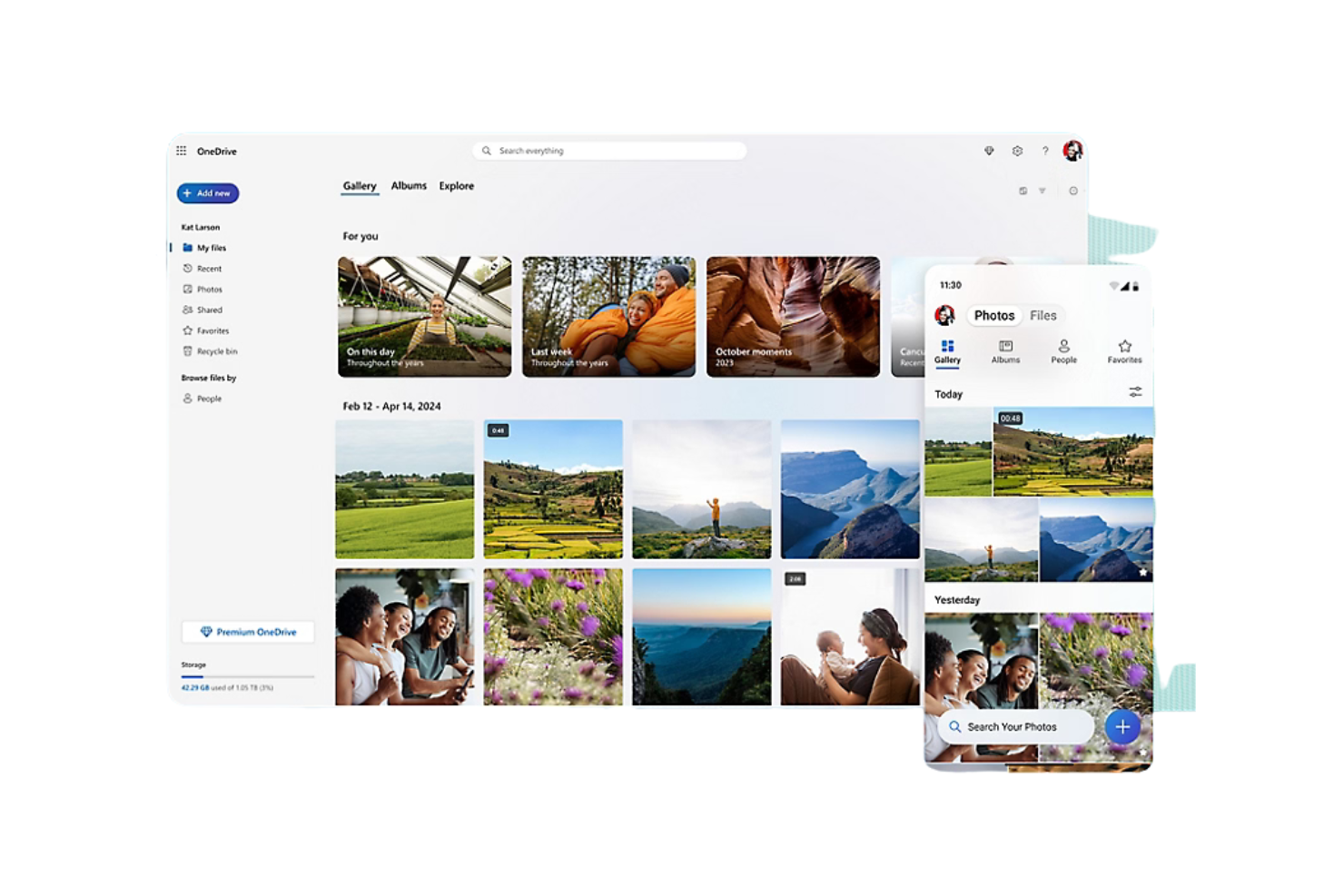
OneDrive ist ein Cloud-Speicherdienst für Privatpersonen und Unternehmen, die Dateien sicher speichern, darauf zugreifen und sie teilen müssen. Er bietet Teams eine praktische Möglichkeit, online zusammenzuarbeiten und Dokumente zu verwalten.
Warum es eine gute Filecamp-Alternative ist: OneDrive lässt sich direkt in Microsoft 365 integrieren und ist daher eine ausgezeichnete Wahl für Teams, die bereits die Toolsammlung von Microsoft verwenden. Die Funktionen für die Zusammenarbeit in Echtzeit ermöglichen es mehreren Teammitgliedern, Dokumente gleichzeitig zu bearbeiten. Durch die Dateiversionsverwaltung der Plattform können Sie auf frühere Versionen von Dokumenten zugreifen. Diese Möglichkeiten machen OneDrive zu einer hervorragenden Lösung für Teams, die nach einem Speicherdienst suchen, der gut mit Microsoft-Produkten zusammenarbeitet.
Herausragende Funktionen & Integrationen:
Zu den Funktionen gehört der Offlinezugriff, mit dem Sie ohne Internetverbindung an Dateien arbeiten können. Die automatische Sicherung von Fotos und Videos in OneDrive stellt sicher, dass Ihre Medien immer sicher und zugänglich sind. Außerdem können Sie die sichere Linkfreigabe zur Festlegung von Zugriffskontrollen verwenden.
Zu den Integrationen gehören Microsoft Teams, SharePoint, Outlook, Word, Excel, PowerPoint, OneNote, Yammer, Dynamics 365, Azure und mehr.
Pros and Cons
Pros:
- Direkte Integration mit Microsoft-Produkten
- Zusammenarbeit an Dokumenten in Echtzeit
- Offlinezugriff
Cons:
- Nicht ideal für Nutzer, die keine Microsoft-Produkte verwenden
- Für den vollständigen Funktionsumfang ist eine Internetverbindung erforderlich

Docsie
Am besten für schnelle Inhaltskonvertierung
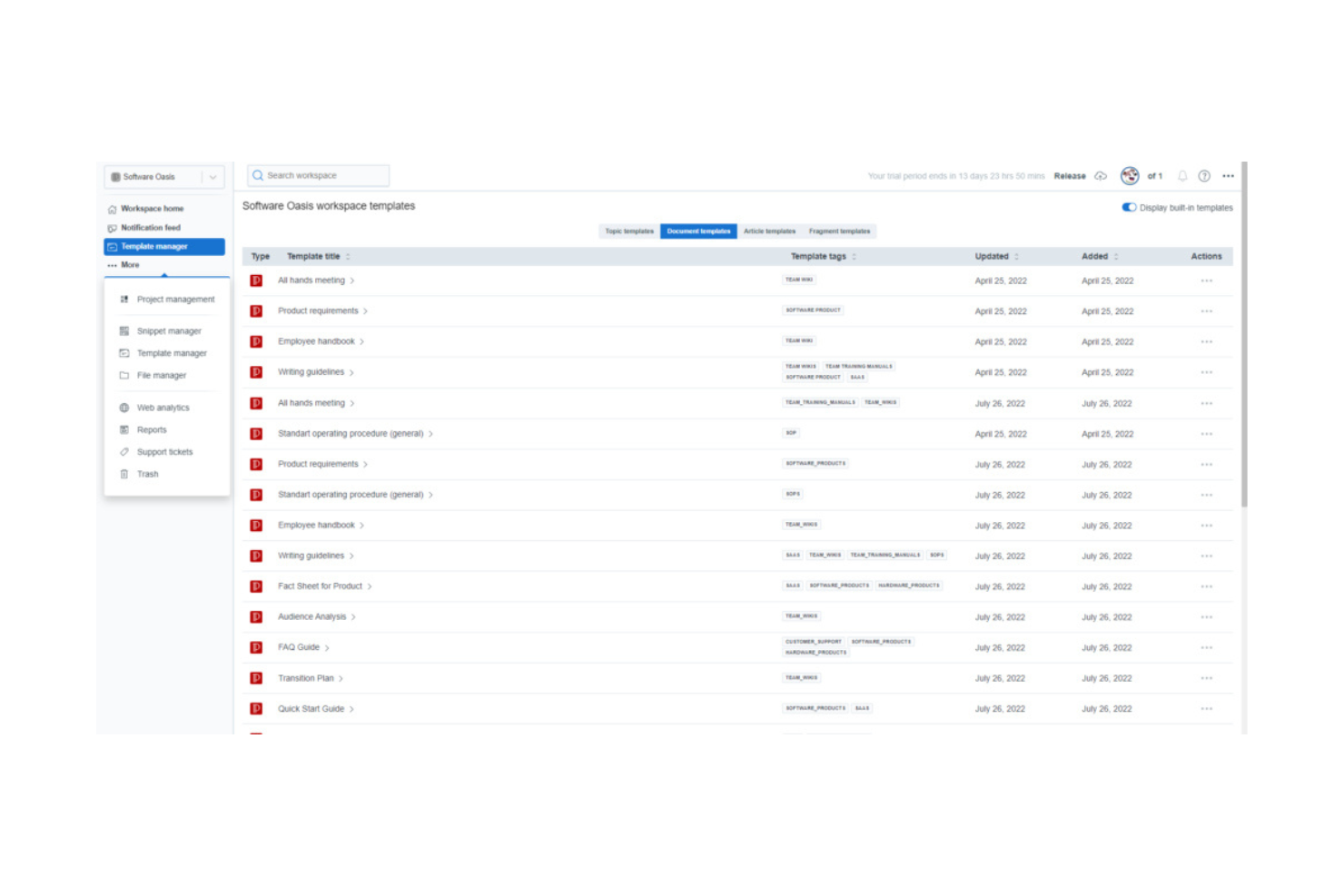
Docsie ist eine Plattform zur Inhaltsverwaltung, die für Teams entwickelt wurde, die digitale Dokumentationen erstellen, verwalten und veröffentlichen müssen. Sie wird von technischen Redakteuren und Inhaltsmanagern verwendet, um Dokumentationen zu organisieren und über verschiedene Plattformen hinweg zu verteilen.
Warum es eine gute Alternative zu Filecamp ist: Docsie ermöglicht eine schnelle Inhaltskonvertierung, sodass Ihr Team Dokumente effizient in verschiedenen Formaten bereitstellen kann. Die Funktionen zur kollaborativen Bearbeitung ermöglichen es mehreren Teammitgliedern, gleichzeitig an Dokumenten zu arbeiten. Die Plattform unterstützt außerdem die Versionskontrolle und stellt so sicher, dass Ihr Team stets Zugriff auf die neuesten Dokumente hat. Diese Funktionen machen Docsie zu einer ausgezeichneten Wahl für Teams, die Wert auf eine effiziente Verwaltung und Verteilung von Dokumentationen legen.
Herausragende Funktionen & Integrationen:
Zu den Funktionen gehört die Möglichkeit, benutzerdefinierte Dokumentvorlagen zu erstellen, die zur Wahrung der Konsistenz Ihrer Inhalte beitragen. Die Analysefunktionen von Docsie liefern Einblicke in die Nutzung Ihrer Dokumente und helfen Ihnen, datengestützte Entscheidungen zu treffen. Außerdem können Sie die Funktion zur Erfassung von Feedback nutzen, um direkt in Ihren Dokumenten Rückmeldungen von Benutzern zu sammeln.
Zu den Integrationen gehören Jira, Confluence, Microsoft 365 und mehr.
Pros and Cons
Pros:
- Schnelle Dokumentationskonvertierung
- Leistungsstarke Versionskontrolle
- Integrierte Analysefunktionen
Cons:
- Kann für Anfänger komplex sein
- Einige Funktionen erfordern technische Kenntnisse

GDPR-konforme Verwaltung digitaler Inhalte
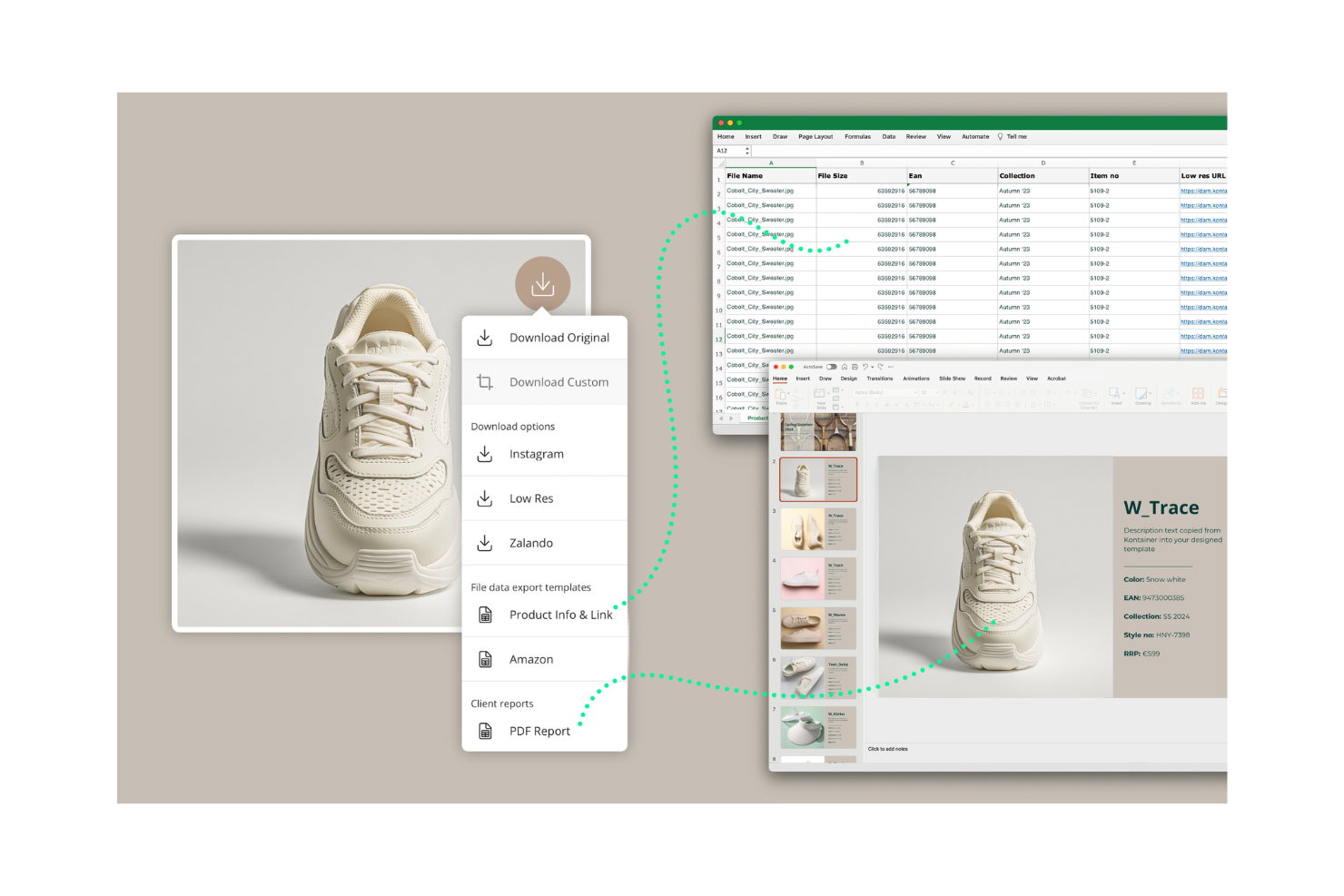
Kontainer ist eine Plattform zur Verwaltung digitaler Inhalte, die auf Unternehmen zugeschnitten ist, die digitale Dateien sicher speichern und teilen müssen. Sie wird von Marketingteams und Kreativprofis verwendet, um Bilder, Videos und Dokumente zu verwalten.
Warum es eine gute Filecamp-Alternative ist: Kontainer bietet eine GDPR-konforme Verwaltung digitaler Inhalte und stellt sicher, dass die Anforderungen Ihres Teams an Datenschutz und Sicherheit erfüllt werden. Die benutzerfreundliche Oberfläche ermöglicht es Ihnen, Dateien zu organisieren und darauf zuzugreifen. Die anpassbaren Metadatenfelder der Plattform helfen Ihnen, Inhalte entsprechend Ihren spezifischen Anforderungen zu kategorisieren. Diese Funktionen machen Kontainer zu einer ausgezeichneten Wahl für Teams, die Wert auf Datenschutzkonformität und Sicherheit legen.
Herausragende Funktionen & Integrationen:
Funktionen umfassen anpassbare Zugriffsrechte, mit denen Sie steuern können, wer Ihre digitalen Inhalte sehen und bearbeiten darf. Die Berichtstools von Kontainer bieten Einblicke in die Nutzung und Aktivität digitaler Inhalte und helfen Ihnen dabei, die Leistung zu verfolgen. Sie können außerdem die Kollaborationsfunktionen nutzen, damit Teammitglieder gemeinsam an Projekten arbeiten können.
Integrationen umfassen Adobe, Microsoft Office 365, WordPress und mehr.
Pros and Cons
Pros:
- GDPR-konforme Datenverwaltung
- Anpassbare Metadatenfelder
- Benutzerfreundliche Oberfläche
Cons:
- Erweiterte Funktionen und Integrationen erfordern einen erweiterten Plan
- Begrenzte Anpassungsmöglichkeiten im Einstiegsplan

pCloud
Am besten für sicheren Cloud-Speicher mit Datenschutz
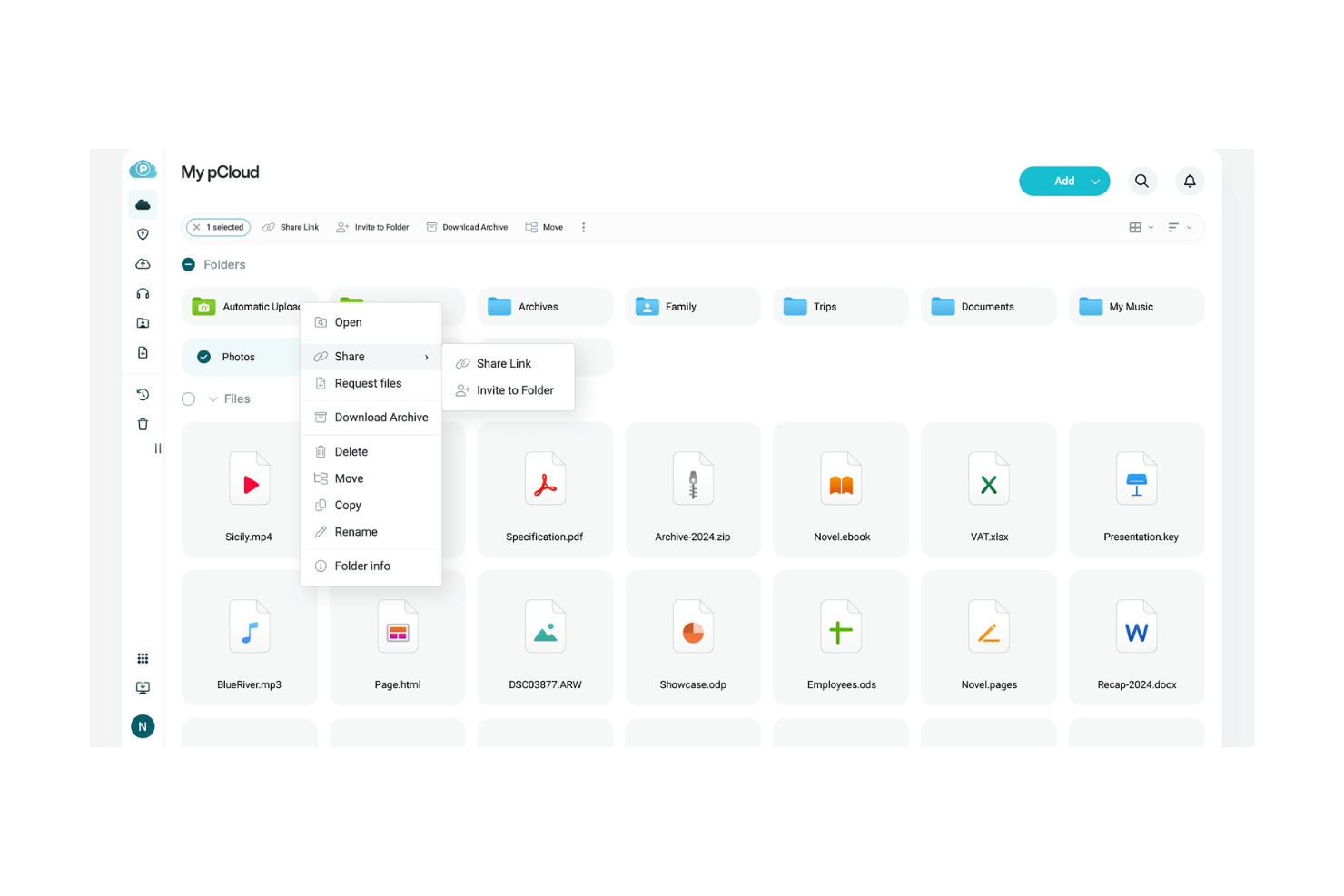
pCloud ist ein Cloud-Speicherdienst für Privatpersonen und Unternehmen, die eine sichere und private Dateispeicherung benötigen. Er unterstützt Nutzer beim effizienten Speichern, Zugreifen auf und Teilen von Dateien von jedem Gerät aus.
Warum pCloud eine gute Alternative zu Filecamp ist: Der Fokus von pCloud auf sicheren Cloud-Speicher und Datenschutz macht den Dienst ideal für Teams, die Datensicherheit priorisieren. Die Verschlüsselungsfunktionen stellen außerdem sicher, dass Ihre Dateien vor unbefugtem Zugriff geschützt sind. Die Plattform ermöglicht einfaches Teilen von Dateien, sodass Sie mit Teammitgliedern und Kunden zusammenarbeiten können. Diese Funktionen machen pCloud zu einer geeigneten Wahl für alle, die eine zuverlässige und sichere Speicherlösung suchen.
Herausragende Funktionen & Integrationen:
Zu den Funktionen gehört die Dateiversionsverwaltung, mit der Sie frühere Versionen verschiedener Dateitypen mit unterschiedlichen Dateinamen wiederherstellen können. Die Sicherungsfunktion von pCloud sichert Dateien von Ihrem Computer automatisch in der Cloud. Sie können auch den Mediaplayer verwenden, um Audio- und Videodateien aus der Cloud wiederzugeben.
Zu den Integrationen gehören Google Drive, Dropbox, Facebook, Instagram und mehr.
Pros and Cons
Pros:
- Leistungsstarke Verschlüsselungsfunktionen
- Einfaches Teilen von Dateien
- Automatische Sicherungsoptionen
Cons:
- Erfordert eine Internetverbindung
- Nicht ideal für große Teams

Frame.io
Am besten für die Verwaltung kreativer Videoinhalte geeignet
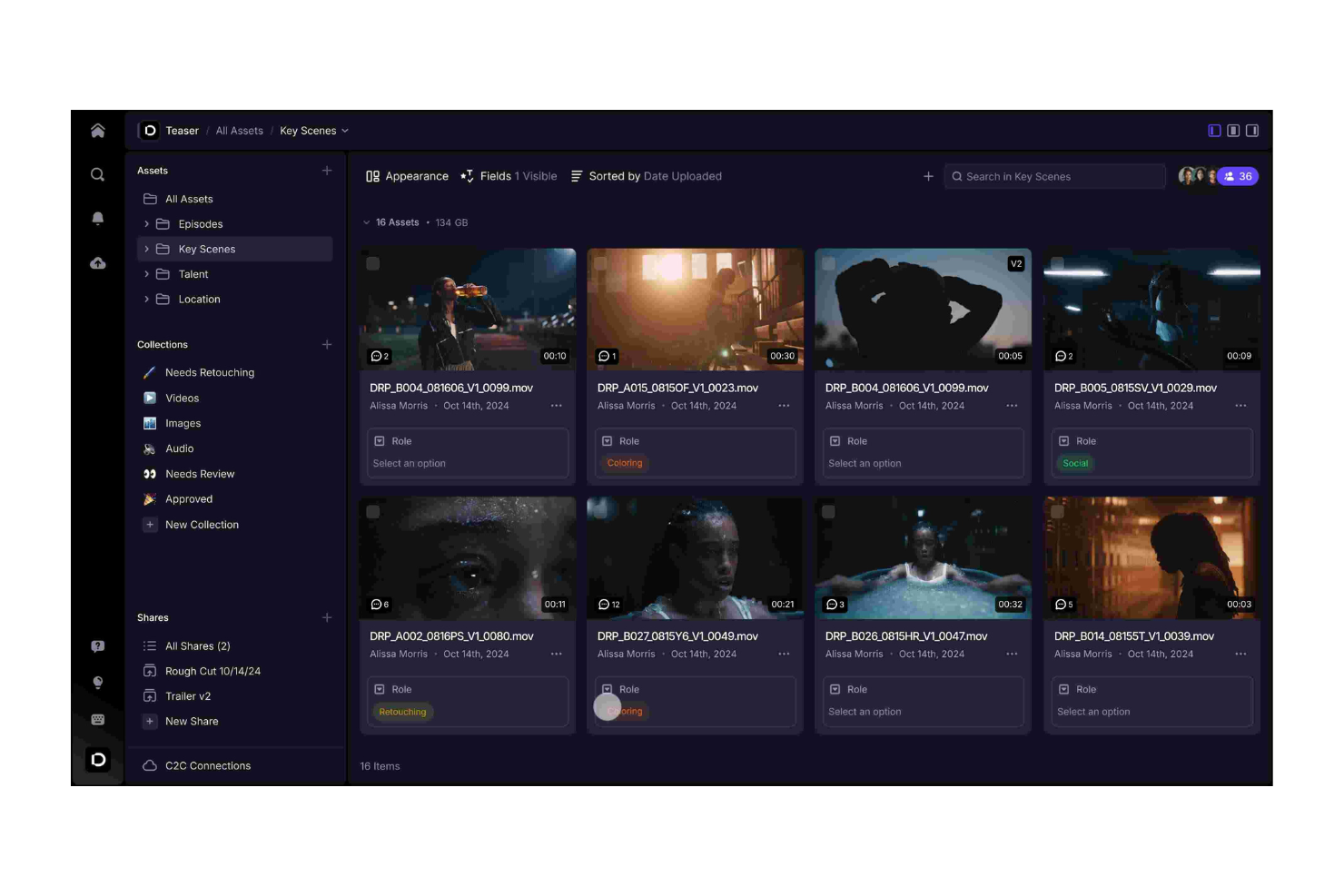
Frame.io ist eine Videokollaborationsplattform für Filmemacher, Videoeditoren und Kreativteams. Sie hilft Nutzern bei der Verwaltung von Videoprojekten und der Überprüfung von Inhalten.
Warum es eine gute Alternative zu Filecamp ist: Frame.io bietet Tools zur Verwaltung kreativer Arbeitsabläufe, mit denen dein Team Videoinhalte überprüfen und freigeben kann. Zeitstempelbasierte Kommentare und Anmerkungen ermöglichen präzises Feedback und verbessern die Kommunikation. Die Plattform unterstützt außerdem die Zusammenarbeit in Echtzeit, sodass dein Team leichter gemeinsam an Videoprojekten arbeiten kann. Diese Funktionen machen Frame.io ideal für Teams, die sich auf Videoproduktion und kreative Zusammenarbeit konzentrieren.
Herausragende Funktionen & Integrationen:
Zu den Funktionen gehören erweiterte Tools zur Videoprüfung, mit denen du bildgenaues Feedback geben kannst. Das Versionsverwaltungssystem von Frame.io stellt sicher, dass dein Team Zugriff auf die neuesten Videobearbeitungen hat. Du kannst auch die sicheren Freigabeoptionen nutzen, um Videoinhalte zu verteilen.
Zu den Integrationen gehören Adobe Premiere Pro, Final Cut Pro, DaVinci Resolve, Slack, Trello, Asana, YouTube, Google Drive und mehr.
Pros and Cons
Pros:
- Präzise Tools für Video-Feedback
- Sichere Optionen zum Teilen von Videos
- Ideal für Videoproduktionsteams
Cons:
- Erfordert eine Internetverbindung
- Nicht ideal für Projekte ohne Videobezug
Canto
Am besten für KI-gestützte automatische Verschlagwortung geeignet
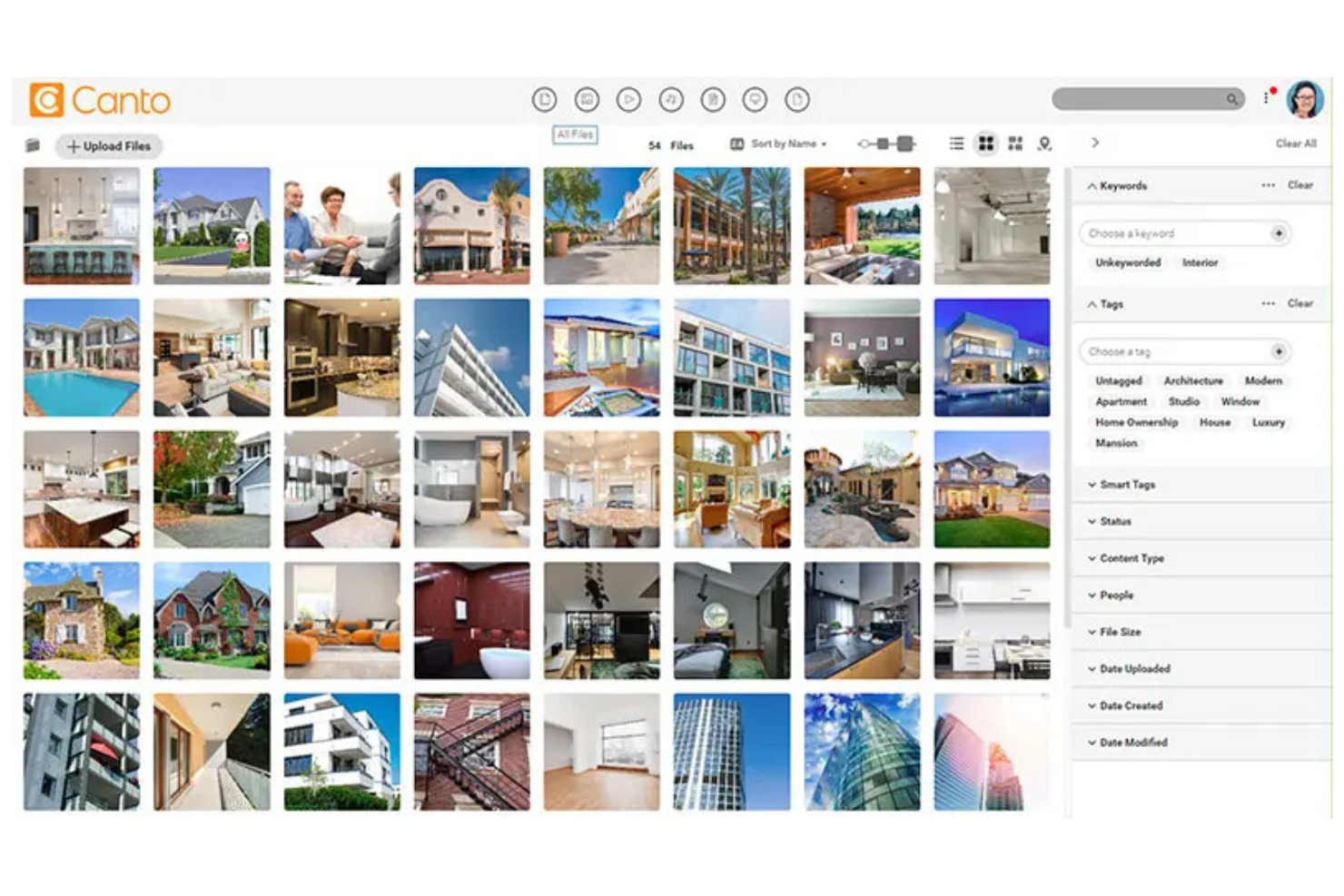
Canto ist eine Plattform zur Verwaltung digitaler Inhalte, die für Marketingteams und Kreativprofis entwickelt wurde. Sie hilft Unternehmen dabei, digitale Inhalte effizient zu organisieren, zu teilen und gemeinsam daran zu arbeiten.
Warum Canto eine gute Filecamp-Alternative ist: Canto bietet KI-gestützte Funktionen, die Ihre Verwaltung digitaler Inhalte intelligenter und effizienter machen. Die Gesichtserkennung und die automatische Verschlagwortung helfen Ihnen, Ihre Inhalte zu kategorisieren und zu finden. Die Plattform bietet außerdem anpassbare Optionen für den Markenauftritt, mit denen Sie die Benutzeroberfläche an den Stil Ihrer Marke anpassen können. Diese Funktionen machen Canto zu einer guten Wahl für Teams, die eine fortschrittliche Kategorisierung und Verwaltung digitaler Inhalte benötigen.
Hervorstechende Funktionen & Integrationen:
Funktionen umfassen anpassbare Portale, über die Sie Inhalte mit externen Partnern teilen können. Die Berichtsfunktionen von Canto können Ihre Entscheidungsfindung unterstützen, indem sie Einblicke in die Nutzung und Leistung Ihrer Inhalte bieten. Außerdem können Sie Ihre Markenrichtlinien und Inhalte über die zentrale Plattform einheitlich verwalten.
Integrationen umfassen Microsoft Windows, Slack, Hootsuite, WordPress, Shopify, Google Drive, Dropbox, Box, Salesforce und weitere.
Pros and Cons
Pros:
- KI-gestützte Verschlagwortung und Suche
- Anpassbare Optionen für den Markenauftritt
- Einfache gemeinsame Nutzung von Inhalten
Cons:
- Nicht ideal für kleine Teams
- Für die Einrichtung sind möglicherweise Einführung und Support erforderlich

Optimal für die kanalübergreifende Inhaltsverwaltung
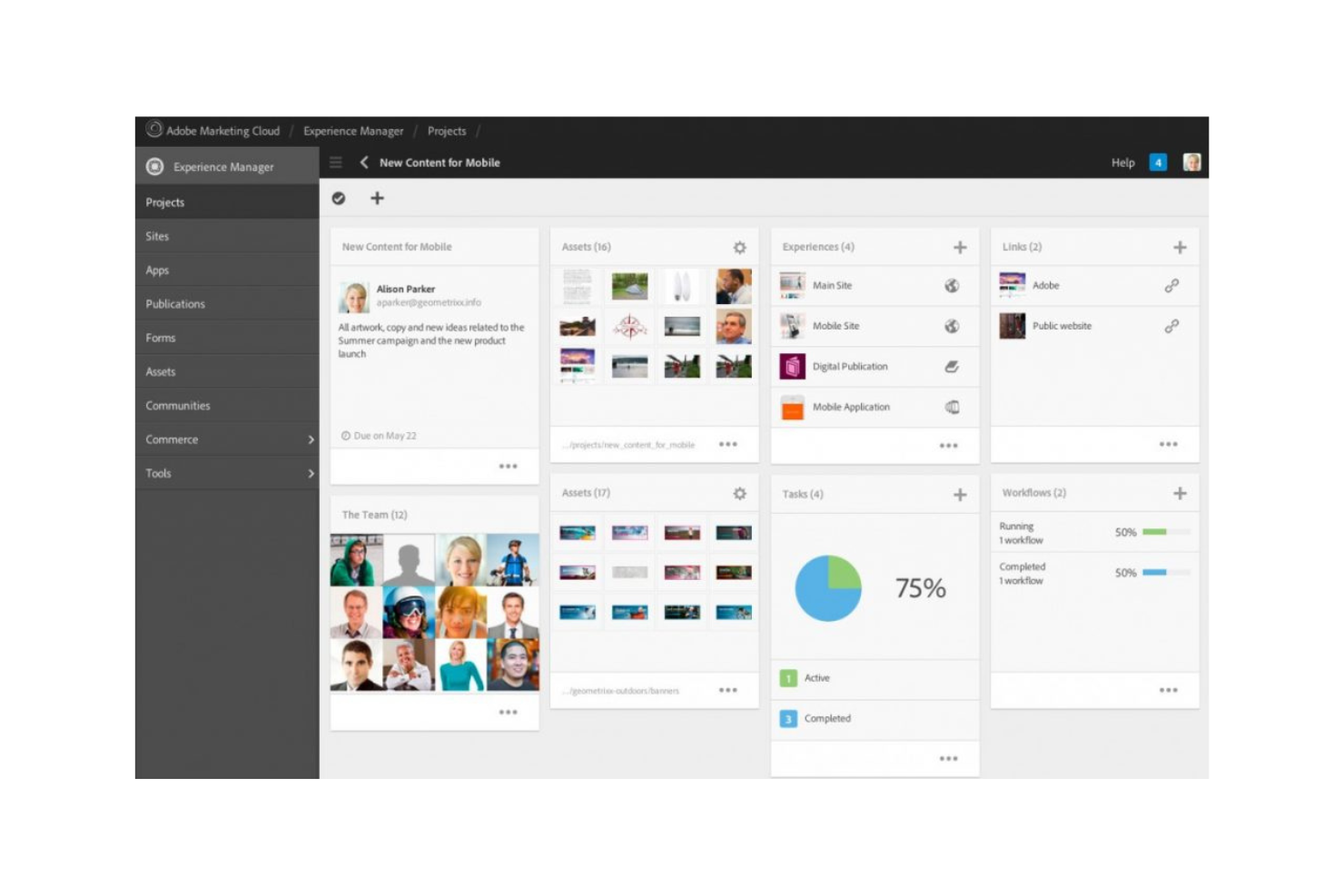
Adobe Experience Manager ist ein System zur Verwaltung digitaler Assets und von Inhalten, das Unternehmen unterstützt, die digitale Erlebnisse über mehrere Kanäle hinweg verwalten und bereitstellen müssen. Es wird hauptsächlich von Marketingteams und Content-Managern verwendet, die ihre Bereitstellung von Inhalten und die Verwaltung von Assets optimieren möchten.
Warum es eine gute Filecamp-Alternative ist: Die Funktionen von Adobe Experience Manager zur Verwaltung von Inhalten und digitalen Assets ermöglichen es Ihrem Team, Web-, Mobil- und App-Inhalte effizient zu verwalten. Die Automatisierungstools helfen Ihnen dabei, Assets zu finden und anzupassen, sodass Sie weniger Zeit mit der Suche nach und der Bearbeitung von Inhalten verbringen. Diese Tools machen die Lösung zu einer geeigneten Alternative für Teams, die eine umfassende Inhaltsverwaltung über verschiedene Plattformen hinweg benötigen.
Hervorstechende Funktionen & Integrationen:
Zu den Funktionen gehören Werkzeuge zur Erstellung responsiver Formulare, zur digitalen Anmeldung und ein Lernmanagementsystem. Mit dem cloudnativen Komponenten-Content-Management-System können Sie Dokumentationen effizient verwalten und skalieren. Adobe Experience Manager unterstützt Sie außerdem dabei, Kunden mit seinen integrierten Werkzeugen personalisierte Erlebnisse bereitzustellen.
Zu den Integrationen gehören Adobe Analytics, Adobe Target, Adobe Creative Cloud, Microsoft Translator, Salesforce und weitere.
Pros and Cons
Pros:
- Ideal für große Teams
- Integration mit Adobe Creative Cloud
- Unterstützt die Bereitstellung über mehrere Kanäle hinweg
Cons:
- Hohe Kosten für kleine Unternehmen
- Integrationen sind auf Adobe-Produkte ausgerichtet

Acquia
Am besten für KI-gestützte Kundenkonversion
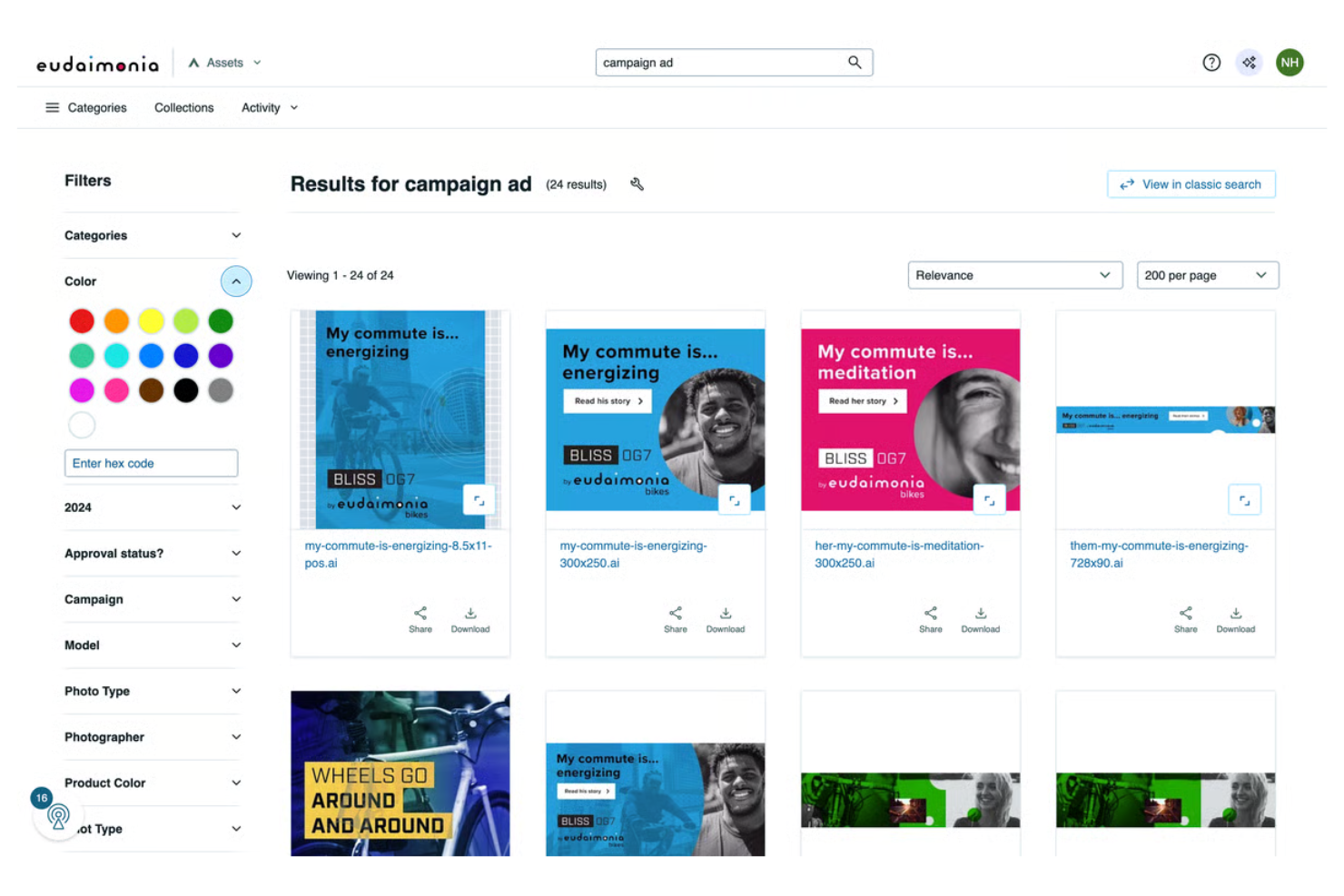
Acquia ist eine cloudbasierte Plattform für digitale Erlebnisse, die sich hauptsächlich an Marketing- und IT-Teams richtet, die personalisierte digitale Erlebnisse erstellen und verwalten möchten. Sie unterstützt Unternehmen dabei, Inhalte über mehrere Kanäle bereitzustellen und die Kundenbindung zu optimieren.
Warum es eine gute Alternative zu Filecamp ist: Acquia zeichnet sich durch KI-gestützte Funktionen zur Inhaltsverwaltung aus, mit denen Sie die Personalisierung von Inhalten automatisieren und die Kundenkonversion optimieren können. Die Tools für maschinelles Lernen können Kundendaten analysieren und Verhaltensweisen vorhersagen, wodurch Ihr Team die Effektivität seiner Marketingstrategien steigern kann. Darüber hinaus bietet Acquia Cloud-Hosting- und Sicherheitsfunktionen, die eine zuverlässige und sichere Bereitstellung Ihrer Inhalte gewährleisten. Damit ist Acquia eine ausgezeichnete Wahl für Teams, die eine fortschrittliche Inhaltsverwaltung und Personalisierung benötigen.
Herausragende Funktionen & Integrationen:
Zu den Funktionen gehört ein Framework zum Erstellen und Verwalten von Websites in großem Maßstab. Sie können die Tools außerdem verwenden, um sicherzustellen, dass Sie die Compliance-Standards einhalten.
Zu den Integrationen gehören Salesforce, Adobe Marketo, Adobe Experience Manager, Google Analytics, Microsoft Dynamics 365, HubSpot, Shopify, Amazon Web Services, Sitecore und weitere.
Pros and Cons
Pros:
- KI-gestützte Personalisierung von Inhalten
- Leistungsstarke Sicherheitsfunktionen
- Skalierbar für große Unternehmen
Cons:
- Lernkurve für neue Benutzer
- Möglicherweise ist eine spezielle Schulung erforderlich
Weitere Filecamp-Alternativen
Hier sind einige weitere Filecamp-Alternativen, die es nicht in meine Auswahl geschafft haben, aber dennoch einen Blick wert sind:
- Aprimo
Am besten für die zentrale Asset-Verwaltung geeignet
- Google Workspace
Am besten für integrierte Produktivitätstools geeignet
- Censhare
Am besten für KI-gestütztes Marketing und Personalisierung
- Extensis
Am besten für die Verwaltung von Schriftarten und Assets
- Cloudinary
Am besten für die Optimierung von Bildern und Videos geeignet
- ImageKit
Am besten für Teams ohne festen Arbeitsplatz


Wie ich Filecamp-Alternativen bewerte
Ich teile meine Bewertung in grundlegende Kriterien – wie sicheres Dateiteilen und gebrandete Kundenportale – und Unterscheidungsmerkmale, die die besten Optionen für Agenturen und Marken-Teams hervorheben.
Kernfunktionen (Grundvoraussetzung für diese Liste)
Wenn ich Tools für meine Liste auswähle, bewerte ich jedes einzelne auf einer Skala von 0 (Funktionalität nicht vorhanden) bis 5 (überzeugt in diesem Bereich) hinsichtlich jeder unten aufgeführten Kernfunktion. Anschließend berechne ich aus der Gesamtpunktzahl des Tools einen Prozentsatz. Jedes Tool muss mindestens eine Gesamtbewertung von 65 % erreichen, um für die Aufnahme berücksichtigt zu werden.
- Dateifreigabe & -speicherung: Ich prüfe, ob eine Plattform große Kreativdateien – wie mehrschichtige PSDs oder unbearbeitete Videos – mit teilbaren Links und Upload-Portalen für externe Mitarbeiter verwalten kann.
- Digitale Asset-Organisation: Tags, Metadaten und Suche sind hier wichtig. Ich bevorzuge Tools, mit denen dein Team eine bestimmte Logoversion in Sekunden finden kann, statt sich durch verschachtelte Ordner zu wühlen.
- Zugriffsrechte & -steuerung: Ich bewerte, wie fein granular die Rollen- und Ordnerebenen-Berechtigungen sind, insbesondere für Agenturen, die mehrere Kundenkonten mit unterschiedlichen Zugriffsanforderungen verwalten.
- Gebrandete Kundenportale: Die Möglichkeit, Assets über ein White-Label-Portal bereitzustellen, ist ein wichtiges Unterscheidungsmerkmal zu herkömmlichem Cloud-Speicher. Tools wie Brandfolder und Bynder bieten hier unterschiedliche Tiefen der Anpassung, die ich vergleiche.
- Review- & Freigabe-Workflows: Kreativteams benötigen Kommentierungs- und Freigabe-Workflows für verschiedene Dateitypen. Ich achte auf Korrekturmöglichkeiten für PDFs, Bilder und Videos – nicht nur auf einfache Kommentare für ein Dateiformat.
- Versionierung: Ich prüfe, ob die Plattform Änderungen mit klarer Historie und Rücksetzungsmöglichkeiten nachverfolgt, damit dein Team das klassische Problem vermeidet, dass ein finalisierter Asset durch eine veraltete Version überschrieben wird.
Sobald ich eine Liste an Tools habe, die diese Kriterien erfüllen, schaue ich mir an, was jede Plattform besonders auszeichnet.
Unterscheidungsmerkmale (Was Anbieter unterscheidet)
So vergleiche und kontrastiere ich verschiedene Anbieter:
Herausragende Funktionen
Integrationen zu Kreativtools sind hier wichtig – ich suche nach nativen Anbindungen an Adobe Creative Cloud oder Figma, damit Designer Assets direkt aus ihrer gewohnten Umgebung abrufen können. KI-gestütztes Tagging ist ein weiterer Pluspunkt, da automatisch erstellte Metadaten viele Stunden manueller Katalogisierung beim Onboarding tausender Assets sparen. Außerdem prüfe ich Funktionen wie Asset-Ablauf und Lizenzmanagement, mit denen Markenverantwortliche erkennen können, wann eine Bildlizenz abläuft, bevor sie aus Versehen in einer aktuellen Kampagne genutzt wird.
Mehr als nur Funktionen
Preisstruktur ist ein wichtiger Aspekt – ich achte darauf, ob Gast- und externe Nutzerplätze die Kosten in die Höhe treiben, da Agenturen, die mit Dutzenden Kunden Assets teilen, schnell hohe Rechnungen sehen können. Sicherheit und Compliance sind ebenfalls entscheidend, insbesondere für Teams, die mit Kunden-IP arbeiten; ich suche nach SOC 2-Zertifizierung, SSO und Audit-Trails. Schließlich prüfe ich, wie gut sich eine Plattform in bestehende Arbeitsabläufe integriert, indem ich Schnittstellen zu Tools wie Asana, Monday oder ClickUp bewerte, und ob API- bzw. Zapier-Anbindung für individuelle Automatisierungen verfügbar ist.
Warum nach einer Filecamp-Alternative suchen?
Filecamp ist zwar eine gute Wahl für die Verwaltung digitaler Assets, aber es gibt mehrere Gründe, warum manche Nutzer nach alternativen Lösungen suchen. Aus den folgenden Gründen könnten Sie nach einer Filecamp-Alternative suchen:
- Sie benötigen fortschrittlichere Anpassungsmöglichkeiten
- Ihr Team benötigt bessere Integrationsmöglichkeiten
- Sie suchen nach einer besser skalierbaren Lösung
- Sie wünschen sich erweiterte Sicherheitsfunktionen
- Ihr Team benötigt schnelleren Kundensupport
- Sie suchen nach einer kostengünstigeren Option
Wenn Ihnen einer dieser Punkte bekannt vorkommt, sind Sie hier richtig. Meine Liste umfasst mehrere Optionen zur Verwaltung digitaler Assets, die besser für Teams geeignet sind, die mit diesen Herausforderungen bei Filecamp konfrontiert sind und nach Alternativen suchen.
Funktionen
Damit Sie die Angebote alternativer Lösungen gegenüberstellen und vergleichen können, finden Sie hier einige der wichtigsten Funktionen von Filecamp:
- Granulare Zugriffskontrolle: Steuert den Datei- und Ordnerzugriff für Ihre Kunden und Partner.
- Mehrere Designs: Passen Sie den Markenauftritt für verschiedene Ordner an den Stil Ihres Unternehmens an.
- Schlüsselwörter/Tags: Verwenden Sie Metadaten, um Ihre digitalen Mediendateien zu organisieren und zu verwalten.
- Benutzerdefinierte Seiten: Erstellen und verwalten Sie benutzerdefinierte Seiten mit einem Editor nach dem Prinzip „Was Sie sehen, ist das, was Sie erhalten“ für eine einfache Inhaltserstellung.
- Sicherheit: Bietet ein sicheres Rechenzentrum und HTTPS für Dateiübertragungen.
- Links zum Anfordern von Dateien: Ermöglichen es Ihnen, Dateien von beliebigen Personen zu empfangen und die Zusammenarbeit zu verbessern.
- Sammlungen: Organisieren Sie Dateien aus mehreren Ordnern, um effizient mit Ihrem Team zusammenzuarbeiten.
- Automatische Tags: Verbessern Sie die Auffindbarkeit durch die automatische Verschlagwortung digitaler Ressourcen.
- Bezeichnungen: Verwenden Sie benutzerdefinierte Bezeichnungen für die Indizierung und Freigabe, damit Ihre Dateien organisiert bleiben.
- Eigenmarke: Übernehmen Sie mit dem Tarif für professionelle Nutzung die vollständige Kontrolle über den Markenauftritt und machen Sie die Plattform wirklich zu Ihrer eigenen.
Wie geht es weiter:
Wenn Sie gerade Software für die Verwaltung digitaler Ressourcen recherchieren, wenden Sie sich kostenlos an einen SoftwareSelect-Berater, um Empfehlungen zu erhalten.
Sie füllen ein Formular aus und führen ein kurzes Gespräch, in dem Ihre konkreten Anforderungen besprochen werden. Anschließend erhalten Sie eine Auswahlliste von Softwarelösungen zur Prüfung. Die Berater unterstützen Sie sogar während des gesamten Kaufprozesses, einschließlich der Preisverhandlungen.