Mac OS için Microsoft Project: 10 Alternatif ve Geçici Çözüm

Mac için En İyi Microsoft Project Alternatifleri


Mac için Microsoft Project alternatifleri, proje yöneticilerinin özelliklerden veya uyumluluktan ödün vermeden çalışmaları planlamasına, zamanlamasına ve yönetmesine yardımcı olur. Microsoft Project’in web sürümü bir miktar erişilebilirlik sunsa da macOS’te temel işlevlerden yoksundur; bu da Mac kullanıcılarının zaman çizelgelerini, bağımlılıkları ve kaynakları güvenle yönetmesini zorlaştırır.
Mac için güçlü Microsoft Project alternatifleri olan en iyi proje yönetimi araçlarını bağımsız olarak test edip inceledim. Gantt şeması özelliklerinden ekip iş birliği araçlarına ve Mac’e özgü performansa kadar bu rehberdeki her araç, modern proje iş akışlarını desteklemek üzere tasarlanmış, sorunsuz ve tüm özellikleri sunan bir deneyim sağlar.
Microsoft Project nedir?
Microsoft Project, ekiplerin proje ilerlemesini planlamasına, zamanlamasına ve izlemesine yardımcı olan, Microsoft tarafından geliştirilmiş bir proje yönetimi yazılımıdır.
Karmaşık proje iş akışları için tasarlanan yazılım; görev atama, Gantt şemaları, kaynak yönetimi ve bütçe takibi araçları sunar. Başlangıçta yalnızca Windows için sunulsa da artık Mac kullanıcıları için web tabanlı bir sürümü de mevcuttur; ancak bu sürüm masaüstü sürümüne kıyasla daha az özellik içerir.
Why Trust Our Software Recommendations
Our team has been testing and reviewing software since 2012. As project managers ourselves, we know how difficult—and important—it is to choose the right software.
For this guide, we evaluated tools using hands-on testing and independent research, scoring tools using our selection criteria. We also draw on insights from industry thought leaders and practicing project management experts.
Our reviews reflect our human editorial judgment, not a sales pitch.
Expert reviewers:
Karşılaştırma Tablosu: Mac için Microsoft Project Alternatifleri
Bu karşılaştırma tablosu, Mac için en iyi Microsoft Project alternatifleri seçimlerimin fiyatlandırma ayrıntılarını özetler:
Score legend (out of 5)
- Excellent 4.5–5
- Good 4–4.4
- Average 3–3.9
- Below average 2–2.9
- Poor 1–1.9
| Tool | Starting Price | Website | |||||||
|---|---|---|---|---|---|---|---|---|---|
| Best for managing contractors | 3.5 out of 5 | 4 | 4 | 2 | 3 | 3 | 5 | $10/user/month Free plan + 14-day trial + demo available | Book Demo |
| Best user-friendly PM tool | — | 3 | 4 | — | 4 | 3 | 3 | $9/user/month Free plan + 14-day trial available | Book Demo |
| Best for project budgeting | 4.3 out of 5 | 5 | 5 | 4 | 2 | 5 | 5 | $10/user/month 14-day free trial | Website |
| Best for scalability | 3.5 out of 5 | 4 | 4 | 2 | 3 | 4 | 4 | Pricing upon request Free plan + 15-day trial + demo available | Website |
| Best for Mac-native MS Project scheduling | 3.8 out of 5 | 4 | 5 | 3 | 5 | 2 | 4 | $16.99 / month 30 days free trial | Website |
| Best for free MS Project–style scheduling | 4.0 out of 5 | 4 | 5 | 3 | 3 | 4 | 5 | $9.99/user/month Free plan available | Website |
| Best for Mac-native Gantt scheduling | 4.2 out of 5 | 4 | 5 | 3 | 5 | 3 | 5 | $199.99/year 14-day free trial | Website |
| Best MS Project MPP Compatibility | 4.0 out of 5 | 3 | 5 | 5 | 5 | 2 | 4 | $10.99/user/month 14-day free trial | Website |
| Best for collaborative project planning | 3.5 out of 5 | 4 | 5 | 2 | 3 | 3 | 4 | $7/user/month 14-day free trial + demo available | Website |
| Best for Gantt scheduling on Mac without Windows | — | 4 | 5 | — | 4 | 3 | 4 | $12/user/month Free plan + free demo available | Book Demo |
Mac için En İyi Microsoft Project Alternatiflerine Genel Bakış
Aşağıda bazı Microsoft Project alternatifleri ve proje görüntüleyicileri yer alıyor. Aslında bunların çoğu tarayıcı tabanlıdır; bu da hangi cihazı kullanırsanız kullanın tüm cihazlarda gerçek zamanlı güncellemeler anlamına gelir.

Wrike
Best for managing contractors
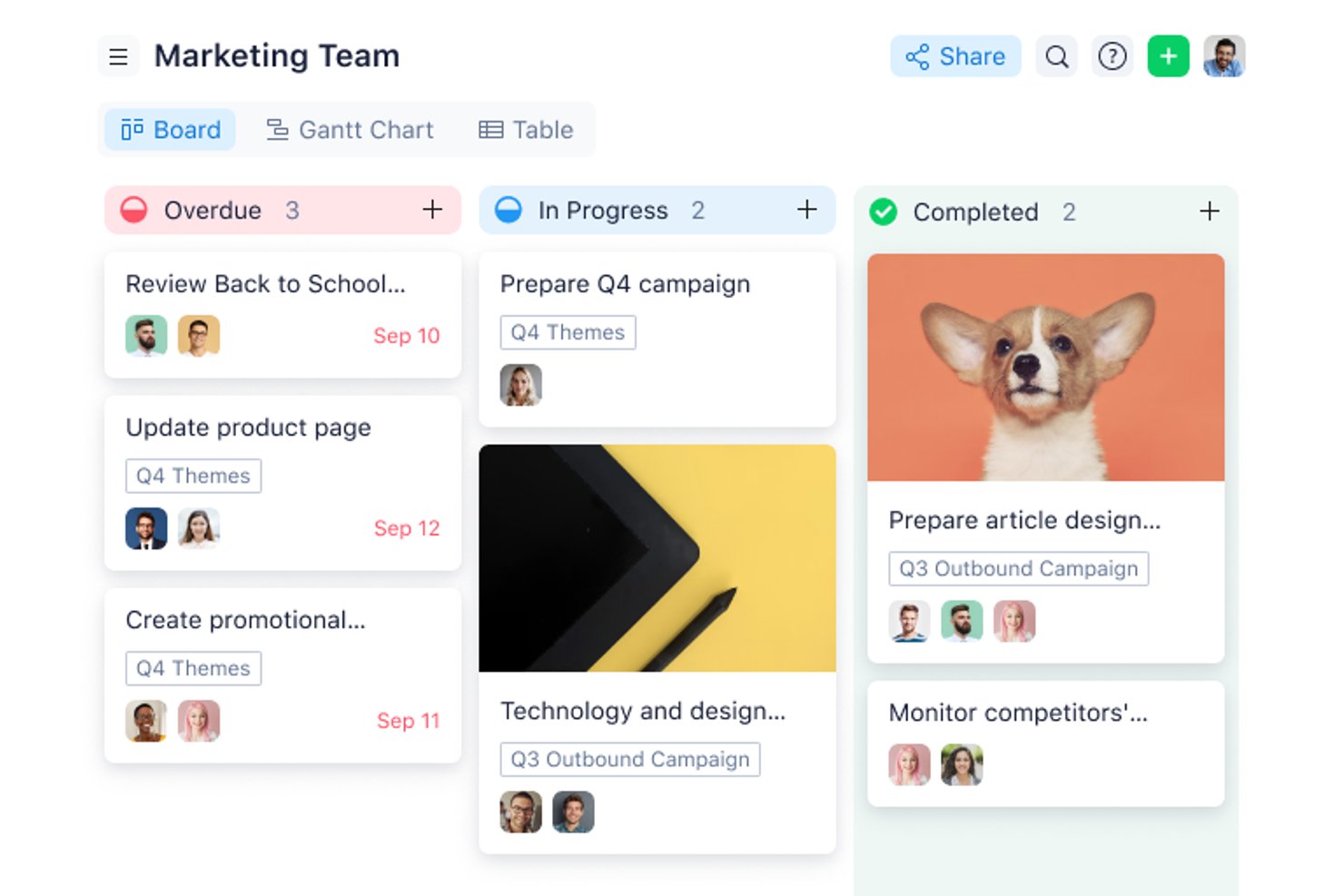
Wrike is a work management platform for project teams that need to plan schedules, track tasks, coordinate updates, and keep shifting priorities and dependencies visible.
Who Is Wrike Best For?
Wrike is a good fit for project managers coordinating contractors and internal teams who need clear task ownership and deadlines.
Why Wrike Is a Good Microsoft Project For Mac OS: Alternatives & Workarounds
I picked Wrike as a Microsoft Project for Mac OS alternative because it’s Best for managing contractors. I use its project schedules, task ownership, and deadlines to clarify who’s responsible for each deliverable. Teams can also track dependencies and coordinate updates when contractor timelines shift.
Wrike Key Features
- Custom workflows: Configure project stages and statuses to match your team’s processes.
- Request forms: Collect project requests through forms with customizable fields.
- Proofing and approvals: Review files, add comments, and manage approval decisions in Wrike.
- Dashboards: Build views that display selected project and task information.
Wrike Integrations
Wrike’s directory lists 60 apps and integrations, including Slack, Microsoft Teams, Google Sheets, and Salesforce; its Slack and Microsoft Teams connections are documented integrations. Wrike also supports Zapier and offers an API for custom integrations.
Pros and Cons
Pros:
- Custom workflows fit contractor handoffs
- Workload charts make ownership visible
- Gantt dependencies recalculate critical paths
Cons:
- Gantt dependency lines can overlap
- Dense navigation takes onboarding time
New Product Updates from Wrike

Wrike Redesigns Workspace Search With New Filters
Wrike introduces a redesigned Workspace Search interface with recent search shortcuts, item type and location filters, and parent-task context. These updates help users find relevant work items and navigate search results efficiently. For more information, visit Wrike’s official site.
 .

Best user-friendly PM tool
monday AI Workspace gives product and delivery teams a visual, configurable place to plan projects, coordinate cross-functional work, and keep shifting priorities and ownership visible.
Who Is monday AI Workspace Best For?
Small and midsize digital teams looking for an approachable way to organize projects and coordinate day-to-day work.
Why monday AI Workspace Is a Good Microsoft Project For Mac OS: Alternatives & Workarounds
I picked monday AI Workspace as the Best user-friendly PM tool because its visual project workspace gives Mac users a browser-based alternative to Microsoft Project. I use timelines and dependency tracking to map launch milestones, while live dashboards show cross-team progress and slippage.
monday AI Workspace Key Features
- AI assignment recommendations: Get suggested owners for project tasks.
- Risk detection: See AI-flagged project risks and context.
- Document summaries: Use AI to summarize project documents.
- Request routing: Route incoming requests to the right workflow.
monday AI Workspace Integrations
monday.com lists 850+ integrations and apps, including Slack, Google Calendar, Outlook, Microsoft Teams, GitHub, and Jira. It supports Zapier and offers APIs and SDKs for custom integrations.
Pros and Cons
Pros:
- AI flags project risks and suggests task owners
- Dashboards show cross-team progress and schedule slippage
- Visual timelines make milestones easy to scan
Cons:
- Custom boards can become cluttered over time
- Complex dependencies lack traditional critical-path depth
New Product Updates from monday AI Workspace
monday AI Workspace Adds Human Approval Routing
monday AI Workspace adds a human-in-the-loop approval block to AI Workflows, sending approval requests and routing workflow paths based on responses. For more information, visit monday AI Workspace's official site.
 .

Celoxis
Best for project budgeting
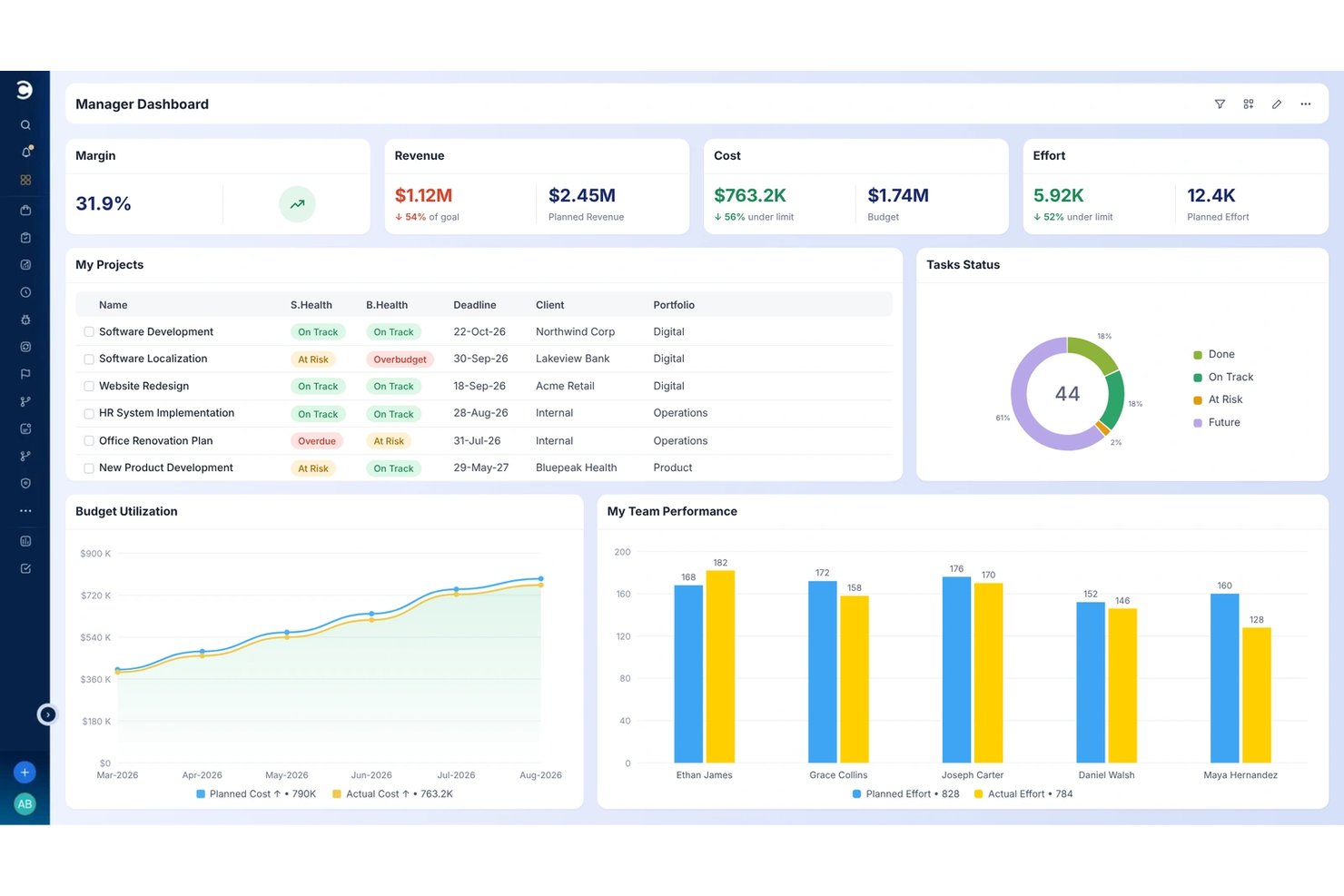
Celoxis helps project teams coordinate complex work by bringing project plans, resource management, schedules, and delivery visibility together across departments.
Who Is Celoxis Best For?
Celoxis suits project managers who need to plan project costs and track budgets alongside schedules and resource needs.
Why Celoxis Is a Good Microsoft Project For Mac OS: Alternatives & Workarounds
I picked Celoxis as a Microsoft Project for Mac OS alternative because it’s best for project budgeting. I like that it brings project costs and budgets together with schedules and resource needs, helping me assess how a scope change affects both the budget and staffing plan.
Celoxis Key Features
- Project intake: Collect requests through email, forms, or spreadsheets and route them for approval.
- Custom dashboards: Build dashboards with report widgets, charts, and filters for project data.
- Workflow apps: Configure custom fields, states, routing, and escalations for project processes.
- Team discussions: Comment on projects, tasks, and app items with mentions and email notifications.
Celoxis Integrations
Celoxis offers 21 integrations configured inside the product, including Microsoft Project, Microsoft 365, Jira, Azure DevOps, Google Drive, Slack, and QuickBooks Online. It also connects with Zapier and provides a REST API for custom integrations.
Pros and Cons
Pros:
- Tracks budgets alongside schedules and resources
- Imports MPP dependencies and resource assignments
- Browser access works on Mac
Cons:
- Dense navigation can slow project setup
- MPP imports omit calendars and custom fields

Best for scalability
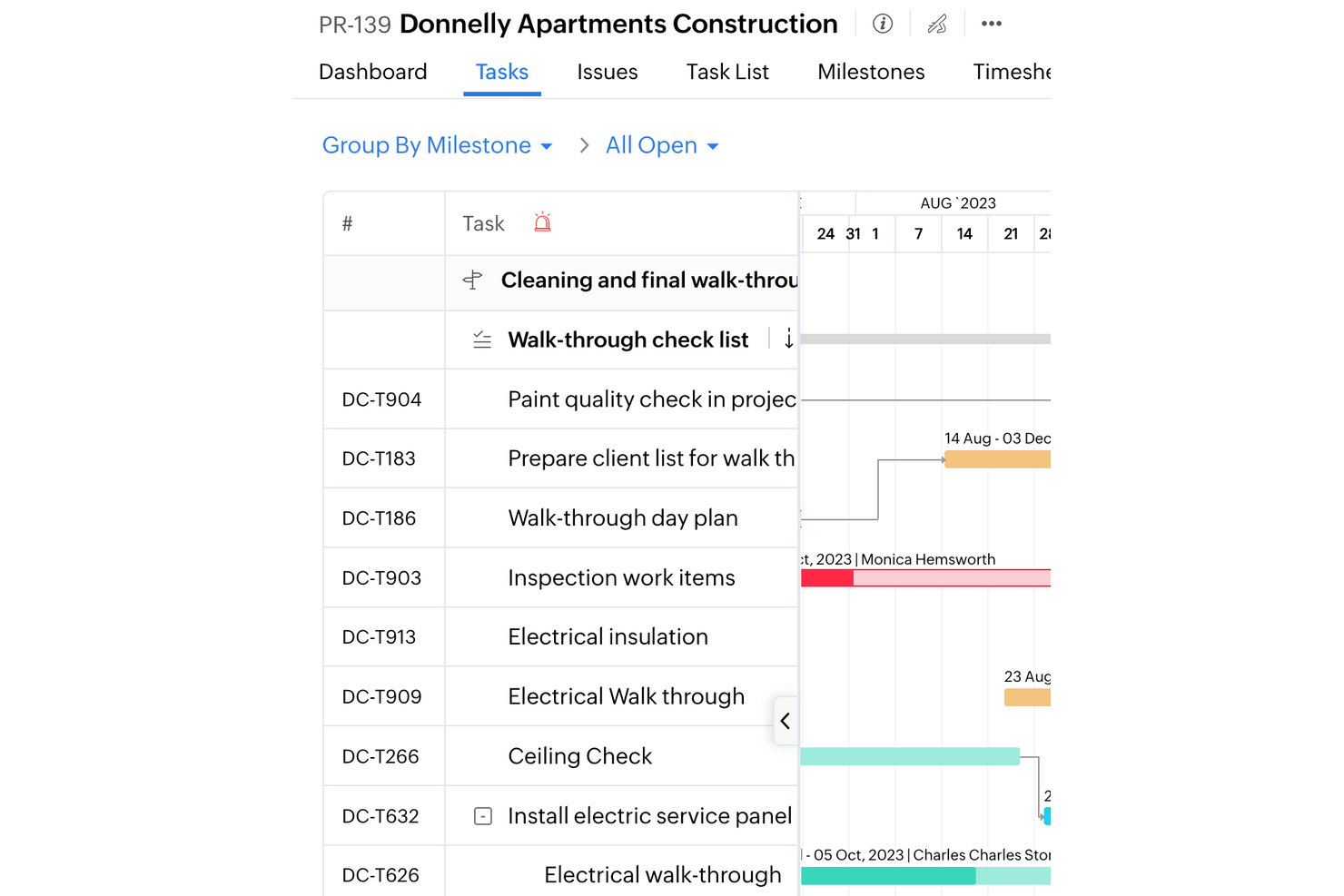
Zoho Projects is a cloud-based project management platform for teams seeking an alternative to Microsoft Project, combining task planning, schedules, dependencies, and collaboration to coordinate delivery.
Who Is Zoho Projects Best For?
Zoho Projects suits growing teams that need to coordinate multiple projects, dependencies, schedules, and cross-functional work as delivery demands expand.
Why Zoho Projects Is a Good Microsoft Project For Mac OS: Alternatives & Workarounds
I picked Zoho Projects as my “Best for scalability” choice because its cloud-based workspace lets Mac users coordinate work without relying on Microsoft Project’s desktop app. I use its schedules and dependency planning to map linked milestones across concurrent product releases and keep project teams aligned as work expands.
Zoho Projects Key Features
- Time tracking: Log work hours against tasks and submit timesheets.
- Issue tracking: Record bugs and track their status through resolution.
- Document management: Store project files and share them with team members.
- Workflow automation: Set rules to trigger actions when tasks meet specified conditions.
Zoho Projects Integrations
Zoho Projects integrates with the Zoho app ecosystem, Microsoft Project and Teams, Google Drive, Slack, GitHub, Dropbox, Zendesk, and Zapier. It also provides an API for custom integrations.
Pros and Cons
Pros:
- Built-in time logs track billable work
- Visual task dependencies map linked release milestones
- Cloud-based Gantt planning works across Mac browsers
Cons:
- Advanced reports offer limited customization
- Large Gantt plans can feel slow
New Product Updates from Zoho Projects
Zoho Projects Adds CodeX Scripts for Custom Modules
Zoho Projects now supports CodeX Scripts for custom modules, enabling conditional logic and rules for creating, updating, and deleting records. For more information, visit Zoho Projects' official site.
 .

Best for Mac-native MS Project scheduling
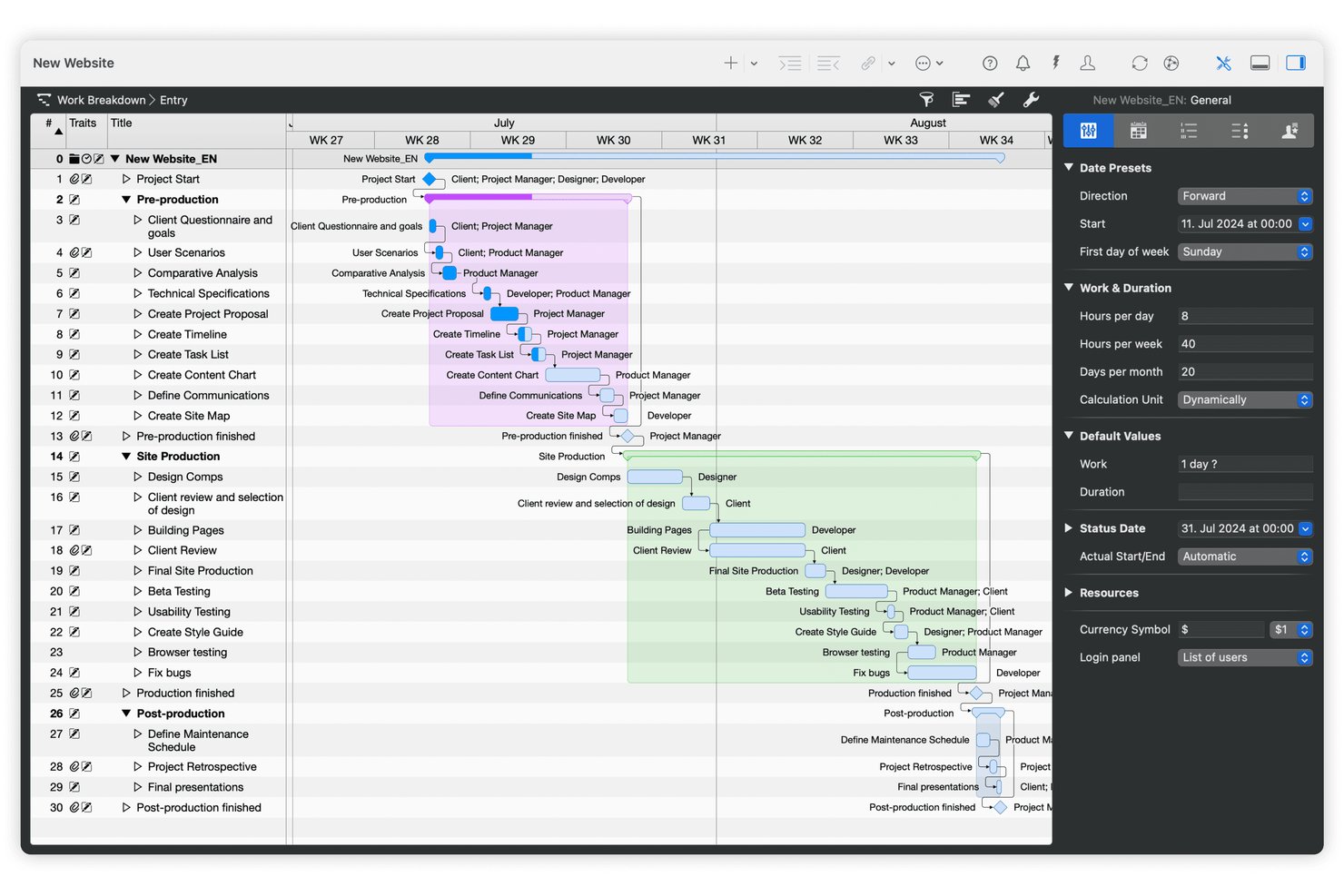
Merlin Project is a project management app for Mac teams that need to plan schedules, coordinate resources, and manage complex work without relying on Microsoft Project for Windows.
Who Is Merlin Project Best For?
Merlin Project suits project managers who need to create and maintain detailed, dependency-driven schedules on a Mac.
Why I Picked Merlin Project
I rate Merlin Project “Best for Mac-native MS Project scheduling” because it opens and exports Microsoft Project XML. Its Gantt charts link task dependencies and calculate the critical path, so I can trace how a delayed API handoff shifts a release date. Resource assignments also help me spot developer or QA overallocation.
Merlin Project Key Features
- Task comments: Discuss work and record decisions directly on project tasks.
- Attachments: Add files, images, emails, and notes to individual tasks.
- Mind maps: Turn a brainstorm into a work breakdown structure with one click.
- Project reports: Create status updates, planned-versus-actual comparisons, and cost overviews.
Merlin Project Integrations
Merlin Project connects with Apple Calendar and Apple Reminders, and syncs shared projects through cloud services such as Dropbox and Box. It also imports and exports Microsoft Project XML files.
Pros and Cons
Pros:
- Resource leveling flags overloaded assignments
- Dependency-linked Gantt charts show schedule impacts
- Imports and exports Microsoft Project XML
Cons:
- Mac-only access excludes Windows collaborators
- XML exchanges may lose compatibility

Best for free MS Project–style scheduling
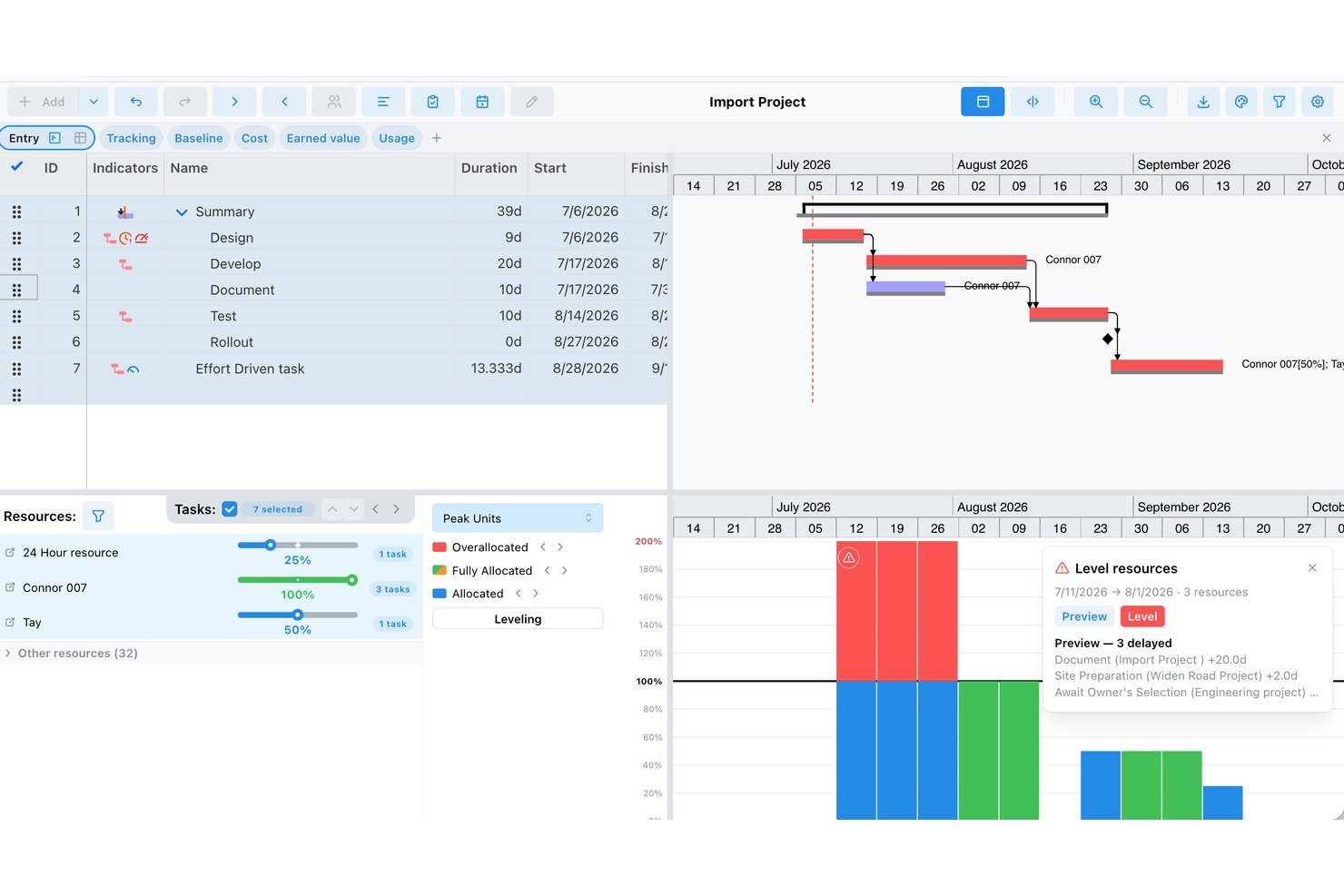
ProjectLibre is project management software for teams that need clear schedules, task dependencies, and resource visibility to coordinate technology and digital projects.
Who Is ProjectLibre Best For?
ProjectLibre is a good fit for budget-conscious project managers and small teams that want familiar, MS Project–style scheduling without paying for a license.
Why I Picked ProjectLibre
I picked ProjectLibre because it fits the “Best for free MS Project–style scheduling” brief for Mac users. Its Gantt charts link dependent tasks, while resource management and baselines help me plan delivery dates and track changes. Microsoft Project compatibility also lets me work with existing project files.
ProjectLibre Key Features
- Work breakdown structure: Organize project scope into a hierarchical task outline.
- Network diagrams: View project tasks as a flowchart of their sequence.
- Cost tracking: Record resource rates and project costs.
- Project calendars: Set working days and hours for the schedule.
ProjectLibre Integrations
ProjectLibre has no clearly documented native integrations; its desktop app can open Microsoft Project and Primavera P6 files, but this is file compatibility rather than live synchronization.
Pros and Cons
Pros:
- Resource views help spot overallocations
- Baseline comparisons flag schedule drift
- Gantt dependencies map schedule logic visually
Cons:
- Complex schedules can expose bugs and crashes
- Mac startup failures reported on newer macOS

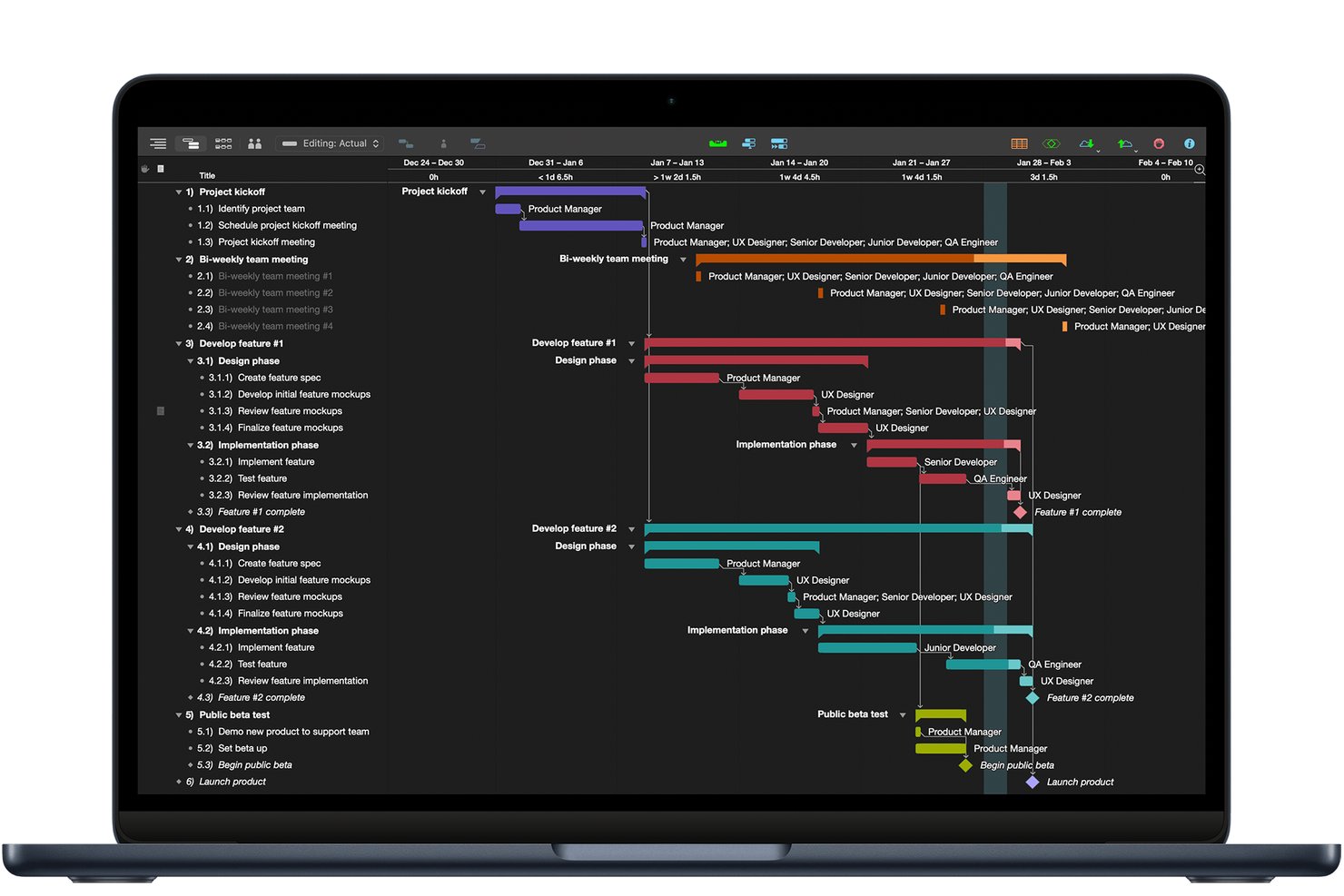
OmniPlan gives Mac-focused project managers a desktop planning tool to organize tasks, dependencies, and resources, helping them turn changing project requirements into schedules they can track.
Who Is OmniPlan Best For?
OmniPlan suits project managers on Mac who need Gantt scheduling to map task dependencies and coordinate resources.
Why I Picked OmniPlan
I picked OmniPlan, Best for Mac-native Gantt scheduling, as a Microsoft Project for Mac OS alternative. I like how task dependencies and imported team calendars reveal scheduling conflicts, while critical-path highlights show what a shifted release date could delay.
OmniPlan Key Features
- Project templates: Start with Standard Project, Styled Project, or Simple Project templates.
- Multi-project dashboards: View multiple projects together in portfolio dashboards.
- Multiple baselines: Compare current project progress with saved plans.
- Earned value analysis: Track project budget and value against a baseline.
OmniPlan Integrations
OmniPlan doesn’t document a native integration catalog, but OmniPlan Pro can sync work hours from a calendar and import and export Microsoft Project
.mpp
and XML files. Projects can also sync through iCloud Drive, Box, Git, or WebDAV.
Pros and Cons
Pros:
- Baselines and earned value track variance
- Critical-path and Monte Carlo forecasts
- Resource leveling resolves overloaded schedules
Cons:
- No Windows client for mixed-device teams
- MPP exports can alter completion status

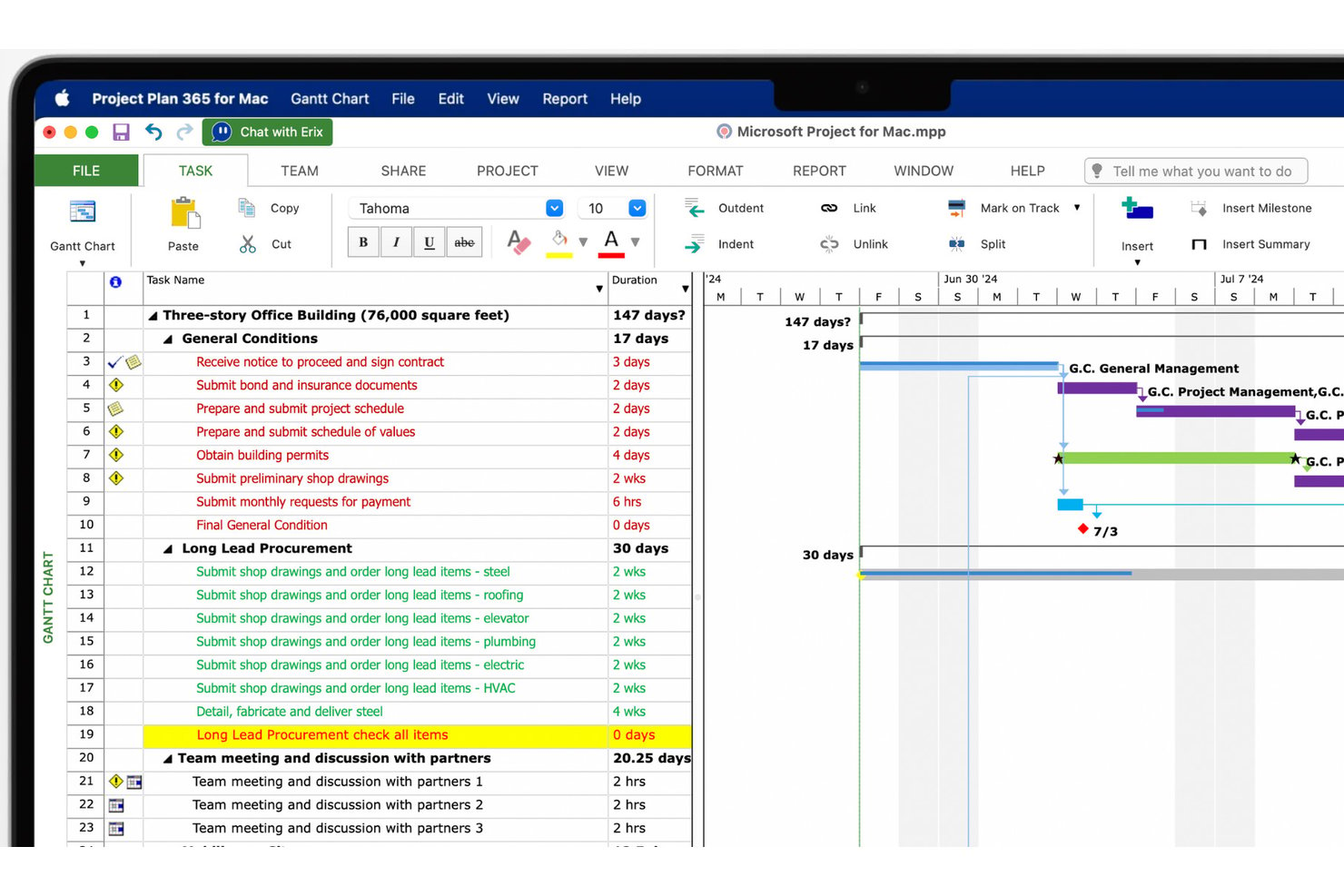
Project Plan 365 is project planning software for Mac-based teams that need to schedule work, assign resources, and track delivery without relying on a Windows-only workflow.
Who Is Project Plan 365 Best For?
Project Plan 365 suits project managers who need to open and share Microsoft Project MPP files across different devices and operating systems.
Why Project Plan 365 Is a Good Microsoft Project For Mac OS: Alternatives & Workarounds
I picked Project Plan 365 for its Best MS Project MPP Compatibility: it opens and shares Microsoft Project MPP files across devices and operating systems, including Mac. I can work from an existing project schedule and use its scheduling and resource assignment features to update dates and ownership.
Project Plan 365 Key Features
- Customizable Gantt charts: Adjust chart settings to display project tasks and timelines.
- Dashboards and reports: Generate visual summaries and reports from project data.
- Master projects and subprojects: Group related project plans under a master project.
- Cloud storage integrations: Connect with services such as Google Drive, Dropbox, OneDrive, and SharePoint.
Project Plan 365 Integrations
Project Plan 365 supports cloud storage integrations with Google Drive, Dropbox, OneDrive, and SharePoint.
Pros and Cons
Pros:
- Mac desktop app avoids Windows dependency
- Familiar Microsoft Project-style scheduling interface
- Opens and edits native MPP files
Cons:
- Some scheduling logic feels unintuitive
- Nested subprojects may open incorrectly

GanttPRO
Best for collaborative project planning
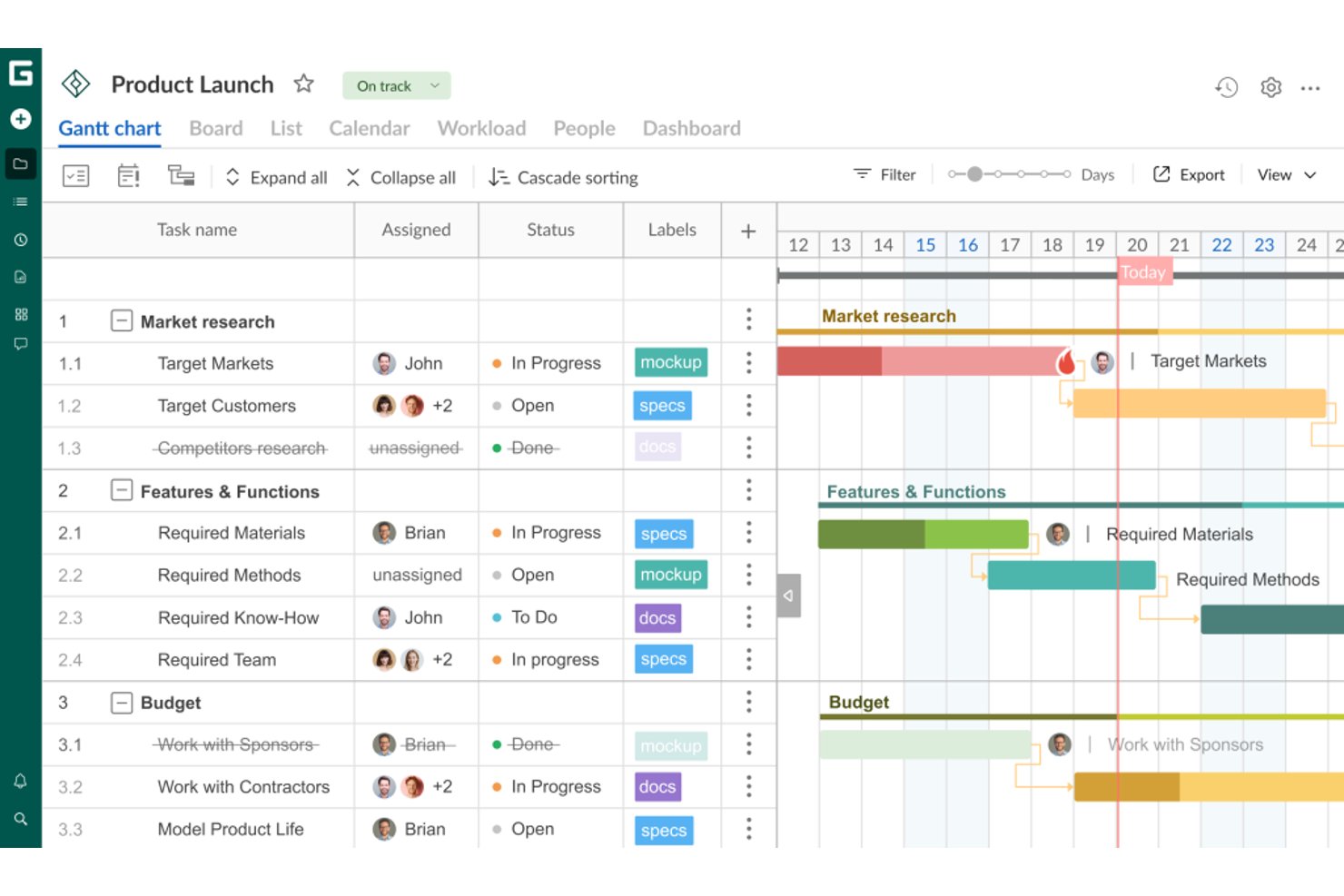
GanttPRO is a cloud-based Gantt chart project management tool for product and engineering teams that need to map schedules, dependencies, and workloads without relying on Microsoft Project’s Windows desktop app.
Who Is GanttPRO Best For?
GanttPRO suits project managers who need to coordinate cross-functional teams around shared plans, task ownership, and project updates.
Why GanttPRO Is a Good Microsoft Project For Mac OS: Alternatives & Workarounds
I picked GanttPRO, “Best for collaborative project planning,” as a browser-based alternative to Microsoft Project for Mac users. Its shared Gantt charts show task dates and dependencies, while workload views help me spot conflicts when product and engineering schedules change. My team can update the plan without relying on a Windows desktop app.
GanttPRO Key Features
- Critical path: Identify tasks that affect the project completion date.
- Task time tracker: Record time spent on individual tasks.
- Custom fields: Add project-specific fields to track information beyond standard metrics.
- Project templates: Save plans as reusable templates or start with preconfigured templates.
GanttPRO Integrations
GanttPRO offers seven documented integrations: Slack, Microsoft Teams, Google Drive, OneDrive, Google Calendar, Outlook calendars, and Jira Cloud. It also provides an API for custom integrations.
Pros and Cons
Pros:
- Workload views expose resource conflicts
- Dependencies automatically shift downstream dates
- Runs in a browser on macOS
Cons:
- Offline project edits aren't supported
- MPP files import, but don't export

ClickUp
Best for Gantt scheduling on Mac without Windows
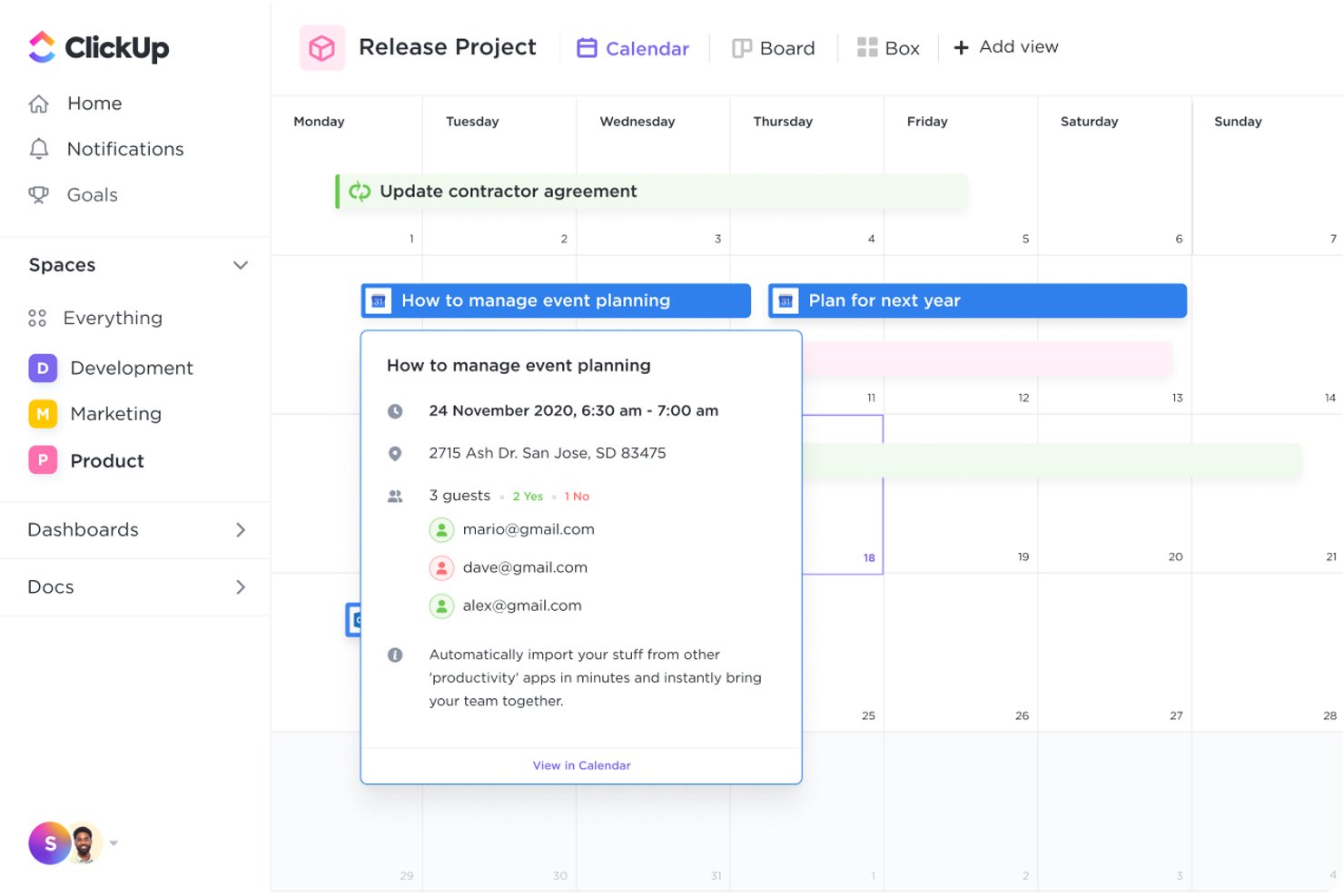
ClickUp is a project management platform for Mac-based product and engineering teams, bringing task planning, collaboration, and progress tracking into one workspace to coordinate dependencies and changing delivery plans.
Who Is ClickUp Best For?
ClickUp suits Mac-based project managers who need to map task dependencies and delivery dates in Gantt views without relying on Windows.
Why ClickUp Is a Good Microsoft Project For Mac OS: Alternatives & Workarounds
I picked ClickUp as “Best for Gantt scheduling on Mac without Windows” because its Gantt view lets me map task dates and dependencies in a browser. I use dependency links to show how an engineering delay affects later milestones, then adjust the schedule directly in the chart.
ClickUp Key Features
- ClickUp Docs: Create and link project documentation in a shared workspace.
- Custom fields: Add details such as priority, estimates, or status to tasks.
- Recurring tasks: Set tasks to repeat on a schedule you define.
- Automations: Trigger task actions when specified conditions are met.
ClickUp Integrations
ClickUp offers native integrations with Slack, GitHub, GitLab, Bitbucket, Google Calendar, Figma, and Microsoft Teams, and connects with Zapier. It also provides an API for custom integrations.
Pros and Cons
Pros:
- Critical path and slack expose schedule risk
- Auto-rescheduling updates dependent task dates
- Four dependency types clarify task sequencing
Cons:
- Resource scheduling falls short for complex waterfall plans
- Large Gantt views can lag with heavy projects
New Product Updates from ClickUp
ClickUp Adds List Automations, Time Off Scheduling, and Org Charts
ClickUp adds template-based List automations, personal time off scheduling, a unified picker, automatic task date syncing, and Org Charts. These updates help teams automate project setup, manage availability, and organize work. For more information, visit ClickUp’s official site.
 .
Mac için Diğer MS Project Alternatifleri
Kısa listeme giremeyen ancak yine de göz atmaya değer bazı ek Mac için MS Project alternatifleri şunlardır:
- Smartsheet
For spreadsheet-style Gantt reporting
- Hive
For chat-native team collaboration
- Asana
For cross-platform Gantt and portfolio views
- Jira
For agile teams ditching Windows workarounds
- ProjectManager
For robust resource management
- Teamwork.com
For client-facing agency project tracking
- GoodDay
For scheduling across Mac without Windows


How I Evaluate MS Project Alternatives for Mac
I split my evaluation into three parts. First, core functionality—the most important part—where I check whether a tool can build visual Gantt schedules and run natively on macOS without workarounds. Second, I look for standout features like two-way MPP sync or offline native performance. Third, I consider what's beyond features: migration support, pricing transparency, and integration depth.
Core Functionality (Table Stakes For This List)
When I'm selecting tools for my list, I score each one on a scale from 0 (does not offer the functionality) to 5 (excels in this area) for each core functionality listed below. I then convert the total into a percentage to help assess each tool's overall fit, with extra weight on any functionalities I’ve deemed essential.
- Gantt Scheduling (Essential): I look for editable timelines with dependencies and milestones, so a shifted design review updates the schedule instead of leaving stale dates.
- Mac Compatibility (Essential): I assess whether scheduling works fully in a Mac app or browser, without requiring Windows emulation or losing key planning features.
- MPP File Support: I check whether imports and exports retain task dates, dependencies, and resource assignments when teams exchange plans with Microsoft Project users.
- Resource Management: I look for workload and availability views that help spot when the same engineer or designer is assigned across overlapping projects.
- Dependencies & Critical Path: I assess automatic date recalculation and critical path visibility, especially when a delayed approval affects downstream delivery dates.
- Portfolio View: I check whether teams can see project status and timelines together to identify cross-project conflicts and resource pressure.
Once I have a list of tools that meet the criteria, I consider what sets each platform apart.
Differentiating Factors (What Sets Vendors Apart)
Here's how I compare and contrast different vendors:
Standout Features
I look for two-way MPP sync that preserves task dates, dependencies, and resource assignments during round-trip exchanges—essential when your team runs macOS but contractors or clients send Microsoft Project files. Offline native performance also matters; a true macOS app loads faster and stays usable on-site or in transit. I check whether each tool offers flexible view switching so the same project data works as a Gantt for schedulers and a Kanban board for developers without duplicating information.
Beyond Features
I check whether pricing scales per user or per project, since that gap reshapes costs fast when you onboard contractors or grow a portfolio. Migration support matters just as much—teams leaving Microsoft Project carry years of custom fields, baselines, and templates, so I look for vendor-provided import wizards or guided onboarding that preserve that history. I also evaluate each tool's integration depth with Slack, Microsoft Teams, and design apps like Figma, because a scheduling tool that sits outside your daily workflow creates duplicate updates nobody maintains.
Mac için Microsoft Project nasıl seçilir?
Uzun özellik listeleri ve karmaşık fiyatlandırma yapıları içinde kaybolmak kolaydır. Kendinize özgü yazılım seçimi süreciniz üzerinde çalışırken odağınızı korumanıza yardımcı olmak için göz önünde bulundurmanız gereken faktörleri içeren bir kontrol listesi hazırladım:
| Faktör | Dikkat Edilmesi Gerekenler |
|---|---|
| Ölçeklenebilirlik | Yazılımın ekibinizle birlikte büyüyebildiğinden emin olun. Zaman içinde artan proje veya ekip üyesi sayısını karşılayıp karşılayamayacağını değerlendirin. |
| Entegrasyonlar | İş akışlarını kolaylaştırmak için Microsoft Office veya üçüncü taraf uygulamalar gibi kullandığınız diğer araçlarla uyumluluğunu kontrol edin. |
| Özelleştirilebilirlik | Yazılımı proje yönetimi tarzınıza ve ekibinizin ihtiyaçlarına göre uyarlama seçenekleri arayın. |
| Kullanım Kolaylığı | Kullanıcı arayüzünü ve öğrenme eğrisini değerlendirin. Ekibinizin kolayca benimseyebileceği bir araç zaman ve emek tasarrufu sağlar. |
| Bütçe | Fiyatlandırmanın mali planlarınızla uyumlu olduğundan emin olmak için analiz edin. Hem başlangıç maliyetlerini hem de gelecekte oluşabilecek giderleri değerlendirin. |
| Güvenlik Önlemleri | Projelerinizi güvende tutmak ve sektör standartlarını karşılamak için veri koruma ve uyumluluk özelliklerini doğrulayın. |
| İş Birliği | Paylaşılan panolar veya gerçek zamanlı güncellemeler gibi ekip iletişimini geliştiren özellikleri arayın. |
| Destek | Sorunlar ortaya çıktığında size yardımcı olacak müşteri desteğinin kullanılabilirliğini ve kalitesini kontrol edin. |
Açıkçası, sindirilmesi gereken çok şey var ve doğru seçimi yapmak için üzerinizde büyük bir baskı olabilir. Bu nedenle, sizin ve kuruluşunuzun özel ihtiyaçlarına uygun olacak proje yönetimi araçlarını kısa listeye almanıza yardımcı olması için proje yönetimi yazılımı danışmanlığı hizmetimizi kullanmanızı öneririm.
Mac için Microsoft Project Alternatiflerinin Özellikleri
Microsoft Project alternatiflerini seçerken, web sürümünde sınırlı erişiminiz olan veya hiç erişemediğiniz aşağıdaki temel özelliklere dikkat edin:
- Görev yönetimi: Proje zaman çizelgelerini ve bağımlılıklarını yönetmek için Izgara, Pano ve Zaman Çizelgesi gibi görünümleri kullanarak görevleri kolayca oluşturmanıza, atamanıza ve izlemenize olanak tanır.
- İş birliği araçları: Entegre sohbet veya yorumlar aracılığıyla ekip iletişimini ve iş birliğini mümkün kılar; daha etkili bir etkileşim için genellikle Teams veya Slack gibi diğer araçlarla entegrasyon gerektirir.
- Kaynak yönetimi: Kaynakları verimli bir şekilde atamayı ve yönetmeyi kolaylaştırır; genellikle kaynak tahsisini ve iş yükünü izlemek için görünümler sunar.
- Zaman takibi: Görevler için harcanan zamanı izleme olanağı sunar; bu, proje maliyetlerini ve teslim tarihlerini yönetmek için gereklidir.
- Belge yönetimi: Belgelerin görevlere eklenmesini ve görevler içinde yönetilmesini destekler; merkezi dosya depolama için bazen SharePoint gibi platformlarla entegre olur.
- Entegrasyonlar: Raporlama için Power BI ve sorunsuz bir iş akışı için diğer Microsoft uygulamaları gibi araçlarla ve platformlarla uyumluluk sağlar.
- Raporlama ve panolar: Proje ilerlemesini ve temel metrikleri izlemek için özelleştirilebilir panolar ve raporlar sunar.
- Kullanıcı dostu arayüz: Kullanıcıların benimsemesi ve verimlilik açısından kritik olan sezgisel ve kolay gezilebilir bir arayüze sahiptir.
- Maliyet yönetimi: Proje bütçelerini yönetmek ve öngörmek için araçlar içerir ve projelerin mali kısıtlar içinde kalmasını sağlar.
Mac için Microsoft Project Hakkında SSS
Mac'e Özel MS Project Alternatifleri Var mı?
Apple ekosistemini tercih ediyor ve Windows ile ilgili hiçbir şey kullanmak istemiyorsanız, Apple Mac'inize veya iPad'inize yükleyebileceğiniz birkaç özel Microsoft Project seçeneği vardır. Bunlar Mac'ler için en iyi 4 proje yönetimi yazılımıdır.
- XProline - EasyGantt adlı iş birliğine dayalı bir proje yönetimi platformuna sahip üretkenlik yazılımı.
- Project Plan 365 (bu listede).
- Omniplan - Mac, iPad ve iPhone için optimize edilmiş proje yönetimi özellikleri.
- Merlin Project - 19 yıldır piyasada olan beyin fırtınası ve proje yönetimi aracı.
Microsoft Project'i Mac'te Çalıştırabilir miyim?
Evet ve hayır; geleneksel lisans tabanlı MS Project Mac'te çalışmaz. Microsoft Project, Mac üzerinde çalışmaz çünkü bu ikisi birbiriyle iletişim kuramaz. Ne yazık ki konu bundan daha temel bir noktaya indirgenemez. MS Project, Windows işletim sistemi için özel olarak tasarlanmış ve optimize edilmiştir.
Ancak tarayıcı tabanlı olan ve bu nedenle işletim sisteminden bağımsız çalışan MS Project'in çevrimiçi bir sürümü de vardır. Fakat .mpp dosyaları alıyor ve kendi MS Project sürümünüzü edinmek istemiyorsanız bunun için bir proje görüntüleyici kullanmayı düşünebilirsiniz.