
20 Best Workflow Orchestration Tools Reviewed in 2026

Best Workflow Orchestration Tools Shortlist
Here's my pick of the 10 best software from the 22 tools reviewed.


When you’ve got a lot of moving parts—jobs, services, data pipelines—it’s not enough to just automate tasks. You need a way to coordinate them. That’s what workflow orchestration tools do best.
They help you manage dependencies, schedule processes, and keep everything running smoothly across systems. Whether you’re deploying to Kubernetes, building ETL pipelines, or triggering actions based on real-time events, these tools make sure it all happens in the right order—and with visibility.
In this article, I’ve reviewed the top workflow orchestration tools for technical teams. Each one is built to handle complex workflows with reliability and scale, and I’ve included the pros, cons, and key features to help you find the right fit.
Why Trust Our Software Reviews
We’ve been testing and reviewing project management software since 2012. As project managers ourselves, we know how critical and difficult it is to make the right decision when selecting software. We invest in deep research to help our audience make better software purchasing decisions.
We’ve tested more than 2,000 tools for different project management use cases and written over 1,000 comprehensive software reviews. Learn how we stay transparent & check out our software review methodology.
Best Workflow Orchestration Tools Summary
This comparison chart summarizes pricing details for my top workflow orchestration tools selections to help you find the best one for your budget and business needs.
| Tool | Best For | Trial Info | Price | ||
|---|---|---|---|---|---|
| 1 | Best for SAP system integration | Free demo available | Pricing upon request | Website | |
| 2 | Best for centralized automation management | Free demo available | Not available | Website | |
| 3 | Best for no-code workflow automation | Free plan + free demo + 14-day free trial available | From $10/user/month (billed annually) | Website | |
| 4 | Best for open-source automation | Free plan available | From $20/month (billed annually) | Website | |
| 5 | Best for complex task dependencies | Free plan available | Not available | Website | |
| 6 | Best for Kubernetes integration | Not available | Free to use | Website | |
| 7 | Best for BPMN 2.0 support | 30-day free trial available | Pricing upon request | Website | |
| 8 | Best for dataflow automation | Free plan + free demo available | From $35/user/month + usage | Website | |
| 9 | Best for bioinformatics workflows | Free demo available | Pricing upon request | Website | |
| 10 | Best for event-driven automation | Free plan available | StackStorm is open-source | Website |

Best Workflow Orchestration Tool Reviews
Below are my detailed summaries of the best workflow orchestration tools that made it onto my shortlist. My reviews offer a detailed look at the key features, pros and cons, integrations, and ideal use cases of each tool to help you find the best one for you.
-

Insightful
Visit WebsiteThis is an aggregated rating for this tool including ratings from Crozdesk users and ratings from other sites.4.8 -
Accelo
Visit WebsiteThis is an aggregated rating for this tool including ratings from Crozdesk users and ratings from other sites.4.4 -
Forecast
Visit WebsiteThis is an aggregated rating for this tool including ratings from Crozdesk users and ratings from other sites.4.6




In the world of workflow orchestration, RunMyJobs by Redwood stands out as a versatile tool designed to cater to enterprises seeking to automate and streamline their critical business processes. If your organization is looking to enhance efficiency and integrate seamlessly with both SAP and non-SAP systems, RunMyJobs offers a comprehensive solution. By automating tasks such as job scheduling and finance operations, it addresses the need for improved productivity and operational excellence in today's fast-paced business environment.
Why I Picked RunMyJobs by Redwood
I chose RunMyJobs by Redwood for its ability to automate complex business processes with precision, particularly its integration with SAP systems. The tool's drag-and-drop workflow designer makes it accessible for non-IT users, allowing your team to engage in automation without needing extensive technical expertise. Additionally, its advanced scheduling feature ensures that your tasks are executed at optimal times, reducing manual intervention and errors. These functionalities make it an invaluable asset for organizations aiming to enhance their workflow orchestration capabilities.
RunMyJobs by Redwood Key Features
In addition to its standout capabilities, there's also several other features that enhance its value:
- Job Scheduling: Automate the execution of tasks with precise timing to optimize business operations.
- File Transfer Capabilities: Securely transfer data across your systems, ensuring consistent and reliable information flow.
- Finance Automation: Automate up to 90% of financial tasks, streamlining operations and reducing manual workloads.
- Built-in Observability: Gain insights into your processes with real-time monitoring and alerts, enhancing decision-making and operational efficiency.
RunMyJobs by Redwood Integrations
Integrations include SAP, Oracle, Microsoft Dynamics, Salesforce, ServiceNow, Workday, Amazon Web Services (AWS), Google Cloud Platform, Microsoft Azure, and IBM Cloud.
Pros and Cons
Pros:
- Strong monitoring and security controls
- Low-code workflow orchestration design
- Deep SAP and enterprise integrations
Cons:
- Pricing less accessible for SMBs
- Steep learning curve initially
New Product Updates from RunMyJobs by Redwood
RunMyJobs Enhances User Experience Across UIs
RunMyJobs introduces updates to its Classic and Modern UIs. These improvements enhance usability and streamline the overall user experience. For more information, visit RunMyJobs' official site.
 .
.

For organizations seeking to enhance operational efficiency, ActiveBatch offers a versatile solution designed to meet the demands of various industries. Whether you're in IT, finance, or healthcare, ActiveBatch's workflow orchestration capabilities can address challenges such as complex task automation and resource optimization. Simplifying the orchestration of intricate workflows helps teams focus on strategic initiatives rather than manual processes.
Why I Picked ActiveBatch
I picked ActiveBatch for its unique ability to centralize automation processes, which is crucial for any workflow orchestration tool. With its low-code/no-code interface, ActiveBatch allows your team to create and manage workflows without extensive programming knowledge. The platform also supports event-driven scheduling, enabling you to trigger workflows based on specific conditions or events, making it highly adaptable to dynamic business environments. Additionally, its integration capabilities with platforms like Microsoft and AWS ensure seamless connectivity across your tech stack.
ActiveBatch Key Features
In addition to centralized automation management, ActiveBatch offers:
- Job Step Library: Provides pre-built templates to streamline the creation of automation workflows.
- Customizable Reporting: Offers tools to generate insights and analytics tailored to your specific needs.
- SLA Management: Monitors and manages service level agreements to ensure compliance and performance.
- High Availability Architecture: Ensures workflows remain operational during system outages or failures.
ActiveBatch Integrations
Integrations include Microsoft, Oracle, Informatica, ServiceNow, AWS, SAP, VMware, Google Cloud, IBM, and Salesforce.
Pros and Cons
Pros:
- High availability with scalable architecture
- Optimizes cloud infrastructure resources
- Supports multi-platform scheduling and central monitoring
Cons:
- Occasional trigger failures reported by users
- Difficulty in modifying workflows as per user needs

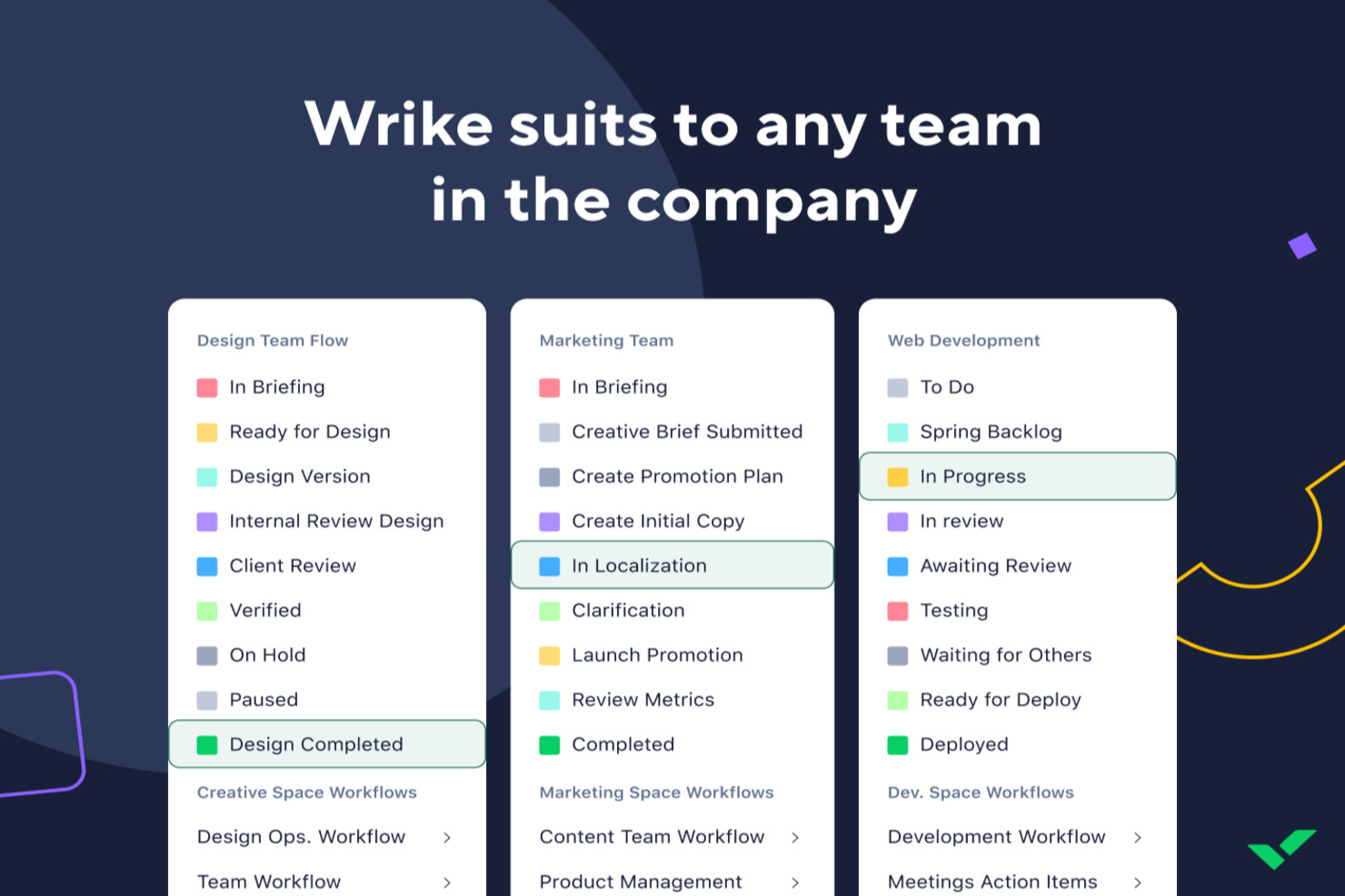
Wrike is designed for teams seeking to streamline their project management with workflow orchestration tools, offering a no-code platform that automates repetitive tasks. This makes it appealing to businesses across various industries, from tech startups to large enterprises, aiming to enhance collaboration and reduce administrative overhead. By integrating visualization options and AI capabilities, Wrike addresses the challenge of managing complex projects and helps teams focus on strategic tasks rather than mundane operations.
Why I Picked Wrike
I picked Wrike for its unique ability to automate workflows without requiring coding skills, which is crucial for teams looking to enhance efficiency. The platform's AI capabilities, such as automated project planning and task summarization, enable teams to stay ahead of deadlines and minimize errors. Additionally, Wrike's visual collaboration tools, like Gantt charts and Kanban boards, provide clarity and transparency, helping your team track progress and adjust priorities dynamically.
Wrike Key Features
In addition to its automation and AI capabilities, here are other key features that enhance workflow orchestration:
- Custom Request Forms: Wrike lets you create tailored request forms to streamline the intake process and ensure the right information is collected upfront.
- Real-Time Dashboards: Your team can access up-to-date project metrics and analytics, helping you make informed decisions quickly.
- Mobile Access: Wrike's mobile apps allow you to manage tasks and projects on the go, ensuring your team stays connected and productive from anywhere.
- Enterprise-Grade Security: With robust security measures, Wrike protects your data, giving you peace of mind while collaborating across teams.
Wrike Integrations
Integrations include Microsoft Teams, Google Sheets, Salesforce, QuickBooks, Microsoft SharePoint, Power BI, Tableau, Klaxoon, Miro, and Wrike Integrate for automation.
Pros and Cons
Pros:
- Extensive integrations support various business tools
- Approval functionality aids in efficient task management
- Mobile app allows task management and approvals on the go
Cons:
- Search functionality could be enhancement for better retrieval
- Integration with some software, like Salesforce, is limited
New Product Updates from Wrike

Streamlining Workspaces with New Updates
Wrike announces custom space templates, AI Agents in Wrike Labs, and a new Guage widget to improve project management. For more information, visit Wrike's official site.


n8n is an open-source workflow automation tool designed for developers and tech-savvy users. It allows you to automate tasks, connect different systems, and manage data flows efficiently, providing a flexible solution for various automation needs.
Why I picked n8n: It's open-source, which means you have the freedom to customize it to fit your specific needs. You can self-host it, giving you control over your data and infrastructure. The tool's visual workflow editor makes it easy to design and manage complex automations. Its extensive node library allows you to connect a wide range of services and applications effortlessly.
Standout features & integrations:
Features include a visual workflow editor that simplifies the process of designing and managing automations. The tool's extensive node library lets you connect a wide range of services and applications. You can also self-host n8n, giving you full control over your data and infrastructure.
Integrations include Slack, Google Sheets, Discord, Airtable, Trello, GitHub, Dropbox, Webhooks, HTTP Request, and MySQL.
Pros and Cons
Pros:
- Active community support
- Visual workflow editor
- Extensive node library
Cons:
- Documentation can be sparse
- Initial setup complexity


Apache Airflow is an open-source workflow orchestration tool used primarily by data engineers and developers. It helps automate and manage complex workflows, making it ideal for handling intricate task dependencies in data processing pipelines.
Why I picked Apache Airflow: It's built to handle complex task dependencies with ease. With features like dynamic pipeline generation using Python, you can create workflows that adapt to your needs. The modular architecture supports scalability, so it grows with your projects. The user-friendly web interface simplifies managing and monitoring workflows, which makes it accessible for teams familiar with Python.
Standout features & integrations:
Features include a scalable architecture that adapts to your workflow needs, dynamic pipeline creation with Python for flexible workflows, and a user-friendly interface for easy management. It also offers extensibility, letting you create custom operators tailored to your processes.
Integrations include Google Cloud, AWS, Azure, Apache Hadoop, Apache Spark, Kubernetes, Docker, Slack, Microsoft SQL Server, and PostgreSQL.
Pros and Cons
Pros:
- Community-driven improvements
- Extensible with custom operators
- Wide range of integrations
Cons:
- Can be resource-intensive
- No official enterprise support


Argo Workflows is an open-source container-native workflow engine for orchestrating parallel jobs on Kubernetes. It's designed for DevOps teams and developers who need an efficient Kubernetes integration to manage complex workflows.
Why I picked Argo Workflows: It's tailored for Kubernetes, making it a perfect fit for teams already using this platform. With features like container-native execution, you can run each step in its own Kubernetes pod. The support for parallel execution allows you to handle large-scale workflows efficiently. YAML-based configuration provides a flexible way to define workflows that integrate seamlessly into your existing Kubernetes infrastructure.
Standout features & integrations:
Features include container-native execution, which ensures each step runs in its own Kubernetes pod. The parallel execution feature allows you to handle large-scale workflows efficiently. YAML-based configuration offers a flexible way to define workflows that integrate seamlessly into your existing Kubernetes infrastructure.
Integrations include Kubernetes, Prometheus, Grafana, MinIO, Google Cloud Storage, S3, Vault, MySQL, PostgreSQL, and Redis.
Pros and Cons
Pros:
- Open-source community support
- Flexible YAML configuration
- Scalable for large jobs
- Supports complex workflows
- Native Kubernetes support
Cons:
- No official enterprise support
- Complex setup process
- Limited non-Kubernetes support
- Steep learning curve
- Requires Kubernetes knowledge


Camunda is a workflow and decision automation platform designed for developers and business analysts. It helps organizations automate, execute, and monitor business processes, offering strong support for BPMN 2.0 standards.
Why I picked Camunda: It excels in BPMN 2.0 support, making it a go-to choice for businesses needing detailed process modeling. The tool provides a visual modeler that lets you create and analyze process diagrams easily. With its powerful process engine, you can execute complex workflows efficiently. Camunda's open architecture allows for seamless integration into various IT ecosystems, offering flexibility in deployment.
Standout features & integrations:
Features include a visual modeler that simplifies the creation and analysis of process diagrams. The powerful process engine allows you to execute complex workflows efficiently. Camunda's open architecture supports seamless integration into various IT ecosystems, providing flexibility in deployment.
Integrations include Spring Boot, Java, Apache Kafka, Elasticsearch, RabbitMQ, REST API, AWS, Docker, Kubernetes, and Microsoft Azure.
Pros and Cons
Pros:
- Active developer community
- Open architecture
- Flexible integration options
Cons:
- Complex for small projects
- Can be resource-intensive


Prefect is a workflow orchestration tool tailored for data engineers and data scientists. It helps automate and monitor data pipelines, ensuring data flows smoothly through various stages of processing.
Why I picked Prefect: It's designed specifically for dataflow automation, making it ideal for teams dealing with complex data pipelines. The tool offers a flexible scheduling system that allows you to run tasks based on triggers or time intervals. Prefect's fault-tolerant engine ensures that your workflows continue running smoothly even when errors occur. The intuitive interface makes it easy to monitor and manage data processes in real-time.
Standout features & integrations:
Features include a flexible scheduling system that lets you run tasks based on triggers or time intervals. The fault-tolerant engine ensures that workflows continue running smoothly even when errors occur. Prefect's intuitive interface makes it easy to monitor and manage data processes in real-time.
Integrations include AWS, Google Cloud Platform, Microsoft Azure, Docker, Kubernetes, Dask, Apache Spark, PostgreSQL, Snowflake, and Slack.
Pros and Cons
Pros:
- Active community support
- Real-time monitoring
- Flexible scheduling options
Cons:
- Complex for small projects
- Can be resource-intensive


Nextflow is a data-driven workflow management system used by bioinformaticians and data scientists. It simplifies the creation and execution of complex data analysis workflows, providing a robust platform for managing bioinformatics pipelines.
Why I picked Nextflow: It's tailored for bioinformatics workflows, making it ideal for teams working with large-scale data analysis. The tool supports script portability, allowing you to run workflows across different platforms without modification. It also provides dynamic workload distribution, ensuring efficient resource use. The built-in support for versioning helps you manage and reproduce workflows accurately, which is crucial in scientific research.
Standout features & integrations:
Features include dynamic workload distribution that ensures efficient use of resources. The built-in support for versioning helps you manage and reproduce workflows accurately. Nextflow's script portability allows you to run workflows across different platforms without modification.
Integrations include Docker, Singularity, AWS Batch, Google Cloud Platform, Slurm, Kubernetes, IBM Spectrum LSF, HTCondor, and PBS Pro.
Pros and Cons
Pros:
- Strong community support
- Built-in workflow versioning
- Efficient resource management
Cons:
- Documentation can be lacking
- Steep learning curve


StackStorm is an open-source event-driven automation platform designed for DevOps teams and IT professionals. It automates workflows by reacting to events, enabling efficient incident response and operational automation.
Why I picked StackStorm: Its event-driven nature makes it ideal for automating responses to real-time events. You can define triggers that initiate workflows based on specific conditions. The tool's rule engine lets you create complex decision logic for handling various scenarios. Additionally, the extensible action library provides a wide range of predefined actions to streamline automation processes.
Standout features & integrations:
Features include a powerful rule engine that allows you to create complex decision logic. The extensible action library offers a wide range of predefined actions to streamline automation processes. You can also define triggers that initiate workflows based on specific conditions, making it highly adaptable to various use cases.
Integrations include GitHub, Slack, Jenkins, Docker, Puppet, Ansible, Nagios, AWS, Microsoft Azure, and Google Cloud Platform.
Pros and Cons
Pros:
- Strong community support
- Supports real-time responses
- Custom rule creation
Cons:
- Can be resource-intensive
- Limited documentation
Other Workflow Orchestration Tools
Here are some additional workflow orchestration tools options that didn’t make it onto my shortlist, but are still worth checking out:
- Stonebranch
For hybrid IT environments
- Bonitasoft
For low-code development
- Flowable
For microservices architecture
- jBPM
For business process integration
- Acliviti
For Java developers
- Appian
For low-code process automation
- SAP Process Automation
For SAP environments
- Red Hat Ansible Automation Platform
For IT infrastructure automation
- Azure Logic
For cloud-based integrations
- Control-M
For batch job management
- Tidal
For enterprise workload automation
- IBM Workload Automation
For hybrid cloud environments


Workflow Orchestration Tool Selection Criteria
When selecting the best workflow orchestration tools to include in this list, I considered common buyer needs and pain points like complexity in integrating multiple systems and the need for real-time monitoring and observability. I also used the following framework to keep my evaluation structured and fair:
Core Functionality (25% of total score)
To be considered for inclusion in this list, each solution had to fulfill these common use cases:
- Automating repetitive tasks
- Managing complex workflows
- Real-time monitoring of processes
- Scheduling and triggering workflows
- Error handling and notifications
Additional Standout Features (25% of total score)
To help further narrow down the competition, I also looked for unique features, such as:
- Support for hybrid cloud environments
- Advanced data analytics integration
- Customizable user interfaces
- AI-driven process optimization
- Comprehensive security protocols
Usability (10% of total score)
To get a sense of the usability of each system, I considered the following:
- Intuitive interface design
- Easy navigation and layout
- Minimal learning curve
- Customizable dashboards
- Responsive design for mobile access
Onboarding (10% of total score)
To evaluate the onboarding experience for each platform, I considered the following:
- Availability of training videos
- Interactive product tours
- Access to pre-built templates
- Live webinars and workshops
- Supportive chatbots and help centers
Customer Support (10% of total score)
To assess each software provider’s customer support services, I considered the following:
- 24/7 availability of support
- Multiple support channels
- Access to a dedicated account manager
- Comprehensive knowledge base
- Fast response times
Value For Money (10% of total score)
To evaluate the value for money of each platform, I considered the following:
- Competitive pricing against features offered
- Flexible pricing plans
- Discounts for annual subscriptions
- Transparent pricing models
- Return on investment potential
Customer Reviews (10% of total score)
To get a sense of overall customer satisfaction, I considered the following when reading customer reviews:
- Consistency in positive feedback
- Commonly mentioned pain points
- Overall rating and sentiment
- Frequency of updates and improvements
- Customer retention and loyalty
Related Reviews
If you still haven’t found what you’re looking for here, check out these other tools that we’ve tested and evaluated:
How to Choose Workflow Orchestration Tool
It’s easy to get bogged down in long feature lists and complex pricing structures. To help you stay focused as you work through your unique software selection process, here’s a checklist of factors to keep in mind:
- Scalability: Ensure the tool can grow with your business. Look for solutions that handle increased workloads without performance issues, especially if you plan to expand.
- Integrations: Check if the tool integrates with your existing systems. Compatibility with platforms like AWS, Google Cloud, or Salesforce can streamline your workflows.
- Customizability: Look for tools that let you tailor processes to fit your team’s needs. This includes adjustable workflows and adaptable user interfaces.
- Ease of Use: The tool should be intuitive for your team to use. Look for a user-friendly interface and minimal training requirements to get started quickly.
- Budget: Compare pricing plans and ensure they fit your budget. Consider total cost of ownership, including any hidden fees for additional features or support.
- Security Safeguards: Ensure the tool offers robust security features. Look for data encryption, user access controls, and compliance with industry standards like GDPR.
- Support: Evaluate the level of customer support available. Consider options with 24/7 support, dedicated account managers, and a comprehensive knowledge base.
- Performance: Assess how well the tool performs under pressure. Consider speed, reliability, and how it handles concurrent processes to ensure efficiency.
Trends in Workflow Orchestration Tool
In my research, I sourced countless product updates, press releases, and release logs from different workflow orchestration tools vendors. Here are some of the emerging trends I’m keeping an eye on:
- AI-Driven Optimization: Vendors are incorporating AI to enhance decision-making within workflows. This trend allows for predictive analytics, helping teams anticipate issues before they arise. For example, some tools use AI to optimize resource allocation, ensuring efficient process execution.
- No-Code Interfaces: More tools are offering no-code or low-code interfaces, often with drag-and-drop builders make it easier for non-technical users to design and manage workflows. This democratizes access, allowing more team members to contribute to process automation without needing programming skills.
- Real-Time Collaboration: Workflow tools are increasingly supporting real-time collaboration features. This means teams can work simultaneously on the same processes, improving coordination and reducing delays. Some vendors have added features like shared dashboards and live editing.
- Enhanced Security Features: With data breaches on the rise, security within workflow tools is becoming a focal point. Vendors are adding features like advanced encryption, multi-factor authentication, and compliance with international standards to protect user data.
- Edge Computing Integration: Some tools now support edge computing, allowing processes to be handled closer to where data is generated. This reduces latency and enhances speed, which is crucial for industries requiring real-time data processing, like IoT and manufacturing.
- Data Pipeline Integration: As workflows grow more data-driven, orchestration tools are evolving to better support complex data operations. Many platforms now offer native integrations with a wide range of data sources—both structured and unstructured—allowing teams to pull in data from APIs, databases, or data lakes. These tools also support built-in data transformation capabilities, helping teams clean, reshape, and route data between systems without relying on separate ETL processes. The ability to manage entire data sets within a single orchestrated workflow is becoming a key differentiator.
What Are Workflow Orchestration Tools?
Workflow orchestration tools are software solutions that automate, manage, and optimize business processes. They are typically used by IT professionals, project managers, and data analysts to improve efficiency and coordination within teams. Automation, real-time monitoring, and task scheduling features help with managing complex workflows and ensuring tasks are completed on time. Overall, these tools save time and reduce errors by automating repetitive tasks and facilitating better process management.
Features of Workflow Orchestration Tools
When selecting workflow orchestration tools, keep an eye out for the following key features:
- Automation: Automates repetitive tasks to save time and reduce human error.
- Real-time monitoring: Provides live updates on process status to help teams stay informed and responsive.
- Task scheduling: Allows users to set specific times or triggers for tasks to ensure timely execution.
- AI-driven optimization: Uses AI to enhance decision-making and improve workflow efficiency.
- No-code interfaces: Enables non-technical users to design workflows without programming skills.
- Security safeguards: Offers advanced security features like encryption and multi-factor authentication to protect data.
- Edge computing integration: Supports processing data closer to its source, reducing latency for real-time applications.
- Customizability: Lets users tailor workflows and interfaces to fit their specific needs.
- Scalability: Ensures the tool can handle increased workloads as your business grows.
- Collaboration tools: Facilitates real-time teamwork with features like shared dashboards and live editing.
Benefits of Workflow Orchestration Tools
Implementing workflow orchestration tools provides several benefits for your team and your business. Here are a few you can look forward to:
- Increased efficiency: Automation and task scheduling features help reduce manual work, saving time and minimizing errors.
- Improved collaboration: Real-time monitoring and collaboration tools keep everyone on the same page, enhancing teamwork and coordination.
- Enhanced decision-making: AI-driven optimization provides insights and recommendations, helping teams make informed decisions quicker.
- Scalability: The ability to handle growing workloads ensures your workflows can expand as your business grows.
- Greater flexibility: Customizability lets you adapt workflows to fit specific needs, making it easier to adjust to changes or new requirements.
- Data security: Advanced security safeguards protect sensitive information, ensuring compliance with industry standards.
- Faster response times: Real-time updates and edge computing integration help teams react swiftly to changes and challenges.
Costs and Pricing of Workflow Orchestration Tools
Selecting workflow orchestration tools requires an understanding of the various pricing models and plans available. Costs vary based on features, team size, add-ons, and more. The table below summarizes common plans, their average prices, and typical features included in workflow orchestration tools solutions:
Plan Comparison Table for Workflow Orchestration Tools
| Plan Type | Average Price | Common Features |
|---|---|---|
| Free Plan | $0 | Basic automation, limited integrations, and community support. |
| Personal Plan | $5-$25/user/month | Enhanced automation, custom workflows, and basic analytics. |
| Business Plan | $30-$75/user/month | Advanced analytics, priority support, and increased integrations. |
| Enterprise Plan | $100-$200/user/month | Customizable solutions, dedicated support, and enterprise-level security. |
Workflow Orchestration Tools FAQs
Here are some answers to common questions about workflow orchestration tools:
What is the primary purpose of workflow orchestration?
Workflow orchestration platforms enhance operational efficiency by automating and coordinating tasks. It helps organizations adapt quickly to changes and make informed decisions. By reducing manual work, these tools allow teams to focus on more strategic activities.
What is the difference between workflow automation and orchestration?
Workflow automation focuses on automating individual tasks, while orchestration manages the sequence and interaction of these tasks. Orchestration creates a cohesive process by ensuring tasks are executed in the correct order, leading to efficient process completion.
What is the difference between workflow orchestration and RPA?
Workflow orchestration coordinates and manages multiple tasks, while Robotic Process Automation (RPA) automates individual tasks. Orchestration provides a broader view of complex processes, ensuring all automated tasks work together effectively, while RPA handles specific task execution.
How do workflow orchestration tools improve team collaboration?
These tools enhance collaboration by providing real-time updates, data integration, and shared dashboards. Data Science Teams, IT Departments, and developers can work simultaneously on processes, reducing delays and bottlenecks and improving coordination. Features like live editing and communication tools ensure everyone stays informed and aligned.
Can workflow orchestration tools handle complex workflows?
Yes, they are designed to manage complex workflows by automating task sequences and handling dependencies. With features like AI-driven optimization, machine learning capabilities and real-time monitoring and observability, these tools ensure that even the most intricate processes run smoothly and efficiently. Additionally, many of these tools support plugins to further handle custom workflows.
How do security features in workflow orchestration tools protect data?
Security features like encryption, multi-factor authentication, and compliance with standards ensure data protection. These safeguards prevent unauthorized access and help businesses meet regulatory requirements, keeping sensitive information secure throughout the process.
What's Next?
Want to connect with other digital project managers to share resources and best practices? Join our membership community and get access to 100+ templates, samples, and examples and connect with 100s of other digital project managers in Slack.