

MeisterTask Review: Pros, Cons, Features & Pricing



MeisterTask is a project management software for small business designed to keep your team organized, agile, and on track—whether you’re managing marketing projects or client deliverables. If you’re a project manager searching for a project management tool that balances simplicity with smart, flexible features, MeisterTask stands out with its visual Kanban boards, custom workflows, and easy integrations.
In this review, I’ll break down MeisterTask’s core features, explore its best and worst use cases, weigh the pros and cons, and clarify its pricing so you know where it fits in your project toolkit.
MeisterTask Evaluation Summary
- From $13/user/month (billed annually)
- Free trial + free plan + free demo available
Why You Can Trust Us
We’ve been testing and reviewing project management software since 2012. As project managers ourselves, we know how critical and difficult it is to make the right decision when selecting software.
We invest in deep research to help our audience make better software purchasing decisions. We’ve tested more than 2,000 tools for different project management use cases and written over 1,000 comprehensive software reviews. Learn how we stay transparent & our software review methodology.
MeisterTask Overview
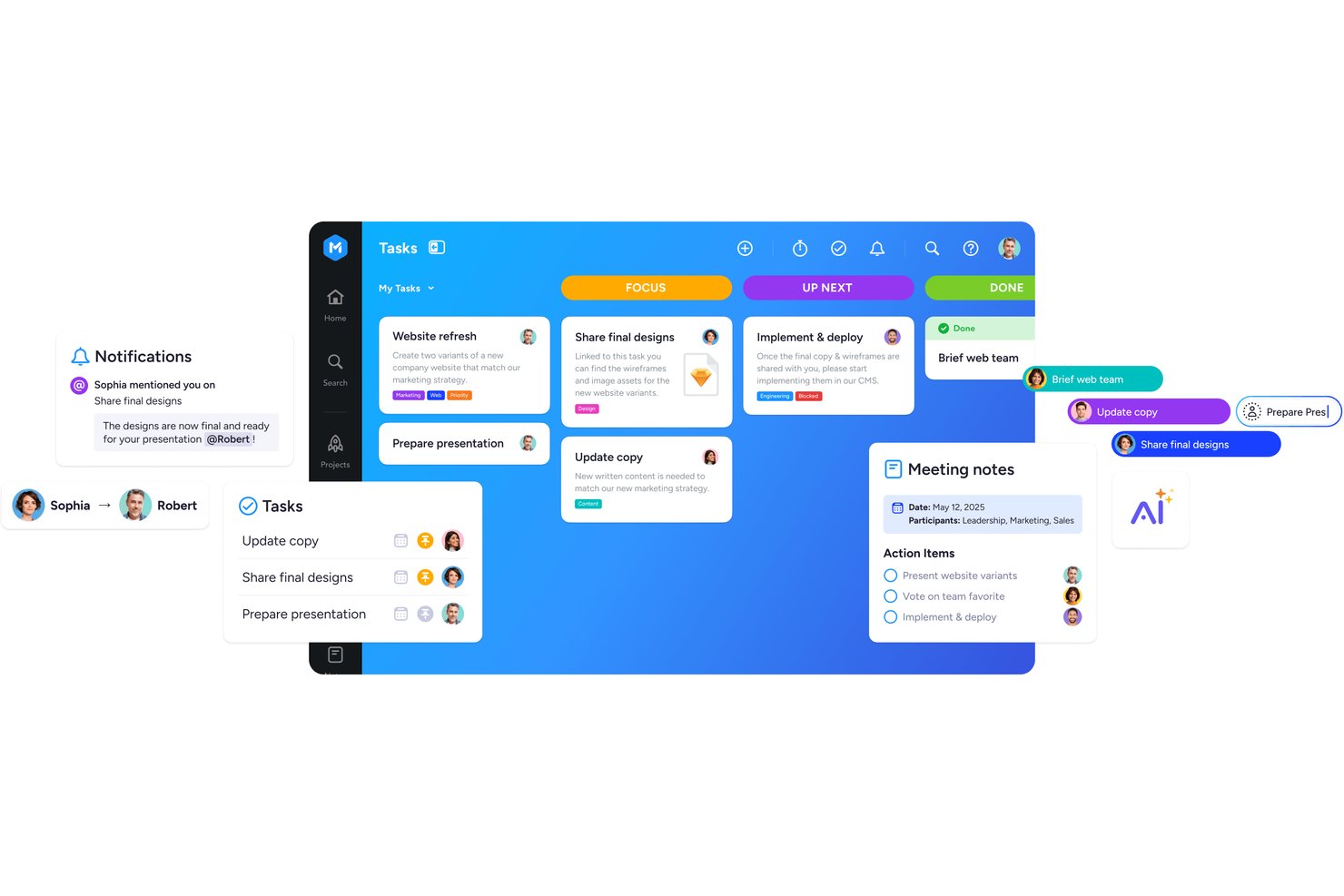
When I compare MeisterTask to other platforms, I judge its visual interface, automation, and fast onboarding as top-tier for small teams. Its pricing feels fair given the features, though reporting is less advanced than some competitors. I’d use MeisterTask if I ran a creative agency or consultancy that values ease, clean design, and simple integrations over enterprise-level analytics.
pros
-
Kanban boards make tracking project stages very clear
-
Task automation saves time on routine process steps
-
Custom fields help tailor tasks to unique business needs
cons
-
Gantt chart functionality is only available in higher plans
-
Reporting tools are basic for detailed performance tracking
-
Offline access is limited on desktop and web versions
-

Celoxis
Visit WebsiteThis is an aggregated rating for this tool including ratings from Crozdesk users and ratings from other sites.4.4 -
Smartsheet
Visit WebsiteThis is an aggregated rating for this tool including ratings from Crozdesk users and ratings from other sites.4.5 -
Accelo
Visit WebsiteThis is an aggregated rating for this tool including ratings from Crozdesk users and ratings from other sites.4.4





Our Review Methodology
How We Test & Score Tools
We’ve spent years building, refining, and improving our software testing and scoring system. The rubric is designed to capture the nuances of software selection and what makes a tool effective, focusing on critical aspects of the decision-making process.
Below, you can see exactly how our testing and scoring works across seven criteria. It allows us to provide an unbiased evaluation of the software based on core functionality, standout features, ease of use, onboarding, customer support, integrations, customer reviews, and value for money.
Core Functionality (25% of final scoring)
The starting point of our evaluation is always the core functionality of the tool. Does it have the basic features and functions that a user would expect to see? Are any of those core features locked to higher-tiered pricing plans? At its core, we expect a tool to stand up against the baseline capabilities of its competitors.
Standout Features (25% of final scoring)
Next, we evaluate uncommon standout features that go above and beyond the core functionality typically found in tools of its kind. A high score reflects specialized or unique features that make the product faster, more efficient, or offer additional value to the user.
We also evaluate how easy it is to integrate with other tools typically found in the tech stack to expand the functionality and utility of the software. Tools offering plentiful native integrations, 3rd party connections, and API access to build custom integrations score best.
Ease of Use (10% of final scoring)
We consider how quick and easy it is to execute the tasks defined in the core functionality using the tool. High scoring software is well designed, intuitive to use, offers mobile apps, provides templates, and makes relatively complex tasks seem simple.
Onboarding (10% of final scoring)
We know how important rapid team adoption is for a new platform, so we evaluate how easy it is to learn and use a tool with minimal training. We evaluate how quickly a team member can get set up and start using the tool with no experience. High scoring solutions indicate little or no support is required.
Customer Support (10% of final scoring)
We review how quick and easy it is to get unstuck and find help by phone, live chat, or knowledge base. Tools and companies that provide real-time support score best, while chatbots score worst.
Customer Reviews (10% of final scoring)
Beyond our own testing and evaluation, we consider the net promoter score from current and past customers. We review their likelihood, given the option, to choose the tool again for the core functionality. A high scoring software reflects a high net promoter score from current or past customers.
Value for Money (10% of final scoring)
Lastly, in consideration of all the other criteria, we review the average price of entry level plans against the core features and consider the value of the other evaluation criteria. Software that delivers more, for less, will score higher.
Core Features
Kanban-Style Boards
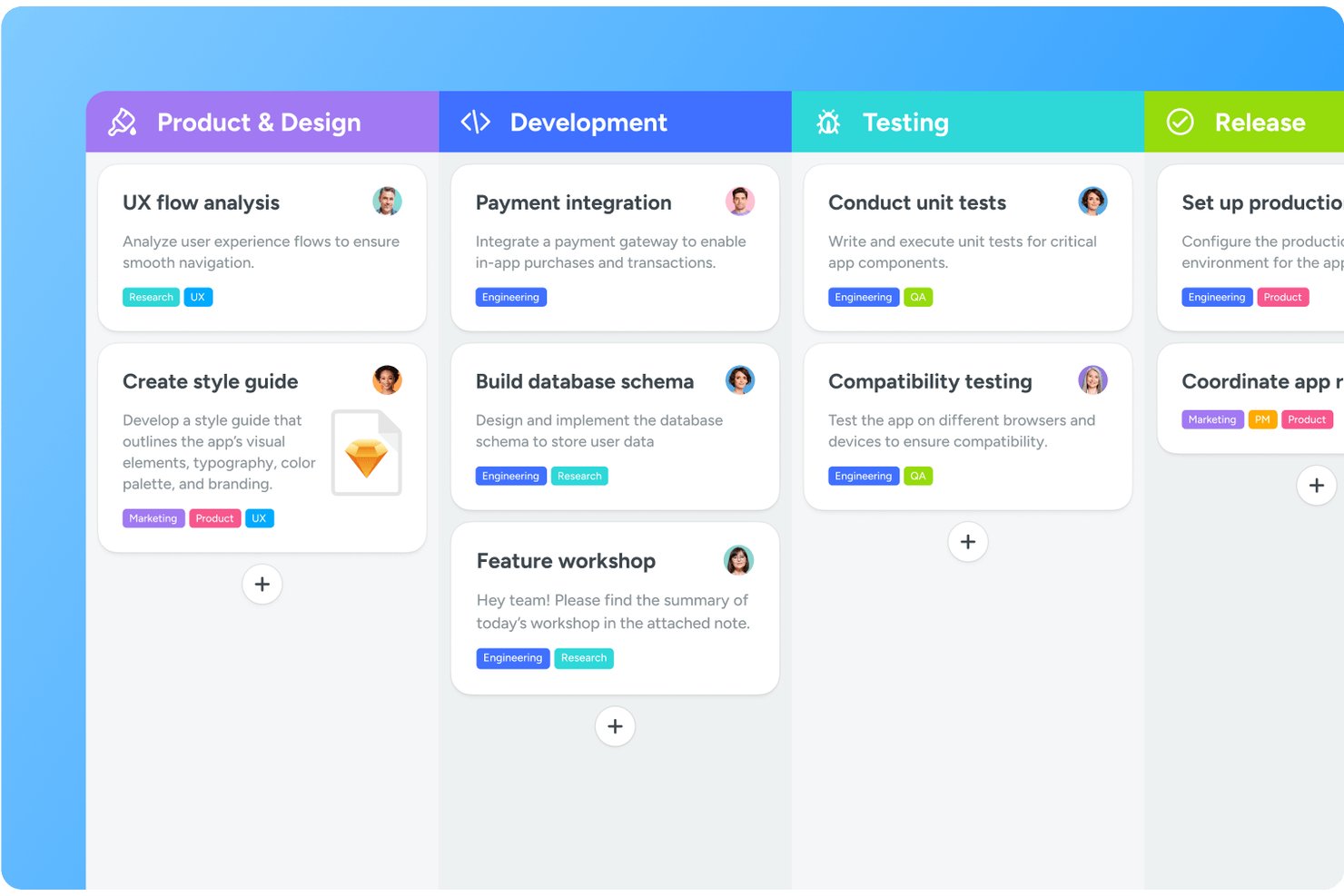
Visual boards let you move tasks through customizable stages as work progresses. Teams always see task statuses in real-time for quick coordination.
Automations
Automate repetitive actions like assigning tasks or updating statuses. This saves time and keeps projects moving smoothly without manual follow-up.
Custom Fields
Add fields to tasks for tracking budget, client names, or key dates. Tailor each board to your business’s process and requirements.
Time Tracking
Built-in timers and logging make it easy to monitor hours spent on tasks. You can review tracked time per project or user for simple reporting.
Task Relationships
Link recurring tasks to show dependencies, due dates, and blockers. This helps teams plan work and avoid bottlenecks in delivery.
Unlimited Projects
Create as many project boards as your business requires. Manage client work, internal initiatives, or operations without worrying about hitting limits.
Ease of Use
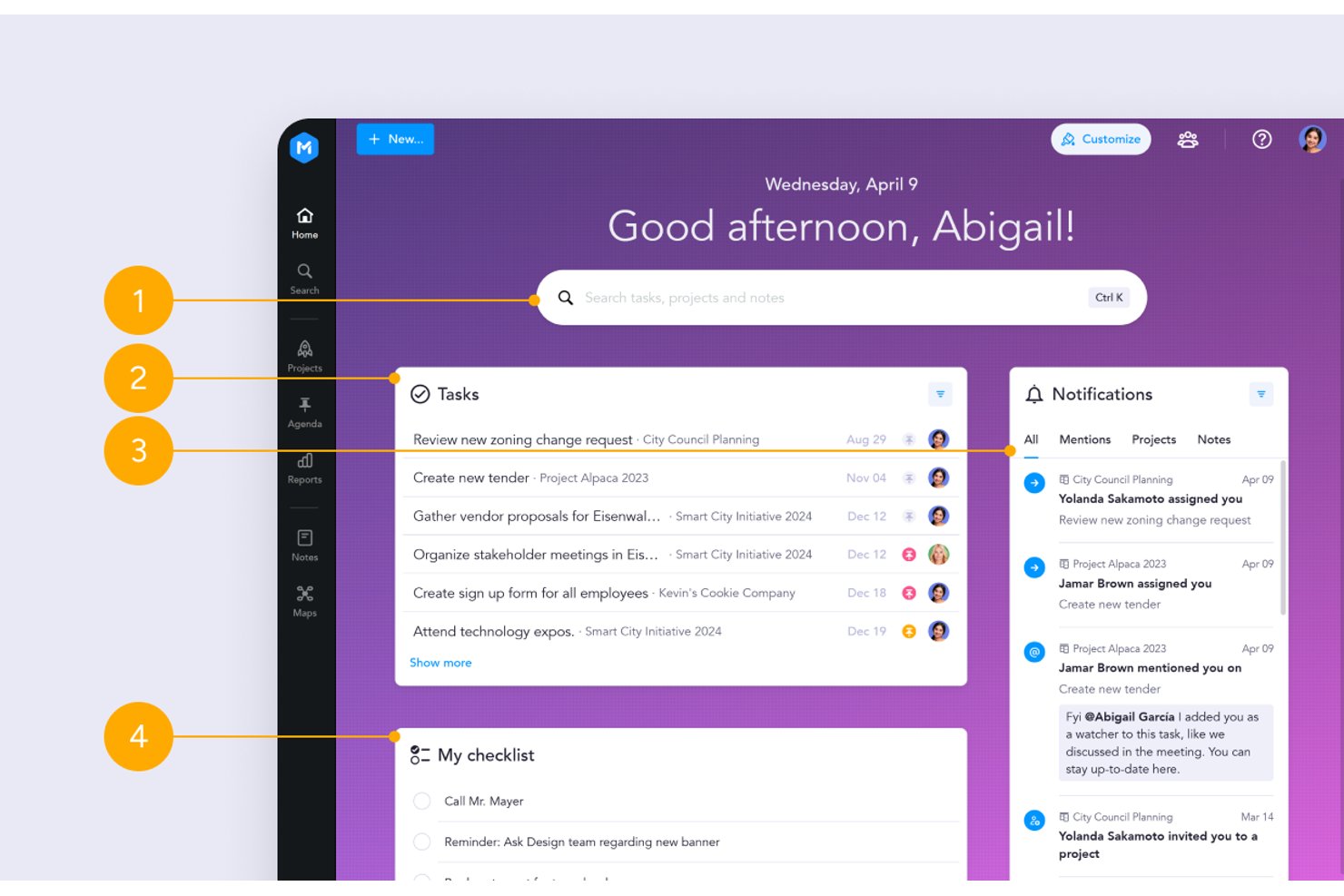
MeisterTask’s intuitive interface makes for a seamless experience, from quick Kanban setup to drag-and-drop task management and clean visuals. The clear navigation, color-coded tags, and easy automations mean small teams can collaborate with little training, which users consistently highlight as a major plus.
Integrations
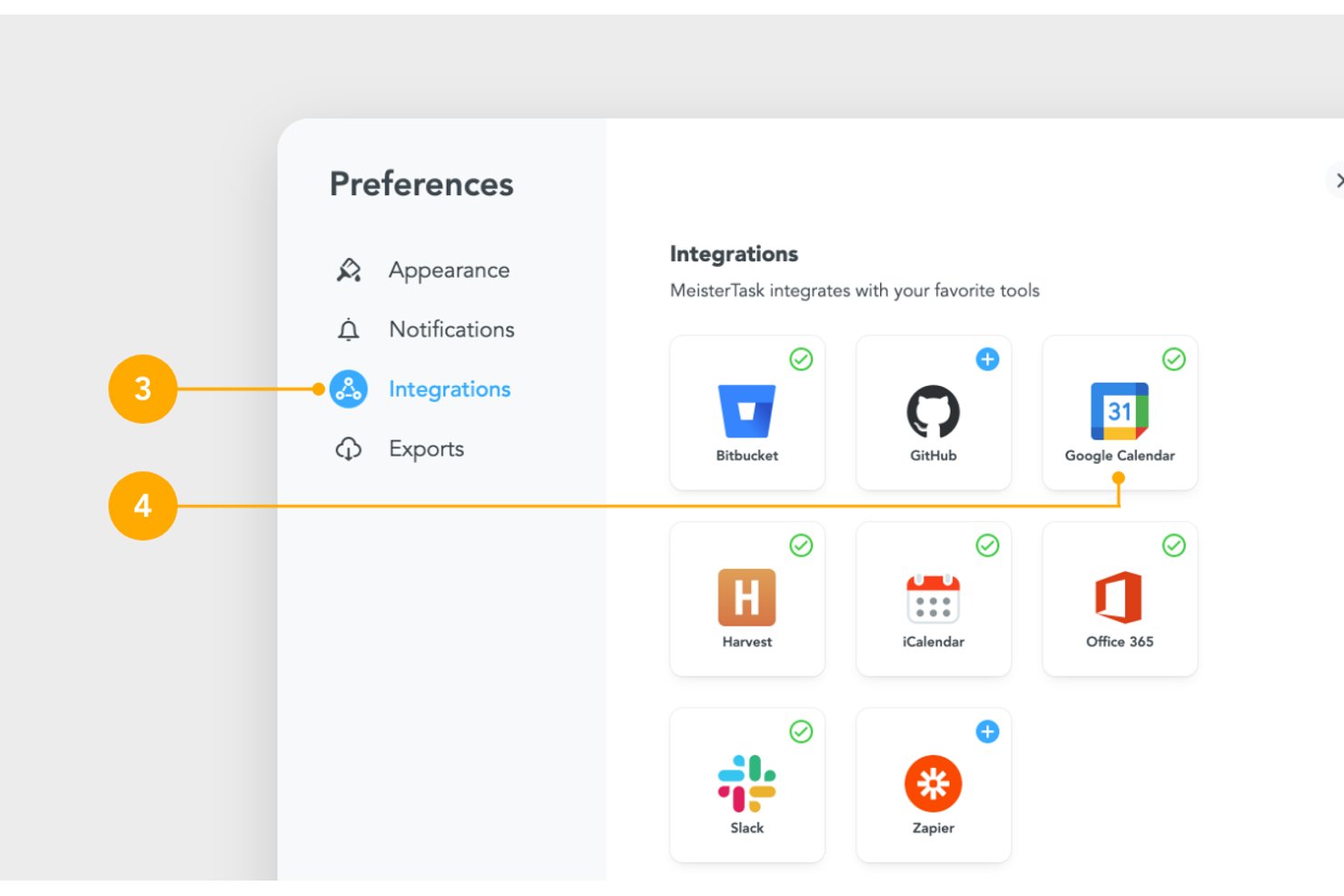
MeisterTask integrates with Slack, Microsoft Teams, Google Drive, Dropbox, Outlook, Asana, Trello Zendesk, and Zapier, among others.
MeisterTask provides an open API and connects with third-party automation platforms for additional integration options.
MeisterTask Specs
- API
- Calendar Management
- Collaboration Support
- Dashboards
- Data Export
- Data Import
- External Integrations
- File Sharing
- Gantt Charts
- Kanban Boards
- Mobile App
- Multi-User
- Notifications
- Prioritization
- Project Management
- Status Notifications
- Task Scheduling/Tracking
- Time Management
Alternatives to MeisterTask

MeisterTask FAQs
How easy is it to migrate projects into MeisterTask?
Can I customize workflows in MeisterTask to fit my process?
Does MeisterTask allow for guest or client access to boards?
What types of reporting and analytics does MeisterTask offer?
Is MeisterTask secure and compliant with data protection standards?
Can MeisterTask handle multiple teams or departments in one account?
What happens if I need more integrations than the native options?
How responsive is MeisterTask’s customer support for urgent issues?
What's Next?
Want to connect with other digital project managers to share resources and best practices? Join our membership community and get access to 100+ templates, samples, and examples and connect with 100s of other digital project managers in Slack.