10 Best GoToMeeting Alternatives for 2026

10 Top GoToMeeting Alternatives


Hosting virtual meetings and conference calls with remote teams has become an integral part of many company operations as we adjust to the new normal of decentralized operations. A web conferencing tool like Cisco WebEx or GoTo Meeting, in this case, can help you bring everyone to a single workspace, participate in a group chat and participate in a video chat.
These cloud-based video conferencing platforms also incorporate collaboration tools aside from instant messaging, like breakout rooms and drawing tools. This results in a much richer video experience for everyone.
However, sometimes the software that you are using just doesn't do it for you. Whether you think you need something more user-friendly or with better mobile apps is totally personal. Therefore, in this post, I'll give you a few alternatives if you are looking to move away from GoTo Meeting.
What Is GoToMeeting?
GoTo Meeting is a web meeting tool from GoTo that allows users to join, host, or manage a video, audio, or web meeting from a conference room, their office desk, or a remote location via their Mac, PC, or mobile device.
GoTo's cost varies depending on the subscription plan you need; the GoToMeeting attendee limit may encourage you to upgrade your plan if you are finding you don’t have enough room. $14/organizer/month for the Professional Plan will allow 150 participants, while the $19/organizer/month price tag for the Business Plan opens it up to 250 users. And while you would expect the enterprise plan to be a whole lot better in terms of features, it really isn't. It just adds the capacity to record meetings while on the mobile app and personalized support. What we will give them is that the platform has enterprise-grade security.
GoToMeeting Alternatives Comparison Table
Use this comparison table to quickly compare the GoToMeeting alternatives covered above.
| Tool | Best For | Trial Info | Price | ||
|---|---|---|---|---|---|
| 1 | Best for seamless, large-scale online events with comprehensive features | Free plan available | Pricing upon request | Website | |
| 2 | Best for AI-powered meeting productivity | Free plan available | From $13.33/user/month (billed annually) | Website | |
| 3 | Best free GoToMeeting alternative | Free plan available | Pricing upon request | Website | |
| 4 | Best for browser-based webinars with CRM sync | XX-day free trial | From $100/month (billed annually) | Website | |
| 5 | Best for bundled phone and video calls | 7-day free trial | From $19/month | Website | |
| 6 | Best for its collaboration capabilities | Not available | Pricing upon request | Website | |
| 7 | Best for its integration with Zoho's ecosystem | Free plan available; 14-day free trial | From $1/user/month (billed annually) | Website | |
| 8 | Best for whiteboarding tools | 90-day free trial | From $12/user/month (billed annually) | Website | |
| 9 | Best GoToMeeting alternative for webinars | 14-day free trial | Pricing upon request | Website | |
| 10 | Best for personalization options | 14-day free trial | From $14/month | Website |
Why Trust Our Software Recommendations
Our team has been testing and reviewing software since 2012. As project managers ourselves, we know how difficult—and important—it is to choose the right software.
For this guide, we evaluated tools using hands-on testing and independent research, scoring tools using our selection criteria. We also draw on insights from industry thought leaders and practicing project management experts.
Our reviews reflect our human editorial judgment, not a sales pitch.
Expert reviewers:
Overviews Of The Top 10 GoToMeeting Alternatives
Here’s a brief description of each of the video conferencing tools that are featured on this top 10 list.
Best for seamless, large-scale online events with comprehensive features

RingCentral Webinar is a webinar platform for marketing, sales, and communications teams that need to present to remote audiences and coordinate attendee engagement beyond standard video meetings.
Who Is RingCentral Webinar Best For?
RingCentral Webinar suits event and communications teams that host large virtual presentations and need to engage remote attendees.
Why I Picked RingCentral Webinar
I picked RingCentral Webinar as a Best GoToMeeting alternative because it’s Best for seamless, large-scale online events with comprehensive features. It supports up to 10,000 attendees, and hosts can use live Q&A and polls to gather questions and feedback during a company-wide launch.
RingCentral Webinar Key Features
- Browser-based access: Attendees can join from a browser, mobile device, or desktop without downloading software.
- Backstage mode: Hosts can rehearse and chat privately with panelists before the webinar.
- Automatic recording: Record webinars and share them for attendees to watch later.
- CRM integration: Connect webinar registrations with CRM systems and review registration and attendee reports.
RingCentral Webinar Integrations
RingCentral Webinar offers integrations with Marketo and Salesforce for syncing webinar and attendee data. It also connects with Zapier.
Pros and Cons
Pros:
- Backstage rehearsals and moderated Q&A
- Browser joining skips attendee downloads
- Handles audiences up to 10,000
Cons:
- Branding and report filters feel limited
- Live-stream reliability can vary

Zoom
Best for AI-powered meeting productivity
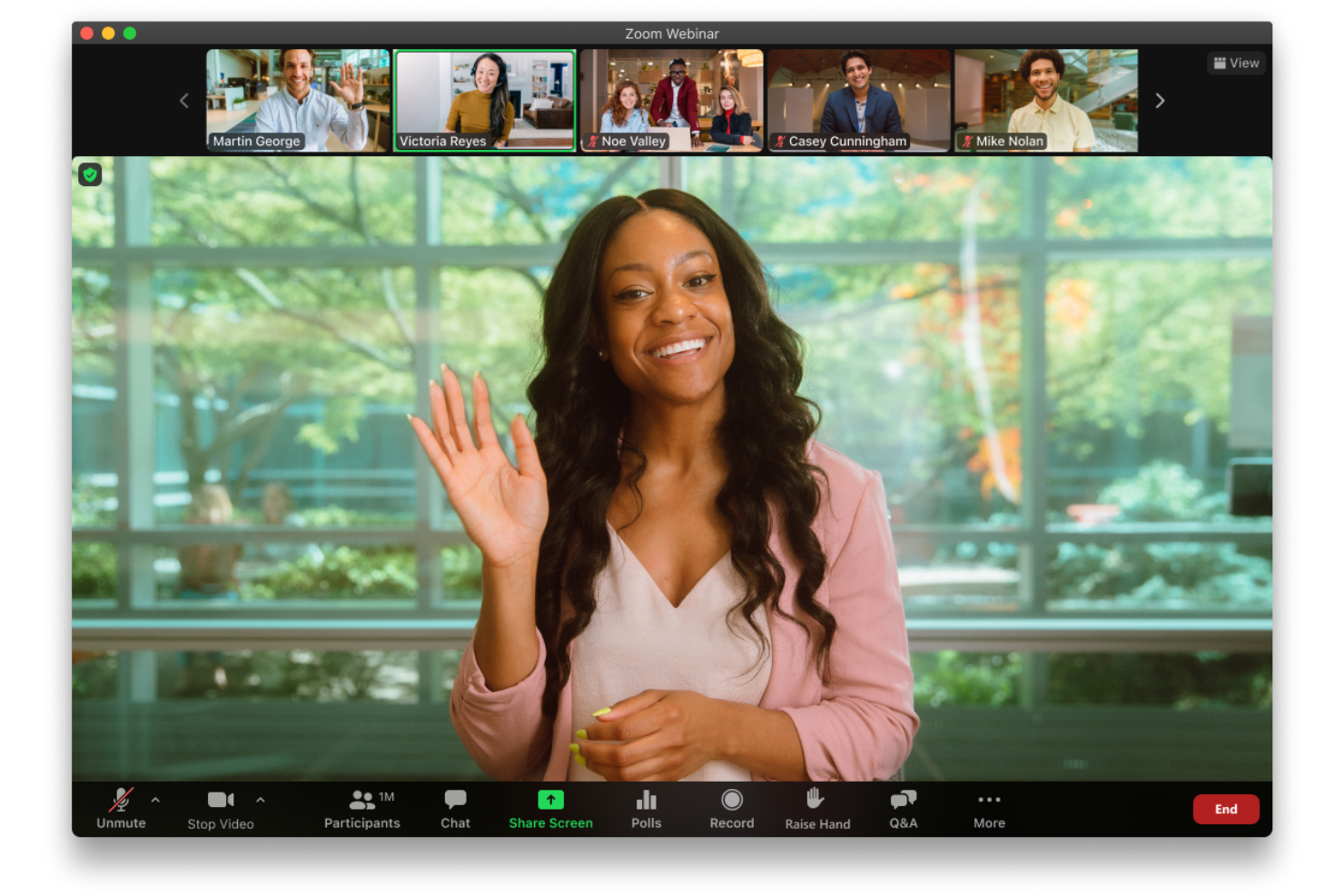
For distributed product and engineering teams replacing GoToMeeting, Zoom combines video meetings, screen sharing, and collaboration tools to align stakeholders and keep project decisions moving.
Who Is Zoom Best For?
Zoom is a good fit for project managers and cross-functional teams that need AI-assisted meeting notes and follow-ups to keep decisions visible.
Why I Picked Zoom
I picked Zoom for its AI-powered meeting productivity, which helps teams move from discussion to documented decisions. AI Companion can summarize meetings and surface action items, so after a sprint planning call, I can quickly check agreed priorities and follow-ups without piecing them together from scattered notes.
Zoom Key Features
- Screen sharing: Share your full desktop, a specific window, or a portion of your screen.
- Breakout rooms: Split meeting participants into smaller groups within the main meeting.
- Meeting chat: Send messages and share files with participants during a meeting.
- Waiting room: Review and admit participants before they join the meeting.
Zoom Integrations
Zoom offers integrations with Google Calendar, Outlook Calendar, Google Drive, Dropbox, Box, Microsoft OneDrive, Slack, Microsoft Teams, and Salesforce, alongside additional apps in the Zoom App Marketplace. It supports Zapier and provides REST APIs for custom integrations.
Pros and Cons
Pros:
- Breakout rooms support focused sprint discussions
- Reliable video and audio for distributed calls
- AI summaries surface decisions and action items
Cons:
- AI-generated summaries still need accuracy checks
- Audio or video can occasionally fragment

Best free GoToMeeting alternative
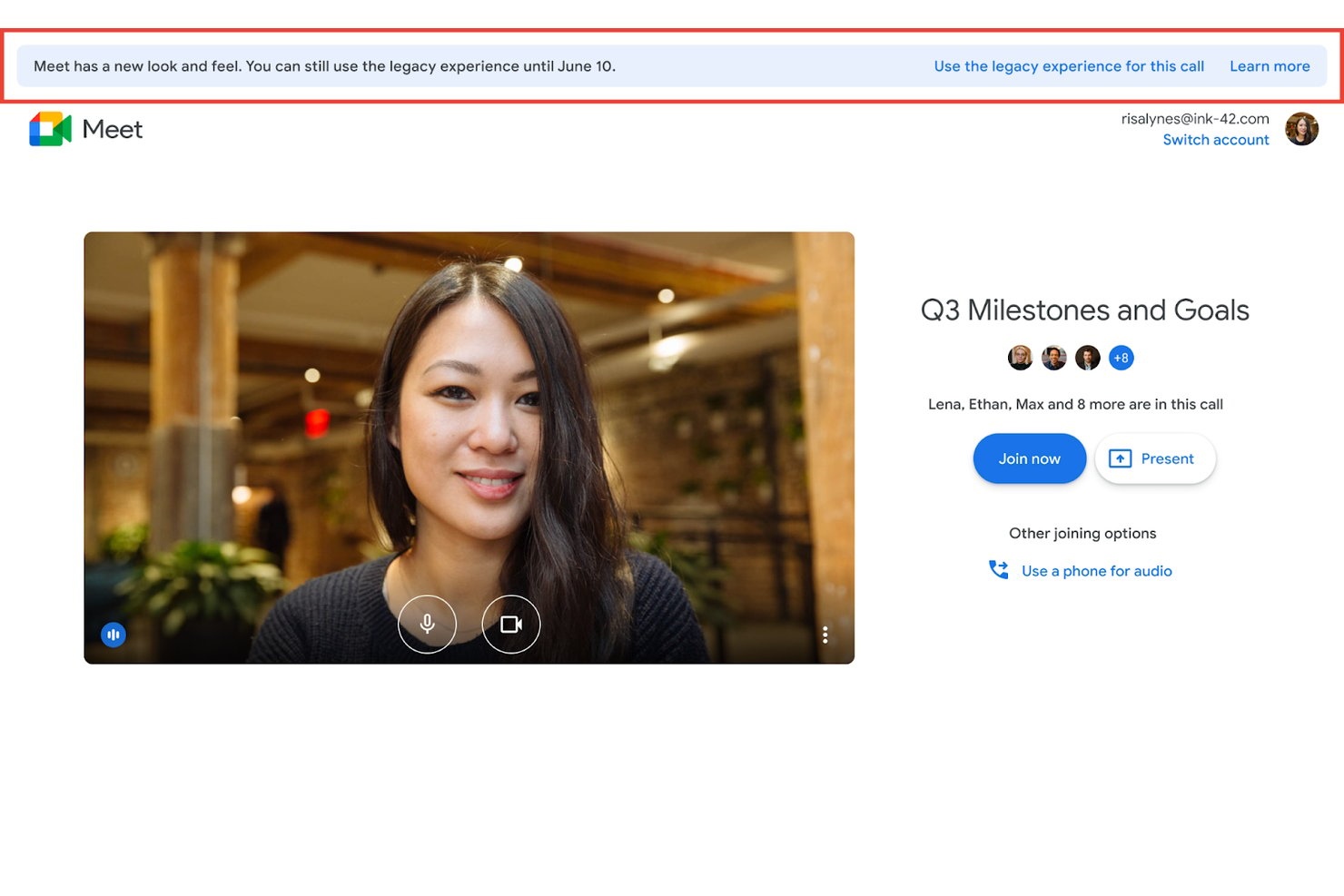
Google Meet gives product, engineering, and design teams a video conferencing space for project check-ins, stakeholder reviews, and remote collaboration, especially when their workflows already rely on Google Workspace.
Who Is Google Meet Best For?
Google Meet suits small teams and freelancers who need a no-cost option for routine video meetings without adding a dedicated conferencing tool.
Why I Picked Google Meet
I picked Google Meet as the Best free GoToMeeting alternative because live captions help me follow project check-ins when teammates join from noisy environments. I use screen sharing to walk through a sprint board or design prototype and discuss feedback in the meeting.
Google Meet Key Features
- In-meeting chat: Send messages and links to meeting participants.
- Breakout rooms: Split participants into smaller groups on eligible plans.
- Polls and Q&A: Run polls and collect questions on eligible plans.
- Google Calendar scheduling: Add Meet links to calendar events.
Google Meet Integrations
Google Meet integrates natively with Google Calendar and Google Chat through Google Workspace. Google Workspace Marketplace add-ons include Confluence, Figma, Lucidspark, Miro, Polly, and Read.ai; Google also offers a REST API and add-ons SDK for custom integrations.
Pros and Cons
Pros:
- Screen sharing supports quick demos and reviews
- Live captions help track noisy-room discussions
- Join through a browser without downloads
Cons:
- Host controls and annotations trail dedicated platforms
- Free group meetings stop after 60 minutes

Best for browser-based webinars with CRM sync
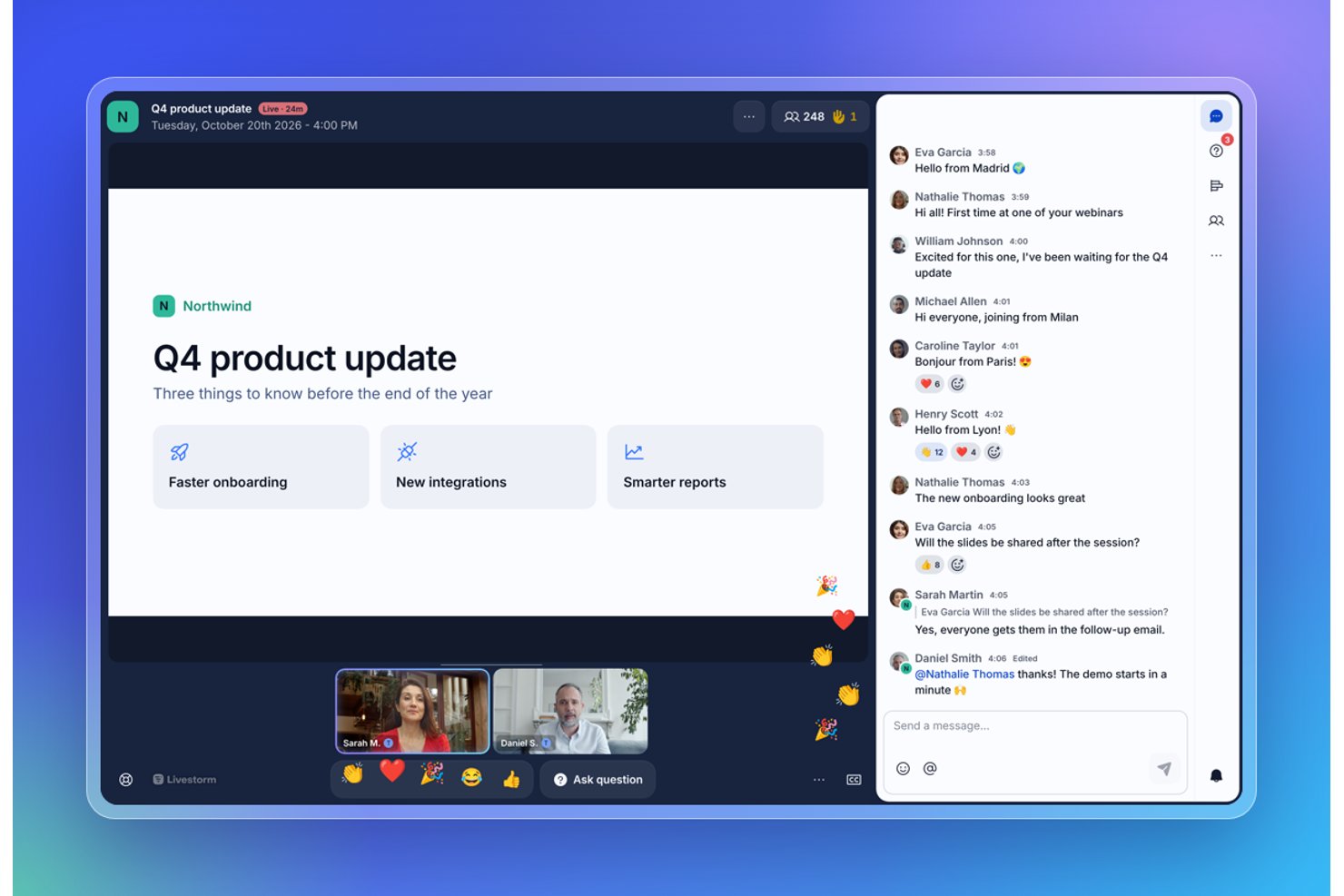
For teams considering GoToMeeting alternatives, Livestorm is a video conferencing platform for hosting customer demos, internal meetings, and webinars while keeping communication organized across distributed teams.
Who Is Livestorm Best For?
Livestorm suits marketing and customer education teams that host virtual events and want attendees to join through a browser without installing software.
Why I Picked Livestorm
I picked Livestorm as a GoToMeeting alternative for browser-based demos, meetings, and webinars. Its USP is “A complete, simple video communications toolbox with no downloads, plugins, or add-ons needed.” I like that attendees can join through a browser, which removes an installation step when you’re hosting customer education sessions.
Livestorm Key Features
- Polls: Run polls during live events to collect attendee responses.
- Q&A: Let attendees submit questions and upvote questions from others.
- Branded registration pages: Customize event registration pages with your brand.
- Event analytics: Review attendance metrics and replay analytics after events.
Livestorm Integrations
Livestorm offers native integrations with HubSpot, Salesforce, and Pardot, with availability varying by plan. It also supports Zapier and Make, plus an API and webhooks for custom integrations.
Pros and Cons
Pros:
- Polls, Q&A, and replay analytics support events
- Automated reminders simplify webinar follow-up
- Browser joining avoids attendee software installs
Cons:
- Audio-video sync issues appear in some reviews
- Fewer tools for everyday meeting collaboration
Best for bundled phone and video calls
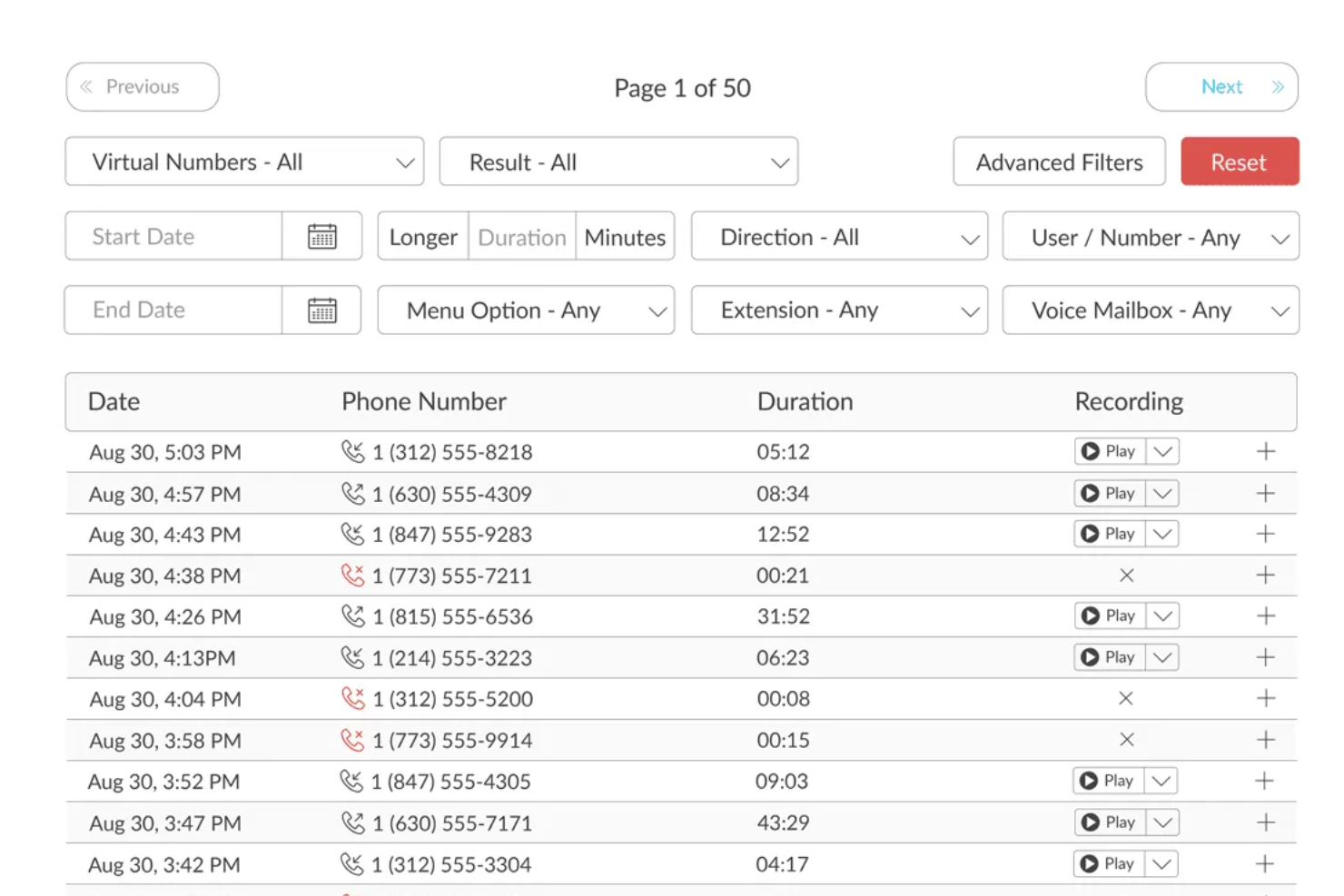
TalkRoute is a business phone system for small businesses and distributed teams that need to manage customer calls and stay connected beyond video meetings.
Who Is TalkRoute Best For?
TalkRoute suits customer-facing teams that need staff to handle business calls across multiple devices.
Why I Picked TalkRoute
I like TalkRoute as the Best all-in-one business phone system with multi-device access for handling customer calls beyond GoToMeeting sessions. Simultaneous ring can alert staff on multiple devices, while call routing reaches mobile phones, landlines, or desktop app users. That helps a distributed team answer calls when no one is at their desk.
TalkRoute Key Features
- Video meetings: Host meetings with up to 100 participants, screen sharing, chat, and a whiteboard.
- Voicemail-to-email: Receive voicemail notifications and play messages from your email.
- Business texting: Send and reply to SMS and MMS from desktop, mobile, or web apps.
- Call recording: Optionally record incoming and outgoing calls.
TalkRoute Integrations
TalkRoute connects with Zapier to send call data, text messages, and voicemail alerts to other apps, and offers an API for custom integrations.
Pros and Cons
Pros:
- Voicemail and call forwarding reduce missed inquiries
- Meetings support 100 participants and whiteboards
- Calls ring across desktop and mobile
Cons:
- Users report mobile app loading delays
- Video meetings lack GoToMeeting’s meeting-first depth

Best for its collaboration capabilities
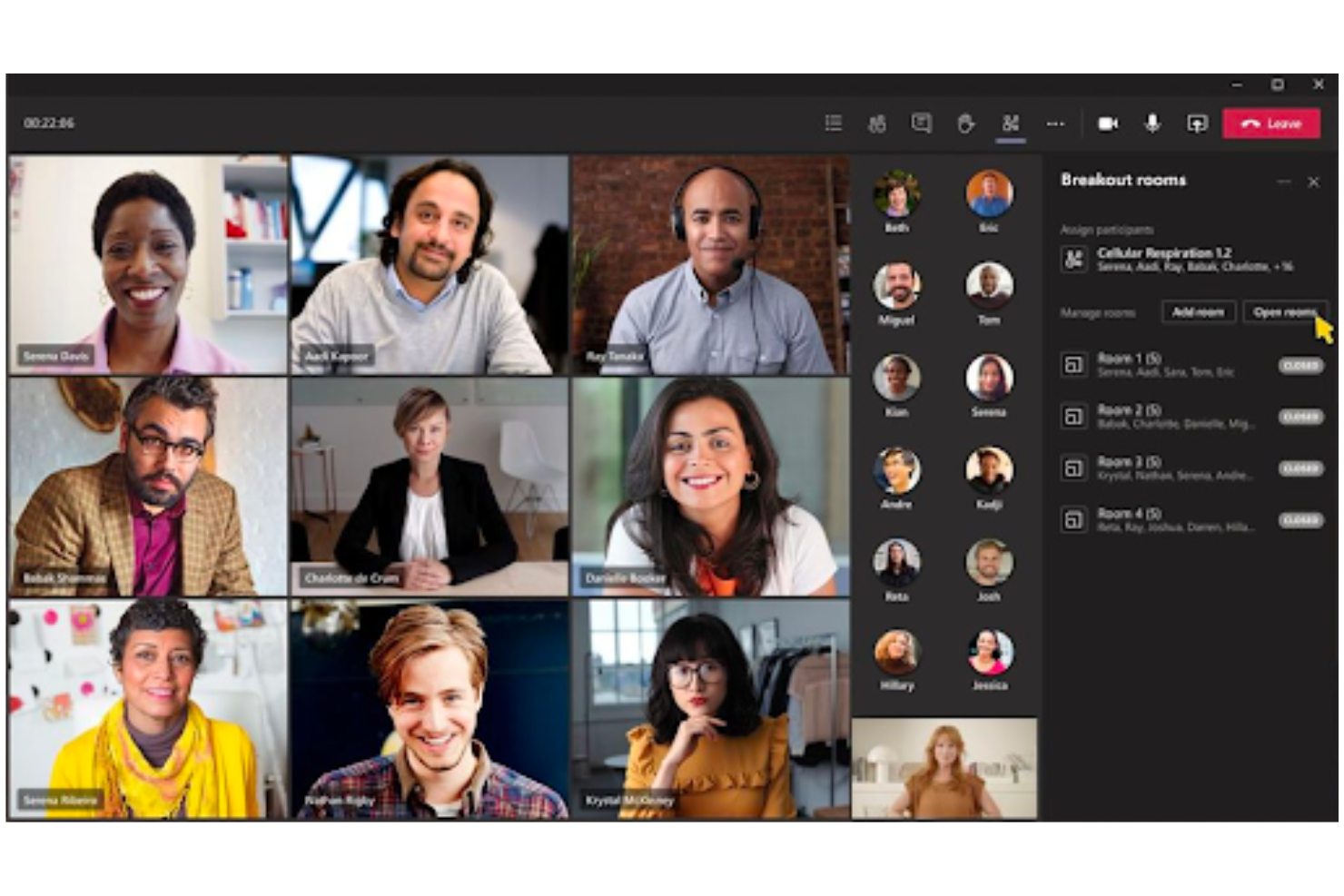
For distributed product and engineering teams, Microsoft Teams combines video meetings, chat, and file sharing to keep project discussions and decisions connected across workstreams.
Who Is Microsoft Teams Best For?
Microsoft Teams suits project managers coordinating cross-functional work, especially at organizations already using Microsoft 365.
Why I Picked Microsoft Teams
I picked Microsoft Teams as a GoToMeeting alternative because it’s Best for its collaboration capabilities. During a sprint review, my team can use meeting chat to track decisions and share project files alongside the video call.
Microsoft Teams Key Features
- Breakout rooms : Organizers can divide a meeting into smaller groups.
- Live captions : Show spoken words on screen during meetings.
- Meeting recording : Record a meeting for later viewing.
- Presenter mode : Display the presenter alongside shared presentation content.
Microsoft Teams Integrations
Microsoft Teams has native integrations across Microsoft 365 and offers marketplace apps such as Asana, Dropbox, Trello, HubSpot, and Miro. Microsoft Graph APIs support custom integrations.
Pros and Cons
Pros:
- Breakout rooms support focused group work
- Shared files stay beside project discussions
- Meeting chat keeps decisions with calls
Cons:
- High resource use can disrupt calls
- Broader workspace adds meeting setup complexity
Best for its integration with Zoho's ecosystem

Zoho Meeting is video conferencing and webinar software for distributed teams that need to host project discussions, share updates, and keep stakeholders aligned without relying on GoToMeeting.
Who Is Zoho Meeting Best For?
Project managers and operations teams already using Zoho apps can host project reviews, client calls, and webinars within a familiar software ecosystem.
Why I Picked Zoho Meeting
I picked Zoho Meeting as a GoToMeeting alternative because it keeps customer calls close to CRM work. I can schedule from Zoho CRM’s Leads or Contacts module and start meetings from a record. After a call, I can share its recording from the CRM event, keeping follow-up tied to the customer.
Zoho Meeting Key Features
- Interactive whiteboard: Collaborate on ideas with a whiteboard during meetings.
- In-meeting file sharing: Share files with participants during a session.
- Meeting lock and access controls: Lock meetings and assign participant roles.
- AI-generated meeting notes: Automatically generate keynotes and session notes.
Zoho Meeting Integrations
Zoho Meeting integrates directly with Zoho CRM, Zoho Projects, Zoho Calendar, Zoho Bookings, Slack, and Microsoft Teams, and connects with Zapier. Its REST API supports custom integrations.
Pros and Cons
Pros:
- Recordings and AI meeting notes aid follow-up
- Polls, Q&A, and registration suit webinars
- Browser-based joining avoids attendee downloads
Cons:
- Breakout-room controls need more flexibility
- Screen sharing can lag on unstable connections

Webex
Best for whiteboarding tools
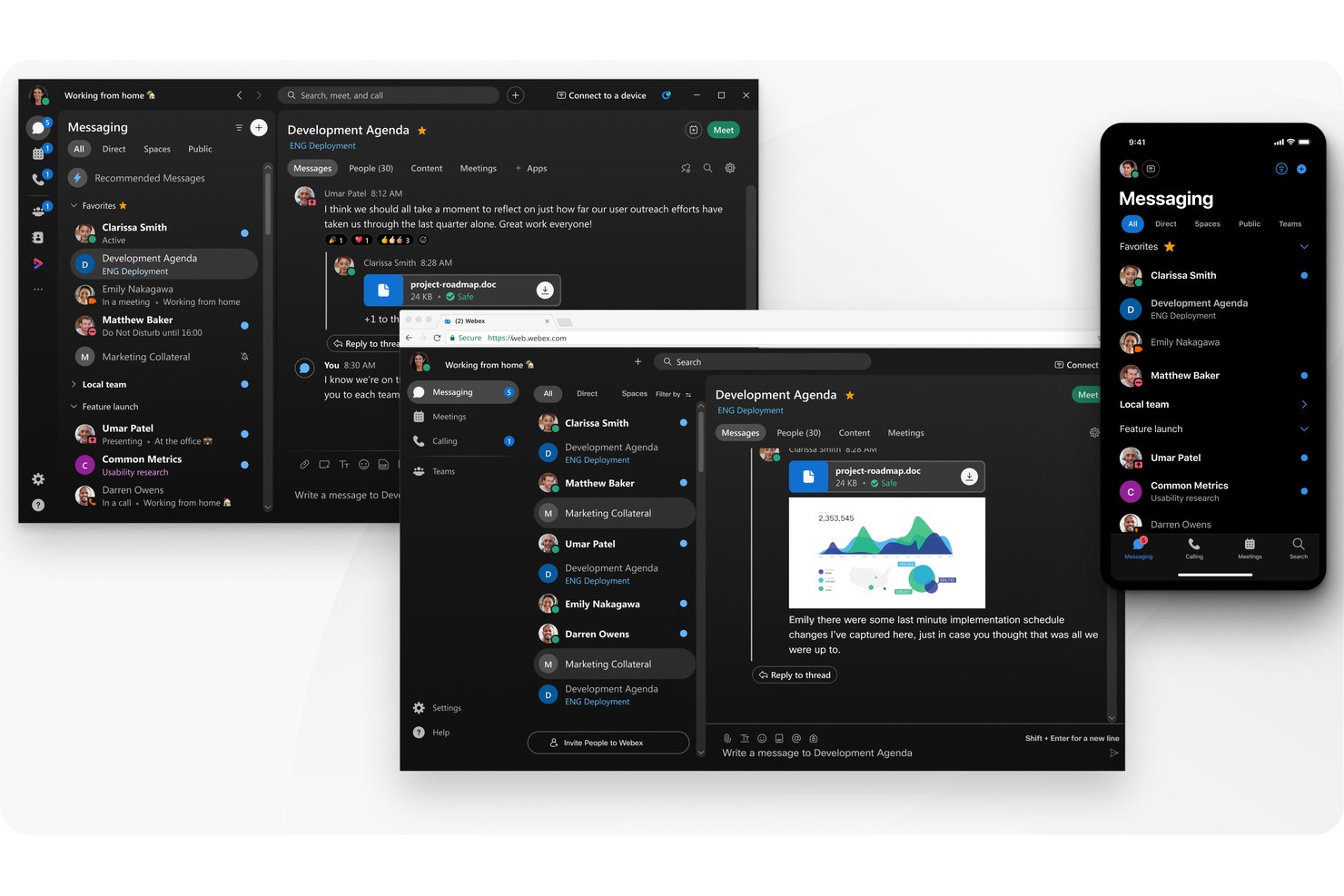
Webex combines video meetings, calling, and team messaging in one collaboration platform, helping distributed project teams coordinate discussions and keep work moving across stakeholders.
Who Is Webex Best For?
Webex suits distributed product and project teams that need shared digital whiteboards for planning sessions, workshops, and stakeholder discussions.
Why I Picked Webex
As a GoToMeeting alternative, I picked Webex as Best for whiteboarding tools because participants can co-edit meeting boards with sticky notes, text, shapes, and images. I like that teams can reopen existing boards to map dependencies and record decisions during project reviews.
Webex Key Features
- Screen sharing: Present your screen, an application, or a specific file during meetings.
- Breakout sessions: Split meeting participants into smaller groups for focused discussions.
- Meeting recording: Record sessions for later review and sharing.
- Live captions: Display captions during meetings to help participants follow the discussion.
Webex Integrations
Webex offers a native integration with Microsoft Teams, plus integrations with Google Workspace and Zoom Workplace; its App Hub provides marketplace apps, and Webex APIs support custom integrations.
Pros and Cons
Pros:
- Screen sharing stays clear in reviews
- Reliable audio holds up on weaker connections
- Shared whiteboards capture workshop decisions
Cons:
- Busy navigation slows occasional guests
- Desktop app can consume substantial memory

Best GoToMeeting alternative for webinars
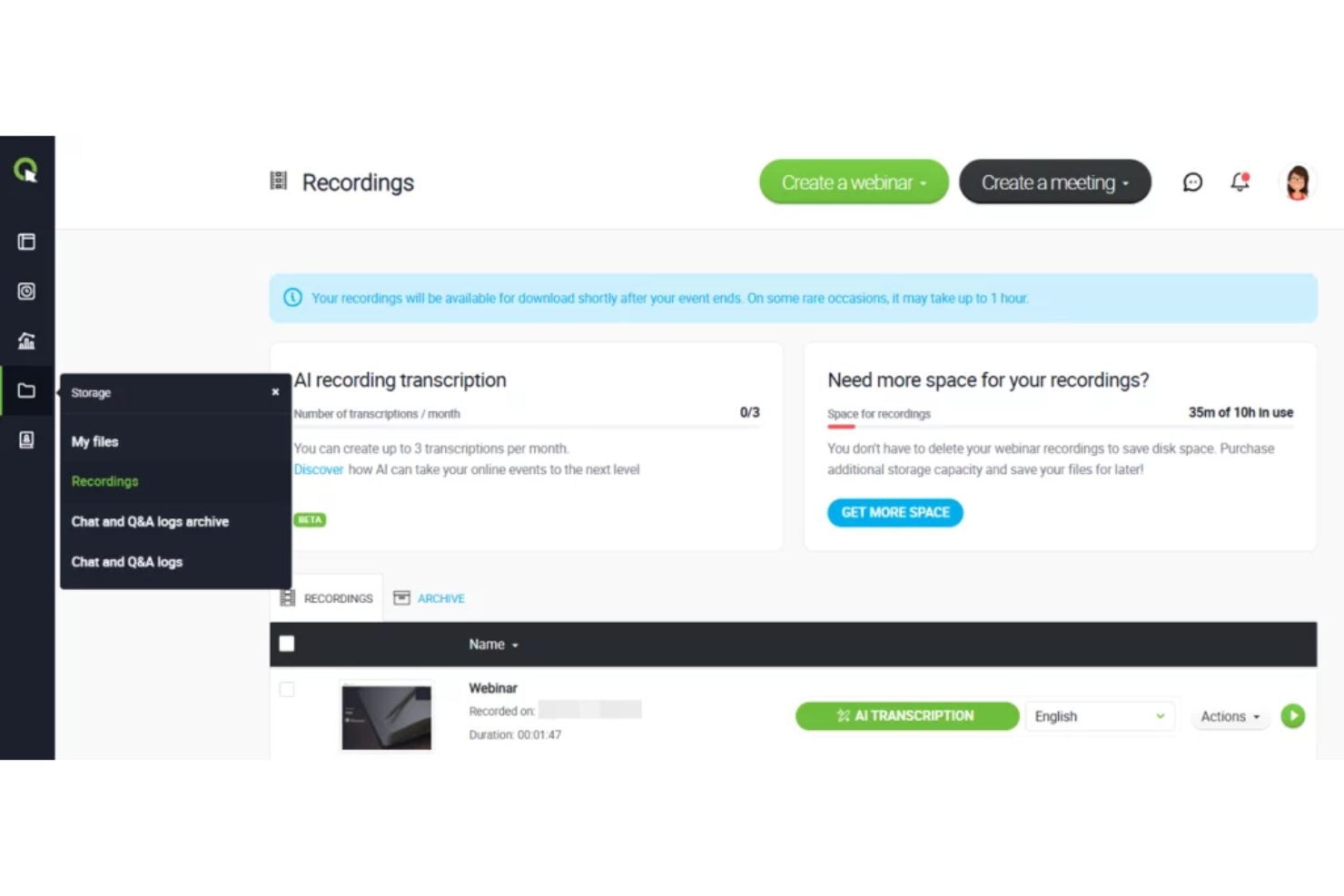
ClickMeeting is a web conferencing platform for marketing, training, and customer-facing teams that need to present to remote audiences, share materials, and manage online sessions.
Who Is ClickMeeting Best For?
ClickMeeting suits webinar marketers and trainers who host audience-focused sessions rather than routine internal video meetings.
Why I Picked ClickMeeting
I picked ClickMeeting as a Best GoToMeeting alternative for webinars because its tools support audience-focused events beyond standard video calls. I like that hosts can add clickable CTA buttons to direct attendees to an offer, while automated webinars pair recordings with registration pages and reminder emails. That fits product demos or training that needs follow-up after the presentation.
ClickMeeting Key Features
- In-app chat: Attendees can send messages to hosts and other participants.
- Polls and surveys: Hosts can create questions and share results during an event.
- Screen sharing: Presenters can share their screen with attendees.
- Breakout rooms: Hosts can divide attendees into smaller discussion groups.
ClickMeeting Integrations
ClickMeeting supports integrations with HubSpot, Pipedrive, GetResponse, MailerLite, Moodle, Google Analytics, YouTube, Dropbox, and Stripe, and connects with Zapier. It also provides an API for custom integrations.
Pros and Cons
Pros:
- Automated webinars pair recordings with reminders
- Polls and Q&A engage webinar audiences
- Attendees join in-browser without downloads
Cons:
- Full-screen sharing can hide chat and camera feed
- Recording storage can run short

join.me
Best for personalization options
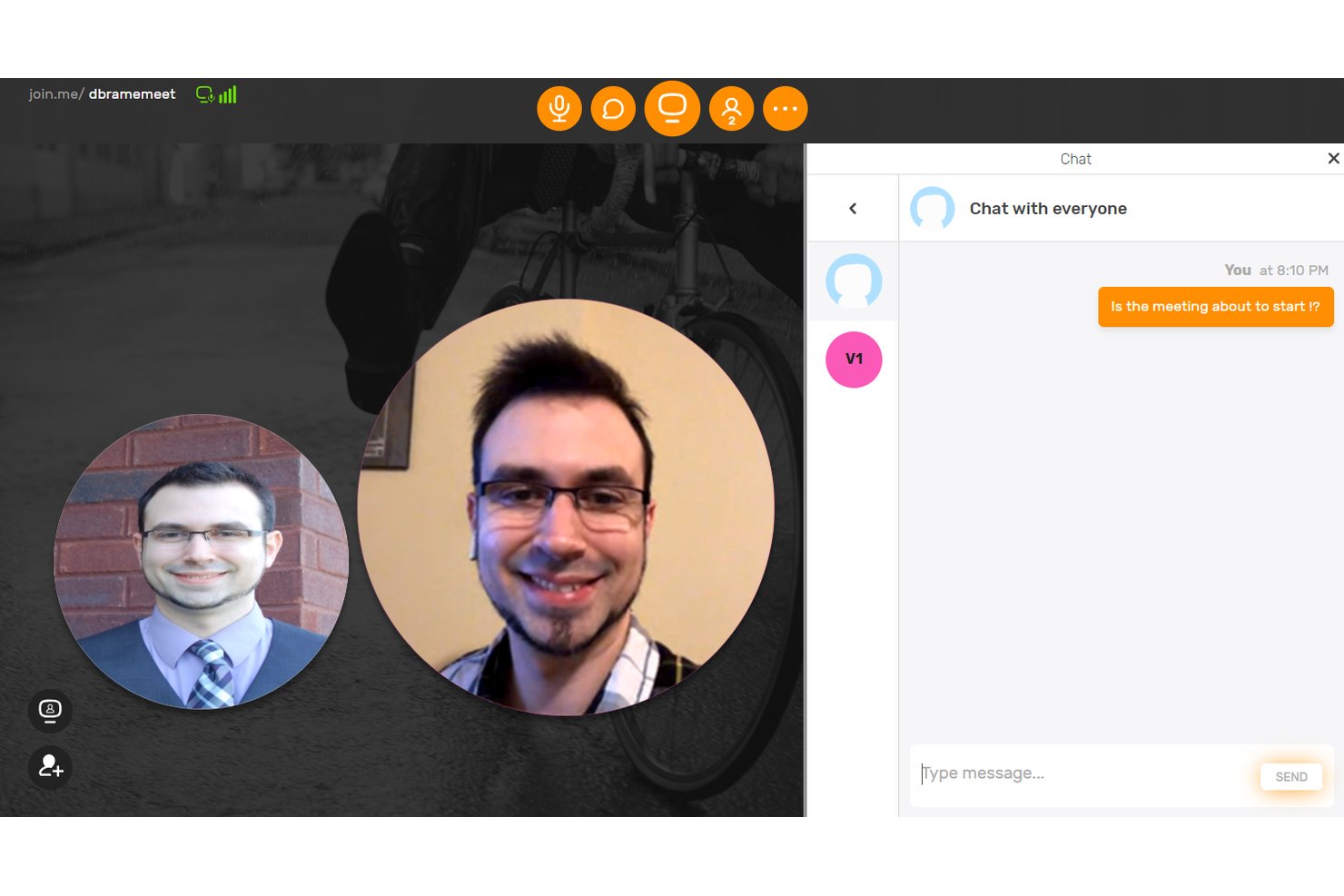
join.me is video conferencing software for small businesses and distributed project teams that need to host meetings, share screens, and coordinate work remotely.
Who Is join.me Best For?
join.me suits project managers at small businesses who want to personalize video meetings for distributed teams.
Why I Picked join.me
I picked join.me as a GoToMeeting alternative because it’s Best for personalization options. Its custom join.me/yourname link gives recurring project meetings a memorable entry point, while a personal branded background adds your team’s identity to the call.
join.me Key Features
- Audio and video calls: Host live meetings with audio and video conferencing.
- In-meeting chat: Message all participants or send a private chat.
- Meeting recording: Record meetings for later reference or sharing.
- Mobile whiteboard: Sketch and brainstorm on a whiteboard from iOS devices.
join.me Integrations
join.me offers a Google Calendar add-on through the Google Workspace Marketplace for scheduling and joining meetings, plus a REST API for custom integrations.
Pros and Cons
Pros:
- Easy screen sharing supports quick project reviews
- Personalized backgrounds give meetings team identity
- Custom meeting URLs make recurring invites memorable
Cons:
- Video can lag on weak connections
- New users are redirected to GoTo
Other GoToMeeting Alternative Options
Here’s a few more that didn’t make the top list. If you need additional suggestions for a handy online meeting app, check these out.
- Adobe Connect
For multiple chat pods feature
- Skype for Business
For built-in document collaboration
- Cyberlink uMeeting
GoToMeeting alternative for small teams
- Intermedia
GoToMeeting alternative for integrations
- Sococo
For digital office space feature
- Roundee
For video and audio downloads of meetings
- Whereby
An easy-to-use video meetings tool that works right in your browser of choice with a free plan that allows 1 user and 1 meeting room.
- Lifesize
This free GoToMeeting alternative allows instant video calls with your team right from your phone or browser.
- TeamViewer
Remote connectivity platform
- Zoom
Host up to 100 video participants and an unlimited number of meetings with their free plan.
- GlobalMeet Collaboration
A no-download video conferencing solution with a freemium plan that allows up to 125 participants and HD video.
- Pexip
For government and judicial communications
- Ryver
Unimited voice and video calls with call tools that include one-click connection, high-quality audio, and screen sharing.
- BlueJeans
For Dolby voice audio quality


How I Evaluate Career Coaching Software
I evaluate these platforms in two layers: core must-haves (appointment booking, student CRM, NACE outcomes reporting) and the differentiators that make one tool better than another for career centers.
Core Functionality (Table Stakes For This List)
When I'm selecting tools for my list, I rank each one on a scale from 0 (does not offer the functionality) to 5 (excels in this area) for each core functionality listed below. Then, I calculate the tool's total score into a percentage. Each tool needs to achieve a minimum total score of 65% to be considered for inclusion.
- Coaching Session Management: I look for scheduling, note-taking, and appointment tracking that supports drop-in hours, group sessions, and individual meetings across a full advising caseload.
- Career Assessments & Tools: Validated assessments covering interests, skills, personality, and values should connect results to career pathways or major recommendations for students.
- Resume & Document Review: Whether it's AI-assisted scoring or coach annotation, I evaluate how the platform handles resume, cover letter, and LinkedIn profile feedback workflows.
- Job & Internship Connectivity: Strong platforms either host their own job boards or integrate with sources like Handshake and Symplicity so students can search and apply without leaving the system.
- Mock Interview Practice: I check whether students can record practice interviews, receive AI-driven feedback, or access industry-specific question banks to prepare independently.
- Student CRM & Engagement Tracking: The platform should centralize each student's coaching history, career goals, and engagement touchpoints so advisors can manage caseloads and follow up proactively.
- Outcomes Reporting & Analytics: First-destination surveys, placement rates, and NACE-aligned reporting matter here, especially for career centers preparing accreditation or institutional effectiveness reviews.
- Higher Ed System Integrations: I evaluate whether the tool connects with SIS, LMS, and SSO so student records stay in sync and the platform fits into existing campus infrastructure.
Once I have a list of tools that meet this criteria, I consider what sets each platform apart.
Differentiating Factors (What Sets Vendors Apart)
Here's how I compare and contrast different vendors:
Standout Features
An AI coaching companion is a major differentiator for large institutions. It gives students on-demand career guidance when advisors aren't available, which matters during peak seasons like graduation. I also evaluate content libraries with self-paced modules on topics like networking strategies or industry research, since they help students prepare between coaching sessions. For institutions serving diverse student populations, multilingual coach coverage and culturally aware resources make a real difference in engagement.
Beyond Features
Pricing structure matters when you're scaling from a small liberal arts college to a large research university. I look at whether vendors offer per-student pricing, flat institutional rates, or tiered models that flex with enrollment. Data security is another area I evaluate closely, since student records fall under FERPA and platforms need to demonstrate proper safeguards. Implementation support also factors in—career centers with lean teams benefit from vendors that provide onboarding assistance and pre-built program templates to get up and running quickly.
What is the difference between GoToWebinar vs GoToMeeting?
If you’re looking to host a meeting with 500, 1000 or even 3000 participants you’ll want to check out GoToWebinar. GoToWebinar works as more of an online presentation stage, as opposed to the GoToMeeting ecosystem which is designed for all those logged-in to collaborate.
GoToMeeting reviews hover around 7.9/10 according to TrustRadius, 4.5/5 per Capterra, and PCMag gave them a 4/5. GoToMeeting features include Event Management tools, flexible scheduling, webinar templates, custom registration, and your own channel page.
Further Reading: what is a webinar and how do they work?
Some noteworthy GoToMeeting pros are that the dashboard reveals exactly what your users see, preventing confusion or error, and how easy the tool makes it to provide users with a permanent meeting URL that can be reused. GoToMeeting cons include mobile login limitations (it can be quite complicated, particularly if you’re on-the-go), and that GoToMeeting limits who has administrative powers to create, change, and launch meetings.
What are common GoToMeeting problems?
Common GoToMeeting problems that users experience include:
- A lack of advanced collaborative meeting features like polling or whiteboard/notes
- GoToMeeting troubleshooting around connection issues and audio problems
- Inability to change a meeting when the original meeting owner is away/unavailable
This all being said, GoToMeeting may not be the best meeting solution for you and your team. If that’s the case, the following alternatives are always an option.