

10 Best Livestorm Alternatives for Webinars in 2026

Best Livestorm Alternatives Shortlist


The best Livestorm alternatives give you reliable video conferencing, solid engagement features, and flexible integration options without Livestorm’s constraints. If you’re searching for Livestorm alternatives, you’re probably dealing with platform limits, clunky workflows, or pricing that just doesn’t fit your team’s needs. I’ve pulled together this shortlist to help you compare your top options. You’ll see which video conferencing solutions excel at audience engagement, ease of use, and integrations, so you can pick the right fit and keep your virtual events running smoothly.
What Is Livestorm?
Livestorm is browser-based webinar software for hosting live webinars, virtual meetings, hybrid events, and on-demand sessions. It gives teams tools for registration, audience engagement, analytics, and automated event workflows, helping them create a smoother webinar experience without requiring attendees to download an app.
Teams use Livestorm to run engaging webinars, connect with audiences in real time, and share pre-recorded webinars for viewers who want to watch later. Its user-friendly interface, interactive features, and video engagement tools make it a strong fit for marketing, sales, training, and customer success teams that want reliable video quality and a simple user experience.
Livestorm Alternatives Comparison Table
This comparison table summarizes pricing details for my top Livestorm alternatives selections:
| Tool | Best For | Trial Info | Price | ||
|---|---|---|---|---|---|
| 1 | Best for engaging live webinars | 14-day free trial + free demo available | From $45/host/month (billed annually) | Website | |
| 2 | Best for large-scale virtual events | Free plan available | From $14.16/user/month (billed annually) | Website | |
| 3 | Best for live audience participation | 14-day free trial + free demo available | From $34/host seat/month (billed annually) | Website | |
| 4 | Best for simple browser-based meetings | Free trial available | From $9.20/user/month (billed annually) | Website | |
| 5 | Best for built-in team collaboration tools | Free trial available | From $4.00/user/month (billed annually) | Website | |
| 6 | Best for privacy-focused sessions | 14-day free trial | From $1/host/month (billed annually) | Website | |
| 7 | Best for easy event scheduling | Free trial + free demo available | From $59/month (billed annually) | Website | |
| 8 | Best for advanced audience engagement | Free trial + free demo available | From $37/month (billed annually) | Website | |
| 9 | Best for interactive attendee features | 14-day free trial | From $39/month (billed annually) | Website | |
| 10 | Best for custom-branded virtual events | Free demo available | Pricing upon request | Website |
Why Trust Our Software Recommendations
Our team has been testing and reviewing software since 2012. As project managers ourselves, we know how difficult—and important—it is to choose the right software.
For this guide, we evaluated tools using hands-on testing and independent research, scoring tools using our selection criteria. We also draw on insights from industry thought leaders and practicing project management experts.
Our reviews reflect our human editorial judgment, not a sales pitch.
Best Livestorm Alternatives Reviews
Below are my detailed summaries of the best Livestorm alternatives that made it onto my shortlist. My reviews offer a detailed look at the features, integrations, and best use cases of each platform to help you find the best one for you.

Demio
Best for engaging live webinars
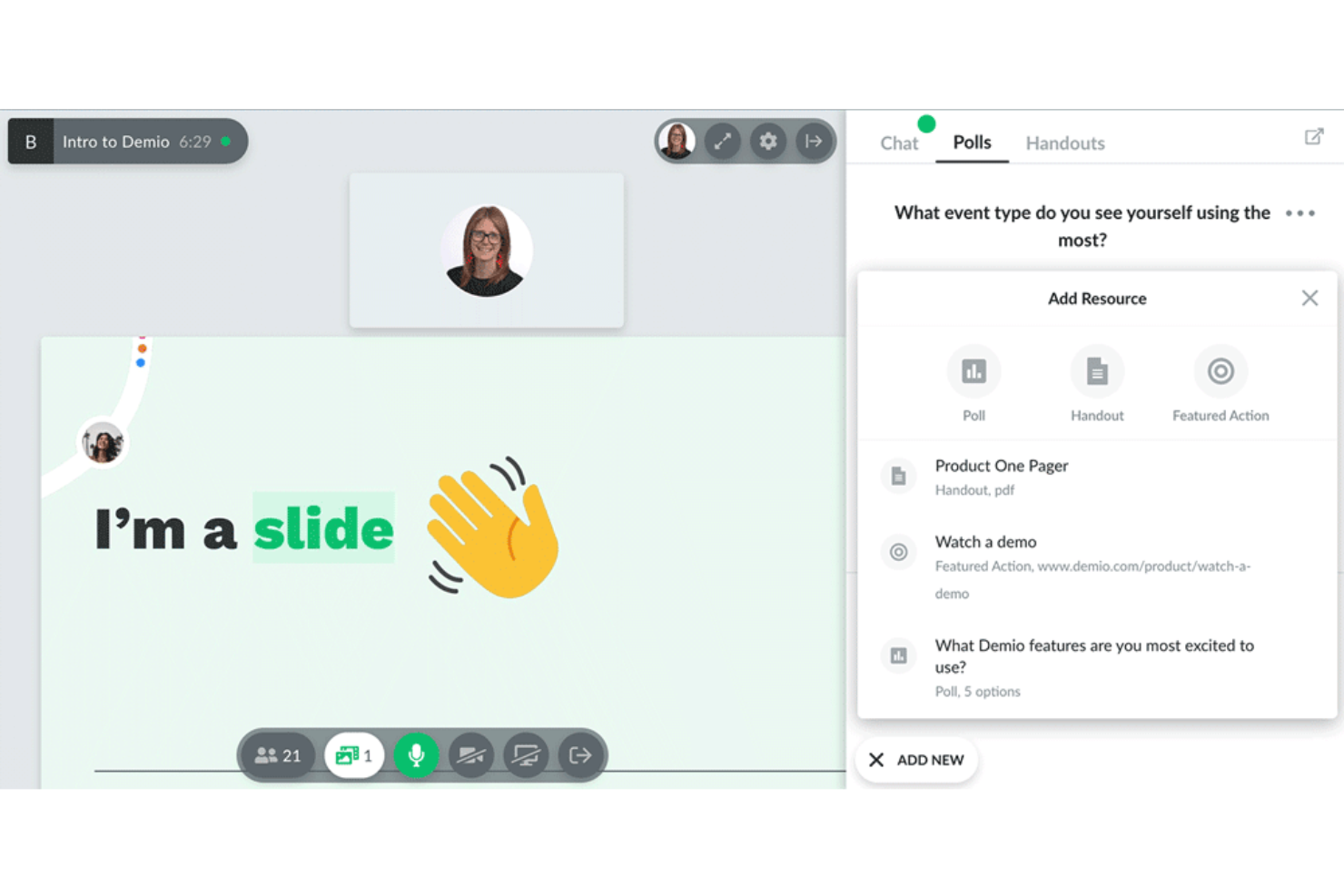
Demio is a browser-based webinar platform built for marketing and customer engagement teams. I think you'll appreciate how it simplifies live event hosting and lets you focus on building real-time audience interaction.
Who Is Demio Best For?
Marketing and customer success teams who want to deliver interactive webinars without requiring any downloads.
Why Demio Is a Good Livestorm Alternative
I picked Demio because it's purpose-built for live engagement, not just video delivery. Features like real-time polls, handouts, and a featured Q&A make it easy to keep attendees actively involved throughout a session. I also like the customizable registration pages and automated email reminders, which help drive attendance without extra tools. For teams running product demos or lead-gen webinars, Demio gives you everything in one focused workflow.
Demio Key Features
- Automated webinars: Schedule and run pre-recorded sessions that play on a set timetable.
- Event analytics dashboard: Track attendance, engagement, and drop-off rates for each session.
- On-demand webinars: Let registrants watch recorded sessions at their own convenience after the live event.
- Waiting room: Hold attendees in a branded pre-event space before the session begins.
Demio Integrations
Demio offers native integrations with HubSpot, Mailchimp, ActiveCampaign, Drip, Marketo, ConvertKit, Ontraport, AWeber, and GetResponse. It connects with Zapier and provides an API for custom integrations.
Pros and Cons
Pros:
- Automated webinars for recurring sessions
- Attendees join without downloads or plugins
- Engagement tools like polls and handouts
Cons:
- No breakout room feature for workshops
- Limited event branding flexibility

Zoom
Best for large-scale virtual events
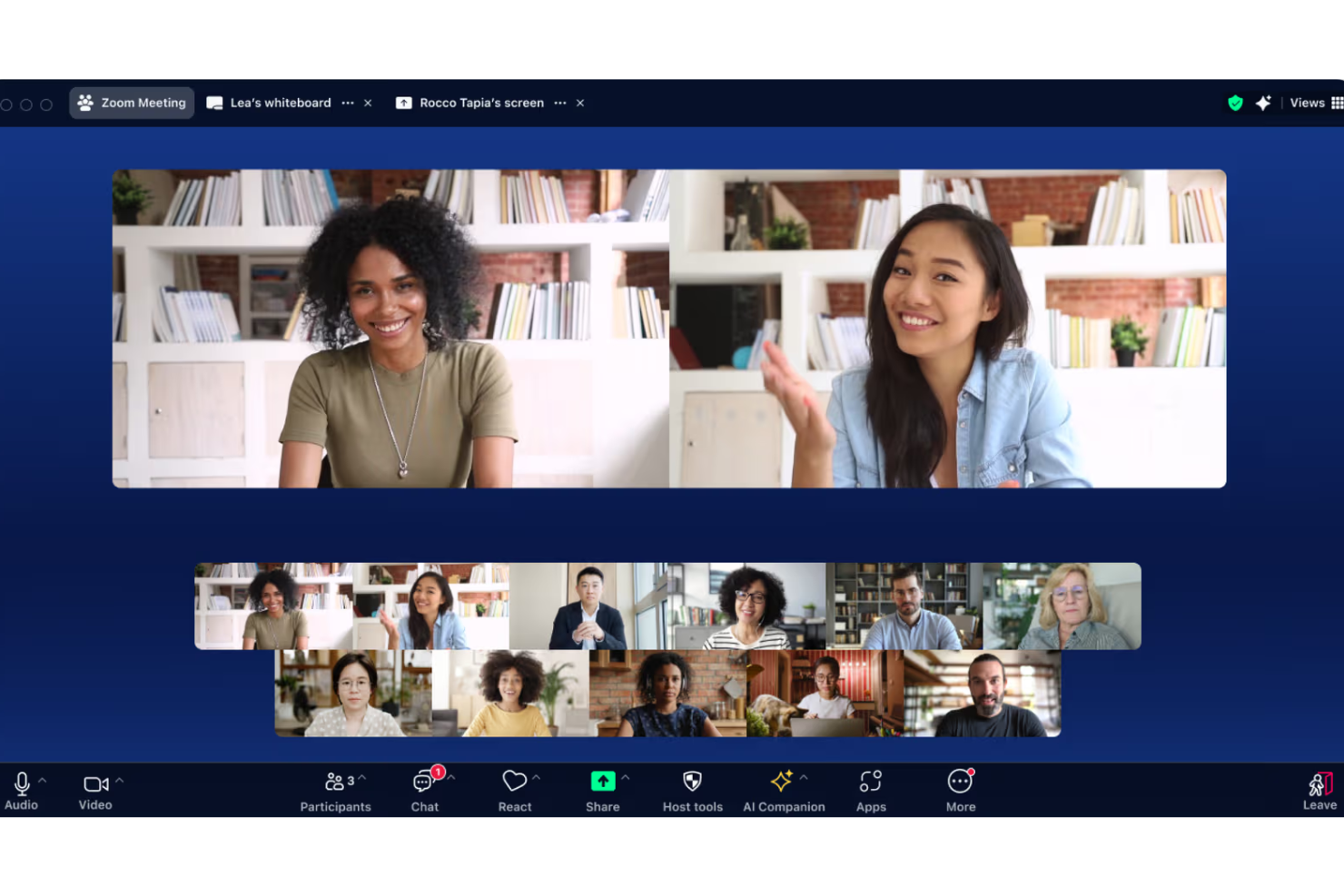
Zoom is a video conferencing platform that’s especially popular with organizations hosting webinars, virtual summits, and large-scale online events. If you need a solution that can support high attendee counts and deliver solid video reliability, Zoom makes those tasks easier for your team.
Who Is Zoom Best For?
Large organizations and event teams that need to host web conferences, training, or virtual events with hundreds or thousands of participants.
Why Zoom Is a Good Livestorm Alternative
I picked Zoom because it handles large-scale virtual events in a way few platforms can match. Zoom Webinars supports up to 50,000 view-only attendees, which makes it a go-to when you're hosting company-wide town halls or major product launches. I also appreciate Zoom Sessions and Zoom Events, which let my team build multi-session virtual conferences with custom agendas and a branded event hub. When audience size is the limiting factor with Livestorm, Zoom removes that ceiling entirely.
Zoom Key Features
- Breakout rooms: Split large meetings into smaller groups for focused discussions or collaborative work sessions.
- AI Companion: Generate meeting summaries, action items, and in-meeting chat responses automatically.
- Polling and Q&A: Collect real-time audience feedback and field attendee questions during live sessions.
- Cloud recording: Record meetings and webinars to the cloud and share them as on-demand content afterward.
Zoom Integrations
Zoom offers 100+ native integrations, including Salesforce, HubSpot, Slack, Google Drive, Dropbox, Box, Microsoft Teams, Google Workspace, Zapier, and an API for custom integrations.
Pros and Cons
Pros:
- Supports advanced event registration workflows
- Reliable video streaming quality at scale
- Handles thousands of live event attendees
Cons:
- Breakout room management can feel cumbersome
- Limited customization for webinar branding
Best for live audience participation
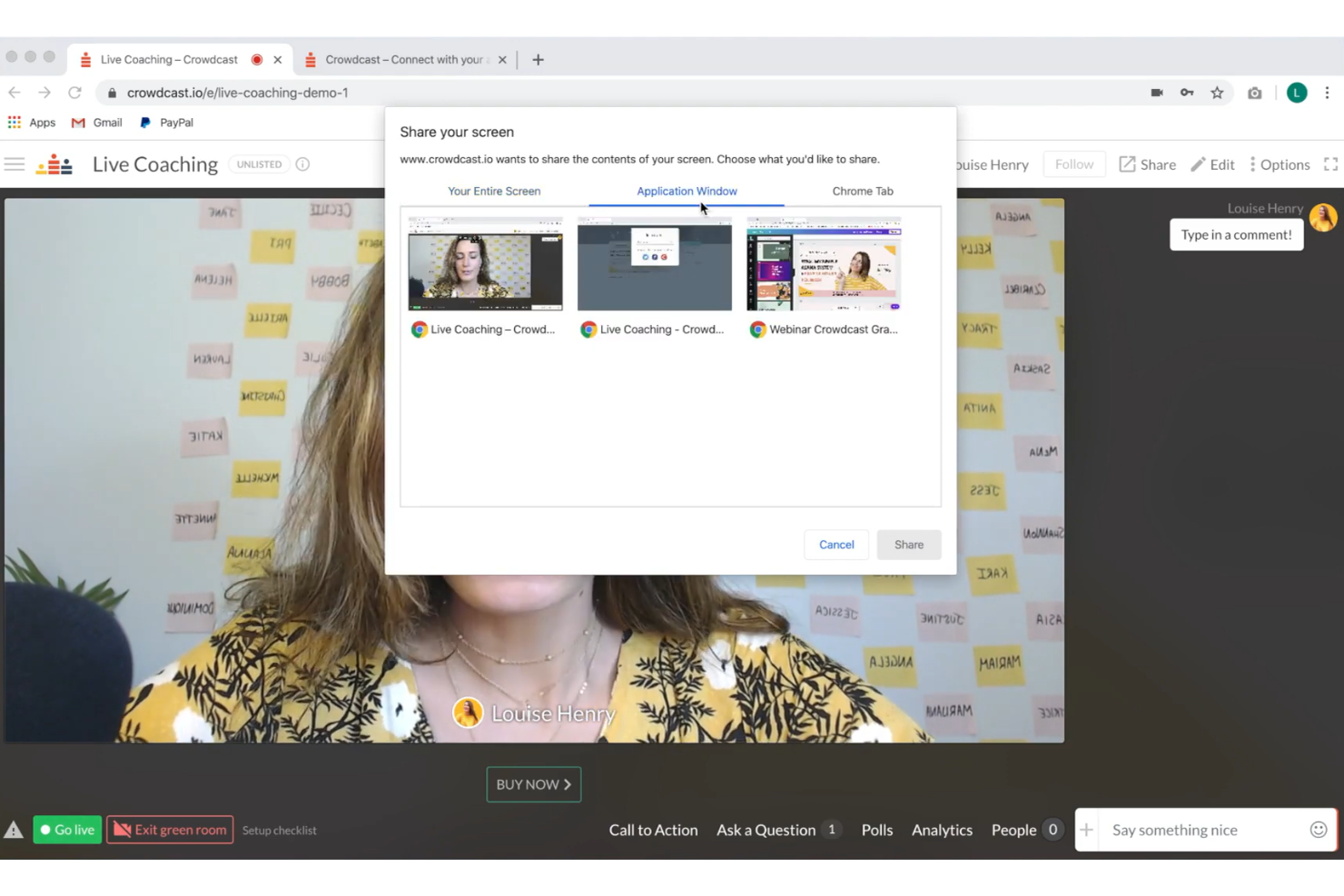
Crowdcast is a browser-based platform built for creators and teams who host high-volume live events, workshops, or interactive webinars. If you're looking to engage audiences through real-time participation, polls, and Q&A, Crowdcast is worth considering.
Who Is Crowdcast Best For?
Creators, educators, and marketers who need to interact with large audiences during webinars, workshops, and live virtual events.
Why Crowdcast Is a Good Livestorm Alternative
I picked Crowdcast because it's one of the few platforms that treats live audience participation as the main event, not an afterthought. The built-in Q&A runs throughout the session, so attendees can ask questions and upvote each other's submissions in real time—I've found this keeps energy high during long webinars without needing a separate moderation tool. Crowdcast also lets hosts run live polls mid-session, which I use to guide discussion based on what the audience actually wants to explore. For teams running community events or interactive workshops, that level of real-time responsiveness is hard to match.
Crowdcast Key Features
- Multi-streaming: Broadcast your live event simultaneously to Facebook Live, YouTube Live, and LinkedIn Live, so you can reach audiences across platforms without running separate sessions.
- Built-in landing pages: Create customizable registration pages with your own URL, images, and description—no third-party landing page tool needed.
- RTMP mode: Connect professional streaming software like OBS or Ecamm Live directly to your Crowdcast event for higher-quality production setups.
- Channel following: Attendees can follow your Crowdcast channel and receive push notifications or emails when you schedule new events.
Crowdcast Integrations
Crowdcast offers native integrations with Mailchimp, ConvertKit, Patreon, and Stripe. Zapier and an API are available for building custom integrations.
Pros and Cons
Pros:
- Multi-streaming to YouTube, Facebook, and LinkedIn
- No downloads required for presenters or attendees
- Live audience questions can be upvoted
Cons:
- Fewer post-event analytics than many competitors
- Limited attendee video participation in sessions

Best for simple browser-based meetings
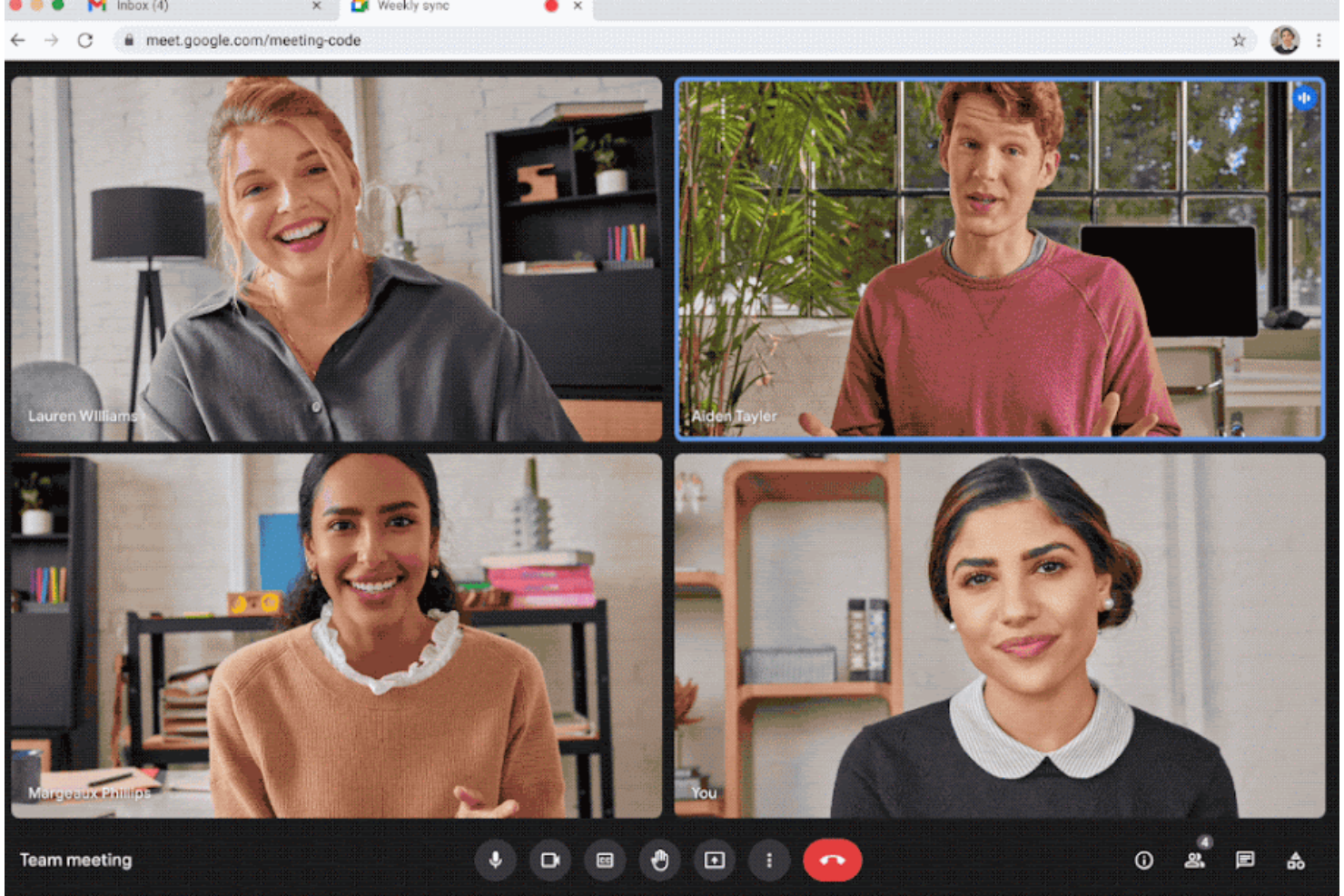
Google Meet is a browser-based video meeting platform that suits teams who want minimal setup and reliable access from any device. I think it's especially useful for groups that need quick, link-based calls without app downloads.
Who Is Google Meet Best For?
Teams and small businesses that want fast, no-download video calls from any browser or device.
Why Google Meet Is a Good Livestorm Alternative
I picked Google Meet because it removes almost every barrier to starting or joining a meeting. There's no app to download—just click a link and you're in, from a browser on any device. I also appreciate that it ties directly into Google Calendar, so scheduling a meeting and sharing the join link happens in the same step. For teams that live in Google Workspace, that kind of built-in simplicity is hard to beat.
Google Meet Key Features
- Live captions: Display real-time subtitles as participants speak during a call.
- Noise cancellation: AI filters out background noise so audio stays clear in any environment.
- Polls and Q&A: Run interactive polls and collect audience questions during a meeting.
- Gemini AI note-taking: Automatically capture meeting notes and surface key discussion points.
Google Meet Integrations
Google Meet offers native integrations across the Google Workspace ecosystem, including Google Calendar, Google Drive, Gmail, and Google Chat. An API is available for custom integrations.
Pros and Cons
Pros:
- Live captions for enhanced accessibility
- Smooth performance even on low bandwidth
- Browser-based joining with no downloads
Cons:
- No attendee registration or advanced analytics
- Limited webinar and event management features

Best for built-in team collaboration tools
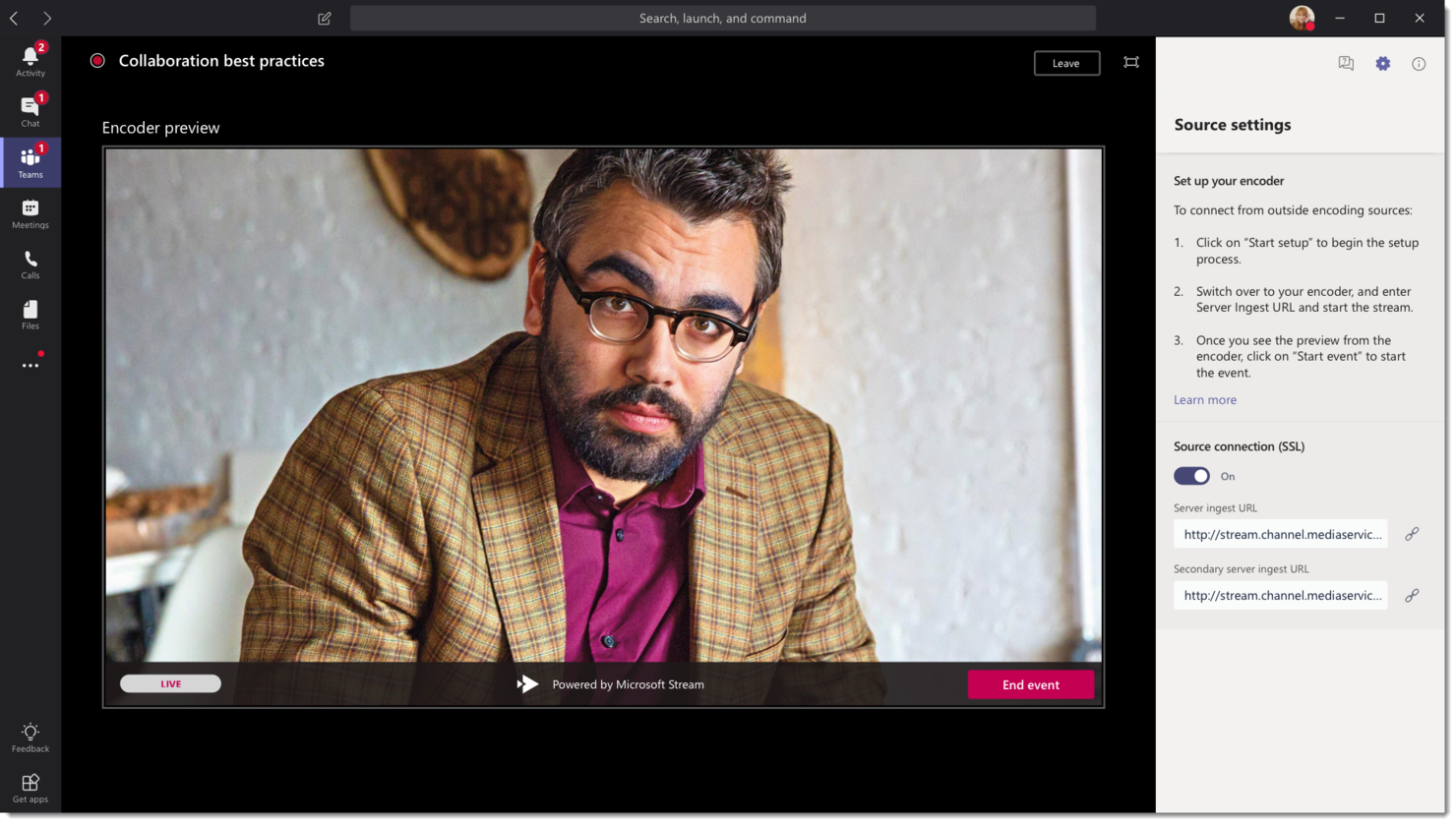
Microsoft Teams is built for businesses that want to blend video conferencing with messaging, file sharing, and persistent team workspaces. If your team already uses Microsoft 365, Teams brings meetings, chats, and files into one central hub.
Who Is Microsoft Teams Best For?
Distributed companies and departments that rely heavily on Microsoft 365 to coordinate projects, share documentation, and meet virtually.
Why Microsoft Teams Is a Good Livestorm Alternative
I picked Microsoft Teams because the collaboration layer is already built in—there's no need to switch between a meeting tool and a separate workspace. My team uses the persistent channel structure to keep ongoing project conversations, shared files, and meeting recordings all in one place. I also appreciate Team's town halls, which let us broadcast structured sessions to large internal audiences without leaving the platform. In practice, that means we can move from a standup to a town hall to an async document review without ever changing tools.
Microsoft Teams Key Features
- Breakout rooms: Split large meetings into smaller groups for focused discussions or collaborative work sessions.
- Together mode: Place all meeting participants in a shared virtual background to reduce screen fatigue during long sessions.
- Whiteboard: Collaborate in real time on a shared digital canvas during or outside of meetings.
- Meeting transcripts: Generate automatic text transcriptions of meetings, searchable and accessible after the session ends.
Microsoft Teams Integrations
Microsoft Teams has native integrations across the Microsoft ecosystem, including Microsoft 365 and Azure, and supports an API for custom integrations. It also offers native integrations with Salesforce, Trello, GitHub, and Adobe Creative Cloud.
Pros and Cons
Pros:
- Easy access for Microsoft 365 organizations
- Persistent channels for ongoing project collaboration
- Video meetings integrate with chat and files
Cons:
- Breakout room controls are less intuitive
- Webinar registration has limited customization options
Best for privacy-focused sessions
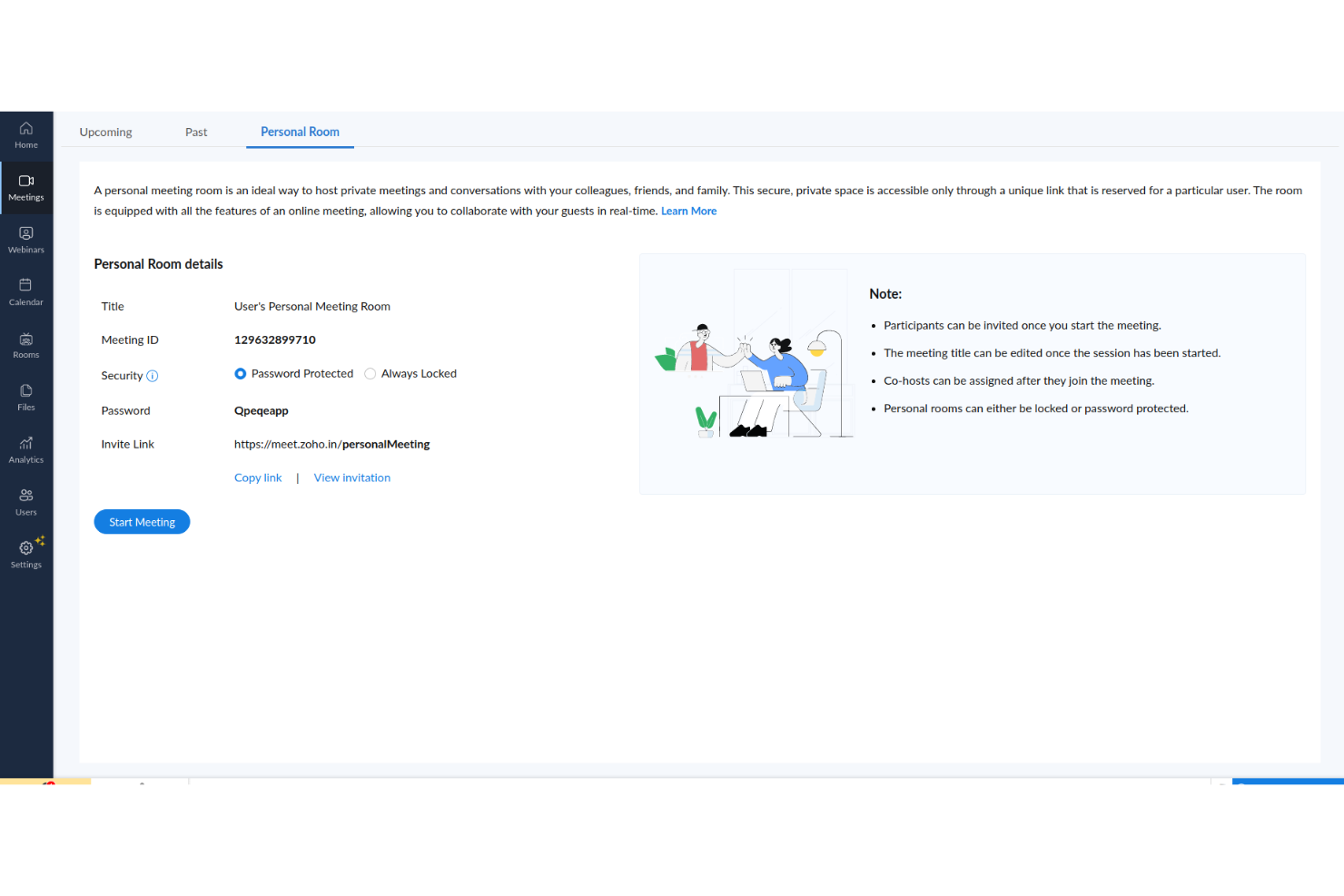
Zoho Meeting is a browser-based video conferencing platform designed for organizations that prioritize control over meeting data and participant privacy. It’s a good choice for professionals who want granular meeting controls, specialized settings for user consent, and flexible deployment options.
Who Is Zoho Meeting Best For?
IT admins and compliance-focused teams who require strict privacy controls and want to manage video meetings within company policy frameworks.
Why Zoho Meeting Is a Good Livestorm Alternative
I picked Zoho Meeting because it gives teams real control over who accesses meetings and what data gets collected. The host-only recording permissions mean participants can't capture sessions without consent, which matters in regulated or sensitive environments. I also appreciate the built-in waiting room and lock-meeting features, which let hosts control exactly when and who joins—useful for internal reviews or client-facing sessions where early entrants could be a problem. For teams already in the Zoho ecosystem, the tight connection with Zoho CRM and Zoho Webinar makes it a natural choice for running privacy-conscious sessions end to end.
Zoho Meeting Key Features
- Breakout rooms: Split participants into smaller groups during a session for focused discussions or workshops.
- Custom registration forms: Collect attendee information before webinars with configurable form fields.
- In-session polls: Launch polls during live meetings to gather real-time input from participants.
- Meeting analytics: Review attendance data, duration, and participant engagement after each session.
Zoho Meeting Integrations
Zoho Meeting offers native integrations with Zoho CRM, Zoho Projects, Zoho Calendar, Slack, Microsoft Outlook, Google Workspace, and connects with Zapier. An API is available for custom integrations.
Pros and Cons
Pros:
- Compliant with global privacy regulations
- Browser-based with no installs required
- Granular host controls over participant permissions
Cons:
- Session recording is restricted to the host only
- Limited attendee engagement options compared to competitors
Best for easy event scheduling
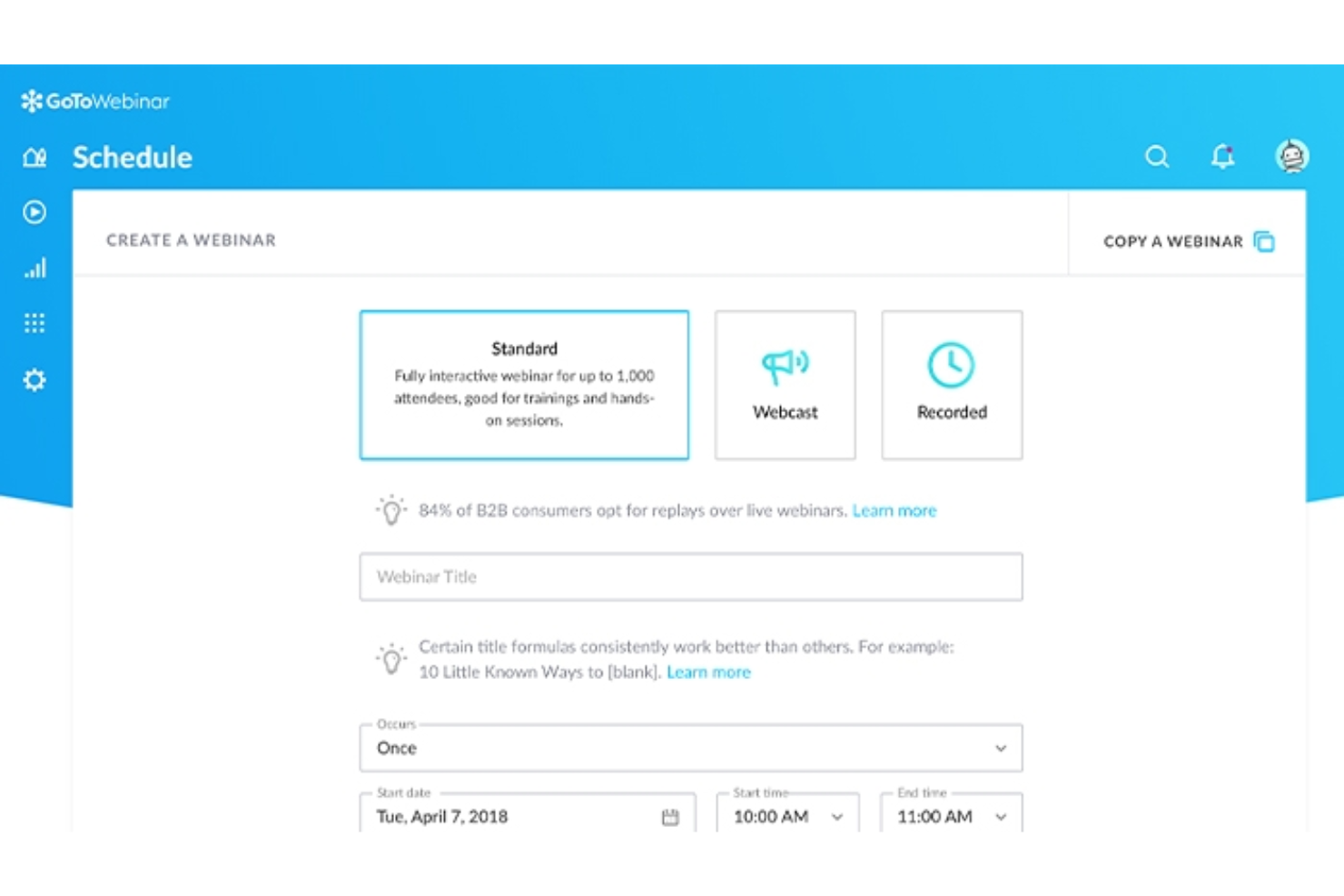
GoTo Webinar is a webinar hosting platform that’s built for professionals who need reliable, large-scale online event delivery without complexity. I think it’s a good match for small businesses and corporate teams that want a straightforward interface to handle online training, town halls, or customer briefings.
Who Is GoTo Webinar Best For?
Corporate training teams and SMBs hosting webinars for internal or customer-facing audiences.
Why GoTo Webinar Is a Good Livestorm Alternative
I picked GoTo Webinar for how easy it makes recurring event scheduling. The built-in event templates let you configure registration pages, email sequences, and session settings once, then reuse them across future events without starting from scratch. I also like the automated email reminders and follow-ups, which fire at preset intervals without any manual intervention. For teams running a regular cadence of webinars, that kind of scheduling automation saves a lot of repetitive setup work.
GoTo Webinar Key Features
- Polls and surveys: Collect attendee feedback or run live Q&A during the session.
- Custom registration pages: Build branded sign-up pages with custom fields to capture attendee information.
- Analytics dashboard: Track registrations, attendance, engagement scores, and drop-off data post-event.
- On-demand recording: Automatically record sessions and share them with registrants after the event.
GoTo Webinar Integrations
GoTo Webinar offers native integrations with Salesforce, Marketo, Zapier, and Slack. It also provides an API for custom integrations.
Pros and Cons
Pros:
- Live Q&A and polling built-in
- Automated invitation and follow-up emails
- Reliable performance at high attendee counts
Cons:
- No built-in breakout rooms
- Limited event branding options

Best for advanced audience engagement
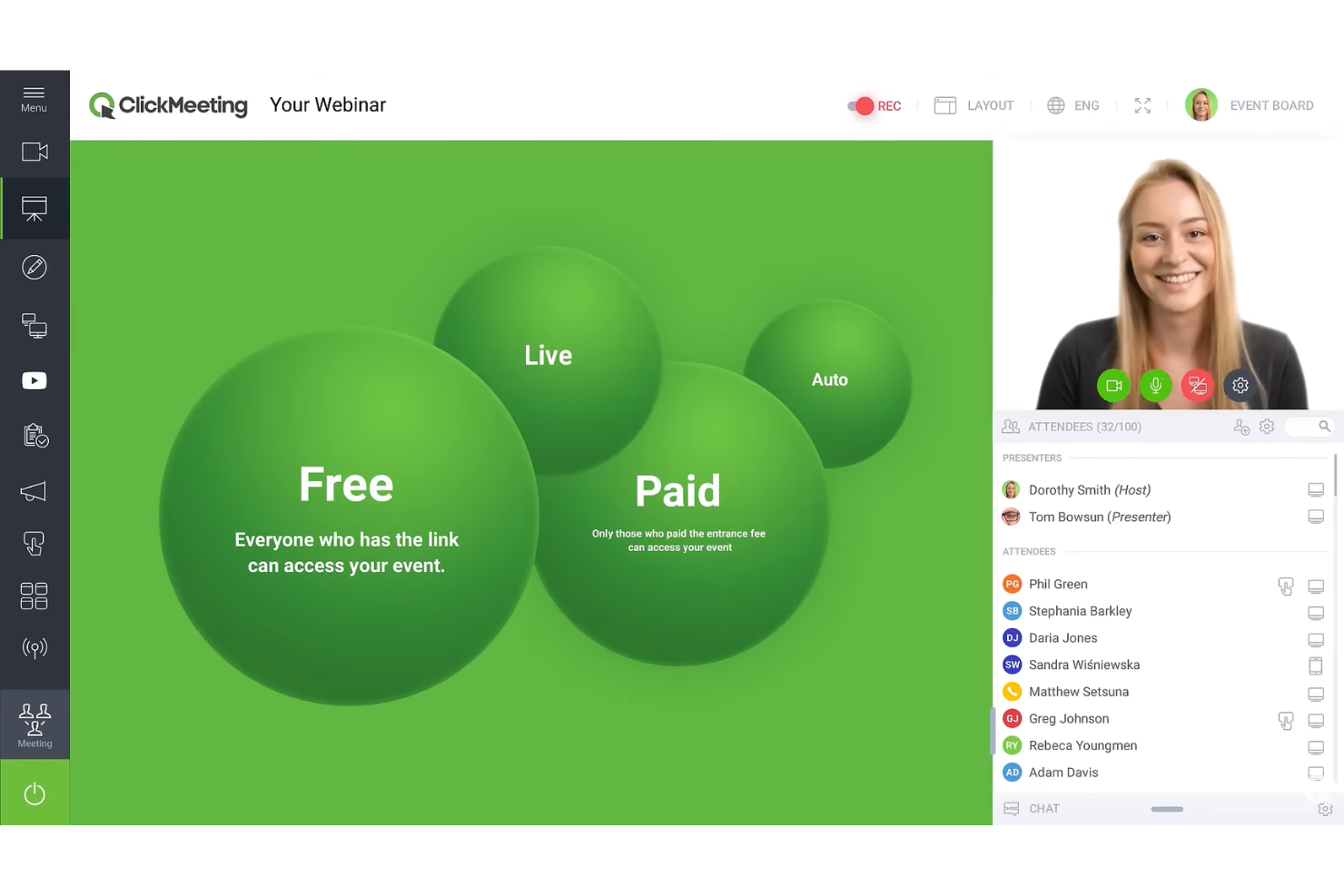
ClickMeeting stands out for teams running webinars, live product demos, and interactive online events where audience participation matters. I think you’ll appreciate its mix of customization and engagement tools if you need to keep virtual attendees active and invested.
Who Is ClickMeeting Best For?
Online event organizers and marketing teams who need to drive real-time engagement and interactivity with large digital audiences.
Why ClickMeeting Is a Good Livestorm Alternative
I picked ClickMeeting specifically for its depth of in-session audience engagement tools. The live surveys and polls let me gauge attendee understanding in real time, and the CTA button feature lets me push a clickable call-to-action directly into the webinar room at any moment during the session. I also like the multistreaming feature, which lets me broadcast simultaneously to up to five platforms—including Facebook, YouTube, LinkedIn, and TikTok—in 1080p, which means I can run one event and reach audiences across multiple channels at once without any extra setup.
ClickMeeting Key Features
- Automated webinars: Schedule pre-recorded sessions to run on a set timetable without hosting live.
- Breakout rooms: Split attendees into smaller groups for discussions or workshops within the same event.
- Waiting room: Hold attendees in a branded lobby before the session starts.
- Whiteboard: Draw, annotate, and present ideas in real time during a session.
ClickMeeting Integrations
ClickMeeting offers native integrations with Zoom, HubSpot, Moodle, PayPal, and Facebook, and connects with Zapier. An API is available for custom integrations.
Pros and Cons
Pros:
- Supports automated webinars and live events
- Webinar room customization options
- Detailed analytics for attendee engagement
Cons:
- Breakout room capacity is limited
- Advanced features only on higher plans
Best for interactive attendee features
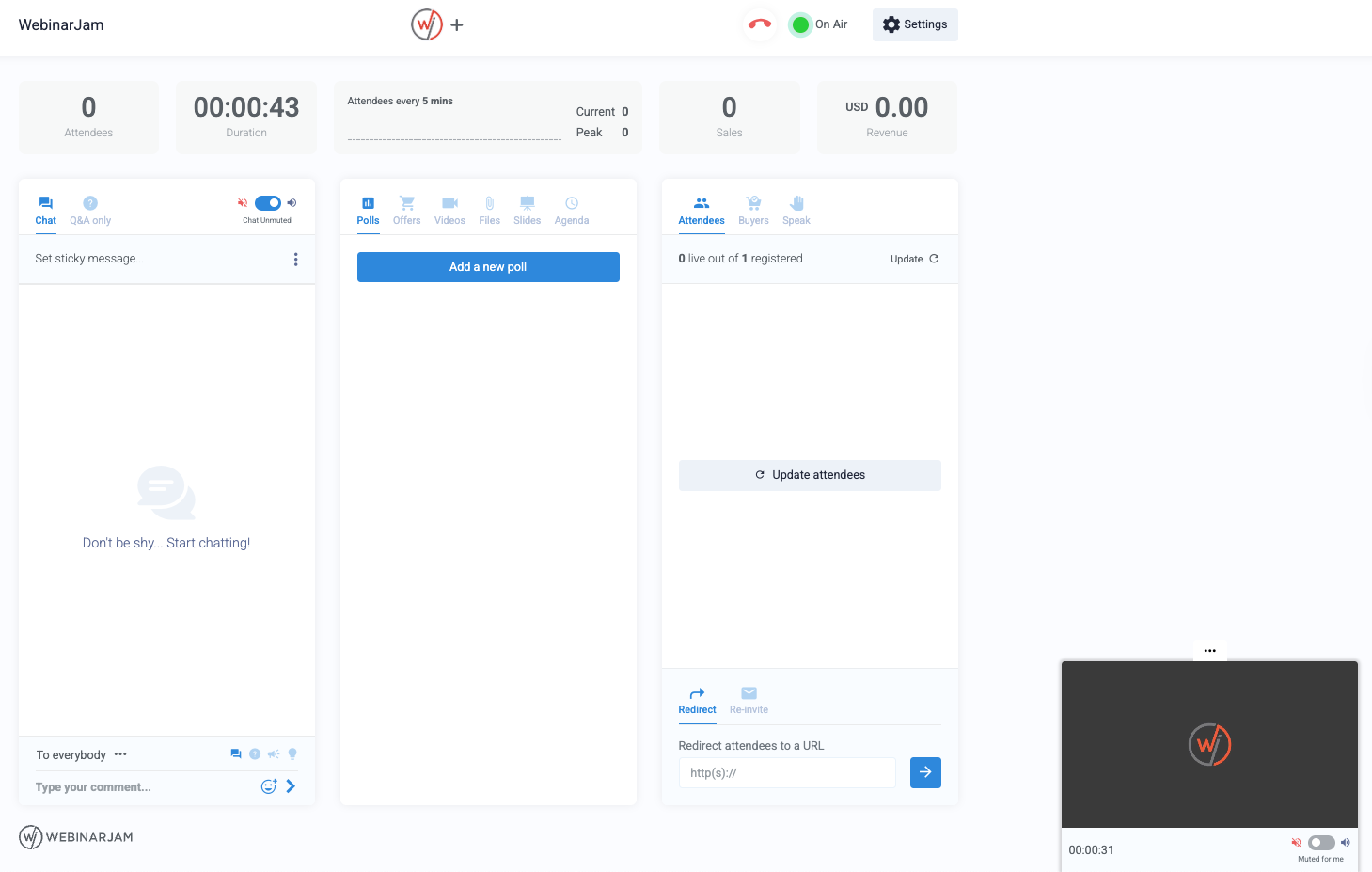
WebinarJam is a cloud-based webinar platform geared toward teams who want deeper control over attendee engagement and presentation flow. I think you’ll find it especially appealing if you run high-volume online events or trainings that require live feedback and active participation.
Who Is WebinarJam Best For?
Marketing and sales teams running large-scale interactive webinars or product launches.
Why WebinarJam Is a Good Livestorm Alternative
I picked WebinarJam because of how far it goes with live audience interaction. The attendee spotlight feature lets you pull participants onto the screen in real time, which is something I've found genuinely useful for Q&A sessions and panel-style events. I also like the live chat moderation tools, including private messaging and comment pinning, which help manage high-volume conversations without losing control. For teams running large, engagement-heavy webinars, those features make a real difference.
WebinarJam Key Features
- Interactive polls and surveys: Gather audience feedback during live sessions and use responses to guide the conversation in real time.
- Attendee spotlight: Bring selected attendees onto the screen so they can ask questions, share feedback, or participate in live discussions.
- Automated scheduling: Set up recurring webinar sessions and scheduled events without rebuilding each event from scratch.
- Live chat and Q&A: Manage attendee questions, private messages, and pinned comments during high-volume webinars.
WebinarJam Integrations
WebinarJam offers native integrations with ActiveCampaign, Twilio, Mailchimp, AWeber, Keap, Ontraport, and Kartra. It connects with Zapier and provides an API for custom integrations.
Pros and Cons
Pros:
- Automated webinar scheduling for recurring events
- Polls, handouts, and real-time offers included
- Attendee spotlight brings users on-screen live
Cons:
- No breakout rooms for group work
- Limited branding control for event customization
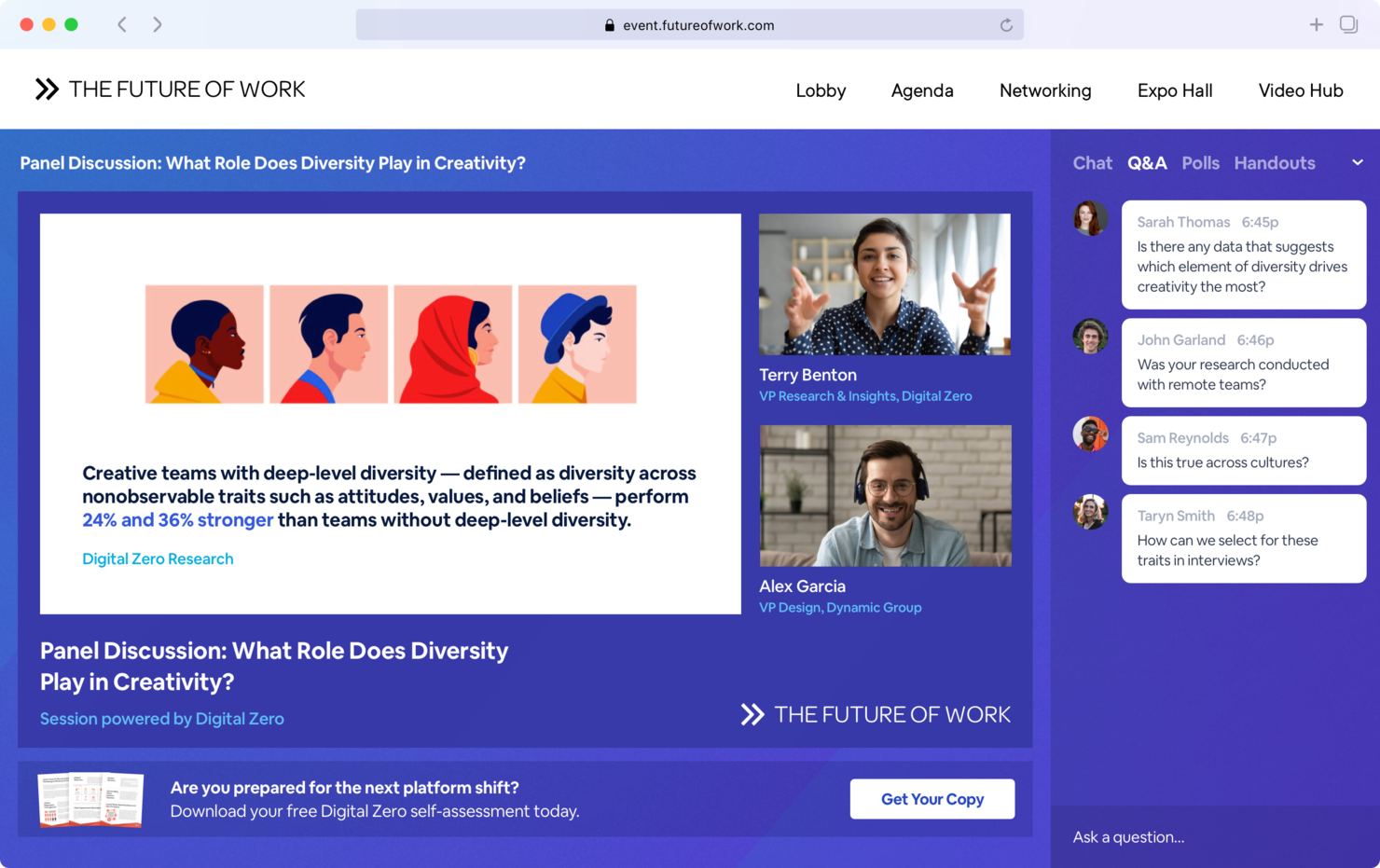
BigMarker is a virtual event platform designed for businesses and organizations that want to deliver highly tailored, interactive online experiences. It’s a strong choice for event marketers and enterprises seeking full design, engagement, and broadcast flexibility in their video conferencing tools.
Who Is BigMarker Best For?
Event marketing teams and enterprises running large-scale virtual conferences, expos, or product launches that require customizable branding and interactive attendee engagement.
Why BigMarker Is a Good Livestorm Alternative
I picked BigMarker because the level of white-label branding control it offers is unlike most webinar tools I've used. You can customize registration pages, attendee lobbies, and the event environment itself with your own colors, logos, and fonts—no BigMarker branding in sight. I also like the built-in virtual conference builder, which lets my team design multi-session events with sponsor booths, networking rooms, and a custom agenda page. For organizations running branded annual conferences or product launch events, that kind of end-to-end design control replaces a patchwork of separate tools.
BigMarker Key Features
- Simulive webcasts: Pre-record your presentation and schedule it to run automatically at a set time, so you can stay focused on live audience engagement.
- Q&A with upvoting: Let attendees submit questions and vote the best ones to the top, so you're always addressing what your audience actually wants to discuss.
- Ticket sales and paid access: Sell tickets to live sessions or charge for on-demand recordings directly through BigMarker, with proceeds withdrawn via PayPal.
- Attendee networking rooms: Host role-based lounges, matchmaking, and meetups inside your event so attendees can connect with each other between sessions.
BigMarker Integrations
BigMarker offers native integrations with Salesforce, HubSpot, Marketo, Mailchimp, Constant Contact, ActiveCampaign, Pardot, Eloqua, Zapier, and provides an API for custom integrations.
Pros and Cons
Pros:
- Advanced customization for event branding
- Robust lead capture and analytics tools
- Supports multi-session virtual conferences
Cons:
- No built-in networking for small group chats
- Limited options for live breakout rooms
Other Livestorm Alternatives
Here are some additional Livestorm alternatives that didn’t make it onto my shortlist, but are still worth checking out:
- WebinarGeek
For automated follow-up actions
- RingCentral Webinar
For unified communications integration
- Screenflow
For advanced video editing and presentations
- Vimeo
For professional hosting and team workflow tools
- Riverside
For high-quality local audio and video recording
- OBS Studio
For custom scene composition and streaming
- StreamYard
For browser-based streaming to multiple platforms
- Screen Recorder
For instant cloud-based screen sharing


How I Evaluate Livestorm Alternatives
I look at two things: whether a tool meets the baseline for live events—streaming, registration, replay—and what sets it apart for project teams that host client demos or internal training.
Core Functionality (Table Stakes For This List)
When I'm selecting tools for my list, I rank each one on a scale from 0 (does not offer the functionality) to 5 (excels in this area) for each core functionality listed below. Then, I calculate the tool's total score into a percentage. Each tool needs to achieve a minimum total score of 65% to be considered for inclusion.
- Live Video Broadcasting: I evaluate whether a platform can reliably stream HD video to hundreds of attendees, especially for use cases like project kickoffs or all-hands updates where lag or dropped connections derail the session.
- Audience Engagement Tools: Polls, Q&A, chat, and reactions are what separate a webinar from a passive video call. I look for tools that let facilitators launch engagement prompts mid-session without disrupting the presentation flow.
- Registration & Landing Pages: A good Livestorm alternative should include customizable registration forms and branded landing pages so project teams can manage event sign-ups and automated reminders without relying on a separate tool.
- Recording & On-Demand Replay: For distributed teams across time zones, recorded sessions need to be hosted and shareable. I check whether replays are automatically available after the event or require manual export and re-upload.
- Session Analytics & Reporting: Attendance counts alone aren't enough. I look for attendee-level engagement data—like poll responses, drop-off points, and Q&A participation—that helps delivery managers gauge how a training or demo actually landed.
- Business Tool Integrations: The platform should connect with CRMs, calendars, and project management tools your team already uses. Native integrations with platforms like HubSpot, Google Workspace, or Jira make post-event follow-up much easier to manage.
Once I have a list of tools that meet this criteria, I consider what sets each platform apart.
Differentiating Factors (What Sets Vendors Apart)
Here's how I compare and contrast different vendors:
Standout Features
Breakout rooms matter when you're running workshops or sprint retrospectives where smaller group discussions lead to better outcomes. I also evaluate whether a platform supports simulive or evergreen webinars, which let you run a polished, pre-recorded onboarding session on repeat without hosting it live each time. For client-facing delivery managers, custom branding and white-labeling shape how professional your demos and kickoff meetings feel to external stakeholders.
Beyond Features
Pricing transparency is one of the first things I check. Some platforms charge per attendee or per session, which can balloon costs quickly when you're running weekly client demos across multiple project streams. I also look at how well a tool connects with the project management ecosystem—native integrations with tools like Jira or HubSpot save teams from manually logging follow-ups after every session. Security certifications like SOC 2 and GDPR compliance matter too, especially for teams hosting sessions where sensitive project data or client information is shared.
Why Look For a Livestorm Alternative?
While Livestorm is a good choice of video conferencing software, there are a number of reasons why some users seek out alternative solutions. You might be looking for a Livestorm alternative because…
- You need stronger privacy or data residency options
- Livestorm’s attendee limits don’t fit your audience size
- Integration choices are too narrow for your workflows
- Feature set is focused more on webinars than meetings
- You want more granular host control settings
- Pricing structure doesn’t align with your usage
If any of these sound like you, you’ve come to the right place. My list contains several video conferencing software options that are better suited for teams facing these challenges with Livestorm and looking for alternative solutions.
Livestorm Key Features
Here are some of the key features of Livestorm, to help you contrast and compare what alternative solutions offer:
- Automated webinars: Host pre-recorded webinars that run at scheduled times, helping teams deliver repeatable sessions without managing every event live.
- Custom registration pages: Build branded event pages that collect attendee details and support a more polished webinar experience from sign-up to follow-up.
- Browser-based meetings: Let participants join webinars and virtual meetings from any device using only a browser, with no downloads or plugins required.
- Integrated email workflows: Set up automated confirmations, reminders, and follow-ups directly inside the platform to support different webinar plans and event formats.
- Audience engagement tools: Use polls, Q&A, live chat, and emoji reactions to create more engaging webinars and encourage real-time participation.
- Analytics dashboard: Track registrations, attendance, engagement, and event performance to better understand video engagement and audience behavior.
- Breakout rooms: Divide attendees into smaller groups for workshops, training sessions, hybrid events, or moderated discussions.
- Third-party integrations: Connect Livestorm with tools like HubSpot, Salesforce, Slack, and Zapier to share event data across your software stack.
- On-demand access: Share recorded sessions after the event so registrants can watch live streaming content or pre-recorded webinars on their own schedule.
- Security and compliance: Use GDPR compliance, role-based access controls, and private event settings to manage access for webinars and virtual meetings.