

10 Best Webex Alternatives for Video Conferencing in 2026

Best Webex Alternatives Shortlist


The best Webex alternatives combine reliable video quality, easy collaboration, and flexible integrations so your team can work how it needs to. If you’re searching for Webex alternatives, chances are you want video conferencing software that’s easier to use, fits your current stack, or handles meetings and events more smoothly. In this list, you’ll find the platforms I trust for everything from daily standups to webinar hosting—so you can skip the trial-and-error and pick the right tool for your team.
What is Webex?
Webex is a video conferencing and collaboration platform developed by Cisco that lets teams host virtual meetings, webinars, and training sessions. It offers screen sharing, chat, cloud recording, and integrations with popular productivity tools. Webex is used by businesses of all sizes to run remote meetings, support hybrid work, and connect distributed teams through audio, video, and interactive features.
Webex Alternatives Comparison Table
This comparison table summarizes pricing details for my top Webex alternative selections:
| Tool | Best For | Trial Info | Price | ||
|---|---|---|---|---|---|
| 1 | Best for interactive marketing webinars | 14-day free trial + free demo available | From $45/host/month (billed annually) | Website | |
| 2 | Best for Google Workspace organizations | Free trial available | From $9.20/user/month (billed annually) | Website | |
| 3 | Best with automated event workflows | Free trial + free demo available | From $3/attendee | Website | |
| 4 | Best with Microsoft 365 app integration | Free trial available | From $4.00/user/month (billed annually) | Website | |
| 5 | Best for engagement-driven virtual events | Free demo available | Pricing upon request | Website | |
| 6 | Best for large-scale webinar reliability | Free trial + free demo available | From $59/month (billed annually) | Website | |
| 7 | Best for flexible webinar engagement tools | Free trial + free demo available | From $37/month (billed annually) | Website | |
| 8 | Best for customizable virtual meetings | Free demo available | From $190/host (billed annually) | Website | |
| 9 | Best with live webcasts and analytics | 14-day free trial | From $39/month (billed annually) | Website | |
| 10 | Best all-in-one for webinars, series, and summits | Free demo available | Pricing upon request | Website |
Why Trust Our Software Recommendations
Our team has been testing and reviewing software since 2012. As project managers ourselves, we know how difficult—and important—it is to choose the right software.
For this guide, we evaluated tools using hands-on testing and independent research, scoring tools using our selection criteria. We also draw on insights from industry thought leaders and practicing project management experts.
Our reviews reflect our human editorial judgment, not a sales pitch.
Expert reviewers:
Best Webex Alternatives Reviews
Below are my detailed summaries of the best Webex alternatives that made it onto my shortlist. My reviews offer a detailed look at the features, integrations, and best use cases of each video conferencing platform to help you find the best one for you.

Demio
Best for interactive marketing webinars
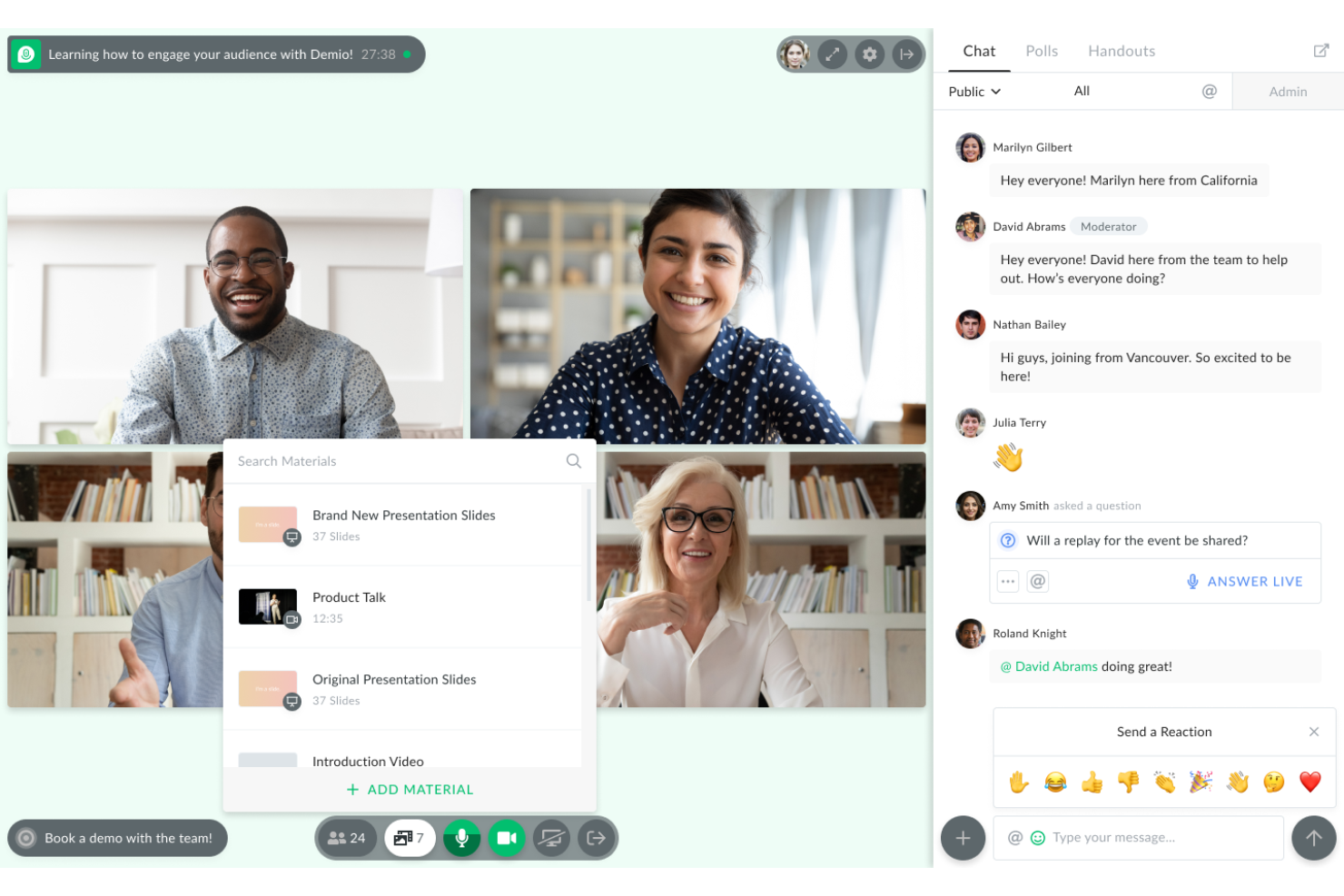
Demio is a webinar platform that blends marketing automation with interactive experiences, built for marketers and teams focused on attendee engagement. If you’re looking to host lead-generating webinars or nurture prospects in real time, Demio gives you tools to drive audience participation.
Who Is Demio Best For?
Marketing and sales teams at SaaS companies who prioritize audience engagement and lead nurturing through live events.
Why Demio Is a Good Webex Alternative
I picked Demio because it's built specifically around keeping audiences active during live sessions, not just present. The polls, handouts, and featured actions let me push attendees toward a specific next step—like booking a call or downloading a resource—without leaving the event. I also rely on Demio's automated event series, where I can schedule a sequence of webinars and let the platform handle the reminders and follow-ups. For marketing-led teams running product demos or pipeline webinars, that combination of in-session engagement tools and post-event automation is hard to match.
Demio Key Features
- Attendee spotlight: Bring individual attendees on stage during a live session so they can speak and be seen by the full audience.
- Session recording and replay: Automatically record live events and make them available for on-demand viewing after the session ends.
- Q&A tagging: Tag specific chat messages as questions to organize and surface them for dedicated Q&A responses.
- Custom virtual backgrounds: Upload branded backgrounds with your company logo or visuals to maintain a consistent look across sessions.
Demio Integrations
Demio offers native integrations with HubSpot, Mailchimp, ActiveCampaign, ConvertKit, Drip, Marketo, Ontraport, AWeber, Keap, and Zapier. An API is available for custom integrations.
Pros and Cons
Pros:
- Q&A tagging keeps audience questions easier to organize
- Automated webinar series help manage marketing events
- Interactive polls and handouts support attendee engagement
Cons:
- Host controls offer limited granularity
- Fewer in-session collaboration tools than rivals

Best for Google Workspace organizations
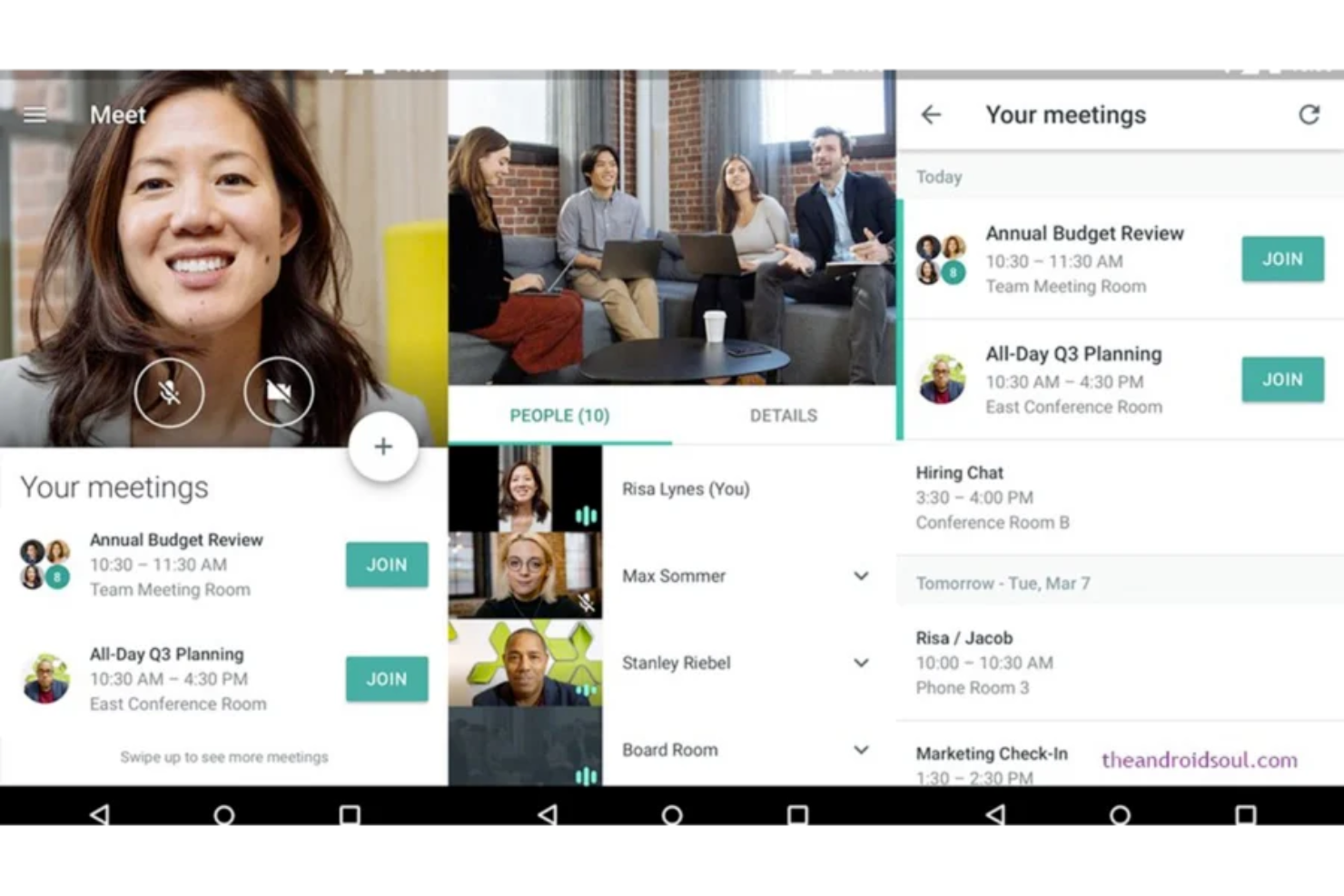
If you need a browser-based video conferencing solution that works natively with Google Workspace, Google Meet is worth your attention. Many remote and hybrid teams use it to schedule, join, and manage secure meetings without downloads or plug-ins.
Who Is Google Meet Best For?
Teams that rely on Google Workspace and want secure, browser-based video meetings without installing extra software.
Why Google Meet Is a Good Webex Alternative
I picked Google Meet because it's the only video conferencing tool my team can launch directly from a browser tab—no downloads, no plug-ins, no setup friction. That alone makes a difference when you're hosting external guests who aren't set up with a corporate IT stack. I also rely on its direct connection to Google Calendar, which means meeting links generate automatically when I schedule an event. For teams already working in Google Workspace, Meet removes the overhead of managing a separate meeting platform.
Google Meet Key Features
- Live captions: Automatically generate real-time captions during meetings for accessibility.
- Breakout rooms: Split meetings into smaller sessions for focused group discussions.
- Meeting recording: Capture and store video calls with automatic transcription in the cloud.
- Noise cancellation: Filter out background sounds during calls using AI-based audio processing.
Google Meet Integrations
Google Meet offers native integrations across the Google Workspace ecosystem, including Gmail, Google Calendar, Google Drive, Google Chat, and Google Slides. An API is available for custom integrations.
Pros and Cons
Pros:
- Live captions improve accessibility during web conferencing
- Google Calendar links simplify video conference scheduling
- User-friendly browser access reduces setup friction
Cons:
- Hosts need Google accounts to start meetings
- Meeting controls are lighter than some competitors

Best with automated event workflows
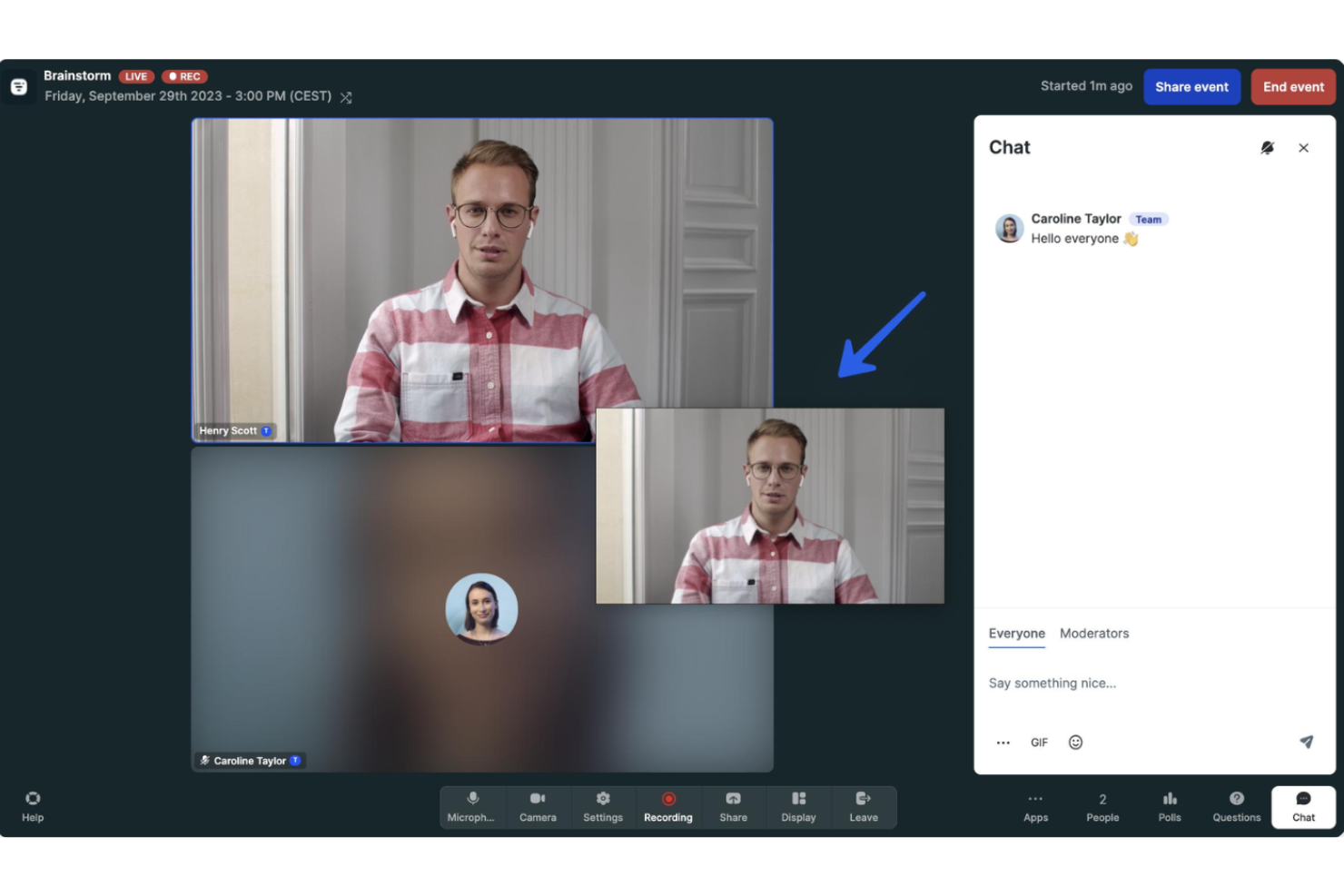
Livestorm is a browser-based video engagement platform built for marketing teams, customer education, and event organizers who want automation and integrations at the core of their workflow. It’s especially well-suited for running webinars, live product demos, and multi-session events without requiring software downloads.
Who Is Livestorm Best For?
Marketing and customer success teams at SaaS companies who need a browser-based platform for webinars, onboarding, and automated virtual events.
Why Livestorm Is a Good Webex Alternative
I picked Livestorm specifically for how it handles the entire event lifecycle without requiring attendees to download anything. The browser-based access alone removes a meaningful friction point—especially for external audiences like prospects and customers who won't install a desktop app just to join your demo. What I find especially useful is Livestorm's event automation layer: you can configure email cadences, on-demand replays, and registration workflows to run on their own, so my team isn't manually managing each touchpoint. I also use the multi-session registration feature when running a series, letting attendees register once and access all sessions without resubmitting their information each time.
Livestorm Key Features
- AI content repurposing: Pulls a transcript from your live event and generates content formatted for different channels.
- Restreaming: Simultaneously broadcasts your event to platforms like LinkedIn, YouTube, and X in full HD.
- Live captions: Automatically transcribes spoken content in real time to make sessions more accessible.
- Certificate delivery: Automatically sends participation certificates to attendees who joined the session.
Livestorm Integrations
Livestorm offers native integrations with Salesforce, HubSpot, Slack, Google Analytics, Intercom, Miro, Mailchimp, Microsoft Teams, and Google Sheets. It connects with Zapier and provides an API for custom integrations.
Pros and Cons
Pros:
- Multi-session registration works well for event series
- Automated workflows support recurring video communications
- Browser-based access creates a user-friendly attendee experience
Cons:
- Attendee numbers restricted by pricing tier
- Breakout session tools are limited

Best with Microsoft 365 app integration
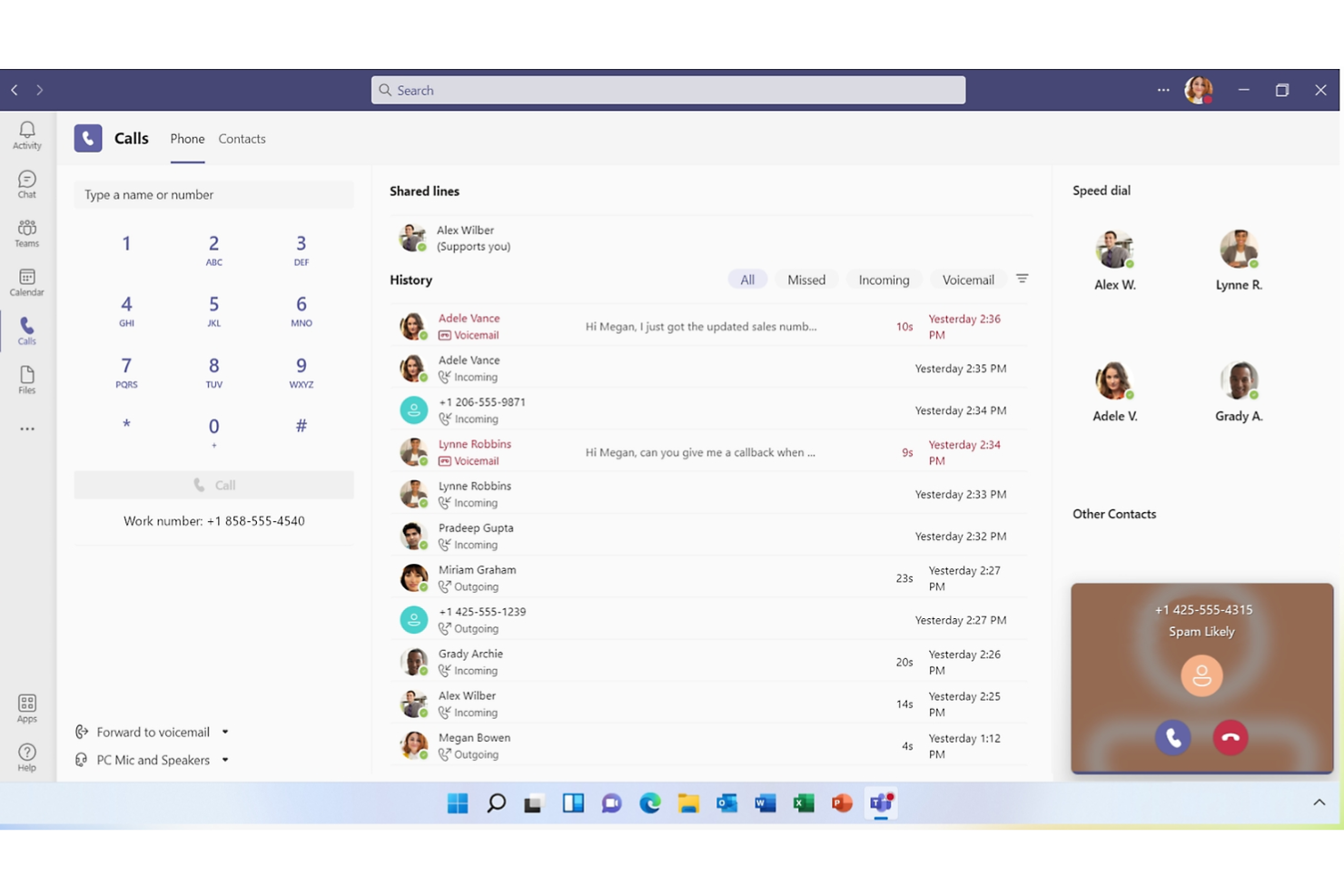
If you're managing a team that relies on Microsoft 365, Microsoft Teams gives you a single workspace to chat, meet, and share files directly within your existing workflow. I think it's a top choice for organizations wanting unified communication and real-time collaboration without switching between separate tools.
Who Is Microsoft Teams Best For?
Large and mid-sized organizations using Microsoft 365 for daily workflows and cross-department communication.
Why Microsoft Teams Is a Good Webex Alternative
I picked Microsoft Teams because it embeds meetings directly inside the same environment where my team writes documents, edits spreadsheets, and manages projects—no context switching needed. One feature I rely on heavily is Channels, which lets me organize conversations by project or topic so meeting follow-ups, shared files, and chat threads all stay in one place. I also appreciate Together Mode, which places everyone in a shared virtual space during calls and genuinely makes long meetings feel less draining. For teams already running on Microsoft 365, Teams removes the friction of jumping between tools to get work done.
Microsoft Teams Key Features
- Live captions: Automatically generate real-time captions during meetings for accessibility.
- Breakout rooms: Split meetings into smaller sessions for focused group discussions.
- Meeting recording: Capture and store video calls with automatic transcription in the cloud.
- Whiteboard: Collaborate visually during meetings using a shared digital canvas.
Microsoft Teams Integrations
Microsoft Teams has native integrations across the Microsoft ecosystem, including Microsoft 365 and Azure. It also offers native integrations with Trello, Salesforce, Asana, ServiceNow, Jira, GitHub, and Zoom. An API is available for custom integrations.
Pros and Cons
Pros:
- Works well for teams already using Microsoft 365
- Channels keep project management discussions organized
- Combines business communication, meetings, and file sharing
Cons:
- Search may miss older chats or shared files
- Notification settings can be difficult to manage

ON24
Best for engagement-driven virtual events
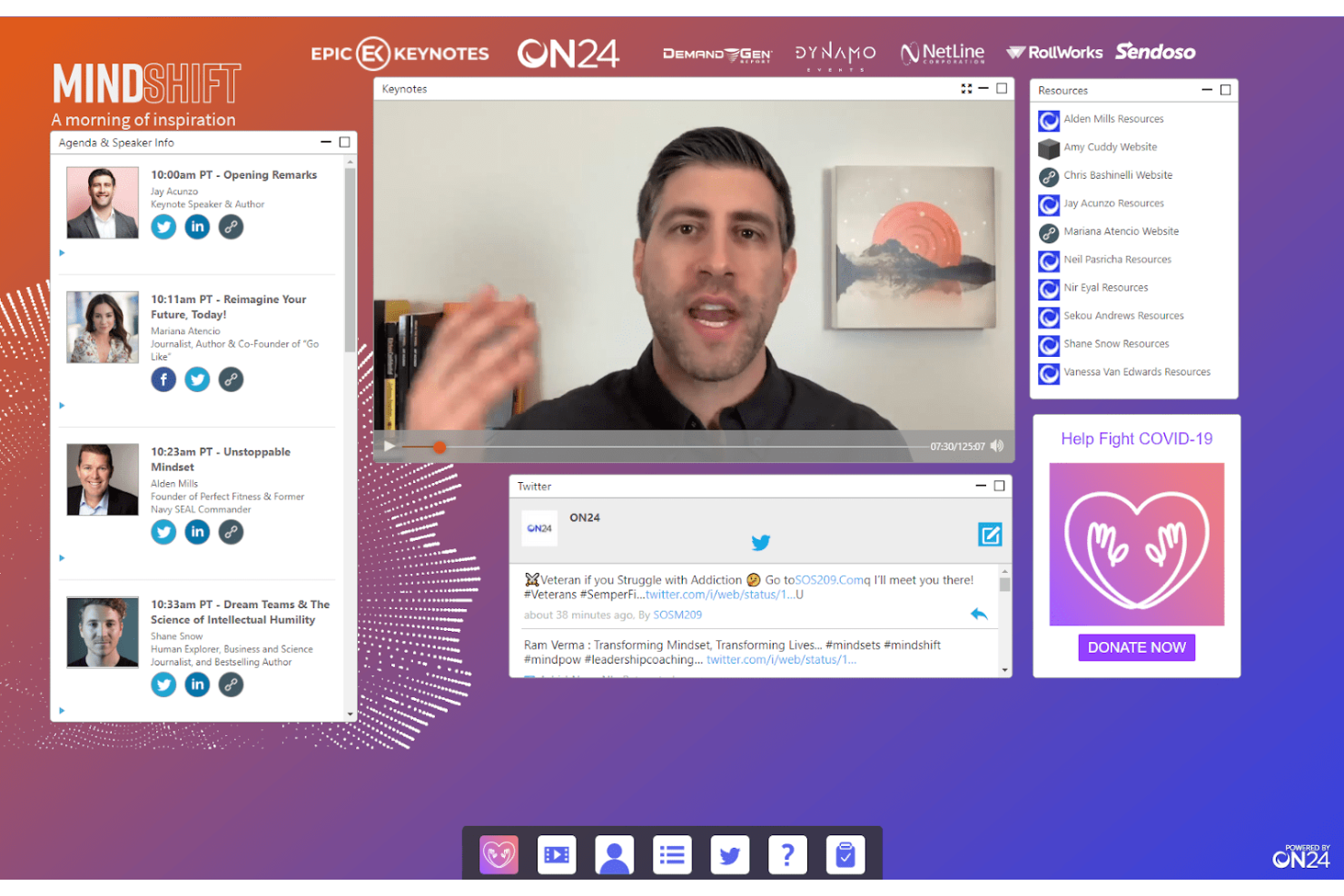
ON24 is built for marketing, demand generation, and event teams who need to deliver webinars that capture deep audience insights. If your organization wants to combine live interactive events with powerful analytics to drive leads and track engagement, ON24 is worth a close look.
Who Is ON24 Best For?
Marketing teams at midsize and enterprise B2B companies running interactive webinars and digital events to drive pipeline and measure audience engagement.
Why ON24 Is a Good Webex Alternative
I picked ON24 because it treats webinars as a demand generation engine, not just a meeting format. The audience engagement hub lets attendees interact through polls, Q&A, resource lists, and CTAs all within the same session, giving my team real behavioral data on every participant. I especially value ON24's engagement scoring, which tracks exactly how each attendee interacted with content, so I can prioritize follow-ups based on actual intent signals. For B2B marketing teams running pipeline-focused events, that level of audience intelligence is something Webex simply doesn't offer.
ON24 Key Features
- AI-generated content engine: Automatically converts webinar presentations into transcripts, ebooks, blog posts, and video highlight clips after each event.
- Built-in multilingual translation: Translates webinar content in real time, letting you reach international audiences without separate tooling.
- Content hubs: Build branded on-demand resource centers that organize and surface webinar recordings and multimedia assets for ongoing audience nurturing.
- Customizable landing pages: Create and publish event registration and content pages directly within the platform, with audience segmentation and personalization controls built in.
ON24 Integrations
ON24 offers native integrations with Salesforce, Marketo, HubSpot, Eloqua, Microsoft Dynamics 365, Pardot, Slack, SAP, LinkedIn, Oracle Marketing Cloud, and provides an API for custom integrations.
Pros and Cons
Pros:
- Interactive widgets support audience participation and lead tracking
- Content hubs extend webinar value after events
- Engagement scoring helps prioritize sales follow-up
Cons:
- Live video layout options are relatively limited
- Not designed for small team video conferences
Best for large-scale webinar reliability
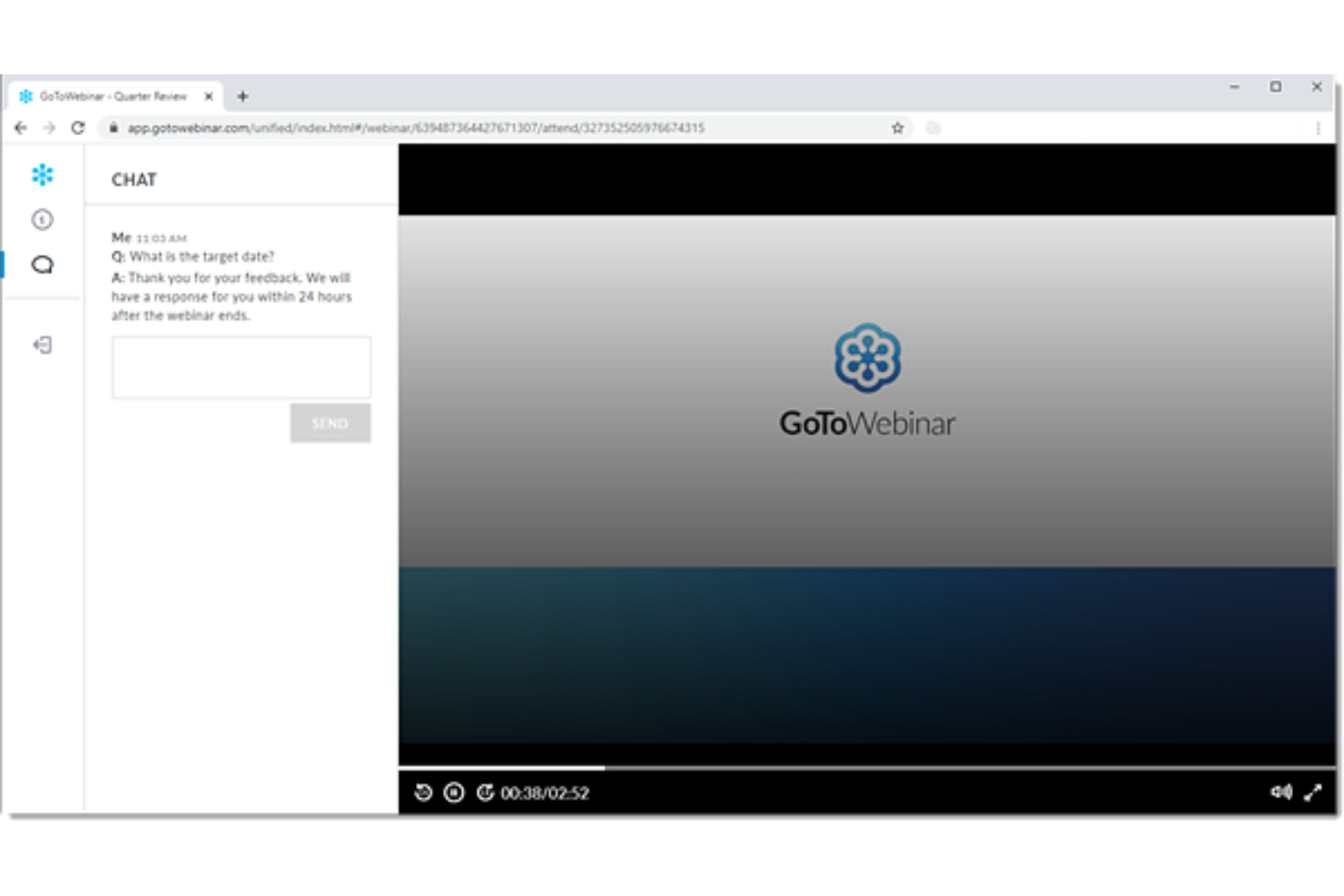
GoTo Webinar is built for hosting large-scale online events and interactive webinars. It’s a strong fit for marketing teams, training organizations, and educators who need reliable, scalable broadcast capabilities combined with participant engagement features.
Who Is GoTo Webinar Best For?
Marketing professionals and trainers at mid-sized to large organizations who need to host interactive webinars for big audiences.
Why GoTo Webinar Is a Good Webex Alternative
I picked GoTo Webinar specifically because of how it handles live event controls and post-event analytics. When I'm running a large webinar, I can use Practice Mode to rehearse the full session before going live—something I haven't found executed this cleanly in Webex. The analytics go deeper than a simple attendance report: I can measure audience engagement through poll responses, Q&A activity, and attention metrics, then push that data directly into Salesforce or HubSpot. For teams running demand generation or training programs, that closed-loop reporting between webinar activity and CRM records is hard to replicate elsewhere.
GoTo Webinar Key Features
- Custom registration pages: Build branded registration forms and landing pages that capture lead data before the event.
- Simulive events: Pre-record your session and schedule it to air at a set time, with live Q&A and polls running alongside it.
- Automated email workflows: Send customizable invitations, confirmations, and reminders to registered attendees automatically.
- Breakout rooms: Split large sessions into smaller group discussions during a live webinar.
GoTo Webinar Integrations
GoTo Webinar offers native integrations with Salesforce, HubSpot, Marketo, Zapier, and Slack. An API is available for custom integrations.
Pros and Cons
Pros:
- Registration tools work well for structured web conferencing
- Audience analytics support stronger event follow-up
- Practice mode helps teams prepare large webinar sessions
Cons:
- Attendee capacity depends on selected plan limits
- In-session collaboration tools are limited

Best for flexible webinar engagement tools

ClickMeeting is built for organizations that need to run engaging webinars, virtual events, and large online meetings without technical hassle. I think teams looking for browser-based controls, interactive attendee features, and polished presentation experiences will find it a strong Webex alternative.
Who Is ClickMeeting Best For?
Marketing teams and training departments are hosting branded webinars or large-scale virtual events.
Why ClickMeeting Is a Good Webex Alternative
I picked ClickMeeting because it gives teams real control over how their brand shows up across every touchpoint of a webinar. The custom branding tools let you apply your logo, brand colors, and background images to registration pages, profile pages, and the event room itself. I also appreciate the customizable Call-To-Action button, which lets you push a branded offer or redirect directly to a landing page at any point mid-session. For teams running client-facing events or product demos, that level of presentation polish is something Webex just doesn't match out of the box.
ClickMeeting Key Features
- Breakout rooms: Split up to 800 attendees into as many as 20 separate rooms, with controls to move participants between rooms and manage microphone access.
- Automated webinars: Schedule pre-recorded webinar sessions to run on autopilot, including automated follow-up emails and thank-you messages.
- Multistreaming: Broadcast your live event simultaneously across social media platforms directly from the event room.
- On-demand webinars: Make recorded sessions available for replay so attendees can access content after the live event ends.
ClickMeeting Integrations
ClickMeeting offers native integrations with Moodle, PayPal, HubSpot, Google Calendar, Slack, LinkedIn, Facebook, YouTube, Dropbox, and Zapier. An API is available for custom integrations.
Pros and Cons
Pros:
- Up to 5,000 attendees per session
- Built-in polls and surveys for engagement
- Custom branding for all attendee touchpoints
Cons:
- No breakout room functionality
- No downloadable desktop or mobile app

Best for customizable virtual meetings

Adobe Connect stands out for teams who need rich, highly interactive webinars or virtual classrooms with advanced control over content and layouts. It’s a solid choice for trainers, educators, and enterprises running immersive online sessions that go beyond basic video meetings.
Who Is Adobe Connect Best For?
Trainers, educators, and organizations running virtual classrooms or interactive online workshops.
Why Adobe Connect Is a Good Webex Alternative
I picked Adobe Connect because of how much control it gives you over the session experience. The custom layout builder lets you arrange pods—chat, polls, video, whiteboards, files—exactly how you want them, so every session feels purpose-built rather than generic. I especially appreciate the persistent virtual rooms, which retain your layouts and content between sessions, saving real setup time for recurring training programs. For teams running structured learning or certification sessions, that level of customization is hard to match.
Adobe Connect Key Features
- Real-time engagement scoring: Monitor a live engagement score during sessions to spot disengaged participants and adjust on the fly.
- Simulated live webinars: Run pre-recorded sessions that blend polished video with live interactivity, scaling your webinar delivery without extra presenter effort.
- Post-session analytics: Access detailed reports on participant engagement, attendance, and content performance after each session.
- Pre- and post-event automation: Automate branded invites, reminders, and post-session surveys without manual follow-up.
Adobe Connect Integrations
Adobe Connect offers native integrations with Salesforce, Moodle, and Learning Management Systems that support AICC and SCORM, and provides an API for custom integrations.
Pros and Cons
Pros:
- SCORM support fits training-focused web conferencing
- Custom pods support interactive virtual classroom design
- Persistent rooms preserve layouts for recurring sessions
Cons:
- Video quality may lag behind leading competitors
- Interface can feel outdated for modern users
Best with live webcasts and analytics
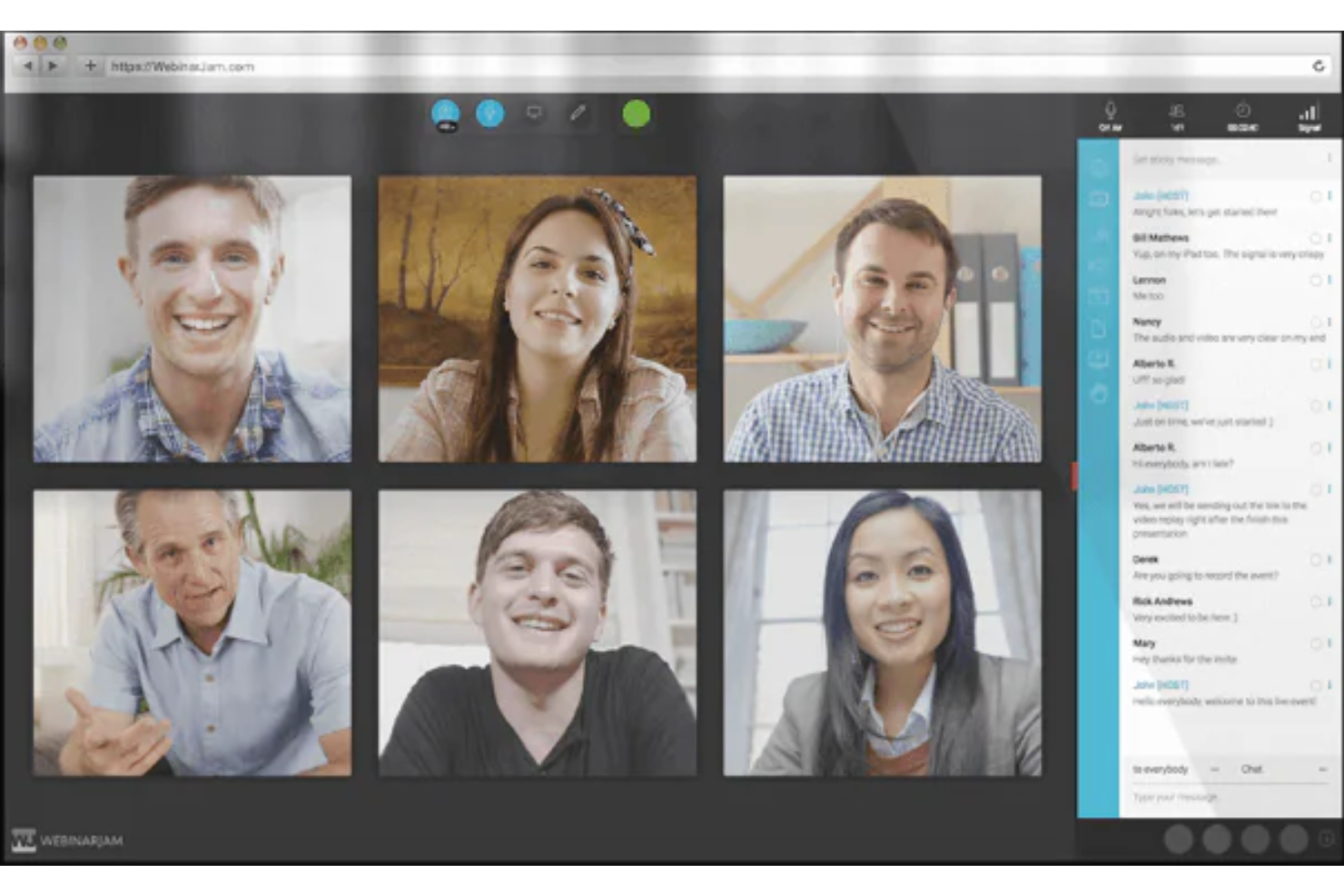
WebinarJam is built for businesses and marketers who run large live events and interactive webinars. If you need advanced attendee management, robust audience engagement tools, and flexible broadcasting options, this platform stands out among video conferencing choices.
Who Is WebinarJam Best For?
Marketing teams and small businesses hosting high-volume, interactive webinars.
Why WebinarJam Is a Good Webex Alternative
I picked WebinarJam for teams that run large-scale live events where audience size and real-time engagement both matter. The platform supports up to 5,000 live attendees, which puts it in a different category from most video conferencing tools. I really like the built-in marketing automation features, like automated email and SMS notifications tied directly to attendee behavior before, during, and after a webinar. The panic button feature is also something I've used in practice—it instantly moves your session to a new room if you hit a technical issue mid-broadcast, which is a genuine lifesaver during high-stakes live events.
WebinarJam Key Features
- Live polls and surveys: Collect audience responses in real time during a session to guide the conversation or gather feedback.
- Video injections: Cut from your live presentation to pre-recorded video clips at any point during a broadcast.
- On-screen whiteboard: Draw, annotate, and add visuals directly on screen while presenting.
- Sticky announcements: Pin key messages to the webinar room so they stay visible to all attendees throughout the session.
WebinarJam Integrations
WebinarJam offers native integrations with Mailchimp, Infusionsoft, ActiveCampaign, AWeber, GetResponse, Kartra, Twilio, Zapier, and an API is available for custom integrations.
Pros and Cons
Pros:
- Panic button supports recovery during technical issues
- SMS reminders help improve live event attendance
- Large attendee capacity supports high-volume web conferencing
Cons:
- Streaming delay can occur during larger broadcasts
- Breakout rooms are not supported

If you want to build branded, interactive webinars or virtual event experiences, BigMarker is designed for you. The platform is especially appealing for marketing, event, and learning teams who want to create immersive, customizable video experiences that keep audiences engaged.
Who Is BigMarker Best For?
Mid-size and large marketing or event teams creating interactive branded webinars, conferences, and virtual events.
Why BigMarker Is a Good Webex Alternative
I picked BigMarker specifically for teams that treat events as a core part of their brand experience, not just a communication channel. Where Webex focuses on meetings and calls, BigMarker lets me build fully branded virtual venues, from custom registration pages to the live room itself, with my logo, colors, and layout throughout. I especially appreciate the simulative webcast feature, which lets me run pre-recorded content as if it were live, so my team can focus entirely on audience interaction during the session. For marketing teams running high-volume webinar programs, that combination of brand control and production flexibility is something Webex simply isn't built to offer.
BigMarker Key Features
- Q&A with audience upvoting: Attendees submit questions that others can upvote, surfacing the most relevant ones to the top during live sessions
- Built-in ticket sales: Sell paid access to webinars or on-demand recordings directly through the platform using PayPal
- Polls and quizzes: Run live polls and quizzes during sessions to collect audience feedback and check comprehension in real time
- On-demand channel: Host a branded channel where all recorded webinars are stored and accessible to subscribers after the event
BigMarker Integrations
BigMarker offers native integrations with Salesforce, HubSpot, Marketo, Mailchimp, Zapier and provides an API for custom integrations.
Pros and Cons
Pros:
- Audience upvoting keeps Q&A sessions more focused
- Simulive webcasts help scale repeat presentations
- Branded virtual venues support polished event experiences
Cons:
- Live video layout controls can feel limited
- Not ideal for simple internal meetings
Other WebEx Alternatives
Here are some additional Webex alternatives that didn’t make it onto my shortlist, but are still worth checking out:
- RingCentral Webinar
With video, messaging, and phone
- Zoom
For HD video conferencing and webinars
- Crowdcast
For interactive webinars and virtual events
- Vimeo
For professional video hosting and live streaming features
- Zoho Meeting
For secure online meetings and webinars
- Goldcast
For event marketing for B2B virtual experiences
- WebinarGeek
Webinar platform with automation tools
- OBS Studio
For open-source broadcasting and streaming
- StreamYard
For simple browser-based live streaming


How I Evaluate Webex Alternatives
I split my evaluation into baseline requirements—reliable HD video, persistent chat, and PM tool integrations—and differentiators that set the real Webex alternatives apart.
Core Functionality (Table Stakes For This List)
When I'm selecting tools for my list, I rank each one on a scale from 0 (does not offer the functionality) to 5 (excels in this area) for each core functionality listed below. Then, I calculate the tool's total score into a percentage. Each tool needs to achieve a minimum total score of 65% to be considered for inclusion.
- Video Conferencing Quality: I evaluate whether the platform delivers stable, high-definition group video for meetings like daily standups and sprint reviews with 10+ participants.
- Screen Sharing & Collaboration: Real-time screen sharing with annotation and whiteboarding matters when walking stakeholders through roadmaps or reviewing design mockups mid-call.
- Chat & Messaging: I look for persistent channels and threads that keep project conversations alive between meetings, not just disposable in-meeting chat windows.
- Meeting Recording & Transcripts: A good Webex alternative should let you record sessions and generate searchable transcripts so absent teammates can catch up on key decisions.
- Calendar & PM Tool Integrations: I check for native connections to tools like Jira, Asana, and Monday alongside Google Calendar and Outlook so meetings stay tied to your delivery workflow.
- Scalable Meeting Capacity: Whether it's a five-person standup or a 200-person all-hands, the platform should accommodate your range of meeting sizes without forcing a plan upgrade.
Once I have a list of tools that meet this criteria, I consider what sets each platform apart.
Differentiating Factors (What Sets Vendors Apart)
Here's how I compare and contrast different vendors:
Standout Features
AI meeting assistants are a big differentiator. I look for tools that auto-capture action items and generate summaries PMs can drop straight into sprint backlogs. Async video messaging also matters for distributed teams juggling multiple time zones—recording a quick update beats scheduling another call. I also evaluate built-in task management, where meeting outcomes turn into assigned tasks without switching to a separate tool.
Beyond Features
Pricing structure matters. I evaluate whether a platform charges per host or per user, since project teams scale up and down with each engagement. Security is another key consideration; end-to-end encryption and certifications like SOC 2 and GDPR come into play when client meetings involve sensitive deliverables. I also check cross-platform access, especially whether external stakeholders can join calls without downloading an app.
Why Look For a Webex Alternative?
While Webex is a good choice of video conferencing software, there are a number of reasons why some users seek out alternative solutions. You might be looking for a Webex alternative because…
- You need fully branded or customizable event experiences
- You want deeper engagement analytics and lead tracking
- Your team relies on integrations that Webex doesn’t support
- You organize large-scale webinars or hybrid events
- You require persistent virtual meeting spaces
- You experience performance issues in certain regions
If any of these sound like you, you’ve come to the right place. My list contains several video conferencing software options that are better suited for teams facing these challenges with Webex, and looking for alternative solutions.
Webex Key Features
Here are some of the key features of Webex, to help you contrast and compare what alternative solutions offer:
- HD video and audio conferencing: Host real-time meetings with crisp video and clear sound, supporting both small team huddles and large corporate events.
- Screen sharing: Present slides, documents, or apps by sharing your entire screen or specific windows during a meeting.
- Breakout rooms: Divide participants into smaller groups for workshops, brainstorming, or private discussions within a larger meeting.
- Meeting recording: Record video, audio, and chat transcripts of your sessions for review, training, or regulatory needs.
- In-meeting chat: Send direct or group messages to participants for real-time questions, collaboration, or sharing links while the meeting is in progress.
- Whiteboarding tools: Collaborate visually by drawing, annotating, or brainstorming together on an interactive shared digital whiteboard.
- Calendar integrations: Schedule, launch, and manage Webex meetings directly from Google Calendar or Microsoft Outlook.
- Real-time polling and Q&A: Collect attendee feedback, run live polls, or conduct structured Q&A sessions for engagement.
- Virtual backgrounds and noise removal: Use custom backgrounds or blur effects and filter out disruptive sounds to maintain a professional presentation.
- Mobile and cross-platform access: Join, host, or manage meetings from iPhone, Android, Mac, Windows, or web browsers for maximum flexibility.