

10 Best Remote Communication Tools in 2026

Best Remote Communication Tools Shortlist


Remote communication tools are digital platforms that help distributed teams connect, share information, and collaborate in real time or asynchronously. If you’re looking for the best ways to keep projects moving, reduce miscommunication, or just make sure everyone’s on the same page—no matter where they’re working—you’re in the right place. In this list, you’ll find proven tools that help with everything from structured chat and secure calls to document sharing and async discussions, so you can pick what fits your team’s culture and workflow best.
Why Trust Our Software Recommendations
Our team has been testing and reviewing software since 2012. As project managers ourselves, we know how difficult—and important—it is to choose the right software.
For this guide, we evaluated tools using hands-on testing and independent research, scoring tools using our selection criteria. We also draw on insights from industry thought leaders and practicing project management experts.
Our reviews reflect our human editorial judgment, not a sales pitch.
Expert reviewers:
Remote Communication Tools Comparison Table
The table below compares pricing details for my top remote communication tool selections.
| Tool | Best For | Trial Info | Price | ||
|---|---|---|---|---|---|
| 1 | Best for simple task management integration | Free plan + free demo available | From $3/user/month (billed annually) | Website | |
| 2 | Best for AI-powered voice intelligence | 14-day free trial + free demo available | Pricing upon request | Website | |
| 3 | Best for AI-powered meeting transcriptions | Free plan available | Pricing upon request | Website | |
| 4 | Best for async conversations to reduce noise | Free plan available | From $6/user/month (billed annually) | Website | |
| 5 | Best for unified messaging and phone systems | 14-day free trial | From £18/user/month | Website | |
| 6 | Best for channel-based team collaboration | Free plan available | From $7.25/user/month (billed annually) | Website | |
| 7 | Best for document collaboration and sharing | 14-day free trial available | From $7/user/month (billed annually) | Website | |
| 8 | Best for integrated Microsoft 365 workflows | Free trial available | From $4.00/user/month (billed annually) | Website | |
| 9 | Best for customizable communication security | Free plan + free demo available | Pricing upon request | Website | |
| 10 | Best for linking conversations to project tasks | Free plan + free demo available | From $7/user/month (billed annually) | Website |
Best Remote Communication Tools Reviews
Below are my detailed summaries of the best remote communication tools that made it onto my shortlist. My reviews offer a detailed look at the features, integrations, and best use cases of each platform to help you find the best one for you.

Chanty
Best for simple task management integration
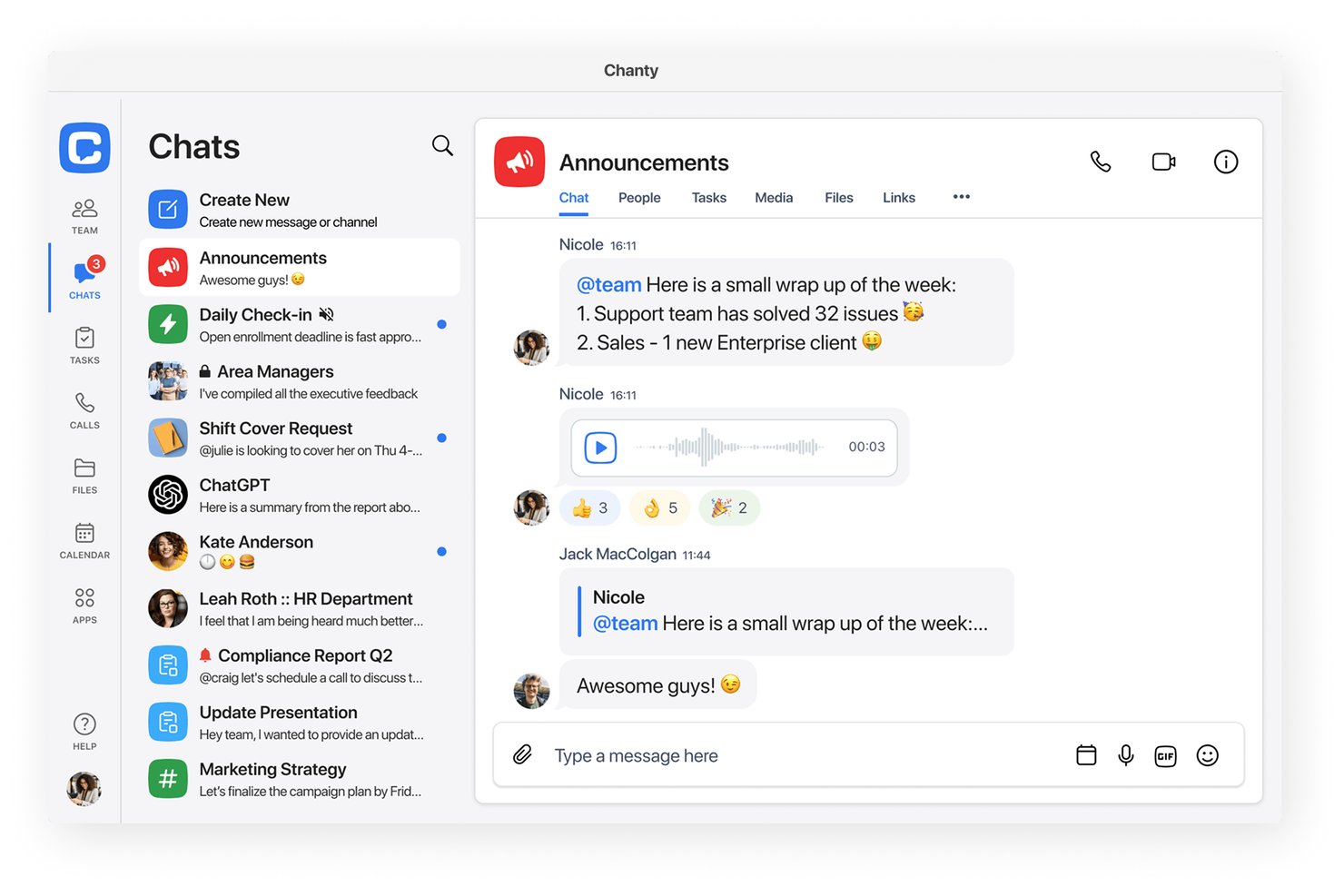
Chanty is a remote communication tool for teams that combines real-time chat, audio and video calls, threaded discussions, and built-in task management with integrations for popular productivity platforms.
Who Is Chanty Best For?
Small to midsize teams seeking an easy-to-use messaging platform with built-in task management and essential remote collaboration features.
Why I Picked Chanty
I picked Chanty as one of the best because I can turn messages directly into tasks, organize them in a Kanban view, and keep all updates in context with chat and file sharing. That kind of task management integration stands out for remote project work.
Chanty Key Features
- Threaded conversations: Keep discussions organized within channels using thread replies for specific topics.
- Audio and video calls: Start voice or video meetings directly from any chat or group channel.
- Unlimited message history: Access and search all past messages without storage limits.
- Third-party app integrations: Connect with services like Google Drive, Dropbox, and GitHub to streamline your workflow.
Chanty Integrations
Chanty offers native integrations with Trello, Asana, GitHub, Google Drive, Dropbox, and Zapier. An API is available for custom integrations.
Pros and Cons
Pros:
- Easy threading for topic-based discussions
- Unlimited searchable message history
- Integrated Kanban task boards in chat
Cons:
- Video calls lack breakout room support
- No built-in meeting recording

Dialpad
Best for AI-powered voice intelligence
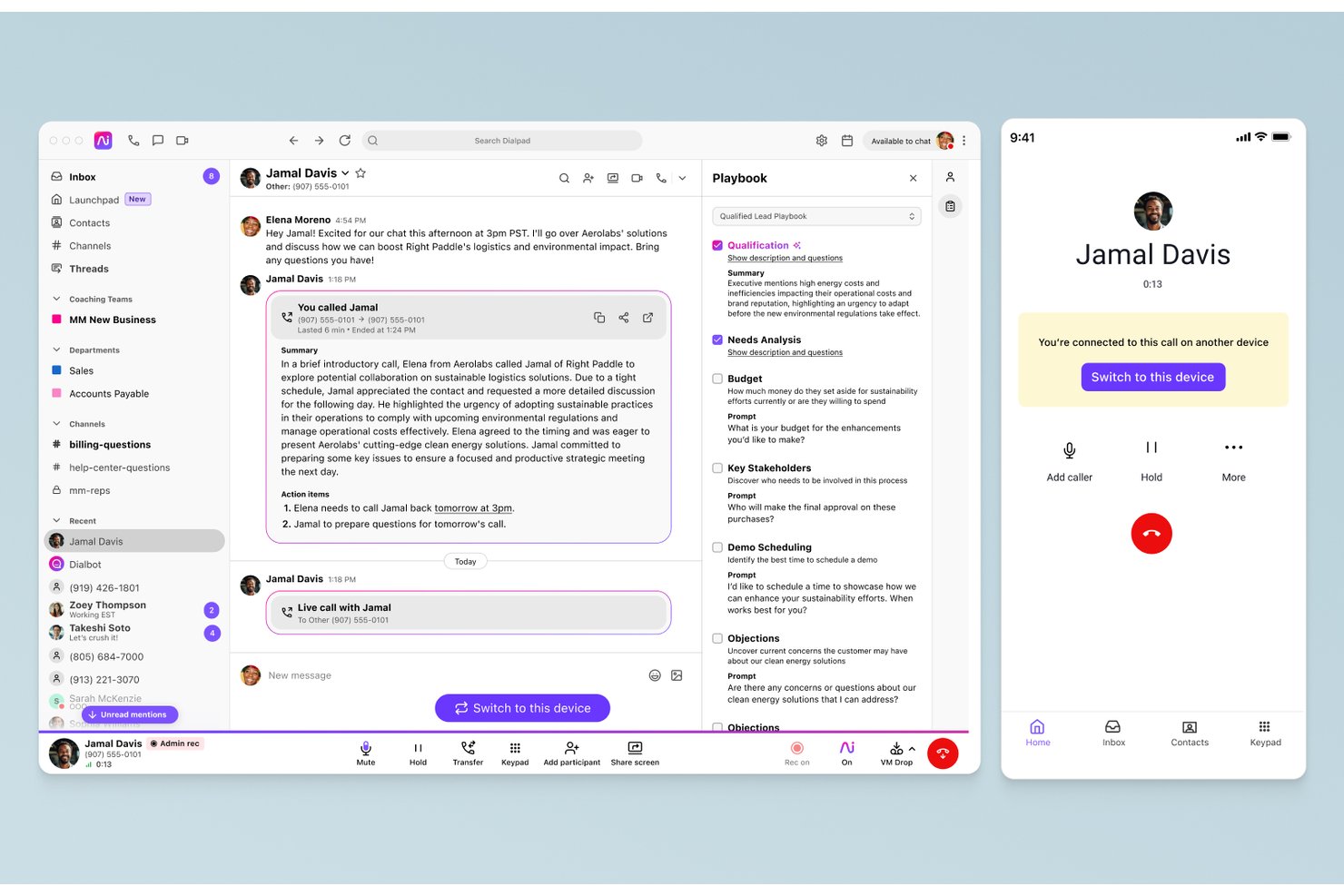
Dialpad is a remote communication platform that combines calling, SMS, team messaging, video meetings, and call analytics into a cloud workspace for distributed teams.
Who Is Dialpad Best For?
Teams in fast-paced tech or services organizations who need unified voice, messaging, and AI-driven communication across devices.
Why I Picked Dialpad
I picked Dialpad as one of the best because its AI-powered voice intelligence gives me real-time transcription and call summaries on every video meeting or call. When my team holds cross-regional project syncs, we get instant searchable notes with action items captured automatically.
Dialpad Key Features
- Team messaging channels: Organize discussions by project, team, or topic in persistent group channels.
- HD video conferencing: Host secure video meetings with screen sharing and in-meeting chat.
- SMS and MMS support: Send and receive text and image messages directly from Dialpad’s interface.
- Google Workspace integration: Sync meetings, contacts, and calendar invites automatically with Google apps.
Dialpad Integrations
Dialpad offers native integrations with Google Workspace, Microsoft 365, Salesforce, HubSpot, Zendesk, Slack, Kustomer, Bullhorn, and Intercom. It also connects with Zapier and provides an API for custom integrations.
Pros and Cons
Pros:
- Channels support for persistent group messaging
- Reliable voice and video quality on calls
- Real-time call transcription with action items
Cons:
- Customer support responsiveness below competitor averages
- No native integration with Jira or Asana

Webex
Best for AI-powered meeting transcriptions
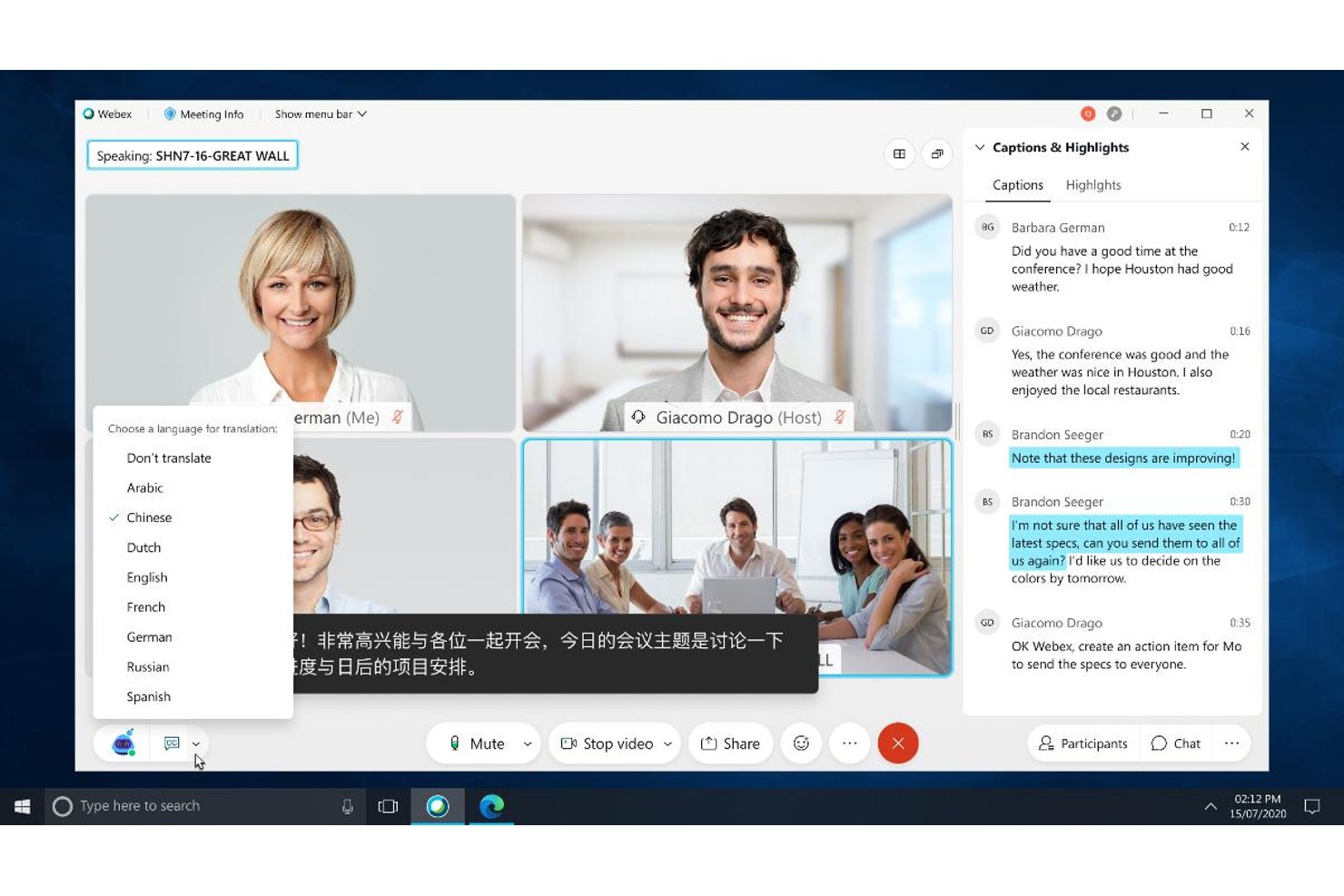
Webex is a remote communication platform that brings together video meetings, persistent team messaging, file sharing, and robust integrations designed for distributed teams.
Who Is Webex Best For?
Webex suits distributed project teams and enterprises that require secure, unified communication and advanced meeting intelligence features.
Why I Picked Webex
I picked Webex as one of the best because I rely on its AI-powered meeting transcriptions to automatically capture discussions and action items. The platform instantly generates searchable summaries and live captions for every meeting, which keeps my team aligned asynchronously.
Webex Key Features
- Persistent team messaging: Organize conversations with spaces for projects, teams, or topics.
- Integrated file sharing: Share, preview, and search documents directly within chats and meetings.
- Breakout rooms: Divide participants into smaller groups during video calls for focused discussions.
- Project management integrations: Connect with Asana, Jira, Trello, and Monday.com to sync project tasks directly in Webex.
Webex Integrations
Webex offers native integrations with Asana, Jira, Trello, Monday.com, Google Workspace, Microsoft 365, Salesforce, Slack, Miro, and Box. An API is available for custom integrations.
Pros and Cons
Pros:
- Advanced meeting recording and search functions
- Persistent team messaging with actionable threads
- AI-powered live captions and transcripts
Cons:
- Occasional delays in large video meetings
- Some features feel overly complex

Twist
Best for async conversations to reduce noise
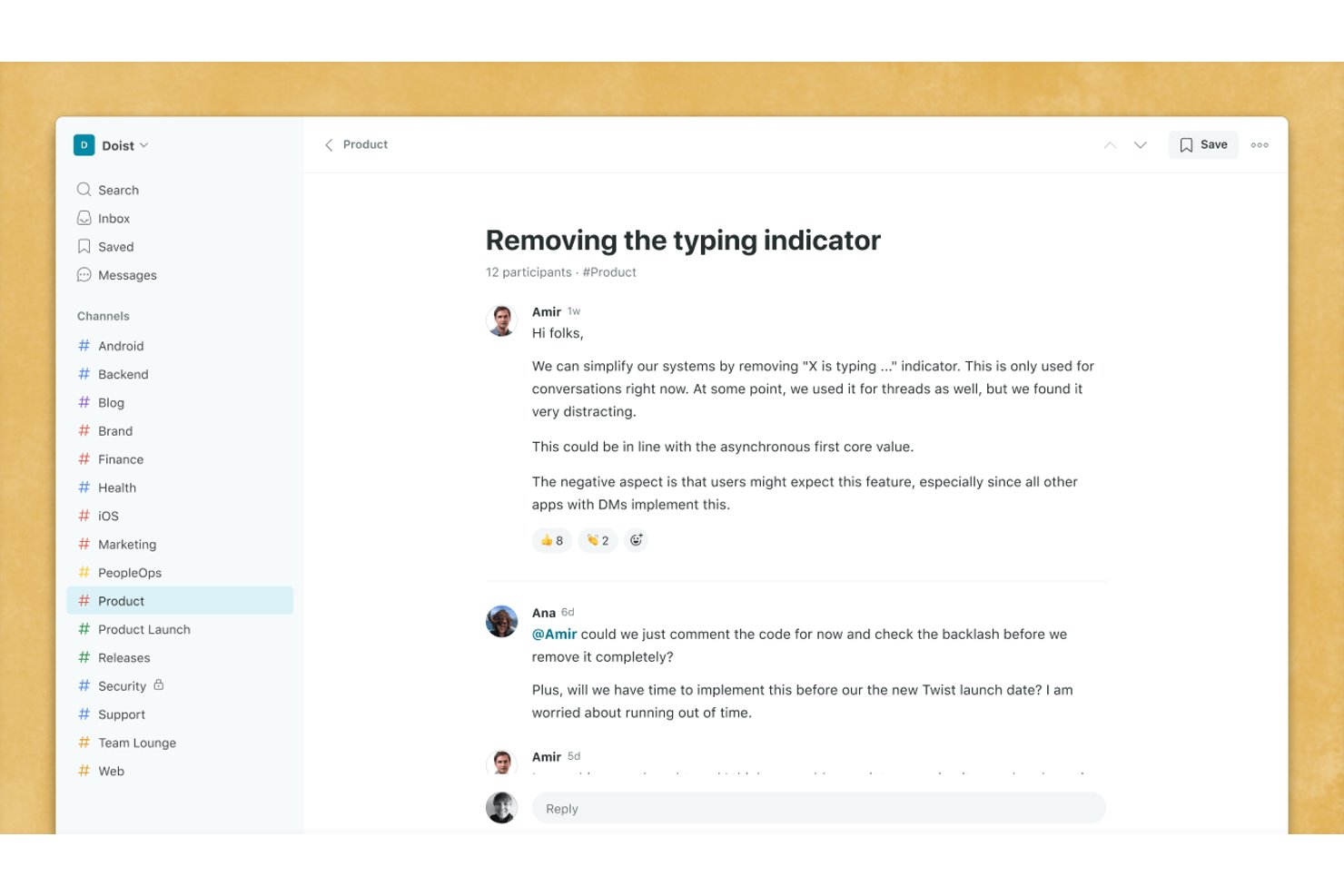
Twist is a remote team communication platform that organizes conversations into threads and channels, emphasizing asynchronous messaging and structured collaboration over traditional real-time chat.
Who Is Twist Best For?
Distributed teams and remote organizations who need organized, low-distraction communication across time zones.
Why I Picked Twist
I picked Twist as one of the best because I like how its thread-based channels keep project conversations focused and easy to revisit, even across time zones. My team relies on its async-first structure to reduce chat noise and help everyone catch up without feeling overwhelmed.
Twist Key Features
- Persistent message history: Every conversation and file stays searchable and accessible without time limits.
- Guest access for clients: Invite external collaborators securely to relevant threads and channels.
- Pinned threads: Highlight important discussions so team members can easily find and reference them.
- Native Todoist integration: Connect messages directly to tasks, making it simple to link communication with project management.
Twist Integrations
Twist offers native integrations with Todoist, Trello, GitHub, Google Drive, and Zapier. An API is available for custom integrations.
Pros and Cons
Pros:
- Designed specifically for async remote work
- All messages and files are always searchable
- Threaded conversations minimize chat overload
Cons:
- Fewer workflow automations than major competitors
- No built-in video or audio calls

Best for unified messaging and phone systems
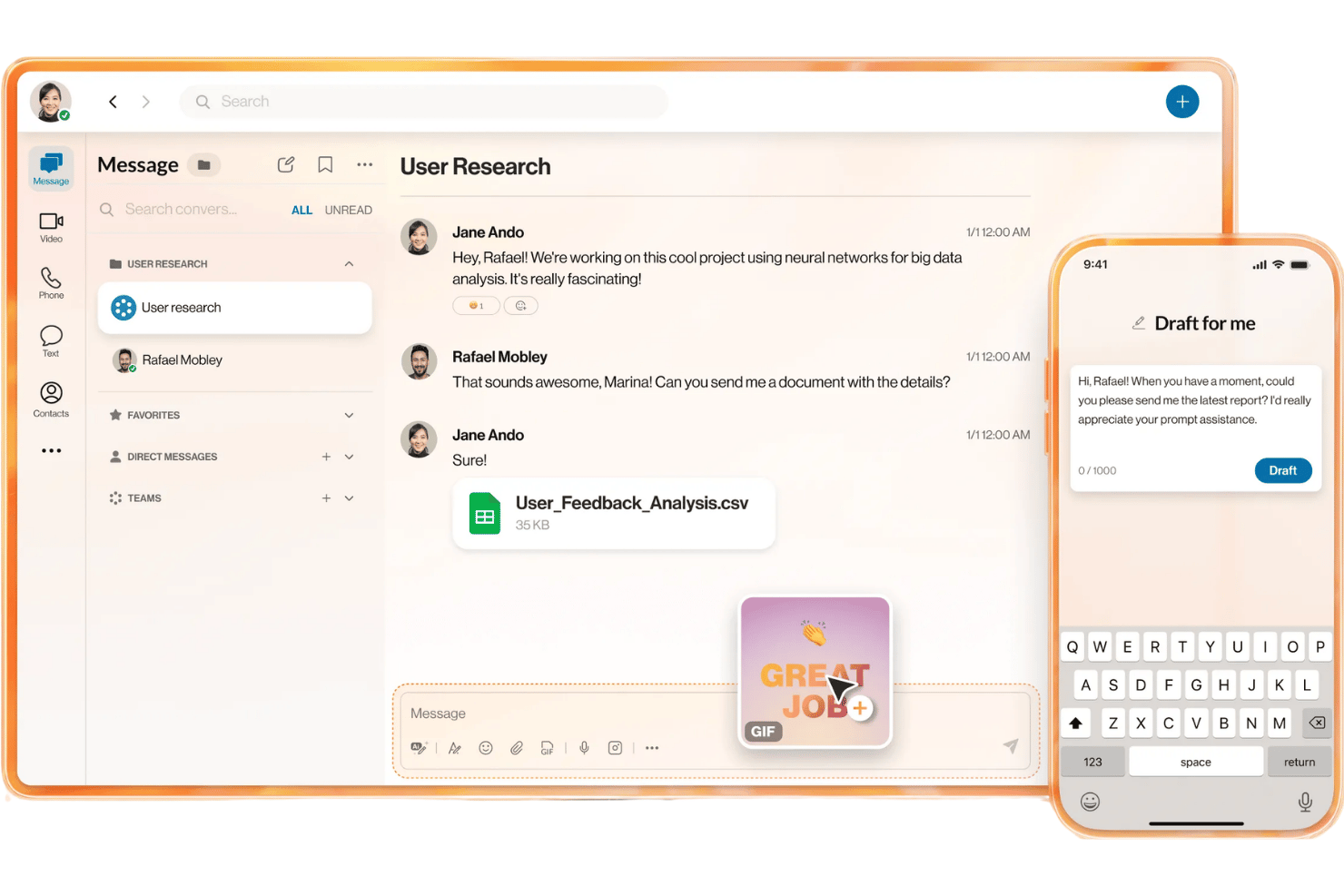
RingCentral is a unified communications platform offering team messaging, video meetings, business phone, file sharing, and app integrations tailored for remote communication across distributed teams.
Who Is RingCentral Best For?
RingCentral suits distributed project teams and mid-sized to large businesses that need unified messaging, video, and phone with tight app integration across locations.
Why I Picked RingCentral
I picked RingCentral as one of the best because I rely on its unified approach—messaging, video meetings, and business phone on one platform. My team uses persistent channels for project discussions and leverages built-in phone features for client updates.
RingCentral Key Features
- Threaded conversations: Organize project discussions with threaded chat in group channels for better context.
- Task integration: Connects with platforms like Asana and Jira to sync messages with project tasks.
- Screen sharing in-chat: Share your screen directly within chat sessions for fast visual collaboration.
- Advanced search filters: Locate messages, files, or users with full-text and filtered search capabilities.
RingCentral Integrations
RingCentral offers native integrations with Asana, Jira, Trello, Microsoft 365, Google Workspace, Salesforce, Zendesk, Box, Slack, and Okta. An API is available for custom integrations.
Pros and Cons
Pros:
- Reliable call quality and uptime record
- Persistent conversation history for every user
- Combines calls, messaging, and video in one place
Cons:
- Can be complex for small team adoption
- Some users report slow customer service

Slack
Best for channel-based team collaboration
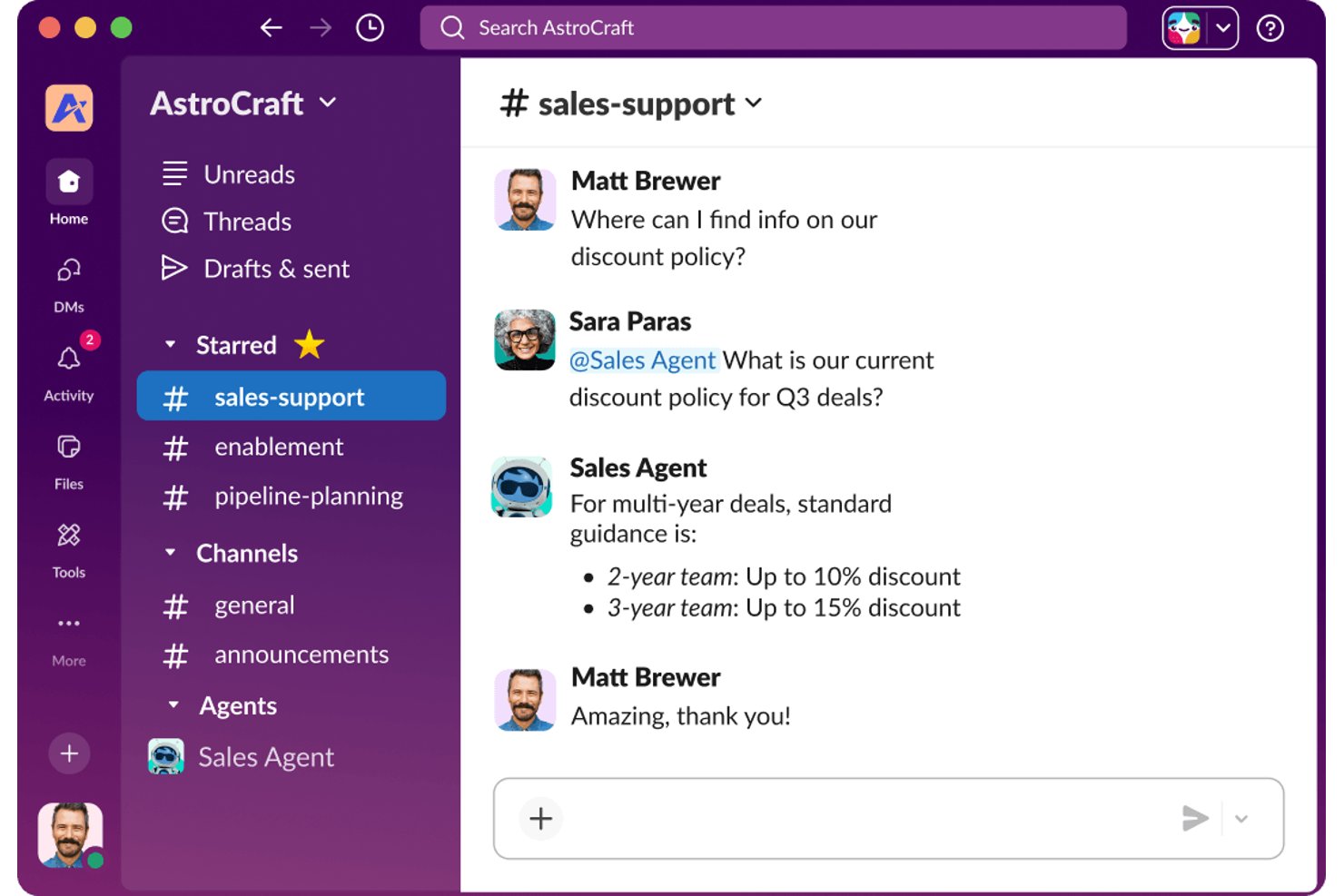
Slack is a remote communication platform that organizes project discussions, direct messages, file sharing, voice and video calls, and project management integrations into structured channels.
Who Is Slack Best For?
Slack suits distributed project teams, digital agencies, and remote organizations that depend on organized, real-time, and asynchronous communication across departments or locations.
Why I Picked Slack
I picked Slack as one of the best because I can set up separate channels for every team, project, or client, keeping conversations distinct and organized. My team relies on threaded discussions and channel-specific file sharing for tracking decisions and deliverables.
Slack Key Features
- Slack huddles: Start quick voice or video conversations from any channel or direct message.
- Rich message search: Locate messages, files, and links with advanced filters and full-text search.
- Workflow builder: Automate routine tasks and create custom workflows directly within Slack.
- App integrations: Connect with over 2,000 third-party tools like Asana, Jira, Google Drive, and Zoom.
Slack Integrations
Integrations include over 2,400 apps available through Slack’s App Directory, including Adobe Creative Cloud, Dropbox, HubSpot, GitHub, Google Workspace, Microsoft Office, Microsoft Teams, Salesforce, Webex Meetings, and Zoom. It connects with Zapier and has an API for building custom integrations.
Pros and Cons
Pros:
- Clips and huddles enhance asynchronous updates
- Threaded replies support complex project discussions
- Channel structure keeps conversations organized
Cons:
- Limited built-in video call capabilities
- Message overload can distract large teams

Best for document collaboration and sharing
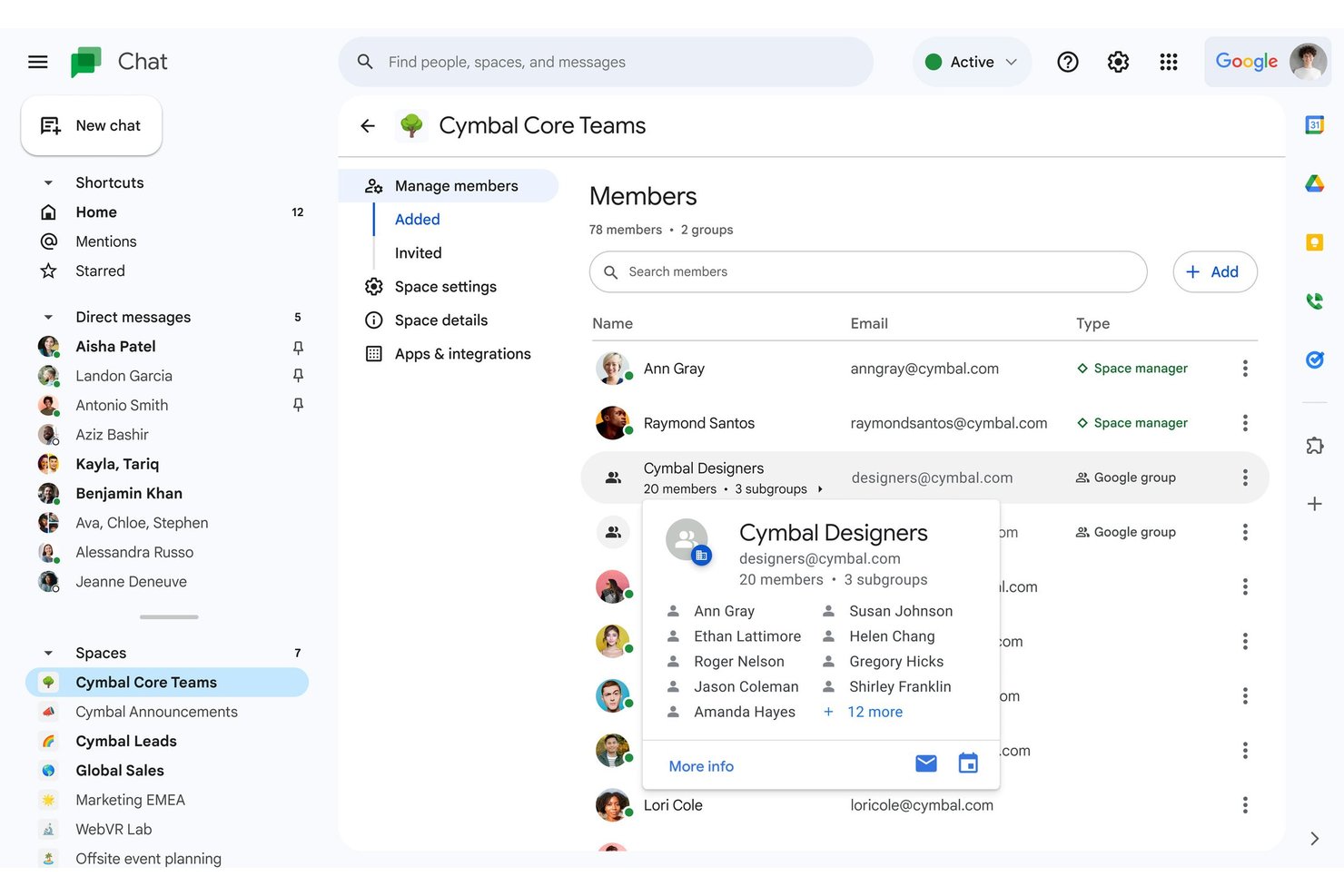
Google Workspace is a cloud-based remote communication suite that combines real-time messaging, video meetings, threaded discussions, and integrated file collaboration through apps like Google Chat, Meet, and Drive.
Who Is Google Workspace Best For?
Google Workspace is a strong fit for project managers and distributed teams who need a unified platform for communication and real-time document collaboration.
Why I Picked Google Workspace
I picked Google Workspace as one of the best because I rely on its real-time document co-editing for team projects. My team can leave comments, track changes, and organize files in shared Drives, which helps us manage feedback and update documents without version confusion.
Google Workspace Key Features
- Threaded group chat in Spaces: Create persistent chat channels with topic-based threads for ongoing team conversations.
- Integrated video meetings with Google Meet: Launch HD video calls directly from calendar events, emails, or chat threads.
- Searchable message and file history: Instantly search across emails, chats, and shared files for past project communications.
- Calendar and email integration: Sync meetings, reminders, and emails so your team’s schedules and communications stay connected.
Google Workspace Integrations
Google Workspace offers native integrations across the Google ecosystem, including Google Drive, Google Meet, Google Chat, Gmail, Calendar, and Google Sheets. Marketplace integrations include Asana, Trello, Jira, DocuSign, Salesforce, Zoom, Slack, and HubSpot. An API is available for custom integrations.
Pros and Cons
Pros:
- Built-in video meetings for large groups
- Persistent chat channels with threaded conversations
- Real-time editing in shared documents
Cons:
- Task management features are basic
- No native voice or video messaging

Best for integrated Microsoft 365 workflows
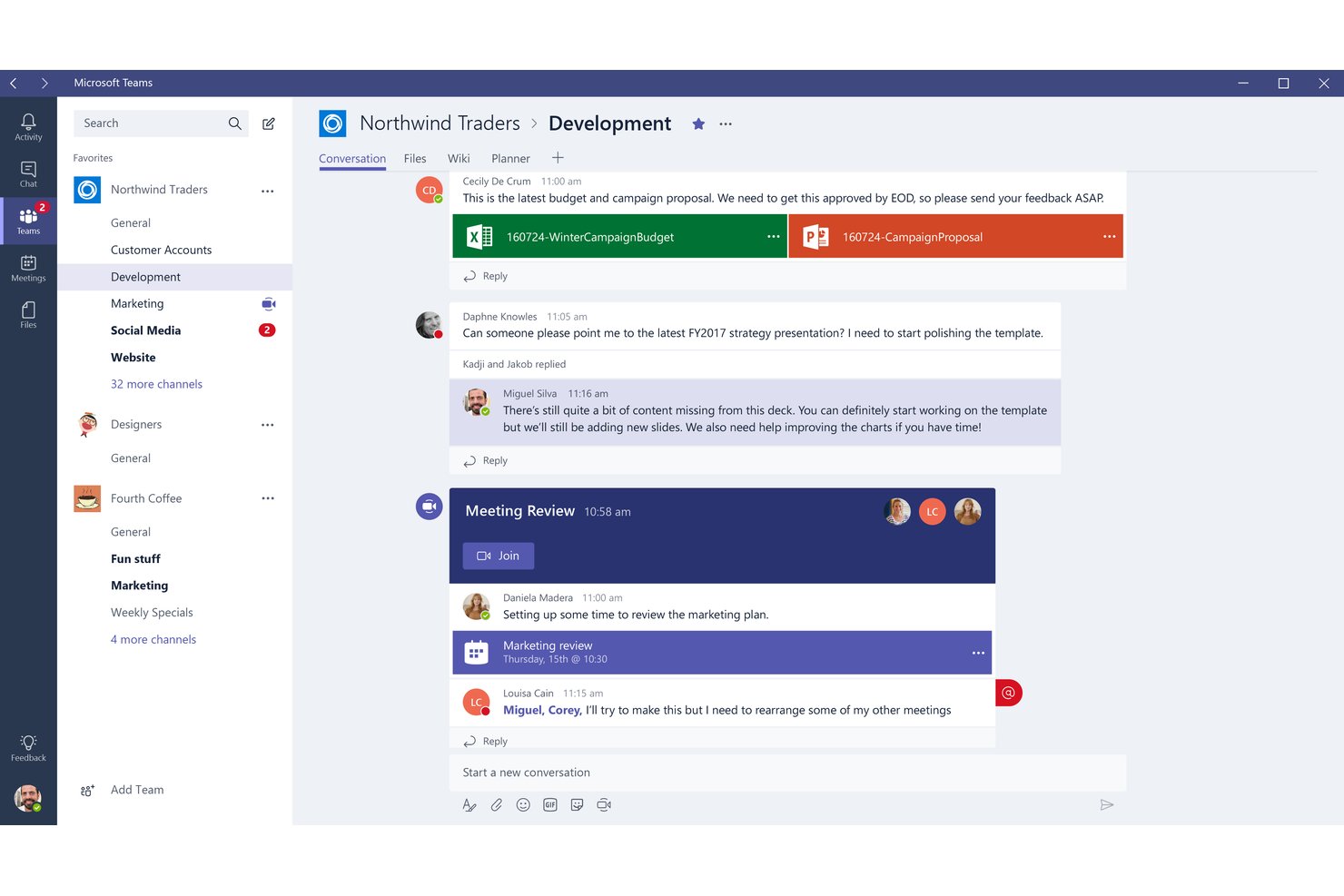
Microsoft Teams is a remote communication platform that offers real-time messaging, HD video conferencing, threaded discussions, and file sharing, deeply integrated with the Microsoft 365 ecosystem.
Who Is Microsoft Teams Best For?
Organizations that rely on Microsoft 365 and need a central platform for real-time and asynchronous team collaboration.
Why I Picked Microsoft Teams
I picked Microsoft Teams as one of the best because I use its chat, meetings, and file collaboration tools that are all deeply woven into Microsoft 365 workflows. My team can co-edit documents in real time within meetings and keep project content highly organized.
Microsoft Teams Key Features
- Breakout rooms: Split larger meetings into smaller, focused discussion groups.
- Persistent chat history: Access archived conversations and files in any channel or chat.
- Customizable tabs: Pin web apps, dashboards, or project pages directly to any team or channel.
- Integrated VoIP calling: Place and receive external and internal voice calls from within the platform.
Microsoft Teams Integrations
Microsoft Teams has native integrations across the Microsoft ecosystem, including Microsoft 365 and Azure. It also offers native integrations with Trello, Asana, Jira, Smartsheet, ServiceNow, GitHub, Salesforce, and provides an API for custom integrations.
Pros and Cons
Pros:
- Integrated scheduling with Outlook calendar
- Strong compliance and security controls
- Real-time document co-editing within chats
Cons:
- Notification overload in large organizations
- Resource-heavy desktop application

Best for customizable communication security
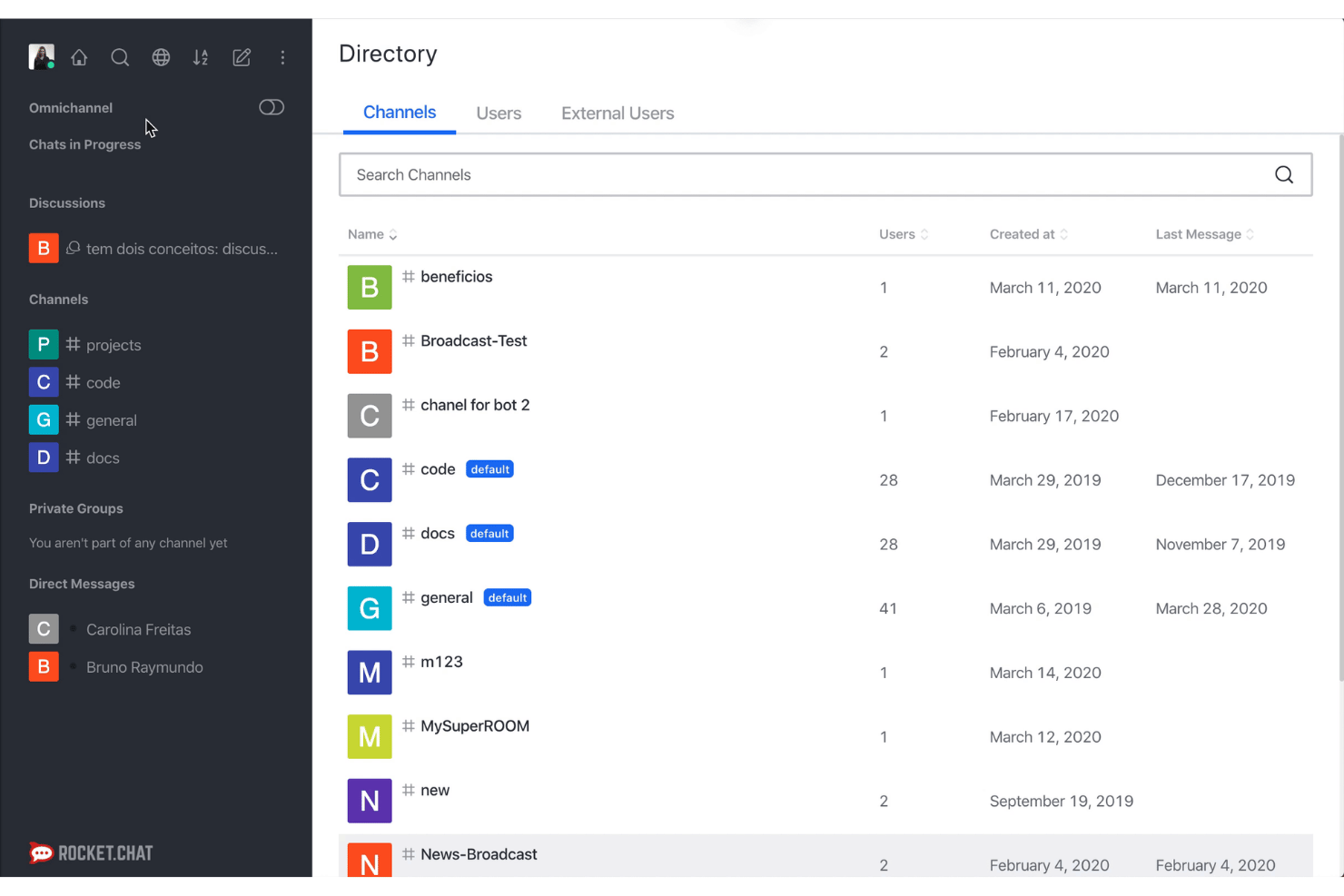
Rocket.Chat is an open-source remote communication platform that lets you create custom team chat spaces, organize discussions in channels and threads, share files, and connect with project management tools.
Who Is Rocket.Chat Best For?
IT teams and agencies needing a secure, customizable workspace for internal and external communications are going to find Rocket.Chat a strong fit.
Why I Picked Rocket.Chat
I picked Rocket.Chat because I can self-host it for data sovereignty and set granular user permissions for every channel. I also use its end-to-end encryption and audit logging features to align with strict security requirements on distributed project work.
Rocket.Chat Key Features
- Threaded discussions: Keep project conversations organized by breaking out replies into focused threads.
- Channel-based chat: Set up topic or team-specific channels for structured collaboration and communication.
- Native video conferencing: Launch video calls with screen sharing directly from within any chat or channel.
- Integrations marketplace: Connect with tools like Jira, GitHub, and Trello from within your Rocket.Chat workspace.
Rocket.Chat Integrations
Rocket.Chat offers native integrations with Jira, Trello, GitHub, Google Drive, Dropbox, Bitbucket, GitLab, Webex, Jitsi, Zapier, and provides an API for custom integrations.
Pros and Cons
Pros:
- Granular message retention and audit logging
- Highly configurable access controls and roles
- Open-source with self-hosting options
Cons:
- Mobile app can be less stable
- Some advanced features require paid tier
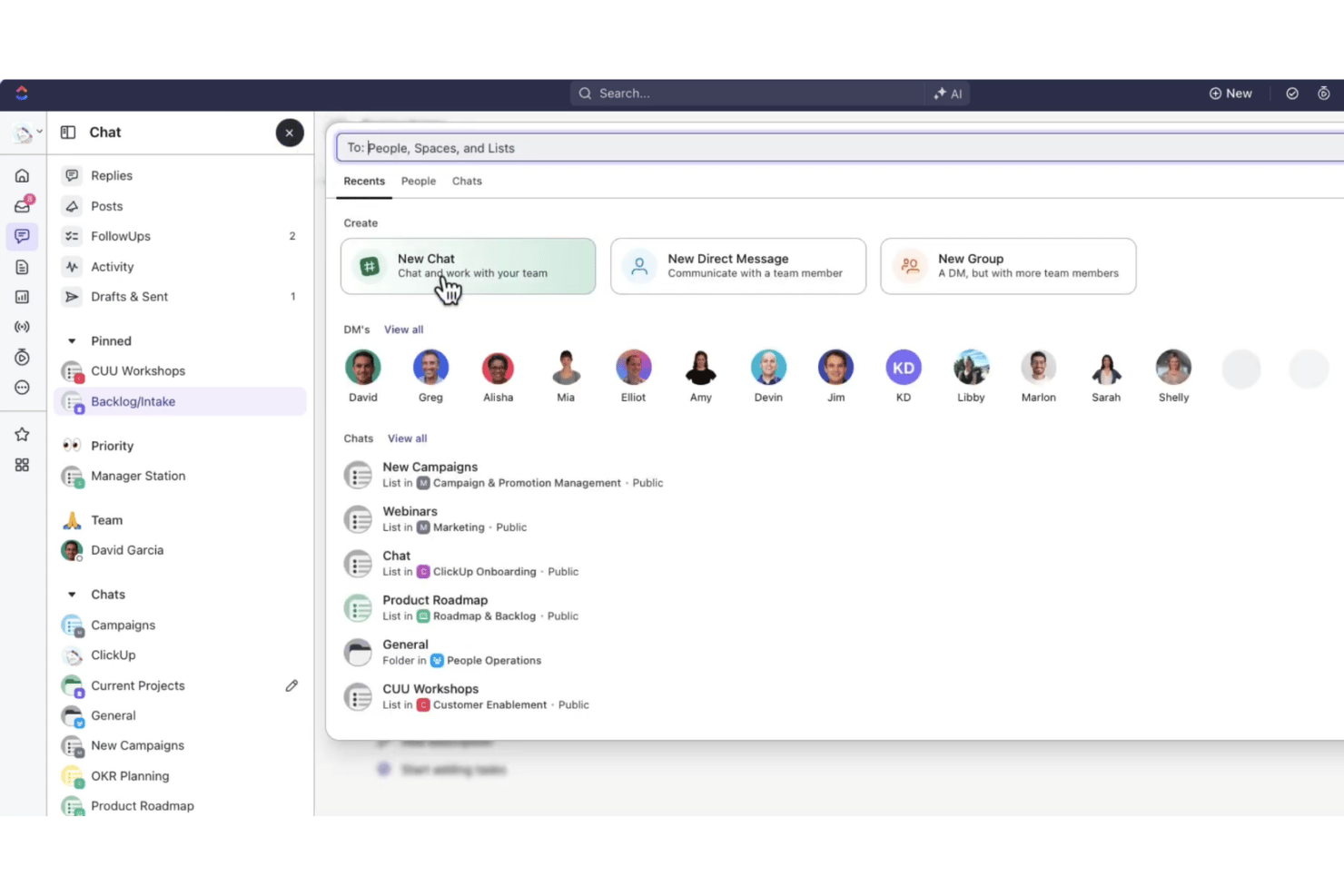
ClickUp Chat is a remote communication tool built into the ClickUp workspace, offering real-time messaging, channels, threaded conversations, file sharing, and native connections to project tasks and documents.
Who Is ClickUp Chat Best For?
ClickUp Chat suits distributed project teams and agencies that need to coordinate work, discussions, and documentation in a single collaborative workspace.
Why I Picked ClickUp Chat
I picked ClickUp Chat as one of the best because I can link chat messages directly to project tasks, keeping every conversation anchored to actionable work. My team uses threads and in-line file sharing to collaborate on tasks without losing context. That’s why it stands out for linking conversations to project tasks.
ClickUp Chat Key Features
- Threaded group channels: Collaborate in channels organized by project, team, or topic with threaded replies.
- In-app audio calls: Start audio calls directly inside chat spaces for real-time syncs.
- Persistent searchable history: Search entire chat histories and attachments for past messages and files.
- Cloud file sharing: Attach, preview, and discuss documents, images, and links directly within conversations.
ClickUp Chat Integrations
ClickUp Chat offers native integrations with Jira, Slack, GitHub, Google Drive, Zoom, Microsoft Teams, Dropbox, Outlook, OneDrive, and Asana. An API is available for custom integrations.
Pros and Cons
Pros:
- Persistent searchable chat with file sharing
- Threads and channels organized by team or topic
- Ties every message directly to project tasks
Cons:
- Fewer advanced video meeting features
- Occasional lag with large chat volumes
Other Remote Communication Tools
Here are some additional remote communication tools options that didn’t make it onto my shortlist, but are still worth checking out:
- Mattermost
For open-source self-hosted deployments
- Zoom Workplace
For scalable video and audio meetings
- Flock
For team polls and shared to-dos
- Element
For end-to-end encrypted team messaging
- Pumble
For unlimited chat history on every plan
- Zoho Cliq
For workflow automation in team chats
- Loom
For lightning-fast video messaging
- Claap
For async meeting recordings with feedback


How I Evaluate Remote Communication Tools
I evaluate remote communication tools on two levels: the baseline capabilities teams need to stay aligned, and the differentiators—like AI transcription or async video—that set platforms apart.
Core Functionality (Table Stakes For This List)
When I'm selecting tools for my list, I rank each one on a scale from 0 (does not offer the functionality) to 5 (excels in this area) for each core functionality listed below. Then, I calculate the tool's total score into a percentage. Each tool needs to achieve a minimum total score of 75% to be considered for inclusion.
- Real-Time Messaging: I look for organized channels, threading, and presence indicators so teams can run project-specific conversations without crosstalk between workstreams.
- Video Conferencing: Screen sharing, recording, and group calls matter here—I check whether a tool can handle a sprint review or stakeholder demo without needing a separate app.
- Asynchronous Communication: For teams spread across time zones, I evaluate whether the platform supports threaded replies, voice notes, or recorded video updates beyond basic chat.
- File Sharing & Attachments: I look at how each tool handles document previews, search, and organization so project files stay findable inside conversations rather than buried in email.
- Project Management Integrations: Native connections to tools like Jira, Asana, or monday.com are what I check for, along with API access for teams that build custom workflows.
- Searchable Message History: Retention depth and search quality are key—I evaluate whether you can filter past conversations by user, date, or file type to locate decisions made weeks ago.
Once I have a list of tools that meet the criteria, I consider what sets each platform apart.
Differentiating Factors (What Sets Vendors Apart)
Here's how I compare and contrast different vendors:
Standout Features
AI meeting assistants are a major differentiator—I look for tools that auto-generate summaries and action items from calls, which saves hours of manual note-taking after sprint reviews or stakeholder syncs. Async video messaging also matters for teams spanning multiple time zones, where a recorded walkthrough can replace a meeting that nobody's calendar can accommodate. Persistent virtual rooms round things out by giving teammates always-on spaces to drop into for quick questions, mimicking the hallway conversations remote teams otherwise lose.
Beyond Features
Integration with your existing tech stack matters a lot—I check whether a platform connects natively with tools like Jira, Asana, and Google Workspace so conversations stay linked to active work. Security and compliance are equally important, especially for teams handling sensitive project data; I look for SOC 2 Type II certification, admin-level retention controls, and guest access policies. Licensing models also factor in, since per-seat pricing can quietly balloon as your team scales or you bring on external contractors and clients.
How to Choose Remote Communication Tools
It’s easy to get bogged down in long feature lists and complex pricing structures. To help you stay focused as you work through your unique software selection process, here’s a checklist of factors to keep in mind:
| Factor | What to Consider |
|---|---|
| Scalability | Will this tool still meet your needs as your team or company grows? Ask if pricing or UX shifts with scale. |
| Integrations | Does it connect natively with your project management, document, and calendar tools? Consider workflow friction and future integration needs. |
| Customizability | Can you configure channels, notifications, and user roles to fit your team's structure and information flow? |
| Ease of use | Is the interface intuitive for both power users and less tech-savvy teammates? Request demos or free trials to spot adoption hurdles. |
| Implementation and onboarding | How long will it take to get up and running? Consider training requirements for remote teams and migration support from the vendor. |
| Cost | Does the pricing model fit short- and long-term budgets? Look for hidden charges like guest users, storage, or premium features. |
| Security safeguards | What data protection standards does the platform meet? Ask about end-to-end encryption, access controls, and regulatory compliance. |
| Support availability | When and how can you reach vendor support? If your teams work globally or after hours, consider providers with 24/7 help channels. |
What Are Remote Communication Tools?
Remote communication tools are digital platforms that help distributed teams connect, collaborate, and share information through real-time chat, video meetings, and asynchronous channels. These tools support project discussions, document sharing, and ongoing updates, making it easier to keep everyone aligned regardless of location or time zone. By centralizing conversations and resources, remote communication tools reduce email reliance and support seamless project delivery across remote or hybrid teams.
Features of Remote Communication Tools
When selecting remote communication tools, keep an eye out for the following key features:
- Real-time messaging: Enables instant chat between individuals or groups, supporting quick questions, feedback, and status updates without relying on email.
- Video conferencing: Allows for live audio and visual meetings, making it easy to facilitate project reviews, team standups, or client presentations with screen sharing capabilities.
- Asynchronous communication: Supports message threads, voice notes, and recorded video messages so teams can collaborate across time zones without needing everyone online at once.
- File sharing: Lets users upload, share, and preview documents, images, and other files directly within team conversations, centralizing project resources.
- Searchable message history: Maintains a persistent archive of conversations, making it easy to locate past discussions, shared files, and key decisions at any time.
- Project management integrations: Connects directly with task management and workflow platforms like Asana or Jira, aligning communication with project deliverables and updates.
- Channel and group organization: Offers customizable channels or groups so teams can separate discussions by project, topic, or client for easy navigation and focus.
- Access controls: Provides robust user permission settings to manage who can view, post, or share sensitive information in different spaces.
- Cross-device compatibility: Ensures the platform works smoothly across desktops, mobile devices, and browsers so users can stay connected wherever they are.
- Notifications and alerts: Sends customizable updates for mentions, tasks, or meeting reminders so users never miss important communication.
Benefits of Remote Communication Tools
Implementing remote communication tools provides several benefits for your team and your business. Here are a few you can look forward to:
- Enhanced team alignment: Centralizing messages, files, and updates keeps everyone on the same page regardless of location or role.
- Reduced meeting overload: Features like asynchronous messaging and video updates let teams cut back on live calls without sacrificing project clarity.
- Faster project turnaround: Real-time chat, integrated task updates, and searchable history help teams resolve blockers and make decisions quickly.
- Greater flexibility for distributed teams: Support for multiple devices and time zone–friendly async tools lets everyone stay connected when and where it works best.
- Improved information security: Built-in access controls and compliance standards help protect sensitive project communications and files.
- Streamlined tool management: Project management integrations reduce app-switching, so your conversations and project tasks work together in one place.
- Better cross-functional collaboration: Organized channels, group video, and easy file sharing make it simple to coordinate work between teams, clients, or external partners.
Costs and Pricing of Remote Communication Tools
Selecting remote communication tools requires an understanding of the various pricing models and plans available. Costs vary based on features, team size, add-ons, and more. The table below summarizes common plans, their average prices, and typical features included in remote communication tools solutions:
Plan Comparison Table for Remote Communication Tools
| Plan Type | Average Price | Common Features |
| Free Plan | $0 | Basic chat and video, limited file sharing, message history limits, and community support. |
| Personal Plan | $5–$10/user/month | Unlimited messaging, enhanced video calling, basic integrations, mobile access, and file previews. |
| Business Plan | $10–$25/user/month | Advanced search, deep integrations, admin controls, external guest access, and recording options. |
| Enterprise Plan | $25–$40/user/month | SSO/identity management, advanced security, compliance features, priority support, and audit logs. |
Remote Communication Tools FAQs
Here are some answers to common questions about remote communication tools:
How do remote communication tools help reduce meeting fatigue?
Remote communication tools support asynchronous messaging and video updates, letting team members share context or feedback without joining live meetings, so you can limit real-time calls to when they’re truly necessary.
Can remote communication tools integrate with project management platforms?
Yes, most leading solutions connect natively with tools like Asana, Jira, and monday.com, enabling you to link conversations, files, and tasks—keeping project context together for smoother workflows.
What should I consider regarding security and compliance?
Check for features like end-to-end encryption, role-based permissions, and compliance with frameworks such as SOC 2 or GDPR. These help protect sensitive project files and communications, especially for regulated industries or distributed teams.
Do these tools support multi-language or international teams?
Yes, many offer live translation, multilingual interfaces, and time zone support so global teams can communicate clearly and collaborate across regions.
How do free and paid plans usually differ?
Free plans typically limit message history, integrations, and support, while paid tiers unlock advanced admin controls, deeper integrations, and priority customer service for growing or complex organizations.