
14 Best QuickBooks Alternatives for 2026

QuickBooks Alternatives Shortlist
Here’s my shortlist of QuickBooks alternatives:


The strongest QuickBooks alternatives combine reliable invoicing, flexible bookkeeping, and features that adapt to your business’s unique workflows. If you’re searching for QuickBooks alternatives or the best accounting software, you likely need an all-in-one, user-friendly platform that supports entrepreneurs and growing teams while keeping financial management clear and organized. Many tools also include modules for expense management, payment processing, and broader business management, along with add-ons and permissions that help streamline financial operations across teams. With so many options available in 2026, choosing the right tool can impact how smoothly you handle billing, payments, and reporting. This list will help you compare leading invoicing and bookkeeping solutions so you can find the best fit for your business’s needs and growth plans.
What Is QuickBooks?
QuickBooks is accounting software designed to help businesses manage invoicing, bookkeeping, expenses, and financial reporting. It centralizes tasks like tracking income, sending invoices, reconciling bank transactions, and generating tax-ready reports. Available in versions such as QuickBooks Desktop and QuickBooks Self-Employed, it serves a wide range of users from freelancers to growing businesses. QuickBooks is widely used by small and midsize businesses, accountants, and bookkeepers who need a reliable way to organize finances and maintain compliance. While some advanced features can involve a learning curve, its user-friendly interface and seamless integration with other tools help support day-to-day financial operations and keep records accurate and up to date.
Best QuickBooks Alternatives Summary
This comparison chart summarizes pricing details for my top QuickBooks alternative selections to help you find the best one for your budget and business needs.
| Tool | Best For | Trial Info | Price | ||
|---|---|---|---|---|---|
| 1 | Best for designing branded invoices | Free plan available | From $15/month (billed annually) | Website | |
| 2 | Best for automating recurring billing | Free plan + free demo available | From $0/month | Website | |
| 3 | Best for integrating with online stores | Free 14-day trial available | From $16/month (billed annually) | Website | |
| 4 | Best for handling complex approval workflows | Free demo available | From $49/user/month | Website | |
| 5 | Best for legal and professional services | 14-day free trial + free demo available | From $39/user/month (billed annually) | Website | |
| 6 | Best for freelancers needing free essentials | Free plan available | From $19/month | Website | |
| 7 | Best for open-source customization | Free plan available | From $14/month | Website | |
| 8 | Best for multi-device accessibility | 7-day free trial + free demo available | From $79.99/user/month (billed annually) | Website | |
| 9 | Best for accepting card payments instantly | 30-day free trial + free plan available | From $49/location/month | Website | |
| 10 | Best for managing multiple business profiles | Free plan available | From $9.99/month (billed annually) | Website | |
| 11 | Best for mobile-first invoice creation | 14-day free trial available | From $6.99/month | Website | |
| 12 | Best for tracking billable project hours | 15-day free trial + free plan + free demo available | From $5.90/user/month (billed annually) | Website |
Why You Can Trust Us
-

Insightful
Visit WebsiteThis is an aggregated rating for this tool including ratings from Crozdesk users and ratings from other sites.4.8 -
Accelo
Visit WebsiteThis is an aggregated rating for this tool including ratings from Crozdesk users and ratings from other sites.4.4 -
Forecast
Visit WebsiteThis is an aggregated rating for this tool including ratings from Crozdesk users and ratings from other sites.4.6




QuickBooks Alternatives Reviews
Below are my detailed summaries of the QuickBooks alternatives that made it onto my shortlist. My reviews offer a detailed look at the features, best use cases, and pricing of each software to help you find the best one for you.

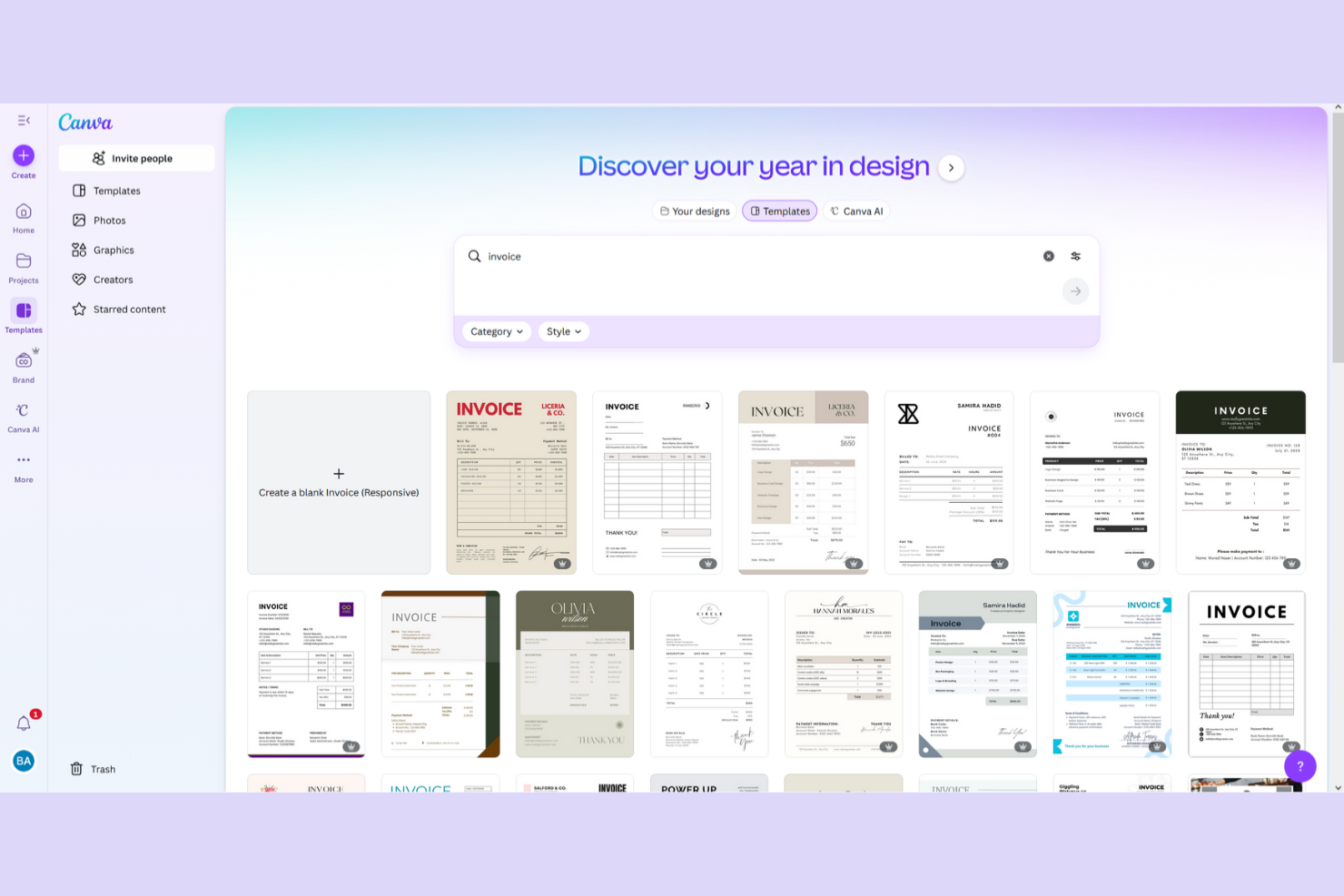
Canva offers a unique approach for teams that want to create visually polished invoices as part of their invoicing workflow. It’s especially appealing to creative professionals, agencies, and small businesses that prioritize branding and design consistency in client communications. If you need more control over the look and feel of your invoices than most accounting tools provide, Canva gives you that flexibility.
Who Is Canva Best For?
Canva is a strong choice for creative professionals and small businesses that want to design branded, visually distinctive invoices.
Why Canva Is a Good QuickBooks Alternative
What makes Canva a compelling QuickBooks alternative is its focus on invoice design and branding. I picked it for teams that want to create invoices that reflect their visual identity, using Canva’s extensive template library and drag-and-drop editor. You can add logos, brand colors, and custom graphics to every invoice, which isn’t possible in most accounting platforms. For businesses where client-facing documents are an extension of their brand, Canva offers creative control that standard bookkeeping tools don’t match.
Canva Key Features
Some other features in Canva help round out its invoicing capabilities:
- PDF Export: Download invoices as high-resolution PDFs for sharing or printing.
- Collaboration Tools: Invite team members to review and edit invoice designs in real time.
- Template Organization: Save and organize custom invoice templates for quick reuse.
- Cloud Storage: Store all invoice designs securely in your Canva account for easy access.
Canva Integrations
Native integrations are not currently listed.
Pros and Cons
Pros:
- Stores invoice designs in the cloud
- Lets you add custom branding elements
- Wide range of invoice design templates
Cons:
- No native invoice automation or reminders
- No built-in bookkeeping or accounting tools

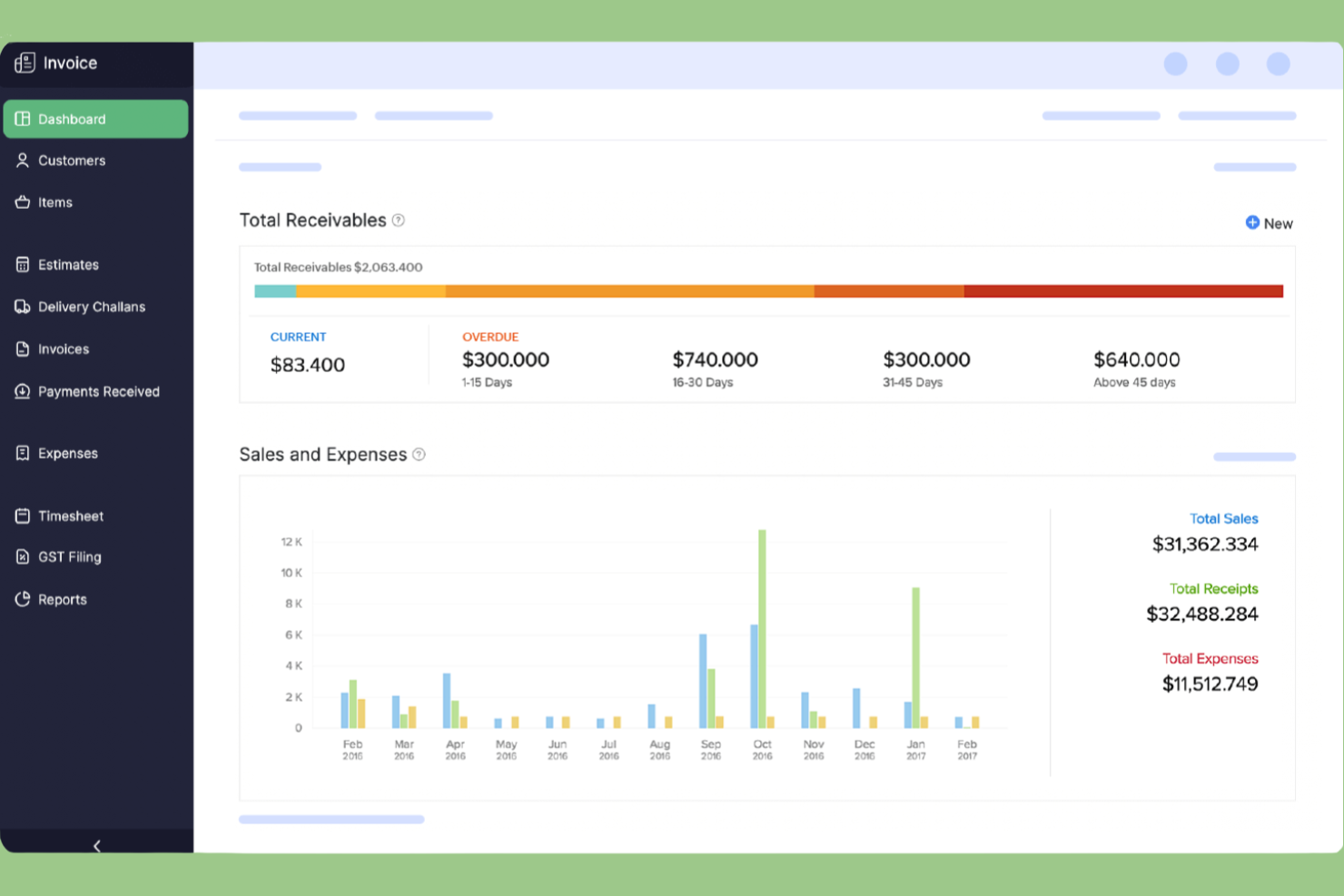
Zoho Invoice is a cloud-based invoicing platform designed for small businesses and service providers who want to automate billing and payment collection. It appeals to users who need detailed invoice customization and multi-currency support without the complexity of full accounting software. If you’re looking for a QuickBooks alternative that focuses on simplifying client billing and payment tracking, Zoho Invoice is worth considering.
Who Is Zoho Invoice Best For?
Zoho Invoice is a strong fit for small businesses and service providers that need to automate recurring billing and manage client payments with minimal manual effort.
Why Zoho Invoice Is a Good QuickBooks Alternative
What sets Zoho Invoice apart as a QuickBooks alternative is its focus on automating recurring billing for service-based businesses. I picked Zoho Invoice because it lets you schedule and send recurring invoices, automate payment reminders, and manage subscriptions without manual intervention. The platform also supports automatic payment collection through multiple gateways, which helps reduce late payments and administrative work. If you need a tool that handles repeat billing cycles with minimal oversight, Zoho Invoice is a strong choice.
Zoho Invoice Key Features
Some other features in Zoho Invoice help round out its invoicing and bookkeeping capabilities:
- Time Tracking: Track billable hours directly within projects and convert them into invoices.
- Multi-Currency Support: Send invoices and accept payments in multiple currencies for international clients.
- Customizable Templates: Personalize invoice layouts with your branding, colors, and logo.
- Client Portal: Give clients access to view, pay, and download their invoices online.
Zoho Invoice Integrations
Integrations include Zoho CRM, Stripe, QuickBooks, Bigin by Zoho CRM, PayPal, HubSpot, Zoho Analytics, WhatsApp, Zoho Mail, Slack, and more.
Pros and Cons
Pros:
- Multi-currency and multi-language support
- Built-in time tracking for billable hours
- Free plan includes all core features
Cons:
- Lacks purchase orders
- No double-entry accounting

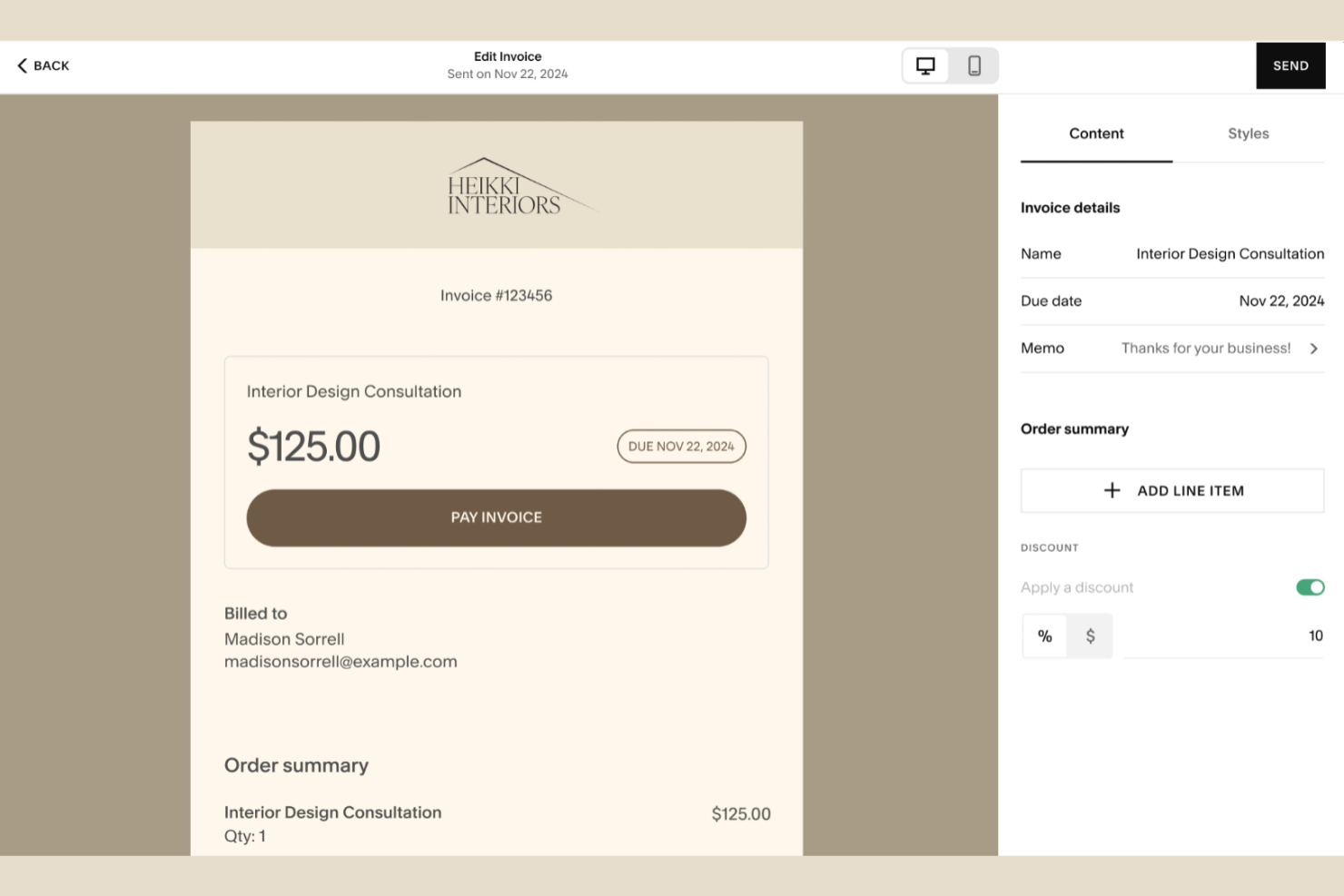
Squarespace offers invoicing features built directly into its website and ecommerce platform. It’s a practical option for small businesses and online retailers who want to manage sales, payments, and invoicing in one place. If you’re looking for a way to unify your storefront and billing, Squarespace brings these workflows together.
Who Is Squarespace Best For?
Squarespace suits e-commerce businesses and online retailers that want to integrate invoicing directly with their online store operations.
Why Squarespace Is a Good QuickBooks Alternative
I picked Squarespace for teams that want invoicing tightly connected to their online store. Unlike most accounting platforms, Squarespace lets you generate invoices directly from e-commerce orders and manage payments within the same dashboard as your storefront. This unified approach means you can track sales, customer details, and billing activity without switching between tools. For businesses that rely on online sales, having invoicing built into the same platform as your website and shop can simplify both operations and recordkeeping.
Squarespace Key Features
Some other features in Squarespace help round out its invoicing and bookkeeping capabilities:
- Customizable Invoice Templates: Choose from a variety of invoice layouts and personalize them with your branding.
- Automated Payment Reminders: Set up automatic reminders to notify clients about upcoming or overdue payments.
- Multi-Currency Support: Issue invoices and accept payments in different currencies for international customers.
- Mobile App Access: Create, send, and manage invoices directly from the Squarespace mobile app.
Squarespace Integrations
Integrations include QuickBooks Online, Xero, FreshBooks, TaxJar, Avalara, ShipStation, Printful, Mailchimp, Weglot, and Acuity Scheduling.
Pros and Cons
Pros:
- Integrates with accounting and tax tools
- Offers mobile invoicing and management
- Supports branded invoice customization
Cons:
- No built-in bank reconciliation tools
- Cannot manage payroll or expenses

BILL is a payment management platform built for finance teams that need more control over accounts payable and receivable. It’s a strong fit for midsize businesses and organizations with multi-step financial processes. If you’re looking for invoicing and bookkeeping software that goes beyond basic billing, BILL helps manage complex payment cycles and approval chains.
Who Is BILL Best For?
BILL fits midsize and larger organizations that need to manage complex, multi-level approval workflows for payables and receivables.
Why BILL Is a Good QuickBooks Alternative
When you need to manage approval chains that go beyond simple sign-offs, BILL stands out as a strong QuickBooks alternative. I picked it for teams that require customizable, multi-step approval workflows for both payables and receivables. BILL lets you set up detailed routing rules, assign approvers at each stage, and track every action for audit purposes. This level of control is especially valuable for organizations with strict compliance requirements or distributed finance teams.
BILL Key Features
Some other features in BILL help round out its invoicing and bookkeeping capabilities:
- Automated Invoice Capture: BILL uses OCR to extract invoice data from uploaded documents and emails.
- International Payments: Send payments to vendors in over 130 countries directly from the platform.
- Two-Way Sync with Accounting Software: Syncs transactions and payment status with QuickBooks, Xero, and Sage Intacct.
- Audit Trail: Tracks every action taken on a bill or invoice for compliance and transparency.
BILL Integrations
Integrations include QuickBooks Online, Xero, Oracle NetSuite, Sage Intacct, Microsoft Dynamics, Acumatica, Slack, Tallie, HubDoc, and Tax1099.
Pros and Cons
Pros:
- Offers automated invoice data capture
- Syncs with multiple accounting platforms
- Supports international vendor payments
Cons:
- No inventory management features
- Lacks full double-entry accounting

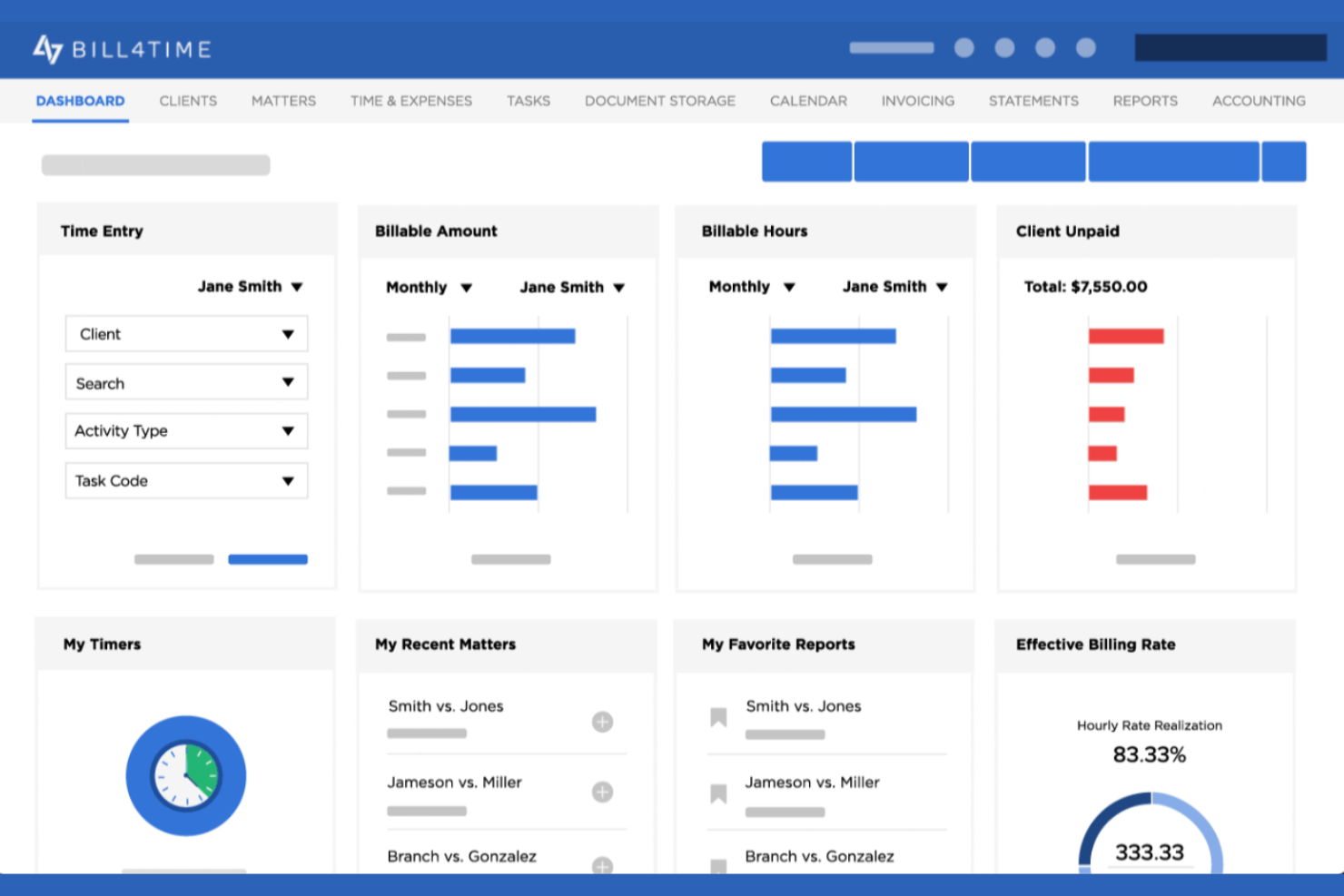
Bill4Time is a billing and time tracking platform designed for legal professionals and service-based firms. It helps users manage client matters, track billable hours, and handle trust accounting in one place. If you need invoicing and bookkeeping software tailored to the needs of law firms or consultancies, Bill4Time addresses industry-specific requirements that many general accounting tools overlook.
Who Is Bill4Time Best For?
Bill4Time fits law firms and professional services businesses that need specialized billing, time tracking, and trust accounting features.
Why Bill4Time Is a Good QuickBooks Alternative
For legal and professional services teams, Bill4Time offers industry-specific features that QuickBooks doesn’t address. I picked Bill4Time because it includes built-in trust accounting and matter management, which are essential for law firms and consultancies. The platform also supports detailed time tracking linked directly to client matters, making it easy to generate compliant invoices. These specialized capabilities make Bill4Time a strong fit for professionals who need more than just general bookkeeping.
Bill4Time Key Features
Some other features in Bill4Time help round out its invoicing and bookkeeping capabilities:
- Batch Invoice Creation: Generate multiple invoices at once for different clients or matters.
- Expense Tracking: Record and categorize reimbursable and non-reimbursable expenses directly within the platform.
- Mobile App Access: Track time, manage clients, and send invoices from iOS and Android devices.
- Custom Invoice Templates: Personalize invoice layouts with your firm’s branding and required legal details.
Bill4Time Integrations
Integrations include QuickBooks, Box, Google Calendar, and NetDocuments.
Pros and Cons
Pros:
- Custom invoice templates for branding needs
- Mobile app for time and expense tracking
- Batch invoice creation for multiple clients
Cons:
- Tax calculation automation is not included
- No inventory management features

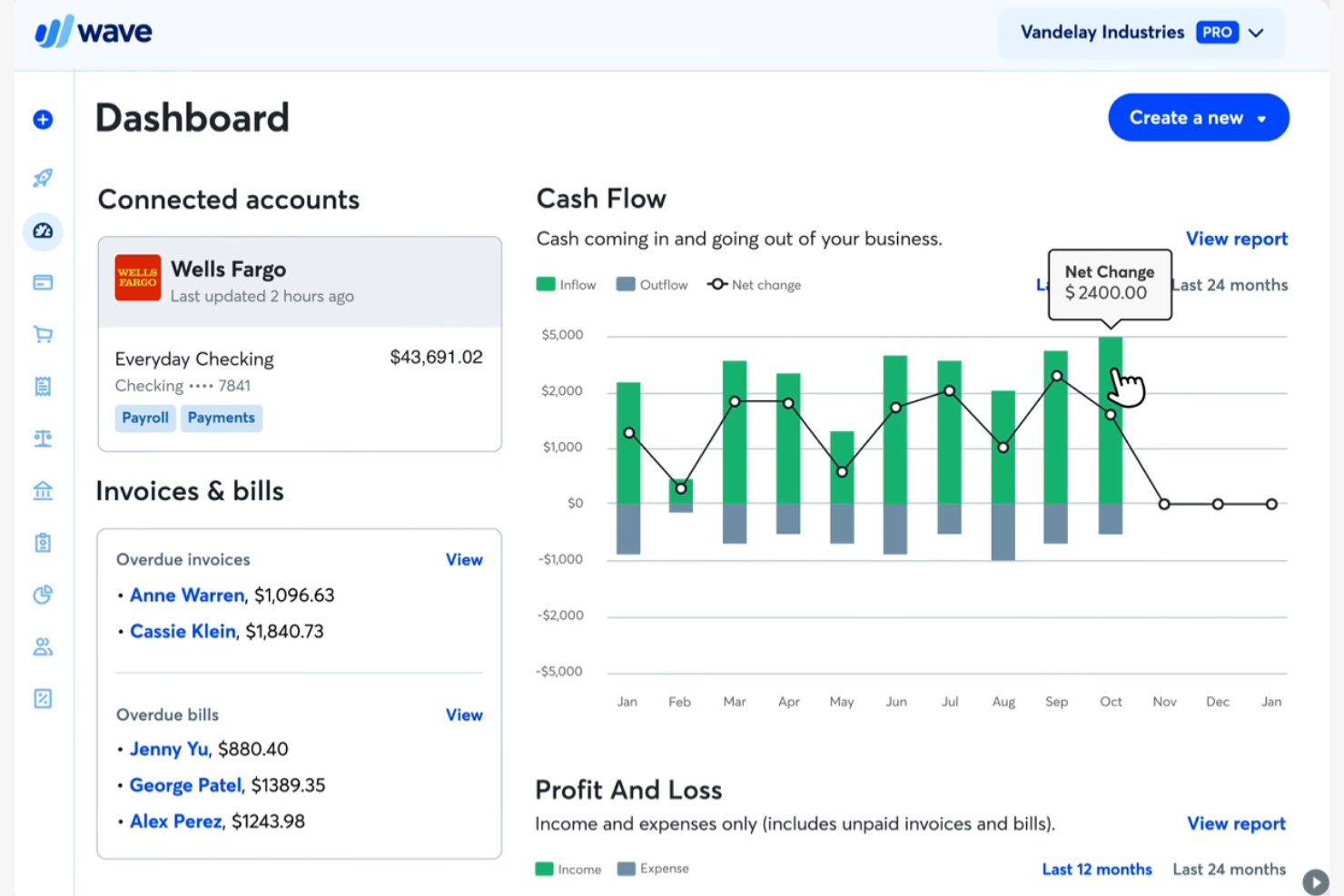
Wave is a cloud-based invoicing and bookkeeping platform designed for freelancers and small service-based businesses. If you’re looking for a tool that covers core accounting needs without upfront costs, Wave stands out among QuickBooks alternatives. It helps users manage invoicing, payments, and basic bookkeeping in one place, making it easier to stay organized.
Who Is Wave Best For?
Wave is a strong choice for freelancers and solo professionals who need essential invoicing and bookkeeping tools without monthly fees.
Why Wave Is a Good QuickBooks Alternative
I picked Wave for freelancers who want essential invoicing and bookkeeping tools without the commitment of a paid plan. Wave offers unlimited invoicing, receipt scanning, and basic expense tracking at no cost, which is rare among QuickBooks alternatives. You can also manage multiple clients and track payments directly from the dashboard. This makes Wave especially appealing if you’re just starting out or need a simple, reliable solution for solo work.
Wave Key Features
Some other features in Wave help round out its invoicing and bookkeeping capabilities:
- Bank Connections: Link your bank accounts to automatically import and categorize transactions.
- Recurring Billing: Set up and manage recurring invoices for ongoing clients or subscription services.
- Customizable Invoice Templates: Personalize invoice layouts with your branding, colors, and logo.
- Mobile App: Access invoicing and bookkeeping tools on the go with Wave’s dedicated mobile app.
Wave Integrations
Native integrations are not currently listed, but it offers an API for custom integrations.
Pros and Cons
Pros:
- Supports multiple businesses under one account
- Built-in receipt scanning with mobile app
- No monthly fees for core accounting features
Cons:
- No built-in payroll for most regions
- Lacks inventory management tools

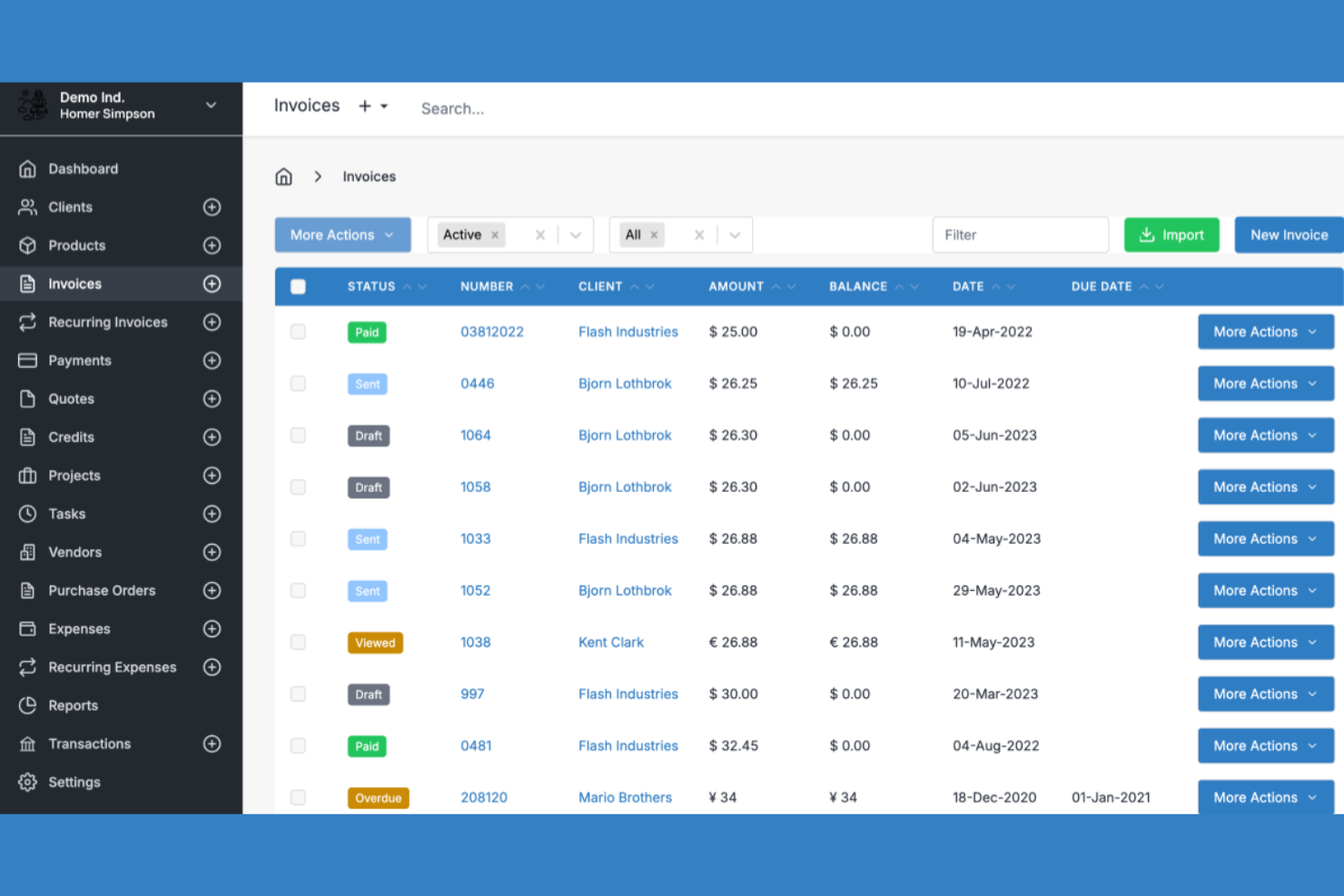
Invoice Ninja is an invoicing and bookkeeping platform designed for businesses and freelancers who want more control over their financial workflows. If you’re looking for a solution that supports both cloud and self-hosted options, this tool gives you flexibility that many competitors don’t. It’s a strong fit for users who need customizable features and transparency in how their invoicing software operates.
Who Is Invoice Ninja Best For?
Invoice Ninja is a good fit for small businesses and developers who want open-source invoicing software they can customize and self-host.
Why Invoice Ninja Is a Good QuickBooks Alternative
What sets Invoice Ninja apart from QuickBooks is its open-source foundation, which gives you full access to the source code for customization. I picked Invoice Ninja for teams that want to tailor their invoicing and bookkeeping workflows or self-host their own solution for greater control over data and security. The platform supports advanced features like custom invoice templates and white-labeling, so you can adapt the tool to fit your brand and processes. This level of flexibility is rare among cloud-based accounting tools and makes Invoice Ninja a strong choice for businesses with unique requirements.
Invoice Ninja Key Features
Some other features in Invoice Ninja make it a flexible option for invoicing and bookkeeping tasks:
- Project and Task Management: Track billable projects and tasks directly within the platform for more accurate client billing.
- Expense Tracking: Record and categorize business expenses to keep your financial records organized.
- Multi-Currency and Multi-Language Support: Send invoices and quotes in multiple currencies and languages to serve global clients.
- Payment Gateway Integrations: Connect with gateways like PayPal, Stripe, and Authorize.Net to accept online payments from clients.
Invoice Ninja Integrations
Integrations include Zapier, Make, Integrately, Pabbly, n8n, Boost.space, Pipedream, and OttoKit.
Pros and Cons
Pros:
- Includes project and task management tools
- Supports multiple business profiles per account
- Self-hosting option for data control
Cons:
- Lacks double-entry accounting features
- No built-in payroll processing
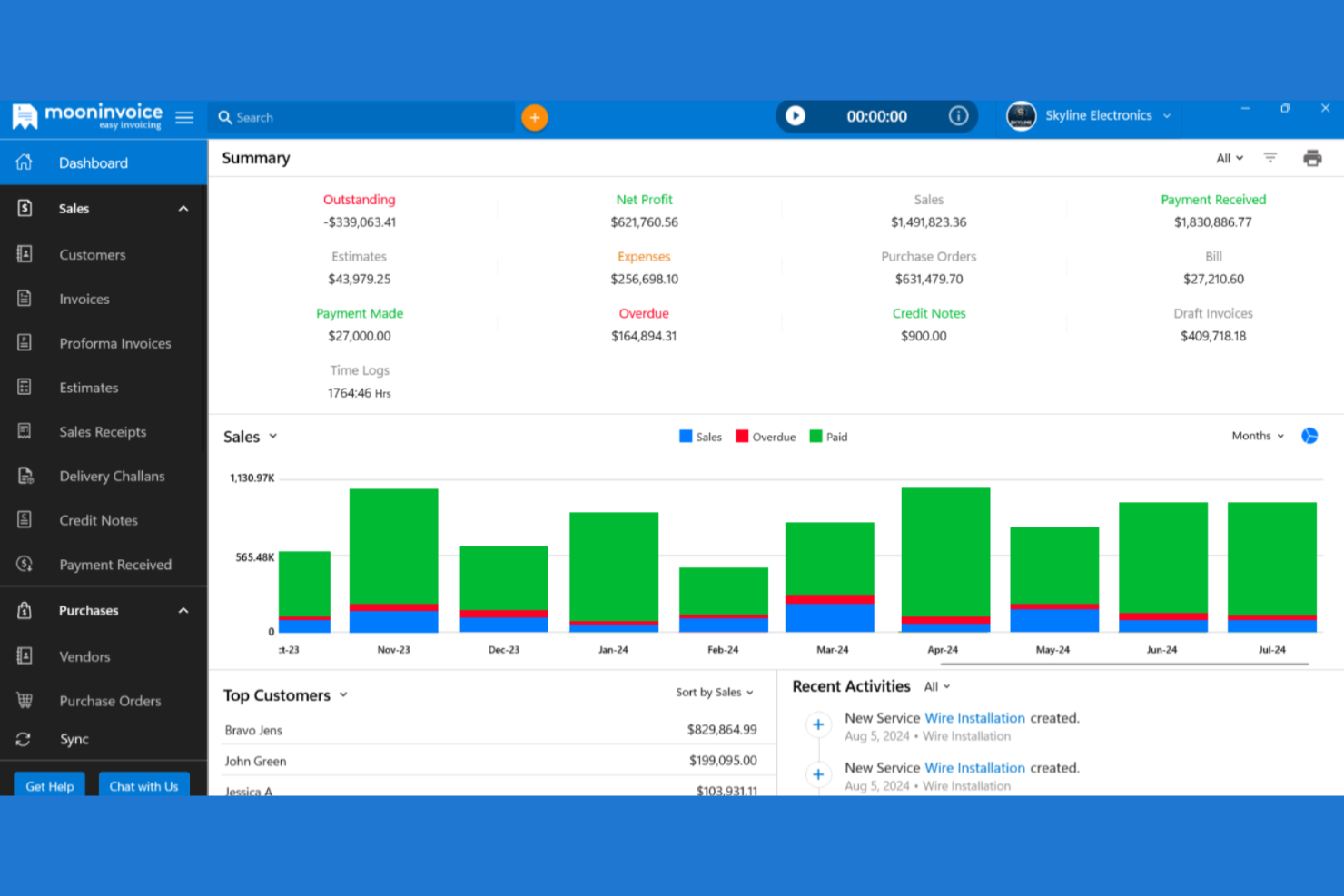
If you’re looking for invoicing and bookkeeping software that works across desktop and mobile, Moon Invoice is worth a look. It’s designed for freelancers, small businesses, and teams that need to manage billing and expenses on the go. Moon Invoice helps users handle estimates, payments, and recurring invoices without being tied to a single device or location.
Who Is Moon Invoice Best For?
Moon Invoice suits freelancers and small businesses that need to manage invoicing and bookkeeping seamlessly across multiple devices.
Why Moon Invoice Is a Good QuickBooks Alternative
I picked Moon Invoice for teams that need true flexibility across devices. Unlike many invoicing tools, it offers fully featured apps for Windows, Mac, iOS, and Android, so you can create, send, and manage invoices from anywhere. I also appreciate that your data syncs in real time, letting you switch between devices without missing a beat. This makes Moon Invoice a strong QuickBooks alternative for users who work on the move or across multiple platforms.
Moon Invoice Key Features
Some other features in Moon Invoice help round out its invoicing and bookkeeping capabilities:
- Expense Tracking: Track and categorize business expenses directly within the platform.
- Time Tracking: Log billable hours and convert them into invoices with a single click.
- Customizable Invoice Templates: Choose from a variety of templates and personalize them with your branding.
- Payment Reminders: Set up automated reminders to notify clients about upcoming or overdue payments.
Moon Invoice Integrations
Integrations include Stripe, PayPal, Square, WooCommerce, Gmail, Outlook, Basecamp, Braintree, Razorpay, and Google Pay.
Pros and Cons
Pros:
- Provides customizable invoice templates
- Supports multiple business profiles
- Offers recurring invoice scheduling
Cons:
- Reporting options are basic
- Limited tax calculation automation
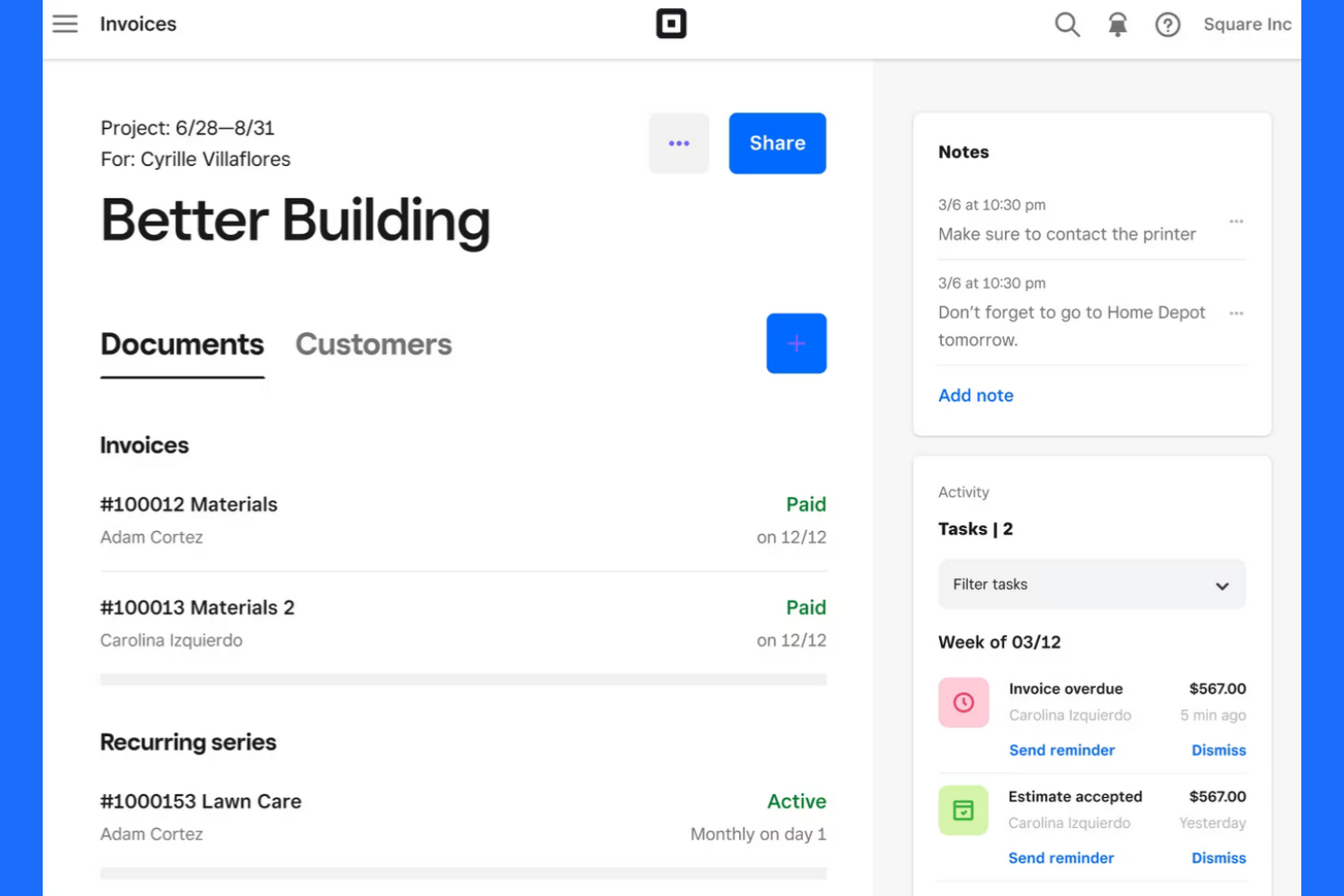
Square offers invoicing and payment tools designed for small businesses and service providers who need to manage billing and get paid quickly. It’s a strong fit for teams that want to handle invoices, payments, customer records, and payroll services in one place without a full accounting suite. If you’re looking for a straightforward way to send invoices and accept payments—including credit card payments—Square brings these workflows together.
Who Is Square Best For?
Square suits small businesses and service providers that need to accept card payments instantly when invoicing clients.
Why Square Is a Good QuickBooks Alternative
I picked Square for teams that need to send invoices and accept card payments instantly, without extra steps or third-party gateways. Square’s invoicing tool lets you create and send invoices that clients can pay online with a credit or debit card as soon as they receive them. You can also track payment status in real time and send reminders directly from the same dashboard. For businesses that prioritize fast, reliable payment collection, Square offers a direct alternative to more traditional accounting platforms like QuickBooks.
Square Key Features
Some other features in Square help round out its invoicing and bookkeeping capabilities:
- Recurring Invoices: Set up and automate recurring billing for repeat clients or subscription services.
- Itemized Estimates: Create and send detailed estimates that can be converted into invoices with one click.
- Customer Directory: Store and manage client contact details, payment history, and communication in one place.
- Sales Tax Calculation: Automatically calculate and apply sales tax to invoices based on location.
Square Integrations
Integrations include QuickBooks Online, Xero, Wix, WooCommerce, BigCommerce, Mailchimp, Jotform, Homebase, 7shifts, and Zoho Books.
Pros and Cons
Pros:
- Includes built-in sales tax calculation
- Supports recurring and installment billing
- Syncs sales data with QuickBooks Online
Cons:
- Cannot reconcile bank transactions natively
- No double-entry bookkeeping functionality
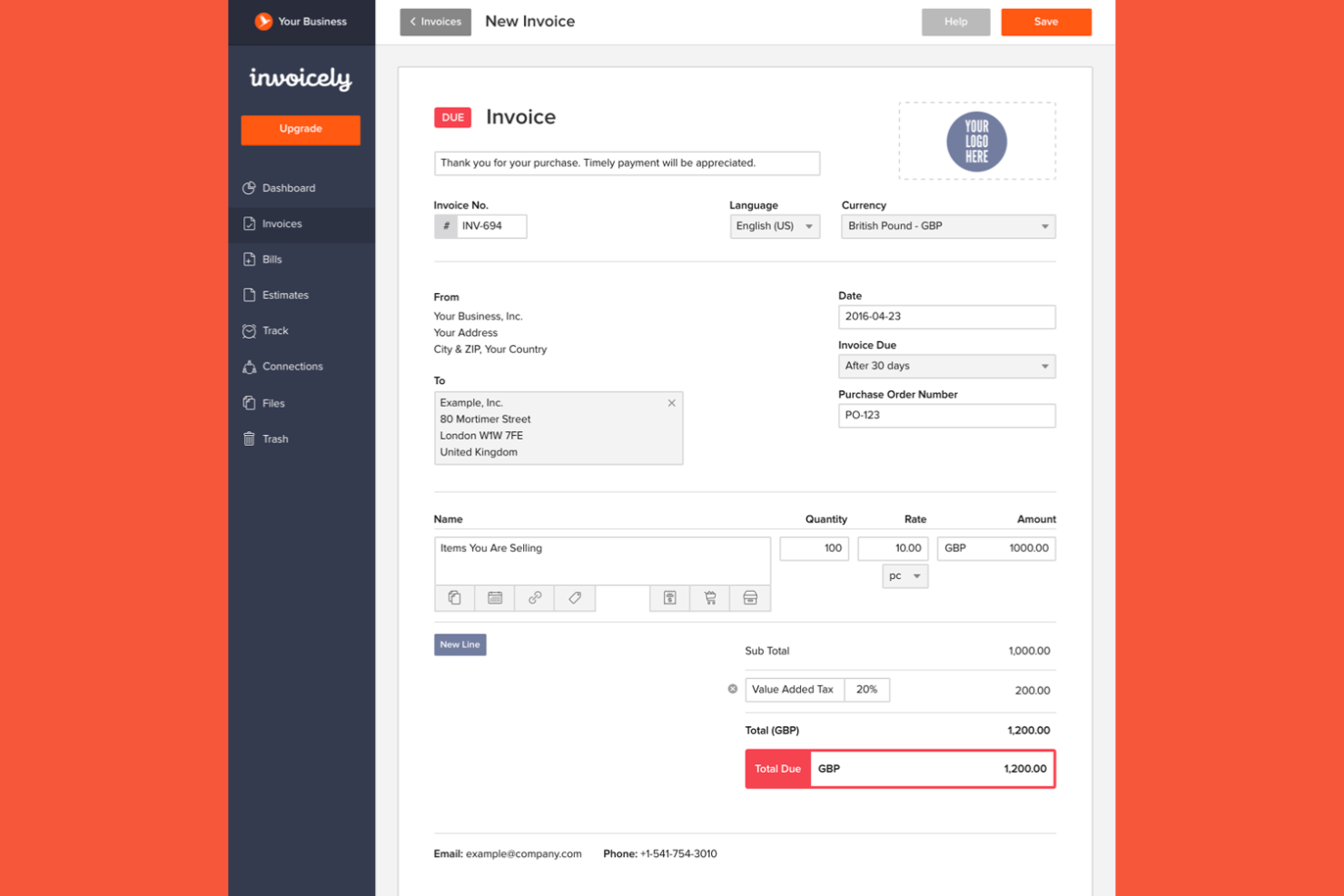
Invoicely offers a straightforward invoicing and bookkeeping platform designed for small businesses, solopreneurs, freelancers, and startups who need to manage multiple clients or revenue streams. As a free accounting software option, it stands out for its simple interface and ability to handle several business profiles under one account. If you’re looking for a tool that keeps your invoicing organized without the complexity of traditional accounting systems, Invoicely is worth considering.
Who Is invoicely Best For?
invoicely suits small businesses and freelancers who need to manage separate invoicing and bookkeeping for multiple business profiles from a single account.
Why invoicely Is a Good QuickBooks Alternative
One reason I chose Invoicely as a QuickBooks alternative is its ability to manage multiple business profiles within a single account. This feature lets you create and track invoices, expenses, and reports separately for each business entity you operate. You can also customize branding and tax settings for each profile, which is helpful if you juggle several ventures or client accounts. These capabilities make invoicely a strong fit for users who need to keep financial records distinct and organized across different business streams.
invoicely Key Features
Some other features in invoicely make it a flexible option for invoicing and bookkeeping tasks:
- Multi-Currency Support: Send invoices and accept payments in a wide range of global currencies.
- Recurring Invoices: Set up automated recurring billing for clients with ongoing services or subscriptions.
- Mileage and Time Tracking: Track billable hours and travel mileage directly within the platform for accurate invoicing.
- Online Payment Integration: Connect with payment gateways like PayPal and Stripe to accept online payments from clients.
invoicely Integrations
Integrations include PayPal, Stripe, Authorize.Net, and Mollie.
Pros and Cons
Pros:
- Free plan available with basic features
- Accepts payments in multiple currencies
- Provides recurring invoice automation
Cons:
- Limited financial reporting options
- No built-in payroll processing tools

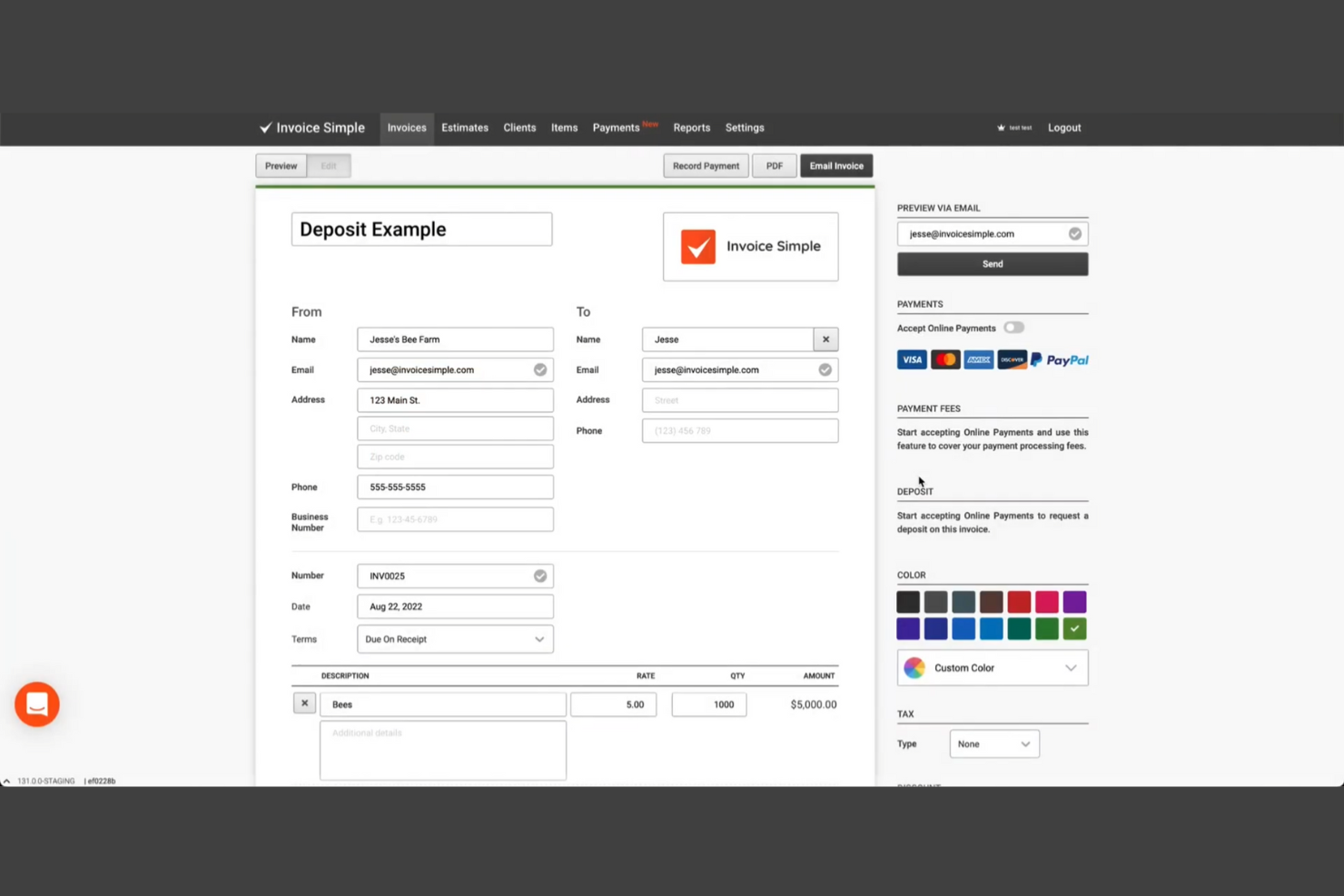
If you need a straightforward way to create and send invoices from your phone, Invoice Simple is worth a look. This tool is designed for freelancers, contractors, and small business owners who want to handle invoicing on the go. It helps you generate professional invoices quickly, track payments, and manage basic billing tasks without the complexity of full accounting software.
Who Is Invoice Simple Best For?
Invoice Simple is a strong fit for freelancers and small business owners who need to create and send invoices directly from their mobile devices.
Why Invoice Simple Is a Good QuickBooks Alternative
What sets Invoice Simple apart as a QuickBooks alternative is its mobile-first approach to invoicing. I picked it because you can create, send, and manage invoices directly from your phone or tablet, which is ideal for users who work in the field or travel frequently. The app also lets you capture client signatures and accept payments on the spot, making it easy to close out jobs and get paid faster. For anyone who needs to handle invoicing without being tied to a desktop, Invoice Simple offers a focused and flexible solution.
Invoice Simple Key Features
Some other features in Invoice Simple help round out its invoicing capabilities:
- Estimate Creation: Generate and send estimates to clients before converting them into invoices.
- Tax Calculation: Automatically apply sales tax rates to invoices based on your settings.
- Expense Logging: Record and categorize business expenses for basic tracking.
- Customizable Templates: Adjust invoice layouts, add your logo, and personalize fields to match your brand.
Invoice Simple Integrations
Native integrations are not currently listed.
Pros and Cons
Pros:
- Tracks invoice status and payment history
- Lets you capture client signatures on invoices
- Mobile app supports invoicing and estimates
Cons:
- Limited reporting and analytics options
- Lacks payroll and tax filing features


Paymo is a project-focused invoicing and work management platform designed for teams and agencies that bill by the hour. If you need to connect project tracking, timesheets, and invoicing in one place, Paymo offers a unified approach. It’s especially useful for businesses that want to tie billable hours directly to client invoices without juggling multiple tools.
Who Is Paymo Best For?
Paymo is a strong fit for small agencies and professional services teams that need to track billable project hours and convert them directly into invoices.
Why Paymo Is a Good QuickBooks Alternative
What makes Paymo a strong QuickBooks alternative is its ability to connect project management, time tracking, and invoicing in one workflow. I picked Paymo because it lets you track billable hours on tasks and projects, then automatically generate invoices based on that tracked time. This is especially useful for agencies and consultancies that need to ensure every billable minute is accounted for. Paymo also supports detailed timesheets and approval workflows, which help teams maintain accurate records for client billing.
Paymo Key Features
Some other features in Paymo help round out its invoicing and bookkeeping capabilities:
- Expense Tracking: Log and categorize project expenses to include them on invoices or track project profitability.
- Customizable Invoice Templates: Adjust invoice layouts, add your branding, and tailor fields to fit client requirements.
- Online Payment Gateways: Accept payments through integrations with Stripe, PayPal, and other payment processors.
- Recurring Invoices: Set up automated recurring invoices for ongoing client work or retainer agreements.
Paymo Integrations
Native integrations are not currently listed, but third-party integrations are supported.
Pros and Cons
Pros:
- Expense tracking linked directly to projects
- Combines project management with invoicing
- Built-in time tracking for billable hours
Cons:
- Limited financial and tax reporting options
- No double-entry accounting


QuickBooks Alternatives Selection Criteria
When selecting the best QuickBooks alternatives to include in this list, I considered common buyer needs and pain points related to invoicing and bookkeeping software products, like managing complex billing requirements and ensuring accurate financial record-keeping. I also used the following framework to keep my evaluation structured and fair:
Core Functionality (25% of total score)
To be considered for inclusion in this list, each solution had to fulfill these common use cases:
- Create and send invoices
- Track expenses and payments
- Manage client or customer records
- Generate basic financial reports
- Reconcile bank transactions
Additional Standout Features (25% of total score)
To help further narrow down the competition, I also looked for unique features, such as:
- Built-in time tracking
- Automated recurring billing
- Trust or escrow accounting
- Customizable invoice templates
- Multi-currency or multilingual support
Usability (10% of total score)
To get a sense of the usability of each system, I considered the following:
- Simple and intuitive navigation
- Clean and modern interface design
- Logical workflow for common tasks
- Minimal clicks to complete actions
- Responsive performance across devices
Onboarding (10% of total score)
To evaluate the onboarding experience for each platform, I considered the following:
- Availability of step-by-step setup guides
- Access to training videos and tutorials
- Pre-built templates for invoices and reports
- Interactive product tours or walkthroughs
- Support for data import and migration
Customer Support (10% of total score)
To assess each software provider’s customer support services, I considered the following:
- Multiple support channels like chat, email, and phone
- Fast response times to inquiries
- Access to a searchable help center or knowledge base
- Availability of live support during business hours
- Community forums or user groups
Value For Money (10% of total score)
To evaluate the value for money of each platform, I considered the following:
- Transparent and predictable pricing plans
- Features included at each pricing tier
- Free trial or demo availability
- No hidden fees or surprise charges
- Discounts for annual or multi-user plans
Customer Reviews (10% of total score)
To get a sense of overall customer satisfaction, I considered the following when reading customer reviews:
- Consistent positive feedback on reliability
- Reports of helpful and knowledgeable support
- Comments on ease of use and setup
- Feedback on feature completeness
- Noted issues or limitations mentioned by users
Why Look For a QuickBooks Alternative?
While QuickBooks is a good choice of invoicing and bookkeeping software, there are a number of reasons why some users seek out alternative solutions. You might be looking for a QuickBooks alternative because…
- You need industry-specific features for legal or consulting work
- You want built-in time tracking or project management
- You require trust accounting or escrow management
- You need better support for multi-currency or multilingual invoicing
- You want more flexible invoice customization options
- You need a solution that fits a non-U.S. tax environment
If any of these sound like you, you’ve come to the right place. My list contains several invoicing and bookkeeping software options that are better suited for teams facing these challenges with QuickBooks and looking for alternative solutions.
QuickBooks Key Features
Here are some of the key features of QuickBooks, to help you contrast and compare what alternative solutions offer:
- Invoicing: Create, customize, and send professional invoices to clients, track their status, and set up recurring billing for ongoing work.
- Expense tracking: Record, categorize, and manage business expenses, including receipt capture and automatic bank feed imports.
- Bank reconciliation: Match transactions from your bank accounts with those in QuickBooks to ensure your records are accurate and up to date.
- Financial reporting: Generate standard reports like profit and loss, balance sheet, and cash flow statements to monitor your business’s financial health.
- Payroll processing: Calculate employee wages, withhold taxes, and manage direct deposits and tax filings within the platform.
- Inventory management: Track inventory levels, manage purchase orders, and receive alerts when stock is low or needs replenishing.
- Time tracking: Log billable hours for employees or contractors and link them directly to client invoices or projects.
- Multi-currency support: Send invoices, accept payments, and manage accounts in multiple currencies for international business needs.
- Mobile app: Access core features like invoicing, expense capture, and reporting from iOS and Android devices.
- Third-party integrations: Connect with a wide range of business tools, including payment processors, CRM systems, and e-commerce platforms, to extend QuickBooks’ functionality.
What’s Next:
If you're in the process of researching accounting software, connect with a SoftwareSelect advisor for free recommendations.
You fill out a form and have a quick chat where they get into the specifics of your needs. Then you'll get a shortlist of software to review. They'll even support you through the entire buying process, including price negotiations.