
14 Best MuleSoft Alternatives for 2026

MuleSoft Alternatives Shortlist
Here's my pick of the 10 best software from the 14 tools reviewed.


A strong MuleSoft alternative offers flexible API management, reliable iPaaS capabilities, and support for complex workflows across cloud and on-premises systems. If you’re searching for MuleSoft alternatives, you’re likely weighing options that can handle evolving integration needs, simplify API lifecycle management, and fit your team’s tech stack—without the licensing or complexity hurdles that sometimes come with MuleSoft.
This list will help you quickly compare leading platforms, highlight their unique strengths, and guide you toward the right fit for your integration and API management priorities.
What is MuleSoft?
MuleSoft is an integration platform that connects applications, data, and devices across cloud and on-premises environments. It provides tools for API management, data transformation, and workflow automation, allowing teams to build and manage integrations at scale. MuleSoft is widely used by organizations that need to unify complex systems, simplify data flows, and support user-friendly digital transformation initiatives with reliable connectivity and centralized API governance.
MuleSoft Alternatives Summary
This comparison chart summarizes pricing details for my top mulesoft alternative selections to help you find the best one for your budget and business needs.
| Tool | Best For | Trial Info | Price | ||
|---|---|---|---|---|---|
| 1 | Best for workflow automation integrations | Free demo available | Pricing upon request | Website | |
| 2 | Best for rapid cloud integration deployment | 30-day free trial available | From $99/month + usage fees | Website | |
| 3 | Best for advanced API analytics | 60-day free trial available | From $20/1M API calls | Website | |
| 4 | Best for scalable API traffic management | Free plan available | Pricing upon request | Website | |
| 5 | Best with enterprise-grade security controls | 30-day free trial available | From $83/month (billed annually) | Website | |
| 6 | Best with native Microsoft ecosystem integration | Free plan available | From $147.17/month | Website | |
| 7 | Best with microservices and Kubernetes support | 30-day free trial available | Pricing upon request | Website | |
| 8 | Best for hybrid and multi-cloud API routing | Free demo available | Pricing upon request | Website | |
| 9 | API management features are less mature | Not available | Pricing upon request | Website | |
| 10 | Best for open-source API gateway flexibility | 48-hour free trial available | Pricing upon request | Website |
Why You Can Trust Us
We’ve been testing and reviewing project management software since 2012. As project managers ourselves, we know how critical and difficult it is to make the right decision when selecting software.
We invest in deep research to help our audience make better software purchasing decisions. We’ve tested more than 2,000 tools for different project management use cases and written over 1,000 comprehensive software reviews. Learn how we stay transparent & our software review methodology.
-

Accelo
Visit WebsiteThis is an aggregated rating for this tool including ratings from Crozdesk users and ratings from other sites.4.4 -
Wrike
Visit WebsiteThis is an aggregated rating for this tool including ratings from Crozdesk users and ratings from other sites.4.2 -
Forecast
Visit WebsiteThis is an aggregated rating for this tool including ratings from Crozdesk users and ratings from other sites.4.6




MuleSoft Alternatives Reviews
Below are my detailed summaries of the best MuleSoft alternatives that made it onto my shortlist. My reviews offer a detailed look at the features, capabilities, and integrations of each platform to help you find the best one for you.

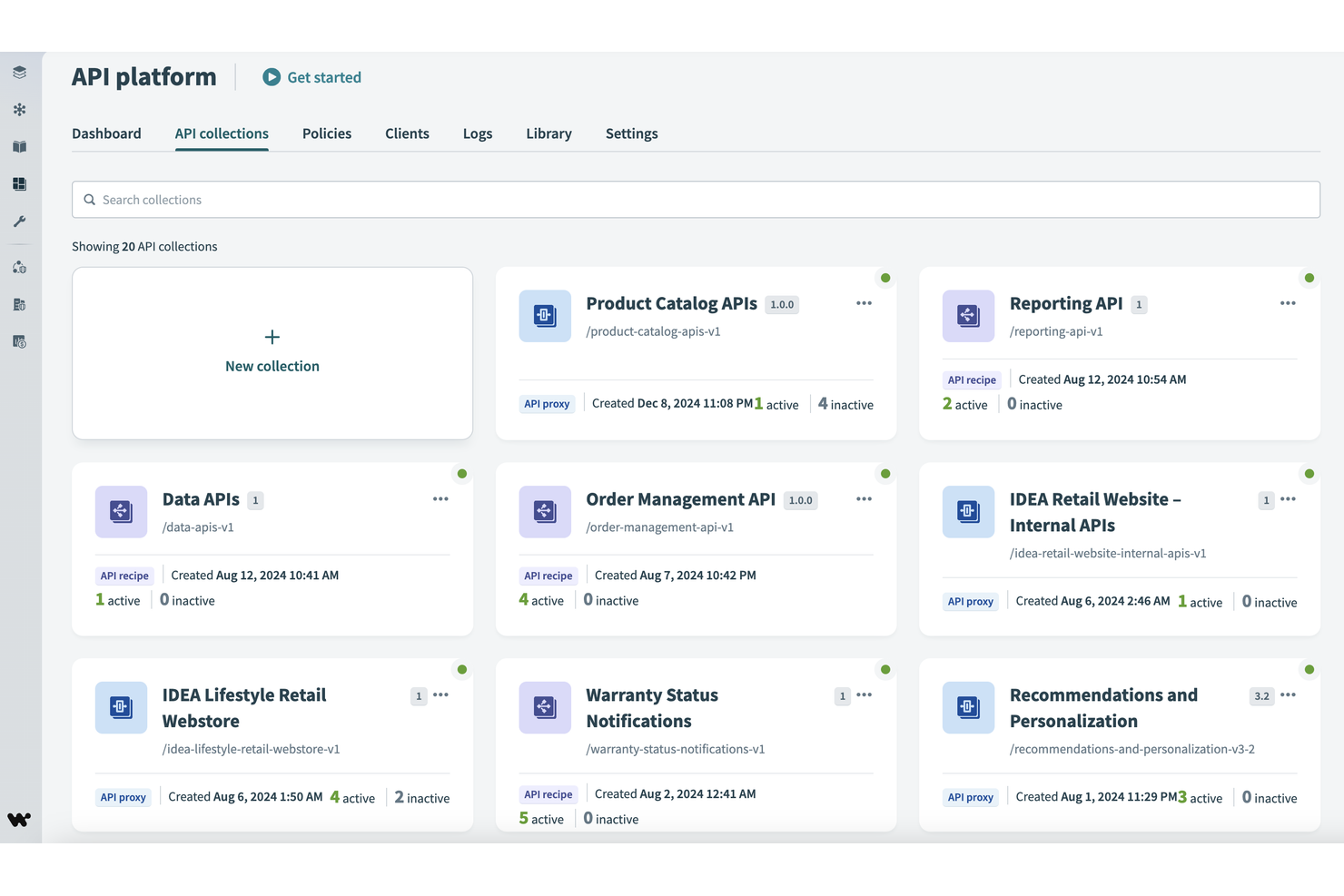
Workato is built for teams that need to automate complex workflows across multiple business apps without heavy coding. Marketing, sales, and operations professionals often choose Workato for its low-code integration platform and extensive library of pre-built connectors. Unlike MuleSoft, Workato emphasizes rapid deployment of workflow automations and supports a wide range of SaaS and on-premises systems.
Why Workato Is a Good MuleSoft Alternative
For teams focused on workflow automation integrations, Workato offers a different approach than MuleSoft. I picked Workato because it lets you build complex, multi-step automations using a low-code interface and a large library of pre-built recipes. Its recipe-based automation engine supports conditional logic, data transformations, and event-driven triggers across cloud and on-premises apps. This makes Workato especially useful for organizations that want to automate business processes quickly without relying on deep developer resources.
Workato Key Features
Some other features that make Workato stand out for integration and automation include:
- API platform: Build, publish, and manage APIs directly within Workato.
- Embedded integration builder: Allow partners or customers to create their own integrations inside your product.
- Role-based access controls: Set granular permissions for users and teams managing automations.
- Real-time monitoring dashboard: Track automation runs, errors, and system health as they happen.
Workato Integrations
Integrations include Salesforce, Asana, Snowflake, NetSuite, ServiceNow, Workday, Slack, Google Sheets, and Box.
Pros and Cons
Pros:
- Embedded integration builder for SaaS vendors
- Low-code automation builder for business users
- Extensive library of pre-built integration recipes
Cons:
- API management features are less mature
- Has a steep learning curve

If your team needs a cost-effective way to connect cloud and on-premises applications quickly, Boomi is built for rapid deployment. It’s a strong fit for IT teams and integration specialists who want to automate workflows and data movement across a wide range of platforms. Unlike MuleSoft, Boomi’s low-code interface and prebuilt connectors help you launch integrations in days, not weeks.
Why Boomi Is a Good MuleSoft Alternative
When you need to deploy cloud integrations fast, Boomi stands out for its speed and flexibility. I picked Boomi because its drag-and-drop process builder and extensive library of prebuilt connectors let you create and launch integrations with minimal coding. The platform also supports real-time data synchronization and automated error handling, which helps teams keep systems connected and running smoothly. For organizations that want to accelerate digital transformation without heavy development, Boomi offers a practical alternative to MuleSoft.
Boomi Key Features
Some other features that make Boomi useful for integration projects include:
- Boomi AtomSphere API Management: Manage, monitor, and secure APIs across your integration landscape.
- B2B/EDI management: Handle electronic data interchange and trading partner relationships directly within the platform.
- Master data hub: Centralize and synchronize master data across multiple systems.
- Process library: Access a repository of reusable integration process templates for common use cases.
Boomi Integrations
Integrations include SAP, Salesforce, Oracle NetSuite, ServiceNow, AWS, Slack, Workday, Stripe, Shopify, and Google Drive.
Pros and Cons
Pros:
- Built-in B2B/EDI management tools
- Visual process builder for integration design
- Prebuilt connectors for major SaaS platforms
Cons:
- Requires separate module for API management
- Limited advanced data transformation options

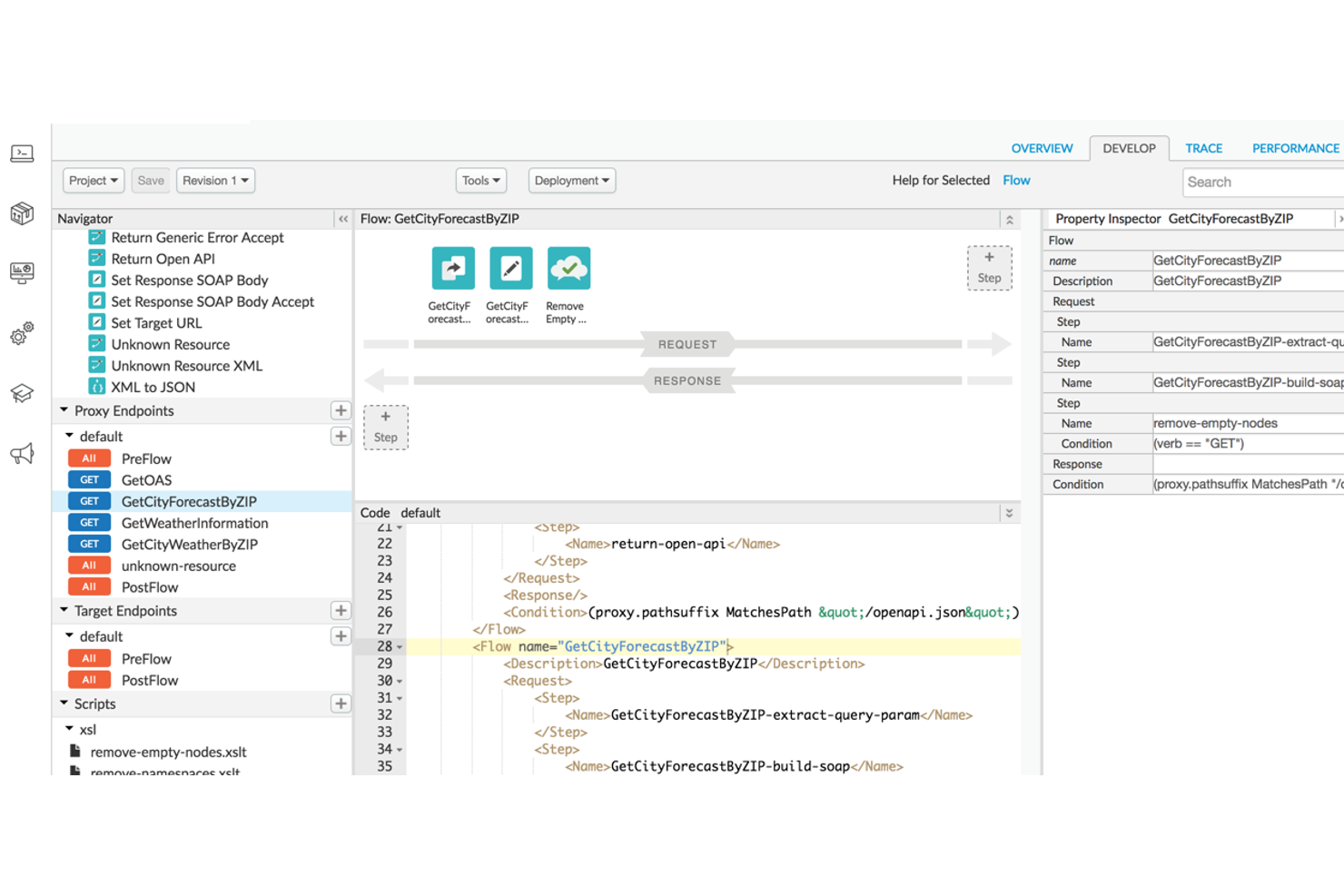
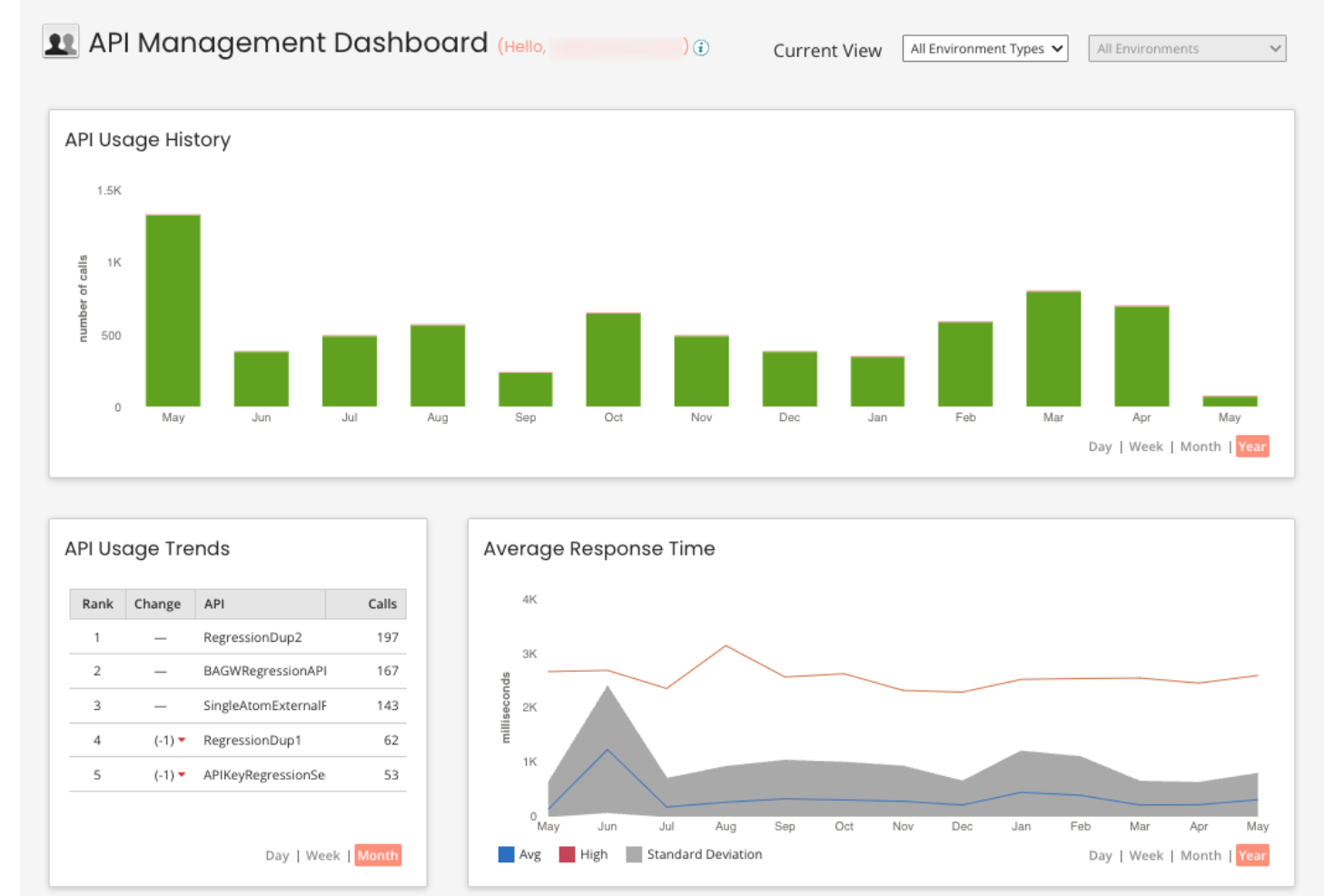
If your team needs deep visibility into API usage and performance, Apigee offers advanced analytics that go beyond standard monitoring. It’s designed for enterprises and digital businesses that want to optimize API strategies with granular data and actionable insights. Compared to MuleSoft, Apigee stands out for its real-time analytics dashboards and built-in anomaly detection for API traffic.
Why Apigee Is a Good MuleSoft Alternative
For teams that need more than basic API monitoring, Apigee delivers advanced analytics capabilities that set it apart from MuleSoft. I picked Apigee because it offers real-time dashboards, customizable reports, and built-in anomaly detection for API traffic. These features help you quickly identify performance issues, usage trends, and security threats across your API ecosystem. If your priority is actionable, data-driven insights for API management, Apigee is a strong alternative to consider.
Apigee Key Features
Some other features that make Apigee appealing for API management include:
- API proxy creation: Build and manage API proxies to abstract backend services and enforce policies.
- Traffic management tools: Set quotas, rate limits, and spike arrest policies to control API consumption.
- Integrated developer portal: Provide a customizable portal for onboarding and supporting API consumers.
- Multi-cloud deployment: Deploy and manage APIs across hybrid and multi-cloud environments.
Apigee Integrations
Integrations include Google Cloud Storage, BigQuery, Google Kubernetes Engine, Vertex AI, Cloud Functions, and more.
Pros and Cons
Pros:
- Multi-cloud deployment support for hybrid environments
- Built-in anomaly detection for API traffic
- Advanced API analytics with real-time dashboards
Cons:
- API proxy deployment can be slow at scale
- Policy configuration requires XML-based scripting

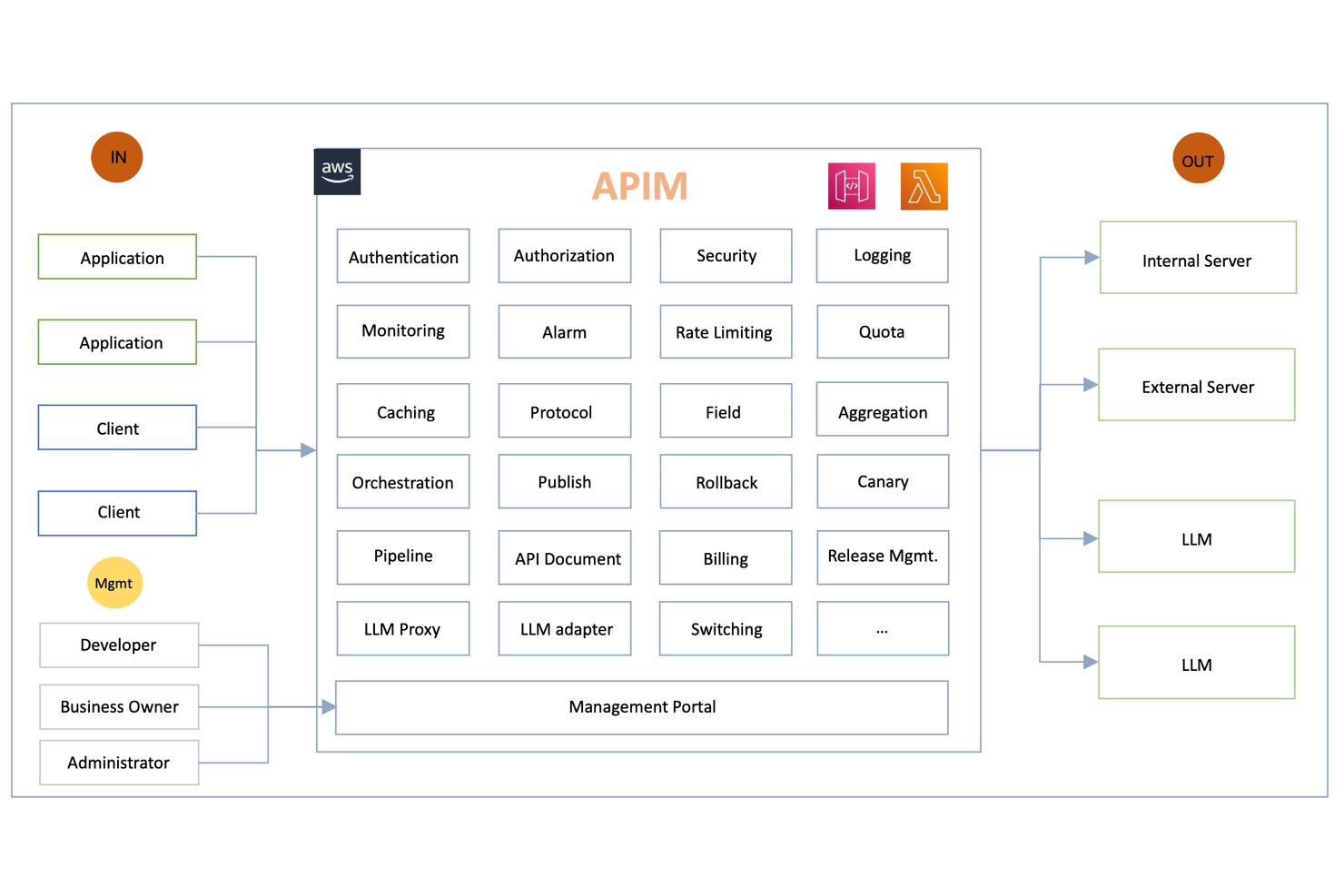
For organizations handling unpredictable or high-volume API traffic, Amazon API Gateway offers a cloud-native solution built for scale. It’s a strong fit for engineering teams and digital businesses that need to manage, secure, and monitor APIs with elastic capacity. Unlike MuleSoft, Amazon API Gateway is tightly integrated with AWS Lambda and other AWS services, making it ideal for serverless and event-driven architectures.
Why Amazon API Gateway Is a Good MuleSoft Alternative
When you need to handle massive or unpredictable API traffic, Amazon API Gateway stands out for its elastic scalability. I picked this tool because it automatically scales to accommodate millions of requests per second without manual intervention. Its built-in throttling and burst control features help protect backend systems from overload, which is essential for high-traffic environments. For teams prioritizing reliable, cloud-native traffic management, Amazon API Gateway offers a level of scalability that’s hard to match.
Amazon API Gateway Key Features
Some other features that make Amazon API Gateway useful for API management include:
- Custom domain support: Map your APIs to your own domain names for branded endpoints.
- API versioning: Manage multiple versions of your APIs simultaneously to support different client needs.
- Request and response transformation: Modify incoming requests and outgoing responses using mapping templates.
- Built-in authorization: Integrate with AWS IAM, Cognito, or Lambda authorizers for secure API access control.
Amazon API Gateway Integrations
Integrations include AWS Lambda, Amazon EC2, AWS Elastic Beanstalk, Amazon ECS, AWS Step Functions, Amazon CloudWatch, and more.
Pros and Cons
Pros:
- Automated DDoS protection with AWS Shield
- Pay-as-you-go pricing for API requests
- Native integration with AWS Lambda functions
Cons:
- No built-in API mocking for testing
- Limited support for non-AWS cloud services

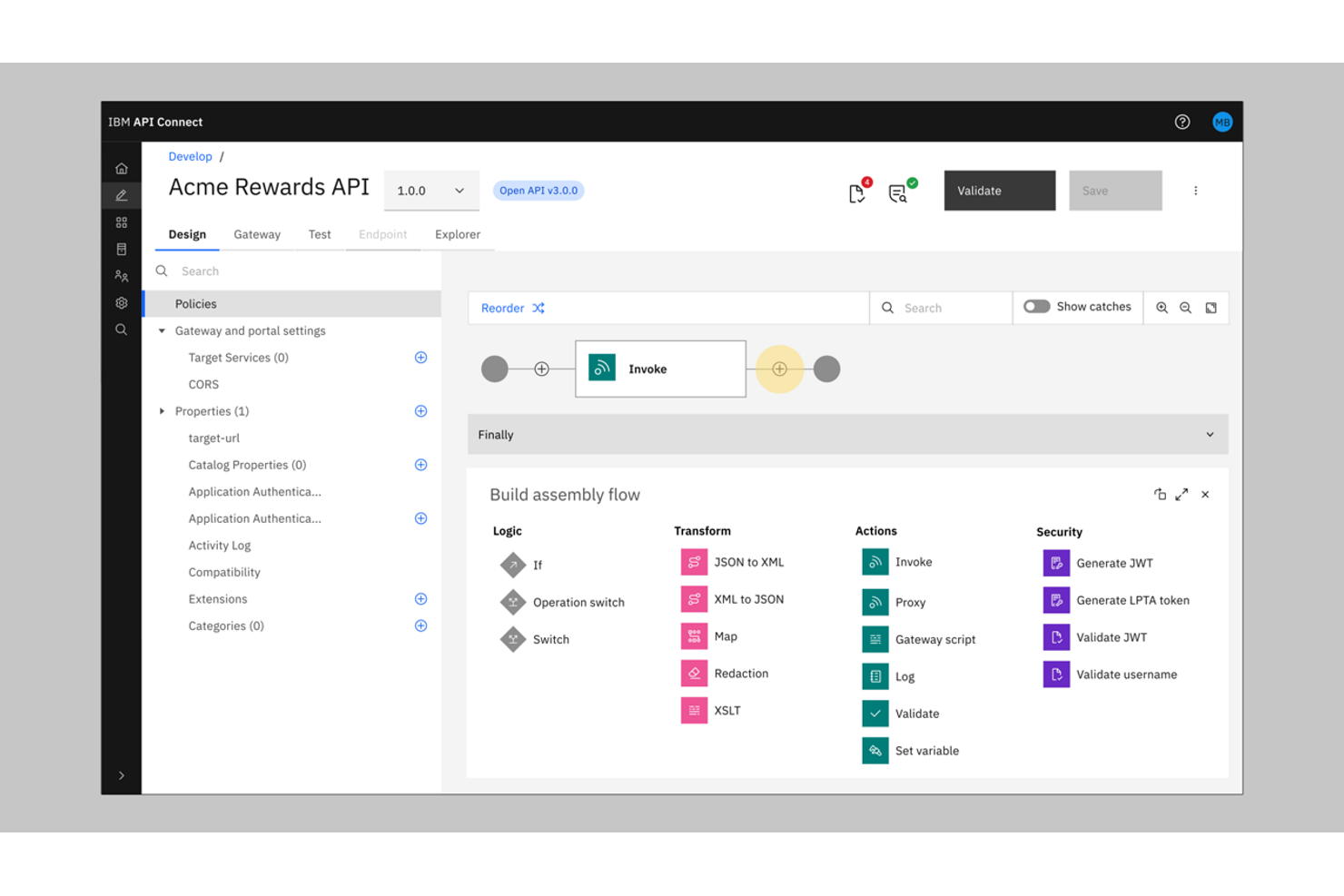
IBM API Connect is an Integration Platform as a Service (iPaaS) built for organizations that need advanced security and governance for their API ecosystem. It’s especially relevant for enterprises in regulated industries, like finance or healthcare, where compliance and access controls are non-negotiable. Unlike MuleSoft, IBM API Connect offers granular security policies and built-in threat protection for every stage of the API lifecycle.
Why IBM API Connect Is a Good MuleSoft Alternative
When enterprise-grade security is a top priority, IBM API Connect offers an integration solution that goes beyond what many integration platforms provide. I picked it for its built-in threat protection, which includes features like OAuth, OpenID Connect, and API key management to secure every API endpoint. The platform also supports detailed access controls and auditing, helping organizations meet strict compliance requirements. These security-focused features make IBM API Connect a strong choice for teams that can’t compromise on data protection or regulatory standards.
IBM API Connect Key Features
Some other features that make IBM API Connect a strong option among integration tools and API management include:
- API analytics dashboard: Users can monitor API usage, performance, and trends through a visual dashboard.
- Developer portal: The platform provides a customizable portal for onboarding and supporting external and internal developers.
- Automated API documentation: API Connect generates and updates interactive documentation for all published APIs.
- Multi-cloud deployment support: Teams can deploy and manage complex integrations and APIs across public, private, and hybrid cloud environments.
IBM API Connect Integrations
Native integrations are not currently listed.
Pros and Cons
Pros:
- Multi-cloud deployment and management support
- Automated API documentation generation
- Built-in threat protection for API endpoints
Cons:
- User interface can feel outdated
- Complex initial setup for enterprise environments

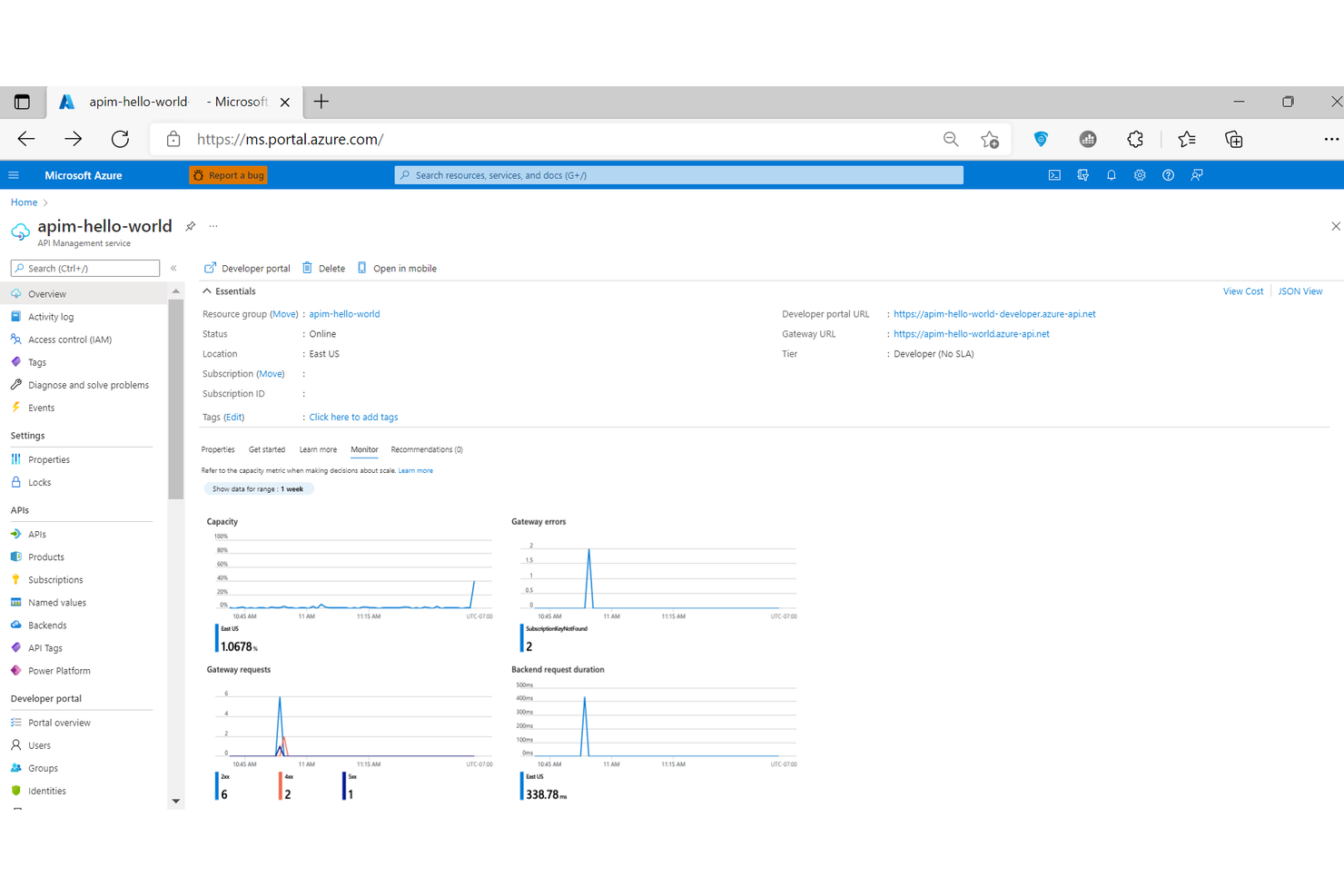
For teams already invested in Microsoft’s cloud stack, Microsoft Azure API Management offers a direct path to unified API governance and integration. It’s especially useful for IT departments and enterprise architects who want to manage, secure, and monitor APIs across Azure and other Microsoft services. Unlike MuleSoft, Azure API Management provides deep, native integration with tools like Azure Active Directory, Logic Apps, and Power Platform.
Why Microsoft Azure API Management Is a Good MuleSoft Alternative
If your organization relies on Microsoft’s cloud ecosystem, Azure API Management is purpose-built for seamless integration with native Microsoft services. I picked this tool because it connects directly with Azure Active Directory for identity management and supports automated workflows through Logic Apps and Power Platform. The platform also enables centralized API policy enforcement and analytics within the Azure portal, making it easier to manage APIs alongside other Microsoft resources. For teams standardizing on Microsoft, this level of native integration is a clear advantage over MuleSoft.
Microsoft Azure API Management Key Features
Some other features that make Azure API Management valuable for integration projects include:
- Developer portal: Customize and publish a branded portal for API documentation and onboarding.
- Multi-region deployment: Deploy API gateways across multiple Azure regions for global availability.
- Versioning and revisions: Manage multiple versions and revisions of APIs without downtime.
- Built-in caching: Improve API performance with configurable response caching at the gateway level.
Microsoft Azure API Management Integrations
Integrations include Azure Logic Apps, Azure Functions, Azure Kubernetes Service, Azure Container Apps, and more.
Pros and Cons
Pros:
- Supports multi-region API deployments
- Automated scaling for high-traffic APIs
- Deep integration with Azure cloud services
Cons:
- No built-in support for B2B/EDI workflows
- Limited non-Microsoft ecosystem integrations

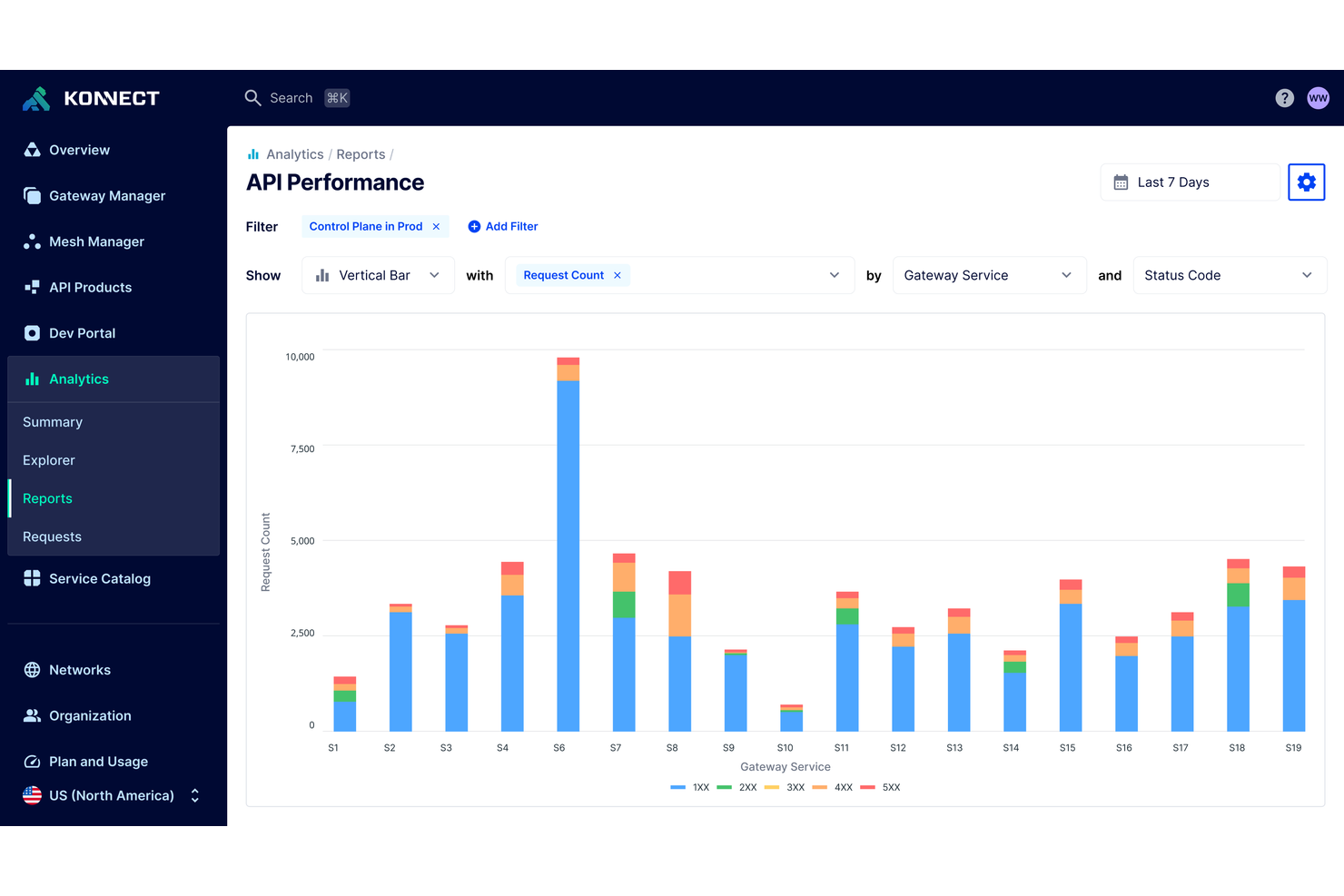
Teams building distributed applications often turn to Kong for its strong microservices and Kubernetes support. It’s a fit for organizations prioritizing API gateway performance and scalability in containerized or cloud-native environments. Unlike MuleSoft, Kong offers native Kubernetes ingress and service mesh capabilities that help you manage APIs across dynamic, modern architectures.
Why Kong Is a Good MuleSoft Alternative
If your team is focused on microservices or Kubernetes-native architectures, Kong offers capabilities that MuleSoft doesn’t match. I picked Kong because it provides native Kubernetes ingress support and a built-in service mesh for managing east-west traffic between services. These features let you deploy, secure, and scale APIs directly within containerized environments. For organizations moving toward cloud-native or distributed systems, Kong’s architecture-first approach is a strong fit.
Kong Key Features
Some other features that make Kong appealing for API management include:
- Plugin architecture: Extend core functionality with a wide range of open-source and enterprise plugins.
- Declarative configuration: Manage API gateway settings and policies using YAML files for version control and automation.
- Role-based access control: Assign granular permissions to users and teams for secure administration.
- API analytics dashboard: Monitor API usage, latency, and error rates through built-in visual dashboards.
Kong Integrations
Integrations include AWS Lambda, Azure Functions, OpenWhisk, Datadog, Prometheus, Zipkin, and more.
Pros and Cons
Pros:
- Declarative configuration with YAML files
- Plugin system for custom gateway functionality
- Native Kubernetes ingress controller support
Cons:
- Plugin compatibility varies by deployment type
- Limited out-of-the-box enterprise connectors
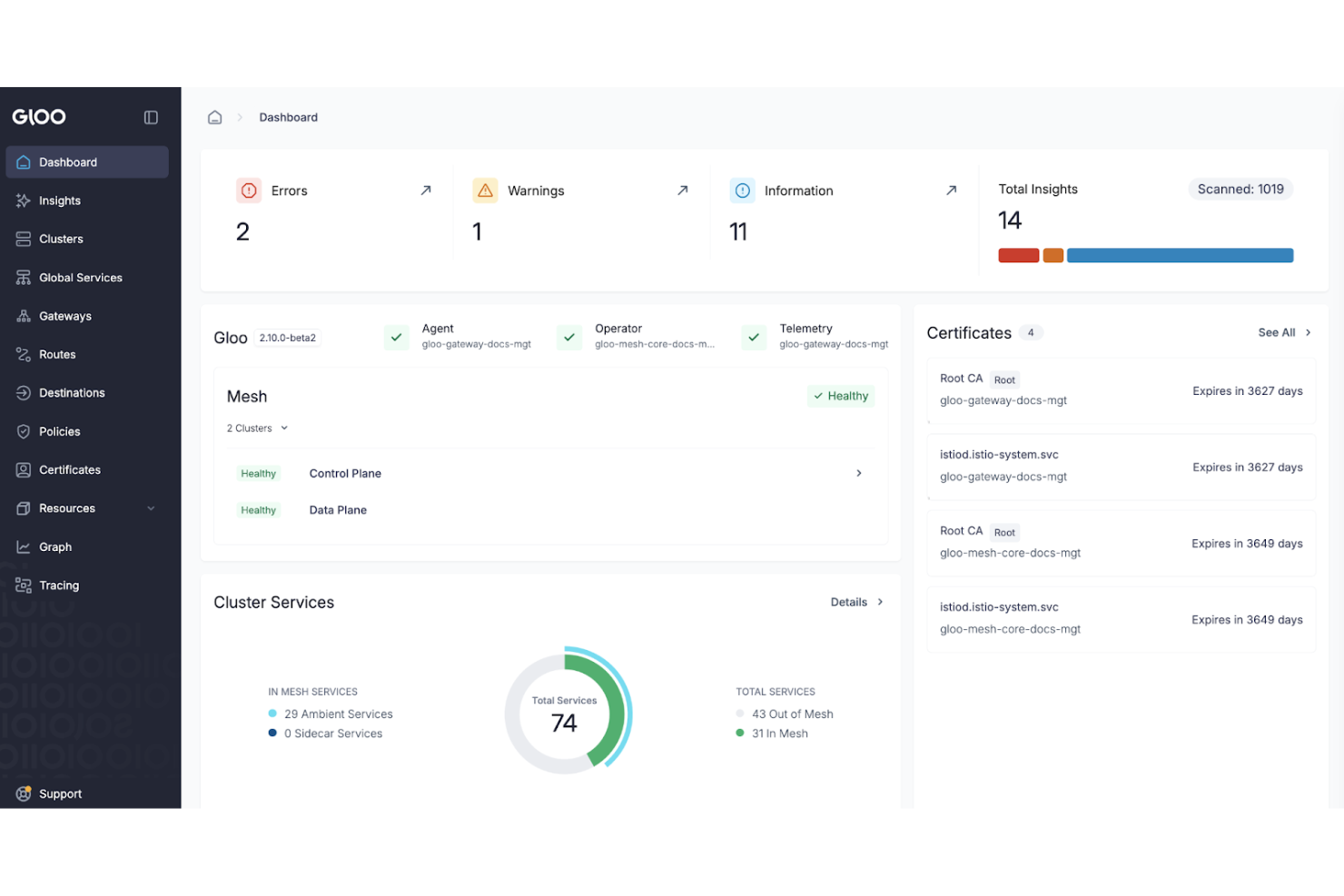
Kgateway by Solo.io is designed for organizations managing APIs across hybrid and multi-cloud environments. This tool is a strong fit for enterprises and platform teams that need advanced API routing, traffic control, and security across distributed infrastructure. Unlike MuleSoft, Gloo Gateway emphasizes cloud-native integration and supports complex routing scenarios for modern architectures.
Why Kgateway Is a Good MuleSoft Alternative
When hybrid and multi-cloud API routing is a top priority, Kgateway offers capabilities that set it apart from MuleSoft. I picked Kgateway because it’s built to handle complex traffic management across Kubernetes, VMs, and multiple cloud providers. Its support for advanced routing, service mesh integration, and granular security policies makes it ideal for distributed, cloud-native environments. This focus on flexible, cloud-agnostic API management is especially valuable for teams modernizing their infrastructure beyond what MuleSoft typically supports.
Kgateway Key Features
Some other features that make Solo.io appealing for API management include:
- API developer portal: Centralize API documentation and onboarding for internal and external developers.
- Integrated API security controls: Apply authentication, authorization, and threat protection policies at the gateway level.
- Traffic shadowing: Test new API versions by mirroring live traffic without impacting production.
- Automated API discovery: Detect and register new services automatically as they are deployed.
Kgateway Integrations
Integrations include Envoy Proxy, Istio, Backstage, kagent, Google Cloud, and more.
Pros and Cons
Pros:
- Automated API discovery for dynamic environments
- Built-in service mesh integration with Istio
- Advanced traffic routing for multi-cloud setups
Cons:
- Pricing details are not publicly available
- Requires strong Kubernetes and cloud expertise

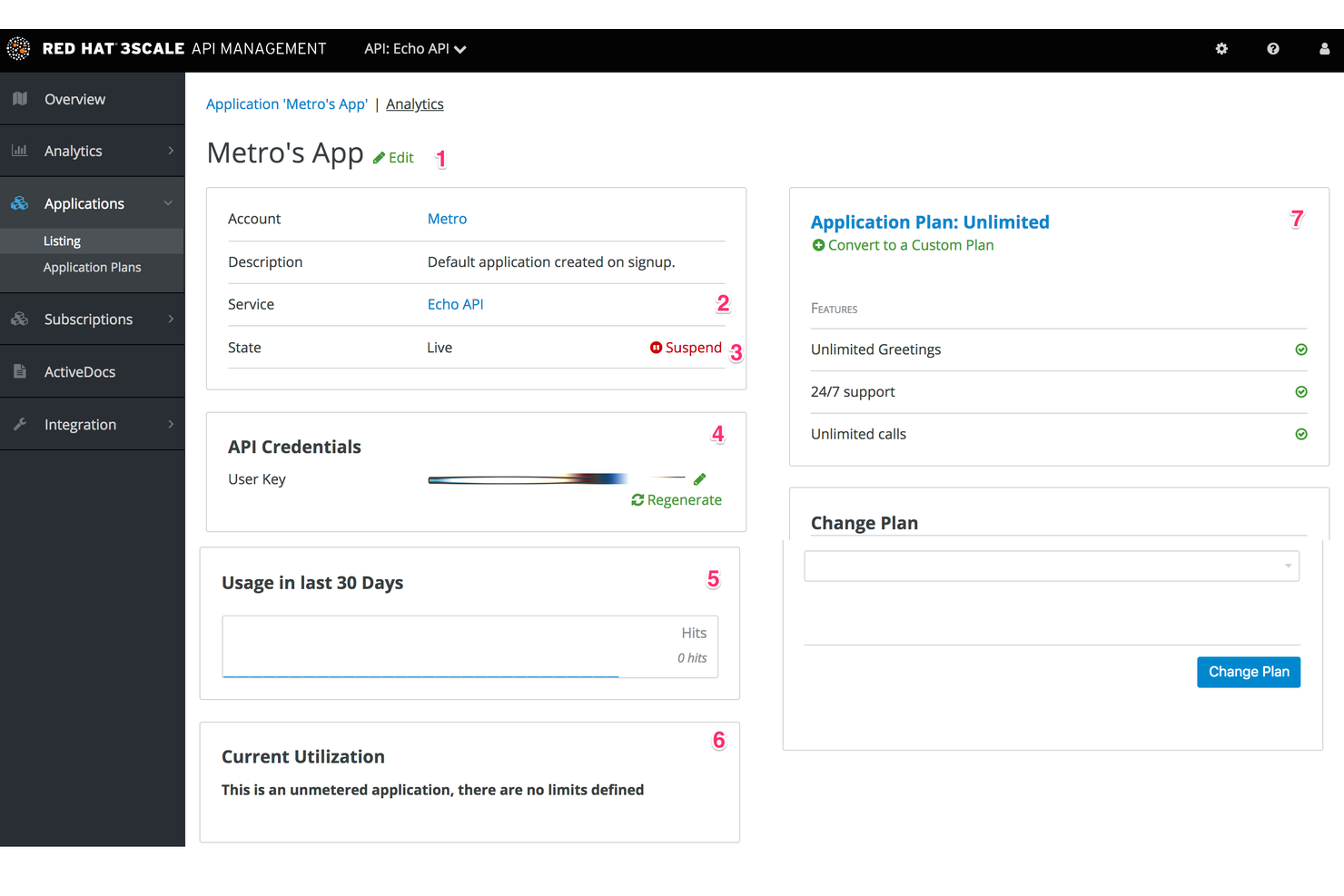
If you need to monetize APIs and manage usage plans, 3Scale by Red Hat offers a specialized platform for API-driven businesses and digital product teams. It’s designed for organizations that want to control access, set pricing tiers, and track API consumption in detail. Unlike MuleSoft, 3Scale puts advanced API monetization and developer portal management at the center of its feature set.
Why I picked 3Scale
I chose 3scale because of its unique hybrid architecture that separates the API manager from the traffic gateway. This allows you to host the management layer in the cloud while keeping the API gateway on-premises or at the edge, which is essential for low-latency performance in hybrid cloud setups. Its native optimization for OpenShift makes it a powerhouse for enterprises already operating in the Red Hat ecosystem.
3Scale Key Features
Some other features that make 3Scale appealing for API management include:
- API gateway deployment options: Choose between cloud-hosted, on-premises, or hybrid gateway setups.
- Analytics and reporting dashboard: Access detailed metrics on API usage, performance, and traffic patterns.
- OAuth and OpenID Connect support: Enable secure authentication and authorization for API consumers.
- Policy management engine: Apply custom rules for traffic control, security, and request transformation.
3Scale Integrations
Integrations include Red Hat OpenShift, Red Hat Ansible Automation Platform, Red Hat Enterprise Linux, and more.
Pros and Cons
Pros:
- Policy engine for custom traffic management
- Built-in developer portal for API consumers
- Monetization tools for API usage and billing
Cons:
- No built-in ETL or data transformation tools
- Limited native integrations outside Red Hat products

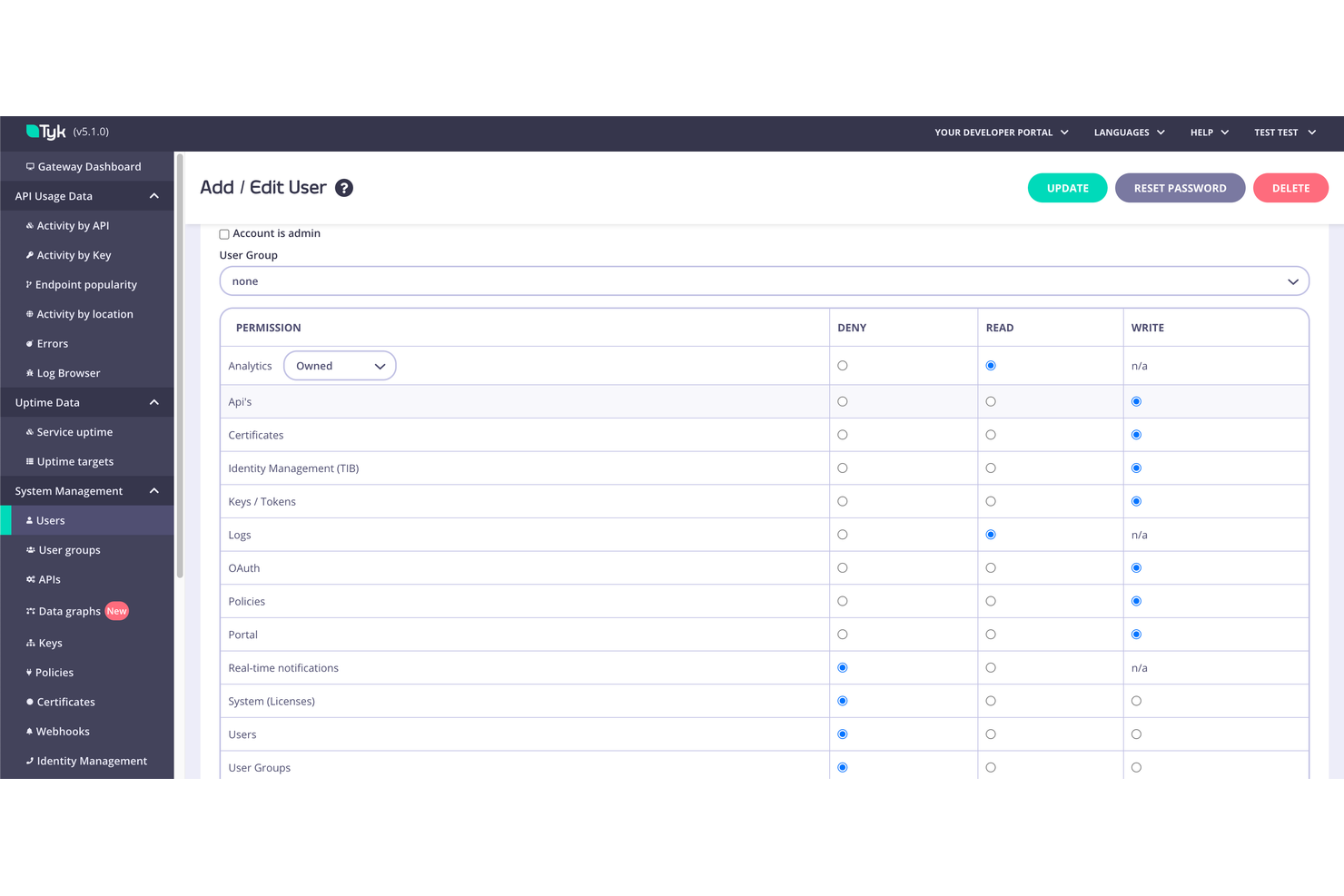
Open-source teams and organizations looking for API gateway flexibility often consider Tyk for its customizable deployment options. Tyk appeals to businesses that want full control over their API management stack, including self-hosted, hybrid, and cloud-native environments. Unlike MuleSoft, Tyk’s open-source core and modular architecture let you tailor API management to your infrastructure and workflow needs.
Why Tyk Is a Good MuleSoft Alternative
For teams that want open-source flexibility in their API gateway, Tyk stands out as a strong MuleSoft alternative. I picked Tyk because it offers a fully open-source core and supports deployment across self-hosted, hybrid, and cloud-native environments. Its modular architecture lets you enable only the components you need, so you can customize your API management stack to fit your infrastructure. This level of control is especially valuable for organizations with strict security, compliance, or customization requirements.
Tyk Key Features
Some other features that make Tyk appealing for API management include:
- API analytics dashboard: Visualize traffic, errors, and performance metrics in real time.
- Built-in developer portal: Provide API documentation and onboarding tools for internal and external developers.
- Flexible authentication options: Support for OAuth2, JWT, HMAC, and basic authentication methods.
- Rate limiting and quota management: Set granular usage policies for APIs and consumers.
Tyk Integrations
Integrations include OpenAPI, OpenTelemetry, GraphQL, Kubernetes, GitHub, Prometheus, and more.
Pros and Cons
Pros:
- Flexible deployment across cloud and on-premises
- Native support for GraphQL and gRPC
- Open-source core with permissive licensing
Cons:
- Advanced features may require paid plans
- UI can be inconsistent across product modules
Other MuleSoft Alternatives
Here are some additional MuleSoft alternatives that didn’t make it onto my shortlist, but are still worth checking out:
- Zuplo
For developer-focused API publishing
- Informatica
For enterprise data integration scalability
- WSO2 API Manager
With open-source API lifecycle management
- Jitterbit iPaaS
For rapid EDI and ERP integration


MuleSoft Alternatives Selection Criteria
When selecting the best MuleSoft alternatives to include in this list, I considered common buyer needs and pain points related to MuleSoft alternatives products, like reducing integration complexity and supporting flexible API management. I also used the following framework to keep my evaluation structured and fair:
Core Functionality (25% of total score)
To be considered for inclusion in this list, each solution had to fulfill these common use cases:
- Connect multiple data sources and applications
- Manage and secure APIs
- Support real-time and batch data flows
- Enable workflow automation across systems
- Provide monitoring and analytics for integrations
Additional Standout Features (25% of total score)
To help further narrow down the competition, I also looked for unique features, such as:
- Built-in API monetization tools
- Low-code or no-code integration builders
- Advanced policy and traffic management
- Developer portal customization options
- Flexible deployment models, including hybrid and multi-cloud
Usability (10% of total score)
To get a sense of the ease of use of each system, I considered the following:
- Clear and intuitive user interface
- Logical navigation and menu structure
- Customizable dashboards and views
- Minimal clicks to complete common tasks
- Responsive design for different devices
Onboarding (10% of total score)
To evaluate the onboarding experience for each platform, I considered the following:
- Availability of step-by-step product tours
- Access to training videos and documentation
- Pre-built templates for common integrations
- Interactive onboarding checklists or wizards
- Support for data migration and setup assistance
Customer Support (10% of total score)
To assess each software provider’s customer support services, I considered the following:
- Multiple support channels, including chat and phone
- Fast response times for support tickets
- Access to a knowledge base or help center
- Availability of dedicated account managers
- Community forums or user groups
Value For Money (10% of total score)
To evaluate the value for money of each platform, I considered the following:
- Transparent and predictable pricing structure
- Flexible plans for different business sizes
- Features included in base pricing
- Cost compared to similar solutions
- Discounts for annual or multi-year contracts
Customer Reviews (10% of total score)
To get a sense of overall customer satisfaction, I considered the following when reading customer reviews:
- Consistency of positive feedback across sources
- Reports of reliability and uptime
- Feedback on customer support experiences
- User comments on feature completeness
- Trends in recent reviews regarding updates or changes
Why Look For a MuleSoft Alternative?
While MuleSoft is a good choice of MuleSoft alternatives, there are a number of reasons why some users seek out alternative solutions. You might be looking for a MuleSoft alternative because…
- You need more flexible or transparent pricing
- Your team wants simpler or faster onboarding
- You require native integrations with specific platforms
- You need advanced API monetization features
- Your organization prefers open-source or self-hosted options
- You want a lighter-weight solution for smaller projects
- Your team needs an easier learning curve
If any of these sound like you, you’ve come to the right place. My list contains several MuleSoft alternatives that are better suited for teams facing these challenges with MuleSoft and looking for alternative solutions.
MuleSoft Key Features
Here are some of the key features of MuleSoft, to help you contrast and compare what alternative solutions offer:
- API lifecycle management tools: The MuleSoft Anypoint Platform provides an environment to design, build, and manage APIs, facilitating enterprise integration across the entire organization.
- Visual integration flow designer: The designer provides a user-friendly interface that simplifies complex application integration by allowing users to drag and drop components to build sophisticated logic.
- Pre-built connectors for popular SaaS and on-premises apps: These connectors simplify application integration by providing instant connectivity to SaaS applications and various CRM systems without requiring custom code.
- Centralized API gateway for security and traffic control: This feature ensures security for large-scale deployments, though the nature of the platform often reflects a high cost in its pricing model.
- Real-time and batch data processing: MuleSoft efficiently manages diverse workloads, allowing businesses to build pipelines that handle both immediate triggers and bulk data transfers.
- Role-based access controls and governance: Advanced governance features make it a preferred choice for master data management (MDM) strategies, ensuring data integrity across all connected data warehouses.
- Monitoring and analytics dashboards: Detailed dashboards provide deep visibility into integration capabilities, allowing teams to track performance and troubleshoot issues in complex enterprise integration scenarios.
- Support for hybrid and multi-cloud deployments: The platform supports flexible deployment models that rival competitors, making it ideal for modern, distributed cloud architectures.
- Built-in data transformation and mapping tools: MuleSoft includes AI-powered suggestions for data mapping, which simplifies the process of converting complex formats during high-volume process automation.
- Developer portal for API documentation and onboarding: By providing a centralized hub for documentation, the portal helps developers quickly understand and consume APIs to accelerate digital transformation.