


Recension av Airtables projektledningsprogramvara för 2026



Airtable is a project management software built around a relational database model, making it a strong fit for teams that need to track, link, and view project data across multiple formats. I'd consider it over Smartsheet if your team works with structured, relational data—Airtable gives you far more control over how information is organized and connected across projects.
Airtable Evaluation Summary
- From $20/user/month (billed annually)
- Free plan available; 14-day free trial
Varför du kan lita på våra programvarurekommendationer
Vårt team har testat och recenserat programvara sedan 2012. Som projektledare själva vet vi hur
svårt — och viktigt — det är att välja rätt programvara.
För den här guiden utvärderade vi verktyg genom praktisk testning och oberoende research, och betygsatte verktygen enligt våra urvalskriterier. Vi drar även nytta av insikter från branschens tankeledare och praktiserande projektledningsexperter.
Våra recensioner speglar vårt mänskliga redaktionella omdöme, inte ett säljbudskap.
Expertgranskare:
Airtable Overview
In my opinion, Airtable offers a unique mix of database and spreadsheet features, and its standout feature, compared to other cloud collaboration tools, is the ability to customize it and integrate it with other tools in your stack. However, Airtable tends to have a steep learning curve, and the pricing is higher compared to some competitors, especially when considering additional costs for features like Airtable AI.
Airtable excels in environments where customization is key, and where users are willing to invest time in configuring the platform to their specific needs. It is well-suited for teams that require flexibility and can benefit from its ability to manage diverse workflows. However, it may underperform if you need an out-of-the-box project management solution with traditional features like detailed resource management.
pros
-
Its automation rules make it easy to notify stakeholders, even if they are outside the platform.
-
Airtable's forms feature lets you efficiently gather information from external sources.
-
You can connect and perform calculations across multiple bases.
cons
-
Customizing the templates requires a big time investment.
-
It's not a traditional project management platform.
-
The learning curve can be challenging for new users.
-

Smartsheet
Visit WebsiteThis rating combines scores from multiple user review sites to reflect overall customer sentiment about the product.4.5 -
Celoxis
Visit WebsiteThis rating combines scores from multiple user review sites to reflect overall customer sentiment about the product.4.5 -
Accelo
Visit WebsiteThis rating combines scores from multiple user review sites to reflect overall customer sentiment about the product.4.4





Core Features
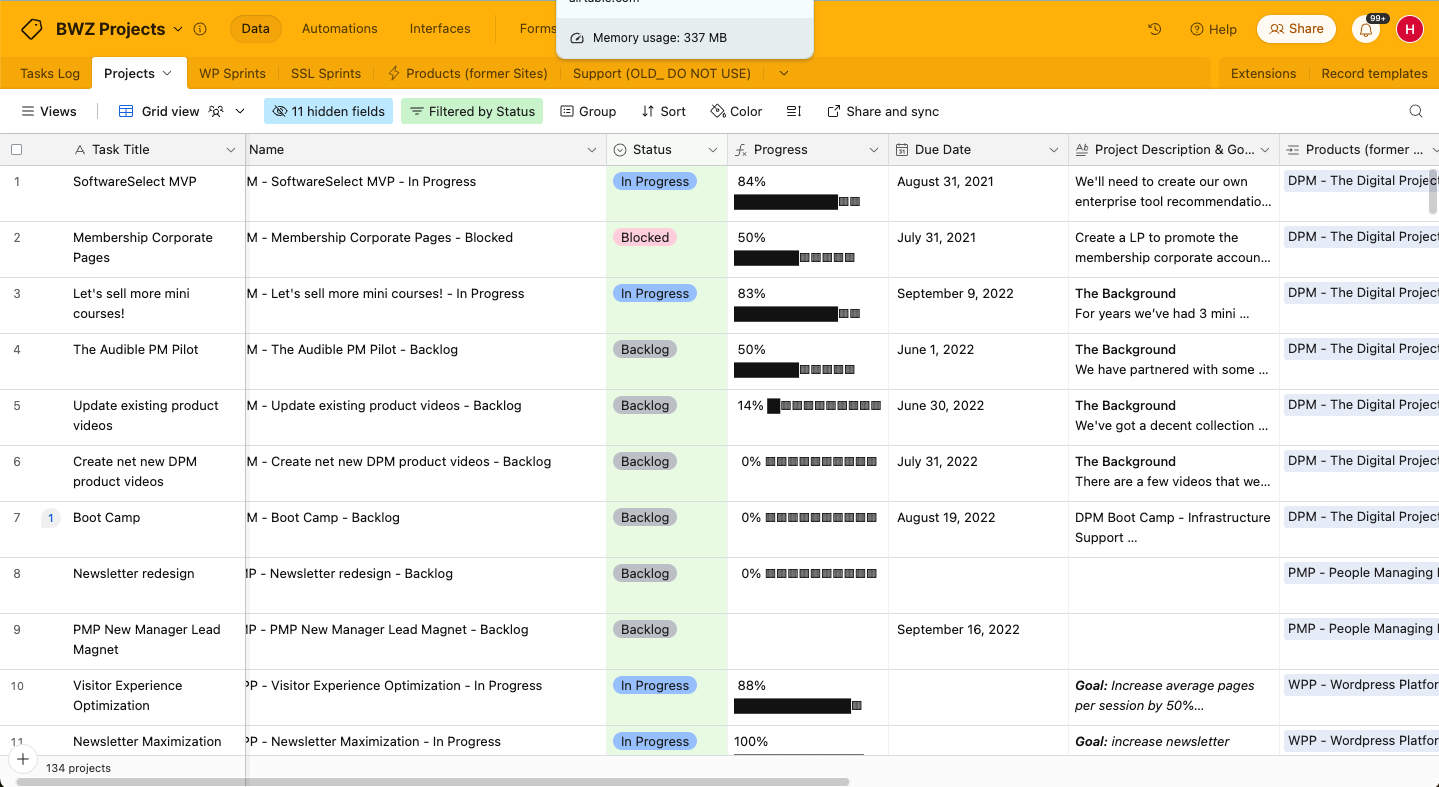
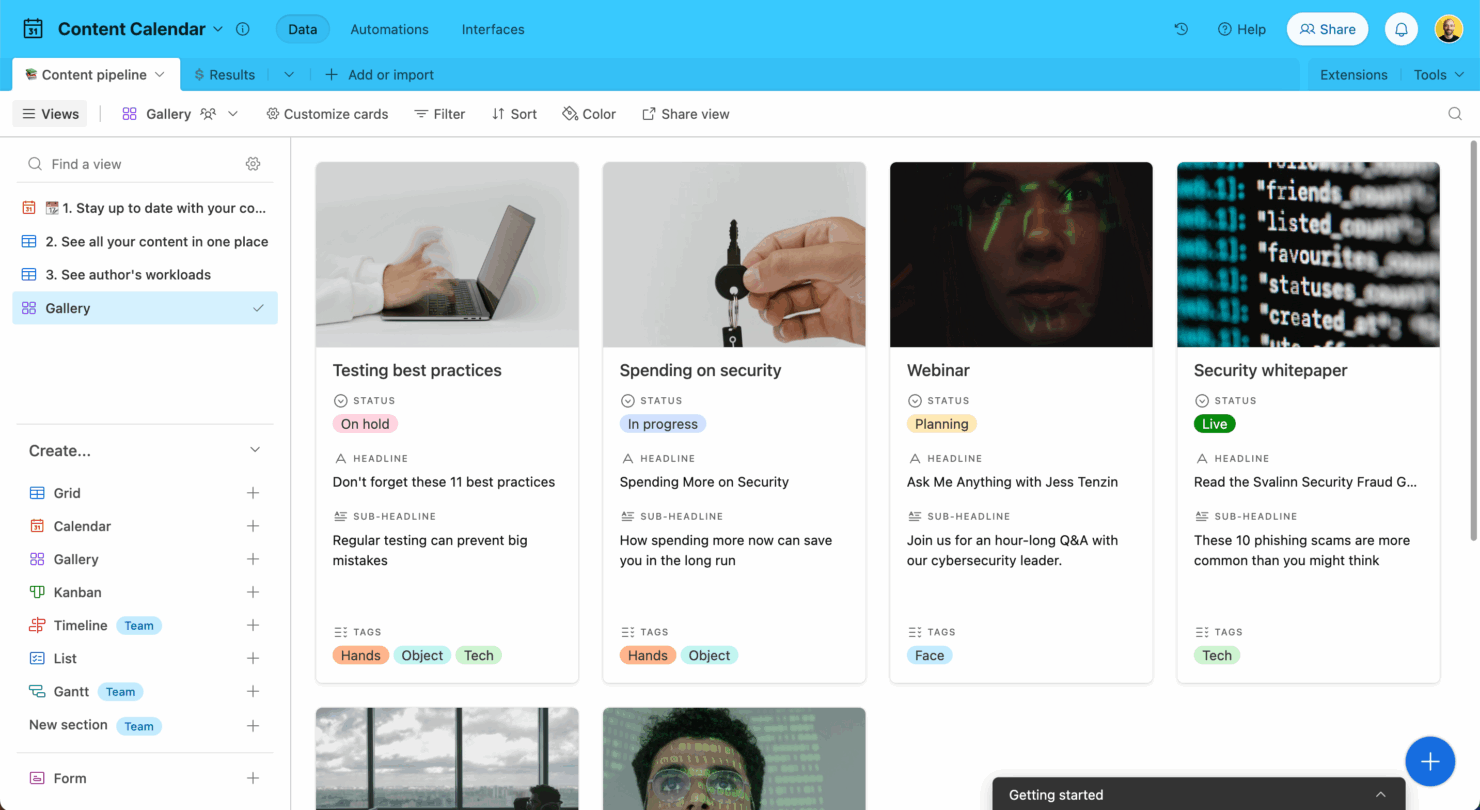
Customizable Views: Airtable offers Grid, Calendar, Kanban, and Gallery views to suit different project needs. Switch between views to track progress, organize resources, and maintain oversight across projects.
Task Management: You can manage tasks in Airtable using the table view to create, update, and customize tasks with various fields. Visualize your tasks with the Gantt view to set dependencies and milestones, or use the Kanban view for agile projects.
Collaboration Tools: Each record in Airtable serves as a collaborative space with comments and @mentions. Use the proofing module to have focused conversations on specific file areas and improve feedback.
Document Management: Store and manage documents with the attachment field in the Grid view or use the Gallery view for a digital asset manager experience. Filter files by any field, such as custom tags, for easy access.
Automation: Automate repetitive tasks to save time and increase efficiency. Set up workflows that trigger actions based on specific conditions to reduce manual work for your team.
Resource Management: Though not built-in, you can create a grid with a list of people and specify project assignments. You can get resource planning features by building custom solutions or using available templates.
Ease of Use
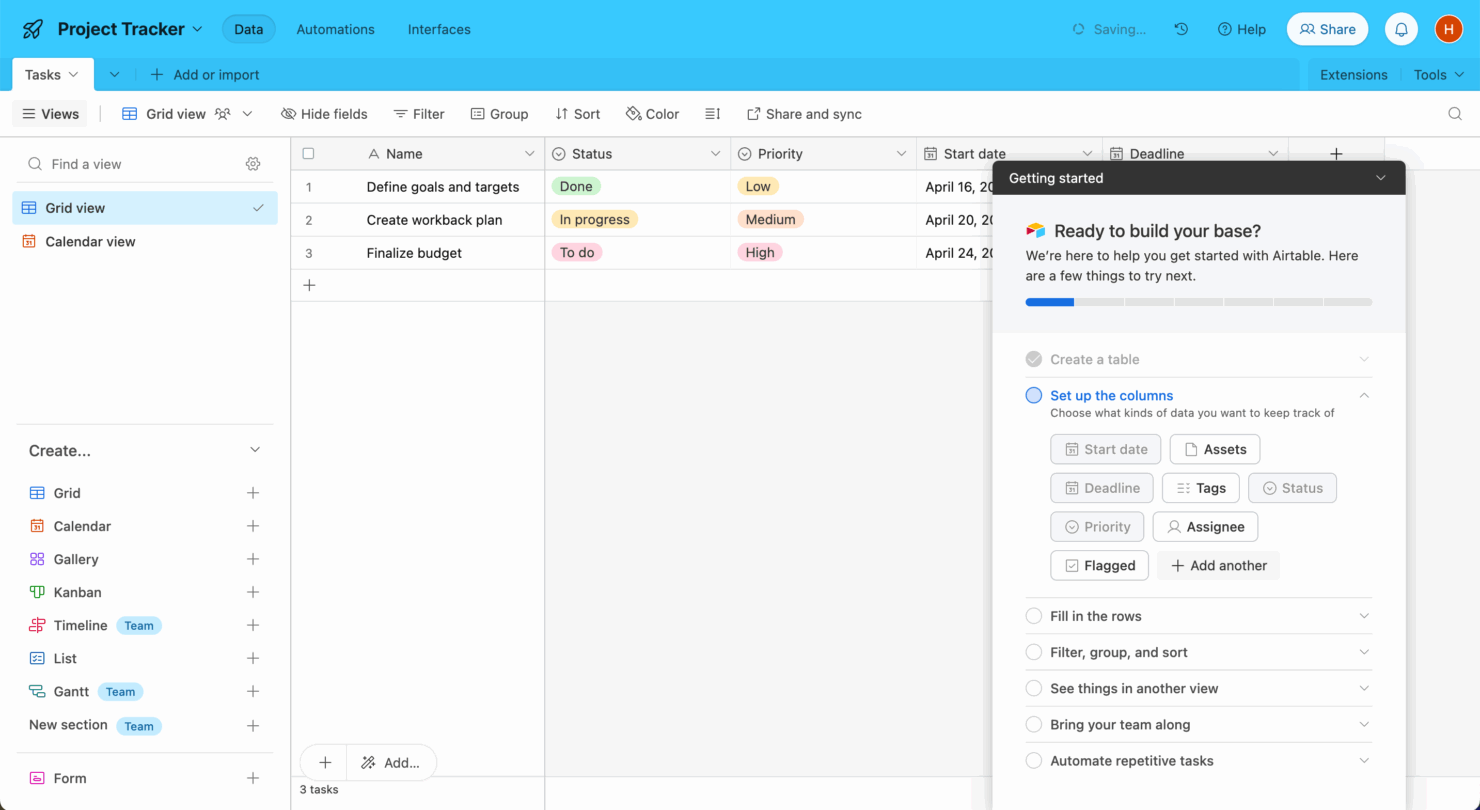
Airtable's user-friendly interface simplifies your project management tasks. You’ll appreciate its vast template library, which can save you time in the long run (although it does require some upfront time investment). Navigating Airtable is straightforward; you can access most features with a few clicks, and it also offers drag-and-drop tools. The onboarding process is thorough, and users find the platform easy to start populating with data, but they do note a learning curve in configuring it to meet specific needs.
Airtable Specs
- 2-Factor Authentication
- API
- Batch Permissions & Access
- Budgeting
- Calendar Management
- Contact Management
- Contact Sharing
- Customer Management
- Dashboard
- Data Export
- Data Import
- Data Visualization
- Email Integration
- Expense Tracking
- External Integrations
- Gantt Charts
- Google Apps Integration
- Multi-User
- Notifications
- Project Management
- Resource Management
- Scheduling
- Task Scheduling/Tracking
- Third-Party Plugins/Add-Ons
- Travel Management




Airtable FAQs
How does Airtable handle data security and compliance?
Can I use Airtable offline?
How customizable is Airtable for my team’s needs?
What kind of support does Airtable offer for new users?
Can I automate tasks in Airtable?
How does Airtable compare to traditional spreadsheets?
Is Airtable suitable for large-scale projects?
How does Airtable support team collaboration?
Does Airtable offer API access for integrations?
Vad händer härnäst?
Vill du komma i kontakt med andra digitala projektledare för att dela resurser och bästa praxis? Gå med i vår medlemscommunity och få tillgång till över 100 mallar, prover och exempel, och få kontakt med hundratals andra digitala projektledare på Slack.