

10 melhores alternativas ao Asana analisadas para 2026

10 Lista das melhores alternativas ao Asana


Se o Asana não está a responder às suas necessidades, pode estar na altura de mudar. Talvez o preço não se adeque ao seu orçamento, a interface pareça demasiado complexa ou precise de funcionalidades mais adequadas ao seu fluxo de trabalho. Quaisquer que sejam os motivos, a ferramenta de gestão de projetos certa deve apoiar a forma como a sua equipa trabalha, não obrigá-la a adaptar-se.
Testei e analisei software de gestão de projetos de todo o setor. Neste artigo, apresento as melhores alternativas ao Asana, incluindo as suas principais funcionalidades, pontos fortes e os utilizadores para os quais são mais adequadas. Quer precise de mais flexibilidade, de uma melhor colaboração ou de uma experiência de utilização diferente, encontrará aqui uma opção que se adapta às suas necessidades.
O que é o Asana?
O Asana é um software de gestão de projetos que ajuda as equipas a organizar, acompanhar e gerir o seu trabalho. É utilizado por gestores de projetos, profissionais de marketing, equipas de produto e outros profissionais que precisam de coordenar tarefas, definir prazos e manter os projetos dentro do calendário.
As funcionalidades de atribuição de tarefas, acompanhamento de prazos e automatização de fluxos de trabalho da plataforma ajudam as equipas a manterem-se organizadas, melhorar a responsabilização e reduzir o trabalho manual. No geral, o Asana facilita a gestão de projetos, a colaboração com a sua equipa e o acompanhamento de tudo.
Tabela de comparação das alternativas ao Asana
Esta tabela de comparação resume os detalhes de preços das minhas principais escolhas de alternativas ao Asana:
| Tool | Best For | Trial Info | Price | ||
|---|---|---|---|---|---|
| 1 | Best for cross-team project visibility | Free plan + 14-day trial + demo available | From $10/user/month (billed annually) | Website | |
| 2 | Best for building flexible workflows | Free plan + 14-day free trial + free demo available | From $9/user/month (billed annually) | Website | |
| 3 | Best for AI-powered marketing workflow management | Free demo available | Pricing upon request | Website | |
| 4 | Best for portfolio project tracking | 14-day free trial | From $10/user/month (billed annually) | Website | |
| 5 | Best for platform customizability | Free plan + demo available | From $7/user/month (billed annually) | Website | |
| 6 | Best for drag-and-drop interface | Free plan + 15-day trial + demo available | From $4/user/month (billed annually) | Website | |
| 7 | Best for infinite nested task hierarchies | Free plan + 30-day free trial available | From $7.65/user/month (billed annually) | Website | |
| 8 | Best for AI-driven analytics | Free plan + 14-day trial + demo available | From $5/user/month | Website | |
| 9 | Best for structured weekly marketing workflows | 14-day free trial | From $29/month | Website | |
| 10 | Best for enterprise resource and capacity planning | Not available | Pricing upon request | Website |


Why Trust Our Software Recommendations
Our team has been testing and reviewing software since 2012. As project managers ourselves, we know how difficult—and important—it is to choose the right software.
For this guide, we evaluated tools using hands-on testing and independent research, scoring tools using our selection criteria. We also draw on insights from industry thought leaders and practicing project management experts.
Our reviews reflect our human editorial judgment, not a sales pitch.
Expert reviewers:
Avaliações das melhores alternativas ao Asana
Apresento abaixo os meus resumos detalhados das melhores alternativas ao Asana que entraram na minha lista. As minhas avaliações oferecem uma análise detalhada das principais funcionalidades, vantagens & desvantagens, integrações e casos de utilização ideais de cada ferramenta, para ajudar a encontrar a melhor opção para si.

Wrike
Best for cross-team project visibility
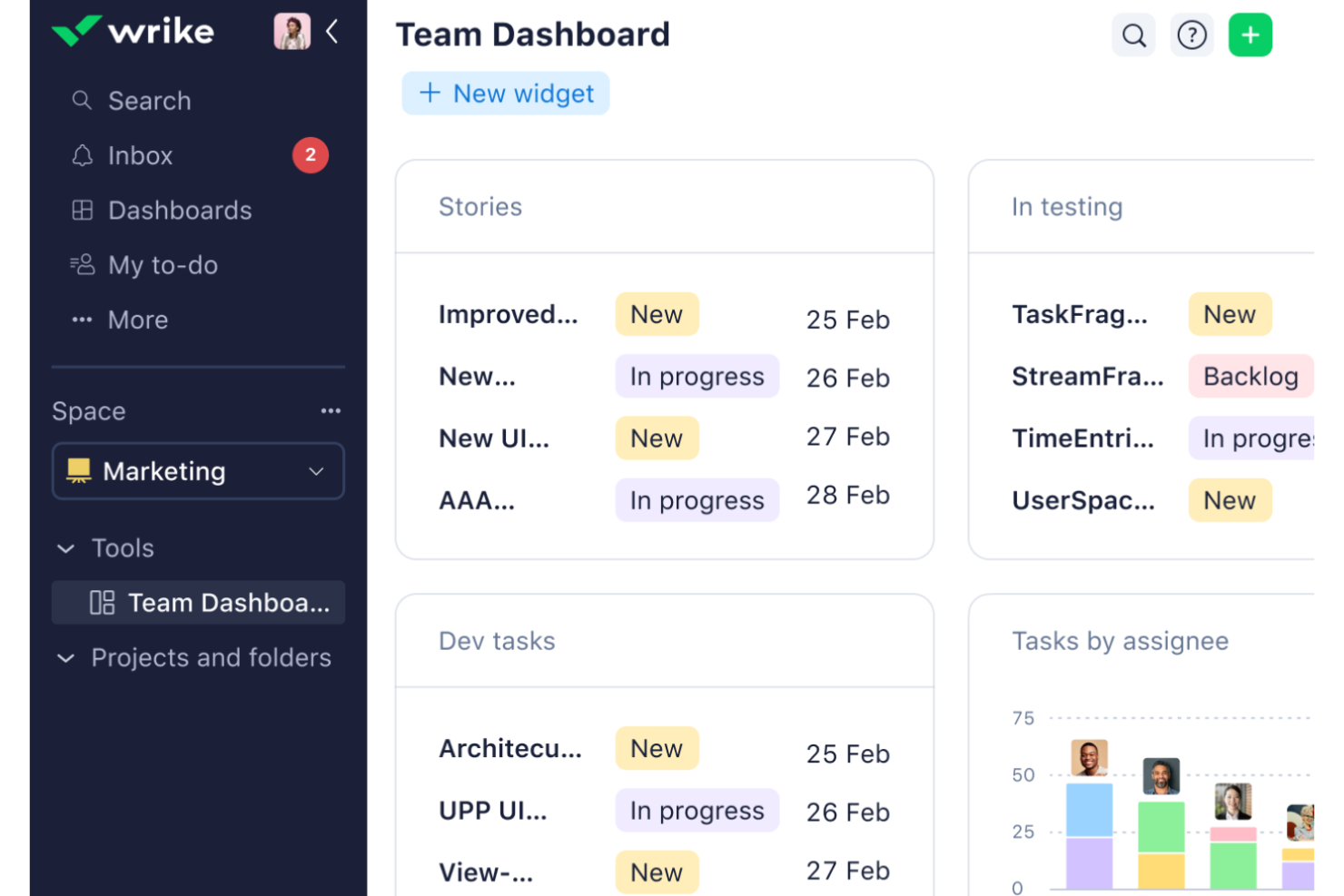
Wrike is a project management platform built for complex, multi-team work, offering Gantt charts with dependencies and critical path, multi-assignee tasks, in-platform proofing for 30+ file types, dynamic request forms, workload charts, and AI-powered agents and Copilot.
Who Is Wrike Best For?
Wrike is a strong fit for mid-to-large teams managing complex, multi-workstream projects where cross-functional visibility and structured intake are non-negotiable.
Why I Picked Wrike
I've included Wrike in my top picks because it closes gaps that send teams away from Asana in the first place: where Asana tasks support a single assignee, Wrike lets you assign a task directly to multiple people across functions, eliminating the subtask sprawl that plagues cross-functional content, design, and analytics workflows. I also rely on Wrike's dynamic request forms, which don't just capture a brief but can spin up a full project or blueprint and trigger an automated workflow on submission.
Wrike Key Features
- Multi-assignee tasks: Assign a single task to multiple people across functions, eliminating the subtask sprawl that hits cross-functional teams in Asana's single-assignee model.
- Baseline tracking: Record your original plan and compare it against current dates and dependencies to show exactly what shifted and why delivery moved.
- In-platform proofing: Review, annotate, and approve 30+ file types—including video—directly in Wrike without routing assets to a separate tool.
- Wrike Copilot and AI agents: Ask natural-language questions about project status, surface risks, and build no-code agents that triage intake and route work, available from the Business plan.
Wrike Integrations
Wrike connects with 400+ apps, including Slack, Salesforce, HubSpot, Jira, GitHub, Google Drive, Dropbox, Zoom, and Adobe Creative Cloud. Its RESTful API supports custom integrations, with webhooks recommended for updates.
Pros and Cons
Pros:
- Request forms can launch projects and workflows
- Proofing covers 30+ file types, including video
- Multi-assignee tasks reduce cross-team task duplication
Cons:
- Cluttered navigation complicates large project portfolios
- Setup and onboarding demand upfront configuration
New Product Updates from Wrike
Wrike Expands Gantt Planning, Approvals, and AI Work Intake
Wrike adds cross-project Gantt dependencies, flexible approval routing, and AI work intake through Wrike MCP. These updates give teams more control over planning, decision-making, and incoming work. For more information, visit Wrike’s official site.

Best for building flexible workflows
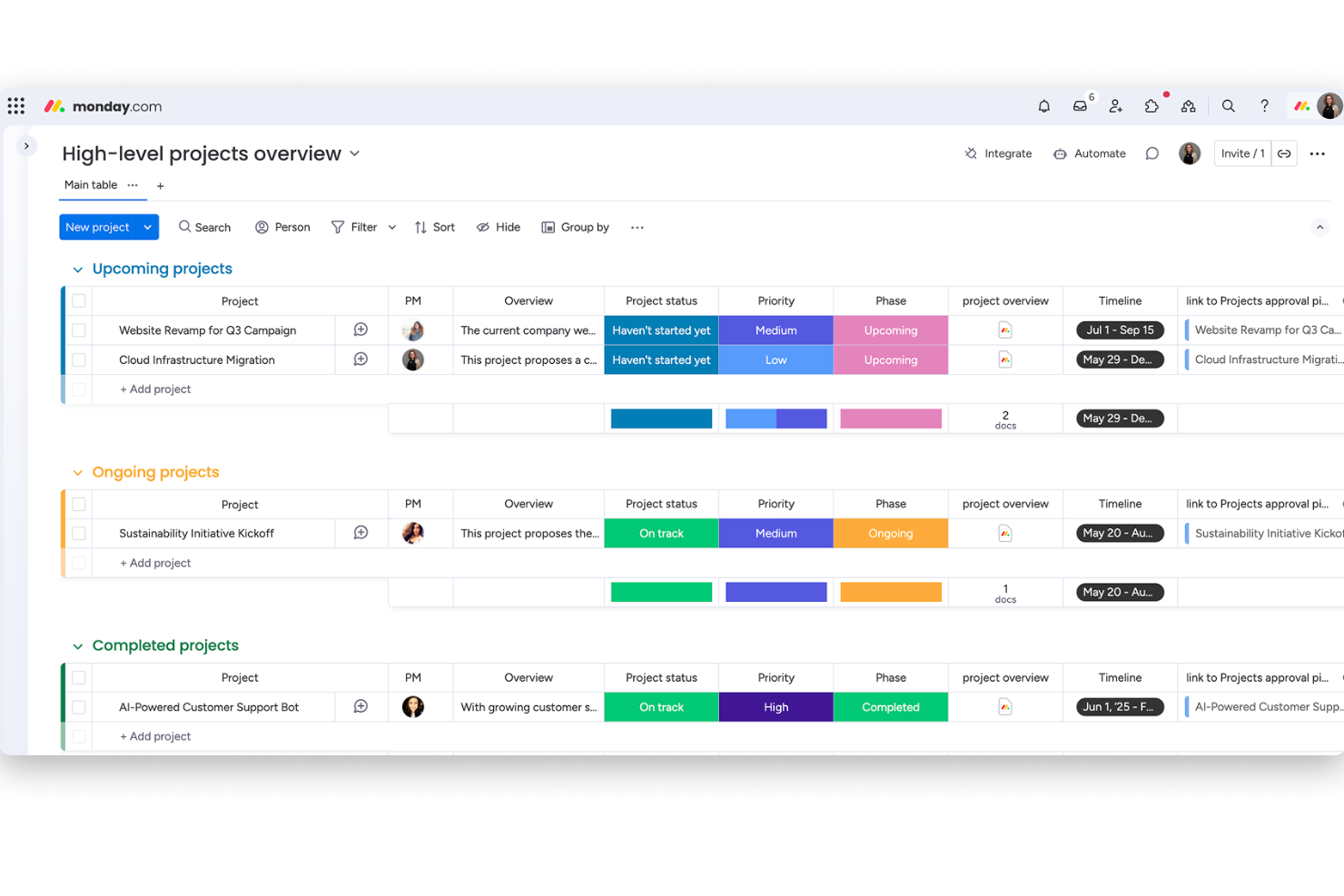
monday work management is a flexible work management platform that combines boards, multiple project views, workflow automation, and AI-powered tools to plan, track, and coordinate projects and tasks across teams.
Who Is monday work management Best For?
monday work management is a strong fit for cross-functional teams that need to manage multiple projects simultaneously without locking into a rigid workflow structure.
Why I Picked monday AI Workspace
I've included monday work management in my top picks because it gives cross-functional teams the flexibility to build workflows that actually match how they work, not the other way around. I love that you can run the same project data through Kanban, Gantt, Timeline, and Calendar views simultaneously, so your engineers and stakeholders are never looking at conflicting information. The multi-step automation builder also means repetitive status updates and task assignments handle themselves, freeing up your attention for actual project decisions.
monday AI Workspace Key Features
- Multi-level subitems: Break work into up to four levels of nested subitems beneath any top-level item, with rollups for status, date, and number columns.
- Workload view: See each team member's assigned work against their capacity and reassign tasks directly from the view across multiple boards.
- Workdocs: Create and edit documents collaboratively in real time, with comments, mentions, file attachments, and version history tied to your workspace.
- OKR tracking board: Build a customizable board to manage objectives and key results, grade progress with formulas, and report across boards via dashboard widgets.
monday AI Workspace Integrations
monday AI Workspace offers 850+ integrations and apps, including Slack, Microsoft Teams, Google Calendar, Gmail, GitHub, GitLab, Salesforce, HubSpot, and QuickBooks. It also provides a GraphQL API and SDK for custom integrations.
Pros and Cons
Pros:
- Task discussions and documents stay in context
- Synced views clarify timelines and task status
- Boards adapt to cross-functional project workflows
Cons:
- Complex boards can take time to configure
- Asana imports preserve only selected fields
New Product Updates from monday AI Workspace
monday AI Workspace Adds Human Approval Routing
monday AI Workspace adds a human-in-the-loop approval block to AI Workflows, sending approval requests and routing workflow paths based on responses. For more information, visit monday AI Workspace's official site.

Best for AI-powered marketing workflow management
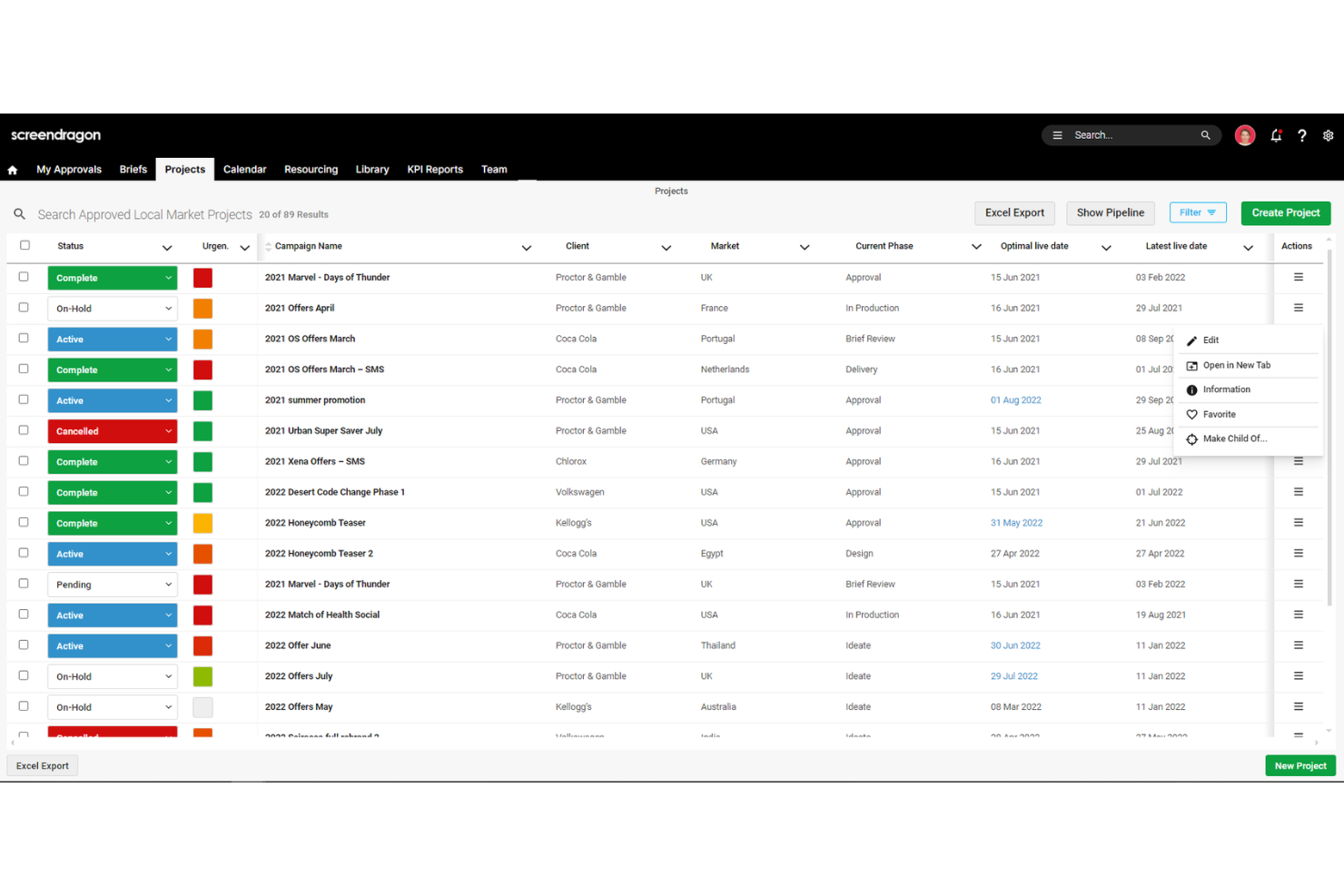
Screendragon is a work management platform built for enterprise marketing, creative, and agency teams, combining AI-powered workflow automation, creative review and approval, resource management, and reporting.
Who Is Screendragon Best For?
Screendragon is a strong fit for enterprise marketing and creative teams that need to manage complex, multi-stakeholder approval workflows across global markets.
Why I Picked Screendragon
I picked Screendragon as one of the best because its AI-powered workflow engine goes well beyond what Asana offers for marketing and creative teams managing complex, multi-stakeholder approvals. I love that you can build no-code conditional routing workflows where the Briefing Agent generates strategic briefs and the Proofing Agent automates review and approval, all within a single audit-tracked process. For global teams running campaigns across multiple markets, that kind of structured, AI-assisted routing is genuinely difficult to replicate in a general-purpose tool like Asana.
Screendragon Key Features
- Online proofing and markup: Review and annotate documents, artwork, and video directly in the platform, with side-by-side version comparison and an approval audit trail.
- Custom automated reporting: Build tailored reports and real-time dashboards to track project status, milestones, and budgets across campaigns.
- Resource management with real-time availability: Assign work based on live team capacity, with skill-based matching and utilization tracking through the Resourcing Agent.
- Field-level permissions: Configure role-based access down to individual form fields, supporting market-specific and client-specific workflow controls.
Screendragon Integrations
Screendragon documents 11 native integrations, including Smartsheet, HubSpot, Microsoft Power BI, Amazon S3, Google Cloud Platform Storage, Workato, and Sitecore. It also offers a REST API and webhooks with OAuth 2.0 for custom integrations, and claims more than 1,000 integrations overall.
Pros and Cons
Pros:
- Dashboards connect campaign status and budgets
- Creative proofing keeps feedback auditable
- Flexible conditional approval workflows
Cons:
- Dense menus can slow new-user adoption
- No traditional drag-and-drop task cards
New Product Updates from Screendragon
Screendragon Unveils New AI Hub
Screendragon introduced AI Hub, a new capability that lets teams build and manage AI agents directly within workflows. The update helps marketing teams automate tasks, maintain governance controls, and scale AI-driven operations more efficiently. For more information, visit Screendragon's official site.

Celoxis
Best for portfolio project tracking
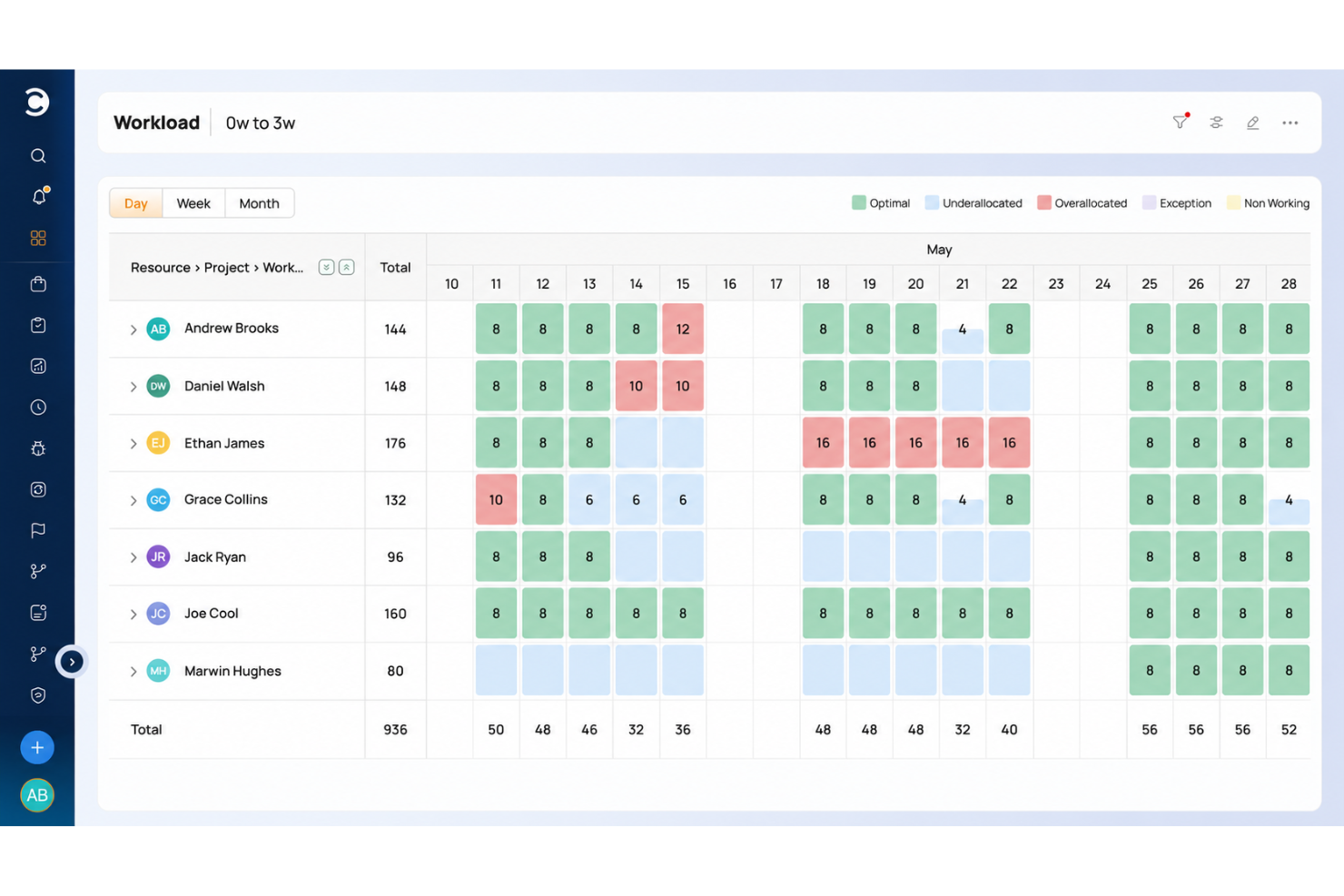
Celoxis is a project and portfolio management platform that combines Gantt scheduling, resource capacity planning, financial tracking, and portfolio-level reporting in one tool.
Who Is Celoxis Best For?
Celoxis is a strong fit for project managers and PMO teams running multiple concurrent projects who need portfolio visibility, resource capacity planning, and financial tracking in one place.
Why I Picked Celoxis
Celoxis earns its spot on my shortlist because of how well it handles portfolio project tracking across multiple concurrent projects. I love that you can see RAG health, earned value, and plan-versus-actual financials all in one portfolio dashboard, which means I'm not chasing status updates before a leadership review. The resource capacity planning view, which shows workload by role or skill across every active project, is especially useful when you're juggling competing priorities and need to reallocate without blowing your schedule.
Celoxis Key Features
- Project request intake: Collect, rank, and score project requests using configurable business KPIs and what-if analysis before they enter the queue.
- Timesheet submission with built-in timers: Log time through a weekly grid or live timer, with automatic reminders for missing entries.
- Client portal: Give clients a branded, customizable workspace to view and collaborate on permitted projects and tasks.
- Two-way Jira and Azure DevOps sync: Reflect development progress, sprints, and work items directly in your project and portfolio views.
Celoxis Integrations
Celoxis lists 400+ connected apps, including 21 integrations configured inside Celoxis and 386 through Zapier and its REST API. Native integrations include Jira, Azure DevOps, Slack, Google Drive, Salesforce, QuickBooks Online, Microsoft Project, and Google Sheets; Zapier is also supported.
Pros and Cons
Pros:
- Gantt dependencies coordinate complex concurrent delivery
- Capacity views expose overloaded roles across projects
- Portfolio dashboards consolidate status and budget updates
Cons:
- Dense interface adds steps to routine updates
- Initial configuration takes sustained project-lead attention

ClickUp
Best for platform customizability
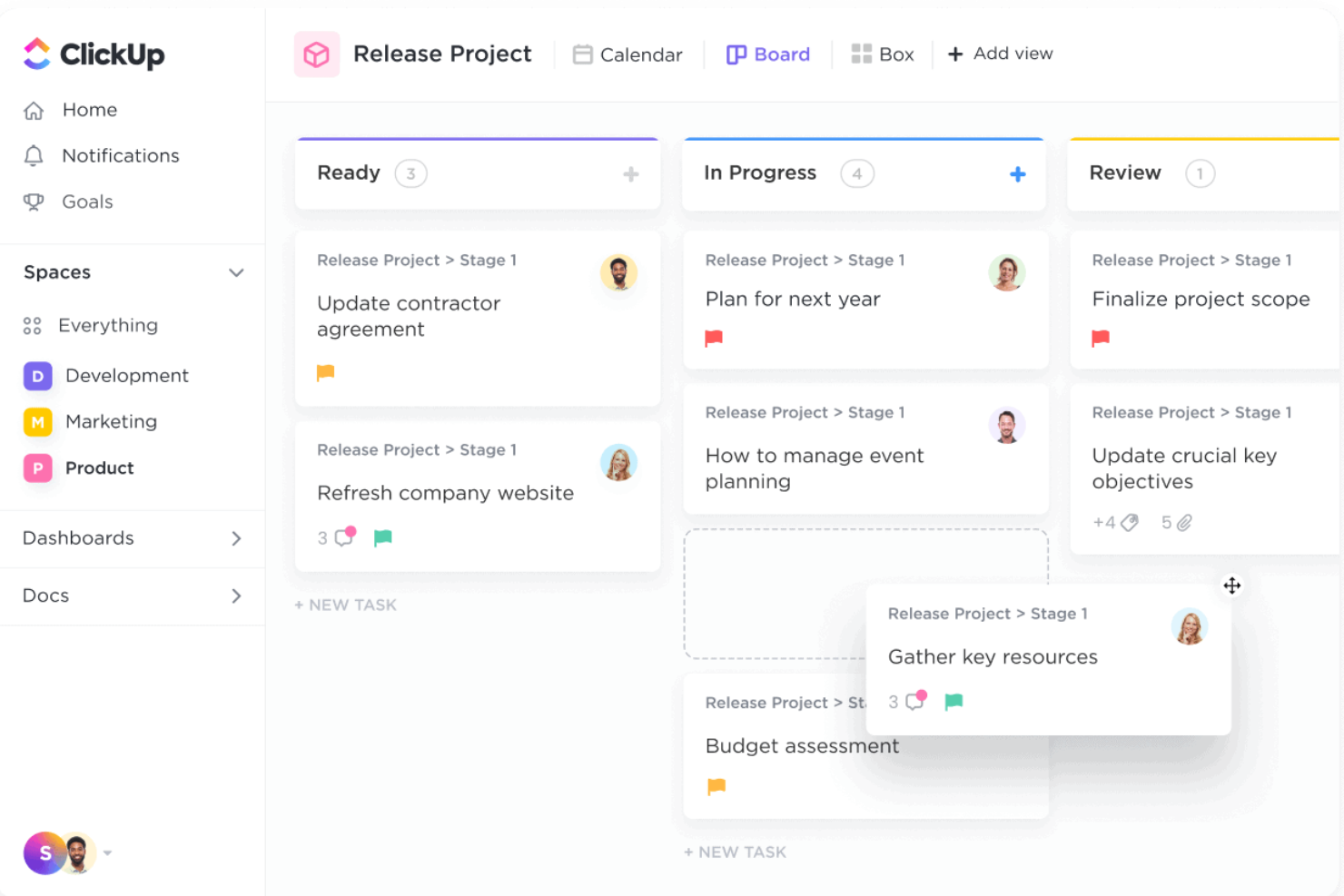
ClickUp is a project management platform that brings tasks, docs, chat, whiteboards, automations, and dashboards into a single configurable workspace.
Who Is ClickUp Best For?
ClickUp suits teams that need to shape their project workspace around how they actually work, rather than adapt to a fixed structure.
Why I Picked ClickUp
ClickUp earns its spot on my shortlist because no other tool in this category lets you shape your workspace as precisely around your team's actual workflow. I love that you can define custom statuses at the Space level and have every folder and list below it inherit them automatically, which means a product team and a marketing team can operate inside the same workspace without stepping on each other's structures. Custom fields let you attach things like budget figures, region tags, or priority scores directly to tasks, so the data your team tracks day-to-day lives right where the work happens.
ClickUp Key Features
- Workflow automation builder: Set up trigger-based rules to automatically update statuses, reassign tasks, or send notifications when conditions are met.
- Asana import tool: Migrate projects directly from Asana, mapping sections to Custom Fields, Lists, or statuses and choosing whether to include completed tasks and attachments.
- Workload view: Visualize each team member's assigned work over a selected time period and set individual capacity limits to manage team bandwidth.
- Sprint management: Plan and track sprints with sprint points, burndown charts, and reporting built into the platform.
ClickUp Integrations
ClickUp offers 50+ native integrations, including Slack, Microsoft Teams, Google Drive, Google Calendar, GitHub, GitLab, HubSpot, and Zoom. It also supports a Public API, Webhooks, OAuth, MCP Server, and Zapier.
Pros and Cons
Pros:
- Synchronized views clarify cross-team progress
- Direct import transfers core project structure
- Custom statuses adapt across departments
Cons:
- Some imported project details need manual cleanup
- Initial setup can overwhelm new teams
New Product Updates from ClickUp
ClickUp Adds Meetings Hub, Super Agent Templates, and ZoomInfo Integration
ClickUp adds a searchable Meetings Hub, new ways to clone and template Super Agents, and a ZoomInfo integration through the App Center. These updates improve meeting retrieval, agent reuse, and access to sales intelligence. For more information, visit ClickUp’s official site.

Best for drag-and-drop interface
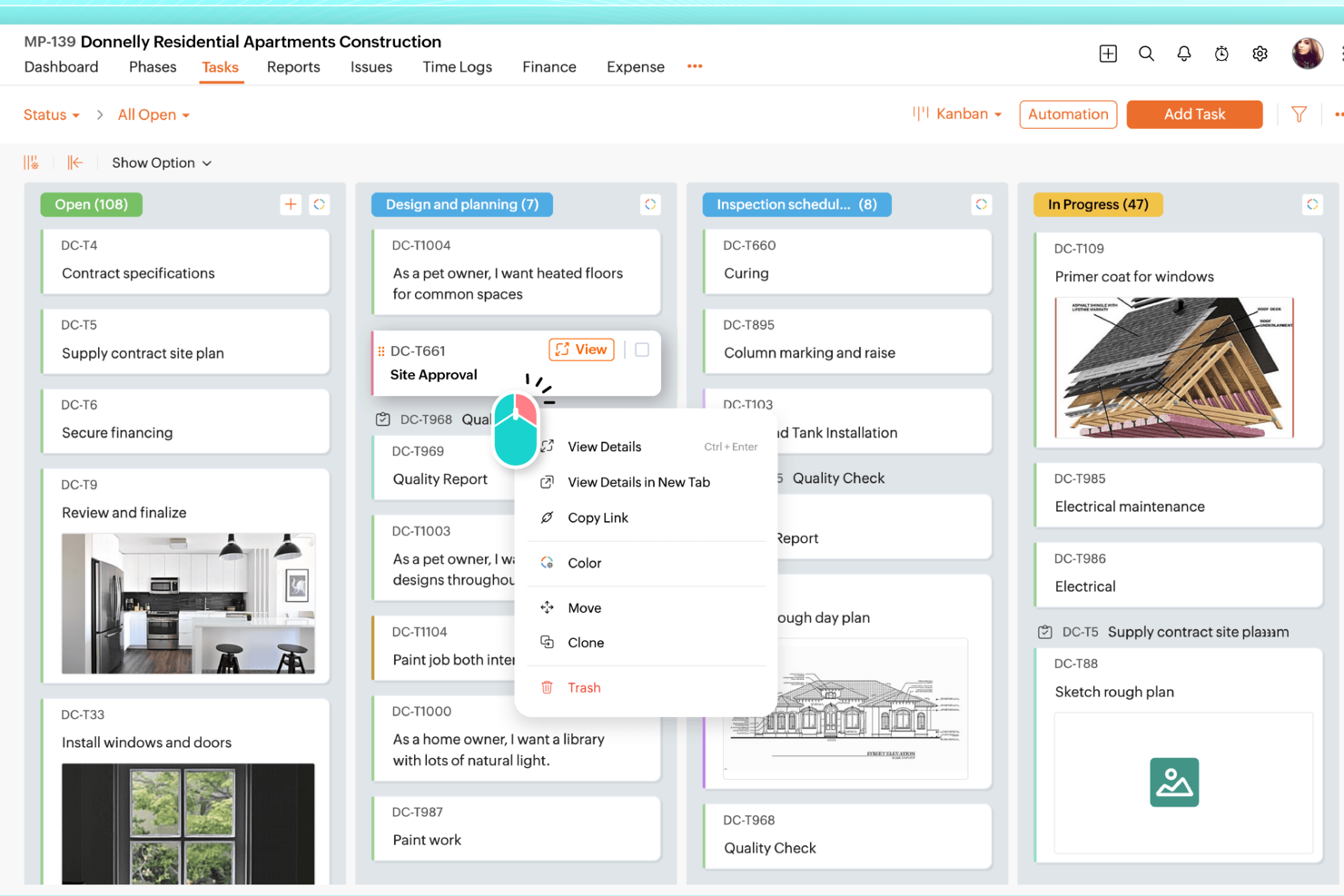
Zoho Projects is a project management platform with task hierarchies, Kanban and Gantt views, workflow automation, time tracking, and workload reporting built into a single portal.
Who Is Zoho Projects Best For?
Zoho Projects is a strong fit for project managers who want a full-featured platform at a lower per-user cost, especially those already working within the Zoho ecosystem.
Why I Picked Zoho Projects
Zoho Projects earns its spot on my shortlist because of how well its drag-and-drop Gantt chart handles real scheduling work, like adjusting dependent tasks across a sprint when a deadline shifts. I like that you can drag tasks directly on the Gantt to reschedule them, and dependencies update automatically. The Kanban board works the same way, letting you move cards across status columns to trigger blueprint automations without touching a single settings menu.
Zoho Projects Key Features
- Blueprint automation: Blueprints guide tasks through defined status transitions, automatically assigning team members and updating fields at each stage.
- Workload report: Color-coded heatmap and timeline charts show each user's allocation so you can spot overloaded team members and reassign tasks directly from the report.
- Earned value management: Compares planned schedule, cost, and time against actual values to measure project performance and forecast delivery on Premium and above.
- Project templates: Save existing projects as reusable templates, including task dependencies and structure, to spin up new projects without rebuilding from scratch.
Zoho Projects Integrations
Zoho Projects offers 50+ marketplace integrations, including Slack, Microsoft Teams, Google Drive, Google Calendar, GitHub, GitLab, Dropbox, and Zapier. It also provides a REST API and native integrations across the Zoho ecosystem.
Pros and Cons
Pros:
- Workload heatmaps help balance team assignments
- Blueprints automate status changes and assignments
- Drag-and-drop scheduling updates task dependencies
Cons:
- Large-project charts can lag
- Crowded navigation complicates task setup
New Product Updates from Zoho Projects
Zoho Projects Adds CodeX Scripts for Custom Modules
Zoho Projects now supports CodeX Scripts for custom modules, enabling conditional logic and rules for creating, updating, and deleting records. For more information, visit Zoho Projects' official site.
 .

Quire
Best for infinite nested task hierarchies
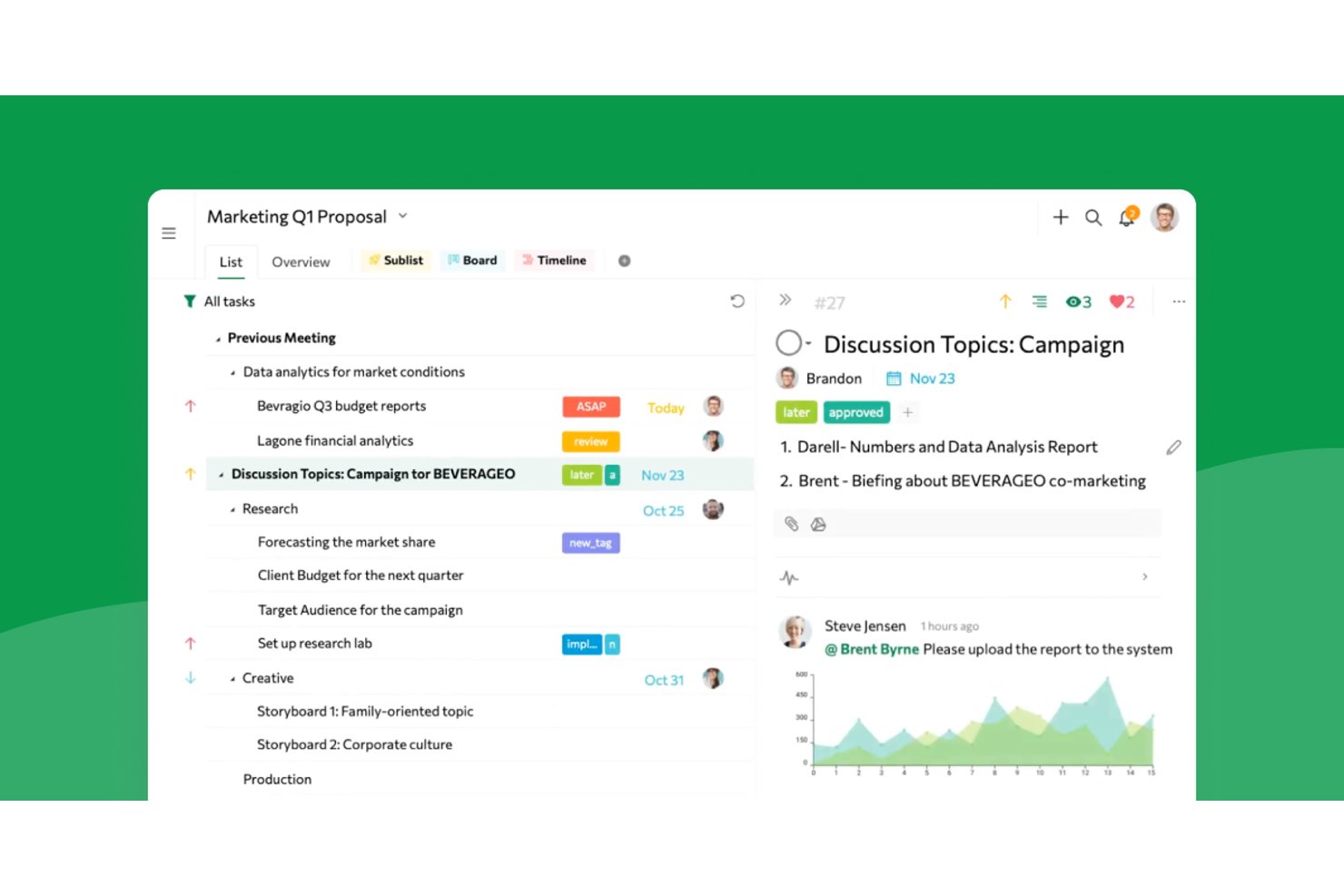
Quire is a project and task management tool built around unlimited nested task hierarchies, offering multiple project views, time tracking, team collaboration, and cross-project reporting.
Who Is Quire Best For?
Quire suits project managers and team leads who need to break complex work into deeply nested subtasks without hitting a hierarchy ceiling.
Why I Picked Quire
Quire earns its spot on my shortlist because no other tool I've tested handles deeply nested task hierarchies as naturally. When I'm breaking down a product launch into workstreams, epics, tasks, and sub-tasks, Quire's unlimited subtask levels let me go as deep as the work actually demands, without hitting an artificial ceiling. I also rely on the Panorama view to track tasks across multiple projects at once, which keeps cross-team dependencies visible when I'm running parallel workstreams.
Quire Key Features
- Asana JSON import: Import Asana project exports directly into Quire, preserving tasks, subtasks, assignees, due dates, and comments.
- Task dependencies: Link tasks to show how one task's completion status affects another, available on Professional plans and above.
- Dashboard widgets: Track team progress with 14 widget types including Member Workload, Portfolio Health, and tasks created versus completed.
- Time tracking: Log time spent on individual tasks and review it across projects through built-in time reports and timesheets.
Quire Integrations
Quire offers integrations with Google Calendar, Google Drive, Microsoft Teams, Slack, Dropbox, Box, GitHub, Power BI, and n8n. It also supports REST API integrations with OAuth 2.0 and webhooks, plus Zapier.
Pros and Cons
Pros:
- List, board, timeline, and calendar views
- Asana imports retain tasks and comments
- Unlimited nested subtasks preserve project detail
Cons:
- No native conditional automation rule-builder
- Reporting offers limited trend analysis
New Product Updates from Quire
Quire Adds Custom Field Locking and Comment Reaction API Support
Quire adds custom field locking and API support for reading and setting emoji reactions on comments. These updates give teams more control over field data and expand comment interaction options for developers. For more information, visit Quire’s official site.
 .
Hive
Best for AI-driven analytics
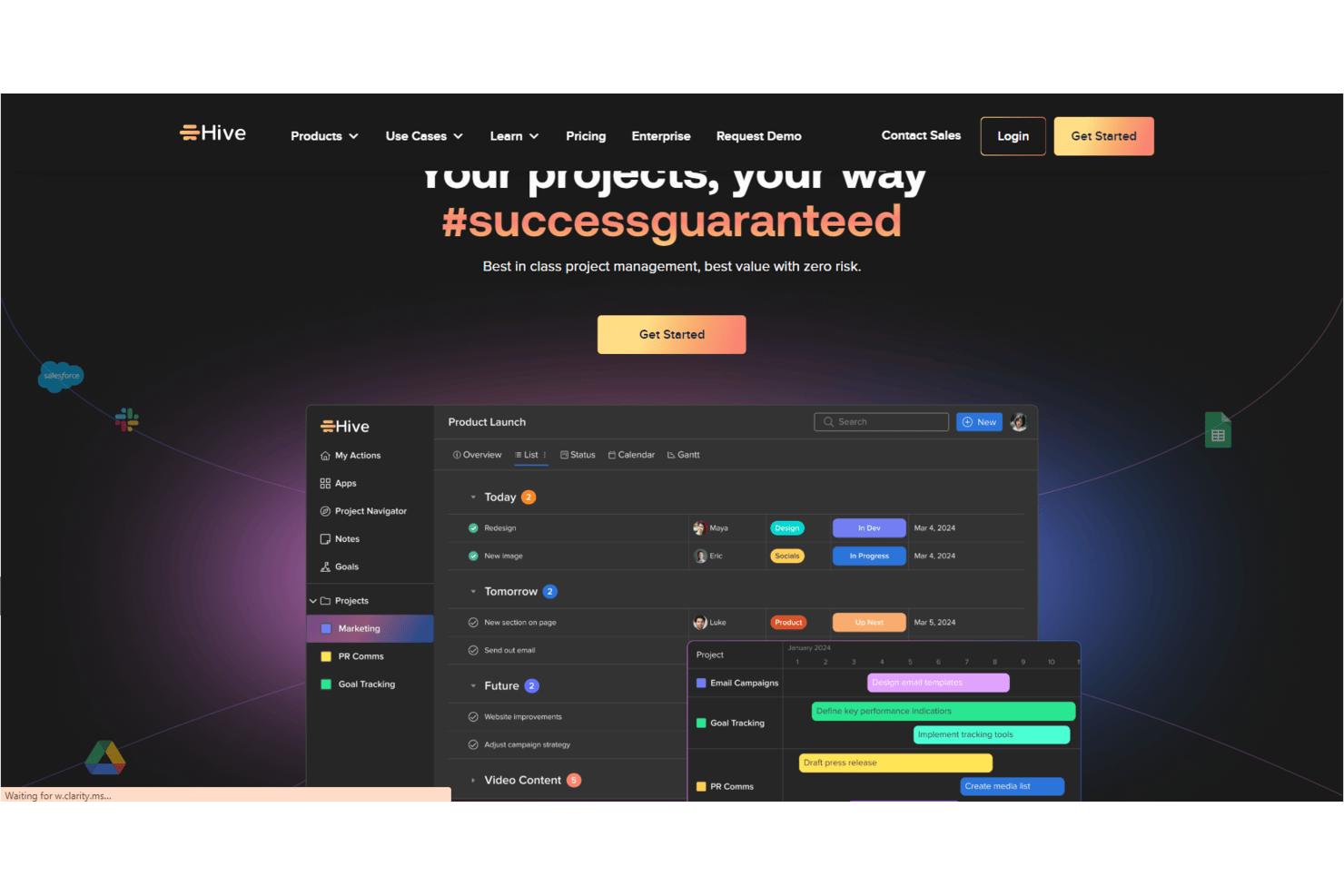
Hive is an AI-enabled project management platform that brings together task tracking, multiple project views, workflow automation, dashboards, and team collaboration in a single workspace.
Who Is Hive Best For?
Hive is a strong fit for cross-functional teams that need AI-driven reporting and workspace visibility alongside their day-to-day project tracking.
Why I Picked Hive
Hive earns its spot on my shortlist because of how deeply its AI, Buzz, is woven into workspace reporting. I can ask Buzz a direct question like "what's blocked across all active projects?" and get an answer pulled from live workspace data, without building a single report. Buzz also generates dashboard widgets on demand and flags risks by project, giving cross-functional teams the kind of at-a-glance status visibility that Asana typically requires manual dashboard setup to achieve.
Hive Key Features
- Hive Notes: Collaboratively write meeting notes and project context directly in the workspace, then turn talking points into assigned action cards with deadlines.
- Portfolio view: See multiple projects together in one place, with status, owners, milestones, and custom fields visible across the full project portfolio.
- No-code workflow builder: Build multi-step automations using a drag-and-drop interface, or describe a process in plain English and let Buzz generate the workflow.
- Time tracking: Log time directly on action cards and roll tracked hours into timesheets for team-level or org-level review and approval.
Hive Integrations
Hive claims 1,000+ integrations, including native connections with Jira, GitHub, Slack, Microsoft Teams, Google Drive, Google Calendar, Zoom, and Dropbox. It also offers a REST API and Zapier integration.
Pros and Cons
Pros:
- Forms route requests into assigned work
- Gantt, calendar, and Kanban views
- Tasks, files, and conversations stay together
Cons:
- Mobile app trails desktop functionality
- Project and workflow setup can take time

Enji
Best for structured weekly marketing workflows
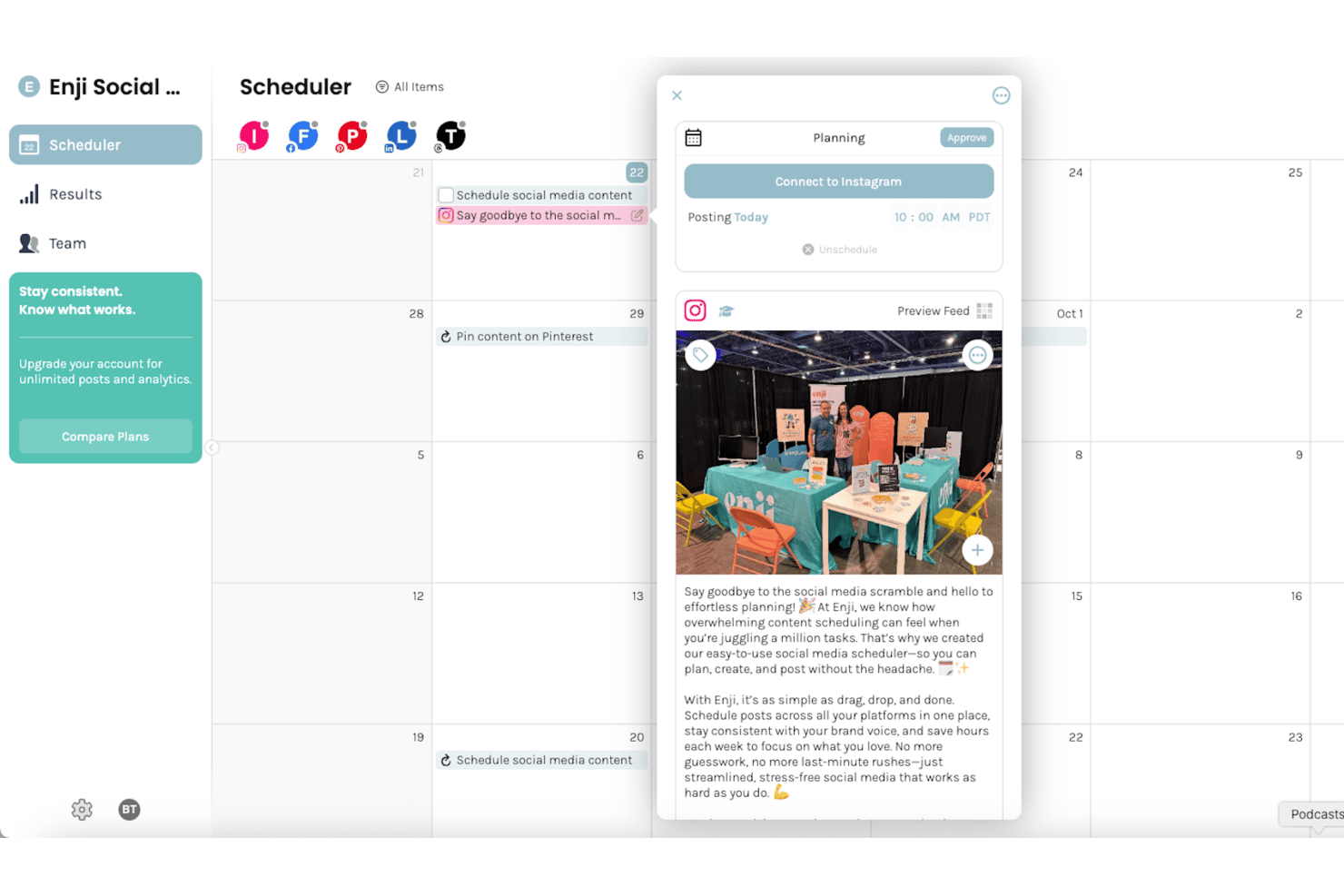
Enji is a marketing platform for small businesses that combines a marketing calendar, AI copywriting, social media scheduling, campaign templates, and a KPI dashboard in one place.
Who Is Enji Best For?
Enji is a good fit for small-business owners who want a single place to plan, create, and schedule their marketing each week.
Why I Picked Enji
I picked Enji as one of the best because it structures your entire marketing week around a unified calendar that ties tasks, campaign templates, and scheduled social posts together in one view. I love how its 16-plus campaign templates come pre-loaded with recommended tasks and metrics, so you're not building a marketing workflow from scratch every time you launch something new. Its AI copywriter drafts captions, blog posts, and newsletters using your brand voice, feeding content directly into that same calendar for review and scheduling.
Enji Key Features
- KPI dashboard: Tracks sales and marketing KPIs in one place, with some metrics pulling in automatically from connected platforms like Google Analytics and Meta.
- Team access controls: Invite team members with View Only, Standard, or Admin permissions to manage who can edit tasks and materials.
- Task comments and mentions: Leave comments on tasks, tag teammates with @mentions, and attach files directly within each task.
- Google Calendar and iCal sync: Connects Enji tasks to external calendars so scheduled tasks appear as events on their due dates.
Enji Integrations
Enji offers native integrations with Google Calendar, iCal, Canva, Facebook, Instagram, LinkedIn, Pinterest, TikTok, YouTube Shorts, and Threads. Its MCP server connects AI clients such as ChatGPT and Claude to marketing context, calendar tasks, content drafts, and scheduled posts.
Pros and Cons
Pros:
- Task comments support small-team coordination
- KPI dashboard centralizes marketing performance
- Campaign templates turn goals into tasks
Cons:
- Marketing focus misses general project workflows
- Calendar-only views limit project visualization

Best for enterprise resource and capacity planning
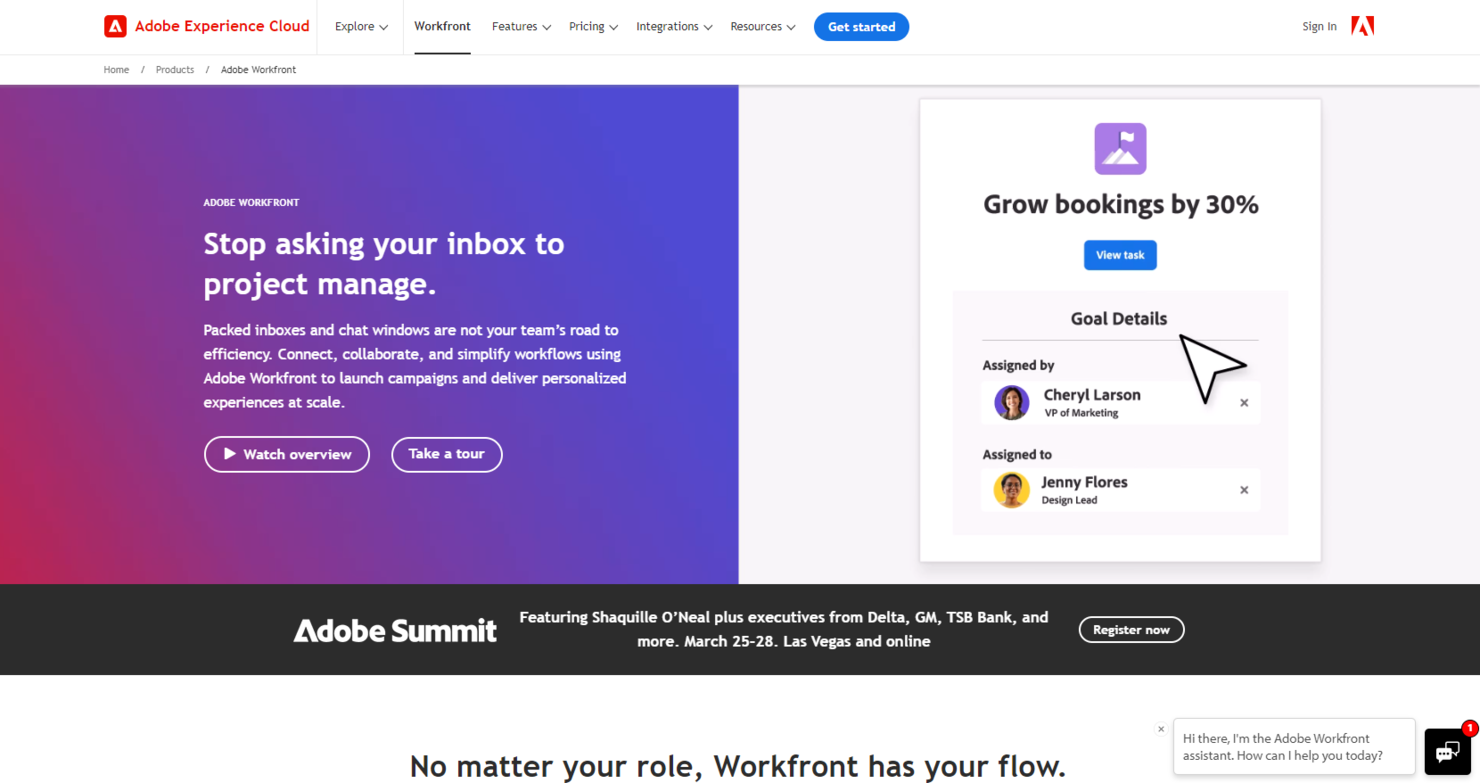
Workfront offers a comprehensive enterprise work management platform, designed to support complex workflows, resource management, and collaboration at scale. Its robust feature set and flexibility make it an ideal solution for large organizations seeking to streamline operations, enhance productivity, and maintain visibility across extensive project portfolio management.
Why it's a good Asana alternative: I picked Workfront for its extensive capabilities in managing the multifaceted needs of large enterprises, which often involve intricate projects and numerous stakeholders. Its enterprise-grade features provide a level of depth and scalability that stands out from Asana, making it best suited for organizations with complex workflows and high demands for customization and integration.
Standout features & integrations:
Features include advanced project and resource management, customizable dashboards, and real-time reporting.
Integrations include Adobe Creative Cloud, G Suite, Outlook, Microsoft Teams, Slack, Salesforce, and JIRA.
Pros and Cons
Pros:
- Comprehensive reporting and analytics for informed decision-making
- High customization and integration capabilities
- Scalable for large enterprises with complex needs
Cons:
- Setup and onboarding can be time-consuming
- May be more complex than needed for smaller teams
- Pricing transparency could be improved
Outras alternativas ao Asana
Eis algumas alternativas adicionais ao Asana que não entraram na minha lista, mas que ainda vale a pena conhecer:
- Jira
For agile team and dev project tracking
- Smartsheet
For spreadsheet-style cross-project reporting
- Teamwork.com
For client work and billable time tracking
- Zenkit
For six-view data visualization
- Ravetree
For integrated CRM features
- Airtable
For database-driven project workflows
- Process Street
For workflow automation
- Notion
For docs and tasks in one database
- Workzone
For comprehensive project visibility
- GoodDay
For deep flexibility


How I Evaluate Asana Alternatives
I split my evaluation into three parts, with the most weight on core functionality: assign tasks, organize projects, and switch between board and timeline views. Next, I look for differentiators such as team workload views. Finally, I consider beyond-feature factors like onboarding, support, and pricing as teams grow.
Core Functionality (Table Stakes For This List)
When I'm selecting tools for my list, I score each one on a scale from 0 (does not offer the functionality) to 5 (excels in this area) for each core functionality listed below. I then convert the total into a percentage to help assess each tool's overall fit, with extra weight on any functionalities I’ve deemed essential.
- Task & Project Organization (Essential): I look for clear task ownership, due dates, subtasks, and dependencies so teams can track handoffs across projects.
- Multiple Work Views (Essential): I check whether teams can switch between views like boards, lists, calendars, and timelines while keeping project details in sync.
- Team Collaboration: I assess whether comments, mentions, and file sharing stay attached to tasks, such as when a designer hands work to engineering.
- Workflow Automation: I look for rules that handle recurring steps, such as assigning a task when its status changes or routing an approval.
- Progress Reporting: I check whether dashboards show status across projects, helping teams spot delayed work and share updates with stakeholders.
- Third-Party Integrations: I consider connections to communication, file storage, and calendar tools so project updates fit into the team’s existing workflow.
Once I have a list of tools that meet the criteria, I consider what sets each platform apart.
Differentiating Factors (What Sets Vendors Apart)
Here's how I compare and contrast different vendors:
Standout Features
I look for goal and OKR tracking that connects daily tasks to strategic objectives—without it, leadership loses sight of whether project work actually moves the needle. Resource workload management is equally important; I check whether a tool lets you visualize team capacity and rebalance assignments before burnout hits. I also evaluate built-in time tracking, since teams billing clients or planning sprints need logging tied directly to tasks, not bolted on through a third-party app.
Beyond Features
I check whether a tool's pricing model stays predictable as headcount grows—some platforms gate key features like timeline views or custom fields behind higher tiers, which inflates costs fast. Onboarding speed matters just as much; I look for Asana import support, guided setup wizards, and template libraries that help mixed-skill teams start delivering within days, not weeks. I also evaluate admin controls for permissions, audit logs, and data residency options, especially for distributed teams operating under different compliance requirements.
Por que procurar uma alternativa ao Asana?
O Asana limita cada tarefa a um responsável, reserva o planeamento da capacidade para os planos mais caros e pode exigir algum tempo de aprendizagem por parte dos novos utilizadores, algo importante à medida que as equipas e o trabalho partilhado crescem. Eis quando outra ferramenta poderá ser mais adequada:
- Quer que os novos membros da equipa sejam produtivos rapidamente. Alguns utilizadores consideram a interface do Asana inicialmente confusa e demoram a aprender as suas funcionalidades avançadas. Muitas ferramentas desta lista também exigem algum tempo de configuração, por isso, antes de se comprometer, execute um projeto-piloto com novos utilizadores durante um período de teste gratuito.
- Precisa de planear a capacidade da equipa em vários projetos. Os portefólios, objetivos e vistas de carga de trabalho estão disponíveis nos planos mais caros do Asana, e o planeamento da capacidade a nível de toda a empresa está incluído no escalão superior. Plataformas como o ClickUp e o monday AI Workspace incluem vistas de carga de trabalho, e o ClickUp acrescenta limites de capacidade.
- Várias pessoas partilham a responsabilidade por uma tarefa. O Asana permite um responsável por tarefa, afirmando que isso mantém clara a responsabilidade, pelo que o trabalho partilhado tem de ser dividido em subtarefas. Ferramentas como o Wrike permitem tarefas com vários responsáveis, reduzindo o número de tarefas duplicadas.
O Asana continua a ser a escolha certa se quiser tarefas claras com um único responsável, cronogramas, formulários de entrada e automatizações que mantêm o trabalho entre equipas no bom caminho. Para equipas que valorizam a responsabilização acima de tudo, isso pode compensar uma curva de aprendizagem para novos utilizadores, pagar mais pelo planeamento de capacidade e dividir tarefas partilhadas em subtarefas.
Principais funcionalidades do Asana
Eis algumas das principais funcionalidades do Asana para ajudar a comparar e contrastar com o que as soluções alternativas oferecem:
- Gestão de tarefas: Crie, atribua e defina prazos para tarefas, ajudando a sua equipa a manter-se organizada e dentro do prazo.
- Várias vistas de projetos: Escolha entre vistas de lista, quadro (Kanban), calendário ou linha cronológica (gráfico de Gantt) para visualizar o trabalho da forma que melhor se adapta ao fluxo de trabalho da sua equipa.
- Automatização de fluxos de trabalho: Automatize tarefas de rotina com regras personalizáveis para reduzir o esforço manual e minimizar os erros.
- Campos personalizados: Adicione campos de dados específicos às tarefas para reunir todas as informações necessárias, adaptando o Asana às necessidades únicas da sua equipa.
- Integrações: Ligue o Asana a ferramentas como Slack, Gmail e Zoom para centralizar o seu trabalho e melhorar a colaboração.
- Relatórios e análise: Utilize painéis e ferramentas de relatórios para monitorizar o progresso dos projetos e o desempenho da equipa, permitindo tomar decisões baseadas em dados.
- Acesso móvel: Aceda às suas tarefas e projetos em qualquer lugar com as aplicações móveis do Asana para iOS e Android, mantendo a sua equipa ligada a qualquer hora e em qualquer lugar.
- Funcionalidades de segurança: Utilize a autenticação de dois fatores, o suporte para início de sessão único e permissões de utilizador personalizáveis para manter os seus dados seguros.
- Capacidades de IA: Tire partido de ferramentas de IA como o AI Studio para conceber fluxos de trabalho com agentes de IA, melhorando a produtividade e a eficiência.
- Acompanhamento de objetivos: Alinhe o trabalho da sua equipa com os objetivos da empresa, definindo e monitorizando objetivos no Asana para garantir que todos se mantêm focados no que é mais importante.