

10 beste løsninger for ressursstyring i bygg og anlegg, vurdert i 2026

Beste programvare for ressursstyring i bygg og anlegg på kortlisten


Det er ikke enkelt å holde arbeidslagene på rett spor, sørge for at utstyret er der det skal være, og ha kontroll på tidsplanene. Når du håndterer arbeidskraft, materialer og underentreprenører på flere byggeplasser, kan forsinkelser og misforståelser raskt hope seg opp.
Programvare for ressursstyring i bygg og anlegg hjelper deg med å tildele arbeid, følge med på tilgjengelighet og ligge i forkant av problemer før de koster deg tid eller penger.
I denne listen går jeg gjennom de beste alternativene på markedet. Jeg tester og vurderer prosjektstyringsprogramvare uavhengig, og jeg har valgt disse verktøyene basert på hva som faktisk fungerer for personer som arbeider med prosjektstyring i bygg og anlegg.
Why Trust Our Software Recommendations
Our team has been testing and reviewing software since 2012. As project managers ourselves, we know how difficult—and important—it is to choose the right software.
For this guide, we evaluated tools using hands-on testing and independent research, scoring tools using our selection criteria. We also draw on insights from industry thought leaders and practicing project management experts.
Our reviews reflect our human editorial judgment, not a sales pitch.
Expert reviewers:
Sammenligningstabell for programvare for ressursstyring i bygg og anlegg
Denne sammenligningstabellen oppsummerer prisopplysningene for mine beste utvalgte programmer for ressursstyring i bygg og anlegg:
| Tool | Best For | Trial Info | Price | ||
|---|---|---|---|---|---|
| 1 | Best for visualizing team workloads | 14-day free trial | Pricing upon request | Website | |
| 2 | Best for capacity-based resource allocation | 14-day free trial | From $17/user/month | Website | |
| 3 | Best with a single database platform | Free demo available | Pricing upon request | Website | |
| 4 | Best for resource maintenance | Free demo available | Pricing upon request | Website | |
| 5 | Best for resource allocation | 15-day free trial | From $63.55/month (billed annually) | Website | |
| 6 | Best for on-site efficiency | 30-day free trial | From $49/month (billed annually) | Website | |
| 7 | Best for customer management | Free demo available | Pricing upon request | Website | |
| 8 | Best for field coordination | Free plan available | From $39/user/month (billed annually) | Website | |
| 9 | Best for planning accuracy | Not available | Pricing upon request | Website | |
| 10 | Best for team collaboration | 14-day free trial + free demo available | From $29/month (billed annually) | Website |


Anmeldelser av den beste programvaren for ressursstyring i bygg og anlegg
Nedenfor finner du mine detaljerte sammendrag av den beste programvaren for ressursstyring i bygg og anlegg som kom med på kortlisten. Anmeldelsene mine gir en detaljert gjennomgang av de viktigste funksjonene, fordelene og ulempene, integrasjonene og ideelle bruksområdene for hvert verktøy, slik at du kan finne det som passer best for deg.

Wrike
Best for visualizing team workloads
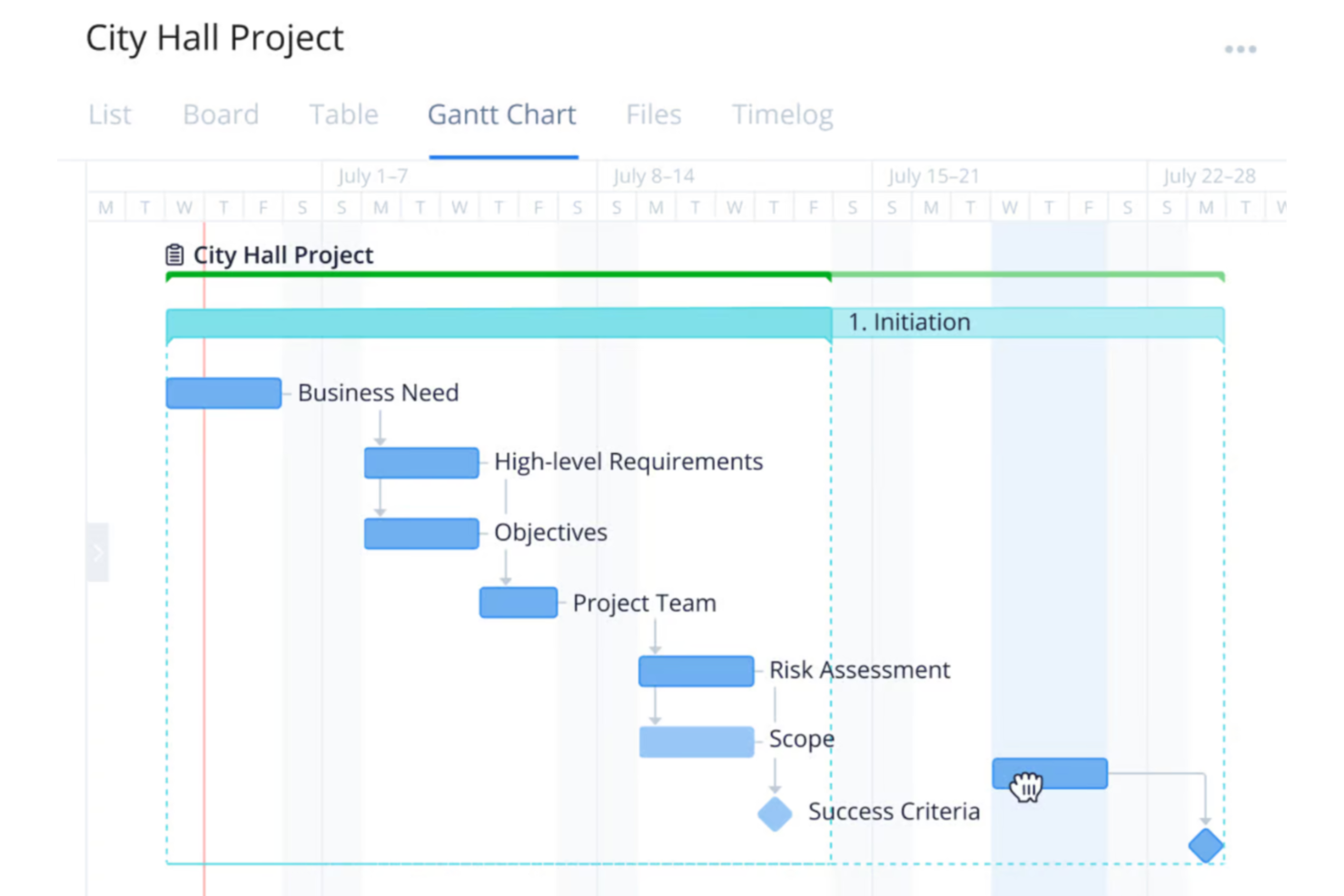
Wrike is a versatile project management platform designed for organizations across various industries, including construction teams wanting to improve the planning, execution, and delivery of projects.
Why I Picked Wrike:
One of Wrike's key features is its workload charts. These charts provide a clear view of each team member's assignments and capacity, helping you distribute tasks effectively and prevent overloading. By visualizing workloads, you can allocate resources based on availability and project needs, ensuring balanced workloads and timely project completion. I also like Wrike's time-tracking tools. These allow your team to log hours spent on tasks, providing insights into productivity and project progress.
Standout features & integrations:
Features include customizable dashboards that let you tailor your workspace to your team's specific needs, providing quick access to essential project information. Additionally, Wrike's dynamic request forms streamline the intake process by capturing all necessary details upfront, reducing back-and-forth communications. The platform also offers real-time reporting tools, enabling you to generate up-to-date reports on project status and resource utilization.
Integrations include QuickBooks, Skyvia, Power BI, Google Sheets, Miro, Salesforce, Tableau, Microsoft Teams, MediaValet, Zoom, Adobe Creative Cloud, and Google Drive.
Pros and Cons
Pros:
- Scalable for growing teams
- Custom workflows, dashboards, and reports
- Offers diverse project management tools
Cons:
- No built-in chat feature
- Learning curve due to extensive features
New Product Updates from Wrike
Wrike Adds Klaxoon MCP Integration
Wrike’s Klaxoon MCP integration is now generally available, enabling AI agents to navigate between Wrike tasks and attached whiteboards, read task context, and manage whiteboard attachments via API. For more information, visit Wrike's official site.

Scoro
Best for capacity-based resource allocation
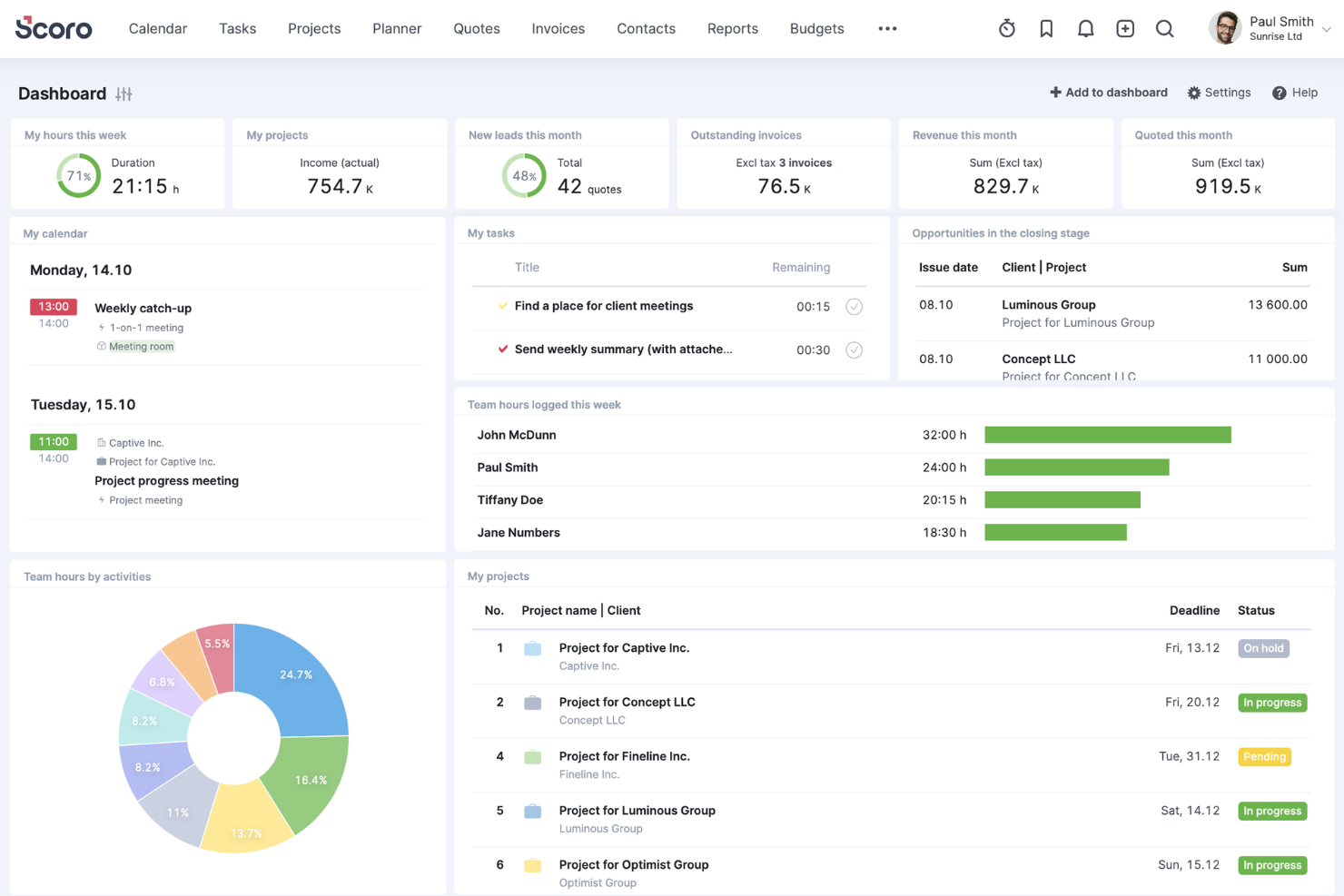
Scoro is an all-in-one business management software designed to help professional service firms enhance their operations. It integrates project management, resource planning, sales, billing, and reporting into a single platform.
Why I Picked Scoro:
Scoro offers a dynamic Gantt chart feature that allows you to track real-time progress, manage tasks and dependencies, and adjust plans as needed. This ensures that your construction projects stay on schedule and that any changes are immediately reflected across the team, minimizing manual updates and reducing the risk of double bookings. Another valuable feature is Scoro's resource planning capabilities. You can define individual team members' capacity and allocate resources based on actual availability, helping you avoid overloading your staff and ensuring optimal utilization.
Standout features & integrations:
Features include time-tracking tools that let your team log both billable and non-billable hours, providing accountability and accurate client billing. Shared calendars and timesheets enhance team coordination by offering a unified view of schedules and deadlines. Additionally, Scoro's quoting and budgeting tools enable you to create detailed proposals and monitor project costs against budgets.
Integrations include Gmail, Google Calendar, Microsoft Exchange, QuickBooks, Xero, Stripe, PayPal, Jira, Asana, HubSpot, Salesforce, Dropbox, and Zapier.
Pros and Cons
Pros:
- Robust reporting and analytics
- Good resource planning and utilization management
- Comprehensive project management features
Cons:
- Some time tracking features are limited to higher-tier plans
- Mobile app could be improved
New Product Updates from Scoro

Scoro Adds Time Mobile App and ELI Improvements
Scoro adds the Scoro Time mobile app for iOS/Android to track time anywhere and expands ELI with attachments, smarter filtering, and trigger-based actions. For more information, visit Scoro's official site.
CMiC
Best with a single database platform
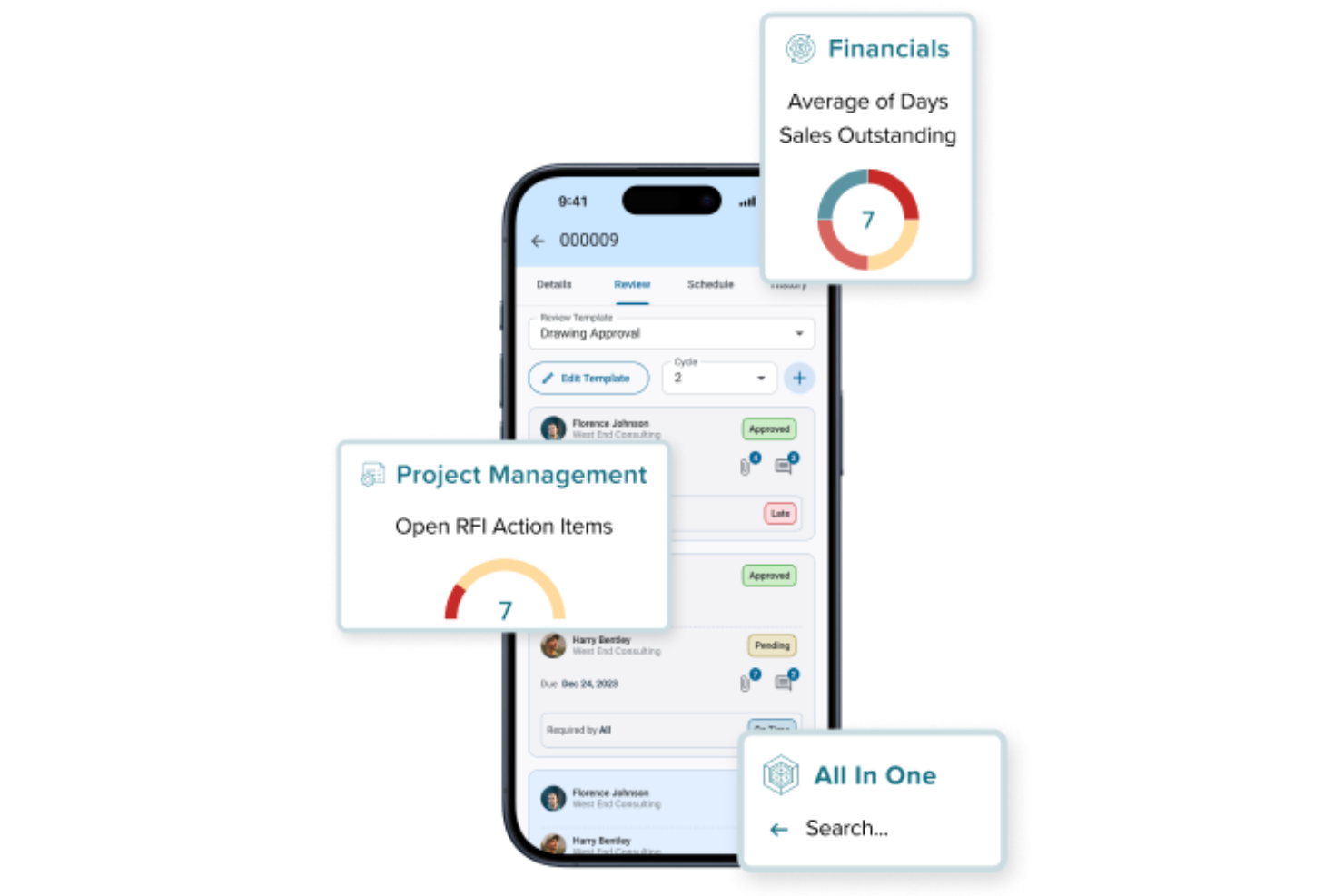
CMiC is a construction management platform built for firms that need to connect project teams, resources, and financials in one place. It’s designed for general contractors, specialty contractors, and project managers who want to unify their workflows and data. CMiC helps address challenges like fragmented information, manual processes, and lack of real-time visibility across construction projects.
Who Is CMiC Best For?
CMiC is a good fit for mid-sized to large construction firms and contractors that need to manage complex projects, resources, and financials within a unified platform.
Why I Picked CMiC
I picked CMiC because its single database platform addresses one of the biggest challenges in construction resource management: fragmented data across multiple systems. With all project, resource, and financial information stored in one centralized database, teams can access real-time updates and maintain data consistency throughout the project lifecycle. This unified approach reduces errors and eliminates the need for manual data reconciliation. I also appreciate how this setup supports better collaboration between office and field teams, ensuring everyone works from the same source of truth.
CMiC Key Features
Some other features in CMiC that stand out for construction resource management include:
- Resource scheduling tools: Assign and manage labor, equipment, and materials across multiple projects from a centralized dashboard.
- Document management system: Store, organize, and share project documents, drawings, and contracts with version control.
- Mobile field applications: Enable field teams to access project data, submit reports, and update progress directly from job sites.
- Change order management: Track, approve, and document change orders to maintain project control and transparency.
CMiC Integrations
Integrations include Arcoro, Prophix, Workday, Cosential, HammerTech, SmartBarrel, Nutrient, Salesforce, Clearstory, and Oracle Cloud.
Pros and Cons
Pros:
- Strong payroll and compliance tracking features
- Built-in equipment and subcontractor management tools
- Real-time job costing supports accurate forecasting
Cons:
- Custom report building can be complex
- Mobile app functionality is limited compared to peers

Limble
Best for resource maintenance

Limble is a cloud-based computerized maintenance management system (CMMS) designed for maintenance and resource management operations. It provides an intuitive interface and powerful tools that cater to various industries, including construction.
Why I Picked Limble:
It allows construction teams to manage and prioritize their critical equipment and resources, minimizing downtime and maintenance costs. Limble's preventive maintenance programs automate scheduling and task assignments, ensuring that equipment is maintained proactively, which is essential for avoiding breakdowns and delays in construction projects.
Standout features & integrations:
Features include its mobile accessibility, allowing field teams to manage maintenance tasks on the go, and comprehensive asset management capabilities that centralize all asset information in one place. Additionally, Limble offers a spare parts inventory management system, which ensures that critical parts are always in stock. Other notable features are real-time reporting and dashboards, predictive maintenance, and workflow automation.
Integrations include QuickBooks, Salesforce, Microsoft Teams, Slack, Jira, ServiceNow, and Google Workspace.
Pros and Cons
Pros:
- User-friendly mobile accessibility
- Custom dashboards and work orders
- Automated preventative maintenance
Cons:
- Automated reporting features could be more robust
- Initial setup can be complex

Ezo
Best for resource allocation
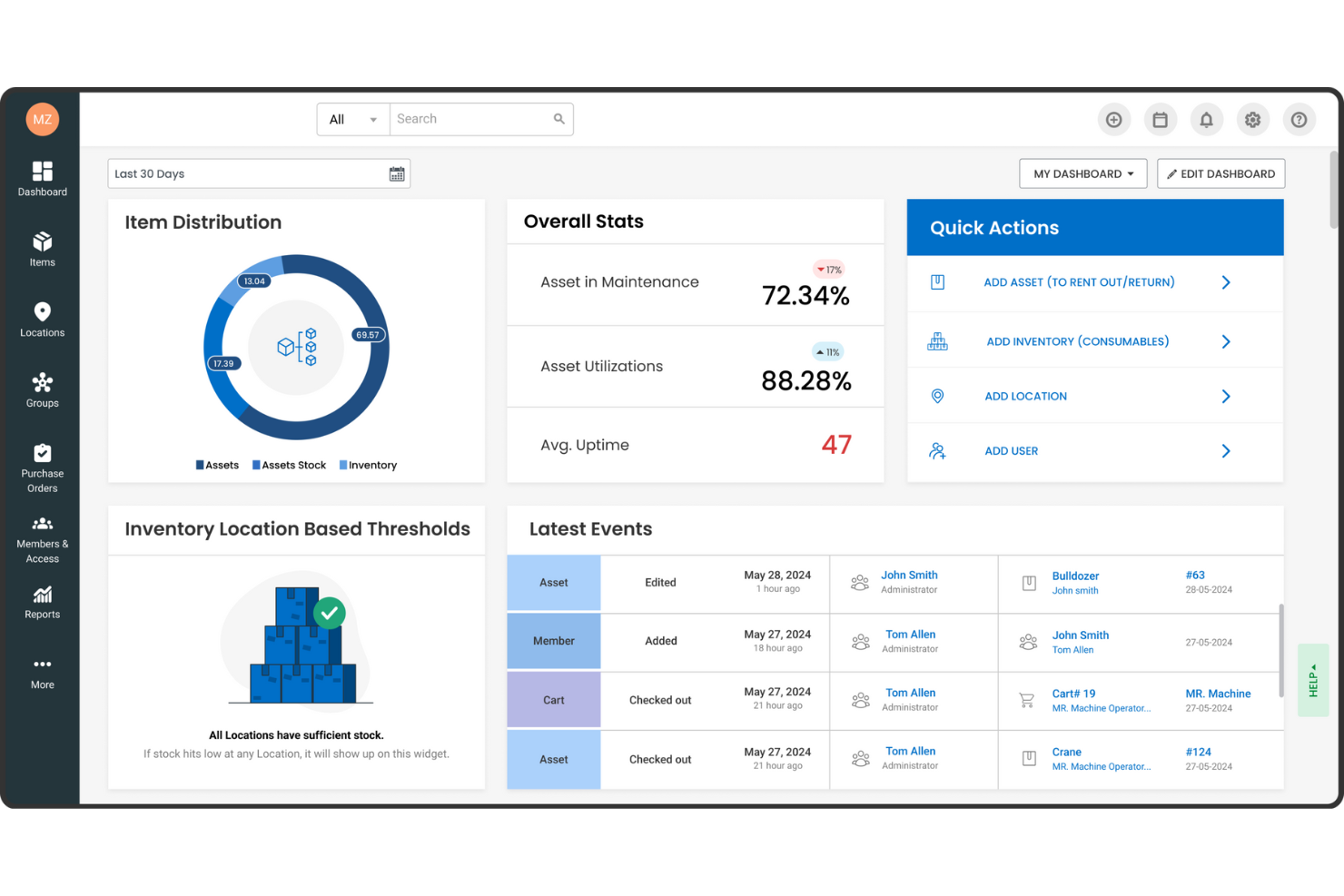
EZOfficeInventory, now known as EZO, is an asset management software designed to enhance the efficiency and utilization of physical assets. It's particularly tailored for sectors like construction, where meticulous resource management is crucial.
Why I Picked EZOfficeInventory:
I picked EZOfficeInventory for construction resource management because of its focus on fixed asset tracking, inventory management, and maintenance management. These features help construction companies keep tabs on their equipment and materials, ensuring everything is in the right place and in good working order. By using these tools, your team can focus more on the project and less on logistical headaches. Another reason is the software's advanced reporting and analytics capabilities, which provide valuable insights into asset performance. This means you can make more informed decisions about resource allocation and maintenance schedules. Knowing exactly how your assets are performing helps you anticipate issues before they become problems, keeping projects on track.
Standout features & integrations:
Features include tool tracking software that allows you to monitor equipment and tools effectively, minimizing loss or misplacement. The software supports various asset tracking methods like barcode, QR code, and RFID, enhancing inventory accuracy. Additionally, EZO offers customizable reporting options tailored to the construction industry's needs, providing valuable data to help you manage resources better.
Integrations include Google Sheets, monday.com, Google Forms, Slack, QuickBooks Online, Microsoft Office 365, Smartsheet, Knack, Zendesk, Jira, Dropbox, and OneDrive.
Pros and Cons
Pros:
- Offers cloud backup management
- Supports multiple tracking technologies like barcode, QR code, and RFID
- Customizable reporting and analytics
Cons:
- Requires training for effective use
- Lack of a sandbox environment for testing new features

Best for on-site efficiency
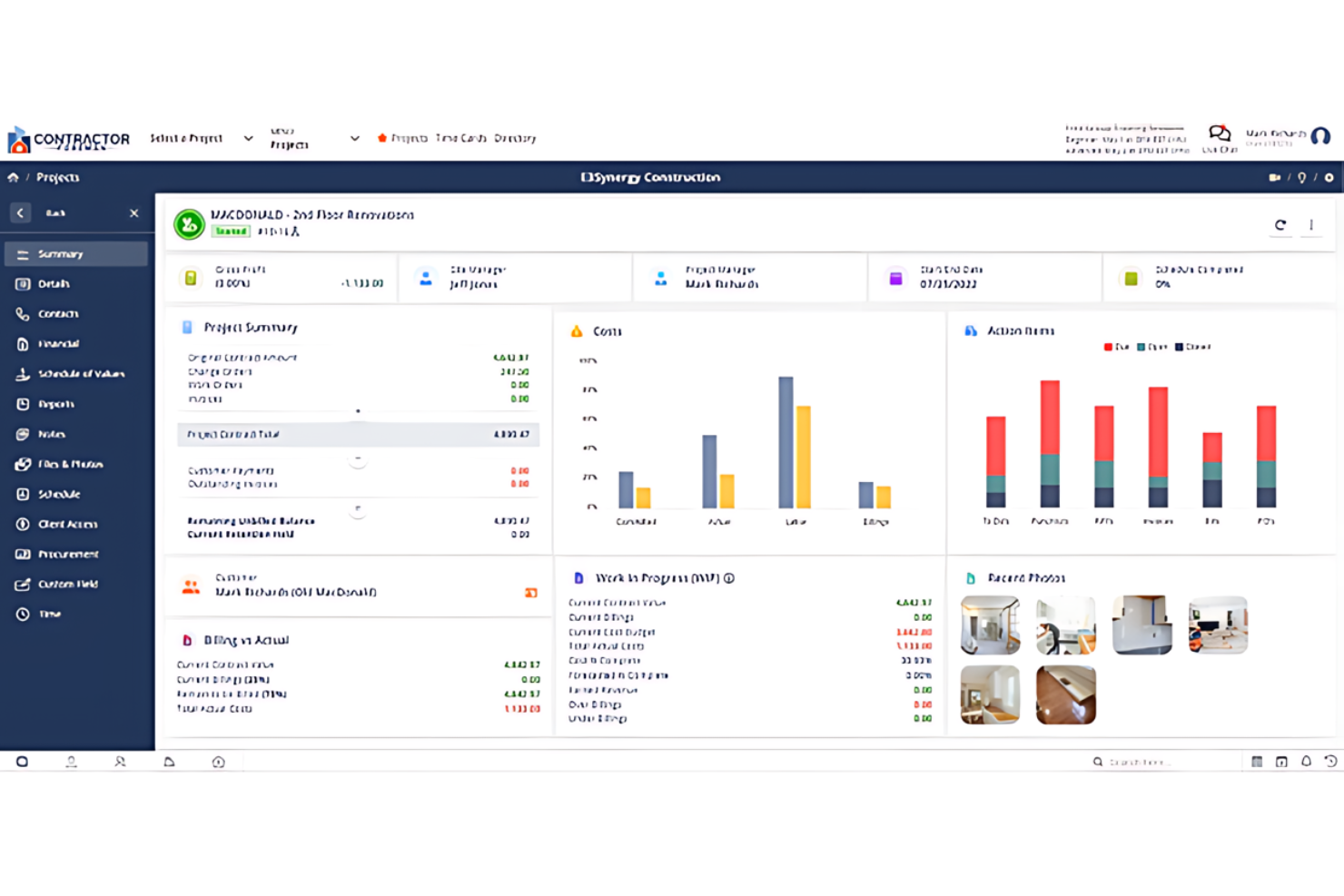
Contractor Foreman is best for contractors needing on-site project management tools. It offers on-site efficiency and has tools designed specifically for contractors' project management needs.
Why I Picked Contractor Foreman:
I selected Contractor Foreman because it uniquely addresses the demands of on-site construction management. Its specialized features help with project oversight and coordination directly in the field. I think it's best for on-site efficiency as it helps contractors manage projects with tools specifically designed for construction sites.
Standout features & integrations:
Features include job scheduling, incident reporting, and time tracking. These are accessible on mobile devices, ensuring project managers and workers stay connected.
Integrations include QuickBooks, Xero, PlanSwift, Google Calendar, Outlook, and Dropbox.
Pros and Cons
Pros:
- Direct integrations with popular accounting and productivity tools
- Complete feature set for end-to-end project management
- Mobile app for on-the-go management
Cons:
- The interface may have a learning curve for new users
- Additional costs for extra features or integrations may apply

Best for customer management

Buildertrend is a construction resource management software that simplifies project management, scheduling, and financial tracking. It helps construction businesses improve accuracy in planning and managing their projects.
Why I Picked Buildertrend:
I chose Buildertrend for its unique focus on customer management in construction. Its dedicated tools for client engagement, including a client portal, enhance transparency and collaboration. These features set it apart from other construction management software.
Standout features & integrations:
Features include project scheduling, budgeting, and customer management, all centralized within a user-friendly interface. The client portal also enables direct communication and updates.
Integrations include QuickBooks, Xero, Procore, Dropbox, DocuSign, Google Calendar, Microsoft Project, Google Drive, Slack, and Trello.
Pros and Cons
Pros:
- Integration with popular accounting and procurement platforms
- Comprehensive project management capabilities
- Dedicated client portal for improved customer interaction
Cons:
- Advanced features require higher-tier plans
- Potential complexity when using the extensive features

Best for field coordination
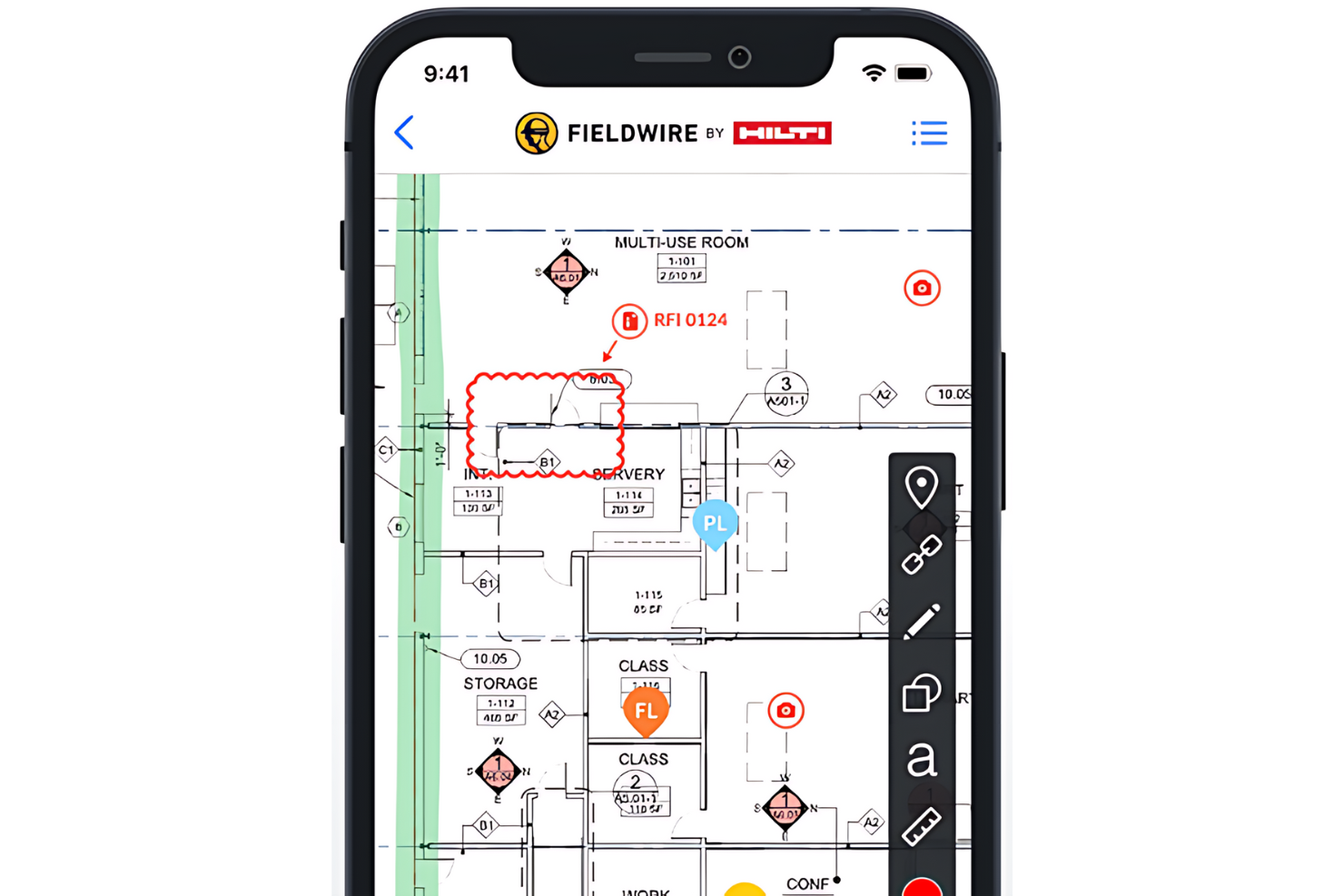
Fieldwire is a task management platform for construction teams. It is ideal for field coordination and simplifying direct communication.
Why I Picked Fieldwire:
I selected Fieldwire for its task management capabilities and emphasis on improving field coordination. Its real-time communication and collaboration features set it apart from other construction management tools. I think Fieldwire is best for field coordination because it can manage tasks, track work progress, and ensure that field teams are always aligned with project goals.
Standout features & integrations:
Features include plan viewing, task management, and issue tracking. The platform also offers powerful reporting tools and a mobile app to keep teams connected.
Integrations include PlanGrid, Autodesk BIM 360, Box, Dropbox, Google Drive, OneDrive, Egnyte, Bluebeam, and Zapier.
Pros and Cons
Pros:
- Mobile app for on-site access
- Comprehensive task management and tracking
- Real-time updates and communication
Cons:
- Higher-tier features require additional investment
- Annual billing is required for the starting price

Basis
Best for planning accuracy
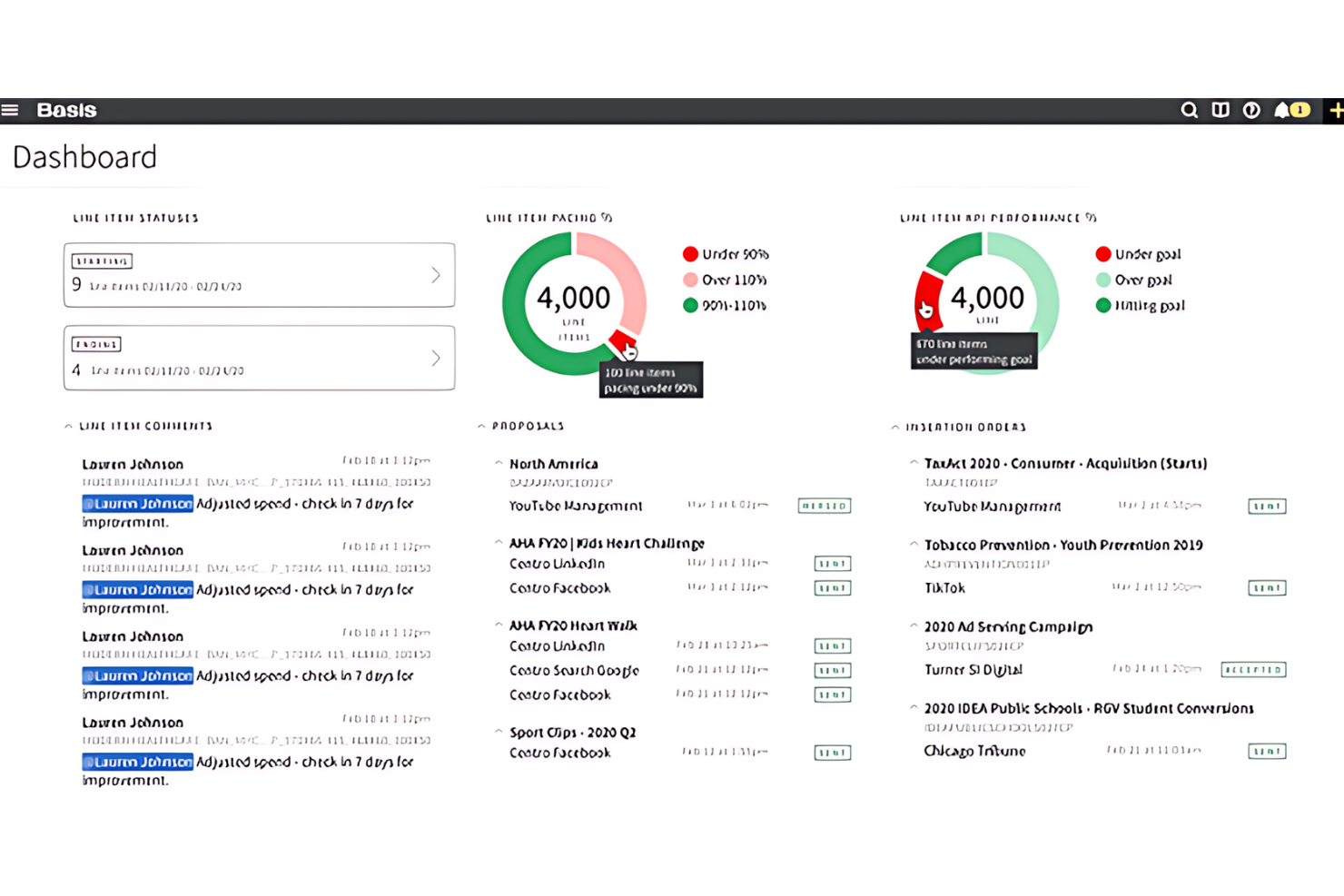
Basis is a software that enhances project planning and scheduling precision. It is best for teams requiring detailed project planning and scheduling as it offers automated bid tracking and efficient organization of bid invites.
Why I Picked Basis:
I chose Basis for its efficient bid management automation, making it ideal for subcontractors and material vendors. Its centralized dashboard ensures planning accuracy by automatically updating bid invites and project schedules.
Standout features & integrations:
Features include a cost database, project and bid management, RFP and task management, file sharing, quotes, version control, supplier management, collaboration tools, and project tracking. These features are essential for streamlining the bidding process and providing bid data analysis.
Integrations include Procore, PlanGrid, Bluebeam, Microsoft Office Suite, QuickBooks, Autodesk BIM 360, Smartsheet, Box, DocuSign, Xero, and more, helping businesses optimize their operations.
Pros and Cons
Pros:
- User-friendly interface with strong customer support
- A centralized dashboard streamlines project planning
- Automated bid tracking eliminates manual data entry
Cons:
- A steep learning curve for some users
- Lack of transparent pricing information

Orangescrum
Best for team collaboration
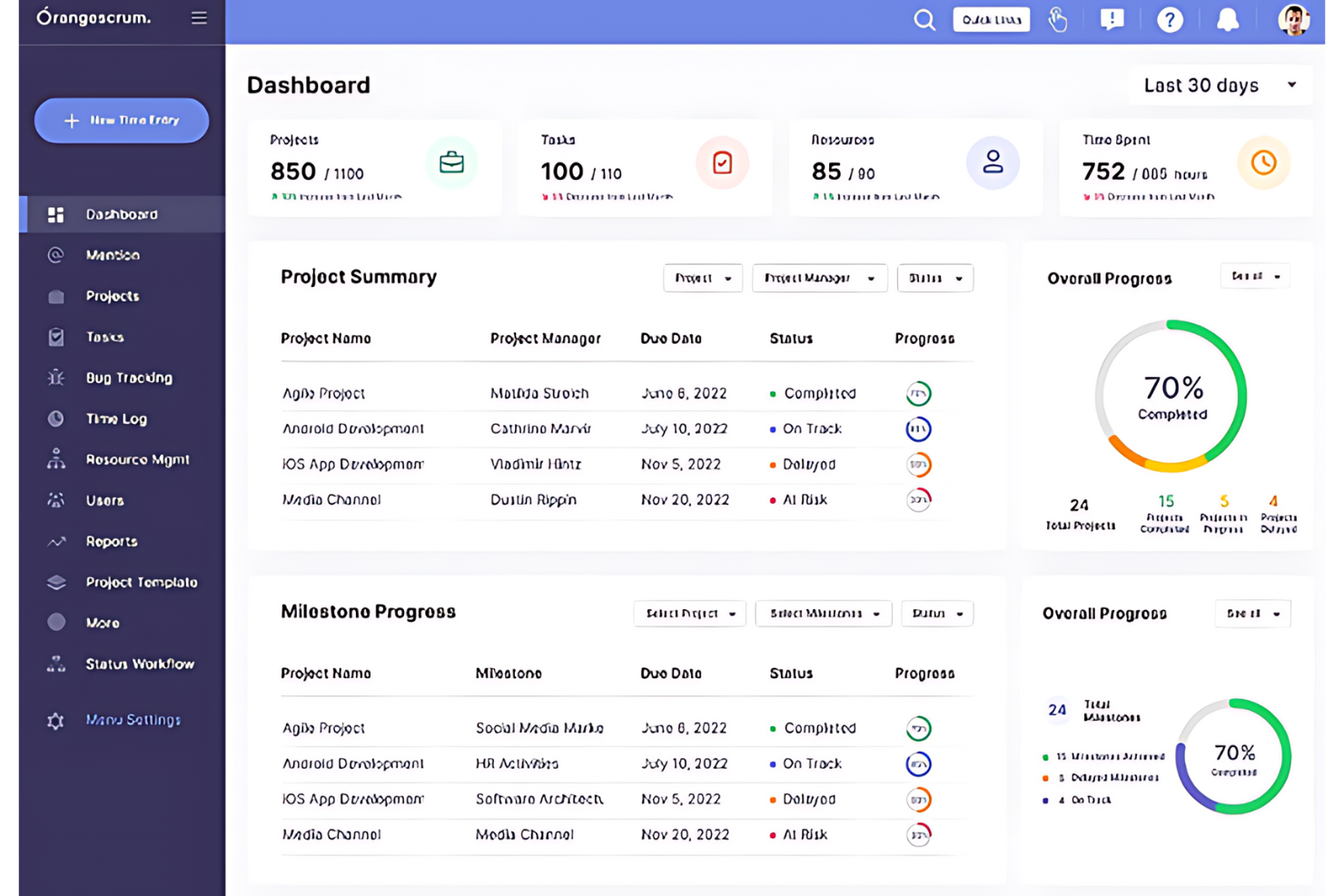
OrangeScrum is a project management and collaboration tool that simplifies team workflows and communication. It offers various features to help teams manage tasks, projects, and resources effectively.
Why I Picked OrangeScrum:
I chose OrangeScrum for its essential collaboration features, which streamline project management and time tracking on a unified platform. It's ideal for teams needing close collaboration and efficient time management.
Standout features & integrations:
Features include agile project management, task management, time tracking, and resource management. These features maintain project clarity and enhance team productivity. The tool also has a Gantt Chart for planning, a Kanban Board for task organization, and custom task status for project customization.
Integrations include various essential tools, including Zapier, Slack, Dropbox, Google Drive, Google Calendar, GitHub, Single Sign-On (SSO), Zoom, and OneDrive. These integrations provide streamlined workflows and better data management.
Pros and Cons
Pros:
- Customizable workflows with custom task status
- A broad set of integrations with key productivity tools
- Agile project management and time tracking for improved project oversight
Cons:
- Projects and tasks are split across two different spaces/pages
- iOS/Android apps cost extra as an add-on
Annen programvare for ressursstyring i bygg og anlegg
Her er noen flere alternativer for ressursstyring i bygg og anlegg som ikke kom med på kortlisten min, men som likevel er verdt å undersøke:
- PlanGrid
For document centralization
- CMiC
For enterprise integration
- ConstructionOnline
For real-time data
- Jonas Construction
For financial control
- Builterra
For civil engineering projects
- Hub Planner by Milient
For managing overlapping projects
- Jira
For agile teams
- Zoho Projects
For budget tracking
- GanttPRO
For Gantt charts


How I Evaluate Construction Resource Management Software
I split my evaluation into two layers: baseline functionality every tool must have—like multi-site crew scheduling and equipment tracking—and the differentiators that separate the best from the rest.
Core Functionality (Table Stakes For This List)
When I'm selecting tools for my list, I rank each one on a scale from 0 (does not offer the functionality) to 5 (excels in this area) for each core functionality listed below. Then, I calculate the tool's total score into a percentage. Each tool needs to achieve a minimum total score of 65% to be considered for inclusion.
- Resource Scheduling & Allocation: I look for multi-project scheduling views where you can assign crews and equipment across job sites, spot conflicts, and drag resources between phases.
- Capacity & Utilization Tracking: Real-time dashboards that show who's overbooked and what's sitting idle matter here, especially when you're juggling seasonal labor swings.
- Equipment & Asset Management: Each tool should track equipment location, assignment status, and availability so a crane or excavator isn't double-booked across two sites.
- Labor & Crew Management: I evaluate whether the platform handles trade classifications, certifications, and crew groupings rather than treating workers as generic resources.
- Project & Job Costing Integration: Resource hours and assignments should tie directly to job codes and budgets so project managers can track margins without toggling to a separate system.
- Field & Mobile Accessibility: Field supers and crew leads need mobile access to view schedules, log hours, and update resource status on-site without relying on office-based dispatchers.
Once I have a list of tools that meet the criteria, I consider what sets each platform apart.
Differentiating Factors (What Sets Vendors Apart)
Here's how I compare and contrast different vendors:
Standout Features
Subcontractor coordination is a major differentiator. I check whether a platform lets you manage sub schedules, availability, and contracts alongside internal crews, especially on commercial builds with a dozen trades on-site. Demand forecasting matters too—tools that model resource needs across your pipeline help you plan hiring or equipment rentals months ahead. I also look at weather integration, since a single storm can idle an entire crew and the strongest platforms flag those risks before they disrupt your schedule.
Beyond Features
Integration depth is one of the first things I evaluate. A resource management tool that syncs with platforms like Procore, Sage, or Autodesk Construction Cloud saves your team from double-entry across estimating, accounting, and scheduling. Compliance tracking also carries real weight—I check whether a platform handles certification expiry alerts and maintains audit trails for safety documentation. Finally, I consider scalability: a tool that works for a 10-person GC should also handle a multi-regional firm running dozens of concurrent projects without performance issues.
Slik velger du programvare for ressursstyring i bygg og anlegg
Det er lett å sette seg fast i lange funksjonslister og kompliserte prismodeller. For å hjelpe deg med å holde fokus når du går gjennom den unike prosessen med å velge programvare, er her en sjekkliste over faktorer du bør ha i bakhodet:
| Faktor | Hva du bør vurdere |
| Skalerbarhet | Kontroller at programvaren kan vokse sammen med selskapet ditt og støtte flere prosjekter, brukere og byggeplasser etter behov. |
| Integrasjoner | Se etter verktøy som kan kobles til systemene dine for planlegging, lønn, regnskap eller ERP, slik at du unngår dobbeltregistrering. |
| Tilpasningsmuligheter | Du bør kunne tilpasse felt, visninger og arbeidsflyter i verktøyet slik at de samsvarer med hvordan teamet ditt følger opp personer og utstyr. |
| Brukervennlighet | Teamet ditt må kunne ta i bruk programvaren raskt – særlig formenn og arbeidsledere som ikke sitter ved en pult. |
| Budsjett | Undersøk hvilke funksjoner som følger med hvert prisnivå. Noen verktøy tar ekstra betalt for nødvendigheter som rapportering eller mobiltilgang. |
| Sikkerhetstiltak | Kontroller at plattformen tilbyr rollebasert tilgang, datakryptering og regelmessige sikkerhetskopier for å holde prosjektdataene dine sikre. |
| Mobiltilgang | Arbeidslagene på byggeplassen bør kunne sjekke oppgaver, oppdatere fremdrift og loggføre problemer fra alle enheter på stedet. |
| Alternativer for brukerstøtte | Pålitelig brukerstøtte er viktig når prosjekter står på spill. Se etter direktechat, hjelp med oppstart og ressurser som viser hvordan du går frem. |
Trender innen ressursstyringsprogramvare for bygg og anlegg
I forbindelse med undersøkelsen min hentet jeg inn utallige produktoppdateringer, pressemeldinger og versjonslogger fra ulike leverandører av ressursstyringsprogramvare for bygg og anlegg. Her er noen av de nye trendene jeg følger med på:
- Tilpasning for spesialiserte fagområder: Flere verktøy tilbyr nå innstillinger og maler som er tilpasset ulike fagområder, for eksempel rørlegging, betongarbeid eller elektroarbeid. Dette gjør det enklere å administrere riktige typer arbeidslag og riktig utstyr for hver jobb uten å måtte tilpasse alt fra bunnen av.
- KI-drevet prognostisering: Flere verktøy bruker nå KI til å forutsi behovet for arbeidskraft og utstyr basert på planleggingshistorikk og prosjekttype. Dette hjelper teamet med å unngå overbooking eller for få ressurser i viktige arbeidsfaser.
- Visuell ressursplanlegging: Kalendere og kartvisninger med dra-og-slipp-funksjonalitet blir stadig vanligere. Disse funksjonene gjør det enklere å tildele arbeidslag og utstyr etter sted, dato eller jobbtype uten å måtte lete gjennom lister.
- Innebygd samsvarssporing: Programvare begynner nå å spore arbeidsertifiseringer, sikkerhetsopplæring og utstyrskontroller direkte i planleggingssystemet. Dette reduserer behovet for separate verktøy eller regneark.
- Sanntidsoppdateringer fra byggeplassen: Team på byggeplassen kan nå sende statusoppdateringer, rapportere forsinkelser og bekrefte at oppgaver er fullført fra telefonene sine. Denne informasjonen loggføres umiddelbart, slik at kontorpersonalet kan gjennomgå den.
Hva er ressursstyringsprogramvare for bygg og anlegg?
Ressursstyringsprogramvare for bygg og anlegg er et spesialisert verktøy for planlegging, koordinering og kontroll av ressurser i byggeprosjekter. Det brukes av byggledere, entreprenører og byggefirmaer for å forenkle fordelingen og utnyttelsen av materialer, arbeidskraft, utstyr og økonomiske midler.
Programvaren sørger for at ressursene er tilgjengelige når det er behov for dem. På den måten optimaliserer den arbeidsflyten og bidrar til at prosjekter blir ferdige i tide og innenfor budsjettet.
Funksjoner
Her er de viktigste funksjonene all god ressursstyringsprogramvare for bygg og anlegg bør ha:
- Ressursplanlegging: Gjør det mulig å tildele arbeidere, utstyr og materialer til bestemte prosjekter og tidsplaner.
- Tilgjengelighetssporing: Viser i sanntid hvem og hva som er tilgjengelig, slik at du kan unngå konflikter og overbooking.
- Utstyrsstyring: Sporer bruk, vedlikeholdsplaner og plasseringer for alt utstyr og alle verktøy.
- Tidsregistrering: Registrerer arbeidstimer og oppmøte for arbeidslag for å bidra til lønnsbehandling og prosjektrapportering.
- Prosjektprognoser: Forutsier fremtidige ressursbehov basert på nåværende bruk og kommende prosjektfaser.
- Budsjettsporing: Hjelper deg med å følge med på kostnader for arbeidskraft og utstyr opp mot prosjektbudsjettene.
- Mobil tilgang: Gjør det mulig for team på byggeplassen å oppdatere tidsplaner, sjekke tildelinger og loggføre problemer fra hvilken som helst enhet.
- Sporing av sertifiseringer: Oppbevarer oversikt over arbeidernes sertifikater, opplæring og sikkerhetsdokumentasjon.
- Tilpasset rapportering: Gjør det mulig å opprette rapporter om ressursbruk, produktivitet og kostnader på tvers av flere jobber.
- Rollebasert tilgang: Kontrollerer hvem som kan se eller redigere tidsplaner, kostnader og prosjektdetaljer basert på jobbrolle.
Fordeler
Implementering av ressursstyringsprogramvare for bygg og anlegg gir flere fordeler for teamet og virksomheten din. Her er noen av fordelene du kan se frem til:
- Færre planleggingskonflikter: Ved å spore tilgjengelighet i sanntid kan du unngå dobbeltbooking av arbeidslag eller utstyr.
- Bedre kostnadskontroll: Du kan følge med på utgifter til arbeidskraft og utstyr etter hvert som de oppstår, i stedet for i etterkant.
- Raskere beslutningstaking: Med oversikter og prognoser kan du reagere raskt på forsinkelser eller endringer på byggeplassen.
- Bedre kommunikasjon på byggeplassen: Mobil tilgang gjør det mulig for team på byggeplassen å sjekke tidsplaner og sende oppdateringer uten å måtte ringe inn.
- Enklere samsvarskontroller: Innebygd sporing av sertifiseringer hjelper deg med å ligge i forkant av krav til opplæring, sikkerhet og inspeksjoner.
- Mer nøyaktig rapportering: Tilpassede rapporter gir deg tydelig innsikt i hvordan ressursene brukes på tvers av jobbene.
- Høyere produktivitet i teamet: Når de riktige personene og verktøyene er på plass, kan arbeidslagene komme raskere i gang og holde fremdriften.
Kostnader og priser
Valg av programvare for ressursstyring i byggebransjen krever en forståelse av de ulike prismodellene og abonnementene som er tilgjengelige. Kostnadene varierer basert på funksjoner, teamstørrelse, tillegg og mer. Tabellen nedenfor oppsummerer vanlige abonnementer, gjennomsnittsprisene deres og typiske funksjoner som er inkludert i løsninger for ressursstyring i byggebransjen:
Sammenligningstabell for abonnementer for programvare for ressursstyring i byggebransjen
| Abonnementstype | Gjennomsnittspris | Vanlige funksjoner |
| Gratis | $0 | Grunnleggende prosjektsporing, begrenset antall brukere, tilgang til brukerstøtte fra fellesskapet |
| Standard | $50/bruker/måned | Prosjektplanlegging, budsjettsporing, samarbeid i sanntid, grunnleggende rapportering |
| Profesjonell | $100/bruker/måned | Avansert rapportering, API-tilgang, ubegrenset antall prosjekter, prioritert brukerstøtte |
| Bedrift | Tilpasset pris | Tilpassede integrasjoner, avanserte sikkerhetsfunksjoner, dedikert kundeansvarlig, komplette opplæringsøkter |