

I 10 migliori software per la gestione delle attività personali recensiti nel 2026

Migliori software per la gestione delle attività personali - Selezione


Scegliere il software giusto per la gestione delle attività personali può essere una sfida. Cerchi un modo per organizzare efficacemente le tue attività, ma la varietà di opzioni può essere travolgente. Capisco la difficoltà e sono qui per guidarti nella scelta.
Grazie alla mia vasta esperienza nella gestione di progetti digitali e alla profonda conoscenza di una varietà di strumenti per la produttività, ho analizzato le opzioni per presentarti i migliori software per la gestione delle attività personali.
Perché fidarsi dei nostri consigli sui software
Il nostro team testa e recensisce software dal 2012. In quanto project manager noi stessi, sappiamo quanto sia difficile — e importante — scegliere il software giusto.
Per questa guida, abbiamo valutato gli strumenti attraverso test pratici e ricerche indipendenti, assegnando un punteggio agli strumenti in base ai nostri criteri di selezione. Ci basiamo inoltre sulle competenze di leader di pensiero del settore e di professionisti attivi nella gestione dei progetti.
Le nostre recensioni riflettono il nostro giudizio editoriale umano, non un discorso di vendita.
Revisori esperti:
Tabella comparativa dei software per la gestione delle attività personali
Questa tabella comparativa riassume i dettagli dei prezzi delle mie migliori selezioni di software per la gestione delle attività personali:
| Tool | Best For | Trial Info | Price | ||
|---|---|---|---|---|---|
| 1 | Ideale per flussi di lavoro personali flessibili | Piano gratuito disponibile | Da $9/utente/mese (fatturati annualmente) | Website | |
| 2 | Ideale per chi usa l'ecosistema Microsoft | Piano gratuito disponibile | Gratuito | Website | |
| 3 | Ideale per le funzionalità di collaborazione del team | Piano gratuito + demo gratuita disponibile | Da $7/utente/mese (fatturato annualmente) | Website | |
| 4 | La migliore per organizzazione visiva dei compiti | Piano gratuito disponibile | Da $5/utente/mese (fatturazione annuale) | Website | |
| 5 | Ideale per prendere appunti e archiviare | È disponibile un piano gratuito | Da $8.33/mese (fatturazione annuale) | Website | |
| 6 | Ideale per impostare abitudini e obiettivi | Piano gratuito disponibile | Da $35.99/anno | Website | |
| 7 | Ideale per gli appassionati del metodo GTD | Prova gratuita di 14 giorni | Da $9.99/utente/mese (fatturazione annuale) | Website | |
| 8 | Ideale per la gestione semplice delle attività | Piano gratuito disponibile | A partire da $4.99/mese (fatturato annualmente) | Website | |
| 9 | Ideale per la pianificazione automatizzata | Prova gratuita disponibile | Da $29/postazione/mese | Website | |
| 10 | Ottimo per spazi di lavoro personalizzabili | Piano gratuito + demo gratuita disponibile | A partire da $10/membro/mese (fatturato annualmente) | Website |

Recensioni dei migliori software per la gestione delle attività personali
Ecco le mie considerazioni dettagliate su ciascun software presente in questo elenco, comprese le funzionalità in cui eccelle e i casi d’uso più adatti per ognuno.

Ideale per flussi di lavoro personali flessibili

monday.com offre un'opzione interessante se hai bisogno di una piattaforma per la gestione personale delle attività che sia abbastanza flessibile per l'uso individuale e scalabile per i team. Funziona bene sia che tu stia gestendo lavori da freelance, coordinando progetti di piccoli gruppi, o semplicemente cercando di restare in pari con le tue cose da fare. Con monday.com, hai a disposizione uno spazio di lavoro visivo e adattabile che si conforma al tuo stile — che tu preferisca liste, bacheche o cronologie — così potrai modellarlo in base a come lavori meglio.
Perché ho scelto monday.com
Ho scelto monday.com perché eccelle nel trasformare elenchi complessi di attività in flussi di lavoro visivi e intuitivi. La sua caratteristica principale, le dashboard personalizzabili, ti permette di visualizzare le attività come preferisci, sia attraverso diagrammi di Gantt che bacheche Kanban. Inoltre, le sue funzionalità di automazione riducono il tempo speso su compiti ripetitivi, lasciandoti concentrare su ciò che conta davvero. Per chi si sente spesso sopraffatto dalla gestione delle attività, la capacità di monday.com di adattarsi e semplificare il tuo flusso di lavoro è un grande aiuto.
Caratteristiche principali di monday.com
Oltre alle sue dashboard personalizzabili e alle capacità di automazione:
- Sotto-attività e attività annidate: puoi suddividere compiti più grandi in sotto-attività o sotto-elementi, aiutandoti a gestire progetti complessi o attività personali a più fasi.
- App mobili (iOS & Android): puoi visualizzare, aggiornare e aggiungere attività mentre sei in movimento — utile se vuoi gestire le attività lontano dalla scrivania o tracciare da mobile le cose da fare.
- Monitoraggio del tempo: Tieni traccia di quanto tempo dedichi a ciascuna attività per migliorare l'efficienza.
- Automazioni personalizzate: Imposta promemoria automatici e attività ricorrenti per rispettare le scadenze.
Integrazioni monday.com
Le integrazioni includono Slack, Gmail, Microsoft Teams, GitLab, Mailchimp, Excel, Outlook e DocuSign.
Pros and Cons
Pros:
- Configurare bacheche e spostare le attività tramite drag-and-drop è facile e rapido
- Le sotto-attività permettono di suddividere i grandi compiti in passaggi gestibili
- Molte opzioni di visualizzazione (lista, bacheca, cronologia) soddisfano vari stili di pianificazione
Cons:
- Alcune funzionalità avanzate (come monitoraggio del tempo, automazioni) richiedono piani a pagamento
- Alcuni utenti trovano l'eccesso di opzioni di personalizzazione travolgente o confusionario
New Product Updates from monday AI Workspace
monday AI Workspace Adds Human Approval Routing
monday AI Workspace adds a human-in-the-loop approval block to AI Workflows, sending approval requests and routing workflow paths based on responses. For more information, visit monday AI Workspace's official site.

Ideale per chi usa l'ecosistema Microsoft

Microsoft To Do è un'app di gestione delle attività che ti aiuta a organizzare tutte le tue incombenze in un unico posto. È ideale per gli utenti dell'ecosistema Microsoft perché si integra con Outlook Tasks, permettendo un'esperienza unificata di gestione delle attività tra le applicazioni Microsoft.
Perché ho scelto Microsoft To Do:
Ho scelto Microsoft To Do per questa lista grazie alla sua profonda integrazione con l'ecosistema Microsoft, che molte persone già utilizzano sia nella vita personale che professionale. Questo strumento si distingue per la capacità di sincronizzare le attività tra varie piattaforme Microsoft, offrendo un'esperienza coerente. Lo ritengo il migliore per chi usa l'ecosistema Microsoft perché sfrutta l'interfaccia e le funzionalità familiari delle applicazioni Microsoft, rendendolo una scelta intuitiva per coloro che hanno già investito nei servizi Microsoft.
Funzionalità e integrazioni principali:
Funzionalità includono un pianificatore intelligente per la giornata con My Day, suggerimenti personalizzati e la possibilità di suddividere le attività in semplici passaggi. Sono inoltre disponibili date di scadenza e promemoria per aiutare gli utenti a rispettare le proprie scadenze.
Integrazioni includono Microsoft 365, Outlook, Planner, OneNote, Microsoft Teams e altri servizi Microsoft.
Pros and Cons
Pros:
- Pianificatore intelligente per la giornata con suggerimenti personalizzati per la gestione delle attività
- Disponibilità multipiattaforma per una gestione coerente delle attività su tutti i dispositivi
- Profonda integrazione con Microsoft Outlook e altre app Microsoft 365
Cons:
- Limite di 25 MB per allegato file
- Funzionalità limitate per chi preferisce l'integrazione con servizi non Microsoft
- Potrebbe non offrire tutte le funzionalità di alcuni strumenti di gestione delle attività dedicati

ClickUp
Ideale per le funzionalità di collaborazione del team
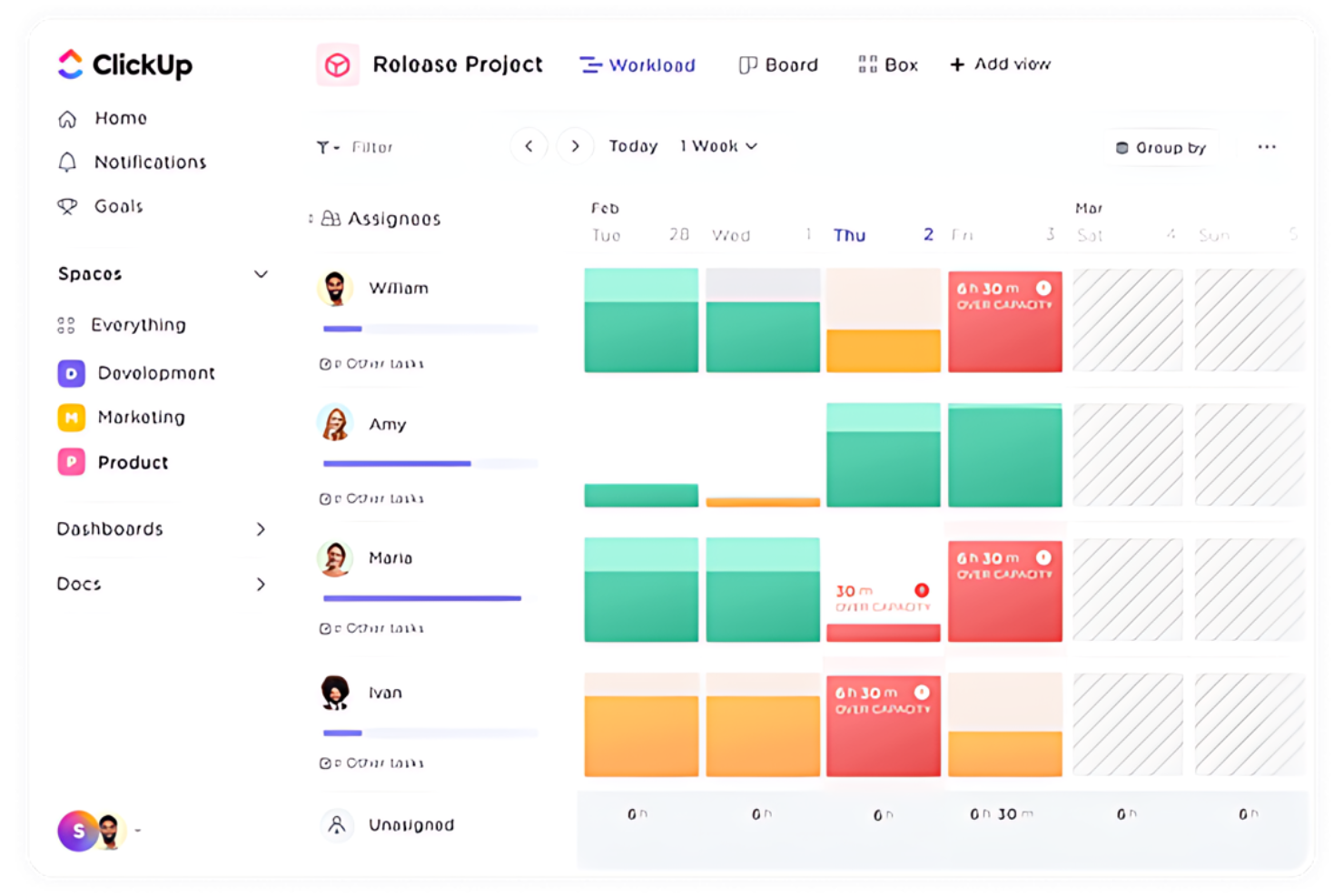
ClickUp è uno strumento completo di gestione delle attività che facilita la collaborazione tra i team.
Perché ho scelto ClickUp:
Ho scelto ClickUp per questa lista perché offre una combinazione unica di funzionalità che si adattano a varie dimensioni e necessità dei team, dall'uso personale alle grandi aziende. La sua capacità di fornire collaborazione in tempo reale e una vasta gamma di integrazioni lo rende una scelta versatile per la gestione delle attività.
Ritengo che ClickUp sia ideale per le funzionalità di collaborazione del team perché include strumenti come chat in tempo reale, documenti collaborativi, lavagne e un rilevamento avanzato della collaborazione, che sono essenziali per lavorare efficientemente insieme.
Caratteristiche principali & integrazioni:
Le funzionalità includono aggiornamenti in tempo reale sulle attività, modifica collaborativa dei documenti e un rilevamento avanzato della collaborazione che avvisa gli utenti quando altri visualizzano o modificano la stessa attività. Offre anche una varietà di visualizzazioni come bacheche Kanban, visualizzazioni calendario e diagrammi di Gantt, che sono fondamentali per la gestione dei progetti.
Le integrazioni includono Slack, Google Calendar, GitHub, GitLab, Bitbucket, Dropbox, Google Drive, OneDrive, Outlook e Zoom, tra gli altri.
Pros and Cons
Pros:
- Offre un piano gratuito con funzionalità essenziali
- Strumenti di collaborazione in tempo reale per l'efficienza del team
- Ampia gamma di integrazioni con altri software
Cons:
- Limiti di utilizzo su alcune funzionalità nel piano gratuito
- Aggiungere ospiti a uno workspace può influire sulla fatturazione
- Il prezzo dei piani a pagamento può risultare elevato rispetto ad altri software

Trello
La migliore per organizzazione visiva dei compiti

Trello è un'applicazione di gestione progetti progettata per una collaborazione facile. Eccelle nell'organizzazione visiva delle attività grazie al suo sistema di bacheche, elenchi e schede che migliora la visibilità dei compiti.
Perché ho scelto Trello:
Ho selezionato Trello per questa lista perché utilizza un sistema visivo unico per gestire le attività, distinguendosi dalle alternative basate su molto testo. Ritengo che Trello sia il migliore per l'organizzazione visiva dei compiti poiché il suo design centrato sulle bacheche aiuta a mostrare chiaramente le attività e i progressi, elemento cruciale per gestire progetti e flussi di lavoro di team in modo efficiente.
Caratteristiche principali & integrazioni:
Le caratteristiche includono bacheche personalizzabili, schede per informazioni dettagliate sulle attività, ed elenchi per monitorare i progressi. Offre anche automazione tramite Butler, vari power-up per estendere le funzionalità e un ricco set di modelli per una configurazione rapida.
Le integrazioni includono Slack, Google Drive, Salesforce, Dropbox, Box, Evernote, GitHub, Mailchimp, Microsoft Teams, OneDrive e Zapier.
Pros and Cons
Pros:
- Organizzazione visiva intuitiva con bacheche e schede
- Ampie opzioni di integrazione con strumenti popolari
- Versione gratuita disponibile per usi basilari
Cons:
- Il piano Enterprise può essere costoso per le piccole organizzazioni
- Funzionalità limitate per progetti di grande scala
- Assenza di reportistica avanzata

Evernote
Ideale per prendere appunti e archiviare

Evernote è un'app completa per organizzare note, attività e calendari. Si distingue come la migliore per prendere appunti e archiviare grazie alle sue capacità di ricerca avanzate e alla versatile organizzazione delle note.
Perché ho scelto Evernote:
Ho inserito Evernote in questo elenco per la sua reputazione come potente strumento per dirigenti, imprenditori e creativi per raccogliere e organizzare le loro idee. La sua caratteristica distintiva è la capacità di gestire una varietà di tipi di contenuto, rendendola diversa dalle altre app per prendere appunti. Ritengo che Evernote sia ideale per prendere appunti e archiviare perché offre opzioni di ricerca avanzate non limitate alle sole note di testo, permettendo agli utenti di cercare facilmente tra PDF, documenti e immagini.
Funzionalità e integrazioni principali:
Le funzionalità includono ricerca potenziata dall'IA, cattura dal web, scansione di documenti ed editing in tempo reale per la collaborazione. Questi strumenti aiutano gli utenti a catturare, organizzare e trovare rapidamente i propri contenuti.
Le integrazioni includono Google Drive, Microsoft Teams, Outlook, Salesforce e Slack.
Pros and Cons
Pros:
- Editing in tempo reale e funzionalità di collaborazione
- Organizzazione versatile delle note che supporta diversi tipi di contenuti
- Ricerca potenziata dall'IA per un recupero efficiente delle informazioni
Cons:
- La versione gratuita presenta limiti sul numero di note e taccuini
- Le informazioni sui prezzi e i dettagli sulle integrazioni non sono facilmente reperibili

TickTick
Ideale per impostare abitudini e obiettivi

TickTick è un'app di gestione delle attività versatile che aiuta gli utenti a organizzare le attività quotidiane e a raggiungere i propri obiettivi personali in modo efficiente. Offre una varietà di strumenti pensati per aumentare la produttività e favorire la creazione di abitudini durature.
Perché ho scelto TickTick:
Ho scelto TickTick per il suo forte focus sulla formazione di abitudini e sul raggiungimento di obiettivi, elementi che la distinguono da altri strumenti di produttività. La sua combinazione unica di gestione delle attività e monitoraggio delle abitudini la rende particolarmente utile per chi desidera sviluppare disciplina e raggiungere sia traguardi personali che professionali. Ritengo sia la migliore per impostare abitudini e obiettivi grazie al suo sistema integrato che aiuta l'utente a mantenere la costanza.
Funzionalità e integrazioni principali:
Le funzionalità comprendono un timer Pomodoro integrato, che incentiva sessioni di lavoro concentrate, e il tracker delle abitudini che aiuta gli utenti a instaurare e mantenere routine regolari. Inoltre, la vista calendario dell'app integra attività e appuntamenti in modo chiaro e accessibile, migliorando il processo di pianificazione. La possibilità di assegnare diversi livelli di priorità alle attività permette di concentrarsi sugli aspetti più importanti ogni giorno.
Le integrazioni includono Google Calendar, Evernote, Todoist, Slack, Trello, Asana, Dropbox, Zapier, IFTTT, Outlook, Apple Calendar e Amazon Alexa.
Pros and Cons
Pros:
- Il timer Pomodoro integrato migliora la produttività attraverso intervalli di lavoro concentrato.
- Il tracker delle abitudini aiuta a costruire e mantenere nuove routine.
- La vista calendario integra attività e appuntamenti, facilitando una migliore pianificazione.
Cons:
- Prezzo iniziale più elevato rispetto ad alcune altre app di produttività.
- Le funzionalità di tracciamento delle abitudini possono risultare troppo complesse per chi cerca una gestione semplice delle attività.
- Opzioni limitate di personalizzazione per categorie di attività e promemoria.

Ideale per gli appassionati del metodo GTD
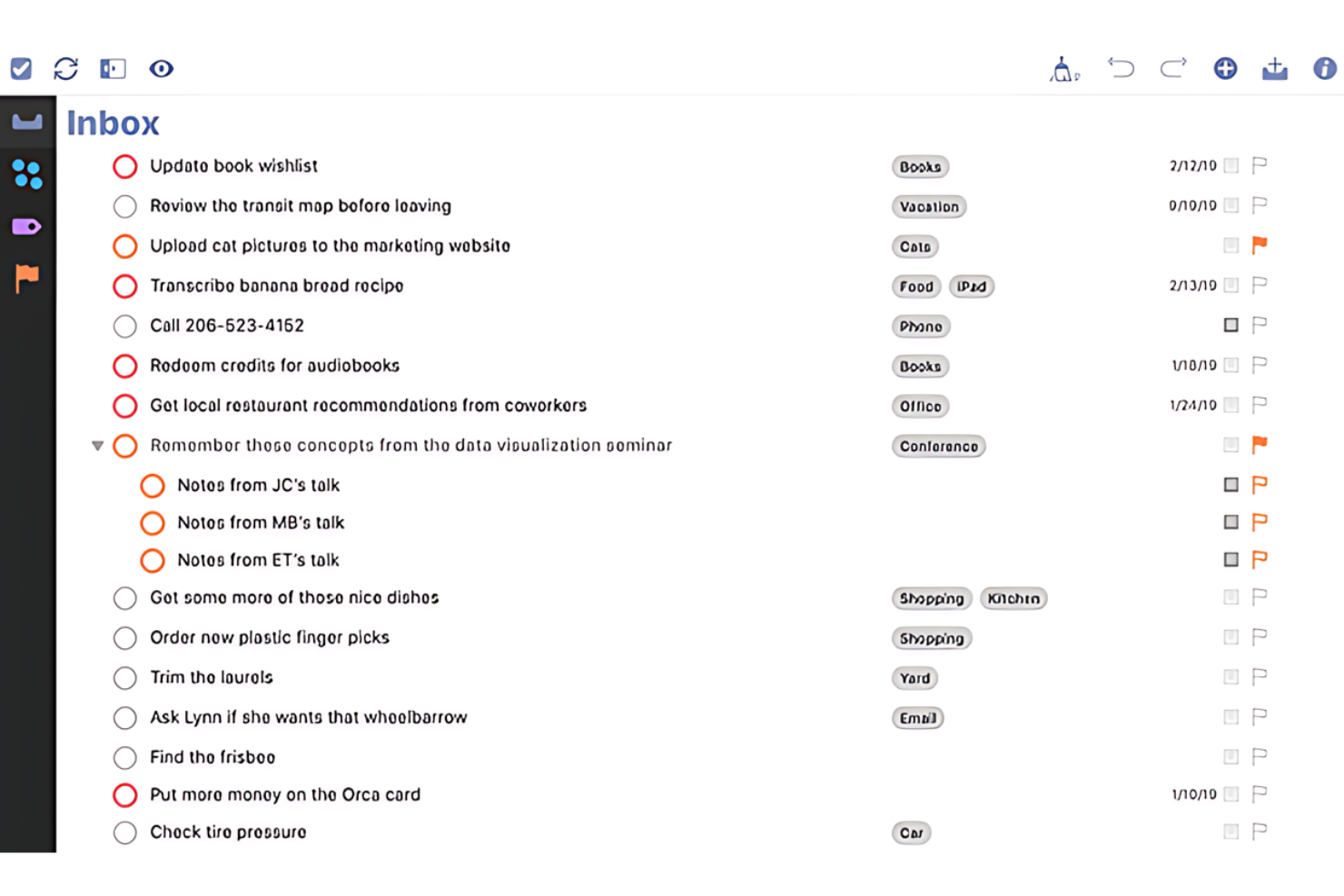
OmniFocus è uno strumento di gestione delle attività estremamente dettagliato, progettato specificamente per gli utenti Apple e aderente rigorosamente ai principi della metodologia Getting Things Done (GTD).
Perché ho scelto OmniFocus:
Ho scelto OmniFocus per questa lista per il suo profondo impegno verso l'approccio GTD, che lo rende una delle scelte più rilevanti tra gli strumenti di produttività. Il suo sistema complesso di tag, prospettive e funzionalità di revisione consente una gestione globale di attività e progetti. Ritengo che OmniFocus sia la soluzione ideale per gli appassionati di GTD grazie alla capacità di gestire flussi di lavoro complessi e dettagli estesi per ogni attività, fondamentali per chi segue rigorosamente questa metodologia.
Funzionalità e integrazioni degne di nota:
Le funzionalità includono una categorizzazione avanzata delle attività attraverso un sistema di tag personalizzabile, capace di adattarsi a diversi flussi di lavoro e preferenze. L’app offre anche prospettive personalizzate che permettono agli utenti di creare e salvare viste uniche delle proprie attività in base a criteri specifici. Inoltre, la funzione di revisione è particolarmente utile, fornendo un formato strutturato per valutare periodicamente i progetti e le attività in corso assicurando che nulla venga trascurato.
Le integrazioni includono Apple Calendar, Apple Reminders, Siri, Shortcuts, Apple Mail e AppleScript, e offre un eccellente supporto per IFTTT e Zapier per collegarsi indirettamente ad altre piattaforme.
Pros and Cons
Pros:
- Funzionalità avanzate di gestione delle attività sviluppate appositamente per la metodologia GTD.
- Prospettive personalizzate e articolato sistema di tag permettono un'organizzazione su misura delle attività.
- La focalizzazione esclusiva sui dispositivi Apple garantisce un'esperienza utente altamente ottimizzata.
Cons:
- Disponibile solo per dispositivi Apple, limitando l'accesso agli utenti di altri sistemi operativi.
- Curva di apprendimento leggermente più ripida dovuta alle funzionalità complesse e alle numerose opzioni.
- Prezzo superiore rispetto agli strumenti di gestione attività più semplici.

Any.do
Ideale per la gestione semplice delle attività

Any.do è un software di gestione delle attività progettato per aiutarti a organizzare compiti personali e professionali. Si distingue per la sua semplicità e facilità d'uso, risultando ideale per la gestione semplice delle attività.
Perché ho scelto Any.do:
Ho selezionato Any.do per questa lista grazie al suo approccio diretto alla gestione delle attività, che lo differenzia da altri strumenti più complessi. È la semplicità e l'interfaccia intuitiva a renderlo ideale per gestire le attività quotidiane senza la confusione di funzionalità eccessive. Credo che Any.do sia la migliore soluzione per la gestione semplice delle attività perché offre gli strumenti essenziali per rimanere organizzati senza sopraffare l'utente.
Caratteristiche e integrazioni principali:
Le funzionalità includono liste di cose da fare, pianificatori giornalieri, calendari e promemoria. Gli utenti possono anche sfruttare strumenti di chat e collaborazione, facilitando il lavoro con altri su compiti condivisi.
Le integrazioni includono WhatsApp, Gmail, Slack, Zapier, Siri, Trello, ClickUp, Asana, monday.com e Todoist.
Pros and Cons
Pros:
- Interfaccia intuitiva
- Disponibilità multipiattaforma
- Efficaci strumenti di collaborazione
Cons:
- Le funzionalità premium richiedono un abbonamento
- Funzionalità limitate nella versione gratuita
- Fatturazione annuale per il prezzo più basso

Motion
Ideale per la pianificazione automatizzata

Motion è un software di gestione delle attività che automatizza la pianificazione e l'organizzazione. È ideale per singoli e team che desiderano aumentare la produttività automatizzando la pianificazione quotidiana e la definizione delle priorità.
Perché ho scelto Motion:
Ho scelto Motion per questa lista per il suo approccio unico alla gestione delle attività, che sfrutta l'intelligenza artificiale per automatizzare il processo di pianificazione. Questa funzione lo distingue dagli altri strumenti di gestione delle attività che richiedono input manuali per la pianificazione e la definizione delle priorità. Ritengo che Motion sia il migliore per la pianificazione automatizzata perché utilizza algoritmi intelligenti per creare orari, dare priorità alle attività e adattarsi ai cambiamenti in tempo reale, assicurando agli utenti la possibilità di concentrarsi sul loro lavoro senza lo stress della pianificazione manuale.
Caratteristiche principali e integrazioni:
Caratteristiche includono un calendario intelligente che dà automaticamente priorità alle attività, un gestore delle attività che elimina la necessità di elenchi manuali delle cose da fare e un gestore dei progetti che automatizza la pianificazione individuale e di gruppo. Il software offre anche un pianificatore di riunioni che ottimizza gli orari delle riunioni per ridurre le interruzioni e aumentare il tempo di concentrazione.
Integrazioni includono Google Calendar, Outlook Calendar, Apple Calendar, Zoom, Microsoft Teams, Slack, Asana, Trello, Jira e Salesforce.
Pros and Cons
Pros:
- Pianificazione e programmazione automatizzate tramite IA
- Si integra con i principali calendari e strumenti di comunicazione
- Offre una prova gratuita di 7 giorni
Cons:
- Costo mensile più elevato se non fatturato annualmente
- Prezzi enterprise non comunicati in modo trasparente
- Può richiedere un periodo di apprendimento per i nuovi utenti

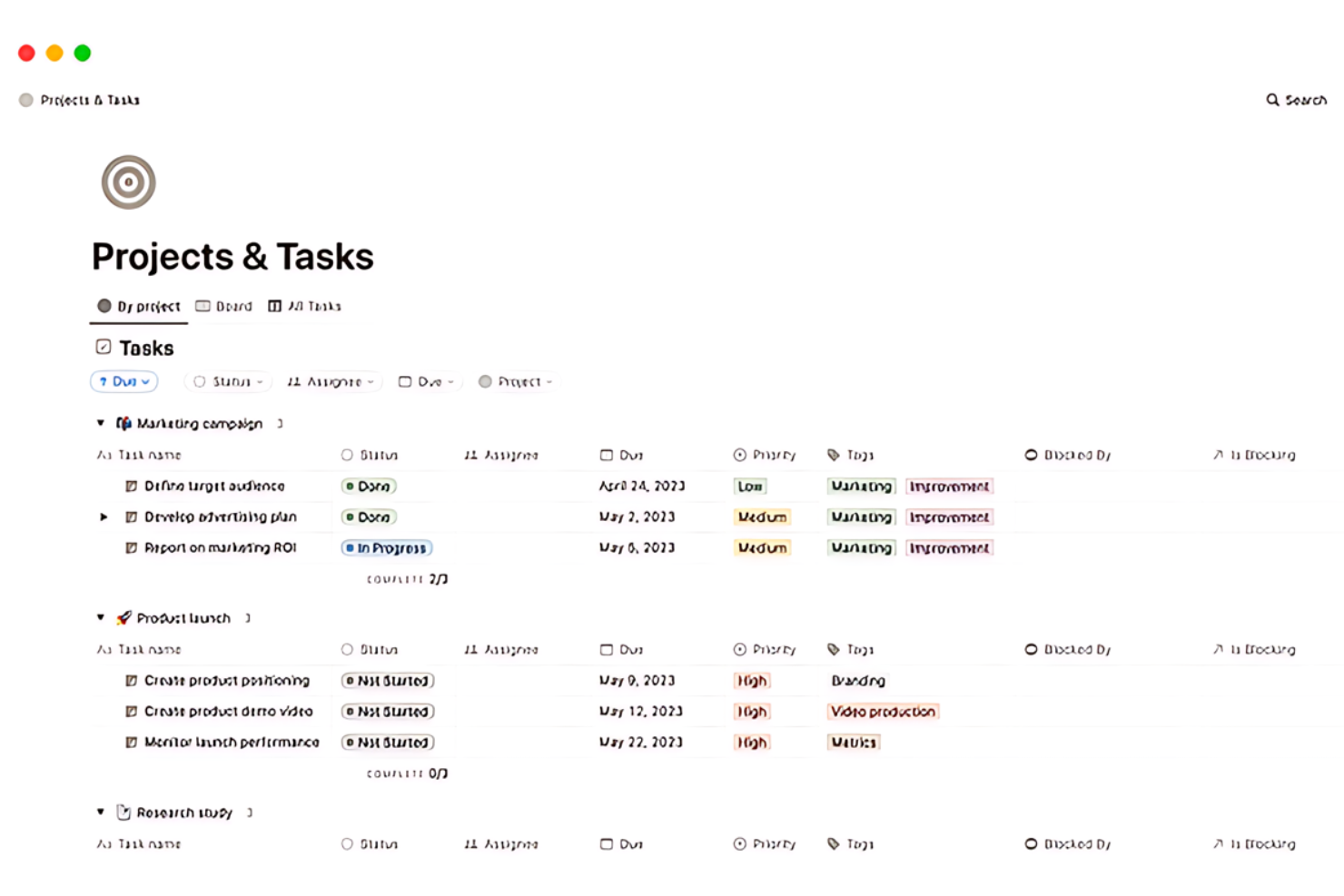
Notion è uno spazio di lavoro tutto-in-uno per prendere appunti, gestire progetti e collaborare. È il migliore per spazi di lavoro personalizzabili perché offre un'estrema flessibilità nell'organizzare contenuti e attività.
Perché ho scelto Notion:
Ho scelto Notion per questa lista per il suo approccio unico alla gestione delle attività, che combina note, documenti, wiki e strumenti di project management in una singola piattaforma personalizzabile. Questo strumento si distingue per la capacità di adattarsi a diversi flussi di lavoro e preferenze personali. Ritengo che Notion sia il migliore per spazi di lavoro personalizzabili perché permette agli utenti di creare i propri sistemi per gestire lavoro e vita, con una vasta gamma di blocchi e modelli che possono essere adattati a qualsiasi esigenza.
Funzionalità e integrazioni principali:
Le funzionalità includono un assistente AI integrato, un potente sistema di documentazione, gestione centralizzata della conoscenza e strumenti di project management flessibili. Offre anche l'integrazione con il calendario per gestire orari e progetti in modo collaborativo.
Le integrazioni includono Slack, GitHub, Google Calendar, Google Drive, Trello, Asana, Jira, Everhour, Zapier, Tray.io e Make.
Pros and Cons
Pros:
- Spazio di lavoro altamente personalizzabile
- Assistente AI integrato per aumentare la produttività
- Supporta un'ampia gamma di integrazioni
Cons:
- Può risultare opprimente a causa dell'ampia gamma di funzioni
- La versione gratuita ha funzionalità limitate per i team
- Alcuni utenti possono preferire strumenti più specializzati per attività specifiche
Altri software per la gestione delle attività personali
Di seguito trovi un elenco di ulteriori software per la gestione delle attività personali che abbiamo selezionato, ma che non sono entrati nella lista principale. Vale sicuramente la pena dare loro un’occhiata.


Recensioni correlate sulla gestione dei progetti
Se non hai ancora trovato ciò che cerchi, dai un'occhiata a queste altre recensioni di strumenti per la gestione dei progetti che abbiamo selezionato per te:
- Creazione di diagrammi di Gantt
- Strumenti per la produttività
- Software per il monitoraggio dei progetti
- Software per la pianificazione dei progetti
- Software per la gestione dei progetti
- Software per la gestione delle risorse
Come Valuto i Software di Gestione Personale delle Attività
Penso a questi strumenti su due livelli: la soglia minima che uno strumento deve superare—cattura rapida, date di scadenza, sincronizzazione tra dispositivi—e ciò che realmente rende uno preferibile all'altro.
Funzionalità di Base (Requisiti Fondamentali per Questa Lista)
Quando seleziono gli strumenti per la mia lista, valuto ognuno su una scala da 0 (non offre la funzionalità) a 5 (eccelle in questa area) per ciascuna funzionalità di base elencata sotto. Poi calcolo il punteggio totale dello strumento in percentuale. Ogni strumento deve raggiungere un punteggio totale minimo del 65% per essere preso in considerazione.
- Creazione e Cattura delle Attività: Controllo quanti modi ci sono per aggiungere un'attività—scorciatoie per aggiunta rapida, inoltro email, estensioni per browser—dato che i PM hanno bisogno di catturare azioni al volo durante le riunioni.
- Date di Scadenza e Promemoria: Ogni strumento dovrebbe permetterti di impostare scadenze, pianificazioni ricorrenti e promemoria temporizzati così che i follow-up, come i check-in settimanali, non vengano dimenticati.
- Prioritizzazione e Organizzazione: Cerco opzioni di ordinamento a più livelli come bandiere di priorità, etichette e liste annidate che consentano di separare, ad esempio, gli impegni dello sprint dalle richieste improvvise degli stakeholder.
- Viste e Filtri Personali: Strumenti come Todoist e ClickUp offrono le viste "Le Mie Attività" o "Oggi"—valuto se uno strumento mette in evidenza chiaramente il tuo lavoro anche quando gestisce dati di squadra.
- Sincronizzazione tra Dispositivi: La sincronizzazione in tempo reale su web, desktop e mobile è fondamentale perché la maggior parte dei PM cattura attività su un laptop in riunione e poi le gestisce dal telefono.
- Integrazione con Strumenti di Progetto: Valuto le connessioni native con piattaforme di PM, calendari e app di chat così che attività da una board Jira o da una discussione Slack confluiscano nel tuo flusso di lavoro personale.
Una volta che ho una lista di strumenti che rispettano i criteri, considero cosa distingue ogni piattaforma dalle altre.
Fattori Differenzianti (Cosa Distingue i Fornitori)
Ecco come confronto e metto a confronto i diversi fornitori:
Funzionalità Distintive
L'inserimento in linguaggio naturale è una differenza importante—scrivere "invia aggiornamento roadmap venerdì alle 15" e far sì che lo strumento trasformi tutto in un'attività strutturata fa risparmiare davvero tempo durante incontri consecutivi. Valuto anche se uno strumento supporta il time blocking o le sovrapposizioni di calendario, che permettono di trascinare le attività direttamente sull'agenda per ritagliarsi tempo di concentrazione tra standup e revisioni. La prioritizzazione tramite IA conta molto, specialmente quando uno strumento evidenzia cosa affrontare dopo in base a scadenze e impegno necessario.
Oltre le Funzionalità
La profondità dell'integrazione è fondamentale—controllo se uno strumento si sincronizza a doppio senso con piattaforme come Jira o Asana così che le attività personali riflettano realmente i cambiamenti dello sprint. Anche la struttura dei prezzi è un fattore chiave, visto che la maggior parte dei PM inizia da sola prima di proporre uno strumento al team. Un piano gratuito generoso o un modello flessibile per utente facilita molto questa transizione. Valuto anche la rapidità di onboarding: strumenti con template pronti per PM come GTD o tabelle Eisenhower fanno essere produttivi più velocemente rispetto a partire da una pagina vuota.
Come scegliere un software per la gestione delle attività personali
Mentre affronti il tuo particolare processo di selezione del software, tieni a mente i seguenti punti:
- Interfaccia intuitiva: Il software dovrebbe avere un design intuitivo che renda facile navigare e gestire le attività senza una curva di apprendimento ripida. Ad esempio, le persone che non hanno molta dimestichezza con la tecnologia trarranno vantaggio da un layout semplice che consenta loro di iniziare subito a organizzare le proprie attività.
- Possibilità di personalizzazione: Cerca un software che ti permetta di adattare l'esperienza alle tue esigenze specifiche. Che tu sia un libero professionista che deve monitorare il tempo dedicato a clienti diversi o uno studente che desidera categorizzare le attività per materia, la personalizzazione può aiutarti a rimanere organizzato in un modo adatto al tuo stile di vita.
- Opzioni di integrazione: Valuta se il software può integrarsi con gli altri strumenti che utilizzi. Questo è particolarmente importante per chi si affida a più piattaforme per la posta elettronica, il calendario e l'archiviazione dei file, poiché può aiutare a centralizzare attività e informazioni in un unico posto.
- Accessibilità da dispositivi mobili: Assicurati che il software offra una versione per dispositivi mobili o sia ottimizzato per l'uso da mobile. Questo è fondamentale per gli utenti che sono spesso in movimento e hanno bisogno di accedere alle proprie attività e ai propri programmi da qualsiasi luogo e in qualsiasi momento.
- Convenienza economica: Valuta il costo in relazione alle funzionalità offerte. Le persone attente al budget o che necessitano solo delle funzioni di base per la gestione delle attività dovrebbero verificare se stanno ottenendo un buon rapporto qualità-prezzo o se esistono alternative gratuite in grado di soddisfare le loro esigenze.
Tendenze dei software per la gestione personale delle attività nel 2025
Ecco alcune tendenze attuali e interessanti che sto notando nella tecnologia dei software per la gestione personale delle attività.
- Integrazione con l'intelligenza artificiale e l'apprendimento automatico: L'intelligenza artificiale viene sempre più integrata negli strumenti per la gestione delle attività. Prevede il comportamento degli utenti per suggerire attività e ottimizzare i programmi. Questa tendenza è significativa per il suo potenziale di personalizzare la produttività. Scopri qui altri strumenti per la gestione delle attività basati sull'intelligenza artificiale.
- Sincronizzazione tra piattaforme: Oggi i software offrono la sincronizzazione in tempo reale tra diversi dispositivi. Gli utenti possono aggiornare le attività su un dispositivo e visualizzare le modifiche su tutti gli altri. Questo è importante per mantenere la continuità nella gestione delle attività.
- Comandi vocali: Le funzioni di comando vocale stanno diventando sempre più comuni nelle applicazioni per la gestione delle attività. Consentono agli utenti di aggiungere o modificare le attività senza usare le mani. Questa tendenza è interessante perché migliora l'accessibilità e la comodità.
- Attenzione alla salute mentale e al benessere: I nuovi software per la gestione delle attività includono funzioni per promuovere la salute mentale. Incoraggiano a fare pause e ad adottare abitudini di lavoro consapevoli. Questa tendenza riflette una crescente consapevolezza dell'importanza dell'equilibrio tra vita professionale e privata.
- Elementi di gamification: La gamification viene utilizzata per rendere più coinvolgente la gestione delle attività. Funzioni come le ricompense e il monitoraggio dei progressi aumentano la motivazione. Questa tendenza è importante per il suo potenziale di rendere la produttività più piacevole.
Queste tendenze indicano un passaggio verso esperienze di gestione delle attività più personalizzate, efficienti e intuitive.
Che cos'è un software per la gestione personale delle attività?
Il software per la gestione personale delle attività è uno strumento digitale progettato per aiutare le persone a organizzare, monitorare e stabilire le priorità delle proprie attività e dei propri impegni. Viene utilizzato da professionisti, studenti e chiunque desideri gestire in modo più efficace le attività quotidiane e i progetti personali.
Il software funge da agenda personale, consentendo agli utenti di impostare scadenze, creare elenchi di attività e gestire il proprio tempo in modo efficiente. È essenziale per chi mira a mantenere la produttività e assicurarsi che nessuna attività venga trascurata.
Funzionalità dei software per la gestione personale delle attività
Quando si gestiscono attività e progetti quotidiani, il software per la gestione personale delle attività diventa uno strumento indispensabile. Aiuta a tenere traccia di ciò che deve essere fatto, a stabilire le priorità delle attività e a gestire il tempo in modo efficace. Ecco le funzionalità più importanti da ricercare in questo tipo di software:
- Prioritizzazione delle attività: Assegna livelli di importanza alle attività. Questa funzione mi consente di concentrarmi prima su ciò che è più importante, assicurandomi di rispettare le scadenze e raggiungere gli obiettivi più importanti.
- Scadenze e promemoria: Imposta scadenze e invia notifiche. Mi affido a questa funzione per tenere sotto controllo le mie attività, assicurandomi di non perdere mai una scadenza o dimenticare un'attività importante.
- Integrazione con il calendario: Sincronizza i calendari digitali. Questa integrazione è fondamentale per visualizzare come le mie attività si inseriscono nella mia agenda e pianificare di conseguenza il mio tempo.
- Sottoattività e dipendenze: Suddivide le attività in parti più piccole e gestibili e mostra l'ordine in cui devono essere completate. Questo mi aiuta ad affrontare progetti complessi completando le attività nella sequenza corretta.
- Strumenti di collaborazione: Consente di condividere attività e progetti con altri. Quando lavoro con un team, questa funzione ci aiuta a rimanere connessi e consapevoli dei progressi reciproci.
- Allegati: Allega documenti e immagini alle attività. Trovo questa funzione utile per mantenere tutte le informazioni necessarie in un unico luogo, semplificando così il mio flusso di lavoro.
- Monitoraggio del tempo: Registra il tempo dedicato alle attività. Monitorando la durata delle attività, posso stimare meglio quelle future e gestire il mio tempo.
- Visualizzazioni personalizzabili: Offre diversi modi per visualizzare le attività, ad esempio tramite elenchi o schede. Questa flessibilità mi consente di visualizzare le mie attività in un modo adatto al mio stile di lavoro.
- Opzioni di ricerca e filtro: Trova rapidamente le attività e le filtra in base a vari criteri. Questa funzione mi fa risparmiare tempo quando devo individuare attività specifiche o visualizzare quelle che soddisfano determinate condizioni.
- Accesso da dispositivi mobili: Fornisce l'accesso alle attività tramite un'app mobile. In questo modo posso rimanere produttivo e tenere traccia delle mie attività anche quando non sono alla mia scrivania.
- Attività ricorrenti: Attività impostate per ripetersi automaticamente a intervalli specifici.
- Stile Kanban: Sistema visivo per gestire il lavoro mentre attraversa un processo, generalmente rappresentato da schede su una bacheca con colonne.
- Visualizzazioni delle attività: Vari modi per visualizzare e gestire le attività, ad esempio tramite elenchi, calendari o bacheche.
Il software per la gestione personale delle attività è un elemento fondamentale della mia produttività quotidiana e mi aiuta a rimanere organizzato ed efficiente. La giusta combinazione di funzioni può fare una differenza significativa nella gestione del mio carico di lavoro e nel raggiungimento dei miei obiettivi personali e professionali.
Vantaggi del software per la gestione personale delle attività
Il software per la gestione personale delle attività è uno strumento fondamentale per migliorare la produttività e mantenere l'organizzazione sia dei singoli utenti sia delle organizzazioni. Di seguito sono riportati cinque vantaggi chiave che il software per la gestione personale delle attività offre ai suoi utenti e alle organizzazioni:
- Maggiore produttività: Il software per la gestione personale delle attività offre un approccio strutturato alla gestione del lavoro, favorendo il completamento più efficiente delle attività e un migliore utilizzo del tempo e delle risorse.
- Organizzazione migliorata: Gli utenti possono ordinare e assegnare priorità alle proprie attività, contribuendo a garantire il rispetto delle scadenze critiche e a evitare che le attività vengano trascurate, con un conseguente miglioramento della qualità del lavoro e una riduzione dello stress.
- Migliore gestione del tempo: Funzioni come calendari e promemoria aiutano gli utenti a pianificare e dedicare il tempo adeguato alle attività, aspetto fondamentale per rispettare le scadenze e gestire i carichi di lavoro.
- Collaborazione semplice: Gli strumenti di gestione delle attività spesso includono funzioni che consentono ai membri del team di collaborare facilmente ai progetti, promuovendo una comunicazione efficace e il lavoro di squadra, elementi fondamentali per il successo di un'organizzazione.
- Processo decisionale basato sui dati: Il software offre generalmente funzioni di monitoraggio e reportistica che forniscono informazioni sulle prestazioni delle attività e sui modelli di produttività, supportando la pianificazione strategica e il processo decisionale.
Il software per la gestione personale delle attività svolge un ruolo fondamentale nell'ottimizzazione delle operazioni quotidiane degli utenti e delle organizzazioni. Sfruttando i vantaggi elencati, individui e aziende possono raggiungere nuovi livelli di efficienza e soddisfazione lavorativa.
Costi e prezzi del software per la gestione personale delle attività
Quando scelgono un software per la gestione personale delle attività, è importante che gli acquirenti comprendano le diverse opzioni di piano e i relativi costi. Questi piani soddisfano esigenze diverse, dai singoli utenti alle grandi aziende.
Di seguito è riportata una panoramica dettagliata dei tipi di piano, dei prezzi medi e delle funzioni comunemente incluse in ciascuno.
Tabella comparativa dei piani per il software di gestione personale delle attività
| Tipo di piano | Prezzo medio | Funzionalità comuni |
| Gratuito | $0 | - Numero limitato di progetti (di solito fino a 3)- Funzionalità di base per la gestione delle attività- Collaborazione con un numero limitato di membri del team- Capacità di archiviazione dei file limitata- Accesso a visualizzazioni di base come elenchi e bacheche- Integrazione con altre app e servizi |
| Pro/Personale | $4 - $13 al mese | - Tutte le funzionalità per Pro/Personale- Numero maggiore di progetti personali (fino a 300)- Promemoria e durata delle attività- Visualizzazioni di ricerca e filtri avanzati- Cronologia delle attività illimitata- Assistente IA (disponibile in alcuni software)- Visualizzazione calendario- Condivisione esterna e progetti privati |
| Business | $6 - $25 per membro/mese | - Tutte le funzionalità di Pro/Personale- Area di lavoro del team condivisa- Fino a 500 progetti del team- Ruoli e autorizzazioni del team- Fatturazione centralizzata del team- Reportistica avanzata e campi personalizzati- Assistenza prioritaria via e-mail e telefono |
| Enterprise | Prezzi personalizzati | - Offerta con prezzi su misura- Account manager dedicato- Assistenza personalizzata per l'avvio- Accesso singolo SAML- Funzionalità di sicurezza avanzate- Esportazioni per la conformità- Branding personalizzato e assistenza premium |
Gli acquirenti di software dovrebbero valutare il numero di utenti e il livello di collaborazione richiesto rispetto alle funzionalità che supportano al meglio i loro flussi di lavoro.
Domande frequenti sui software per la gestione personale delle attività
Ecco alcune domande frequenti che volevo trattare per te.
I software per la gestione personale delle attività possono migliorare la produttività?
Sì, i software per la gestione personale delle attività possono migliorare significativamente la produttività aiutandoti a organizzare le attività, gestire il tempo in modo più efficace e ridurre il carico cognitivo legato al monitoraggio di numerose responsabilità. Aiutano inoltre a garantire che le attività importanti non vengano trascurate e che le scadenze vengano rispettate.
Vale la pena pagare per un software per la gestione personale delle attività?
L’opportunità di pagare per un software per la gestione personale delle attività dipende dalle tue esigenze specifiche. Le versioni gratuite spesso includono le funzionalità di base adatte alla gestione semplice delle attività. Tuttavia, le versioni a pagamento offrono funzionalità più complete, utili per gestire progetti complessi o per l’uso professionale.
Quanto è sicuro un software per la gestione personale delle attività?
La maggior parte dei software affidabili per la gestione personale delle attività offre solide misure di sicurezza, tra cui la crittografia dei dati, centri dati sicuri e audit di sicurezza regolari. Verifica sempre che il software sia conforme alle normative e agli standard pertinenti, soprattutto se intendi utilizzarlo per scopi aziendali.
Posso sincronizzare il mio software per la gestione delle attività su più dispositivi?
Molte app per la gestione personale delle attività offrono funzionalità di sincronizzazione su più dispositivi, consentendoti di gestire le attività senza interruzioni sul telefono, sul tablet e sul computer. Questa funzione è particolarmente utile per mantenere aggiornati gli elenchi delle attività e le notifiche indipendentemente dal dispositivo utilizzato.
Quali tipi di integrazioni dovrei cercare in un software per la gestione delle attività?
Cerca integrazioni che completino il tuo flusso di lavoro, ad esempio con piattaforme di posta elettronica, app di calendario, strumenti per la condivisione dei file, software per la collaborazione e persino plugin per la produttività. Queste integrazioni aiutano a semplificare i processi e consentono di gestire le attività senza dover passare continuamente da un’app all’altra.
Come posso assicurarmi che il software per la gestione delle attività scelto sia facile da usare?
Per assicurarti che il software sia facile da usare, cerca un’interfaccia pulita e intuitiva, una navigazione semplice e funzionalità di accessibilità. È inoltre consigliabile leggere le recensioni degli utenti, guardare video tutorial e approfittare delle versioni di prova gratuite per testare l’usabilità del software prima di impegnarti.