


Reseña de Resource Guru 2026: Ventajas, Desventajas, Características y Precios



Resource Guru is a resource management software built for teams that need to track who's available, when, and for how long across projects and bookings. If you've tried managing capacity inside a broader tool like monday.com and found it too scattered, Resource Guru is worth a closer look, as it keeps resource scheduling focused and purposeful without the noise of a full project management platform.
Resource Guru Evaluation Summary
- From $5/user/month (billed annually)
- Free trial available
Por qué confiar en nuestras recomendaciones de software
Nuestro equipo lleva probando y evaluando software desde 2012. Como gestores de proyectos, sabemos lo difícil —y lo importante— que es elegir el software adecuado.
Para esta guía, evaluamos las herramientas mediante pruebas prácticas e investigación independiente, puntuando las herramientas según nuestros criterios de selección. También nos basamos en la experiencia de líderes de opinión del sector y de profesionales en activo de la gestión de proyectos.
Nuestras reseñas reflejan nuestro criterio editorial humano, no un discurso de ventas.
Revisores expertos:
Resource Guru Overview
I think Resource Guru stands out for its intuitive scheduling interface, affordable pricing, and quick onboarding—especially for teams moving from spreadsheets. The software’s drag-and-drop planner outshines many clunkier competitors, but advanced reporting and deeper integration options can feel limited if you need enterprise-level control.
If you’re judging resource management tools for digital agencies, consultancies, or distributed teams that value speed and clarity over deep customization, I’d pick Resource Guru. It’s best for those who want fast visibility into who’s booked, available, or overloaded at any given moment.
pros
-
Fast drag-and-drop scheduling across people, projects, and resources
-
Clear visibility into team availability and workload in real time
-
Leave and time-off tracking integrated with project planning
cons
-
Reporting features offer only basic analysis and exports
-
No built-in project budget or cost tracking capabilities
-
Limited automation for complex recurring scheduling needs
-

Celoxis
Visit WebsiteThis rating combines scores from multiple user review sites to reflect overall customer sentiment about the product.4.5 -
Smartsheet
Visit WebsiteThis rating combines scores from multiple user review sites to reflect overall customer sentiment about the product.4.5 -
Accelo
Visit WebsiteThis rating combines scores from multiple user review sites to reflect overall customer sentiment about the product.4.4





Nuestra Metodología de Revisión
Cómo probamos y puntuamos las herramientas
Llevamos años construyendo, refinando y mejorando nuestro sistema de prueba y puntuación de software. La rúbrica está diseñada para capturar los matices de la selección de software y los factores que hacen efectivo a un sistema, centrándose en los aspectos críticos del proceso de toma de decisiones.
A continuación, puedes ver exactamente cómo funciona nuestro proceso de prueba y puntuación en base a siete criterios. Esto nos permite proporcionar una evaluación imparcial del software basada en la funcionalidad principal, características destacadas, facilidad de uso, incorporación, soporte al cliente, integraciones, opiniones de clientes y valor por el dinero.
Funcionalidad principal (25% de la puntuación final)
El punto de partida de nuestra evaluación es siempre la funcionalidad principal de la herramienta. ¿Cuenta con las funciones y características básicas que un usuario esperaría ver? ¿Alguna de estas funciones principales está limitada a planes de precios superiores? Esperamos que la herramienta se mantenga a la par de las capacidades básicas de sus competidores.
Características destacadas (25% de la puntuación final)
A continuación, evaluamos las características destacadas poco comunes que van más allá de la funcionalidad principal normalmente encontrada en este tipo de herramientas. Una puntuación alta refleja funciones únicas o especializadas que hacen que el producto sea más rápido, eficiente, o aporte valor extra al usuario.
También evaluamos la facilidad de integración con otras herramientas habitualmente presentes en el ecosistema tecnológico para ampliar la funcionalidad y utilidad del software. Las herramientas que ofrecen muchas integraciones nativas, conexiones de terceros y acceso por API para integrar soluciones personalizadas obtienen la mejor puntuación.
Facilidad de uso (10% de la puntuación final)
Consideramos cuán rápido y fácil es ejecutar las tareas fundamentales usando la herramienta. El software con alta puntuación está bien diseñado, es intuitivo, ofrece aplicaciones móviles, proporciona plantillas y hace que tareas relativamente complejas parezcan sencillas.
Incorporación (10% de la puntuación final)
Sabemos lo importante que es una adopción rápida para un nuevo sistema, así que evaluamos cuán sencillo es aprender a usar la herramienta con una capacitación mínima. Analizamos cuán rápido un miembro del equipo puede configurarse y comenzar a usar la herramienta sin experiencia previa. Las soluciones mejor puntuadas indican que se requiere poco o ningún soporte.
Soporte al cliente (10% de la puntuación final)
Revisamos la rapidez y facilidad para obtener ayuda por teléfono, chat en vivo o base de conocimientos. Las empresas que ofrecen soporte en tiempo real obtienen las mejores puntuaciones, mientras que los chatbots obtienen las peores.
Opiniones de clientes (10% de la puntuación final)
Además de nuestras propias pruebas y valoraciones, consideramos la puntuación neta del promotor de clientes actuales y anteriores. Revisamos la probabilidad de que, ante la opción, quisieran elegir la herramienta de nuevo por su funcionalidad central. Un software con una puntuación alta refleja una gran satisfacción de sus usuarios actuales o pasados.
Valor por el dinero (10% de la puntuación final)
Por último, tomando en cuenta todos los criterios mencionados, comparamos el precio promedio de los planes básicos respecto a las funciones principales y el valor aportado por los otros criterios. El software que entrega más por menos recibirá una puntuación superior.
Core Features
Drag-and-Drop Resource Scheduler
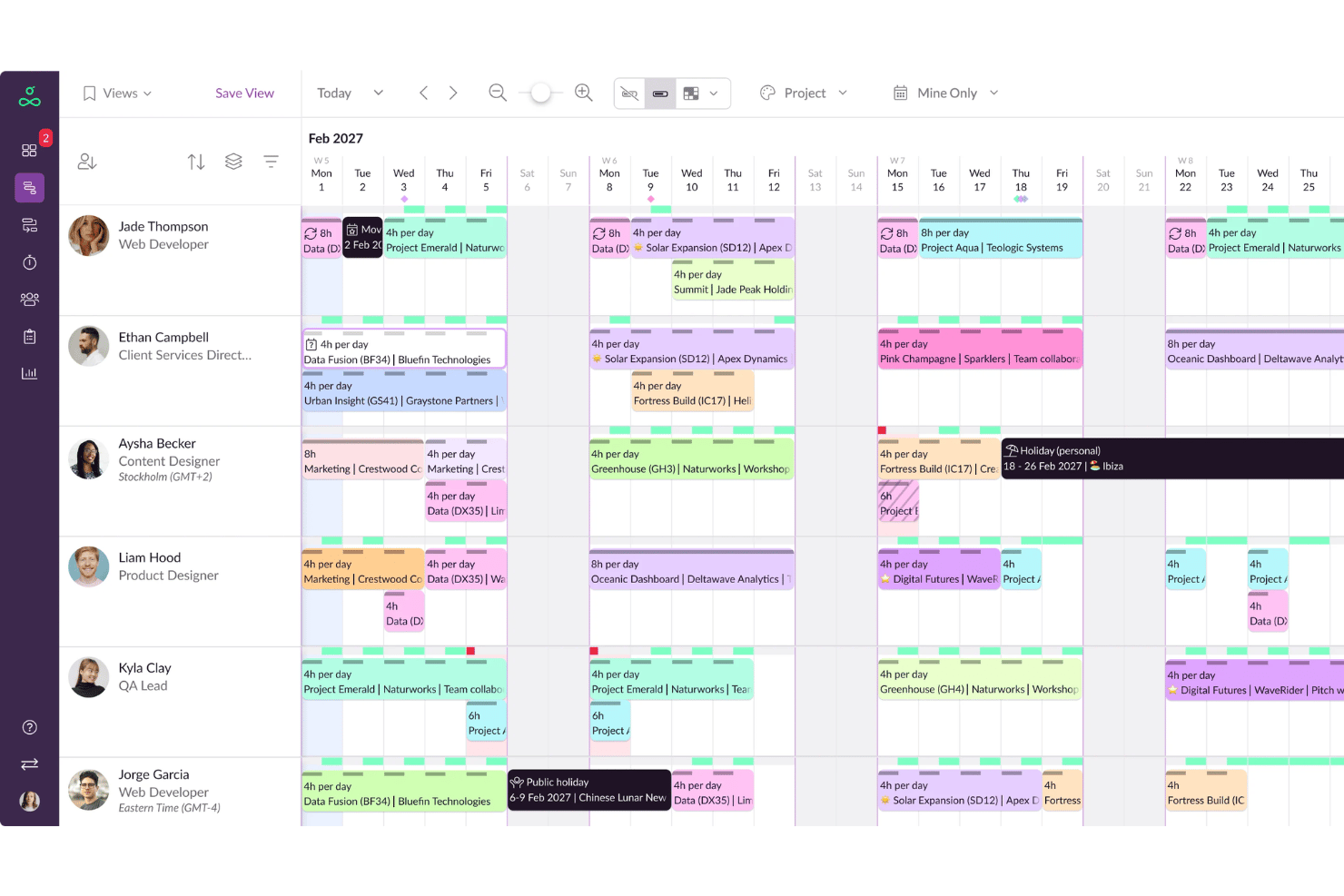
Schedule people, equipment, and spaces in a visual calendar with instant updates. The drag-and-drop interface lets you move bookings or reassign work with a click.
Availability and Capacity Tracking
See real-time availability for all resources, including working hours, time off, and booked projects. Prevent overallocation by setting limits on individual workloads.
Leave and Absence Management
Track all absences like vacations, sick days, and public holidays in one unified system. Approved leave automatically updates resource availability on schedules.
Project and Client Allocation
Assign bookings to specific projects or clients and filter views by project, resource, or team. Quickly visualize where time is being spent across the organization.
Custom Fields and Filters
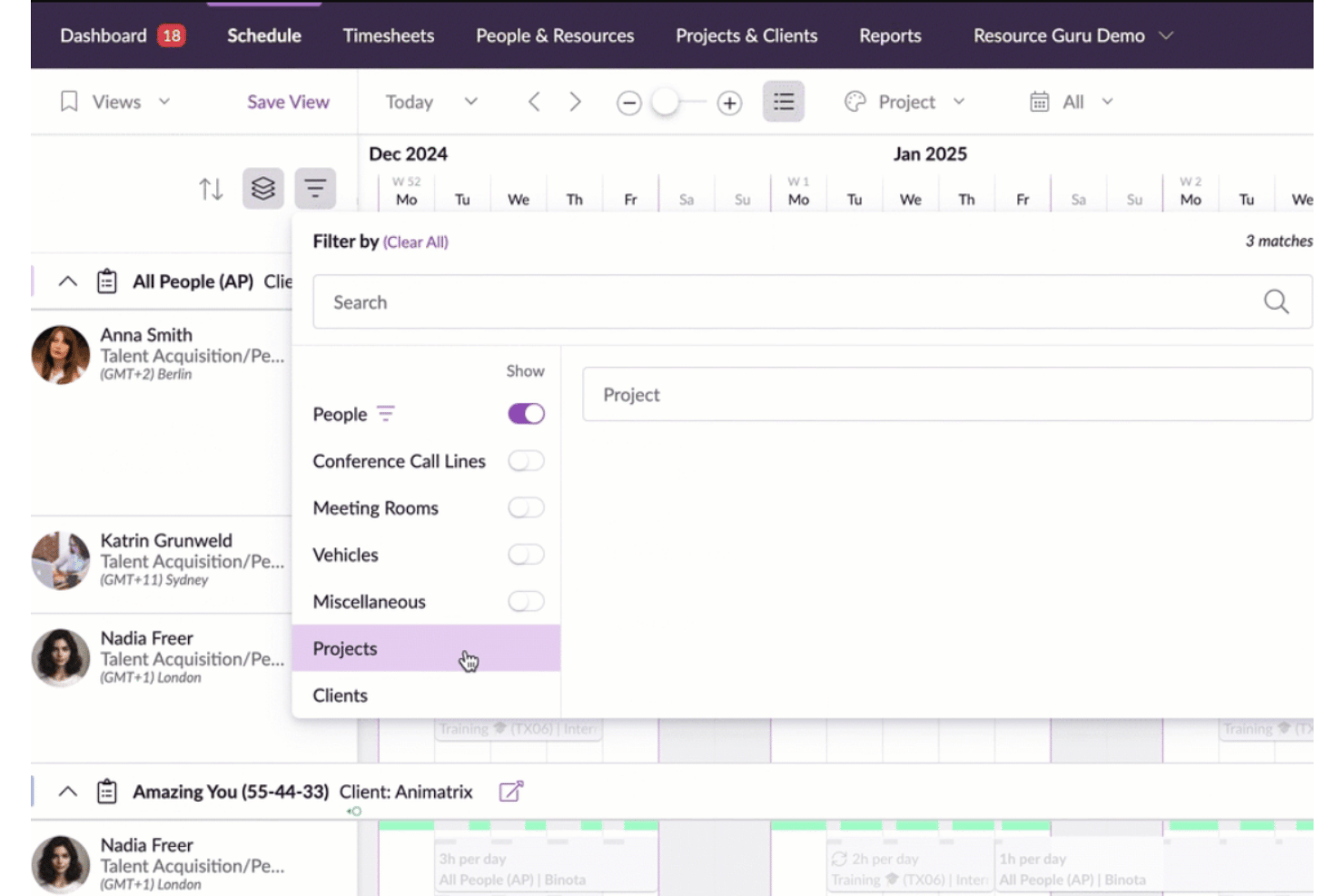
Add custom fields to resources for skills, departments, or locations to tailor scheduling. Filter and group schedules by these fields for faster resource matching.
Clash Management and Warnings
Automatic clash detection alerts you to overbookings or scheduling conflicts as soon as you create them. Visual warnings help you spot and resolve issues before they impact delivery.
Ease of Use
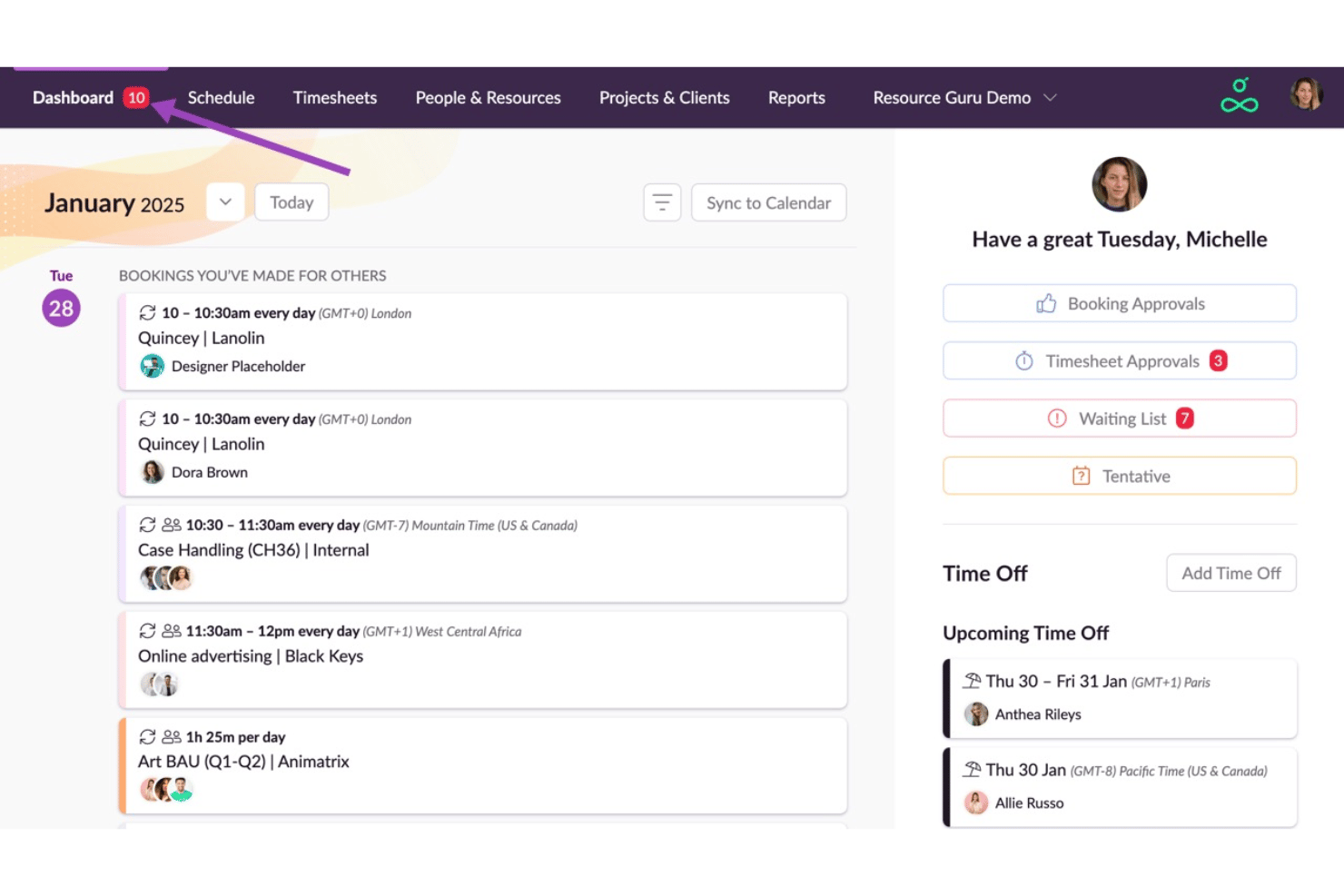
Resource Guru shines in user-friendliness with its intuitive drag-and-drop interface, making scheduling adjustments a breeze for your team. The centralized dashboard provides a clear view of everyone’s schedule, reducing confusion and keeping you organized. Custom availability settings and pre-filled timesheets save you time and effort, while multi-resource allocations simplify managing collaborative projects.
Users appreciate the straightforward design, which allows you to focus on managing your team without getting bogged down by complex features.
Integrations
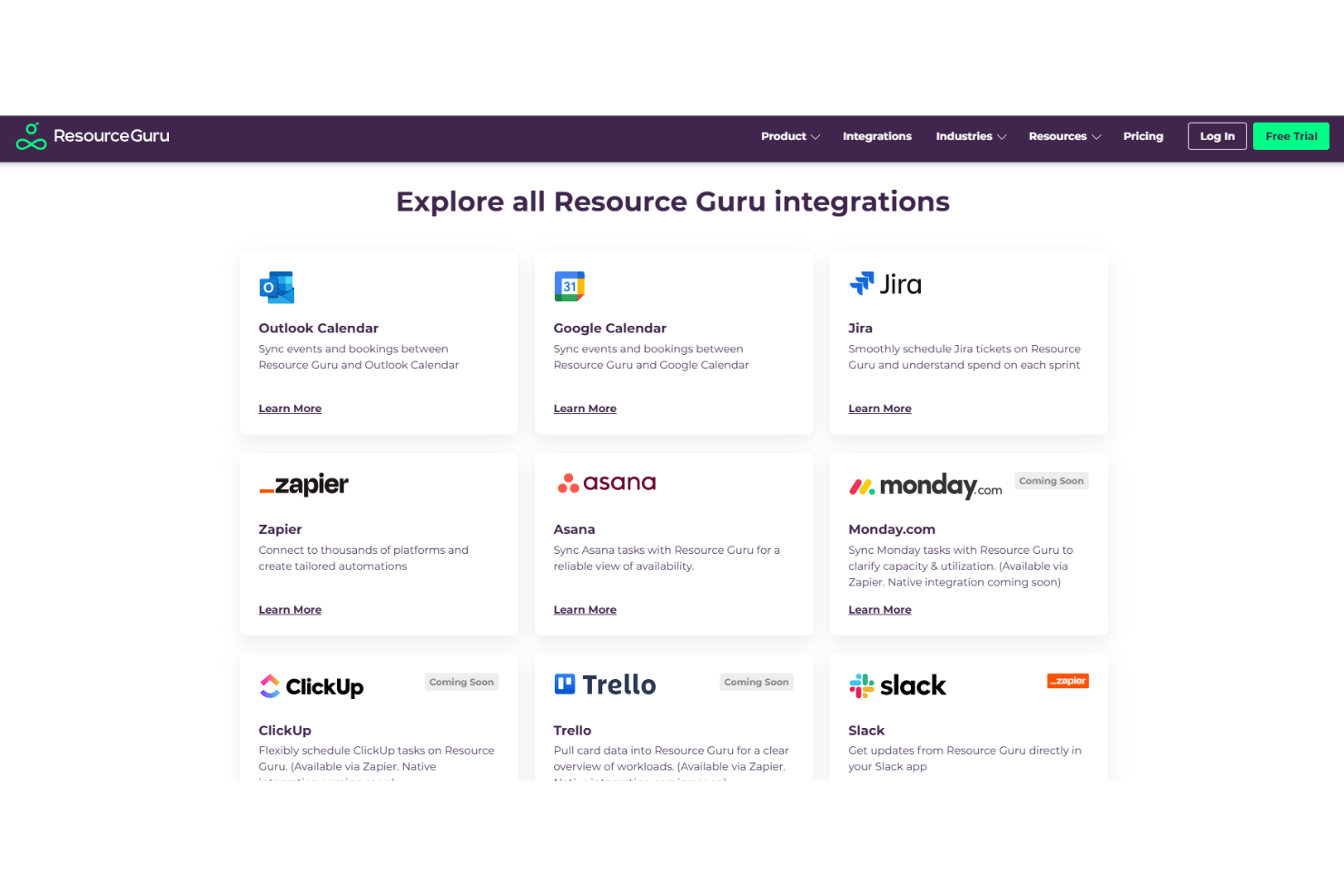
Resource Guru integrates with Jira, Asana, Slack, Microsoft Teams, Google Calendar, Outlook Calendar, Zapier, Make, Salesforce, and Gmail.
The platform also offers a robust API and connects with third-party integration tools like Zapier and Make for broader workflow automation.
New Product Updates from Resource Guru

Resource Guru Adds Flexible Total Hours Bookings
Resource Guru Total Hours bookings distribute a set amount of work across available time within a selected date range and recalculate when schedules change. Teams can also choose Rigid, Limited, or Fluid flexibility depending on how much the booking is allowed to move. Highlights include:
- Total Hours Bookings: Allocates a fixed number of hours across a selected date range.
- Automatic Reallocation: Redistributes flexible time when bookings, leave, or availability change.
- Flexibility Controls: Adds Rigid, Limited, and Fluid options for how hours can move.
- Placeholder Support: Lets teams reserve effort before assigning a specific person.
- Schedule Recalculation: Recalculates work around a resource’s real availability when assignments change.
Visit Resource Guru’s official site for more details.
 for more details.
Resource Guru Adds Booking Digests and Project View Controls
Resource Guru adds a daily placeholder booking digest and customizable Projects view columns, including custom fields and column reordering. These updates make unassigned work easier to monitor and project data easier to organize. Highlights include:
- Placeholder Booking Digest: Sends a daily summary of bookings tied to managed placeholders.
- Projects View Columns: Lets users choose and reorder columns based on the information they need.
- Custom Fields: Adds custom fields to the Projects view for more relevant project tracking.
Visit Resource Guru’s official site for more details.
Resource Guru Specs
- API
- Appointment Scheduling
- Attendance Tracking
- Calendar Management
- Contact Management
- Contact Sharing
- Dashboards
- Email Integration
- External Integrations
- Google Apps Integration
- Mobile App
- Multi-User
- Notifications
- Project Management
- Reports
- Resource Management
- Scheduling
- Task Scheduling/Tracking
- Time Management
- Vacation & Absence Calendar


