



Runn vs. Resource Guru: Comparison and Expert Reviews for 2026



Resource conflicts and unexpected workload spikes rarely happen overnight—they build up when teams lack a clear view of future demand. Without the right planning tools, it becomes difficult to know who's available, where capacity gaps exist, and when new work will push teams beyond their limits.
If you’re frustrated with double bookings, lack of visibility, or team burnout, you’re not alone. Choosing between Runn and Resource Guru can feel tricky, especially when both promise to boost clarity, planning, and workload management. You need resource management and capacity planning software that actually makes your workdays less complicated—resource management software should make more things click, not add friction.
In this article, I’ll give you a straight-up comparison of Runn and Resource Guru, covering the pros and cons, best use cases, pricing, security, and how easy each is to use—so you can pick the right tool for your team with confidence.
Runn vs. Resource Guru: An Overview
Runn
Resource Guru


Why Trust Our Software Recommendations
Our team has been testing and reviewing software since 2012. As project managers ourselves, we know how difficult—and important—it is to choose the right software.
For this guide, we evaluated tools using hands-on testing and independent research, scoring tools using our selection criteria. We also draw on insights from industry thought leaders and practicing project management experts.
Our reviews reflect our human editorial judgment, not a sales pitch.
Expert reviewers:
Runn vs. Resource Guru Pricing Comparison
| Runn | Resource Guru | |
|---|---|---|
| Free Trial | 30-day free trial | Free trial available |
| Pricing | From $7/user/month (billed annually) | From $5/user/month (billed annually) |
Runn vs. Resource Guru Pricing & Hidden Costs
Runn uses a subscription model based on the number of managed people, with plans that scale as your team grows. Resource Guru follows a similar user-based subscription approach, but certain add-ons—like advanced reporting or priority support—can push up the total cost beyond the base plan.
To pick the right vendor, go beyond the monthly price and map out what features your team needs now and over the next year. List must-haves and nice-to-haves, then add up any extra costs for those features or integrations. Think about scalability, contract flexibility, and how fee changes could impact you if your team grows or workflow shifts. This way, you’ll spot true value and reduce surprises.
Runn vs. Resource Guru Feature Comparison
| Runn | Resource Guru | |
|---|---|---|
| API | ||
| Calendar Management | ||
| External Integrations | ||
| Multi-User | ||
| Notifications | ||
| Project Management | ||
| Resource Management | ||
| Scheduling |
Runn vs. Resource Guru Integrations
| Integration | Runn | Resource Guru |
|---|---|---|
| Google Calendar | ❌ | ✅ |
| Microsoft Outlook | ✅ | ✅ |
| Slack | ✅ | ✅ |
| Xero | ❌ | ❌ |
| n8n | ✅ | ✅ |
| Microsoft Teams | ❌ | ✅ |
| Trello | ✅ | ✅ |
| Zapier | ✅ | ✅ |
| API | ✅ | ✅ |
Runn and Resource Guru offer a similarly strong range of integrations across calendars, productivity tools, and business applications. Both provide native integrations, API access, and additional connections through Zapier and n8n. There is no clear winner, so the better choice will depend on which integrations best match your existing workflows and preferences.
Runn vs. Resource Guru Security, Compliance & Reliability
| Factor | Runn | Resource Guru |
|---|---|---|
| Data Encryption | Runn encrypts data in transit using TLS 1.2+ and at rest using AES-256. | Encrypts data during transmission and at rest. |
| Regulatory Compliance | Runn is SOC 2 Type II certified and supports compliance with GDPR, CCPA/CPRA, and applicable user data requests. | Complies with SOC 2 Type II GDPR and supports EU data residence. |
| Uptime | Provides high uptime with status monitoring. | Advertises 99.9% uptime backed by status transparency. |
| Access Controls | User permissions and role-based access. | Role-based permissions for user and resource control. |
| Disaster Recovery | Runn’s security information supports continuous monitoring, backups, recovery measures, and incident response. | Daily backups and robust disaster recovery process. |
Both tools hit the key marks for modern SaaS security and compliance, but Runn's transparency and flexible access controls make it especially easy to trust. I find Resource Guru’s 99.9% uptime and solid disaster recovery inspire confidence, while Runn’s wider compliance stands out for teams handling sensitive data.
Runn vs. Resource Guru Ease of Use
| Factor | Runn | Resource Guru |
|---|---|---|
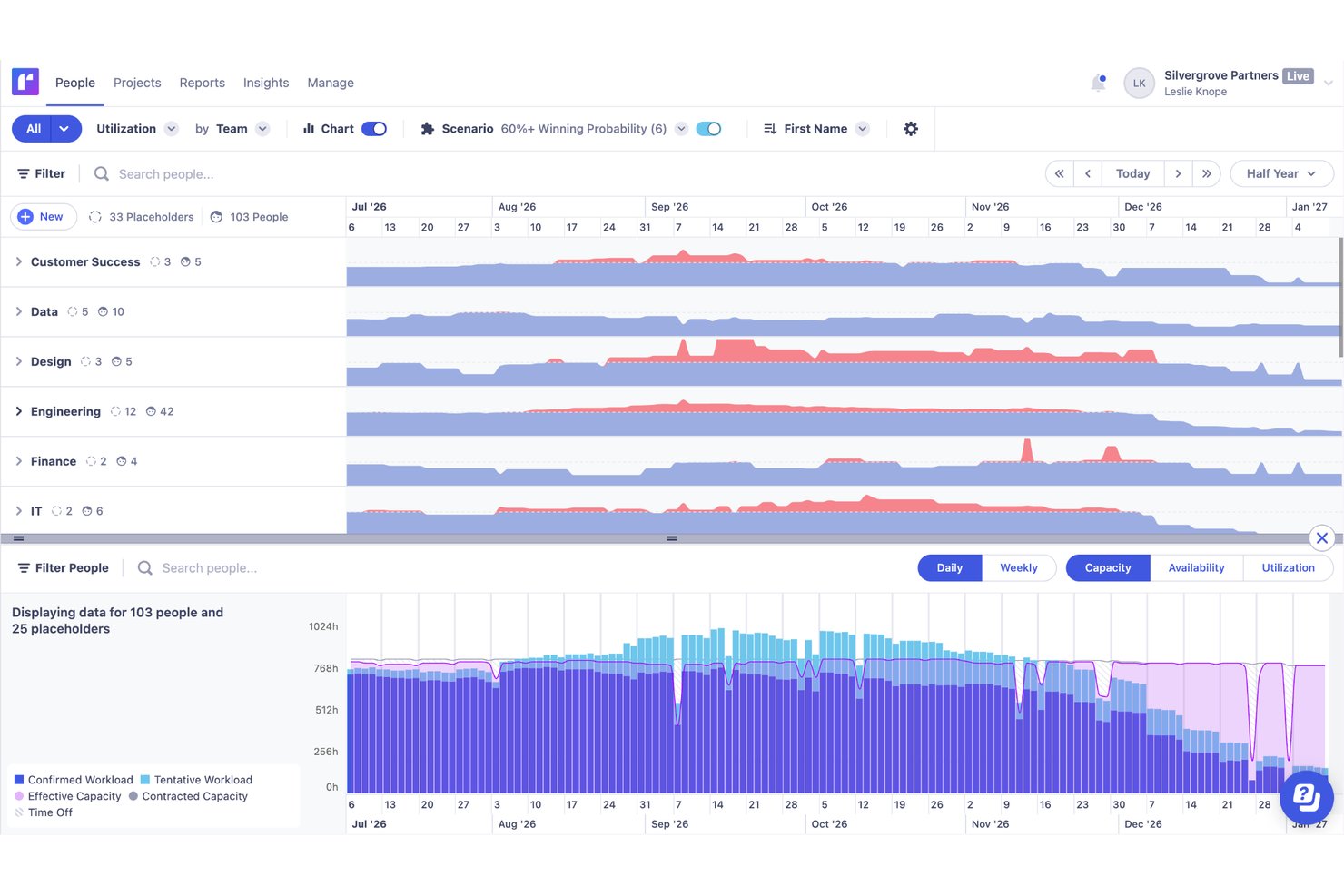
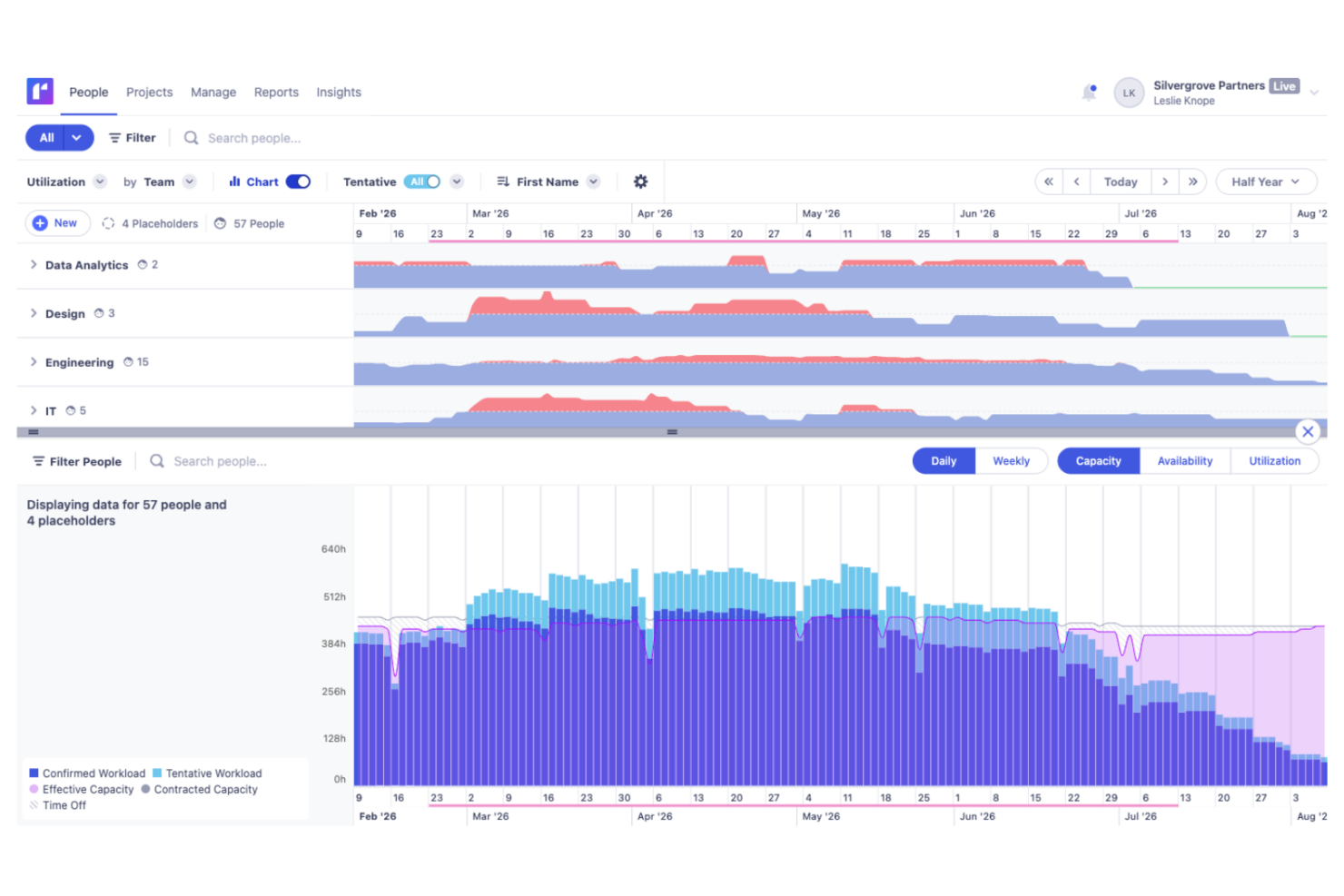
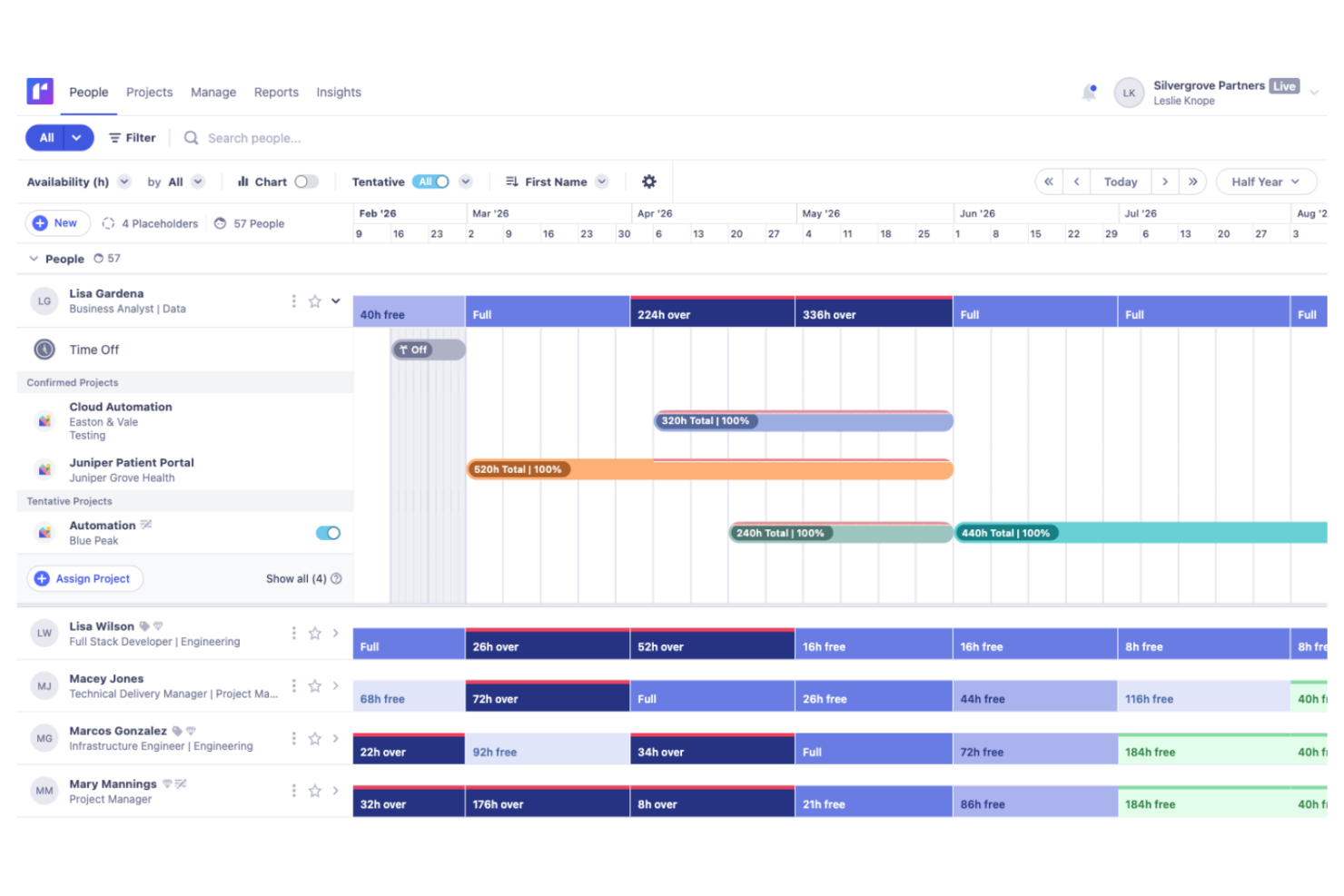
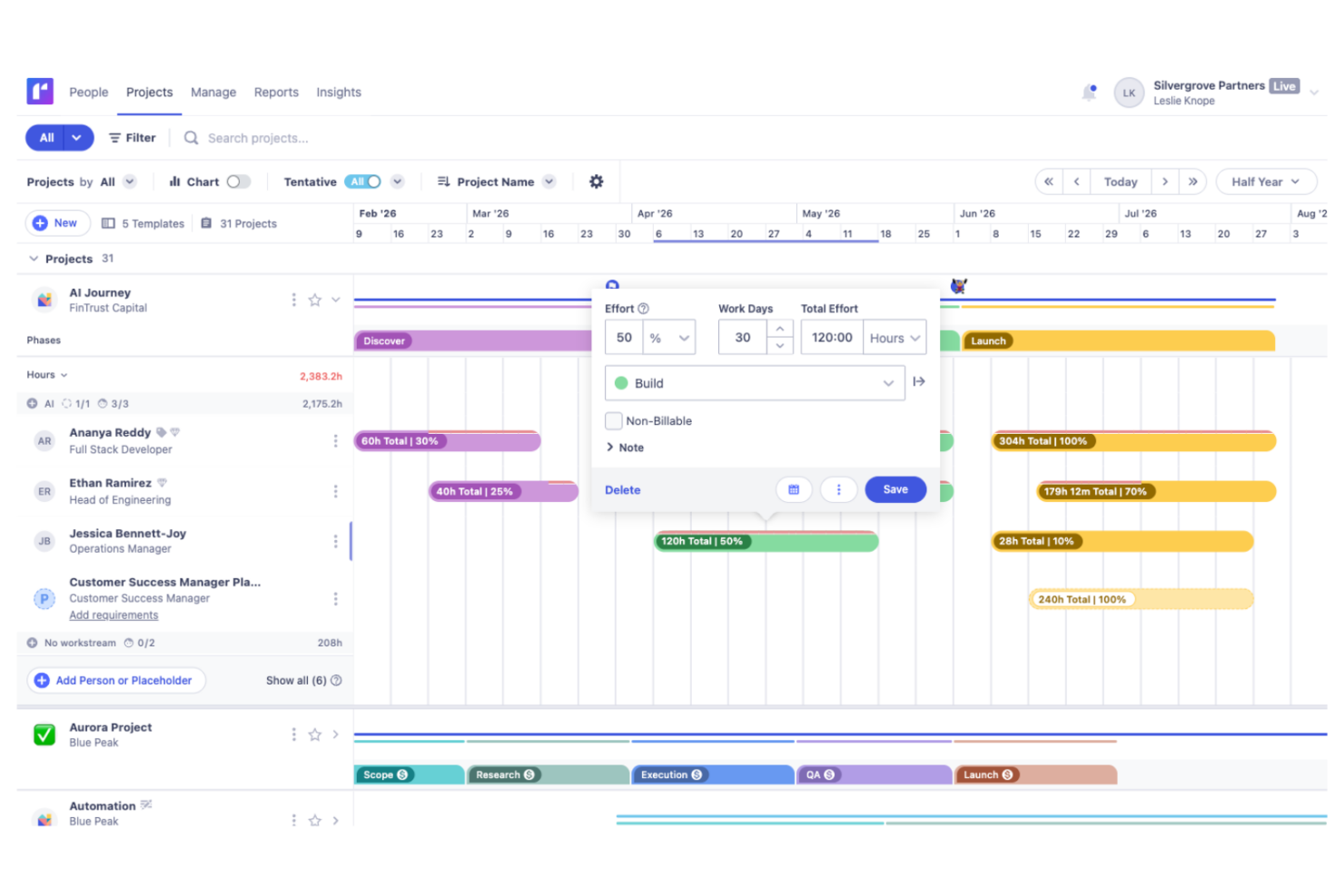
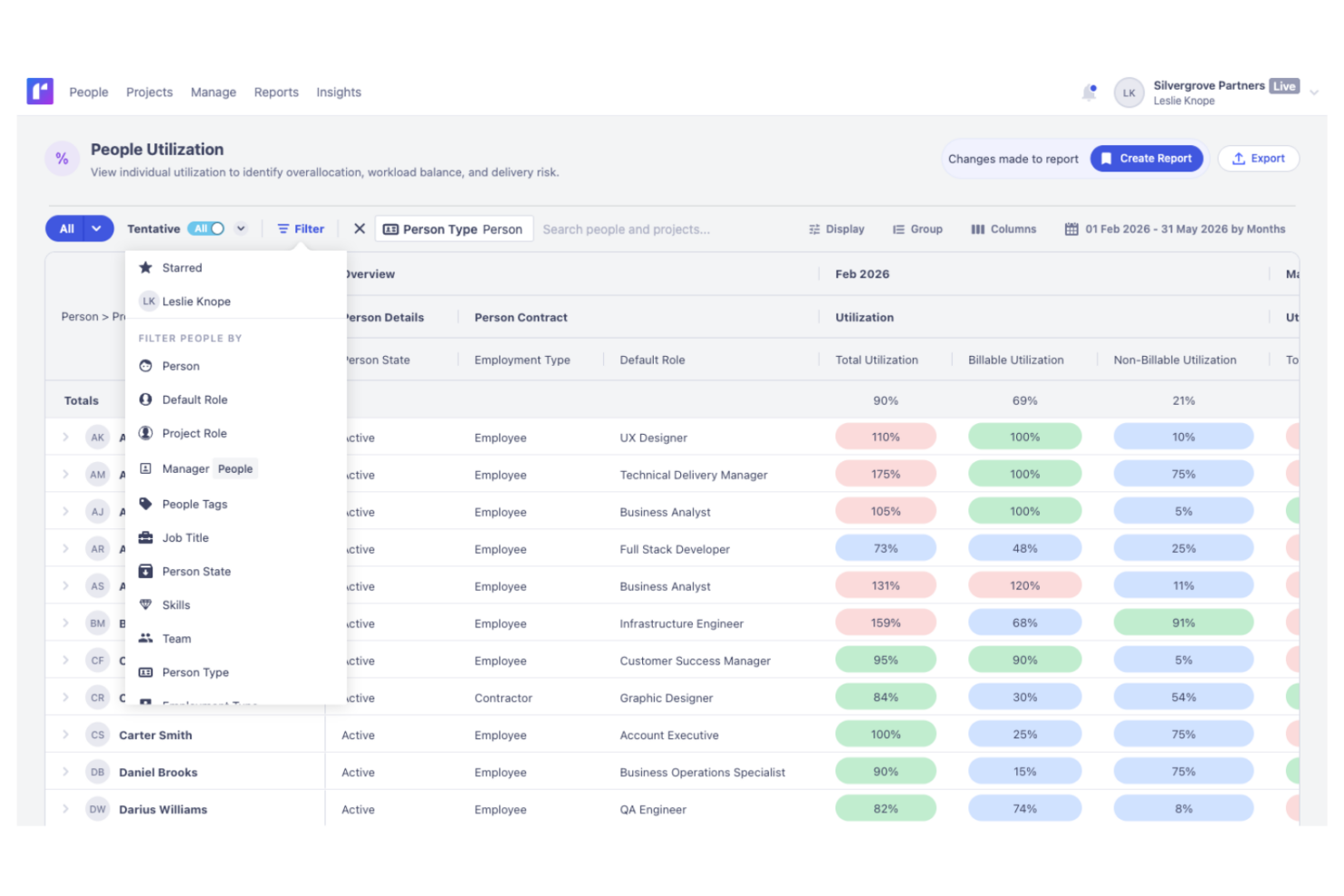
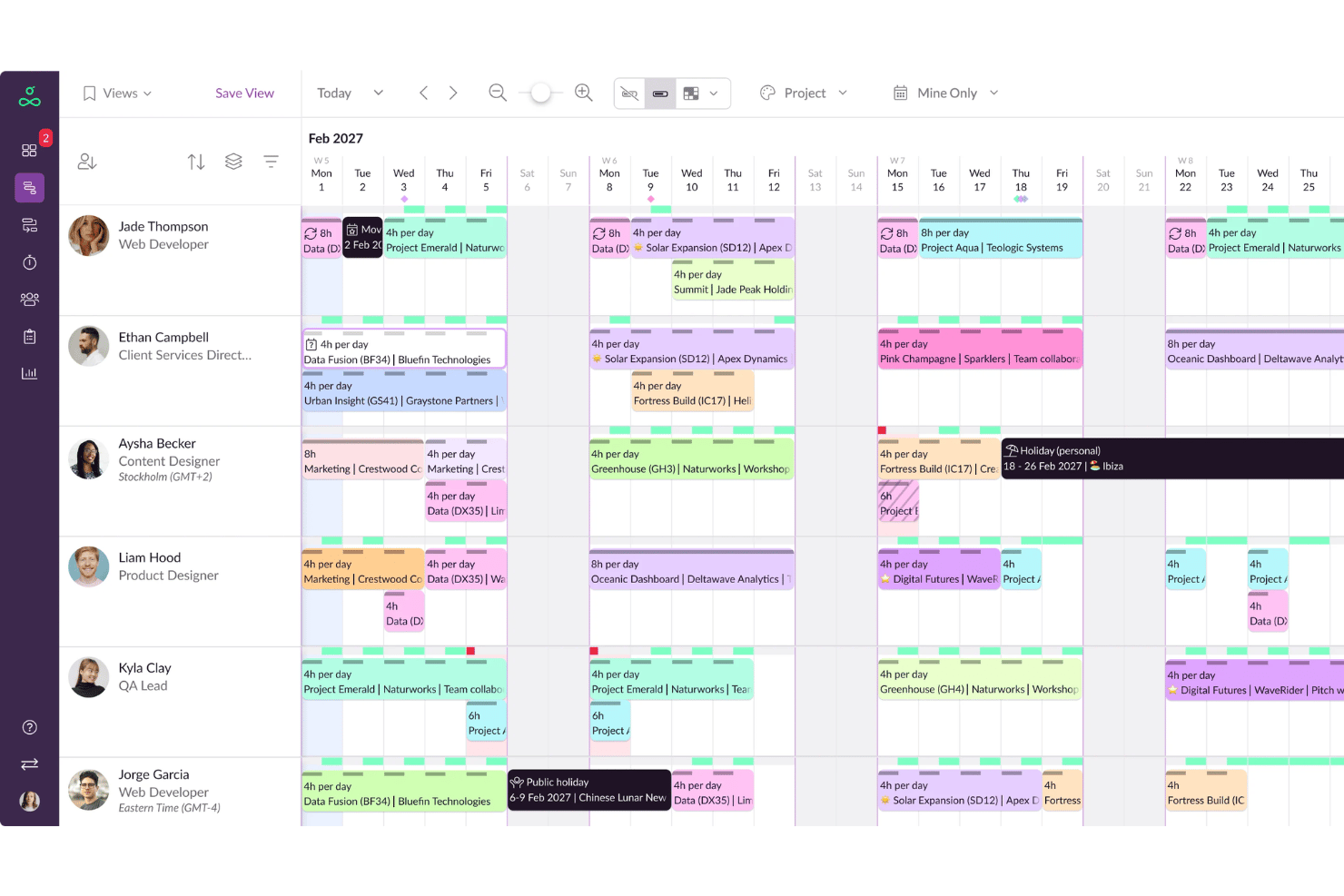
| User Interface | Modern dashboard with clear navigation and visual timelines. | Clean, minimalist interface with colorful booking grids. |
| Onboarding | Guided setup with helpful tooltips and quick import options. | Simple onboarding process, tailored for fast team adoption. |
| Scheduling Speed | Intuitive drag-and-drop project assignments, with quick adjustments. | Ultra-fast scheduling for large teams with few clicks. |
| Support Resources | In-app chat, email support, an extensive knowledge base, and weekly training webinars. | Responsive email support and a searchable help library. |
| Customization | Flexible reporting visuals and custom permission roles. | Straightforward settings focused on rapid deployment. |
Resource Guru is easier for new users to pick up quickly, but Runn’s broad customization and clear guidance reduce friction as teams scale. In my view, Resource Guru’s quick scheduling and simple layout keep even busy managers happy, while Runn’s flexible visuals and onboarding help teams grow into the platform smoothly.
Runn vs Resource Guru: Pros & Cons
Runn
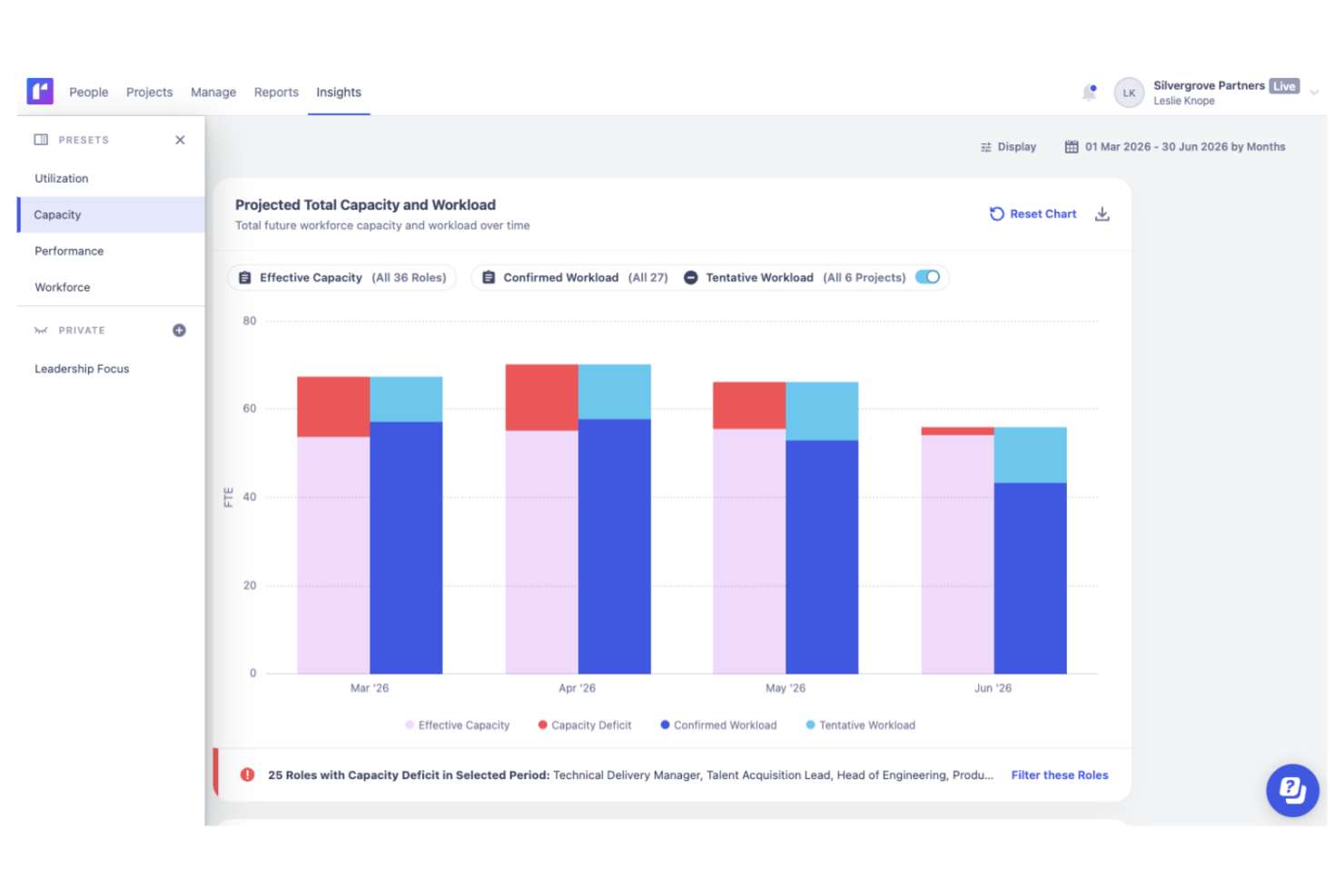
- Accurate forecasting tools provide insights into project health and resource needs, and help make informed decisions about future projects.
- Custom tags and fields make it easier to structure your data and make faster decisions.
- Reusable project templates reduce manual setup and help maintain consistency across recurring projects.
- Teams with highly complex permission requirements should review whether Runn’s role-based permissions meet their needs
- You may experience issues with managing over 1000 resources.
- Timesheet functionality isn't as robust as dedicated timesheet solutions.
Resource Guru
- Fast drag-and-drop scheduling across people, projects, and resources
- Clear visibility into team availability and workload in real time
- Leave and time-off tracking integrated with project planning
- Reporting features offer only basic analysis and exports
- No built-in project budget or cost tracking capabilities
- Limited automation for complex recurring scheduling needs
Best Use Cases for Runn and Resource Guru
Runn
- IT Solutions Runn's project forecasting and capacity planning features are tailored for IT teams and help you manage resources effectively.
- Software Delivery The intuitive timeline view helps with planning sprints and managing project phases seamlessly.
- Digital Transformation Agencies Runn helps manage specialist workloads, plan future projects, and allocate resources more effectively across client engagements.
- Consulting firms With Runn, you can quickly adapt to changing client needs through its flexible scheduling.
- Marketing teams Its visual timelines help you coordinate campaigns and track deliverables efficiently.
- Cross-functional teams The skills management feature helps you assign tasks based on expertise and improve collaboration across departments.
Resource Guru
- Creative Agencies Works well for managing studio schedules, tracking client bookings, and balancing freelancers’ workloads as projects and priorities shift.
- IT Consultancies Eases multi-project scheduling with real-time availability, role-based filtering, and instant reassignment for dynamic client projects.
- Marketing Departments Coordinating campaigns, events, and resource pools is easy with visual scheduling and leave management integrated in one platform.
- Event Planners Helps allocate venues, staff, and contractors with timely updates and easy adjustments when plans or requirements change.
- Architecture Firms Manages specialist staff and equipment on overlapping projects, with capacity visibility to prevent double-booking or project overload.
- Small Agencies Affordable per-resource plans support lean teams who need strong workload visibility without the complexity of enterprise tools.
Who Should Use Runn, and Who Should Use Resource Guru?
Runn is best for teams that need deeper forecasting, financial visibility, and integration with CRMs or billing tools—think consultancies, agencies, or growing tech teams handling complex delivery. Resource Guru is perfect for teams that want lightning-fast scheduling, a clean experience, and minimal onboarding—especially creative studios, agencies, or organizations with lots of short-term bookings. If you need detailed control and future-focused planning, Runn wins; for simplicity and speed, Resource Guru nails it.
Differences Between Runn and Resource Guru
| Runn | Resource Guru | |
|---|---|---|
| Customization | Offers flexible reporting visuals and custom roles. | Minimal customization, focused on simplicity. |
| Forecasting Tools | Includes advanced project and financial forecasting tools. | Lacks built-in forecasting features. |
| Scheduling Speed | Efficient but designed for more detailed planning needs. | Optimized for ultra-fast resource booking. |
| User Interface | Modern dashboard with timeline and reporting views. | Clean, colorful, and very straightforward. |
| Visit RunnOpens new window | Read Resource Guru ReviewOpens new window |
Similarities Between Runn and Resource Guru
| Availability Tracking | Each tool shows team members' real-time availability, helping prevent double booking. |
|---|---|
| Cloud-Based Access | Runn and Resource Guru are fully web-based, so your team can work from anywhere. |
| Integrations | Both support Zapier and API access, allowing you to build custom workflows as needed. |
| Resource Scheduling | Both let you schedule and reassign people easily with a drag-and-drop interface. |
| Team Visibility | Both offer shared calendars and centralized dashboards for visibility across projects. |
| Visit RunnOpens new window Read Resource Guru ReviewOpens new window | |