

PM Shares How She’s Shifting From Project Management To Systems Architecture
Melissa Magee shares how AI tools like Copilot, SharePoint, and Asana have transformed her project management approach into systems architecture. Discover how she's automating approvals, reducing cycle times, and saving her organization $40–60k annually.

Melissa Magee
Project and Portfolio Manager at Chaucer

AI Transformation: Melissa Magee discusses how AI is reshaping her project management tasks and role.
Automation Benefits: AI-driven systems save time and money, enhancing project visibility and efficiency.
Effective Prep: Informing AI of needs beforehand increases the quality and efficiency of its output.
Tool Integration: Magee uses AI tools like Copilot, SharePoint, and Asana to streamline project management.
AI Limitations: While AI boosts productivity, human touch is vital for managing emotions and project nuances.
Melissa Magee is a Project and Portfolio Manager at Chaucer, and she previously worked as an international project manager at an HR tech and consulting company. On the side, she creates resources to help people transition into project management.
We sat down with her to find out how AI is changing her work. She told us she's becoming more of a systems architect.
How AI Transforms Project Delivery And Management Tasks
My name is Melissa Magee. Currently, I am a Project and Portfolio Manager at a freeze-dried fruit company. I manage a B2B portfolio of more than 100 projects. I work directly with the sales team and customers to develop new products and provide ingredients. I also work on the operations side, where I've created several new processes to improve efficiency.

Three years ago, I transitioned from teaching middle school Spanish to project management. Before my current role, I was an international project manager at an HR tech and consulting company. On the side, I have also created resources to help people transition into project management or out of teaching.
I use AI every day. I create project plans, fine-tune processes, and collect notes with it. I also use AI to write more succinctly and to adjust my tone in my communications. I review my project portfolio and find unresolved action items using AI. I’ve used it to code and create new sites, jumpstart documents and outlines, and manage complex projects.
I use AI every day. I create project plans, fine-tune processes, and collect notes with it.

How AI-driven Systems Save $40-60k Annually
I recently converted our entire CapEx approval process and storage system from a Z drive to SharePoint. I created all the workflows and notifications, which saved our executive team hours on approvals, emails, and manual processes. It also increased project visibility, so everyone knows a project's approval status. No more guessing.
To do that, I created a document library and used the "list" function in SharePoint. I preloaded about 45 pre-approved CapEx projects for 2026, with links to folders for their documents, and an approval workflow. Once each person stamps the document and changes its status, it automatically notifies the next person. I also included other tasks and notifications. I used Copilot to create some of the workflows. I reduced some project cycle times by up to 90% and prevented price increases from stalled approvals and expired quotes, saving approximately $40-60k annually across $11M in projects.
This new process saves executive leadership 10-15 minutes per project, which adds up over the year. It also provides the finance team with more direct information, allowing them to complete monthly reporting 20-30 minutes more quickly. In Q1 this year, we more than doubled the rate of approved CapEx projects due to efficiency and visibility. I get feedback from directors and department heads that they are so happy with this new process; it saves them time, and they no longer have to access the VPN at home, which was a huge pain for everyone.
I reduced some project cycle times by up to 90% and prevented price increases from stalled approvals and expired quotes, saving approximately $40–60k annually across $11M in projects.
Helping AI To Understand Needs Boosts Effectiveness

By asking a few questions before requesting a deliverable, I get a more streamlined, better product. A few minutes of good preparation to help AI to understand my needs saves significant time. I’ll even ask AI what questions I should ask.
I’ll tell AI what I need and ask, 'Before you create this, what do you need from me to create a better deliverable?' I find this way of working particularly effective.
How AI Automates Project Management And Document Control
So many online approval processes are automatable, and we can automate even more. Various processes require approvals, including document control, issue escalations, and invoice approvals. Currently, we handle these manually via email or clunky Excel spreadsheets. Automating these processes would allow us to review and approve with a single click.
I am currently creating an escalation process for Supplier Issues. A SharePoint form will automatically trigger a list, gather information, and automate next steps for review. I also use Asana and its AI feature to help me code complex pieces. While working on a project plan to monitor 300 trolleys, I had AI build the code, which I copied and pasted into Asana. Within minutes, I had a way to track the progress of 300 repairs, a task that would have taken me hours to build manually.
Within minutes, I had a way to track the progress of 300 repairs, a task that would have taken me hours to build manually.
I am also automating document control. Again, a form would be completed, triggering the right path based on the owner. This would provide the necessary guardrails for updating documents, ensuring alignment with our Technical and Regulatory teams and compliance during audits. Currently, we handle that process entirely via email and manually.
I've automated the following:
- Change control (document control process)
- Code changes or item update workflows
- Meeting-to-task automation
- Capex approvals, visibility, and lifecycle automation
- Portfolio and reporting cadence automation
Other automations: status changes auto-populate dates and trigger notifications to Finance, Ops, and Directors. A "Needs more info" status routes work back to the owner for follow-up. This enforces process consistency and removes manual follow-ups from the PM.
I use Copilot to troubleshoot List formulas, fields, calculations, and to generate summaries.
The parts of project management that still require a human touch involve manipulating timelines, incorporating contingencies, and understanding the human factor. Emotional intelligence also remains a crucial part of project management. This includes knowing when, why, and to whom to speak, and sensitivity regarding personalities and tone of voice.
Emotional intelligence remains a crucial part of project management.
Which AI Tools Revolutionize Project Delivery And Reporting
My AI stack includes:
- ChatGPT
- Microsoft Facilitator: takes meeting notes and links to Planner for tasks and Loops. With AI-generated meeting summaries, I assign tasks on Loop.
- Asana: I use Asana to manage new product developments and communicate with many stakeholders across the company. I use it for automated workflows, which automatically notify people when tasks are complete and ready for their action. This saves time, makes processes more efficient, and prevents tasks from getting buried in emails. I created a project plan in Asana to track 100 pieces of equipment. AI helped me generate prompts to duplicate the tracking setup in a few minutes. I've also implemented Asana for specific processes, like our NPD process. I have pre-populated templates, so I assign people to roles, and it automatically assigns tasks and due dates based on a project start date.
- Microsoft Copilot: I use it to summarize meetings, pull all my emails regarding a specific topic. I also use it to create PowerPoints and Word Documents, to help me strategize next steps on complex projects or issues, to help me write code or cut hours of technical work time.
- Scribe: automates SOP creation, saving hours of manual work.
I particularly like how Microsoft AI tools access all my emails, company documents, and Teams meeting notes, compiling everything. Its history component is invaluable. I was the first person in my company to advocate for these tools, so I often train others to use them.
When we had issues with a strawberry supplier, I pulled all emails, meeting notes (thanks to Facilitator), and documents to create a high-level summary of the issue. I created PowerPoint presentations and Excel spreadsheets with data validation, all within minutes. I used Copilot with Microsoft Forms to create intake forms for CapEx proposals and used AI to export data for presentations. Because I pre-load agendas into all my meetings, AI keeps us on track. I ask it questions like, "Was there any question asked during this meeting that hasn't been answered?" to ensure nothing is missed. It helps me enforce accountability and supplements my notes. I use Loop to capture meeting notes with AI-generated summaries. I use Power Automate in SharePoint for many of the processes I've created.
How Copilot And SharePoint Streamline Project Management
I use Copilot across project work to generate project plans, dependencies, and timelines, a process that previously took hours. Copilot generates structured outputs (Word, PPT, Excel) from raw inputs in minutes. AI tools will replace drafting plans and timelines, translating meetings into documentation, and manually calculating status. I treat Copilot like a junior analyst or PMO assistant.
I treat Copilot like a junior analyst or PMO assistant.
With SharePoint and Lists, I've stopped chasing updates; I have real version control, and we all have visibility into the project status. This creates a single source of truth. I can use views to filter by owner, phase, and tasks. I can pull up live dashboards that update automatically. I created a List for our Daily 10 a.m. KPI/Standup meeting. This 15-minute daily meeting discusses plant operations, reviews daily KPIs, etc. I've also created an issue log to track issues for follow-up. We assign due dates, and automation notifies people as the due date approaches.
As the PM, I create the system and the process; the system enforces them forever. This makes me more of a process architect than a traditional project manager.
How Lightweight Systems Replace Traditional Project Methods
We don’t use project charters or hold multiple stakeholder meetings. Summaries often happen during weekly meetings or via email. We track tasks and questions in our project management tools' comments section, eliminating the need for a meeting every time a question arises.
For our Capex process, instead of manual processes where people send multiple copies and versions of signed approvals and forms, we use a single source of truth. We send links instead of document copies. We no longer manage version history or wonder about our place in the approval process. Once I trained everyone and used change management methods to get them on board, the response has been very positive. Finance reported it saves them time with monthly reporting, and the approval process is much less frustrating for project owners and approvers.
We don’t use project charters or hold multiple stakeholder meetings. Summaries often happen during weekly meetings or via email.
How AI-driven Workflows Transform Project Management
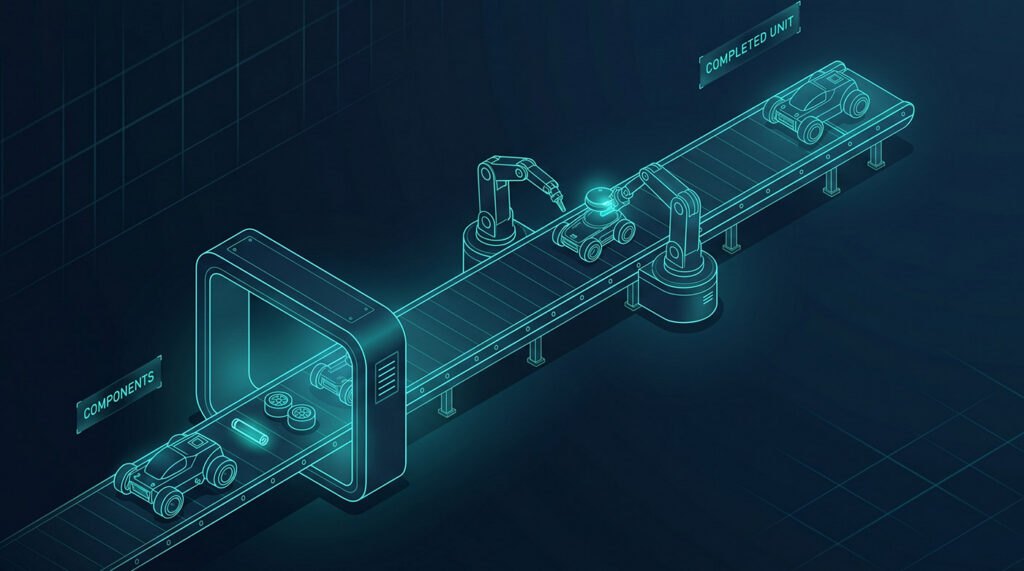
AI has provided me with more choice. I now have the ability to assign notifications in a waterfall order rather than agile (all at once). While some operations still require a rigid order, automations cut down on in-between times and speed up the overall process. I am moving away from traditional project management. Instead of project-manager-owned, document-heavy control systems, I now use embedded, workflow-driven systems where ownership, status, and decisions live where the work happens.
Traditional PM: Relies on project plans, Gantt charts, and central trackers, reporting progress outside where work happens.
Now: I pre-create project structures and embed status and approvals directly into the system. The traditional "project plan" is no longer just a document (as taught in the PMBOK and the 49 processes); the "plan" is a workflow itself. People do not need to reference a plan; they act within the system. This is a big change from traditional project management.
The “plan” is a workflow itself. People do not need to reference a plan; they act within the system.
Traditional PM: Required me, as the PM, to manually follow up with emails, reminders, and chase approvals.
Now: Automated status changes and notifications trigger emails and approval requests. The system enforces accountability, and I am less of a "traffic cop."
Traditional PM: Requires detailed plans and custom setups for every project.
Now: Reusable templates, roles, and dependencies. I can use AI to generate timelines and help me with dependencies and finding the critical path.
Traditional PM: We use meetings to report status, send notes, and assign follow-ups later.
Now: With AI tools, the system can automatically generate these during or immediately after the meeting. This provides quick, clear visibility with fewer handoffs.
In summary, my role as a PM has morphed from optimizing projects to operating systems. I am more operations-focused, shifting from document-focused to workflow-centric.
How AI Makes Core Project Delivery Rituals "Self-propelling"
By redesigning delivery rituals, AI becomes an active participant, not just a reactive support tool. In traditional PM, the PM defines the scope upfront, which lives in the project charter or plan. Teams handle changes through a change process or manual realignment. This can be clunky and time-consuming. With AI, scope is no longer static. Systems, templates, and rules limit scope more, and AI helps manage it. Traditional PM validates work at phase gates, status meetings, and formal reviews. With AI and these tools, we validate inside the workflow, not in separate review moments. AI flags issues early. I add logic to my workflows (e.g., incomplete CAPEX project proposals return to the owner) or trigger emails based on status changes. Validation becomes continuous, not just based on set times.
Much of my core work is automated and "self-propelling." Instead of me chasing individuals, task assignments, and summaries call people out. It also assigns and tracks due dates and overdue items. AI also provides immediate visibility. I still manage priorities and often guide teams on what to focus on first. I also still resolve cross-functional friction and, of course, design the system itself. If AI supports and generates structure, surfaces gaps, and reduces coordination time and energy, I can focus on higher-value tasks and operations leadership, not just project management.
Much of my core work is automated and “self-propelling.” Instead of me chasing individuals, task assignments, and summaries call people out.
Why IT Hesitations Hinder Adopting Agentic Workflows
Our IT department remains hesitant about AI, so I clear the way and educate them about it. I recently proposed training on many of our tools. A concern exists that companies issue AI licenses without proper training or guardrails.
I had to present the business case for why the entire leadership team should have access to AI, how it helps with manual and structural items, allowing us to focus on higher-value items.
Why AI Won't Replace Project Managers But Enhances Productivity

People talk about AI taking over jobs, but it won't completely take over project management. We still need a human to interpret others' emotions and feelings. However, project managers who don't use these tools will be left behind. I create more projects and get so much more done in the same eight-hour day than someone not using AI. The long list of deliverables I produce far outweighs what someone produces without AI and will continue to do so.
Embrace AI. It’s getting more advanced every day. It can save you significant time in several ways. Learn to use it as more than just a search engine. Spend a few minutes setting guardrails, and it will save you hours.
Follow Along
You can follow Melissa Magee's work on LinkedIn and check out her Topmate for educational resources about project management.
More expert interviews to come on The Digital Project Manager!

